Category: IT Administration

  • IT Ops Takes Center Stage

    IT Ops Takes Center Stage

    When people talk about the last 18 months, most will remember it as a disruptive time when nothing felt certain. Yet, for many IT Ops and network operation center (NOC) leaders, it was the year they stepped out of the darkness and into the spotlight. Suddenly, it mattered deeply who was maintaining those services we relied on to shop, work, eat, live – and it became clear that IT Ops teams – who were previously thought of only as the number you called for a password reset – had been keeping our businesses running all along.

    While there may have been some recognition before the pandemic, that awareness certainly gained momentum during 2020 and, now, shows no signs of stopping.

    As Ben Narramore, senior manager of operations with Sony Playstation Network said at a recent customer conference, “Today, I am able to talk to leaders across the company that I would never have talked to a year ago. They didn’t care about operations, they didn’t care about the NOC, didn’t care about incident management, and now they’re like, ‘Wow, this is great stuff,’” he said. “I’m excited right now. We’re at a place in operations where my team has evolved, doing more than just problem-solving.”

    I am excited to hear sentiments like that, because for the last 10 years or so, application development has been the golden child of IT. The faster you could crank out code, the faster the business could move. For years, every dollar and every resource went to building out amazing applications and services, leaving the IT Ops people to keep it all available and performing. Sure, some companies like Hulu and Expedia had the dynamics worked out and built a modern, optimized organization that could run as fast as it built, but most companies paid a high price in time, focus and resources to keep their services up and running.

    For most companies, it felt like a war of speed versus availability. Engineering wins when they can deliver what the business needs, quickly. They do not need to look beyond their group for much and – if it works as intended – they are good to go. IT Ops, on the other hand, needs a broad view of the entire technology landscape. They need to think about the availability of all services, which requires them to have visibility across the entire enterprise stack, often dealing with the downstream implications of outages and incidents that cross networks, hardware, software and clouds.

    Now, it’s 2021, and the war is over. And it turns out, the rise of operations wasn’t about a revolution. It was about recognition. IT Ops teams needed a seat at the table. They finally got the chance to explain that they want to move fast, too – to streamline operations, consolidate awareness, automate wherever possible and help support and enable the velocity the business demands, side by side with their partners in engineering.

    Jeremy Bragg is an infrastructure automation architect at Abbott Labs. I thought his role description was really compelling; here’s how he explained it: “Probably the most interesting aspect about being in automation is that we break down silos. We cannot just be a server team or a network team or a mobility team. We work across the board with all the teams to try to further their causes. We ask ourselves: where are we doing manual work today that we could automate?”

    Over the next five years, I believe more teams will start to take advantage of AI and machine learning to set the pace for the modern IT organization; more of the mundane work will be automated so they are free to lead innovation, not just react to it.

    Ben Narramore also has a lot of passion for that very topic. “If I look at my teams in the last ten years, we were firefighters; we’re good at it out of necessity. Now, we’re at a point with cloud computing [and] with AI that gives us a chance to reassess our team. I’m excited about how our team has evolved from day-to-day problem solving to looking at our business with the future in mind. Being able to automate manual operations and workflows gave us the ability to do new, more exciting work, as well as helping out with incident management and problem management.”

    My own take on IT is that the shift is happening, and I am excited to have a front-row seat as IT Ops teams step out of the shadows and into the light, taking their well-deserved place as strategic partners at the table, and helping drive the business forward.

  • The Evolution of SRE and Developer Roles

    The Evolution of SRE and Developer Roles

    As an industry, we’ve seen cultures and roles shift throughout IT teams — specifically, the role of ITOps site reliability engineers (SREs), various developer roles and the culture of DevOps. Most of these roles operated – or still operate – in silos, and didn’t understand (or care to understand) how each other’s role worked. More importantly, they didn’t know how to work together. But these roles are starting to overlap, driven by the increase in demand for customer experience and, subsequently, in intelligent observability, or observability with AIOps. Before we dive into the ‘how’ behind the overlap, let’s look at how each of these roles performs today.

    Developer

    While the specifics of what a developer does varies by project, the overarching responsibilities haven’t changed much since the introduction of the role. Simply put, developers write code to create and improve product functionality.

    IT Operations and SRE

    Traditionally, an IT operations professional focused on operating the code a developer put into production; aka keeping the lights on. However, we’re now seeing evolution of the role of highly skilled operations pro to that of an SRE who oversees automation and features surrounding the product, like CI/CD pipelines, infrastructure-as-code and the ability to monitor and observe the services and components within.

    QA

    Traditionally, QA would test the code the developer wrote and move it down the deployment pipeline. But we’re moving away from traditional QA. Now, the role sets up an automated framework for the developer so they can automate tests — similar to how the SRE sets up the CI/CD pipeline and observability framework to build, test, deploy, verify and monitor their code.

    DevOps

    DevOps has, in some cases, evolved from a practice and culture into a role. The DevOps engineer prepares the automation and the CI/CD pipeline for the developer to push out their code to test and, ultimately, production. But let me be clear – I believe the idea behind the practice of DevOps is that the practitioner does everything — they own testing frameworks, CI/CD pipeline and infrastructure. They own end-to-end product development and operation, so when anything does go wrong, they know exactly what to do, where to go and how to fix it.

    In the end, if a SRE can develop everything around the product code and knows how to fix the product — isn’t an SRE actually a developer? What if we have a really skilled developer who sets up the automation and observability framework to get their code from their keyboard to the user as quickly as possible — without breaking anything, of course — while also building and improving all the infrastructure and components surrounding the product? Isn’t the developer an SRE, or at least performing site reliability engineering?

    The short answer, in my opinion, is yes. And there’s one guiding force behind this amalgamation, this crossover; ultimately, this evolution: intelligent observability.

    The role of observability with AIOps

    Traditionally, and with the use of many tools, DevOps practitioners and SREs have had to — manually — battle floods of data coming in from all their endpoints, services and products. This can feel like a never-ending struggle. It can lead to a lot of toil and time spent on maintenance, when what developers really want is focused time to do what they love – write code, create and innovate. Not to mention, the result has a negative impact on the customer experience.

    But now, new tools are surfacing to support the everyday needs of SREs and DevOps practitioners. For example, intelligent observability, or AIOps, applied to observability data like events, metrics, traces, changes and logs, gives teams clearer insight into not only where complex data is coming from, but why an issue is happening and what action they need to take to resolve it. They can spend less time operating and more time innovating.

    As these roles continue to evolve, it’s important SREs and DevOps practitioners remain agile and willing to adjust to keep up with the latest technologies supporting their day-to-day workflow. AI can be the key to keeping the incident count down and the customer experience up.

    Looking Ahead

    If you’re currently in one of these roles, consider how you are practicing. Whether you’re a developer, a QA engineer, a DevOps practitioner, or an SRE, have you evolved your role to fit your company and customers’ needs right now? As these roles overlap with the application of intelligent observability throughout your development life cycle, it’s possible to deliver better products and fix reliability issues faster. It’s up to you to decide if you want to embrace the evolution of your role and intelligent automation or stay put and risk falling behind.

  • ServiceNow Acquires Lightstep to Gain Observability Platform

    ServiceNow Acquires Lightstep to Gain Observability Platform

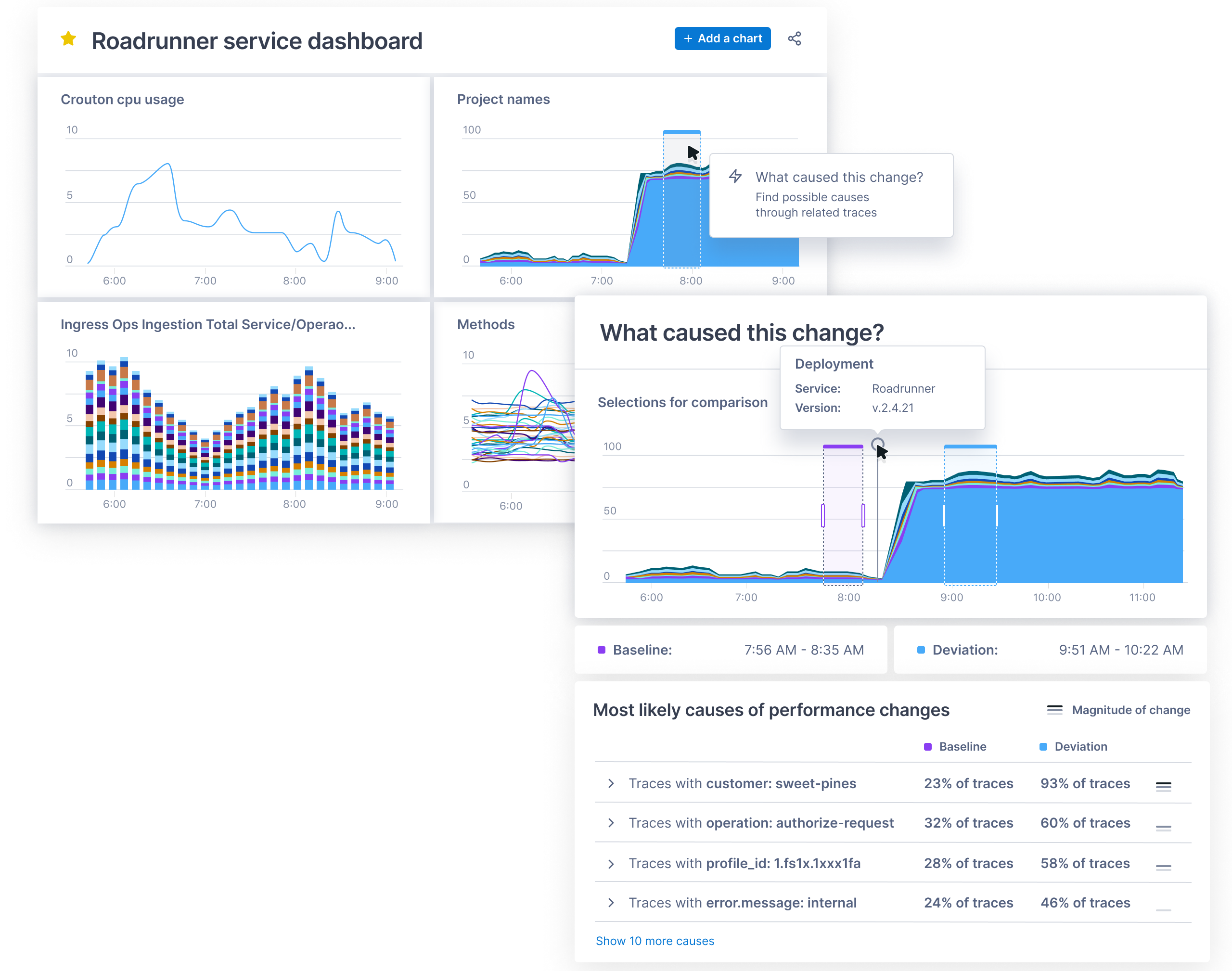
    ServiceNow today announced it has acquired Lightstep as part of an effort to add an observability platform to its IT operations portfolio. Terms of the deal, expected to close this quarter, were not disclosed.

    The Change Intelligence observability platform from Lightstep is based on a time-series database that is capable of processing a trillion events each day. It was built by the same team that created Monarch, the globally distributed in-memory time series database system that Google employs to monitor its applications and systems. Lightstep team members also co-created both the OpenTracing and OpenTelemetry open source projects for collecting traces, metrics and logs.

    Pablo Stern, senior vice president and general manager for IT workflow products at ServiceNow, said ServiceNow will employ Lightstep to enable IT organizations to observe both monolithic and microservices-based applications as IT operations and DevOps teams continue to collaborate more closely with one another. The goal is to provide a single pane of glass through which IT teams can observe their entire IT environment via the Now platform that ServiceNow makes available via a software-as-service (SaaS) delivery model.

    That approach will enable DevOps teams to programmatically manage IT environments alongside IT administrators employing graphical tools, noted Stern.

    Lightstep CEO Ben Sigelman added that, in time, the number of users of that observability will only increase as more application stakeholders start to track software development projects that are at the heart of various digital business transformation initiatives.

    ServiceNow

    Thanks mainly to the rise of microservices that are now being deployed across highly distributed computing environments, it’s become more difficult to discover the root cause of an IT issue. Microservices-based applications have lots of dependencies that, while serving to make the overall application more resilient, conspire to make it difficult to determine which specific microservices might be adversely impacting the performance of an application.

    The time-series database that lies underneath the Change Intelligence observability platform makes it feasible to go beyond logs and metrics to process distributed traces that provide more insight into application behavior. Ultimately, the goal is to enable organizations to innovate faster with a higher degree of confidence in the IT environment, said Sigelman.

    As far as the march to observability in the enterprise is concerned, it’s still early days. While observability may be a core tenet of any DevOps practice, most IT organizations rely on myriad tools that surface data the teams then attempt to correlate. Whenever there is a major issue, those IT teams typically convene in a “war room” to compare reports generated by the various IT monitoring tools employed. Observability platforms that collect and process distributed traces used to instrument an application using a consistent set of specifications, frameworks and libraries. The OpenTracing and OpenTelemetry tools are significant because they provide an open source approach to instrumenting applications that reduces the total cost of observability. In comparison, many legacy application performance management (APM) platforms employ proprietary agents to instrument applications.

    Naturally, each IT organizations will be moving down the path toward an observability platform that provides greater application context. At this point, however, it’s not clear to what degree observability platforms will need to be installed before making the transition to microservices versus being a capability that only gets appreciated once the trouble with microservices finally becomes apparent.

  • ServiceNow Shifts to Single Unified Agent

    ServiceNow Shifts to Single Unified Agent

    ServiceNow today unveiled an Agent Client Collector (ACC) that makes it possible for IT teams to capture data from software, hardware and cloud infrastructure.

    Jeff Hausman, vice president and general manager for IT operations management at ServiceNow, said this unified agent will enable IT teams to reduce the number of agents they would otherwise have to deploy to collect the data required to monitor IT environments.

    IT teams will also be able to employ incident management tools that can view that data in a way that eliminates the need to install any remote desktop software, Hausman noted. At a time when many employees will be splitting their time between working from home and the office, that approach reduces the level of IT service management (ITSM) friction that many IT teams today regularly encounter, added Hausman.

    ACC surfaces both configuration and performance data in real-time to provide IT teams with greater visibility. That data can then be used to drive a variety of workflows and playbooks that trigger automated incident responses.

    ServiceNow will employ ACC both within its ITSM platforms and IT operations management (ITOM), hardware asset management (HAM), software asset management (SAM), and security operations (SecOps) tools.

    Hausman said ServiceNow will employ ACC alongside agentless tools for managing IT environments as part of an effort to strike a balance between the amount of software that needs to be deployed and the capabilities that agent software enables. Ultimately, ServiceNow will also open up ACC to third-party tools that offer complementary capabilities, he added.

    More than a few IT organizations are suffering today from a phenomenon known as agent fatigue. Each new tool added to the IT arsenal often requires agent software to be installed within a device, application, server or cloud service. The need to reduce the amount of agent software has given rise to agentless approaches to managing IT resources, but the tradeoff is that, in the absence of an agent, the types of data and capabilities that can be enabled tend to be more limited.

    The market research firm International Data Corp. (IDC) is predicting that 75% of Global 2000 IT organizations will adopt automated operations practices by 2023. A major driver of that increased reliance on automation has been, of course, the COVID-19 pandemic. Not only are organizations making greater use of cloud infrastructure, but application users are not often conveniently located behind a firewall in a corporate office. For the last year, IT teams have been tasked with supporting a largely remote workforce. As more of those employees are vaccinated in the weeks ahead, a lot more of them will be returning to the office. However, it’s unlikely most employees will be working in an office full-time even after the COVID-19 pandemic subsides.

    Regardless of how IT is managed, the overall IT environment will continue to become more complex. As such, it’s now more a question of when rather than if organizations will need to revisit how IT gets managed across what has become a highly distributed environment.

  • Survey Shows Acceleration of Centralized IT Management

    Survey Shows Acceleration of Centralized IT Management

    An OpsRamp survey published this week suggests large enterprises are looking to finally unify IT management at at time when it is becoming increasingly complex.

    OpsRamp, a provider of an IT management platform based on machine learning algorithms, polled 132 IT operations directors working for organizations in the U.S. with more than 500 employees that spend more than $5 million a year on IT.

    According to the results, the survey found nearly 73% of respondents plan to roll out a digital operations management platform in 2021. That platform will, hopefully, enable IT teams to unify hybrid cloud computing environments made up of monolithic and microservices-based applications via a single console. Another 21%of respondents expressed interest in such a platform, if budgetary constraints allowed.

    More than half (51%) also noted they expect to employ automation and AIOps (51%) in the form of machine learning algorithms and process automation to reliably cut down on the number of alerts being generated, identify the root cause of issues and eliminate repetitive manual tasks.

    The two main goals identified in the survey are to enable greater agility and resolve issues faster (46%) and reduce costs by consolidating tools (41%).

    While the rise of cloud computing has made IT more agile, each cloud service that is added to the IT firmament tends to increase the total cost of IT. Each IT platform in use today requires a dedicated team to operate, which conspires to increase both the number of tools required and the overall size of the IT staff required to master them.

    In the wake of the economic downturn during the COVID-19 pandemic, the amount of pressure being applied to reduce those costs has increased significantly. Security and compliance concerns are also starting to push organizations toward centralizing the management of IT as much as possible. The OpsRamp survey notes that platform security (59%) is the most critical attribute of a next-generation IT platform, followed by hybrid infrastructure management capabilities (52%) and flexible pricing (37%).

    Deepak Jannu, senior director for product marketing at OpsRamp, said achieving those goals across what has become an extended enterprise requires a platform that has the ability to first capture telemetry data in real-time and then aggregate that data in way that enables artificial intelligence (AI) models to learn how the IT environment actually operates.

    Armed with that data, it then becomes possible to employ AI to both troubleshoot IT issues more easily and surface recommendations that address capacity utilization, noted Jannu.

    It may be a while before AI-enabled IT management platforms are commonplace in the enterprise. However, it’s also apparent a number of factors are driving IT leaders to reevaluate their existing platforms as IT environments become increasingly more complex.

    Regardless of what platform an organization eventually opts to standardize on, the rate at which IT management tasks are being automated is only going to increase as machine learning algorithms become more familiar with the IT environment in which they are deployed. That doesn’t necessarily mean those algorithms will remove the need for IT administrators and DevOps teams, however. It does mean that the tasks the individuals on IT teams are focused on will, hopefully, provide a lot more value to the business.

  • Agile Divide Between IT and Business Is Narrowing

    Agile Divide Between IT and Business Is Narrowing

    A global survey of 1,350 business and IT executives conducted by Jigsaw Research on behalf of NTT Ltd., a provider of IT services, suggests organizations are a lot more agile in the wake of the COVID-19 pandemic, but there’s still a significant gap in terms of prioritizing agility.

    A full 89% of business and IT leaders agree COVID-19 has caused significant changes to their operating processes, with 87% also agreeing it has accelerated their digital transformation strategy. A third of respondents (33%) also noted they pivoted their technology focus to take advantage of a market opportunity or scale their operations.

    However, well over a third of operational executives identified speed and agility as a core component of technology strategy, while only just over half of IT executives agreed (53%).

    Overall, the survey found there is a consensus IT remains a key enabler of business efficiency. A total of 91.4% respondents agreed that enabling business efficiency is a key driver for their technology strategy, with 92% of IT respondents saying their overall technology strategy is aligned either fully or partially with the organization’s business strategy needs.

    However, there’s a significant divide in terms of the importance of IT’s role in driving business efficiency. A technology strategy that drives business efficiency opportunities is seen as being most crucial by 70% of operations teams, yet only 48% of IT teams said the same.

    Sanjay Lakhani, a principal consultant for NTT and head of the IT service management (ITSM) practice for the Americas region said that while the alignment between business operations and IT is not as close as it could be, a lot of improvement has been made. Prior to the COVID-19 pandemic, the divide between IT and the rest of the business was generally wider, noted Lakhani.

    Now that more organizations are realizing how dependent they are on software, there’s a lot more focus on application development with business units, he added. There’s also more pressure on IT operations teams, which are being asked to keep pace with the rate at which digital business transformation initiatives have accelerated, added Lakhani.

    Unfortunately, the survey also highlighted an emerging technology gap. The survey found 92% of business and IT leaders agreed emerging technology is crucial for their technology strategy, but only two-fifths (41%) believed they have the technology to meet their organization’s immediate objectives. Those result suggest a significant transition is underway, both in terms of how software is constructed and the type of IT infrastructure required.

    In the meantime, it remains to be seen to what degree the COVID-19 pandemic has fundamentally altered the DNA of IT operations teams, but it’s apparent enterprise IT will never be the same. Most IT teams have embraced, to varying degrees, agile application development methodologies along with DevOps best practices. The challenge now is aligning the operational cadence IT teams follow with that of the rest of the business in the wake of the pandemic.

  • What Amazon’s New CEO Means for IT’s Future

    What Amazon’s New CEO Means for IT’s Future

    Amazon is placing its bets on the future of cloud. The announcement that CEO Jeff Bezos will be stepping down and passing the torch to Amazon Web Services (AWS) leader Andy Jassy at the start of Q3 2021 signals a major shift in the future of technology – and not only for organizations specializing in IT, storage and web hosting. Rather, the growth of AWS signals a multi-industry-wide demand for cloud services as the new normal for conducting business – and those that continue to rely on legacy technologies could soon see their businesses falter in the shadows of competitors in the near future. However, every company’s individual systems are entirely unique, and modernization doesn’t happen with a one-size-fits-all approach. So why should organizations invest in new technologies – and how?

    Setting Sights on the Cloud

    The pandemic has made painfully clear the need for organizations to get away from their aging legacy systems and to embrace the cloud for a variety of reasons. First, COVID-19 has forced almost all businesses, across all industries, to embrace more distributed networks – requiring business-critical systems and functions to be accessed from countless different sources at any given moment. This can prove a major pain point for organizations with IT infrastructures that are prone to difficulties and outages. These shortcomings can have a detrimental impact on customers and citizens, as well. In light of major IT outages in states like New Jersey, California and Oregon, it’s clear that pursuing a more modern approach to IT systems is no longer just an option – it should be the only option. This is because, in addition to the benefits for users and enhanced business function, there are added benefits for the company itself and the world at large.

    Shifting systems away from data centers requires significantly less energy to power – and as data centers are responsible for as much greenhouse gas emissions as the airline industry, the environmental impact coupled with operational cost savings enable businesses to meet customer demands for greener practices while reducing overall operational costs. What’s more, this change to cloud services will allow for horizontal scalability within organizations, ensuring that businesses are able to meet demands for their offerings in real-time.

    The Sky is the Limit: Strategies for Improving IT Infrastructure

    If your organization is relying on a mainframe, it won’t be able to reap the many benefits that cloud infrastructure has to offer – and organizations that shy away from making these vital updates run the risk of running their business offline entirely. As a result, the time to act is now – but in the rush to get IT departments in order, it’s vital that organizations choose a modernization strategy that is best suited to their unique business. For most organizations, a modernization journey begins with one of the four following approaches:

    • System Replacement: Sometimes, organizations aim to expedite their modernization journeys by doing away with their aging legacy systems entirely. Through a system replacement, organizations purchase off-the-shelf solutions from third-party vendors and conduct business via the new software while their existing infrastructure and applications are taken out of service. While this approach enables a speedier shift toward the cloud, it should be noted that these solutions aren’t tailored to a specific company’s needs or functions, and that these solutions can be especially costly.
    • Rewriting: In an effort to retain key legacy knowledge while enabling better business function, some organizations pursue a rewrite of their existing systems within a more modern environment. Through this approach, a team of professional developers work to manually recreate the system and its applications – which often results in an extended timeline for modernization, exorbitant costs and an especially high risk of complete project failure.
    • Automated Refactoring: Through looping in a team of IT experts, this strategy enables an organization to migrate their legacy system’s procedural code bases into object-oriented languages within modern environments that are more appropriate for today’s business demands. Using specialized and automated tools designed for the project at hand, this modernization strategy ensures that an organization has a system designed for its unique business cases and an immediate pathway to the cloud.
    • Rehosting: To help companies maintain their legacy information, many organizations pursue rehosting as part of their modernization strategy. In this approach, a company’s existing legacy codebase is transferred away from their mainframe and their unchanged procedural code bases, data and other core functions into a new computing environment that is more suitable for current needs. This fast-paced process helps to set organizations on track toward the cloud as quickly as possible.

    Aiming for the Cloud(s)

    Amazon’s shift in leadership is a testament to the growth potential and overall importance of the cloud – not only for companies that manage web services, but for all industries around the world. However, by proactively taking the steps to move away from legacy systems and pursue a cloud-first approach to business, organizations will be better positioned to maintain their revenue streams, improve scalability, drive customer satisfaction, reduce operational costs and even protect themselves from potential disasters down the line. By setting and sticking to a set strategy and timeline for modernization, companies can ensure the success of their most mission-critical applications and functions to ensure their continued success and survival in a world or rapidly changing business demands.

    The sky is the limit – are you ready to aim for the cloud(s)?

  • Empowering DevOps With Cloud Desktops

    Empowering DevOps With Cloud Desktops

    Today’s organizations need to enable their IT teams to rapidly deploy, manage and maintain their applications and services. This is a primary driver behind the growth in adoption of DevOps. By uniting the IT operations and software development teams, organizations are helping to provide continuous delivery and accelerating the systems development life cycle.

    At the same time, the chronic cyberskills shortage makes it hard for organizations to find the talent they need to hire and collaborate with. The cloud, and specifically cloud desktops, can address many of these challenges and help organizations get the most bang for their buck when it comes to their DevOps teams. In fact, the two technologies have a symbiotic relationship.

    DevOps Hiring Challenges

    Due to the shortage of individuals with key skills, organizations are facing a significant challenge these days as they try to find the right developers. In fact, a recent report by the Linux Foundation and edX finds organizations are searching for more people with open source DevOps skills (65%) than developers (59%) for the first time.

    It is possible, in some instances, to hire remotely, but there are potential snags. For instance, hiring people in another country will likely entail a visa process that can take several months to complete. And collaboration with external project partners can create project bottlenecks that inhibit productivity.

    Once the people you need have been hired, the onboarding process begins. Getting new hires settled in a workflow and procuring and shipping the laptops or workstations they need takes at least a couple more weeks before they can even begin to become productive. But organizations want to be able to hire developers anywhere they can find the right people and they need them to be productive within hours, not weeks or months.

    Collaboration Woes

    DevOps teams cannot function without collaboration, but this, too, can be difficult – particularly if those teams are geographically dispersed. Developer teams have attempted to solve this problem by adopting a variety of technologies, such as legacy VDI solutions, VPNs for remote work, physical workstations connected over a WAN and more. These technologies have helped solve some of the problems, but they’ve also introduced a host of other issues that negatively affect productivity and increase cost and complexity. That includes lack of performance, unreliable user experience, IP security concerns and data management problems.

    Cloud Desktops: A New Approach

    In light of all that isn’t working, it’s clear that a new approach is needed. Cloud desktops offer many advantages when it comes to addressing some of the key challenges DevOps teams face. For one thing, they make onboarding much easier. By using cloud desktops and workstations, all that the new, talented software developer needs is a device and an internet connection, and they instantly become a part of the development team. This resolves another headache that consumes unnecessary IT resources.

    Shipping and hardware preferences are no longer an issue with the cloud desktop model. There is no more shipping, no more maintenance overhead, no more Windows-versus-Mac debates. Now, developers can pick the device they want, depending on their role requirements. They can even use smartphones and tablets in docking stations instead of laptops to connect and work in the fully configured and secure cloud desktops.

    Benefits for Developers and Testers

    Because cloud desktops support multiple desktop images, they are ideal for DevOps teams. For developers, this means that they can have multiple desktops, all with differing versions, all kept separate. This is great news if you don’t want to have to keep reimaging a physical device.

    Giving a developer a persistent desktop is one option that cloud desktops enable. Another option is the ability to give the developer a brand-new, “clean” cloud desktop every day (non-persistent). For enterprises, this means they can control the developers’ IDE so code leaks don’t happen from one release to the next, intellectual property is better protected and they can enforce stronger overall data security.

    Testers benefit as well, as they know they’ll have a totally clean, brand-new cloud desktop every day. This allows them to test and test again in isolation, knowing nothing was left behind from a previous test. In addition, the right cloud desktop enables anytime, anyplace collaboration; geographic limits become a thing of the past.

    Empowering DevOps

    The speed and agility of DevOps have made it a mainstay of software development, but certain criteria must be met for it to succeed. Its premise is faster delivery times, but companies cannot provide continuous delivery if they don’t have the skilled DevOps talent they need. Once they’re recruited and hired, provisioning often takes up more valuable time.

    With the clock ticking, organizations need to select skilled individuals, regardless of their location, and get them working and collaborating as quickly as possible. Cloud desktops address both of these challenges. In addition, they improve the user experience compared to typical VDI solutions – even for compute-heavy users. Cloud desktops increase time-to-productivity, too. As you equip and add to your DevOps team, consider the benefits of adding cloud desktops to the mix.

  • Cisco Leans on HashiCorp to Manage Infrastructure as Code

    Cisco Leans on HashiCorp to Manage Infrastructure as Code

    HashiCorp and Cisco today announced a Cisco Intersight Service for Terraform offering based on HashiCorp Terraform Cloud Business software.

    Cisco Intersight is an IT operations management platform that enables IT teams to manage IT infrastructure across a hybrid cloud computing environment. Open source Terraform tools have emerged as the dominant tool for provisioning infrastructure as code in the cloud and, increasingly, in on-premises IT environments.

    HashiCorp Terraform Cloud Business is an instance of Terraform that has been extended to include some additional security and governance capabilities enterprise IT organizations typically require.

    In recent years, Cisco has significantly expanded its presence in on-premises IT environments as many IT teams opted to deploy its servers alongside its networking equipment. Like every other provider of on-premises IT environment, Cisco has been moving to extend the reach of its management frameworks to public clouds to help foster the rise of hybrid cloud computing.

    Prior to the pandemic, most public clouds and on-premises IT environments were managed in isolation from one another. However, in the wake of the economic downturn brought on by the pandemic, more IT teams are trying to centralize the management of IT platforms as part of an ongoing effort to reduce the total cost of IT. The multiyear alliance with HashiCorp fills a major hole in the Cisco management portfolio, as Terraform increasingly becomes a de facto standard for provisioning IT infrastructure-as-code.

    Vijay Venugopal, head of product management for Cisco Cloud and Compute Software, said the alliance with HashiCorp will make it possible to provide Terraform support across a management portfolio that, over time, continues to be enhanced with machine learning algorithms that add artificial intelligence (AI) capabilities, also known as AIOps. That platform is already being employed by 6,000 customers to manage more than 600,000 servers, running primarily in on-premises IT environments, added Venugopal.

    HashiCorp Terraform Cisco

    It’s unclear how the battle for control over hybrid cloud computing will ultimately play out. While providers of on-premises platforms such as Cisco are making a case for using existing management frameworks to also manage workloads deployed on public clouds, the providers of those platforms are now extending their reach into on-premises IT environments. Cisco is, of course, betting that most organizations would prefer to extend an existing framework to achieve that goal, versus having to rip and replace existing IT infrastructure to employ an alternative framework from a cloud service provider.

    Regardless of how organizations ultimately decide to manage IT in the age of the hybrid cloud, it’s clear developers, thanks to tools such as Terraform, are exercising more direct control over IT infrastructure. Incorporating Terraform within a larger IT management framework presents an opportunity to bridge the divide between developers and IT operations teams that have historically relied on visual tools to provision infrastructure. The challenge now is finding a way for developers and IT administrators – with varying levels of programming expertise – to work more closely as management of IT environments become increasingly more complex.

  • Visualization Shines a Light on IT Metrics

    Visualization Shines a Light on IT Metrics

    Modern IT departments operate in a pressure cooker. Their highly distributed infrastructures are spread across legacy data centers and hybrid and multiple public clouds. Now, the Internet of Things (IoT) and the edge are part of the mix.

    Massive amounts of data are flowing through these multifaceted environments, and it falls on IT to make sense of it all, ensuring that issues don’t become problems and that it’s viable to produce measurable outcomes for the business. Dashboards are instrumental for visualizing and quickly making sense of that data.

    Metrics – numeric representations of data measured over time – give IT operators and site reliability engineers (SREs) a window into how a system has historically behaved. That data provides insights as to how the system(s) should perform in the future, and aids investigations when something goes awry. IT monitoring tools act as giant data lakes, holding time series data, while dashboards give everyone from IT administrators to C-level executives ways to easily digest the data.

    The visualization market is evolving. We’re seeing different kinds of databases, such as Prometheus, which bring with them new tools to leverage the data. Prometheus (PromQL) is growing in popularity in the DevOps space and becoming the standard for monitoring containers and microservices because it makes it easier to manage time series data. PromQL also comes with client libraries that include four core metric types:

    • Counter: Represents a single monotonically increasing counter where the value can only increase or be reset to zero on restart.
    • Gauge: Represents a single numerical value that can arbitrarily go up and down, such as CPU utilization.
    • Histogram: Samples observations and counts them in configurable buckets. It also can provide a sum of all observed values.
    • Summary: Samples observations and provides a total count of observations and a sum of all observed values. Configurable quantiles are calculated over a sliding time window.

    Selecting Visualization Charts

    Selecting the appropriate visualization dashboard for each user is important to maximize the value of the data. There are traditional line and bar charts, single value tiles – which display a single data point at a specific point in time – and lists and gauges, which offer a single value at a specific point in time in a series.

    Newer visualization types are now becoming common to address the various use cases in ITOps and DevOps. Let’s walk through a few:

    1. Honeycombs offer big-picture views of IT infrastructure, yet also display detail. The hexagonal display mirrors those in a honeycomb, and helps DevOps pros slice and dice the data based on attributes or tags. Each hexagon represents a specific host or resource, and can be organized in logical groups of elements. The colors change when thresholds are reached, and the hexagons can be sized differently based on the value of the metric. Consider a case of many AWS EC2 instances scattered across the globe. Each hexagon can represent an individual instance, and they can be grouped based on the “region” attribute. This honeycomb chart would let administrators see how each infrastructure site is performing.
    2. Gauge metrics use a language like PromQL to set a ceiling and a floor. If the user creates alert conditions based on particular thresholds, the dashboard will indicate if a certain resource has reached its threshold by changing the color. A gauge that turns red may indicate a critical problem, for example. Managed service providers have SLAs with clients to maintain uptime. If a problem arises, a red indicator on a gauge tile lets the IT administrator know immediately that the SLA agreement has been breached, and that an issue needs to be addressed.
    3. Heatmaps provide a graphical representation of the volume of data points within bucketed ranges. The color of each cell of a heatmap directly reflects the density of certain metric value ranges. Heatmaps are used to display group trends and spot outliers, which make them useful when viewing metrics with a wide distribution of values.

    Role-Based Requirements

    Picking the right chart depends in part upon the people viewing the data. CXOs, IT managers, sysadmins, SREs, network engineers and network operations center (NOC) operators will have different, yet overlapping, requirements.

    For instance, SREs want to ensure the reliability and resiliency of the infrastructure, so, through their dashboards, they look at everything from availability and latency to performance, efficiency and capacity planning. They can quickly spot outliers like server downtimes or memory issues and immediately begin to troubleshoot.

    CXOs, conversely, don’t need to get into the weeds of infrastructure operations. They use dashboards to gain a macro view of metrics for performance over time across websites and networks. They need to understand the correlation between IT metrics and business services and applications. Dashboards should be able to connect those dots.

    Other Considerations

    Finding the right visualization option is important. Once that is done, there are some other steps to take to ensure you get the insights you need from your dashboard:

    Positioning and ordering: Dashboard tiles should be placed in a logical order, with important high-level statistics near the top and the deeper, and more granular metrics progressively moving to the bottom to give users a quick understanding of system performance.

    Design: A well-designed dashboard with consideration paid to color schemes and themes also will make it easier for stakeholders to digest and understand the data.

    IT infrastructure performance is crucial to the health of a company. Massive amounts of data streaming out of systems can help IT administrators and others keep up-to-date about that performance and the overall end-user experience. Dashboards offer flexible ways to quickly view and understand the metrics; IT organizations now have a growing range of charts to choose from that can present the data they need in a way that works best for them.