Category: Application Performance Management/Monitoring

  • AIOps in Service Management: Removing the Noise

    AIOps in Service Management: Removing the Noise

    AIOps (artificial intelligence for IT ops) refers to the automation of IT operations through AI and machine learning. With every organization working rapidly toward the ultimate goal of digital transformation, there is a natural place for AIOps within service management as a means to automate processes and automatically spot and react to issues in real-time. But what exactly is AIOps, and how does it remove the noise from service management?

    AIOps: Taming the Growing Complexity of IT

    Digital transformation has resulted in IT infrastructure complexity growing at an astronomical rate. The resultant increases in infrastructure data and alarms at the service desk far exceed the capacity of any human to meaningfully read, analyze and respond to them. The infrastructure itself is also constantly morphing and changing, yet service desks are still expected to resolve requests, incidents, and performance issues in seconds – an impossible task, given the volume of data.

    AIOps provides the necessary firepower to address this exponential rise in data, using artificial intelligence to continually monitor and analyze changes in the IT infrastructure in real-time. By combining these insights with service desk automation, organizations can benefit from a closed loop of discovery, analysis, detection, prediction and automation which, combined, bring us closer to the enviable goal of self-healing IT.

    Two Phases of AIOps Implementation

    The implementation of AIOps falls into two phases: discovery and analysis.

    Discovery

    The discovery phase involves uncovering all of the compute, network and storage entities across your ever-changing IT environment and ensuring your configuration management database (CMDB) is always kept up to date. But just knowing what is on your network is only the first step – you then need to determine how each asset relates to, or depends on, each other. This dependency mapping stage requires tracking of dynamic, multilayered relationships between applications and hybrid infrastructure, and creating rich, visual topology maps so that you can immediately see where dependencies lie within the network, and, therefore, where potential bottlenecks or risks reside.

    Analysis

    With your CMDB now kept up to date with automated discovery and dependency mapping, you now need to make sense of this data. After all, data is useless if you can’t use it to make informed decisions. By applying machine learning algorithms to analyze this data, AIOps can identify patterns, spot anomalies and predict future outages.

    Why AIOps in Service Management?

    AIOps has many benefits within the larger service management context. AIOps can:

    1. Support, not hinder, rapid digital transformation – with automatic discovery and dependency mapping, AIOps allow the business to continue to invest in new IT services without upsetting those in operations that need to keep the lights on.
    2. Reduce downtime – with automatic reporting of anomalies, operations can address potential issues before they result in a service outage.
    3. Automatically update the CMDB – An accurate CMDB is the foundation of successful IT operations. If your CMDB is out of date, then you are left trying to solve problems blindfolded. Just make sure your AIOps supports hybrid environments, so it can discover all IT assets from physical to virtual infrastructure, on-premises to public cloud, etc.
    4. Remove noise from the service desk – AIOps helps the service desk to overcome alarm noise and determine which events need their attention by eliminating false positives, performing advanced event correlation, reviewing time-series event playbacks and determining probable root cause.
    5. Actualize self-healing IT – no longer a myth or an IT operator’s dream, self-healing IT can be realized through AIOps. By automatically triggering actions based on the findings of the machine learning engine, AIOps can quickly fix issues or prevent them from happening, whether it’s a network link that’s gone down, an over-utilized disk or a service that simply requires a restart.

    Operations is not known for being a calm and relaxing environment in which to work. When your role is primarily a reactive one, there is rarely time to be proactive. You are bombarded with alarm bells and error reports all day long. How can you tell the difference between a false alarm, an isolated incident or the early indicators of a bigger problem? AIOps, leveraging machine learning, has finally provided IT operations with the tools needed to make sense of this growing barrage of data.

  • How to Overcome Web Test Automation Challenges

    How to Overcome Web Test Automation Challenges

    Web test automation is transforming software development for the better. Automation empowers test teams to easily prepare test data, execute complex test cases across multiple platforms rapidly and accurately, and catch defects early on in the development cycle. Modern-day test automation solutions benefit organizations in multiple ways;  when used correctly, such solutions can boost a test team’s productivity, enhance software quality and accelerate time to market.

    Automation Is Transforming Web Testing

    Today, mobile and web-based applications are important revenue streams for organizations. Various business-critical activities revolve around web apps, so flawless functionality and superior user experience are critical. However, testing often takes a backseat to speed and quality suffers. The limited timeframes in agile development coupled with cost factors make it challenging for organizations to sufficiently identify all the underlying issues and ensure optimum release quality.

    Such concerns can be adequately addressed by implementing web test automation. Automating web testing ensures better test coverage, improves detection of all major underlying discrepancies and allows faster test execution. Test automation is critical to achieving high-quality web applications; however, testers face many challenges performing automated web testing.

    Challenges of Web Test Automation

    Web test automation enables testers to test the functionality of web applications thoroughly and quickly, ensuring there are no deviations in the results from the expected user experience and interactions. However, even this beneficial process involves certain challenges for testers, such as:

    • Handling frequent UI changes: Many components of a web application’s UI are prone to frequent changes to logic, or due to new integrations or the addition of new features or functionalities. As a result, maintenance of UI testing scripts becomes a challenge for testing teams.
    • Multiple error handling: Error handling can be a cumbersome process with web test automation, especially when test teams must tackle large projects with complex scenarios and large data volume.
    • Image comparisons: Accurate detection of pixel variations in shape, size, color and formats are an important part of the web testing process. Test automation can help make handling image comparisons more efficient.
    • Long test script execution time: Typically, web test automation is a time-intensive affair. It requires significant test script execution time, depending upon the number of test cases involved. However, in the fast-paced technology landscape and agile development environment, testers get limited time to ascertain the quality of releases.
    • Complexities in testing various UI elements: As technology evolves, so do the possibilities for enhancing web apps with new capabilities. Modern web apps have complex features such as embedded frames, flowcharts, diagrams, maps and more. As a result, functional and non-functional web testing becomes more challenging.
    • ROI of web testing automation: As mentioned earlier, any application’s UI undergoes constant changes, and the test scripts have to be adjusted accordingly. This primarily increases the time spent on the creation and maintenance of test automation scripts. As a result, it becomes difficult to calculate ROI while continuously performing web tests.

    How to Overcome Challenges

    Mentioned below are some measures that can be implemented to make web test automation efficient, impactful and cost effective.

    • Choose a codeless solution: To maximize benefits, it is essential to choose the right web test automation solution. It is necessary to consider codeless (scriptless) test automation solutions, as these tools ease the process of script maintenance, allowing the testers to save both time and money. Codeless solutions simplify web test automation and improve ROI.
    • Choose common UI elements to uncomplicate UI testing: Organizations should strive to uncomplicate web testing, as much as possible. Developers can help by using common UI elements, so testers more easily understand them and can strategize efficiently and test vigorously.
    • Leverage an object repository: The creation of a shared repository enables organizations to reduce the costs and efforts involved with test maintenance. To ensure the success of UI test cases, it is preferable to reduce the UI test cases during the early testing stages and then slowly increase the count as testing moves forward.
    • Adopt organizational-level best practices for automated testing: For web test automation to be truly successful and deliver sustainable results, it must become a fundamental part of the testing process. Organizations that successfully integrate web test automation have well-established best practices and governance mechanisms. They follow organizational-level best code review processes to ensure the best test automation outcomes.

    Web test automation is a critical testing process that allows testers to verify and validate the functionality of a web app’s UI and backend features. Successful adoption of web test automation enables QA teams to significantly reduce regression testing efforts and time. However, it’s critical to mitigate certain challenges associated with web test automation to truly benefit from such an implementation. Effectively handling these challenges helps teams to deliver a robust and user-friendly web app that delivers superior UI and UX.

  • Internal Makes On-Premises Edition of No-Code Tool Available

    Internal Makes On-Premises Edition of No-Code Tool Available

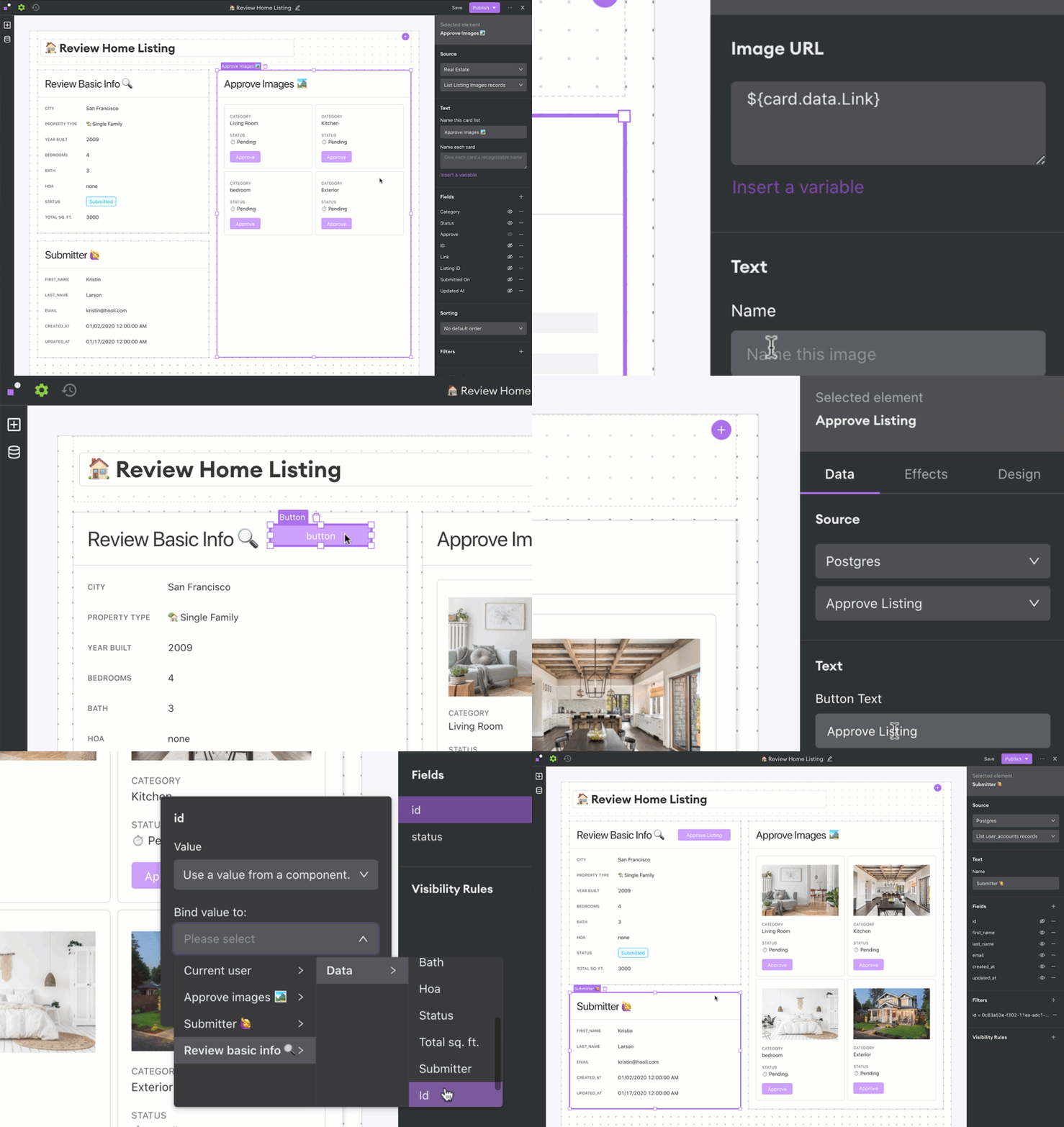
    Internal today launched an on-premises edition of its eponymous no-code development platform that promises to simplify application development backlog reduction for enterprise IT organizations.

    Arisa Amano, CEO of Internal, said many professional developers regularly find themselves building simple applications that, if given access to the right tools, could be built instead by end users. Internal was created to provide that capability either through a cloud service or, now, through an on-premises edition.

    The on-premises edition makes it simpler for developers to work with databases, application programming interfaces (APIs) and applications that reside behind a corporate firewall, Amano said.

    As organizations accelerate digital business transformation initiatives, professional developers are pressed to build and deploy more complex applications faster. Many lower-priority application development projects are sidelined simply because developers don’t have time to take them on. Internal, and other no-code and low-code application development tool providers, are making a strong case for enabling end users to build their own applications using graphical tools, or encouraging professional developers to use these tools to build less complex applications more quickly.

    A survey published by Internal finds 62% of respondents report their developers spend more than 25% of their time fulfilling requests to build internal tools. More than three-quarters of respondents (79%) said engineers use any extra time they can find to develop customer-facing features or other applications.

    Most of the projects filling application backlogs tend to involve workflows that span multiple applications running in a data center. The challenge organizations face is low-code and no-code tools that reside in the cloud can’t easily access that data. As such, Amano said there’s a clear need for a no-code tool that can be deployed in an on-premises IT environment.

    Of course, regardless of who builds the application, it still must be deployed. Challenges arise as developers build more applications, which must be concurrently deployed in production environments. The addition of no-code and low-code tools, and the applications created with those tools, will require organizations to rethink and refine their DevOps processes.

    Historically, professional developers have tended to view no-code and low-code tools as the application development equivalent of a black box preventing them from building reliable, robust applications that can scale. Many low-code and no-code applications that organizations build, however, are meant to used internally by a finite number of end users. At the same time, no-code and low-code tools become more robust with each major update.

    Whatever bias may exist, the current application development backlog in most organizations is only going to increase. Professional developers may prefer to write code at a lower level than a no-code or low-code tool allows; however, most business executives are more interested in application performance than in how it was constructed.

  • Improving Mainframe Agility With DevOps

    Improving Mainframe Agility With DevOps

    Mainframe workloads were on the rise even before the coronavirus pandemic, and transaction-processing mainframes became vital as lockdowns went into effect and every aspect of business and personal life occurred online. Mainframes are reliable, secure, highly available and affordable, and it is essential for organizations to ensure their mainframe can achieve peak agility to enhance profitability and improve customer experience.

    There are four areas of focus for DevOps teams who want to improve mainframe agility: teamwork, cloud services, KPIs and automation. Let’s look more closely at each one.

    Encourage Teamwork Between DevOps and Mainframe Ops Teams to Improve Agility

    It’s vital that mainframe ops teams work seamlessly with DevOps teams to ensure adoption of best practices in both areas, where practical, and that those best practices are adhered to. No matter how skilled your DevOps team, they must always be open to learning from mainframe professionals, operational and cybersecurity experts.

    To truly empower everyone on your team to achieve maximum mainframe agility, mainframe code must translate within the larger, multi-platform DevOps toolchain. If DevOps and mainframe code are not in sync, mainframe code could slow down software development lifecycles. Important processes, such as diagnostics, test execution and source code need to be integrated to enable DevOps teams to achieve better productivity.

    Enterprise DevOps is shifting focus away from software development exclusively to encompass surrounding processes within organizations. Successful DevOps teams must be able to work with cybersecurity experts and mainframe ops teams throughout the coding life cycle to ensure that everyone is on the same page and applications are functioning optimally.

    Decide Whether to Move Entirely to the Mainframe or Integrate Cloud Services with On-Premises Mainframes

    Scaling your organization for growth by migrating entirely to the cloud is not necessarily the right choice for everyone. In some cases, moving away from the mainframe’s core systems can be costly and unnecessary.

    Cloud-based services don’t have to be eliminated entirely, either. The cloud can and should be used for business processes that could benefit from real-time data updates, easy team collaboration and seamless integration with other software and tools. Mainframes excel at functions that require reliable, secure transactions.

    Whatever decision your organization makes, it must be communicated and agreed to at all levels. A customer-centric approach is ideal here, where the needs of the business are considered, but a seamless customer experience is prioritized.

    Establish Measurable KPIs

    Achievable and measurable key performance indicators (KPIs) are essential to monitoring your progress as an organization. KPIs for mainframe functionality usually include an availability rate of 99.999%, which roughly translates to downtime of less than 5.6 seconds per year. KPIs also generally measure time windows for batch completions. Software delivery velocity, efficiency and quality should be evaluated, but make sure you’re not prioritizing one of these metrics at the expense of another.

    There are more nuanced goals that need to be prioritized, too. Continuous improvements in software delivery are harder to quantify, but no less important. By fostering a collaborative environment where communication is key and teamwork is valued, your organization can create a better product or deliver better services for developers and customers.

    Use Automation Whenever Possible for Mainframe Agility

    Automated testing and AI-enabled processes can solve problems in real-time and free your DevOps teams to focus on larger issues. Mainframe ops teams can save their organizations money by relying on automated processes, which can also reduce personnel costs.

    Despite the benefits of automation, mainframe code is often removed from automated processes commonly applied to DevOps toolchains. Javascript, for instance, is one of the most commonly used programming languages due to its platform independence. It’s an essential tool for DevOps developers to enable the smooth configuration and installation of applications.

    But as infrastructures grow more complicated and surface areas expand to accommodate more users, operations teams can feel overwhelmed. With the continuous pressure to create new and better software on accelerated timelines, DevOps teams can unwittingly introduce vulnerabilities in Javascript coding as they speed through the software development and delivery pipeline.

    Automated mainframe diagnostics and optimization tools are vital to improving both the customer and developer experience.  Comprehensive and accurate data presented to mainframe ops teams in real-time can detect vulnerabilities and to find and fix potential issues.

    Ultimately, the mainframe is here to stay, with 93% of software experts citing the strength, reliability and scalability of the platform. Mainframes form the backbone of most monetized applications and websites, so it’s no surprise that mainframe agility has become a top focus for many IT departments. No matter how sleek and flashy your application is, if customers have a bad experience at the transactional level of the process, it could mean lost sales.

  • Report: Software Quality Issues Costing U.S. Companies $2.08 Trillion

    Report: Software Quality Issues Costing U.S. Companies $2.08 Trillion

    A report published today by the Consortium for Information & Software Quality (CISQ) estimates poor software quality collectively cost companies in the U.S. an estimated $2.08 trillion in 2020.

    The report, co-sponsored by software quality and security tools provider Synopsys, attempts to calculate, at least theoretically, the cost of known software failures. The report identifies operational software failures, estimated to be $1.56 trillion, as the single largest cost. The next-largest cost contributor is unsuccessful development projects, which totals $260 billion, an estimated 46% increase since 2018, according to the report. The project failure rate remained steady, at about 19%, for over a decade, according to the report.

    Finally, legacy systems issues contributed $520 billion to costs in 2020, a significant decrease from the $635 billion these issues cost in 2018.

    That estimate does not include technical debt, which CISQ estimates at another $1.13 trillion. Technical debt costs have been growing at a rate of 14% per year since 2018, the report noted.

    Joe Jarzombek, director for government and critical infrastructure programs for Synopsys, said it’s apparent there’s not enough focus on quality assurance within software supply chains. However, as organizations begin to realize how dependent their digital business transformation initiatives are on quality software, business executives will be forced to shift focus.

    Unfortunately, most business executives today still don’t understand or appreciate how software is constructed. Most organizations don’t even have a bill of materials describing the components that make up an application, noted Jarzombek.

    That issue becomes especially problematic in the event of a security breach, because too many organizations can’t draw a correlation between vulnerabilities and the impact on specific components of an application, added Jarzombek. At the same time, however, cybercriminals are becoming more efficient at scanning applications to discover and exploit those vulnerabilities, said Jarzombek.

    Many organizations also don’t appreciate how adept cybercriminals have become at exploiting what are perceived as low-level vulnerabilities to distribute malware laterally across an application, said Jarzombek. There is a tendency to patch only the most critical vulnerabilities within an application, while the rest are left to future updates. When fixing low-level vulnerabilities is not prioritized, these vulnerabilities may remain over multiple release cycles.

    Ultimately, Jarzombek said, rather than treating security separately from the application development process, it should be addressed as part of a comprehensive approach to software quality assurance. The immediate challenge, however, is that not enough developers have access to the tools they need to address these ongoing cybersecurity issues.

    The impact of poor software quality on individual companies will vary widely, but poor software quality is itself a universal issue. Most software development teams are not deliberately ignoring these issues; instead, the processes currently employed to build software are not especially robust, mature or, for that matter, automated, leaving organizations vulnerable.

  • Every Millisecond Counts When Code-Testing Mobile Apps

    Every Millisecond Counts When Code-Testing Mobile Apps

    Whether a company is creating mobile applications for e-commerce, customer service or internally to boost employee productivity, the rapid development and effective deployment of mobile apps has become a business imperative.

    The global mobile application market was estimated at $106 billion in 2018 and is expected to hit $407 billion by 2026; an annual growth rate of 18.4%, according to Valuates Reports. Growth is being driven primarily by e-commerce, gaming and IoT, according to the report. “The advantage of having a mobile application, even for a small business, is that it improves brand recognition and offers a whole new level of e-commerce user experience, helps create customer loyalty, gathers feedback and helps [the business] stand out from the crowd,” the report says.

    Mobile App Developers Face UI Pressure

    Unfortunately, mobile application users are a tough crowd with zero tolerance for bugs or user interface (UI) issues. In fact, one-fourth of end users abandon mobile apps after their initial experience, according to the report. In this highly competitive environment, the ability to effectively test mobile apps prior to launch is critical, but many organizations face challenges when it comes to creating a suitable test environment.

    “Test environments and test data are the most cited challenges for core enterprise applications, as well as more fluid applications developed in short cycles, often deployed on smartphones, tablets or a web browser,” according to a recent Capgemini World Quality Report.

    The percentage of organizations struggling to keep pace with mobile app testing requirements is increasing, according to the report. Respondents cited a slew of issues, including not having the right processes, methods or tools to test mobile applications; not having in-house mobile testing experts; not having an in-house testing environment and/or not having enough physical devices on which to test.

    These challenges are pushing many organizations to cloud-based application testing platforms, which offer a way for developers to avoid common testing bottlenecks that slow mobile app deployment. The COVID-19 pandemic created another driver for adoption of cloud-based testing platforms, since mobile application testers lacked access to physical testing spaces where they could access and share an inventory of mobile devices.

    Accelerating Demand for Mobile Apps

    The shift to agile software development and continuous deployment methodologies is another factor ratcheting up pressure on developers to create new apps in weeks, or even days, without sacrificing quality.

    Unlike traditional apps, mobile applications need to be tested on dozens, sometimes hundreds of devices to ensure they run anywhere. The proliferation and ubiquity of mobile devices means developers need to test on more than 350 devices just to cover 90% of the mobile device market. In a present-day enterprise BYOD scenario, for example, each employee might use three to five different devices – a number that’s only expected to increase as wearables and IoT gain mainstream adoption. Development teams must prove the app is hardware agnostic and functions as expected; otherwise, imagine the fallout if the company launched a BYOD app that didn’t run properly on the CEO’s smartphone, for instance.

    This is where the value of cloud-based application testing platforms becomes clear. Cloud-based app testing platforms enable developers to manually test applications on an unlimited number of mobile devices, and to perform crucial measurements and tests of functionality like screen rendering. Mobile applications must seamlessly render in the tester’s browser without lag or latency to avoid poor user experience.

    Beyond that, there are time considerations to think about. A large enterprise organization could have hundreds of testers working around the clock to validate an application, and a slowdown of even a few milliseconds per screen rendering could cost  thousands of dollars a day in lost productivity. That’s why every millisecond matters.

    Selecting a Mobile App Testing Vendor

    Selecting a vendor that can deliver a cloud-based testing platform without lag or delay is critical, but there are other factors to consider, as well.

    Some solutions use emulators or simulators to test application performance, but nothing can replace the real thing. Look for a vendor with the ability to perform tests on real, physical devices. Since most organizations operate in a hybrid world, look for a vendor that gives customers the flexibility to combine both cloud-based and on-premises testing.

    Automation is also a major factor to consider in vendor selection. According to one survey of more than 350 mobile developers and software testers, 55% said automation would improve software quality, but the majority of respondents, 76%, are automating fewer than half of all software tests.

    Look for a vendor with the capability to take an initial manual test and automatically create scripts for all of the devices under test, without requiring developers to write new code. Test automation scripts can be created and executed exponentially faster than manual efforts, which enables businesses to get to market faster with better quality mobile apps.

  • Sentry Extends Application Performance Monitoring Tool

    Sentry Extends Application Performance Monitoring Tool

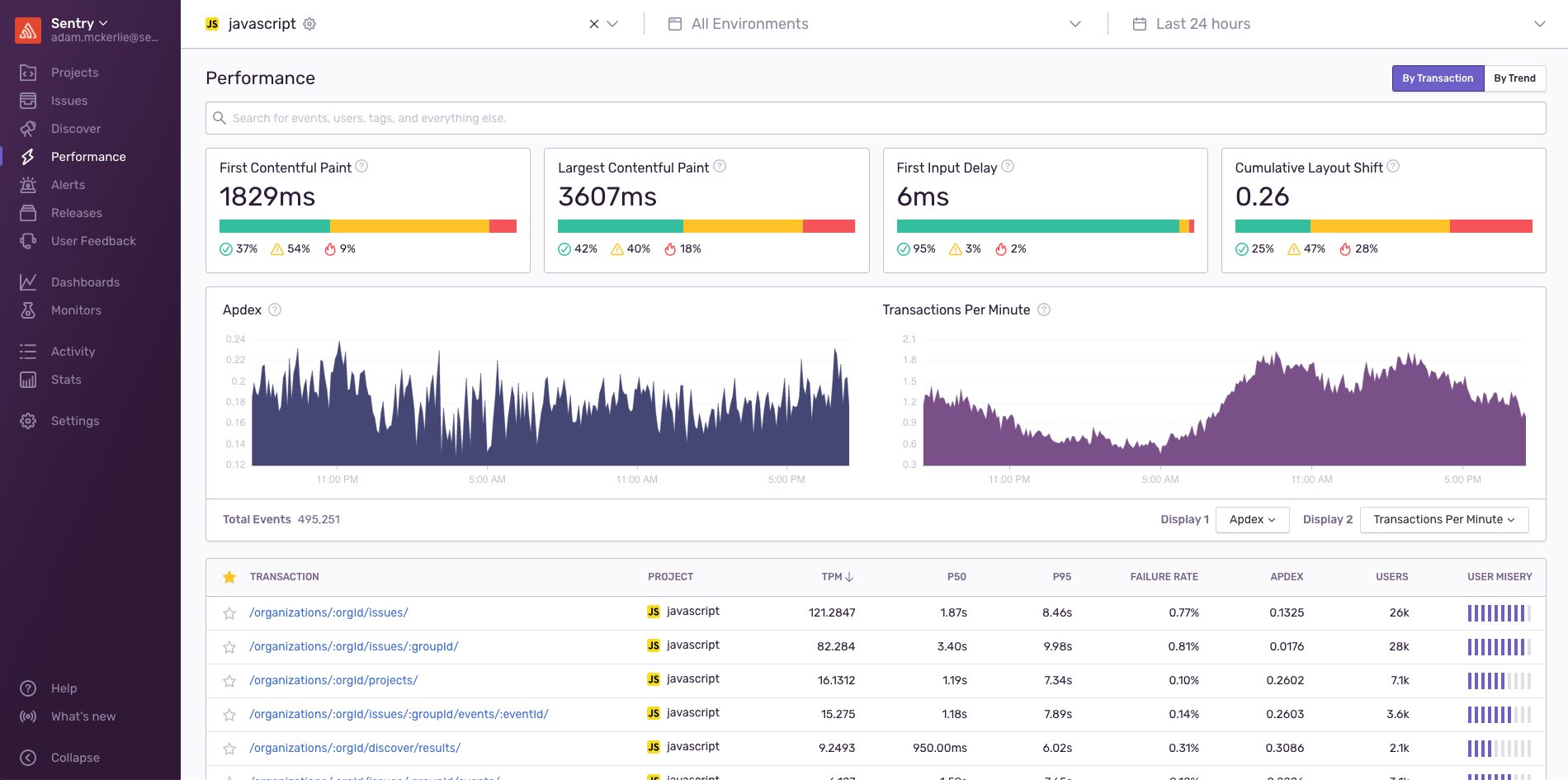
    Sentry this week announced it has added support for applications that employ serverless computing frameworks as well as the Google Web Vitals service to its application monitoring tool.

    Company CEO Milin Desai said incorporating Google Web Vitals metrics into Sentry Performance Monitoring will become crucial as Google makes good on a pledge to rank websites and applications on its search engine based on the metrics it collects via this service.

    Google Web Vitals determines how fast an application is by monitoring how fast a site presents user interface objects. By coupling Web Vitals with transaction data gathered by Sentry, it becomes possible for developers to correlate how a transaction may be adversely impacting the user experience. That data then can be employed to adjust what application programming interfaces (APIs) should be called within an application, Desai said.

    At the same time, he noted a larger percentage of developers are starting to employ serverless computing frameworks within the front end of their applications. The Sentry platform now monitors serverless computing frameworks that are employed within a PHP, Node and Ruby-based application. Most of those frameworks are being used to trigger a specific action when some type of event occurs within an application, said Desai.

    Finally, Sentry has also added a Trends view that enables developers to see the most improved and most regressed transactions that have occurred over time. That capability enables developers to more easily determine when changes to the overall IT environment are adversely impacting their applications. Armed with that data, it then becomes easier to identify what changes were made at that time.

    In general, Desai said there is not enough focus on enabling observability for application developers versus IT operations teams. Sentry Performance Monitoring is designed to enable developers to correlate specific events occurring within their code to actual end user experiences by adding five lines of code to their applications.

    Observability tools for developers will not obviate the need for observability tools for IT operations teams, but Desai noted as far as visibility into applications is concerned, most developers today are flying blind. Observability is supposed to be a core tenet of any DevOps practice. However, the level of observability actually being achieved tends to vary widely among IT organizations.

    Of course, the best place to solve any issue is going to be within the application code, whenever possible. Many developers could eliminate performance issues long before many IT operations teams realize they exist if they had more visibility into how code was executing. That issue will become all the more pressing as IT organizations deploy applications based on microservices that have many dependencies.

    The challenge IT organizations face now is determining not only which observability platforms to employ, but also what level of visibility is required for all the different roles and personas that make up that team.

  • IBM Acquires Instana to Advance Observability Strategy

    IBM Acquires Instana to Advance Observability Strategy

    IBM this week announced it plans to acquire Instana, a provider of an application performance management (APM) platform that is optimized for microservices.

    Robin Hernandez, vice president of hybrid cloud management and AIOps for IBM, said Instana will plug an observability gap that has emerged in IBM’s portfolio as organizations start to build and deploy cloud-native applications more broadly.

    Previously, IBM provided APM capabilities via a Tivoli portfolio of tools that were optimized for core static Java applications, noted Hernandez. Instana will add an APM platform designed from the ground up to automatically instrument applications as they are being deployed by DevOps teams, he said.

    Istana also provides distributed tracing capabilities that the existing Tivoli portfolio lacks, Hernandez added.

    The data collected by the Instana agents injected into those microservices also will play a critical role in IBM’s overall approach to applying artificial intelligence to IT operations, also known as AIOps. The IBM approach to AIOps seeks to combine data from platforms such as Instana and Tivoli with third-party data sources such as ServiceNow to advance IT automation, he said.

    Available both as a software-as-a-service (SaaS) platform and as software that can be deployed in an on-premises environment, Instana has gained traction as organizations have embraced observability as a core tenet of a set of best DevOps practices. Historically, IT teams only employed APM platforms to monitor their most mission-critical applications because of both the cost of the APM platform and the inherent difficulties involved in applying agents pervasively.

    Hernandez said observability takes monitoring to the next level because instead of simply tracking a known set of processes, platforms such as Instana make it possible to observe interactions in a way that discovers unknown relationships and dependencies between applications and infrastructure.

    IBM plans to primarily focus its Instana efforts on microservices-based applications. However, Instana can also be applied to observe existing legacy applications. IBM is still studying that use case as part of its ongoing due diligence, he noted.

    Massive amounts of capital have been pouring into observability startups that are trying to supplant legacy APM platforms as organizations transition to microservices. Providers of legacy APM platforms, meanwhile, are re-engineering their platforms to support microservices-based applications that are most often deployed on Kubernetes clusters. IBM is addressing that challenge via an acquisition that complements its renewed focus on hybrid cloud computing and AI, Hernandez said.

    It’s too early to say which vendors will triumph in the observability wars, but the one thing that is certain is there is no shortage of options. It’s not clear to what degree the shift to observability will result in the rolling up of a variety of tools to manage IT, but the days when IT tools simply monitored a process are starting to fade away.

  • 7 Important Truths About Chaos Engineering

    7 Important Truths About Chaos Engineering

    As a relatively new practice, chaos engineering has plenty of myths surrounding it, from randomly shutting down production systems to requiring huge investments of time and money. There’s a lot of confusion over the purpose, the value and the practice of chaos engineering. This presents a problem for DevOps teams, especially since more than half of the teams surveyed in the 2019 Gartner DevOps Survey listed improving system reliability and release quality as one of their top five DevOps objectives.

    In this article, we’ll clear up some of this confusion by presenting seven important truths to help you make an informed decision about chaos engineering and how it can help your engineering organization.

    Truth 1: Chaos Engineering is not Chaotic

    What comes to mind when you think of chaos engineering as a practice? If the answer is causing random production outages, you’re not alone. Tools such as Chaos Monkey popularized this idea, but for most teams practicing chaos engineering, it is a well-planned, controlled process that aims to mitigate chaos rather than cause it.

    The goal of chaos engineering isn’t to add chaos, but to mitigate chaos.

    It’s true that it involves creating potentially harmful conditions on otherwise healthy systems. For example, we might test our application’s ability to handle load by increasing CPU usage on our servers. With enterprise solutions we have full control over which systems are affected by this test (known as the blast radius), how much CPU we consume (known as the magnitude) and how long it runs for. We can also immediately stop the test and roll back its impact in case of unexpected consequences.

    We also know exactly what conditions we’re introducing into our systems and can revert the changes at any time. Yes, we’re still causing harm, but we’re doing so in a way that helps us learn about our systems and reduces the risk of failures, both real-world and induced.

     Truth 2: Developers Care About Reliability

    Developers aren’t only interested in building new features. While development teams often prioritize feature development, this is likely due to business-driven initiatives resulting in rapid release schedules. Developers—especially those who have responded to incidents or worked through bug reports—understand the value of resilient software. They just don’t have time to build it.

    The problem is that this creates a reliability gap in our applications. Rapidly building features without adequately testing their resilience creates failure modes, leading to problems that developers need to go back and fix at the expense of new projects. The longer we go before finding these failure modes, the more likely we are to experience unexpected behaviors and outages in our applications, and the more expensive a solution will be.

    Increasing development velocity without testing for reliability increases the likelihood of failures, causing our expected availability to drop.

    To prevent this gap from forming, we need to prioritize and provide the appropriate tooling so developers can test their code and improve the resilience of our applications. This leads to our next truth.

    Truth 3: You Have Enough Time for Chaos Engineering

    Chaos engineering saves you the time you would spend responding to, troubleshooting and fixing production incidents. As you build resilience through chaos engineering, you’ll reduce the engineering time, effort and costs spent on incidents and can focus more on your core competencies.

    That said, adopting chaos engineering does require some time investment. Engineers will need to learn the principles and practices, adopt new tools, run experiments and implement fixes. However, this is relatively minor compared to the cost of production outages. Without chaos engineering, your engineers will need to pause their regular work and rush to restore service. This is time they could be spending on feature development and other value-creating tasks.

    A few minutes of proactive testing can uncover defects that would’ve taken hours to fix in production.

    Truth 4: Your Systems Support Chaos Engineering

    You don’t need to use specific hardware, software, or cloud platforms to benefit from chaos engineering. While some tools have specific requirements, most only require access to the host operating system. Some can even target specific resources, such as containers.

    Truth 5: You Don’t Need Comprehensive Observability (But It Helps)

    You don’t need a comprehensive monitoring or observability practice in place to benefit from chaos engineering. Basic metrics provided for free by your cloud provider can still provide important insights into how your systems are responding to experiments, and some chaos engineering tools provide basic monitoring for you.

    That said, chaos engineering provides significantly more value when used with monitoring and observability. We want to know how our systems are responding to our experiments, and the way we do that is by collecting metrics and traces. Even if you’re currently implementing a monitoring solution, chaos engineering can help streamline this process by helping you determine which metrics to track, fine-tune your alerts and avoid alarm fatigue.

    Truth 6: Chaos Engineering Pays for Itself

    Like any new tool or practice, chaos engineering requires an upfront investment of time and money. Solutions need to be evaluated and purchased, and engineers need time to warm up to the practice. However, the value it provides far exceeds these costs. Using chaos engineering can help you:

    • Avoid losses in revenue and productivity due to incidents and engineering time spent resolving incidents.
    • Improve your ability to generate sales by helping you build reliable systems and prepare for periods of increased demand.
    • Save costs by helping you optimize resource allocation and test for non-essential infrastructure.

    Truth 7: You Can Get Started Today

    Getting started with chaos engineering can be as easy as deploying an agent to your systems and choosing a resource to target for experimentation. You don’t need to have a stable, mature SRE practice or enterprise-grade infrastructure. In fact, you can use chaos engineering to help establish your SRE practice or accelerate migration to a new platform.

    The most important truth is that no system is perfect, and there are failure modes hidden all throughout our applications and infrastructure. Chaos engineering lets us uncover these failure modes and transform reliability from myth to reality.

  • Scalyr Adds Hindsight Service to IT Analytics Portfolio

    Scalyr Adds Hindsight Service to IT Analytics Portfolio

    Scalyr has moved to reduce the cost of observability by enabling DevOps teams to retain log and event data in S3-compatible object storage systems than use a pay-per-TB-scanned pricing model to interrogate that data.

    Company CEO Christine Heckart said the Scalyr Hindsight service will make it possible for IT teams to more cost-effectively store historical event data if they so choose. This option comes at a time when they are under pressure to reduce the total cost of IT as a result of the economic downturn brought on by the COVID-19 pandemic.

    Scalyr Hindsight complements an existing real-time log analytics platform that Scalyr provides via a software-as-a-service (SaaS) platform. However, IT teams no longer are required to store data in the Scalyr cloud platform itself.

    Heckart said collectively Scalyr Hindsight and the company’s core log analytics platform provide an alternative to custom log analytics platforms based on open source Elasticsearch, Logstash and Kibana (ELK) software that can be difficult to maintain and scale. The core Scalyr log analytics cloud service, built on top of a columnar database, is now capable of ingesting more than 200TBs of data per customer per day in real-time at a price that can be lower than $5 per GB. The Scalyr Hindsight platform only charges fees when data stored is actually scanned.

    With the rise of microservices, analytics that can be applied broadly at reasonable price points has become a major issue. Previously, IT teams might have limited their usage of analytics tools to their most important monolithic applications. Because of the way many of those platforms priced their software, IT teams found it necessary to also limit the amount of data that might be stored in these platforms. Given the complexity of microservices-based applications that tend to have lots of dependencies, an observability platform that provides an affordable approach to gaining insights into modern application environments is now required.

    Heckart said Scalyr also offloads the management of the observability platform from the internal IT team. Given the massive amounts of data that needs to be stored and managed, Heckert noted it’s not uncommon for data lakes that IT teams manage to become swamps simply because there are no dedicated resources to manage them. It’s not clear how many IT teams might be willing to give up managing their own observability platforms in favor of only needing to access analytics tools, but the one thing that is clear is the cost of support open source platforms tends to climb over time. IT teams may find an ELK-based approach initially sufficient only to discover the platform needs to be replaced as the number of applications that need to managed starts to increase.

    Regardless of who manages the underlying log analytics platform, it’s no longer feasible for most internal IT teams to manage modern application environments without the aid of an advanced set of analytics applications.