Tag: cloud

  • When Bad Things Happen to Good Clouds: Why You Need a Recovery Plan

    When Bad Things Happen to Good Clouds: Why You Need a Recovery Plan

    Amazon S3 storage service recently experienced a widespread five-hour outage in its East Coast availability zone. Many next-generation consumer and business applications rely on a cloud storage, so the S3 outage quickly cascaded and temporarily crippled organizations from Netflix to Slack.

    Cloud outages like this are normal, and notable because they affect so many businesses. The last significant AWS outage was in August 2016. While Amazon S3 is architected for data durability, that doesn’t equal fast recoverability during an outage. As good as cloud platforms are, they still leave a few gaps:

    • Availability zones don’t equal recoverability. S3 is designed to withstand a site outage within a zone, but as the most recent outage shows, networking issues can lead to a widespread outage across an entire region.
    • Data still needs to be backed up. As we noted in a previous blog post, even Amazon recommends backing up data.
    • Recovery can be slow and tedious. It’s one thing to back up data. It’s another thing entirely to recover it. It can take hours or days to recover data after a failure—especially for hyperscale applications and databases.
    • Data is often in one “basket.” If backup data is stored in the same cloud service as the primary data, in the same availability zone, there’s no way to recover data during a widespread outage.
    • Data can get compromised or enter an inconsistent state. The cloud itself doesn’t protect data from application- or database-level corruption, or human error.

    A data backup, recovery and continuity strategy needs to be designed with the cloud in mind. To make sure you can recover quickly, even from a cloud outage:

    • Keep backup data in another service or region. Failures like this one often affect an entire region. A backup and recovery strategy needs to include the ability to recover in another region, cloud service or even a private cloud.
    • Have a fast recovery process. Traditional backup solutions and scripting-based approaches can’t recover data quickly, particularly if the application needs to be recovered to a different topology.
    • Have point-in-time recovery. Since data can get compromised at the early stages of an outage, being able to restore applications quickly to a point in time is important as well.

    The cloud as-a-service architecture is more resilient than traditional infrastructure, and gives you agility. But when failures do happen, they are also entirely out of your control. Don’t ignore recoverability and resiliency of the data because it’s in the cloud, and don’t expect the same recovery processes and tools to work on next-generation, hyperscale applications.

    — Shalabh Goyal

  • Backup: Not So Easy in Certain Environments

    Backup: Not So Easy in Certain Environments

    We discussed how backup needs to be reinvented for a new era cloud-native applications, and what you should look for in a modern database backup and recovery solution. But even if you scrap the traditional approach to back up and write scripts to handle the task, backup and recovery of next-generation applications and databases (Apache Cassandra, MongoDB, Amazon DynamoDB, Microsoft DocumentDB, Apache HBase, et al) can be frustratingly difficult. But why is that?

    The short version is this: In an eventually consistent write-anywhere non-relational database architecture, it is almost impossible to capture a consistent state backup. Successful data recovery is even less likely!

    There isn’t just one reason why this is the case. It comes down to the basic nature of a distributed architecture that’s designed to both scale and withstand node failures without downtime. As we’ve highlighted below, there are several challenges from the start that make backing up a distributed architecture difficult:

    • Data is written to an available node. The first landing point for data is not predictable, so there’s no way to catch data as it lands on the node.
    • Then data is replicated to at least one other node before verification. That ensures a valid write, but also immediately creates a copy of the data.
    • … then replicated to one or two more nodes for availability. This happens afterwards, and the same data can get updated in quick succession.
    • … meaning there are three or four copies of data at any time.
    • … and nodes are never immediately consistent.
    • … and backups are hugely inefficient since every replica is copied.
    • And when a node fails, the topology changes mid-flight.

    Theoretically, a good DevOps team might be able to write scripts that will back up the database successfully 80 percent to 90 percent of the time (cases such as multi-node failures, changing topologies, compaction of databases and many more are complex to model, so scripts are difficult to get right).

    Unfortunately, backup is the “easy” part of the equation. Restoring a backup is where it really gets challenging. A successful restore is far more complicated than most people assume. It involves the following steps:

    • Rebuilding the correct topology. Because each node was backed up individually, the database has to be restored to the same topology (six nodes to six nodes, 12 nodes to 12 nodes), etc. This relates to enabling recovery across clouds, test/dev and CI/CD use cases.
    • Waiting for the database to repair and restore itself. The non-relational database architecture can withstand node failures and keep running, but a full restore with data reconciliation will bring back memories of the worst RAID rebuilds on slow drives.
    • Deduplicating multiple inconsistent copies. The backup copy has three or more copies of all data that may be in an inconsistent state. It needs to be deduplicated or reconciled first.
    • But data history isn’t always available. In most distributed architectures, the oplog is a circular buffer that essentially eats itself as it goes! It may not be possible to even recover the necessary log data to reconcile the database.
    • And there’s no reliable way to go back to a point-in-time. Even with the oplog data, it would be very difficult to reconstruct point-in-time data. At best, you’d get a recent, mostly accurate copy of the database.

    In the real world, restores can take days or weeks—if the data can be recovered at all.  But as the recent Gitlab outage shows, it is difficult for even technically savvy organizations to get it right. Human error can be as fatal to a database as a natural disaster if there isn’t a reliable backup and recovery process in place.

    — Shalabh Goyal

  • The Leadership Suite DevOps and Business Alignment Success Guide

    The Leadership Suite DevOps and Business Alignment Success Guide

    There’s not much point to DevOps if the business isn’t directly benefiting through increased efficiency, productivity and, hopefully, profitability. This is possible only when IT and DevOps teams are delivering the technology the business actually needs to succeed and compete.

    As IBM director in IBM Cloud writes in his post, “Putting the ‘Biz’ in DevOps“: “The goal in any meaningful DevOps practice is to reduce the time and improve the efficiency in moving from the “Business Need” on the left to the “It’s Live!” on the right.”

    That alignment, while essential, isn’t easy to achieve. As I mentioned previously in my post, “The Big Digital Transformation Trends Through 2017,” the Deloitte 2016 – 2017 Global CIO Survey found that the expectations business has for IT are out of sync when it comes to what IT actually can deliver. The survey found this to be true when it comes to customer focus, technology-enabled business growth and innovation. For example, “even though 57 percent of the CIOs surveyed said that customers were their organization’s top business priority, less than half were involved in delivering customer experience (45 percent) or working on customer acquisition, retention and loyalty (44 percent),” that report found.

    That survey also found, startlingly, that while only 5 percent of organizations say that strategic alignment of IT activities with business strategy is a leading-class capability in their organization, 80 percent of organizations believe such alignment is critical to success.

    With this in mind, we’ve cultivated some of the best stories and other content on devopsy.kinsta.cloud when it comes to effective alignment of DevOps efforts and business strategy.

    The Big Digital Transformation Trends Through 2017

    Some of the most important trends in 2017 will include CIOs struggling to break out of the role of IT plumber and to better align the business with IT.

    How to Align Your DevOps and Cloud Initiatives – devopsy.kinsta.cloud

    One of the best ways to align with the business is to move software more swiftly with continuous delivery efforts. In this post, Michael Schmidt, head of the Automic DevOps Practice, details how to best manage IaaS, PaaS along with DevOps so that organizations can develop more quickly, and rapidly move to continuous delivery.

    The Conundrum of Adopting DevOps within Organizational Constraints

    In this post, devopsy.kinsta.cloud regular contributor JP Morgenthal explains that as with most changes within IT, with DevOps adoption, there is a need for bottom-up support as well as a top-down requirement that provides the coverage, financing, motivation and accountability to the business to enable change to occur.

    Putting the ‘Biz’ in DevOps

    Here, Rick Weaver, director IBM Cloud, explains how by adopting the right business-oriented metrics will help expand DevOps capabilities into a broader, more meaningful “BizDevOps” practices.

    Enterprise DevOps: Organizational Change a Must

    In this article, Sanjeev Sharma, IBM Worldwide lead, details the principles necessary to foster application delivery team alignment from a people and team perspective—something that is essential if teams are to successfully align with DevOps.

    It’s Time to Couple Security, Business Leadership

    In this post, yours truly reviews the importance of aligning security and business leadership, and if organizations conducted themselves that way, there’d be a much smaller gap between security teams and their organization’s board of directors when it came to cybersecurity expectations and reality.

    — George V. Hulme

  • Is Cloud Adoption on Your Company’s Horizon?

    Is Cloud Adoption on Your Company’s Horizon?

    Under pressure to increase the speed of innovation in the digital space and outpace competitors, companies large and small are turning to the cloud. Moving to the cloud provides flexibility of infrastructure, transparency of infrastructure costs and many other benefits.

    However, making the transition to the cloud is far more intricate for regulated industries—especially large financial organizations—where security and compliance concerns often trump innovation efforts. According to Cloud Security Alliance, the financial industry is still in the early stages of cloud adoption. In fact, 61 percent of financial leaders say their cloud strategy is in the formative stages. Those financial companies that can shift to the cloud properly will see long-term gains, from both a performance and economic standpoint.

    In 2015, while working at a large international bank, I assisted on a project to help transform how the bank approached digital for retail banking and wealth management. The bank was still approaching most projects as large, monolithic endeavors, where six-month delivery cycles were standard. Infrastructure was owned by IT Operations, and provisioning lacked automation. As such, almost every project began with designing environmental needs from scratch—adding time to both creation and delivery. It was quickly evident that cloud was the bank’s best option, allowing for increased transparency, greater scalability, infrastructure on demand and improved organizational efficiency.

    Shifting to the Cloud

    After working on this project, I learned that to effectively move to the cloud, organizations must understand how to maximize benefits and minimize risks. Here’s how:

    Apply a two-pronged approach

    We realized right away that we needed a system where we could meet our project objectives, while simultaneously exploring the cloud options. To avoid jumping in too quickly and running into non-technical challenges, we adopted a two-pronged approach: we’d build the platform internally using Cloud Foundry PaaS, while exploring the use of external cloud in parallel—without impacting the delivery of the internal platform. To avoid re-architecture and rebuild later on, we had a guiding principle: Whatever is built internally has to be available in the external cloud as well.

    Navigate legal and compliance hurdles

    Regulators are still on the fence when it comes to certain industries adopting the cloud, with regulations still lacking specific policies. For example, in the financial space, lack of close regulation leaves many institutions on their own to sort out contracts with cloud providers based on their individual risk appetite. When regulations are published, they are very high-level and generally state that managing the risk and responsibility for integrity of data is with banks, not with cloud providers. Instead of creating an equal playing field, this tilts the scale toward smaller fintech partners with larger risk appetite±and who more regularly fly under the regulator’s radar.

    Expect roadblocks

    In so many organizations, IT operates in silos. For example, all infrastructure is owned and operated by the IT Operations group, which then recharges that infrastructure back to the businesses based on complex metrics. For cloud to succeed, we need to answer the question of ownership. But that’s not all: Many folks may not believe that organizational issues are a serious problem, and thus, will lack a commitment to be involved. To ease this problem, strong sponsorship from senior leadership is essential.

    Prepare for technical issues

    When implementing a technology solution, things don’t always go smoothly from the start. For example, there might be approved ways to connect with third-party providers that were created before cloud providers came into play. While this kind of issue is easy to solve, it requires a change in internal procedures that must be accounted for.

    Focus on development and testing first, then on production

    While working toward final approval and negotiating the agreement, which can take significant amount of time, conducting a trial run is an effective way to work out any potential problems before full implementation. Signing an agreement to use cloud for development and testing only is less of a hurdle, as no customer data will be transmitted or stored. It’s also important to train anyone who might be involved throughout the process—no matter how big or small their role.

    Conduct a formal project launch and set clear goals

    To drive continuous improvements, it’s essential to establish clear objectives and goals. This provides metrics for benchmarking success and ROI, and encourages the brainstorming of new ideas on a case-by-case basis. Prior to the formal launch, don’t forget to identify key stakeholders and advocates—they will stand behind the project and provide valuable insight into the potential outcomes of decisions.

    Create a transparent culture

    Full transparency is key, even if it means dealing with resistance. Resistance, especially early on, often is unavoidable. However, it is better to deal with resistance, gain support and handle any issues early in the project. Being transparent gains you more support. Or, if the opposition is insurmountable, you can stop the project before wasting too much time or effort. Most important, you want to avoid criticism suggesting that the project is putting the company at risk. By looping in the right people from the start, you’ll have advocates in your corner who will raise red flags and anticipate problems on the horizon.

    Remember that people will want to be involved

    While cloud may still be an unfamiliar concept for many, almost always someone will come out and say, “Actually, I have experience, and already thought about how to do this. How can I get involved?” Bring those people on board, leverage additional insights and increase commitment to the project. This is an exciting change—people want to be on the team that introduces it!

    Large, regulated companies historically have been slow to implement the cloud, due largely to perceived compliance concerns and security risks. However, in an environment marked with rapid innovation, companies are quickly realizing that to stay ahead, adopting a cloud-first business model is a must.

    About the Author / Alexander Kalinovsky

    Alexander Kalinovsky is Director of Engineering at Wipro Digital. He is a senior IT leader with extensive experience managing successful application development and operational teams, along with establishing global development practices and partnering with global organizations. Alex has spent over 10 years working in Financial Services in development and infrastructure, specializing in payment systems and FX solutions. Alex brings his strong FS background and enthusiasm for Agile development to his role at Wipro Digital, driving the digital transformation agenda for many of the world’s leading brands.

  • Security @ the Speed of DevOps Survey: Efforts Still Lag

    Security @ the Speed of DevOps Survey: Efforts Still Lag

    Enterprises today are in a relentless race to digitize or die. If they don’t digitize business processes, services or internal workflows and their competitors do, they will be at a steep disadvantage—and perhaps soon an irrecoverable one.

    In more and more companies these efforts are being driven by DevOps. According to IDC, the vast majority of businesses today think—and rightly so—that it is essential for them to put into place the right resources and IT processes to support a digital business model. Unfortunately, about 75 percent of organizations don’t think that their IT organization is actually scalable enough to deliver and support a comprehensive digital business model.

    There are many reasons why so many organizations have a challenging time with their digital transformation efforts. Many of these are cultural: IT commands tightfisted control over all information technologies used throughout the organization, yet being unable to deliver the infrastructure and digital services enterprises need to succeed, for example. Or, others within the organization still are unable to see how rapidly the world is being changed by digital technologies and so aren’t taking the necessary steps.

    Another reason is security. That’s because this rapid digitization of business processes can have a profound impact on how enterprises secure their data, applications and software development and delivery. In devopsy.kinsta.cloud’s inaugural annual “Security @ the Speed of DevOps” survey, we queried 255 security IT decision makers within organizations currently practicing DevOps or that are on a path to DevOps adoption. The survey found that enterprises of all sizes are embracing DevOps, cloud, continuous integration and deployment. But in securing these processes, however, we found vast differences in maturity.

    When it comes to DevOps practices, larger companies are outperforming. For organizations with 5,000 to 9,999 employees, a full 90 percent have either adopted or started DevOps practices. However, only 38 percent of organizations with 500 or fewer employees have started DevOps or widely adopted such practices.

    As I wrote in our report on the survey, smaller organizations also have a way to go with automated security testing. Only 6.5 percent of those with fewer than 100 employees have automated large parts of their application security testing, while 29 percent have automated some of their application security testing. For firms with 5,000 to 10,000 employees, 38 percent have automated large parts of their testing, and nearly 50 percent some of their testing. For those with more than 10,000 employees, these figures are 20 percent and 48 percent, respectively.

    The challenge here, for many organizations, is the same with enterprise security in general: the view that security slows things down. For the business, it’s about getting more digital capabilities out as quickly as is possible. It’s the same for developers. Security too often is seen as standing in the way of this.

    When this conflict is experienced at DevOps speed, there is the risk not only of development slowing down but also security processes breaking. To succeed, enterprises can’t take the same approaches to security as they did in the past. They must find tools and processes that are designed for the highly automated and continuous world of DevOps.

    Have a look at our survey and report to see how enterprises are tackling this challenge today.

    — George V. Hulme

  • VMs, Containers, Cloud, Cluster: Scheduling Differences

    VMs, Containers, Cloud, Cluster: Scheduling Differences

    Scheduling is a large part of making the data center go, and more to the point of making the virtualized (be it VMs, cloud, containers, or clustering) portion of the data center work.

    While there are a lot of variables to virtualization performance, scheduling impacts performance all of the time. And yet we only really talk a lot about it in clustering (where a robust scheduler on par with an OS scheduler is required).

    There’s a reason for that, and it is worth exploring.

    (Side note: I was talking about this blog with Lori while I was writing it, and she reminded me of when we took our Masters’ courses, the Operating Systems class used Homer Simpsons greedily wanting donuts as our scheduling project. So whenever we think scheduling, we mentally hear one of the many Homer processes being denied a donut and going “D’oh!”)

    For virtual machines, scheduling is largely forgone in favor of other resource utilization. Virtualization only cares about CPUs and memory requirements when the virtual machine is created. You tell it then, and the only time you worry about it again is if you demand more CPU cores than the physical hardware can provide—and in some cases, CPU virtualization will allow you to keep spinning up VMs even after that. Only the real scheduling mechanisms actually can be at odds with each other in a heavy load situation. The host OS scheduler, for example, could swap out your VM’s active thread at the same time the guest OS has raised the level of importance for an app to “insanely high, do it now.” Although this only begins to show if basic rules about servers and loads are ignored, it does happen.

    You get the same issues with private clouds. Why? Because even though everyone in the marketing world pretends it isn’t true, private cloud and VMware ESXi essentially are the same underlying toolset. And usage patterns in the enterprise show not only does everyone know that, but also the differences are less substantial than any of the organizations involved want to admit. Not that they are the same code, but in practice, they do the same things.

    The one place where these two (and public cloud for that matter) really make use of scheduling is when automatically responding to spikes in usage that threaten to bury a system. However, solutions to usage spikes are not part and parcel of these systems; they are crafted by DevOps (or Dev, or Ops) folks who work at places where dropped connections are lost money and, thus, a quick response of growing the pool of available servers and then later shrinking it is important. But because they are using their own metrics to determine the need, more of these systems are implemented in application provisioning tools than in cloud or virtualization software. We could argue about where this functionality actually belongs, but not really where it is implemented today.

    I kind of bled into public cloud there, so will address it. When people talk about it being more “agile” or “adaptive,” they mean “with this quasi-scheduling code we wrote to spin up instances at need.” It doesn’t matter if the “code” is a python script or an Ansible playbook—they did the scheduling, not the system.

    That leaves clustering software (such as Mesos). Because clustering software treats many machines as one big thing, it requires a scheduler to manage the resources. In the case of Mesos, the central scheduler really isn’t that smart, and I think that is a genius implementation. It knows what resources (CPU, memory) each machine has available, it knows what resources have been assigned from that machine, and for each of the “frameworks” (think of them as job executors; though that’s a bit simplistic, it’s perfect for this discussion) what it needs to get its work done. Then it does a best match, offers resources to frameworks and waits for more resources to come available from finished executions.

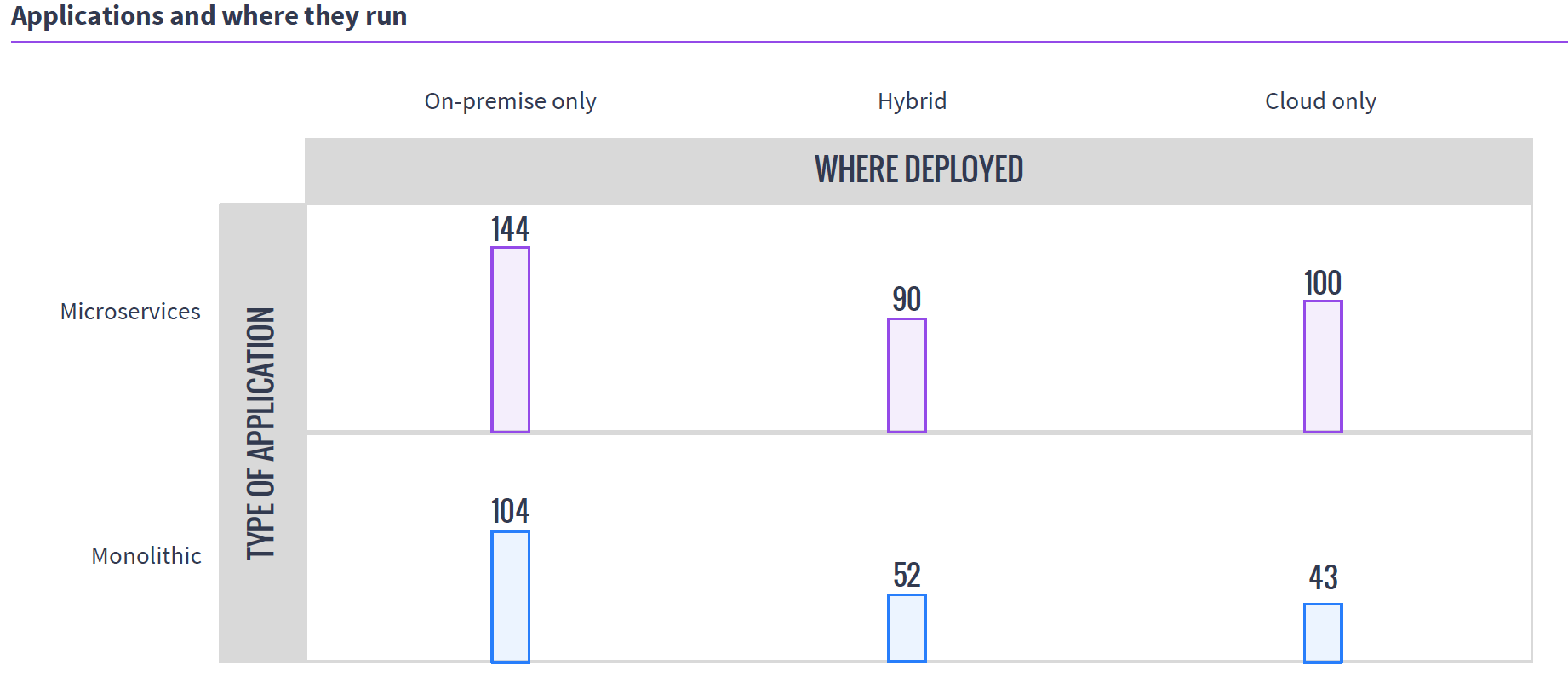
    So in the world of VMs, if you have 50 unique applications that need resources, you create 50 VMs to service them. In either cloud environment, you do the same. It is a joke we like to make that because of microservices, containers are treated like VMs, except if you have 50 unique applications, you create 500 containers, but the reality is that they are exactly like VMs in many use cases, and make 50 containers when containerizing existing apps. Taking a look at MesoSphere’s 2016 survey of clustering users, you can see that a fair number of clustering users are using containers with Mesos and DC/OS, while many of them are not doing it exclusively with microservices.

    Source: MesoSphere user survey, August 2016

    In the clustering world, you have what presents as one big monster machine that is going to run these applications as resources come available, so if your 50 applications require fewer resources than the cluster offers, they simply execute in parallel; if you don’t have enough hardware to run them, unlike with VMs, you can just queue them up and, assuming the cluster isn’t over-burdened, eventually they all will run.

    This gets more interesting when containers are added to clustering (a common environment), because then you do have discrete containers, but the scheduler still manages how many resources are available/in use, and the container architecture allows the app to carry its requirements with it across the cluster.

    Why do we care? Because you know what your workloads are and which scheduling methodology is more important to your organization. If there are 50 applications that all have steady resource needs and run all of the time, then virtualization might be right for you, but if the organization’s workloads are shifting constantly and resources need to be cycled at a high rate, clustering might be right for you. Either way, knowing what’s out there is never a hindrance.

    — Don Macvittie

  • How Healthy is Your Office 365 Environment?

    How Healthy is Your Office 365 Environment?

    The IBM Domino environment was mostly replaced by Microsoft on-premises technology, then later replaced by the Microsoft Cloud Services. One thing that hasn’t been replaced is the need for administrators to have control and visibility of service delivery to end users.

    Whether you’re using IBM applications, Microsoft on-premises servers or Microsoft Office 365, as the messaging administrator you need to provide availability and performance metrics of the service delivered to your management. You also need to understand issues when they arise.

    In short, you are still responsible for the service that you deliver, even if the servers reside in Microsoft’s data center. So, how do you measure the health of your Office 365 service delivery and how do you anticipate issues before they impact your end users?

    Measuring Office 365 Health

    Microsoft works to maintain the 99.99 percent availability it promises from its data center as well as improve both the features it provides and the performance it delivers. The issues that arise generally impact only some features and usually only affect a subset of users with a specific configuration or in one location. It’s difficult to know exactly how these issues impact your global network, and it’s impossible to predict, but it helps to know that Microsoft offers a health dashboard. The dashboard provides an easy-to-understand view of the availability and performance of each Office 365 service out of the data center, and lets users configure alerts. The disadvantage is that the dashboard only shows service out of the data center, not any visibility into the service your users are experiencing. It also doesn’t provide information on how issues are impacting the availability and performance in your company. Nor does it take into account user complaints that can stem from many issues within the Office 365 environment.

    Microsoft provides two tools that can be useful for measuring the health of the Office 365 services delivered to your users. First, the Remote Connectivity Analyzer allows you to run a series of checks from the cloud to the cloud that will tests different part of the Office 365 services. This allows you to check if your tenant has problems with the basic functions of Office 365 by running Outlook connectivity tests, opening a mailbox, performing a mail routing or connecting to Skype to Business Online. The disadvantage is that it is performed from Microsoft Azure to Microsoft Office 365—from one cloud to another. It doesn’t provide you with any information that could help you troubleshoot what is happening at the user location.

    Microsoft’s other tool that can be useful when it comes to checking the connection is the Support and Recovery Assistant. This tool lets you perform tests to help you understand what’s happening when a location is experiencing poor Office 365 performance. However, these tests aren’t automatic or continuous, and they don’t alert you when an issue begins to arise. You still have to rely on user complaints for that.

    That leaves manual testing as the last option for administrators. Manual tests are available in PowerShell. When conducting tests, start by testing pings to Office 365, DNS resolution time, latency and end-user egress points to understand the impact of the network on your Office 365 service delivery.

    Even if these tools are not enough to measure, alert, report or troubleshoot the service to your end users, they still provide something to check the health of the Office 365 service. Microsoft understands that the service out of the data center is not what matters most; it is the user experience. That is why when people think about their Office 365 health, they should always consider the entire service route, from the Microsoft data center to the user sitting at his desk.

    When we measure health, we understand availability and performance of the service.The border between poor performance and unavailability is small, especially for end users. To understand the health of your services you need metrics, facts and alerts.

    What really matters is not poor performance but a degradation of the performance, because that is what users perceive. To measure performance degradation, you need to know the baseline, or what’s normal. This requires a tool that continuously measures the performance delivered to your end users and that can alert you when the performance is declining.

    Finally, because most Office 365 services are used in conjunction with internal infrastructure applications and appliances, they also can impact the service delivered. If you don’t monitor these applications at the same time and on the same dashboard, you won’t be able to troubleshoot the issue effectively. Some companies have hybrid Exchange, some still have Domino application servers, some are using gateways, some have proxy servers and so on.

    It all comes down to service delivered to your end users. Whether issues arise from the data center or your network, it’s important to monitor and understand what users are experiencing so you can maintain the highest level of service. Understanding the relationship between availability and performance from the user’s perspective helps you achieve better insights and oversight of your cloud or hybrid cloud health.

    About the Author / Jean-François Piot

    Jean-François Piot is vice president of Product Management at GSX, responsible for articulating the vision of the company’s product range and translating these into detailed specifications. His experience in IT processes and service management projects comes from previous business development positions at IBM and Beijaflore (IT Service Provider). He holds a master degree from the Grenoble Graduate School of Business.

  • Top Reasons to Use Node.js

    Top Reasons to Use Node.js

    When considering the architecture of a new web app, it might be a good idea to include Node.js in the discussion as a key part of that architecture. Node.js could provide you with additional speed, can be used on numerous platforms and has an active community from which to get modules and other assistance.

    What is Node.js?

    Node.js is a server-side platform developed by Ryan Dahl in 2009. It was built on Chrome’s V8 JavaScript engine and designed with a non-blocking, event-driven I/O. It is also cross-platform, able to be run on Windows, Linux and OS X. Its non-blocking I/O is due to its use of asynchronous functionality, which keeps the server from waiting on data to be returned before being able to move on to other tasks.

    Why Use It?

    Given the architecture of Node.js, a number of advantages are provided both to developers and the resulting apps they develop. A few of these advantages include speed, programming language consistency, real-time apps developed easily and a large number of modules/packages for developers to use while creating new apps.

    Speed

    Node.js offers speed advantages in many cases. First, it uses the Google V8 engine, which is optimized for JavaScript speed. Also, its use of non-blocking asynchronous behavior can ease the time it takes for users to see actions as complete, since things can be going on in the background while the user moves on to other tasks.

    One Language

    JavaScript is listed as the most popular programming language. Source: Thenewstack

    Using Node.js, front-end and back-end code can both be in JavaScript, so your developers don’t have to transition between languages as they move through the stack. Some architectures, such as the MEAN stack (MongoDB, Express.js, Angular.js, Node.js), are designed around this principle. In this case, the stack uses JavaScript for Express, Angular and Node. MongoDB uses BSON for database queries, which uses the same syntax as JSON (JavaScript Object Notation).

    Seeing full-stack developer as the largest occupation and JavaScript as the top language among both back-end and front-end aligns with what we’ve been seeing in overall JavaScript adoption.

    Source: Mikeal Rogers, Node,js Foundation Community Manager 

    For developers, this can help both with moving across the stack during development as well as help communication among developers, as they will be referencing the same language (JavaScript) while discussing programming decisions.

    Real-Time Apps

    Node.js is a great platform for creating real-time apps. With a module such as Sockiet.io, you can create real-time chats, games and more. Along with its non-blocking asynchronous architecture, real-time apps can be developed with plenty of speed and responsiveness.

    Modules

    The Node Package Manager (NPM) makes it easy to install packages that others have developed to perform any number of tasks. This helps to encourage code-sharing among developers and to reduce the amount of custom development that has to be done when one or more packages can take care of that coding for you.

    Notable Examples

    Some notable examples of Node.js use are Paypal and Uber, showing that it can, indeed, be useful for large projects.

    Paypal

    Node.js and an all Javascript development stack helped PayPal bring efficiencies in engineering and helped rethink and reboot product, design and operational thinking.

    Source: Sameera Rao, Paypal Sr. Business Products Engineering Manager 

    Back in 2012, Paypal had a single app running all things, including UI, API and more. This included a lot of duplicated code that was copied and pasted from one app to another to make apps for different locations.

    Using Node.js, the company was able to modularize and clean up its code and processes, which in turn sped the development of apps it needed at any given time.

    According to Paypal’s engineering team, they were able to build the Node.js app with 33 percent fewer lines of code and 40 percent fewer files, and were able to build it twice as fast and with fewer people than before. Certainly, Node.js proved to be advantageous to their development.

    Uber

    Uber used Node.js from the beginning, and its distributed system was a perfect fit, since a lot of network requests are made. The non-blocking asynchronous I/O used by Node.js helped to ensure those requests could be made and handled quickly to provide the best service possible.

    Conclusion

    The benefits of Node.js have been proven. It helps speed development, can be used on numerous platforms and has an active community from which to get modules and other assistance. Include Node.js in your future conversations about website architecture.

    — Brian Wheeler

  • Should You Go ‘Serverless’? The Pros and Cons

    Should You Go ‘Serverless’? The Pros and Cons

    The popularity of the “serverless” term started to grow when Amazon launched AWS Lambda in 2014. Ever since, we’ve seen the term exponentially grow in use and reference, with more vendors entering the market with their own solutions (Azure recently went GA with Functions, for example).

    What is it all about and how does this new trend affect the way people write and deploy applications? Is “serverless” a paradigm shift or just a natural evolution of infrastructure as a service (IaaS) and platform as a service (PaaS)? In this post, I will discuss what “serverless” is and is not—and how it shapes up in comparison to existing PaaS solutions.

    What is ‘Serverless’?

    “Serverless” denotes a special kind of software architecture in which application logic is executed in an environment without visible processes, operating systems, servers or virtual machines. It’s worth mentioning that such an environment is actually running on the top of an operating system and uses physical servers or virtual machines, but the responsibility for provisioning and managing the infrastructure belongs entirely to the service provider. Therefore, a software developer focuses on writing code.

    In other words, a developer thinks in terms of services or functions that communicate with each other and with the external world. After implementing these services, developers using a traditional approach would combine them into a number of distributed processes when installing, running, monitoring and updating such processes for specific operating systems that are running on specific servers or virtual machines. In the “serverless” approach, a third-party service provider is responsible for everything from the processes to the operating systems to the servers.

    When a third-party service provider is responsible for the underlying IT infrastructure, a developer no longer is in charge of purchasing a dedicated server or virtual machine. At the same time, the service provider is free to decide how to efficiently utilize its infrastructure to serve requests from all of its clients. As a result, the service provider is not usually required to run a permanent workload for a specific client; instead, the software handles requests from all of the customers at the same time, spending just a limited time on handling each request from a specific customer. Therefore, such providers usually charge their customers based on the total number of requests, the frequency of requests over a specified period or the total time spent to serve all of the requests from a customer.

    The same approach works well for different types of loads because third-party service providers usually have elastic, scalable services. When customers start using a third-party service, the expected number of requests can be low and customers pay significantly less compared to purchasing, configuring and managing their own infrastructure on-premises or in the cloud. For a larger number of requests—either expected or unexpected load peaks—customers do not need to add servers to horizontally scale their application. Instead, a service provider does care about increased load. For sure, handling a bigger number of requests will cost more, but in most cases it is still more efficient than using a dedicated IT infrastructure.

    BaaS and FaaS

    Two approaches that often are mentioned together with serverless are backend as a service (BaaS) and function as a service (FaaS).

    BaaS

    The growing number of third-party services that implement required functionality, provide server-side logic and manage their internal states has led to applications that do not have application-specific, server-side logic and use third-party services for everything. In this respect,  such applications are serverless.

    Some examples of third-party services include identity and authentication as a service (Auth0, AWS Cognito), logging as a service (Loggly, Logsense, Amazon Elasticsearch Service) and analytics as a service (Amazon Kinesis, Keen IO).

    FaaS

    When an application still requires specific server-side logic, a developer can use a modern alternative to traditional architectures: FaaS. With this approach, a developer focuses on implementing short-living stateless functions that are triggered by events and can communicate with each other and the external world. A FaaS provider does the rest—provisioning as many instances of such functions as necessary to handle all of the requests, terminate instances that are no longer required, monitor all of them and provide identity and logging services. FaaS ideally fits with microservices architecture because the FaaS provides everything that an organization needs for running microservices.

    Auth0 Webtask, AWS Lambda, Google Cloud Functions and Azure Functions are examples of FaaS implementation. IronFunctions is an ambitious initiative from Iron.io that is targeted to run AWS Lambda functionality on the most popular cloud providers as well as on-premises.

    What is Not ‘Serverless’?

    The main difference between serverless and PaaS is that traditional PaaS providers such as Heroku or OpenShift usually lack the automatic scaling feature. A user of traditional PaaS has to specify the amount of resources—such as dynos for Heroku or gears for OpenShift—for the application. It still is possible to manually scale the application up or down by changing the number of assigned resources, but mostly this is the responsibility of a developer or system administrator.

    The second difference is that traditional PaaSes are designed for long-running server applications. With such a design, the application always should be running to serve incoming requests. If you bring the application down, it obviously will not serve the requests. With FaaS, your function starts to serve a request and terminates when the request is processed. Ideally, your functions should not consume provider resources when there are no incoming requests (see also “cold start” issue below).

    Traditional PaaS implementations are not “serverless” under the strict definition of this term because they do not have automated scaling and require that server-side applications are always running so that requests can be served. Traditional container management platforms are not “serverless” for the same reasons.

    Another way to know if a provider allows the serverless approach is to identify the border between two areas of responsibility: the provider’s consumer and the provider itself. In “serverless,” the border is between application code and how is this code is actually deployed and running on physical servers. In container platforms, a platform’s consumer is still responsible for working with the operating-system level to define things such as the processes that will run in which containers and how many containers of each kind will run.

    Nonetheless, there is an inherent similarity between containers and serverless. For example, Kubernetes—an open-source container orchestration platform—allows for the automated scaling of containers using application-provided metrics such as the number of concurrent requests. AWS Lambda actually runs a container for each function.

    In other words, containers and container orchestration may provide an efficient way to implement FaaS while FaaS provides an additional abstraction level that hides specific processes, operating systems and containers from developers and allows them to focus on code.

    The Benefits and Drawbacks of “Serverless”

    As we already mentioned, “serverless” has the following main benefits:

    • Reduced time to market and quicker software release.
    • Lower operational and development costs.
    • A smaller cost to scale – there is no need for developers to implement code to scale and administrators do not need to upgrade existing servers or add additional ones.
    • Works with agile development and allows developers to focus on code and to deliver faster.
    • Fits with microservices, which can be implemented as functions.
    • Reduces the complexity of software.
    • Simplifies packaging and deployment and requires no system administration.

    At the same time, “serverless” has the following drawbacks:

    • Serverless is not efficient for long-running applications. In certain cases, using long tasks can be much more expensive than, for example, running a workload on a dedicated server or virtual machine.
    • Vendor lock-in. Your application is completely dependent on a third-party provider. You do not have a full control of your application. Most likely, you cannot change your platform or provider without making significant changes to your application. Also, you are dependent on platform availability, and the platform’s API and costs can change. Needles to say, the existing FaaS implementations are not compatible with each other.
    • Serverless (and microservice) architectures introduce additional overhead for function/microservice calls. There are no “local” operations; you cannot assume that two communicating functions are located on the same server.
    • To utilize its resources more efficiently, a service provider may run software for several different customers on the same physical server (this is also known as “multitenancy”). Even if customers’ workloads are isolated in virtual machines or containers, there can be different bugs in the early stages of FaaS offerings. This can be a major security issue for your application if you work with sensitive data. Such potential bugs in a platform or failures in one customer’s code (a “noisy neighbor”) can affect the performance or availability of your application.
    • In practice, it takes some time for a scalable serverless platform to handle a first request by your function. This problem is know as “cold start”—a platform needs to initialize internal resources (AWS Lambda, for example, needs to start a container). The platform may also release such resources (such as stopping the container) if there have been no requests to your function for a long time. One option to avoid the cold start is to make sure your function remains in an active state by sending periodic requests to your function.
    • Some FaaS implementations—such as AWS Lambda—do not provide out-of-the-box tools to test functions locally (assuming that a developer will use the same cloud for testing). This is not an ideal decision, especially considering that you will pay for each function invocation. As a result, several third-party solutions are trying to fill this gap, enabling you to test functions locally.
    • Different FaaS implementations provide different methods for logging in functions. For example, AWS Lambda allows writing logs to AWS CloudWatch using the standard frameworks for the specific language (Log4j for Java, console methods for Node.js, logging module for Python). It is completely up to the developer how to implement more advanced logging.

    Summary

    Serverless architecture is a new approach to writing and deploying application that allows developers to focus on code. Such an approach can reduce time to market, operational costs and system complexity. While serverless leverages third-party services such as AWS Lambda to eliminate the requirement to set up and configure physical servers or virtual machines, it also locks in the application and its architecture to the specific service provider. In the future, we can expect more movement toward the unification of FaaS APIs or frameworks such as IronFunctions that will help to avoid vendor lock-in and enable us to run serverless applications on different cloud providers or even on-premises.

    — Asaf Yigal

  • Evolving Data Requirements in Multi-Cloud Environments

    Evolving Data Requirements in Multi-Cloud Environments

    By design or by accident, multi-cloud is a reality that most enterprise IT teams have to cope with today. Multi-cloud (or, cross-cloud, as Dell EMC calls it) refers to an IT model where an organization uses services of one or more public cloud service providers, sometimes in addition to using its own data centers. In a multi-cloud model, different clouds may be used in different stages of the application life cycle such as test/dev and production, and for different types of applications such as traditional structured applications and next-gen cloud applications. Nonetheless, IT leaders face challenges in identifying data management tools they need to embrace the multi-cloud environment to improve application agility, reduce operational hassles and enhance application resilience. In this blog, I will discuss how enterprises are using a multi-cloud model and the requirements it places on next-generation data protection products.

    One common reason for multi-cloud is to support geo-replicated applications to enable global reach of e-commerce organizations. In such a scenario, a production database may reside on a private cloud behind an enterprise firewall and replicated to multiple regions in a public cloud to service reads (i.e. consumers are shopping on these e-commerce sites) from different regions at low latency. Such a configuration also protects against disasters at the data center level because the database and application are replicated to public cloud (with multiple availability zones).

    Another use case is to service the requirements of production environment versus test and development environments using different clouds. While security, control and performance optimization may mandate a production environment to stay within a private data center, agility, access to new capabilities such as Google BigQuery and developer preferences may drive application development teams to use a public cloud service providers.

    Finally, using a multi-cloud model could also be driven by the IT strategy of an enterprise to prevent overdependence (or, vendor lock-in) on any one public cloud service provider. To hedge the risks and get leverage, an enterprise may balance its application workloads across multiple cloud providers—for example, deploy Tier-1 applications on one cloud and Tier-2 applications on another. It is a real phenomenon we are seeing with enterprise customers! However, a multi-cloud model presents the following unique challenges to enterprises.

    • Data protection in multi-cloud environment: Legacy data protection (backup and recovery, archiving, replication) products were architected for on-premises environments and optimized to work with legacy applications. Using legacy backup and recovery tools for next-generation applications in a public cloud environment is equivalent to fitting a round peg in a square hole. For one, legacy products don’t leverage the elastic and scalable compute and storage that is available in public cloud. True infrastructure-independent (software-only and elastic compute-based) data protection products that may be deployed in heterogenous environments are required as enterprises look to migrate applications to the cloud.
    • DevOps agility: Moving data across clouds for disaster recovery or to refresh test & development environments with production data is another key requirement for enterprises. Doing so in a multi-cloud environment is not an easy task given the challenges in moving data over the WAN. There are also differences in configuration between test/dev and production environments. Further, the test/dev environments may not be as large as production environment so sub-sampling is required. Finally, personally identifiable data needs to be masked before it leaves the production firewall.
    • Ease of management and governance: Finally, federated management is required for applications and workloads running across multiple clouds. It is extremely inefficient to get familiar with different management tools and their intricacies.

    This is by no means a complete list. There are several other requirements, such as support for cloud storage with consistent performance, handling of identity access and management processes and so on. The point is that data protection needs to be re-thought in the context of multi-cloud environments.

    — Shalabh Goyal