Tag: cloud services

  • Bringing DevOps to SAP, With Basis Technologies

    Bringing DevOps to SAP, With Basis Technologies

    DevOps has not only reached mainframe groups in enterprise but also to large applications such as SAP. Organizations are moving away from waterfall methods and mega releases that take many months to deliver. What’s needed are many more rapid release cycles and deployments that support the accelerating pace necessary to do business.

    In this conversation on TechStrong TV, David Lees, CTO of Basis Technologies, joins MediaOps CEO Alan Shimel to explore how organizations implement DevOps into their SAP integration and deployment cycles. Having lived through this transition, David shares his unique perspectives on the necessity to break through bottlenecks and make changes in supply chains, finance and many other business processes needed to support the business.

    The audio file of our conversation is below, followed by the transcript. Enjoy!

    Transcript

    Alan Shimel: Hey, everyone. Thanks for joining us on another segment here for TechStrong TV. In this segment, we are joined by David Lees. David is the CTO at Basis Technologies. David, welcome to TechStrong TV.

    David Lees: Thanks, Alan. Great to be here.

    Shimel: Great to have you here. So, David, I don’t think we’ve done an interview here with Basis Technologies before, so I think we should start right there.

    Lees: Okay. So –

    Shimel: Go ahead.

    Lees: Basis is a company that’s been around for about 20 years. We are a global organization that works with hundreds of customers around the world, and the thing that they all have in common is that they run SAP software, as I’m sure many of your audience do.

    Shimel: Yep.

    Lees: We specialize in solutions around the application life cycle management space. We kind of started up the whole trend in terms of the DevOps for SAP by really helping people to manage their change in a much more Agile way than SAP is traditionally known for.

    Shimel: Excellent. And of course, you know, David we were talking off-camera before we got started, I’m doing devopsy.kinsta.cloud seven years, right? And when I first started everyone said, “Oh, DevOps is something for startups; I don’t know about large organizations.” And then sure enough every large – not every, but most large organizations in the world started recognizing the benefits of doing things in a DevOps fashion, and we fought this battle with DevOps in the mainframe, DevOps on things like SAP. How could something like SAP benefit from DevOps?

    But of course they can, of course they can, and I think SAP themselves has recognized it and they’ve come out with a lot of DevOps-related solutions, products, services, but also companies like Basis are recognizing that, hey, my customers are asking me about DevOps but they’re not going to throw away tens of millions of dollars and years and years of tribal knowledge that they’ve developed in doing things on SAP. It’s just impractical. And so, you know, they have to put a little chocolate in the peanut butter and it’s got to work together, right? I would imagine, you know, Basis has – this is a real specialty that the market’s calling for and Basis has a real role to fulfill here.

    Lees: Yeah. I think it’s as relevant in the SAP world as it is elsewhere for exactly the same reasons; customers are looking to become more Agile, they want to be able to deploy in kind of just in time, moving away from the whole annual or six-monthly mega release delivered in a very waterfall way in order to respond to market changes, customer needs, in order to drive more efficiency within their application development and application management space and to deliver that with quality that a business-critical system like SAP mandates, to be honest.

    Shimel: Sure. So David, I always like to ask our guests a little bit about their own personal background because people out here are wondering, right? So they look at David Lees, the CTO of Basis Technologies, they’ve been around 20 years in the SAP space, they deal a lot. David, what’s your personal background like?

    Lees: So I actually joined Basis only about 18 months ago, and prior to that I spent the majority of my career on the other side of the fence. I was with Proctor & Gamble, a large global consumer goods company, and pretty much most of that time was connected to SAP in some shape or form from implementations through support, upgrades, getting ready for transformation to things like S/4HANA, and it was in that role as a customer that I first came across Basis a few years ago and actually brought in one of their products into Proctor & Gamble. So I kind of first had that experience as a customer of Basis before deciding to kind of make the step in to working here as CTO.

    Shimel: Excellent. So you literally have a career in SAP that you bring to Basis, and as you said, from the other side of the fence; not as a vendor but as a user, a consumer, a customer of SAP.

    Lees: And like you were saying before, I think many of the customers of SAP that have been running with SAP software for now 10 if not 20-plus years have developed the knowledge, they’ve developed their solutions and their processes exactly how they like them, but that’s come with massive investment, massive investment in custom code, custom solutions, investment in the way they’re managing those developments, those projects and maintaining them on a going basis, and so I lived through firsthand this whole lifecycle, let’s say, plus the last few years where the old way of managing things was simply not going to be the right way to continue to manage in the future because at the end of the day, while the rest of the architecture around SAP is evolving at a much faster rate you can’t kind of retain the bottleneck image that SAP has and you have to find a way of breaking that bottleneck and being able to move at a similar pace to the other elements in the architecture. It’s not as easy as saying, okay, well let’s just not touch the back end and keep that totally frozen. It’s simply not possible. You need to make as many changes in your supply chain and finance and legal entity structure, et cetera, as you do in your ecommerce platform.

    Shimel: Fair enough. Excellent. Again, the parallels to what we saw in the mainframe space is also – but I think there’s something else you gotta remember. People don’t use SAP just because of their prior investment or just because it’s what they’ve done before, right? Organizations of a certain size use SAP because it offers real advantages and allows you to do things in such a way that you can’t have or you can’t get with just about any other solution out there. So it’s not just because this is what my grandpa did or this is what we’ve done for 10 years, 20 years; it’s because we are an organization of a certain scale that we require this.

    Lees: Yeah. I think they’re a market leader for a reason.

    Shimel: A reason, right.

    Lees: They have the products that, like you say, run some of the largest enterprises in the world; many of the Fortune 500 or FTSE 100 or what have you. And it’s in spite of that that we need to find a way of being able to manage that in a much more modern way. There’s certain elements of SAP that I’m sure some of your kind of more pure DevOps listeners or audience would struggle to understand in terms of, for example, the way version management is handled in SAP inside like a single database, hard to manage branches in terms of parallel developments, the way changes are deployed through the use of things like transports, create to some extent an ecosystem in SAP that is different than a lot of the cloud native and more modern applications, but at the same time we want to be able to help customers to manage the risk, to manage the agility, and to be able to move things through with confidence and with speed in keeping their changes across their architecture orchestrated in a controlled way.

    Shimel: Absolutely. So David, if you don’t mind, I think we’ve laid the groundwork here well, let’s look at, if you will, the anatomy of an SAP-DevOps engagement, right? We spoke about maybe it’s an existing SAP customer who – right? – doing that big yearly release or twice-a-year release is not going to cut it anymore. They need to be more agile – nimble agile, not necessarily Agile software development, though that too, but they need to be more nimble, they need to be more responsive, they need to – they want to utilize a modern CI/CD pipeline type of delivery system.

    Lees: Yeah. I think as with anything here you’ve got the three normal components. It’s about the people, the process, and the tools. So there’s no kind of silver bullet that’s going to say, yeah, I’m suddenly DevOps in my SAP space. You need to have similar best practices around automating as much as possible within that pipeline, and some of that’s available natively inside SAP to do things like automated unit testing, automated code inspection, but the piece of the jigsaw, let’s say, where we come in is to create effectively the pipeline portion for SAP using one of our products called ActiveControl, and that’s about being able to deploy in an automated way within the landscape to the point where the customer is comfortable and being able to kind of highlight and manage all of the interdependencies or identify where it is safe or isn’t safe to move changes in a more accelerated way.

    So I think some of the best practices I would say are common across the SAP and the cloud native world, and when it comes down to some of the tooling you need to start looking at SAP-specific tooling where it’s not possible to leverage some of the kind of off-the-shelf open source best practice tools like best-of-breed ones such as Jenkins or Git, but equally this is where we can integrate and we can help a customer in managing their SAP side of their estate, their architecture, in a coordinated or orchestrated way with the non-SAP world that they’re managing using some of these more traditional DevOps-based pipeline tools or CI/CD tools.

    Shimel: Yep. Agreed. So David, when Basis comes in – let’s talk about the engagement now, right? Is it more of like a classic consulting where we come in with bodies or is it more of an architectural and here’s the processes and kind of maybe software we’re going to introduce or both?

    Lees: Yeah. So we are primarily a software company in terms of providing the solutions, although we do recognize and we do work with some of our customers that they also need help on what are the process changes or architectural changes that they should make in order to go further, in order to become more Agile, what are some of the, again, best practices that they should be doing without switching on or without investing in? They won’t be able to go as far as they want to or need to. So whilst we are today primarily a software company and we will come in to help our customers activate those solutions and deploy them, we are starting to kind of branch out a little bit more into the consulting side to help customers on that journey, to define what that journey looks like for them based on where they are today and based on where they want to get to.

    Shimel: Fair enough. So I’ve got to kind of ask it only because you have to in these days – how’s COVID affected all of this?

    Lees: I think we’re affected to some extent like many companies; however, we are to a certain extent well insulated. We have a subscription-based model, so the companies that tend to deploy our solutions continue with those solutions. We have an incredibly high renewal rate which we’re very proud of, and that gives us a very strong cashflow and a very strong platform in which we can continue to invest in new products and solutions as well as to continue to invest in identifying and adding new customers. I think to some extent there is – some of the pursuits, some of our prospects have been impacted by budget restrictions, but I think at the same time COVID is accelerating significantly the pace at which companies realize they need to transform. So I think it’s probably as much as one side kind of slowdown and budget restrictions as it is kind of companies coming in saying we have to modernize, we have to change the way we’re doing things and we need our SAP application development to be as flexible as we have elsewhere in our organization.

    Shimel: Agreed. And, you know, I kind of suspected that but I wanted to kind of confirm it with you, is yeah, you know, on the one hand it definitely – everyone working remote and everything that went on you could see it slowing down, but on the other hand it becomes very much a catalyst for transformation, right? There’s no waiting for tomorrow; we’ve got to do this now, and so it happens in there. What about working remote though, David? I mean you’re obviously in your home office right now.

    Lees: I am and I [laughs] was always set up in a home office kind of gig here at Basis, so I’m based in Spain whereas the headquarters is in London. So even pre-COVID I was kind of used to working a few weeks from home and then going into the office for a week or so every month. Now it’s just all at home for the foreseeable future. We’ve had to adapt. Development teams that used to be very – used to kind of working together, whiteboards and daily standups and that sort of thing have found ways of doing that remotely like everyone else has had to do, and yeah, I think we’re all getting used to a very interesting new world, and I would be very surprised if we go back to exactly how it was previously.

    Shimel: I don’t disagree with you. But the good news is, you know what, you’re still able to do your work, stuff gets done, and it could be worse, as they say. Hey, we’re about out of time but I wanted to mention one other subject. You guys are doing a webinar here on devopsy.kinsta.cloud. It’s probably about a month from now, maybe even a little more than a month from now. It’s on SAP and DevOps.

    Lees: Yeah.

    Shimel: I’m not going to put you on the spot here and spill the whole beans, but who should be – you know, talk to us about it.

    Lees: I think the intended audience for that is people who are traditionally on the DevOps side of the fence who’ve grown up outside of SAP who need to or are realizing that SAP should become part of what they’re including in their plans and in their strategies. Now I would still say SAP kind of long-timers would get some value out of that webinar, but it’s more about helping people understand how SAP is relevant, why it’s relevant, and how we can help customers bringing the SAP world together with the more modern side of the application house for customers, and so I think it’s primarily tailored towards that audience.

    Shimel: Cool. More information on this will be available on devopsy.kinsta.cloud under our webinar section. David, I look forward to that webinar. I want to thank you for joining us on TechStrong TV today. Where in Spain are you based, by the way?

    Lees: Near Málaga on the South Coast, so a nice little town.

    Shimel: Oh, it’s terrible, terrible, terrible.

    Lees: Like yourself in Florida.

    Shimel: Yeah, I was gonna say, in Boca Raton I really can’t complain either. But anyway, hey, thanks for joining us, look forward to the webinar in October, and keep up the great work.

    Lees: Great. Well, thanks a lot, Alan. I look forward to coming back on, talking to you again in the future.

    Shimel: Absolutely. David Lees, Basis Technologies, SAP and DevOps. It’s real. It’s something you need to be thinking about, especially if your organization is already an SAP shop. This is Alan Shimel. We’ll be right back with our next guest here on TechStrong TV.

  • DevOps Deeper Dive: IBM to ‘Maniacally Focus’ on Hybrid Cloud, AI

    DevOps Deeper Dive: IBM to ‘Maniacally Focus’ on Hybrid Cloud, AI

    IBM this week announced its intention to spin out a new company next year focused primarily on managed infrastructure as part of a plan to focus more on hybrid cloud computing and artificial intelligence (AI) initiatives.

    IBM is combining the Red Hat assets it gained last year via a $34 billion acquisition with its investment in Watson AI technologies, while an as-yet-unnamed company will assume control over IBM outsourcing services currently provided by the Managed Infrastructure Services unit of IBM’s Global Technology Services division.

    IBM CEO Arvind Krishna, appointed last April, on a conference call with analysts said IBM will primarily focus on high-growth opportunities driven by Red Hat OpenShift, Linux, Kubernetes, containers and DevSecOps software technologies that will drive a trillion-dollar hybrid cloud computing opportunity, while the new company will become the world’s largest IT services provider with more than 90,000 employees serving a base of more than 4,600 clients generating more than $19 billion in revenue. Today IBM generates a little more than half of its revenue from those services and claims to have a services backlog of $60 billion.

    The new approach will enable IBM to “maniacally focus” on hybrid cloud computing and AI opportunities, Krishna said. That shift will also create a separate company capable of generating double-digit growth that should result in a higher stock valuation at a time when investors are pouring billions of dollars into software companies. IBM this week disclosed it has 2,400 hybrid cloud platform clients and that the number of larger deals driven by Red Hat software has increased by a factor of two.

    To achieve its financial engineering goal, IBM will incur multiple charges, including $2.5 billion to spin out the new company and another $2.3 billion to set it up.

    IBM has a long history of spinning out companies. In its new form, the company will grow both organically and inorganically as it makes additional acquisitions, noted Krishna.

    The “new” IBM will look and feel a lot more like Red Hat than it will IBM prior to its acquisition of Red Hat, said Mitch Ashley, CEO and managing analyst of Accelerated Strategies Group (ASG).

    “It’s starting to head toward looking more like Red Hat acquired IBM,” he said.

    The degree to which IBM will be able to dominate hybrid cloud computing is unclear. IBM is making case for unifying the management of IT by standardizing on the Red Hat OpenShift platform based on Kubernetes that can be deployed on any public cloud or on-premises IT environments, including those that also house mainframes and x86 servers. In the wake of the economic downturn brought on by the COVID-19 pandemic, the rate at which IT organizations are expected to reduce costs by centralizing the management of cloud computing platforms is expected to increase.

    Adoption of multiple cloud computing platforms in the enterprise has tended to be reactive and any effort to centralize the management of those platforms is still in the planning stages, said Judith Hurwitz, president and CEO of Hurwitz and Associates, a research and consulting firm.

    “It’s not easy,” she said. “It’s not like you can go out and buy a control plane.”

    Ultimately, however, IT teams will have multiple options to choose from that don’t necessarily require them to adopt the Red Hat OpenShift platform.

    Similarly, IT organizations have access to a wide array of open source AI frameworks via cloud services that provide alternatives to Watson offerings.

    In the meantime, the rate at which organizations are transitioning to hybrid cloud and AI platforms is increasing. The issue IBM will need to contend with is making sure it doesn’t become distracted by its own internal issues over the course of the divestiture, which might take well over a year to ultimately complete.

  • Twilio Expands Scope of Cloud Services Portfolio

    Twilio Expands Scope of Cloud Services Portfolio

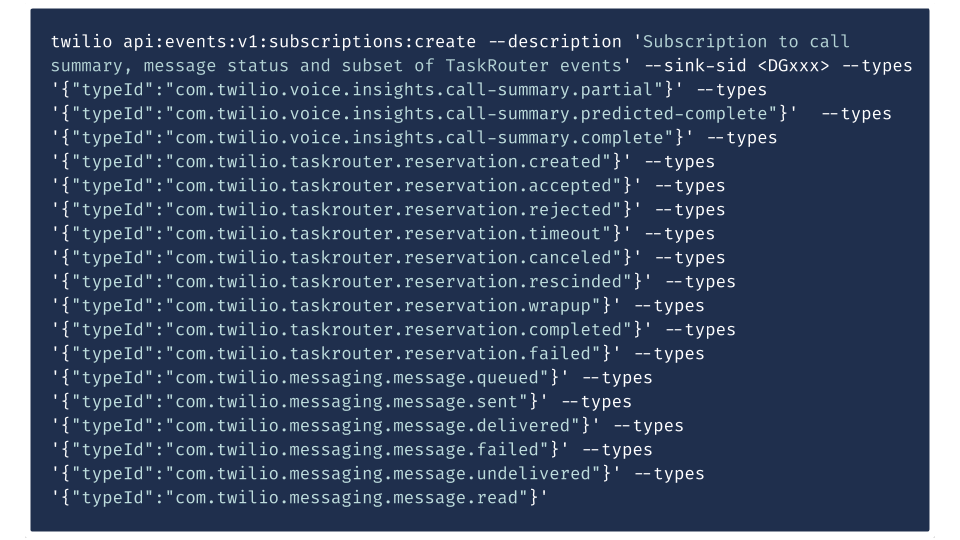
    Twilio today at its online SIGNAL 2020 conference launched Twilio Video Web RTC Go, a free toolkit that makes it easier to embed video within an application, and exposed an Event Streams application programming interface (API) through which the management of streams of messaging and voice can be centralized using the Amazon Kinesis platform.

    At the same time, Twilio debuted Twilio Frontline, a mobile application that enables all incoming and outgoing customer conversations occurring over any channel or medium to be sent to a single application running on an IoS or Google Android device.

    Finally, Twilio also launched Microvisor, a turnkey connectivity and device management platform for developers building and updating internet of things (IoT) applications.

    Quinton Wall, senior director of developer marketing at Twilio, said Twilio Video Web RTC Go will play a critical role in enabling organizations to take control of digital business applications that now typically include a video stream. Rather than having to rely on a video service provided by Zoom, for example, an organization can provide an interactive video experience under their own brand by invoking application programming interfaces (APIs) that connect applications to Twilio Video running on the Amazon Web Services (AWS) cloud.

    In a similar vein, Twilio Frontline enables organizations to also take control of the communications channels that end customers are likely to employ. It may not be feasible to require every customer to employ a specific communications channel but at the very least all communications occurring over WhatsApp, SMS/MMS, webchat and other channels can be centralized, noted Wall. The Events Stream API, which will be expanded to include other processing engines other than Amazon Kinesis, enables developers to apply that same capability within their own applications.

    Twilio is also making it easier to build and deploy applications in IoT environments via a Microvisor platform through which Twilio provides constant monitoring of vulnerabilities and applies security patches to both IoT devices and any associated cloud components. Developers can also debug and update devices remotely and push out code updates as often as they see fit.

    Developers can also reuse any existing embedded code and develop IoT applications in the language and embedded OS of their choice using the TrustZone hardware isolation technology made available by Arm on processors that are widely employed in IoT devices.

    Collectively, Twilio is making a concerted effort to convince developers to programmatically invoke a range of cloud services that are exposed via an API. Rather than employing separate services for each video, audio, text or in the case of IoT application an IT management function, Wall said the goal is to enable developers to spend more time on writing code versus integrating external services.

    In general, the point where applications that don’t include embedded collaboration tools, including video, are considered antiquated has arrived. End users that have become accustomed to using services such as Zoom expect to be able to instantly communicate with the owner of that application or other end users. Twilio provides those capabilities in a way that doesn’t require developers to rely on a service such as Zoom that introduces yet another brand into the application environment, noted Wall.

    It’s too early to say just how capabilities such as video will be surfaced within applications. However, the one thing that is certain is video is now expected to be pervasive both inside and out of application environments.

  • Optimize Performance, Cut Costs With AWS Autoscaling Services

    Optimize Performance, Cut Costs With AWS Autoscaling Services

    A very easy (and free) way to get the get your money’s worth on the AWS Cloud platform is autoscaling. Autoscaling allows for better fault tolerance, better availability and better cost management, quickly scaling up and down to meet traffic demands while keeping your costs within budget by detecting and replacing the components that are not healthy enough to be present in the infrastructure.

    Some of the key benefits of autoscaling are:

    1. Meeting the traffic requirement on-demand and scaling accordingly.
    2. Adjusting scaling group capacity through the scheduled actions on the autoscaling groups.
    3. Reducing resources and costs.
    4. Increasing application availability by deploying across the availability zones.

    AWS has several services that help autoscaling the infrastructure components and reduce the management associated with scaling. They are mediated through the CloudWatch monitoring and observability service. CloudWatch provides up to 1-second visibility of metrics, 15 months of data retention (metrics) and the ability to perform calculations on metrics. This allows digital engineering teams to perform historical analysis for things such as cost optimization, for instance. On top of the specified metrics, teams can create alarms and alarm trigger the autoscaling policy to perform predefined steps, either to scale out or scale in.

    Autoscaling Services on AWS Cloud Platform

    EC2 Instance Auto Scaling

    EC2 instance autoscaling helps us to keep the correct number of EC2 instances available to handle incoming traffic requests for the application. We can create an EC2 autoscaling group, which is a collection of EC2 instances. In that group, we can specify a minimum, making sure that the group never goes below a specified size. We can also specify a maximum number of EC2 instances, which ensures that the group never goes above the specified size. This keeps capacity at a minimum and maximum range and ensures that your autoscaling group has EC2 instances specified in the desired capacity. Autoscaling also allows us to configure scheduled actions that can change the minimum, maximum and desired auto-scaling group capacity at a specified time.

    EC2 instance autoscaling allows for the configuration of scaling policies that will scale up or down according to the policy to increase or decrease EC2 instances in your infrastructure.

    There are two types of scaling: manual, in which we can attach and detach EC2 instances from the autoscaling group, and dynamic scaling, in which we can define how to scale the autoscaling group capacity in response to the incoming request or changing demand in terms of specific resource utilization. This allows us to configure policies that can take care of scale-up and scale-down and acts according to the policy for factors such as the number of requests, CPU and memory utilization.

    Below are the three types of dynamic scaling policies:

    • Target-tracking: This policy will increase or decrease the autoscaling group’s current desired capacity based on the target value for the specific metric. This policy maintains the capacity to match specified target metrics like CPU or memory utilization. Let’s assume that you have set 60% utilization of your autoscaling group—the target-tracking policy will add or remove EC2 instances to meet the specified utilization.
    • Step Scaling: This policy increases or decreases the current capacity of the autoscaling group based on a set of scaling adjustments (EC2 instances) that vary based on the size of the alarm breach. Let’s assume that the autoscaling group has three stages for tracking CPU utilization—the first alarm would be triggered when 40% is reached and would add one EC2 instance, the second alarm would be triggered when 60% is reached and two EC2 instances are added, and the third alarm is triggered when 80% is reached and three EC2 instances would be added.
    • Simple Scaling: This is a simple scaling policy option that increases or decreases the current autoscaling group capacity based on a single scaling adjustment. Here we can add one EC2 instance when specified alarm breaches.

    EC2 autoscaling provides on-demand instance scaling and spot fleet instance autoscaling, through which we can automatically increase or decrease the current capacity of the spot fleet based on the demand. It can launch (scale out) or terminate (scale in), within the specified range.

    ECS Container Service Auto Scaling

    Elastic Container Service (ECS) Auto Scaling works on published container CloudWatch metrics such as CPU and memory usage. It increases or decreases the desired capacity of container tasks in ECS service automatically. CloudWatch metrics can be used to scale out (add more tasks) to handle a high degree of incoming requests and scale in (remove tasks) during low utilization.

    ECS Auto Scaling allows us to configure policies including target tracking, step scaling and scheduled scaling actions.

     RDS Storage Auto Scaling

    Amazon Relational Database Services (RDS) for MariaDB, MySQL, PostgreSQL, SQL Server and Oracle support storage autoscaling, with zero-downtime RDS storage autoscaling automatically to scale the backend storage volume attached to the RDS database in response to growing database size.

    RDS monitors current storage consumption and scales storage capacity up when current consumption reaches near the actual provisioned size, without affecting current database operation and disturbing current database transections.

    Aurora Auto Scaling

    AWS Aurora autoscaling adjusts the number of Aurora replicas dynamically. You can define the scaling policy and Aurora acts accordingly. It scales Aurora replicas to handle a sudden increase in the database connectivity or the workload. As and when database connections or workload decreases, Aurora Auto Scaling removes unwanted Aurora replicas automatically, so customers are not charged for the unwanted replica instances.

    Just as we were able to define scaling policies in other services, so we can define them in Aurora Auto Scaling, and it also allows us to configure the minimum and the maximum number of Aurora replicas that can be managed. Aurora Auto Scaling is available for both of the Aurora engines MySQL and PostgreSQL.

    DynamoDB Auto Scaling

    The most difficult part of the DynamoDB workload is to predict the read and write capacity units. If an application needs high throughput for a specific period, it is not necessary to overprovision capacity units for the entire time. Amazon DynamoDB Auto Scaling dynamically adjusts provisioned throughput capacity on your behalf in response to actual incoming traffic request patterns.

    As and when the workload decreases, application autoscaling decreases the provisioned throughput capacity units, so that customers do not pay for any unnecessary capacity.

    With DynamoDB Auto Scaling, we can create scaling policies on the table or global secondary index. We can specify within the scaling policy whether we want to scale read capacity or write capacity (both), and the minimum and maximum provisioned capacity unit settings for the table or index.

    Prime Your Infrastructure For Autoscaling

    For these AWS autoscaling services to function as they should, organizations need to ensure they have:

    • Specified application user session state and persistence when using EC2 instances.
    • Tested, monitored and tuned their autoscaling strategy to ensure that it functions as expected.
    • Decision-making logic in place that evaluates these metrics against predefined thresholds or schedules and decides whether to scale out or scale in.
    • Service-specific limits in place before configuring autoscaling.
    • While using EC2 autoscaling, teams have specified cooldown time as well as which application to start up, and are ready to serve in a defined time.
  • Are We There Yet? The Long, Hot Road Trip to the Cloud

    Are We There Yet? The Long, Hot Road Trip to the Cloud

     “If I have to pull this car over, there will be trouble!” Does this sentence evoke childhood memories of summer adventures in the family car? It’s the same sort of dread we get when the IT budget-holder turns around and threatens to pull over on our journey to the cloud or hybrid cloud. The family summer road trip may be filled with great expectations, but the last thing we want is an unforeseen disruption along the way. And migration to the cloud is no different. To continue this analogy, the bumps on the road to avoid are the ones around cost, performance and risk. So, here are some thoughts on how to identify the challenges and navigate to your destination smoothly.

    The Line of Business Needs To Pee (They Think) …

    Or even worse—“we just stopped, why didn’t you go then?!?!” Planning business needs is always a challenge—especially at the speed of change in today’s disruptive markets. The unforeseen impact of the COVID-19 pandemic is one example. We hear it a lot in our industry: “We don’t know which applications are using the most bandwidth and how much they are costing us.” And with 59% of infrastructure managers citing infrastructure cost overruns as their biggest concern, there’s definitely room for immediate improvement. Having clarity into your application topology with a clear map to performance is mission-critical for a successful hybrid cloud journey.

    Because this is such a dynamic process, it needs to be mapped and measured daily, in real-time. But simply automating VMs to workload balance does not give you the clarity needed to understand what and when to move in your hybrid journey. You need the ability to understand why and when things changed so you can effectively plan or resolve the issues. According to Gartner Research, on average, AWS deployments are 40% over-provisioned to meet unexpected capacity and performance issues, which defeats the purpose of moving to the public cloud. “Know before you go” should be a mantra for every hybrid journey manager—and parent managing backseat bladder needs.

    IT Just Hit a Major Pothole and Now Has a Flat Tire

    A flat tire only ruins a trip if you don’t have a spare, the tools and the knowledge required to fix it. For most, the actual solution is to call AAA or in this case, get a third-party systems integrator (SI). Calling an SI to help solve an unforeseen problem is not a bad idea, but it does come with a hefty price tag and a level of dependency that doesn’t mirror the model of moving to a public cloud.

    With the right solutions in place, even a pandemic like COVID-19 should not disrupt your business. Every IT leader should have confidence in their infrastructure systems. That said, it takes time and effort to get there, and no journey worth taking is easy. Having integrated solutions and partners are critical to the hybrid cloud journey. And so is knowing when to fix it yourself and when to call in support to save you millions.

    Too Much Luggage From the DBAs

    Packing the back of the family Ford “Wagon Queen Family Truckster” is a special skill set. It’s like playing Tetris with your family’s luggage. Right-sizing infrastructure capacity while supporting applications is like making sure all the luggage fits in the car and that you still have room to move your feet. Sure, you could buy a bigger car to manage the payload, but the expense doesn’t justify the performance. You need the clarity to act across your private and public cloud infrastructure in a single solution without disruption is required. That level of optimization is a constant to remaining competitive, enabling you to transform your infrastructure from being seen as a cost of business to being recognized as a revenue generator.

    Compliance Just Gave You a Speeding Ticket

    No matter how well-intentioned and on the right side of the law your compliance team is, it can feel like you are being chased by Sheriff Rosco P. Coltrane. And while you don’t mean any harm, the law is the law. In the rush to the cloud, you’re not often asked how you will manage the migration, you’re simply asked how fast you can move—reminiscent of another epic journey: “We’ve got a long way to go and a short time to get there.” Regardless of whether you identify with Smokey or the Bandit, you cannot deny that Sheriff Buford T. Justice (aka, Compliance/Security Officer) will slow you down. So, work early and often with your compliance team to ensure that where you store your data and who has access to your data always remains in compliance.

    Leadership Just Ran Out of Gas on the Migration Budget …

    … and now they want to know when the cost of running applications is best on-premises versus across the public clouds? Don’t break out your abacus just yet. Cost is all about transparency to the needs of the application infrastructure. Too many enterprises are finding that the rush to the cloud was expensive and not well-planned and are shifting critical apps back to the private infrastructure. But you need to go beyond just resourcing noisy neighbors with VM automation. A long-term solution is to optimize the application performance with an integrated APM and infrastructure solution. A more immediate and tactical solution is to leverage a hybrid infrastructure platform that works across multiple on-premises vendors and public cloud vendors to give you the cost analysis you need.

    Application Managers Are Fighting Over the Music  

    On-premises versus public cloud, VMs versus containers, AWS versus Google versus Azure. Where should those applications be running and how can they migrate them? These may seem like the most trivial of issues to be concerned about, but DevOps, architects and managers have deep loyalties way beyond rational factors such as cost, performance and control. Having the ability to manage and plan cost across a multi-vendor hybrid infrastructure to maintain your performance SLAs is critical. Don’t let blind loyalty or the loudest voice control your path. Your hybrid optimization platform should afford you real-time planning and cloud brokerage to ensure you are optimized for cost and performance.

    Your Early Talent Team Has Been Doing the Same TikTok Dance in the Backseat for the Past 8 Hours

    Hearing the same story about why the journey is behind schedule or the same ask for more budget to meet performance SLAs, or even a repeated request to deviate from the existing road map, can wear you down or dilute your focus. It’s important to have a multi-department/cross-functional plan and mapped roles and to measure performance. Keeping the entire team (multiple owners of the “cloud” in a large enterprise) engaged and on the same plan to avoid going into a loop of burned resources and nerves.

    Are We There Yet?

    As with most family trips to magical destinations, the road to a successful cloud migration is fraught with unexpected disruptions—but a good plan can avoid most common challenges. So, no matter what stage you might be at in your hybrid cloud journey, we hope you will reach out to us before you feel the need to pull over when the going gets tough.

    Hope you are all happy and healthy. Please, during this increased time of need, remember to give back to your community as you can.

  • Challenging Cloud Migration Myths in the Wake of COVID-19

    Challenging Cloud Migration Myths in the Wake of COVID-19

    The COVID-19 push to cloud migration, unfortunately, is riddled with myths. Here are some worth busting

    With a substantial increase in the number of businesses now operating from their employees’ homes, and organization leaders realizing that their office buildings are now somewhat unnecessary until a vaccination against the coronavirus is widely distributed, the cloud has played an increasingly important role in IT operations.

    For many, migrating to the cloud has had to happen quickly and at a large scale to cope with the increased pressure on IT infrastructure during the pandemic. At such a turbulent and challenging time, it’s never been more important for businesses to ensure they have the correct IT infrastructure in place.

    As more businesses of different shapes and sizes begin to use cloud computing technology, the realization that greater flexibility, efficiency and scalability can be achieved is being understood by the majority. However, there are still a significant number of enterprises that have misconceptions about how cloud technology can enhance or replace their current IT environment. The outsourcing of IT infrastructure to a dedicated provider can make it difficult for organizations to understand where and how their operations are running and can become a breeding ground for misunderstanding and myths.

    To help clear up some of these myths, I’ve put together a guide to support organizations in the decision-making process and help them understand whether moving to the cloud is the right option for their business.

    Myth 1: Companies should hold tight and do nothing in the wake of COVID-19 as moving IT operations to the cloud is too risky

    This is absolutely not true. While it might seem scary to overhaul IT operations at such an uncertain time and invest in cloud computing technology, there is no doubt that it will be worth it in the long run. Business leaders and IT directors are understandably apprehensive about buying into a cloud migration platform when their budgets are already strapped and the future of their business is uncertain, however, our own research has proven migrating to the cloud can have significant financial benefits.

    Our recent Forrester Consulting TEI (Total Economic Impact) study examined the potential return on investment enterprises may realize by deploying hybrid infrastructure optimization solutions for both the public and private cloud platforms, and found those that have already deployed a cloud migration service have seen a 145% return on investment across a three-year period. Businesses shouldn’t fear that moving into the cloud will have a negative impact to their company economics even though things are difficult in a post-COVID environment, as in fact, deploying a cloud migration strategy will have the opposite result.

    Our Current State of Hybrid Cloud and IT report found that companies that decided to halt their cloud migration altogether as a result of the pandemic are 2.5 times more likely to experience detrimental outages that can hurt company KPIs, as opposed to those that have continued their journey to the cloud over the last four months.

    Myth 2: Cloud migration has to be a quick, ‘one and done’ process if organizations are to cope with the infrastructure demands that remote working practices create

    The term “one and done” cannot be applied when migrating to the cloud. The fact is that cloud migration is a process, and being able to scale up accordingly first requires the right technologies in place. While the pandemic has exacerbated some significant IT challenges across businesses, it has placed a greater focus on ensuring employees can effectively work from home instead of a faster migration to the cloud, which has, understandably, been put on the backburner. For some organizations, remote working has never been part of their practices, but with government guidelines and lockdown restrictions, working side by side has not been an effective way to continue to keep employees safe.

    The immediacy of the shift to remote working has meant ensuring operations could continue as a priority focus for businesses. But as we begin to settle into the “new normal” and most employees are now accustomed to working from their home, vision can be turned to a digital transformation process and ensuring the correct technologies are in place for companies to thrive.

    Myth 3: Halting your cloud migration during COVID-19 will save you time and money and won’t impact your IT systems’ performance

    This is in fact an untrue statement, as businesses that have halted their cloud migration journey because of the pandemic have already experienced significant issues in their IT systems. Our report, which was conducted to better understand how businesses were coping with their migration strategies during the pandemic, has revealed that more than three-quarters (77%) of respondents have reported a lack of access to the correct tools. In addition, 81% of those surveyed have said they have spent more time working across multiple systems to create a single report on IT bandwidth and resources, increasing the amount of time spent on a singular task.

    There is no doubt that deciding to halt a cloud migration strategy because of the pandemic will have impacted organizations’ information technology systems. But that’s not to say it’s too late. Businesses can get back on track and ensure the move to the cloud is just as effective in post-COVID operations.

    Myth 4: COVID-19 has made system transparency and measuring performance more complicated than ever before, especially when factoring in cloud migration

    Measuring performance and system transparency post-COVID can only seem complicated if the appropriate resources aren’t put in place. If businesses and IT decision-makers ensure the correct technologies are readily available and accessible, measuring the performance of a cloud migration strategy should be relatively simple.

    Our survey reveals that access to the correct tools and support services has a direct correlation to business cloud performance. More than three-quarters of those who experienced performance issues during the beginning of the pandemic also say they lack sufficient access to tools. However, companies that had already begun (or actually completed) their migration process at the onset of global lockdowns experienced fewer IT outages. In fact, for more than half of businesses, having impacted access to the correct support services has created a significant hurdle to overcome at a time when they’re already trying to cope with a number of challenges. Comparing this to those that maintained good performance, just under half said access to either type was not an issue.

    As with most things at the moment, apprehension in investment is unsurprising. For businesses, attempting to get sales, productivity and efficiency back on track is the most critical post-COVID action. But, beginning to understand how a digital transformation and cloud migration strategy should be adopted or continue at this time is crucial for survival.

  • What It Takes to Succeed in a Multi-Cloud Environment 

    What It Takes to Succeed in a Multi-Cloud Environment 

    A multi-cloud strategy offers the best possible scenario for ensuring business continuity and helping improve innovation

    Business problems are not “one size fits all,” and neither are cloud architectures. Organizations are looking for specific solutions that deliver on their bespoke needs—a driver for many of them shifting from one cloud provider to working with multiple providers. In fact, 84% of organizations have a multi-cloud strategy. This offers them additional resilience and security when it comes to ensuring business continuity and protecting their business and customer data.

    Having a multi-cloud strategy could mean many things. It could mean using different cloud data warehouse (CDW) providers such as Amazon Redshift and Snowflake. It might mean hosting operational data stores in AWS, but transferring and performing analytics on that data in Azure. Or, the underlying cloud platforms could differ, such as two different Snowflake instances—one on Google Cloud Platform and a second on Microsoft Azure. These different CDWs could be hosted in different parts of the world. Sometimes, having a multi-cloud strategy means all of these at once.

    Common Mistakes

    Organizations often lock themselves in (often inadvertently) to a single cloud vendor by choosing tools or technologies that are very difficult to make portable. It can be very tempting to go for the most simple, seamlessly integrated piece of technology that a cloud vendor has to offer, but if that limits your choice of vendor later and does not interoperate with other clouds, it can lead to regret.

    While there is an uptick of adoption for multi-cloud strategies, it is still in the early days—especially for many organizations that are still coming to grips with moving on-premises workloads to the cloud. Expect a lot more in this area as more customers demand that clouds work better together and resist services that lock them in.

    Another mistake organizations make is that they do not account for the complex challenges that come with more data and differing technologies. Integration between data sources and solutions will be tough since not all providers offer seamless connections with other tools. That is why it is so important that organizations use technology that is cloud-agnostic, saves on costs and seamlessly provides better transition between clouds.

    Enterprises need to have the right technical expertise, technologies and tools in place or they run the risk of failure. As businesses increasingly move to a multi-cloud strategy, the specialized skills they need to turn data into value are changing at staggering speed. Managed tools that leverage the power of the cloud enable us to handle more varieties of data, in larger amounts, at greater speed and scale than ever before. But the platform and the tools aren’t the only things that have changed—the techniques and resources on data teams are also shifting.

    A data team focused on hand-coding and retrofitting technologies for cloud migration is not necessarily one that is prepared for modernizing data architecture and implementing a multi-cloud strategy. The data team needs to include people with the ability to organize data for cost-effective analysis and reporting that leads to intelligent conclusions—that is, data engineers with cloud training and experience as well as the ability to understand the data itself.

    How to Gain Control Over a Multi-Cloud Channel

    Organizations adopt multi-cloud strategies for a multitude of reasons. They may be sensitive to cost, have preferred partners, have adopted different grassroots technology in different departments and so on. However, sometimes the strategy is about the capabilities that are available. Cloud computing is an innovative space. While core cloud platforms for the major clouds such as Amazon AWS, Microsoft Azure and Google Cloud Platform are very similar in functionality for their core services such as storage, compute and databases, when it comes to the more advanced services such as machine learning (ML), artificial intelligence (AI) and advanced analytics, there are real advantages to being able to work across multiple clouds. For example, you might find that the data warehouse platform that best suits your needs is on AWS but the best ML tool for processing that data and inferring meaning is on Google Cloud Platform.

    To have a successful multi-cloud strategy, companies need to use cloud-agnostic tools and technology that works with more than one cloud data warehouse and are able to support all the different environments with as little friction as possible.

    Enterprises will need to embrace the best of what cloud technology vendors have to offer as opposed to watering down their offerings for a lowest-common-denominator, works-everywhere-but-limits-functionality-approach.

    With a multi-cloud approach, all the advantages of cloud remain but you avoid many of the pitfalls. You still have the cloud scaling and cloud pricing to keep costs down. However, there is danger in being limited to a single cloud vendor and their ecosystem. Particularly for companies that want to lead by innovation, especially innovation with data, where the accelerating pace of technical improvement continues across all the major cloud vendors. Maintaining the flexibility to work on the best cloud platform to solve a particular business problem or process will give them the competitive edge.

    Working With Multi-Cloud Environments

    Here are some tips for making multi-cloud environments more manageable:

    • In general, work with existing, open, and emerging standards wherever possible.

    • Use containers for compute—ideally on Docker or Kubernetes.

    • Cloud storage such as Amazon s3 or Azure Blob Store are usually quite simple and migration is manageable. However, stick to common open data standards such as AVRO, Parquet or even CSV.

    • Security is a place where cloud vendors would love to lock you into their technology and can be painful to move. Use a third-party security provider such as Auth0 or PingIdentity.

    • For more cloud-agnostic and future-proof configuration management, consider Terraform over Cloudformation and other templating systems.

    • Writing serverless functions can be a huge advantage in terms of simplifying management; however, it’s also a place where a cloud vendor can heavily lock you in. Think carefully and keep your logic in a widely supported language such as Python or Node (Javascript).

    • When running images avoid cloud vendor operating systems over popular third parties such as CentOS or Ubuntu.

    • Whenever you engineer software that interacts with cloud APIs, design the layers of abstraction from the start and think about how you could migrate to another cloud. Once an application has been written to operate in two clouds, adding support for the third and fourth becomes incrementally easier.

    • Choose tools that are built specifically for and also enhance the major cloud platform to ensure you have the right strategies aligned to the right platform. As mentioned above, different cloud providers do certain things better. Make sure to understand what tools work best in which cloud environment—or better yet, find solutions that are purpose-built for cloud data warehouses to maximize your ROI.

    • Implement tooling to track usage across clouds for budgeting and resource allocations and latency to identify architectural pain points that may need remediation.

    •  Evaluate independent software vendors’ offerings that extend the capabilities and scope of what is available in a native cloud service provider offering.

    • Select a solution that extends the cloud object store to multiple clouds, as a default multi-cloud deployment tier, to allow for the greatest degree of flexibility.

    While a multi-cloud strategy may seem overwhelming and difficult to manage at first, it ultimately offers the best possible scenario for ensuring business continuity. Having the right tools in place will ensure manageability while empowering you to lead in innovation, ensuring the best possible return for your investment.

  • How API Testing Can Save You Thousands

    How API Testing Can Save You Thousands

    API testing before launch can mean the difference between a $25 cloud database bill and a $30k bill

    Usage-based billing is a popular payment model in cloud-based SaaS platforms. The idea is that you only pay for the amount of data your project uses, which is great for companies that have finite metrics on their usage amount.

    It’s like getting a glass of water from your kitchen sink. Every time you open the faucet, you know your water bill will go up a few cents (actually much less than that, but for example). So let’s say the water faucet is the cloud platform and the glass represents your API requests.

    One of the ways organizations rack up exorbitant usage-based bills is from critical mistakes in the API request code. For example, your neighbor asks for a glass of water and you fill 10 glasses, or you forget to turn the faucet off after you fill the glass. This is very similar to what can happen in usage-based billing on SaaS platforms, especially for cloud-based API requests.

    An Expensive Example of Data Requests Gone Wrong

    A crowdfunding app in Colombia known as Vaki was shocked to receive a $30,000 USD bill from Google Firebase, due to some pretty simple mistakes. The company had rushed its product to launch, then noticed the app was running incredibly slowly after a version merge.

    Vaki had two choices: either take down the website or try to debug the app in a race against the money-clock. The company chose the latter option and discovered that its API was coded in such a way that with every visitor to their site, it needed to call every document of payments to see the number of supporters of a campaign or the total collected, on every page of the app.

    In other words, the company sent more than 40 billion requests to Firestore in less than 48 hours—an immensely costly mistake, although Vaki managed to work it out with Google in the end. One problem is that Vaki worked on the code while the site was already live, when any of these tools for API testing may have helped the company find the problem before launch.

    It is very important that tech teams debug every request to servers before release. Analyze if the number of requests and data transfer make sense and if your company will support the costs of the host with a big load of traffic. Otherwise, you will just catch loops or un-optimum requests with a huge bill or with your site down.

    API Learnings From Mistakes

    While cloud-based databases such as Amazon, Google Cloud and Microsoft Azure provide a pay-per-hour model, Firebase bills based on a 100k-250k read/write/delete requests to the database. So technically if you stay within this range, your bill shouldn’t amount to more than $25.

    But this also means you need to have perfect code with no mistakes or loops. Vaki was reading every document entry in a certain collection to calculate the total collected and support values for each time a user looked at a particular view.

    In other words, if a crowdfunding campaign had 100 donations, the app would call to the database once, but the reading would equate to 100 reads twice, which means a total of 200 read requests.

    Obviously, when you hit something like 2 million views on a campaign, the read requests to the database will very quickly exceed the billions. And to Google’s credit, this isn’t a get-money schemed it cooked up because it’s very easy to stay within the target metrics.

    In Vaki’s case, it was a simple human error in the data structure that wasn’t optimized for efficiency, and eventually, the company would’ve run into other problems, such as maxed out database connections.

    How to Keep Usage-billing to a Minimum

    Hosting apps today are fairly cheap, but databases can quickly grow out of control if they aren’t optimized efficiently. When it comes to traffic flow between the different parts of your application, read and write requests are the most frequent occurrence in the entire flow.

    So even though the front end may be fast to boot, it’s your backend that needs to be checked, especially as serverless architectures don’t typically offer backend data sessions. So as the backend requires more space and processing power, your overall bill increases.

    There are a few key takeaways from all this. One is that you’ll need to re-think your approach to how your data will have an impact on the total number of reads and writes, and how much processing power is required, which basically means optimizing your code for efficiency and long-term stability.

    The other takeaway is the importance of testing your API before launch, so that you can catch the sort of flaws that Vaki experienced before the product actually goes live.

  • Accurics Adds Compliance Control Support to Code Analyzer

    Accurics Adds Compliance Control Support to Code Analyzer

    Accurics, at the online KubeCon + CloudNativeCon 2020 conference today, launched an update to its open source Terrascan static code analyzer that adds support for Open Policy Agent (OPA) engine to make it easier for developers to create custom compliance policies in addition to leveraging more than 500 out-of-the-box policies based on the CIS Benchmark.

    In addition, Terrascan is now available as a GitHub Action and is included in the popular Super-Linter GitHub Action. It can be installed as a pre-commit hook to help detect issues before code is pushed into a repository as part of a DevOps workflow.

    Cesar Rodriguez, head of developer advocacy at Accurics, said the latest version of Terrascan has also been rewritten in the Go programming language to improve overall performance.

    Terrascan analyzes the code created to manage infrastructure as code for vulnerabilities as well as indicators of drift. It then creates a threat model for cloud application workloads and, if necessary, will share data with third-party tools to automatically roll back cloud settings to their last known approved state. Once the model is constructed, Accurics monitors the application workload for changes that introduce risks and generates a topology for each workload in real-time to identify any potential indicators of drift.

    A recent report based on an analysis of cloud services published by Accurics finds misconfigured cloud storage services are commonplace in a stunning 93% of the cloud deployments analyzed, with most also having at least one network exposure in which a security group was left wide open.

    The report also finds hardcoded private keys turned up in 72% of the deployments analyzed. Unprotected credentials stored in container configuration files were found in half of these deployments. A total of 41% of the organizations had high privileges associated with hardcoded keys. In 100% of deployments, an altered routing rule exposed a private subnet containing sensitive resources such as databases to the internet.

    Overall, the report suggests that only 6% of cloud configuration issues are being addressed using manual remediation processes.

    Ideally, developers should be implementing cybersecurity and compliance controls as they deploy applications in the cloud. The challenge is that while developers have ready access to tools to automate the configuration of those services, not many of them have tools to verify whether those services have been implemented properly.

    IT organizations will still need to scan for vulnerabilities in runtime environments. However, tools such as Terrascan will enable IT teams to advance the adoption of best DevSecOps practices by providing developers with access to scanning tools that can be incorporated easily with a continuous integration (CI) workflow.

    Of course, the biggest DevSecOps issue remains culture. However, most developers don’t intentionally want to deploy insecure cloud applications. If given access to the right tools, most developers will do the right thing as long as it feels like a natural extension of an existing workflow rather than an unnatural act that was defined by a cybersecurity team that has little to no idea how applications are actually constructed.

  • Evolving from FaaS to a Truly Serverless Paradigm

    Evolving from FaaS to a Truly Serverless Paradigm

    True serverless helps alleviate some of the administration and management issues related to FaaS

    Creating distributed applications demands a thorough understanding of cloud infrastructures and architectures. Engineers must address complex operational issues, including provisioning, configuration and how their code will behave over a distributed architecture.

    The current standard is to architect programs into microservices, before deploying to cloud hardware. Docker and similar technologies ensure that the microservices are strongly isolated in-terms of access, dependencies, and the potential overcommit of resources.

    However, containerization is an imperfect solution that masks rather than addresses the core problems of running cloud applications. As an application scales, scripting architectures and defining how different containers communicate with one another becomes exponentially complex. The solution—orchestration technologies such as Kuberenetes—adds yet another layer to an already bloated stack ill-designed for the needs of distributed computing.

    These problems were, in theory, to be alleviated by the concept of serverless—not the removal of servers, but rather the removal of their administration. However, since its emergence in the early part of the last decade, the term has become conflated with function as a service (FaaS).

    FaaS tools such as AWS Lambda break code into computational event-driven units, which only run when called. The event-driven logic scales quickly, efficiently and dynamically, driving down costs as the provider takes care of all server updates and administration, while developers only pay for what is used.

    However, functions run on their own custom framework and are limited in memory and execution time, rendering FaaS an inappropriate approach for scaling an entire application. Regularly scheduled database tasks, CPU-bound processes and long-running persistent connections to a server are examples of common patterns that map poorly onto FaaS.

    Serverless Is More Than Just FaaS

    A platform that looks after the infrastructure of an entire application (as opposed to specific functions) is the logical evolution of FaaS, and represents a truly serverless paradigm. Serverless, in this sense, takes the dynamic scaling properties of FaaS, but without fragmenting the application.

    Rather than simply linking together different components of a larger system, a serverless platform ensures long-running processes and fast discovery, enabling services to communicate and cooperate with one another quickly and reliably. Arbitrarily large memory capacity and unbounded execution time are underpinned by predictable execution and robustness guarantees well beyond the layered stack approach of FaaS. Developers can altogether ignore the management and configuration of servers, treating computation in purely algorithmic or data terms.

    Whereas containerization and FaaS solve pieces of the distributed computing puzzle, they also introduce new issues as the user must engineer their own infrastructure stack to carry out even basic tasks. By contrast, serverless could reduce an application engineered with Chef, Docker, Kubernetes, the JVM and Akka to a single abstraction. It allows for programs to be easily scaled up and down, harnessing almost limitless computing power, without compromising runtime.