Tag: Chef

  • Enter at your own risk: DevOps isn’t for everybody

    Enter at your own risk: DevOps isn’t for everybody

    There’s always a sexy new tech buzzword flying around, and it’s easy to fall into the trap of assuming that if a concept or technology is hot you need to hurry up and jump on board so you don’t miss anything. DevOps is hot, and seems to be almost ubiquitous these days. But that doesn’t mean that every organization should rush out and embrace DevOps.

    Defining what it is exactly that you think you’re embracing can be a challenge. The concept of DevOps is a bit broad and ethereal in the first place. The number of vendors calling their products or services “DevOps” just because it’s sexy marketing muddies the waters and makes it more difficult to figure out what DevOps is, and how it’s supposed to benefit your organization.

    Even if you think you have a fair grasp on what DevOps is, though, it still isn’t necessarily right for every organization. It CAN be right for most organizations, but there’s some introspection, and due diligence that has to come up front. More precisely, it isn’t necessarily right for every organization without a solid foundation of the right skills and resources, and an understanding of what you hope to accomplish, and how you plan to get there.

    Nathen Harvey, community director at Chef, shared some insight on this topic. “Through immense feedback from our community, customers and contributors we’ve learned a lot about how and when an organization should begin a DevOps transition. In short, everyone should not immediately jump on the DevOps bandwagon.”

    Harvey added, “DevOps is full of big ideas and big changes and therefore development and operations teams need to be prepared to work together through challenges and to collaborate toward a common goal.”

    James Bottomley, CTO of server virtualization at Parallels, cautions, “DevOps processes are supposed to be accessible to anyone. However, since current DevOps lifecycles are based on virtual machines, they are really only accessible to those with the skills to manage virtual images and, to make use of the live VM, administer base systems and platforms.”

    Bottomley explains that larger organizations often have the necessary skills available, and just have to marshal them toward a DevOps strategy. Small and medium businesses, on the other hand, often lack the appropriate resources.

    “If you are a SMB you should consider carefully whether you have the necessary Ops skills in-house and if not, how you are going to obtain them (whether from a [service provider] or other form of management). Ongoing Ops skills are vital to proper VM maintenance (fixing security issues and the like), so you have to make sure you have an ongoing Ops capability, not just a one-time one when the virtual system was created.”

    According to Chef’s Harvey, there are three specific areas organizations need to consider before embarking on a journey to embrace DevOps. They are the “Three C’s”: Character, Communications, and Community.

    · Character requires trust, respect, empathy, learning and perseverance.

    · Communication is meant to align objectives—such as setting metrics for everyone, and sitting close enough to easily collaborate with one another.

    · Community can take many forms, whether engaging in podcasts, conferences, sharing code and more.

    Don’t make the mistake of jumping on the DevOps bandwagon prematurely just for the sake of jumping on the DevOps bandwagon. It will be a frustrating experience almost doomed to fail and leave a bad taste in your mouth. Instead, take the time necessary to understand what DevOps means to you, figure out what you hope to accomplish by embracing DevOps, consider whether or not you actually have the skills and resources to make it happen, and develop a plan that includes the “Three C’s” so your DevOps journey can be a successful one.

  • Deliver faster, but don’t sacrifice quality

    Deliver faster, but don’t sacrifice quality

    Developing applications, and deploying servers faster are great goals. Being agile and streamlined can give an organization a clear competitive advantage. However, faster does not equal better, and being speedy for the sake of being speedy can lead to avoidable mistakes. Faster is only better if you can achieve greater speed without sacrificing quality.

    At the same time companies are racing to be faster than their rivals, they’re also dealing with an increasingly complex IT infrastructure. IT environments are becoming highly heterogeneous—merging physical, virtual, and cloud platforms, and combining legacy systems with cutting edge technologies. The challenges of managing such a diverse IT infrastructure simply add to the potential issues that can arise as organizations try to work faster.

    That is where DevOps plays an important role. DevOps tools and technologies establish a process chain between development and deployment. It enables organizations and IT admins to reliably track and understand the components in use, and any changes or updates that occur. In order to achieve speed without sacrificing quality, it’s important to maintain as consistent an environment as possible, and to know exactly what has been changed.

    “For hypervisor based virtual images, this depends on the strict process around handling the images, but for container based virtual images depending on a cascading snapshot mount namespace, where there are layers of images built one on top of the other, strict handling becomes unnecessary because everyone can see transparently (via the image cascade) what changes at each stage of the process,” explained James Bottomley, CTO of server virtualization for Parallels. “This gives everyone in the DevOps chain the ability to verify each step and see the changes for themselves, leading to much higher assurance that the resulting deployment is correctly tested and released.”

    Ken Cheney, VP of business development for Chef, describes another way that DevOps helps boost speed without affecting quality. “Automation turns infrastructure into code. For example, Chef recipes automate all facets of management and orchestration—from provisioning bare-metal and cloud servers to automated configuration and application deployment. You can replace manual, slow, error-prone procedures with code that is versionable, testable and repeatable.”

    “When infrastructure is code you can test it just as you would applications—using automated tests that find problems early, before you release to production,” added Cheney.

    In its 2014 State of DevOps Report, Puppet Labs drew an interesting correlation between speed and quality. Essentially, Puppet Labs found that speed and quality become a self-feeding circle.

    “There’s a virtuous circle at work here: As stability improves, IT performance improves. This improved performance helps to create a better-functioning business that can pay attention to the communications and processes that enhance and improve stability.”

    The converse is also true. Poor quality results in issues, and necessitates allocating resources to troubleshoot and resolve problems, which impedes the speed at which an organization can function.

    DevOps tools and technologies enable organizations to streamline development, and work more efficiently without sacrificing quality. Businesses that attempt to work faster, without also working smarter by using DevOps are putting themselves at a disadvantage.

  • Q&A with Ken Cheney: Chef and HP partner to bring DevOps to the enterprise

    Q&A with Ken Cheney: Chef and HP partner to bring DevOps to the enterprise

    HP and Chef issued a joint press release last week revealing their new partnership. HP Technology Services now offers Chef’s IT automation platform as part of its Datacenter Care service. The move is big news for both HP and Chef, and is yet another illustration of how DevOps is transforming enterprise IT.

    The partnership makes sense. It’s hard to talk about DevOps without mentioning Chef, and virtually impossible to talk about enterprise IT without bringing HP into the conversation. The press release explains, “Enterprises in every industry are under significant pressure to deliver on-demand digital products and services to remain competitive. In doing so, they are adopting web-scale practices, including DevOps, to create more agile and resilient infrastructure.”

    How does bringing Chef into the mix enable HP to help its customers achieve those goals? With capabilities for high availability, replication, and analytics, as well as comprehensive integration with all major operating systems and cloud providers, Chef gives enterprises a comprehensive platform for automating IT infrastructure and application delivery across Windows, Linux, and Unix, whether in a local datacenter, or a cloud environment.

    This isn’t the first big news of the year for Chef. Earlier this year Microsoft jumped on the DevOps bandwagon by integrating Chef and Puppet Labs into the Azure cloud platform. Teaming up with HP is another significant rung on the ladder to making DevOps a mainstream enterprise concept.

    I conducted a little Q&A with Ken Cheney, vice president of business development for Chef, about the new relationship with HP:

    DevOps: What does this new relationship with HP mean for Chef?

    Cheney: This is a multimillion dollar deal with HP—it’s the largest partner deal we’ve ever done. HP Technology Services is packaging Chef’s IT automation platform into its Datacenter Care offering, serving more than 2000 customers globally.

    This represents significant validation for both Chef’s commercial automation platform and our market leadership. With HP’s channel, we can enter and help transform very traditional datacenters to adopt DevOps patterns, increase efficiency and reduce costs.

    DevOps: In your opinion, what does it mean for HP?

    Cheney: HP Technology Services will now offer Chef’s IT automation platform as part of its Datacenter Care—Infrastructure Automation offering. By turning infrastructure into code, HP will now enable even more IT agility and reliability for businesses.

    DevOps: There are benefits for both Chef and HP, but the customers are what really matter. How does this partnership benefit Chef or HP customers, or IT admins in general?

    Cheney: This new offering will enable HP’s enterprise customers to unify development and operations on a single codebase, accelerating software and application delivery, as well as ensuring maximum security and eliminating costs related to human error or system breaches.

    DevOps: What impact does Chef’s partnership with HP have on DevOps in the enterprise?

    Cheney: Today, every business must transform into a software company to compete in the always-on digital economy. This shift toward what is called “web-scale IT,” requires companies to embrace web-oriented architectures and open source software, automate operations and move services to the cloud, and take on new cultural practices based on the DevOps movement.

    Our new partnership with HP is further validation that the DevOps movement is hitting the bow of the enterprise – we are working together to help deliver the web-scale architecture enterprise customers are looking for.

    Only time will tell the true impact of this partnership, or how DevOps culture evolves in the enterprise. It’s safe to say, though, that the combination of Chef and HP is a powerful force, and that the partnership will make DevOps available to many large enterprise customers.

  • Automating Away the Regulatory Compliance Myth

    Automating Away the Regulatory Compliance Myth

    At the recent DevOps Enterprise Summit, we had a chance to sit down with Justin Arbuckle and discuss his concept of “compliance as code” and why it’s so important that security and compliance tests be built into DevOps practices at large enterprises. Recently, Arbuckle was chief architect at GE Capital where he introduced and sponsored DevOps at that organization – so he certainly knows about what it takes to “do DevOps” in large, highly regulated environments.

    Currently, Arbuckle is the vice president of EMEA at CHEF and also chief enterprise architect there. If you watch his talk from the DevOps Enterprise Summit, Hunting the DevOps Whale, you’ll see that he is passionate about the transformative potential of DevOps in large enterprises.

    At CHEF, Arbuckle is in helping large enterprises understand how to “de-risk” their migration to cloud with automation. We caught up with him at the DevOps Enterprise Summit to ask why that is so important. Here’s what he had to say.

    devopsy.kinsta.cloud: When it comes to DevOps and regulatory and security concerns, many people say, “Well, just automate those tests.” What does that mean, to you? How do you “automate in” security and compliance?

    Arbuckle: I think, in terms of the specific issue of regulatory compliance, a lot of what we think of as the being compliant process today is a complete myth. There is just so much detail that needs to be checked that the organization is always in a position where they have to trade off against, “It’s good enough, we’re ready to go” versus, “We’re not going to go anywhere until we’ve literally crossed every T and dotted every I.”

    The reality is that a lot of the regulations, Dodd-Frank is a good example, are getting to a level of detail where they’re beginning to talk about process. They’re beginning to talk about how you design product. They’re getting very deep indeed.

    So the organization that has to govern that, can’t do it based on just this idea of oversight at particular points in the life cycle. Because if you’re going to do it properly you literally slow your velocity to zero, and so you’re making a trade-off between compliance and competitiveness.

    The way to break that cycle is to, and this is a big paradigm shift for regulators, a big paradigm shift for compliance people inside organizations, you have to start being able to express those compliance requirements in a form that’s codable. Using something like Chef for instance what we’re able to do is we’re able to specify a particular policy in a way that is automatable. In a way that we know is always going to be implemented every single time.

    devopsy.kinsta.cloud: Would that include input from security people, compliance teams, design teams, system architects?

    Arbuckle: Absolutely. Honestly, in my experience I think the number of organizations that can count fully detailed, fully implementable — and that’s the key word — security policy by their infrastructure people is countable on one hand.

    Generally speaking, there are many obvious guidelines that are standards-based. But as the security organization tries to keep up with security threats, they’re obviously learning as they go. In this way policy always lags. And the only way for the organization to catch it is through this process of documentation, policy, and checks. And through it all they know that the standard is nonsense because it’s out of date by definition. So they have to create a point-in-time review. And these point in time reviews bring velocity to a halt.

    devopsy.kinsta.cloud: Yes. Especially when something is wrong. They hit a red button and everything stops coming off the assembly line.

    Arbuckle: That’s right. The approach that we have to get to is the idea of policy as code. But you are not going to be able to, on the first go, be able to codify everything. Very often with automation, based on my experience, is that the difficulty at large enterprises has actually less to do with the tools and more to do with knowing what you want to automate. Knowing what you actually want to put in infrastructure as code.

    It’s the same thing with security teams. Ask them to go through the most important things that need to be tested in automation, and getting them to go through that process. It’s often difficult because they are not development people typically. They’re not infrastructure people, And they’re not operations people.

    They’ve kind of created their own “securocracy” if you like.

    What security teams have to do is understand their work is subject to source control as well. Their work is subject to variation and evolution over time and we should write tests to ensure that the following policies are being applied consistently.

    DevOps: And I assume these tests are designed over time, as one goes along? For example, if there’s a new malware or regulatory beast that you haven’t seen before, you can design a test and then implement that as part of the life cycle?

    Arbuckle: That’s exactly right. And the great thing about tests is they are additive. You’ve got a test that tests for the range of ports that are open on the operating system and then you add another test, maybe testing for the types of applications that are installed on the box. They are two separate tests and they are additive. So as you continue, you build up your library of tests.

    And for most organizations going through the adoption of test driven development, as an example, they have to do it that way. A large application that is beginning to develop in an agile way is going to have a lot of tests. If you take a typical large core banking application, for instance, it will probably have something in the region of about 5,000 use cases. That’s thousands and thousands of tests. Let’s just agree that in no short period of time are you going to write those tests.

    devopsy.kinsta.cloud: That’s an enormous catalog of tests. How do you keep them up to date and fresh? I imagine as security changes, regulatory compliance changes, you may have to tweak these tests as you go along. How do enterprises keep up?

    Arbuckle: Like any requirement you have stakeholders that are responsible for those requirements. In just the same way, if you had for instance a mobile application and you have a product owner for that mobile application and that product owner is prioritizing feature sets you should also have a product owner for compliance.

    And the product owner should be detailing what the set of compliance requirements are for the product.

    Essentially compliance is embodied in the tests that are run against the appropriate applications. And so to manage automation and compliance as code, you need to have a product owner for compliance. And compliance as code, or automation, is the way it has to be in order for compliance to actually be true and consistent, as opposed to a myth.

  • Microsoft determined not to get left behind by DevOps

    Microsoft determined not to get left behind by DevOps

    Microsoft is a massive company—a behemoth with a lot of inertia, and a lot of bureaucracy in place that make it difficult to adapt quickly. Under Satya Nadella, however, Microsoft is striving to re-invent itself, and—to the extent that it is possible—become more agile. For evidence of Microsoft’s new philosophy, look at how Microsoft is aggressively embracing concepts like open source and DevOps that used to be viewed as pariahs.

    I wrote recently about the partnership between Microsoft and Docker. Microsoft added support for Docker containers in the Azure cloud platform within Linux virtual machines earlier this year, but then it upped the ante by announcing that it will support Docker natively in the next version of Windows Server, and that it is working closely with Docker on an open source project to drive development of the Windows engine for Docker.

    “An important aspect of this announcement is the noticeable speed we are observing Microsoft move to implement open source technologies,” explained Al Gillen, an analyst with IDC, in a report about the relationship between Microsoft and Docker. “The company appears to be determined not to be left behind as the velocity of open source developer technologies accelerates. The company appears to be willing to integrate competing technologies, or technologies from competing ecosystems at a faster pace and with less hesitation.”

    Docker isn’t the only piece of the puzzle, either. Earlier this year Microsoft joined forces with Chef and Puppet Labs, and integrated both of those popular DevOps platforms into Azure as well. Incorporating Chef and Puppet Labs gives IT admins more flexibility to deploy, configure, automate, and manage VMs in Azure.

    What the new philosophy really represents is a realization. Nadella’s Microsoft sees the writing on the wall, and understands that it’s a new world. Technologies have changed, and the way companies and individuals use technology has changed, and the days of dominating the tech universe as a virtual monopoly are gone. The two choices facing Microsoft were to either stubbornly cling to its former glory and die a slow, painful death, or adapt and embrace change in order to remain relevant, and continue to play a vital role. Thankfully, it seems Microsoft has chosen the latter path.

    What does embracing change look like? Microsoft appears to be taking a two-pronged approach. On the one hand, Microsoft is changing internally to shed some of its entrenched bureaucracy and enable it to function with more agility. It is also striving to keep up with new technologies itself—buying Nokia to bring smartphone manufacturing in house, developing the Surface tablets, rolling out the Microsoft Band wearable health tech, and other initiatives demonstrate that Microsoft is working hard to break free from the shackles of its own past, and find ways to keep up with the changing tech landscape.

    The second—and arguably more important—prong is how Microsoft is addressing the new multi-vendor, cross-platform world we live in. Microsoft recognizes that it is not the only game in town, but it has a vested interest in ensuring that customers continue to rely on Microsoft tools no matter what platform they choose. To that end, Microsoft is doing a much better job of offering its own products and services across a wider range of devices and platforms.

    The new Microsoft represents a win-win-win scenario. It’s a win for Microsoft because it enables the company to shift and evolve to stay relevant with a rapidly-changing tech landscape. It’s a win for open source and DevOps because companies of all sizes are built around Microsoft operating systems and applications, so incorporating support for open source and DevOps tools exponentially increases the potential customer base. Finally, it’s a win for the customers themselves because they get to maintain their existing investments in a Microsoft infrastructure, while also gaining access to new tools that enable greater automation and efficiency.

  • Scripts or Machine Images, What is the Best Way to bootstrap

    Scripts or Machine Images, What is the Best Way to bootstrap

    Between the advent of handy tools, like Chef and Puppet, and virtual machine infrastructures, like VMWare and AWS, I feel like there has been a great debate about how to bootstrap machines.   It seems like there are two extremes.  On one side is heavy reliance on machine images (AMIs, in AWS speak) or scripting (recipes, in Chef speak) on the other with a bunch of grey in the middle.  Naturally, there are pros and cons with each so let’s explore them.

    Machine Images

    The great thing about machine images are you get from zero to a fully functional machine in the time it takes to create the virtual machine.  This can be an extremely valuable thing when you need to spin up or down quickly.  However, they become dated with the rate at which your configuration changes.

    Scripts

    With the all scripts approach you are immune to the out of date issue encountered with machine images.  The big drawback is that it can take a long time to spin up a new machine off of scripts, especially when you have to compile one or many components.  In my opinion, this approach is most valuable when your system configuration changes quickly and there is some tolerance with regard to spin latency.

    Either approach is suitable for things like auto-scaling and unlocks the elasticity of the cloud, so which is the best?  To help you decide on which approach, or blend there of, best suits your situation. These may seem obvious, but I think you must weigh three major trade-offs or benefits afforded by scripting or imaging.

    • Time to being service ready

    How much time can you afford to spend from the time you start bootstrapping a new machine until handling live traffic?  To meet our on-demand scale requirements, at Clip, we have a target of 10 minutes from when the virtual machine is requested to handling live traffic.

    • Resilience to change

    How dynamic is your environment?  How often are new services deployed, dependencies added, or code deployed?  At Clip, we add new services on a fairly regular basis and our systems change frequently from both the code and dependencies stand point.

    • Cross platform support

    How many platforms do you need to support?  Platform, in this case, could be interpreted as operating systems, cloud providers and/or virtual or physical hardware.  To date we have been able to minimize any cross platform issues.

    Since we value flexibility and have the luxury of an acceptable spin up time of 10 minutes, we have chosen to lean heavily on Chef for our bootstrap process and only use basic machine images.  However, as the product and business requirements evolve, the time to being service ready is gaining more emphasis, so our process will also change.  At other companies, spin up time is so important, their CI system builds a new machine image for each version of the product that is deployed, so they can scale as quickly as possible.  Regardless of the technology or process used, it is most important to satisfy business needs in terms of service ready time, resilience to change and cross platform support and continue to adapt as the requirements change.

  • DevOps with Purpose: It’s about your tools!

    DevOps with Purpose: It’s about your tools!

    This is Part Three in a four-part series. In Part One, I focused on the critical first step of defining DevOps with a purpose by thinking about DevOps in the context of your organization’s applications. In Part Two, I provided four tips to fostering a DevOps culture in your organization.

    By now you’ve hopefully noticed the emphasis on “your” in this series, because, at the end of the day adopting DevOps is about your business, your applications, and your culture. In this third part of the series, I’m going to discuss your tools.

    In IT, we’re indundated with tools. Developers have their favorite tools and sys admins do too, so do the project office, the service support group, and the QA team. There are IT tools purchased by our organization years ago that we are using and others we aren’t, tools we’ve recently started using, and others we are considering at any given point in time. There are also general-purpose tools the company wants us to use for things like document sharing, instant messaging, and so on. It’s got to the point where a lot of IT organizations say, “we have two of everything like Noah’s ark”, yet they still want more tools.

    Part of the reason is that, as IT practitioners, we like gadgets and tools. We like the fact that they can help us do things and can amplify our own abilities, but we also know they can fragment information and can blindside us when someone uses a tool to do something that others weren’t aware of.

    Do we really need more tools to do DevOps?

    DevOps has a close association with the Agile Software Development movement, and one of the core tenets of the Agile Manifesto is to value “Individuals and Interactions over processes and tools”. Nevertheless, it’s hard to find a DevOps talk or article that doesn’t discuss the need for tools like git, docker, jenkins,  puppet, chef, and so on. The reason for this is actually pretty straight-forward: continuous integration and continuous delivery are best done through automation so we can follow a repeatable method and roll things back quickly if there are issues.

    At a more basic level, however, we need to acknowledge that there are really two types of tools:

    • Tools that help us amplify our abilities as individuals (e.g. I can drive a nail into a board with a hammer much more effectively than with my hand or a rock because of the strength of the hammer’s material and the principle of leverage)
    • Tools that help us coordinate work across many humans, thereby, amplifying our individual abilities (e.g. I can build a house much faster and with better quality by leveraging different experts’ skills and using a shared set of blueprints for building construction, plumbing, electrical, heating/cooling, and so on)

    The same distinction holds true for software development, deployment, and operations. One individual can theoretically gather requirements, build the software, test the software, deploy the software, and support the software  while simultaneously project manage their personal time. Most computer science students have done this in fact at one time or another, but when we are talking about enterprise applications that support core business functions it clearly doesn’t make sense because of the amount of effort required at each step and the specialized skills necessary for a high level of competency in each area.

    What this means is that we absolutely need tools that amplify our abilities, or that of our individual teams, i.e. the hammers; but we also need to invest in tools that help us coordinate work across teams, i.e the shared sets of blueprints.

    Tools That Amplify Individual / Team Abilities

    A lot of the tools attention in the DevOps community has been focused on: source code management systems like git or bitbucket; requirements planning tools like jira or rally; build tools like Jenkins; automation tools like puppet, chef, and ansible; and project management tools like MS project or AtTask. These tools help us amplify work in each of these respective areas just like hammers, saws, drills, and screwdrivers perform specific functions when building a house and often follow a natural sequence (first you hammer boards in place to create a wall, then hammer on the sheet rock, then saw or drill holes in the sheetrock, screw in electrical outlets and fixtures, and so on.)

    Just like building a house has a natural sequence, so does the sequence of tools from code to deployment and it’s often referred to as the DevOps “tool chain”. This brief article isn’t intended to cover each area of the typical DevOps tool chain (I could have also added bug tracking, automated testing, and other categories too), the point is you need to take time to define what the DevOps tool chain should be for your organization and to do so intentionally with a purpose, taking into account the tool investments your organization already has, the needs and skillsets of your organization, and your own practical budget realities.

    Do you have experience in using and self-supporting open source tools or do you have a preference for commercially provided tools?, Are you comfortable having multiple requirements tools in different teams or business units, or do you want a single standard? Only you can answer these questions for your organization. There is no prescriptive formula for these types of DevOps tools, although I’ve mentioned a number of commonly used ones.

    Tools that Amplify Work Across Teams

    The second area you should focus on are tools to help coordinate work and amplify our abilities across teams, i.e. bridging the inherent gaps in the DevOps tool chain, a subject that has received less attention in the DevOps community to-date. This makes sense because it’s human nature to think first about our own function and team. However, this silo thinking is one of the core problems DevOps was developed to address; the long-time focus on tools for specific IT “work stations” has actually entrenched the cultural silos of development, QA, operations, and project office in IT. For example, most IT organizations have two totally separate systems for tracking issues – in operations, it’s the service desk application and for code issues in development it’s the bug tracking application – and there is little or no relationship between them. In fact,  you are lucky if an incident in the service desk can be tied to a bug tracking number.

    If we are adopting DevOps in order to optimize the flow of new software releases to support business agility, then we need to look at how we will coordinate work and avoid information distortion and loss when different teams are using different, disconnected tools. In addition to your tool strategy for optimizing individual DevOps workstations, therefore, you also need to have a strategy for the tools that are going to help you effectively manage flow across those workstations.

    Most DevOps transformation efforts start small with a core team of perhaps a dozen or so members, and their often located in one physical location. In this scenario, you might be able to make do with regular face-to-face meetings and general-purpose communication tools like email, instant messaging, and a SharePoint site or Wiki with MS Office documents. The scope of your cross-team collaboration tools aligns with the scope of your DevOps effort and you might be able to rely on people interactions to unify the tool chain.

    But as you scale your DevOps efforts to larger, distributed teams across time zones and multiple business units and applications, your cross-team tools approach should scale as well. The point-to-point nature of instant messaging, ignored reply-all emails, and SharePoint ‘document dumps’ aren’t effective in coordinating the efforts of dozens or hundreds of developers, testers, admins, and project managers.  Information gets lost, information gets overlooked, and the gaps in your tool chain expand. A feature misses a commit and doesn’t get into the build and isn’t deployed. An operational requirement is missed so the test environment isn’t configured properly and the release gets pushed. Three weeks are spent solving a performance issue through code when it could have been addressed faster via hardware. A legacy application dependency in production is overlooked and the new mobile app doesn’t work in production as it did in test.

    There is an emerging class of purpose-built IT collaboration tools, such as ITinvolve, that enable the creation of cross-team workspaces where information is proactively shared as IT teams and tools get work done. This helps large, distributed cross-functional teams collaborate more effectively with each other in-context to raise questions, provide answers, and incorporate what’s happening up and down the DevOps tool chain in their individual work.

    For example, the developer will have better visibility into when the next build is going to occur and can ensure the feature is committed in time or can reach out to the build engineer in the workspace to request a delay in order to ensure the feature makes it in. The operations engineer can have earlier and better visibility into operational requirements so he can ensure the test environment is configured properly and avoid unnecessary delays. The legacy application dependency in production can be reproduced in test to ensure the application works properly once moved to production. And so on. By eliminating the handoff gaps and information loss across the DevOps tool chain, you can reduce risk of communication issues, solve problems more holistically rather than individually, and better achieve the goal of improving business agility.

    In the final part of this series, I will bring together the themes of the first three articles to demonstrate how you can chart a DevOps plan based on your Applications, your Culture, and your Tools to A.C.T. with greater agility.

    About the Author

    matthew Matthew Selheimer is Chief Technical Evangelist and SVP of Marketing at Houston-based ITinvolve. Reach him at matthew@itinvolve.com


  • Trolling PuppetConf: Surveying Configuration Management

    Trolling PuppetConf: Surveying Configuration Management

    Troll (Internet)

    In Internet slang, a troll (/ˈtroʊl/, /ˈtrɒl/) is a person who sows discord … by starting arguments or upsetting people,[1] by posting inflammatory,[2] extraneous, or off-topic messages in a… community …with the deliberate intent of provoking readers into an emotional response[3] or of otherwise disrupting normal on-topic discussion.[4] 

    -Wikipedia

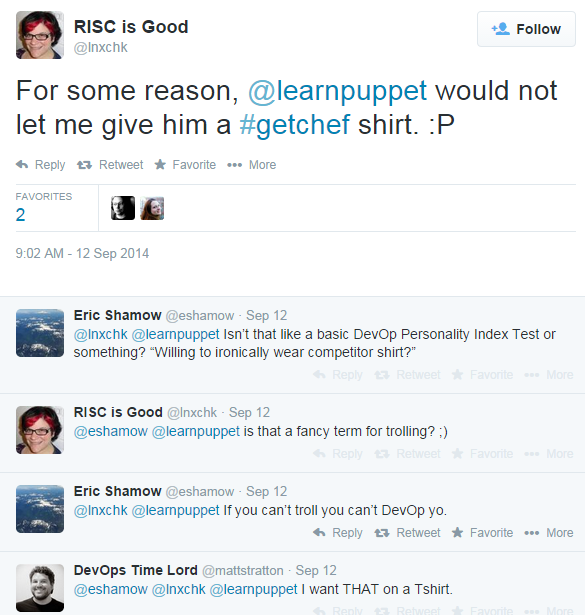
    When I stopped by the Chef booth at Velocity Santa Clara this year Nathen Harvey was out of XL t-shirts. I happened to have a Puppet shirt on at the time too, but it was just a lucky coincidence. Nathen’s always advocated using something (anything) to automate your infrastructure, as the ‘A’ in the CALMS model for devOps stands for automation, but the look on his face when I crossed his line of sight was as delightfully awkward as it could have been. Nathen told me he’d get me a Chef shirt if I got him my address back in Atlanta. I had been meaning to do it before I made it out to PuppetConf, but a tweet from Mandi Walls ultimately ended up prodding me into action.

     cheftroll

     To Nathen’s word, he got me a shirt in under a week, and in plenty of time for #PuppetConf.

    chef

    chefShirt


    I think “Stirring up delight” was the right shirt to send me too. I was half worried I’d get a shirt that was much more confrontational, putting me at risk of getting jumped and having my lunch money stolen. Lucky for me pretty much everybody that noticed the shirt thought it was funny. At least anyone who said anything to me about it. A proper troll is going to get at least one person a little bit angry though, right? Anyone that recognized I was in a Chef shirt happened to create an opportunity for me to ask a few questions, so I did.

    1. Have you used Chef, Puppet, CFEngine, or any other configuration management tools?
    2. Which do you prefer?
    3. Why do you prefer that particular tool?
    4. Why does the competition between these tools help or hurt our industry?
    5. Where do you see these tools in five years?

    I got pretty consistent answers just talking to people, and the Q&A often evolved into a natural conversation, which I prefer. (Another devOps principle I like to practice is shut the hell up and listen). I also put up fliers with a link to a survey while at the conference in an attempt to gather some empirical data. Truth be told, the survey was the real troll.

    One of the best talks I saw at PuppetConf was by Lindsay Holmwood, call The DevOps Field Guide to Cognitive Biases. I wasn’t familiar with the term before the conference but I think I had the idea. I also know I still don’t fully understand it. Watch the video and check out the books Lindsay suggests at the end. It’s pretty deep stuff. I really like his advice on having engineers manage and managers engineer to help break these biases down, as it creates a lot of empathy between the two groups.

    Given my own cognitive biases, I wouldn’t have filled out the survey if I had seen one of the flyers I posted. The flyer said nothing about a home school project for twin girls, which would have had a much better chance of getting my attention. Instead, it just asked folks to fill out the configuration management survey with the promise of cookies for their trouble. I’m pleased to say the tech community will respond to surveys for cookies even when crudely marketed. While I have enough responses to do sound statistical analysis, I know my data isn’t sufficiently stratified and probably doesn’t represent the larger population of the configuration management community. In other words my data lacks diversity.

    My daughters’ home school project is to start a business, and the twins decided to launch Gemini Snacks. Their company is pretty much an online bake sale to allow them to give back to all the hospitals and organizations that have helped them and cheer up the kids that can’t go home yet.

    The deal I made with my daughters was simple. I would print out flyers for PuppetConf to get survey responses to help me write this article. I would thank as many people as we could for filling out the survey by sending them some cookies, and I would hire their company to bake and ship those cookies. If people filled out the survey my kids would be in business.

    There was a strong enough trend in the responses that I can discuss those now with confidence despite a lack of diversity in the data. Of course I got a lot of responses from Puppet users, but I also heard from people using CFEngine, Chef, Ansible, Salt, and bconfig2. A lot of people weren’t using anything and just recently picked up Puppet.  I ran into a few folks that had used three or more tools at one point or another and could give comparisons which were really interesting. Here are the main conclusions I’ve been able to draw so far.

    A Rising Tide Floats All Boats

    Most organizations are still sshing into a lot of hosts to handle things, sometimes they do it with scripts. Configuration management (CM) tools are still becoming a fully adopted standard. I have heard users of every CM application in the market say it really doesn’t matter what tool you’re using, automate your infrastructure with something. As a result this is still very much a growing sector in the tech industry.

    Don’t get into a Configuration Management Bake-Off

    Bake-Off is the word that was used, and more than one person put it that way specifically. I don’t know what you’d call setting up test environments to try different CM tools before making a decision, but I’d call it a bike shed of yak shaving myself. Bake-Off is probably more familiar people anyway. My opinion is you should either be using Puppet or Chef, but if you’re not using any configuration management tool at all it’s advised that you start.If you can’t help but take more than one for a spin before committing then keep it short and sweet. You’ll be better off taking the time to commit to one and put the work into making the transition quickly than trying to figure out the easiest way to do it. This automation will take some effort. The key thing to understand is the right tool depends on your environment.


    There’s a Lot of Respect and Appreciation for CFEngine

    CFEngine is a trailblazing academic project that gained a lot of popularity in the early days of CM. The adoption of the software in the open source community really proved the viability of CM as we know it. While the application isn’t seeing continued growth now that there’s competition with newer tools in this space, several people went out of their way to emphasize the immense respect they have for the product and its founder, Mark Burgess, as CM wouldn’t be as evolved without them.


    Puppet: Preferred by Ops Folks because it’s Easy to Configure

    The main thing the ops crowd seems to prefer about Puppet is that it’s easy to configure. I had a book recommended to me  at the conference called, “Switch: How to Change Things when Change is Hard”, by Chip and Dan Heath. The book describes a “Project Mood Chart” used by IDEO, a product design firm, to brace their clients for adversity.

    productMoodChart

    When a new project starts we’re optimistic and hope for the best. We inevitably face adversity during the course of our work, and while this adversity is always frustrating it does lead us to insight. Empowered by our new perspective on the problem we can proceed to a viable solution with confidence.

    I believe this is how Puppet evolved out of CFEngine. Luke Kanies, the founder and CEO of Puppet, was an early contributor to CFEngine. I can see Luke following this curve, gaining insight on the configuration difficulties the CFEngine community was experiencing, and going on to found Puppet, confident he had a product better adapted to industry since it was easy to configure.


    Chef: Preferred by Devs because it Allows them to Treat their Systems Like Objects

    I can see this same curve being followed as Chef came out of Puppet as well. With ease of use comes a lack of robustness. Puppet’s advantage over CFEngine is it’s easier to configure, but there seems to have been a point of frustration within the development community that lead to the creation of Chef. Developers like to treat things like objects, which should be obvious if you have any experience with object oriented programming. Abstracting the complexity of the software we write so it can be configured by end users that are not developers is challenging. Since Chef allows its users to treat their systems like objects, the difficulty surrounding the abstraction of any complexity into a declarative model is circumvented.

    Which is the main reason ops folk don’t like Chef as much, because they’re not programmers. If you’re in an organization with a mature operations department that’s not so interested in learning to code, Puppet ‘s declarative model for describing systems is going to be a better fit. However, if you have developers doing most of the operations work out of necessity in a small shop or an operations group that’s doing more software development for internal tools, especially if they like Ruby, Chef may be a better fit for your organization.


    Ansible: Symbiotic Orchestration

    The best things anyone had to say about Ansible is that it’s great for orchestration. It seems to be competing more directly with mcollective, a framework Puppet Labs supports for orchestration tasks. Mcollective can be used with both Chef and Puppet, and the same appears to be true for Ansible. Ansible is also agentless, managing nodes over SSH. Depending who you talk to this can be a good or a bad thing. By not running an agent the nodes aren’t dealing with the overhead that would come with it, but you’ve also lost the ability to monitor your systems as tightly as you could if they were running an agent. I’m under the impression CM is trying to move us away from SSH loops. While I don’t think it’s fair to write Ansible off as an overblown SSH loop, I am of the opinion that the advantages provided by agents running on each node in your environment are well worth the overhead. It will be interesting to see if Ansible’s relationship with other configuration management systems continues to evolve into a symbiotic orchestration provider or if another product, like mcollective, continues on to fill that void.

    Salt Isn’t Really Configuration Management Software, but it’s Fast

    Salt is a remote execution platform build on zeroMQ that was designed with speed in mind. Everything salt’s being used for, including CM, has been an afterthought to the fast remote execution platform at the heart of the project. The constant connection the nodes (called minions) maintain with their master definitely contribute to the speed of the system. This would lead me to believe Ansible is the slowest of the four technologies discussed here, since it doesn’t run an agent at all, and Chef and Puppet would fall somewhere in the middle since they run an agent on their nodes but it isn’t on constant communication. (This is an educated guess on my part. Please let me know if you can speak to the speed concern from personal experience.)

    I have run into a few businesses that deal with high speed financial systems that use salt for a lot of things, including CM, but only because it’s fast. If you have systems that demand split second responses to failure and change, salt may help solve a lot of problems your organization is currently facing. I’m not convinced it’s that easy to use.

    Salt seems popular with groups that want to avoid Ruby like it’s the plague or folks that are so horribly comfortable in a CLI that using a GUI just seems unnatural. I think these are terrible reasons to select a tool, since it’s directly avoiding the ‘adapt or die’ mentality that the devOps community embraces. Still, depending on your environment and the adversity you’re dealing with, these may be entirely reasonable grounds to use salt instead of another technology. I’d be less concerned if you told me you picked salt because it’s fast though.

     The Survey is Still Open

    I hope you like what you read here but I’m sure somebody doesn’t agree with me at all. The good news is you can still fill out the survey and let me know. When my data looks sufficiently diverse I’ll publish another update, and there’s a decent chance you’ll get some cookies for you time too. I’d also like to thank everyone that took the time to discuss this with me. Gene Kim, John Willis, Chris Webber, Charles Johnson, Dawn Foster, Kara Sowles, everyone at Puppet Labs, and of course Nathen Harvey and Mandi Walls, all helped to make PuppetConf a huge success and a memorable experience for me. I’ve learned way more than I expected from the experience and I’m excited to see how the competition in this space plays out in years to come. Competition is a good thing. As different challenges arise and as projects go through mood swings I believe we’ll see two things happen: The communities for these tools will adapt them to adjust to the environment they’re operating in, and at some point enough adaptation will lead us to a new set of tools all together. I for one am really excited to see what happens.

  • Achieving business agility: a webinar with Chef and Rally Software

    Achieving business agility: a webinar with Chef and Rally Software

    We recently hosted our first devopsy.kinsta.cloud webinar with Chef and Rally Software.

    Using DevOps to Achieve Business Agility

    In today’s digital economy, leading companies are turning to software to deliver new services in response to customer demand and competition. Technology can enable and expedite innovation, but it requires business leaders, software developers and IT operations teams to closely collaborate around shared goals, at new speeds, and with the flexibility to change on a dime to customer needs and market shifts. In this webinar, Rally Software, a leading global provider of enterprise-class software and services solutions, will discuss how it has institutionalized DevOps and how it uses Chef to support its speed-focused approach to delivering business agility. You’ll learn firsthand how Rally automates its virtualized infrastructure, accelerates application development and tightens customer feedback loops.

    Speakers include:

    •  Jonathan Chauncey, developer at Rally Software. He’s been involved in Web application development for almost 10 years, four of which have been at Rally. His technical interests include: automation, testing, clojure, Ruby and search.

    • Jeff Smith, development manager at Rally Software. He’s been involved in Web application development for almost 20 years, 11 of which have been at Rally. His technical interests include: test automation, continuous deployment and infrastructure automation.

    • Colin Campbell, director of patterns and practices at Chef. He has worked on advanced model-based testing and analysis techniques for a number of years in industry. He is currently involved in developing and documenting Chef best practices and design patterns.

    Here is the recorded version of this great webinar:

  • Four open source tools to help keep you cooking with Chef

    Four open source tools to help keep you cooking with Chef

    If you’re even a little familiar with DevOps concepts, you’ve probably heard of Chef. If you’ve started experimenting with or implementing DevOps, there’s a pretty good chance you’re using Chef. Chef is an awesome platform for managing a DevOps environment, but it isn’t perfect.

    Thankfully, missing features or gaps in the capabilities of a platform like Chef are just opportunities for other developers to step in and save the day. For some organizations, that may be a double-edged sword. It can be overwhelming to investigate the myriad options out there, and to choose tools that add value, without also adding more complexity and headaches than they’re worth.

    Let’s take a closer look at four of the most popular open source tools you can use in conjunction with Chef to make your life easier.

    1. Foodcritic

    One of the coolest things about Chef—at least from a geek humor perspective—is how the various tools and features all seem to have food-related names that play off of Chef. For example, Foodcritic.

    The goal of Foodcritic is to make it automate checks for common problems in your Chef cookbooks. The idea is to be able to analyze code quality, and identify issues that will cause Chef to have heart failure if you try to deploy them. Foodcritic ensures that your cookbook code is clean, and flags issues before you deploy them and cause Chef to blow up.

    Foodcritic can be configured to work with continuous integration tools like Travis and Jenkins as well. Doing so enables you to combine the automated checking of Foodcritic with the automated deployment pipeline of Travis or Jenkins to keep everything running smoothly.

    2. Test Kitchen

    Continuing with the Chef / food-related naming conventions, next we have Test Kitchen. Just as restaurants and food companies have test kitchens where chefs can experiment with new flavors and recipes without disrupting food production or affecting the menu, Test Kitchen offers DevOps developers a means of executing a Chef cookbook without actually running code on the Chef Server.

    Test Kitchen has drivers and plugins that allow it work with most cloud platforms and virtualization technologies, including Amazon EC2, Blue Box, CloudStack, Digital Ocean, Rackspace, OpenStack, Vagrant, Docker, LXC Containers, and more. It is also designed to support testing frameworks like Bats, shUnit2, RSpec, and Serverspec right out of the box.

    3. Berkshelf

    The food / Chef connection is a bit more of a stretch on this one, but once you understand what it does it makes more sense. A chef typically has cookbooks, and those cookbooks are stored on a bookshelf. A Chef deployment also uses cookbooks, and those cookbooks can be managed using Berkshelf. Do you see what they did there?

    Berkshelf ensures that the right versions of Chef cookbooks are being run by managing how the cookbooks are fetched and deployed to the Chef Server. While there are some unique elements to each Chef cookbook (It wouldn’t make sense to have a completely identical cookbook), there are still common elements as well. It is tedious to manually copy those common elements every time you want to use them so Berkshelf simplifies the process.

    4. Nagios

    You might be wondering if Nagios is some exotic food, or perhaps a tool used by gourmet chefs that you’ve just never heard of. It’s not. Sadly, Nagios breaks the trend of cooking or food related naming. The name Nagios is actually a recursive acronym that stands for “Nagios Ain’t Gonna Insist On Sainthood”—a reference to its original name, NetSaint, which was changed following a legal / trademark dispute.

    Nagios is also less Chef-centric than the other tools listed here. It is an IT infrastructure monitoring tool—a pioneer of sorts in the field of continuous monitoring that is gaining in popularity now. Nagios monitors your IT infrastructure for changes in order to spot problems before they occur, and alert the appropriate personnel.

    Continuous monitoring has a variety of potential benefits. The data gathered from Nagios can help reduce downtime and business losses, or help organizations plan and budget for IT upgrades. It is also an effective tool for detecting security incidents because the continuous monitoring can identify anomalous activity or unauthorized changes and issue alerts in real-time.

    If you are using Chef in your DevOps environment, check out these four tools. As great as Chef is, you might find these tools valuable in helping to streamline and maintain a stable infrastructure.

    Find out how Rally Software uses Chef to achieve business agility at a special devopsy.kinsta.cloud webinar on September 4th!