
Unless you live under a rock in the world of cloud computing, you’re probably aware of a growing generational gap between public clouds and enterprise IT. (more…)
Category: Blogs
-

Chuck Norris doesn’t need DevOps Contest
I think just about everyone on the Internet knows that Chuck Norris is one bad ass dude. But did you know he is so bad ass that he doesn’t need DevOps? Why doesn’t Chuck Norris need DevOps?
In doing our year end review of our metrics we discovered that due to an article I wrote back in March of 2014 one of the most popular search terms that brought people to our site was … wait for it, that’s right, Chuck Norris. Well as long as we are attracting the Chuck Norris crowd we might as well have some fun with it. So we are going to run a contest asking readers to come up with the best reason why Chuck Norris doesn’t need DevOps.
We will have several categories with prizes in each category:
Most Original
Most Humorous
Most ReTweeted
Most FavoritedThe top winner in each category will receive a $50 Amazon.com gift card plus a Chuck Norris DVD collection. Other winners will receive a copy of The Phoenix Project, devopsy.kinsta.cloud t-shirts and more. In order to enter you must tweet your reason why Chuck Norris doesn’t need DevOps and you must include the #ChuckNorrisDevOps hash tag. You can also use the Chuck Norris meme generator at http://memegenerator.net/Chuck-Norris/caption to generate your image and caption, then retweet it. The contest will be open until the end of January.
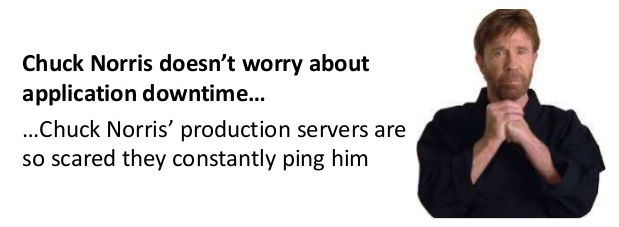
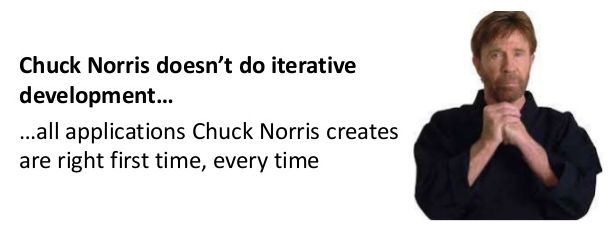
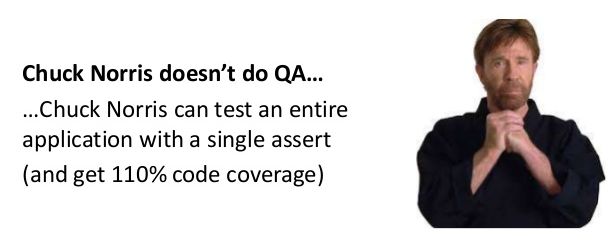
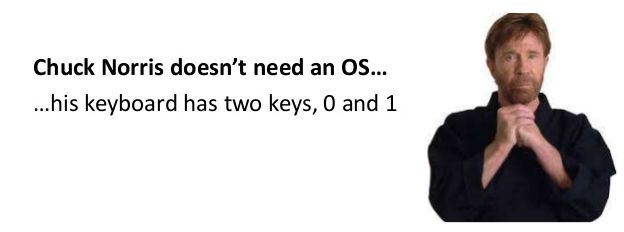
My original article noted a great presentation by Daniel Bryant of the tai-dev blog titled Chuck Norris doesn’t need DevOps. Daniel has some great reasons why Chuck doesn’t need DevOps in his slides. Of course any reasons that Daniel has already published are not eligible for this contest. Among them are:

-

15 must have Jenkins plugins to increase productivity
Jenkins is a vastly used continuous integration tool for the IT industry which is built and used around plugins. It’s core is the Jenkins tool and there are 100’s of plugins available to enhance its power and usability.
Let’s take a look at a few of the best plugins to increase the productivity.
- Global Build Stats Plugin–It’s essential to know your current capacity, usage and capability to prepare for capacity planning or system requirements, because the very first question is “what is your current capacity?”

You need to know how many builds are happening on a daily and weekly basis. How much time is taken by various builds, what is the waiting period. This plugin give you enough data to answer the question. This plugin can provide you data as graph which can be further consumed.
- Job GeneratorPlugin–In big or growing organizations, its a bit difficult to maintain the jobs for a project when developers are working on various branches and releases. You want to give access to developers to create their own job and at the same time you don’t want developers to create arbitrary jobs which may not fall under company standards. This plugin gives you flexibility to define templates and developers can create new jobs with the help of job generator template. Configuration access can be disabled via roll-based authorization plugin.
- Disable-failed-job –In rapid development environments failing jobs due to various unnecessary reasons are a pain, It’s difficult to keep track of such jobs and disable/delete them. This plugin can solve the problem by defining the upper number of consecutive failed builds and then disable automatically.
- Embeddable-build-status –This plugin can give you a link which can be pasted anywhere (example github project) to expose the status of the build and users can get the current state of the job while looking at project.
- Exclusion –This plugin enables you to handle conflicts between jobs. You can assign a resource (or lock) in multiple jobs, when build is executed, it will acquire the lock and other builds (if fired) will wait until lock is released.
- GitHub/GitLab Pull Request Builder-This is one of the best plugins I found to provide support to automate code review up to a certain extent in github/gitlab. This plugin does amazing job once defined for the project. For any new pull request this plugin does fox merge and runs the build on the code as well as gathers the necessary static analysis (if configured) or build results and comment back the status to pull request. This helps reviewers get an idea of the health of the code which is going to be merged. You can even define automatic merge if build passes.
- Hudson Extended Read Permission Plugin- During initial days of Jenkins setting configuration access was not available to any developer to make sure they do not change anything but developers used to ask to view configurations to know how job has been setup, they may want to see the build steps. Extended read plugin can provide option to developer to view the configuration without giving them write access.
- Post+build+task –There may be a need for performing some actions on the basis of the results of a build, for example if build passed you may want to upload artifact(ex debian) to some repo (apt) or perform some packaging part or similar. In case of failure you may want to roll back something (like release) . This plugin helps you to define the pass/fail criteria and let’s you decide what to do after that.
- JDK Parameter Plugin–This plugin is useful for an organization where many projects are using different versions of java. This plugin let’s you choose the java version during run time of the build.
- Job Configuration History Plugin-Ah! This is one of my favorite plugins. This plugin lets you keep track of config changes in each build including who did it. You can easily revert back to any previous config if you want.
- Multiple SCMs plugin–Default SCM section provides only one source control tool/URL option, what if you want to check out from more than 2 repos from multiple source control tools (like svn and git). This plugin will come in handy in such scenarios. This plugin will facilitate users to add any number of SCM URLs to checkout the code.
- Parameterized Trigger plugin– Another one of my favorite plugins. This plugin allows you to have user input as a variable and use on run time. This is the most used plugin in dynamic environments where you have lots of options and user-defined values to be used in the build which may keep changing.
- Pre SCM BuildStep Plugin- Just like post build task plugin, you may have requirements to perform some action even before checkout happens for the job, for example you may want to perform merging of the branch before the build and then checkout. This plugin can come in handy in various conditions and gives you flexibility when running the job.
- SCM Sync Configuration Plugin-backup, this is the most important task of any administrator. Without regular backup, the whole system cannot be reliable; this plugin provides you features to backup live Jenkins configs to any source control tool. It will keep committing the config files (including Jenkins and jobs) to SCM repository as soon as there is any change.
- Configuration Slicing Plugin – This plugin comes in very handy when you want to make bulk changes in multiple jobs. This plugins allows you to change values of various fields like email, timer, shell script, configurations etc at one go.
These are my favorites, but like I wrote, there are 100’s of plugins for Jenkins available. What are some of your favorites?
- Global Build Stats Plugin–It’s essential to know your current capacity, usage and capability to prepare for capacity planning or system requirements, because the very first question is “what is your current capacity?”
-

Webinar: How to Achieve Continuous Delivery Without Downtime
Today’s businesses demand quick access to new technology, which means they need shorter release cycles and centralized control of both your on and off premise resources. Integrating cloud resources into your traditional datacenter management can prove challenging and time consuming at best. What if you could increase your organization’s ability to innovate utilizing business automation to bridge the gap to the cloud?
This webinar will be looking at how you can:
- Automate your deployment of code updates with the correct configuration
- Reduce errors by automating manual steps and scripts
- Achieve quicker deployment times to meet business demands
- Integrate with Jenkins build management
Join us on February 18th as Tom Flitter, Director of Applications and Integrations at TASC, discusses how TASC solved long release cycles, extended service downtimes per release, and highly manual processes for releasing their main application across all environments.
RECORDING
SLIDES
[seoslides embed_id=”b0034e485c27″ script_src=”https://devopsy.kinsta.cloud/embed-script/automate-your-world-tasc-v1-0-pdf3531/4773/” overview_src=”https://devopsy.kinsta.cloud/slides/automate-your-world-tasc-v1-0-pdf3531/” site_src=”https://devopsy.kinsta.cloud” site_title=”devopsy.kinsta.cloud” title=”automate-your-world-tasc-v1-0-pdf3531″ /]
Date: Wednesday, February 18th, 2015
Time: 2pm eastern standard time
REGISTRATION LINK:(CLOSED)
About Speakers:
 Tom Flitter is currently the Director of Applications and Intergrations at TASC (Total Administrative Services Corporation). He is an information technology leader with substantial experiene in application development, program management, project management and team development. He has years of experience in leading complex, strategic, cross-functional, and high ROI technology initiatives. He holds an MBA for Business Administration Management and has been working at TASC for 5 years. You can connect with Tom on LinkedIn: Tom Flitter
 Ralf Paschen is currently the Business Automation Executive at Automic. Over the past years he has held various positions in the software industry. Coming from a technical datacenter role, he moved into presales, sales to product management, and product marketing in several software companies. He was responsible for the complete SAP portfolio at Automic and is now building the solutions marketing department to give customers and partners a clear understanding about the innovation value of the unique One Automation Platform. You can connect with Ralf on LinkedIn: Ralf Paschen or Twitter: @RalfPaschen.
 -

Writing Security Acceptance Criteria into a DevOps Story
When organizations write user stories for development it should include the acceptance criteria. The acceptance criteria being a detailed description of the expected features and functionality the story should deliver. Far too often developers and product managers fail to include information security requirements as part of the acceptance criteria. Including security criteria in every story is a requirement of SecDevOps and rugged software development. I often get asked about what kind of security criteria should be included in a user story.
While not every user story needs to include a litany of security criteria there are a few basic rules one should follow that will go a long way in building a more secure and rugged application. Here are a few example categories of stories to consider requiring security acceptance criteria.
Input Validation
Most developers understand the importance of validating any kind of data input. Failure to properly sanitize and validate data has been the root of more kinds of attacks than any other method. Buffer overflows, cross site scripting and SQL injection are just a few of the more well known attack methods due to input validation failure. The bottom line when dealing with any kind of input data, especially that coming from an end-user, is simply never trust it – ever. Any user story that deals with input data needs to include acceptance criteria stating that the data needs to at least be sanitized and validated against the expected.
Storage or Transfer of Private Information
Before an organization can put controls around restricted information, they first have to define what is considered private by the organization. Start by defining what’s considered restricted. Data might fall into categories such as PII, PHI, IP, customer data or other. Any story that touches these classes of data needs to have information security acceptance criteria. Depending on how the company has chosen to protect, store or transmit this data will drive the story development and acceptance criteria.
Any use of Cryptography
There are a few basic, but important rules when it comes to cryptography. The first and most important rule is don’t invent your own cryptography. The second rule is to use a trusted and reputable cryptography library provider. The third rule is to only use cryptographic functions approved according to your company security policies. The fourth and hardest rule is to ensure you are using cryptography for its intended purpose. Keep these four rules in mind when authoring a story that has anything at all to do with cryptography and how they can be used to develop acceptance criteria.
Authentication, Authorization, Accounting
Authentication, Authorization and Accounting or often simply referred to as AAA is the heart of any access control system. AAA is the intelligence behind controlling access to resources, policy enforcement and auditing of said events. It might be better said that everything in AAA is information security related. When developing a story that deals with AAA, one should ensure the testing criteria include both the permit and the deny cases for the desire access matrix. For example, simply testing that a user can login with the right password doesn’t assume that a wrong password attempt will deny access. The other general point to consider is that AAA actions generally should include a log event for audit purposes.
Committing to develop rugged software is a key component of SecDevOps. Ensuring stories include security acceptance criteria goes a long way in moving security to the left in the development pipeline.
-

2014 – The year of identity security breaches
There’s no doubt that 2014 will be remembered in the IT industry as a year of major security breaches.
The year started with virtually every US resident worrying whether they’d been affected by the Target breach, and ended with the massive security breach of Sony and their film “The Interview.” And was, all along the way, peppered with other notable breaches.
The interesting theme, with all of the major security breaches, was that they were almost all related to compromised credentials. As we know, having the right privileged user management is one of the top ways to protect your network, you don’t want to share same hacker-limelight that Sony did.
But just for posterity, here’s a review of some of the top security breaches, and how they happened:
Target
What is considered the “biggest retail hack in history,” shook nearly every US resident in early 2014 as credit cards from 1,797 stores were compromised around Thanksgiving 2013. The hackers plotted against the company while Target was installing new security software. The repercussions were severe. Target reportedly spent $61 million on legal damages instigated by the breach, and profits fell by 46% in the holiday shopping season.
Suggested read: http://www.businessweek.com/articles/2014-03-13/target-missed-alarms-in-epic-hack-of-credit-card-data
Sony
Although the investigation into what occurred is still on-going, early accounts point to compromised user credentials (or even perhaps an inside actor providing credentials) being leveraged to access, gather and exfiltrate data. We know, of course, that the attackers gained a tremendous amount of data including unreleased films, personal emails, HR data, and other confidential documents. Bummer for Sony. The WSJ estimates the breach cost them $100 million.
Suggested read: http://techcrunch.com/2014/12/16/hack-sony-twice-shame-on-sony/
Celebrity iCloud Photo Hacking
While this particular breach was extra-sensationalized because of all of the celebrities involved, the Celebrity iCloud hack boiled down to plain old identity theft. Hackers identified email address, passwords, and the like and started gaining access to the iCloud data. Once in, they were able to copy all of the files. When celebrities realized they couldn’t login to their iCloud accounts, they naturally reset their passwords and were able to continue. Most of them didn’t even know they had been compromised.
Suggested read: http://www.cnn.com/2014/09/02/showbiz/hacked-nude-photos-five-things/
eBay
In late May, eBay notified its customers: it had been compromised. Credentials for employees with access to their critical systems were compromised, is appears, several months prior to their detection. Financial information, which was coyly stored separately, was not hacked. Lucky for eBay.
Suggested read: http://www.forbes.com/sites/gordonkelly/2014/05/21/ebay-suffers-massive-security-breach-all-users-must-their-change-passwords/
Home Depot
Over 56 million credit cards and 53 email addresses were stolen after a third party vendor’s employee’s credentials were stolen. This allowed hackers to gain access to the Home Depot network and make off with the confidential data. This breach was reminiscent of the Target breach in which another third party vendor (HVAC provider) was compromised and that subsequently led to Target’s compromise.
Suggested read: http://www.usatoday.com/story/money/business/2014/11/06/home-depot-hackers-stolen-data/18613167/
As you can see, the common thread to these security breaches is compromised credentials. Hackers realize the power of admin credentials in leveraging open systems. And, because many companies do an inadequate job of protecting their systems—despite patching, hardening, and firewalls—user admin access becomes an easy hacker target.
How can we stop this seemingly simple vector of breaches? Protect your credentials with good user management. Just patching isn’t going to get us there. At Jumpcloud we spend a lot of time looking at this, and ensure that security and user credentials are watched with close vigilance and best-practice security to keep hackers out. Drop me a comment if you have any other thoughts on this topic.
-

Containers Are Designed For an Antiquated Application Architecture
In his most recent GigaOm article, “We’re finally headed towards autonomous, self-migrating containers for cloud-application automation“, David Linthicum discusses the value that containers, such as Docker and CoreOS Rocket, are bringing to DevOps and cloud systems management. For the record nothing Dave states in the article is incorrect with regard to the expressed value that containers provide for portability, however, there is an issue with the big picture view discussed for the role of containers in cloud application delivery.
Containers are predicated on the goal of deploying and managing n-tier application designs. By their nature, containers manage n-tier application components, e.g. database servers, application servers, web servers, etc., at the operating system level. Indeed, portability is inherent because all operating system and application configuration dependencies are packaged and delivered inside a container to any other operating system platform. Containers are…
–THIS STORY HAS BEEN MOVED TO CONTAINER JOURNAL–
-

7 Tips for testing the usability of mobile apps
Of the one million mobile apps, only half are used more than 5 times
If you study any random cross-section of successful mobile apps and games you’ll find that they have one common factor. All of them are accessible. They have user interfaces that people can navigate intuitively without instruction. This is partly about building on expectations and established norms with Android, iOS, or whatever platform you are developing on. But there’s no substitute for thorough usability testing.
According to Localytics, 20% of apps are used once and never opened again. Only 50% of apps are used more than five times. The window for app developers to impress and hook the user slams shut quickly and it stays shut. First impressions are vital if you want to boost retention rates and stand out in a crowd of over a million apps.
It can be difficult and expensive to extract actionable data from usability tests. Here are a few practical tips for successful usability testing:
- Create a mock up – Starting with user-centric design is a smart move that will pay dividends down the line. You can save yourself a lot of time and money by discovering weaknesses and potential problems before the development really begins. There’s no reason you can’t mock up your user interface with simple screenshots and then frame it in an actual size smartphone surround. You can even do this with card and paper if need be. That way you can find out how potential users expect to interact with your app and identify the tasks that are most important to them. It’s a lot easier and cheaper to change your design on paper than it is to rewrite code.
- Examine how people interact – This applies to every usability test you conduct, whether it’s a paper mockup, a prototype, or the functional app on a smartphone. If you’re doing it in person then provide minimal guidance, ideally none at all, so you can uncover genuine failure points. Make sure to take plenty of notes. It’s not enough to just record what’s happening onscreen, you need to observe what people are doing with their hands, and see their facial expressions and body language. Are they trying the wrong gestures? Are they getting frustrated? Is it working the way they expect? Close observation will deliver the best insights.
- Test in the real world – If you can conduct tests in real world conditions in public then you might uncover some pertinent details about the usability of your app that you would miss in a controlled environment. This means conducting tests in real environments, whether it’s a busy shopping mall or a person’s home. It can be a good idea to avoid giving any instruction, that way you can see just how intuitive the design really is. There are services that offer video footage and audio narration of testers from around the world in different demographics using your app in real world conditions. Without the official framing of a test situation you have relaxed users and this can deliver different insights. Sometimes it might be more indicative of real world conditions to have someone test in their own home.
- Keep it short and simple – The longer a test is, or the more complicated it gets, the less likely it is your users will stay focused and interested. If they have to think too much about the parameters of the test and what you’re asking them to do then they’re less representative of an end user. This is particularly important when you’re asking members of the public to test in return for a small reward or for free.
- Vary platforms and devices – Try to let people use their own devices wherever possible. That way the device won’t be a distraction and you’ll get data about different devices. The more variations you can cover, the more useful data you can gather. If you’re releasing on more than one platform then make sure you cover each one. You’ll need to cater for differences in expectations about standard platform navigation.
- Ask the right questions – Observation should be your primary source of data during usability tests, but you may want to ask some questions after each session. Be careful about what you ask and focus on getting actionable data. Asking if the app made them happy on a scale of one to ten isn’t going to tell you anything useful in a practical sense. You should also ask for elaboration, and where possible, have people show you what they mean using the app or prototype, rather than tell you, to avoid misconstruing any answers.
- Assess and act – You need to aggregate the data you collect and create a plan to assess it. Make sure you draw meaningful conclusions that are backed up by a weight of data. Don’t let personal bias cloud this process. You should be acting on the things that will resonate with the most end users. Just because one vociferous tester shouts louder than the others doesn’t make their feedback more important. Take your time, get further feedback on specific areas if it’s needed, and create a plan of action that you’re confident will result in concrete improvements, then test them again to confirm.
There’s a lot of work involved in usability testing, but there’s no better way to improve the accessibility of your app and create a favorable first impression with the end user.
About the Author
 Mush Honda is QA Director at KMS Technology, a provider of IT services across the software development lifecycle with offices in Atlanta and Vietnam. He was previously a tester at Ernst & Young, Nexidia, Colibrium Partners and Connecture. KMS services include application management, testing, support, professional services and staff augmentation.
 -

Bird’s Eye View of IT as a Service
In working closely with large enterprises for several years, we consistently hear businesses talk of IT needs to achieve critical and strategic goals. Commonly these large enterprises span many verticals like technology, online media, finance, banking, and more.
At the heart of their business goals, lie technology hurdles they need to overcome to scale as enterprises of the next decade.
Visualizing IT as a service
So we captured in this mind map high-level business goals that require a broad set of IT services ranging from infrastructure, applications, management, integration, service provider, and architecture.

If you look to the left, you see needs centered around applications. These detail all the services required to provision, deploy, and manage applications including application architecture models to design automated deployments and serve all the right infrastructure resources.
On the right, you see needs that revolve around compliance, reporting, and integrating with various service providers to supply virtual infrastructure and a slew of related services to keep the infrastructure running smoothly and reliably.
We find that this visual captures the entire IT-as-a-service industry as a whole and this exercise helps to understand where the customers’ needs are and where in that spectrum we assist them.
See if you can pinpoint the areas where DevOps and IT Ops come into play.
Enjoy the mind map and click to see a larger PDF view!
-

DevOps answers to high availability
Everyone want’s their application SLA to be 99.99999%. However with some applications it is not a desire, it is mandatory. The Consequences of failure in mission critical applications are drastic. And with commercial applications damaging, it is reputation, and internal support costs.

