Category: IT as Code

  • What Amazon’s New CEO Means for IT’s Future

    What Amazon’s New CEO Means for IT’s Future

    Amazon is placing its bets on the future of cloud. The announcement that CEO Jeff Bezos will be stepping down and passing the torch to Amazon Web Services (AWS) leader Andy Jassy at the start of Q3 2021 signals a major shift in the future of technology – and not only for organizations specializing in IT, storage and web hosting. Rather, the growth of AWS signals a multi-industry-wide demand for cloud services as the new normal for conducting business – and those that continue to rely on legacy technologies could soon see their businesses falter in the shadows of competitors in the near future. However, every company’s individual systems are entirely unique, and modernization doesn’t happen with a one-size-fits-all approach. So why should organizations invest in new technologies – and how?

    Setting Sights on the Cloud

    The pandemic has made painfully clear the need for organizations to get away from their aging legacy systems and to embrace the cloud for a variety of reasons. First, COVID-19 has forced almost all businesses, across all industries, to embrace more distributed networks – requiring business-critical systems and functions to be accessed from countless different sources at any given moment. This can prove a major pain point for organizations with IT infrastructures that are prone to difficulties and outages. These shortcomings can have a detrimental impact on customers and citizens, as well. In light of major IT outages in states like New Jersey, California and Oregon, it’s clear that pursuing a more modern approach to IT systems is no longer just an option – it should be the only option. This is because, in addition to the benefits for users and enhanced business function, there are added benefits for the company itself and the world at large.

    Shifting systems away from data centers requires significantly less energy to power – and as data centers are responsible for as much greenhouse gas emissions as the airline industry, the environmental impact coupled with operational cost savings enable businesses to meet customer demands for greener practices while reducing overall operational costs. What’s more, this change to cloud services will allow for horizontal scalability within organizations, ensuring that businesses are able to meet demands for their offerings in real-time.

    The Sky is the Limit: Strategies for Improving IT Infrastructure

    If your organization is relying on a mainframe, it won’t be able to reap the many benefits that cloud infrastructure has to offer – and organizations that shy away from making these vital updates run the risk of running their business offline entirely. As a result, the time to act is now – but in the rush to get IT departments in order, it’s vital that organizations choose a modernization strategy that is best suited to their unique business. For most organizations, a modernization journey begins with one of the four following approaches:

    • System Replacement: Sometimes, organizations aim to expedite their modernization journeys by doing away with their aging legacy systems entirely. Through a system replacement, organizations purchase off-the-shelf solutions from third-party vendors and conduct business via the new software while their existing infrastructure and applications are taken out of service. While this approach enables a speedier shift toward the cloud, it should be noted that these solutions aren’t tailored to a specific company’s needs or functions, and that these solutions can be especially costly.
    • Rewriting: In an effort to retain key legacy knowledge while enabling better business function, some organizations pursue a rewrite of their existing systems within a more modern environment. Through this approach, a team of professional developers work to manually recreate the system and its applications – which often results in an extended timeline for modernization, exorbitant costs and an especially high risk of complete project failure.
    • Automated Refactoring: Through looping in a team of IT experts, this strategy enables an organization to migrate their legacy system’s procedural code bases into object-oriented languages within modern environments that are more appropriate for today’s business demands. Using specialized and automated tools designed for the project at hand, this modernization strategy ensures that an organization has a system designed for its unique business cases and an immediate pathway to the cloud.
    • Rehosting: To help companies maintain their legacy information, many organizations pursue rehosting as part of their modernization strategy. In this approach, a company’s existing legacy codebase is transferred away from their mainframe and their unchanged procedural code bases, data and other core functions into a new computing environment that is more suitable for current needs. This fast-paced process helps to set organizations on track toward the cloud as quickly as possible.

    Aiming for the Cloud(s)

    Amazon’s shift in leadership is a testament to the growth potential and overall importance of the cloud – not only for companies that manage web services, but for all industries around the world. However, by proactively taking the steps to move away from legacy systems and pursue a cloud-first approach to business, organizations will be better positioned to maintain their revenue streams, improve scalability, drive customer satisfaction, reduce operational costs and even protect themselves from potential disasters down the line. By setting and sticking to a set strategy and timeline for modernization, companies can ensure the success of their most mission-critical applications and functions to ensure their continued success and survival in a world or rapidly changing business demands.

    The sky is the limit – are you ready to aim for the cloud(s)?

  • Empowering DevOps With Cloud Desktops

    Empowering DevOps With Cloud Desktops

    Today’s organizations need to enable their IT teams to rapidly deploy, manage and maintain their applications and services. This is a primary driver behind the growth in adoption of DevOps. By uniting the IT operations and software development teams, organizations are helping to provide continuous delivery and accelerating the systems development life cycle.

    At the same time, the chronic cyberskills shortage makes it hard for organizations to find the talent they need to hire and collaborate with. The cloud, and specifically cloud desktops, can address many of these challenges and help organizations get the most bang for their buck when it comes to their DevOps teams. In fact, the two technologies have a symbiotic relationship.

    DevOps Hiring Challenges

    Due to the shortage of individuals with key skills, organizations are facing a significant challenge these days as they try to find the right developers. In fact, a recent report by the Linux Foundation and edX finds organizations are searching for more people with open source DevOps skills (65%) than developers (59%) for the first time.

    It is possible, in some instances, to hire remotely, but there are potential snags. For instance, hiring people in another country will likely entail a visa process that can take several months to complete. And collaboration with external project partners can create project bottlenecks that inhibit productivity.

    Once the people you need have been hired, the onboarding process begins. Getting new hires settled in a workflow and procuring and shipping the laptops or workstations they need takes at least a couple more weeks before they can even begin to become productive. But organizations want to be able to hire developers anywhere they can find the right people and they need them to be productive within hours, not weeks or months.

    Collaboration Woes

    DevOps teams cannot function without collaboration, but this, too, can be difficult – particularly if those teams are geographically dispersed. Developer teams have attempted to solve this problem by adopting a variety of technologies, such as legacy VDI solutions, VPNs for remote work, physical workstations connected over a WAN and more. These technologies have helped solve some of the problems, but they’ve also introduced a host of other issues that negatively affect productivity and increase cost and complexity. That includes lack of performance, unreliable user experience, IP security concerns and data management problems.

    Cloud Desktops: A New Approach

    In light of all that isn’t working, it’s clear that a new approach is needed. Cloud desktops offer many advantages when it comes to addressing some of the key challenges DevOps teams face. For one thing, they make onboarding much easier. By using cloud desktops and workstations, all that the new, talented software developer needs is a device and an internet connection, and they instantly become a part of the development team. This resolves another headache that consumes unnecessary IT resources.

    Shipping and hardware preferences are no longer an issue with the cloud desktop model. There is no more shipping, no more maintenance overhead, no more Windows-versus-Mac debates. Now, developers can pick the device they want, depending on their role requirements. They can even use smartphones and tablets in docking stations instead of laptops to connect and work in the fully configured and secure cloud desktops.

    Benefits for Developers and Testers

    Because cloud desktops support multiple desktop images, they are ideal for DevOps teams. For developers, this means that they can have multiple desktops, all with differing versions, all kept separate. This is great news if you don’t want to have to keep reimaging a physical device.

    Giving a developer a persistent desktop is one option that cloud desktops enable. Another option is the ability to give the developer a brand-new, “clean” cloud desktop every day (non-persistent). For enterprises, this means they can control the developers’ IDE so code leaks don’t happen from one release to the next, intellectual property is better protected and they can enforce stronger overall data security.

    Testers benefit as well, as they know they’ll have a totally clean, brand-new cloud desktop every day. This allows them to test and test again in isolation, knowing nothing was left behind from a previous test. In addition, the right cloud desktop enables anytime, anyplace collaboration; geographic limits become a thing of the past.

    Empowering DevOps

    The speed and agility of DevOps have made it a mainstay of software development, but certain criteria must be met for it to succeed. Its premise is faster delivery times, but companies cannot provide continuous delivery if they don’t have the skilled DevOps talent they need. Once they’re recruited and hired, provisioning often takes up more valuable time.

    With the clock ticking, organizations need to select skilled individuals, regardless of their location, and get them working and collaborating as quickly as possible. Cloud desktops address both of these challenges. In addition, they improve the user experience compared to typical VDI solutions – even for compute-heavy users. Cloud desktops increase time-to-productivity, too. As you equip and add to your DevOps team, consider the benefits of adding cloud desktops to the mix.

  • Okta Adds Free Developer Edition to AppSec Service

    Okta Adds Free Developer Edition to AppSec Service

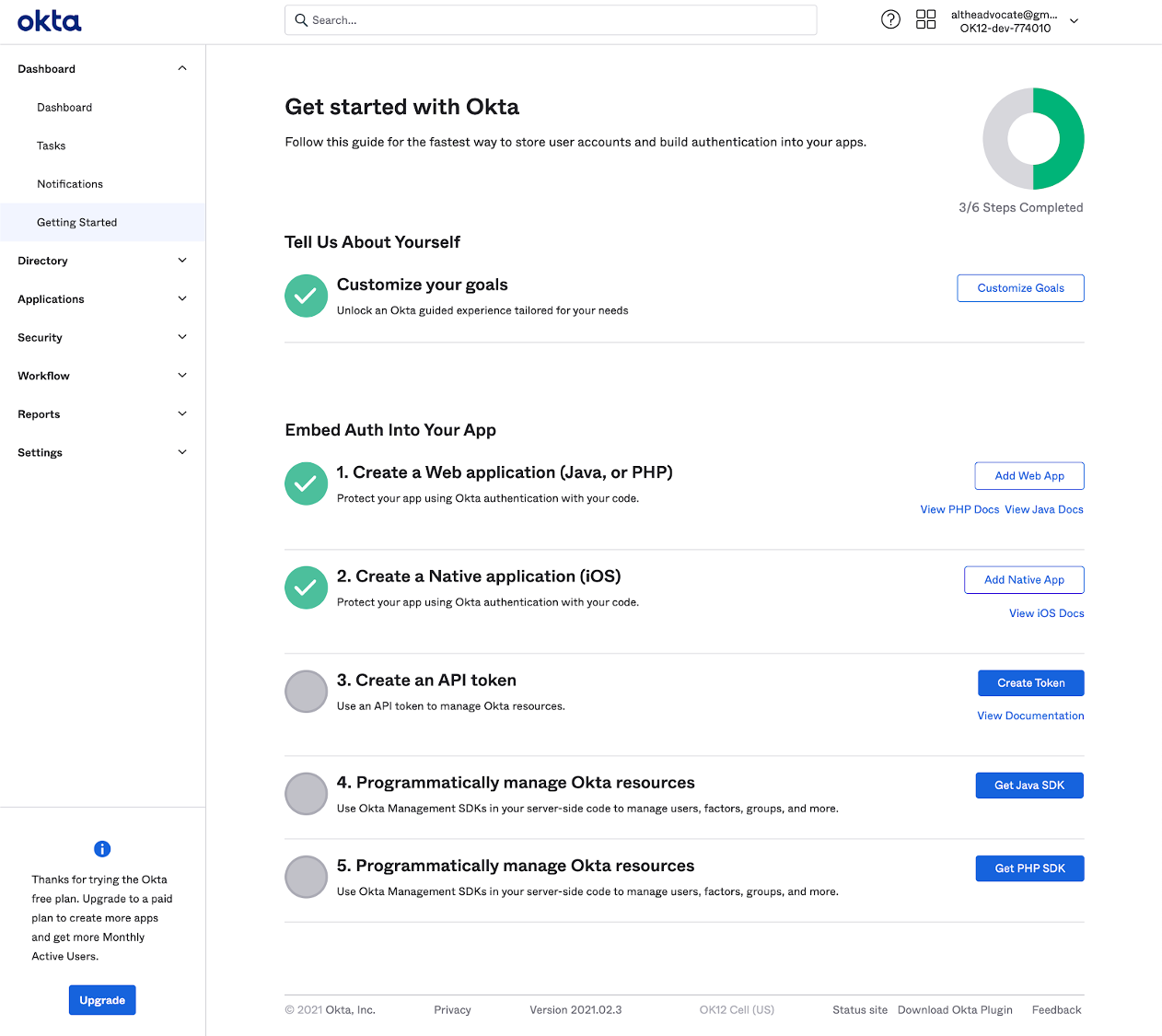
    Okta this week lowered the barrier to adoption of DevSecOps best practices by making available an Okta Starter Developer Edition to enable developers to embed Okta authentication, authorization and user management capabilities into applications at no cost for up to 15,000 monthly active users.

    Randall Degges, head of developer advocacy for Okta, said interest in identity management among developers is rising as a method for implementing zero-trust initiatives that better secure application environments. Rather than having to embed and maintain authentication and authorization themselves Okta is making a case for developers to invoke an application programming interface (API) to access a service that provides those capabilities on demand, noted Degges.

    The Okta Starter Developer Edition, announced at an online Oktane21 event, reduces the friction developers encounter as they look to embed identity management capabilities, such as multifactor authentication, into their applications, Degges said. Developers can, for example, access enhanced documentation and sample applications as well as new integrations with Kong, Heroku and Terraform platforms and tools, alongside integrations with multiple continuous integration and continuous delivery (CI/CD) platforms.

    In general, Degges said, the shifting of responsibility left toward developers is happening at a much faster rate because the level of appreciation for security among developers is now a lot higher. Identity management capabilities are simply another API that developers can now invoke as part of a DevOps workflow, noted Degges.

    The Okta Starter Developer Edition comes on the heels of the announcement of the acquisition of Auth0, a provider of authentication and authorization services that can be easily embedded within an application. That $6.5 billion deal, however, is not expected to close until summer.

    In the meantime, Okta is moving forward with the Okta Starter Developer Edition that could eventually create a large pool of applications that will one day consume Okta services for a fee as they scale. The more applications an organization deploys, the more likely it becomes that they will have more than 15,000 active users per month.

    In the meantime, the level of experimentation involving digital business transformation initiatives is likely to increase. Developers will be able to demonstrate to their often skeptical cybersecurity counterparts that their concerns have been addressed before an application is deployed in a production environment.

    It’s not clear what impact access to initially free identity management services might have on the adoption of DevSecOps best practices. In many cases, developers will take advantage of a service like Okta simply to address a requirement. Their appreciation for how that service fits within the context of a larger DevSecOps workflow might not be all that high.

    Nevertheless, the state of application security should improve in the months and years ahead. In fact, some developers may opt to update existing applications that, at present, do not meet zero-trust requirements to take advantage of identity management services that can be invoked via an API. Alternatively, the may also decide to replace authentication capabilities that are challenging for them to maintain and update with an API that calls a service. Regardless of the path forward, the historic divide between developers and cybersecurity teams appears to be finally narrowing.

  • How To Address DevSecOps Skills Shortages

    How To Address DevSecOps Skills Shortages

    “If it’s scarce, it drives the price up,” said McAfee director of systems engineering Sahba Idelkhani. And DevSecOps talent is scarce, and expensive.

    Restrictions on international travel are having an effect on immigration in some countries, notably Australia. But there’s practically nothing employers can do about that.

    But some aspects of the supposed skills shortage are, in part, self-imposed. One example is recruitment ads that specify “5+ years’ experience required” (or something similar) when that level of experience is only a desirable characteristic.

    Such practices don’t just restrict the field of candidates for that particular vacancy, they also make it hard to find entry-level positions. If candidates can’t get a foot in the door, how can they gain the experience that employers say they want?

    DevSecOps Change is Needed

    Idelkhani suggests that organizations need to change their hiring practices and put more effort into reskilling existing employees.

    In particular, if you’re looking for DevSecOps people, he suggests it’s better to teach developers about security than it is to bring security specialists (who are also in short supply) up to speed about development. The result is less rework, reduced risk and shorter development timelines.

    However, there is a risk that security specialists will tell developers what they did wrong. Proactively educating developers about security is a more productive approach.

    Cloud Academy is one of many sources for online security training courses and includes hands-on labs, sometimes involving the same tools that criminals use to breach security. Other tips Idelkhani offered include adopting a “build secure” mindset to reduce the security effort needed after systems have been created.

    A similar perspective can be applied to entry-level positions.

    Idelkhani has hired new graduates, even though it requires effort to guide and train them to the point of being productive.

    He has even adopted this approach with experienced people that have no background in security, including a former CTO and mobile developers and a pre-sales engineer.

    Revamp job descriptions so more people can apply, urges Idelkhani, as aptitude and skill are more important than specific experience, which can be taught.

    For example, instead of a large financial services organization recruiting someone with experience in incident response for cloud systems, it would probably be better to hire an incident responder and then sponsor their cloud training, he suggests.

    Furthermore, a diversity program increases the supply of candidates, quite apart from the other benefits it may bring.

    DevSecOps Training

    Employers sometimes suggest training is a waste of time and money because people simply take their new skills elsewhere in search of higher pay.

    But Idelkhani reports that his staff turnover has, in fact, fallen over the last three years, and no one has left after being trained.

    He puts this down to establishing an “emotional connection” between employee and employer, at least in part.

    However, organizations do have to accept the need to pay people what they are worth as they master new skills. But standard HR practices don’t suit skills development situations, he warns.

    People usually won’t move from their current role or company for a 10% to 20% pay raise, Idelkhani said, but would be more willing to do so for the 200% to 300% increase that comes from being considered an accomplished worker rather than a mere trainee.

    At McAfee, he is able to argue for ‘pay for value’ raises for his team; that task is generally harder at larger organizations, he said.

    “It needs a rethink [of] HR practices,” he added.

    Planning

    Substantial raises tend to require approval from higher up in the hierarchy, and that requires a clear justification for the increase. He suggests this should be done in terms of the capabilities that are being built, not based on the numbers alone.

    Managers should look at the skills they are going to need in order to deliver on the business’s strategic goals and plans, and decide how best they can be obtained. An expected DevSecOps vacancy might best be addressed by hiring a cloud developer and training them in the necessary security skills, or by retraining a person with potential who is already on the payroll.

    “It’s a long-term process,” though, that requires a lot of management effort, Idelkhani said. Using this method means identifying people’s interests and skills, aligning them with company goals, identifying the skills gaps and then developing those needed skills. This requires a training budget and getting one approved means having clear plans.

    But once you have shown the value of this approach, senior management is less likely to question it in the future.

  • 42Crunch API Security Platform Now Available On-Premises

    42Crunch API Security Platform Now Available On-Premises

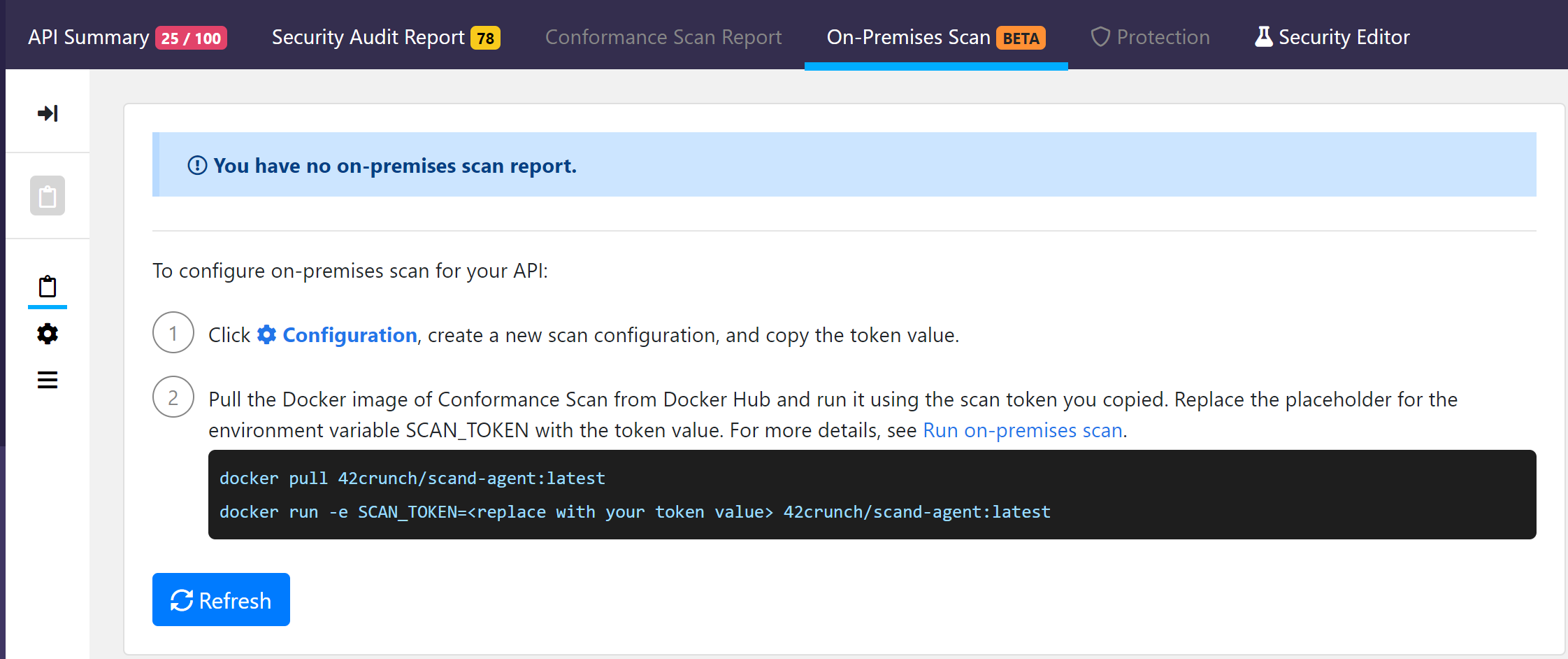
    42Crunch has announced that the scanning tools it provides to enable DevOps teams to secure application programming interfaces (APIs) can now be deployed in on-premises IT deployments.

    Previously only available as a cloud service, the 42Crunch API Security Platform has also been updated to provide expanded support for the OpenAPI specification for REST interfaces defined by the OASIS standards body.

    Finally, the 42Crunch API Security platform now allows IT teams to share collections of APIs among specific teams and users with different levels of access in addition to providing integration with third-party identity management platforms.

    Dmitry Sotnikov, chief product officer for 42Crunch, said the on-premises edition of the API scanning platform will make it possible for IT organizations, including those that require all the platforms they run to be deployed in an IT environment, to exercise more control over and extend their DevSecOps workflows to include scans of APIs.

    Cybercriminals are increasingly targeting insecure APIs because they potentially provide access to a trove of data, Sotnikov noted. Those same APIs also enable cybercriminals to compromise an entire software supply chain, Sotnikov added.

    At a time when more organizations are deploying APIs, thanks to the rise of microservices, it’s apparent there is a greater need for a tool that dynamically scans APIs for vulnerabilities before they are deployed, said Sotnikov.

    In general, Sotnikov said IT organizations are becoming more sophisticated in their approach to securing software. Ford Motor Co., for example, is using the 42Crunch API Security Platform to secure both internal and external APIs, Sotnikov said. 42Crunch claims its revenues increased 900% in 2020, with more than 150,000 users of the platform.

    As organizations of all sizes become more dependent on software, cybersecurity teams are now reviewing how that software is constructed. Of course, responsibility of security is still shifting left as part of the overall transition to DevSecOps best processes, but Sotnikov said cybersecurity teams still want to verify for themselves that whatever software is deployed is secure. IT organizations are moving away from a “whack-a-mole” approach to security as they embrace DevSecOps, Sotnikov added.

    Unfortunately, APIs don’t always receive the level of attention they deserve. Many developers still tend to view them as an afterthought, and once deployed, it’s not uncommon for APIs to languish for years without being reviewed or updated. Making sure APIs are secure requires dynamic scanning processes to be baked into DevOps workflows if organizations want to ensure the integrity of their software, said Sotnikov.

    APIs are, of course, everywhere now. The days when a handful of APIs were exposed to share data with a limited number of customers and partners are long over. There are almost no applications built and deployed today that doesn’t expose myriad APIs. Cybersecurity teams obviously can’t keep pace with the rate of change being made to those APIs, as new ones are added and others updated or replaced. The onus for securing all those APIs is, now more than ever, clearly on the DevOps team.

  • CircleCI Previews Support for Arm Platforms

    CircleCI Previews Support for Arm Platforms

    CircleCI today previewed the ability to deploy applications on platforms based on Arm processors in a forthcoming release of its namesake continuous integration/continuous delivery (CI/CD) platform.

    Tom Trahan, vice president of business development for CircleCI, said that Arm processors are rapidly being embraced by DevOps teams seeking to take advantage of the price/performance advantages they currently have over conventional x86 processors. Amazon Web Services (AWS), for example, makes available an AWS Graviton2 service based on 64-bit Arm Neoverse processors that it claims provides a 40% advantage in overall price/performance.

    The Arm community, meanwhile, has adopted many of the libraries employed on x86 platforms, Trahan noted, which is making it simpler to automate the deployment of applications on Arm-based platforms using a CI/CD platform.

    It’s not clear how quickly developers are building applications for Arm processors. Historically, Arm processors can be found in a wide range of embedded systems typically deployed at the network edge. However, cloud services based on Arm processors are also becoming more widely available, and it’s only a matter of time before more Arm-based platforms are deployed in on-premises IT environments.

    Arm itself is also in the process of being acquired by Nvidia, which envisions running machine learning algorithms, and other classed of advanced workloads, on both Arm processors and graphics processing units (GPUs). Many of the early efforts to build processors optimized for running AI workloads at the network edge are based on Arm processors.

    The addition of Arm platforms to any IT environment will naturally create some management challenges for DevOps teams. In some cases, developers may even decide to build applications using, for example, the latest generation of machines from Apple, that are based on Arm processors, to streamline the application development and deployment process. In other cases, however, applications that are intended to be deployed on Arm processors might still be built on x86 systems.

    Regardless of approach, the arrival of more Arm-based platforms in the enterprise doesn’t mean other classes of processors are going to fade away. Rather, from a processor perspective, IT environments are about to become a lot more diverse as more workloads are deployed on a wider range of processors. It may be quite a while before Arm-based platforms usurp x86-based systems that still dominate the IT landscape. However, during any turbulent economic time, the number of organizations inclined to reduce the total cost of IT by embracing new platforms always increases.

    Fortunately, as more IT infrastructure is managed as code, the easier it becomes to switch platforms. There may even come a day when the decisions about which platform to employ and when is completely automated by machine learning algorithms trained to maximize IT infrastructure efficiency to the fullest extent possible.

    In the meantime, DevOps teams should expect, to one degree or another, to revisit their workflows processes in the months ahead. Not only are more workloads being pushed out to edge computing platforms where Arm processors are commonly found, those Arm processors will soon find their way into the rest of the extended enterprise.

  • Sysdig Adds CSPM Module to DevSecOps Platform

    Sysdig Adds CSPM Module to DevSecOps Platform

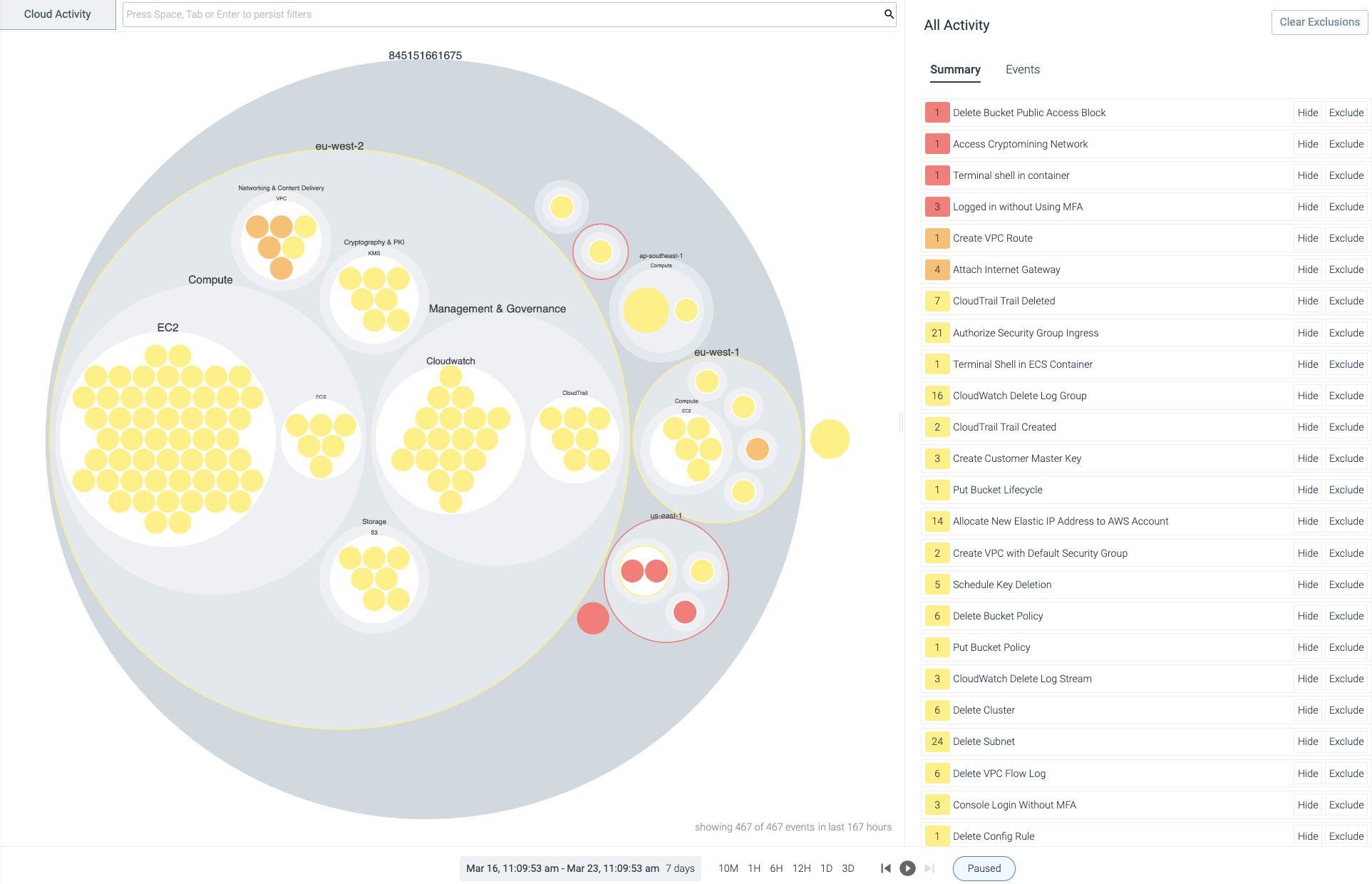
    Sysdig today announced it added a cloud security posture management (CSPM) module to its Sysdig Secure DevOps Platform for monitoring application performance and security to enable IT teams to continuously detect threats.

    Pawan Shankar, director of product marketing for Sysdig, said this CSPM capability is based on an open source Cloud Custodian tool that enables IT teams to define rules for accessing cloud infrastructure. In addition, the tool enables IT teams to collect utilization metrics that could be used to turn cloud resources off when they are not being employed. IT teams can now also automatically discover all cloud services being employed, including identifying which ones are misconfigured or might have compliance and regulatory issues that need to be addressed, via a software-as-a-service (SaaS) platform.

    The overall goal is to help reduce the friction that organizations encounter today as they embrace DevSecOps best practices, added Shankar.

    Sysdig is making its CSPM offering available for free, for one account, to encourage DevOps teams to make use of a CSPM capability along with Sysdig’s open source Falco threat detection capabilities. Sysdig today also announced that it extended its implementation of Falco to consume audit logs created on the Google Cloud Platform (GCP). Sysdig donated Falco to the Cloud Native Computing Foundation in 2018. More recently, Sysdig also contributed a sysdig kernel module, along with libraries for the Falco security platform for Kubernetes, that runs in the extended Berkeley Packet Filter (eBPF) microkernel to further improve Linux security.

    The free tier includes a daily check against CIS benchmarks as well as support for inline scanning of up to 250 container images per month running on either the Fargate or Elastic Container Registry (ECR) services provided by Amazon Web Services (AWS).

    Sysdig has been making a case for the convergence of traditional IT monitoring functions and security for several years now. In the wake of some recent high-profile breaches involving software supply chains, the company is betting that more DevOps teams will soon be revisiting how their software supply chains are managed at a time when it’s become easier for malware to move laterally across an entire IT environment. In fact, Sysdig cited research that estimates that malware moving laterally through an organization is involved in 70% of cyberattacks.

    Of course, with the rise of applications based on microservices, the average IT environment is about to become a lot more integrated, which naturally makes it easier for malware to move laterally. IT organizations now require greater visibility across an entire potential attack chain to combat those threats, Shankar noted.

    As DevSecOps continues to evolve, the relationship between developers and cybersecurity teams is also clearly evolving. Now that developers are being held more accountable for cybersecurity, many of them are gravitating toward tools that can be easily integrated within the context of a larger DevOps toolchain.

    It remains to be seen exactly how security tools will be integrated within those tool chains, but for DevOps teams that already rely on Sysdig to monitor their IT environments, the ability to access a raft of additional security services is only a few mouse clicks away.

  • Solvo Automatically Crafts Cloud Security Policies

    Solvo Automatically Crafts Cloud Security Policies

    Solvo today announced general availability of a namesake tool that automatically creates a least-privilege policy and applies it to application workloads deployed in the cloud.

    Previously available only as a private beta, Solvo will also continually analyze a workload after it’s been deployed to enable IT teams to adjust security policies as additional updates to an application are made.

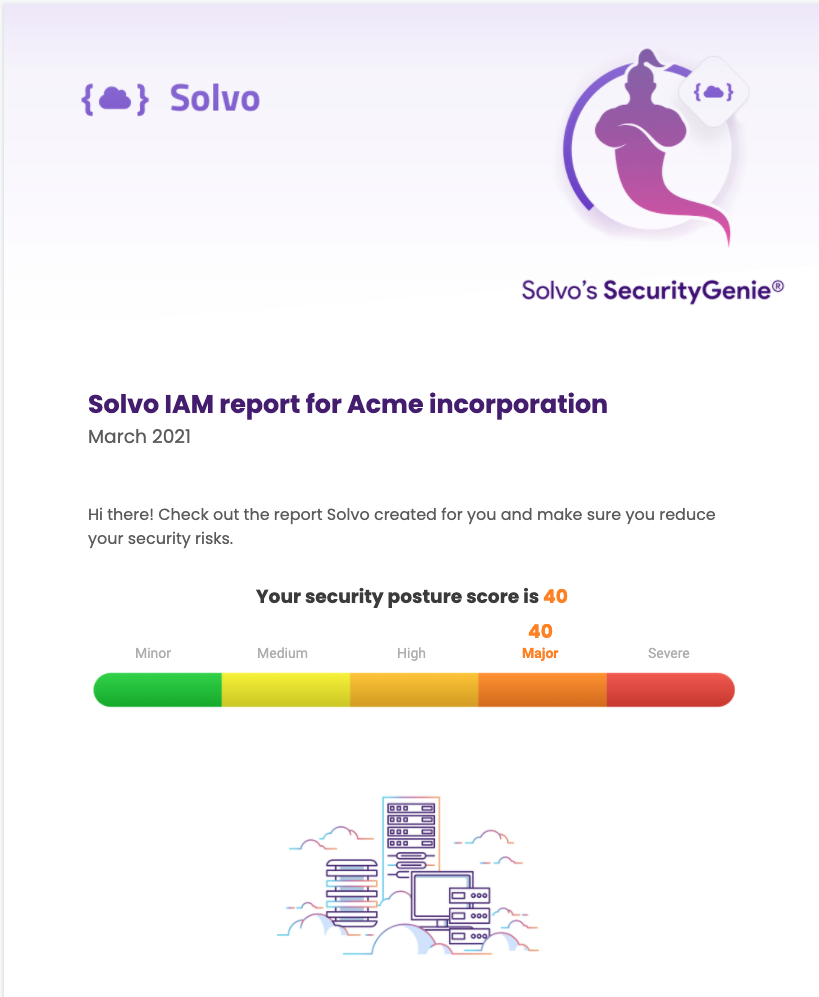
    In addition, Solvo is making available for free the Solvo Security Genie, which IT teams can use to identify misconfigurations, excessive permissions, privilege levels and third parties that may have access to accounts on the Amazon Web Services (AWS) public cloud.

    Shira Shamban, Solvo CEO, said the primary reason there are so many cloud security issues today is because developers – that lack cybersecurity expertise – are being asked to define policies. Solvo removes that burden by analyzing a workload and creating a cybersecurity policy before applications are deployed in the cloud. That cybersecurity policy can then be automatically applied by the developer.

    Shamban said that approach will reduce a lot of the DevSecOps tension that organizations are currently experiencing as they try to shift responsibility for cybersecurity further left toward developers. While no developer deliberately sets out to deploy an insecure application, shifting responsibility for cybersecurity to a developer who doesn’t really understand what’s required creates a lot of additional stress.

    The Solvo platform, available as a paid subscription or under a freemium model for individual developers and teams, addresses a lot of the cloud security issues that inevitably arise when infrastructure is provisioned as code by developers. It eliminates that stress by automating the creation and application of cybersecurity policies within the context of a DevOps workflows, said Shamban.

    However, a cybersecurity team can also manually edit those cybersecurity policies after an application is deployed, Shamban added.

    As DevSecOps best practices continues to evolve, it is clear the relationship between developers and cybersecurity teams needs to evolve, as well. For a long time, many cybersecurity teams viewed developers as the primary source of the problems they encountered. Getting used to the idea that those same developers are now going to solve those issues on their own requires a level of trust that will take time to build.

    Developers, for their part, are generally accepting of the idea that they should take more responsibility for security, so long as the tools provided to them are not selected by cybersecurity professionals that don’t appreciate application development workflows.

    In time, there is no doubt the cultural divide that exists between developers and cybersecurity teams will narrow. However, it’s arguable that more progress will be made, more quickly, if developers are allowed to choose their own security tools rather than accept an edict from on high mandating a specific approach. In fact, the best course of action for many IT teams is simply to offer words of encouragement to developers that elect to set an example for the rest of their colleagues.

  • Cisco Leans on HashiCorp to Manage Infrastructure as Code

    Cisco Leans on HashiCorp to Manage Infrastructure as Code

    HashiCorp and Cisco today announced a Cisco Intersight Service for Terraform offering based on HashiCorp Terraform Cloud Business software.

    Cisco Intersight is an IT operations management platform that enables IT teams to manage IT infrastructure across a hybrid cloud computing environment. Open source Terraform tools have emerged as the dominant tool for provisioning infrastructure as code in the cloud and, increasingly, in on-premises IT environments.

    HashiCorp Terraform Cloud Business is an instance of Terraform that has been extended to include some additional security and governance capabilities enterprise IT organizations typically require.

    In recent years, Cisco has significantly expanded its presence in on-premises IT environments as many IT teams opted to deploy its servers alongside its networking equipment. Like every other provider of on-premises IT environment, Cisco has been moving to extend the reach of its management frameworks to public clouds to help foster the rise of hybrid cloud computing.

    Prior to the pandemic, most public clouds and on-premises IT environments were managed in isolation from one another. However, in the wake of the economic downturn brought on by the pandemic, more IT teams are trying to centralize the management of IT platforms as part of an ongoing effort to reduce the total cost of IT. The multiyear alliance with HashiCorp fills a major hole in the Cisco management portfolio, as Terraform increasingly becomes a de facto standard for provisioning IT infrastructure-as-code.

    Vijay Venugopal, head of product management for Cisco Cloud and Compute Software, said the alliance with HashiCorp will make it possible to provide Terraform support across a management portfolio that, over time, continues to be enhanced with machine learning algorithms that add artificial intelligence (AI) capabilities, also known as AIOps. That platform is already being employed by 6,000 customers to manage more than 600,000 servers, running primarily in on-premises IT environments, added Venugopal.

    HashiCorp Terraform Cisco

    It’s unclear how the battle for control over hybrid cloud computing will ultimately play out. While providers of on-premises platforms such as Cisco are making a case for using existing management frameworks to also manage workloads deployed on public clouds, the providers of those platforms are now extending their reach into on-premises IT environments. Cisco is, of course, betting that most organizations would prefer to extend an existing framework to achieve that goal, versus having to rip and replace existing IT infrastructure to employ an alternative framework from a cloud service provider.

    Regardless of how organizations ultimately decide to manage IT in the age of the hybrid cloud, it’s clear developers, thanks to tools such as Terraform, are exercising more direct control over IT infrastructure. Incorporating Terraform within a larger IT management framework presents an opportunity to bridge the divide between developers and IT operations teams that have historically relied on visual tools to provision infrastructure. The challenge now is finding a way for developers and IT administrators – with varying levels of programming expertise – to work more closely as management of IT environments become increasingly more complex.

  • Visualization Shines a Light on IT Metrics

    Visualization Shines a Light on IT Metrics

    Modern IT departments operate in a pressure cooker. Their highly distributed infrastructures are spread across legacy data centers and hybrid and multiple public clouds. Now, the Internet of Things (IoT) and the edge are part of the mix.

    Massive amounts of data are flowing through these multifaceted environments, and it falls on IT to make sense of it all, ensuring that issues don’t become problems and that it’s viable to produce measurable outcomes for the business. Dashboards are instrumental for visualizing and quickly making sense of that data.

    Metrics – numeric representations of data measured over time – give IT operators and site reliability engineers (SREs) a window into how a system has historically behaved. That data provides insights as to how the system(s) should perform in the future, and aids investigations when something goes awry. IT monitoring tools act as giant data lakes, holding time series data, while dashboards give everyone from IT administrators to C-level executives ways to easily digest the data.

    The visualization market is evolving. We’re seeing different kinds of databases, such as Prometheus, which bring with them new tools to leverage the data. Prometheus (PromQL) is growing in popularity in the DevOps space and becoming the standard for monitoring containers and microservices because it makes it easier to manage time series data. PromQL also comes with client libraries that include four core metric types:

    • Counter: Represents a single monotonically increasing counter where the value can only increase or be reset to zero on restart.
    • Gauge: Represents a single numerical value that can arbitrarily go up and down, such as CPU utilization.
    • Histogram: Samples observations and counts them in configurable buckets. It also can provide a sum of all observed values.
    • Summary: Samples observations and provides a total count of observations and a sum of all observed values. Configurable quantiles are calculated over a sliding time window.

    Selecting Visualization Charts

    Selecting the appropriate visualization dashboard for each user is important to maximize the value of the data. There are traditional line and bar charts, single value tiles – which display a single data point at a specific point in time – and lists and gauges, which offer a single value at a specific point in time in a series.

    Newer visualization types are now becoming common to address the various use cases in ITOps and DevOps. Let’s walk through a few:

    1. Honeycombs offer big-picture views of IT infrastructure, yet also display detail. The hexagonal display mirrors those in a honeycomb, and helps DevOps pros slice and dice the data based on attributes or tags. Each hexagon represents a specific host or resource, and can be organized in logical groups of elements. The colors change when thresholds are reached, and the hexagons can be sized differently based on the value of the metric. Consider a case of many AWS EC2 instances scattered across the globe. Each hexagon can represent an individual instance, and they can be grouped based on the “region” attribute. This honeycomb chart would let administrators see how each infrastructure site is performing.
    2. Gauge metrics use a language like PromQL to set a ceiling and a floor. If the user creates alert conditions based on particular thresholds, the dashboard will indicate if a certain resource has reached its threshold by changing the color. A gauge that turns red may indicate a critical problem, for example. Managed service providers have SLAs with clients to maintain uptime. If a problem arises, a red indicator on a gauge tile lets the IT administrator know immediately that the SLA agreement has been breached, and that an issue needs to be addressed.
    3. Heatmaps provide a graphical representation of the volume of data points within bucketed ranges. The color of each cell of a heatmap directly reflects the density of certain metric value ranges. Heatmaps are used to display group trends and spot outliers, which make them useful when viewing metrics with a wide distribution of values.

    Role-Based Requirements

    Picking the right chart depends in part upon the people viewing the data. CXOs, IT managers, sysadmins, SREs, network engineers and network operations center (NOC) operators will have different, yet overlapping, requirements.

    For instance, SREs want to ensure the reliability and resiliency of the infrastructure, so, through their dashboards, they look at everything from availability and latency to performance, efficiency and capacity planning. They can quickly spot outliers like server downtimes or memory issues and immediately begin to troubleshoot.

    CXOs, conversely, don’t need to get into the weeds of infrastructure operations. They use dashboards to gain a macro view of metrics for performance over time across websites and networks. They need to understand the correlation between IT metrics and business services and applications. Dashboards should be able to connect those dots.

    Other Considerations

    Finding the right visualization option is important. Once that is done, there are some other steps to take to ensure you get the insights you need from your dashboard:

    Positioning and ordering: Dashboard tiles should be placed in a logical order, with important high-level statistics near the top and the deeper, and more granular metrics progressively moving to the bottom to give users a quick understanding of system performance.

    Design: A well-designed dashboard with consideration paid to color schemes and themes also will make it easier for stakeholders to digest and understand the data.

    IT infrastructure performance is crucial to the health of a company. Massive amounts of data streaming out of systems can help IT administrators and others keep up-to-date about that performance and the overall end-user experience. Dashboards offer flexible ways to quickly view and understand the metrics; IT organizations now have a growing range of charts to choose from that can present the data they need in a way that works best for them.