Category: DevOps Practice

  • Mainframes: The Cloud Before the Cloud

    Mainframes: The Cloud Before the Cloud

    Here’s something to think about: Despite the fact that IBM stopped manufacturing personal computers in 2005, deciding instead to focus on higher margin business services, the company continues to produce mainframes and by all estimates will continue manufacturing them well into the future. The question is, why? The answer: because there is still significant demand for this type of hardware.

    The fact is that a mainframe is a monster when it comes to computation and processing transactions. One mainframe can process 2.5 billion transactions daily. That’s the equivalent of 100 Cyber Mondays in a single day. To give you a clearer idea of the immensity of scale, keep in mind that Cyber Monday sales in 2018 were $7.9 billion. This translates into a mainframe being able to handle a bit more than three-quarters of a trillion dollars in transactions each day, which is almost twice the yearly GDP of Austria!

    As I said, the mainframe is a workhorse. Yet, its power and potential are hidden from most people who work in the modern cloud. This is surprising because there’s a good argument to be made that, given its power and scalability, coupled with its support for a large number of concurrent users, the mainframe was the cloud before there ever was a cloud. However, the technology is practically unknown among younger developers, mostly due to cultural reasons and a lack of historical awareness. That more people are not taking advantage of the tremendous opportunities at hand is a misfortune. When it comes to mainframe computing, there’s a lot of interesting tech to be learned and a good amount of money to be made. It’s just a matter of increasing awareness to do this. A good place to start is to redefine the narrative.

    Allow me to elaborate.

    A Special Club

    When mainframes appeared on the commercial landscape, few people interacted with computers and even fewer worked with them directly as programmers or system administrators. Just as in a modern data center, the machines were isolated in climate-controlled rooms to which few had access. Access to the actual physical machine was restricted to a special few. But unlike today, when restricted access is due more to security concerns because there are a lot more people around who are potential black hats, back then access was also restricted due to the exclusivity of the profession.

    In the 1950s, 1960s and well into the 1970s, not just anybody could program or be a systems administrator. You could go to a technical school to learn to become a computer operator, which meant you could work at a terminal as a bank teller or travel agent. Or you could learn to become a data processing clerk and work in a back office at a brokerage firm. But to learn to program, you had to go to college. Then after college, you had to go to work for a company or organization that actually used computers in day-to-day operations. These were banks, insurance companies, major manufacturers such as General Motors and General Electric, airlines, very large retailers and government. Computing was a club and you had to be well-educated to get in and be well-liked by the organization to keep your membership. Yes, there were the outliers—Gates, Allen, Joy, Wozniak and Jobs—but for most people, the career path to being a programmer was college and then into big business or government.

    As a result, computing had an air of mystery and magic to it. Remember, until the mid-1980s, most people had never touched a computer. It was the stuff of moon landings and election night predictions on network TV. Then the PC came along and changed everything. Within 10 years computers became commonplace. Even elementary schools had them—at least, those that had the budget and foresight. The power that business applications such as the spreadsheet program Lotus 1-2-3 brought to small business motivated even the dry cleaner on Main Street to plunk down the thousands of dollars it cost to buy a PC. The productivity boost was worth it. Also, since the dry cleaner actually owned the machine, the dry cleaner’s kid could learn to program on the box unencumbered, when it wasn’t being used during business hours. Remember, the Microsoft DOS operating system that shipped on every IBM-compatible PC came bundled with the programming language BASIC. You didn’t need to go to college to learn to program; all you needed was a book.

    So, PC programming took off. Instead of having to go through the effort required to get into the special club the mainframe programmers belonged to, PC programmers started their own clubs and anybody could get in. All you had to do was show up. PC programming became a meritocracy. Also, it became extremely lucrative work. There were a lot of PCs being shipped and the appetite for applications to run on them was enormous. The unlikeliest of people, such as Lotus Software founder Mitch Kapor and his sidekick, Grateful Dead lyricist John Perry Barlow, became wealthy, thanks to the PC.

    The PC became cool and programming for it became cooler. But there was a fact that got obscured as the popularity of the personal computer grew: Compared to the mainframe, the PC was a toy—a productive toy, a liberating toy, but a toy nonetheless, very much in the same way that a go-kart is a toy compared to a Formula One race car.

    Feature for feature, the mainframe ate the personal computer’s lunch. The IBM System/370 Extended Architecture Mainframe released in 1983 was a 31-bit machine that could support up to 8MB of memory with a processor running at 38 MHz. By comparison, the IBM PC-XT, also released in 1983, was an 8-bit machine that shipped with 128KB of RAM and an 8088 processor that ran at a speed of 4.77 MHz.

    But, as the saying goes, “You should never underestimate the value of cool,” and the PC was very cool. It got a lot of attention while the mainframe stayed hidden away in climate-controlled rooms in the basements of banks and insurance companies. Yet, the mainframe was more powerful, and whereas the PC was meant to meet the needs of a single user, a mainframe can service thousands.

    Built to Scale Built from Inception

    Mainframe computers from the start were designed to support hundreds (if not thousands) of users. However, more importantly, mainframes were and are designed to support millions of concurrent transactions. When you think about it, while it’s possible for a high number of user requests to exhaust CPU utilization in a typical commodity machine—which is the reasoning for being able to scale up CPU count by increasing VM allocation in the cloud-based computing cluster—the real burden on the CPU is not so much the request count but the computing burden that each request incurs. For example, one request getting a .JPG of a cat will incur nowhere as much burden as a request that needs to convert an audio file in .WAV format to MP3.

    The need to alleviate request burden has been around since bank tellers working in the various branches of a big bank had to make deposits and withdrawals at the same time. Mainframe engineers addressed the problem decades ago. Technologies such as batch processing and message queues, which make computational activity asynchronous and are optimized to fully utilize CPU capacity efficiently, were and are commonplace in the mainframe landscape.

    IBM’s 360 mainframes supported batch processing in its OS/360 system starting in 1964. Batch processing allows thousands of instructions to be performed on terabytes of data at pre-scheduled times (usually “off-hours”), all without human intervention.

    Message queuing allows processes to take data in the form of a message stored in a message queue and perform computational activity according to the data in the message. Processing is performed independent of a request in an asynchronous manner. When processing is complete, a new message is created and sent on to another queue, where another process will do more processing or create a notification indicating that work is complete. IBM MQSeries was an early message-queuing technology first used in 1993 at State Street Bank well before the internet became commonplace.

    The reason that support for user and transactional concurrency was possible in mainframes is due to a technology that is commonplace in today’s cloud environment but was unheard of among PC users back in the days when most data was exchanged between standalone PCs using floppy disks. That technology is virtualization.

    Virtualization Takes Mainframe Computing to the Next Level

    Today we take virtualization—the capability to have software simulate hardware—for granted. Without it, we couldn’t have native cloud providers such as Amazon Web Services, Google Cloud and Microsoft Azure. These services rely on virtualization to provide the segmentation and computational isolation required to meet the needs of the modern computing. Yet, as essential as virtualization is in the world of commodity cloud computing, putting a layer of virtual machines on a commodity PC is a fairly recent event in the history of computing. VMWare, VirtualBox and KVM became mainstream in the mid-2000s. On the other hand, virtualization has been part of mainframe technologies since the mid-1960s. Virtual memory appeared in the mainframe in 1965. Machine virtualization was introduced on the IBM 370 mainframe in 1972 and is still an important part of the mainframe computing experience today.

    Every single person who logs onto the mainframe when working in a native mainframe operating system gets an identical address space. You can think of each address space as a standalone virtual mainframe system. These address spaces are created instantly and are protected from interfering with each other. Also, many companies create logical partitions of their hardware called LPARs (logical partitions). The logical partitions are controlled by a native firmware hypervisor called PR/SM (pronounced Prism).

    The value that LPARS provide is a further separation between environments. This means not only can you separate users, but you can also create distinct computing environments such as those created when virtualizing X86 machines. For example, you can have a shared development environment as well as environments for testing, staging and production. You can allocate resources and security access to a particular environment based on need, just like you would in a data center full of commodity machines. This means you can configure production systems to be more secure and have higher execution priority and more resources such as memory. In fact, according to the U.S. government, from a security perspective, virtual machines created on the mainframe are considered distinctly separate machines.

    LPARs running on the same hardware or different hardware under the native mainframe z/OS operating system can be linked together as a Sysplex for redundancy and to easily provide additional capacity. Dynamic Virtual IP Addressing (DVIPA) is used to dynamically route IP traffic across multiple LPARs in a Sysplex. This is analogous to being able to tie together a variety of web servers behind a load balancer or organize them within a Kubernetes cluster. Being able to tie computers together is an important feature for making systems scalable. Also, linking computers across geographic regions increases performance. It’s always faster to work with a machine that’s closer to you than one that’s further away. As mentioned earlier, being able to scale systems up and down is a key feature of cloud-based computing. Dynamic connection, which is part of mainframe architecture, is critical for scaling to work.

    The important thing to understand is that the stuff we consider to be modern in terms of the machine virtualization that we rely upon to make the cloud work has been in play for years on the mainframe. Also, virtualization on the mainframe makes it possible for programmers and system administration staff to work in a variety of operating systems and programming languages as we’ve come to expect in commodity cloud instances. Machine virtualization allows mainframes to support Linux. Whether the computing environment is virtualized Linux or native mainframe, developers can code in Java, C/C++, Python, Perl and a variety of other languages, including something as new as Swift. But, then again, the mainframe was always intended to support many programming languages.

    Even back in the ’60s and ’70s, programmers could write in COBOL, PL/I, job control language (JCL) and Customer Information Control System (CICS). Also, writing low-level code in Assembler has always been possible. Clearly, the versatility that modern developers enjoy programming in a variety of languages in a cloud environment has been part of mainframe computing for a while. Yet, the benefit has never been at the forefront of developer awareness. Maybe it’s time to change the narrative.

    Changing the Narrative About Mainframe Computing in the Cloud

    As I stated at the beginning of this article, IBM continues to make mainframes because there’s a growing demand for the technology—particularly as smartphones and IoT devices proliferate worldwide. Netflix might be spinning up containers on a commodity machine in a data center to let you view past episodes of “Orange is The New Black.” But when it comes time to pay for your Lyft ride using your iPhone, that credit card transaction will most likely be processed on a mainframe that’s providing service via some sort of API gateway.

    There is little benefit to arguing that mainframes should or can be used interchangeably with commodity servers. That’s like saying a fleet of automobiles can be used interchangeably with a city bus. You can do it, but it doesn’t make much sense. Each technology has benefits that when used together, make the overall transportation system more efficient. The trick is to understand where and how the technologies fit together in the big picture. In this case, the big picture is the cloud.

    The old narrative around mainframe technology is based on perceptions that are no longer applicable. The modern mainframe is no more centralized than the single building that houses a regional data center. In terms of programming languages, mainframes moved beyond FORTRAN and COBOL decades ago. Current mainframe virtualization technology makes it possible to run programs written in just about any programming language. And, mainframe emulators, such as ZD&T, make it possible to get the hands-on experience necessary to get familiar working in a mainframe environment.

    The Perceptions of the Past are No Longer Applicable

    The modern mainframe is a powerful resource that provides extraordinary benefits for cloud computing. The new narrative is that the mainframe is modern, adaptable and well-suited to accommodate a very high volume of transactions at lightning-fast speeds. And, it’s a good way to make good money.

    As the current workforce (which is admittedly aging) approaches retirement, a new breed of mainframe developer will be needed to continue the work of making the mainframe a mission-critical resource in the modern cloud. In addition to understanding the essentials of mainframe computing, these developers will need to be well-versed with the modern tools and techniques that drive cloud computing. It’s an investment that I’ve urged many up-and-coming developers to make.

    Putting It All Together

    Let me share a piece of personal history: A while back I needed to do some programming. So, I went to my desk, logged into my system, wrote some code and ran it. It worked like a charm! I saved my work, finishing up just in time for dinner. A while later, it was again time to program. I went back to my desk, logged into the system and coded away. Just another day of slinging the code, right? Well, not really.

    My first coding session was in 1975. “A while later” is today. Forty-four years have passed. Back then, I was working on a mainframe that was 50 miles away. Today, I logged into an online programming environment that was also miles away, maybe even halfway around the world. That’s how it is with cloud computing: The resources are any way at any time.

    Interestingly, despite the passage of a significant amount of time, my current developer experience is not that different than the one I had decades ago. It’s still just me and a terminal. Back then, the terminal was a screen full of green characters. Today, my terminal is able to accommodate a variety of media and input devices. But, at the other end of the wire, who knows what’s going on? For all I know, I might still be connecting to the same mainframe I used back in 1975. Which is my point.

    Much of what we consider new and wonderful about cloud computing today has actually been around for a while in mainframe technology. In many ways, the mainframe was the cloud before the cloud. And, it’s still a powerful resource for what we have come to know as modern cloud computing. Given its power, versatility, scalability and support for modern DevOps tooling, the mainframe is a perfect resource for today’s and tomorrow’s cloud computing infrastructure. It’s a computing resource that we’ll do well to take advantage of as we move forward in our development efforts on an increasingly connected planet.

    — Bob Reselman

  • Embedding Accessibility into the DevOps Process

    Embedding Accessibility into the DevOps Process

    Calls for accessibility and inclusion are a defining characteristic of current times. Persons with disabilities (PwD), including vision, hearing, cognitive and physical impairments and others, are demanding equal access to virtually all public services and forums they interact with, from transportation to banking and self-service terminals in airports—and increasingly, digital (web and mobile) services.

    Ensuring accessibility can help enhance brands and is good business practice. The process can seem daunting but integrating accessibility into DevOps doesn’t have to be overwhelming. There are several simple steps for getting started.

    Understanding Your Organization’s Unique Accessibility Motivators

    Knowing what accessibility elements you need to test for depends on numerous factors, including your industry and where you are located.  For example, U.S. government organizations are subject to Section 508, while telecommunications providers must comply with the Communications and Video Accessibility Act (CVAA). Different scenarios require a nuanced approach to accessibility testing.

    The risks of digital inaccessibility are growing far beyond government websites, with the number of Americans with Disabilities Act (ADA)-based web accessibility lawsuits increasing 181% between 2017 and 2018. Since the beginning of this year alone, several well-known brands including Domino’s Pizza and Beyoncé have been sued for web accessibility breaches, bringing the issue to the forefront.

    E-commerce sites are often more concerned with lost revenue opportunities, as the average blind person is known to abandon several companies per month due to web inaccessibility. For transaction-oriented sites, inaccessibility translates directly to lost business. Whatever the motivators, building empathy can be a great way to give this mission meaning for developers. Organizations can do this by staging and having developers participate in “empathy events” where simulations are offered and developers can experience first-hand what it’s like to interact with a given website using the same assistive technologies that people with disabilities rely on regularly.

    Set Achievable Interim Milestones

    Agile DevOps teams emphasize catching defects as early as possible in the software life cycle to ensure efficient, high-quality rollouts. Unfortunately, accessibility testing is often relegated to the end of the process or performed as user-acceptance or usability testing. This type of testing is often manual and can be resource-intensive and expensive.

    Chart showing the process for building in accessibility into a product

    Organizations only became aware of issues upon hearing from end users encountering problems—or, worse, taking legal action to gain equal access to web-based content and services.

    Getting from a manual process to a fully automated and integrated process takes time. We recommend setting achievable, interim milestones that start small and build on early success. Organizations may not know what to tackle first, but some commonly shared examples of achievable first milestones are accompanying all digital videos with subtitles and/or sign language translation (for the hearing impaired) and ensuring that all new UIs are clear of any issues identified by automated tools. Experts and trainers can offer valuable advice on addressing the basics and then building on the success.

    Implement Tools

    Today’s developers have easier access to more comprehensive accessibility testing tools than ever before. Currently there are tools available for all the major platforms (web, Windows, Android and iOS) and many of these have been open-sourced, making them richer every day. Interactive testing functionality can enable development teams to thoroughly assess the accessibility of products early on in the cycle, while libraries allow these tests to be run regularly as part of the development test automation. A good tool will provide developers with simple remediation guidance and allow them to embark on a learning journey to increase their knowledge and expertise.

    Measure, Improve and Automate

    Ongoing measurement is the key to understanding whether your accessibility transformation is taking hold. Leading metrics will focus on the change in development practices. These changes will give early indication of end user outcomes. An example of a leading metric is “percentage of new UI code that is clean from an automated testing perspective.”

    End user outcomes, while lagging, are important to ensure that the activity is leading to real change. An example of an outcome might be the number and the change in the accessibility-related call center inquiries. A reduction would indicate that fewer accessibility issues are making their way into production. Metrics are strongest when they are presented in a manner that directly correlates to business outcomes (such as customer satisfaction), as these tend to resonate the most with business executives, which helps build the broadest internal support base.

    Once you’ve had some early successes, it’s time to expand, and you can keep tackling issues incrementally. Organizations should also focus on continually shifting accessibility testing “further left” earlier in the development cycle to enhance quality while maintaining velocity. The sooner you detect and fix accessibility issues, the less likely these are to become more deeply baked into the software, making them more difficult and time-consuming to undo.

     chart showing building in accessibility earlier in the product development cycle

    Organizations also should consider replacing interactive and manual accessibility tests with fully automated tests. While manual testing cannot be completely eliminated, automated unit testing and integration testing enable developers to test for accessibility as they code (not after the fact), while automated regression testing ensures live web content and applications stay accessible after changes are made. Automated regression testing is critical for organizations wishing to ship software often while maintaining quality—in some industries such as financial services, a disproportionate number of websites have experienced some level of accessibility regression.

    Conclusion

    DevOps teams are focused extensively on maintaining exceptionally high levels of software quality combined with velocity. We’ve become obsessed with minimizing the number of bugs that make it into production but may be overlooking one of the key attributes of high-quality software—accessibility.

    In most cases, functional testing does not cover accessibility testing. While functional testing determines whether a system is working as expected (i.e., certain inputs generate certain outputs), accessibility focuses on ensuring usability for PwDs as a non-functional attribute. With estimates that the current number of PwDs in the U.S. nearly equals the total populations of California and New York combined, accessibility testing needs to be prioritized in the same way as functional testing. Otherwise, you are shutting these people out.

    In summary, organizations that demonstrate a commitment to accessibility through their digital products and services will have a natural advantage in an increasingly competitive market space. Getting started can be relatively simple, and you should focus on motivating development teams to achieve and overachieve, emphasizing continual improvement rather than perfection from the get-go.

    — Dylan Barrell

  • ‘DevOoops’ Moves: Unforeseen Lock-Outs

    ‘DevOoops’ Moves: Unforeseen Lock-Outs

    DevOps’ ultimate aim is to create efficiencies in the software delivery process. But it doesn’t always work out that way. Sometimes DevOps initiatives lead to mistakes—something we lovingly call “DevOoops.” CloudBees recently polled some colleagues and came up with five examples of a DevOoops in action. Following is a discussion submitted by Carlos Sanchez, principal software engineer, about unforeseen lock-outs.

    Scenario:

    When you’re automating deployments using configuration as code, make sure you have the right protections in place (i.e., validation of configuration). Otherwise, it’s easy to lock yourself out, forcing yourself to manually log in to each machine to fix it when a bad change is pushed and deployed to all the machines.

    Having a strong technology solution that securely and centrally stores credentials for the names of people who access those machines is critical to maintaining a successful DevOps program. It’s a no-brainer. When you have to service accounts, you’re much more likely to be able to leverage a fast-acting script to log in and reconcile logouts if credentials are centrally stored than if you had eight individually managed service account-based credentials.

    How do you reconcile lock-outs? How do you avoid the kind of DevOoops situation that can derail all of the good progress you’re making? The process you adopt will depend on what your software development and deployment life cycles look like. Here are several potential approaches:

    • You can use multiple staging and preproduction environments that share common configurations with the production environment. This sets up a process where, before you try to deploy an app or a new configuration to your production environment, you know you have successfully deployed it to environments that are as close as possible to production, multiple times.
    • You can have post-deployment validation scripts run after every deployment and have them validate things such as, Can account X log into environment Y? The scripts should include common or leading indicators of success or failure of a deployment. Once artifacts have been deployed and the system starts, every deployment will immediately run these scripts as part of the deployment process. So, every part of the deployment is automatically validated as success or failure.

    When taking an approach such as rolling deployments, you also need to ensure that broken configurations are identified before they’re propagated across multiple servers or server clusters. This means you need to validate your deployment and your configuration changes before you go to production, validate deployment and configuration changes on first deployment and then validate, validate, validate at each subsequent step.

    By doing all of this, you avoid surprises. You extend a quality-first, continuous validation approach beyond just your application code and apply that to your environment. Avoiding unnecessary lock-outs will help you mitigate risk, eliminate wasted time and avoid bad customer experiences.

    Takeaways

    • As you bake quality into the processes and shift automation left, you need to make sure you validate all changes early and often.
    • Organizations need to implement proper processes, not only for application code changes but also for infrastructure as code changes that manage environments.
    • In automating in pursuit of DevOps, it’s necessary to have a strategy for credentials and secrets management of permissions for your DevOps and production systems.

    — Brian Dawson

  • Keeping NoOps From Going Rogue

    Keeping NoOps From Going Rogue

    “We’re NoOps—everything is in the cloud and we have no infrastructure to manage.” Before running that victory lap and shifting everyone to the dev side, consider several NoOps risks carefully. I’m really thinking about teams using all-SaaS stacks, especially in martech, edtech and other areas. However, the rise in microservices and serverless means more teams are leaning toward NoOps. At least a few people on your team should always watch for rogue issues on the ops side of the equation.

    Locked-in Vendors

    Risk: Cloud-based tools in the same category rarely have the same functionality. Once one is selected, you’re committed to its specific features. Moving away from a tool may mean dropping a popular application feature or changing workflow with coding to recreate functionality.

    Mitigation: Evaluate unique features and customized data fields carefully before use. Solving data format differences is relatively easy for common fields. Look for tools with well-documented APIs and integrations or connector support for analytics. If there are no integrations out there, that’s a red flag.

    Ghosting

    Risk: Lock-in becomes a big problem if the vendor ghosts. SaaS startups often meet one of two fates: they are acquired or they crash and burn. A tool critical to your workflow may disappear overnight. In the acquisition scenario, you may have some time and support in migrating from your tool to its successor.

    Mitigation: Always have a Plan B for every cloud-based tool in your stack. Competitors are introducing new tools frequently. A trade study done two years ago may be completely obsolete on today’s fast-moving landscape. Proactive migration to newer solutions may reduce vendor risk and improve features.

    Limited Observability

    Risk: Overheard in a conference recently—Those who develop the code are more motivated to build in useful observability for those in operations if those folks are the same team. In NoOps, that’s not in play. If a cloud-based tool in your stack is down frequently or providing strange results, it may be very difficult to tell what is happening. Observability is often replaced by faith that the SaaS vendor has done its job and you aren’t experiencing a corner case it hasn’t tested.

    Mitigation: Observability and monitoring aren’t the same, but when you don’t have observability inside SaaS tools, monitoring helps. Application performance management (APM) tools are emerging with new ways to build instrumentation around microservices. Create test cases with synthetic data to check your functionality—you’ll need these to provide evidence for the vendor in any bug report.

    Unoptimized Workloads

    Risk: You’re also often at the mercy of the SaaS vendor when it comes to speed of results. It’s a common tripping point to pilot a SaaS workflow with a few users and test cases, and then find out it doesn’t scale when everyone is brought in.

    Mitigation: This is one the biggest NoOps risks where ops expertise pays off. Where is the problem, exactly? Application problems may be candidates for workload acceleration—such as running on a GPU (or FPGA) enabled cloud instance. Reporting problems may be better-suited for an analytics tool, which can be run offline with extracted data.

    Tangled Analytics

    Risk: Every SaaS tool reports different metrics in different ways. Worse, users in a multi-cloud environment face learning and visiting multiple applications to look at data. Different applications report similar facts using different terms. As the tool stack and data sets grow, it takes longer and longer to analyze data.

    Mitigation: Dashboards pay off early with one destination for data across the stack. Earlier, I mentioned the need for integrations or connectors—this should be a requirement for tool selection, both in the stack and the analytics tool. Deciding on which KPIs to track in the dashboard also focuses conversation and minimizes digging.

    Closing NoOps Risks

    There’s also the big topic of multi-cloud security and compliance, probably worth a series of posts by themselves. An Ops team working proactively in tool selection can comprehend many security risks before committing to tools and exposure. More value unfolds over time, as the security posture evolves with discovery of new threats.

    The tech pendulum is always swinging. For many organizations, NoOps swings the pendulum a bit too far from DevOps and leaves risks open. A better philosophy is MinOps, where a small team is deployed, watching for and even anticipating problems.

    I’d be interested to hear if you’ve tried NoOps and been successful over time, or if you reverted to a MinOps approach.

    — Don Dingee

  • Different Organizations, Different DevOps Outcomes

    Different Organizations, Different DevOps Outcomes

    The main motivation behind inventing DevOps platform was to help close collaboration between developers and IT operations. Basically, DevOps emerged as a great platform to bring closer together developers and beneficiaries of the app development process. DevOps initiates a cross-disciplinary practice spanning across development and operations.

    The ultimate benefit of the DevOps approach is removing the barrier between development and deployment of software applications in specific business processes. Regardless, not all businesses reap the benefits of DevOps platform.

    Does DevOps really suit all businesses of different sizes and niches? What are the key considerations for utilizing DevOps platform? These are the questions we will try to answer through this article.

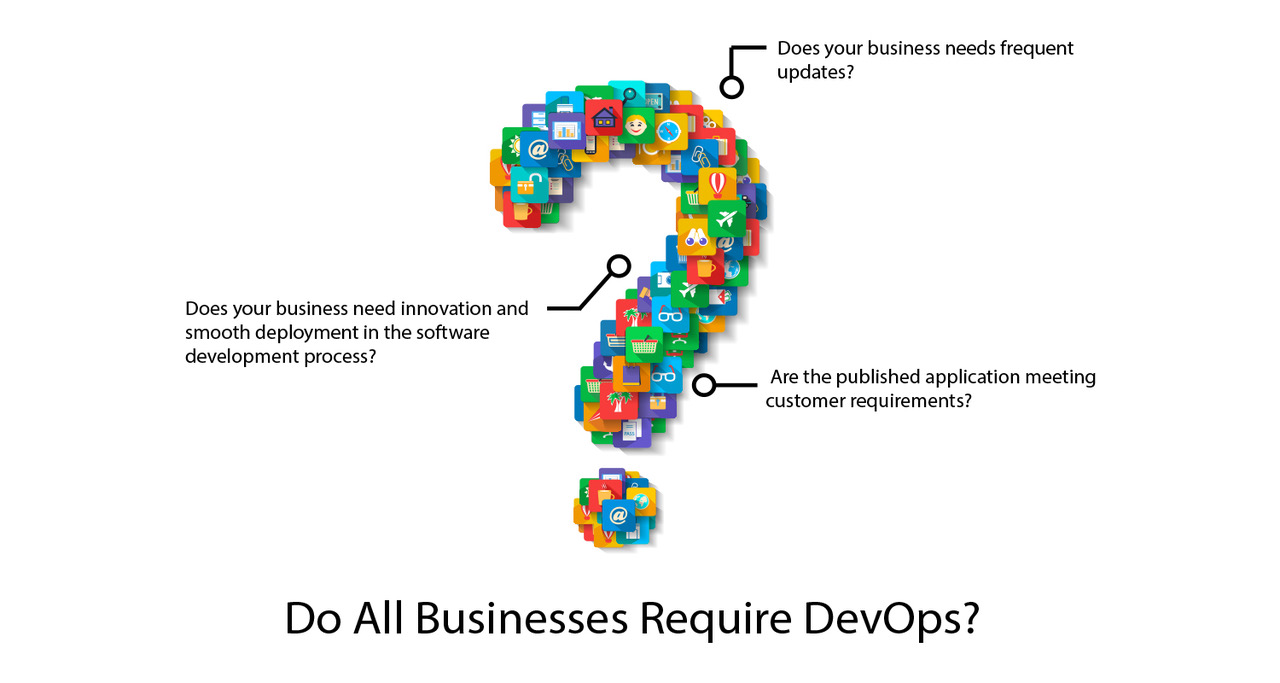
    Do All Businesses Require DevOps?

    The common and widespread consensus is that any software development company geared for innovation must embrace a DevOps environment. Any business that considers innovation and smooth deployment in the software development process—a key factor in their long-term growth strategy—should take advantage of the benefits of a DevOps platform. Whenever any service provider needs to adopt new strategies to keep pace with the evolution in the software space, DevOps will come as an irreplaceable platform choice.

    Despite this consensus and widely accepted perception, there are different opinions in the market. Many industry experts believe that to reap the benefit of the platform you need to have a dedicated DevOps team in place. If you have a DevOps culture and in-house DevOps team in your company, you can gain a competitive advantage.

    The Key Benefits of DevOps

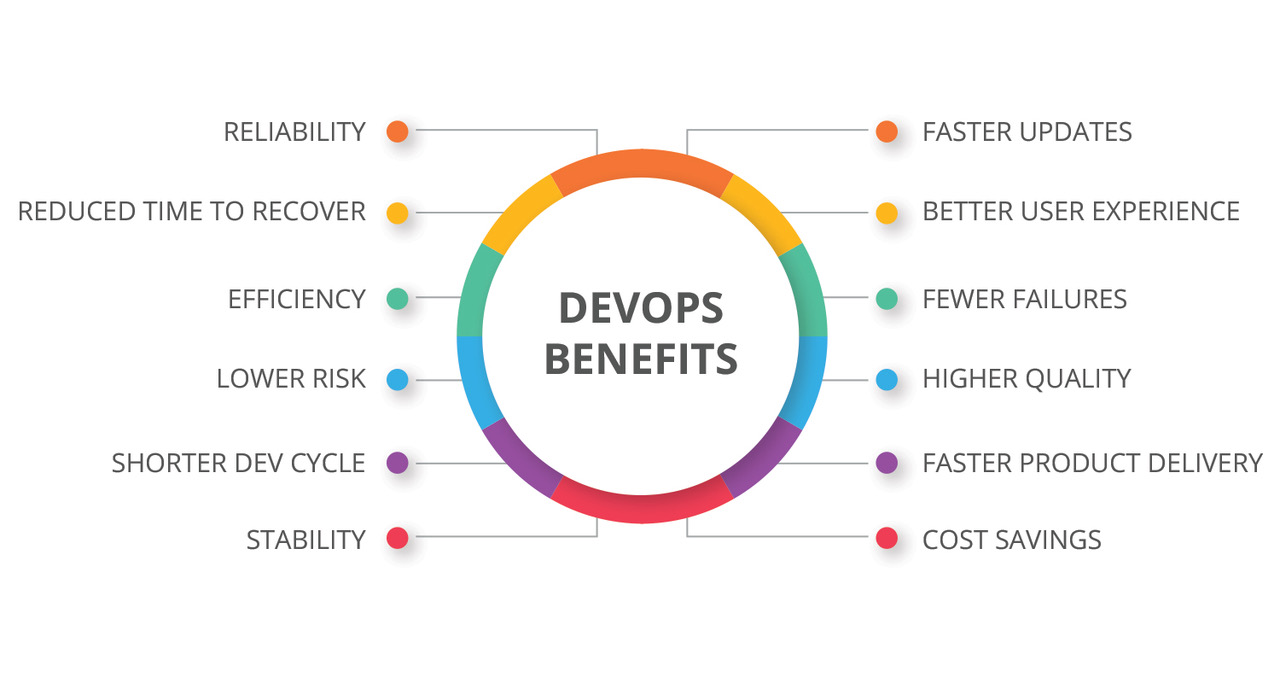
    The main benefit of DevOps is faster delivery of software with much-improved quality. There can be several other benefits depending on the industry.

    While some companies refer to the huge reduction in downtime since they adopted DevOps culture, there are still many others who simply give credit to the platform because of its integrated approach that makes the process more agile and fast-paced.

    For most companies, the domino effect of getting better software at a faster speed ends up delivering sustainable growth and revenue opportunities.

    Here’s a look at the role of DevOps platform across three types of businesses: small companies and startups, midsize companies and large business houses.

    Small Companies and Startups

    In smaller companies and startups where resources and human capital remain under-supplied, the responsibilities ascribed to developers, engineers and deployment professionals often tend to get blurred or overlap. Because of the scarcity of human resource, developers and engineers are often assigned multiple responsibilities. Naturally, in such companies, it is common to see cross-functional teams ready to engage into various development projects with ease. This makes them ideal business organizations to embrace and grow with DevOps culture.

    Midsize Companies

    As the companies tend to grow bigger in size and resources, they have a bigger (and often unbreachable) divide between verticals such as operations and development. In such organizations, staff are less likely to be open to cross-functional responsibilities, as many have been in the same job doing the same tasks and feel settled. This brings in a stagnant organizational process, where strong departmental divide rules the business process outcome.

    This stagnant work culture makes such companies less appropriate candidates to implement DevOps environment. For these companies to reap the benefits of a DevOps platform, mass organizational changes should be brought in the team structure. Building a separate cross-functional DevOps team to handle some focus projects can also be good practice for them.

    Large Companies

    Large companies enjoy the luxury and abundance of resources, and this makes them much better-placed compared to other organizations. Companies such as Amazon, Facebook, Google and Microsoft have the diversity, huge experience and robust abilities to bring together cross-functional specialists from development and operations to work on ambitious projects. These organizations are known for having product-oriented units, comprising specialists from both development and operations.

    Apart from their cross-functional expertise, product-focused approach and abundance of resources to roll on new projects, large companies also can make a big difference to the teamwork and motivation through a highly unified vision and strategic long-term objectives shared by every member of each team. This is why large companies always stand as suitable candidates to embrace DevOps approach and environment for their projects.

    Fixing the Right DevOps Strategy: 3 Things to Consider

    Beyond the organizational differences and core strengths and weakness for embracing a cross-functional DevOps approach, we must look into the key aspects that make a right strategy for any organization to incorporate DevOps into their scheme of things. Question is, despite the shortcomings and lacking, how can you embrace DevOps environment and reap the benefits? Here we provide some clues:

    • Making Change a Habit. Some strategists believe that any organizational change will face a lot of friction, causing substantial harm to the immediate business outcome. But there should be no reluctance to change for this. Rather, by bringing constant changes, people get used to the friction and pain and it becomes normal. This is one way to replace traditional IT mindset with DevOps.
    • Starting Small with a Neat Team. Obviously, finding the appropriate and credible skilled employee for your DevOps projects is not always easy. This is why it is advisable to create small startups or units, in which sharing the common vision and embracing a cross-functional approach becomes the order of the day. On top of that, do your best to bring out the best from your team and hire some experienced ones with knowledge of DevOps.
    • Continuous Development Mindset. We all know how the DevOps platform always focuses on continuous development approach. It is easier for the software developers to embrace such approach, but for operations staff, you have to slowly make them think of infrastructure as evolving and slowly building components. That’s something challenging but not impossible.

    Conclusion

    DevOps has emerged as the most promising development approach for modern software developers. Though for many development companies the friction emanating from strict role divides is becoming an obstacle, the positive push by DevOps for cross-functional approach looks indomitable.

    — Atman Rathod

  • The Key to Multi-Cloud Success

    The Key to Multi-Cloud Success

    In the era of cloud-based architectures, companies have implemented multiple cloud platforms but have yet to reap the full benefits. Whether it’s Amazon Web Services (AWS), Google Cloud or Microsoft Azure—or some combination thereof—a recent Forrester study found that nearly 86% of enterprises have incorporated a multi-cloud strategy. Not only does this strategy take companies out of the business of hosting their own applications, it also leads to benefits including avoiding vendor lock-in, reduced costs and optimized performance.

    While it’s clear that a multi-cloud strategy offers many benefits and flexibility for an organization, there are more moving parts to track (with the added challenge of hybrid, multi-generational infrastructure), making it all the more critical that businesses have a solid monitoring strategy in place. Luckily, the collection of monitoring data is essentially a solved problem; instead, businesses today are faced with an endless cycle of day-two operational challenges such as avoiding downtime and maintaining visibility.

    As Andreessen Horowitz so aptly put it, software is eating the world; every company is becoming (or has become) a software company. Software is not only ubiquitous, it’s powerful, enabling us to solve a wide range of problems. This emphasis on software within companies has led to the emergence of multiple cloud providers such as Amazon, Google and Microsoft, which all recognized the trend and seized the opportunity by building cloud computing platforms.

    Because companies no longer have to build their own data centers, they can focus on their core business of delivering value to their customers. With the public cloud, they’re able to achieve far greater time-to-value than they would if left to build their own data centers and cloud platforms.

    Today, companies can build a portable software stack that is DevOps-driven, free from vendor lock-in and capable of delivering a superior set of capabilities than can be gained from a single provider. Although we’re now consuming infrastructure from cloud providers (which has its own inherent risks), we have better tooling to enable multi-cloud strategies, minimizing the risk of being reliant on any one provider for cloud services.

    The Missing Piece: Multi-Cloud Monitoring

    In this software-dependent world, availability is critical, and downtime is not only expensive but also damaging to business reputation. As a result, monitoring systems and applications has become a core competency, crucial to business operations. To fully reap the rewards of a multi-cloud strategy and thrive in this cloud-based world, implementing a unified monitoring solution is critical for success. In addition to the existing benefits multi-cloud offers, a unified solution gives operators constant and complete visibility into their infrastructure, applications and operations.

    Surviving as a Modern Enterprise

    Improved operational visibility through monitoring is often cited as a top priority among chief information officers (CIOs) and senior operations leadership, and good monitoring is a staple of high-performing teams. Yet, too often it’s implemented as an afterthought in reaction to changes in the mission-critical systems that power businesses. When this happens, organizations can struggle to reap the benefits of multi-cloud because they lack sufficient visibility to detect and avoid problems or recover from expensive downtime.

    Further complicating this underlying challenge is the fact that ephemeral infrastructure platforms such as Kubernetes are the new normal, while digital transformation, cloud migration, DevOps, containerization and other initiatives are compelling movements in the modern enterprise. Although they vary in scope and overlap or intersect in practice, they are unified in purpose: To deliver increased organizational velocity, empowering organizations to ship more changes faster.

    While they are a boon to business initiatives and developer productivity, these practices can increase exponentially the number and duration of day-two operational challenges. Delaying adoption of the solution to these challenges only increases risk exposure and cost.

    Be Prepared for the Cloud Gold Rush

    According to Gartner, the number of cloud-managed service providers is expected to triple by 2020. While this gold rush is good news for analysts, investors and operators alike—everyone (except Amazon?) benefits from a competitive market—it suggests that the multi-cloud trend will only become more diverse moving forward. Given the already complex landscape and this forecast, it’s impractical to expect turnkey monitoring solutions to provide enough coverage—a different approach is needed.

    The good news is that the solution is surprisingly simple: Treat monitoring and observability like we do the rest of our DevOps toolchain—as a pipeline. When containerization gained in popularity and we incorporated Docker and Kubernetes into our multi-cloud strategy, we didn’t have to replace our CI pipelines; we simply shipped containers instead of RPMs, essentially making our CI tools future-proof.

    For monitoring and observability, that future-proof solution is the monitoring event pipeline. At the end of the day, there are only so many mechanisms for observing systems (APM and observability client libraries, Prometheus-style /metrics or /healthz endpoints, logs and good old-fashioned service health checks are a few great examples). Once we start to think about these as workflows that can be automated via monitoring pipelines, we’re empowered to continuously adapt and thrive (maintaining visibility and avoiding downtime) in the ever-evolving and increasingly multitudinous cloud world of IT infrastructure.

    — Caleb Hailey

  • How to Improve DevOps Visibility

    How to Improve DevOps Visibility

    DevOps, by design, works quickly and accomplishes deadline-driven projects rapidly. With a high amount of project turnover, visibility into key operational data is easy to mismanage and can lead to simple mistakes, lack of optimization and organizational misalignment. To examine the effect of DevOps visibility, SmartDraw commissioned the “2019 DevOps Visibility Report.” The results were decisive: Each company surveyed is seeking ways to better DevOps visibility, and 84% of respondents list it as somewhat to extremely important to their organization. But achieving DevOps visibility is not always simple.

    Roadblocks to Achieving DevOps Visibility

    Respondents identified that visibility reports take skilled workers away from their other priorities. In a small, fast-moving lean team, removing a skilled worker from a key deadline-driven task can cause performance and timeliness to suffer.

    Further, the reports often are visually complex and not useful. If the team member creating the visualization is unable to design it in a simple fashion, the report is often wasted effort as it provides no actionable insights.

    Finally, and potentially the most harmful, the reports are static and do not accurately represent the current state of information. DevOps teams are meant to be agile, and poor report updating practices can lead to stale data. When that stale data is used to make decisions, organizations lose productivity and quality.

    So, what should DevOps managers do to improve this process?

    Key DevOps Visualization Recommendations

    The “2019 DevOps Visibility Report” uncovered four insights to improve operational visibility and efficiency with expanded real-time DevOps data visualization:

    • Avoid building static reports in spreadsheets: Spreadsheets, while effective at data analysis, are not the correct medium for visibility reports. The static data quickly become out of date and useless. In today’s modern business landscape of rapid change and competition, any manual work becomes a risk to an organization’s decision-making ability.
    • Present common DevOps information in an easily comprehensible manner: Respondents reported challenges in reporting data in a way that a variety of audiences could comprehend. These reports are designed to be consumed by multiple levels of the organization, with varying degrees of technical knowledge. The most successful respondents focused on visualizing data in an easy-to-understand way.
    • Adopt low or no-code solution for visualizing unique relational data: By utilizing a solution that is fully or mostly automated, organizations allow their skilled team members to prioritize deadline-driven work. Further, this automation allows for improving real-time information and lessens the likelihood of stakeholders making decisions based on old, outdated data.
    • Create self-service reports that enable non-engineers to visualize DevOps data without submitting change requests to engineering: It’s crucial to be able to remove DevOps team members from the update process. Key stakeholders should have the ability to generate a report easily and without input from DevOps. Additionally, this report should be based on existing source data, and should allow for anyone to drill further in to see the raw numbers that the visualization is drawn from.

    Conclusion

    A good DevOps process improves quality, lowers cost and saves time. Yet, poor visibility can limit DevOps success and lead to misalignment. Organizations should adopt an automated real-time DevOps visibility solution to allow team members to focus on the crucial pieces of their role, provide relevant information to managers and create digestible visualizations.

    — Joshua Platt

  • The Challenge of Securing a Dynamic, Cloud-Based DevOps Environment

    The Challenge of Securing a Dynamic, Cloud-Based DevOps Environment

    The tech landscape has fundamentally changed over the last decade. The steady migration from local data centers to cloud computing combined with the advent of DevOps and the rise of containers have taken what was a more or less contained and relatively stable environment and transformed it into a dynamic, constantly shifting ecosystem. At the same time, the volume of exploits and threats has risen exponentially. The challenge today is how to effectively secure and protect servers, applications and data when your network is a moving target.

    It Starts and Ends With Visibility

    It’s difficult enough to protect something. Imagine that I give you a bag filled with money and tell you to keep it safe. There are risks involved and there will be criminals that want to steal the bag of money, but you have a fair idea of the threats you face. You know about the bag. It is in your possession. You can put it in a closet with only one entrance, make sure the door is locked and deadbolted, and monitor access with cameras. Now, consider how you would protect bags of money if hundreds of them could materialize at any point in time, anywhere in the house.

    If you don’t even know how many bags of money there are or where they’re located, how can you effectively protect them? The answer is simple: you can’t. That is essentially the situation IT teams face with dynamic, cloud-based DevOps environments.

    On a traditional, legacy network, it was relatively simple to keep track of how many servers were running in the data center and the applications running on them. One of the primary benefits of cloud computing, however, introduces one of the primary challenges of security in the cloud: The ability to scale capacity on demand adds elements of chaos and complexity that make it more difficult to know what exactly is on the network in real-time.

    As with the bags of money illustration above, though, comprehensive visibility is crucial for effective security. You can’t protect what you can’t see—or what you aren’t aware exists at all.

    Achieving Visibility in a Dynamic Environment

    Of course, getting comprehensive visibility is easier said than done. Many organizations have a hybrid and/or multi-cloud environment, with assets and data in local data centers and spread across different public and private cloud systems. You can install agents on some resources that will provide accurate information about the current state in real-time, but there are also many devices and services that can’t run an agent—requiring more diverse and creative approaches to gain visibility.

    The reality is that no single telemetry source will suffice. It takes a combination of active scanning, passive scanning, cloud-based accounts, agents running on devices and container-aware security to ensure that all of the various networks—and the servers, applications and services running on them—can be monitored and inventoried in real-time.

    Comprehensive Visibility Equals Consolidated Visibility

    Having broad visibility is not the same as having comprehensive visibility. Putting the tools and technologies in place to achieve and maintain comprehensive visibility is essential, but you also need to have the means to consolidate that information and manage it from a single console or pane of glass.

    You need all of the various sources of visibility data to be integrated into a single, comprehensive view so the entire ecosystem can be analyzed, monitored and maintained from one central view. Effective cybersecurity depends on visibility, and comprehensive, real-time visibility in a dynamic cloud environment requires a security platform with both the agility and scalability to keep pace and provide you with the information necessary to prioritize and address issues as they arise.

    — Tony Bradley

  • 5 Mistakes to Avoid When Chasing DevOps Transformation

    5 Mistakes to Avoid When Chasing DevOps Transformation

    In less than a decade, DevOps has become a buzzword of the IT industry, and enterprises are already reaping its benefits.

    But the implementation part still remains a question for many firms, considering the key mistakes that many organizations report in their very approach to DevOps. Most firms are also unsure about what outcomes they want to see from the process.

    Wondering if you’re making the same mistakes? Here are the five most common mistakes that can be included as part of a checklist to successful DevOps implementation.

    Misaligned Focus

    While automation and tools are the elements that steer DevOps, most firms believe that DevOps is all about tooling and automation. In reality, tools are mere enablers and automation takes off the burden of manual work. This collaboration helps firms to realign focus, eliminate process repetition and effectively manage the available software.

    Ultimately, the value of tools lies in what people achieve through them and hence, firms should focus on utilization to achieve expected goals.

    Faster = More Value

    Time-to-market is another key aspect of DevOps that needs a different viewpoint. In general, most firms think of DevOps as a process to increases the pace of the software process.

    But it has to be understood that DevOps takes a lean movement. By developing software on an exponential pace, DevOps process lets you have products delivered more frequently.

    The lean manufacturing process achieves success in software delivery by breaking the chunks of code into manageable units, which naturally results in continuous delivery. Moreover, if you need to alter one component, you can do it simultaneously without impacting the other. This allows you to deliver at optimum speed and still maintain business agility.

    Lack of Continuous Improvement

    As you learn more and get better, you’ll find better ways to improve or cut down steps that add no value. But this will require some amount of effort and investment.

    DevOps delivery pipeline consists of feedback loops, which allow you to inspect, reflect and decide if you are going in the right direction. The faster you improve, the sooner you benefit from the improvements in the process.

    It’s just not about reviewing the process twice a year or every quarter. Continuous improvement demands that every individual part of the DevOps process should get better all the time.

    Dishonesty About Your Progress

    It is important to be clear about goals and timelines as an individual contributor in the software development process. A delay from an individual contributor can lead to a delay on everyone’s part in the process. This also adds to the lack of trust on a team’s potential.

    Whether it is about building features or changing processes, make realistic estimates. It is important to break your tasks into smaller pieces, making it easier for estimates.

    Change Comes Easy

    Change is a part of the growth process and it’s inevitable. But most people fail to adapt to change and continue with familiar patterns, especially when change is difficult.

    It is important to keep adapting to changing trends in the industry, processes and technological advancements including the software delivery lifecycle to evolve and grow, even when it is tough. Increased success will always bring more willingness to change.

    Conclusion

    DevOps is a process that drives innovation and business growth at a faster rate, provided you keep a check on the pain points that hinder the successful DevOps implementation.

    — Veritis

  • What Can Automation Learn From DevOps?

    What Can Automation Learn From DevOps?

    A recent Capgemini survey revealed that while enterprise-scale automation is still in its infancy, IT automation projects are moving along. IT is starting to view automation less tactically and more strategically.

    IT leads automation implementation (respondents were asked to select all that apply: “In which of the following functions has your organization implemented automation initiatives?”). Capgemini Research Institute, Automation Use Case Survey; July 2018, N=705 organizations that are experimenting with or implementing automation initiatives.

    The Capgemini survey also showed that IT automation can be responsible for several quick wins, including self-healing, event correlation, diagnostics, application releases, cybersecurity monitoring and storage and server management tasks. These projects not only lead to massive IT cost savings but, more importantly, to an increase in reliability and responsiveness to customer demands and business services. That would indicate that while automation is a great solution for manual work, it’s also a part of a high-level, strategic IT plan to innovate the business.

    As DevOps practices such as agile methodology, continuous deployment and optimization start to take hold within the modern enterprise, it stands to question: Can automation be agile as well? This is the promise of artificial intelligence (AI) for IT operations, or AIOps, but if that’s not a possibility for your IT organization today, it’s important to make sure that your automation practices are continuously optimized to fit the task. Setting and forgetting was a practice of the server era, and in a world of on-demand infrastructure, automation ought to be continuously optimized and evaluated for maximum benefit.

    The New Expectations of Automation

    IT automation projects can have serious ramifications if anything goes wrong because when the machines execute a policy, they do it in a big way. This is perhaps the chief argument as to why it’s critical that progressive steps are used to define and evaluate both the process being automated and the automation itself—they mitigate the seriousness of any issue that can arise. This is why it’s important to consider the following:

    1. Is this a good process, and is it worth automating?
    2. How often does this process happen?
    3. When it happens, how much time does it take?
    4. Is there a human element that can’t be replaced by automation?

    Let’s break down these steps and see how it can provide the basis for an iterative approach to automation:

    Is this a Good Process?

    This may seem like a rudimentary question, but in fact, processes and policies are often set and forgotten—even as things change dramatically. Proper continuous optimization or agile automation development will force an IT team to revisit existing policies and identify if it’s still right for the business service goals.

    Some processes are delicate and automation may threaten their integrity, whereas others are high-level and automation neglects the routine tasks that underlie the eventual results. A good automation engineer understands what tasks are best for automation and sets policies accordingly.

    How Often Does this Process Happen?

    Patching, updating, load balancing or orchestration can follow an on-demand or time-series schedule. As workloads become more ephemeral moving to serverless cloud-native infrastructure, this process’s schedules will change as well. An automation schedule ought to be continuously adapted to the workload need, customer demand and infrastructure form. As the business continues the march toward digital transformation, the nature and schedule of particular work may become more dynamic.

    When It Happens, How Much Time It Takes?

    This also depends on the underlying infrastructure. Some legacy systems require updates that may take hours and some orchestration of workloads will be continuous. Automation must be tested to be efficient and effective on the schedule and frequency of the manual task.

    Is There a Human Element that’s Irreplaceable?

    As much as you may want to, it’s difficult for automation to shift left (to more experienced tasks and teams) without the help of AI or machine learning. Many times, there is a human element involved in deriving insights, creating new workflows, program management or architecture that take place. When building an iterative automation practice, make sure you identify where human interaction must occur to evaluate and optimize. In our lifetime, technology has advanced at lightning speed, with robots now completing jobs that were once held by people. However, there are times when a machine just cannot deliver the same quality a human can.

    Automation for All

    Automation is perhaps one of the most defining signatures of the future of IT operations management. It relieves teams of routine work and helps improve overall efficiency, all while driving quick wins that turn an IT team into heroes. But don’t let automation be the end goal. Instead, consider it a tool that can drive action from data. And until AI is an everyday option, it’s inherent on the IT professional to continuously optimize the data that drive that action.

    — Bhanu Singh