Category: Doin’ DevOps

  • Jobs-as-Code: The Business Processing DevOps Forgot

    Jobs-as-Code: The Business Processing DevOps Forgot

    Developing web and mobile apps is cool. But in the words of a longtime ballad: “Don’t forget who’s taking you home and in whose arms you’re gonna be …” It’s the back-end services that underpin a lot of those cool apps and make them possible. So yes, servers and relational databases and enterprise applications and sometimes even mainframes are definitely a thing. And in those environments, scripting, batch processing, application integration and operational visibility are a very big thing that, more often than not, is managed by workflow and job scheduling tools.

    I argue that the “something—application, code, other” elements used to deliver all those capabilities are logically part of the application and should be treated as such. The fact that “process X” needs to start only after certain data has arrived, been cleansed and inserted into some database is just as much a part of the application as calculating an invoice amount or determining that inventory needs to be replenished.

    And if you are still reading, then I submit that you need jobs-as-code.

    Simply stated, jobs-as-code means that the jobs—automation rules for business applications—you need to manage and execute systems of record, back-end application components and data pipelines in production are built and managed in the same way as Java, Python, C++ or any other business logic code. In other words, everything that is part of the application should be included in the software development life cycle (SDLC).

    Of course, that statement is pretty simple to say but not that easy to accomplish, because traditional workflow, job and batch processing solutions have lived (and most continue to) in the operations world. The practitioners of enterprise scheduling tend to prefer graphical interfaces with a strong emphasis on ease of use and rigid control over access. Traditionally, capabilities such as developer self-service, automated build and test and deploy have not been high on most enterprise job scheduling new feature requirements wish lists. Most commercial solutions, if they do anything, add an API or two and consider the job done. Open-source authors build tools that cater to developers with little to no regard for the multitude of other user types that rely on batch workload.

    The resulting state in the industry is that developers spend lots of time building “snowflake” operational plumbing which may be difficult to test, difficult to embed in an automated delivery pipeline and either has to be reworked to make it ready for production or becomes an albatross around the necks of operations teams trying to keep it running. It’s time for the DevOps community and the industry to recognize there is a better way and we all instinctively know what it is.

    Jobs-as-Code

    To understand jobs-as-code, let’s examine the traditional dev-to-ops handoff from a developer and DevOps perspective.

    I write some code and now I want to test. The execution is simple; I want to pull some data from a relational back end, run my code to manipulate the data and push the result set to some other location to serve as a data source for a different application. I need a SQL query, run my Java code and ftp or sftp the result.

    I’ve used some interactive tool to extract my test data, debugged my code in Eclipse and just browsed the output with Notepad++. Now I want to construct a flow that either I or any of my teammates can run whenever they want.

    Today, I probably brush off my scripting skills, bash or perl or whatever, and write a quick script to run a SQL query, run my java code and then run the file transfer. Easy, right?

    Maybe not.

    Connecting to the database interactively was so trivial I didn’t even think about it, but doing it in the script is a whole different exercise. I’ve got to get my quotes and escape characters right; I have to make sure I connect without compromising the credentials needed to log in to the database; I even have to figure out what return codes I’m getting and what to do with them. Of course, I need to add some notification so that I’m informed if there was a problem.

    OK, got all that done. Now running my Java code is a piece of cake right? Well, it is when running on my machine with my credentials but maybe my teammate has a different environment. Or he’s a .net guy and doesn’t have Java configured the same way as me. Or worse, maybe doesn’t even have it installed. Better add the code to check for all these problems and notification for that, too. And when I get that failure notification, what do I look at to figure out what went wrong? I’d better pipe everything to a log and make sure others can view the log, too, so I make sure I put it on a shared filesystem that others can access.

    Let’s not event start on the file transfer! Or, when you have to add additional steps or when you have to run this a 3 a.m. as part of some testing that another group is doing or making sure that database you rely on is up and running, etc., etc., etc.

    Eventually, after way more time than I ever thought it would take, that massive script is done. I run it through some test cases and I’m done.

    On to the rest of the delivery phases with more testing and probably some more extensions that make the script truly epic.

    In those last few stages of getting to production, someone may raise the issue that this new application interacts with some other application that’s managed by some production automation tool. OK, let the rework—or, really, brand new unplanned work—begin. The developers aren’t familiar with the tool and the tool administrators aren’t familiar with the application so you can imagine how well those conversations go. However, they are all professionals and eventually manage to get the job done and the application proceeds to production.

    If this long, drawn-out story didn’t already make you uneasy, you may have caught the huge fail that is now just waiting to blow up in our proverbial faces. Most, if not all, the testing was already completed. The new work done at the eleventh hour gets minimal, if any testing, is deployed and—surprise!—has a high failure rate in production.

    To add insult to injury, somewhere down the road after all the heroics of getting the application deployed are long forgotten, a failure occurs, as is only natural and to be expected. The poor on-call folks must negotiate through that production tool they aren’t familiar with and isn’t part of their world. And then they encounter that massive, epic script. What’s going on inside of that thing and where did the failure occur? Where are the logs and do we even have all the ones we need? And saving the best for last, after the problem has been identified, how do we restart this process in the middle when half of the processing was already completed?

    So What Would Nirvana Look Like?

    What if you could create a database query by just coding the SQL statement(s), picking the database you wanted from a list of logical names and requesting notification in case of error and you could express those requirements in a few simple statements? If you want to run it at 3 a.m., you just add that requirement too and then say “run.” The availability of the database is checked, the credentials are secure, there is no scripting, log and output are captured automatically (not just from this run but as many runs as you want, and you can compare one run with another, etc.) and you get whatever notifications you requested. The logic would be solid because it’s been in use for years by organizations like yours, rather than being written under pressure while trying to meet a deadline.

    You could write your automation rules (jobs) in some simple notation you were already familiar with such as JSON, store it together with your Java code in git or whatever SCM you use. The jobs could be packaged with the rest of your application and your build, config management and testing tools and could push your entire application including your jobs through the entire delivery pipeline so there are no surprises or additional work required before deploying to production. The facilities to deliver operational visibility, support problem analysis and log and output management would be second to none because they have been evolving with input from community and IT professionals.

    Imagine if this magical-sounding solution that implemented Jobs-as-Code was available from github and other public sources? You could download, install and have access to Jobs-as-Code in minutes. You wouldn’t have to submit access requests to IT folks, no purchase requisitions, no messy and complex installations.

    You don’t have to imagine. Jobs-as-code solutions already exist. If the tool(s) you’re using doesn’t give you these capabilities, switch! At least start talking to your peers and let them know the better way has arrived. With sufficient demand from the community, the vendors and authors implementing the myriad job management tools may just accommodate you.

    — Joe Goldberg

  • Jenkins World: Q&A with CloudBees CEO Sacha Labourey

    Jenkins World: Q&A with CloudBees CEO Sacha Labourey

     The Jenkins Community and DevOps professionals around the world are excited for Jenkins World, coming up in just a month, Aug. 28-31 in San Francisco. CloudBees, the hub of enterprise Jenkins and DevOps, is the lead organizer and premier sponsor of the event. We sat down with CloudBees CEO Sacha Labourey to discuss everything Jenkins World.

    NOTE: If you haven’t registered yet, there is still time! devopsy.kinsta.cloud readers can register now with the code JWDEVOPSCUST and get 20 percent off.

    Q: How has Jenkins World evolved since its inception?

    A: It’s been quite the journey since the beginning of Jenkins World. The very first Jenkins World was back in 2011. We had 200 people attending and we were extremely proud of that. The Jenkins project was still new, as it had just changed its name in 2011, so we were excited to see the community already coming together. Fast forward to 2017 and we’re expecting about 2,000 attendees at this year’s event. We’ve grown 10x since the first show and even from last year to this year we’re expecting almost 50 percent more attendees. It’s been great watching the conference mature and grow over the years. 2017 will be our best show yet!

    Q: What’s new at Jenkins World this year?

    A: This year we’re expanding everything, covering a wide range of topics including DevOps culture, process design, automated testing, performance measurement, security, leadership and more. We’ve added a welcome reception and evening event in the expo hall so attendees have more opportunities to network and learn from each other.

    Additionally, we’ll be kicking off the first-ever annual Jenkins World Awards. These awards recognize the achievements of CD innovators and Jenkins contributors from around the world. There are two award tracks: Jenkins Community Awards and CloudBees Innovation Awards. Winners in each track will be featured at Jenkins World.

    Q: What can attendees expect from the keynotes?

    A: We have a great lineup of keynotes this year, including myself! My keynote will be a state of the union that looks at what’s happened in the last year, what worked, what didn’t work and what we’ve learned from it. Stemming from that I’ll also offer a vision for the future. This will be actionable, and practical—something we can truly act on. I’m excited to say that there will be some significant announcements throughout the week as well.

    Kohsuke Kawaguchi will also be keynoting. His keynote is always excellent. He’ll offer a state of the union from the Jenkins community angle. He’ll go over the evolution of the Jenkins project and run through the latest numbers. It’s such a pleasure to watch him on stage each year; his talks are always exciting.

    We’re also thrilled that Jez Humble will be keynoting this year. He literally wrote the book on DevOps, so if you’re looking to learn about DevOps, he’s the man you want to hear. He’ll be discussing the DevOps market, challenges, opportunities, the evolving requirements and needs of DevOps professionals and more.

    Q: What advice do you have for first-time attendees?

    A: My advice is: Take advantage of the trainings, workshops and certification opportunities. Last year, workshops and training were a huge success, so we’re offering even more this year. It’s a great way to further your career. It’s very hands-on and provides an opportunity to show tangible results of how the conference helps you improve your skills and ultimately helps your career.

    Also, make sure to network with fellow professionals. It’s the perfect time to find out how others are approaching their projects, what challenges they faced and how they’ve overcome them. It’s such a great community of professionals to learn from.

    Q: Are there any sessions you recommend?

    A: I’d certainly recommend checking out some of the specialized vertical sessions. For example, we’ll have a number of sessions that focus on the financial services industry with speakers from Capital One, PayPal and more.

    We’ll also have some great DevSecOps presentations. It’s a very hot topic and is increasingly important in DevOps. I’d highly recommend attendees get to at least one of these sessions.

    Finally, there will be several sessions focused on testing—which often adds the most friction to delivery pipelines. These sessions will prove really helpful for attendees looking to enhance their testing processes.

    There you have it! This year’s show is bound to be bigger and better than ever before. Register now with your 20 percent off code: JWDEVOPSCUST.

    — Alan Shimel

  • Why Your Manager Will Want to Send You to Jenkins World 2017

    Why Your Manager Will Want to Send You to Jenkins World 2017

    Jenkins World 2017 is right around the corner. The conference will be held in San Francisco Aug. 28-31 and will be the biggest event of the year for Jenkins users, with approximately 2,000 people expected to be in attendance! You will not want to miss out on this event, full of learning and networking opportunities.

    Need some help convincing your manager why you should attend? No problem—we have laid out all the reasons why attending would be beneficial to you and your company. Once you have convinced your manager to attend, don’t forget to register today! (As a media sponsor for Jenkins World, we are providing a special offer for our readers. Register with this promotional code and get 20 percent off your registration: JWDEVOPSCUST.

    Educational Value

    Jenkins World will be offering more than 60 educational sessions given by real Jenkins experts—a chance to learn from the most experienced users. Did we mention that you can also receive a free Jenkins exam with the purchase of a full conference registration? Imagine the benefits for both your résumé and team.

    At the conference, you’ll be able to take advantage of great training sessions to better enhance your Jenkins capabilities. The training sessions include Jenkins Certification Training, Introduction to Jenkins, DevOps Leader Certification Training and DevOps Test Engineering Certification Training. We recommend highlighting to your manager what sessions you will want to attend in advance. Check out the full agenda here.

    Jenkins World is offering keynotes from many industry leaders. Be sure to emphasize to your manager the importance of hearing from the very best in the Jenkins community, live on stage and in the breakout sessions. From Jenkins founder Kohsuke Kawaguchi to CloudBees CEO Sacha Labourey and featured speaker Jez Humble, your manager will greatly appreciate the knowledge you bring back to the office from listening to such experienced industry experts.

    Networking Opportunities 

    The Jenkins World conference will provide numerous networking opportunities. Learn what similar problems and challenges other organizations are facing in the industry. Make it known to your manager that you will be exposed to people like you, with like business needs and challenges, that you will be able to connect with.

    Prove ROI

    When convincing your manager to let you attend, it is first important to make them aware of the potential ROI of this opportunity. Detail exactly your expenses including airfare, hotels and meals. This will better help your manager understand the exact cost to send you to Jenkins World. Make sure you also present how this knowledge will help push you and your team forward, ultimately propelling your entire organization forward. The ROI will be evident – make that clear! (And the ROI just got better, because devopsy.kinsta.cloud readers can use this discount code and get 20 percent off: JWDEVOPSCUST.)

    We hope this provides enough information to help you convince your manager to let you attend! We have also created an email template to use when sending all this over to your manager for review. Once you have successfully convinced your boss, go register!

    — Alan Shimel

  • Kanban for Operations and Traffic Court

    Kanban for Operations and Traffic Court

    Howard stepped off the elevator and into the lobby. His eyes were puffy and felt like someone had scrubbed them with sand paper. Looking around the office, he made a beeline for the coffee machine. It was one of those fancy jobs where you use a touch screen to select all the different flavors, textures and aromas. Howard thought they all came out tasting like boiled socks. As the last few drops of black sludge dripped into the mug, Lisa peeked her head around the side of the machine.

    “Getting ready for stand up?” Lisa asked, eyeing Howard’s coffee.

    “Getting ready for life.” Howard grumbled as he headed towards the stairs. “You coming?”

    “To stand up, yes. To life, not until I have some of this delicious coffee-flavored oatmeal. See you upstairs.” Lisa said, putting a cup into the machine and starting to make her first of 30 mandatory selections.

    Howard strolled into the Operations area, starting to feel a little more human with some coffee in him. Looking around, he spotted Paul hunched over his keyboard, typing furiously. His desk was in its standard form of disarray. Empty Diet Coke cans covered the desk, with a few crumpled in the middle like fallen soldiers on a battlefield, the other cans standing around the crumpled ones in mock solemnity. The keyboard was one of those mechanical DAS keyboards with the blue keys, so it made clicking noises as Paul’s fingers danced across them.

    “Good morning Paul.” Howard said as he lumbered to a stop beside Paul. Paul raised one hand in a warding off gesture.

    “Can’t have any more interruptions or I’ll never get this done. See you in five minutes at the stand up.” Paul said without looking up. With that, his hand flew back to the keyboard to join the other, like a juggler taking in another bowling pin and seamlessly integrating it with the ones he is already juggling.

    Howard nodded and shuffled off to large Kanban board on the wall of the Operations bay. It was a large screen projecting the digital board onto the wall via a small Raspberry Pi. Howard was quite proud of this board. It had taken some time to convince the team that they could use Kanban in such an interrupt-driven world as Product Operations. The team went through several iterations before coming to the current board on the wall and even now they were willing to make changes.

    All new tickets for the team funneled into the backlog column on the left side of the board. These were automatically marked as untriaged. The team would review these tickets in the morning stand up and then prioritize them as a team. This excluded emergency tickets which were closely inspected. Emergency tickets would enter directly into the Expedited Lane of the board, and the team would swarm them until completed. Those tickets were almost exclusively the domain of outages and customer impacting events. New tickets filtered in through either email or the BOT in the Operations Slack room.

    The team began gathering around the board to review and prioritize the tickets in the backlog. Howard noticed that there were a few tickets in the active column that he didn’t recognize. He made a mental note to ask the team about this after they “walked the board.” The team took turns reading the new tickets in the backlog, and they discussed the work effort, blockers, dependencies and perceived priority of each. The tickets were then rearranged to be in order of priority with highest on top. Next they worked from left to right, with each person explaining the tickets they were responsible for.

    “I noticed that there are a couple tickets in here that were not there yesterday and were not covered in the triage. How did that happen?” Howard asked before everyone drifted back to their desks.

    Chris Fallon, known simply as Snark to everyone else, spoke up. “Those are the ‘important people’ tickets, boss. They are the ones we get from the constant ‘drive-bys’. You know, when an exec or a sales person steps into your cube and tells you that this is going to be the next big thing that makes millions.”

    “Wait a minute.” Howard said, turning to look at Snark. “I thought we all agreed that we would only take tickets in via the backlog, unless it’s an emergency.”

    Snark laughed, “Yeah, well, they seem to think their poor planning and ineptitude is somehow synonymous with being my emergency.”

    Howard took a deep breath and said, “OK, we can’t do this or it undermines the process. When this happens, it’s like the person standing over your desk is saying their time is more valuable than yours. That is simply not true. Let’s take the guidelines we all agreed upon for expedited tickets and print them out. We will put them up on the wall and the next time someone comes up with a ‘favor to ask’ point them to the rules. If they still don’t let up on you, point them to me. We have to be fair, though.”

    Howard thought for a long moment and said, “OK, here is what we will do. We will hold daily traffic court for anyone that puts in a ticket. This is completely optional, of course, but if the person feels like it is an emergency, and yet doesn’t meet the qualifications, they can come to the stand up the next morning and plead their case. If it seems like the need is real, the team can agree to put that item above all the other items to be next pulled into the Kanban process. This doesn’t mean we swarm it like an outage, but they do get to the top of the pile. Thoughts?”

    Everyone silent for a moment, and then the agreed. Everyone but Snark, who continued to look up at the ceiling, apparently deep in thought. At last he lowered his eyes to the group and said, “This will work, IF you get the right people on board first AND you support all of us in sticking to the rules.”

    Howard nodded and said, “I already have a mental list of the people we will need on board. I’ll get that taken care of today. Can you write this up and get it up next to the Kanban board?”

    “I’m on it.” Snark said, and turned with the rest of the team to leave.

    The concept of the traffic court ended up paying dividends in ways Howard hadn’t counted on. It turned out that, much like regular traffic tickets, people didn’t want to invest their time to come in and argue the case with the court. Instead, they decided to take the easier route of just paying the fine. This was their opportunity cost; time over money was the same as time over prioritization. There were cases where people would show up and win or lose their case. In the end, Howard and the Operations team began to understand who was just wanting to jump line and who had a genuine need. It was no surprise that each type tended to be repeat offenders. Over time, the ones exhibiting negative recidivism, began to learn that their behaviors were time-consuming and not being validated. Their behavior didn’t change but how they actively interacted with the team did and thus the outcome was still the one Howard’s team wanted.

    — Pauly Comtois

  • Top 5 Reasons to Attend Jenkins World

    Top 5 Reasons to Attend Jenkins World

    The countdown is on! Jenkins World 2017 is coming to downtown San Francisco, Aug. 28-31, for the annual opportunity to learn about all things Jenkins, DevOps and continuous delivery. This year’s event will be held at the Marriott Marquis and will bring together approximately 2,000 Jenkins users, comprised of Jenkins experts, IT executives, DevOps practitioners and partners from all over the world. The event is led and sponsored by CloudBees, the hub of enterprise Jenkins and DevOps, and will offer attendees opportunities to learn, explore and network, while shaping the future of Jenkins.

    As a special offer to devopsy.kinsta.cloud readers, we are offering a discounted registration. Use the promotional code JWDEVOPSCUST during your Jenkins World registration and get 20 percent off!

    Need more convincing? Below are five reasons to attend this year’s Jenkins World:

    • Hear keynotes from industry leaders: Kohsuke Kawaguchi, founder of the Jenkins project, kicks off the conference with the opening keynote this year. Other keynotes you won’t want to miss include Sacha Labourey, CEO of CloudBees and Jez Humble, CTO at DevOps Research and Assessment LLC and co-author of “The DevOps Handbook,” “Lean Enterprise” and “Continuous Delivery.” Kohsuke will provide perspective on the dramatic milestones reached in the community this year, while Sacha will provide perspective on how CloudBees and DevOps are transforming industries. Jez will discuss DevOps principles and practices, how to overcome typical obstacles and the results companies are realizing from DevOps initiatives.
    • Attend optional training and workshop sessions: Leave Jenkins World a Jenkins master by getting certified and/or learning the fundamentals of Jenkins by attending trainings for the Certified Jenkins Engineer (CJE) exam, and the Certified CloudBees Jenkins Platform Engineer (CJPE) exam. There are several other training opportunities and a wide range of workshops addressing topics such as pipeline automation, Docker, Blue Ocean and more. Maximize the learning opportunities through the options offered early in the week, then stay for the conference and get exposure to another 60+ conference sessions.
    • Brush shoulders with the Jenkins stars: Get access to some of the biggest Jenkins experts in the world, attend their sessions and network with them. A sampling of sessions from the Jenkins World agenda includes:
      • DevOps Leadership Panel from Dirk Luedtke, SAP; Kolby Allen, WatchGuard; Moied Wahid, PayPal; Stas Zvinyatskovsky, Accenture
      • The Ten Commandments of Continuous Delivery from Viktor Farcic, senior consultant at CloudBees
      • How We Do DevOps at Rosetta Stone from Kevin Burnett, DevOps lead at Rosetta Stone
      • Azure DevOps Open Source Integrations from Arun Chandrasekhar, senior program manager at Microsoft
      • You also won’t want to miss the ever-popular Ask the Experts booth, where Jenkins experts from around the globe address your specific issues and questions on the spot. You’ll return from the conference armed with a solution to that vexing issue you have been trying to solve!
    • Visit a variety of vendors: At the expanded Sponsor Expo you can check out a range of technologies that integrate with Jenkins as well as DevOps services provided by experts. Check out the booth swag and make sure to check out the news coming from the vendors.
    • Meet the Butler and snap a selfie: You may have seen the Butler on his wild social media adventures recently, but at Jenkins World you’ll have the chance to meet him in person. Don’t forget to snap a pic with him at the social media booth and share with your friends. There will also be Flat Jenkins floating around beforehand—stay tuned to social media (specifically #JenkinsWorld on Twitter) to see where he lands before Jenkins World!

    All of this and so much more awaits you at Jenkins World. Go register now! Use this code JWDEVOPSCUST and get 20 percent off your conference registration.

    See you soon!

    About the Author / André Pino

    André brings more than 20 years of experience in high technology marketing and communications to his role as vice president of marketing at CloudBees. He has experience in several enterprise software markets including application development tools, middleware, manufacturing and supply chain, enterprise search and software quality and testing tools. André has particular expertise in working with the executive teams of enterprise software companies to create unique competitive positioning, build pipeline and establish sustainable market leadership. Prior to joining CloudBees, he served as principal analyst serving technology marketers at Forrester Research. He has also held a number of senior management positions in marketing and communications with companies such as Segue Software, Hewlett-Packard, Unisys Corp. and Bluestone Software. André holds a BS from Eastern University.

  • Machine Learning and ITSM: Helping Help Desks

    Machine Learning and ITSM: Helping Help Desks

    The field of machine learning is a hot topic. We know that this type of artificial intelligence (AI) provides computers with the ability to learn without being explicitly programmed. For people like me who need it in simpler terms, machine learning deals with systems that can learn from past data and experience to improve performance of a particular task.

    Machine learning already touches our lives, both personally and professionally, more than anyone could have imagined. For example, a lawn sprinkler system can be trained to tell the difference between squirrels and cats and to turn on when cats walk on the grass to shoo them away. Processing online search requests, filtering spam automatically out of our email inboxes and understanding and replying to our speech commands on smartphones are all machine-learning tasks being done on a daily basis.

    Sooner or later, machine learning will also be applied to IT service management (ITSM) to change the way help desks work. The benefits might include predicting issues and problems proactively, improving search capabilities and knowledge management, and classifying and routing issues with greater ease. To be more specific, you can expect the following scenarios in the near future:

    Service Requests Will Have Auto-Approvals and Custom Workflows

    With the implementation of machine learning, help desks can be trained to auto-approve service requests based on the employee’s role, department, work site and other parameters. For example, when a designer requests additional design tools or software, the help desk will be able to automatically approve the request and initiate a workflow without waiting for the manager’s approval. The help desk also can be trained to automatically check the workstation assigned to that designer for minimum system requirements to install the requested tools or software and create a request to upgrade the system, if necessary—all by itself.

    Help-desk systems will also be able to learn from past onboarding experiences and make suggestions such as the type of software and hardware the user needs, the access permissions they need based on their role or department, or even a printer configuration setup. These are all options for improving the speed of service delivered to end users.

    Level 1 Incidents Will Be Resolved Without Technicians

    End users will be able to search for solutions and resolve incidents without the involvement of any technicians. Through machine learning, help desks can be trained to scan incoming tickets and provide end users with solutions automatically, based on the system’s previous experience. Google Assistant-style chat boxes will also help end users resolve incidents or get information without even logging a ticket into the help desk.

    For example, a user would just have to ping the help desk that “the printer is not working,” and the help desk would be able to check the printer’s print threshold level and create a request for a toner replacement, if needed. The system also would be able to immediately and automatically send any relevant knowledge-base articles that might help the end user check network connectivity issues or reset the printer configurations in their machines.

    Help desks also could learn from past experience and data to route tickets or tasks to the appropriate technicians or support groups, thereby automating the ticket assignment process without having to create any rules or workflows. Machine learning would help reduce resolution times and improve the efficiency of the help desk team.

    Problems Will Be Anticipated and Prevented

    With machine learning, help desks will be able to analyze incident patterns and anticipate problems. In addition, trained help desks could automatically trigger notifications or create problem tickets for anticipated issues so that the help-desk technicians can investigate at the earliest. Say the performance of an application server starts deteriorating; help desks would be able to anticipate any application failures from the past performance data of that particular server, warn end users who might be affected, create a problem ticket and associate any relevant incident tickets with the problem ticket.

    Highly Dynamic Change Workflows Will Be Created

    Change implementations are always associated with a certain level of risk. Without a proper plan and workflow in place, change implementations can be costly. Help desks can learn from previous change implementation data and experience to help create highly dynamic workflows.

    For example, with the implementation of machine learning, help-desk systems might recognize potential signs of change implementation failure and prompt administrators to stop the implementation and execute the backout plan even before the failure occurs. Change management modules guided by machine learning will also be able to make recommendations during the planning phase based on previous experiences.

    Intelligence Will Impact Asset Life Cycle Management

    A sizeable number of incidents occur due to old IT assets whose performance has degraded. Machine learning can help automatically identify which assets might repetitively break down based on factors such as their performance levels and incidents associated with them. Once those assets are detected, the help desk can use machine learning to send notifications to technicians and facilitate ordering replacements. The simplest case could be the help desk automatically creating requests for printer toner replacements after a specific number of pages have been printed.

    ITSM is full of opportunities for machine learning. The scenarios above are some of the simplest use cases showing how machine learning can make life easier for both the help-desk team and end users. Though these might not be readily available as out-of-the-box solutions, they are not too far away into the future.

    About the Author / Ashwin Ram R

    Ashwin Ram R is an ITSM evangelist at ManageEngine, a division of Zoho Corp. He writes blogs, customer stories, and easy tips and tricks for the users of ServiceDesk Plus, the company’s IT help desk software. He has also authored the white paper, “The Handbook of Essential IT Service Desk Metrics.” He is interested in photography and is an avid collector of watches. Connect with him on Twitter and LinkedIn.

  • Adding Accountability with ‘You Build It, You Run It’

    Adding Accountability with ‘You Build It, You Run It’

    Let’s see if this scenario resonates with anyone: Your department, organization, company, etc. is beginning to embrace DevOps practices, which is, of course, an amazing step in the right direction! One of those key practices is the “You Build It, You Run It” (YBI/YRI) mantra that helps facilitate a higher level of quality and accountability. This common practice also solves the mentality of throwing your solution/code over the fence for some other team to fix.

    I’m a huge proponent of YBI/YRI. However, in the case of existing brownfield solutions, there are several things you need to consider when transforming into the YBI/YRI model, including:

    • What if you have an existing solution where the collective “Y(ou)” in ‘You Build It’ does not include any or many of the original team that built it? This would be anyone who was part of the end-to-end creation of the solution and was empowered to make decisions impacting the design, development and delivery of a solution. In this case, it becomes, “Someone else built this mess, now you run it,” [SEBTM/NURI] which not only makes for a horrible acronym but is also a very realistic scenario that requires special consideration we’ll discuss below.
    • What if you are still heavily siloed and have a squad spread across multiple organizations, each with different goals and objectives? If you are still running outside of a true squad model, it can be difficult to ensure everyone’s priorities and goals are aligned to produce quality solutions with the right functions customers want.
    • What if you have varying definitions of “You” within your organization? Often in the YBI/YRI model, the interpretation makes some roles or key decision makers exempt from the glory of pager duty or answering to an angry customer. This can be especially true when you’re still trying to get to a point of having fully cross-functional, empowered squads.

    I think it’s fair to say that most DevOps transformations don’t necessarily happen on greenfield solutions, which means, especially at the enterprise level, the reality can end up being a beast of a monolithic solution(s) built by others who may or may not still be around.

    How do you fix it? My suggestion is that every person who was empowered to make a decision that contributed to the “B” (Build), becomes a “Y”(You). Of course, this doesn’t work if “Y” is no longer with the group or company, in which case I think it becomes a different issue of ensuring the new “Y” is 100 percent empowered with the ability to make decisions that enables that team to successfully run it.

    One more complication that adds to the mix of a YBI/YRI strategy is putting that strategy in place without a solid foundation of agile practices. Ideally when you are adopting DevOps practices, you already have a solid agile foundation with empowered cross-functional squads; however, in practice we often see the agile foundation still being built and/or refined at the same time as incorporating DevOps practices. As a result, there still exists a lot of hand-offs while two transformations are trying to run in parallel. If you have hand-offs combined with team’s with separate business objectives, those blurry lines of accountability will become an issue sooner than later.

    During transformations, if you find yourself in that in-between state of not having fully empowered accountable teams and are working with solutions your team may not have actually built, below are a few suggestions to get through those initial challenges:

    1. Ensure you allow for enough time to address technical debt during your sprint planning. Continuing to add features and functions on a poorly designed and/or broken solution will only cause further issues and likely increase the level of frustration on the team.
    2. Ensure that EVERY person who contributes to key decisions on a solution is included in the pager rotation in some way. Until you are in a state of fully empowered cross-functional squads, it’s important to drive the importance of accountability. As an example, if you have an architect in one organization who is working with a development team in another organization, that architect needs to be included on the pager as well to be aware of any problems resulting from a key architecture decision.
    3. Get in the habit of operational retrospectives. Begin (or continue) the habit of operational retrospectives that bring together the end-to-end squad into a cross-functional review of the operational incidents, root cause assessment and stories/tasks that need to get added to the backlog and prioritized.

    Although the transition into YBI/YRI for brownfield solutions can be muddy, empathizing with the mountains of technical debt and fully empowering solution teams can go a long way in truly helping your team’s succeed through the beginning phases of your DevOps transformation.

    About the Author / Shelbee Smith-Eigenbrode

    Shelbee

    Shelbee Smith-Eigenbrode is a senior software engineer/IT architect at IBM and has been in IT for 19 years.  She has worked across varying roles spanning the software development life cycle. Her experience across functional roles as well as performing that work deeply inside traditional silos has contributed to her passion for embracing the DevOps culture and transforming the way teams are delivering technologies by adopting DevOps practices. She is a member of the IBM Academy of Technology committed to driving innovation and technical advancement.

  • 13 Best Practices of Successful Software Testing Projects

    13 Best Practices of Successful Software Testing Projects

    Thorough testing is vital for quality assurance, and best practices in software testing can yield high-end software at the end. The current post is giving fine clues regarding the prevailing best practices in software testing projects. 

    Recent cyberattacks have proved that security has paramount importance for any software life cycle. The best QA and testing practices can help software development companies to cut the worst incidents considerably.

    Here are 13 best practices to ensure successful software testing projects.

    Rely Only on a Controlled Security Environment for Testing

    Today, many software development companies and freelancers prefer cloud-based testing to capitalize on the cloud’s benefits. Unfortunately, the cloud has tons of vulnerabilities, particularly when the public cloud is in use.

    Software development agencies instead should invest on testing infrastructure and create a secure testing environment locally to avoid the internet and cloud-based vulnerabilities.

    For mobile app testing, regional testing labs and libraries are the best alternatives, where manual and automated testing take place securely and safely.

    Carry Tests Throughout the Software Development Cycle

    Testing only on the QA stage of the software designing process is an inadequate approach. Testing must carry with each major output/feature of the software. Plan the testing schedule right from the beginning stage of the development process.

    Early testing can catch bugs early and cut the defects early. It improves the quality of software and cuts the labor in the final stage of QA, and reduces the cost of quality maintenance. Moreover, it builds the confidence among the team of developers to include some innovations in the product.

    Break Tests in Small Fractions

    When you carry tests frequently and throughout the cycle, take smaller tests to save time and resources. Many tests are longer than we think, so carry such tests in smaller fractions such as UI testing, function testing, security testing, UX testing and so on.

    Write Tests for Maximum Coverage

    Write all types of tests to cover the maximum, if 100 percent is not possible. When you write test cases for valid conditions as well as unexpected conditions/behavior of apps under the test, you can cover maximum.

    Moreover, write test cases in the requirements step for analysis and designing step, too. This way, your requirements also become testable.

    Carry Regression Tests

    You must recognize and segregate your test cases for regression testing. A quick and effective manual regression testing is beneficial for the quality assurance of the. During regression testing, use a bug graph (number of bugs against time for different modules) to predict the most possible buggy part of the app.

    Programmers Should Not Write Tests

    Technically, tests must be written before coding. Programmers should not write tests or test cases for their own code to reduce  the chances of biased tests or a lack of creativity in the test. Tests should carry tests with own perspectives.

    Note and Report All Tests

    When you carry manual testing or automated testing, keep records of all tests. Note all test progress and observations in a file, and incorporate these observations into the final test reports. Thus, you can release absolutely unambiguous test reports and required details.

    Some of the things that should be noted include the bug’s symptoms, the effects it exerts on the entire system, and all possible solutions to make testing meaningful.

    Clean the Test Code Prior to Final Release of Software Product

    When an application under the test requires changes in core code to carry a test successfully, it must be cleaned once the testing process is completed. Therefore, record-keeping of testing code is a highly beneficial practice. In addition, save time and resources by cleaning the testing code from the core code at the time of the deployment of the final application.

    Isolate the Application from Developers

    During the development stage, designers and developers make constant changes mostly in a collaborative manner, particularly when the MVC paradigm has followed. Testing the application within the development environment is not advisable. For unbiased and complete testing, you must isolate the application from the design and programming environment for a declared period of testing.

    Customize Testing

    Write custom testing solutions for each project according to needs and their possible use cases. A module in an app running on a smartphone has different use cases than the tablet environment, so write the test accordingly.

    Accumulated Skilled Testers

    Highly skilled testers in the team is a welcome move for the success. Your testing team must have functional and automated testers with the latest testing skills in their respective areas.

    Similarly, for performance testing, you should have mixed talents with skills on LoadRunner and JMeter testing. Moreover, you should look for additional skills in your testing team such as UFT, HP ALM, Selenium and other open-source tools for advanced testing.

    Build a Target Operating Model for Testing

    Define testing processes, methods, tools, RACI matrix and communications for your testing project. Acknowledge all developers and team members of the QA department regarding these, their project goals and the responsibilities allocated to them.

    The process is termed as the target operating model for testing, and it helps in the successful entry of any new team member to work toward the common objectives.

    Have a Mix of In-house and Offshore Teams

    Collecting a testing team with required skills and investing in testing infrastructure is not always possible with all software development companies, particularly in developed countries where wages are higher.

    Therefore, you have to rely on outsourcing testing/QA team and their infrastructure. However, not all kinds of testing are possible with offshore teams, and you have to mix the tests and talents with offshore and onshore for successful testing.

    For instance, the behavior of the consumers/users of some products are different between the west and the east, and you need to carry such test cases in the west with the help of local or in-house team through applications that were built by the offshore team.

    Conclusion

    We have explored the best practices to enhance the testing projects for better quality and security of your software in the modern age. Experienced and expert software testing developers are mandatory to hit your testing goals.

    About the Author / Tarang Vyas

    Tarang Vyas is a head of the development team at software development company Perception System. He has been in the industry for 15 years. Connect with him on LinkedIn.
  • Continuous Everyone: Engaging People Across the Deployment Pipeline

    Continuous Everyone: Engaging People Across the Deployment Pipeline

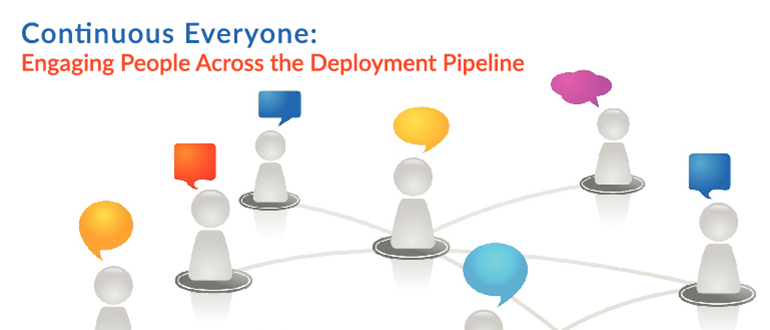
    We have continuous integration and we have continuous deployment, but what’s continuous across all of what we do is people. Even when tasks are automated, someone wrote the automation. So, Jayne Groll evangelizes about “continuous everyone.”

    Jayne is the CEO of the DevOps Institute and the author of “Agile Service Management Guide.” She talked about continuous everyone at the 2016 All Day DevOps conference. She describes it as “about people, culture and collaboration mapped into your value streams.”

    Picture1.png

    We all hear about the importance of people, culture and collaboration, but how well are they integrated into our organizations and processes? Is it in everything we do? Is it inherently continuous?

    It all starts with culture. The Business Dictionary defines culture as, “The values and behaviors that contribute to the unique social and psychological environment of an organization.” As Jayne points out, culture influences how people think, feel, interact and behave at work.

    Picture2.png

    We all have a vision of a euphoric culture. For most, that doesn’t reflect the reality of the current culture, which is generally Games of Thrones. Everyone wants to sit on the Iron Throne: ITIL/ITSM, DevOps, Security, Lean, Agile, Automation, and CI/CD. Traditionally, each of these functions has operated in isolation, convinced they are the most important cog in the machine. Now, DevOps has forced us to talk for the first time in 40 years.

    Picture3.png

    Once we acknowledge a problem, there are only 11 more steps. So, next, improving culture begins with addressing the root cause of cultural fails:

    • Language barriers (industry language)
    • Tribal knowledge
    • Poor communication
    • Thick silos
    • Disparate processes
    • Incompatible automation
    • Inadequate collaboration

    These cultural fails—both the cause and a symptom of thick organizational silos—must be broken down because they cage people’s creativity, and creativity is something you can’t automate.

    Now, people typically participate in the Continuous People Pipeline like this: Develop → Commit → Build → Test → Deploy and APIs built in between. Jayne advocates that we need to focus on Application People Interfaces between engineers and testers and ops teams. We need to let computers do the boring, repetitive tasks and let people solve problems and focus on high-value activities.

    Since not everything can be automated, continuous engagement is critical. While some advocated for “NoOps” (everything is automated), we should focus on “NewOps” to capture the talent and expertise in operations we need to leverage for tasks only people can do, such as:

    • Provide input and feedback
    • Design pipelines
    • Configure automation and APIs
    • Review test and other output
    • Design metrics
    • Facilitate feedback loops
    • Interface with the customer
    • Solve problems
    • Exchange ideas
    • Be innovative

    The bottom line is that this could be the beginning of a beautiful friendship. We need to reinvigorate the lost art of the dialogue. Actually talk to each other.

    Picture4.png

    This begins with trust. Every aspect of the Continuous People Pipeline is filled with expertise, integrity and people whot want to learn. There is a trust. You have to trust each other’s strengths and take the opportunity to engage on a continuous basis.

    It is only together that we can continuously improve.

    You can watch Jayne’s entire talk online here. If you missed any of the other 30-minute long presentations from All Day DevOps, they are easy to find and available free-of-charge here.

    Finally, be sure to register you and the rest of your team for the 2017 All Day DevOps conference here.  This year’s event will offer 96 practitioner-led sessions (no vendor pitches allowed).  It’s all free and online Oct. 24.

    — Derek E. Weeks

  • Culture Change: Where It Matters in DevOps

    Culture Change: Where It Matters in DevOps

    Red SquareLori and I were in Russia in the late ’90s. It was an interesting dichotomy of life in a changing country. While we were there, the government devalued the ruble—just cut three zeros off the end of everything—to bring it into historical line with other world currencies. It was odd, because there was a mass of old money and a smattering of new, and most systems were not yet reconfigured to handle the new prices. Thus we paid 180,000 rubles to fly from Moscow to Rostov.

    But the physical implications were not the issue. The cultural implications were. We stayed with a very nice host family in Moscow, and talked long with them about pretty much everything. The older generation tended toward the old system, while the younger generation toward the new. Thus, the father of the family, in his 50s, blamed the west (specifically the United States, but since we were from the United States, I think the vodka made him stress that part) for losing his job as an astrophysicist. He also blamed the west for their currency woes. If yesterday, you had half a million rubles in the bank, today it was 500, so his angst was understandable. He blamed trade issues for that. His wife agreed with him, and scolded us for buying them nice things, since they would have to pay to keep them usable.

    Their adult son—and indeed most of the younger  generation—was the polar opposite. The younger generation thrived in the new environment, saw a bright future and laughed at today’s misfortune. It would be better tomorrow, and they were adapting to the new open environment to make sure it was.

    No, this is not a “get out of the way with your old thinking” blog. It’s a “be smart with your new thinking” blog. One problem endemic to the youth of Russian culture when we were there was they believed the rules no longer applied rather than believing there were new rules and new ways to interpret the old rules. It got many into trouble.

    To Quote a Friend: Culture, It’s a Thing

    There are some in the DevOps community who like to talk only about culture, because the non-automation benefits of DevOps are most felt in culture change. This is a not-unreasonable stance, and though I am definitely an aficionado of the automation side of DevOps, I see the benefits of culture change and embrace them where they are most impactful. I also acknowledge that in a full DevOps implementation culture change is inevitable.

    One place where most organizations could put more forethought—regardless of how the project is developed/deployed— is in releases. Think this through as a customer, not as a DevOps engineer. You have been burned by companies horribly missing a deadline after announcing features that you were waiting for (most of us have, anyway). By this point you have also been burned by companies releasing with the feature you wanted, only to find that it barely (if at all) worked, but now that it was released, the company would make it better over time.

    Now switch back to being an IT professional. We know the pressures and issues around releases.

    I think the biggest improvement commercial enterprises can make is to decouple marketing releases from Dev releases—to watch a project go through CI/CT/CD/ARA until it is solid, and only then start planning a release date. While this isn’t fully in tune with rapid delivery, the marketing team has a whole set of activities to perform that are dependent upon a certain level of functionality. Weekly stand-ups and continuous delivery do not make that functionality real on the date it was promised, everyone involved in the process knows that. So planning like it will be is as inefficient as writing code before you have a product idea.

    For internal teams, it’s a little bit different. There is the opportunity for Dev/Release engineers to stay in contact with representatives of the customer (normally managers or team leads, but whoever represents the customer), and adjust everything. Expectations can be managed if a certain functionality prove difficult to get working right, or release dates can be managed except in the most politically charged environments, and slight changes can be made to requirements—things such as, “Well, if we do it this way, we can meet deadlines, but it will impact this other thing,” can be brought to the customer. Having a representative of the customers on the team is sort of like disassociating marketing release from DevOps delivery: There is the chance to make sure it’s right before it hits users’ hands.

    Oh Yeah, Culture

    But I’m not here to tell you how to manage the process, I’m really here to talk about the culture. It used to be that if a needed feature wasn’t ready, the feature was cut or the release was delayed. All that Agile and DevOps have really added at that late stage in the game is a third option—release it with a substandard feature.

    In the end, either users (in an enterprise setting) or someone looking out for users (in a commercial setting) need to make that call. Far too often, Dev and Ops are making it, and users are suffering for it. Change that. Give the power to those you are working for. The app you’re developing is aimed to serve a purpose for a set of users. If a new release does not offer them what they need—even if you can check a box and say it’s in there—then don’t release.

    The thing combined Agile and DevOps does generally give us is more predictive ability. It’s not perfect, but we do know sooner if there will be problems. Generally speaking, it is easier to slip release dates early in the process, simply because the release is not as anticipated.

    It’s About Why

    Some teams that used to cut features because they couldn’t meet deadlines are now teams that put in sub-standard features so they do meet deadlines. There are good reasons to plan a graduated rollout of a feature or feature set, but “couldn’t get it implemented” isn’t one of them. The granularity of Agile means that estimates should be tighter, because you’re estimating smaller chunks at a time. The ability of DevOps to deliver a more consistent end product and configured environment should mean there is less delay in the deployment cycle. So the correct answer is to find out what users want, go that route and then examine where you went wrong so you can do better next time. Sometimes “do better” will mean better estimates, sometimes it will mean using less new or questionable technology, sometimes it will mean controlling change in the environment outside the project—or accounting for it in estimates. But improvement should be the goal, all of the time.

    In the end, you’re creating a tool designed to serve the needs of a certain set of users. I don’t want to be sold a snappy laptop with an advertised 1TB SSD drive only to get delivered the same laptop with an external, full height, MFM encoded drive touting a whopping 110 MB. So why would it be okay to do the equivalent in software (or, in a couple cases I know the details of, firmware)? Don’t be silly, of course that’s extreme. Maybe the machine comes set up to boot from 5.25-inch floppy instead, to reduce shipping overhead.

    — Don Macvittie