Category: Continuous Testing

Continuous testing is the process of executing automated tests as part of the software delivery pipeline to obtain immediate feedback on the business risks associated with a software release candidate.

  • Perforce Charts Testing Course After BlazeMeter Acquisition

    Perforce Charts Testing Course After BlazeMeter Acquisition

    Perforce Software has acquired BlazeMeter from Broadcom as part of an effort to extend the scope of its testing tools beyond the Perfecto tools for testing mobile and web applications it acquired in 2018.

    Broadcom gained control over BlazeMeter after it acquired CA Technologies in 2018. CA Technologies acquired BlazeMeter in 2016. Terms of the latest acquisition involving BlazeMeter were not disclosed.

    Tim Russell, chief product officer for Perforce, said BlazeMeter adds a complete platform that spans everything from load and performance testing to application programming interface (API) testing. The goal is to enable DevOps teams to push continuous testing further left as part of an effort to accelerate the development and deployment of applications, added Russell.

    The need for continuous testing has become more pronounced as more organizations launch multiple digital business transformation initiatives, noted Russell. The real challenge will be finding ways to embed continuous testing within DevOps processes at a sufficient level of scale, added Russell.

    In fact, the quality of the digital experience those applications provide ultimately determines the degree to which those efforts are likely to succeed, which Russell noted is why so many enterprise IT organizations are reengineering their application testing processes.

    In general, organizations are taking two paths to shift testing further left. Some are giving application performance testing tools to developers to employ during DevOps sprints while others are trying to bring application testers into the application development process earlier. In some cases, organizations are doing both as part of a comprehensive effort to discover issues before applications are deployed in a production environment. Those issue are naturally more expensive to fix after an application has been deployed.

    Perforce, for now, expects to continue to make BlazeMeter and Perfecto available as a set of complementary cloud-based services with some cross-pollination of capabilities occurring over time, said Russell.

    In the longer term, it’s apparent that more artificial intelligence (AI)-based analytics will be embedded within cloud-based platforms that can collect enough data to build meaningful models of development processes. IT teams should also expect to see testing tools make greater use of computer vision algorithms to surface issues.

    One away or another, the entire application testing process is about to become a lot more automated as more organizations are simultaneously building multiple applications. That may not necessarily reduce the need for either a developer or tester to create and manage that process, but it does mean the amount of testing time required for each application should continue to steadily decline in the months and years ahead.

    Hopefully, all that effort will lead to better application experiences being provided to end users more consistently. There is nothing quite as frustrating for any application development team than to discover that 90% of the functionality of an application is not being used because end users are not able to easily surface it. Worse yet, of course, is when an application turns out to be too slow once it is deployed. In either case, it’s difficult to regain that initial end-user enthusiasm for any new application experience after it’s been lost, simply because no one thought through all the use cases that should have been tested much earlier in the application development life cycle.

  • Best Practices for Codeless Test Automation

    Best Practices for Codeless Test Automation

    Low-code and no-code development platforms have revolutionized how companies think about application development. The same can be said for software for quality assurance (QA), where codeless test automation solutions handle the burden of coding for organizations that can’t allocate extra programming resources or keep up with extensive writing and maintenance of automated tests.

    Codeless test automation can be a big win for companies that are resource-challenged and trying to get applications to market quickly. A recent Applause survey of more than 2,000 digital experts revealed that nearly 54% of organizations have strategic plans to purchase a codeless test automation tool in the future.

    Despite the heat in the market, though, it is not a fit for every type of application or use case. It is not, in most cases, a replacement for scripted automation, but rather should be used as a complement to traditional automated testing and manual functional testing.

    An example of this is with dynamic content in applications, which have unpredictable or even subjective outcomes. Consider a streaming media platform. An automated solution might validate that the “Play” button triggers the code to play a movie, but it cannot validate that the movie plays without audio or video glitches.

    In complex cases that aren’t a fit for either codeless or traditional automated methods, manual testing is a better alternative.

    When to Use Codeless Test Automation 

    Test automation is not going anywhere, even as codeless tools become more prominent. That’s because automation enables brands to move faster and meet the fast-moving target of building and testing software that is both high quality and able to be released to end users quickly. The downside of traditional test automation, however, is that building and maturing the process can be time-, cost- and resource-intensive.

    This is because traditional automation requires experts in coding, not only to write tests at the outset but to also maintain them over time. The complexity and need for different tools—like Appium, Selenium, Apple simulators, Android emulators, element locators, locator strategies and so on—all contribute to the complexity of traditional automation and the need for specific expertise. Plus, software development engineers in test (SDETs) are constantly being taken from QA teams and moved into development roles, which often means that these projects get stuck halfway through and never fully completed, which can then result in a tremendous waste of both time and money for companies.

    The overarching value of codeless test automation, on the other hand, is that anyone can do it. With a codeless solution, a user simply moves through a test case and the codeless tool can then transcribe that experience into an automated test. And, while codeless test automation tools originally addressed only web applications, more tools now offer the ability to run sessions and create automated tests on mobile apps—on both Android and iOS—as well as web applications.

    What it all comes down to, though, is that organizations shouldn’t be thinking of codeless tools and traditional automation as an either/or scenario. Codeless test automation tools are great for less-involved scenarios—like smoke tests or portions of a regression testing suite. Using codeless tools in this way allows SDETs and dedicated automation resources to focus on higher-priority and more complex automation. Ideally, manual testing should be used alongside both traditional automation and codeless test automation solutions as a way to maximize the speed, scale and quality at which software can be delivered to end users.

    As a rule of thumb, every organization should balance test automation and codeless test automation and consider automating when the following factors are in play: 

    • Repeatable task 
    • Time-consuming testing activity 
    • A stable testing environment with little change anticipated 
    • Repetitive test(s) 
  • Tips for a Successful DevSecOps Life Cycle

    Tips for a Successful DevSecOps Life Cycle

    A DevOps implementation, if done correctly, can do wonders for any organization that’s on the hunt for efficiency, productivity and speed. As per the 2020 survey conducted by Atlassian, 99% of survey respondents said that DevOps has had a positive impact on their organization.

    However, it won’t do any good if security isn’t prioritized while adopting the DevOps best practices. That’s where DevSecOps comes into play.

    Enterprises need to understand that leveraging the alignment of development and operations for workflow enhancement while ignoring underlying security issues is like trying to generate electricity from a broken solar cell on a cloudy night. Undoubtedly, the success of any DevOps initiative predominantly relies on general security practices and a robust security mechanism to mitigate risks—this is where DevSecOps plays a vital role.

    There are several essential components of a successful DevSecOps implementation. Here’s how you can leverage them in your organization.

    The Emerging Need for DevSecOps

    DevOps can be simply defined as the next evolution of an agile development environment that bridges the gap between operations and development teams. Enterprises increasingly are turning to DevOps to boost their application development speeds and operational efficiency. Often, though, prioritizing development velocity means security concerns are left behind.

    That’s why there’s an equally growing need for a secure, efficient yet still agile development environment. DevSecOps puts security at the forefront of the entire operational and development process, which safeguards good cybersecurity hygiene right from the beginning. Implementing DevSecOps directly benefits developers and operations teams working hard to deliver a flawless application in a short period of time. Moreover, this approach encourages enterprises to develop secure code and thus, secure applications. To do so, there are several resources and strategies to help implement DevSecOps into an organization’s software development life cycle (SDLC).

    Secure Coding Practices

    Secure coding is perhaps the most crucial aspect of ensuring stringent security right from the beginning of the SDLC. Developers who aren’t following secure coding best practices, security guidelines and maintaining compliance while coding the application are inviting many security risks, including breaches of sensitive data and exploitation of an individual’s identity.

    Hence, an organization must focus on enhancing the skills of developers and ensuring that they are following security best practices while their application is in the initial stages of development. Moreover, establishing and adherence to coding standards are also crucial, as they help application developers to write clean code.

    Leveraging Automation

    As we know, automation is a driving force and a key aspect in DevOps; the same goes for DevSecOps. Automating security is vital to keep up with the pace of application code delivery, especially for more prominent organizations working on various code versions. Choosing the right automation testing tools can be beneficial for organizations that wish to speed up their operations and enhance the reliability of code when it comes to security. Organizations should strongly consider using at least static application security testing (SAST) tools that help developers identify potential vulnerabilities in code in the early stages of the development life cycle.

    Early Stage Testing

    The biggest mistake for any organization leveraging DevSecOps is testing the application only when it’s finally completed. Beginning early with automated testing offers numerous advantages, including identifying and resolving vulnerabilities in early development stages, a quick and inexpensive way to fix issues and saving valuable time during deployment.

    However, testing during the early stages of the SDLC may also halt the overall DevOps development pipeline, so take that into consideration from a security perspective.

    Implementing DevSecOps

    Implementing DevSecOps isn’t a quick process and requires specific steps to get it right.

    Planning and Development

    A solid planning strategy for successful implementation must include test criteria, design, vulnerability models and analysis. Once the planning is complete, the next step is development. Development teams should initially evaluate the overall complexity and challenges of their current practices. Adding a code review system in the development process can help to encourage safe and reliable coding practices in a DevSecOps environment.

    Build and Test

    Now it’s time to build! You can use automated tools to help combine source code with machine code; many of those build automation tools offer security features like automatic vulnerability detection. Once the build is complete, rigorous testing is carried out through various automated testing frameworks that ensure the highest level of performance and security.

    Monitoring

    Monitoring is another crucial aspect of DevSecOps implementation to ensure your security mechanisms are performing up to snuff.

    Undoubtedly, DevSecOps has revolutionized the way enterprises handle security, especially in challenging DevOps environments. Businesses that want to get to the next level of agility without sacrificing robust security should be implementing DevSecOps.

  • Perforce Melds Artifact Package Manager with Version Control Platform

    Perforce Melds Artifact Package Manager with Version Control Platform

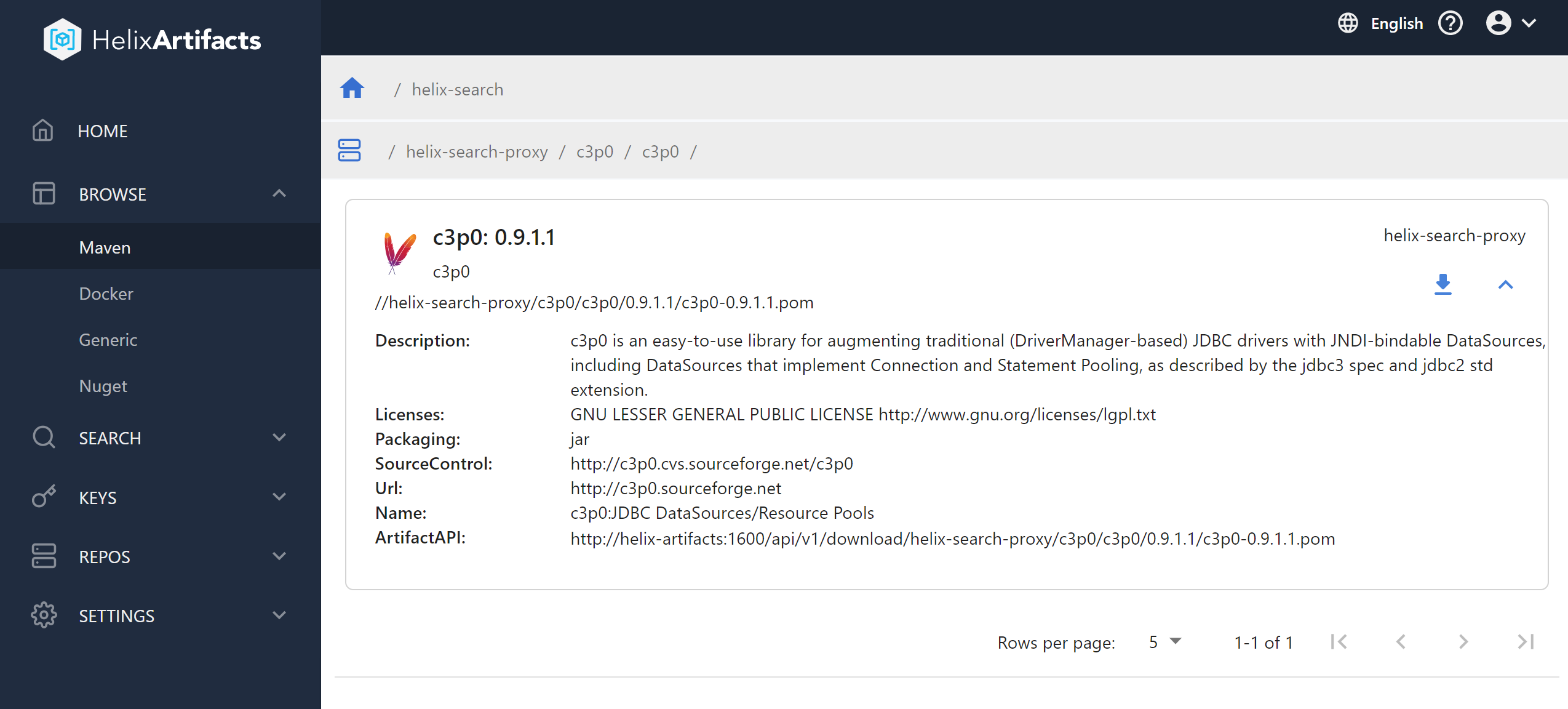
    Perforce Software has added a universal package manager, dubbed Helix Artifacts, to its portfolio that enables users of its Helix Core version control platform to store and track source code.

    Gerhard Krüger, product manager for Helix Core digital asset management at Perforce Software, said the goal is to enable DevOps teams that employ Helix Core to access a package manager without having to exit Helix Core.

    That approach also provides a more secure and cost-effective way to store, consume and distribute artifacts that also serves to improve developer productivity, he added. The ability to manage artifacts on top of a version control platform also means DevOps teams will not need to set up additional storage infrastructure or configure separate security permissions just to distribute software packages, noted Krüger.

    Perforce

    Helix Artifacts is a self-hosted package manager that functions as a translator for packages such as NuGet, Maven or Docker that enables them to communicate directly with Helix Core as well as build systems and integrated developer environments (IDEs). Helix Artifacts is made available via a per-server subscription model that costs substantially less than rival approaches to managing artifacts, Perforce Software claims.

    Most DevOps teams are trying to strike a balance between employing best-of-breed tools to build applications and the need to reduce complexity and, ultimately, cost. As such, any time a tool becomes a feature of another platform that a DevOps team uses, there will be a review of the processes being employed. Many DevOps teams are trying to reduce the amount of time they spent maintaining tool integrations.

    There’s also now a lot more focus on software supply chain security. Each new tool generally creates yet another set of credentials that need to be protected as cybercriminals continue to aggressively attempt to inset malware into applications before they are deployed in a production environment. It’s not clear to what degree DevOps teams are looking to consolidate toolchains, but given those rising security concerns, it’s only a matter of time before security teams start to ask why the DevOps toolchain attack surface is so wide.

    In the meantime, the number of organizations that have widely embraced DevOps best practices across the enterprise continues to steadily grow. Over the past decade, most organizations have had at least one application development team embrace DevOps. However, as the pressure to build software to drive digital business transformation initiatives has steadily increased since the onslaught of the COVID-19 pandemic, the need to apply DevOps best practices to accelerate application development has become more pronounced. As a result, more organizations than ever are looking to standardize their application development efforts on a smaller number of platforms to reduce friction.

    It’s too early to say whether the rate at which applications are being developed and deployed since the start of the pandemic has actually increased. The one thing that is certain, however, is the bulk of organizations are now trying to accelerate like never before.

  • Relyance AI Shifts Compliance Left Using ML Algorithms

    Relyance AI Shifts Compliance Left Using ML Algorithms

    Relyance AI emerged from stealth this week to unveil a namesake platform for managing privacy and data governance in real-time within the context of a larger DevOps workflow.

    Fresh off raising $30 million in seed capital, Relyance AI co-CEO Leila Golchehreh said organizations can now quickly and accurately answer essential privacy questions and ensure compliance and governance by mapping requirements directly to their codebase. The platform provides transparency and visibility all the way down to the source code in real-time using machine learning algorithms, she added.

    Relyance AI co-CEO Abhi Sharma also noted most legal and data protection teams today have limited visibility into digital operations. Developers and data scientists are constantly creating and updating applications. By the time compliance teams gather the data required, it’s obsolete, said Sharma.

    The Relyance AI platform analyzes contractual requirements against the operational reality as determined by data processing in real-time. Compliance teams can then address privacy issues as they arise, added Sharma.

    At the core of the Relyance AI platform are five integrated components that first inventory assets by connecting to application programming interfaces (APIs); generate universal records of processing activities (ROPAs) by scanning code and understanding how data is being processed; share alerts when issues are detected; provide views into data life cycles to highlight data subject access request (DSAR) exceptions and extensions and address vendor life cycle management to ensure third-parties are complying with policies.

    Relyance AI

    Sharma said compliance, much like security, is shifting further left toward application development as organizations look to eliminate issues before they arise in a production environment. The Relyance AI platform is designed to be integrated with continuous integration/continuous delivery (CI/CD) platforms that are the core of modern software development life cycle processes, he added.

    Undoubtedly, as the worlds of compliance and application development collide, there will be cultural challenges similar to what is now occurring with the rest of DevSecOps best practices that require more collaboration between developers and security teams. The challenge is compliance officers tend to be even further removed from application development than their IT security counterparts.

    However, it’s now only a matter of time before compliance becomes code. Modern applications already make use of the Open Policy Agent, for example, to embed compliance rules in applications. AI platforms should make it simpler to identify compliance issues as they arise so that they can be addressed before any infraction ever occurs.

    DevOps teams, of course, have a vested interest in managing compliance as code. It’s not uncommon for DevOps teams to race to build and deploy an application only to encounter a wave of compliance issues that need to be addressed by recoding elements of the application. Not surprisingly, those compliance issues often result in application delivery deadlines being missed. Machine learning algorithms provide an alternative to the current raft of documents that compliance officers create, but not enough other members of the IT team read those, much less understand them.

  • DevOps World: Forget Doc, it’s All About Dev

    DevOps World: Forget Doc, it’s All About Dev

    This year for DevOps World, we’re heading back to the future. Doc Brown won’t be there with his souped-up time machine, but plenty of devs will. As the world is coming to realize, developers are keeping everything running, from the apps we use on a daily basis to check the weather, bank online or order food to the self-parking features on autonomous cars and artificial intelligence that’s augmenting human intelligence. Software and technology are the future, which means the future starts with the creative mind of the developer. 

    The theme of this year’s DevOps World show is “Building the Future of Software, Together.” For developers, this cannot ring more true: Across the globe, dev teams are working to code new software pipelines that will power the world’s next great innovations. We’ve already seen voyages into space and breakthrough life-saving medicines this year—what more do developers have in store for us?

    As we look ahead to DevOps World 2021 on Sept. 28 to 30, we are putting the focus on developers by offering a number of sessions to help sharpen their skills and prepare them to build the future of software. In particular, we are looking at some of the recent challenges that have been affecting code, including cybersecurity, scalability and CI/CD best practices. 

    On the security front, we’ve seen a number of cyberattacks dominate news headlines this year. As a result, companies are hyper-focused on securing their software pipelines and ensuring business and customer data are safe. Developers now need to double as the first line of defense for their organizations, ensuring their code and pipelines are as secure as possible. We’ve geared a number of sessions towards helping developers sharpen their security chops—from CloudBees customer success stories to tips for building more secure code. 

    As DevOps professionals know, software today is about continuous everything. We’ve designed a number of sessions to share best practices for CI/CD, progressive delivery and balancing speed, innovation and safety. Imagine if the DeLorean didn’t need the plutonium and just ran continuously—that’s what we’re hoping developers will learn and take away from these sessions!

    Lastly, scalability has always been a hot topic in tech. Startups continue to pop up everywhere and as these companies grow, they need to scale accordingly. We want developers to be scaling pros when they need to be, so we have a number of sessions (including keynote presentations) on scalability. 

    DevOps World is the event for developers looking to sharpen their skills, learn new abilities and network with other dev professionals. As we look to build the future of software together, the people making the magic behind the code will be driving changes and innovation, and we want to celebrate that.  While Doc Brown may be a fun character who goes back to the future, it’s dev where the future truly is. Register for DevOps World now! 

  • Choosing the Right Metrics for DevOps Adoption

    Choosing the Right Metrics for DevOps Adoption

    DevOps adoption has skyrocketed in recent years. Its impact on traditional development platforms has long been well-documented, but in more recent years it has started to influence low-code platforms, too. In its recent survey on the state of Salesforce DevOps, Gearset found that 69% of teams are already using source control and another 20% plan to start this year. Additionally, 45% of companies have implemented CI/CD, and that number is set to increase by 33% this year. However, for high-performing developer teams to recognize the benefits of DevOps and strive for further DevOps adoption, they must use the right KPIs.

    While it can be tempting to take a ‘big bang’ approach to DevOps adoption, teams see more success when they take it one step at a time, with each stage building on the last.

    That said, to experience the full ROI of DevOps adoption, it’s still critical to see the journey through to the end. It’s not uncommon for teams who begin the process of DevOps adoption to stop halfway through or, worse still, lose motivation and halt the process entirely. DevOps adoption is a process full of technical and cultural change, and one of the most common causes of its failure is an emphasis on the technical at the expense of the cultural.

    The best way to tackle this is to encourage teams to take a product mindset and apply it to DevOps adoption. Simply put, rather than tasking your teams with “adopting CI” for instance, they should be asked to solve a specific business problem. For example, “When we finish work on a story, it takes weeks for it to get released!” It sounds obvious, but focusing teams around business impact rather than on individual tasks makes sure that there’s a direct correlation between the work that’s happening and the desired business outcome. This is the crux of adopting a DevOps mindset, rather than a purely technical and perfunctory approach to DevOps adoption.

    One of the key things a team can do to drive this type of change—and to avoid common causes of failure—is to use the right metrics at each stage of their DevOps journey.

    There are a number of well-recognized metrics for measuring DevOps success, including:

    • Deployment time
    • Change failure rate
    • Release cadence
    • Lead time
    • Recovery time

    These metrics serve two purposes. They’re well-documented and benchmarked indicators of performance that can help teams focus on their biggest problem areas. And they’re measurable outcomes that prove the business benefits of DevOps, such as agility, improved collaboration, higher quality systems and resilience, not to mention significant time and cost savings and efficiency.

    Choosing the Right Metrics

    Teams must choose the right metrics at the right time to identify their opportunities for improvement and to measure the impact of each stage of DevOps adoption. The right metric empowers a team to solve their most pressing challenges, and to demonstrate the value of their work to their leadership.

    Here’s how the benefits of each stage of DevOps maturity should be measured: 

    Stage of DevOps maturity

    Most relevant metric(s)

    Choosing your release tools

    Deployment time

    Adopting version control

    Change failure rate

    Recovery time

    Automating testing

    Change failure rate

    Automating deployments (CI/CD)

    Release cadence

    Lead time

    Integrating backup into DevOps tools and process

    Recovery time

    Let’s expand on each stage and the appropriate KPI.

    Choosing Your Release Tools

    This is more relevant to low-code platforms, but still broadly applies to the wider tech world. Even in the most mature of development processes, there will be manual steps. Getting changes into version control, reviewing changes, resolving conflicts, triggering releases—each of these is a manual step, and the effort involved in each of these manual steps is heavily dictated by the tools you use.

    Finding the right tool for each stage of your development and release process can therefore have a massive impact. The right deployment tool, for instance, can cut down deployment time by as much as 90%. This step alone increases efficiency and ultimately saves companies vast amounts of time and money. In extreme examples, teams that save so much time by picking up a couple of new tools to patch up their manual processes can be tempted to stop there. This is why teams need to look at other metrics as they proceed to adopt more DevOps processes.

    Adopting Version Control

    For most teams, a world without version control is unthinkable, having built their development and release processes around it a decade or more ago. For others, particularly in the low-code space where it’s yet to reach ubiquity, it can feel like an unnecessary burden. The introduction of version control is an extra step in the releases process and another level of complexity, with new tools and practices to learn. But version control is the foundation of an automated DevOps workflow. This step allows for more team collaboration and visibility into that collaboration, with code reviews and a detailed change history. Version control also allows teams to deal with merge conflicts early, rather than in the middle of a release. 

    After adopting version control, teams will see a reduction in their change failure rate due to code reviews and their recovery times will be shorter as version control offers rollback and a quasi-backup of the code and config captured by their version control system. But the real benefits of version control are in the DevOps processes it unlocks. 

    Automating Testing  

    It goes without saying that the purpose of testing is to improve the quality of releases. It does this in a few ways:

    • Unit testing – Exercising individual methods and functions in isolation generally results in more maintainable code, which has positive benefits for developer productivity and even things like handling merge conflicts.
    • Static code analysis – While this is not testing in the strictest sense, automatically verifying that code adheres to a set of best practices similarly improves code maintainability.
    • Integration testing – This type of testing ensures that combinations of classes interact and generate the expected results when combined together. This brings another level of validation that changes being made are likely correct.
    • End-to-end testing – UI testing is an example of this; exercising the system in the way a consumer would and verifying that the results are deterministic and correct. This also includes regression testing for key workflows and sometimes even acceptance testing.

    The more of these testing approaches a team uses, the more confidence they’ll have in their changes and the less human verification and intervention will be required. As teams’ DevOps processes mature, it’s often the human element that becomes the biggest bottleneck, so confidence in deploying changes is very valuable.

    When teams introduce more testing and test automation to their release pipeline, the right metric to watch is change failure rate—the proportion of releases that include a bug or error. The immediate benefit of higher-quality code translates to savings in the long term as less time is spent finding and fixing bugs or reworking code.

    Automating Deployments (CI/CD)

    If choosing the right deployment tool significantly reduces deployment times, automating deployments with a CI/CD workflow eliminates the time it would usually take to run those deployments manually. However, deployment times aren’t the key metric for measuring the success of CI/CD implementation. The most important metrics to pay attention to here are release cadence and lead times, which are dramatically improved thanks to painless, automated deployments. 

    With automated deployments, teams can increase their release cadence; rather than releasing huge batches of changes once a month, they might begin to release smaller packages every week. Ultimately, the goal is to have a steady stream of incremental improvements being released on-demand, and usually multiple times per day. Accelerated release cadences then result in reduced lead times—the period between work being finished and finally released to production. This is beneficial for developers and their end users as more frequent releases create more opportunities to act on user feedback earlier in the process. 

    Integrating Backup Into DevOps Tools and Process

    Recovery times are a key metric for DevOps success, as robust DevOps processes will improve the speed at which teams can restore after an incident. For even better resilience and faster recovery times, teams should integrate backup into their DevOps tools and processes.

    Restoring from a backup is comparable to a deployment, and this means that restore processes also can harness the power of DevOps so they feel like a familiar process—not something unusual that teams struggle to execute at the point when it matters most. It’s also important to make it as easy as possible to back up on demand just before a risky release.

    Downtime and data loss are massive costs to any business, so improving recovery times is a huge benefit of a fully mature DevOps process.

    See the Benefits of Maturing your DevOps Process

    When teams pay attention to the right metrics, they understand the benefit of each DevOps process individually and they are motivated to keep maturing their DevOps processes as a whole. It’s all well and good to take the pain out of deployments and releases, but high-performing DevOps teams effectively make deployments an asset for releasing more often and getting feedback earlier. As a result, they are better equipped to deliver more value to their companies—sooner.

  • 3 Pillars of Autonomous IT Ops

    3 Pillars of Autonomous IT Ops

    Imagine a future where human IT operators and intelligent systems work together in a virtual operations room; the systems do the heavy lifting while the humans supervise. This may seem like science fiction, but the truth is we are already on the way to that future with AIOps. While actual AI-augmented teams are still quite a way off, AI/ML tools are slowly but surely becoming more ubiquitous within IT Ops, NOC, DevOps and SRE teams and leading us into this not-too-distant future.

    In the last five years, the number of internet users grew by 50%. In the last two years alone, more data was generated than in the entirety of human history up to that point. Today, 5 quintillion (that’s 18 zeros) bytes of data are produced by smart devices daily. These massive volumes of data are having a huge impact on digital operations.

    Looking at the enterprise, we see similar trends: More tools generating more data and with it, greater complexity. This is due to many factors, including the transition to the cloud, M&A activity that introduces new tools and data into an existing organization and the adoption of new technologies and methodologies such as CI/CD, microservices and more. At some point, there is so much data and everything becomes so complex that IT Ops teams reach a breaking point where they can no longer manually manage the data being generated.

    And when that point is reached, outages and service disruption become an everyday reality, as IT teams are pulled away from their strategic, business-critical projects into what is essentially firefighting. 

    Implementing more observability and monitoring tools simply exacerbates the problem, and scaling teams isn’t cost-effective in the long term. The more forward-thinking solution is automation, and even more so, autonomy. 

    The Road to IT Ops Autonomy 

    Autonomy is the ability of IT Ops to operate with minimal to no human intervention. It relies on the automation of the incident management life cycle so that humans are needed only for supervision, in the same way that a single operator can supervise a modern and highly complex robotic car assembly line.

    How can we hope to reach IT Ops autonomy?  The following three proposed pillars can act as a guide: 

    Pillar One: Automate

    Pillar Two: Predict and prevent 

    Pillar Three: Democratize

     Pillar One: Automate

    We must automate as much as possible across every step in every aspect of incident management. It won’t happen overnight, but with time and with the help of AI/ML it is doable.

    Consider the autonomous driving analogy.

    Just a few years ago, cars were manual, with little to no automation. Then we moved through partial autonomy to where we are today–conditional autonomy–where the car can drive itself in ideal conditions. This is a level of automation that we are beginning to accept; some of us cautiously, others with more enthusiasm! Meanwhile, progress continues toward higher levels of autonomy, in which vehicles will be able to drive themselves in most conditions. One day, maybe, we’ll get to the holy grail of full autonomy, where the car will drive on its own–perhaps we won’t even need a steering wheel!


    Similarly, in IT Ops, automation is a process and it will take time to build not only the capabilities required but also the necessary trust in AI/ML technology. Such a journey typically begins with human-driven automation, as “if-then-else” types of automation are added manually. For example, if a certain alert appears, a ticket will automatically be assigned to a specific person. As our confidence grows, the next stage could be AI-driven suggestions, whereby AI applies what it has learned from previous human actions to suggest what to automate, but the human expert decides whether to accept the suggestion or not. 

    At some point, we will progress to allowing AI to partially automate some tasks—perhaps those that are less risky, such as collecting diagnostic information and adding it to the alert, so that the incident responder automatically receives both together. We may even automate some parts of our system; perhaps within a staging environment that isn’t production-critical and, as such, is a good place to validate that the automation is working as expected. Over time, as our AI and ML capabilities develop and our trust in them grows, we may eventually reach full AI-driven automation, with no human involvement at all—the AI will simply detect the fault and resolve it. 

    Pillar Two: Predict and Prevent 

    Typically, when assigned an incident, a responder will take note of the incident’s priority. But they will also rely on their common sense and past experience in deciding how to respond. So, for example, if a P3 incident had recently escalated to a P1 in 30 minutes and a similar P3 incident now appears again, our responder will probably prioritize it, even over other incidents, to avoid a similar escalation.

    While this is one of the advantages of human logic, the flip side is that the IT environments in which we work are vast and complex—no human can possibly remember every potentially relevant detail. What’s more, if a different responder dealt with the earlier incident in our example, the current responder would not have the same insight. What is needed is an element of enrichment that can input leading indicators into the platform for the next operator to see and act upon to prevent an incident.

    This is where AI can help. 

    By identifying patterns in the data haystack—linking different incidents to the same root cause, for example—AI not only generates insights that help resolve these incidents faster but can also predict a certain outcome. This is done by anticipating a future chain of events so that appropriate preventative action can be taken before the event occurs. For now, this preventative action may be manually taken by the operator, but at some point in the future automation may enable the problem to be identified and fixed by the AI with no human intervention before it results in an outage.

    Pillar Three: Democratize

    The last pillar that will help us achieve full autonomy in IT Ops is democratization of AI. AIOps should not just be accessible to advanced, mature organizations with an army of data scientists working behind the scenes. Just as anyone can accomplish almost anything online these days with just a few clicks, any organization should be able to adopt AIOps and enjoy its benefits! 

    Democratization is about making relevant information accessible to anyone who needs it, when they need it, and in a manner that is easily applicable and actionable. AI should be accessible through simple user interfaces, with no need for coding; the benefits of machine learning should be available to people that don’t (need to) understand machine learning models. 

    This democratization can be achieved by making AIOps platforms simple and accessible to all—from the admin to the user. For example, an AIOps platform might automatically suggest how admins should prioritize incidents for operators, to make triage easier and provide instructions that even a non-expert can follow. The more such features are built into AIOps platforms, the more democratized AIOps will become.

    Data volumes will continue to grow exponentially in the coming years, and the only way to eventually conquer the tyranny of overwhelming data will be to reach autonomy in IT Ops. 

    If you’re an AIOps vendor, keep the three pillars in mind so your customers can continue to progress towards autonomy.  If you’re an IT Ops leader or tooling architect, and IT Ops autonomy is part of your vision, make sure that your AIOps vendors’ platforms and tools have been architected with these pillars and their principles in mind. 

    How far are we from achieving autonomy? Only time will tell. But one thing is for sure—we will get there, and if the COVID-19 pandemic has taught us anything it’s that we may be seeing machine-augmented teams sooner rather than later. 

  • Do’s and Don’ts of Phased Rollouts Software Delivery

    Do’s and Don’ts of Phased Rollouts Software Delivery

    When it comes to app stability and user experience, the “move fast and break things” approach is a recipe for disaster. To protect brand reputation and to stay ahead of evolving needs and customer expectations, leading Silicon Valley companies’ software engineering teams have adopted phased rollouts, a software development method that involves the gradual implementation of a new feature to a smaller cohort of users at one time rather than all users at once.

    Phased rollouts help companies maintain the highest-quality customer experience (CX) for their users while making changes and software updates. When significant features and updates aren’t rolled out to production all at once, the organization’s software engineering team doesn’t have to deal with all the potential implementation issues at once. With phased rollouts, engineering teams catch issues early in the process so they can quickly fix them and resume the rollout of the experiment, which prevents issues from impacting millions of users down the road.

    While companies everywhere try to emulate the app development techniques of these Silicon Valley tech leaders, many are unable to achieve successful phased rollouts at scale. What they often don’t realize is that before even implementing a phased rollout approach—whether it be to 5%, 10% or 15% of their user base—there are a few steps that must be taken to ensure success. Below, I’ll walk you through the do’s and don’ts of a successful phased rollout plan.

    Do: Release Stability Management

    Companies must drive consistently stable app and web experiences in order to succeed in the market today. Therefore, it’s critical to continually monitor the stability of releases throughout development and testing to catch problems early and decide when to roll features out to users. By measuring and monitoring app stability in real-time, release managers inject accountability, predictability and complete peace of mind into the organization. Taking control of release stability management helps engineers deliver stable applications to drive world-class digital experiences.

    On top of that, software development teams must constantly improve mobile and web apps with new features and capabilities that better enable users to accomplish what they want to do. These kinds of improvements give companies the competitive edge they need to survive in today’s competitive business environment. In addition, monitoring release stability provides engineering teams with real-time visibility into every issue impacting application stability and CX. This level of visibility is critical for quickly diagnosing and understanding the root cause of errors so that engineers can roll out fixes before users are negatively impacted.

    Do: Testing and Early Access

    For a phased rollout, engineering teams must run A/B tests and quality assurance (QA) testing. A/B testing (also referred to as split testing or bucket testing) is a method of comparing two versions of a web page or app against each other to determine which one performs better. This includes trying out features like different screenshots, videos and even different app icons to measure which format users like the most.

    QA testing ensures that the organization delivers the best products or services possible by detecting usability issues that might not be technical. It tests for any problems that impact the end-user experience, from poor navigation to slow load times or unclear web copy.

    With phased rollouts, you must also provide early access to new features for select users to collect feedback and stamp out critical issues before launch. Many software products collect user feedback by including a small checkbox somewhere asking users to help make the software better by sending insights into how they use the application. In addition, social media has become an undeniable avenue for collecting candid user feedback. We’ve all seen it—when a platform changes its interface for certain users before others, users will post on social media sites about whether they are pleased with the new update or not. Historically, there has been backlash when significant changes are made and the company then has to decide whether to keep, change or cancel the new changes to the platform.

    As mentioned above, with an app stability monitoring tool, you can see if new features or experiments are introducing new stability issues and make decisions about pulling back or rolling out to a larger subset of users. By conducting testing and allowing early access to only a specific cohort of users, software engineering teams can balance release speed with application stability to create the best experience possible.

    Do: Allow for A Staging Period Before Going into Production

    As you launch new features, you’ll want to test them in a production-like environment after they go through QA testing. This is called staging, and it has become a popular concept with Silicon Valley companies. Staging is a near-exact replica of a production environment for software testing. Staging is meant to test code, builds and updates to ensure quality under a production-like environment before application deployment.

    A production-like environment is similar to when the app is released into production for users, but it’s not public yet. It provides an accurate view of how the update or new feature will operate and look in a production environment to avoid glitches that are only noticeable in production. Staging can include manual tests or, in some cases, engineering teams use automated software testing, which is more costly to implement and may only be attainable for larger enterprises.

    In this phase, software engineers should conduct additional tests and experiment with the new features to ensure that these capabilities—when released to production or to the larger user base—will not compromise the app’s stability. The last thing you want is for a new feature to break the user experience.

    Don’t: Try to Fix Every Bug or Error as it Occurs

    Since engineering teams often don’t have the bandwidth to fix every coding error that should arise, they need to prioritize and fix the errors that impact customers directly in order to protect revenue. Although organizations should have visibility into every error or bug, not all of them are worth fixing. This causes the signal-to-noise ratio that plagues developer efficiency.

    This is where app stability management plays an essential role. However, many of the app stability monitoring solutions on the market today can help with identifying errors, but leave it up to development teams to figure out which ones need to be prioritized. Engineering teams have to quickly determine which errors are the most urgent to fix, so they need to have reliable tools such as an app stability and error monitoring platform to provide them with visibility to make these important decisions in real-time.

    Phased Rollouts for Progressive Delivery

    Phased rollouts allow software engineers to continuously optimize the digital experience, without impacting the whole user base and negatively affecting the brand. Once mastered, phased rollouts can be used as part of a cutting-edge progressive delivery approach to software engineering and development.

    A progressive delivery approach includes shipping code (sometimes unfinished code) to a production environment multiple times a day, exceeding many companies’ risk tolerance. In order to do this successfully, engineers must have control over who can ship releases and when, and which users can access certain features and updates at what time. Phased rollouts provide a way to shield the majority of customers from the failures that occur at those rapid release speeds. To ship new software releases faster, engineers have to spend less time on QA and testing, but that doesn’t mean they should be overlooked completely. Then, by delivering the new release to a small subset of users first, you can manage risks more effectively and iterate accordingly.

    It’s important to call out that if the engineering team is making minute changes that no users will see or care about, you don’t need to use a phased rollout approach. That said, if it’s a significant cosmetic or operational change, such as updates to the UI, then phased rollouts are crucial. A phased rollout strategy is key for making software or app updates at scale that are necessary for a successful launch in today’s highly competitive market.

  • Accelerating Software Testing

    Accelerating Software Testing

    Yves Junqueira is the CEO of YourBase, a software testing accelerator for large codebases. He talks with Alan Shimel about the company, accelerating software testing and the impact on developer productivity. The video is below, followed by a transcript of the conversation.

    Alan Shimel: Hey, everyone. Thanks for joining us here on another segment for our TechStrong TV. My guest this segment is a new company, first-time guest on our TechStrong TV, Yves – and I’m gonna really mispronounce his last name, Junqueira. I’m supposed to have that rolling R, and I just don’t do rolling R’s. Yves, I’m sorry, man. Welcome to TechStrong TV.

    Yves Junqueira: Thank you, Alan. It’s great to be here. You did it good.

    Shimel: Not so good. You know what? In case your mom or your family’s watching, say your name correctly for ’em.

    Junqueira: Yves Junqueira.

    Shimel: Junqueira. Okay. We’re gonna call you Yves, and we go from there.

    Junqueira: Sounds perfect.

    Shimel: So, looking from your background, are you up in Seattle, Toronto? Toronto?

    Junqueira: That’s Seattle.

    Shimel: Seattle. Yes, the mountains. And you know what? Welcome. I’m gonna let you give a little introduction to your company, and you’re a cofounder of it, but go ahead.

    Junqueira: Gladly, yeah. Our company’s called YourBase. We build developer tools for very large code bases. Specifically, we are a software-testing accelerator for large code bases. I used to work at Google for almost ten years, and my cofounder, John, was a principal engineer at Amazon, at AWS. And, yeah, we’re excited to – I’m very excited to be here, Alan.

    Shimel: Absolutely. Well, I’m excited to hear about what you’re doing. So you’re a code accelerator?

    Junqueira: We are a software-test accelerator, yeah.

    Shimel: Software-testing accelerator, excuse me. What exactly is that?

    Junqueira: Yeah, so it’s very important when you’re building software that you actually know that the software is working. You usually have very large teams that’re creating code, and you don’t want one developer to be stepping on each other – on the other’s toes. And so you need a lot of testing to make sure that when you make changes to the software, it’s still working. But as you’re adding new features, you’re adding new tests, and you add new features, and you add new tests, and over time the number of tests in your code base can grow very, very quickly, and it can become a very big problem for developer productivity and developer happiness, because it can take a very long time to actually test code. If you’re making even a small change sometimes in a large code base, it can take hours to ensure that that change works, to run all the tests. So that’s what we help with.

    Shimel: So you’re automating testing. Is that fair?

    Junqueira: We automate the test selection of testing. So, yeah, we help run the tests, but most importantly we help select what are the right tests that are safe but that have to be run for each change. Without having to test the entire world, we use a process called – we use tracing of code to build a dependency graph to then select the right test to run and then just make things more productive for developers.

    Shimel: Sure. Of course, our audience is a very technical audience, familiar with QA and testing and developing. So you’re running a trace route on the code as it’s entered into Git or – because it’s pre-deployment code, right?

    Junqueira: That’s right. It’s pre-deployment code, yeah.

    Shimel: So as the code is put into Git or some other sorta repository, you select what’re the right tests to run and run it on the code. So this all takes place within the repository like a Git-ops kind of thing?

    Junqueira: Yeah. It can take place in the repository connected with a CI, with a continuous-integration tool, or it can also happen during local development. You can have multiple developers working at the same time on the same code base but perhaps making slight – different code changes. And with your base, they are testing their code but also using their colleagues’ testing to – so that they don’t have to repeat the test that their colleagues already ran for the same code base. So they only have to test exact the small changes that they made on their code.

    Shimel: I love it. Sounds great. And then I don’t wanna use the buzzwords, but is it some sort of AI/ML that is picking what’s the right code – what’s the right test to run for this particular code for these particular changes?

    Junqueira: That’s an important question. It’s not AI. We use just simple data structure and algorithms that we collect when doing tracing. And this is actually important, because if we were using just AI or any sort of statistical approach, we would only get a limited confidence that we are testing the right things. So imagine that you’re a financial institution, right, or a hedge fund, where tests are very important. If you don’t catch certain bug, it can cause millions of dollars in losses, right, in lost revenue, for example. So it’s very important that you actually detect the correct regressions in your code, and if we were using just a simple AI approach, we would only, let’s say, have 90 percent confidence that we were running the right tests in your code. That is not enough. So our customers need assurance. They need full confidence, so we use an approach that is a little bit more intrusive, let’s say, because it’s detecting every single function called that is happening during the tests. So it has a little bit of a performance impact during the initial test. But on the other hand, it just provides full confidence rather than being 90 percent confidence that an AI approach would have.

    Shimel: Got it. I mean, big companies using this, small companies, anyone? Who’s the target user here?

    Junqueira:Fortunately, we can scale from small to very large code bases. So we have customers that are very small, just small startups that are getting started but that really want to have the fastest possible development process. But we also have very large code bases of very large companies, public companies, Fortune 500s, that want to keep moving fast. It’s difficult. Imagine if you have a software product that really needs to evolve quickly. Customers these days demand that software developers – that software companies evolve their products quickly. The customer needs are changing fast, and so they need to be able to make software changes very quickly and do it at – have high velocity with the most productivity possible. So what we allow those companies to have is even though they have a very large code base, the larger companies, they can be almost as productive or as productive as if they had a small code base, and this is really magical. This is something that we’re very proud of providing to these companies.

    Shimel: Absolutely. You know what? People always wanna know this, and I realize it might be coming outta left field. Interesting. You worked at Google ten years. Your cofounder’s an AWS guy. How did that come together?

    Junqueira: Yeah. It’s actually a funny story. We met at a random coffee shop. After I had left Google, I was working at random coffee shops here in the outskirts of Seattle, and I had my laptop with me with a bunch of developer stickers there like Linux and Python and GOAL like developers often have. And John had the same, and so we just looked at each other’s laptop. We were at this coffee shop here, and we – okay, we should chat, ’cause we us a lot of the same technologies. So we started talking, and over time I invited John to come to my weekly table games at my house. I host a game night every week, and John started coming, and I started talking about my project, and he was fascinated by it, and he said that software testing and developer productivity are a huge thing for him. And over time, he decided to join. I’m very lucky that he joined me at YourBase.

    Shimel: Love it. And then talk a little bit here about going to market. How’s it been so far?

    Junqueira: Yeah. We spent a long time perfecting the technology. This is a very tricky software. If you get things wrong, you may end up – your customers may end up shipping bugs. My customer’s gonna end up shipping bugs that should have been caught by the tests. But if I don’t decide to run a test or if I don’t give them right insights, they might actually introduce bugs and be less reliable than they were before. But we started just last month. We launched our first public beta now, and we’re very happy about that. So we have a number of design partners that are working with us on this initial release, and people – customers are very happy. The feedback has been fantastic. So last month we launched it to the outside world, and we made a public beta. Now people can just download it from just going to the website, yourbase.io. Anyone can download and test it. We currently support Python as – for code bases. Our technology has to be implemented on a language-by-language basis. So for now we support Python, but we’re going to support Ruby sometime soon. And we’re very excited. The reception from people has been amazing. It’s really fun to be at this stage of the company, where we actually are ready to talk about it to the outside world.

    Shimel: Excellent, man. It is. Having founded more than one company, more than four companies, five companies, it is an exciting time, and I wish you nothing but great luck and success with this. I want to get into the kinds of testing you’re doing, functional testing, unit testing. Is it selenium kinda stuff? What are the kinds of tests you’re doing there?

    Junqueira: That’s a great question. We are very good at tests that don’t cross process boundaries for now. This can be sometimes unit tests and functional tests. We don’t currently support UI tests yet, in part because there are good companies out there that’re already serving this market, and there was just nobody that was focused on the backend and in unit testing and functional testing. But this is a big space, and we’re just getting started. We have feedback from folks that we – they want support for more things, so that’s something that we’re excited to work on.

    Shimel: Excellent, man. Yves, I wanna thank you for coming on and telling folks about YourBase here on TechStrong TV. Come back. Keep us posted on your progress, and best of luck.

    Junqueira: Thank you so much, Alan. It was great to be here, and, yes, absolutely, I would love to come back.

    Shimel: My pleasure. Say your name for us one more time so I don’t – just after I mangle it, at least they got it right.

    Junqueira: Yves Junqueira.

    Shimel: Junqueira. Yves, thank you, man.

    Junqueira: Thank you, Alan.

    Shimel: Oh, the website, yourbase.com?

    Junqueira: Yourbase.io.

    Shimel: IO, yourbase.io, Y-O-U-R-B-A-S-E-dot-I-O. This is Alan. We’re gonna take a break. We’ll be right back with our next guest.

    [End of Audio]