Category: Continuous Delivery

Continuous delivery is a software engineering discipline that allows organizations to consistently develop and release quality software at a rapid pace. It is achieved by automating the software development lifecycle, enabling tasks such as development, testing and release to occur concurrently and continuously.

  • Avoid Crashes: 5 Best Practices for Load Testing

    Avoid Crashes: 5 Best Practices for Load Testing

    Demanding customer expectations and the rapid distribution of information across social media have made website and applications crashes an off-limits path for today’s companies and organizations.

    Crashes resulting from traffic spikes cause immediate and long-term loss of sales, as well as tarnishing the brand name. When servers or websites go down during highly anticipated events such as Black Friday, the Big Game or before a major concert, the repercussions can be permanent.

    Yet, avoiding the “website temporarily unavailable” screen is also easier than ever before. By performance testing your website continuously and proactively you can easily detect errors, bottlenecks and bugs, and then fix them to ensure your website handles any amount of traffic.

    Here are five best practices for load testing your website or app:

    Define Your Load Goals

    Before starting your tests, you need to figure out what it is that you need to test.

    This includes the number of concurrent users, traffic patterns and areas that users can visit on your site. For example, if your site has 10,000 users concurrent at its peak, but  3,000 arrive in the morning and that total slowly climbs up to 10,000 in the afternoon—and these visitors mostly just browse your homepage—you’ll need to run a different test than if you have 10,000 concurrent users on your website all day long, constantly browsing multiple pages.

    To determine your load goals, you need to engage directly with your business colleagues. For instance, get your product manager to set the system’s expected abilities, ask the marketing team to inform you about any special campaigns that might increase website traffic, and then look at server logs and tools such as Google Analytics to determine previous customer patterns.

    Choose Your Load Testing Tools

    There are multiple open-source load-testing tools that you can use to run your tests.

    JMeter is the most popular tool, but you can also use Gatling, Locust, Tsung, The Grinder or Selenium. See here to learn more about the differences between these toolsets.

    Does this seem complicated? Taurus is an open-source automation test framework that simplifies running these tools, by using a simple YAML script. If you need to run your tests from the cloud, utilizing rich analytics or requiring user collaboration, you might consider using BlazeMeter.

    Take Your System to the Limit

    To make sure you stand up to your load goals, you need a buffer; specifically, you need to make sure that your system can handle heavier loads.

    This ensures that the CPU stays low and you don’t experience memory leaks. However, we also recommend you take your system to the limit and see when and how it fails. This ensures that you know exactly what your system’s weaknesses are, giving you a better ability to fix any errors that might occur.

    This is especially important if you come across an unexpected traffic spike—say, if your competitor’s website crashes and all their customers come running to you. Wouldn’t you rather be prepared for that?

    Monitor Test Results

    Set aside resources for looking at test results.

    Examine KPIs including Response Time and Hits/s, as well as the correlations between them, to learn what your system’s abilities and bottlenecks are. This information will help you see what needs fixing.

    As you continue testing over time, you will be able to identify KPI trends, which will help you monitor system health. We also recommend you monitor backend KPIs like DB Queries, with APM tools.

    Test Again

    So, you’ve tested, you’ve analyzed, and you’ve fixed.

    Now you have one last thing to do: Run your tests again to make sure everything is working smoothly after the committed changes. That ensures nothing gets overlooked. It would be a shame if all your hard work went down the drain due to a minor oversight.

    Now, let’s get testing!

    To get more load testing tips, check out this free whitepaper, “How to Ensure Your Website or App Won’t Fail at Peak Times.” To learn more about BlazeMeter, request a demo.

    — Noga Cohen

  • Using DevOps Metrics Effectively

    Using DevOps Metrics Effectively

    If you’re a DevOps leader, you have a very tough job. You have to radically transform processes and behaviors that have been ingrained in IT for decades. You have to adopt new technologies quickly while still delivering code quickly and cost-efficiently. And you have to do all this better than your peers at other companies. Otherwise, you’ll simply slow your company’s progress in the new digital marketplace while your better-performing competitors gain advantage.

    The good news is that the right metrics can help you gauge your success. Metrics can both tell you if you are traveling down the right path, or need to adjust, and help you prove the success of your DevOps initiatives to the rest of the business. But first you have to get them—and just as importantly, you have to use them.

    I wrote two previous blogs talking about how to get the metrics—one outlining what not to measure and another that delved into determining which metrics are right for your organization. In this blog, we will explore the latter part: how to use metrics to ensure ongoing DevOps success.

    Consider the Audience

    Measurements of any sort have two primary audiences: internal and external. The same metrics can be used and gathered for both, but the intent—and how they are communicated—is different.

    For internal audiences, you are measuring things to gain a better understanding of your own performance. It’s important to know what adjustments need to be made: where to double down and where to change course. Like a racing car pit crew monitoring hundreds of sensors on a vehicle, your DevOps team should be constantly looking at ways to extract the maximum performance and value from your efforts. Metrics will help you do this.

    External audiences are less concerned about the nuances and details and more concerned with the actual outcomes. Going back to the racing car analogy, external audiences care about lap times and top speeds; not about the operating temperature of the engine. It’s important to keep this difference in mind when you are communicating results to business leaders. Don’t bog them down with nuances and details; instead, show the results.

    Best Practices for Communication

    For both internal and external audiences, there are five best practices to consider when communicating metrics:

    1. Automation. Automation isn’t just important for efficiency and consistency in the software development life cycle, it is also useful for capturing and communicating DevOps metrics. Tools that automatically record and communicate your results will help you keep your finger on the pulse of your organization without getting bogged down in measuring and reporting.
    2. Evolution. The savviest DevOps leaders don’t marry themselves to a specific set of metrics. They intuitively understand that the metrics they use to evaluate DevOps progress will mature as the DevOps practice itself matures. The metrics you measure in the first six months may not be the ones you measure in year two.
    3. Action. This perhaps goes without saying, but metrics need to be communicated to both audiences listed above. It can be challenging communicating results when they are not what was expected, but the best way to communicate less-than-optimal metrics is to have an action plan to remediate any possible issues.
    4. Communication. As noted above, action and communication go hand in hand. Once you know what’s working and what’s not working, you should have a solid plan on next steps. When something’s working well, the plan should focus on how to replicate success; when something is not working as well, the actions should focus on future improvements.
    5. Self-examination. Metrics aren’t just indicators of what your team is doing right and doing wrong. They’re also useful diagnostics for leadership decisions and leadership style. So remember to take the responsibility and share the credit.

    When you marry the above best practices with the other measurement tips outlined in my previous blogs, you will not only be able to gather the right metrics, you’ll know what to do with them. Remember that, like DevOps itself, the practice of measuring DevOps success is something that can be started slow and expanded.

    Not every organization has the time or the resources to measure everything that should—or could—be measured. So, start slow, focus on the metrics that matter to your organization and use the best practices outlined above to guide you. For those who want to learn more about DevOps and DevOps metrics, my book, “DevOps for Digital Leaders,” explores these topics—and more—in a much more detail.

    Happy measuring!

    — Aruna Ravichandran

  • One Team’s Microservices Journey and CD Growth

    One Team’s Microservices Journey and CD Growth

    Dev Manager Vadim Madison published a chronicle of his team’s move from a monolithic application to a microservices model. In the process, the tools and methodologies they used for continuous integration/continuous delivery (CI/CD) had to be expanded and even changed out in several stages. It’s a long read, but with the time, as there are not a lot of people documenting the case of full-on conversion.

    One of the more interesting pieces of his work is the software infrastructure they have to build up to cover CI/CD/monitoring of the application. This is a lot more complex than the original application was, and it all must be managed. One of the benefits of DevOps is to make management of these tools easier, and he does talk a bit about scripting it out and implementing APIs to take problem instances out of the pool and determine what went wrong so they can go through the Dev/CI/CD cycle again.

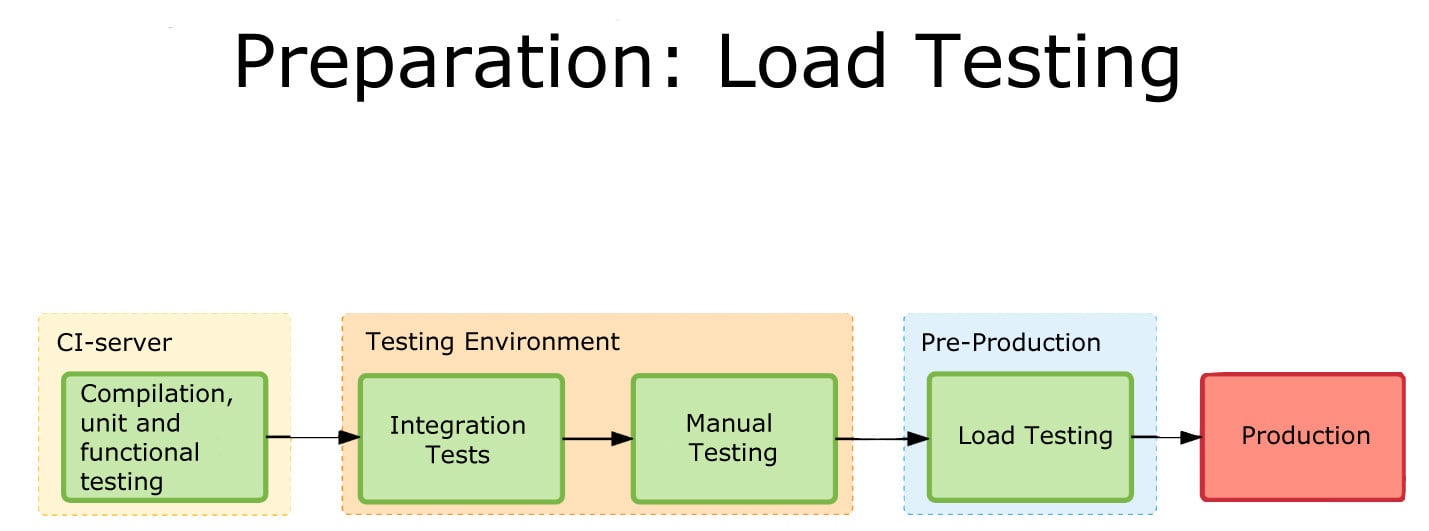
    Load Testing
    One of the graphics showing integration.

    What makes it interesting is where the team found limitations and switched tools midstream. This being a process, Madison at the end alluded to the fact that they have started eliminating TeamCity (or at least limiting what they’re using it for). I think that when most people begin to go high-rate DevOps, or even constant monitored low-rate DevOps, some of the items his team ran into escape their notice until they find an issue. The architectural growth will occur—you are automating more, building more, monitoring more and releasing more. The question is, how far ahead do you look? Until recently, the answer was pretty much, “Not far,” because we didn’t have cases like Madison’s to draw on and see parallels with what we were doing. But that is starting to change.

    CI/CD/ARA vendors can help, of course. Collectively they have a lot of knowledge about the lay of the land, and how people are using the tools to tackle the needs of new architectures. But more public documentation such as Madison’s would be great, too.

    Even though you’re moving at a much faster pace, looking ahead and increasing the steps taken in the CI/CD/ARA space can provide that added bit of resiliency, and monitoring at a level appropriate to your project’s maturity can add that extra bit of “we know, we can recover.” There have been some spectacular failures that were indicated by monitoring, but the volume of data flowing through monitoring was enough to mask it. Today, the best solution is to monitor at the appropriate level and then feed that monitoring back into the system.

    But you’ll be supporting more software infrastructure. The growth of tools is pretty inevitable: As you spread the functionality across machines/instances/containers, you will need to stretch CI/CD/ARA tools to multiple interrelated targets and monitor the overall system and its performance bottlenecks. And for now, the tools chosen will not always be widely known, so a process to bring new Dev/DevOps team members quickly up to speed on the more obscure tools should be on your list of to-dos.

    — Don Macvittie

  • DevOps is a Lifeline to Connected Mainframe ROI

    DevOps is a Lifeline to Connected Mainframe ROI

    A new IDC white paper sponsored by IBM and CA Technologies reveals the adoption of DevOps is a hallmark of those organizations that are actively modernizing and integrating legacy systems such as a mainframe to support digital transformation.

    Early adopters are blazing a path for faster innovation and greater ROI.

    DevOps Delivers Mainframe Modernization and Integration

    I’m encouraged to see DevOps recognized as an important element in realizing a “connected mainframe” vision. Respondents demonstrated a continued commitment to modernizing their mainframe environment.

    The IDC study confirmed that leveraging Java on the mainframe was one of the most popular approaches. In fact, I’m constantly surprised at how few managers realize that these days, Java and Git can be used by developers in such a way that allows them to completely separate themselves from the mainframe “green screen” environment when coding or maintaining applications.

    DevOps automation has also helped organizations overcome many of the cultural and operational challenges to a fully end-to-end enterprise by aligning application development tools and orchestration chains across multiple platforms and teams.

    Adopt a Business-First Approach

    Customers I’ve spoken with are experimenting with DevOps for mainframe tools and practices, with many piloting new approaches across the life cycle. They’re immediately becoming more agile, realizing shortened development cycles, improved collaboration between distributed and mainframe teams and faster MTTR that maximizes availability. In all, these early adopters have benefited from increased speed to market, improved business agility and better platform economics.

    The IDC study concurs, identifying more effective delivery of applications and services as a powerful cost-saver, with savings of $58,900 per application achieved through increased developer productivity and day-to-day support efficiencies. By helping mainframe organizations to realize improvements at every stage of the application life cycle—from build through test, deploy and operate—DevOps delivers compelling benefits; for example, from our recent study Accelerating Velocity and Customer Value with Agile and DevOps:

    • Advanced DevOps users reduce the time taken to develop, test and release new applications by 42 percent.
    • Advanced agile users reduce their time to decide and act on new opportunities by 40 percent.
    • Advanced agile users accelerate the time to develop, test and release new apps by 36 percent.1

    Excited? I encourage you to catch up on the full IDC White Paper here.

    — Aline Gerew

  • Test Driven Development, Continuous Test and Code Quality

    Test Driven Development, Continuous Test and Code Quality

    We’ve gotten a lot of good out of agile development methodologies. I’m never a “One True Way” kind of person, but agile has a ton of benefits that development needed (and Ops increasingly needs). Extending that to the Dev side of DevOps is painless, since much of agile is wrapped in DevOps clothes these days.

    From my perspective, the most impactful bit to come from Agile was test driven development. By writing the test to fulfill the requirement, then writing the code to pass the test, our small team (I was on a team of developers with no Ops people supporting us—or more accurately, we were the Ops team when I first used TDD) needed the assistance it provided. Without dedicated QA staff, we were able to perform as rigorous a test suite as our changes warranted, simply by running the tests that we’d used for development.

    Of course, this is old news to some of you, TDD has largely been consumed in the larger Agile/DevOps movements and you’re at it daily. But the shift to having developers do more of their own testing is something that I’m still pretty iffy about, to be honest.

    Devs Aren’t Necessarily Testers

    While it can work, devs certainly can understand the weak points in their code, I would argue that the person writing the code is not the correct person to write the tests for it. Particularly as you get into more the integration phase of testing, and the complexity of code inter-relationships heats up. Some developers will do well at it. My experience is, many will not. Why? Because if they don’t know of a weakness in their solution when writing the solution, they won’t know of the weakness when writing the test case. And it is a truly rare shop that has 100 percent code coverage for testing, so those weaknesses could end up being time bombs.

    Simply put, QA needs to work with Devs to write the tests. Two heads are indeed better than one when looking for faults with solution designs. But the reality of development often doesn’t allow for this type of cooperation. When you’re on a sprint and this one bit is slated for half a day, setting aside time to get together can be difficult for a problem the developer has already written the test for and solved in their head. After all, the whole point of Agile and DevOps was to speed delivery, and making the simple more complex isn’t generally part of that equation.

    Have a Plan, and Use it

    I know of a couple of shops where integration testing is pretty much an afterthought. One has a QA team that fights to make certain it is done and done well (though still as an afterthought), rather than cobbled together as a PoC (I was thinking Proof of Concept; take either use of that acronym, both are accurate) not too long before release. The others muddle through, figuring out what doesn’t work in fits and starts (too often in production), rather than following a stream. The result is, unsurprisingly, missed deadlines and ever-extending sprints.

    For all of the good that DevOps in general, and CI/CD in particular have brought us, there are a few areas—one of them being testing—where speed and/or quantity has replaced quality. We run tests a LOT. But are they the right tests? For unit tests in a TDD environment, yes—for lines that have test coverage. Outside of that narrow space, I think the answers are much more iffy, and it depends upon a lot of things.

    The best hedge is to have QA involved in writing the tests for TDD environments, even for small bits. It’s not an overhead if it shortens the overall timeline to delivery; even if it slows a piece here or there, it’s the timeline to finished product that really matters, not the timeline of a given piece of it.

    If you don’t have a QA team—as many shops do not—I recommend devs doing it for each other. That’s not to say that QA is not needed, but it does utilize the “Two heads are better than one” mantra, and keeps the ideas flowing. Otherwise, the Ops members of a DevOps team are great for that. Historically, production woes fell on them, so no doubt they’ve honed their skills in detecting problem areas.

    Don’t Be That Person

    No matter how you go about it, do not go light on the testing. Do TDD, and keep it up. Make every change request start with test modification, and then fix what fails. Document the tests, since they’re code also, and stressing what is being tested and why is as important as the code talking about what it’s doing and why.

    After all, you don’t want to end up with the difference between ‘==’ and ‘>=’ placing you in the headlines for a week, mostly with bad news. That difference is an obvious TDD test case if ever one was written; don’t be that person.

    Continuous testing works, test driven development works. You just have to think about it when implementing them, and stick to a plan that tests beginning to end. It’s about quality code quicker, not about any code quicker. Note that I’ve been focused on the process end of testing, not the smoke/load/regression end. Those are important too, but their issues are different, so I opted to throw them into a separate blog.

    So go forth, iterate quickly, but test thoroughly. I doubt most of us will achieve 100 percent code coverage anytime soon, let alone 100 percent integration nested coverage … But test what’s important, and bring what’s important to test.

    — Don Macvittie

  • AWS Extends DevOps Ambitions via Managed Services

    AWS Extends DevOps Ambitions via Managed Services

    Amazon Web Services (AWS) is signaling its increased interest in providing managed services spanning multiple aspects of DevOps with the launch of service that promises to make it easier to set up development projects.

    At a recent AWS Summit conference in San Francisco, CTO Werner Vogels described AWS CodeStar as a means for building pipelines using templates that span more than 90 different AWS services. The templates currently support five different programming environments: JavaScript, Java, Python, Ruby and PHP.

    CodeStar automates configuration of a continuous delivery pipeline for each project using CodeCommit, CodeBuild, CodePipeline and CodeDeploy, as well as providing integration with Atlassian JIRA Software for tracking issues via the CodeStar console. There also is a preconfigured project management dashboard for tracking activities such as code commits, build results and deployment activity.

    Over the past couple of years, AWS has expanded the number of managed services it provides considerably, including databases and now various classes of machine- and deep-learning algorithms exposed as a service. In most of those cases, it is replacing a task that previously was performed by IT operations staff with an automated service. That may appeal to IT organizations that have standardized completely on AWS. But in a multi-cloud world where elements of applications are deployed both on-premises and across multiple public cloud services, it remains to be seen the degree to which organizations will want to employ managed services that only automate AWS processes.

    One thing’s for certain: DevOps processes across multiple computing environments are becoming more automated. As microservices architectures become more widely employed, many organizations in the months and years ahead will become a lot more comfortable mixing and matching various cloud services as they see fit. Within that context, automation of DevOps processes will need to be multiplatform almost by definition. As a set of services exposed via application programming interfaces (APIs), it may very well turn out that the automated managed services provided by AWS can be programmatically invoked by other DevOps management frameworks.

    Of course, there are plenty of organizations that, for now at least, have standardized on AWS. DevOps delivered as a managed service by AWS clearly has some appeal for those organizations. But as cloud computing continues to mature, the number of organizations employing only one cloud service is expected to decline.

    While the battle of control of the cloud has been mainly focused on developers, more attention now is being paid to how application development pipelines get managed in the age of the cloud. Each IT organization will have a unique set of processes and requirements for managing those pipelines. In fact, the issue going forward will be to what degree can cloud service providers (CSP) adapt to those processes versus making the IT organization adapt to the CSP.

    In the meantime, IT organizations would be well-advised to establish the roles and functions they need to manage those automated pipelines sooner than later.

    — Mike Vizard

  • Think of the Future When Building Delivery

    Think of the Future When Building Delivery

    We’re in a strange state of the pendulum swing right now, where speed of delivery is king and all else seems to take a back seat. Many orgs even place quality behind speed in the claim that “we’ll get it right later,” but I’m talking about the more universal rush to deploy and the infrastructures we’re building to do it.

    In short, look around your organization. Do you have apps more than 10 years old? Are you working on the same type of app? Then spin your mind ahead and consider what it will be like for someone in that time.

    Future-Proofing Delivery

    You cannot stop the advance of technology, but you can make the environment adaptable. There are some easy tricks to provide for the future when it comes to your DevOps toolset.

    COBOL Still Needed. Source: Hackerrank.com

    Virtually Perfect

    First, build your continuous integration/continuous deployment/application release automation (CI/CD/ARA) architecture on virtual machines (VMs) or cloud instances. If your standard is containers, then use them—but on top of a VM. The reason is simple: Given the vagaries of business environment and IT priorities, a fully installed VM gives you a buffer—you have everything needed to run the environment in a contained package. Containers alone won’t be good enough, as the underlying OS impacts container operations. As an extreme example, the switch to Red Hat Enterprise Linux (RHEL) 7.0 was massive and broke things. A DevOps environment based solely on containers would break with it, while a VM running RHEL  5 or 6X would keep clipping along, as long as your virtualization environment ran.

    Get Versions In-House

    While the executables for any CI/CD/ARA toolset and development languages will be in-house, there is far more to a modern development environment than just those parts. The libraries/modules your code relies on must be available. Increasingly, we pull them on build, but that becomes a problem when suddenly they are significantly changed or downright missing. There is a market of hosted, verified module vendors out there these days that guarantee availability of a given version of each module they support, and that is an option; however, a better one is to pull them once and put them into your own enterprise repository. Is it another thing to maintain? Yes. But it might save your project from having to emergency patch—and frankly, that kind of insurance is worth it.

    Choose Wisely

    Like any relatively new market, there are a lot of CI/CD/ARA toolsets out there. Do evaluations; don’t just grab the one that a team member likes or is familiar with. Look at the longevity and stability of the project/vendor as much as the tool, because we’re talking about hedging for the future. In the early days (and even occasionally today), open source aficionados would say “We have the source, we’ll do fine,” which is technically true, but most organizations aren’t in the business of maintaining their dev/deploy tools and don’t want to be, so a little research goes a long way.

    Plan as Though You Chose Poorly

    Know what you’ll do if, in spite of evaluations, the project/product you chose goes away. While it’s not CI/CD, I was on a team that selected Mambo right before the big team split that created Joomla and doomed Mambo. Our choice was intelligently made based upon available information, but things still came around to burn us. And it could happen to your choice, too, whether you choose open source or commercial. So have an idea of what you would do in that scenario and document it. If we adopt enough IT tools, it’s guaranteed that some of them will fail over time, so this is not a totally wasted exercise. And should you ever need it, knowing what the plan is before things are falling apart helps keep level heads.

    Quality Over Speed

    Remember that time to delivery is super hugely important, and for decades was not given the credence it deserves. But as I mentioned above, recognize that right now the pendulum has swung so far the other way that many shops have a “just get it out, we’ll make it better later” mentality. Don’t join in where your DevOps environment is concerned. The architecture you are constructing should be for the long run—unless you enjoy rebuilding it regularly and the delays to production code such rebuilding threatens, then ignore this point.

    Security, Security, Security

    DevOps and security has had a rough relationship, but let’s talk about your DevOps environment instead of security’s impact on rapid delivery. Once you’ve thrown all of your build into one easy-to-use tool, the risk from a successful outsider or a risky insider is commensurately larger. Use tools that support role-based access control (RBAC) and make sure application programming interfaces (APIs) are properly locked down. Give security the time it needs to build a list of recommendations for DevOps toolsets that will protect them in almost any eventuality. Because the combined ability to mess with the build process and the deployment process through one automated toolset is powerful and dangerous, make sure you’re monitoring and it’s secure.

    Consider a Modicum of Standardization

    In my entire career, “We are an X shop” has never seemed to work. I’ve been at places that tried to use a single database vendor or a single development language, and inevitably, other forces override these directives. But there is a benefit to keeping the number of languages or database variants down, and that benefit is most felt in the CI/CD space. Keeping track of which DB goes with this project, or keeping that DB up to date—or determining the new release will introduce incompatibilities—all falls on the DevOps environments. Keeping the amount of accumulated future change down is in the organization’s best interests.

    Make Cool Stuff

    Every time I think I’ve maxed out on awe, something new comes along. We are on the cusp of fully automated build/test/deploy with ARA tools calling both CI/CD tools and application provisioning tools. Keep pushing the edge, give vendors your feedback or projects your mods, and making it better. Because there’s a fundamental change here that we want to see through to the end. And I love playing with the toys.

    — Don Macvittie

  • CD 101 Podcast: The What, How and Future of Continuous Delivery

    CD 101 Podcast: The What, How and Future of Continuous Delivery

    Now that we’ve arrived at Episode 4 of our CD 101 Podcast, let’s address some basic concepts—like the what and how of it all and the future.

    Wait … perhaps we could—or should—have touched on these key topics earlier. Or not. At least not the future part? Anyway …

    While this (mostly) backwards-looking orientation may seem a bit odd, I’d argue that we’re actually navigating the conversation on precisely the correct path. Let’s rewind for a moment to look at where we’ve come from.

    Episode 1: We highlighted many of the fundamentals of this thing called CD, yet we did so from more of a conceptual and best-practices standpoint. While the ideas and processes involved do resonate in the real world, the topics we cover in this episode are bit closer to the water-cooler conversations we’re hearing about CD as it grows in practical adoption.

    In Episode 2: We covered the whole how do you “realize agility” piece of the conversation. This is important and a precursor to some of these other basic questions. The entire process of digital transformation begins with getting agile and you can’t truly adopt continuous delivery without doing so; therefore, this was another good place to feed today’s discussion.

    In Episode 3: We looked at the prospect of re-inventing the “Modern Software Factory” with agile development and continuous delivery. OK, so, perhaps we were getting a bit ahead of the basics here, but I’d maintain that this is an important piece to consider upfront that builds on these other building blocks. As with the topics covered in Episode 2, it is critical to understand the big picture challenges and benefits before you begin to get your hands dirty.

    And now for some nitty gritty.

    In Episode 4, we hear from Shamim Ahmed, CTO of Continuous Delivery Solutions at CA Technologies, as he answers the nine burning questions he most often hears in speaking to enterprise practitioners as they look to employ DevOps and Continuous Delivery practices in the real world.

    So, while these previous conversations were material, this is a crucial set of topics to consider as you invoke your own strategy, including:

    1. What is the difference between DevOps and continuous delivery?
    2. What are the key impediments/obstacles to achieving speed/quality in CD?
    3. How do we overcome these obstacles?
    4. How do we get started on the CD journey?
    5. What are the key top-level metrics you want to track in a CD program?
    6. What org changes do we need to make to implement CD?
    7. What the key capabilities we need to implement?
    8. How do we integrate all the different tools we have in our environment?
    9. How will the future of continuous delivery evolve?

    OK, that last part is a bit more postulation on our part—though we like to think on the practical side, based on the answers to all these other important real-world adoption dynamics.

    Tune in and hopefully learn a good deal about where your approach stacks up, and needs to evolve.

    As always, you can find said Episode 4 of the Continuous Delivery 101 Podcast by:

    • Listening to it on your computer on YouTube
    • Downloading it from iTunes store
    • Downloading it via the Podcast App by searching for “Continuous Delivery 101 podcast”

    Enjoy!

    — Scott Edwards

  • Self-Healing Service Management and the Future of DevOps

    Self-Healing Service Management and the Future of DevOps

    How can DevOps teams take continuous delivery to the next step? Part of the answer lies in self healing, which could optimize performance management and monitoring and underpin the software delivery pipelines of the future.

    Self healing means the ability of systems or environments to detect and resolve problems automatically. It eliminates the need for manual human intervention, upon which most systems today still rely to fix issues.

    Self healing is better than depending on humans for several reasons:

    • Automated solutions are less likely to miss issues by mistake, or to make errors when resolving them.
    • Self-healing technology is better positioned to fix problems faster than humans because it can react instantly based on rules or machine learning. It doesn’t have to stop and think about the issue before taking action.
    • A self-healing environment can scale without limit. This is a key advantage over manually managed environments, whose scalability is limited in some respects by the availability of human admins.

    Self Healing and Continuous Delivery

    DevOps teams already take advantage of many other kinds of automated tools to help achieve continuous delivery.

    They use continuous integration servers to automate tests. They adopt release automation tools to streamline deployment. They implement orchestrators and scripted infrastructure to provision environments automatically.

    Yet, when it comes to performance management and monitoring, the typical organization is a far way off from achieving a fully automated process. Even the best application performance management (APM) tools of today are primarily capable only of detecting problems and displaying information about them. They depend on humans to interpret and react to that information.

    That dependency is a major obstacle for achieving fully continuous delivery. You can’t release code quickly if your process for finding and solving problems related to the code is mostly manual.

    By making better use of self-healing technology, DevOps teams can speed continuous delivery in the following ways:

    • Developers and admins can spend less time on monitoring and more time completing other tasks that can’t be automated.
    • Ideally, teams will be freer to switch between development environments and frameworks without having to establish a new monitoring workflow. Self-healing tools will adapt to whichever environment they have to work with.
    • Because problems can be found and fixed faster, infrastructure utilization can increase. The need for a buffer between average usage and overload can become smaller because automated healing solutions will be able to fix problems before they lead to failure.
    • Teams can establish better continuous feedback loops because, by removing the human element from performance and monitoring, incidents can be reported instantly, consistently and in a way that makes the data easily accessible to everyone on the team.

    To be clear, the technology for self healing does not yet fully exist. Developers over the past several years have made great strides in automating configuration, service discovery and environment provisioning, But perhaps it’s time to make them a more prominent focus. They’ll enable the DevOps innovations of the future.

    — Chris Tozzi

  • Using Load Balancing in Blue/Green Deployment

    Using Load Balancing in Blue/Green Deployment

    One of the biggest pains of automating the deployment process is that final step, when everyone agrees it is time to take the accumulated changes and expose them to the public. This process is the point at which systems go down and users find themselves suddenly cut off. Scheduling such changes for off periods may be useful, but “off period” is rarely “no users impacted” period. One of the goals of DevOps should be to minimize impact to users, as the point is to make things more repeatable and consistent. Blue/Green deployment is one of the processes introduced to make the final rollout step of continuous delivery (CD) smoother.

    This process, first (to my knowledge)  proposed by Jez Humble and David Farley in the book, “Continuous Delivery,” proposes that you have two environments—one testing and one production—that mirror each other. Then, when it is time to release, the router is changed to send users to the “test” environment, and it becomes, for all intents and purposes, production. The problem with this simplistic description is that everyone on the system at the time of “cutover” is “cut off,” since the new system doesn’t know what they were doing. That’s not the best solution for users; in fact, it’s downright disruptive.

    Like Load Balancing Quiesce

    This is not that far off from the type of thing I’ve talked about using load balancing for, and F5 Networks (where I got the idea) has talked about it for a while. You can tell a good load balancer to stop offering connections to server X in the pool to let it settle and then be taken out of service for maintenance. The same technology could be used to say, “Let existing users finish off on their existing connections, but do not allow new connections to these servers,” directing all new connections/users to the new deployment while not dropping the connections of the existing users that presumably are in the middle of doing something.

    Now in load balancing, you have to consider how long to allow users to stay connected before arbitrarily ending their session, but in the world of REST APIs this is not as important as it is in longer-lived, client-server style connections. In the end, though, there must be a defined point where everyone is forced to the new systems. At that time, merely making the switch on the load balancer and taking the old production systems out of the pool will force users to connect to the new systems.

    It Works for A/B Testing, Too

    A similar process can be used to try out new features on a subset. Once there is a load balancer in place, and you know what you want to measure to determine if a new feature is enjoyed by users, an instance or two behind the load balancer can be spun up and start accepting connections. The load balancer will naturally start putting those servers to use, and soon you’ll have a subset of users seeing the new features, while most blithely continue on with the old. When testing is done, the decision of whether to withdraw the servers/instances with the new code or move all servers in the pool to the new code can be made.

    Overall, offering less deployment disruption will be required as your organization moves into more frequent releases under CD. Look for solutions like blue/green deployment to make those releases as non-disruptive as possible.

    — Don Macvittie