Category: AI

  • 3 Pillars of Autonomous IT Ops

    3 Pillars of Autonomous IT Ops

    Imagine a future where human IT operators and intelligent systems work together in a virtual operations room; the systems do the heavy lifting while the humans supervise. This may seem like science fiction, but the truth is we are already on the way to that future with AIOps. While actual AI-augmented teams are still quite a way off, AI/ML tools are slowly but surely becoming more ubiquitous within IT Ops, NOC, DevOps and SRE teams and leading us into this not-too-distant future.

    In the last five years, the number of internet users grew by 50%. In the last two years alone, more data was generated than in the entirety of human history up to that point. Today, 5 quintillion (that’s 18 zeros) bytes of data are produced by smart devices daily. These massive volumes of data are having a huge impact on digital operations.

    Looking at the enterprise, we see similar trends: More tools generating more data and with it, greater complexity. This is due to many factors, including the transition to the cloud, M&A activity that introduces new tools and data into an existing organization and the adoption of new technologies and methodologies such as CI/CD, microservices and more. At some point, there is so much data and everything becomes so complex that IT Ops teams reach a breaking point where they can no longer manually manage the data being generated.

    And when that point is reached, outages and service disruption become an everyday reality, as IT teams are pulled away from their strategic, business-critical projects into what is essentially firefighting. 

    Implementing more observability and monitoring tools simply exacerbates the problem, and scaling teams isn’t cost-effective in the long term. The more forward-thinking solution is automation, and even more so, autonomy. 

    The Road to IT Ops Autonomy 

    Autonomy is the ability of IT Ops to operate with minimal to no human intervention. It relies on the automation of the incident management life cycle so that humans are needed only for supervision, in the same way that a single operator can supervise a modern and highly complex robotic car assembly line.

    How can we hope to reach IT Ops autonomy?  The following three proposed pillars can act as a guide: 

    Pillar One: Automate

    Pillar Two: Predict and prevent 

    Pillar Three: Democratize

     Pillar One: Automate

    We must automate as much as possible across every step in every aspect of incident management. It won’t happen overnight, but with time and with the help of AI/ML it is doable.

    Consider the autonomous driving analogy.

    Just a few years ago, cars were manual, with little to no automation. Then we moved through partial autonomy to where we are today–conditional autonomy–where the car can drive itself in ideal conditions. This is a level of automation that we are beginning to accept; some of us cautiously, others with more enthusiasm! Meanwhile, progress continues toward higher levels of autonomy, in which vehicles will be able to drive themselves in most conditions. One day, maybe, we’ll get to the holy grail of full autonomy, where the car will drive on its own–perhaps we won’t even need a steering wheel!


    Similarly, in IT Ops, automation is a process and it will take time to build not only the capabilities required but also the necessary trust in AI/ML technology. Such a journey typically begins with human-driven automation, as “if-then-else” types of automation are added manually. For example, if a certain alert appears, a ticket will automatically be assigned to a specific person. As our confidence grows, the next stage could be AI-driven suggestions, whereby AI applies what it has learned from previous human actions to suggest what to automate, but the human expert decides whether to accept the suggestion or not. 

    At some point, we will progress to allowing AI to partially automate some tasks—perhaps those that are less risky, such as collecting diagnostic information and adding it to the alert, so that the incident responder automatically receives both together. We may even automate some parts of our system; perhaps within a staging environment that isn’t production-critical and, as such, is a good place to validate that the automation is working as expected. Over time, as our AI and ML capabilities develop and our trust in them grows, we may eventually reach full AI-driven automation, with no human involvement at all—the AI will simply detect the fault and resolve it. 

    Pillar Two: Predict and Prevent 

    Typically, when assigned an incident, a responder will take note of the incident’s priority. But they will also rely on their common sense and past experience in deciding how to respond. So, for example, if a P3 incident had recently escalated to a P1 in 30 minutes and a similar P3 incident now appears again, our responder will probably prioritize it, even over other incidents, to avoid a similar escalation.

    While this is one of the advantages of human logic, the flip side is that the IT environments in which we work are vast and complex—no human can possibly remember every potentially relevant detail. What’s more, if a different responder dealt with the earlier incident in our example, the current responder would not have the same insight. What is needed is an element of enrichment that can input leading indicators into the platform for the next operator to see and act upon to prevent an incident.

    This is where AI can help. 

    By identifying patterns in the data haystack—linking different incidents to the same root cause, for example—AI not only generates insights that help resolve these incidents faster but can also predict a certain outcome. This is done by anticipating a future chain of events so that appropriate preventative action can be taken before the event occurs. For now, this preventative action may be manually taken by the operator, but at some point in the future automation may enable the problem to be identified and fixed by the AI with no human intervention before it results in an outage.

    Pillar Three: Democratize

    The last pillar that will help us achieve full autonomy in IT Ops is democratization of AI. AIOps should not just be accessible to advanced, mature organizations with an army of data scientists working behind the scenes. Just as anyone can accomplish almost anything online these days with just a few clicks, any organization should be able to adopt AIOps and enjoy its benefits! 

    Democratization is about making relevant information accessible to anyone who needs it, when they need it, and in a manner that is easily applicable and actionable. AI should be accessible through simple user interfaces, with no need for coding; the benefits of machine learning should be available to people that don’t (need to) understand machine learning models. 

    This democratization can be achieved by making AIOps platforms simple and accessible to all—from the admin to the user. For example, an AIOps platform might automatically suggest how admins should prioritize incidents for operators, to make triage easier and provide instructions that even a non-expert can follow. The more such features are built into AIOps platforms, the more democratized AIOps will become.

    Data volumes will continue to grow exponentially in the coming years, and the only way to eventually conquer the tyranny of overwhelming data will be to reach autonomy in IT Ops. 

    If you’re an AIOps vendor, keep the three pillars in mind so your customers can continue to progress towards autonomy.  If you’re an IT Ops leader or tooling architect, and IT Ops autonomy is part of your vision, make sure that your AIOps vendors’ platforms and tools have been architected with these pillars and their principles in mind. 

    How far are we from achieving autonomy? Only time will tell. But one thing is for sure—we will get there, and if the COVID-19 pandemic has taught us anything it’s that we may be seeing machine-augmented teams sooner rather than later. 

  • Progress Expands Chef Automation Portfolio

    Progress Expands Chef Automation Portfolio

    In advance of its ChefCon 2021 conference, Progress today unveiled a series of enhancements to its Progress Chef automation platform that includes managed services and a software-as-a-service (SaaS) edition of its offerings as well as tighter integration with cloud services and other third-party tools.

    Sudhir Reddy, vice president of engineering for the Chef business at Progress, said the SaaS platform, now available in beta, combined with the managed services provided by Progress will make the automation platform much more accessible to a wider range of organizations.

    Progress is now also extending the reach of its Chef Compliance Automation for Cloud Resources offering across Amazon Web Services (AWS), Microsoft Azure and Google Cloud Platform (GCP) to include Chef premium content that aligns with best practices for each cloud environment in addition to providing integration with Azure Policy, a suite of tools from Microsoft that compares resources to a set of business rules that define how cloud infrastructure should be employed.

    Chef

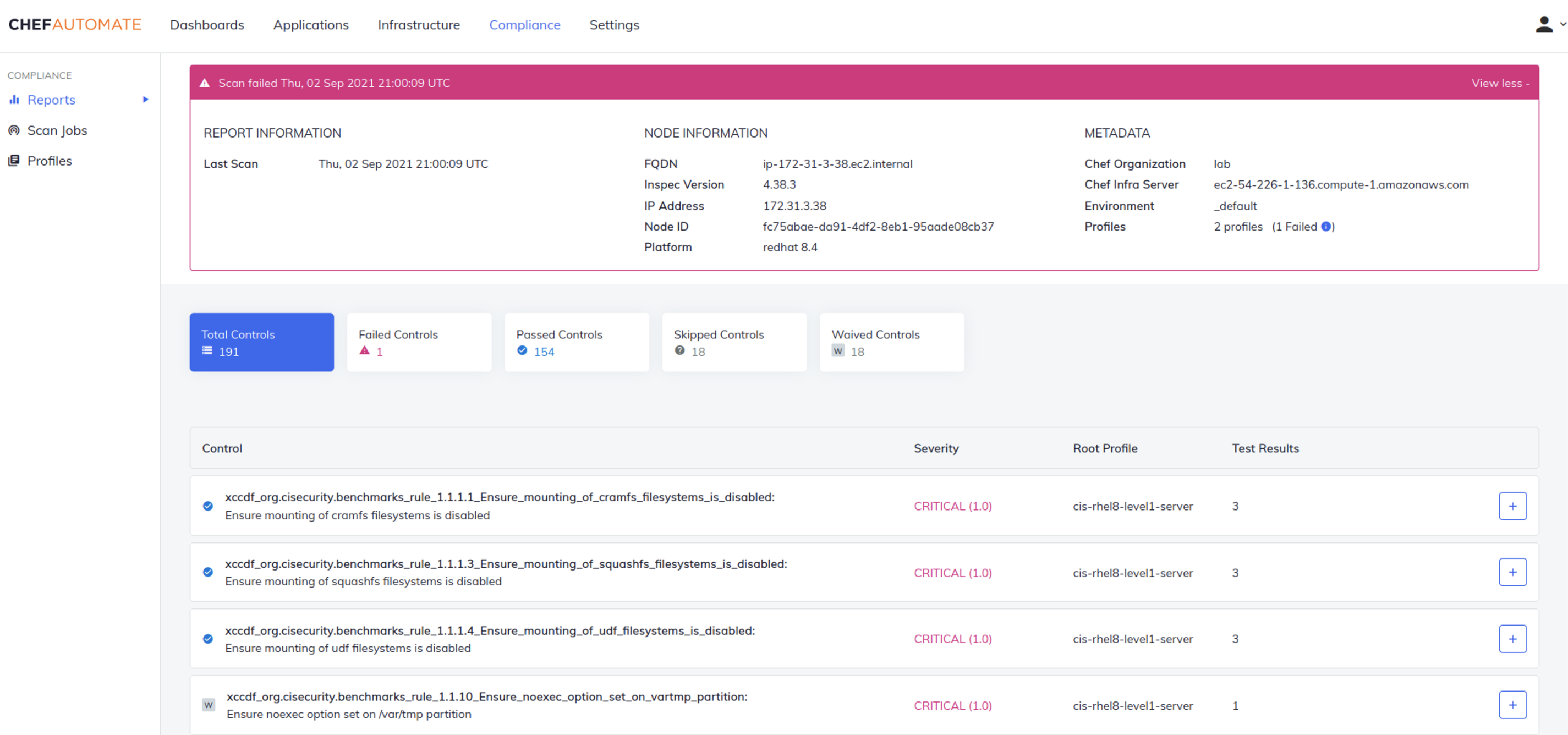
    Finally, Progress has enhanced Chef Enterprise Automation Stack to provide tighter integration between compliance and infrastructure automation along with adding infrastructure operations dashboard, support for Windows patch management, integration with third-party secrets management tools, and improvements to Chef Workstation and Chef Test Kitchen to simplify testing within application development processes.

    With the release of a SaaS platform and the availability of managed services, Chef is joining a long list of IT vendors that are removing responsibility for deploying and securing their platforms from internal IT operations teams. It’s clear more organizations now want to spend more time on building and deploying software than managing the platforms that automate those tasks on their behalf, said Reddy.

    It’s not clear how many IT teams that have already deployed a platform might shift over to a SaaS platform or rely on an IT vendor to manage that platform on their behalf. However, in the wake of the COVID-19 pandemic, many IT teams continue to work from home to help combat the spread of the virus. Many of those organizations have either shifted platforms to the cloud themselves, adopted SaaS platforms or outsourced the management of IT platforms altogether. There are also many small organizations that simply don’t have the internal expertise and resources required to stand up an IT automation platform on their own.

    That approach also makes it simpler to converge security, compliance and IT operations management within the context of a larger DevSecOps workflow, noted Reddy.

    The great paradox of IT automation has always been the level of expertise required to achieve it. Organizations that lack the expertise required to create automated playbooks, for example, don’t derive much value from an IT automation platform. It’s only been larger companies that have mostly derived the most benefit from investments in IT automation. However, as IT automation becomes more accessible via SaaS platforms and managed services, the level of expertise required to benefit from it naturally drops. In fact, with the advent of artificial intelligence (AI) for IT operations (AIOps), many manual IT tasks are increasingly being automated.

    It’s too early to say whether the IT industry as a whole is on the cusp of the next wave of automation, but the raw ingredients that make up the primordial soup needed to achieve that goal is, at this point, only awaiting a catalyst.

  • Federal IT Must Embrace Automation

    Federal IT Must Embrace Automation

    In the private sector, an automation explosion is underway.

    One major retailer, for example, is using a new automated system to increase speed and accuracy in how freight is handled at its regional distribution centers. Another retail giant is relying on new automated processes to replenish store shelves more efficiently, reduce excess inventory and free employees from mundane sorting tasks.

    They are among the retailers using automation to make the networks that interconnect all their locations easier to deploy and manage. But what about federal agencies, which are among the largest enterprises in the world?

    The story there is more of a mixed bag.

    At first glance, it may seem like apples and oranges to compare government agencies with some of the world’s largest retailers. But both are responsible for serving millions of people during a time of dramatic digital advancement, which requires significant reengineering of operations, systems and processes.

    In the case of federal agencies, digital pressures have intensified as citizens have come to expect service experiences similar to those they encounter every day in the commercial sector, and as the volumes and types of data that agencies must deal with have surged.

    The Benefits of Automation

    Agencies can leverage intelligent automation for a range of benefits, from relieving employees of rote, low-value work so they can contribute in more meaningful ways to making digital services faster and more responsive through the automation of manual, backend processes.

    Let’s say, for example, that a government website serving millions of citizens is prone to slowing down and even crashing. Automated software tools that analyze huge volumes of network data can proactively identify a potential issue and fix it before it becomes a problem.

    Sounds great, right? But uptake of automation technologies in federal agencies remains a work in progress.

    A recent survey found that 63% of federal agency executives thought they could benefit from intelligent automation and that 38% have already started implementing it. However, a large number–30%–remain on the fence and said they didn’t know if automation could help them.

    Interestingly, automation’s top benefits as perceived by the survey respondents were: Moving employees away from redundant or low-value work, reducing errors and offering a better experience to citizens and other users. Reducing costs was lower on the list, which is a good sign because it shows that more in the government sector are recognizing automation’s strategic value rather than fearing it as a job killer.

    Federal Adoption of RPA

    As a reflection of how automation is changing the nature of work and making employees’ jobs more interesting and productive, the federal government has stepped up a push to adopt robotic process automation (RPA) over the last few years. RPA is a technology that uses software robots to automate highly repetitive tasks that people would otherwise perform manually. This frees up human employees for higher-value work.

    These tasks can include extraction of data from websites and email text into a structured form for processing, data reconciliation and monitoring and responding to common IT and networking issues.

    In 2018, the White House Office of Management and Budget directed federal agencies and heads of executive departments to identify more opportunities to streamline operations via RPA.

    In 2020, the General Services Administration estimated that current automation programs “operating within agencies are achieving roughly five hours of workload elimination per employee. If the government deployed RPA at scale and achieved only 20 hours of workload elimination per employee, the net capacity gained would be worth $3 billion–and that is only scratching the surface.”

    The GSA leads the federal RPA Community of Practice to help agencies overcome the technical, management, and operational challenges in designing and deploying RPA programs.

    “At a government-wide level, RPA can represent a profound change, with the potential to empower non-IT professionals and process owners with the tools to automate a significant share of their workload,” the group’s report said. “RPA is considered transformative because it establishes the building blocks for artificial intelligence in terms of information technology infrastructure and task standardization. With effective RPA deployment, machine learning and intelligent automation are only a few, manageable steps away.”

    According to the group, “many agencies across the federal government have initiated RPA programs to automate tasks of varying complexity. Automations developed to date have focused on multiple functional areas including finance, acquisition, IT, human resources, mission organizations and security/mission assurance.”

    My own experience in working with federal customers is that many are at least dipping their toes into the automation waters, but not quickly enough and certainly not at the pace seen in some parts of the private sector.

    Why the continued reluctance? I think much of it comes down to trust. Worries remain that automation will take jobs when, in fact, machines should be thought of as non-human team members who take care of the drudgery while the humans contribute their knowledge and creativity to more important work. Federal enterprises should embrace the opportunity to test automation to prove it works as they expect, similar to interviewing a new employee. This is how to gain the trust needed to deploy automation to augment humans’ work.

    Automation also faces resistance from older employees who, on the verge of retirement, aren’t interested in learning new technology.

    The fact is, though, the federal government is on the cusp of an automation boom. More and more, it will become critical to agencies’ success. The time for fear and mistrust is over.

    Automation is here to stay, and agencies should embrace it.

  • Why You Should Use GitOps to Experiment With AI

    Why You Should Use GitOps to Experiment With AI

    As the pace at which artificial intelligence (AI) models are being constructed and inevitably updated starts to increase, it’s becoming more apparent that the pace at which data science teams are currently experimenting also needs to dramatically quicken.

    Many data science teams today are fortunate if they manage to successfully deploy two AI models in a production environment over the course of 12 months. It’s already apparent, however, thanks in part to the rise of digital business transformation, that there are potentially hundreds of use cases for AI models within each enterprise IT environment. Truth be told, it’s hard to envision an application being developed today that would not incorporate one or more AI models. The challenge is, the demand for AI capabilities is now far outpacing the ability of data science teams to deliver.

    The best way to solve this issue is to recognize that AI models and the components employed to construct them are, in reality, just another kind of software artifact. In fact, the need to accelerate the development of applications using artifacts is largely a problem already solved. Rather than reinventing the wheel, the time has come to apply what we already know to the development of AI models.

    The Rise of GitOps-Based Processes

    Modern software development teams today routinely make use of Git-based repositories to share code and collaborate. These repositories are jam-packed with vetted software artifacts that development teams continuously reuse via an opinionated instance of a DevOps workflow based on a set of GitOps best practices.

    As a subset of DevOps, a GitOps workflow enables data science teams to employ a Git repository that already exists within their software development environment to manage artifacts. Git enables versions of files to be created using what is known as a Git branch. They also employ concepts known as tags (Git Tag) and remotes (where the server is located). Those three different concepts, or references, exist under the hood in Git. In fact, the entire flow is based on those concepts. When a new feature is implemented, a new branch is created and then merged into the production branch with a tag that says something like “This is a new version that needs to be deployed.”

    An AI model, like any other software artifact, needs to be updated. As new data sources become available, an AI model is likely to drift beyond the parameters originally intended. A rapid change in business conditions may also require changes to an AI model. The same processes that DevOps teams apply to update any software artifact can also be applied to rapidly update an AI model. Employing a Git repository to also manage AI artifacts extends the benefits that software development teams enjoy to data science teams.

    Often, organizations will have an MLOps solution to streamline AI model development that is completely separate from their DevOps tools. These solutions will have dedicated features like version tracking for data and experiments specifically for AI models. But many MLOps solutions exist in a closed ecosystem, meaning they don’t work off of existing tools like GitHub used on the DevOps side. 

    Also, data science teams have to separately buy, deploy, and manage these closed MLOps solutions. Going with a GitOps-oriented solution streamlines management of added MLOps tools and makes it easier for both application developers and data science teams to gain visibility into each other’s respective efforts. The end result is not just faster AI experimentation at lower cost; the likelihood that more AI models will successfully be deployed in a production environment increases dramatically. 

    Software and AI Teams Working Together

    The convergence of DevOps and MLOps is already inevitable. The longer organizations continue to employ isolated MLOps platforms to build and deploy AI models, the more expensive it will become to meld MLOps and DevOps processes. 

    Data science teams are conservative by nature. The difference between success and failure often comes down to how thoroughly an AI model is validated. However, time to market doesn’t have to be sacrificed to ensure an AI model works as promised. There is no such thing as a great AI model that arrives late when rivals are racing to develop similar AI capabilities—there are only missed opportunities. Speed enabled by the reusability of artifacts that drives faster experimentation using GitOps workflows is of the essence now more than ever.

  • The Future of IT: Smart Tools, Intelligent Technology

    The Future of IT: Smart Tools, Intelligent Technology

    In the last few years, the lines between information technology and development have been blurred. Developers need to know about infrastructure, and administrators need to know how to code. Advances like containerization, orchestration, continuous integration and infrastructure-as-code (IaC) happened in tandem with DevOps’ rise. The advantage of DevOps is that you can quickly build and deploy products. That comes at a cost, though, and that cost is infrastructure complexity. The answer to managing that complexity lies in technologies such as artificial intelligence (AI) and machine learning (ML).

    How can AI Help IT?

    Intelligent technology has come a long way in recent years. Machine learning and artificial intelligence are finding their way into more and more technology. New tools are beginning to emerge that can monitor and manage complex systems with relative ease. There are several clear upsides to using these systems in IT:

    • Instant notifications when there is a problem.
    • The automation of tedious IT tasks.
    • Dynamic infrastructure adjustments to help with traffic spikes and other changes.

    Training an AI to keep systems running optimally, apply updates and alert IT staff to problems in real-time is entirely possible today. By automating away a lot of tedious, manual work like digging through logs, IT is free to focus on mission-critical objectives instead of babysitting servers and monitoring dashboards.

    What Does That Mean for IT Jobs?

    Some people worry that advances in AI will lead to a world where robots take human jobs. While there will undoubtedly be some domains in which AI and ML make more sense than a person, those same technologies will also create new jobs. As IT teams are unburdened from tedious tasks, they can expand into working with ML and AI technology. IT teams are ideal for guiding business decisions about what tasks benefit the most from intelligence technology. So while IT jobs may be transformed by AI, there is no reason to believe that they will disappear. It is more helpful to think of AI as a new tool for IT instead.

    Where can IT Implement AI Tools?

    AI is best used for tasks where there is a lot of data. Having a human comb through log files, databases and dashboards is a slow process. An AI could continuously monitor everything, all the time, freeing up the IT staff to focus on the solution instead of tracking down which piece of the infrastructure is experiencing a problem.

    One area in particular that could benefit from AI/ML is fraud detection. Machine learning can analyze data to find fraudulent transactions much faster than a person ever could. And over time, it will get faster and more accurate at detection.

    Another area with potential for AI is the customer-facing helpdesk. Intelligent systems that have access to ticket resolution histories and device data may be able to handle a majority of requests without needing to use the time of an actual technician. If the AI fails to solve the problem, it can escalate the issue to a technician. As these tools mature, they’re impacting customer service processes, too; let the AI go as far as it can and then escalate less common and/or more complicated issues to a technician. This is an excellent example of how AI and IT can work together to provide the best possible outcome.

    AI and ML tools are the future for IT teams. These tools will be able to handle a lot of the tedious work that is currently done by people such as parsing logs, monitoring traffic and providing some measure of technical support. That leaves IT to focus on mission-critical issues and problems that AI and ML  cannot easily solve.

  • Using ML/AI to Support Infrastructure Monitoring

    Using ML/AI to Support Infrastructure Monitoring

    Successful infrastructure monitoring enables IT teams to ensure constant uptime and performance of their company’s systems. Technologies like machine learning (ML) and artificial intelligence (AI) benefit infrastructure monitoring by more quickly collecting and analyzing data from all of the hardware and software components that comprise the IT stack. Infrastructure changes are occurring faster than ever before, but complex systems, the unique nature of applications and lack of IT skillsets can cause challenges when integrating with these newer technologies. However, it’s more important than ever that sysadmins and DevOps teams understand how ML and AI can mitigate these roadblocks, support them in staying on top of infrastructure performance and rapidly address issues that arise.

    Intelligent Monitoring Support for Complex Systems

    The most tangible result of intelligent infrastructure monitoring tools and processes is near-immediate alerting of performance and uptime issues, which can then be addressed in an efficient and effective manner so no business interruptions occur. However, complex systems can stunt these benefits if ML and AI are not being used and manual monitoring protocols are still in place.

    Tools that use ML or AI lessen the work of IT staff immensely, freeing up critical business resources and aiding in overall productivity. Both technologies can automatically identify and update all IT stacks that comprise an enterprise’s infrastructure to keep systems up-to-date and aligned with established key performance indicators (KPIs). In addition, intelligent offerings can detect and factor those metrics against set standards so that early alerts to an “unhealthy” section of infrastructure can be identified, even as the IT stack is constantly changing. This drastically speeds up troubleshooting efforts.

    Differentiation in Applications

    The different applications supported by the various IT stacks will most often have unique service-level agreements (SLAs) for their performance and uptime, as well as remedies or penalties should those service levels not be achieved. Plus, system loads that stress the underlying infrastructure are frequently changed. For these reasons, it is important to identify what constitutes a “healthy” IT stack so that these minute parts of the infrastructure are not overlooked due to the variation involved.

    ML and AI can be programmed to track system baselines that support a “healthy” IT stack. These technologies are particularly great at finding novel and unusual patterns in data. As the monitoring and observability landscape becomes more complex over time, driven by real changes in how developers build applications and systems, the ability to spot and detect such patterns in data can be crucial in helping make sense of it, further cutting down efforts on manual searching, detective work and “death by dashboards,” which we’ve all experienced at one time or another.

    Supporting IT Team Skills with Intelligence Technology

    The role of sysadmins—and to a greater extent, developers—has shifted over the past few years to become nearly as complex as the infrastructure they oversee. Nowadays, it seems as though developers are required to have expertise in all aspects of infrastructure, from monitoring to Kubernetes to machine learning. This can take quite the toll on developers who possess such skills, but in a more realistic sense, developers that can do all these things are very hard to come by. The lack of these skillsets is pervasive in the industry, which is why ML and AI can be seen as supporting technologies—they can fill in these gaps, to an extent.

    With built-in intelligence and automation, ML/AI can enable even the most inexperienced sysadmin or DevOps professional to monitor complicated infrastructure like a pro, taking on most of the time-intensive work around collecting and analyzing the data and identifying where to troubleshoot. The main goal is to put humans in the driver’s seat, utilizing ML and AI for granular discovery of system issues, providing the metrics or charts that might be most relevant to IT staff as they troubleshoot their system and reducing the cognitive load of developers.

    With the vast benefits that intelligent technologies possess, integrating them into your IT stack can help mitigate challenges experienced with complex systems, application differentiation and the skills deficit experienced in the IT team. The important ingredient in making ML and AI effective in infrastructure monitoring is using tools that incorporate the right formulas, algorithms and automation that can best help determine success when it comes to your desired outcome.

  • 4 Ways to Manage Up for Automation

    4 Ways to Manage Up for Automation

    IT decision-makers understand how important a role process automation can play in a post-pandemic recovery. In a recent survey, 68% of these leaders said remote work caused key business processes in their organizations to break down. In the same survey, 97% described process automation as being vital to digital transformation and an important factor in achieving business outcomes.

    So, full speed ahead? Not exactly. While process automation’s benefits are well documented, many organizations remain hesitant to automate too many tasks because they’re afraid they’ll further complicate an already complex IT environment.

    This is where developers can help process automation initiatives get off the ground. They don’t control their organizations’ purse strings and they often don’t take the lead on planning new IT initiatives. But developers are the ones responsible for designing and building the software and tools that drive real business results. In a large sense, they occupy a key role at the heart of digital transformation.

    For organizations to gain the full benefit of process automation, developers need to be more intimately involved in automation projects. They need to have more say in how these initiatives are constructed, how they’re carried out and how they’re improved.

    Automation initiatives aren’t set-it-and-forget-it projects. They must tie in with end-to-end organizational processes, which will evolve over time. Organizations don’t want to bake in processes that won’t suit them two months or two years from now. With this in mind, process automation needs to be nimble, adaptable and smart–and it’s developers who have the skills and the insights needed to drive these initiatives forward, impacting broader organizational success. 

    To take on this larger role, though, developers must be given the right resources, tools and access to make their voices heard. Part of this is empowering them to manage up to senior leaders–on both the IT and business sides–to advocate for the types of automation projects that can drive true digital transformation.

    Here are four ways they can do it.

    Build Automation Demos

    The biggest enemy of a process automation project is time. The C-suite and senior IT leaders don’t want to spend months–if not years–debating the merits and feasibility of automating a series of tasks. They want to know quickly whether a project is viable and whether they should commit resources to it.

    Developers can set a project on the right course by creating a basic demo. It doesn’t need to integrate the complicated set of dependencies planned for the finished project; it just has to show people in power that the project will work. Demonstrate how a manual calculation project gets triggered by a quarterly deadline and estimate the time it will save a department on an ongoing basis. Show the leadership that the pain point workers have cited on feedback reports can be solved.

    Show Proven Examples

    While a demo visualizes how a process can work, a use case can illustrate how such a process has worked in another setting. Examples can be found in any number of places–in a formal case study, a tech article, a GitHub posting, a developer message board or materials supplied by a technology partner. Developers should tap their networks to get advice and run scenarios by peers. The goal is to find a situation where someone solved a similar problem with a manageable set of procedures–and it worked. Having a solid example takes the initiative out of the theoretical realm and gives the developer more credibility.  

    Get an Enterprise Architect on Board

    Once the demo and the use case are secured, the next step is getting buy-in on the vision for the automation initiative. This is the domain of the enterprise architect. It’s important for a developer to get this person on board as an ally. They should work with the enterprise architect to ensure that the set of tasks fits into the company’s architecture – today and in the future. If the company is pursuing a microservices strategy, the developer needs to show how automating a series of product quality checks can be accomplished inside this technology infrastructure.

    Keep Things Simple

    While organizations try hard to operate in an agile manner, sometimes that’s easier said than done. The people developers report to like to plan. Enterprise architects like to define perfect, future-proof architectures. The C-suite likes to envision scenarios and debate ramifications. Developers can break logjams by encouraging others to avoid the temptation to drown in detail. They should get comfortable with the concept, the demo, the use case and the vision–in that order–and then roll it out to the larger organization. 

    While process automation is widely seen as being vital to business transformation, building a project is often more challenging than it needs to be. Encouraging developers to take on larger roles can help organizations move automation initiatives past square one and on the path to digital transformation. 

  • Applitools Extends Visual AI Testing to Native Mobile Apps

    Applitools Extends Visual AI Testing to Native Mobile Apps

    At its online Future of Testing: Mobile event, Applitools today previewed the ability to apply visual artificial intelligence (AI) to applications that run natively on a mobile computing platform.

    Accessed via a cloud service that is currently available for free on a limited basis, the Ultrafast Test Cloud for Native Mobile offering will extend the company’s visual AI tool for browser-based mobile applications to applications that run natively on Apple iOS or Google Android devices.

    Applitools CEO Gil Sever said that while most mobile enterprise applications today rely on browsers to make it simpler to build and deploy applications, in time, many more of these applications will be running natively on iOS or Google Android platforms, mainly because they provide a better user experience.

    That approach also eliminates the need to rely on cumbersome platform emulators to test applications because the Applitools AI tool can learn the nuances of each platform in a way that streamlines the application testing process.

    In fact, visual AI tools will not only make developers and testing teams more efficient, but they also will make it easier for end users to participate in the application testing process, Sever noted.

    The Applitools approach to AI testing also provides developers with more control based on the application’s use cases. Different settings can be applied to test, for example, a medical application that requires perfect alignment of pixels versus an e-commerce application that may not require as much fidelity. Developers can then resolve regression issues by employing root cause analytics.

    It’s not clear how broadly visual AI tools that use computer vision algorithms to automate testing will be employed. There is no doubt the current pace of application development is faster than most dedicated teams of testers can handle. As a result, more responsibility for application testing is being shifted left toward developers that, in the interest of time, might be more inclined to rely on AI and other forms of automation that can be accessed via a cloud service.

    The rise of AI testing tools might also go a long way toward ensuring more applications are thoroughly tested before being deployed in a production environment. One of the first steps in any application development schedule that gets compressed when a project falls behind schedule is testing. As more rote tests are automated, there should be more opportunities for dedicated testing teams to focus on improving the end user experience.

    It may be some time before most organizations are routinely employing AI to test applications. However, none of those organizations should expect AI to replace the need for humans to test applications alongside AI testing platforms that can see the actual application. After all, there’s a world of difference between seeing the changes that were made to an application and understanding why they actually needed to be made.

  • Dynatrace Applies AI to Surface App Vulnerabilities

    Dynatrace Applies AI to Surface App Vulnerabilities

    Dynatrace has enhanced the security module to its observability platform that leverages its Davis artificial intelligence (AI) engine to automatically identify the software libraries and open source packages that represent the greatest security risk.

    Ajay Gandhi, vice president of product marketing for Dynatrace, said the Davis Security Advisor, being added to the Dynatrace Application Security Module, makes it easier for IT teams to understand which vulnerabilities need to be remediated first.

    Davis Security Advisor aggregates vulnerability data in real-time and prioritizes remediation based on the number of vulnerabilities, severity, impact to sensitive data, public exposure, how widely known the vulnerability is, and whether the code impacted is facing the internet. That approach enables Davis Security Advisor to monitor all software libraries used in preproduction and production environments in a way that sharply reduces the number of false positives that would otherwise be generated, noted Gandhi.

    Dynatrace

    As application environments become more complex—in part due to increased adoption of microservices that have lots of dependencies—it’s become impossible for IT teams to implement DevSecOps best practices in workflows without some form of AI augmentation, added Gandhi.

    In fact, a recent Dynatrace survey found 89% of chief information security officers (CISOs) noted cloud-native architectures and container runtime environments, used primarily to construct microservices, have made it more difficult to detect and manage software vulnerabilities.

    In theory, application developers are taking more responsibility for remediating security vulnerabilities within their applications. The challenge is they often inadvertently use an older version of a library that has known vulnerabilities. Hopefully, that issue gets addressed before an application gets deployed. There are, however, plenty of cases where, for one reason or another, a library with known vulnerabilities gets deployed anyway.

    Making matters more challenging, many vulnerabilities are discovered after an application has been deployed. Developers don’t always have access to a software bill of materials that would make it easier to determine what libraries have been employed in what application or, for that matter, which libraries are dependent upon one another.

    Gandhi said the Davis Security Advisor resolves that issue via continuous topology mapping of dependencies to identify those potential security issues. Once identified, the updates that need to be made can then be slipstreamed into a DevOps workflow.

    Analyzing code for vulnerabilities is, of course, not a new idea. Training an AI model to perform that task on behalf of DevOps teams does promise to greatly accelerate the process at a time when organizations are under more pressure than ever to secure their software supply chains in the wake of a series of high-profile breaches.

    It’s just not clear yet who inside organizations might drive adoption for AI platforms capable of identifying vulnerabilities in a way that helps prioritize remediation efforts. In some cases, cybersecurity teams have a vested interest in reducing the number of potential security incidents.

    The one thing that is apparent is shipping insecure code faster only leads to more negative outcomes. There may not be such a thing as a ‘great’ application that happens to be insecure. Instead, the assumption will be that any applications with known vulnerabilities, no matter how great, are too flawed to be deployed given all the security risks most businesses currently face.

  • SREs Say AIOps Doesn’t Live Up to the Hype

    SREs Say AIOps Doesn’t Live Up to the Hype

    What can you expect when investing in artificial intelligence for IT operations (AIOps)? Real-time visibility across huge volumes of information. Lightning-fast event correlation and anomaly detection. Automated remediation and self-healing, without Ops personnel having to lift a finger.

    It all sounds amazing—at least, if you believe the marketing hype. But do those kinds of AIOps benefits actually translate to the real world? According to a recent survey of nearly 300 site reliability engineers (SREs), not so much.

    Among SREs surveyed—including engineers for some of the world’s largest, most innovative digital companies—just 12% use AIOps as a day-to-day part of their monitoring toolkit. Nearly 40% never use it at all.

    Why aren’t current AIOps solutions living up to the hype? And what can this gap tell us about the state of IT monitoring in general? Let’s take a closer look.

    Sprawling Complexity

    In theory, AIOps should be a perfect fit for SREs. These are, after all, the people with one foot in the world of operations, one in development, whose job is to make distributed software systems ultra-scalable and reliable. A solution that can turn mountains of data about those systems into actionable insights should be exactly what SREs need. And, in fact, 53% of SREs cite lack of unified visibility across the stack as their biggest cloud application monitoring challenge.

    And yet, if we gauge by utilization, today’s AIOps tools don’t seem to be delivering on that promise. Asked about the value of AIOps, just 7.5% of SREs, on average, view AIOps as “high-value”—even less than those SREs (9%) who perceive its value as low.

    Why is AIOps so slow to catch on? Ultimately, the barriers facing these tools are the same as those facing human engineers: massive and growing complexity in IT environments. As digital products become more dependent on third-party cloud services, as the number of things businesses want to track grows (from infrastructure to application to experience), the sheer volume, velocity and variety of monitoring data has exploded.

    Diverse Data Sources

    Compounding the problem, enterprises increasingly rely on multiple “same-service” providers for IT services. That is, they use multiple cloud providers, multiple DNS providers, multiple API providers, etc. There are sound business reasons for doing so, such as adding resiliency and drawing on different vendors’ strengths in different areas. But even when two providers are doing basically the same thing, they use different interfaces and instrumentation, and their data sources often employ different metrics, data structures, and taxonomies.

    Whether you’re asking a human being or an AI-driven tool to solve this problem, this heterogeneity makes it extremely difficult to visualize the complete picture across the infrastructure. It also creates gray areas around how best to take advantage of each vendor’s different rules and toolsets. All of which makes automating anything beyond the most superficial operations tasks hugely challenging, if it’s possible at all.

    Optimizing AIOps

    AIOps really is the solution to this problem—or at least, an important part of the solution. Machine learning is, after all, tailor-made to analyze large volumes of observational and engagement data and react in real-time, as well as to continually identify opportunities for improvement. But before we can get there, we need to change the way we think about AIOps.

    Don’t try to do everything at once.

    It would be great if we could deploy AIOps, let it learn about our environment and watch it magically start remediating issues on its own. But we’re not there yet. (And if a vendor tries to convince you we are, you should definitely be skeptical.) If we break down our expectations into smaller, more manageable chunks, however, AIOps can accomplish quite a lot.

    Event correlation, topology analytics and smart alerting, for example, are all areas where AIOps can provide significant value right now. For these more limited objectives, AIOps can absolutely reduce tedious manual effort for human operators, reduce mean time to repair, improve visibility and more, and digital businesses should be leaning on AIOps to do that.

    Invest in AI and ML training.

    Part of the reason adoption of AIOps tools remains sluggish stems from the fact that many teams still just don’t fully understand how they can use them. The more SREs are exposed to AI/ML training, the more opportunities they will identify for concrete, meaningful applications of AIOps. For example, only 27% of SREs said, “Experimenting or receiving training to expand knowledge or skills” was a major activity as part of their job.

    Embrace “Platform Ops.”

    The biggest step we can take is to rethink how we use AIOps within an organization. Today, AIOps tools—like SRE resources themselves—are often dedicated to a specific digital product or service. As a result, enterprises end up trying to apply their AIOps tools, and the SREs using them, to support everything associated with that product (DNS, API, CDN, cloud monitoring, etc). As IT environments continue to get even more complex, though, businesses will likely find that shifting to shared platform tools and teams yields better results.

    Instead of trying to apply AIOps across every part of a digital service, imagine applying it to one part of that service (for instance, focusing on just DNS, or just APIs). In this way, the AIOps tools, as well as the teams using them, gain in-depth expertise across all the different interfaces and instruments used for that function and get continually better at normalizing multi-provider data sources across them. At that point, this platform-specific AIOps capability can then be scaled and reused across the company—providing more advanced DNS AIOps (or API, or CDN, etc.) for multiple digital products and teams.

    Now, you’ve got an advanced, highly specialized toolset for optimizing an important platform function, regardless of which digital product happens to be using it. You’ve narrowed the scope of how you’re using a given AIOps implementation while going much deeper into that function than a more generic, broad-based implementation could achieve. All of a sudden, even more advanced automation and self-healing becomes possible. And the loftiest marketing claims of AIOps start to look less like hype and more like viable real-world outcomes for your business.