Tag: JIRA

  • Atlassian Extends Scope of Jira Project Management Portfolio

    Atlassian Extends Scope of Jira Project Management Portfolio

    At the Atlassian Presents: Unleash event today, Atlassian announced it is adding a Jira Product Discovery application to its portfolio. Jira Product Discovery makes it easier for organizations to keep track of the ideas that drive software development initiatives.

    At the same time, Atlassian is making available Jira workflow and toolchain templates to make it simpler for software development teams to extend the scope and reach of the project management software they use to track those projects. Rather than each organization developing these templates, Atlassian is now providing them in a way that allows organizations to customize and extend them as they see fit.

    Finally, Atlassian also announced that an existing Jira Work Management tool will be made available for free through March 2024.

    Megan Cook, head of product for software teams at Atlassian, said these additions will make it easier for organizations to collaborate around software development projects that businesses increasingly depend on to drive revenue. The overall goal is to make it easier for multiple stakeholders of the projects to more easily collaborate with software developers that rely on Jira to manage those projects, she added.

    These latest offerings are part of an ongoing Atlassian effort to enable organizations to simplify collaboration and enable organizations to embrace value stream management (VSM) without having to acquire a dedicated platform. In some cases, organizations may decide to adopt a dedicated VSM platform, but a project management application should make it simpler for everyone in an organization to keep track of how software development projects are impacting the business, noted Cook.

    It’s not clear just how many businesses are aligning their internal processes around DevOps workflows, but as more of them realize how dependent they are on software, there is a clear need to collaborate more efficiently with software development teams. In fact, many organizations are now trying to adjust to the rapid rate at which software is being delivered thanks to the adoption of DevOps best practices. In some instances, updates to software are now being delivered faster than many businesses can absorb given the impact those changes have on digital processes.

    The irony is many business executives used to routinely complain about how long it took IT organizations to adjust as business conditions changed. Now, many businesses are rolling out additional digital capabilities via software updates that can be made multiple times a month.

    The rate at which organizations will collaborate across departments will naturally vary, but the days when each department was a fiefdom unto itself are coming to an end. There may even come a day when organizations will need to restructure as the walls that once separated various fiefdoms become more porous.

    One way or another, the way organizations are managed is evolving in the digital age. Organizations are employing software to pivot more frequently as business conditions evolve. Each new idea can not only be tracked but also quickly evaluated for feasibility given the level of software development resources required, noted Cook. The challenge and the opportunity is as much about changing the culture of an organization as it is about modernizing the processes used to build and deploy software.

  • Atlassian Extends Open DevOps Ambitions

    Atlassian Extends Open DevOps Ambitions

    At an online Atlassian Team 2021 event this week, Atlassian launched a two-pronged effort to provide organizations with more insights into software development workflows constructed using tools from multiple vendors.

    Suzie Prince, head of product for Atlassian, said an Open DevOps initiative will tighten integration between the Jira project tracking and management tools provided with Atlassian and a wide range of tools commonly employed by DevOps teams. The goal is to not only make it easier to correlate issues that are listed in Jira with artifacts found in various software platforms, but also to collect data from DevOps tools to automatically update Jira.

    That data will then be employed to inform the key performance indicators (KPIs), based on graphs that Atlassian provides within Jira, to keep track of value streams. Rather than having to acquire a separate value stream management (VSM) platform to track software development progress, the insights needed to understand the impact of, for example, a delay to one project becomes a dividend of using Jira.

    At the same time, Atlassian is moving to making it easier for other stakeholders in an organization to track software development projects. A Jira Work Management application is specifically designed for business users that require a higher-level tool to track projects. At the same time, Atlassian revealed this week it has acquired ThinkTilt, a provider of low-code application development tools optimized for Jira.

    Atlassian for the first time this week revealed that half of Jira users are not software developers. As organizations increasingly appreciate the degree to which they are now dependent on software to drive digital business transformation initiatives, Atlassian is adding a set of project tracking applications designed specifically for users that need to consume Jira data in a more intuitive fashion.

    Prince said Atlassian is committed to making it simple to replace one DevOps tool integration for another with a single click. Rather than requiring organizations to standardize on a single DevOps platform, Prince added that developers will be able to continue to rip and replace tools and platforms as they see fit without compromising visibility into application development workflows.

    In addition, the integrations being provided by Atlassian will reduce the time and effort required to configure all the tools that make up a DevOps workflow, from roughly 60 steps today to about six.

    As DevOps workflows become more pervasive, the way organizations operate is fundamentally changing. Formal product launches are giving way to a steady stream of software updates that add new capabilities to any platform with little to no fanfare. End users ranging from sales teams to custom support personnel now need to track updates to platforms more closely as new capabilities are continuously added.

    Of course, not every organization has the same level of maturity. However, as competitors start to add new features to rival offerings, it is now only a matter of time before most business processes – that increasingly revolve around software updates – begin to evolve and change. As the pace of software development continues to accelerate, the pressure on legacy business processes will only continue.

  • Atlassian’s Shift to the Cloud Gets Underway

    Atlassian’s Shift to the Cloud Gets Underway

    Atlassian today announced the general availability of Cloud Enterprise, a cloud-based service through which organizations can mix and match the company’s various offerings under a single subscription.

    The company has signaled its intention to shift toward cloud services for months; now, the initial Cloud Enterprise subscription will cover the company’s Jira Software, Confluence and Jira Service Management offerings.

    Bala Venkatrao, head of product for Enterprise Cloud at Atlassian, said the goal is to make it more cost efficient for organizations to consume the company’s software versus merely acquiring a license to deploy software in an on-premises IT environment.

    The company is also making controls available that enable governance of user and change management via a centralized admin hub. Administrators can assign users to instances, configure security policies and monitor usage trends through the hub. There are also built-in integrations with third-party identity-as-a-service providers, to enable administrators to automate provisioning and de-provisioning.

    Administrators can also set up and customize multiple application instances; they can keep data pinned to different regions to customize those instances with specific marketplace applications or configurations for compliance purposes.

    Finally, a marketplace will allow IT organizations to expand the number of applications they consume from Atlassian and its partners. A smart links and app switcher capability for Jira and Confluence Cloud enable easy collaboration across different instances of Atlassian applications.

    Atlassian currently has more than 194,000 customers, so it may take some time to transition the existing installed base to this model. In the meantime, Atlassian is pushing as many new customers as possible toward a cloud platform that makes it easier for Atlassian to keep customers current on the latest release of its software. Atlassian plans to support up to 20,000 users per application instance by later this year.

    Venkatrao said while the Atlassian portfolio is frequently consumed by individual end users, the Cloud Enterprise offering is designed to appeal to CIOs, and other senior level executives, that want to centralize billing for application services now accessed via the cloud. That approach will make it easier for large organizations to take advantage of discounts they may qualify for as overall usage increases, Venkatrao said.

    While Atlassian may be a little late to the software-as-a-service (SaaS) application game, Venkatrao noted that the Cloud Enterprise platform will make it simpler for Atlassian to apply AI to the metadata it will collect. Atlassian has already leveraged AI to improve document search within Confluence and Jira, in addition to employing predictive analytics to surface recommendations for including personnel on a project.

    It may be a slow transition to the cloud for Atlassian, but that transition is clearly underway.

  • Atlassian Embeds Metrics for Measuring DevOps in Jira

    Atlassian Embeds Metrics for Measuring DevOps in Jira

    Atlassian today announced it has added four features to Jira Software Cloud that allow developers to visualize and measure progress across DevOps workflows.

    Suzie Prince, head of product for DevOps at Atlassian, said rather than organizations having to acquire and deploy separate tools to track DevOps metrics, Atlassian is moving to incorporate those capabilities in a platform that is already widely employed to manage application development projects.

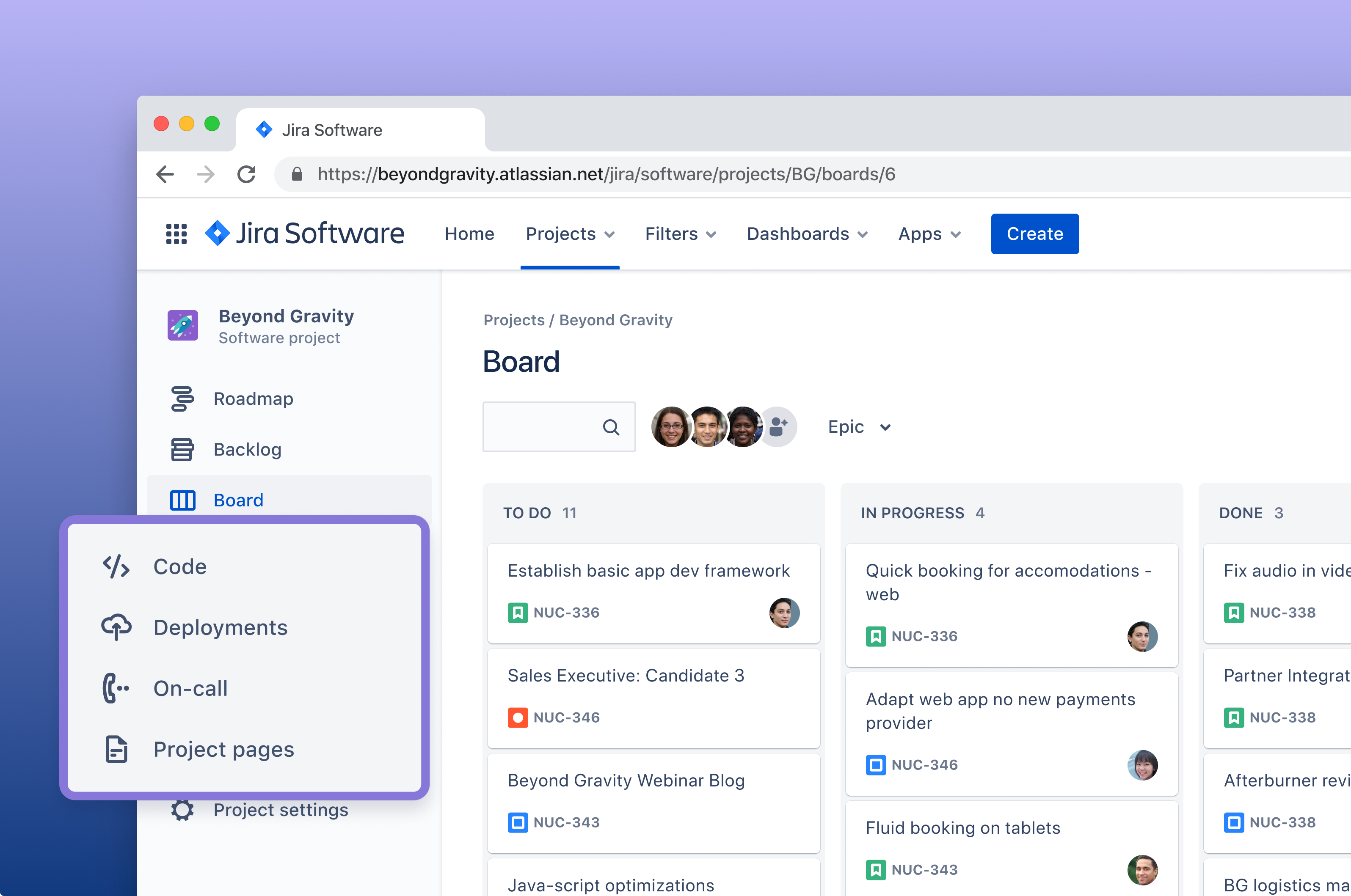
    Two capabilities being added to the standard edition of Jira Software Cloud are Code in Jira, which makes it possible to view the most recently active repositories in Bitbucket, GitHub, GitLab or Git Integration for Jira from within Jira Software Cloud, and Deployments in Jira, which makes it possible to similarly view in real-time at what stage any deployment is on any continuous integration/continuous delivery (CI/CD) platform.

    The Premium Edition of Jira Software Cloud is gaining tools to track both deployment frequency and cycle times to provide more insight into how application development teams are maturing in terms of their overall DevOps proficiency.

    These tools eliminate the need for analytics tools that otherwise would be required for each DevOps platform an organization employs, noted Prince. Jira Software Cloud also exposes a REST application programming interface (API) through which DevOps teams can integrate the Atlassian platform with other DevOps tools.

    It will be up to each organization to determine how they may want to employ the insights surfaced within Jira Software Cloud. However, Prince said most IT teams should identify areas of weakness where there is an opportunity to coach DevOps teams on how to improve.

    There is, of course, a lot more focus on improvement as application development projects have accelerated in recent months, thanks mainly to the increased focus on digital business transformation. Organizations of all sizes are trying to maximize investments in application development at a time when the economic downturn brought on by the COVID-19 pandemic is forcing IT teams to make difficult tradeoffs. Metrics, of course, are critical when it comes time to prioritize one project over another.

    At the same time, Prince noted that many teams are trying to keep the number of tools and platforms incorporated into a DevOps toolchain to an absolute minimum to limit costs and minimize complexity. Many DevOps teams have been employing Jira software to manage application development projects for years now, so Prince said these new capabilities are a logical extension of the company’s project management software.

    Of course, the best metrics are the ones that manifest themselves automatically. No project manager relishes having to badger developers to enter data into a project management application. The more the data residing in a DevOps platform can automatically populate a project management application, the happier all involved will be. After all, the goal is to head off as many issues as possible today before they become major problems tomorrow.

  • Atlassian Launches ITSM Platform

    Atlassian Launches ITSM Platform

    Atlassian today extended its footprint in IT service management (ITSM) with the launch of Jira Service Management, a cloud-based platform designed to bridge the divide between DevOps and ticket-based approaches to managing IT.

    Edwin Wong, head of product for IT at Atlassian, said Jira Service Management builds on Opsgenie, an IT incident management platform. The goal is to provide an ITSM platform to better manage IT at a higher velocity by enabling developers to address IT support processes more easily, he said.

    Going forward, Jira Service Management will add asset and configuration management and conversational ticketing capabilities that Atlassian gained via the recent acquisitions of Mindville Insight and Halp, he added.

    Jira Service Management currently provides support for on-call scheduling, alerting, incident swarming from Opsgenie along with deeper integration with Jira Software for project management, the Bitbucket repository and Confluence collaboration software.

    IT team cans also leverage capabilities such as bulk ticket actions along with machine learning algorithms to intelligently categorize similar tickets, noted Wong.

    Jira Service Management replaces the Jira Service Desk platform that many development teams already use to manage incidents. The goal now is to provide a platform that makes it easier for developers and IT administrators to collaborate more easily to resolve issues, he said. There are currently more than 25,000 organizations that employ Jira Service Desk, which Wong said provides the base of customers from which Atlassian intends to drive convergence of DevOps and ITSM workflows.

    Most legacy ITSM platforms were designed for IT administrators. However, as IT continues to evolve developers are assuming responsibility for applications end-to-end. That transition requires a different approach to ITSM that provides deeper integration with DevOps tools that enable developers to resolve issues without requiring IT organizations to convene a “war room” meeting for each incident, said Wong.

    The launch of Jira Service Management comes at a time when more organizations are starting to transition ITSM to the cloud. With most IT staff working from home either full- or part-time to help combat the spread of the COVID-19 pandemic, organizations need ITSM platforms that are easily accessible from anywhere.

    Each IT organization will need to decide to what degree they need to converge DevOps and ITSM workflows. The goal should be to enable developers to resolve issues efficiently when required. There is still a need for ticket-based approaches to managing IT that are based on the ITIL framework. However, organizations are discovering that ITIL-based frameworks don’t enable the level of agility required to quickly resolve incidents involving custom application software.

    Regardless of the path forward, ITSM is entering a new phase as organizations start to appreciate how dependent they are on software. The days are coming to an end when end users log into an ITSM platform to create a job ticket that is addressed by an IT administrator who would contact a developer if necessary. What’s required is a more proactive approach that immediately alerts developers whenever there is an issue. The challenge is enabling that level of support in a way that creates the least amount of friction possible.

  • Latest Tasktop Release Supports Jira Align

    Measure and Automate Flow across Silos, from Business Ideas in Jira Align through Technology Implementation

    VANCOUVER, BC, July 23, 2020 – Tasktop, a company leading the creation and definition of value stream management (VSM) solutions, today announced that its latest release of the Tasktop Value Stream Management platform supports Jira Align. With this new Jira Align connector, organizations are able to automate and measure the flow of work between Jira Align and other work management, design, testing, release, ITSM and CRM tools, connecting business ideas to their technology implementation.

    The Jira Align connector expands Tasktop’s comprehensive connector infrastructure and technology, known as the Flow Fabric™, which supports full fidelity and real-time connectivity to more than 60 Agile, DevOps and IT tools.

    Jira Align is an enterprise agile planning tool, increasingly popular in large enterprises for strategic planning. Ideas that start in Jira Align are executed in work management tools like Jira, Azure DevOps and Rally; tested in tools like Tosca, qTest, ALM and SmartBear; and supported in ITSM tools like Jira Service Desk, ServiceNow and Remedy. Connecting the toolchain through a pure-play VSM platform rapidly improves flow and visibility from the originating idea through its development, release and subsequent feedback loops.

    Automating Cross-Silo Flow with Tasktop Hub

    Tasktop’s Jira Align connector offers enterprises several unique advantages and extends Tasktop Hub’s reliability, sophistication and scalability to the world of Jira Align, tightly integrating it with the rest of the value stream and more than 60 tools.

    Tasktop Hub offers practitioners that work in Jira Align or rely on data from Jira Align the following benefits:

    • Reliable and seamless bi-directional synchronization of Themes, Epics, Capabilities, Features, Stories and more, eliminating friction and delays
    • Routing of feature work to the right team in the right tool based on its program or any other feature fields, and using filters to determine what’s eligible to flow
    • Elegant merging of several acceptance criteria from Jira Align into a single, rich text format field in a targeted tool, like Jira or Tosca
    • Embedding back-references (links) to twinned Jira Align artifacts to automate traceability and facilitate communication across silos
    • Easy error resolution with robust monitoring, troubleshooting and retry mechanisms

    An example of how Tasktop Hub can integrate Jira Align with Salesforce, Jira, Rally and Tosca to create end-to-end flow from the original business idea until its release can be seen here.

    According to Atlassian’s Steve Elliot, head of product for Jira Align, “The depth and breadth of Tasktop’s integration capabilities can help improve the speed, velocity and quality of software delivery. By integrating data from the end-to-end value stream alongside enterprise agile planning to include work done in testing, design and support tools, Jira Align users have better oversight and visibility into the execution of the vision laid out in Jira Align.”

    Flow Metrics for the End-To End Value Stream

    Jira Align is also supported by Tasktop Viz™, to provide enterprises with insight into the flow of business value, starting from strategic planning in Jira Align and all through the implementation by individual value streams working in other tools.

    Tasktop Viz finds bottlenecks in end-to-end flow, answering questions like: How fast can business ideas become reality? Where is work slowing down? What is the business case for investments that can shorten time-to-market and increase velocity?

    “This new integration provides more visibility into flow and optimization opportunities at the early stages of idea elaboration and planning,” said Nicole Bryan, chief product officer at Tasktop. “Flow metrics and diagnostics on the work done in Jira Align and its subsequent breakdown in other tools can help shine a light on activity at the top of the funnel and help organizations progress their shift from project to product.”

    About Tasktop

    Tasktop’s value stream management platform enables enterprises to master software at scale. Leading brands, including half of the Fortune 100, use Tasktop to provide real-time visibility into the health of product value streams, allowing them to make better decisions and align with business goals. Tasktop plugs into existing tools and overlays the end-to-end value stream to provide the abstractions, automations, visualizations and forensics needed to practice value stream management on a daily basis.

  • How to Synchronize Jira Projects Between 2 Jira Instances

    How to Synchronize Jira Projects Between 2 Jira Instances

    Most of us are aware that Jira is a highly regarded application lifecycle management tool. One of its main features is team collaboration. Sometimes, however, collaboration between a business team and its partners can pose a challenge due to their network restrictions.

    In this article, we will see how this problem can be addressed and the available options.

    Jira Business Case

    As an external partner, we supported an embedded system customer who already was using Jira for its internal users. During that time, the customer had tight security measures in place and its IT team was unable to grant us access to its systems and tools; instead, we had to use a customer-provided laptop with VPN connectivity. This setup wasn’t efficient and led to more investment and procedures to follow when a new external user needed access, so we set out to find an alternative solution to run the business more effectively with good collaboration with everyone through the Jira portal.

    Many vendors have addressed this problem with automatic synchronization as a Jira plugin.

    Some of those plugins are:

    This article takes a look at Backbone Issue Sync and how the synchronization of Jira projects can be done between two instances.

    Backbone Issue Sync

    Backbone Issue Sync helps users synchronize Jira projects, enabling collaboration across departmental and B2B borders. Its setup and configuration are very simple compared to other plugins.

    Backbone Issue Sync is a paid plugin developed by the K15t Group. It is available in the Atlassian marketplace.

    This plugin supports the following Jira versions:

    • Jira Cloud.
    • Jira Server from 6.2–8.6.1.
    • Jira Data Center 6.3–8.6.1.

    Key Features:

    • Automatic bi-directional issue synchronization between Jira projects.
    • Control issue, comment, field and attachment mapping.
    • Map workflows.
    • Uses JQL to define issue syncing, filters and limits.
    • Sync comments and attachments.
    • Defining workflow mapping and specifying distributed responsibilities.
    • Simple setup, configuration and admin UI.
    • Performance, reliability and scalability proven by enterprise installations.
    • Full privacy and security control.
    • Synchronization of data via HTTP(S), file and email.
    • In-product troubleshooting support available.
    • Partners/vendors can sync unlimited projects and issues.

    Let’s consider we have a business team and external partner where they want to work together in a Jira issues on daily basis but they have a network restriction between each team.

    In this case, we need to set up a separate Jira instance and create a project with the same name on both sides.

    Prerequisites:

    • Install Jira on both sides.
    • Create a Jira project with the same name in both Jira instances.
    • Create a Jira user named “syncuser” on both instances.
    • Grant “syncuser” Jira permission to Browse Projects, Create Issues and Edit Issues.


    Establish a Connection Between the Projects

    1. Open the Jira Project in the first Instance, then select Project Settings > Issue Synchronization > New Synchronization. To make things simple, select Centralized Configuration (this is Backbone’s ‘default’ synchronization type and is recommended for most use cases).
    2. Set up the synchronization:
      1. Enter the base URL of your Jira in the first Instance and the base URL of the external partner’s Jira URL in the second Instance.
      2. In the Sync User field, enter the synchronization user’s username (in this example, that’s syncuser).
      3. In the Password field, enter the synchronization user’s password.
    3. On the next screen, select which project you want to synchronize with. Select the same project name in both instances.
    4. Next, assign the synchronization a name and description. When you create multiple synchronizations for a Jira project, descriptive naming is important to avoid confusion. For now, we will go with default values.

    We have established the connection between Jira projects of two different instances. Now, let’s configure what are all the data will be synchronized between the projects of each instance.

    Configure Synchronization Settings

    1. In the below step, we’ll configure the synchronization data, telling Backbone what data it should synchronize between the projects of two instances.
    2. Click … > Configure to go to the configuration UI:
    3. Click the Edit Configuration button to start configuring.
    4. On the Issue Types tab, click Start with simple mappings and select an issue type to synchronize in both directions between two instances of Jira projects.
    5. Now, map which fields should be synchronized at Fields – Mappings > Start with simple mappings.
      1. Enable the checkbox for Summary and Description field and click Create.
      2. Click the Publish Draft button to save the configuration, then select Start to start the synchronization.

    Synchronization with Backbone Issue Sync is now configured.

    Let’s verify the synchronization:

    1. Create a new issue with type Task in the first instance and enter some content in the Summary and Description fields.
    2. Open the Jira Project in the second instance: You should see that the issue has been synchronized.
    3. Open the synchronized issue and edit the summary and description in the second instance.
    4. Go back to the issue in the first instance: You should see the edits have been synchronized.

    Conclusion

    Backbone Issue Sync helps overcome the challenge of collaboration between a customer and external partners over a restricted security network. Using this plugin, many highly secured business teams are able to collaborate effectively without issue.

  • Coronavirus Response: Atlassian Expands Free Software

    Coronavirus Response: Atlassian Expands Free Software

    Atlassian announced today it will make cloud-based versions of Jira Software, Confluence, Jira Service Desk and Jira Core available for free as part of an effort to assist organizations whose employees are working remotely to help combat the COVID-19 coronavirus pandemic.

    Robert Chatwani, chief marketing officer for Atlassian, said given the current unprecedented situation the company has decided to increase the number of free versions of its software, including Jira project management software, which is widely employed by software development teams.

    The company already makes available free versions of its Trello, Bitbucket and Opsgenie software. Atlassian is hoping that once the current COVID-19 coronavirus crisis subsides, a much broader base of end users including ones from business units will have gained some firsthand experience employing its project management applications and collaboration tools, said Chatwani. Previously, Atlassian revealed it has a goal of having 100 million active users of its software.

    Chatwani said many organizations are finding that having employees working from home is the new normal for the foreseeable future. While regions in Asia appear to be recovering from the initial COVID-19 coronavirus outbreak, that does not appear to be the case in other regions anytime soon. Once organizations re-engineer their workflows, they may discover some knowledge workers are more productive working remotely, he noted.

    Less clear right now is whether having most or all employees working remotely is a temporary measure in the furtherance of a business continuity strategy or simply an inevitable future of work that, because of the current crisis, is arriving much earlier than expected.

    Of course, not every employee is psychologically tempered to work from home. Software developers, for example, may be more accustomed to working in isolation than project managers. Chatwani said it will be important for organizations to establish new routines to maintain organizational cohesion, including determining when development teams should launch sprints to build elements of an application. Managers also may want to designate “office hours” during which anyone can contact them online to make sure employees feel they are accessible, he added.

    Organizations should also get used to the idea that children may be both seen and heard while online meetings are occurring, given the fact that millions of children are now being schooled at home, Chatwani noted.

    Many organizations to one degree or another have been relying more on remote workers. There are even some companies that don’t have physical headquarters—all the employees already work remotely. Some of those organizations have even gone so far as to define a time zone around which the organization will standardize on regardless of where employees are physically located.

    Whatever the strategy employed, organizations that hope to succeed in this new climate need to go well beyond ensuring remote network connections are available and secure—they need to find a way to either maintain their existing processes and culture to make sure that whatever product or service they provide continues to be built or delivered in a way that allows the organization to survive and hopefully continue to thrive.

    — Mike Vizard

  • Automation Hacks for DevOps Teams

    Automation Hacks for DevOps Teams

    DevOps teams are expected to do more work in less time. They need to plan, test, build, secure and release applications at a fast-paced rate. Of course, the DevOps team needs to achieve all of this while maintaining high software quality. This is why automation is a crucial part of the DevOps workflow. The goal is to delegate repetitive tasks to the machine, and free up dev time for more complex jobs. 

    Below are some helpful automation hacks you can apply to boost the effectiveness of your DevOps practices.

    Automating Regulatory Compliance

    Properly managing regulatory compliance is vital for many organizations to avoid fines and operate legally. Although compliance standards vary by industry, most focus on ensuring privacy and confidentiality. To meet these standards, companies must secure data and prove they are taking the appropriate measures. This proof is commonly accomplished with the maintenance of a clear digital trail.

    You can use DevOps automation to log and store digital access trails for your protected data. You can also use automated testing and deployment to ensure that only code that passes compliance tests is deployed. This prevents compliance issues from being pushed to production and helps keep your data secure.

    Automating Development Environments

    DevOps workflows require frequent creation and elimination of environments, for testing, deployment and development. These environments can be created manually but it is more efficient to create environments automatically. This can be done using a golden image with your required configurations.

    Using standardized base images ensures that you are working with consistent environments and standardizes configurations and privileges. These images can be used for local or remote machines and can be initialized automatically.

    There are a variety of tools you can use to create and automate environment creation. Chef and Vagrant are two of the most popular. Both of these tools offer an accessible API and enable you to script automation using common languages and syntax.

    Automating Code Review

    Code review is an essential part of DevOps processes but it is also one of the lengthier and more tedious processes. Automation can help you perform this process more efficiently. Automatic code review works similarly to manual review except it is done using tools that integrate with development environments. These tools can check for styling, security, duplication, complexity and code coverage, and can auto-suggest corrections. Some popular tools for this automation include Codebeat, Code climate and Codacy.

    Automating File Synchronization and File Uploads

    Many DevOps and development teams use the public cloud for quickly spinning up development and test environments. However, what happens when the production environment, or other critical resources used in the dev/test process, are deployed on-premises? Having a fast, automated and reliable way to synchronize files between the on-premise data center and the cloud can save time and headaches.

    There are a few approaches to synchronize files:

    • Scripting file uploads and downloads. The most basic method is to use shell scripts and FTP or SFTP to upload and download files between local and cloud environments. However, this can be fragile, unreliable and difficult to scale.
    • Using APIs of cloud storage services. You can move data to and from the cloud using cloud storage APIs, such as the Amazon S3 API, the Box API or specialized hosting services such as Cloudinary.
    • Hybrid cloud. The ultimate solution is to create a hybrid cloud architecture where applications, developers and users view the local environment and the public cloud as one unit, and data is synchronized transparently in the background.

    Collaboration Tools for DevOps Teams

    There are a number of collaborative tools that teams can use to further boost gains from automation. These tools can help bridge gaps in automation and processes and ensure smooth workflows.

    Slack: a chat tool that DevOps teams can integrate with automation tooling. It includes features for segregating discussions by topic, team or purpose; uploading shared files and documents; and initiating or receiving alerts from automated processes via integrations.

    Jira: a tool that enables you to create and assign tasks. It includes features for scrum and kanban methodologies, unified reporting and backlog tracking. You can integrate it with many common DevOps tools, such as Jenkins.

    Trello: a cloud-based Kanban board tool. It enables you to create project boards that can be shared across teams to track project progress. Through integrations, you can automate the updating of cards or initiate processes when cards are manually moved.

    Asana: another cloud-based Kanban tool. Like Trello, it enables you to track and collaborate on projects across a team. Typically, when teams use tools such as Asana, they create multiple boards for different project aspects. These boards can then be viewed individually or from a central dashboard.

    Conclusion

    Hopefully, this article helped you figure out how to leverage automation for improved efficiency. There are many automation options for DevOps, including automated regulatory compliance, automated infrastructure, automated code review and automated file synchronization.

    For DevOps project management, you can use collaboration tools such as Slack, Jira, Trello and Asana. Remember to make sure that any tool you introduce can be simply and easily integrated into your current environment. The tools of your choice also need to fit the skillset of all collaborators. For ease of use, keep your tooling ecosystem simple and minimalistic.

    — Gilad David Maayan

  • Atlassian Extends Road Mapping in Jira

    Atlassian Extends Road Mapping in Jira

    Atlassian has updated its Jira project management software for managing software development initiatives to add more capabilities to road mapping tools that teams use to share plans and update progress.

    Matt Ryall, head of product for Jira Software at Atlassian, said the road mapping tools first provided in Jira a year ago are now being employed by 45% of customers, making it the most rapidly adopted feature in 18 years the project management application has been around. Thus far, Atlassian reports end users have created more than 2 million road map items within Jira.

    Additional capabilities added to the road mapping tools provided in the latest edition of Jira include a drag-and-drop dependency mapping feature, support for filters to track projects more easily, a progress bar that indicates macro-level progress of each road map item, an ability to set up hierarchy levels on the road map, and the ability to set up road maps inline with a single click.

    road mapping

    In addition, a live Jira road map can now be integrated with Confluence, a complementary tool from Atlassian for managing projects spanning multiple teams.

    Atlassian currently offers several road-mapping solutions, including a team-level option in Jira, a program-level road map known as Portfolio for Jira and an enterprise organization-level version dubbed Jira Align. Atlassian has committed to making all three of these offerings work better together in 2020.

    In addition, Atlassian is committing to bringing together the various road-mapping capabilities is provides across its portfolio. The company plans to enable organizations to aggregate multiple road maps into a single consumable artifact and is exploring ways to make road-mapping functionality accessible beyond Jira users. As more organizations in the age of digital business realize how much their future success depends on timely delivery of software, the number of end users who want to be able to monitor the pace of application development projects continues to expand.

    In general, Ryall said Atlassian is focused on modernizing the end user experience for a project management application that is employed by more than 65,000 customers to manage software development projects. Much of that effort is focused on adding a visualization layer that will make it easier to navigate software development projects that continue to become more complex as organizations embrace, for example, microservices-based architectures.

    Competition across the project management category is intensifying as startups look to drive alternative approaches that they claim are designed to support, for example, a mobile-first user experience that makes it easy to visualize data. It’s not clear to what degree any of those offerings are gaining traction, but a significant amount of venture capital is starting to pour into the sector.

    In the meantime, visualization tools that promise to make it easier to appreciate what project events will have the most impact on the business are always going to be welcome. The real challenge, of course, remains getting developers to share accurate assessments of their progress with project team leaders. The good news is, it’s becoming much easier to automatically gather that data from the various repositories developers now rely on to check code in and out of various systems without having to ask anyone for an actual update.

    — Mike Vizard