Tag: developers

  • SauceCon Speaker Profile: Adam Carmi, CTO of Applitools

    SauceCon Speaker Profile: Adam Carmi, CTO of Applitools

    Carmi to present a live coding session on testing responsive sites 

    Testing responsive sites and applications can be quite a challenge for development teams. We are fortunate to have Adam Carmi, CTO of Applitools, presenting a session at SauceCon on “Advanced Test Automation Techniques for Responsive Apps and Sites.”

    During Adam’s presentation, the audience will participate in a live coding session to learn how to effectively design responsive page objects, implement generic tests that work for all the layouts of their apps, control the browser’s viewport size to accurately target layout transition points, incorporate layout-specific assertions in their tests, and visually validate the correctness of their app’s layout​.

    Adam is passionate about everything related to software development and testing and is excited to share his knowledge with (and also learn from) similarly passionate practitioners.

    As CTO and co-founder at Applitools, a cloud service for automated visual testing, Adam spends most of his time developing image processing algorithms. However, he loves testing of all sorts, from designing the product to maximize testability to unit and API testing and, of course, automated visual testing.

    Adam regularly speaks about software testing at conferences around the world and organizes the Israeli Selenium Meetup group. He loves to ski and tries to stand on his hands as much as he can! When not working, he enjoys working out, watching movies and playing video games with his two children.

    SauceCon, the first-ever Sauce Labs user conference, is a three-day event filled with training, workshops, best practices and visionary content from the leading minds in automated testing. For more on upcoming SauceCon presentations or to register, visit the SauceCon website.

    About the Author / Rebecca Cramer

    Rebecca Cramer is a writer and communications strategist specializing in technology. With more than 20 years of experience across disciplines including marketing, internal and executive communications at companies such as Dell and Quest Software, Rebecca is passionate about creating and sharing good content of all kinds. In her spare time, she enjoys spending time at the beach and hiking in her native Southern California.

  • CD 101 Podcast: The What, How and Future of Continuous Delivery

    CD 101 Podcast: The What, How and Future of Continuous Delivery

    Now that we’ve arrived at Episode 4 of our CD 101 Podcast, let’s address some basic concepts—like the what and how of it all and the future.

    Wait … perhaps we could—or should—have touched on these key topics earlier. Or not. At least not the future part? Anyway …

    While this (mostly) backwards-looking orientation may seem a bit odd, I’d argue that we’re actually navigating the conversation on precisely the correct path. Let’s rewind for a moment to look at where we’ve come from.

    Episode 1: We highlighted many of the fundamentals of this thing called CD, yet we did so from more of a conceptual and best-practices standpoint. While the ideas and processes involved do resonate in the real world, the topics we cover in this episode are bit closer to the water-cooler conversations we’re hearing about CD as it grows in practical adoption.

    In Episode 2: We covered the whole how do you “realize agility” piece of the conversation. This is important and a precursor to some of these other basic questions. The entire process of digital transformation begins with getting agile and you can’t truly adopt continuous delivery without doing so; therefore, this was another good place to feed today’s discussion.

    In Episode 3: We looked at the prospect of re-inventing the “Modern Software Factory” with agile development and continuous delivery. OK, so, perhaps we were getting a bit ahead of the basics here, but I’d maintain that this is an important piece to consider upfront that builds on these other building blocks. As with the topics covered in Episode 2, it is critical to understand the big picture challenges and benefits before you begin to get your hands dirty.

    And now for some nitty gritty.

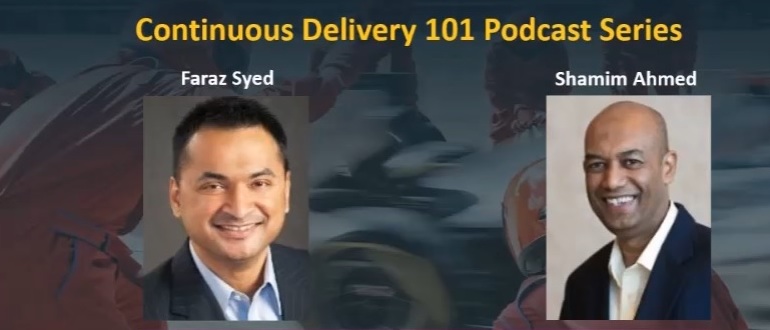
    In Episode 4, we hear from Shamim Ahmed, CTO of Continuous Delivery Solutions at CA Technologies, as he answers the nine burning questions he most often hears in speaking to enterprise practitioners as they look to employ DevOps and Continuous Delivery practices in the real world.

    So, while these previous conversations were material, this is a crucial set of topics to consider as you invoke your own strategy, including:

    1. What is the difference between DevOps and continuous delivery?
    2. What are the key impediments/obstacles to achieving speed/quality in CD?
    3. How do we overcome these obstacles?
    4. How do we get started on the CD journey?
    5. What are the key top-level metrics you want to track in a CD program?
    6. What org changes do we need to make to implement CD?
    7. What the key capabilities we need to implement?
    8. How do we integrate all the different tools we have in our environment?
    9. How will the future of continuous delivery evolve?

    OK, that last part is a bit more postulation on our part—though we like to think on the practical side, based on the answers to all these other important real-world adoption dynamics.

    Tune in and hopefully learn a good deal about where your approach stacks up, and needs to evolve.

    As always, you can find said Episode 4 of the Continuous Delivery 101 Podcast by:

    • Listening to it on your computer on YouTube
    • Downloading it from iTunes store
    • Downloading it via the Podcast App by searching for “Continuous Delivery 101 podcast”

    Enjoy!

    — Scott Edwards

  • The devopsy.kinsta.cloud Application Performance Management Leadership Links Guide

    The devopsy.kinsta.cloud Application Performance Management Leadership Links Guide

    Businesses today are largely defined by the applications they run. And to stay competitive enterprises must continuously update their software and performance issues must be identified and solved swiftly.

    This drive toward more rapid software iterations and enterprise development and IT management efficiency is one of the biggest reasons why more companies have embraced DevOps and continuous integration and deployment pipelines.

    But how do enterprises make certain they can continuously deploy and delivery new software apps and features and not inadvertently impact user experience? Precisely how are mistakes and failures, or app performance issues quickly identified and remedied? How are application issues managed so that there aren’t costly outages or development teams aren’t getting texts in the middle of the night for emergency software change requests? This is where application performance management (APM) comes in.

    According to the market research firm Markets and Markets, the APM Market is expected to reach nearly $5 billion by 2019, up from $2.72 billion in 2014.

    There is a significant intersection between DevOps and application performance management. It’s also essential for application management teams, development teams and operations teams, and needs to be integrated in many DevOps processes. In this devopsy.kinsta.cloud Survival Guide, we provide resources to help you to get the skinny on using application performance management to help more tightly integrate Dev and Ops, find the right APM tools and successfully manage today’s more complex environments with application performance management.

    APM Prepares Prep Sportswear for Promising Growth – devopsy.kinsta.cloud

    In this story, David Geer looks at how custom sportswear vendor Prep Sportswear is using APM to prepare for growth

    14 Tools That Raise Web and App Performance – devopsy.kinsta.cloud

    Asaf Yigal lists his 14 Tools That Raise Web and App Performance

    Gartner Evaluates APM Tools for DevOps – devopsy.kinsta.cloud

    Grab this Gartner report on APM toolsets.

    5 Ways APM Can Solve Your DevOps Worries – devopsy.kinsta.cloud

    To have tight control over Devop’s environments we need APM at every step, contends this post by IBM’s Payal Chakravarty. APM can help break down the Chinese wall between Dev and Ops and eliminate the finger pointing that happens during outages. Here he lists five APM best practices to enable a smooth DevOps working environment.

    Continuous Monitoring: The Role of DevOps and APM – devopsy.kinsta.cloud

    IBM’s Arun Biligiri discusses the intersection of DevOps and APM.

    APM On-Premises or SaaS: What’s the Best Fit? – devopsy.kinsta.cloud

    Which APM deployment option makes most sense for your organization? There‘s no simple answer to this question. A lot depends on your environment and requirements. This post explores the points to consider in deciding between SaaS and on-premises monitoring.

    Webinar: Using APM to Turbocharge Continuous Integration – devopsy.kinsta.cloud

    Check out this Webinar with CA Technologies and CloudBees to learn how APM can Turbocharge CI.

    Can Your DevOps and APM Initiatives Increase Customer Loyalty?

    Can APM help to increase customer loyalty, CA’s Peter Waterhouse thinks so.


    — George V. Hulme

  • 9 Lessons Learned: Getting Value Stream Insights in Only 2 Days

    9 Lessons Learned: Getting Value Stream Insights in Only 2 Days

    Gene Kim, Jez Humble and other experts say that understanding and improving your value stream is really what it takes to bring your software delivery organization to the next level. While almost every IT organization has this goal, actually knowing how to make it happen can be paralyzing, because it seems like such a daunting undertaking when trying to connect all of your systems tools and processes.

    Recently, we participated in an innovative approach that proved that you can take concrete and measurable steps and see real outcomes in only two days.

    Nationwide constantly strives to innovate and bring real change to its IT organization. The insurance and financial services company has zeroed in on improving its value stream. To begin the initiative, Nationwide developed a two-day workshop where the right disciplines would come together and determine the best way to make this happen. But the real innovation in this idea was that the organizers did not just talk about what to do. Instead, the end goal was to come up with at least one key metric the team could show to the Nationwide CIO by the conclusion of the workshop. This approach made the effort real, concrete and focused. While it was difficult, it worked.

    Here are nine important lessons learned:

    Lesson 1: Start with one artifact—specifically, defects. Measuring cycle time is extremely difficult because there are so many moving parts. To have a tangible outcome, start with defects because they tend to be the most well-understood artifacts and have relatively defined workflows and processes that people know and understand.

    Lesson 2: Commit to having a real metric based on real data. All too often organizations take the “boil the ocean” approach. When asked what metric they want to start with, the answer is typically, “Everything.” That is precisely the wrong approach. Aiming for everything is likely to get you nothing. Focus on a tiny amount to start. First understand, then improve, your software delivery value stream. Not only should you start small, but for IT value streams, start specifically with a certain artifact (see Lesson 1). And chose only one metric for that artifact, because less is truly more in this case.

    Lesson 3: Without a multi-disciplinary approach, you will fail. This part is extremely difficult. To be successful you will need the following mix of skills:

    • Domain Expert: This person knows this part of the value stream inside and out. She is a practitioner in that area of IT and truly understands the who, what, when, where and why of that particular area of the value stream.
    • Process Analyst: This person knows how the various people, systems and resulting artifacts are intended to operate together for the complete process. Often this person is closely aligned with the domain expert, but typically is not one of the practitioners actually participating in the process.
    • Data Warehouse Specialists: These are the people responsible for populating and managing the data marts or data warehouses. They need to have significant data transformation capabilities and intimate knowledge of the required data structures and formats the organization requires.
    • Report Writers: As often happens with the expertise required to wrap up a process, this role is sometimes overlooked at the beginning. This is not the right approach. The person who will report on the project should be involved from the very start.

    Some people might start by asking, “Don’t we need a data scientist?” After all, that is a title of authority when it comes to metrics. If you have a data scientist on staff, by all means, get them involved. But if you don’t, you can rely on someone with database skills—primarily, skills around writing advanced SQL (as old fashioned as that may seem). Most of this work will not require advanced data scientist skills.

    But the real challenge is to get all of those disciplines in the same room at the same time. This is no easy feat. Leadership must provide the necessary resources to ensure that each one of the roles is represented. Because if any of these roles are left out, you will not succeed.

    Lesson 4: Work in parallel. The process and domain experts can work on identifying the artifacts that must be used and manually identifying and mapping where the artifact originates, what systems touch the artifact when, and all the requisite status changes and their meanings. That work will inform the data warehouse team and report writers, but the data and report writers are actually faced with a very different problem: They must determine how to get the data, regardless of the identified artifact, and transform the raw data into a usable format that report writers and BI analysts can work with in their visualization tools. By having both teams work in parallel, with identified checkpoints along the way, you will be more efficient when it comes to the three required deliverables.

    Lesson 5: There are always three required deliverables for each value stream cycle metric you are interested in.

    • The artifact(s) of interest (defect, story, requirement, code commit, etc.)
    • The following data:
      • All required status changes and dates of changes,
      • Data to relate artifacts to each other (for the joins)
      • Any ancillary information needed to be able to slice and dice the data for the final visualization.
    • The final visualization showing the metric (which is typically not one metric but rather a macro metric that has drill down capabilities and other perspectives on the metric).

    Lesson 6: Work both forward and backward. It is always easier to get started when you know where you want to end up. In this lesson, identifying the end goal is key. Once you have identified the “end” then you can go to the beginning and determine if the end goal is actually reachable. You also can identify any holes that exist between the beginning and your end goal. In this use case, the backward story looks like this:

    • End Goal: A visualization (graph/chart) showing the metric of interest. The idea is to mock up exactly what you want the end result to look like. Create the mock up in the actual BI tool you intend to use as if you already have all of the necessary data at your fingertips.
    • Step 4: Provide the data needed to create the visualization—it must be formatted in a way that will enable the report writers to easily and efficiently create the visualization that is your end goal. Hint: start by creating a spreadsheet that contains the exact data structure and formats desired. You will use fabricated data to start. The idea is to make sure the data is structured properly to reach the end goal (the visualization).
    • Step 3: Create the interim views and tables that will enable you to get to Step 4
    • Step 2: This step is where you collect the raw data from the actual systems involved
    • Step 1: (The Beginning) Identify the artifact and all of the systems that artifact flows through.

    Lesson 7: Invite outsiders to participate. It’s difficult to see the forest for the trees in your own organization. You need outsiders who are willing to ask the questions, probe in challenging areas, push the boundaries—people who have a different point of view because they are not in the game. This does not mean outsiders should be the workshop facilitators. They could be, but it is more important for them to actually participate in the sessions and help define and create the deliverables.

    Lesson 8: Hold the workshop in a different space than you work in every day. Don’t use the conference room that you typically use. Bring the team to a completely different environment—one that inspires creative thought and innovation. It may seem like a fluffy requirement, but you will learn through workshop participant feedback that location has a major impact when it comes to productivity and focus.

    Lesson 9: Get executive leadership buy-in. The executive VP was genuinely impressed with what the team accomplished in only two days. And the positive feedback and kudos the team received has probably fueled their innovation engines for months to come. To feel a sense of accomplishment and be recognized by the executives in your organization has significant morale impact.

    Improving your value stream is no small feat. But by designing and executing on a workshop like this, you will see benefits and clear wins immediately. By the end of our two days, we had a prototype of defect cycle time and a defined repeatable process. Equally as important, the people involved were given the opportunity to fail fast and pivot where needed, which inspired innovative thinking and creativity. And, being able to present to the CIO real progress with real results in two days’ time fueled institutional buy in and momentum to drive a long-term value stream improvement program.

    About the Author / Nicole Bryan

    Nicole Bryan is Vice President of Product Management at Tasktop Technologies. Nicole has extensive experience in software and product development, focused primarily on bringing data visualization and human considerations to the forefront of Application Lifecycle Management. Most recently, she served as director of product management at Borland Software/Micro Focus, where she was responsible for creating a new Agile development management tool. Prior to Borland, she was a director at the New York Stock Exchange (NYSE) Regulatory Division, where she managed some of the first Agile project teams at the NYSE, and VP of engineering at OneHarbor (purchased by National City Investments). Nicole holds a Master of Science in Computer Science from DePaul University. She is passionate about improving how software is created and delivered – making the experience enjoyable, fun and yes, even delightful.

  • Veracode Makes DevSecOps Transition Easier for Developers

    Veracode Makes DevSecOps Transition Easier for Developers

    Following the formal acquisition of Veracode by CA Technologies, a much bigger effort to make security a more integrated element of DevOps has kicked off in earnest.

    Veracode recently unfurled an update to its application security platform aimed specifically at developers that provides security findings as each application module is scanned. Tim Jarrett, senior director of enterprise security strategy for Veracode, says the idea is to provide developers with that information from static analysis delivered via the Veracode platform as early in the application development lifecycle process as possible.

    Other new capabilities include support for custom cleansing functions to automate remediating issues involving common known vulnerabilities and an auto-scan capability that gets implemented any time a file is saved.

    Also with this release, Veracode is adding support for the Perl programming language that is still widely used for building web applications.

    Jarrett notes that organizations these days are holding developers more accountable for security issues that are easier to fix during the application development process. Addressing those same issues after an application is deployed in production not only exposes organizations to security threats, but can be much more expensive to fix.

    The challenge is that most organizations have yet to solve the riddle for getting developers to address security issues earlier in the application development cycle. Jarrett says far too many developers are conditioned to view IT security has being someone else’s job inside the organization. Veracode is trying to make it simple to address security issues using tools that make the process as frictionless as, say, relying on a spell checker to publish a higher-quality document.

    Obviously, there will never be perfect security. But far too many of the issues that IT security teams regularly deal with relate to known exploits. At a time when cybercriminals are making use of a variety of automated tools to discover those exploits, most IT security teams are outgunned. Worse yet, many IT organizations can’t even find qualified cybersecurity professionals to hire in the first place.

    On the plus side, however, as DevOps processes mature, many developers are now assuming complete responsibility for the maintenance of the code they write, including all security issues. This not only leads to higher-quality applications, it also results in those developers being more vigilant when it comes to address security issues they would otherwise need to address themselves once an application is deployed in production. In some quarters, this earlier focus on security in the application development and deployment process is referred to as DevSecOps. As a discipline within most IT organizations, however, DevSecOps remains relatively nascent.

    Of course, regulatory bodies are increasingly treating organizations that fall prey to security attacks less like victims. Instead, they are holding them accountable for ignoring best security practices by assessing fines for losing control over sensitive data. As those fines increase the blame for incurring those fines eventually cascades back to the developer. Given that changing climate, it might not be too long before developers recognize that embracing DevSecOps is in their own best interests.

    — Mike Vizard

  • AppDynamics Extends Performance Monitoring Reach to Developers

    AppDynamics Extends Performance Monitoring Reach to Developers

    AppDynamics, fresh off its acquisition by Cisco Systems, this week moved to extend the reach of its monitoring services all the way out to individual developers.

    The spring 2017 edition of the AppDynamics service now includes a developer toolkit intended to make it simpler for developers to track the performance of their code without having to get that data from an IT operations team.

    Matt Chotin, senior director of Developer Initiatives for AppDynamics, said the goal is to respond to the needs of developers who, in the age of DevOps, increasingly are being held accountable for the performance of their applications end to end. The toolkit enables those developers to directly invoke application programming interfaces (APIs) exposed by AppDynamics.

    The toolkit also provides additional AppDynamics support for the Go programming language, the Xamarin framework used to develop mobile applications and a plugin for Android applications. Now also available are dashboards for tracking individual session and crash alerts and reports that make it possible for developers to discover the root cause of a potential issue much closer to the time it occurs.

    But Chotin said the most unique attribute of the AppDynamics release is that developers can apply diagnostics to business transactions in two modes. One mode enables developers to examine code in pre-production and production environment, while another—a Live Mode—can be used against live application data.

    In addition to extending its reach out to developers, AppDynamics is making it easier for IT organizations to deploy its agent software. A new Universal Agent makes it simpler for the AppDyamics controllers to distribute those agents. Chotin said AppDynamics is also working on developing lighter-weight agents that would be used to provide better support for containerized applications.

    Finally, AppDyanmics is also simplifying its software licensing model in a way that enables sharing subscriptions.

    While AppDynamics has developed an extensive following among IT operations teams, reaching out to developers represents a new frontier. As responsibility for application performance shifts in the age of DevOps, Chotin said AppDynamics is discovering the developers want to be able to access directly the metrics that apply specifically to their code. Instead of being presented with information about every application running in the environment, developers want to be able to zone in on any and all issues affecting their specific code, he said.

    Obviously, not every IT organization is implementing DevOps processes to the same level of zeal. In many cases, IT operations teams are still mainly held responsible for application performance. But as the line between those IT operations teams and developers continue to blur, any move to embed instrumentation functions deeper into the application code base stands to benefit everyone. Of course, not every developer might be excited about being required to do that initially. But once they discover that the time between when there’s an issue and they can go back to writing code starts to drop, AppDynamics is betting that many of them are likely to insist on that level of instrumentation being available.

    — Mike Vizard

  • From Artisanal to Factory: The IT Pendulum is Swinging Back

    From Artisanal to Factory: The IT Pendulum is Swinging Back

    Splunk Vice President of IT Markets and Chief Technology Advocate Andi Mann sees DevOps moving from an artisanal approach to an IT factory.

    This represents a reversal: Historically, developers operated in a factory-like environment, passing chunks of work down the line, but that caused problems because “different managers owned different sections of the production line.”

    Agile and DevOps were a response to that issue, he said, resulting in “the artisan developer … the full-stack developer.”‘

    The trend is now flowing in the opposite direction, with Splunk customers wanting to see “the whole flow.” Furthermore, enterprise DevOps is too big for an artisanal approach.

    “I worry about that [reversal],” he said, but technology can help artisanal quality within an IT factory. Collaboration tools such as permanent video links between different locations enable specialists to work together and understand each others’ work.

    “That’s a different kind of factory,” said Mann, in which development, security, QA, operations and other staff do not need physical proximity to work closely together. This is particularly important for large enterprises, he observed, as you cannot pack 1,500 developers into a small space.

    One example he cites to show this approach can work is a telco with its developers spread across multiple locations in Sydney and Singapore using DevOps practices to achieve continuous delivery. Another is one of the largest UK retailers getting weekly releases from developers in London and Mumbai, with QA work done at another location in India.

    “Executives I talk to are very heavily committed to improving cycle time,” said Mann. But they are also concerned with quality (e.g., problems should be detected and fixed before they reach the user, and the percentage of changes sent for rework should be minimized) and business impact. Executives want to link DevOps to their own KPIs: “Are they moving the needle on my business requirements” such as shareholder value and reputation?

    “You get the changes you drive by your measures,” he said, so it is up to managers to make sure their measures make sense in the broader context. It may be time for a balanced scorecard to be applied to DevOps, with metrics in all three areas, he suggested.

    These metrics could include code coverage, error rates, customer complaints or trouble tickets raised, plus business impact measures such as click-through rates, cart abandonment, subscriptions cancelled, open rates (for mobile apps) and customer sentiment.

    Mann noted executive demand for the adoption of DevOps, even where “they don’t even know what they’re talking about.” He feels it is really about a desire for visibility into the development pipeline, and “that’s really challenging.”

    Part of the problem seems to come from the tension between traditional IT (especially “ITIL-owned shops”) and new-generation executives with titles such as head of digital.

    Slavish adherence to ITIL practices won’t allow the required speed, may not achieve the expected level of compliance and business goals probably won’t be met, he suggested.

    “ITIL came out of a fear of failure,” but failure is no longer catastrophic. “If you’re not failing, you’re not trying, you’re not innovating.” What’s important is to fail fast, fail small, and fail cheap—and DevOps allows IT to fail in low-impact ways. Even when an organization is making significant changes to software, the effects of failure can be contained through measures such as canary releases (where the new versions are initially made available to a small subset of users).

    Furthermore, customers are getting used to the idea that technology isn’t and doesn’t need to be perfect, largely because of their experiences with speech recognition services such as Siri, he said.

    — Stephen Withers

  • Getting the Most Out of QA in Complex Environments

    Getting the Most Out of QA in Complex Environments

    We live in a world in which software is increasingly dominant. Not only do we rely ever more on software, but its complexity is becoming even greater. And with increased complexity, bugs are more likely to be intermittent, making failures difficult to reproduce. Sometimes this non-determinism results in failures never getting fixed. Any unfixed bug is potentially a security breach or catastrophic customer outage waiting to happen. With such risks on the line, ensuring your software is of the highest quality is essential to running a successful operation.

    To cope with this complexity while still providing some assurance of delivered software quality, the DevOps industry has embraced a variety of automated testing regimes. A development team of a given size is able to run many more tests than it could before and must triage, and attempt to resolve, a correspondingly larger number of test failures. Diagnosing the cause of each test failure can still take a lot of time, particularly if the problem is intermittent or otherwise not easily reproducible. In fact, developers can spend on average as much as 50 percent of their programming time debugging, not coding. Think of all the innovation that could occur if that time were reallocated.

    Traditional QA

    When it comes to Quality Assurance (QA), developers and testers are all aware of the sequence of deliverables, beginning with development delivering an untested product to QA, which releases the tested and approved product to the end user. However, when a bug is found, QA and Development must communicate with one another to solve the issue quickly. The effectiveness of the delivery channel between QA and Development hinges on the quality of the information about the failure.

    Some common challenges raised by inefficient QA processes include:

    • Complex control flow – Difficult to make inferences about how a failure unfolded
    • Non-deterministic failures – Hard to reliably reproduce a failure to investigate the root cause
    • International R&D – Collaboration is made more difficult by geographic separation

    Conventional test systems inform that there is a bug but offer limited information about the cause. Workflows such as continuous integration (CI) often offer clues, such as informing which commit to the codebase caused the failure. However, there are several cases where CI cannot directly help identify problematic code changes. For example, the triggering code change may be entirely correct, yet cause a pre-existing bug to manifest. The developer cannot simply stare at the modification in the expectation that the source of the bug will eventually appear. Conversely, the failure may not easily reproduce for the developers even if they run the same test again. In short, CI is often very good at making the easier bugs very easy to fix, but typically is of little help with the more difficult bugs, particularly intermittent ones.

    The Next Evolution of QA

    To bridge the gap between identifying a failure in the QA process and resolution by development, DevOps teams have adopted a variety of technologies to complement their automated testing setups. New to this scene is technology capable of recording all or part of a program’s execution for subsequent replay and analysis, capturing test failures as they happen. The recording contains all the information a developer needs to understand the exact set of conditions that led to the test failure. It can be analyzed on different machines to the one on which the failure occurred, facilitating collaboration between colleagues who can work on separate machines to resolve the same issue—a particularly useful benefit for large software companies with geographically distributed teams. By gaining the ability to debug an exact replica of the failure, developers immediately reduce the time and effort required to diagnose and fix failures, therefore speeding the development cycle.

    Being able to generate recordings of failed tests, especially those intermittent issues which might not otherwise get fixed, coupled with the productivity gains of increased collaboration between development and QA allows companies to maintain a competitive advantage in a volatile marketplace.

    About the Author / Greg Law

    Greg is the co-founder and CEO of Undo. Greg has 20 years’ experience in the software industry and has held development and management roles at companies including the pioneering British computer firm Acorn, as well as fast-growing startups, NexWave and Solarflare. Greg left Solarflare in 2012 to lead Undo as CEO and has overseen the company as it transitioned from the shed in his back garden to a scalable award-winning business. Greg holds a PhD from City University, London, that was nominated for the 2001 British Computer Society Distinguished Dissertation Award. He lives in Cambridge, UK with his wife and two children.

  • The Tester: Saving Your Soul in a DevOps World

    The Tester: Saving Your Soul in a DevOps World

    Software testers have seen their careers go through some ups and downs in recent years. In the days of Waterfall, the tester’s job was clearly defined. Like other functions of software development and delivery, testers lived in a neat and tidy universe, testing features and design, finding bugs, sending back feedback to developers for correction and eventually, passing off code to the production people to work their magic. Testers had discrete roles with strong value propositions in the software organization.

    Then, Agile came along and new teams were created, lumping together developers, QA and Ops people for the sake of better collaboration and efficiencies. This began to create some confusion regarding who was responsible for what, when.

    DevOps brought order to the process, adding automation to every step, speeding cycles and reducing bottlenecks in a highly standardized, streamlined approach. In the continuous delivery pipeline, each step of the process creates its own contract for software quality—and that’s good.

    Development teams still value high quality, which customers demand. Yet in some DevOps circles, there’s been talk that testers aren’t needed much anymore. They bring bottlenecks to the process, forcing developers to work outside of the DevOps toolsets for code management and testing to respond to a defect ticket posted by the tester in an issue tracking tool.

    Eliminating that layer of process helps developers be as efficient as possible using continuous integration (CI) tools, proponents say. As well, some developers are more than comfortable handling testing, using test-driven development (TDD) methodologies.

    On the other hand, there’s faulty thinking here. Testers, whether deploying manual or automated testing methods, provide a valuable second set of technical eyes. Testers have a solid take on the user experience perspective, not just the fact that the code executes correctly.

    This human behavior and design insight is critical to the ultimate success of a software application. Finally, not all developers want to spend time testing nor have the skills to do so outside of unit testing.

    Moving forward into this new age of DevOps, testers play a vital role. The distribution of the tester into each phase of development (rather than at the end) is necessary to maintain both high standards of delivery and to keep communications fluid between different parties.

    Here’s how testers can contribute to DevOps teams:

    Testers need to be included in the continuous integration process

    Developers might be automating their unit test coverage, but they don’t replace all the test activities a tester can bring to the table. There are still other types of functional and non-functional test activities that must occur to validate the health of the product. Instead of transferring more testing responsibilities to the already overworked developer, testers can integrate their processes and systems with those of developers.

    Although there are version control tools (GitHub) and feature tracking systems (JIRA) to help developers, testers are often disconnected from these central tools. To connect with developer tools, testers can start creating and versioning their test cases within those development platforms. By doing so, testers can radiate feedback to the development team on issues to fix quickly through source code check-ins and in a way that won’t disrupt the normal flow of work.

    If testers can learn to use the DevOps tools developers love, much of the conflict goes away.

    Testers should increase their adoption of test automation, no matter their skill level

    Testers can learn newer test automation driven frameworks, especially those that help with transitioning manual test cases into automated scripts that can be reused, such as Cucumber or Gauge.

    For example, Gauge allows testers to write test specifications in Markdown, which provides a simple transition to automate your favorite programming language. These newer tools help testers transition to test automation despite not having experience writing tests this way—a common issue for testers working in DevOps.

    A growing number of test case management providers are starting to integrate their test design and execution around these automation frameworks to make the manual to automation transition smoother.

    Although developers might have automated unit test coverage, they struggle with developing functional and user acceptance automated tests. Testers can provide value by suggesting to the development team which are the best areas for test automation based on common issues and their unique knowledge of the application.

    They also can recommend areas for exploratory or manual test execution, depending on application complexity. This is especially helpful when teams starting down the path of DevOps do not have a regression test suite built that can be triggered through CI.

    Testers should focus on quality over finding defects

    Developers often complain that when testers find defects, it slows down their development processes. On a fast-moving Agile or DevOps team, filing bugs in a defect or issue tracking system is a total waste of time and creates unnecessary clutter.  Developers want instant feedback on code that’s broken and the related feature, rather than seeing another defect ticket they must open and close upon fixing.

    Therefore, testers should be giving feedback directly to the features that are being developed within a branch of code. They can do this through adopting tools that facilitate “ChatOps,” such as HipChat and Slack, which can integrate with version control systems. Testers can also provide direct feedback through a commenting system on the feature itself.

    With the advent of Agile and DevOps, which emphasize speed and frequent releases, testing is more important than ever in software development. By making some slight modifications to how they work and the tools they use, experienced testers can add considerable value to these teams by providing another layer of quality checks and a holistic view of an application’s performance and usability.

    About the Author / Ryan Yackel

    Ryan Yackel is Director of Product Marketing at QASymphony. He is responsible for all marketing activities around product releases, including development of strategic messaging. Ryan also helps to train the Sales teams on key value propositions for new products and features, and he provides customer feedback to the product team for roadmap initiatives. He can be found online at Twitter and LinkedIn.

  • 5 Interview Tips To Help Developers Land Their Dream Job

    5 Interview Tips To Help Developers Land Their Dream Job

    CodeFights recently launched Interview Practice Mode, a new mode on its website that enables developers to prepare for job interviews with technical questions asked by top tech companies. Interview Practice Mode marks the latest step in CodeFights’ mission to transform the way companies hire with skill-based recruiting. This feature will help developers from all backgrounds, locations and skill sets better understand their abilities, pursue lucrative job opportunities and land their dream jobs.

    For most engineering jobs, companies put candidates through rigorous technical interviews with difficult questions and coding tests. These interviews can be difficult to prepare for, especially for candidates who have never gone through a similar interview process before.

    Here are five interview tips to help developers land their dream job.

    1. Practice using real interview questions. As a great developer you often think, “This is what I do for a living and I am good at it,” so it’s tempting to walk into an interview without much practice. The reality is, interview questions you face at most companies are very far away from your day job, so make sure to do some research and practice using real questions that appear on interviews.
    2. Make sure to ask lots of questions during the interview. Some engineers think that asking questions is a sign of poor skills or lack of understanding. In reality, it’s the opposite. Most questions during technical interviews are intentionally vague and the goal of the interviewer is to see if you can ask the right questions before diving in. The worst thing you can do during a technical interview is to solve something you weren’t asked to solve. So ask questions until you are absolutely sure you have all the details.
    3. Use sites such as Glassdoor and your own network to find out the interview process at the company. At some companies, the interview process includes four or five people onsite and they all have to agree on who to hire. At others, the interview process still includes four or five people, but all are from different teams, so as long as one says, “Yes,” then you are in. Knowing what you are dealing with and the process is behind the scenes will drastically improve your chances.
    4. Apply to as many companies as you can. Some candidates make the mistake of only talking to a select few companies and trying to hit the bull’s-eye from a few shots. That works in theory, but in practice it’s very hard to understand from the outside what a company is like. Interviews are a way for you to interview the company and see if it’s a place you’d like to spend time working at. On top of that, doing more interviews is more practice and, when you get to the offer stage, having several offers helps you negotiate the best compensation package.
    5. Be mentally prepared for a negative outcome. At the end of the day, interviews are run by human beings and human beings tend to be quite subjective. So no matter how good you are and how much you prepare, most of your interviews are going to have a negative outcome. You have to be mentally prepared for that. Candidates who are used to excellence throughout their lives can take it very personally when a company decides not to hire them. You have to set your expectations right upfront so you don’t set yourself up to be disappointed.

    About the Author / Tigran Sloyan

    Tigran Sloyan is CEO of CodeFights. Tigran is the co-founder/CEO of CodeFights, a startup aiming to make improving your coding skills and finding your dream job fun and accessible to everyone in the world. Since its launch in September of 2014, CodeFights has attracted half a million users from over 200 countries becoming one of the largest developer communities in the world. Connect with him on LinkedIn and Twitter.