Tag: continuous integration

  • Moving That Big Project to CI/CD

    Moving That Big Project to CI/CD

    Any organization that has been around for more than a few years (and many who haven’t) have a massive system that would cost a fortune to replace. Most midsized enterprises have several of them. Those systems are one of the reasons that enterprises don’t adopt CI/CD at the same rate as startups. Sure, any new project or small things go there, but the elephant in the room just hangs out.

    So what happens when you get called upon to move one of these systems into CI/CD?

    Lets’ start with the easy case: the rewrite. In that case, you’re almost greenfield from the start and can build CI/CD into your development and test processes as you would for any brand new project.

    The harder case is when the org has seen the benefits of CI/CD and decides it wants to apply them to the monster that slows every project it touches to a crawl. These big systems are generally mission-critical, so there’s an added layer there. But this is doable.

    Yes, It’s Daunting, But…

    First, get a copy of the app building in a separate environment. Containers are good for this, since it’s just a development environment anyway. Replicate the entirety of the system (except unscrubbed real data, whether you use that in testing or not is a per-org question) to this new environment, make sure it builds and passes the existing test environment.

    Next, configure Dev/CI/CD tools (for a project of the size we’re talking, I recommend configuring application release automation [ARA] also to help track dependencies), and get the system building and testing under them. This will take time—time to configure the CI/CD tools, time to get the build environment to work reliably under them and time to figure out how to integrate existing test structures into the CI tool. That’s okay, the point is investing now to save later. Note that this is also the time to upgrade your dev tools. If you’re on J2EE 5, for example, it is time to upgrade. It’s been a decade, and you’re working on a copy of the project.

    Once that reliably builds and passes tests, the next step is to move those pieces into a more CI/CD-friendly format. Traditional test scripts can be called out in CI, but consciously building the tests within the CI environment is more resilient. A close look at tests, what’s missing, what could be better, what needs to stay as it is and just report back are the biggest parts of this test.

    Note that change requests will have to be copied to the new environment’s change request system, too. Some projects are lucky enough to lock out changes to the source application while the new one is brought up to speed, but for most, changes made in the original will need to be replicated. Once you start modifying code, they can no longer be just pulled from the source tree.

    Then start fragmenting the app. Apps of that size inevitably have massive functions/methods that do a lot of things. Not a terrible plan in single-processing days, but if you’re moving to CI/CD and upgrading dev tools, you may as well optimize code, too. Breaking a 5,000-line subroutine into a master and four child subroutines, each of 1,000 lines (yeah, it’s never that easy, but you get the idea) might offer room for parallelization, and definitely reduces your change footprint when you have to go in there and modify code.

    Fear Pundits Bearing Advice

    It is relatively common in DevOps for someone to offer the advice, “Get the newest of X every time.” Don’t follow that advice. Pick a version and hardcode it. It is anathema to hardcode versions of tools/OS/libraries in DevOps, but the point of DevOps is to control change, and anyone offering that advice missed the havoc that their advice would have created with the release of Python 3 or RHOS/CentOS 7.0, both cases where backward compatibility was left in favor of progress. Plan updates; don’t come in to, “The entire build failed last night,” and have to fix it then.

    By this point, you’ll have a better understanding of the app, and will know (or at least suspect) where monitoring points will be best placed. Add them in to do active monitoring instead of logging. Your first set of points won’t be perfect, and you’ll want to review them to see what improvements you can make, but the weak points of the system should be monitored at a minimum, and alerting or corrective action automatically take place.

    Test, Test and More Test

    As soon as things are stable in the new CI/CD environment, bring in beta testers from the user community to help you find issues where it doesn’t behave like the original. The point here is to copy the original first, most likely to enable faster changes in the future, so just ask users to do what they would normally do when interacting with the app, and see what happens. Anywhere there are issues is a good place to add testing (I don’t know any monolithic app that has 100 percent code coverage, and honestly have only heard rumors of new apps that do, so there’s always room for more testing at known weak points).

    Before you know it, the system will be moved into CI/CD, and you’ll have a list of things you want to improve under the new environment. At that point, you’re covered, and can move the process to replace your old build process.

    Voilá!

    It is work to move a large app into CI/CD, and more work to keep from letting it get out of hand. In the new environment, it is easy to want to change everything at once. But don’t make that part of the move; build change requests for after the move to CI/CD is done, to keep project lines clean and evaluate those desired improvements in the light of all the other change requests building up.

    — Don Macvittie

  • ShiftLeft & DevOps: A Narrative Within a Narrative?

    ShiftLeft & DevOps: A Narrative Within a Narrative?

    I procrastinated watching the season finale of “Westworld” just because I ended up reading a day later how Dolores ended the episode! I don’t know who to blame: my inquisitiveness or that guy who couldn’t hold himself. It kind of feels stale when you know the ending.

    Finally, I finished weeding through the multiple narratives across the episodes, and the flashback narrative merged seamlessly with the current one. That got me thinking about using that as an analogy and maybe understand whether the concept of ShiftLeft is really actually a “narrative within a narrative” of #DevOps.

    Ok, so what is ShiftLeft?

    I came across the term at my fav go-to source, @devopsy.kinsta.cloud, where Alan wrote on how much to Shift Left and its diminishing returns, and another very old article on the continuous testing approach, which primarily seeks to test early and often, to catch defects, yeah, early!

    Then it was thrown at me in the context of identifying repeatable activities, often manual with consistent results, performed by the Support & Operations team, and moving that work left from Level-3 all the way to L-0. Empowering the help desk, I would say!

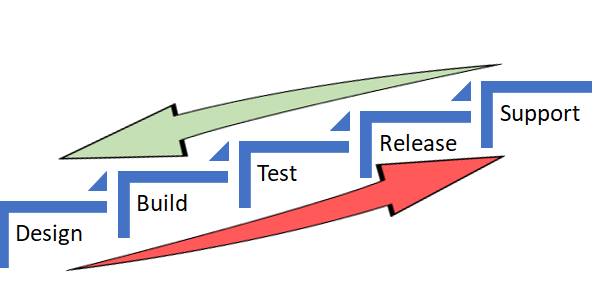
    In both the scenarios, the underlying objective was to catch defects and or reduce life support activities early in the cycle (below) which costs more and more as we move up the food chain, which in turn makes a release and subsequent maintenance cheaper.


    As Alan also referred in the same article to the IBM Study, it’s almost 100 times more expensive to fix an eventual production defect which cost about six times more if caught at Implementation stage or about 15 times more if found during testing. Thus, “Early identification and prevention can improve reliable software delivery” would be the mantra.

    Now, to the crux of this article, Is ShiftLeft not what we aim to achieve via DevOps?

    DevOps basically creates a collaborative, non-siloed cultural change to bring both Development and Operations together early in the game.

    Throw in a bunch of tools to facilitate CI/CD, pull in the security guys early, expand automated testing coverage, include change and release—who are the catalysts, as I call these functions in my earlier article here—squeeze in a few monitoring tools and dashboards and voila! You have a complete and mostly successful DevOps team to dish out the most appetizing feast of quality software repeatedly.

    A table for two (Dev & Ops) has become a party of six! Yaaay!!

    So, from DevOps standpoint, ain’t we doing the same as ShiftLefting (If I may coin the word) with the resulting cost effectiveness, more efficiently?

    We do when we as a team make shorter and frequent sprints; gain insight, not just on how to code better or leaner but also by learning from the masters in Operations who run that software on the infrastructure they monitor and support daily. Or perform the VA scan early, or push a scenario as unit test instead of regression, and/or raise flags on potential capacity challenges.

    So again, isn’t DevOps team already doing that ShiftLefting as part of its charter?

    There is a limit to moving things left, but then, if your organization is still doing wireframes under a waterfall or is in the process of setting up a DevOps team, then this approach could be a stop-gap arrangement, an eventual merging of a narrative within a new narrative.

    But then my argument would be, Why stop-gap and why not a full frontal? Why not embrace the DevOps model, which comes preinstalled with all the ShiftLeft possibilities?

    Even if we are aware how an episode ends, procrastinating raises the risk of being left behind in the race to deliver quality, cost-effective product quickly.

    Technology is redefining businesses: Transportation is an app and soon probably will be driverless; banks are rebranding as tech companies in FinServ business; a fridge can reorder milk; trash cans can be Wi-Fi-enabled! Ah, the internet of things. Is Alexa listening?

    My other relevant posts are here and here.

    Thank you for the time.

    — Abdul Salaam Khurram

  • Get Ready to Become a Full-Spectrum Engineer

    Get Ready to Become a Full-Spectrum Engineer

    The more things change, the more they stay the same. In software development, change has been a constant. I’ve been a software engineer for more than 25 years and have had to morph, pivot and learn new things to remain current and in demand. Plus, the industry swings like a pendulum between the need for specialists and generalists and that cannot be ignored: The advent of new architectures, methodologies and disciplines drives the need for specialists. Once assimilated, the market drifts back toward generalists.

    Back in the day, it was not uncommon to have 50+-person teams building applications using the Waterfall methodology. From a technology perspective, development was kept in silos for each specialty. It was uncommon for a developer to straddle specialties such as GUI, business logic, database and quality assurance.

    The swing back to generalists was driven by the shift to Agile. When the Agile methodology became prevalent, we saw the teams of 50 reduced to teams of six to 12. The reduced team size also reduced the number of specialist you could have on a team. Developers needed to know more and do more. Today, most companies are looking for generalists who can do it all—otherwise known as the full-stack engineer. These developers work on web applications and can operate in any vertical tier of the application. They write HTML, CSS and JavaScript for high-performing and functional UI for the front end. They can also work from the server side to develop the business logic to support the UI. Behind that are the database schema and queries they write to move data in and out of the application.

    Enter the Full-Spectrum Engineer

    DevOps has ushered in a new trend. Teams are moving from batched releases of functionality to single-piece flow. In other words, we no longer think about collecting the work of multiple engineers over multiple sprints into a release. Our ability to bring value to the customer as soon as possible and out-innovate the competition will be driven by releasing the work of a single engineer as soon as it is ready. This typically is accomplished through a continuous integration/continuous delivery (CI/CD) pipeline directly from the source repository through automated testing and finally deployment into production, preferably without any human intervention.

    What does this mean for developers? Plenty. Here’s a look at the major capabilities needed by software engineers who want to thrive as full-spectrum engineers (FSEs.)

    1. Be a good software engineer. That means keeping up with the latest trends in design and implementation. You need to assimilate new frameworks and open-source libraries into your first party code to build software quickly. Furthermore, you must understand scale and performance of the system under load. Creating services that scale out and back based on demand will enhance the user experience.
    2. Have an eye toward quality. This means testing both the functional and non-functional aspects of the application. Well-written unit tests are just the beginning. An FSE must think about how to create automated regression tests that can run in a staging environment to assure that the entire system will not be negatively impacted by their deployment. Testing for non-functional aspects such as performance are a must as well.
    3. Understand the complexities of deployment. Whether that be containers, cloud or infrastructure as code, you need to know where and how the software runs and be able to create those environments from scratch. Using stable, version controlled configurations for the running environment will ensure that Dev, QA, Staging and Production all look and behave the same. That makes testing repeatable and operations more straightforward.
    4. Don’t forget about operating the software. As part of a DevOps team, you will be expected to take part in pager duty. When writing new functionality, consider how to debug it remotely and whether your teammates will be able to do the same. That means logging and other telemetry are critical but insufficient. Turn that data into information that can be consumed by both people and machines. Can the software detect that it is not running properly? Can it heal itself? Can it call for help?
    5. Make security a priority. The fast pace of software development means that there is no longer time to wait for a security analysis or pen test when your release candidate is ready to deploy. Security standards should be part of the acceptance criteria and security scanning must be added to your definition of done. Use tools that can provide quick feedback and diagnosis of security vulnerabilities while writing code as well as identify vulnerabilities in your open-source components. This preventative scanning will not only train you to write secure code, but it will also allow the software to run successfully through the assurance scans that are part of any good CI/CD pipeline.

    DevOps is turning the concept of a full-stack engineer on its side. Now the vertical tiers of technology and architecture are secondary to the horizontal disciplines that must be mastered to create software at the speed of DevOps. While I am eager to tell you that the future of software development is generalist, it does not mean that we should get rid of our specialists. What it does mean is that we will need fewer of them—the skills and capabilities of a full-spectrum engineer are the future of software development. DevOps has smashed the velocity barrier but to reach the full potential will require a new breed of multi-disciplined generalists—Full-Spectrum Engineers.

    About the Author / Peter Chestna

    As Director of Developer Engagement at Veracode, Pete provides customers with practical advice on how to successfully roll out developer-centric application security programs. Relying on more than 10 years of direct AppSec experience as both a developer and development leader, Pete provides information on best practices amassed from working with Veracode’s 1,000+ customers. Pete joined Veracode in 2006 as a platform developer and was instrumental in delivering the first version of Veracode’s service to customers. Later, as Director of Platform Engineering, Pete managed the Agile teams responsible for delivering Veracode’s SaaS platform and built the first DevOps team. Follow him on Twitter @PeteChestna.

  • SauceCon Speaker Profile: Angie Jones, LexisNexis

    SauceCon Speaker Profile: Angie Jones, LexisNexis

    Automated tests are an important part of continuous integration, but if they’re not reliable, they can cause more problems than they solve.

    This problem is not new to Angie Jones, who works as a consultant automation engineer advising scrum teams on automation strategies and developing automation frameworks for countless software products.

    Jones currently works for LexisNexis, an information provider for legal and regulatory businesses. LexisNexis recently began embracing agile and test automation companywide, and she was brought aboard to help the company master the change. She is consulting with multiple teams to help define their automation strategy, building automation frameworks and training their testers on automation techniques.

    The biggest challenge so far has been finding different implementation strategies for different teams. “Automation strategies are not one-size-fits-all and should be customized for a given context,” she says.

    Jones will bring her expertise to the upcoming SauceCon event and plans to present a talk titled, “The Build That Cried Broken: Building Trust in Your Continuous Integration Tests.” Her presentation will focus on automated tests that are part of a continuous integration process. These tests aren’t run privately on someone’s local machine, and the person running them simply gives a final verdict to the team and spares everyone the glitches and hiccups. In CI, the unreliability of these tests are exposed for all to see, and they are detrimental to the process.

    In her talk, Jones will share how her team managed to turn their CI builds from an untrustworthy mess to a credible source of information. Since this isn’t a quick fix with a lot of cultural and mindset changes, she will discuss that as well.

    She is very excited to give this talk at SauceCon because “people attending this conference are the ones who are invested in ensuring that they get CI right, and I want them to know that automated tests don’t have to be their downfall. Besides that, it’s a really fun talk that I think everyone will enjoy,” she says.

    As a Master Inventor, Jones is known for her innovative and out-of-the-box thinking style which has resulted in 22 patented inventions in the United States and China. Angie shares her wealth of knowledge by blogging at angiejones.tech, speaking and teaching internationally at software conferences, serving as an adjunct college professor of Computer Programming and teaching tech workshops to young girls through TechGirlz and Black Girls Code. When she is not inventing something or helping people with test automation, she is reading urban fiction or soul line dancing!

    Join her and other presenters at SauceCon, the first-ever Sauce Labs user conference. SauceCon is a three-day event filled with training, workshops, best practices and visionary content from the leading minds in automated testing. For more on upcoming SauceCon presentations or to register, visit the SauceCon website.

    About the Author / Elizabeth Hechtel

    Elizabeth is a passionate tech writer at TestObject. As a Junior Marketing Manager she is focusing on delivering the best quality content on mobile testing. Personally, she loves learning new languages and reading up on recent advancement of modern technology.
  • CD 101 Podcast: The What, How and Future of Continuous Delivery

    CD 101 Podcast: The What, How and Future of Continuous Delivery

    Now that we’ve arrived at Episode 4 of our CD 101 Podcast, let’s address some basic concepts—like the what and how of it all and the future.

    Wait … perhaps we could—or should—have touched on these key topics earlier. Or not. At least not the future part? Anyway …

    While this (mostly) backwards-looking orientation may seem a bit odd, I’d argue that we’re actually navigating the conversation on precisely the correct path. Let’s rewind for a moment to look at where we’ve come from.

    Episode 1: We highlighted many of the fundamentals of this thing called CD, yet we did so from more of a conceptual and best-practices standpoint. While the ideas and processes involved do resonate in the real world, the topics we cover in this episode are bit closer to the water-cooler conversations we’re hearing about CD as it grows in practical adoption.

    In Episode 2: We covered the whole how do you “realize agility” piece of the conversation. This is important and a precursor to some of these other basic questions. The entire process of digital transformation begins with getting agile and you can’t truly adopt continuous delivery without doing so; therefore, this was another good place to feed today’s discussion.

    In Episode 3: We looked at the prospect of re-inventing the “Modern Software Factory” with agile development and continuous delivery. OK, so, perhaps we were getting a bit ahead of the basics here, but I’d maintain that this is an important piece to consider upfront that builds on these other building blocks. As with the topics covered in Episode 2, it is critical to understand the big picture challenges and benefits before you begin to get your hands dirty.

    And now for some nitty gritty.

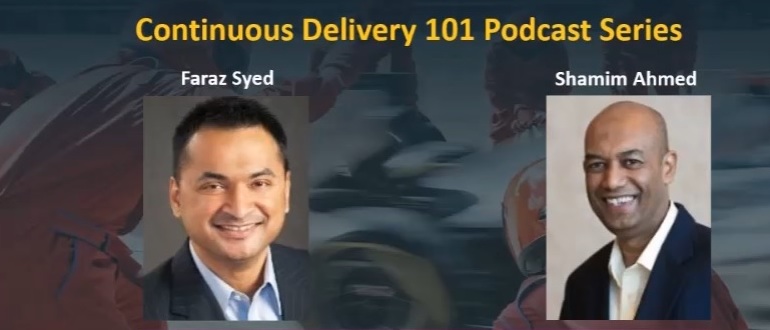
    In Episode 4, we hear from Shamim Ahmed, CTO of Continuous Delivery Solutions at CA Technologies, as he answers the nine burning questions he most often hears in speaking to enterprise practitioners as they look to employ DevOps and Continuous Delivery practices in the real world.

    So, while these previous conversations were material, this is a crucial set of topics to consider as you invoke your own strategy, including:

    1. What is the difference between DevOps and continuous delivery?
    2. What are the key impediments/obstacles to achieving speed/quality in CD?
    3. How do we overcome these obstacles?
    4. How do we get started on the CD journey?
    5. What are the key top-level metrics you want to track in a CD program?
    6. What org changes do we need to make to implement CD?
    7. What the key capabilities we need to implement?
    8. How do we integrate all the different tools we have in our environment?
    9. How will the future of continuous delivery evolve?

    OK, that last part is a bit more postulation on our part—though we like to think on the practical side, based on the answers to all these other important real-world adoption dynamics.

    Tune in and hopefully learn a good deal about where your approach stacks up, and needs to evolve.

    As always, you can find said Episode 4 of the Continuous Delivery 101 Podcast by:

    • Listening to it on your computer on YouTube
    • Downloading it from iTunes store
    • Downloading it via the Podcast App by searching for “Continuous Delivery 101 podcast”

    Enjoy!

    — Scott Edwards

  • 6 Big, Bad Mistakes in Configuration Management, Part 2

    6 Big, Bad Mistakes in Configuration Management, Part 2

    In Part One of my article on big, bad mistakes in configuration management, I reviewed the dangers of using the wrong tools for the configuration management job. Provisioning management tools, application release automation tools and continuous integration tools each have their place in your DevOps toolchain. But they should not be used as a substitute for ongoing configuration management. In this article I am focused less on misusing tools and more on bad practices, limited thinking and short-sightedness that should be avoided.

    Mistake No. 4: Direct Server Access to Production

    This one may not bite you … until it does. I’ve worked with many companies where developers have direct access to Production. This is not good. And, in many cases, it is a violation of compliance policies. Please don’t take offense, my developer friends. You shouldn’t want direct access to Production. I find that 9 times out of 10, your code is not the problem—the configuration is the problem. However, you’re being asked to log directly into the server to do comparisons between your environment (where it worked just fine) and Production. This leads to the, “How did he fix it?” problem, and it leads to the dreaded typos and other manual errors. I’ve witnessed companies lose millions of dollars in a matter of minutes because someone logged directly into a server and made an incorrect configuration change.

    The question is, How do you cut off direct access to Production? How do you quickly find configuration differences between environments without logging into the server? The answer is a good configuration management solution that quickly shows differences between the environments for all your tiers. This is easy when you’re doing file-to-file comparisons, but what about registry key comparisons, or WebSphere comparisons? Find a configuration management tool that gives you visibility fast, exactly when you need it, for the important parts of the stack that keep your applications running. And insist on a configuration management solution with robust RBAC (role-based access control) over what changes can be made, where and when they can be made, who can make them and even who can approve them.

    Mistake No. 5: Leaving Your DBAs Out of the Picture

    The majority of companies I work with have completely disconnected database and middleware teams—the DBAs don’t really know what the middleware team is doing and the middleware team has no visibility into what the DBAs are doing. I believe there are a couple reasons for this: people and technology. We won’t worry about the people aspect today, other than to say that each team thinks the other team is “quirky” J. From the technology aspect, traditional tools simply do not provide configuration visibility into both the middleware and the database tier. So the DBAs end up having one toolset, and the middleware team a completely different toolset. This prevents collaboration, orchestrated releases, and the complete configuration picture that’s needed to make sure your application is fully configured, performing, and running correctly.

    This is a big problem. In fact 37 percent of survey respondents admitted that they relied on scripting and manual processes to determine which databases were used by which applications in their ecosystems. And another 38 percent admitted they don’t even have a way to determine this information. Talk about blindfolds! My advice is to find a solution that both middleware and database teams can use. That doesn’t necessarily mean the DBAs will replace their favorite tools, but they’re now involved in the process, allowing that collaboration and orchestration that was missing.

    Also, if you use a single, integrated configuration management solution your management, middleware, OS and DBA teams will all have visibility into every aspect that makes the application run. The middleware team can see if there are schema changes that may be causing an application issue as opposed to spending hours looking for a middleware configuration issue they’ll never find, or vice versa. Having one unified tool cuts down on the mean time to diagnose because you can see all the tiers in one place.

    Mistake No. 6: Focusing Only a Single Part of the Stack

    The previous “big, bad mistake” segues nicely into this one: focusing on just a single part of the stack. There are many tiers supporting your application, and we’ve touched on several in this series—namely middleware, database and OS. Within each tier you may be supporting different technologies. Some applications may be running on IIS with a SQL Server back end while others run on WebSphere with an Oracle back end. Then you have the operating system settings to worry about: making sure registry keys are set, system services have the right accounts, filesystem permissions are accurate, all the correct versions of Linux packages are installed, etc.

    Based on a lack of comprehensive coverage up and down the application stack, many companies have chosen to explore configuration management tools for just a single part of it. These point tools tend to focus on the most business-critical applications, the one where they hit the most configuration issues or simply the one that’s most difficult to manage. This is not necessarily a bad thing to do, but take care not to be too single-minded. Try not to choose a configuration management solution that works well for one part of the stack but not others, or that works very well in one environment (Linux/Unix), but not very well in another (Windows). Managing these disparate point solutions, with maddening gaps and overlaps in coverage, can be exhausting.

    Choose a tool that’s extensible to other parts of the stack, business or other teams. My suggestion is to make a list of all present and future technologies you use that need configuration management support. Divide them into different parts of the stack and then rank them from “most onerous to manage and/or most business critical” to “nice to have.” Refer to this list when evaluating configuration management tools so you don’t lose sight of the forest from the trees. Make sure the tool can support all your top items and ask about their road map for your “nice to haves.”

    Tune into our upcoming webinar, which will touch on these topics as well.

    About the Author / Kristy McDougal

    Kristy McDougal leads Product and Sales Engineering for Orca, an application release and configuration automation solution for DevOps teams. Prior to launching Orca, Kristy was a Senior Pre-Sales Consultant within BMC Software’s worldwide DevOps specialist team. Before BMC, Kristy held technical positions at VaraLogix, Virtual Bridges, Global Foundries and Advanced Micro Devices. Her experience includes Unix systems administration, systems engineering, pre-sales consulting and post-sales services. Kristy is ITIL Foundation-certified and is an electrical engineering graduate of the University of Texas at Austin.
  • 6 Big, Bad Mistakes in Configuration Management, Part 1

    6 Big, Bad Mistakes in Configuration Management, Part 1

    Configuration problems come in many flavors. Some are mere nuisances. Often though, configuration errors can lead to more serious mishaps like application performance problems, policy compliance violations or even security vulnerabilities. They can often go undetected, quietly doing their damage in the background while everyone’s attention is focused elsewhere.

    Unfortunately, I find that configuration management is an area where many companies either 1) put it as a “last to solve” on their priority list (when arguably it’s quite important), or 2) try to solve it with a do-it-yourself fix, but in a way that’s not always extensible or that doesn’t end up working with their DevOps toolchain.

    Usually, I find configuration issues stemming from the age old problem: using the wrong tool for the job. In this blog I’ll address six big, bad mistakes of configuration management. (For the sake of brevity, three will be addressed here and three in an upcoming blog.)

    Before I get into it, though, there are so many definitions of configuration management that it warrants a brief summary so we’re all on the same page. I’m talking about the ongoing configuration management of the infrastructure tiers supporting your applications—the middleware, database and OS-level configurations that keep your applications’ lights on and everyone happy.

    Mistake No. 1: Only Considering Provisioning

    Notice I just mentioned the word “ongoing” in my definition of configuration management. I find that so often people forget to take the ever-important “ongoing” into consideration. I have many conversations with folks wanting to implement a “provisioning tool.” On the surface, they think they need just that: a tool that provisions infrastructure including all the tiers of the application. But when I probe further, what they’re really wanting is something that provisions and then continues to monitor, manage and fix. There’s a big difference there.

    Some tools do great at provisioning but lack the visibility and “ongoing” configuration management needs. Think of a provisioning tool as waving a bat at a piñata. Yes, you can “blow away your environment” and start over, but that blindfold prevents true visibility and ongoing interaction.

    When looking for configuration management, be sure to focus on your current and future needs. Do you just need a provisioning tool? Or do you need an ongoing configuration management tool? Or both? Most tools that tout doing both do one much better than the other, so be sure to do your research.

    Mistake No. 2: Using an ARA Tool to Manage Configurations

    In a previous position I spent quite a bit of time onsite with clients helping them automate their application deployment processes. What I found is that around 80 percent of “application deployment” tasks are actually configuration tasks. The application deployment is the easy part; it’s the configuration management aspect that causes all of the headaches. I would spend the majority of my time onsite hurriedly writing little scripts that would be hurriedly inserted into the deployment process that would set the application pool, restart the service, change a heap size, etc. I had to write the scripts because application deployment products are workflow automation engines with process wrapped around them. They are not meant to be infrastructure configuration management products.

    It bears repeating: Traditional application deployment solutions are not meant to be infrastructure configuration management products. They can get you part of the way there, but 1) you’ll need to script it all, which is not extensible and defeats the true purpose of a tool, and 2) they simply catapult your application (one way only!) into the next environment (i.e. Test to Staging, Staging to Prod), so you can forget about the “ongoing” piece we discussed above. Compare that one-way catapult launch to the complexity of routinely engineering one safe launch (and landing!!!) after another on an aircraft carrier on the open seas. A mission-critical task like this requires advanced technologies, visibility, communication and coordination to account for constantly changing environmental factors.

    Mistake No. 3: Using a CI or Build Automation Tool When You Need Configuration Management

    As bad as misusing an application release tool when you really needed a configuration management solution, it’s even worse using a continuous integration tool for this. Like many DevOps solutions, CI tools are particularly helpful for developers. CI tools like Jenkins and Bamboo require Dev teams to share or check in their updated code into a repository. The CI tool then detects potential problems early by automatically verifying builds for the developer. From the Dev team’s perspective, there is no more wondering if their code is going to work, and they spend less time debugging and redoing. The financial benefits of CI and the early warning system they provide should be obvious and considered a must-have for developers.

    But while detecting coding errors early saves a lot of hassle for the Dev and Test teams, Ops teams do not directly benefit from CI. Here’s why: Operations teams are concerned with the application release into Production environments and then the ongoing configuration management of the entire application stack including the application, middleware, database and operating system. Once the (application) baton is passed to them, they require visibility into and intelligence about the application’s operating environments—well after Dev and UAT. As good as they are for Dev teams, CI tools are simply not equipped to provide ongoing operations support, visibility and coordination in Production that modern Configuration Management solutions provide.

    These are just a few big, bad mistakes in configuration management and they focus largely on misusing tools beyond their intended scope. I will follow up with a Part II companion article that addresses configuration management practices to be avoided.

    Tune into our upcoming webinar, which will touch on these topics as well.

    About the Author / Kristy McDougal

    Kristy McDougal leads Product and Sales Engineering for Orca, an application release and configuration automation solution for DevOps teams. Prior to launching Orca, Kristy was a Senior Pre-Sales Consultant within BMC Software’s worldwide DevOps specialist team. Before BMC, Kristy held technical positions at VaraLogix, Virtual Bridges, Global Foundries and Advanced Micro Devices. Her experience includes Unix systems administration, systems engineering, pre-sales consulting and post-sales services. Kristy is ITIL Foundation-certified and is an electrical engineering graduate of the University of Texas at Austin.

  • DevOps in Legacy Systems: A Mission Impossible?

    DevOps in Legacy Systems: A Mission Impossible?

    The word “legacy” evokes mixed reactions from the IT and business crowds alike. For those who depend on legacy systems such as the zSeries and iSeries platforms, it is a way to deliver stable and reliable applications into production. Business stakeholders who may not know the intricacies of the technology often take a view of, “Why fix it when it ain’t broken?”

    mainframe

    On the other hand, for those who haven’t experienced the joys and pains of legacy systems , legacy world will continue to defy their logic and assumptions because their view of the world is shaped by the open system world which has completely different characteristics: being more malleable to change and easy to maintain etc. Hence there is this great divide between the legacy and new worlds. Add Agile and DevOps to the equation with the lofty goals of increased release frequency and reduced lead times, we end up with a divide that is too far to bridge.

    cobol code

    The likes of Gartner have come up with constructs such as two-speed delivery to help deal with this legacy challenge. In my view, there is a problem with the idea of dual-speed because it is based on a wrong analogy to start with — that of allowing vehicles to move at different speeds depending on whether you are on the motorway or a city road. That analogy works well for traffic management scenarios but not for complex IT architectures we see in the enterprise. The dependencies across the systems in the enterprise landscape are just too intricate and too tightly coupled to be defined using such a binary logic. In my experience, I find that many Agile and DevOps transformations hit the roadblock and never achieve the desired levels of productivity and effectiveness because of an oversimplified view of these complex dependencies across legacy and open systems.

    The three biggest challenges that prevent a legacy DevOps transformation are mindset problems, architectural constraints and tooling limitations.

    The Mindset Problem

    “There are no legacy systems, just legacy thinking.” That’s a great quote I heard recently from an engineer in a large organization trying to adopt DevOps at enterprise scale. The initial resistance from teams to move into DevOps ways is due to reluctance to change, emerging from an inertia of doing things a certain way for years if not decades. The mindset problem is as much a problem for those outside the legacy world as those inside. The “outsiders”—typically leadership, management team and consultants—tend to oversimplify the problem and, too often, rely on examples from the open systems world. This just alienates the incumbent legacy teams and makes them even more skeptical of DevOps driven change. The outsiders need to have a genuine appreciation of the challenges with legacy architecture and need to work in collaboration with the legacy teams if they really want to transform their organization.

    Architectural Constraints

    Legacy systems have certain characteristics such as being static, tightly coupled and monolithic blocks of procedural code. These systems were not built for the modern Agile workflows that focus on incremental and iterative deliveries. A significant majority of these systems are written to operate in batch mode.Testing the systems requires cycling through multiple business days, which simply limits the level of agility you want to introduce in the organization. I am currently working with a legacy engineering team in the financial services space where you have to cycle through a minimum of 20 business days to simulate even 70 percent of the test scenarios. However, there are a number of solution options to overcome the architectural challenges; they range from killing applications to migrating to modern platforms or re-engineering legacy code. Not surprisingly, the right approach depends very much on your context.

    Tooling

    Tooling in the legacy world to support a DevOps ways of delivery has always been a challenge. But it is fast changing now, thanks to a number of startups and even old-school IT product companies investing in this space. If you consider zSeries as an example, there are better IDEs (integrated development environments) such as RDz that can replace traditional code editors typically based on “green screens.” These IDEs provide great features such as better navigation, debugging, split views and searches on the legacy code. One of the CIOs I worked with made it clear to his team that he wanted to get rid of “green” screens from the IT floor. There are tools such as SmartBear Collaborator that support a great peer review experience and help bring one of the original XP practice of pair programming to the legacy world. There are tools such as endeavor from CA that promise automated build and deployments in the z-series world. Similarly, there are tools that support test automation of mainframe applications and tools for code coverage and code quality checks on legacy programming languages like COBOL. XATester looks like a promising tool for unit test automation from a Danish startup called Xact.

    While this write-up is not intended to be a compendium of all DevOps and engineering tools, the central message is that there are a number of DevOps tools emerging on the legacy landscape which can help your legacy delivery teams get on to the DevOps and Agile journey.

    What is more important is for organizations to realize that many of these legacy systems will remain part of their IT landscape for the next foreseeable future and it is time to invest in these core systems. They may not look as appealing as the digital platforms, but they are fundamental for businesses and you cannot ignore them on your DevOps journey. DevOps in the legacy world is not going to be smooth, but it is certainly not a mission impossible!

    — Aditya Vadaganadam

  • CD 101 Podcast: How to Build the Modern Software Factory with Agile Development and Continuous Delivery

    CD 101 Podcast: How to Build the Modern Software Factory with Agile Development and Continuous Delivery

    And now, for Episode 3 … you decide if it beats “Star Wars – Revenge of the Sith.”

    I think we accidentally just set the bar pretty low, but …

    … here we go. Let’s begin with a prerequisite pithy quote from an objective industry observer:

    “If agile software development was the opening act to a great performance, continuous delivery is the headliner,” according to Kurt Bittner of Forrester Research.

    Kurt explains this concept further by saying, “The pace at which consumers expect change is causing a crisis in application development and delivery … agile was a good start, but it wasn’t sufficient to drive better business results; continuous delivery forges the broken link in the value chain, connecting business strategy with business results.”

    So there, you have it.  At least according to Forrester, continuous delivery (CD) is one of the most important evolutions of agile methodology within the modern software factory. But, there’s more.

    Andrew Binstock from Dr. Dobbs fairly well echoes this sentiment, saying: “It’s becoming clear that agile alone is no longer sufficient to keep up with the demands of the present day … software complexity and the need for constant updates are making it difficult for leading edge organizations to keep up without moving beyond agile and embracing continuous delivery.”

    Episode 3 of our podcast series discusses the importance of Agile Transformation along WITH Continuous Delivery to automated some of the development, test, and release efforts to remove some of the bottlenecks downstream in the software development life cycle in the build, test and release phases.

    Lean Agile + CD can create these 1+1=3 types of results.

    Episode 3 of the Continuous Delivery 101 Podcast can be found by:

    • Listening to it on your computer on YouTube
    • Downloading it from iTunes store
    • Downloading the podcast from your Podcast App by searching for “Continuous Delivery 101 podcast”

    Thanks for listening!

    — Scott Edwards

  • Release Automation: Delivering the Big Quality Payoff

    Release Automation: Delivering the Big Quality Payoff

    Have you ever gone down the path of testing the latest release of an application only to find out that you had the wrong version?

    Maybe you accidentally grabbed the wrong build or you didn’t have the correct configuration file for the environment you were testing against—or your database wasn’t updated correctly, or the script you were using was still pointing to a prior version of the software.

    Whatever the case, we can agree that keeping track of all the various artifacts, database schema changes, configuration parameters and other components needed to accurately test and deploy an application is both time-consuming and prone to errors.

    Today, many companies are looking to DevOps, continuous delivery and agile development methodologies to shorten their application delivery cycles and reduce the number of errors and the costs associated with application deployment processes. Nearly all enterprise companies are software companies, and their mere existence depends on delivering differentiating products and services via software to their customers.

    It’s imperative to be able to react to customer demands and competitive pressures quickly, if not immediately, to stay ahead of the competition. Gone are the days of yearly release cycles.

    Today we see companies deploying new capabilities into production environments on a monthly, weekly or even daily basis. At some companies, hundreds, if not thousands, of deployments are occurring across dev, test and production environments daily. The old methodologies we once used simply can’t support this type of volume and cadence.

    Employing Release Automation

    So, how are these companies transitioning to this new way of thinking? In a word—automation; specifically, by automating early and often.

    Everything about your release process is a candidate for automation. This includes environment provisioning and configuration automation, build automation, test automation and release and deployment automation.

    A customer of ours recently implemented CA Release Automation, and within eight weeks had automated 90 percent of its deployments. Deployments that once took more than five hours and a team of people now take a matter of minutes.

    “This not only saves us a huge amount of time, but it also mitigates the risk of human error being introduced by manual processes,” said Tim Dallmann, platform engineer at Jewelers Mutual.

    Another customer, a major airline, implemented CA Release Automation and immediately reduced their production outages from an average of 237 over a three-month period, down to 15, seven, six and five over the following four months.

    And Molina Medicaid Solutions reduced their cost of human error by 90 percent, all the while responding quicker to emergency deployment requests and improving deployment quality.

    Automation is critical, but I believe these results prove that implementing a framework to manage and deploy release processes in addition to automation works even better.

    Increased Flexibility and Visibility

    Continuous delivery helps break down barriers often seen between development and operations teams. It provides, even forces, a more collaborative approach and automation is a key enabler of this.

    “One of the best things about automation is that it gives us the flexibility to skill-up end users—deployments in our test environments are no longer solely the responsibility of the operations or IT teams,” explained Dallmann.

    With an application release automation (ARA) solution, artifact, build, configuration and release processes are no longer tracked with spreadsheets or embedded in complicated scripts.

    Increased visibility into these processes ultimately enables all stakeholders to take a more active role in the release process, and access to real-time information can significantly reduce the amount of time and resources needed to resolve and recover from problems when they do occur.

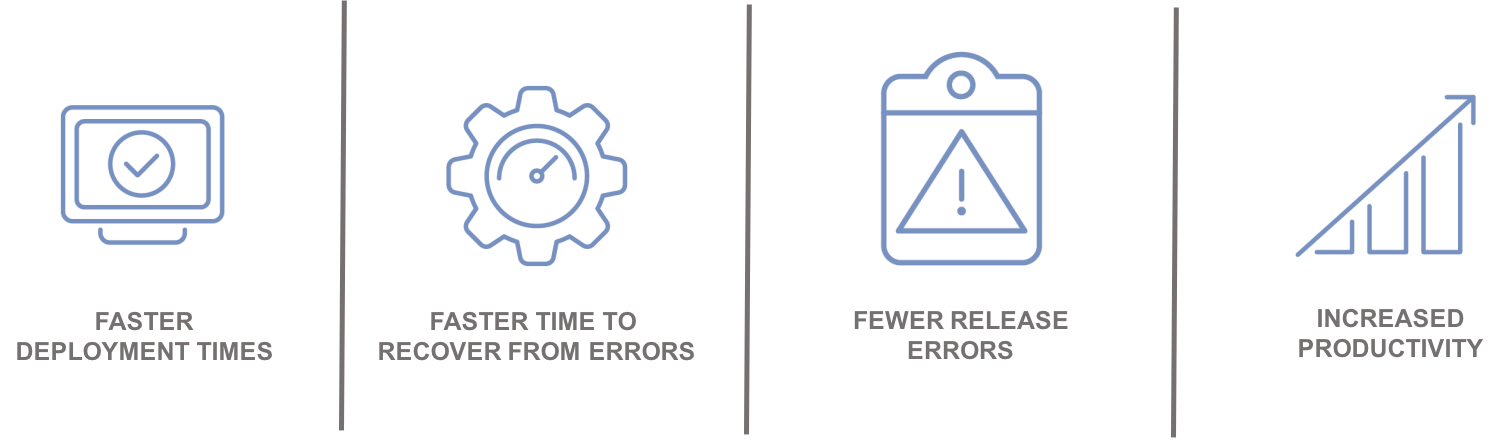
    Automation leads to:

    Integrating with the Ecosystem

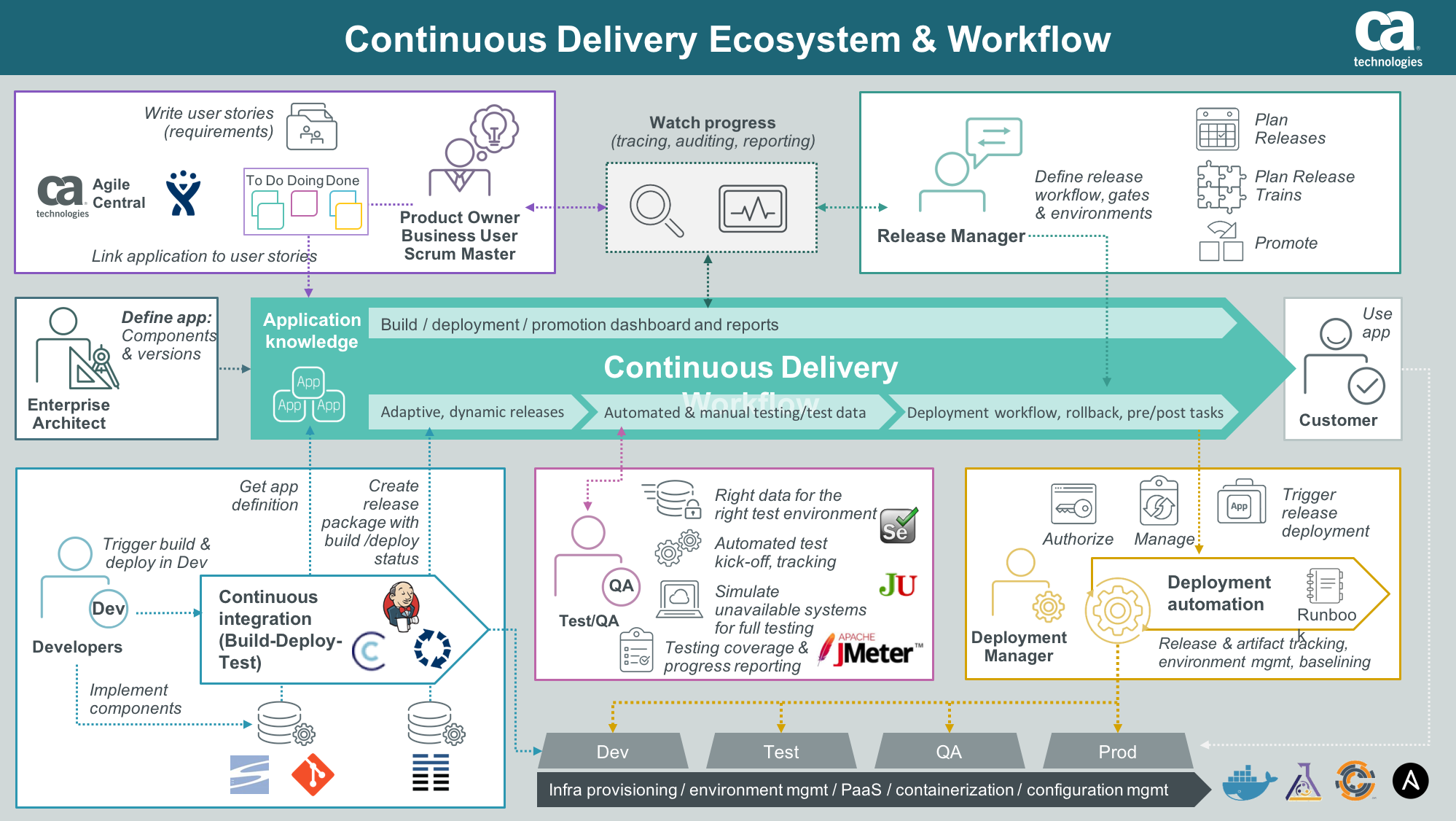
    An enterprise ARA solution can help you create a single control point to streamline all your application delivery processes for better predictability and reduced risk. A critical component of this is the ability to integrate and orchestrate tools and technologies required along the continuous delivery pipeline, including source control, automated testing tools, provisioning and configuration management solutions and change management and performance management solutions.

    Integration with an application lifecycle management solution can provide even further alignment, governance and traceability between development projects and what is ultimately being tested and promoted to production.

    “By integrating the two solutions, we will have a complete audit trail of deployments to help us understand how, where and by whom stories have changed,” said Phil Nickolai, director of application services at Jewelers Mutual.

    “What we really needed was a solution to streamline our whole way of working,” he said. “We had numerous people working on projects, competing for resources and causing complexity. Now we’re back in control and getting smarter every day.”

    The Time Is Now

    Let’s get rid of the problem that exists between the keyboard and information kept in spreadsheets, scripts or emails. Not only will you stop wasting time testing the wrong version of an application, but you can also ensure you have the right test data, the appropriate test cases and the correct configuration parameters for your environment.

    Stress-inducing release weekends and nights become a thing of the past. Developers can spend more time on developing innovative capabilities that generate revenue and keep customers coming back for more.

    — Tim Mueting