Tag: cloud migration

  • DevOps Chat: DevOps and the Road to Cloud with JT Giri, CEO, nClouds

    DevOps Chat: DevOps and the Road to Cloud with JT Giri, CEO, nClouds

    For many of us in the IT industry, migrating to the cloud is old news. Even the concept of how DevOps can help on the road to the cloud is not a novel idea. However, we need to remember that while many organizations have some cloud-based infrastructure, the real migration to the cloud is still ahead of us. By the same token, while DevOps is more popular than ever, the percentage of organizations that have fully adopted DevOps is still small.

    My talk with JT Giri, CEO and co-founder of nClouds, dives into this truth and how companies like nClouds are helping organizations big and small to make the move. As usual, the streaming audio of our conversation is below, followed by the transcript of our chat.

    Audio

    Transcript

    Alan Shimel: Hello, everyone. This is Alan Shimel, editor in chief of devopsy.kinsta.cloud, and we’re here for another DevOps Chat. Today’s DevOps Chat guest is JT Giri, CEO of nClouds. JT, welcome to DevOps Chat.

    JT Giri: Hey Alan, great to be here. Thank you.

    Shimel: Thank you. Thank you for being here. So JT, let’s start off a little bit about – before we get to nClouds, let’s start off – I don’t know if everyone in our audience has heard of JT Giri and your background. So why don’t we go there first, so you can give us a little background.

    Giri: Absolutely. I spent the last ten years doing DevOps consulting before it was called DevOps – so helping companies to streamline their operation and managing complex infrastructure and helping them to put processes in place. My end goal was always to make sure the customer could focus on their end goal, like delivering greater value to their clients. So that’s what I’ve been doing the last 10 years. 

    Shimel: Got it. And then you founded nClouds. When was nClouds founded?

    Giri: Yeah, so it was kind of a transition from consulting to founding this company with the mission of helping companies with cloud adoption and helping them to manage modern infrastructures that would integrate continuous delivery, continuous integration, building better culture. So we transitioned from consulting to a company.

    Shimel: And you know what? You’ve done it and congratulations. I’ve done it now several times. And it’s scary, right? It can be a little scary when you – you know, it’s a big responsibility, but ultimately that’s what makes an entrepreneur, right?

    Giri: Yeah, absolutely. And I think at some point you realize you can add far more value to your clients if you grow it as a team, especially 24/7 support. One of the DevOps principles is to take ownership, right? So we wanted to provide that to our customers and every gig we do, we make sure we are there for them. You know, we provide 24/7 support and make sure we are responsible for their infrastructure. It’s just simply very hard to do it yourself, you know? So that’s why we transitioned into a company and it’s been great. We’ve done over 100 AWS implementations and the transformation for our clients has been amazing. Before where it used to take them three months to deploy code, now they can deploy everyday. So it’s just been an amazing journey. 

    Shimel: Yeah, it has. And I mean, you know, again, as an entrepreneur and you having done this too, JT, it’s nice to get some recognition beyond – I mean other recognition is putting the money in the bank and growing the business, right? But it’s also nice to get awards, kudos or some industry recognition that things are moving in the right direction or the arrow is pointing up, as they say in football. And JT, recently nClouds received some recognition like that, didn’t they?

    Giri: Yes. Yeah, so we’ve been nominated in the 20 most promising DevOps providers of 2017 and as I was saying, it’s really exciting for us, because we’ve been doing great things for our clients and the transformation has been amazing, where now the customer can focus on delivering value to their clients faster. You know, we help them with cloud migration and streamline their operations. So it feels good to be recognized, definitely. [Note from Editor: Just after our interview, nClouds was named to CIOReview’s 20 Most Promising DevOps Solution Providers – 2017.]

    Shimel: Got it. And JT, you know, nClouds is working pretty closely with Amazon AWS, isn’t it?

    Giri: Yes, we are an Advanced AWS consulting partner. We’re also an AWS Managed Service provider and DevOps competency partner.

    Shimel: Got it. And how is that, JT? Because again, for our folks out in the audience, I’m sure many of our listeners are actually working on AWS-hosted infrastructure right now. But you know, from my experience anyway, there’s people who work directly with AWS and they muddle through it. They may get some training and maybe they’re old hat at it. And then there’s a large segment of I think the industry and of the customer base who really, they need the nClouds of the world. They need AWS expertise to help them make it happen. And I’ve got to assume that that forms a good chunk of your customer base right now, yeah?

    Giri: Yeah, absolutely. So Alan, you know, you’re in the space and you know how confusing things are right now. You know, there’s people already moving to server-less and there’s Kubernetes, Nomad, and you know, there’s like five or six container schedulers … They want to be like Amazon or Netflix or Google of the world, but it’s very hard to get there. Since we’ve done this so many times, we have experience working with the client and taking one step at a time. Because if you’re starting out it can be intimidating, because you don’t know – you have a good vision and you want to release code fast and you want to make sure you can innovate fast. You want to migrate to AWS, but it’s very, very tough. And Alan, when we speak with customers, some of them are still starting with the config management conversations, right?

    Shimel: Mm-hmm.

    Giri: And so we have to kind of tone it down for them. For them, the next step is, “Hey, let’s figure out – maybe we need to work on implementing some kind of config management for you before we even think about micro services,” right? So that’s when someone like us can come in and help you to understand, where can we get the biggest bang for the buck? What should be the next step? And really help you pave the way to go to this transformation with a DevOps path.

    Shimel: Yep, agreed. So JT, you know, when we start talk about it though – I want to turn back – you actually wrote an article back in May that was up on devopsy.kinsta.cloud about why your company needs an automated infrastructure now. And when you were talking it kind of triggered that for me. For our listeners out there, why do their companies need an automated infrastructure right now?

    Giri: So if you subscribe to lean thinking, anything that doesn’t add value to your customer is a waste, right? So you need to define your work rigorously to be used that way. With automated infrastructure you can actually facilitate that. You can scale up and down based on your customer needs. And then you can focus on adding value to your customer and you can also lower the cost, where you just scale based on the client’s needs – and all this can yield better reliability. You know, the customers will be happy. If you’re not leveraging automation and if you’re treating the cloud infrastructure like on-prem, then you’re not really getting any value out of the cloud. So that’s why I wrote that article, just illustrating that you have to focus on automation and the cloud so you can lower the cost, have efficient workflow, and in return deliver better reliability and better customer experiences.

    Shimel: Excellent, excellent. So you know, JT, you and I and people like us, we’re living in a DevOps bubble. We think DevOps is great. We think this type of methodology, this way of thinking, this kind of cultural organization is a no-brainer and of course it has to make things better. But there are a lot of people who maybe haven’t drunk the Kool-Aid, or they just don’t see it. And they’re saying, “Okay, that’s cool. That’s this week’s buzzword. What’s next? How do we keep this going?” Where do you see this going, JT? And when I say this, I mean this whole sort of – I call it Agile IT, because I heard someone at Gartner use the term. But DevOps, Agile, this new way of doing things – where do you see it going

    Giri: Yeah, so I think we have a long way to go, Alan. As I mentioned earlier, you know, we are in the Valley and we are drinking this DevOps Kool-Aid. And because we have experienced this, right? Like I’ve done a lot of DevOps transformations and I can see before and after and it’s just amazing when you get the results. But there are a lot of companies out there, as I was mentioning earlier – they’re still beginning to think about config management systems, right? And they’re still doing config management in Pearl. And another challenge I face, especially when we’re working with enterprises, people have gotten used to doing things a certain way and all of a sudden there’s like so many better ways to manage your infrastructure.

    So Alan, I think we have a long way to go and I think when people feel like, “Oh, this is just a buzz,” what we try to do with companies is take small steps, right? If they’re still working on config management, try to implement that and show them metrics on how things were before the implementation.

    Shimel: So JT, what about nClouds? What’s next with nClouds? I know recently you guys have added some talent there and you’ve got this award going on and you’re getting buzz in the industry. Where do you see the company going?

    Giri: Yeah, so our mission from day one has been to drive this cloud adoption and help companies with DevOps transformation. So companies like Google or Netflix, the unicorns, they can really attract a lot of DevOps talent. But there are a lot of companies and a lot of enterprises out there and they’re not able to attract that kind of talent. So our mission is to bring DevOps transformation to all of these companies, right? That’s why we’ve been hiring. And Randy Newell joined recently, so we’re very excited about that, and we have been hiring very talented engineers.

    And we also released a product called nOps.io, which manages security and change management of the cloud. So over the last several years the focus has been a lot on infrastructure tooling, like Terraform and (AWS) CloudFormation. And I think we’re missing the process piece of the puzzle in this DevOps. So that’s what we’re trying to bridge, where if there’s a hundred people or ten people making changes in your infrastructure, how do you manage those changes? How do you make sure security is not an afterthought? How do you make sure every single change is documented and traced without slowing people down? So we’ll continue to innovate and help companies in the DevOps space, yes.

    Shimel: Got it, got it. All right, well JT, we’re about out of time here. Thanks for coming up and appearing on this episode of DevOps Chat. Continued success with nClouds. And we’d like to see more articles from you up on devopsy.kinsta.cloud, actually. I’m sure our audience – our audience really liked the first one, and we’d like to see a lot more.

    Giri: Thanks, Alan. Thanks for having me.

    Shimel: But good luck. Thank you. All right. Hey, JT Giri of nClouds – CEO and founder of nClouds, thanks for being this episode’s guest on DevOps Chat. This is Alan Shimel for devopsy.kinsta.cloud and DevOps Chat. We’ll see you on the next episode of DevOps Chat.

    — Alan Shimel

  • DevOps Needs a New Cloud Solution for Best Practices

    DevOps Needs a New Cloud Solution for Best Practices

    Imagine this scenario: You are a company building modern software which is a key driver of your business. To support this, you have grown your infrastructure organically over time by adding servers, storage, networks, security, virtualization software, monitoring, alerting and analytics tools. You have also added a plethora of other middleware, databases, messaging and operating systems that your developers need to build, test and deliver their applications.

    Because of this unplanned organic growth, there is no consistency in the environment. You manage, maintain and operate much of this environment manually. Your various specialist teams (storage, networking, security) begin to form fiefdoms around their respective functional areas. Change becomes extremely difficult and automating across silos turns into a maintenance nightmare. You over-purchase to meet the demand and risk under-utilizing resources. Your costs spiral out of control. You are now finding it a hopeless challenge to meet the needs of your developers—which was the primary purpose of doing all of this in the first place.

    Moving to a Modern Platform

    A modern DevOps platform should address the requirements of both your development and IT/operations teams. It should give software development teams an easy way to consume on-demand compute, storage and networking as well as provide easy access to continuous integration and continuous deployment (CI/CD) tooling and software services that help increase their development throughput and shorten product delivery. In addition, the platform should also empower operation teams to manage, maintain and operate the entire infrastructure environment with very few people using smart software that drives automation and intelligence into the entire stack.

    In short, it should have the ability to break the silos within your IT environment and between development, QA and operations teams. By doing this, you can increase the velocity of software development, improve infrastructure utilization, increase overall operational efficiency and reduce costs.

    Requirements for a Cloud Infrastructure That Streamlines DevOps

    There are several requirements for a modern, cloud-based DevOps platform. Let’s look at the key essentials of such a solution.

    Self-service API-driven infrastructure is a fundamental requirement to enable infrastructure as code, a key attribute to enable DevOps best practice. It allows developers to write code (which can be done using their favorite programming language) and make RESTful API calls to the underlying programmable infrastructure to manage initial deployments and configurations. It also enables them to manage ongoing automated dynamic provisioning of infrastructure, auto-scaling, monitoring and alerting.

    All this automation removes the confusion and error-prone manual steps for the entire application delivery process, including development, testing, staging and production deployments. This, in turn, accelerates software delivery and increases quality.

    However, building such a self-service API-driven infrastructure by yourself is not easy. The key component that drives up the cost is the operational complexity and the cost of experts needed to build and operate it.

    Smart software that drives intelligence into the stack. Very few solutions in the market automatically handle the full life cycle (deployment, upgrades, monitoring, alerting and ongoing resource management) of infrastructure and also allow seamless migration of workloads between private environments and public clouds. Additionally, if self-service is available as a SaaS-based delivery model, it is easy to add more features and workflows very quickly without having IT perform a major upgrade. If your solution comes with an on-premises install, ask how much work IT has to do to maintain this environment and how often new features will get added.

    Hyper-converged Infrastructure (HCI): Eliminating silos in the infrastructure. As mentioned earlier, silos impede velocity because they lead to complexity of operations, lack of consistency in the environment and lack of automation. A hyper-converged cloud design with a software-centric architecture tightly integrates compute, storage, networking and virtualization resources and other technologies from scratch in a commodity hardware box supported by a single vendor. This approach eliminates silos and lowers costs and complexity. It also makes it easy to start small and grow on demand while staying tightly right-sized on capacity and cost.

    A built-in browse-able categorized application store. DevOps engineers need readily accessible CI/CD tools such as Jenkins, Git, Maven or JUnit to automate the development and test pipelines. Additionally, tools such as Ansible, Puppet and Chef help with automated configuration and lifecycle management of workloads. Application developers need to quickly integrate and deploy middleware services such as RabbitMQ, Redis or storage back-ends including MySQL, Postgres, Cassandra or MongoDB. Single-click deployment of such services and other complex multitier network tools and applications greatly automates, accelerates and simplifies the development process.

    Seamless migration between private and public clouds. Developers and testers often need much greater capacity than is available on-premises for scale testing, and they should be able to move their application to a public cloud for such purposes. Alternatively, they may already have some applications running on a public cloud and they may want to bring them back to their private cloud for cost savings or better performance. For these use cases, a private cloud solution should offer seamless bi-directional migration between the public cloud and the private cloud.

    Dashboards and visibility for troubleshooting. One of the key advantages for a private cloud is that you can get complete visibility across the infrastructure and applications. In a public cloud, you can only get VM-level stats but have no control or visibility below that. Make sure that your private cloud solution can provide visibility to developers directly. Many vendors only provide access to IT, thereby controlling what developers can do and making IT a bottleneck in the application development and deployment process.

    Better insights to improve efficiency and capacity management. A cloud requires capacity planning, utilization monitoring, right-sizing of workloads and detecting zombie VMs and unused resources. Look for a solution that comes with built-in analytics, management tools and insights. An even better approach would be having a solution where you don’t have to install the management tool on-premises so that it can deliver its value as a service.

    To meet the needs of application developers and development frameworks and to create an efficient DevOps platform, companies should look at consistent converged architectures managed via smart software. This empowers application developers and operations teams to leverage a consumption model they want, while providing control to IT and making them relevant to your business success.

    Integrated intelligence and insights delivered as a service ensure that you never have to use spreadsheets to decide what to purchase and when. Cloud solutions with smart software ensure that you never have to make a Level 1 support call again; your management software can do that for you.

    About the Author / Kamesh Pemmaraju

    Kamesh Pemmaraju leads product management, product marketing, and technology partnerships at ZeroStack. Kamesh is a seasoned product management/marketing leader with a strong engineering and consulting background. In his most recent product roles at Mirantis and Dell, he focused on delivering private and hybrid cloud solutions to enterprises. He holds a Master of Science in Computer Science from Indian Institute of Science. Connect with him on LinkedIn and Twitter.

     

  • Moving to the Cloud? Consider These Questions

    Moving to the Cloud? Consider These Questions

    The cloud is going mainstream. That’s the word from a recent Cisco Systems-sponsored study, which found that more than two-thirds of organizations are using the cloud to “help drive business outcomes”—a whopping 61 percent increase from the previous year’s study. But almost the same number aren’t maximizing the true value of cloud computing.

    What does this mean for your business? It means that while the cloud is quickly becoming a necessity rather than “nice to have,” it’s worth asking some hard questions before you make the move. You can get the most from your deployment after determining the answers to these five questions, and even more from the accompanying infographic.

    What’s the Line-of-Business Benefit?

    You’re not just moving to the cloud because everyone else is doing it; you’re looking for benefits that boost your bottom line. The notion such benefits exist is not just hype: Many companies report lower IT spending and increased agility in the cloud. Before you make the move, however, it’s worth asking about the specific line-of-business (LOB) benefits you hope to achieve. Otherwise, you’re putting the cart before the horse, hoping a cloud deployment will inspire some kind of revolutionary use. One firm directly tapped the benefit of agile cloud computing by writing a script that closed down sandbox testing environments at night and spun them back up again in the morning, saving tens of thousands per year. This exemplifies the true value of using cloud resources—but it doesn’t just happen. Find your need, and then tap the cloud.

    Are You Ready for Change?

    Is your company ready for IT transformation? Ultimately, that’s the role of the cloud—70 percent of businesses say the cloud has enabled them to re-engineer one or more business processes. Consider analytics. Running data analytics is the fastest-growing activity in the cloud, since companies now can “flip a switch” and start mining critical data sources.

    Having the data on hand isn’t enough, however. Your company must be ready to run with this information and move forward with real change if you want to get the most from your cloud deployment. Put simply, the cloud is disruptive—embracing change is a requirement for increased ROI.

    How Much Can You See?

    Cloud providers promise on-demand, anytime, anywhere access. While it is a good thing for remote workers and satellite offices in different time zones, it also can lead to a problem: visibility. Do you know who’s spinning up new services, when and for how long? Do you have a way to track and monitor cloud uptime and performance to ensure your provider is living up to its service-level agreement (SLA)? Expert advice says it’s essential that you have a way to independently verify your company usage once services are hosted in the cloud. This could take the form of local monitor tools, third-party services or even a secondary cloud solution tasked exclusively with providing visibility. Bottom line? What you can’t see, you can’t measure—in turn potentially limiting your total cloud benefit.

    Where Does Compliance Live?

    You have compliance obligations. Maybe those obligations are related to consumer credit data, health information or legal documentation you’re required to protect. Whatever the case, if your cloud provider doesn’t comply with local or federal laws, you could face a hefty fine or other penalty. As a result, it’s worth tracking down a cloud provider that not only knows your industry standards inside and out, but also clearly describes in the SLA how these standards will be met. Here’s the takeaway: Always ask your cloud provider about compliance, and never settle for vague answers or promises that aren’t in writing.

    Is Data Done Right?

    How much data do you plan to store in the cloud? Almost 50 percent of companies now store more than half of their data in the cloud. Expect this number to rapidly increase as the cost of storage comes down year over year. Beyond balancing the need for local and cloud-based storage, however, it’s worth asking tougher questions about portability, backup and security. If you change providers, is your data ready to make the switch immediately? Is your cloud provider charging extra for data backup? If so, what does the service entail? Last but never least: What steps are being taken by your provider to safeguard data—both stored and in transit? Never underestimate the value of doing data right; better to pay more for great service than save a few bucks on cheaper, less robust alternatives.

    The cloud has arrived. Before making your move, however, consider the LOB benefit, your readiness for change and ability to monitor services—along with your provider’s compliance and data-handling aptitude. To better understand the potential benefits of using the cloud, check out the accompanying infographic and determine the answers to a few more questions about how your company and cloud capabilities will fit together.

    About the Author / Adam Cady

    adam-cadyAdam Cady is director of third-party managed Sservices at SingleHop. Cady is responsible for developing cutting-edge managed services solutions and software management tools for hyperscale cloud platforms. Connect with him on LinkedIn and Twitter.

  • DevOps: The (Absolutely Critical) Cloud Enabler

    DevOps: The (Absolutely Critical) Cloud Enabler

    A couple weeks ago, I gave a talk titled, “DevOps: The Cloud Enabler” at a conference. As I was putting together some requisite materials previewing my session, I made a few mistakes. (Yes, I’ll readily admit it.) I used the words “should” and “can” and “consider.” Instead, the words “must” or “not optional” or “operationally imperative” make better sense.

    Companies are moving to the cloud (or at least endeavoring to); that’s a fact of IT life. If you’re not doing it, your competitors are lapping you. That may not be what you want to hear, but hey, reality bites. The cloud is simply the most scalable, flexible, efficient way to run a business these days. Cloud was just a buzzword for the longest time, but companies in all industries are actually putting it to work now. If your CIO isn’t at least in the midst of forming an application migration plan to the cloud, it might be time to light a fire under him or her; otherwise, start reading the writing on the wall and look for a new gig.

    Easier said than done, though, right? I’ve heard many a CIO say, “We’re going to have all our apps in the cloud by 2018!” No, you’re not. You don’t know how. You don’t have the tools and road map to get there. Let me enlighten you with some of those stronger, more urgent words I mentioned earlier. In your move to the cloud, DevOps MUST be the conduit. Period. Stop. End of argument. Game, set, match. Not optional; it’s imperative.

    Here’s why: One of the most fundamental problems that’s part and parcel of a move to reliance on the cloud is that IT orgs want every scrum team to have its own environment, complemented by an individual database instance. Eventually, that leads to creating a distinct database instance for every single developer. You probably can see where this is headed.

    I’ve used this comparison time and time again, but cloud and database instances become like the wire hangers in your closet you accumulate every time you pick up clothes from the dry cleaner. They multiply over time and, all of a sudden, you seemingly have a million on your hands, with no idea where they came from and no good way to get rid of them. To compound things, once the proliferation begins, it’s hard to stop. Shut down a database instance (as with an application instance), and you lose the underlying data. No can do.

    That reality spells disaster for the database administrators (DBAs) being flooded with thousands of development SQL scripts and database changes across multiple app release cycles across multiple environments. For DBAs to attempt to keep pace with this rise in change requests, organizations all but have to go through DevOps’ economies of scale. DBAs need reprieve, and DevOps can be just that. David Linthicum put the solution thusly: “Stop separating the development and operations skills; they are tightly coupled and need to be peers. You’ll find this is the hardest part of the process of moving to devops and the cloud.”

    Spot on. To be more prescriptive:

    • Developers need to understand what DBAs are dealing with as part of the cloud migration and know how their work rolls downhill.
    • Automation needs to reign supreme, removing manual work.
    • Developers need to have the ability to be involved directly in cloud ops and enact 95 percent of changes themselves.
    • DBAs need to be freed to oversee the 5 percent of changes that truly need their attention and management skills.
    • The flow from cloud application updates to cloud DB changes needs to be seamless.

    In bringing development and DBAs into sync, DevOps then becomes the vital remedy, the critical cloud enabler.

    TL;DR: If you have DevOps alignment, processes, responsibilities and tooling properly implemented in advance, then when you decide to move to the cloud, you can simply flip the switch from on-premise to the cloud. One click and you won’t miss a beat. Seriously, it’s that easy. Sound appealing? I know.

    If you truly want to get to the cloud, you must have a sound DevOps strategy that encompasses application development, web and the database. Without that in place, swim at your own risk. This is the year that we’ll see much more of the true impact of DevOps. And that’s coming just in the nick of time, because without DevOps, CIOs and their IT orgs would be in for some nasty surprises in their all-important moves to the cloud.

  • Financial Drivers for Cloud Migration in Enterprise

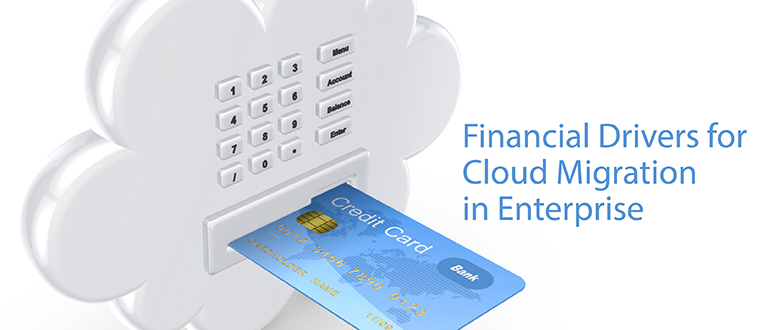
    Financial Drivers for Cloud Migration in Enterprise

    Clouds are a vast pool of usable and manageable virtualized means such as development platforms, hardware and services. These assets can be animatedly reconfigured to adjust to a flexible load, which helps in the optimal utilization of resources. Your enterprise breathes through IT—to keep your business moving forward, you must modernize and be more flexible to break the shackles of the orthodox technologies that are holding you back.

    The cloud’s pay-as-you-go business model enables enterprises to cut capital spending by leveraging the cloud service. It also offers several benefits required by the enterprise, including lower operating cost, no upfront investment, great scalability and much more.

    To gain the benefit of cloud computing and guard the current investment to the legacy system, companies are keen in migrating their legacy systems to the cloud. The cloud provides a cost-effective corridor to transforming legacy systems to more modern technologies. It offers modern efficient development structures, improved supervision of IT resource supply and demand and enhanced scalability, and it provides access to these assets from almost any part of the world. With this upgraded dexterity, you are able to respond more swiftly to the changes in the market, exploit newer business prospects, surge financial growth and drive innovation.

    However, to benefit from what the cloud could offer, you are required to spend money and time on launching your cloud and migrating data and applications to the newer environment.

    Migrating databases from on-premise machines to the cloud has a few crucial advantages: Cloud elasticity delivers instant flexibility in scaling up or down. And, the cloud model saves money by shifting companies from early heavy capital expenses (CapEx) of on-premise hardware to constant, known operational expenses (OpEx) on cloud facilities and more.

    Migration Ahoy

    But migrating live applications to the cloud is not an easy task. Listed below are few methods to migrate to the cloud.

    Rehost: This term refers to redistributing applications to a diverse hardware setting and changing the application’s structure configuration. Rehosting the application while making no changes to its construction can offer a faster migration to the cloud. The key benefit of infrastructure as a service (IaaS) is that the systems can be migrated by the teams quickly, with no modification to their architecture.

    Refactor: This term refers to applications run over the cloud provider’s infrastructure. The main benefit is combining innovation with awareness, as “backward-compatible” platform as a service (PaaS) means developers can reuse frameworks, languages and containers in which they have invested. Its biggest drawbacks include transitive risk, missing capabilities and lock-in framework.

    Revise: This method requires extending or modifying the present code base to assist the legacy transformation requirements, and then using the refactor or rehost options to position the cloud. This method enables enterprises to enhance the application to influence the cloud features of providers’ infrastructure. However, this method requires upfront development work, which needs upfront outlays to assemble a development team.

    Rebuild: This term refers to rebuilding the solution on PaaS, discarding code for the current application and restructuring the application. Though rebuilding involves dropping the familiarity of present code and frameworks, the benefit of rebuilding the application is admission to advanced and innovative features in the platform of the provider. They increase the productivity of the developer. Still, lock-in is a major drawback: Should the provider make a pricing or technical change, breaches the service level agreements or goes out of business, the customer is required to switch, possibly deserting some or almost all its application resources.

    Replace: This method requires discarding the present application and using the commercial software offered as a service. This method reduces or eliminates any investment in assembling a development team when there is a change in the business function. Issues may include issues in accessing the data, unpredictable data semantics and vendor lock-in.

    The Bottom Line

    Projects relating the migration be of any size entails careful planning. Evaluating its existing applications portfolio could help an organization understand the complexity, challenges and amount of effort required in migrating its databases to the cloud. Many tools assist application and database migrations, and each method differs in the amount of automation they provide and in the accurateness of the migrated system. Carrying out proofs of concept using these tools to understand their abilities will be constructive in the longer run for larger projects related to migration.

  • 6 Key Considerations When Migrating to AWS

    6 Key Considerations When Migrating to AWS

    Every day, more and more organizations take the plunge and migrate to the Amazon Web Services public cloud. What they leave behind is the cumbersomeness of the traditional data center, but despite the cloud’s benefits in scalability, agility and efficiency, they discover a new set of challenges that need to be overcome.

    Gartner estimates that more than 50 percent of enterprises will have adopted a hybrid cloud approach by 2017. Transitioning from a traditional on-premise IT infrastructures to a public cloud can be daunting, however, and success requires a different mindset and range of skills. This shift can be particularly challenging for traditional enterprises because they have a lot at stake. Here are the five main challenges in moving to the AWS cloud.

    Cloud Finances

    Different organizations have different financial approaches, and their choices of IT infrastructure reflect this fact. For some, the on-premise approach of making a large, upfront capital expenditure to purchase infrastructure and then capitalizing the investment over time may be the favorable option because they prefer to keep complete control over their IT environment. However, for others, a heavy initial expense is not ideal, so a cloud approach with only ongoing, operational costs is more fitting. This option may be particularly suitable for organizations with fluctuating needs on a monthly basis, as an on-premises data center will not offer them the flexibility they require.

    Regardless of the approach, it is important to compare the respective costs before deciding which one is most suitable. The best option may be to combine both on-premise and cloud to create a hybrid cloud environment. This will allow for steady workloads to be kept onsite while bursts in demand can be processed by an on-demand, public cloud.

    Security, Availability

    The idea of handing over all of your data to a public cloud provider can be a daunting because of the obvious security and availability concerns. However, public cloud providers must adhere to strict compliance protocols and can implement and maintain much higher security levels than on-premise installations because they have more available resources.

    In fact, enterprises have avoided migration to the cloud for a long time due to security concerns. However, this is slowly changing, as IT leaders now realize that running on the public cloud actually can bring the advantage of greater security because AWS has industry-compliant cloud infrastructure (HIPAA and PCI-DSS standards, for example).

    Nonetheless, AWS customers must understand their responsibility in protecting user data and implementing a service level agreement (SLA). For more information, take a look at the AWS “sharing the responsibility” model.

    Rehost (Lift and Shift) vs. Rebuild (Re-architect)

    Migration to the cloud requires some amount of preparation before in-house applications can be moved. Gartner describes five different methods of application migration, and two of them are specifically relevant when discussing IaaS—rehosting and rebuilding.

    Rehosting (also known as the “lift-and-shift” approach) involves taking an application and re-deploying it to a different hardware environment without making changes to the application’s architecture. Although this is a quick-fix solution that will have your application up and running on the cloud quickly, rehosted applications probably will not be able to utilize the main advantages of the cloud (such as horizontal scalability) because they were built on top of custom vertically integrated hardware. Rehosting allows organizations to get away from high on-premises infrastructure costs, but the approach is suited mainly to applications with easily defined patterns.

    Resource-intensive apps (such as those used for image rendering or big data analysis) are more suited to the rebuild (or “re-architect”) approach, in which the original code is scrapped and replaced with new code. These types of applications naturally rely on commodity hardware and have the ability to scale, so keeping them in closed, on-premise silos could mean you end up with performance issues and high costs.

    Rebuilding is naturally a time-consuming and costly process. The solution, therefore, lies somewhere between the two approaches, with the main deciding factors being cost and security of the workloads.

    Get it Right from the Start

    At the beginning of the process, be careful in selecting which apps or services you move to the cloud. If the first few are successful, that will set the tone for the whole migration. If some of the early projects fail, enthusiasm for the migration will dwindle and make it more difficult to complete.

    Be smart by choosing projects that are most likely to be successful, such as non-critical applications or services that can be migrated easily. Make sure your environment is transparent from the start by using modern monitoring and logging systems that can collect large amounts of log data and then parse it to find events and provide insightful information.

    In addition, knowing your cloud environment will significantly increase your success rate. Don’t get too ambitious and try to do it all at once. Follow each small success with another, and your team will ensure a smooth migration.

    Beware of Staff Apprehension

    Any dramatic change within an IT environment will face staff apprehension. You might expect the shift to be met with resistance from corporate management, but the real doubts will come from your IT team. After working with on-premise infrastructure for years, administrators will not welcome any changes they think could jeopardize their jobs. Help your team embrace this shift by making sure they receive suitable training to prepare them for a new set of challenges.

    Log Analysis and Metric Collection

    Organizations moving to AWS suddenly find themselves managing a highly scalable and highly dynamic environment that requires a new type of log analytics and metric collection. The need for centralization of data is crucial in dynamic environments because often you find yourself trying to troubleshoot a problem on servers that no longer exist.

    During the most recent re:Invent, AWS CTO Werner Vogels emphasized the need for centralized log collection as necessary for success in AWS migration:

    IT organizations suddenly gain access to thousands of servers running more applications than ever that also wind up generating more log files than most IT organizations can possibly cope with. … In order to be successful in the cloud, IT organizations need to relentlessly measure how both systems and applications are performing. The problem is that log collection and processing is painful.

    All of the individual components Vogels described each have their own outputs of important log data that need to be analyzed. To ensure a successful AWS migration, logs from your applications, infrastructure and S3 Access buckets—and much more—all must be monitored to ensure all of the parts of your new AWS environment are operating in a way that is secure, highly available and scalable. (To help IT organizations, we have published a free e-book on AWS log analytics with the open source ELK Stack.)

    AWS: A Final Note

    AWS is the preferable public (IaaS) cloud choice for enterprises today, and it looks set to stay this way. To achieve a successful transition during a migration of workloads and products to AWS, the process needs to be carefully planned and implemented in a step-by-step fashion that will prove the benefits of the move to all of the stakeholders.

  • Cloud or In-house with Chris Kinsman, Part 1

    Cloud or In-house with Chris Kinsman, Part 1

    I sat down last week with Chris Kinsman, Chief Architect at PushSpring and a 20+ year veteran of software development, to talk about the factors that go into deciding when to migrate to the cloud. In Part 1 we’ll talk about what factors into the business and technical cases, and in Part 2 well look at additional arguments against moving to the cloud – and even at what point it makes sense to scale back from the cloud to “in-house” operation. I’ll let Chris do most of the talking here:

    “My first question is always ‘what is the business case for in-house?’. Some companies like to say we’re not going to the cloud for privacy, or security which is closely related. And there are different reasons given by both business and IT.”

    Traditionally one of the biggest arguments for keeping operations in-house is the high quality of existing staff and operations – tied to the “unique” requirements of whatever the particular business is doing.

    “I think that is a fallacy. Look at the teams that Microsoft or Amazon has in place supporting their data centers – that’s way beyond what anyone else has. So that’ not the real argument – it’s more that they don’t want to give up control. And management plays along with that – I can’t yell at Amazon when there’s an outage, but I can yell at my guys.

    But business guys are different. Yes, there are potential concerns about privacy, and outages, but their biggest concerns are around cost. And the problem there is people tend to compare hardware, depreciated, versus payments to Amazon. But if all you’re doing is putting your hardware compared to your monthly fee, then you really aren’t accounting for all costs. And even if you add in your co-lo costs, there’s a lot of additional monitoring, headcount, et cetera that need to be included to make it a true comparison – and a lot of companies don’t do that.

    Another thing that companies do is assume a 3 to 5 year capitalization of the hardware. They then say the same machine from Amazon costs this amount. But Amazon keeps upgrading their machines and charging less. So a year in, you can get a better price than you did at year 1 and there’s no opportunity cost to switch it because there’s no sunk cost. So you could have relatively equal computer power on day 0, but get 10% more power after one year OR keep that power and pay less. So you have to look at historical pricing over the past few years. Azure and AWS have seen continued downward pressure.”

    Other than historical data for Amazon spot instances, it is surprisingly hard to get reliable and continuously updated figures on historical cloud computing costs – and even more difficult to predict how those costs might decline in the future. Compared to hardware prices that have historically followed Moore’s Law and declined 20 to 30 percent per year where data density doubles approximately every 18 months (and thus cost declines proportionately), cloud computing costs have generally fallen 6 to 8 percent per year.  Google made a strong statement about being more aggressive with price cuts with their 2014 announcements, but the industry has not fall in with Google’s “ongoing commitment to bringing Moore’s Law to the cloud”

    “The other thing that isn’t well evaluated is when trying to make an apples to apples comparison is that they think Azure virtual machines versus AWS EC2 – but they don’t adequately consider the other parts of the ecosystem that those guys bring to the story.

    For example, Azure storage and Amazon S3 are both block storage in the cloud that you don’t have to worry about provisioning as you grow. With bandwidth you don’t have to worry about provisioning as you grow. And that are fronted by a CDN that makes it super trivial to put it as close as possible to your users. You can do that in-house, but it’s something you have to build – or buy – and figure out how to scale it.

    And that’s just one example. Let’s take that out to more complicated application-level logic comparing Azure Service Bus or AWS Simple Queue Service (SQS). So now we’re talking about building a message bus – which is something that is non-trivial to set up and manage and you don’t want someone who doesn’t know what he’s doing to do it. Dirt cheap, but…”

    Well, this goes back to the scalability of – in this case – talent. It’s impossible for one individual to be a storage, cloud, and security expert. And it’s difficult to determine if you’re doing a thorough job in a particular area of expertise without first acquiring that expertise.

    And there are a lot of things you don’t want someone who’s not an expert doing, and building a message bus has to be pretty high on that list! SQS gives you the first 1 million requests (and a message can contain up to 10 message!) for free, which sounds like a lot of value until you know that at $.50 per million requests that’s just $1.

    “So a lot of guys just think about building what they have now and in my mind, that’s not taking advantage of the cloud. There are some guys who have to do that – they have “in-house” versions of their software as well as their cloud versions – they have a hard time deciding if they want to be a SaaS provider or sell on-premise software – so that’s a hard decision point for them, they can’t go all-in on cloud services which means that they’re not going to be as competitive against a pure-SaaS vendor. And that’s where the comparison becomes even more difficult. I don’t see them calculating what the costs are for building and maintaining these kinds of services.”

    And those higher-level services are built on other services – nobody is building anything from scratch. And every one of those services is going to have potential issues with migration and so on. So if you’re a messaging guy and you understand building and optimizing pipelines, then go for it. But most organizations are going to stumble on this.

    “SwiftType announced they were going to physical hardware. They were moving off of AWS EC2 and onto SoftLayer – which is excellent, I’ve used it previously – but SoftLayer was bought by IBM and their whole claim to fame is that they’re a “Cloud Provider” although they do not provide near the number of high order services of Amazon or Azure. They’re mainly a competitor to someone like RackSpace. But they’re physical hardware. You don’t own the hardware, it’s in a data center somewhere, and the attraction to that is that many folks are worried about the ‘noisy neighbor problem’.”

    Meaning you’ve got some guy using up a ton of bandwidth using up some part of the shared resources.  But there are many places where a bottleneck can occur.

    “Right, and there’s other ways to deal with it. You should be building redundancy anyway, so make sure you have good diversification there and it’s unlikely that you’re going to have the ‘noisy neighbor problem’. But then they’d argue back that’s going to cost more because you’re going to have to build out more redundancy and more infrastructure. And I would argue back that means that you’re way more resilient. For example, what if one of the data centers goes down.

    You have the sense of control, and to a certain point you do, but you’re not being realistic about your level of expertise or all of your investment.

    Take security as an example – do you have a guy you hired, who says he’s a security guy, or do you have a team of 50 guys like Steve Riley who’re thinking about security all the time. AWS and Microsoft have 50 guys – maybe more than that – and unless you’re huge, you simply won’t have that capability.”

    And in terms of resilience, if a security guy leaves one of the Cloud Providers they can handle that – if that’s your entire security department that just left you have a significant challenge. It all goes back to who do you trust. Do you trust your employee? High-power consultant? Or do you trust the providers to have the right people?

    “As with nuclear weapons, ‘Trust but verify’”

    About the Author/ Keith Pleas

    keithp-125x150Keith Pleas is the Organizer and Conference Chair for the annual ALM Forum, a software architect and one of the founders of Guided Design and has worked with the patterns & practices team for several years where he was the architect and subject matter expert for “Design for Operations”. Prior to that he worked for more than two years on the team developing the .NET Framework and Visual Studio .NET. Keith is an internationally known writer and speaker and past Editorial Chair for the VSLive conferences. He was also a founding Contributing Editor to “Visual Studio Magazine”, and a Contributing Editor to numerous other publications including “Windows NT Magazine”. Keith has developed several Microsoft Professional Certification Exams. Keith was a founding board member of INETA where he also created the INETA Speakers Bureau. You can reach Keith on Linked In.