Tag: AWS

  • AWS Looks to Meld MLOps and DevOps

    AWS Looks to Meld MLOps and DevOps

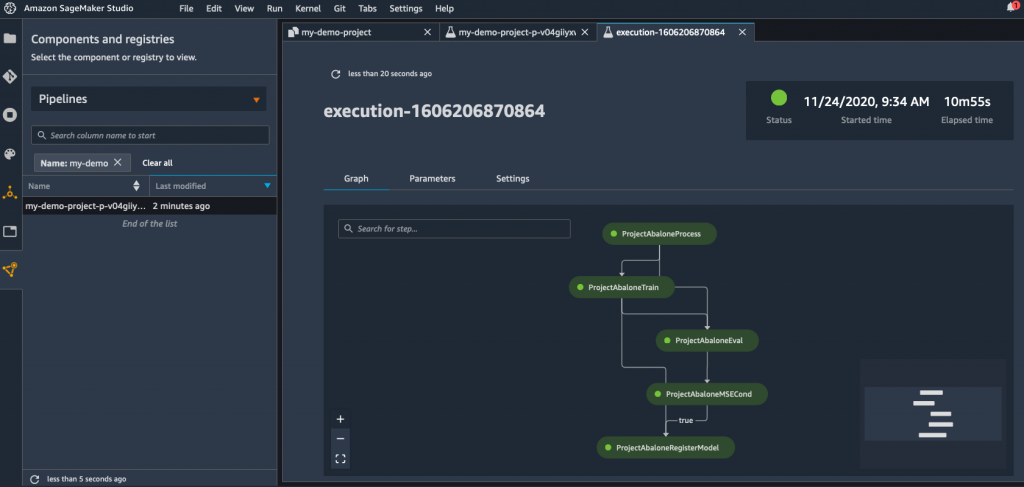
    The rate at which machine learning operations (MLOps) and DevOps best practices are converging is poised for rapid acceleration in 2021. At the recent online AWS re:Invent conference, Amazon Web Services (AWS) announced it is adding a bevy of capabilities to Amazon SageMaker, a managed MLOps service, that includes a continuous integration/continuous delivery (CI/CD) service for MLOps it is calling Amazon SageMaker Pipelines.

    Amazon SageMaker Pipelines enables developers to define a machine learning workflow that encompasses everything from loading data to training configuration; algorithm set up and debugging algorithms. Rather than having to acquire and deploy a standalone CI/CD platform for building artificial intelligence (AI) models, AWS is making the case for using a managed service that enables developers to manage workflows from within the Amazon SageMaker Studio tools it already provides for building AI models.

    Workflows can be shared and reused between teams to either re-create a model or can serve as a launch point from which to create another AI model.

    Amazon SageMaker Pipelines also logs each event in Amazon SageMaker Experiments, which enables IT teams to organize and track machine learning experiments and versions of AI models. In addition, a Deep Profiling for Amazon SageMaker Debugger now makes it possible for developers to more quickly train AI models by automatically monitoring system resource utilization and generating alerts whenever bottlenecks are detected.

    AWS has also added a Distributed Training capability to Amazon SageMaker that it claims makes it possible to train large, complex deep learning models up to two times faster than current AWS approaches by enabling data and AI parallelism across its cloud services.

    The cloud services provider has also added an Amazon SageMaker Edge Manager service that enables developers to optimize, secure, monitor and maintain machine learning models deployed on fleets of edge computing devices. The Amazon SageMaker JumpStart service enables developers to search for AI models, algorithms and sample notebooks.

    Finally, AWS has added additional data preparation tools that come pre-configured with support of AWS and third-party data sources, a repository for storing AI models, a preview of additional tools for automatically matching AI models to data sources such as the Amazon RedShift data lake, the ability to match an AI model to a graph database and a tool that detects bias within AI models.

    Bratin Saha, vice president and general manager for machine learning services at AWS, said as usage of AI models increases, the scope of these initiatives naturally lends itself more to cloud platforms. Many applications are starting to employ multiple classes of AI models in combination with each other; Saha noted this requires massive amounts of data and compute resources to train those models that are only readily available in the cloud.

    Overall, AWS claims it already has more than 100,000 customers building AI applications on its platform using various tools and processor classes. AWS said in 2021 it will add G4ad Graphics Processing Unit (GPU) instances based on processors from AMD and revealed its intention to build its own GPUs next year. The company also plans to add an Amazon EC2 instance based on up to eight of Intel’s Habana GAUDI accelerators to deliver up to 40% better price-performance than current GPU-based EC2 instances.

    At the same time, AWS has extended its alliance with NVIDIA to make software modules for building AI models available on the AWS Marketplace.

    In effect, Saha said AWS is inviting IT teams to either build AI models on AWS or bring their own AI models, encapsulated in containers, to its platform.

    AWS is clearly aiming to dominate AI, regardless of how such capabilities are infused into enterprise applications. In fact, in many cases, AWS will automatically construct the AI model for customers, or simply return the results generated by an AI model via an application programming interface (API). It will be up to each organization to determine when building their own AI model makes the most sense, and to what degree they want to rely on AWS to automate the deployment process.

    What’s certain is that many of the same DevOps principles—created long before AI models ever came along—will still be relevant as the applications that use those models are continuously updated for years to come.

  • AWS Taps Grafana Labs to Launch Managed Observability Service

    AWS Taps Grafana Labs to Launch Managed Observability Service

    Amazon Web Services (AWS), in collaboration with Grafana Labs, has added a preview of managed service based on the Grafana observability platform to its portfolio of tools for managing cloud applications and infrastructure.

    The Grafana platform is based on an implementation of the open source Prometheus monitoring platform being advanced under the auspices of the Cloud Native Computing Foundation (CNCF). The implementation curated by Grafana Labs is designed to centralize observability across multiple clusters using the same console.

    Grafana Labs CEO Raj Dutt said organizations running workloads on AWS can now more easily invoke an observability platform that runs on the same cloud platform on which they have deployed application workloads.

    In addition, Dutt noted IT organizations running workloads on AWS can seamlessly upgrade to Grafana Enterprise, which can pull information from third-party data from platforms including ServiceNow, Splunk, Snowflake, Datadog, MongoDB, Oracle, New Relic, Dynatrace, Wavefront and AppDynamics.

    Grafana Labs already offers both an on-premises edition of its platform in addition to a software-as-a-service edition. The edition that AWS is running provides access to an observability platform for applications running on AWS platforms. Organizations that want to apply the Grafana Labs platform to manage applications running on multiple platforms would employ the existing offerings available from Grafana Labs.

    The company also earlier this year added a distributed tracing platform dubbed Grafana Tempo that makes it possible to leverage existing object storage platforms and services to analyze traces. Grafana Labs also rolled out version 2.0 of Loki, which normalizes different structured, unstructured or JSON log formats in a way that allows DevOps teams to extract additional labels as well as enable additional filtering and grouping.

    In general, interest in observability is on the rise in direct proportion to the rate at which IT environments are becoming more complex. As more microservices-based applications are deployed, the level of dependency between them starts to increase exponentially. Attempting to correlate data generated by multiple monitoring tools is next to impossible, so IT organizations are starting to shift toward observability platforms that unify the collection of application and infrastructure metrics in a way that provides more context.

    Competition among providers of these platforms is already fierce, so the alliance with AWS is a notable endorsement of the approach being pursued by Grafana Labs. Less clear is to what degree IT teams will be replacing many of their existing monitoring tools once observability platforms are deployed more widely. Most existing monitoring tools are optimized for a specific class of infrastructure or application; in many cases, eliminating the licensing fees for those platforms would pay for the cost of standardizing on a single observability platform.

    Regardless of the path chosen, the way IT is managed is fundamentally changing. Each IT organization will need to adjust their IT management processes to keep pace with the rate at which IT is now becoming more complex. In fact, the next big issue may not be choosing which observability platform to select as much as it is navigating the profound changes to the internal IT culture that are sure to follow.

  • Split Allies With AWS to Advance Feature Flagging Adoption

    Split Allies With AWS to Advance Feature Flagging Adoption

    Split today announced it has integrated its namesake platform for managing feature flagging with the Amazon’s Simple Storage Service (Amazon S3) as part of an effort to streamline the process of adding new capabilities to applications.

    Company CTO Pato Echagüe said one of the most challenging aspects of feature flagging is providing a way for development teams to access data required to test those capabilities. Integration with Amazon S3 will now make it possible for Split to ingest millions of customer events per minute as Parquet files from Amazon S3.

    That capability will make it possible to have enough statistically relevant data to analyze how a feature is being employed within minutes, said Echagüe. Previously, software engineers would have had to spend hours manually configuring the Split feature flag management platform to ingest gigabytes or terabytes of data, he noted. The integration with Amazon S3 makes it possible to now analyze terabytes of data in near real-time.

    Split next year also plans to make it possible to send feature flag data to Amazon S3, where it can be combined with other types of data that could be analyzed using a third-party application.

    The end goal is to make it easier for product and engineering teams to collaboratively iterate new features and capabilities faster in a way that aligns better with a product road map, added Echagüe.

    Interest in feature flagging has been on the rise as organizations invest in digital business transformation initiatives to better engage end users that are working from home to combat the spread of the COVID-19 pandemic. Feature flagging capabilities make it easier for those organizations to test new capabilities without having to expose every ens user to a capability that ultimately may not have enough appeal to be included in the application.

    Feature flagging, of course, is already employed within many DevOps workflows. Split, however, is providing a platform that is designed to make it easier for DevOps teams and application owners to collaborate on the rollout of features based on feedback from end users regardless of what DevOps platforms application development teams are employing, said Echagüe.

    As IT becomes more complex, Echagüe noted it’s more important than ever for organizations to have a consistent approach to change management. The bulk of issues many IT organizations wind up addressing usually have something to do with a recent change to an application, he said.

    There’s no doubt that as organizations begin to rely more on digital processes, organizations will want to have more confidence in the capabilities being added to these platforms. As a result, many application owners who don’t have a lot experience working within the context of a DevOps workflow still want to be able to exercise and maintain control over what features are added to an application.

    Regardless of the approach to feature flagging, it should be apparent to all involved by now that this capability going forward is going to play a much larger role in application development and deployment.

  • AWS Expands Breadth, Depth of DevOps Services Portfolio

    AWS Expands Breadth, Depth of DevOps Services Portfolio

    Amazon Web Services (AWS) today launched a bevy of cloud services, including a preview of Amazon DevOps Guru, that collectively promise to make it much easier to deploy and manage cloud applications.

    Announced during the online AWS re:Invent conference, Amazon DevOps Guru is a fully managed service that employs machine learning algorithms to automatically detecting operational issues and recommend specific responses that will be delivered via a notification. Through a single console, IT teams will also be able to visualize their operational data by summarizing relevant data from multiple AWS and third-party data sources, including PagerDuty and Atlassian.

    AWS also unfurled AWS Proton, a service to automate the development and deployment of microservices-based applications built using containers and the AWS Lambda serverless computing framework. Available also in preview, AWS Proton is an application management service that enables IT teams to define reusable application components as “stacks” that can be combined with a set of curated application stacks for security, architecture and tools defined by AWS. This service then automates the provisioning of infrastructure as code, the setting up of continuous integration/continuous delivery pipelines and the setting of monitoring tools.

    AWS CEO Andy Jassy told conference attendees that in effect, AWS will be managing DevOps processes on behalf of developers.

    At the same time, AWS is launching Amazon Elastic Container Service (Amazon ECS) Anywhere, which allows IT teams to use Amazon ECS to orchestrate containers in their own data centers, and Amazon Elastic Kubernetes Service (Amazon EKS) Anywhere, which provides the ability to run EKS on the distribution of Kubernetes that AWS employs in local data centers. There is also now an Amazon Elastic Container Registry (Amazon ECR) Public service for sharing container images.

    At the same time, AWS previewed Amazon Aurora Serverless v2, which will make it possible to scale instances of MySQL databases instantly using the AWS serverless computing framework. Support for PostgreSQL databases is planned for next year.

    AWS also announced it has added a Microsoft SQL Server-compatibility layer to its PostgreSQL database to make it easier to migrate Windows applications to an open source database. The company will also open-source that capability, dubbed Babblefish, as part of an effort to encourage the development of compatibility layers for other databases. PostgreSQL already provides compatibility with Oracle RDBMS applications.

    Jassy chided providers of these proprietary database platforms for changing licensing terms when organizations deploy these databases on public clouds other than their own. Those moves have only created additional demand to migrate faster to open source databases, noted Jassy.

    Finally, AWS is adding a slew of infrastructure options, including Mac instances (EC2 Mac instances) for Amazon Elastic Compute Cloud (Amazon EC2). Built on Mac mini computers, the service will make it possible for developers to more cost-effectively build MacOS applications.

    In addition, AWS is adding 1U and 2U servers to its AWS Outposts portfolio for deploying infrastructure in on-premises IT environments. Those offerings expand AWS Outposts beyond rack-based systems.

    The company is adding AWS Graviton2-powered C6gn instances to deliver 100Gbps networking performance for Arm processors it designed. Those instances offer 40% better price performance over comparable current-generation x86-based instances, according to the company. There is also now M5zn instances of Intel Xeon Scalable processors that offer 45% better compute performance per core than current M5 instances, according to the company.

    AWS is also adding G4ad Graphics Processing Unit (GPU) instances based on processors from AMD and revealed its intention to build its own GPUs next year. The company also plans to add an Amazon EC2 instance based on up to eight Habana GAUDI accelerators from Intel to deliver up to 40% better price performance than current GPU-based EC2 instances, according to the company.

    Overall, Jassy said AWS grew 26% year over year to achieve a $46 billion run rate. As the number of services provided by the company continues to expand, maintaining that growth rate at a time when applications are moving into the cloud faster than ever looks easily achievable.

  • New AWS Services Optimize App Development Process

    New AWS Services Optimize App Development Process

    Amazon Web Services (AWS) is always busy introducing new services, enhancing existing ones and, quite often, driving trends. However, the cloud services provider has upped its game even more in recent months.

    In the first half of 2020, AWS announced an astonishing number of developments that enable technology interoperability, simplifying legacy feature removal, creating greater flexibility and time-savings for developers and putting new capabilities at users’ fingertips.

    AWS and ARM Power

    You are going to be hearing a lot about ARM processor architecture and not just because the chipmaker is being acquired by Nvidia, the leading maker of GPUs.

    Developed in the 1980s, ARM processors are finally hitting their stride as companies are embracing ARM-based chips. ARM-based processors combine high-performance RISC designs, lower manufacturing costs and reduced power consumption, making them ideal for portable devices such as smartphones, tablets and even laptops. More and more companies are designing processors that implement ARM architecture, including Apple, AppliedMicro, Broadcom, Qualcomm and Samsung Electronics. This year, Apple brought ARM chips into the desktop world with tailored extensions such as a built-in security enclave, a motion co-processor and a neural engine.

    AWS is among those embracing ARM architecture, which has led to introducing an array of robust services that will benefit developers and end users alike. Case in point: This summer, AWS announced the general availability of its sixth generation of Amazon Elastic Compute Cloud (Amazon EC2) instances, including general-purpose (M6g), compute-optimized (C6g) and memory-optimized (R6g) instances. Powered by AWS-designed, ARM-based Graviton2 processors, they deliver up to 40% better price/performance over comparable current-generation x86-based instances.

    They also offer 50% more NVMe SSD storage GB/vCPU over comparable x86-based instances. The local SSD storage works well for apps that require high-speed, low latency storage, as well as for temporary storage of data such as batch and log processing, and high-speed caches and scratch files.

    They’re ideal for workloads ranging from application servers, microservices and high-performance computing to CPU-based machine learning inference, electronic design automation and gaming. Numerous organizations have already successfully adopted ARM-powered instances and are realizing price/performance benefits.

    The AWS Graviton-based instances are supported by a broad ecosystem of operating systems and services from independent software vendors (ISVs) as well as AWS. They can be purchased as on-demand, reserved, or spot instances; covered by savings plans or as dedicated hosts/instances, and support up to 19 Gbps Elastic Block Store (EBS) bandwidth.

    The AWS Graviton2 processor itself, released in late 2019, deserves recognition, too. Compared to first-generation ARM-powered Graviton processors, they provide twice as fast floating-point performance per core for scientific and high-performance computing workloads. They also offer optimized instructions for faster machine learning inference, always-on fully encrypted DDR4 memory and 50% faster per core encryption performance to further enhance security.

    A number of AWS services, such as Amazon Elastic Load Balancing, Amazon ElastiCache and Amazon Elastic Map Reduce, have realized superior price/performance in testing and will be moving into production on Graviton2-based instances.

    Better, Easier Artifact Management

    AWS isn’t the only organization opting for ARM. As many others prepare to make a move, AWS is doing its part to facilitate the transition. That includes deploying services that streamline various aspects of the app development process, in keeping with the efficiencies and increased performance offered by ARM-based chips.

    One that we’re most excited about is AWS CodeArtifact. This fully managed software artifact repository service eliminates the need for setting up, operating and scaling the infrastructure required for artifact management. It works with commonly used package managers and tools such as Maven and Gradle (Java), npm/yarn (JavaScript) and pip/twine (Python), so it can easily be integrated into existing development workflows.

    AWS CodeArtifact can be used for creating centralized repositories for sharing software packages approved for use across development teams. Its integration with AWS Identity and Access Management (IAM) enables access control. Its support for AWS CloudTrail provides visibility into which packages are in use and where they can easily be updated or removed.

    AWS Making Containerization Easier

    Using containers to modernize existing apps make them portable, increases development agility and reduces operational costs. The problem is that the process requires numerous manual tasks that are time-consuming and error-prone, and slow down modernization efforts.

    That’s why we think another recently deployed AWS service will have a positive impact on the app development process. AWS App2Container is a command-line tool that helps containerize existing apps running on-premises, in Amazon EC2 or in other clouds with no code changes required.

    App2Container discovers apps running on a server, identifies their dependencies and generates relevant artifacts for seamless deployment to Amazon ECS and Amazon EKS. It also provides integration with AWS CodeBuild and AWS CodeDeploy for a repeatable way to build and deploy containerized applications.

    AWS App2Container generates artifacts such as Dockerfiles, container images in Amazon Elastic Container Registry (ECR), ECS Task definitions, Kubernetes deployment YAML, templates to set up a build/release pipeline in AWS CodePipeline and more.

    It can also be used to containerize ASP.NET (.NET 3.5+) web apps running in IIS 7.5+ on Windows and Java apps running on Linux.

    Code Review and Optimization

    Another handy tool that debuted this summer is Amazon CodeGuru. Powered by machine learning, this set of tools automatically reviews code for bugs and suggests potential optimizations. It includes two components:

    • Amazon CodeGuru Profiler—Helps developers find an app’s most expensive lines of code and then recommends how to improve the code to save money.
    • Amazon CodeGuru Reviewer—Helps improve code quality by using machine learning to identify critical issues and hard-to-find bugs during development.

    Do-It-Yourself Development

    One more recently released AWS service we want to mention is Amazon Honeycode. This one has the potential to be a big time-saver for customers. The fully managed, low-code/no-code development tool makes it easy to build powerful mobile and web apps quickly with no programming required.

    Customers can use a simple visual app builder to create highly interactive web and mobile apps, backed by an AWS-built database to perform tasks such as tracking data over time and notifying users of changes. They can get started creating apps in minutes and build applications for up to 20 users for free. After that, they pay per user and for the consumed storage capacity.

    What’s Next With AWS Is What’s Now

    AWS is continually developing and deploying services that make app development easier and more cost-efficient. You can put these new services to work to innovate more, get to market quicker, generate significant cost savings and much more.

  • From ‘Cloud Zombies’ to Multi-Cloud Experts

    From ‘Cloud Zombies’ to Multi-Cloud Experts

    A significant risk associated with cloud migration is overspending. For years, zombie-like obedience to AWS has resulted in price lock and escalating fees at many organizations – this is a tale for fighting the cloud zombies.

    Cloud costs around data egress or application bandwidth are often not transparent and thus highly unpredictable. Complicating this problem is the need to rapidly develop and scale large application ecosystems, leading to snap judgments by project engineers to buy tools. Or, cloud purchasing decisions fall to the CFO, who may not be qualified to understand technical nuances. Without cloud spending forethought, it’s easy to enter unsavory pricing commitments.

    However, all of this is changing. As cloud service providers (CSPs) mature their offerings, competitors have risen to take on AWS, unlocking more consumer choice throughout the cloud landscape. In a multi-cloud world, cloud economists are leveraging lift and shift capabilities to optimize performances. Ironically, companies are also seeing cost benefits in retaining some on-premises servers.

    I recently spoke with Scott Leatherman, chief transformation officer at Virtana, to get his take on preventing cloud cost escalation and how IT should streamline multi-cloud environments to stem the cloud budget.

    Zombies in the Cloud

    When the cloud arrived, it promised high performance at a low cost. Companies were happy to offload on-premises servers for the ease of cloud arrangements. For years, there was a “zombie-like loyalty” to cloud platforms, said Leatherman.

    Not much was thought about costs rising in parallel with the astronomical growth of the web, mobile and IoT. Executives penned long-term pricing contracts without a second thought. Then eventually, reality hit. And it came with a hefty price tag.

    Spooky Cloud Expenses

    As cloud-enabled businesses took off, they encountered many hidden fees. To name a few:

    • Egress: Fees for moving data in and out of the cloud.
    • Application: Fees for moving applications to new instances.
    • Workloads: Mounting costs for increasing bandwidth and workloads.

    These and other add-ons could quickly raise a cloud bill from $200 to $200,0000 a month. Complicating this was the fact that many large organizations purchased multi-year cloud subscriptions locked at a specific price.

    Counterintuitively, such cost-savings guarantees are “completely backward,” Leatherman said. As computing power increases exponentially per Moore’s Law, servers become cheaper to maintain.

    “You’ve literally committed yourself to something that is depreciating in cost,” he said. Yet, those savings don’t trickle down to consumers and SLAs have remained pretty flat. “What’s the most frustrating thing for me is that the best way to run this business is to lock people in.”

    The Zombies Become Aware

    In the wake of COVID-spurred digital transformation, cloud zombies are waking up to slash the budget, finding cost-effectiveness in multi-cloud strategies. Some companies are even reaffirming ties with on-premises servers.

    If performance isn’t worth the cost, it defeats the benefits of moving to the cloud entirely. So, how can we smartly optimize our environments for quality performance with leaner financial margins? Leatherman shared some steps to become cloud-smart:

    1. Baseline Your Footprint

    The first step toward reducing cloud costs is maintaining a baseline of all cloud dependencies and private data centers. This should cover a deep cost and performance analysis.

    “You need a baseline in your data center—what can I move? what should I move?” said Leatherman. Unless you have a baseline of what your data center is doing (both private and public), you can never understand what resources should move to the cloud. Powerful apps for monitoring the public cloud could help audit architecture.

    2. Optimize, Optimize, Optimize

    Only after mapping topologies can you can begin to optimize performance. Since usage differs depending on the season, cloud optimization should respond to yearlong application usage trends. For example, ERP software may pull significantly more requests at the end of the quarter and e-commerce spikes during the holidays.

    Organizations should ensure the elastic cloud truly scales to application needs, but only when needed. Ensure systems of orchestration and routing function properly, and diligently search for hidden fees. “The cost that sneaks up on you in the elastic cloud always comes up,” said Leatherman.

    Heavy computation processes, such as machine learning over big data, will require enormous server consumption. For resource-intensive scenarios, Leatherman recommended keeping code lean. Whereas CPU relies on the laws of physics, “application developers are only limited by creativity,” he said.

    Application developers should whenever possible optimize code to avoid redundancies. Doing so yields a positive environmental impact, too—eliminating operational inefficiencies can decrease cloud server usage, which reduces carbon footprint.

    3. Lift and Shift

    GCP, Azure, Oracle and other CSPs mature, the zombie-like loyalty to AWS is fading. “Now that there is parity across cloud vendors, things are changing,” he noted. “The flexibility in the marketplace is really dynamic.”

    In a multi-cloud world, organizations can leverage a hybrid cloud and “lift and shift” toward the best cost optimizations for their specific needs. This is where maintaining a strong baseline will help continually test cost efficiencies among cloud competitors.

    4. Refine Your Tool Procurement Process

    Another solution involves scrutinizing your cloud procurement process and the personnel involved. As mentioned above, new cloud tooling purchasing may occur at the DevOps level or large contracts may be escalated to the CFO office.

    Unfortunately, neither side is in an ideal situation to make smart financial decisions—one faces an urgency to deliver and the other can’t see the trees from the forest (and especially not the termites eating the valuable wood). Many believe a new role is required—The Other CFO—to help optimize the cloud stack.

    5. Retain and Optimize Private Data Centers

    By now, most enterprises are accustomed to having both a data center and a cloud center team. Leatherman argued that ultimately these two teams must work together to avoid outages and reduce the exponential costs of moving to the cloud.

    From a security perspective, there are still significant advantages to maintaining on-premises private clouds and data centers. By leveraging private assets, you aid data protection efforts and have increased control. “Datacenters have value,” he said. “Unless you started there, no one will be 100% cloud.”

    Although cloud migration seems inevitable, through software automation and Moore’s law there is value in on-premises. As a result, Leatherman predicts a rise in private cloud data center optimization and management services by third parties.

    6. AI for Cloud Cost Awareness: DevFinOps

    Finally, AI soon may be available to automatically scan for cloud cost impacts before applications are even deployed.

    Most DevOps teams use container security scanning or automated compliance validation as part of their DevSecOps process. Leatherman suggests future DevOps tooling will similarly evolve to display automated notices that estimate cloud costs for your actions in real-time.

    For example, as engineers are pushing code, a popup could display server utilizations and a cost impact breakdown. Or, inline code validation suggestions could find redundancy to decrease waste. Perhaps we’ll need a new abbreviation for this Developer + Finance + Operation focus—DevFinOps, anyone?

    Such an AI would likely not negate the need for a cloud economist to help manage multi-cloud complexity. “We’ll still need them,” said Leatherman.

    Surprises in a Multi-Cloud World

    COVID–19 is accelerating deployments tagged for much shorter timeframes, forcing many more instances to public clouds. Businesses need to get performance up and meet their SLAs. To reduce expenditures, they must quickly lift and shift to the most performant and cost-efficient environments.

    The gravity is apparent, yet hasty moves now could be disastrous for security and data privacy in the future. Besides rising cloud costs, there are other risks associated with the cloud that increase exponentially with multi-cloud environments. “It’s not just the financial spend, but the security and risk that goes along with it,” Leatherman said. “It becomes really scary how many people have access.”

    Not only must cloud spending decisions shift left, but security must arise earlier in the development cycle as well. Compliance with regulations such as GDPR or HIPPA should also influence how teams manage data between clouds.

    The Cloud is Relatively New

    An IBM-endorsed study found enterprises are only 20% of the way through their cloud journey. Many enterprises are still just at the beginning of their cloud transformations, and 90% plan to expand their cloud footprint in the next year.

    The cloud journey is quite long, and many have quite a way to go. Knowing this, cloud economics will only rise in importance. As I recently covered, cloud expertise is now superior to a university degree.

    Current forces, like the COVID–19 crisis, will no doubt continue to “drive people to the cloud,” said Leatherman. While responding to the imperative to deliver more and higher speeds, it’s essential to be smart, leverage existing assets, and optimize cloud usage at every level possible. “It shouldn’t just be cloud-first,” he said. “It should be cloud-smart.”

  • How To Build Out a Successful Multi-Cloud Strategy

    How To Build Out a Successful Multi-Cloud Strategy

    Navigating even just a single cloud environment can be complicated enough for any startup. Between understanding the range of features on offer, planning for expenditure and ensuring you have the right expertise to leverage the tool to its full potential, the thought of managing multiple clouds can seem daunting.

    However, whether your company is just starting out or has been around for years, the rewards to be reaped from a multi-cloud approach make it a worthy investment. Adopting a multi-cloud strategy offers a whole host of benefits and can allow you to optimize costs when implemented correctly. In fact, a recent Gartner survey of public cloud users found that 81% of respondents are working with two or more providers. In addition, the amount of business applications, services and workloads is set to double over the next two years.

    Here’s what companies of all sizes can gain from going multi-cloud, and how they can do so.

    Why Opt for Multicloud?

    For startups, adopting a multi-cloud strategy can be rewarding from day one. If you’re building your proof-of-concept or are in the design stage of building your infrastructure, leveraging multiple environments at once can help you develop faster and with more advanced tools.

    With access to multiple clouds, you can play around with the strengths of each provider and combine them to get the “best of all worlds,” increasing agility and eliminating vendor lock-in. Having immediate access to more than one cloud also means being able to take advantage of these features as and when you need them, without having to fully migrate to another cloud, which can be a costly and lengthy process. In fact, Gartner analyst Michael Warrilow stated that “most organizations adopt a multi-cloud strategy out of a desire to avoid vendor lock-in or to take advantage of best-of-breed solutions.”

    Opting for a multi-cloud environment also boosts security and disaster recovery and ensures easier migration for some data and applications. Cybersecurity is heightened as spreading applications across different providers means an attack is less likely to bring your entire infrastructure down at once. Furthermore, sticking with one provider inevitably runs the risk of losing control of a mission-critical application during an outage. All of this adds to the overall resiliency of your system’s infrastructure.

    So, how exactly can you get started with your multi-cloud journey?

    Making the Right Cloud Choices

    While a multi-cloud approach can deliver serious value in terms of resiliency, flexibility and cost savings, making sure you’re choosing the right providers requires a comprehensive assessment.

    Luckily, all main cloud vendors offer free trial services so you can establish which ones best fit your needs and see how they work with each other. It will pay to conduct proofs-of-concept using the free trials and run your data and code on each provider. You also need to make sure that you’re able to move your data and code around easily during the trials.

    It’s also important to remember that each cloud provider has different strengths—one company’s best option is not necessarily the best choice for you. For example, if your startup is heavily reliant on running artificial intelligence (AI) and machine learning (ML) applications, you might opt for Google Cloud’s AI open source platform.

    Or perhaps you require an international network of data centers, minimal latency and data privacy compliance for certain geographies for your globally used app. Here’s where AWS could step in. On the other hand, you might need your cloud applications to seamlessly integrate with the various Microsoft tools that you already use. This would make the case for Microsoft Azure.

    There are multiple factors at play that you have to carefully consider to ensure ROI of your multi-cloud investment. According to a 2019 Spiceworks study, AWS comes out top for maximum uptime, Azure wins on compatibility and Google Cloud proves to be the best for manageability.

    However, it’s also crucial to remember that there are far more cloud providers than the “big three.” For example, Aliyun is Chinese conglomerate Alibaba’s cloud computing offering, while Oracle and IBM also have their own services. Many startups turn to more niche vendors that can better suit their individual needs, so it could pay to explore alternative options, too.

    Ultimately, you need to understand not only what your current needs are but also how your business goals align with the capabilities of your cloud strategy. Consider what you might need in the future that your current cloud provider doesn’t provide.

    Avoiding vendor lock-in—being able to dip into different features as and when you please—is one of the key benefits of multi-cloud adoption. However, it requires careful planning and assessment of your short- and long-term business goals and how these relate to your cloud infrastructure needs.

    Managing Multiple Cloud Environments Requires Expertise

    There’s no doubt that leveraging a single cloud environment requires team members with experience and know-how of that particular cloud vendor. So, moving to a multi-cloud approach means there’s an even higher demand with regards to the expertise you need at your disposal.

    If your team only has engineers who are experienced with working with Azure, it wouldn’t be a wise move to immediately adopt AWS without recruiting more talent. This is especially true as AWS is the most complex and mature of all of the main cloud providers and requires the relevant knowledge to be able to take full advantage of the tools and applications available. Hence, you need to consult your team at every step of the way on what kind of cloud environment is within their capabilities when crafting your multi-cloud strategy.

    Another vital aspect of multi-cloud adoption is managing the integration of the databases from each cloud provider. This means aligning your data management strategy across each cloud environment, otherwise you risk creating data silos and databases that don’t communicate with each other. Fortunately, many cloud providers include features that let you create clusters and manage and deploy databases. A team that understands the need for this is essential.

    Finally, a DevOps culture is crucial for any successful multicloud strategy. The purpose of multicloud adoption is not only to build out your infrastructure, but also to power continuous delivery and integration when it comes to product development. To ensure you select the best features and determine the right capacity according to your needs and expertise, you need to get the input of your entire DevOps team, including cloud experts, software developers and QA engineers, too. In fact, going one step further, many companies are even building out Cloud Centers of Excellence (CCoE), aa team of cloud experts who drive cloud-based digital transformation across an organization.

    The Balance of Controlling Multi-Cloud Costs

    Controlling and managing your expenditure while adopting a multi-cloud environment is no easy task, especially as your personalized use of the tool, which scales up and down, will result in fluctuating costs. In fact, controlling these expenses can be so difficult that cloud cost management vendor ParkMyCloud predicted that companies spent more than $14 billion on unnecessary cloud infrastructure costs in 2019.

    From a cost-saving perspective, Google Cloud is the best option as it offers more flexible contracts, lower starting costs and clearer visibility into expenditures compared to the other big providers. However, the decision should be taken against the potential ROI of the multicloud strategy you adopt, so calculating the financial optimization that will come from accessing multiple cloud environments can help guide you.

    If possible, it’s a good idea to consult with an expert partner on the ways in which you can best manage costs and maximize ROI. If this isn’t an option, you can use different tools that allow you to create estimates around expenditures.

    As the growing numbers around multi-cloud adoption suggest, it’s a trend that’s delivering value and is here to stay. With a multi-cloud environment, startups and enterprises alike can have flexibility around the features they need, optimize costs, increase security and protect themselves against outages. However, embarking on a multi-cloud strategy is no straightforward task: It requires research, planning and consultation with your technical team. By aligning your business goals with your cloud requirements and democratizing your decision process, you can ensure you get the most out of your multi-cloud investment.

  • Twilio Expands Scope of Cloud Services Portfolio

    Twilio Expands Scope of Cloud Services Portfolio

    Twilio today at its online SIGNAL 2020 conference launched Twilio Video Web RTC Go, a free toolkit that makes it easier to embed video within an application, and exposed an Event Streams application programming interface (API) through which the management of streams of messaging and voice can be centralized using the Amazon Kinesis platform.

    At the same time, Twilio debuted Twilio Frontline, a mobile application that enables all incoming and outgoing customer conversations occurring over any channel or medium to be sent to a single application running on an IoS or Google Android device.

    Finally, Twilio also launched Microvisor, a turnkey connectivity and device management platform for developers building and updating internet of things (IoT) applications.

    Quinton Wall, senior director of developer marketing at Twilio, said Twilio Video Web RTC Go will play a critical role in enabling organizations to take control of digital business applications that now typically include a video stream. Rather than having to rely on a video service provided by Zoom, for example, an organization can provide an interactive video experience under their own brand by invoking application programming interfaces (APIs) that connect applications to Twilio Video running on the Amazon Web Services (AWS) cloud.

    In a similar vein, Twilio Frontline enables organizations to also take control of the communications channels that end customers are likely to employ. It may not be feasible to require every customer to employ a specific communications channel but at the very least all communications occurring over WhatsApp, SMS/MMS, webchat and other channels can be centralized, noted Wall. The Events Stream API, which will be expanded to include other processing engines other than Amazon Kinesis, enables developers to apply that same capability within their own applications.

    Twilio is also making it easier to build and deploy applications in IoT environments via a Microvisor platform through which Twilio provides constant monitoring of vulnerabilities and applies security patches to both IoT devices and any associated cloud components. Developers can also debug and update devices remotely and push out code updates as often as they see fit.

    Developers can also reuse any existing embedded code and develop IoT applications in the language and embedded OS of their choice using the TrustZone hardware isolation technology made available by Arm on processors that are widely employed in IoT devices.

    Collectively, Twilio is making a concerted effort to convince developers to programmatically invoke a range of cloud services that are exposed via an API. Rather than employing separate services for each video, audio, text or in the case of IoT application an IT management function, Wall said the goal is to enable developers to spend more time on writing code versus integrating external services.

    In general, the point where applications that don’t include embedded collaboration tools, including video, are considered antiquated has arrived. End users that have become accustomed to using services such as Zoom expect to be able to instantly communicate with the owner of that application or other end users. Twilio provides those capabilities in a way that doesn’t require developers to rely on a service such as Zoom that introduces yet another brand into the application environment, noted Wall.

    It’s too early to say just how capabilities such as video will be surfaced within applications. However, the one thing that is certain is video is now expected to be pervasive both inside and out of application environments.

  • VMware Starts to Gain Some Momentum on AWS

    VMware Starts to Gain Some Momentum on AWS

    The number of IT organizations planning to move application workloads to the cloud that today run on VMware appears to be accelerating in the wake of the COVID-19 pandemic.

    A survey of 1,054 IT and business professionals conducted by Faction, a provider of IT services, conducted in June finds more than half (51%) of all respondents are either accelerating their cloud adoption timeline or moving forward as planned. Among respondents considering deploying workloads on VMware Cloud on AWS the percentage is 8 points higher (59%), with scalability cited as the primary driver by more than half of respondents (52%). A quarter of respondents (25%) planning to make that transition said they plan to add or increase workloads on VMware Cloud on AWS in the next 12 months.

    Top use cases among IT organizations currently running VMware Cloud on AWS are data center extension (26%), AWS integrated applications (22%) and cloud migration (18%). Among those considering VMware Cloud on AWS, the top use cases cited are data center extension (25%), disaster recovery (23%) and test & development (17%).

    VMware may also be starting to gain some traction with cloud-native applications based on Kubernetes. The survey finds that while the VMware Tanzu platform is currently being used by only 1% of all respondents, 18% said they plan to adopt Tanzu in the next two years.

    Duan van der Westhuizen, senior vice president for marketing and product at Faction said the survey shows VMware is making clear gains in the cloud. The biggest issue now is a lack of skills among internal IT departments looking to deploy workloads on VMware Cloud on AWS, said van der Westhuizen.

    Of course, there are multiple ways to migrate application workloads to the cloud. Some IT organizations may opt to refactor applications to run natively on the open source virtual machines provided by AWS. Others may decide to encapsulate applications in containers that can then be deployed on top of any virtual machine. Regardless of the approach, the need to make applications available at a time when local data centers are inaccessible has driven many organizations to reconsider their options. One of the options is to do not do anything at all. VMware makes a variety of tools available via software-as-a-service (SaaS) platforms that IT teams can employ to remotely manage workloads running anywhere.

    It’s not clear to what degree workloads are moving to the cloud, given how unevenly vertical industries have been impacted by the economic downturn brought on by the downturn. The survey finds the top four industries considering VMware Cloud on AWS are technology services, financial services, health care and government. Among those organizations for which COVID-19 has paused or canceled cloud migrations, top factors are budget pressures (75%). Staffing shortages and macro-economic uncertainty each tied at 41%, the survey noted.

    Virtual machine platforms from VMware are not going to disappear from the IT landscape anytime soon. However, given the number of options, IT organizations now have at their disposal, it appears less likely VMware will be able to continue its historic dominance over application workloads in the enterprise.

  • AWS DevOps Essentials

    AWS DevOps Essentials

    In few hours, quickly learn how to effectively leverage various AWS services to improve developer productivity and reduce the overall time to market for new product capabilities. In this session, we will demonstrate a prescriptive approach to incrementally adopt and embrace some of the best practices around continuous integration & delivery using AWS Developer Tools and 3rd party solutions including:

    • AWS CodeCommit (a managed source control service),
    • AWS CodeBuild (a fully managed build service),
    • Jenkins (an open source automated build server), CodePipeline (a fully managed continuous delivery service),
    • and CodeDeploy (an automated application deployment service)

    We will also highlight some best practices and productivity tips that can help make your software release process fast, automated, and reliable.

    Click the link below to see these best practices and productivity tips:

    https://github.com/awslabs/aws-devops-essential