Tag: automation

  • Making DevOps Smoother

    Making DevOps Smoother

    Being a DevOps developer isn’t just about technical expertise necessary to build a product. It is also about learning the operations that facilitate the entire process. That means working with a fast-paced, high-performance, cross-functional team using Agile methodologies. But because of these sometimes-conflicting demands, it can sometimes get rocky.

    Here, we’ll offer six tips for DevOps developers to ensure a smoother development process.

    Set Measurable Goals

    While working toward a specific goal, precision is paramount. Defining the problem accurately leads to a faster solution. For instance, “Configure deployment to a new region” is too vague compared to “Configure the deployment of all components of service X for North America.” The more specific aim of the latter makes it easier for the parties involved to identity the problem, make a plan and resolve the issue quickly.

    Most DevOps developers use the acronym SMART while setting goals in a sprint.

    1. Specific: Define exactly what needs to be done.
    2. Measurable: Highlight the parameters and values necessary to indicate completion.
    3. Achievable: Define how the task will be accomplished and decide who will be responsible for doing it.
    4. Realistic: How realistic is the goal based on the above details?
    5. Timely: Set the date and time when the task has to be completed.

    While setting goals for a particular sprint, keep the above five points in mind to make sure that the tasks are precisely defined.

    Document Everything

    Proper documentation during the entire course of development is valuable to everyone. In many cases, DevOps developers join the project after it has started, and having them review documentation created by other developers is the easiest way for them to get up to speed. Not only that, but documentation also helps with debugging, troubleshooting and guiding the clients.

    Documentation of the process is often seen as boring and a waste of time. However, thanks to online documentation tools, logging information has become a lot simpler. Using a document template with good formatting makes things easier down the line.

    Communicate and Collaborate

    Essentially, the efficiency of a DevOps development team boils down to how well they communicate and collaborate within the team and with the external stakeholders. Gaps in communication will slow down and possibly derail the entire development process. This is especially important as more and more teams are going remote and popping into your coworker’s physical workspace to ask a quick question is no longer possible.

    In a remote working environment, communication can be slower. Sending a text, waiting for a reply, scheduling a call, etc., adds a lot of steps to the process as opposed to simply pointing at a screen and asking a question. Although there are a lot of visual collaboration tools and more integrations for video conferencing tools, it is still not the same.

    Therefore, it is important to set firm communication and collaboration rules and make sure expectations are set from the beginning so that team members and stakeholders know what to expect. One of the easiest ways to do so is by having specific tools for specific channels of communication. Typically, there are three types of communication tools that are necessary:

    • Team communications: Messaging apps like Slack and Microsoft Teams.
    • Stakeholder communication: Basecamp, Workzone or regular email.
    • Video conferencing: Can be used for internal and external communication. For example, Zoom, Google Meet, etc.

    Automate Repetitive Tasks

    If there are certain recurring tasks that happen at a local level, you can use Bash or PowerShell. Bash is older and used by a lot of IT and DevOps teams. PowerShell, developed by Microsoft in 2006, is newer and has replaced the command shell in Windows environments.

    Although both Bash and PowerShell are cross-platform, generally Bash is preferred by Linux and macOS users whereas PowerShell is preferred by Windows users. Ultimately, it comes down to personal preference. No matter whether you choose Bash, PowerShell or a newer automation tool, automation will save a lot of crucial development time and remove toil from a developer’s workload.

    Choose the Right Tech Stack

    Every team is different in terms of their requirements and the tools they prefer. “DevOps tools” is a term that covers everything from server orchestration tools, cloud platforms, code management and many other categories. In simple terms, DevOps tools are instruments that make it easier to write, test, host and deploy code. There are many DevOps tools that a development team can choose from. Here are three of them which are worth considering.

    1. Git: Git is a version control and distributed source code management. It makes it easier for developers to collaborate, experiment and merge code on the main branch.
    2. Cloud IDEs: Fully hosted cloud integrated development environments (IDEs) protect your progress in case your local system fails. GitHub Codespace, Cloud9 and Glitch are the most popular ones.
    3. Containers: Containers simplify the build, test, stage and deploy pipelines. They can either be locally hosted or fully hosted on the cloud. Containers help to identify and fix issues before they are deployed.

    While choosing your tech stack it is important to keep the user experience and user interface, usability, scalability, available integrations and pricing in mind. Your tools should fit into your process, not the other way around.

    Value DevOps Culture

    The work culture is essential for the cumulative success of the entire DevOps team. The way the team interacts with each other defines the way they work. When a team is provided with a sufficient amount of freedom to make its own decisions, it will come up with innovative ways to make the overall process more efficient. Overcoming the divide between “dev” and “ops” in its own way will empower the team to do its best work.

    With that being said, remember that a culture is something that develops over time organically, not forced upon people.

    Wrapping Up

    Developing software while collaborating with IT operations doesn’t have to be hectic or frustrating. By following these simple tips you can improve your entire team’s productivity. We hope that this article has provided you with some insights that will help you smooth out any development hurdles.

    Happy developing!

  • Progress Expands Scope of Compliance-as-Code Capabilities

    Progress Expands Scope of Compliance-as-Code Capabilities

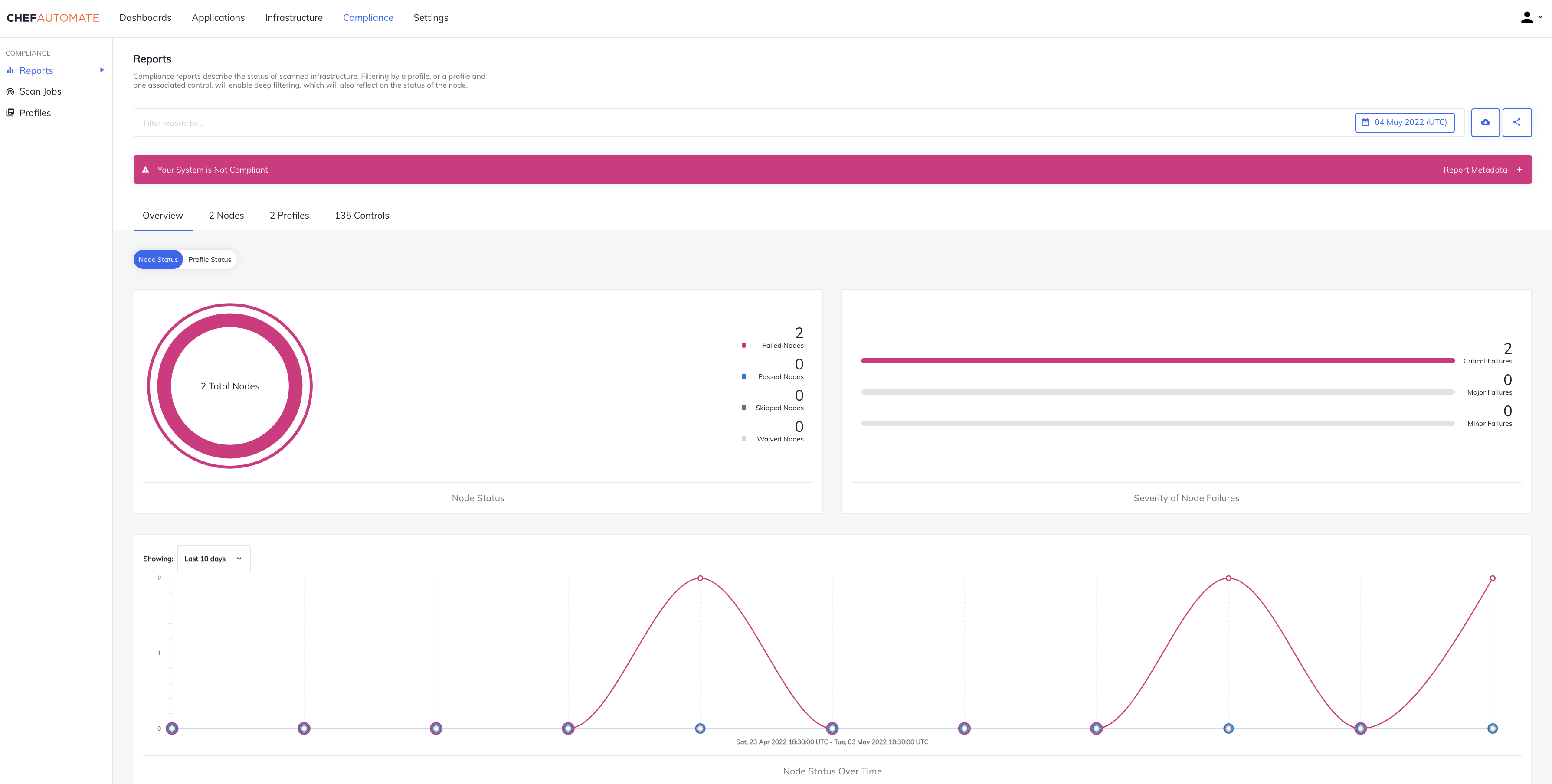
    Progress this week extended its DevSecOps portfolio—built atop the Chef automation framework it acquired in 2020—to now include the ability to programmatically address compliance mandates.

    At the same time, Progress has updated the Progress Chef InSpec framework for automating the discovery of compliance issues to add support for SAP ASE, IBM DB2, Mongo, Cassandra, Oracle, MS SQL platforms along with RHEL, CentOS, Ubuntu and macOS Monterey.

    Progress has also updated the Progress Chef Enterprise Automation Stack (EAS) to add the ability to combine infrastructure configuration processing with compliance audits within a single consolidated policy definition along with a high availability capability that makes certain the platform is always accessible.

    Prashanth Nanjundappa, vice president of product management for Progress, said Progress Chef Cloud Security enables DevOps teams to take advantage of a single policy-as-code platform to consistently implement compliance policies alongside security controls across both multiple public clouds and on-premises IT environments.

    Progress Chef Cloud Security leverages certified industry benchmarks, such as the Center for Internet Security (CIS) benchmark, to continually scan and automatically detect security configuration issues at multiple stages within a DevOps pipeline. Progress has now expanded CIS benchmark profile coverage for Amazon Web Services (AWS), Microsoft Azure and Google Cloud Platform (GCP) to include more than 100 customizable pre-built service and resource templates. DevOps teams can take advantage of automated creation of code, test and documentation artifacts for those resources. Finally, visibility into the status and expected completion time for compliance scans has been added along with advanced Shell command support for control and testing without file output.

    In general, the ability to address compliance requirements within a DevSecOps workflow has become crucial because the number of misconfigurations that occur in the cloud has exploded. Developers that often have little to no security or compliance expertise are programmatically provisioning cloud infrastructure in a way that, for example, leaves ports wide open. As IT organizations embrace more cloud computing platforms, that security issue only compounds, noted Nanjundappa.

    More challenging still, cloud computing environments are becoming more complex with the rise of cloud-native applications based on platforms such as Kubernetes. The odds a developer is going to make a mistake only increase with each microservice deployed.

    Progress is betting that, as cloud computing evolves, responsibility for security and compliance will increasingly shift left toward DevOps teams; they’ll be responsible for implementing polices defined by cybersecurity and compliance specialists. The goal is to provide a set of guardrails that make configuration mistakes less likely because policies are being tested within the context of a DevSecOps workflow, said Nanjundappa.

    It’s only a matter of time before software supply chain security reviews that are occurring in the wake of a series of high-profile breaches force the DevSecOps issue within more organizations. The goal, of course, should be to eliminate the need to identify DevSecOps as separate from a DevOps workflow. Regardless of the approach, however, the one good thing about all this attention is that application environments will inevitably become a lot more secure.

  • Red Hat Adds Managed Ansible Service on Azure

    Red Hat Adds Managed Ansible Service on Azure

    Red Hat today announced general availability of a managed instance of the Red Hat Ansible Automation Platform on the Microsoft Azure cloud.

    Announced at the Red Hat Summit 2022 event, this offering makes it possible to deploy the control plane for Ansible on the Microsoft Azure cloud as an alternative to existing support for Amazon Web Services (AWS) or an on-premises IT environment.

    In addition, in version 2.2 of the Ansible Automation platform, Red Hat is previewing support for content signing technology that automatically validates content to improve overall security.

    Thomas Anderson, vice president of Ansible for Red Hat, said this managed service enables IT teams to take advantage of integrated Microsoft billing in addition to the latest features and content provided for the platform and other capabilities that have been added to optimize Microsoft Azure environments.

    The open source Ansible platform has been gaining traction as an automation framework that enables IT teams to declaratively automate tasks. It requires less programming expertise than rival automation frameworks, which Anderson said is the primary reason so many third-party vendors have adopted Ansible to automate a range of IT tasks.

    The challenge many organizations encounter today is managing multiple islands of automation across multiple clouds and on-premises IT environments. Ansible presents IT teams with the ability to begin unifying all those islands under a single framework, said Anderson.

    It’s not clear to what degree DevOps teams that have embraced rival automation frameworks might be willing to replace them with Ansible. However, as more IT teams embrace automation to make up for shortages of IT personnel, it’s apparent that Ansible is being used across a wide range of IT disciplines spanning everything from DevOps to network management.

    Regardless of the approach, the need to automate as many tasks as possible is becoming critical as IT environments grow increasingly more complex. Many of the scripts that IT teams created on their own simply don’t scale. More challenging still, they are not often documented, so every time the IT professional that created that script leaves the organization it becomes difficult to maintain that scripting code.

    In the longer term, of course, automation frameworks will be increasingly infused with machine learning algorithms capable of learning the unique nuances of individual IT environments. It’s not likely those algorithms will replace the need for IT professionals any time soon. However, rather than resisting automation, more IT professionals have concluded that the tasks required are simply too challenging to manually perform. Many will conclude they simply prefer to work for organizations that have a consistent approach to IT automation that makes it feasible for them to manage a wide range of IT tasks.

    One way or another, IT automation is becoming a standard capability that now goes well beyond the scope of a few isolated DevOps workflows. The issue is finding a way for IT professionals with varying skill levels to collaborate across a common framework that is both easily accessible and highly extensible.

  • Shedding Light On Toil: Ways Engineers Can Reduce Toil

    Shedding Light On Toil: Ways Engineers Can Reduce Toil

    It comes in many shapes and sizes and is embraced as a necessary evil. It lurks in the shadows, emerging now and again to stealthily creep into our workflows, where it feasts on our perceived shame. If not pruned, it grows and wraps its tendrils around the workforce, draining the energy out of every digital worker across departments. We all have it and most of us believe we suffer alone.

    I’m talking, of course, about toil.

    Dramatics aside, toil is common throughout most programming and DevOps positions, whether we like it or not. And when it comes to platform engineering, the chances of encountering toil is high. You can think of toil as those tedious workarounds that should be automated but aren’t. This could be due to a lack of standard configurations for deployments. Or, perhaps engineers must copy and paste data from one module to the other—an integration that has not yet been automated.

    One of the hallmarks of the SRE role is to spot and reduce such toil—hopefully before it gets out of hand. But, what exactly is toil? And, how can SREs reduce it?

    I recently met with Jake Englund, senior site reliability engineer, Blameless, and Matt Davis, intuition engineer, Blameless, to uncover some tips on spotting and eliminating toil in the daily life of an SRE. Below, we’ll attempt to define toil and explore some techniques to defeat this ghoulish foe.

    First, What is Toil?

    Toil is tedious. Englund defines toil as repetitive manual tasks that are, ideally, automatable. “It’s not gratifying work; it lacks enduring value.” James Curtis similarly described toil as “tedious actions that really have no enduring value.” Toil is similar to technical debt in that, if left unchecked, it can hinder productivity and contribute to burnout.

    Toil is invisible. Toil is the invisible work that goes on behind the scenes, says Davis. For example, at your team meeting or stand-up you might say something like, “I’m deploying this fix.” There’s usually no need to explain the nitty-gritty details of your exact step-by-step process, as it would be too far in the weeds. As a result, manual and repetitive tasks are often not given the spotlight.

    Toil is persistent. Toil might be readily apparent, but it’s not as simple to eliminate; attempts at fixing toil could potentially create new toil. Tedious tasks may also be essential to keeping core infrastructure pieces up-to-date. According to Englund, what often ends up happening is that only the specific engineer knows the niche mechanics of what they’re maintaining, making them irreplaceable—a power that some employees might abuse. “If you’re the only one who knows how to do something and you’re hoarding that information, it leads to inertia against resolving toil,” said Englund.

    Toil is pervasive. Toil is not limited to SRE or engineering. From UX to management or marketing, within most positions, you’ll encounter a degree of toil. This is because the ‘work as prescribed; is often much different than ‘work as done’, said Davis.

    Four Tips To Reduce Toil

    So, what can organizations do to conquer the nightmarish reality that is toil? Especially those that don’t have a dedicated engineering team to reduce drudgery?

    1. Find It!

    To reduce toil, you first have to find it. Sounds simple enough, right? Well, discovering toil might not be as obvious as it sounds. “You get into these toil situations where you might not even know you’re in it. How do you know that toil is encompassing what you’re doing?” asked Davis.

    To find toil, the Blameless team has a weekly session open to the whole company to examine ‘work as done.’ According to Davis, this has been very beneficial for discovering where toil occurs. It also helps garner perspectives from roles throughout the entire company.

    2. Standardize and Automate

    Next, a proven method to reduce toil is standardizing your engineering processes. Standardization, said Davis, is “another word for removing ambiguity.” For example, SREs can benefit from having a common series of steps to follow when responding to alerts. Runbooks that aggregate data to respond to issues can reduce toil in the data collection process while also helping improve mean-time-to-discovery and recovery rates.

    Standardizing change management is another way to reduce toil. If engineers are approaching change management in various ways, this could cause additional review and slow down the release process. Removing ambiguity from the change lifecycle can alleviate toil down the line.

    When you find yourself having to retain mental models for configurations, it’s a good sign that standardization is required, explained Englund. For example, perhaps some configurations are needed in some environments but are commented out in others. Documenting the specific configurations for different development environments (and automatically populating configurations) is one way to reduce toil and the chance for human error.

    3. Proactively Monitor

    More proactive monitoring is another way to reduce toil, according to Englund and Davis. “Responding to a crash loop is responding too late,” added Davis. Instead, he advocated that SREs look toward leading indicators that suggest the potential for failure so that teams can make adjustments well before anything drastic occurs.

    If SLIs like error rate and latency are getting bad, you must take reactive measures to fix them, causing more toil. Instead, proactive monitoring is best to see the cresting wave before the flood. Leading indicators could arise from following things like data queue operations connected to servers or the saturation of a particular resource. “If you can figure out when you’re about to fail, you can be prepared to adapt,” said Davis.

    4. Practice How to Improvise

    One major caveat of standardization is that you’re inevitably going to encounter edge cases that require flexibility. And when an outage or issue does arise, the remediation process is often very unique from case to case. As a result, not all investment into standardization pays out.

    Alternatively, teams that know how to improvise together are proven to be better equipped for unforeseen incidents—one study on Arctic Sea emergencies found collective improvisation to be imperative for emergency response situations. Similarly, collaboration is vital for software teams. Davis calls this the “practice of practice.” If you don’t practice backup restores, for example, teams may flounder in the case of a database outage. Yet, since every remediation effort is unique, it really boils down to learning how to collaborate effectively as a team. “We can gain a lot from getting together to practice,” added Davis.

    All the Small Things

    Toil is like manually typing an email signature every time you are about to hit “Send.” Maybe you’ve just been putting off configuring your signature in your email client. Or, perhaps you like to write a custom sign-off for each recipient. Regardless of the reason, the longer this repetitive motion is required, it’s a stick in the spokes of productivity.

    In the grand scope of things, this tedium can be a drain on time and resources. For every extra keystroke or click, every un-automated workflow or every copied-and-pasted code block, a small degree of toil is piled onto the daily workload of an engineer, dragging them away from focusing on what really matters.

    Standardization, automation, proactive monitoring and collaboration are all helpful elements to consider on your journey toward reducing toil. But of course, there is the trap of increased software development automation—the time saved building automation must outweigh the upfront development cost (and ongoing maintenance effort). Otherwise, you might end up creating even more toil.

  • ACCELQ Further Automates Testing of Low-Code, No-Code Apps

    ACCELQ Further Automates Testing of Low-Code, No-Code Apps

    ACCELQ today unveiled the cloud-based ACCELQ Live test automation platform that is continuously integrated with a wide range of low-code and no-code application development and deployment platforms.

    ACCELQ CEO Mahendra Alladi said the goal is to make it simpler to run complex tests across a multi-cloud computing environment.

    Usage of low-code and no-code tools has greatly expanded since the start of the COVID-19 pandemic. Many organizations are now relying on these tools to accelerate a wide range of digital business transformation initiatives. The challenge they encounter is that many of these processes depend on multiple applications that have lots of interdependencies across which it is difficult to conduct tests, noted Alladi.

    The ACCELQ Live platform reduces testing complexity by automatically updating itself as, for example, Salesforce or ServiceNow platforms are updated. It also provides access to pre-built codeless automation assets modeled on business processes via a live link. The company is also moving toward creating a marketplace where software vendors and service providers can build and deploy pre-built testing assets, as well.

    Gartner predicts the adoption of low-code and no-code technologies will nearly triple by 2025. Testing those applications creates a major challenge as the pace of application development increases. The only way organizations will be able to keep pace is by embracing test automation platforms infused with artificial intelligence (AI) capabilities, said Alladi. In effect, ACCELQ’s ACCELQ Live represents an effort to democratize the testing of cloud and enterprise apps, he added.

    As organizations increasingly appreciate their dependence on software, the way tests are being conducted is rapidly evolving. In addition to dedicated testing teams, developers and application owners are becoming more involved as responsibility for testing applications continues to shift further left. The challenge organizations face is the volume of applications that are simultaneously being constructed has significantly increased. Platforms that automate many lower-level testing functions are gaining traction as a means to enable humans to focus more of their time and energy on testing more complex functionality. The goal now should be to first rely on test automation platforms as much as possible and then employ humans to fill in the gaps as necessary, said Alladi.

    It may be a while before most organizations achieve that level of test automation. However, with each passing day, it’s apparent that AI will play a larger role in application testing. The issue that many DevOps teams are now working through is how to incorporate test automation platforms within the context of a larger workflow.

    In the meantime, the rate at which application testers become burned out should decline as more routine errors are uncovered by machines. It’s not likely AI will eliminate the need for dedicated testing teams any time soon, but as more rote tasks become automated there is going to be more time to focus on enhancing overall quality at a time when application environments have not only become much more distributed but also a lot more complex.

  • What Donuts Teach Us About DevOps and Delivery Risk

    What Donuts Teach Us About DevOps and Delivery Risk

    Today, most DevOps teams do not think too much about their approach to risk. Usually, the typical attitude focuses on what to add to reduce risk further. In other words, “Can we add more tests? Can we deploy more carefully?” More tests, more processes and less risk are all obviously good things. Or are they?

    As a programmer, I’ve seen a lot of projects where there are so many tests and so many processes that they actually become counterproductive. Those ‘overheads’ presumably do reduce risk, but nobody knows by how much. I call this attitude ‘blind risk avoidance.’ This line of avoidant thinking usually builds up over time as we react to failures. It’s a very natural reaction.

    But when risk avoidance becomes your standard modus operandi, your delivery cycle gets slower and slower over time. Your team starts to feel they are trapped in molasses but, as time goes on, they not only gradually train themselves to tolerate this but to actively justify that it’s a good thing. In the meantime, nobody pays attention to the fact that your software is losing a competitive edge and that you’re being out-innovated and out-executed by others. Nobody pays enough attention to engineering team attrition; losing people as they drop off, one-by-one to move to more modern software development teams with less baggage. The ultimate conundrum lies here: If you move too fast, you break things. But if you move too slowly, your business and your team are doomed.

    So what is the optimal approach for DevOps teams to take when it comes to risk? The truth is, neither extreme is desirable. Blind risk avoidance leads to a failure of value delivery. On the other hand, blindly ignoring risk means crashing and burning.

    The ideal balance lies in not avoiding risk entirely or ignoring the reality of risk. Instead, a sensible middle ground can be found in taming risk.

    Moving forward, DevOps teams and developers must focus on taming risk to deliver software confidently with data-driven actions, speed and quality. 

    Automation Can Reduce Operational Overhead

    Taming risk should become a larger part of DevOps culture. One of the most famous ways this approach has been adopted is by Google’s site reliability engineering (SRE) team. 

    Google’s SRE team embraces two key principles when it comes to taming risk: Automation for reduced operational overhead and structured and rational decision-making for better, data-driven choices.

    To explore this mindset of risk-taming at Google, let’s dive into how the SREs use automation to slash waste, save time and reduce repetitious, low-value tasks and tests. 

    At Google, SREs are software engineers with an extremely low tolerance for repetitive, reactive work. (Aren’t we all?) But here’s the difference at Google: Thanks to a workplace culture of taming risk, operations that do not add value to a service are avoided or automated away.

    The vast majority of DevOps teams hold the same beliefs as Google: That automation cuts down on waste and saves everyone time.

    We all know automation allows for lower operational overhead, frees up software engineers to proactively assess and improve the services they support and boosts team morale. No one wants to spend their time or energy on repetitive, low-value tasks. Automation frees up DevOps teams to expend their energy on what matters most: Continuous quality.

    Bottom line? Automation is integral to the idea of taming risk. Automation of repetitive, low-value tasks is the perfect way to embrace a mindset of taming, not avoiding or ignoring risk entirely.

    Data-Driven Decisions

    Another way that Google’s SRE team tames risk is through structured and rational decision-making based on data. 

    Data-driven decisions are crucial to the success of any software engineering team, project or mission. Without proper data and feedback, there’s no way for software engineers to make the best, most calculated decisions and mitigate risks. 

    A data-driven decision methodology can—and should—be applied to DevOps testing cycles. 

    Another key aspect of data-driven decisions that speaks directly to the concept of taming risk? Service level objectives (SLOs).

    A service level objective is an element of a service level agreement that measures the performance of the service provider. SLOs are created (and agreed upon) between the service provider and the customer and help to mitigate disputes between providers and customers.

    Now, let’s take the concept of SLOs and apply them to engineering and QA teams.

    In traditional organizations, engineering and QA are forced to interact intentionally with a healthy amount of tension. One team produces software and the other team tears this software down. While this kind of necessary and healthy conflict between teams can lead to better results, the inherent push and pull between engineering and QA can create an excess of interorganizational infighting.

    Engineering teams will always advocate for more velocity or blind ignorance of risk, above all else. On the flip side, QA will always advocate for quality, or blind avoidance of risk, above all else.

    Of course, neither side is entirely correct (nor incorrect).

    Instead, the solution to this tension lies somewhere in the middle: The taming of risk, not ignorance or avoidance of risk. This is where an SLO, or the numeric target that represents ‘somewhere in the middle,’ comes into play. For engineering teams focused on velocity and QA teams focused on quality, creating an SLO—a happy medium to work toward with regard to risk—will create a more balanced workplace culture. In short, this approach can be considered a taming of risk.

    ‘Donut’ Slow Velocity

    Now, we’re finally going to get to the donuts. To demonstrate how embracing a mindset of taming, not avoiding, risk can create better, happier and faster DevOps teams, let’s take a look at Krispy Kreme Donuts.

    Krispy Kreme churns out millions of delicious, hot, glazed donuts every single day. However, during production, it’s inevitable that one or more of those donuts will be flawed. (I know, you’re asking, “Is there really such a thing as a flawed donut?!” For the purposes of this analogy, let’s say yes, there is.)

    One common donut defect occurs when the donuts bunch up on the production line and clog it.  Now, let’s assume this common error is caused by the speed of the line. If the Krispy Kreme team attempts to solve this problem by pushing the line even faster, tolerance gets smaller and the risk of even more smashed, defective donuts only rises. That’s certainly not a solution to this issue.

    On the other hand, if the Krispy Kreme team slows down the donut production line speed, there will be a smoother—albeit slower—operation.

    Is Krispy Kreme better served by slowing down its entire production line and sacrificing its velocity to eliminate the risk of a potential defective donut? Of course not! 

    If that’s not true, then is Krispy Kreme better served by cranking up their production line speed to go as fast as possible, regardless of the risk of defective donuts? Again, of course not!

    For sweet success, Krispy Kreme must embrace a mindset of taming risk. By baking careful measurement and an iterative feedback loop into their donut production process, Krispy Kreme is better able to create delicious, high-quality donuts at an optimal speed, producing some flawed donuts. This balance of speed with quality creates the best economic outcome and the mindset and measurement allow for a constant evolution to risk-taming in the future. As the production line changes, the optimal speed also needs to evolve.

    DevOps teams should take this same approach. Tame the risk without sacrificing speed and quality. ‘Donut’ slow velocity to fix a few minor issues!

    If you’re still not convinced, here’s another way to think about taming risk that is decidedly less delicious than warm, glazed donuts: Taxes. 

    The IRS balances velocity and accuracy during tax season as they process millions of tax reviews. While suspect returns are flagged for audits, the IRS simply cannot catch every single flawed tax return. It’s not economical or even possible to run detailed audits on every single problematic tax return, every single year.

    So, instead, the IRS tames its risk with automation and data-driven decisions. The IRS focuses on creating and using methods to detect patterns that correlate with flawed tax returns. Then, once these data-driven problem returns are detected by automation, experts can devote their precious time and mental energy to tackle the biggest of the problematic returns. 

    Again, this approach to taming risk creates an inherent balance between quality and speed and allows for an evolution of the process as economic activities and laws evolve.

    Whether you love eating donuts or doing your taxes, the bottom line is clear. Most organizations need to balance potential risks with maintaining speed, quality and team morale. DevOps teams are no different. 

    How to Tame Risk in DevOps Teams

    So how can we, as DevOps teams, tame the risk?

    The basic idea here is to do smarter testing, not just more testing. The good news is that if you have a reasonable level of automation, the data coming out of your existing automation can make your testing smarter. Approaches like predictive test selection can let you spend your computer hours more meaningfully, allowing you to improve speed and quality at the same time. Approaches like flaky test insights can let your precious engineering resources focus on the most impactful effort to improve the quality of tests.

    The Power of Taming Risk

    What is the right balance between speed and quality? This is the constant question DevOps teams face. But, here’s how I answer this riddle: Taking calculated risk is the most logical and rational approach in the workplace.

    It’s easy to avoid risk. Anyone can skirt around potential pitfalls by avoiding new solutions and sticking to the same old methodologies. But it’s so much more satisfying to take a calculated risk rather than ignore or avoid the risk outright. 

    If you want to improve the velocity and the happiness of your DevOps team, it’s time to embrace a new mindset: Tame the risk, gain control.

  • 4 Ways to Combat the DevOps and Security Workforce Shortage

    4 Ways to Combat the DevOps and Security Workforce Shortage

    Most people are painfully aware that security breaches have increased in recent years, while at the same time becoming much more sophisticated in their approach. Additionally, ever-expanding application environments and continuously evolving workloads have created more opportunities than ever for attackers. What’s not so apparent to those outside of the tech bubble: The world is dangerously ill-equipped to handle the magnitude of these threats.

    Organizations may want to meet this challenge with armies of skilled technologists primed to maintain secure operations. But the reality is there is a major shortage of capable DevOps experts, especially ones with cybersecurity skills. This creates major problems for all organizations operating in modern cloud and container environments. 

    According to the cybersecurity advocacy group (ISC)2, this skills gap has noticeable, meaningful consequences for DevOps and security teams. Responses collected from more than 4,500 cybersecurity professionals around the world indicate just how severe the problem is. More than 30% of respondents said they regularly experience misconfigured applications, 29% feel that their teams are too slow to patch critical systems and 27% are unable to maintain necessary awareness of all threats active against their IT infrastructures. 

    It is clear that cybersecurity teams are not staffed to meet current—and anticipated future—demands, processes are not managed, assessment is not addressed and monitoring is incomplete. Yet, this is not just a matter of hiring more people to perform these tasks. The necessary people needed to keep DevOps environments safe simply do not exist as the role has changed faster than the workforce. 

    Time is a critical factor in security, and there can be no waiting around for a solution to appear. DevOps leaders and CISOs must do something, and fast. Fortunately, they can mitigate the burden of this skills shortage and continue moving forward with their transition to the cloud, containers and Kubernetes by taking these steps:

    1. Employ Automation

    Security and DevOps teams have to validate that security controls are actually working as intended, but also that they aren’t slowing down development efforts. Many enterprises perform manual checks to determine this, but that’s simply not scalable. Automation is the only way to do this effectively. Companies need tools that can analyze cloud activity without manual processes to understand if things are operating as expected, even in the largest deployments.

    The equalizing factor that combines speed, agility and security is found in automation. With an automated approach, cloud activity can be analyzed and interpreted and DevOps and security teams can be alerted about abnormal behavior within their cloud and container environments. This helps to address vulnerabilities and issues before they are exploited, reduce friction in the development process and ensure safe deployment. 

    For starters, DevOps teams should leverage security tools to automatically build and customize policies. The right tools, some of which can be found in open source frameworks like Falco, are built to adapt to container life cycles and integrations. DevOps teams can rely on these tools to enforce policies and to alert on issues that result from anomalous behaviors that could indicate a threat. 

    Inherent in the automation approach is the shared responsibility concept; security of cloud and container activity is put squarely into the domain of the cloud customer. They are free to operate as needed, but no organization can ignore the modern demands of speed or the necessary requirements of security. This requires that DevOps teams recognize and adapt to the needs of security oversight while security teams must act on their remit while not slowing down the development and delivery processes.

    2. Train People for the Task at Hand

    If the right people don’t exist, it’s up to security and DevOps teams to create them. Organizational training is the key to adding people with the right skills, and every organization should be looking to develop the right candidates into qualified DevOps and security experts. 

    Many of these people already can be found working as application developers or within a security function. You may find individuals who are early in their careers, looking to enhance their skill set and eager to participate in on-the-job training. Every organization should encourage mentoring by more experienced staff, but also should have formalized training programs in place to bring people up to speed on the unique needs of DevOps security. 

    Some colleges now offer specialized cybersecurity degrees or certifications. Coding schools, like the Eleven Fifty Academy in Indianapolis, for example, train students on the most current cybersecurity practices and can be a great source of talent. The United States military also offers some of the most sophisticated technology training and is also fertile ground for recruiting highly skilled security and DevOps players.

    3. Think Globally

    There is no single, prescribed way to attack or hack cloud and container environments. Approaches are diverse, and that’s why the talent responsible for security also should champion diversity. One way to do this is to look beyond your own borders for talent. As the world has embraced remote work over the past two years of the COVID-19 pandemic, more organizations than ever are equipped to bring on workers from across the globe to help them solve security and DevOps issues. 

    Think more broadly about where you can find talent and hire people who can prove their capability through tests and work samples. Not only does this deepen the pool of potential workers, but it also helps you bring new people into the fold who have different perspectives and approaches that could enhance the work you’re already doing. 

    Nearly half of the employees at the company I work for sit outside of the United States. This has drastically increased the talent pool for us. With a bit of diligence, the major barrier to hiring globally—the time difference—isn’t an issue, and you might even find it makes you more efficient.

    4. Rely on Proven Solutions

    Finally, use commercially available products to support your DevOps security needs. Building it yourself is always an option, but when it comes to security, that approach may take more time than you have; a luxury you cannot afford. 

    SaaS products are most reliable and effective in this regard, as they will scale and adapt as your team’s needs change. These tools are purpose-built for the shared responsibility model so they reduce distractions and allow you and your team to focus just on the necessary security and speed-related tasks that are important to helping you achieve your goals. Review sites, the ability to trial them and the perspectives of developer communities will also be extraordinarily helpful in guiding you to making the best decision for your organization. 

    Managing security and DevOps is never easy. With aggressive timetables and delivery deadlines, it’s easy to let the discipline required for security slip. And what makes it even harder is that we cannot hire enough people to take care of these needs. Yet, with a combination of innovative training, new perspectives on hiring and effective use of technology, any enterprise can overcome these limitations.  

  • Enable Multi-Cloud Networking With Automation

    Enable Multi-Cloud Networking With Automation

    As we enter a new era of technology, we’re experiencing a “third wave” of cloud innovation that brings new complexities into the IT landscape, mainly centered around multi-cloud networking. With every wave of cloud technology advancement, networking components are becoming more complex and distributed across multiple groups. Further, multi-cloud networking brings new challenges around connecting and managing across dispersed environments comprising private and public clouds, along with physical data centers. Organizations must unify their network operations in a way that enhances their capabilities into a new level of skill and efficiency. 

    Augment Strategies

    Looking forward to new capabilities offered by automation tools, technology leaders can augment their 2022 IT strategies. How?

    • Support a more seamless transition to cloud within hybrid IT infrastructures.
    • Cultivate new values brought to an organization from network engineers.
    • Enable executive leaders to easily align operations across multiple teams – spreading innovation across the entire organization.

    Connecting Hybrid IT Infrastructures

    As more IT leaders invest in an assortment of digital tools to streamline network operations – some engineering teams might feel more reluctant to leave behind old processes or feel intimidated by the multitude of new capabilities at their fingertips. With modern tools and processes gradually being incorporated into the workflow of IT departments, it’s critical to find the right balance in this “hybrid” environment, which will include a combination of both traditional on-premises systems with new cloud applications. Automation can help smoothen the transition to new technologies by simplifying manual processes previously relied on, while also bridging together the plethora of systems for easier management.

    Leveraging Cloud-native automation

    When bridging together disparate systems, leveraging cloud-native automation solutions that provide API capabilities can make all the difference. These solutions not only build the appropriate connectivity required between different applications but also provide the flexibility to manage networks in a cloud-friendly way. Additionally, automation can be deployed to ensure compliance of device configurations that span both on-premises network devices, as well as those connected to cloud-based infrastructures. For example, with automation it’s possible to quickly perform a configuration back-up, check for compliance and execute “intelligent remediation”. This translates to a network device or group of devices that can be backed up and the current configuration compared against the existing golden configuration standard. Changes can be automated to ensure the network is adhering to the current compliance standard. Further, automation is changing the way that IT teams approach daily operational challenges.

    Evolving Value in Network Teams

    Network engineers play a unique role in organizations by performing tasks that require years of training, and an understanding of the complex ins and outs of their internal systems. Although the performance of these manual tasks might be assumed to be the value-driver for engineers – the adoption of new technologies has pushed the boundaries of what network professionals are familiar with. In turn, this has evolved expectations for what constitutes true success and impact. Organizations are looking for engineers to harness the power of these new technologies and execute on a modern strategy – utilizing automation to support this new mindset. 

    Streamline the Adoption of Integrated Multi-cloud Environments

    Breaking down the silos between technologies and teams is critical in order to understand how to get the most out of their investments. For network teams to fully embrace multi-cloud networking, they need to practice deeper management, segmentation, security and control of cloud networks. As with segmentation – automation can help network teams lean away from using overlays, and instead use the native software tools in AWS, Azure, etc. Additionally, many network teams might be under the false misconception that automation requires them to learn to program and write code – when in many new tools, network elements can be managed and orchestrated directly from within the code of an application. This will make network programmability part of the cloud software fabric, and streamline the adoption of integrated multi-cloud environments. Network teams can implement both compliance and automation to standardize both on-prem or new cloud programs, simultaneously building their automation skills without the need to write a single line of code.

    Aligning Operational Efficiency

    When investing in new IT infrastructures across organizations, IT leaders typically build up their programs “vertically” within each department. However, this creates a gap between teams, as each is operating in separate models and functionalities – driving up unnecessary costs and inefficient business practices. To successfully align multi-cloud initiatives for increased operational efficiency in 2022, IT leaders will be required to invest more “horizontally” across their organizations – and in doing so, incorporate automation tools to reduce time and stress. 

    Implementing NaaS

    Achieving operational efficiency can reduce the time and stress experienced by IT teams – this is where the adoption of networking-as-a-service (NaaS) tools can play a beneficial role. IT leaders can invest in networking services directly from the cloud rather than building a new network. Over the next year, as cloud infrastructure expands, NaaS implementations will in tandem grow in importance – enterprises and other organizations (including service providers) will have opportunities to leverage cloud infrastructure without building new networks themselves. Automation tools can help accelerate the time-to-complete and automate the highest percentage of tasks in the activity, eliminating as much idle time as possible.

    Moving Models and Making Improvements

    When considering the investment in these types of tools, it is important to keep in mind how they impact the entire process versus individual tasks. By automating an entire process, not just individual tasks, the operator gains the flexibility to do more in much less time with fewer resources — making innovation possible. With increased flexibility and more time available, engineering and operations teams can focus their attention on strategic activities of greater value instead of performing routine, time-intensive activities. Operations are improved when IT leaders can move from a “human-centric” paradigm to an “automation-centric” model. For example, for maintenance checks, the team can let systems run an increasing number of pre-checks in seconds – enabling the process to execute more efficiently and safely. The key is adopting a model that automates the entire process versus individual tasks.

    Moving Forward

    In the next year, as more workplaces operate in hybrid models, IT leaders will need to evolve their processes to not only unify operations/approaches for remote and in-person employees – but move forward with this new wave of cloud modernization. In doing so, automation can help mitigate and manage the challenges that come with multi-cloud networking,  bolstering skill and efficiency for long-term business impact.

  • Best of 2021 – Automation Engineering

    Best of 2021 – Automation Engineering

    As we close out 2021, we at devopsy.kinsta.cloud wanted to highlight the most popular articles of the year. Following is the fifteenth in our series of the Best of 2021.

  • Best of 2021 – Why DevOps Will Cease to Exist

    Best of 2021 – Why DevOps Will Cease to Exist

    As we close out 2021, we at devopsy.kinsta.cloud wanted to highlight the most popular articles of the year. Following is the twelfth in our series of the Best of 2021.

    Nowadays I feel like there is no need to explain why DevOps as a methodology exists, as it is widely understood and accepted.

    But the reason DevOps engineers exist is not to ensure the success of its namesake methodology, nor, if we’re being honest, is the practice evolving into a role that’s viable for future progress. Rather, it’s on the verge of becoming obsolete.

    Surprisingly, in many cases having a DevOps engineer can actually get you further from the DevOps methodology objectives, rather than closer.

    How Does One Become a DevOps Engineer?

    I only recently stumbled upon DevOps courses in high-tech academies.

    Before it was an actual field of study, I’m pretty sure no one’s first step into the software development world was in a DevOps role.

    I personally started as a NOC engineer and later became a Linux administrator – developing a passion for the cloud and automation. Only years later did I dive into my first DevOps position. Others have made even lengthier journeys, starting from helpdesk support roles managing organizations’ PCs, printers and networks.

    The thing is, the starting point for people who choose a software development career starts exactly there: developing software.

    Typically, they either go to college or university or learn development online or via a bootcamp, where Linux, networking, virtualization, high availability and scaling are barely taught. And, of course, some extraordinary senior developers become infrastructure experts, but personally, I would call those folks architects and not DevOps engineers. This is probably the reason why almost every organization is in need of someone who’ll take on those responsibilities as a DevOps engineer.

    Signs of the End

    The number of cloud solutions is steadily growing every year, with cloud services becoming the dominant method of consuming business services. Gartner estimated a 40% increase in cloud services business revenue from 2020 to 2022.

    “Software as a service (SaaS) remains the largest market segment and is forecast to grow to $104.7 billion in 2020 (see table, below). The continued shift from on-premises license software to subscription-based SaaS models,” according to the firm.

    Worldwide Public Cloud Service Revenue Forecast (Millions of U.S. Dollars)

    New PaaS, SaaS and IaaS products are launched every year to make the development and maintenance of other applications easy and effortless.

    Hell, some SaaS products go as far as making it unnecessary, with platforms like WIX, Shopify, and Auth0, resulting in fewer developers being required to develop those kinds of applications. On top of that, there are already products that run almost entirely on Serverless services. Recently the term Storageless was coined and started to pop up here and there.

    At the same time, the number of developers is increasing every year. According to Statista between the years 2018 and 2019 the number of developers grew by almost a million. So, while the number of developers is growing, a big part of their responsibilities are being automated.

    This gradually frees up more time for developers to deal with DevOps challenges, which are also being automated by services like Coralogix, Datadog, JFrog, CircleCI, Gitlab and many more.

    Some companies, like Monday.com, have already acknowledged that it is not optimal to have a separate team or a single person in charge of all of the operations and maintenance of applications and that it is better to have developers responsible for their application stack from end to end.

    Although I opened by saying there is no need to explain why DevOps as a methodology exists, sometimes what gets forgotten is that DevOps evolved as a way to break down the silos between development and operations. But many organizations don’t recognize the irony of then having a separate team in charge of all operations and maintenance – that just defeats the purpose.

    Hopefully, as this trend grows, universities and coding courses will acknowledge these issues as core challenges in software development and include these subjects and principles in their curriculum.

    The Future As I See It

    This could be wishful thinking on my part, but I believe sometime in the future we will reach a point where all developers will be required to understand and practice DevOps. A developer who understands the cost of running their application, how Kubernetes assures it is always available and resilient and how to build more scalable and more secure application stacks will simply be better at their job and more valuable to their company. The opposite is also true; a DevOps engineer will be able to build better CI/CD pipelines, better monitoring solutions and cloud architectures if they are taking an active role in development and actually knows the application stack and his team’s pains and needs.

    Even if I’m wrong – and I do hope I am – I would argue that if you are a DevOps engineer or a tech lead of any sort, promoting the idea that DevOps is a part of every developer’s job is in your best interest.

    The developers who understand how to support their own environments, run internal services on private networks and understand the solutions that are available to them will simply be better at their job, enabling companies to let automated processes do their thing and focusing talent where it’s needed most to make the best use of our skill sets. Thankfully, this standard of excellence is becoming easier to reach every day; and (Do I dare say it?) perhaps, in the near future, DevOps will become less of a role and more of a service waiting for its eventual, unpreventable automation.

    Reading this, you might think that I am a self-loathing DevOps engineer who wishes to become a developer. Nothing could be further from the truth. Development Operations is my field, and I believe it’s full of talented individuals who I’m proud to call colleagues and friends. However, at the end of the day, we need to be realistic. Now that the “Operations” part of the work is mostly automated, we must focus our skills on the “Development” part.