Category: Blogs

  • What Does the Future of DevOps Look Like?

    What Does the Future of DevOps Look Like?

    During the past couple of years, we have seen a rapid acceleration of digital transformation. Many businesses have been leveraging the benefits of DevOps and the cloud to accelerate their digital transformation journeys. With so many changes going on in the industry, it is time to take a look ahead at what DevOps is becoming and how DevOps teams are managing change across the lifecycle.

    On October 27, DeployHub CEO and CDF Board Member Tracy Ragan will discuss the future of DevOps and the convergence of GitOps, event-based continuous delivery and the coming use of microservice catalogs at DevOps Experience: The Roaring 2020s Virtual Summit, during her session “Tomorrow’s DevOps Pipeline — A Radical Shift.”

    We sat down with Tracy Ragan to talk about some of the challenges that the DevOps community has been facing, how to overcome these challenges and how the role of DevOps is changing. Watch the interview below to take a sneak peek of her upcoming session at DevOps Experience.

    This year’s DevOps Experience explores how DevOps and the cloud are reinventing the path of digital transformation. The agenda for the two-day virtual event features a mix of topics, including technical sessions, deep-dives and case studies covering digital transformation, DevSecOps, cloud-native, Kubernetes, AppSec, CI/CD, open source, value stream management and more. The virtual environment features more than 50 sessions by industry leaders and an expo hall lined with booths full of downloadable resources.

    To see the full agenda and to register, please visit the DevOps Experience website.

  • Top 5 Must-Haves for IaC Automation Tools

    Top 5 Must-Haves for IaC Automation Tools

    These days, there are a lot of different DevOps tools to accomplish a lot of different jobs. Almost daily another startup comes out with a new and innovative product or a newer (maybe even better) version of existing tools. One of the biggest innovations has been infrastructure-as-code (IaC). Giving infrastructure admins and developers alike the ability to create, manipulate and destroy infrastructure using code files changes the way we administer our environments. Though these tools are revolutionary and can solve many problems, sometimes they come with a whole new set of issues—as can any type of tooling, really. 

    Generally, IaC tools are run locally at first. When an infrastructure admin or developer is just starting out with it, they store the files locally; maybe in a repository, then clone the files to execute locally. This is perfectly acceptable and a very common practice. The issues arise when it comes to scaling this practice to a team; for example, with regard to visibility and governance. If everyone is running their deployments locally, the team doesn’t have clear visibility into who is deploying what, when and with what variables. This is where IaC automation tools come into play.

    There are many different types of tools to solve these problems. Some are better than others. CI/CD pipeline tools, custom-built automation platforms, purpose-built IaC automation platforms—each has their pros and cons. Getting into all of that can be overwhelming and we could go on for hours about each option. But, we’re here to talk a bit more generically today. So, we’ll save all of that for another time. For now, let’s take a step back and talk about the top five must-haves for any infrastructure-as-code automation platform you’re considering. Because each company and use case is different, we’ll talk about these considerations in no particular order. 

    Role-Based Access Control (RBAC)

    This first factor is pretty important. I know I said I wasn’t discussing these in any real order, but this one should really be close to the top of the list for anyone looking into IaC automation. We talked about how automating IaC can cause visibility issues when you scale across a team. You may want to know who deployed what, when, where and why, for example. Usually, the reason you want that kind of visibility is that you would like to control all of these aspects. That way you can help limit waste, budget problems, security concerns and the like. You may want to provide self-service deployment access, but only within certain parameters; maybe only to certain people or teams. Having granular RBAC can help you design a security policy that makes the most sense for your organization and its needs. Some tools have this baked in, some take a bit of work to make it work. The point is that you should have some form of control over your deployment process. 

    Self-Hosted Agents/Runners

    Following the security thread: A lot of these IaC automation tools are SaaS platforms. SaaS can be very secure. But sometimes, for compliance or regulatory reasons, you may want to retain a bit more control over your deployments. This is where self-hosted agents or runners come in. This type of design allows you to keep your “secrets”—such as your cloud credentials and other sensitive variable information—secure in your own way. You can use whatever secrets management solution you want, be it something from your cloud provider or another third-party solution. It also allows you to keep your code secure. All of these tools, when deploying your code, have to get a copy of that code to deploy. So, they’ll do a ‘Git clone’ or some kind of file copy process to get your files from where they are stored, to execute them. If this is a SaaS solution, then they will essentially have access to your code. Again, this may not be a huge issue for some, but it very much is for others. If you don’t want to give a third party this level of access to your code and secrets, a self-hosted agent or runner can help keep it all secure and under your control. 

    Plan on Pull Request

    This feature is a big one when it comes to workflow. Some may not even know how important plan on pull request (PR) is until they realize how easy it can make their life. This feature may be called something different depending on the platform. Plan on PR, PR plan, speculative plan, etc. Essentially, this means that whenever you open a pull request against a branch, your automation platform will complete a deployment just up to the “plan” phase so that you can see exactly what this code change will do. For example, if you accidentally add an extra 0 to a variable or code file, you may end up with 100 instances instead of 10. Ideally, you’d like to know what was going to happen with a change before it is deployed, giving you the option to quickly fix a potential mistake before it actually goes through. In DevOps, you always want to ‘fail faster’ and close the loop so that big mistakes are caught before they happen. That is why this feature is so important. And if the automation platform you choose is doing this correctly, when it runs this plan phase it’ll automatically update the pull request directly with the possible changes as a comment. This way, your developers can see what is going to happen before they try to merge the deployment back to the main branch for deployment to production. And if they take it a step further by adding service checks to the pull request, you can even configure it so that if the deployment plan fails for any reason, developers are actually blocked entirely from merging the PR back until it is resolved. All of these features help to enable the ability to work in a GitOps methodology. Don’t get me started on the wildl misuse of the term GitOps—it is very specific. While one of the central pillars of GitOps is using your repository as your “single source of truth” for what should be deployed, it’s not just using Git to store your Terraform files; it is an infrastructure administration via pull request methodology. If you want more information about GitOps, you can read more here. 

    Continuous Deployment

    This feature is essential for most folks. But, depending on the workflow, it can be less important. Even if it isn’t a must-have now, it may be down the road when you evolve and grow into new workflows. Continuous deployment is the ability for your automation platform to have a webhook or other connection to your source code repository so that it can automatically trigger a deployment process whenever you commit or push to the repository. This feature goes hand-in-hand with the plan pull request feature we just spoke about. To make that feature function properly, a CD feature would be needed, as well. Now, I want to make sure I clarify. Just because you have continuous deployment enabled doesn’t mean it is just going to push to production in the middle of the day every time a commit or push is done. You should still be given the ability to pause the deployment process after the plan phase. This way you can validate that the plan looks acceptable before you approve the deployment. For some use cases, like developer sandboxes, you may “auto-approve” the deployments because you don’t care about having to get validation first. It all depends on your workflow and processes. A good platform will give you the ability to control all of this. 

    Shift Left Extensibility

    This one is a bit of a wild card. It can mean a lot of different things depending on the situation. Essentially, what I am talking about here is the ability to integrate—or at least be interoperable—with a multitude of other tools during the deployment process. There is a concept called continuous verification which means to shift some tools and processes left into the deployment process so that you can stay on top of problems before they start. In the PR plan feature section earlier, we talked about catching issues before deploying. This isn’t just for resource configuration issues. What about security issues? Compliance issues? Performance issues? Or even budget issues? If your IaC automation tool gives you the ability to integrate the processes and tools you are using to validate these things into the deployment process, they no longer have to be an afterthought. You never have to worry about going over budget if you are constantly validating the budget each time you deploy. You don’t have to worry about a security issue if you’re validating security during every deployment. This type of functionality can look and be named very differently between tools. But as long as you have the ability to get all of these other groups (security, finance, etc.) involved sooner, everyone will be better off. Like we talked about before, in DevOps, it’s always better to fail faster. And integrating these checks into your deployments can help you achieve this. 

    Conclusion

    We’ve made it through all five! We’ve talked about some basic security features. We talked about some automation workflow must-haves to make your life easier. And we even scratched the surface on some next-step-type things to look into such as continuous verification. That was a lot—hopefully this has been helpful for anyone looking into IaC automation platforms and you now have an idea what to look for. Some features may be named differently, but the ideas behind them are the same. If your platform can’t do these, it may not be the right one for you. Or, maybe it is and that feature just isn’t that important to you. As I mentioned, your mileage may vary. Every organization is different.


    To hear more about cloud-native topics, join the Cloud Native Computing Foundation and the cloud-native community at KubeCon+CloudNativeCon North America 2021 – October 11-15, 2021

  • Rethinking Your Approach to Ops Governance

    Rethinking Your Approach to Ops Governance

    The “You build it, you run it” approach has changed the mindset of modern organizations that are increasingly adopting DevOps practices. No longer completely beholden to the requirements of operations, engineering teams are continually acquiring more autonomy to deliver rapid innovation. At the same time, more organizations are adopting platform teams to accelerate development, empowering teams with easier access to services without requiring them to understand the underlying complexity. While this approach is helping teams build, scale and ship software faster, it’s also resurfacing previous areas of tension around operational governance. 

    Organizations are generally choosing between two governance approaches: Mandated or paved path. Each has a different perspective on the appropriate level of autonomy to grant development teams and where governance should sit within the development life cycle. But there’s a third approach—the “trust and verify” approach—that can provide both high levels of autonomy for development teams and the sophisticated governance that operations teams need to ensure compliance and security.

    What is a Platform Team and Why are Organizations Adopting the Model?

    A platform team provides a foundation of self-service APIs, tools, services, workflows and support that accelerates the delivery of digital services and products. Platform teams operate similarly to any R&D team; employing customer support, operations, development, SRE, product managers and other personnel. They use research, customer feedback and usage data to iteratively improve their services.

    Rather than each development team reinventing the wheel, the platform team builds shared services that shield developers from the underlying complexity of infrastructure and enable self-serve access to services. As engineering resources become even more in-demand and scarce, organizations are using platform teams to optimize resources and share outputs.

    Two Platform Governance Approaches: Mandated Vs. Paved Path

    Organizations today typically are using one of two approaches to platform governance: Mandated or paved path.

    A mandated approach solves the governance problem by mandating that all engineering teams use the platform. However, this approach puts the onus on the platform team to keep up with the changing demands of engineering. Organizations must invest in a platform team that can keep up with engineering requirements so they still feel like they can innovate and use the best tools.

    The second approach is a paved path, popularized by Jeff Lawson of Twilio. This allows for engineers to go outside the platform if they are willing to take on the SLAs the platform provides and are responsible for all the costs of maintaining their own alternatives. Lawson said in this McKinsey interview, “What you do is you create the incentive structure for teams to take the paved path. But if they really have to go a different route, you make it possible for them to do that.”  

    While the paved path approach offers more autonomy for engineering teams, it requires teams that veer off the path to maintain the integrity of their software. Without guardrails, operations must put full trust in teams to keep their services secure and compliant. It can often be difficult for operations teams to maintain visibility into the services and infrastructure that fall outside the core platform.

    So, given that a mandated approach restricts autonomy and a paved path can make compliance more difficult, what is the middle ground?

    Bridging the Gap Between Mandated and Paved Path

    First, it’s important to understand that governance is not synonymous with command and control. Instead, operations teams should think of governance as the practice of maintaining visibility and providing best practices. Rather than a mandated platform approach, organizations can choose an approach that offers more autonomy to engineering teams (similar to paved path) while also maintaining operational governance. This is a trust and verify approach. 

    Using the trust and verify approach, organizations should focus their efforts on technology, not people, to maintain compliance. The goal would be to have a platform that could easily connect to the entire toolchain any product team uses for complete visibility and context. In this way, operations can gain governance without adding friction for product teams. This requires a top-down approach within organizations: I&O leaders investing in engineering resources or an off-the-shelf platform that can enable this technology. Both engineering and operations can flourish in this modern environment. Approaching governance from a trust and verify perspective will expand access to innovation while ensuring compliance and security standards. 

    Governance Should be Over Technology, not People

    Creating a bridge to a trust and verify approach means placing the responsibility for governance on technology rather than people to maintain detailed audit trails of human and machine actions tied to identity and reduce the potential for human error through automation. This approach provides autonomy for engineering teams while also ensuring governance through visibility and process controls embedded into workflows and tooling. 

    Shellie Miller, senior manager, technology governance and compliance at Hulu, believes technology can support DevOps practices. “To have a successful DevOps organization, we don’t need to have command and control or have this clear line of separation between dev and operations. It’s putting the responsibility on the infrastructure, the platform and the tooling and the policies and the processes that you have to enable those self-serve capabilities,” Miller said. 

    Mitigating Human Error Through Automation

    This investment in technology should focus on automation and process controls that fit within teams’ current processes. “What auditors are really trying to do is mitigate human error,” said Miller. “Teams should really focus on automating controls, building those security practices and those best practices into the platform. That way, dev teams are just subscribing to that offering.” 

    Changes to applications, systems, data and code—one of the biggest culprits with regard to risk—is where automation and process controls embedded into platform offerings can make a huge impact. “From an engineering perspective, constant change is needed to support rapidly changing consumer demands,” Miller added. “However, from an audit perspective, these activities increase risk of material impact to viewer experience, revenue and/or financial reporting.”

    Investment in Governance Comes From the Top

    While technology holds the key to better governance and compliance standards, there’s an investment that must be made, whether that’s investing engineering resources in building automation or investing in an off-the-shelf platform that can enable automation.

    “Leadership and organizational backing is absolutely key,” said Miller. “You can’t get to compliance or governance or any kind of operational maturity, for that matter, when you’re doing a bottom-up approach.”

    Building a compliance and security program around technology and not people means having the proper skills and mindsets. A bottom-up approach could create friction, especially due to a lack of education and understanding of the why and how. A top-down approach ensures there are resources to both implement the technology and to foster a culture of understanding and education. 

    The most common question I get asked is, ‘Why can’t we trust our people?’” Miller said. “Compliance requirements don’t generally start with the thought that our people are being malicious. We should run an organization of trust, and through automated monitoring and governance, we can verify and govern without being intrusive and disruptive. Lack of training and the demand on teams is what drives the perception that there’s no trust. Security and compliance is intended to mitigate risk and prevent threats to the systems that enable the business.”

    Building on a “Trust and Verify” Platform Approach

    When it comes to governance, technology is our greatest asset. Of course, this investment can be substantial for many organizations that don’t have the engineering resources to build in-house. Today, new open source or off-the-shelf platforms enable operations teams to build self-service capabilities that provide guardrails against human error, an audit trail of human and machine actions and visibility across disparate tools and services. 

    No-code solutions that also provide a developer platform for deeper customization enable teams to build out these core requirements of governance without consuming considerable engineering resources. The door to a future where operations teams can provide more autonomy to development teams while maintaining governance is now open. Every organization has the ability to attain a “trust and verify” approach and meet the needs of both dev and ops.


    To hear more about cloud-native topics, join the Cloud Native Computing Foundation and the cloud-native community at KubeCon+CloudNativeCon North America 2021 – October 11-15, 2021

  • New Relic I/O Aims to Simplify Instrumentation

    New Relic I/O Aims to Simplify Instrumentation

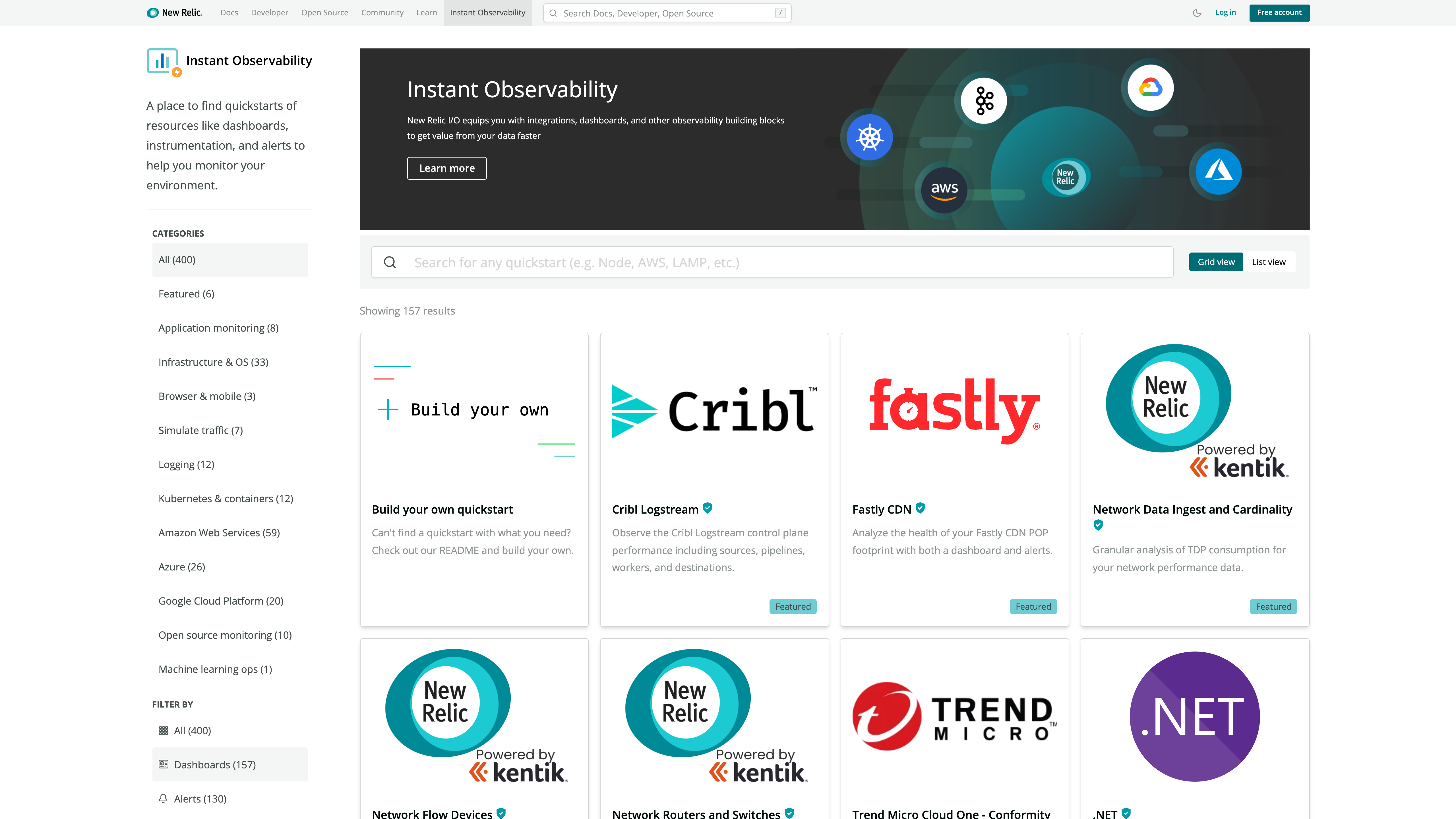
    New Relic today at the KubeCon + CloudNativeCon North America conference launched a New Relic Instant Observability (I/O) initiative through which it is making available open source tools to simplify application instrumentation.

    Marck Robinson, senior vice president for engineering at New Relic, said the catalog of tools will help DevOps teams instrument a much wider range of applications. New Relic will make those tools available as part of the free tier of its observability platform delivered via the cloud. DevOps teams will be able to use more than 400 pre-configured quickstarts to both instrument applications and create dashboards, Robinson said.

    New Relic itself is contributing quickstarts for cloud services, open source tools and platforms such as Kubernetes, Istio and Cassandra. Third-party vendors that have already contributed to the catalog include Cribl, Fastly, Gigamon, Kentik, Lacework and Trend Micro. Each contribution is being vetted by New Relic as part of an effort to foster the development of a larger open source observability ecosystem, noted Robinson.

    Robinson said overall, New Relic is trying to make it easier for DevOps teams to close an instrumentation gap that is impeding IT organizations from moving beyond monitoring to embrace true observability of their IT environments. The recent New Relic 2021 Observability Forecast report notes only a quarter of respondents (26%) have a mature observability practice, with the most commonly cited barriers to observability being a lack of resources (38%) and skills gaps (29%).

    As a result, DevOps teams often encounter a last-mile observability challenge when it comes to both instrumenting applications and then building their dashboards, said Robinson.

    As part of a larger effort to make it easier to instrument applications, New Relic has open sourced agent software, standardized on the OpenTelemetry tools being advanced under the auspices of the Cloud Native Computing Foundation (CNCF) and contributed the Pixie observability platform for Kubernetes environments to the CNCF.

    Observability in one some or another has always been a core tenet of any DevOps best practice. Initially, DevOps teams focused on continuous monitoring as the most effective way to proactively manage application environments. However, it can still take days, sometimes weeks, to discover the root cause of an issue. However, observability platforms are emerging that correlate events in a way that makes it easier for analytics tools to identify anomalous behavior indicative of a root cause of an IT issue. Armed with these insights, it becomes a lot simpler for IT teams to resolve issues faster.

    In contrast, monitoring focuses on predefined metrics to identify when a specific platform or application is performing within expectations. The metrics tracked generally focus on, for example, resource utilization. Observability, on the other hand, combines metrics, logs and traces—a specialized form of logging—to instrument applications in a way that makes it simpler to troubleshot issues without having to rely solely on a limited set of metrics that have been pre-defined to monitor a specific process.

    With the rise of microservices-based applications, the shift to the cloud and more end users than ever working remotely, the need for observability has never been more critical. The issue now is finding a way to make it much simpler to achieve.

  • Why You Need a Value Stream Delivery Platform

    Why You Need a Value Stream Delivery Platform

    While the pandemic was significantly challenging for businesses, it exposed the need to quickly adapt and change. Software products for internal or client use continue to provide an opportunity for a competitive edge in nearly any industry. Businesses will immerse themselves and compete in the digital economy by consistently producing better software products at an ever-increasing pace.

    In the past year, two new solutions with similar names have been gaining attention: value stream management platforms and value stream delivery platforms. Both are designed to help firms improve their software development process. The end goal for both is also similar—speed up development—but how each accomplishes this goal is important to differentiate the two.

    So which one should you use? We’ll cut to the chase—the value stream delivery platform provides more strategic long-term value. Here’s why.

    First: Value Stream Mapping

    To understand the need, you first need to understand value stream mapping. This involves visualizing the value stream processes and events from conception and creation to testing, production and, finally, release. By mapping the value stream, you can get a better understanding of the workflow and identify dependencies between the different activities, which will help you identify any blockages or impediments to delay delivering customer value.

    Staying abreast of your value stream is essential to delivering value to the customer as it connects all the multiple teams, tools and applications along the way. By gaining clearer visibility into the entire software delivery process, you can then scale your enterprise by bringing other teams on board for greater collaboration. Additionally, tracking your value streams can help reduce any risks to performance, as you can easily see the throughput and stability of your products.

    Value Stream Management Platforms (VSMP) Explained

    Simply put, value stream management helps solve poor visibility across the software delivery life cycle. You can measure and manage the performance of your software delivery team, identify any areas for improvement and leverage best practices that support collaboration through teams. Additionally, a value stream management platform helps connect applications, teams and tools through the collection of static data used to improve ongoing delivery performance.

    One benefit to using a value stream management platform is that existing toolchains remain undisturbed. The VSMP simply integrates with the different datasets across the existing process and provides the desired visibility and analytics to the different product value stream(s) across the organization.

    An Underlying Problem: Toolchains

    The lure of easy visibility that a value stream management platform provides is somewhat deceptive. The constant pressure to create and deliver better software faster using multiple tools and manually built toolchains has reached its breaking point:

    • Poor interoperability, manual handoffs and disparate data have created DevOps automation silos
    • The multiple test environments used through the process and the need for multi-cloud and hybrid deployments add tons of unnecessary complexity
    • Increased policy and security requirements simply cannot scale and remain manual

    Developers are caught in the middle—they must understand both a complex development and deployment process plus build a complex product for their customers—but being an expert in both is nearly impossible.

    The use of internal platform teams has been recognized as a way to solve this problem. The platform team is responsible for providing an easy-to-use solution; essentially treating developers as customers. In turn, the developers can focus their efforts on the software products they’re responsible for and on satisfying client needs.

    How is a Value Stream Delivery Platform Different?

    Many firms have learned the hard way that building an internal platform is risky, time-consuming and expensive. A value stream delivery platform replaces the traditional, manually built toolchains used today and sidesteps the risk, cost and development time involved in building a platform in-house.

    A VSDP should:

    • Cover the entire process of planning and creation, integration and verification, deployment and operations and, finally, monitoring and improvement
    •  Have both security and compliance capabilities built into the platform foundation
    •  Integrate DevOps point solutions, plus easily add or change tools over time
    •  Provide a centralized data model that creates one source of truth for the development process
    • Provide metrics and reports to accelerate process and value stream improvements
    • Improve software quality through continued enhancements based on best practices

    A value stream delivery platform cuts the administrative burden on DevOps teams, allowing them to refocus their efforts on providing significantly higher value. Instead of maintaining toolchains, they can now help identify process bottlenecks, expand automation and work directly with application teams to drive standards.

    Value stream management platforms provide value in understanding the process and where it can be improved. But they don’t fix the underlying toolchain problem. Instead, the improved visibility may tempt some to squeeze more productivity from developers over the short term without addressing the underlying toolchain problem. However, replacing toolchains with a value stream delivery platform can help address all these issues, and may prompt you to retire your value stream management platform.


    To hear more about cloud-native topics, join the Cloud Native Computing Foundation and the cloud-native community at KubeCon+CloudNativeCon North America 2021 – October 11-15, 2021

  • Security is About People, not Technology

    Security is About People, not Technology

    Just a random thought of the day: We have the world’s best example of how many of our security woes are actually people problems, not technology problems.

    We all know that. We’ve all discussed it—but let’s consider this example and have a quick discussion about 2FA.

    Epic Games had a problem not unlike the rest of us. But it was costing them money every day, in part because of the nature of their user base. The problem? Attackers taking over the accounts of legitimate Fortnite users. In the world of gaming, scammers are rife because the player base is younger. At least since Ultima Online (1997), online games have been growing and Fortnite is at the forefront of that movement, with user counts unheard of before it became popular. That many users combined with hackers and scammers taking advantage of the younger demographic attracted to games—over 60% of Fortnite’s massive user base is under 24 years old—they do not provide a further breakdown, but there are certainly kids as young as six playing; and possibly even younger players).

    That made for a problem. Investment of time and money and energy for supporting customers having account issues was no doubt huge. I do not have an insider feeding me information, but simple math—and the evidence of steps they’ve taken—suggest that this is the case.

    So they did with kids what far too many of us don’t have the guts to do with our adult workforce. They implemented 2FA. While they did not require it—and, like most game companies, are tight-lipped about any kind of player statistics—they implemented it with a carrot-or-stick approach that, no doubt, has been successful. My gaming group of half a dozen all use it—because we either wanted the carrot or were avoiding the stick. It’s not really a stick. Call it carrot and wall. The carrot comes in two forms for the two most popular versions of the game: A free dance for your character (toon, if you prefer) to perform in Fortnite: Battle Royale.

    Fortnite Dance

    And free gear in the paid version –  Fortnite: Save the World.

    Free gear

    For those of you who are not familiar, both of these are decent rewards; calculated by the Fortnite team to be compelling enough to warrant the steps, but not insane. The Save the World rewards are actually better in terms of usefulness, but the dance for Battle Royale is likely more popular.

    Then, they put up a wall. If you want to play competitive Fortnite, you must have 2FA turned on. It is possible that this was done to protect the sanctity of their tournaments, but it has the effect of providing the other half of the “reward and punish” equation. According to Compare Camp, 40 million players attempted to qualify for the game’s World Cup alone. So that is the minimum number of 2FA activated accounts—you cannot participate in competitive Fortnite without 2FA turned on.

    They then made turning 2FA on as easy as possible. You need to learn from this. It was harder for me to turn on 2FA and get it working for Discord than it was to turn it on and get it working for Fortnite. Strive to be as easy as Fortnite.

    At this point, we should all recognize that some form of 2FA, even the much-maligned ones like email (maligned because someone who compromises your email then has easier access to everything because 2FA is compromised), is almost essential. The cost of someone hijacking a valid user account—like the lead systems engineer or the CEO—is just too high to ignore. But some 2FA solutions are harder than others. So, we need to follow Epic Games’ lead, and make it as simple as possible, provide incentives to employees to turn it on and, if suitable, wield a stick. A minor ding on reviews until implementation is complete should be enough, if the incentives are nice. A free day off? A small bonus? You know your organization, both what management will agree to pay for and what users will find compelling.

    Get it done. The last thing you want is for your CEO to suddenly start saying/doing erratic things on corporate accounts. Unless they already do—then I suggest you consider looking for a new job. I know; there are 5,000 things to do and only a few of you. But this one is big. Don’t wait until you’ve lost accounts to turn on a pretty effective prevention mechanism.

  • The Inevitability of Multi-Cloud-Native Apps

    The Inevitability of Multi-Cloud-Native Apps

    We all know the story: Enterprises moved to the cloud. They learned about data center virtualization and multi-tenancy and self-service developer provisioning. Along came Kubernetes, and they moved to cloud-native, where they learned about automation, DevOps and infrastructure-as-code (IaC). Now, even though most enterprises are still figuring out how to do cloud-native at scale, there’s a new imperative they must master: Multi-cloud-native applications. And for almost every enterprise with a global footprint, the move to multi-cloud-native applications is not optional—it’s inevitable. 

    But before we explore why this is the case, let’s first retrace our steps. For almost every enterprise out there, the journey to the cloud started with adopting a public or private self-service infrastructure provisioning and management model. These enterprises quickly realized that this new IT model required a new set of tools to solve challenges they’d never before faced—enabling their developers with self-service provisioning, managing and operating infrastructure. Enterprises figured it out, but as soon as they figured out the cloud, they quickly had to gear up for the second phase: Automating and operationalizing an enterprise-wide rollout of cloud operating models throughout their entire developer organization. 

    Of course, this phase has its own set of challenges, and a rich ecosystem of tools emerged to address them. Even so, we all can agree that the majority of mainstream enterprises are still in this second phase. They’ve adopted cloud, they’ve expanded its use, and they’re grappling with the challenges around multi-tenancy, security, DevSecOps and governance. Hand-in-hand with this goes a whole new set of challenges around cost management. Suddenly, enterprises are faced with managing the variable costs of public cloud infrastructure: Optimizing compute infrastructure, utilization and capacity to rein in cloud spend. It’s an issue Sarah Wang and Martin Cassado took head-on in their research on the Trillion-Dollar Paradox.

    So, enterprises moved to the cloud and are now, for the most part, successfully grappling with scaling it. But nothing stays the same for long, and businesses drive IT to innovate. This is where cloud-native entered the picture to help enterprise software development teams become more agile and help businesses transform to deliver new services and experiences faster. In fact, the consumer experience this model makes possible has rapidly become the norm.

    Consistently delivering rapid software iteration across a global footprint forces DevOps organizations to grapple with an entirely new set of technical challenges: Leveraging containerized applications and microservices architectures in production across multiple Kubernetes clusters running in multiple geographies. Customers want an on-demand experience. This third phase is what we call multi-cloud-native, and it was pioneered by hyperscale IaaS players like Google, AWS, Azure and Tencent.

    The reality is, of course, that hyperscalers aren’t the only ones who have figured out how to deliver multi-cloud-native apps. Webscale innovators like Doordash, Uber, Twitter and Netflix have done it, too. To get there, they had to make and share their multi-cloud-native apps across every geography where their customers live. And, in turn, to make that happen they had to tackle a new set of challenges: Develop new tools and techniques like geographically distributed, planet-scale databases and analytics engines, application architectures that run apps on the backend close to the consumer in a multi-cloud-native way. This enabled them to do arbitrage across fleets of infrastructure capacity across regions, all while giving their customers that instant experience they increasingly grew to expect.

    What enterprises must realize is that this experience consumers have grown to expect from webscalers is rapidly becoming the same experience they expect when accessing their bank account, their insurance apps and their tax records. For almost every planet-scale enterprise, this sets up a whole new set of challenges: To span multiple clouds and multiple geographies running multiple Kubernetes clusters, you now must worry about new ways to do autoscaling, self-healing, disaster recovery, operations management and cost optimization—all of which are things that you’re just now getting figured out for virtual machines (VMs) and clusters in single regions.

    Enterprises must face the reality that cloud-native application models are not the destination but rather a waypoint on a journey to becoming multi-cloud-native. Because the consumer experiences delivered by webscalers make this the inevitable destination.

    The Enterprise Journey: Cloud, Cloud-Native and Multi-Cloud-Native

    Don’t take my word for it.

    Uber and Twitter public disclosures describe how the multi-cloud-native model is an integral part of their strategic game plan. Hybrid and multi-cloud are part of this, too, leveraging Kubernetes as a cluster manager, but they still need tools to manage all those clusters across multiple environments in multiple regions at planet scale.

    The bottom line is that the architecture that webscale companies are using today is the same one enterprises will need to adopt tomorrow to remain competitive. Alternatively, these enterprises will cede market share and relevance to the next webscale innovator to disrupt an industry. In adopting this model of building multi-cloud-native apps, enterprises will have to deal with unified access management, controlling multiple clusters, resource management and more, all across multiple regions and clusters of capacity, aggregating versus disaggregating cluster resources, using logical services that span clouds versus namespaces that span a single cluster.

    The Enterprise Solution: Planet-Scale Cluster Manager

    They will need a planet-scale cluster manager to do this; something that can observe costs, operations, performance and SLAs across clusters, across public and private clouds, spanning VMs and Kubernetes through a single pane of glass so they can operate above the clouds in an automated, easy-to-use way. Band-aid solutions like running multiple spreadsheet models to figure out how to optimize are not scalable. What’s needed are tools like machine learning to automate and optimize at scale, bin packing technology to intelligently and automatically optimize across a planet-scale infrastructure fleet and high levels of automation either with humans in or out of the loop. That’s how hyperscalers and webscalers are already doing it.

    Every planet-scale enterprise is multi-cloud-native, running data-driven apps. It’s not a fiction: It’s already happening across webscale companies, not just hyperscalers. Multi-cloud-native is the path that every enterprise is going to need to follow if they want to transform themselves to compete with the next webscale upstart. The good news is, the pioneers have left us a map to follow.


    To hear more about cloud-native topics, join the Cloud Native Computing Foundation and the cloud-native community at KubeCon+CloudNativeCon North America 2021 – October 11-15, 2021
  • 5 Steps to Succeed With Blue-Green Deployment

    5 Steps to Succeed With Blue-Green Deployment

    By allowing teams to maintain two production-ready environments at the same time, the blue-green deployment technique can significantly boost reliability. But blue-green deployment can also be difficult to execute and manage. Let’s unpack how blue-green deployment works, why it’s important and which best practices to follow for blue-green deployment success.

    Blue-Green Deployment, Defined

    Blue-green deployment is a software deployment technique in which teams maintain two identical but distinct environments that are capable of hosting a production application. One environment is “live” and actively serving users, while the other is kept in reserve.

    When it comes time to deploy a new version of your application, you deploy it to the reserve environment. You then test and validate it to make sure it meets performance and reliability requirements.

    If it does, you reconfigure your DNS or load balancers so that user traffic is directed to this environment, which becomes the new production environment. Meanwhile, the previous production environment is placed in reserve.

    Benefits of Blue-Green Deployment

    The blue-green deployment technique can boost reliability in several ways:

    • Environment parity: Because the reserve environment in which you test your application becomes the live production environment, blue-green deployment ensures parity between testing and production. In turn, it reduces the risk that configuration differences could cause unforeseen problems in production.
    • Failed deployments: If a deployment fails, it doesn’t impact your users because you deploy into the reserve environment. You can fix the issue while a stable user-facing version of your app continues to run in the other environment. 
    • Redundant environments: Although blue-green deployment is not a data protection or disaster recovery technique, having two production-ready environments available is useful in the event that one of your environments is wiped out by an event like a data center failure. In that case, you can restore operations quickly by using the other environment (provided it’s hosted in a separate data center, of course).

    How to Use Blue-Green Deployment: Steps and Best Practices

    While blue-green deployment is a great way to increase reliability, it does present some challenges. The following best practices can help you to handle them.

    Use Scalable Infrastructure

    One obvious potential downside of blue-green deployment is that it can essentially double the amount of resources you need to host your application since you have to maintain two identical environments. That can double your hosting bill.

    One way to reduce the cost impact of blue-green deployment is to create environments that can scale rapidly without changing their core configuration. You could do this using cloud-based virtual machines (VMs) and autoscaling or via containers and an orchestration engine (like Kubernetes) that can scale them.

    Using this approach, you can set up two environments that are effectively identical except that the production environment includes more VM or container instances than the reserve. Although you could argue that this is not quite a blue-green deployment because the environments are not perfectly identical, that semantic downside is outweighed by the benefit of not wasting a bunch of money on infrastructure you don’t need.

    Chaos Engineering

    Typically, chaos engineering entails experimenting with a production system to test its reliability. Chaos engineering offers many benefits, but it presents the obvious risk of creating a problem in production that impacts your end users.

    Blue-green deployment allows you to work around this risk by practicing chaos engineering in the reserve environment. Of course, because you won’t have real users, performing chaos engineering under these settings may not allow you to test every aspect of your production application. But you can still test many of the configuration variables by issuing requests yourself within the reserve environment—all without worrying about breaking things for actual users.

    Managing Database State

    Keeping databases in sync when you switch between environments is one of the biggest challenges of blue-green deployment. Even small discrepancies in database state could cause big reliability issues.

    The simplest way to address this issue is to turn off the database before switching and perform tests to ensure that databases in both environments are identical before they are reenabled. Of course, this approach may impact application functionality, because the app may not work properly if the database is turned off.

    Another solution is to sync databases between your two environments. This should ensure that database state remains identical even as you switch from one production environment to the other. But it also means that problems with the database will affect both environments.

    The bottom line: There is no simple way of managing database state in blue-green deployment. You should evaluate the different options available and consider which one best meets your needs. If you can tolerate a little downtime, stop the database and restart it during the switch. If you need total continuity, use syncing, but be sure to manage the associated risks.

    Change Load Balancers, not DNS

    There are two main ways to manage where traffic is directed, and hence which is the production environment: You can change your DNS configuration when you want to switch. That’s easy to do—you would simply change the mapping for yourapp.com from one IP address to another, depending on which environment is the live one.

    You can also use load balancers to manage traffic. Load balancer configuration is more complex than simply changing DNS entries, but it also enables more sophisticated and granular control.

    In general, it’s a best practice to manage blue-green deployment switches via load balancers, due to the extra control they provide.

    Prepare for the Unexpected

    While blue-green deployment can reduce the risk of user-impacting disruptions, it’s no silver bullet. You must also be sure that you have the reliability management tools you’ll need to detect and remediate issues within both of your environments.

    Blue-green deployment is a powerful reliability engineering technique. But to get the most out of it, you must optimize the way you handle requirements like infrastructure management, traffic routing and database state. 

  • Mastering API Gateways for the Modern Cloud-Native Enterprise

    Mastering API Gateways for the Modern Cloud-Native Enterprise

    As modern enterprises continue migrating to the cloud and the need for connected applications and devices dramatically increases, API-driven architectures are being widely adopted. In addition to the convenience of being able to efficiently connect and share resources, organizations benefit from the innovation and accelerated development speed that APIs bring in multi-cloud environments. APIs are not new, but as more enterprises adopt modern application architectures, they are increasingly occupying a large amount of a software development team’s delivery efforts. 

    When enterprises modernize and migrate to the cloud, it’s natural that challenges arise which need to be tackled before they become pain points—especially when it involves a complex microservices environment. API gateways are an essential ingredient that helps businesses overcome many of the challenges associated with APIs. API gateways are deployed at the edge of an infrastructure, responsible for routing client API requests to backend microservices. Modern API gateways also come with additional perks organizations can benefit from as teams and infrastructure grow simultaneously. 

    Let’s take an in-depth look at some of the major challenges organizations face around APIs, and how to maximize their benefits.

    Rapid Adoption Meets Growing Pains

    API-oriented architectures greatly accelerate the agility of an IT department, as they’ve become a well-known pattern for modern application architectures. However, this approach can be deceptive, as many critical issues and concerns around APIs aren’t always apparent from the onset. If they are not properly identified, they become growing pains teams have to face on a daily basis.

    The first challenge is the need to authenticate users when they make requests. API gateways allow organizations to integrate and consolidate authentication providers using their protocol(s) of choice. With billing and analytics, organizations need to understand the number of resources consumed when processing a transaction and how their customers consume their APIs. API gateways become the natural point at which to collect this data. 

    In terms of DevOps initiatives, some API gateways use service discovery to configure themselves dynamically which greatly accelerates a development and ops team’s velocity when shipping new features or fixes. To help teams deliver a highly available and resilient platform, API gateways are enablers that provide them with the puzzle pieces for advanced load balancing, rate-limiting, circuit-breakers, mirroring and more. These components make the DevOps mindset a reality. Teams can scale them as needed to realize production-grade environments, continuously updating deployments with software changes and avoiding any unintentional single points of failure (SPOFs). 

    In recent years, the evolution of API gateways has solved growing pains in the cloud, helping organizations leverage cloud-native technologies and workflows. Combining cloud-native technologies with an API-led integration platform creates an effective architecture for a digital enterprise to increase productivity. Automating production, operation and services is no longer a goal but a must-have.

    Modern API gateways features within this environment go well beyond what one would expect at first glance. API gateways can be the cornerstone of a deployment strategy transformation. With hundreds—if not thousands—of services to continuously deploy, the risk of introducing a regression to the platform soars, and being able to address this problem immediately is not enough. API gateways can help you transition to modern deployment strategies and blue/green or canary deployment becomes commonplace—helping deployments become an easily managed daily task.  

    API Gateways to the Rescue for Cloud-Native Architectures

    As part of the shift to modern application architectures, enterprises should invest resources in implementing API strategies as part of their software development initiatives. In turn, they should leverage API gateways to alleviate growing pains and simplify delivery efforts. APIs should be secured, managed, observed and even monetized. 

    API gateways can also help with critical issues related to authentication, security and SSL, billing and analytics, life cycle management, high availability and resilience, and they can even help you initiate a culture shift toward a DevOps mindset. By combining API-driven architectures and cloud-native technologies, organizations emerge with an effective architecture for the digital era. API gateways help overcome the challenges and unfold the networking intricacies of today’s cloud-centered world.