Category: DevOps Toolbox

  • Pulumi Advances DevOps on AWS

    Pulumi Advances DevOps on AWS

    Pulumi announced the availability of Pulumi Crosswalk for Amazon Web Services (AWS), an open source framework for deploying applications on Amazon Web Services (AWS).

    Company CEO Joe Duffy said Pulumi Crosswalk for AWS provides a software-as-a-service (SaaS) application through which DevOps teams can automate the deployment of applications on AWS infrastructure using software development kits (SDKs) from Pulumi. The SDKs are based on programming tools such as JavaScript, Python, TypeScript and Go, which most developers already know how to use. That approach eliminates the need for DevOps teams to learn how to employ YAML files or to acquire tools such as CloudFormation or Terraform to deploy applications on AWS, he said.

    Pulumi Crosswalk for AWS also embeds the best DevOps processes recommended by AWS directly within its SaaS tools, including patterns for containers and serverless computing frameworks, Duffy noted.

    Pulumi Crosswalk for AWS is available on GitHub. It is designed to be integrated with existing Team and Enterprise Editions of Crosswalk that come with support and training provided by Pulumi.

    In addition to AWS, Pulumi Crosswalk supports other cloud platforms, including Microsoft Azure and Google Cloud Platform (GCP). The company also plans to provide support for private clouds and leverage Kubernetes clusters to automate deployments across hybrid cloud computing environments.

    Duffy noted that despite all the enthusiasm for DevOps, many IT operations teams have been left behind. While much time and effort has been put into unifying backend cloud services, the operational experience in the cloud still revolves around low-level application programming interfaces (APIs) or specialized tools that are challenging for IT operations teams to employ. That situation often creates a backlog of applications for IT operations to deploy. Crosswalk enables IT operations teams to leverage the skills developers have to deploy applications they approve on AWS, he said.

    As cloud computing evolves in the age of DevOps, the relationship between developers and the IT operations team is becoming more nuanced. IT operations teams still need to put guardrails in place, but they can’t afford to be perceived as a bottleneck slowing down the rate at which applications can be deployed in the cloud. The challenge IT operations teams must overcome is finding a way to enable developers to self-service their application deployment requirements as much as possible within a set of policy guidelines defined by the internal IT team. That approach will enable developers and IT operations teams to get out of each other’s way.

    It may be a while before IT operations and developers find the right DevOps balance that best suits their organizations. Individual teams within enterprises tend to define their own best practices based on the expertise available within the team. Ideally, those best practices are then shared and implemented as appropriate across the rest of the enterprise.

    In the meantime, it will be interesting to see how aggressively cloud service providers embrace tools such as those from Pulumi. Cloud service providers have a vested interest in getting as many workloads deployed in their clouds as quickly as possible. They tend to be a little less enthusiastic about anything that makes it easier to move those workloads anytime a DevOps team sees fit.

    — Mike Vizard

  • Acquisitions to Fuel Programmable Analytics

    Acquisitions to Fuel Programmable Analytics

    Now that Tableau Software has agreed to be acquired by Salesforce and Looker is set to become a part of Google, the rate at which analytics will be embedded within almost every application is about to accelerate.

    Tableau today is relied on by more than 86,000 organizations to surface business intelligence via data visualizations created by professional analysts and line of business executives. That user base accounts for why Salesforce is willing to spend $15.7 billion to acquire Tableau.

    Competition within the analytics software space, however, has always been fierce. The rise of the cloud has resulted in several analytics startups challenging incumbents for a piece of one of the fastest growing sectors of the enterprise software market. One of those startups is Looker, which created a cloud-based analytics platform that Google is now set to acquire for $2.6 billion.

    Google has already signaled its intent to make Looker a part of its expanding Google Cloud Platform (GCP). As such, Google Cloud CEO Thomas Kurian last week noted one of the primary reasons for the Looker acquisition is to add a software-as-a-service (SaaS) offering that will enable developers to embed analytics within their applications by invoking a set of application programming interfaces (APIs) exposed via a cloud service. Today that analytics service runs on GCP alongside the Google BiqQuery data warehouse. Google, however, has also signaled its intent to make Looker available on multiple clouds alongside the rest of its software portfolio.

    Tableau, which will continue to operate as an independent arm of Salesforce, is playing catch up in the cloud. Tableau is deployed widely in both on-premises and public cloud computing platforms, including as a managed service provided by Tableau through which the company manages a dedicated instance of its software on behalf of customers. The merger with Salesforce will create an opportunity for Tableau to add a full software-as-a-service (SaaS) application instance to its portfolio that leverages the same infrastructure that Salesforce employs to deliver customer relationship management (CRM), marketing and customer service applications. Salesforce CEO Mark Benioff this week said going forward, Salesforce fully expects analytics generated by Tableau to drive a raft of digital business transformation initiatives.

    Most of the analytics that will be embedded within applications will manifest themselves in three forms. The first is embedded software that will be updated continuously as new data is entered in an application. The second is embedded predictive analytics modules that will invoke big data repositories and machine learning algorithms to surface recommendations on how to optimize a business process or customer experience. The third—and more ambitious—goal is an embedded prescriptive analytics capability that automatically optimizes business processes and customer experiences in real time based on events occurring, for example, within an internet of things (IoT) application.

    Every provider of analytics capabilities, from traditional Tableau rivals such as Qlik Software and Microsoft to TIBCO Software, IBM, MicroStrategy, SAP, Oracle and host of others, is pursuing all these emerging use cases for programmatic analytics. Most recently, Information Builders revealed it has embraced Docker containers and Kafka messaging platform as a means for achieving that analytics goal.

    The arrival of programmable analytics platforms will, of course, make implementing best DevOps practices all the more challenging. It’s hard to think of a business process that will not benefit to some degree from embedded analytics. The challenge DevOps teams will face is embedding and then continuously updating all the analytics modules embedded within the applications they deploy. The good news is that as organizations move to embed analytics everywhere increases, so too does the need to embrace DevOps to manage it all.

    — Mike Vizard

  • CloudBees Acquires Rollout for Feature Flagging

    CloudBees Acquires Rollout for Feature Flagging

    CloudBees today announced it would extend the reach of the Jenkins continuous integration/continuous development (CI/CD) platform by acquiring Rollout, a provider of feature flag tool that gets employed to simplify testing of new modules within an application.

    Company CEO Sacha Labourey said the acquisition of Rollout would result in a feature flag capability that is more seamlessly integrated with the gates that make up a CI/CD pipeline process. The goal is to make it easier for DevOps teams to apply A/B testing of new application features against a subset of users before deciding to update an entire application environment, he said.

    Feature flagging, also known as feature toggling, enables DevOps teams to hide features from certain users at runtime. In effect, this creates multiple branches from the same source code that DevOps teams need to manage. Rather than having to employ a separate tool based on an entirely different user interface, CloudBees is moving to make feature flagging a core capability of its extended toolchain.

    In theory, feature flagging should be more widely employed than it is today. Many organizations, however, have found it challenging to incorporate separate feature flagging tools within their DevOps processes. CloudBees is now using some of the money it has raised of late to address that issue.

    Feature flagging today is largely confined to testing. However, there may come a day when more organizations will employ feature flagging to make different classes of user experience available to different end users. That approach, in theory, would make it possible to charge different fees for disparate application experiences using the same core application.

    In the meantime, the goal is to garner more feedback concerning new capabilities that might be added to an application before the features are made generally available. Developers often spend months developing new features only to discover end users are not employing those capabilities because of some trivial glitch that could have been discovered easily using A/B testing.

    There currently is no shortage of options when it comes to tools for implementing feature flagging. Labourey said CloudBees elected to acquire Rollout because the team behind it was deemed to have the best cultural fit with CloudBees. It’s too early to say whether other providers of feature flagging tools will be rolled up into other CI/CD platforms—providers of those platforms can either develop their own feature flagging toolsets or move to absorb a third-party provider either by acquiring them or forming a technology alliance. The depth of the toolchain being provided these days often has as much to do with what CI/CD platform ultimately gets adopted as the core integration and delivery capabilities.

    Regardless of the path chosen, it’s apparent that thanks to feature flagging, continuous testing processes will become more sophisticated. That may require some adjustments to existing best DevOps practices, but the days when development teams blindly experiment on end users in the hopes they are building the next killer feature mercifully are coming to an end.

    — Mike Vizard

  • Pre-Commit Job Workflow in Azure DevOps

    Pre-Commit Job Workflow in Azure DevOps

    Many organizations use a combination of open so Many organizations use a combination of open source and commercial tools and Azure DevOps (formerly called VSTS) and an application lifecycle management (ALM) tool that includes features such as Azure pipelines. This article talks about how to achieve an end-to-end DevOps setup in Azure

    Pre-requisites:

    1. Subscription
    2. Project created with version control selected
    3. Process template selected (Agile/Scrum)
    4. Code repo–one on VSTS and one on GitHub/cloud GitLab
    5. Build server–Use credits from MSDN subscription
    6. Deploy–Azure subscription from MSDN
    7. Other tools–tools supported by VSTS/Azure DevOps
    • The objective of a pre-commit job is to reduce the risk of complexities, duplications and potential bugs in the code to get deployed directly into production.
    • In usual workflows, the build will be generated on regular intervals and released for testing. However, there is a chance of several code quality issues and building deployment issues.
    • With the help of pre-commit job, we can configure triggers to generate builds for every pull request made by developers. Also, this enables the development team to create pull request releases that deploy your pull request code or pull request builds, which help to detect deployment/release issues before the code changes are merged.
    • Pre-commit deployments also help catch deployment/release issues early in the cycle, maintain better code quality and release with higher confidence.

    Configuring Agile Board in Azure DevOps for Project Management, and Tracking Steps to Do It

    Steps:

    With Azure Boards we can plan, track and discuss work across different teams. With Azure Boards, we can swiftly and simply start tracking tasks, features and bugs of our project.


    For every project we have to create on sprint, go to Boards and select Work Items to create a new user story and provide the acceptance criteria. Select Boards and create New Work Items, then under Epic select User Story and click on Task and provide the task description.

    Setting Up Branches, Version Control and Branch Policies

     Steps:

    • Import the code from VCS.
    • Under Repos, create branches such as dev or test.
    • Set up the branches policies to improve code quality.

    Improve Code Quality With Branch Policies

    Branch policies help teams protect their important branches of development. Branch policies enforce a team’s change management standards and code quality.

    Setting up Branch Policies for Review Code

    Code reviews are good practice for the most successful software development projects. We have to configure the minimum number of reviewers to review the code and complete the pull request.

    • The code review done in a pull request is simply to find obvious bugs.
    • Code reviews help protect the team from bad commits or merges and broken builds that hinder team’s productivity.

    The review will help to catch these kind of problems before the merge, protecting our important branches, such as the release branch, from undesirable changes.

    Pre-Commit, Enabling Pull Request

    Steps:

    Workflow to complete the pull request:

    • Create a pull request
    • Complete a pull request

    Benefits of pull request:

    • Peer review
    • Enough testing and better stability
    • Reducing conflicts
    • Continuous delivery
    • Clearer responsibility

    Create a pull request:

    • Pull requests combine the review and merge the code into a single collaborative process.
    • For every bug fix or new feature in a branch, we have to create a new pull request.
    • Add the members of the team to the pull request once the development branch build is completed without issues. Then members can review and vote on your changes.

    Link work items to your pull request:

    Select the Overview tab in Azure DevOps. Select the add link button “+” in the Work Items to relate your current pull request.


    Complete Pull Request:

    • The basic policy requires that some reviewers approve the code with no rejections.
    • If Allow users to approve their own changes is not selected, the creator of the pull request can still vote Approve on their pull request, but their vote won’t count toward the Require, least reviewers policy.
    • If any reviewer rejects the changes, the pull request cannot be completed unless the allow users selection is completed, even if some reviewers select Waiting or Reject.
    • To reset code reviewer votes when new changes are pushed to the source branch, check Reset code reviewer votes when there are new changes.

    Nightly CI Build

    Steps:

    Build Triggers:

    • We can configure the build triggers to generate war package for every code commit made to the branch.
    • Under Build select Triggers to enable CI and include master branch.
    • One can enable the build trigger for every commit made to the branch.

    • Configure two builds—one for dev branch and one for master branch.
    • If the developer executes the code, the dev branch build is triggered automatically with help of dev branch polices.
    • Once the dev branch build is completed, reviewers approve the pull request and the master branch build is triggered. Once the build is completed, it moves to the release part.
    • The code quality analysis and unit test/Junit test is configured in the dev branch. The code quality gateways such as code review and find bug have been enabled.

    Continuous Deployment (Release) through Azure Kubernetes Services (AKS)

    Pre-requisites:

    • Any source code management tool such as Git/SVN or Azure Repo
    • Microsoft MSDN account
    • Azure account creation and VSTS/Azure DevOps account creation
    • Dockerfile to be created and placed along with source code in Git
    • YAML file to be created and placed along with source code in Git
    • Kubernetes cluster to be created in Azure portal
    • Docker hub account or Azure Container Registry
    • Build definition–Docker build image

    Docker File Creation for Application to Deploy

    Create the Service Principle to provide the access to the application/Docker image to deploy on Azure Kubernetes services. Select the Deploy to Kubernetes task and make the following configurations:

    • Create new Kubernetes service connection
    • Select the command option for deployment
    • Provide the configuration file location i.e, Deployment.yaml
    • Select the container registry type
    • Select the subscription
    • Select the Replace Tokens task to append the tag number for an image automatically while pushing it to container registry
    • Perform the deployment and view the logs


    Test plans:

    Load testing:

    Pipeline History

    Azure Pipelines is used to automatically build and test your code project and make it available to other users. Azure Pipelines integrates CI and CD to continuously test and build your project and ship it to any target server. It provides the full-stack end-to-end flow of CI and CD through various tools integrated as tasks in Azure DevOps.

    Conclusion

    With Azure DevOps, you can set up end-to-end DevOps with tracebility, pre-commit, CI and deployment to Kubernetes.


    This article was co-authored by Srinivasa Rao Guntupalli, lead engineer at HCL Technologies Ltd. He works on various DevOps technologies such as Git, maven, Jenkins and cloud technologies including AWS, Azure, Azure DevOps/VSTS.


    — Naveen Manchem

  • GitLab Updates Advance Its CI/CD Platform

    GitLab Updates Advance Its CI/CD Platform

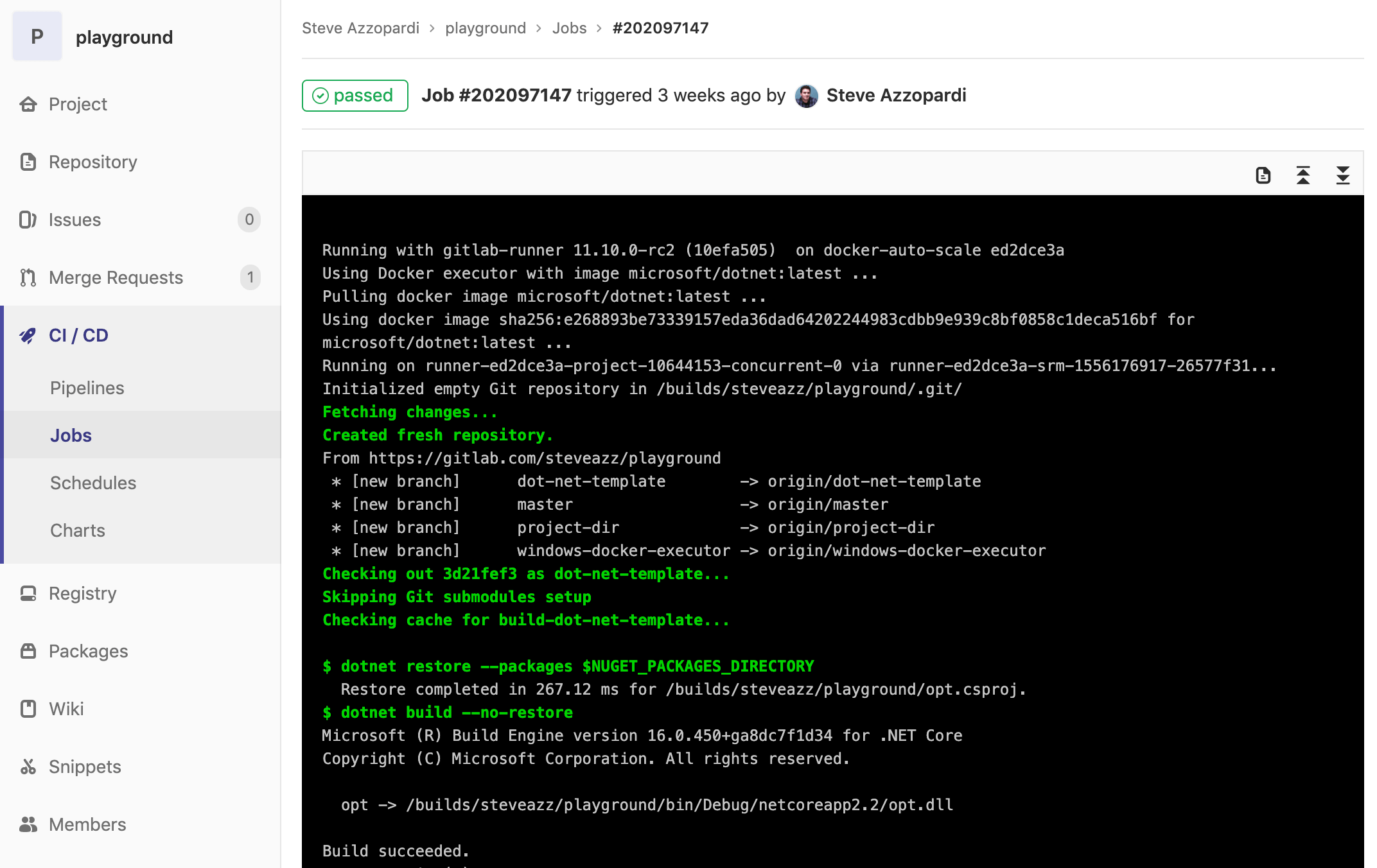
    GitLab has expanded the capabilities of its continuous integration/continuous development (CI/CD) platform to include tighter integration with collaboration platforms from Slack and Mattermost along with the ability to support Docker containers running on Windows.

    Version 11.11 of GitLab adds a caching dependency proxy for Docker images to the Premium edition of GitLab along with the ability to provision an instance-level Kubernetes cluster using instances of GitLab that are managed by an internal DevOps team. Those capabilities are arriving on the heels of GitLab last month announcing its initial support for Kubernetes as a platform on which its CI/CD environment now can be deployed.

    The latest edition of GitLab also adds support for multiple assignees for a merge request capability, which allows multiple members of a DevOps team to manage merge requests within a DevOps pipeline.

    Finally, GitLab 11.11 also provides guest access to releases, extends the add-on CI runner minutes to the GitLab Free edition, supports the OpenID Connect authentication protocol, includes serialized commit graphs and simplifies reviews by auto-resolving a discussion whenever a suggestion is applied.

    Priyanka Sharma, technical evangelist for GitLab, said GitLab is starting to see increased interest in using Docker containers to build applications on Windows. A Windows Container Executor for GitLab Runners capability makes it easier to orchestrate pipelines that include Docker containers destined to be deployed on Windows. Previously, DevOps teams needed to rely on a shell executor to orchestrate Docker commands. This update makes it possible to employ Docker containers on Windows in the same way they are deployed on Linux platforms. GitLab also has improved support for PowerShell, in addition to making available helper images for various versions of Windows containers.

    Sharma said GitLab is starting to see IT organizations that have embraced Windows starting to catch up in terms of enthusiasm for Docker containers. Also, DevOps teams that have embraced both Linux and Windows platforms are looking to apply best DevOps practices to both platforms.

    Microsoft has signaled its intention to continue investing in making Docker containers a core element of its overall strategy. As the work progresses in collaboration with Docker Inc., the need for a CI/CD platform that can support Windows environments will become more acute.

    In the meantime, GitLab continues to focus on making it easier to implement best DevOps practices at scale, Sharma said. As enterprise IT organizations continue to embrace DevOps, many of them soon discover the need for a CI/CD platform designed from the ground up to support pipelines that are being accessed by many concurrent users.

    The decision many of those enterprise IT organizations will have to make is how much they will want to rely on an open source versus closed source platform. The enterprise edition of GitLab is a closed source platform, but the company does make available an open source community edition. While the open source Jenkins platform currently dominates among CI/CD platforms, enterprise IT organizations that have adopted DevOps have shown a willingness to embrace proprietary DevOps platforms that address challenges ranging from the scale of deployments to security and compliance.

    It’s too early to say how the next major CI/CD battle involving the shift to microservices will play out. However, if history is any guide, there should be plenty of room for both open source and proprietary CI/CD platforms.

    — Mike Vizard

  • Are Self-Service Machine Learning Models the Future of AI Integration?

    Are Self-Service Machine Learning Models the Future of AI Integration?

    DevOps teams seeking to step up their mojo in developing cutting-edge artificial intelligence (AI) features are facing a big skills bottleneck when it comes to data analytics and machine learning modeling. As a result, the market is seeing an influx of self-service machine learning models and machine learning-as-a-service offerings designed to help development teams more easily integrate AI capabilities into their software.

    This is coming in direct response to an explosion in demand for AI capabilities in the enterprise. According to Gartner analysts, AI adoption in the enterprise tripled in the past year. A report last fall from MIT Sloan Management Review and Boston Consulting Group found that 91% of enterprises believe that AI will deliver new business growth to them by 2023.

    The trouble is that folding AI functions and predictive analytics into software requires a whole new level of expertise in data science and machine learning from cross-functional DevOps teams. They need added skills to choose the right algorithmic approaches, acquire and manage data, train the models and integrate them into the code base and underlying infrastructure so that everything works properly under the hood.

    “We have heard from customers everywhere that they want to adopt machine learning but struggle to actually get models into production,” said Eric Boyd, vice president of cognitive and AI for Microsoft.

    Ali Farhadi Xnor
    Ali Farhadi, Xnor.ai CEO

    DevOps leaders today already face an uphill battle to keep their developer ranks staffed with well-trained software engineers. Piling on additional requirements for very specialized machine learning and data science expertise further strains those recruitment efforts. According to the most recent Harvey Nash/KPMG CIO Survey, the top one and two technical realms that suffer the biggest skills shortages today are in data science and AI, with 46% and 38% of CIOs respectively reporting recruiting pain in those areas.

    “There’s a huge imbalance between the demand in the market and the supply of the very best AI experience to actually train these models,” said Ali Farhadi, CEO of Xnor.ai, a Seattle firm that just last week released a self-service platform for developers. Called AI2Go, the platform provides pre-trained deep learning models to quickly integrate AI features such as facial recognition and object classification directly into their software.

    “We want to enable anyone who can code to benefit from AI,” Farhadi said.

    The Xnor release comes just a few weeks on the heels of a big launch from Microsoft of several self-service machine learning model tools aimed firmly at MLOps teams—those DevOps teams implementing machine learning capabilities. The new services from Microsoft roll out capabilities to manage the code, data and environments used by MLOps teams throughout the machine learning deployment life cycle.

    “Azure Machine Learning service’s MLOps capabilities provide customers with asset management and orchestration services, enabling effective ML lifecycle management,” explained Jordan Edwards, senior program manager for Azure MLOps, in a blog post on the topic. “With this announcement, Azure is reaffirming its commitment to help customers safely bring their machine learning models to production and solve their business’s key problems faster and more accurately than ever before.”

    Tools such as these are not always going to obviate the need for data scientists and machine learning/AI specialists on DevOps teams. As Farhadi noted, even a simple service like AI2Go requires development teams to choose the right models for the right situations. Nevertheless, this burgeoning market could take the pressure off teams by minimizing the scale of specialized recruiting, while reducing bottlenecks and dreaded re-work.

    “Machine learning projects usually involve several people—data engineers, data scientists, DevOps and others. Conventionally, at each stage of the machine learning life cycle, most, if not all, of these people end up doing an excess of custom coding, redundant work and manual trial and error,” said Craig Stewart, senior vice president of product management and product marketing for SnapLogic, which last fall introduced a self-service machine learning add-on for its integration platform. He noted that one of the primary goals is speed, to help cross-functional teams “build, train, validate and deploy high-performing models faster.”

    — Ericka Chickowski

  • CircleCI Adds Integration With Atlassian Jira

    CircleCI Adds Integration With Atlassian Jira

    One of the trickier issues IT vendors in the age of DevOps are dealing with is that very few organizations have standardized on a platform from a single vendor. Not only do organizations mix and match tools as they see fit, but different departments within the same organization also embrace different tools to automate the same tasks. That DevOps reality requires collaboration between IT vendors that normally would prefer to not work together, whether they like it or not.

    Case in point is a move by CircleCI, a provider of a continuous integration/continuous delivery (CI/CD) platform, to provide integration with the Jira project management software developed by Atlassian. While Atlassian makes its own CI/CD platform, customers and business partners alike have made it clear they needed CircleCI to support Jira, says Tom Trahan, head of business development for CircleCI. In some cases, those organizations have adopted Jira without having Atlassian’s CI/CD platform in their environment, while in other cases, a department within one part of an organization has opted for CircleCI while others are employing a CI/CD platform from Atlassian.

    At the same time, Trahan notes that many DevOps projects now span multiple organizations that have standardized on different DevOps platforms. Jira provides a way for teams in differentorganizations to manage those projects collaboratively, he says.

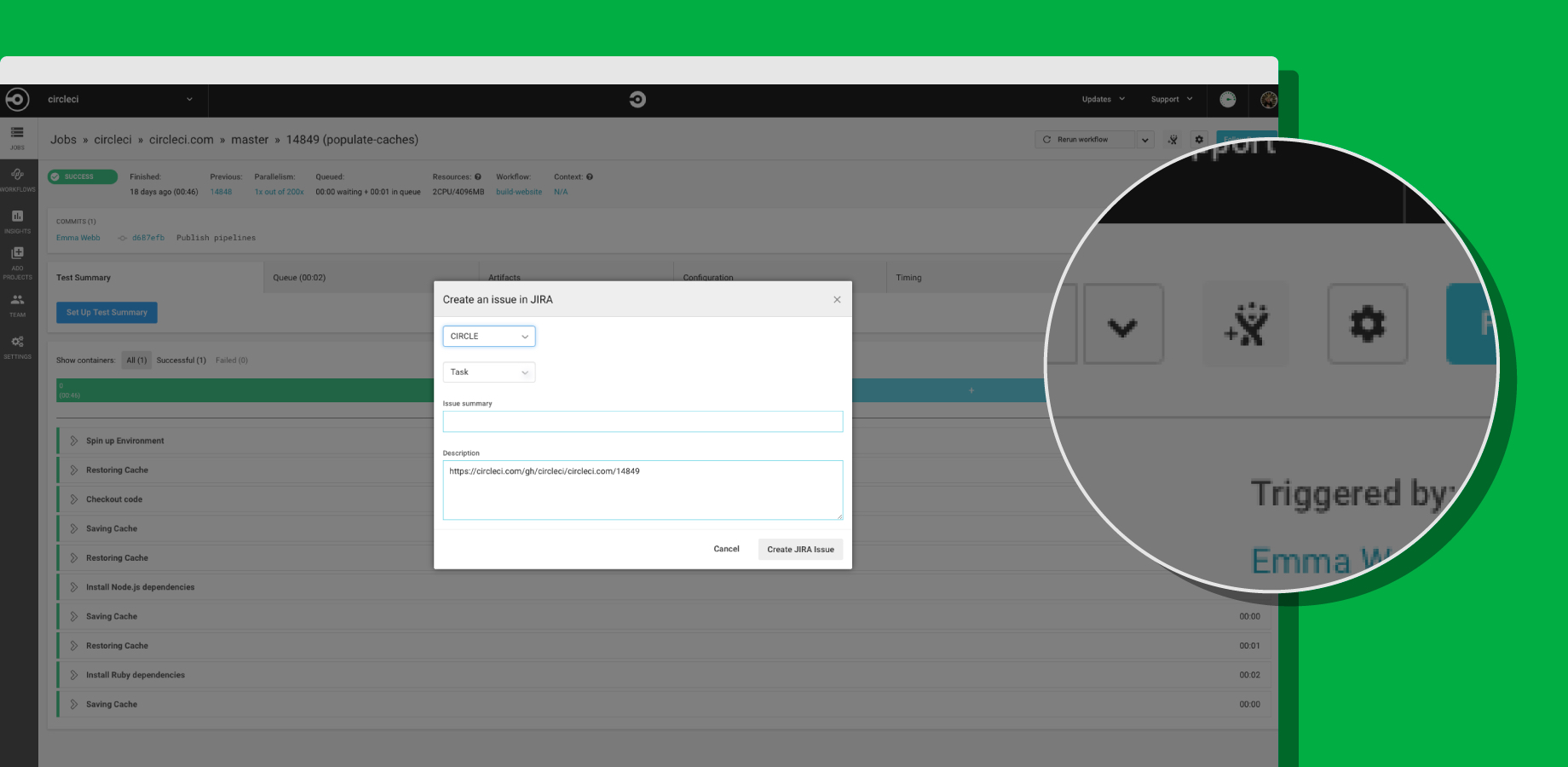
    To achieve integration with Jira, CircleCI now offers its CircleCI for Jira module, through which teams can assign new tasks and fixes based on job status with CircleCI orbs, a set of reusable configuration packages that allow CircleCI customers to integrate external tools into their workflow. That capability also makes it possible to launch new Jira issues directly from the job page within the CircleCI user interface.

    CircleCI Integrates with Jira

    Trahan says that in the polyglot world of DevOps, it is apparent vendors are being required to expose open application programming interfaces (APIs) that enable organizations to build and integrate various DevOps platforms anyway they want. Organizations won’t consider IT vendors that are too rigid in terms of what level of integration they enable, he says.

    As DevOps continues to evolve, it’s clear that a wave of merger and acquisition activity is makeing the IT vendor landscape somewhat volatile. Providers of DevOps tools that organizations have standardized on are being acquired at a rapid rate. IT organizations can’t be certain that any given tool or platform they are using won’t be scooped up by a vendor they might not want to engage. In that kind of environment, it’s critical for IT organizations to leverage open APIs that not only make it easier to collaborate, but also replace elements of their DevOps stack whenever they deem necessary.

    The challenge, of course, is that IT vendors are always trying to lock customers in as much as they can. Those efforts are not as heavy-handed as they once might have been. But almost inevitably, the extension being offered to access functionality will disappear if the underlying platform that enables it suddenly disappears. IT organizations, therefore, need to determine whether those extensions are worth any potential trouble they might cause somewhere down the DevOps road.

    — Mike Vizard

  • The Essential Toolbox for DevOps Analytics

    The Essential Toolbox for DevOps Analytics

    With DevOps teams under constant pressure to improve software delivery cycles while maintaining—and improving—quality, many have turned to continuous testing (CT), implementing it as part of their overall development strategy. CT offers a number of benefits to DevOps teams, but it also introduces new challenges, specifically infinite amounts of data that require analysis. As more teams integrate CT into their strategy, it is clear that analyzing, understanding and filtering the results data quickly is critical to preventing bottlenecks in the DevOps process. The problem is, teams simply don’t have the time needed to analyze data.

    Current research indicates that teams spend anywhere between 50 and 72 hours per regression cycle analyzing test results. This includes filtering out noise and assessing failures that may impact their software releases. However, the amount of time DevOps teams have to review and qualify test results has shrunk dramatically in recent years—from days to hours or even minutes, in some cases—leaving teams scrambling.

    With pressure to accelerate velocity and deliver consistent, high-quality experiences, DevOps team require new analytics solutions to help them manage large test-results datasets in a CI/DevOps environment.

    Let’s explore five essential tools that enable DevOps teams to quickly and efficiently analyze data, triage issues and act upon failures with the best possible insights.

    Executive Dashboards

    Dashboards have evolved immensely over the years, allowing dev managers and QA managers to easily examine the pipeline, see CI trends related to time, build health and more. When looking for the best solution, make sure it includes quality heat maps and CI dashboards, which make it easy to spot an anomaly in the CI pipeline and allow managers, DevOps teams and practitioners to quickly drill down into the single test report and the issue.

    Single Test Report Visibility With Advanced Reporting Artifacts

    With a single test report, practitioners have access to the entire flow of test steps, video, logs, screenshots and Jira–even the ability to drill down into the source code. This makes it quick and easy to locate an issue. For teams, these means more time fixing and less time searching.

    Cross-Platform Reports

    These analytics reports show the UI/UX simultaneously across multiple screen sizes, resolutions and platforms. Since the boundaries between the digital platforms need to be seamless, whether on desktop browsers or mobile devices, having the ability to see the UI/UX on multiple form factors (and layouts) at the same time is essential to assess overall quality.

    DevOps Noise Reduction Tools Powered by AI and Analytics 

    Today, finding which error classifications are true application bugs is critical to efficiency. Noise reduction tools that are powered by AI allow teams to filter out problems caused by various issues that are not software defects—for example, device connectivity issues and wrong scripting. Having a tool with the ability to locate each failed test execution, the root cause and the classification category is a huge productivity boost for both the test engineer and the developer.

    DevOps and Actionable Insights

    Analyzing data is one thing, knowing what to do it with it is another. Today, there are a number of analytics solutions on the market that provide teams with both capabilities. Once an issue is detected, classified and reported, having deep insight brings practitioners halfway toward the resolution of the issue.

    To succeed in software delivery, teams not only need better automation as part of their processes, test flows and CI/CD workflows, but also an analytics platform to manage all of their test results data. Since DevOps involves a collection of team members from all parts of the software delivery lifecycle (SDLC) process, the central platform needs to meet the needs of all team members. As you work to build your next test analysis toolbox, consider the five features above to efficiently evaluate the data, act upon it and deliver iterations and features with confidence.

    — Eran Kinsbruner

  • Chef Extends Automation Reach and Scope

    Chef Extends Automation Reach and Scope

    At its ChefConf 2019 conference today, Chef extended its core platform in ways that collectively serve to automate further the management of applications and the IT infrastructure they are deployed on.

    Extensions to the Chef Enterprise Automation (EAS) Stack include the addition of Application Operations Dashboards, Migration Accelerators for moving applications to the cloud and tighter integration between the Chef Infra and Chef InSpec modules within the Chef Habitat management framework.

    Brian Goldfarb, chief marketing officer for Chef, said these latest additions to Chef Enterprise Automation Stack are part of an ongoing Chef initiative to make it easier to seamlessly unify the management of infrastructure and applications in keeping with best DevOps practices, which Chef refers to as the “Coded Enterprise.”

    Chef DashboardAs part of that effort, Chef Application Operations Dashboards provide visibility into both applications and infrastructure to simplify troubleshooting and compliance, said Goldfarb. For example, IT teams will be able to see how individual security and compliance controls are performing across a heterogeneous computing environment that now includes Microsoft Azure and Google Cloud Platform (GCP) alongside Amazon Web Services (AWS), he said.

     

    At the same time, Chef is trying to make it easier to lift and shift applications to the cloud. EAS Migration Accelerators automate an application migration process that today requires most organizations to spend considerable time and effort to accomplish manually, said Goldfarb.

    An EAS Migration Accelerator for Windows, for example, will scan existing .NET applications running on IIS to discover configuration and dependency details and then package that information as code. That approach significantly reduces the time required to build application packages in Chef Habitat.

    Within Chef Habitat, the integration between Chef Infra, for automating infrastructure configuration, and Chef InSpec, a tool for automation compliance, is now more unified via pre-configured compliance profiles and cookbooks that make it easier to customize and modify which security and compliance controls are tested and enforced.

    Finally, Chef has also added support for high availability to the EAS platform to make sure the environment is always accessible.

    Goldfarb said the goal is to continue to make automation more accessible to IT generalists versus requiring them to hire and train dedicated specialists. One of the primary reasons that DevOps practices have been adopted so unevenly within IT organizations is the bar to master them has been set too high. By making it easier to automate the management of both infrastructure and applications, Chef is moving to lower that bar and make it easier to manage IT by unifying the management of applications and infrastructure, said Goldfarb.

    It’s too early to say to what degree IT automation will advance the adoption of DevOps. What is apparent is that IT environments are becoming too complex for mere mortal IT administrators to manage manually. IT organizations are also expected to be able to respond faster to any issues that arise, which requires IT teams to have a unified view of applications and the infrastructure o which they are deployed. In fact, as IT organizations continue down that IT automation path, many of them one day may discover they have embraced DevOps without even realizing it.

    — Mike Vizard

  • Survey Finds CI/CD Adoption Has Long Way to Go

    Survey Finds CI/CD Adoption Has Long Way to Go

    At the KubeCon + CloudNativeCon Europe 2019 conference, Codefresh published the results of a survey of 130 developers that finds not only are nearly a third (32%) not using any type of continuous integration/continuous development (CI/CD) platform at all, but 60% said their organization has yet to take full advantage of automation to accelerate application development and deployment.

    In fact, according to the survey, it takes more than two weeks for two-thirds of developers (64%) to push a commit into a production environment. Additionally, the survey finds that for 39% of respondents, less than 10% of their company’s processes are automated from Git commit to code to production.

    Not surprisingly, only 19% of developers said they deploy code at least once daily. Roughly a third said they release code into a production environment only once a quarter. At that rate, it may be difficult for those organizations to justify investments in a CI/CD platform.

    Dan Garfield, chief technology evangelist for Codefresh, which develops a CI/CD platform, said that while much progress still need to be made in terms of spurring adoption of CI/CD platforms and best DevOps practices, the shift toward microservices-based applications inevitably will force the issue. The inherent complexity associated with building and maintaining applications consisting of hundreds of microservices based on containers, which regularly are ripped and replaced, will require all development teams to adopt a CI/CD platform. Right now, however, the shift to microservices is even less nascent than DevOps—21% of survey respondents said they are not employing cloud-native architectures because they are overwhelmed by the prospect.

    Garfield said once organizations more aggressively embrace microservices to increase the rate at which applications are developed and deployed, Codefresh is betting most will opt to standardize on a CI/CD platform based on Kubernetes. Most organizations have come to realize they will be building and deploying applications across multiple clouds. A CI/CD platform based on Kubernetes, such as the one offered by Codefresh, enables organizations to consistently apply the same set of best DevOps practices, he said Garfield. As such, competition among vendors that provide CI/CD platforms based on Kubernetes is sure to be fierce in the months ahead.

    In the meantime, a 10-year effort to convince organizations to employ best DevOps practices more broadly appears finally to be on the cusp of becoming mainstream. Organizations of all sizes have embraced DevOps unevenly. In fact, while most organizations have been able to achieve continuous integration with a handful of development teams, very few organizations are anywhere near close to achieving continuous delivery of application code within a production environment.

    The shift to modern applications based on containers, however, will require most organizations to standardize on a set of best practices across the enterprise. Pressure to deliver applications faster in the age of digital business transformation is mounting with each passing day. The only unknown at this point is to what degree will organizations be able to automate those processes.

    — Mike Vizard