Buildkite has tightened the integration between its namesake continuous integration/continuous delivery platform and the GitHub source code repository.
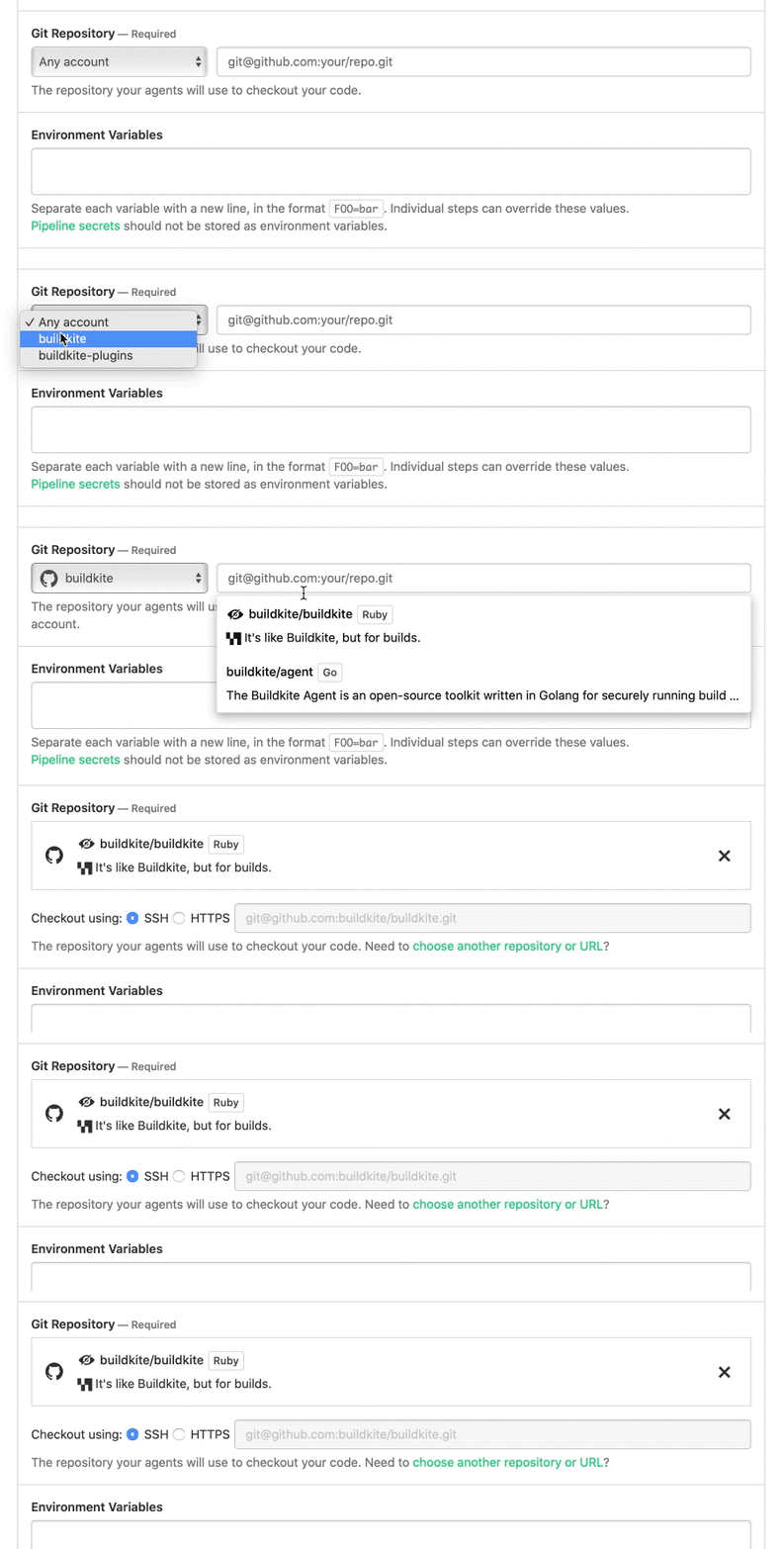
Fred Showell, a senior product manager for Buildkite, said the integration will accelerate application development efforts using the Buildkite application in GitHub. Any connected GitHub account can be selected as a source when creating Buildkite pipelines, he noted.
Repository webhooks can also be created automatically, making it faster to kick off builds on a Buildkite pipeline from pull requests and then feed build information back into GitHub using the Status application programming interface (API).
The bulk of organizations that employ Buildkite are software vendors that are continuously updating software-as-a-service (SaaS) applications. Most of those organizations routinely employ software artifacts that are stored in the GitHub repository.
While GitHub continues to expand its DevOps capabilities in lockstep with its parent company Microsoft, Showell said there’s plenty of opportunity to extend capabilities of frameworks such as GitHub Actions, a set of APIs that DevOps tools can invoke to automate workflows.
In general, Showell noted the number of SaaS-based platforms continues to expand as organizations embrace cloud applications to drive digital business transformation initiatives. Some of those efforts are now also expanding to include use cases involving edge computing initiatives, which is expanding the reach and scope of the Buildkite platform, he said.
Of course, many enterprise IT organizations are now applying many of the same best DevOps practices employed by SaaS platform providers to their own application development efforts. Many of those organizations are realizing they are essentially software companies that also manufacture something or provide a service within the context of a specific vertical industry. As such, the number of organizations embracing best DevOps practices should substantially increase in the months ahead.
Most of those organizations are already trying to manage a large portfolio of applications. Digital business transformation initiatives may allow them to in time retire some of those applications, but chances are good legacy applications will need to be maintained for some time until the digital process that has been put in place proves effective. It’s likely then that sound software development lifecycle management practices will be more relevant than ever.
Competition among providers of CI/CD platforms to provide those capabilities is already fierce. Fueled by massive amounts of capital, providers of these platforms are expanding the scope of their offering to address a market that is expected to be valued in the tens of billions. Buildkite itself raised $28 million in additional funding last summer.
It’s too early to say how the next phase of the DevOps platform wars might play out. However, it’s apparent that when it comes to DevOps platforms the level of investment required just to keep pace is substantial.
Gravitational today announced it has changed its name to Teleport and launched the Teleport Unified Access Plane, an open source security gateway that comes in the form of a single binary that acts as a proxy for remotely accessing Linux servers and Kubernetes clusters.
Teleport Unified Access Plane (UAP) for managing those gateways can be either deployed by an IT team or accessed via a cloud service managed by Teleport.
Offerings included in Teleport UAP are Teleport Server Access, Teleport Kubernetes Access and Teleport Application Access, which combined enable IT organizations to lock down access to an IT environment.
Company CEO Ev Kontsevoy said Teleport UAP gives engineers via a single login access to just the IT resources they have permission to access. That approach reduces the myriad credentials that IT organizations currently need to manage across multiple networks.
Teleport automatically discovers all the resources in an IT environment along with the protocols needed to access them. It provides a unified audit log in a JSON format that enables IT teams to track what resources are being accessed when and by whom.
Access control is becoming a bigger issue because the overall IT environment is becoming more complex as the infrastructure stack required to run applications grows. Teleport provides a way to streamline access management across servers, clusters and databases.
That issue is also becoming a bigger challenge with IT personnel now working from home to help combat the spread of the COVID-19 pandemic, added Kontsevoy.
That fine-grained approach to access will ultimately eliminate the need to rely on virtual private networks (VPNs) at a time when the network perimeter continues to dissolve. In effect, Teleport enables IT teams to move toward a more identity-centric approach to unifying the management of access, he said.
In general, he noted, Teleport enables organizations to manage security as code rather than having to rely on separate overlays. As such, they can shift responsibility further left toward DevOps teams.
It may take some time for IT teams to aggregate all the access control protocols they currently employ under a single proxy. However, Kontevoy said, the massive amount of time and effort spent managing access control today will drive organizations that have embraced best DevOps practices to look for ways to automate what today is a very manual process.
The challenge, of course, is finding the time to achieve that goal. Teleport is betting a single binary in combination with a control plane accessed primarily as a managed service will make it too simple for DevOps teams to ignore. Regardless of approach, however, it’s clear there needs to be a better way to manage access within the sea of servers, databases and applications that now make up the typical IT environment.
Ciaran Byrne, vice president of product management for OpsRamp, said the goal is to enable IT teams to embrace AIOps without having to hire a small army of consultants.
The OpsRamp Fall 2020 Release adds a revamped user interface that provides access to a set of wizards that discover the assets that make up a specific IT environment and subsequently automate the configuration process.
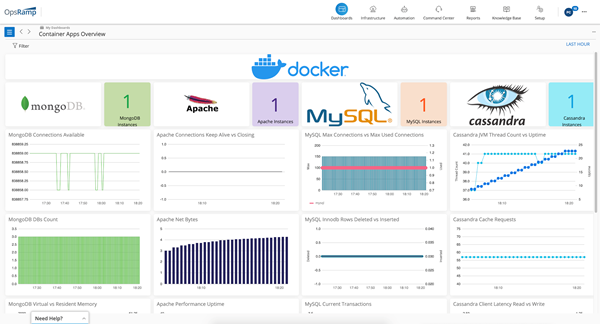
OpsRamp has also added curated dashboards that enable IT teams to launch queries using the Prometheus Query Language (PromQL), developed for the open source monitoring tool being advanced under the auspices of the Cloud Native Computing Foundation (CNCF).
The latest edition of the AIOps platform also adds monitoring capabilities for containerized workloads and Kubernetes clusters. In addition, IT teams can monitor other cloud services including AWS ECS, Azure Functions, Azure Hyperscale (PostgreSQL) and Azure SQL Managed Instance.
OpsRamp has also added IT process automation capabilities that can be triggered by alerts, updates to resources or on a recurring schedule. An OpsQ bot now also recommends automation workflows. Alternatively, IT teams can require manager approval before a process is launched.
In general, Byrne said the goal is to improve the mean time to value for an AIOps platform managed by a team of data scientists who have extensive experience applying machine learning algorithms to IT processes.
Efforts to automate IT have increased sharply now that most IT staff are working from home to help combat the COVID-19 pandemic. However, few organizations are able to set up and configure an AIOps platform in an on-premises IT environment on their own, especially now that outside consultants are no longer being invited to spend weeks working on projects, Byrne said, noting a SaaS-based approach makes it possible for IT organizations to take advantage of an AIOps platform while continuing to work from home.
In general, the downturn in the economy has increased interest in AIOps because IT staff ranks are either remaining the same or shrinking even as IT environments continue to become more complex. Longer-term, Byrne said it’s not clear that hiring Level 1 and 2 IT administrators will be sustainable as AIOps platforms continue to automate processes.
DevOps teams, of course, are especially keen to automate as many IT processes as possible, which is why there is a high correlation between organizations that have embraced DevOps and early adopters of AIOps.
It may still be a while before AIOps is widely employed, but it’s now only a matter of time before machine learning algorithms are pervasive across IT. The challenge now is figuring out where the handoff between man and machine for managing IT ultimately will lie.
Puppet today launched two efforts to make its IT automation platforms accessible to a broader range of IT teams.
The Puppet Enterprise Platform integrates the company’s flagship Puppet Enterprise offering with Relay by Puppet, the company’s existing event-driven automation platform.
At the same time, Puppet announced Puppet Connect, a self-service platform for executing tasks on-premises or in the cloud without requiring any agent software to be installed, managed or updated. Based on the open source Bolt orchestration engine, Puppet Connect is a commercial platform scheduled to be available in early 2021.
Puppet CTO Deepak Giridharagopal said Puppet Enterprise Platform is unique in that it allows IT teams with varying levels of skill and expertise to employ the same platform to automate IT operations. It is the first to support task-driven orchestration, model-driven infrastructure as code and application programming interface (API) event-driven workflows in a single platform, he said, noting as such, Puppet Enterprise Platform is designed to enable organizations to better approach IT management as a team sport.
The company is also providing access to thousands of pre-built automation modules and hundreds of API integrations for Puppet Enterprise Platform that can be downloaded from the Puppet Forge repository.
Puppet Connect, meanwhile, is designed to make it easier for IT teams to build self-service portals more consistently. IT teams regularly build self-service portals to automate tasks to help reduce the number of help desk requests generated by end users. According to the “2020 State of DevOps Report” published by Puppet, 63% of respondents have at least one self-service internal platform. Puppet Connect streamlines the process of creating a self-service framework using the orchestration capabilities of Bolt, said Giridharagopal.
Interest in automating IT tasks has risen sharply as IT teams cope with more end users working from home to limit the spread of COVID-19. In some cases, the size of the IT staff has been reduced because of the economic downturn brought on by the pandemic. Regardless of motivation, IT staffs that have varying levels of skills all need to find an easier way to automate tasks. The Puppet platforms provide a more accessible layer of abstraction to enable IT teams to automate tasks spanning multiple platforms, noted Giridharagopal.
It may be a while before IT teams of all sizes automate every IT task; however, the more those tasks become automated the further down the path they move toward embracing best DevOps practices. Those organizations may not deliberately start out to embrace DevOps, but once an IT team automates its first set of tasks it’s not long before other manual tasks become automated.
Of course, there’s no shortage of IT automation frameworks to standardize on. At this point, the more important thing for many IT teams is to simply get started at a time when no one knows for sure how many years the impact of the COVID-19 pandemic will be felt.
One of the things I’ve done for Accelerated Strategies Group recently is looking into DevSecOps toolsets. This is a fun area for me, as development and security fit together well in my mind. Having a separate security group is useful, even necessary in some scenarios, but letting developers crank out code and looking for vulnerabilities only after has always seemed terribly inefficient. Whenever I’ve managed developers, security training is just part of the package I bring. It’s far easier to write it well the first time (the equivalent of shift-left) than rewrite it.
I won’t name names here—this is work I did for ASG, it is not mine to give away—but I will talk about DevSecOps today, and moving into the future. I’m planning three to four installments for this series, discussing the different aspects of DevSecOps tools.
For clarity, we’re defining DevSecOps tools as “developer-enabled security tools.” This means that in some way, they help developers improve overall security posture while leaving them to be developers. We all know security has to shift left in every way if it’s to be useful in a DevOps world, but most organizations haven’t seriously started the move to shift security. Hopefully, this series helps.
Depending upon which financial analyst firm you prefer, projections are that the DevSecOps market will grow 28% to 33% a year for the next few years. While this is good news for DevSecOps vendors, it implies very few organizations have systemically adopted DevSecOps, or there would not be room for that level of growth.
Whether a traditional team or a DevOps team, the static analysis portion of DevSecOps is (generally) easy to set up and configure and most products offer feedback at both coding time and build time. IDE plugins have come a long way, some even offering advice as-you-code and others allowing developers to run on-demand static scans of their work. The industry as a whole has worked hard to lower the false-positive rates that made most organizations reluctant to deploy them broadly, and prioritization of issues is possible in the best products, making identification and remediation pretty easy. Try a pilot out: Pick a vendor and project, grab the IDE plug-in and check out what they can do. Most do not yet directly support code smells, but I suspect that is coming rapidly, as the systems are already designed to look at source and determine issues. Adding to the collection of possible issues will be a differentiator that quickly turns into a market requirement.
Things to check for:
Language support: Do the languages you use have a scanner? While most of the tools on the market offer support for a breadth of languages, there are differences, so check the corner cases. This truly is a make or break decision—the best product on the market is useless to your org if it doesn’t support the languages you use.
IDE integration: This is pretty straightforward, are the IDEs your developers use day in and day out supported? Most of these tools offer command-line variants also, so it is possible that even without support directly in the IDE, the security functionality of a given product dictates that command-line is better. In that scenario, a process to ensure developers are even running scans is a good idea.
Vulnerabilities detected: At a minimum, support for whatever is currently in the National Vulnerability Database (NVD) should be required, along with OWASP compliance. Most vendors offer support beyond the NVD, so a bit of research to see what types of vulnerabilities are detected will be in order.
Click-through support: With IDE plug-ins, one of the great strengths of scanning is the ability of the developer to simply click on the vulnerability in the results list and go to the offending code. Make certain this works—and works as advertised.
False-positive rate: This has historically been a problem, but the industry has brought it down overall. Ask your prospective vendors to share their numbers. Our experience shows low single-digits for a percent, which is far better than the past, but still leaves room for improvement.
The other part of static analysis is plugging static analysis into the build process. Most of these products have integrations into the most popular build management tools. Scanning the entirety of the application allows the static analysis to see a broader vision of the app and note issues with interactions between portions written by different developers. Reporting for build-time scans is generally at the application/team level, and the best tools will show results of development-time scans side by side with build-time scans if you want them to.
Things to check for:
Language support: Again with the languages. It’s pretty simple here: The core of the application may be built using languages a given vendor supports but critical parts might not. Integration is where that becomes a real issue. Make sure what needs scanning can get scanned.
Integrations: Most of these tools offer automated scans through integration with build tools or manual scans that the build manager can kick off. Automation is preferred by a long shot, so check if your tool of choice is integrated into your organization’s build tooling.
Depth: We’re not going to get into source composition analysis (SCA) here—that’s for another blog—but we are going to observe that vulnerabilities can come from your source’s sources. How far does the scanning tool trace in a static analysis situation? Is it deep enough to cover a given application’s integrations and inter-relationships? While SCA will detect a lot that static scanning won’t, things such as “unsafe values sent to [insert external API]” should be available in static code analysis.
Reporting: This is where you’ll find the most variety in popular tools. Look at their reporting and click-through support to find what best suits your needs.
False-positive rate: Same as IDE integrations above—make certain it is low enough for your organization’s comfort.
Scan run location: This is becoming a differentiator in the space—do you want your scans run in the cloud? In the data center? Some mix of both? Check your vendors; there are significant differences in the level of support for these options.
This is just the tip of the iceberg, of course. It is an entire market segment, and static analysis tools have been around a long time. Many organizations have not taken dev-time security seriously yet, even though we all know we need to; I’m just offering a place to get started.
DevSecOps just makes sense. Static scanning is mature and generally well-integrated. This is a great place to start shifting security left. We get it: Developers don’t want to be security analysts or they’d have filled one of those many security openings. But IDE integration makes these scanning tools more interactive and less intrusive, showing developers how to do it securely as they code. This is great to me because good coding practices will become second nature with real-time, on-the-spot reminders and pointers. It also means that if the developer acts upon the tool’s recommendations, the code is developed more securely the first time and there will be no need to revisit it for security proofing.
You’re all keeping the lights on in a terribly tough time. DevSecOps attempts to make it more likely that your astounding work isn’t interrupted. It just makes sense to get these tools to protect your organization’s portfolio and your hard work.
In addition, LogDNA has expanded an existing alliance to IBM to add support for instance of Red Hat OpenShift running on VMware platforms hosted on the IBM Cloud, which enables IT teams to centralize log management using LogDNA and IBM Log Analysis.
Chris Nguyen, chief strategy officer for LogDNA, said the goal is to continue to establish partnerships that will enable DevOps teams to manage larger swaths of the IT environment via a single pane of glass.
LaunchDarkly is a feature management platform that serves more than 6 trillion feature flags a day spanning 14 million mobile devices and 3 million servers. The integration between LogDNA and LaunchDarkly enables developers to rapidly iterate on feature flags using logging data surfaced by LogDNA.
Nguyen said that as IT environments continue to become more complex, more organizations are relying on log analytics to reduce the noise level being created by all the tools and platforms that make up a modern IT environment. The challenge IT organizations face is most of them can’t find or retain a site reliability engineer (SRE), so they need tools that enable developers to make better-informed decisions.
LogDNA is making the case for a log management platform deployable in the cloud or on-premises, designed for DevOps teams as an alternative to existing log management platforms that were designed for IT administrators who rely on graphical tools. LogDNA instead provides developers access to log analytics that are accessed via command-line interface (CLI) or a user interface.
It’s not clear whether or how much IT organizations may be willing to replace legacy log management platforms. However, as more organizations embrace best DevOps practices that include observability as a core tenet, LogDNA is betting those organizations will prefer an approach to log management aimed at developers rather than IT operations staff.
As DevOps teams assume more responsibility for the management of IT on an end-to-end basis, a seismic shift in IT tooling is underway. Providers of legacy IT tools are quickly shifting toward making APIs and CLIs available in response to a range of startups that are making available tools designed from the ground up to appeal more to DevOps teams. It’s too early to say how this battle for control over observability will play out, but the number of providers of tools for DevOps teams has never been greater.
In the meantime, many DevOps teams are still sorting out when best to employ log analytics, metrics and distributed tracing to optimize IT environments. The challenge these days isn’t so much being able to discover what’s occurring in an IT environment as much as it is making sense of it all.
A Chef Infrastructure Management offering now combines Chef Infra and Chef Automate into a single offering, while Chef App Delivery combines Chef Habitat, Chef Infra and Chef Automate into a single offering that creates an artifact that can run anywhere.
Sundar Subramanian, senior vice president and general manager for core products at Progress, said the goal is to organize the Chef portfolio around a set of distinct offerings for automating the management of infrastructure and continuous delivery (CD). Instead of simply offering a set of tools for power uses, Subramanian said Progress is moving toward creating a set of platforms.
At the same time, Progress announced a dedicated content delivery service that provides access to a library of curated Chef Premium Content for compliance scanning and remediation that complies with the best practices defined by the Center for Internet Security (CIS).
Finally, Chef has added a Learn Chef Skills Validation Program based on the online Learn Chef platform and the OpenBadges Standard, a specification designed to promote certifications that teach skills in a way that are both verifiable and portable.
CD and infrastructure management are typically handled by different members of the same DevOps team. By segmenting its offering around federated responsibilities, the Chef software portfolio will become easier for DevOps teams to consume based on specific tasks, Subramanian said.
Progress expects its offerings in the months ahead to have greater appeal among midmarket IT organizations that are accelerating multiple digital business transformation initiatives in the wake of the COVID-19 pandemic, he noted. The company has been focused on providing application development tools to these organizations for decades, and as their IT operations mature, many are beginning to embrace best DevOps practices as they seek to reduce the total cost of IT operations.
The challenge those organizations face today is they depend heavily on ITIL-based frameworks for managing IT. Beyond acquiring DevOps tools and platforms, most of those organizations are at the beginning a what has been shown to be a transformation to DevOps processes that requires major changes to the culture of an IT organization. The cultural transition often involves years of effort as organizations try to balance different approaches to managing IT based on ITIL and DevOps processes.
It’s too early to say what path to automation of IT those organizations will take. The Chef tools still require a level of programming expertise to employ that is often lacking among traditional IT operations staff. Not to mention the fact that Progress is not the only DevOps platform provider looking to expand its reach into the midmarket.
Regardless of the path chosen, the number of organizations that embrace DevOps principles is about to expand significantly.
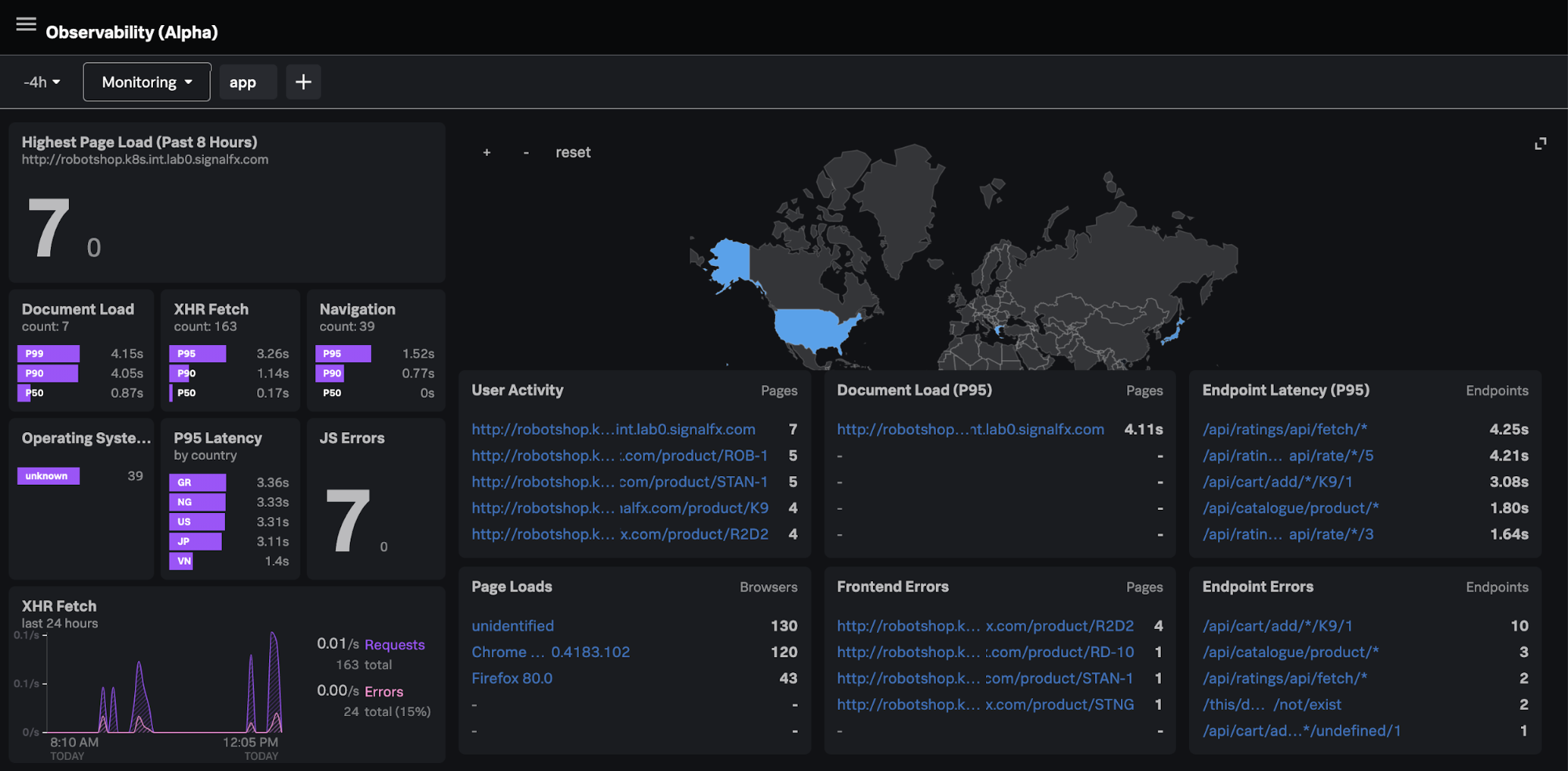
Splunk, during its online .conf20 conference today, launched the Splunk Observability Suite, which combines tools for infrastructure monitoring, application performance monitoring, digital experience monitoring, log investigation and incident response in a single offering.
Kia Behnia, vice president of ITOps for Splunk, said IT teams can correlate metrics, traces and log data in real-time to go beyond simply monitoring IT platforms to also include the end user experience. As part of the Splunk Observability Suite, Splunk is making available in beta Splunk Log Observer, a cloud-based service for visually inspecting logs and sending messages to DevOps platforms based on events being observed by Splunk platforms, and Splunk Real User Monitoring, which extends the reach of Splunk Application Performance Management(APM) platform to add a module that tracks specific end user application experiences.
That critical because without end user monitoring capabilities an observability platform will lack crucial context, said Behnia, noting observability needs to start with IT infrastructure and then extend out to encompass the actual end user experience.
Splunk this week also announced enhancements to Splunk Cloud and Splunk Enterprise, which are now based on a version 8.1 of the core Splunk platform that is now generally available. The company is also making available in beta a Splunk Machine Learning Environment (SMLE) to makes it easier to build and operationalize machine learning models and algorithms.
The Splunk Data Stream Processor (DSP) platform is also being updated later this year to add support for cloud services such as Google Cloud Platform (GCP) and Azure Event Hub along with support for lookups and machine learning algorithms.
Splunk is also making available a beta release of a Splunk Operator for Kubernetes to simplify deployments along with making Splunk Cloud available on GCP.
The company is also updating Splunk Connected Experiences to include a Splunk Augmented Reality capability that adds a remote collaboration feature that allows users in two different places to interact and visually compare data.
Splunk TV, a mobile application for analyzing IT operations trends, is now also available on Google Android as well as Apple. Users can now also centrally control multiple TVs without having to be connected to the same network.
Other additions to the Splunk IT Operations portfolio include Splunk Service Intelligence for SAP, which applies artificial intelligence (AI) to these environments; an update to Splunk IT Service Intelligence (ITSI) that adds predictive analytics tools; a Splunk Infrastructure Monitoring Add-On to integrate Splunk Infrastructure Monitoring gained via the acquisition of SignalFX; and the beta of Splunk IT Essentials to provide a more curated implementation of Splunk Cloud.
Finally, Splunk has updated Splunk Enterprise Security and launched both Splunk Mission Control and the Splunk Mission Control Plug-In Framework. The framework makes it possible to combine third-party security tools with updates to Splunk security information event management (SIEM) and Splunk Phantom security orchestration automation and response (SOAR) platforms. Initial partners include Accenture Security, C3M, Crowdstrike, Netskope, Recorded Future, RiskIQ and Tenable.
Put it all together, and it’s clear Splunk is now pushing to extend observability in every IT direction possible.
What cloud providers do you work with? Google Cloud Platform (GCP)? Amazon AWS? Microsoft Azure? Which services? Are you using a managed Kubernetes such as GKE, AKS, Openshift or EKS? How do you manage your cloud resources? How do you manage the release cycle of the infrastructure and applications that you deploy?
If the above questions are the basic introduction to describe your work, then you are probably also familiar with the console, API or both of a major cloud provider. You probably know how to use a configuration management tool such as Ansible or Chef, Terraform or CloudFormation, or some other similar tool. Additionally, you are familiar with the languages of one of these tools. You probably have opinions on those languages, which inform your attraction to the tools you choose.
Kubernetes and Ansible use YAML. CloudFormation and Azure ARM can be JSON or YAML. Chef and Terraform have their own languages. (To be precise, Terraform can also be expressed in JSON.)
A comparison of cloud orchestration languages
Whenever you start learning a new tool, it is helpful to already know the tool’s language. The strength of using a standard language is that new users will feel more at home learning to use a language if they already understand the basics of its syntax. In the same way that many English speakers will relate to cognates in French, German or Latin than in Greek or Sanskrit without using transliteration, developers that know YAML will find it easier to learn Ansible than a tool that relies on XML. However, just because you know the language doesn’t mean you know the DSL. A DSL might use a language in a novel or even strange way that contradicts what you believe is proper.
A number of variables may come into play when a user develops an opinion of a tool. The most important is, “How simple is it for me to create something that does what I want and minimizes frustration later on?” The next often are, “Which I venture is dependent on the first, are apparent scientific and analytical reflections? Does it lend itself to convoluted data structures? Do efforts to remain readable flounder because of inefficient use of space or punctuation?”
Some projects, such as HashiCorp’s (Terraform), abandon a standard language to avoid such issues and instead create their own languages. The main drawback here is that it is more difficult to integrate the tool with existing projects and software libraries (although, providing for input and output in standard languages such as JSON can alleviate such problems).
Cloudify has a DSL, which is based on YAML. Cloudify uses YAML, because it is easier to read than JSON, but powerful enough to define new types when necessary.
Whether using a general language such as YAML or a proprietary one, certain designations are necessary: the type of resource, the name of the resource and often even whether the line refers to a resource, a parameter or a dependency.
To illustrate the differences between the languages, and associated products that have been mentioned, let’s take a look at a few examples. Let’s use a relatively simple example, an AWS VPC, named “myVPC.” This is a simple resource to define in any language because it has relatively few parameters and no dependencies aside from an AWS account.
Terraform:
resource “aws_vpc” “myVPC” {
cidr_block = “10.0.0.0/16”
instance_tenancy = “dedicated”
tags = {
foo = “bar”
}
}
Terraform, or HCL, is notable for two reasons. First, the HCL “block” syntax recalls method definition syntax in a number of familiar programming languages. This is a nod to how Terraform, among all of these tools, relates to packaging infrastructure definition as code. Second, Terraform is the most concise. It only takes seven lines.
Also, Terraform syntax infers significance from string position through the use of identifiers, such as “resource,” “aws_vpc” and “main.” HCL knows that block type comes first, followed by type and then name. For readability, this may be an ideal and certainly elegant method for defining components. Inside of the block definition is the API payload accepted by AWS EC2 Service for the creation of a VPC.
One drawback of HCL is the punctuation requirements. Braces are required to enclose blocks as well as dictionaries. Arrays require square brackets.
Let’s compare HCL/Terraform to CloudFormation:
myVPC:
Type: AWS::EC2::VPC
Properties:
CidrBlock: 10.0.0.0/16
InstanceTenancy: dedicated
Tags:
– Key: foo
Value: bar
CloudFormation utilitizes YAML as well as JSON. These are data serialization languages. So, we are looking at our resource definition, less as code and more as information. This results in greater verbosity and decreased readability. Less concise, CloudFormation is eight lines.
Whereas HCL uses “blocks” for resources. CloudFormation templates just call them “resources.” Instead of positional arguments, we have keys and values. “Type” defines the type. Properties introduce the resource API payload accepted by AWS EC2 service. However, YAML reduces the need for punctuation. Dictionaries are introduced by indentation and lists with hyphens. This can result in improved readability, and if someone really likes to use braces and brackets, no one is forcing them not to. However, it increases the number of lines and characters needed, because even abstract sections of the DSL require keys for introduction. This is because YAML accepts JSON.
Ansible also has a module for creating a VPC in AWS.
– name: create VPC.
ec2_vpc_net:
name: myVPC
cidr_block: 10.10.0.0/16
region: us-east-1
tags:
foo: bar
tenancy: dedicated
Ansible also uses YAML; however, there is no separation between API payload and other parameters. For example, authentication parameters are on the same level as payload parameters. Ansible uses modules for infrastructure management the way it uses modules for managing applications, which, while novel, is implemented in a clunky and relatively useless way. For example, you need a playbook for creation and a playbook for deletion.
Cloudify:
myVPC:
type: cloudify.nodes.aws.ec2.Vpc
properties:
resource_config:
CidrBlock: 10.10.0.0/16
InstanceTenancy: dedicated
Tags:
– Key: foo
– Value: bar
Cloudify also uses YAML. It also works with key-value pairs. Cloudify is even more verbose than CloudFormation.
A node template can be a resource or a group of resources. In Cloudify, there are three types of properties. The resource_config, which contains the API Payload; the client_config, which contains the API Authentication; and orchestration properties,which are additional properties that enable you to describe how Cloudify will interact with the resource. For example, all resources have the use_external_resource, which means that Cloudify can use resources that Cloudify did not create.
Whereas Terraform/HCL uses “resource blocks” and CloudFormation uses “resources,” Cloudify uses “node templates.” Node templates can be a VPC or other cloud resource, or even a CloudFormation Template or a Terraform template.
Azure also sports an orchestrator, Azure ARM, and has its own DSL to describe Azure resources. This is how a virtual network is defined in Azure ARM:
type: Microsoft.Network/virtualNetworks
apiVersion: ‘2019-11-01’
name: myVPC
location: “[parameters(‘location’)]”
properties:
addressSpace:
addressPrefixes:
– 10.0.0.0/24
subnets:
– name: “[parameters(‘subnet_name’)]”
properties:
addressPrefix: 10.0.0.0/24
One notable difference in Azure ARM is that the resource entry in the YAML does not have a key name with the definition being the value of the name key; instead, the entire dictionary is a list item. This is perhaps more concise, but it may forfeit a modest amount of readability. Also, Azure is similar to Cloudify in that the resource definition “properties” is not on the same level as other more general details, such as “apiVersion” or “location.”
The syntax for accessing a parameter is also a tad obtuse. Accessing a key in a dictionary via square brackets and parentheses is probably one of the most unreadable methods in the DSLs we are looking at.
Like Cloud Formation, ARM can be written in JSON or YAML.
Terraform can define the same Azure resource using fewer lines.
Azure and Amazon expose ARM and CloudFormation as API objects respectively. This enables orchestrators to manage those resource stacks as single resources.
You can define an ARM deployment in Terraform like this:
Cloudify can also orchestrate ARM deployments. Here is a simple infrastructure stack in ARM using Cloudify:
deployment:
type: cloudify.azure.Deployment
properties:
location: { get_input: location }
name: { get_input: resource_group_name }
template_file: ‘resources/arm/environment.json’
Cloudify can also accept a file or inline JSON (or YAML).
Having defined the source code for our infrastructure components, we can now connect other resources and processes to this infrastructure dependency. We can use the Terraform template to a CICD workflow or a networking application.
Using the same approach, Cloudify can also call Terraform stacks:
infrastructure:
type: cloudify.nodes.terraform.Module
properties:
resource_config:
source: resources/terraform/template.zip
variables:
access_key: { get_secret: aws_access_key_id }
secret_key: { get_secret: aws_secret_access_key }
aws_region: { get_input: aws_region_name }
aws_zone: { get_input: aws_zone_name }
admin_user: { get_input: agent_user }
admin_key_public: { get_input: public_key }
Cloudify also utilizes other Cloudify deployment stacks as service components:
infrastructure:
type: cloudify.nodes.Component
properties:
resource_config:
blueprint:
id: my_deployment
blueprint_archive: { get_input: infra_archive }
main_file_name: infra.yaml
deployment:
id: my_deployment
To summarize, there are many DSLs for orchestrating cloud resources. Each has its own focus: Terraform on simplicity and repeatability, CloudFormation on Amazon, ARM on Azure, Ansible on setting up applications and Cloudify on enabling users to automate any task, including automating Cloudify. We call this “orchestrating the orchestrator.”
Integrating the analytics capabilities into your application can be easier than you think
Today, the ability to create and explore dashboards and reports, embedded directly into the apps your customers use every day, is no longer a luxury but a necessity to keep your product competitive and deliver value to users.
Embedded analytics brings many benefits for different groups. For end users, it’s a valuable tool to explore their data and discover new insights. For analysts, it’s an integral capability for advanced performance analysis. For product managers, it’s the best way to enrich and cultivate a data-driven experience for your customers with the latest analytical capabilities, built-in.
Moving away from decisions based on instinct toward decisions based on analytics and metrics delivered by centralized systems is one of the most impactful changes you can drive today. But for product managers in the business of delivering software or utilizing an application to drive customer interaction, the choices available for embedding analytics is a looming challenge.
This article covers the key challenges, scenarios and checklist considerations product managers need to tick off before implementing any type of embedded analytics solution.
Embedded Analytics: A Business Case for Buy vs. Build
Typically, the decision around embedded analytics boils down to build or buy.
Even with a need for fast technical integration and time-to-market pressures, many product teams first lean toward getting in-house developers to build embedded analytics into their app.
It’s an understandable first thought, given many have a specific vision for their app that a third-party might not ‘get’ immediately. But opting to build-in analytics more often than not leads to long-term challenges that aren’t always initially obvious.
The fact is creating an analytics platform from scratch is a complex task that takes years of work to create and refine. Aside from the advanced data expertise and technical integration required, having your developers focus on embedding analytics means they now have to:
Face a very high investment cost to recruit the necessary skills for implementation.
Provide all support, maintenance and upgrades for your homegrown BI functionality.
Replicate the look and feel of your core application to ensure UX consistency.
Match the analytical features of specialist BI solutions—a near impossible task.
With the time and skills needed to build your own analytics into your app from the ground up, you could face higher costs, increased risk and delayed time-to-market for your product—not to mention less time innovating and improving the core product experience for your users.
Your users ultimately expect to have data accessible to them for their day-to-day work. When they use your product, they will demand a certain level of reporting and analysis comparable to the BI tools they may already use in their own businesses at the moment—and yes, it will go beyond just having basic dashboards. If you don’t have confident answers for the most common questions required before building an embedded solution in-house—do you have the expertise, the manpower, time and knowledge—it’s not advised to pursue the build path.
So, what about buying an embedded analytics solution for your application?
What to Look for in an Embedded Analytics BI Solution
Buying an established embedded analytics solution often does away with many of the problems of building it.
You can shift away from home-grown reporting to a proven platform that can seamlessly integrate custom analytics into your app, amplify the reach of your product by engaging new and existing users with the latest analytical features, and even automate data discovery and analysis so you gain competitive advantage—though the last capability depends on the particular vendor.
However, buying comes with its own very important considerations that your product team and business as a whole need to evaluate and answer before making a decision. Below, we list the most important things to look for in both the embedded solution and the partner behind it.
Does it include everything I need to meet end-to-end operational reporting needs?
Your users will have a range of functional needs from the embedded analytics solution you buy, so the first thing you must answer is whether it can cater to their day-to-day work and provide access to advanced analytics. For instance, your customers want to know what to do next: Some might only need tabular reports (traditional), while others will demand richly visualized and interactive dashboards that drive action (modern). Eventually, some may look to use automation and AI in their analysis (augmented). The best options are those vendors that let you embed it all—dashboards, authoring, charts, collaboration, data preparation and modelling, admin and security. How each element is embedded (iFrames, JavaScript libraries with REST API calls) and where embedded code can run (cloud, desktop, mobile, web) is just as important to factor in, too. It’s not just about having dashboards in your app, but ensuring you have future-proof capability that continuously scales with your users as their data needs grow.
Can the solution be embedded seamlessly?
It’s not just all about having the best and latest features. A cohesive, seamless user experience between the analytics portion of your product and the core software itself is a big part of delivering an exceptional product, so when choosing to embed analytics, ensure the solution allows your team to have exceptional control to make it look like a part of your app rather than like one different app hosting another. Many modern embedded solutions allow you to white-label; this is recommended to allow for consistent design across your platform, as you will eliminate your users’ potential concerns around security, performance or support with using another product.
Can it help me ensure faster time to market?
A common problem with creating an embedded analytics solution in-house is the investment in time and money it takes to get your product to market with the new capabilities. It’s also difficult to ensure the integration process can be done as quickly and efficiently as desired. The embedded tool you buy should accelerate that process and significantly reduce the development cycle, so your team is able to begin using your new analytics within days instead of weeks and your devs stay focused on improving your product’s core value instead of configuring reports.
Next Steps
Selecting an embedded analytics product can be a difficult task, but so long as you keep your product and analytics objectives aligned and follow best practices checklists, integrating the latest analysis capabilities into your application is not as far-off a future as you may think.