
Log Analysis has the ability to transform teams. It centralizes communication, increases responsiveness, moves efforts from reactive to proactive, reduces time to resolution TTR, and allows increasingly complex environments to grow without fear. But, if log analysis becomes the bottleneck, it reverses all these benefits.
Category: DevOps Toolbox
-

Webinar: Security & DevOps in 2015
The intersection of Security and DevOps. What does 2015 hold in store? Organizations are under increasing pressure to do more, faster. But cybersecurity breaches by criminals, hacktivists and state sponsored actors have cast a shadow over large portions of our IT infrastructure. How can security and DevOps in tandem make us safer while allowing us to increase speed and quality? This webinar features a panel of experts in security, development and operations. We will explore what this year and beyond holds in terms of help as well as pitfalls. What can you do to build more security into your processes? How can you be compliant, secure and efficient? This year promises to be a watershed in security and DevOps. Join us in this webinar to hear an expert panels views on what it means to you.
YouTube playback of the webinar:
Slides
[seoslides embed_id=”81ba77e9dda4″ script_src=”https://devopsy.kinsta.cloud/embed-script/security-devops-2015/4126/” overview_src=”https://devopsy.kinsta.cloud/slides/security-devops-2015/4126/” site_src=”https://devopsy.kinsta.cloud” site_title=”devopsy.kinsta.cloud” title=”security-devops-2015-webinar” /]
Date: Thursday, January 29th, 2015
Time: 1pm eastern standard time
REGISTRATION LINK:(CLOSED)
About Speakers:
Moderated by devopsy.kinsta.cloud co-founder and editor-in-chief Alan Shimel, the experts on our panel are:
 James Brown is Chief Experience Officer at JumpCloud. He works with the JumpCloud team to define product strategy, and set the overall usage and support experience. James’ background is in system administration, software development, security, and product management.
 Tim Matthews is VP at Incapsula. Tim brings over 20 years of software sales and marketing experience at security and technology companies to Incapsula. Prior to joining Incapsula, Tim was CMO of CrowdFlower, the leading SaaS crowdsourcing platform. Tim holds a B.S. in Computer Science from Union College in Schenectady, NY.
 Stephen Coty is Director of Threat Research at Alert Logic and also the author of the Cloud Security Report. In his role at Alert Logic, With his wealth of experience in the security space, Stephen is currently in the process of building a premier threat research team that is innovating the industry. He is also a member of ISSA, Infragard and the HTCIA.
 -

Webinar: How to Achieve Continuous Delivery Without Downtime
Today’s businesses demand quick access to new technology, which means they need shorter release cycles and centralized control of both your on and off premise resources. Integrating cloud resources into your traditional datacenter management can prove challenging and time consuming at best. What if you could increase your organization’s ability to innovate utilizing business automation to bridge the gap to the cloud?
This webinar will be looking at how you can:
- Automate your deployment of code updates with the correct configuration
- Reduce errors by automating manual steps and scripts
- Achieve quicker deployment times to meet business demands
- Integrate with Jenkins build management
Join us on February 18th as Tom Flitter, Director of Applications and Integrations at TASC, discusses how TASC solved long release cycles, extended service downtimes per release, and highly manual processes for releasing their main application across all environments.
RECORDING
SLIDES
[seoslides embed_id=”b0034e485c27″ script_src=”https://devopsy.kinsta.cloud/embed-script/automate-your-world-tasc-v1-0-pdf3531/4773/” overview_src=”https://devopsy.kinsta.cloud/slides/automate-your-world-tasc-v1-0-pdf3531/” site_src=”https://devopsy.kinsta.cloud” site_title=”devopsy.kinsta.cloud” title=”automate-your-world-tasc-v1-0-pdf3531″ /]
Date: Wednesday, February 18th, 2015
Time: 2pm eastern standard time
REGISTRATION LINK:(CLOSED)
About Speakers:
 Tom Flitter is currently the Director of Applications and Intergrations at TASC (Total Administrative Services Corporation). He is an information technology leader with substantial experiene in application development, program management, project management and team development. He has years of experience in leading complex, strategic, cross-functional, and high ROI technology initiatives. He holds an MBA for Business Administration Management and has been working at TASC for 5 years. You can connect with Tom on LinkedIn: Tom Flitter
 Ralf Paschen is currently the Business Automation Executive at Automic. Over the past years he has held various positions in the software industry. Coming from a technical datacenter role, he moved into presales, sales to product management, and product marketing in several software companies. He was responsible for the complete SAP portfolio at Automic and is now building the solutions marketing department to give customers and partners a clear understanding about the innovation value of the unique One Automation Platform. You can connect with Ralf on LinkedIn: Ralf Paschen or Twitter: @RalfPaschen.
 -

Bird’s Eye View of IT as a Service
In working closely with large enterprises for several years, we consistently hear businesses talk of IT needs to achieve critical and strategic goals. Commonly these large enterprises span many verticals like technology, online media, finance, banking, and more.
At the heart of their business goals, lie technology hurdles they need to overcome to scale as enterprises of the next decade.
Visualizing IT as a service
So we captured in this mind map high-level business goals that require a broad set of IT services ranging from infrastructure, applications, management, integration, service provider, and architecture.

If you look to the left, you see needs centered around applications. These detail all the services required to provision, deploy, and manage applications including application architecture models to design automated deployments and serve all the right infrastructure resources.
On the right, you see needs that revolve around compliance, reporting, and integrating with various service providers to supply virtual infrastructure and a slew of related services to keep the infrastructure running smoothly and reliably.
We find that this visual captures the entire IT-as-a-service industry as a whole and this exercise helps to understand where the customers’ needs are and where in that spectrum we assist them.
See if you can pinpoint the areas where DevOps and IT Ops come into play.
Enjoy the mind map and click to see a larger PDF view!
-

Webinar: Managing CoreOS Container Performance for Production Workloads
As containers grow in importance, Linux distributions focused on container performance and management also are becoming mainstream. One of the most prevalent of these distributions is CoreOS. But how are real businesses using containers and CoreOS, and how are they monitoring container performance. After attending this webinar, you will have a better understanding of: * What is CoreOS and how does it work with containers * The trends in container usage and CoreOS * The key performance metrics you need to keep an eye on * How to manage performance as the container deployments grow This webinar will be led by Kelsey Hightower from CoreOS and Matt Williams from Datadog and they will leave plenty of time for all of your CoreOS, Containers, and Performance questions. By the end of the session, attendees will have a list of key performance metrics for containers on CoreOS they can start monitoring today.
Video
Slides
[seoslides embed_id=”e307162e07b0″ script_src=”https://devopsy.kinsta.cloud/embed-script/coreos-datadog-slides/4095/” overview_src=”https://devopsy.kinsta.cloud/slides/coreos-datadog-slides/4095/” site_src=”https://devopsy.kinsta.cloud” site_title=”devopsy.kinsta.cloud” title=”coreos-datadog-slides” /]
Date: Tuesday, January 27th, 2015
Time: 2pm eastern standard time
REGISTRATION LINK:(CLOSED)
About Speakers:

Kelsey Hightower is Developer Advocate at CoreOS. has worn every hat possible throughout his career in tech and enjoys leadership roles focused on making things happen and shipping software. Kelsey is a strong open source advocate focused on building simple tools that make people smile. When he is not slinging Go code you can catch him giving technical workshops covering everything from Programming, System Administration, and his favorite Linux distro (CoreOS).
 Matt Williams is the DevOps Evangelist at Datadog. This means he speaks, writes, and codes the technology to get everyone to believe in monitoring events and metrics using Datadog. In the past he has been the Evangelist at other startups including Placester and Yottaa, a Linux guy at Microsoft, and all sorts of other roles at Sun, Oracle, OpenText, and more. You can find Matt on Twitter at @Technovangelist.
 -
The Top Metrics You Need to Track to Improve Operational Performance
Living in a data-rich world is a blessing and a curse. Flexible monitoring systems, open APIs, and easy data visualization resources make it simple to graph anything you want, but too much data quickly becomes noisy and un-actionable. At PagerDuty we’ve thought hard about what you should monitor and why from a systems perspective, but what about monitoring data on your operations performance? We’d like to share some specific metrics and guidelines that help teams measure and improve their operational performance.
- Raw Incident Count
A spike or continuous upward trend in the number of incidents a team receives tells you two things: either that team’s infrastructure has a serious problem, or their monitoring tools are misconfigured and need adjustment.
Incident counts may rise as an organization grows, but real incidents per responder should stay constant or move downward as the organization identifies and fixes low-quality alerts, builds runbooks, automates common fixes, and becomes more operationally mature.
When looking at incidents, it’s important to break them down by team or service, and then drill into the underlying incidents to understand what is causing problems. Was that spike on Wednesday due to a failed deploy that caused issues across multiple teams, or just a flapping monitoring system on a low-severity service? Comparing incident counts across services and teams also helps to put your numbers in context, so you understand whether a particular incident load is better or worse than the organization average.
- Mean Time to Resolution (MTTR)
Time to resolution is the gold standard for operational readiness. When an incident occurs, how long does it take your team to fix it? Downtime not only hurts your revenue but also customer loyalty, so it’s critical to make sure your team can react quickly to all incidents.
While resolution time is important to track, it’s often hard to norm, and companies will see variances in TTR based on the complexity of their environment, the way teams and infrastructure responsibility are organized, industry, and other factors. However, standardized runbooks, infrastructure automation, reliable alerting and escalation policies will all help drive this number down.
- Time to Acknowledgement / Time to Response
This is the metric most teams forget about– the time it takes a team to acknowledge and start work on an incident.
While an incident responder may not always have control over the root cause of a particular incident, one factor they are 100% responsible for is their time to acknowledgement and response. Operationally mature teams have high expectations for their team members’ time to respond, and hold themselves accountable with internal targets on response time.
If you’re using an incident management system like PagerDuty, an escalation timeout is a great way of enforcing a response time target. For example, if you decide that all incidents should be responded to within 5 minutes, then set your timeout to 5 minutes to make sure the next person in line is alerted. To gauge the team’s performance, and determine whether your target needs to be adjusted, you can track the number of incidents that are escalated.
- Escalations
For most organizations using an incident management tool, an escalation is an exception – a sign that either a responder wasn’t able to get to an incident in time, or that he or she didn’t have the tools or skills to work on it. While escalation policies are a necessary and valuable part of incident management, teams should generally be trying to drive the number of escalations down over time.
There are some situations in which an escalation will be part of standard operating practice. For example, you might have a NOC, first-tier support team or even auto-remediation tool that triages or escalates incoming incidents based on their content. In this case, you’ll want to track what types of alerts should be escalated, and what normal numbers should look like for those alerts.
About the Author
 David Shackelford is a product manager at PagerDuty, the leader in operations performance management. David works with teams across the company to plan, build, and ship features that improve operation teams’ quality of life, decrease time to incident resolution, and ultimately improve uptime for PagerDuty customers. Prior to PagerDuty, David worked in education technology, creating integrations between school information systems and digital content, and as a Teach for America corps member, teaching Mathematics in San Francisco public schools. You can follow David on LinkedIn: https://www.linkedin.com/in/dshackelford and Twitter: https://twitter.com/dshack
 -

Copying Data From One Docker Container to Another
Docker containers can easily be compared to a directory. A Docker container holds everything that is required for an application to run including its dependencies and can be started, stopped, moved and deleted at will. When containers are activated they use Linux kernel namespaces. Each container operates in isolation from the server apart from networking and storage. Each container is created from a Docker image and one can have multiple containers running, depending upon the server hardware capacity. Docker containers are the run component of Docker.
What are Docker images?
Each Docker container is created from a Docker image, which can be built either by executing commands manually or automatically through Dockerfiles. Images can be basic either consisting of the operating-system fundamentals or a pre-built stack ready for launch. They are read only templates and consist of series of layers, so any new action or update leads to the addition of new layer on top of the previous one rather than replacing whole image entirely. This is how a new container is made.
Copying data from one Docker Container to another:
Copying of data from one container to another is essential and most important feature of Docker containers. Copying data to another container means having a backup that could be used if any kind of disaster occurs out of any situation in real time scenario.
Using Data Volume Containers:
Data volume is a directory available to a container but it is located outside of its root file system. Sharing data between the containers allows volume to bypass image layering. Any changes in the data are made directly, containers have dedicated directories in the /var/lib/docker directory and volumes are stored separately in/var/lib/docker/volumes/ by default. –v option of docker run can be used to copy volume data between the two containers.
How to copy content from one container to another -An Illustration
In this example we assume that Docker is running two instances of data volume container image mymod/dvc: v1. Following are the commands that are used to start the container
# docker run –d –name dvc1 mymod/dvc:v1
# docker run –d –name dvc2 mymod/dvc:v1
Now to copy data to the host and to even mount the volume from another container, use cp command to copy data
[root@host ~]# docker run –rm –v /var/tmp:/host:rw \ –volumes- from dvc1 cp –r/var/www/html/host/dvc1_files
The container mounts the host directory /var/tmp read-writable as /host, mounts all the volumes, including/var/www/html, that dvc1 exports, and copies the file hierarchy under /var/www/html to /host/dvc1_files, which corresponds to /var/tmp/dvc1_files on the host.
Now to copy data from dvc1 host to another data volume container we use following command
[root@host ~]# docker run –rm –v /var/tmp:/host:ro –volumes-from dvc2 \ cp –a –T /host/dvc1_files /var/www/html
The container mounts the host directory /var/tmp read-only as /host, mounts the volumes exported by dvc2, and copies the file hierarchy under /host/dvc1_files (/var/tmp/dvc1_files on the host) to /var/www/html, which corresponds to a volume that dvc2 exports.
Another method with which one can copy data is ADD command, a Dockerfile command. Source and destination form the two arguments for ADD command to run successfully. It copies the files or data from the source container into the destination container with its own filesystem.
Conclusion:-
Docker will certainly expose nicer ways to grow container service to support wider deployment platforms and the community is surely expected to build service layers around. Development of core capabilities, cross service management and messaging between the containers are the paths set by Docker. We’ve tried to demonstrate via this article that data can be copied and replicated in another Docker container thus can be used in any case of disaster as well as recovery. Docker provides the ability to easily differ containers. It improves debugging, fast sharing of the environment and quick deployment. Docker has an ability to put the containers directly from Dev or QA onto AWS. User can share data through volume containers, mount host directories to containers or even can export data from containers to archive files thus very flexible.
-
Eliminating ShadowOps
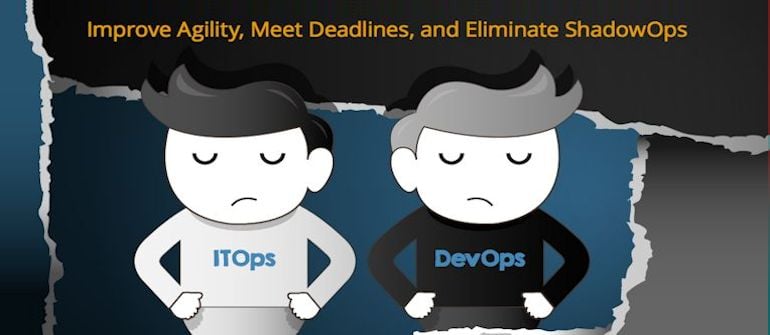
If you were like me, you thought that cloud and compute virtualization technologies were transforming the data center, but they are nothing compared to what is coming our way. The IT landscape evolution is accelerating with the advent of application containers, network and storage virtualization, big data, and integrated and hyper-converged infrastructures, to name just a few. IT and business unit roles for infrastructure and application support and management are also changing; driving the need for solutions that are not found in the traditional IT playbook.
The competitive online marketplace is placing increasing pressure on businesses to deliver services and application updates faster to market. While the increased focus today is on the applications themselves, the reality is that they are dependent on infrastructure in order to be delivered to the end user or customer. The inflexibility of traditional IT operations to deliver needed infrastructure impedes development teams from meeting that need for speed in service delivery, causing a disparity between ITOps and development teams.
The availability of infrastructure resources from cloud service providers today is viewed by application/service owners and development teams as a faster and more flexible way to get infrastructure for application and service delivery. When the business units and development teams begin to circumvent traditional IT operations to get the agility they require to meet their rapidly evolving needs, it creates what I call ShadowOps.
ShadowOps is characterized by the clandestine proliferation of outsourced infrastructures and services, which further impedes the relationship between IT and development operations and creates risk, affecting everything from governance and compliance, to business continuity disaster recovery, service quality and more.
Understanding ShadowOps
The infrastructure that application/service owners and developers require to run their applications is supported and managed by IT Operations. The business’ perception is that IT operations is a barrier. They are too slow and inflexible. This causes the businesses to seek outside infrastructure and thus a ShadowOps strategy is born.
ITOps has an enormous responsibility to meet certain requirements, such as regulatory or security audits, while also making sure there are disaster recovery and business continuity plans and systems in place; essentially planning for everything and anything that may happen.
Developers, on the other hand, live in the business unit and often have no baseline understanding of what IT Ops goes through on a daily basis, or how their procedures and needs are impacted by their operations.
While developers can typically deliver multiple releases per day, mostly unfettered as they traverse testing, development, QA and pre-production, once they enter the production environment, IT Operations is often unsuspecting of new or changed application behavior and underlying infrastructure requirements and are often left scrambling to deliver what new and changed applications need.
This causes the impacted developers to begin to look for infrastructure solutions that can give them the ease and speed they crave. So they go to Rackspace, or Amazon, or Microsoft Azure and simply buy the infrastructure they need to support their application and pay for it on a monthly basis.
When developers and application owners begin to outsource infrastructure, often with little regard for risk, they tend to overlook things like compliance requirements, audits, and the fact that a simple change can significantly impact IT operations.
IT Operations is burdened with certain regulatory demands and company policies, which makes them “slow” in the eyes of the application owners. External infrastructures are extremely appealing to application support and DevOps teams because of the pace at which cloud service providers can provision and deliver what is needed.
IT Operations is also saddled with legacy monitor systems, which requires a huge manual effort. Not only are there separate tools for monitoring storage, database, network and middleware, now with ShadowOps, there are separate infrastructures altogether and IT Ops has extremely limited insight into or control over external resources. They often don’t even know they exist until someone calls into the help desk unable to get to their application or unable to process a transaction. This is when things start to get out of control.
The Allure and Consequence of ShadowOps
ShadowOps is alluring to the developer for a few reasons: better time-to-value, time-to-market, agility, speed, responsiveness, which are all good things until they begin to impact availability or increase risk with no disaster recover or business continuity or audit ability on the part of IT operations. When developers purchase cloud service provider offerings rather than working through IT channels you have to deal with multiple providers – project management suffers, costs get out of control and you don’t get economies of scale.
So if each business unit, or development team goes this route independently, you have to ask yourself: Are they meeting business continuity requirements? Do they have redundancy in place? Are they backing up on a regular basis? Are they logging everything required? Are they controlling which administrators have access to certain systems? And finally, will it pass an audit, and how will the provider give access?
The consequence of a ShadowOps environment is not only multiple providers, but also the lack of a point person to negotiate response rates and SLAs that will meet the needs of their business unit, so when there is a security issue, there is no one to respond in a time frame to enables its resolution.
Unify, Automate, and Empower IT
So how do you eliminate ShadowOps and give developers the agility they need while also empowering IT?
It begins with enabling developers from central IT for better coordination, with better tools that address the needs of the changing IT landscape.
Providing IT operations with a unified, automated performance and availability monitoring tool, with a single UI and single datastore, along with event management for your entire infrastructure wherever it’s deployed is a big step towards overcoming the hurdles that lead to ShadowOps.
With a unified model that is automatically built and updated you’ll always be able to monitor the most accurate view of your entire IT environment, contain costs, promote shared resources and allow different units to make better purchases that meet evolving business demands.
A key symptom of a ShadowOps environment is an inflexible IT Ops organization, where it controls everything in-house with a strict menu of services and SLAs that developers are forced to deal with to meet their requirements. By leveraging a unified monitoring solution, you can empower IT to adapt and relinquish some of that control and facilitate a common ground with developers where IT acts as an enabler rather than an enforcer.
If the business unit wants to use an outside provider, IT operations can help them choose the right one, assign a project lead, help them set it up and make it work with the right controls.
IT is then free to be consultative with the business and development teams, guiding them to make better purchases and have more control of their environment, potentially combining multiple business units’ needs with a particular provider that specializes in the infrastructures they actually need.
IT operations, along with X-as-a-service (infrastructure, platform, software, etc.), allows greater flexibility to support rapid prototype and delivery. It allows IT to be a technology enabler for development teams, rather than forcing them to rely solely on their existing infrastructure and inevitably seek out ShadowOps.
For more on how you can eliminate ShadowOps by leveraging a unified monitoring tool to make IT Ops more agile and meet the evolving needs of your development teams, read our full report on aligning ITOps and DevOps here.
-

CI and CD Across the Enterprise with Jenkins November 19th
We recently held another webinar in our continuing series at devopsy.kinsta.cloud. We partnered with the good people at CloudBees on CI and CD across the enterprise with Jenkins. The webinar featured:
 Cyrille Le Clerc is Director of Product Management at CloudBees with more than 15 years experience in Java. Prior to CloudBees, Cyrille was Chief Technology Officer at Xebia. As an early adopter of the “you build it you run it” model, he put it in place for a number of high volume web sites. He naturally embraced DevOps culture. He is also very active in the Java community, creator of the open source project “embedded jmxtrans” and a speaker at various conferences.
It proved to be the most popular webinar we have held yet with almost 1500 people registered! Many were not able to log in live for the event. We are making a recording available for those who could not attend and anyone else who would like to listen:
Hope you enjoy it and stay tuned for more webinars.
-
Docker vs VMs
All applications have their own dependencies, which include both software and hardware resources. Docker containers bring numerous unknown tags to the chart as compared to existing technologies in use. In terms of technology, it’s quite interesting in scenarios where it helps in promoting cloud portability by running the same applications in different virtual environments. Docker is an open platform for developers, it’s a mechanism that helps in isolating the dependencies per each application by packing them into containers. Containers are scalable and safer to use and deploy as compared to previous approaches.
Virtual machines are used extensively in cloud computing. Isolation and resource control have continually been achieved through the use of virtual machines. Virtual machine loads a full OS with its own memory management and enable applications to be more efficient and secure while ensuring their high availability.
How are Docker Containers different from a Virtual Machine?
Virtual machines have a full OS with its own memory management installed with the associated overhead of virtual device drivers. In a virtual machine, valuable resources are emulated for the guest OS and hypervisor, which makes it possible to run many instances of one or more operating systems in parallel on a single machine (or host). Every guest OS runs as an individual entity from the host system.
On the other hand Docker containers are executed with the Docker engine rather than the hypervisor. Containers are therefore smaller than Virtual Machines and enable faster start up with better performance, less isolation and greater compatibility possible due to sharing of the host’s kernel.
Docker Containers versus Virtual Machines:
When it comes to comparing the two, it could be said that Docker Containers have much more potential than Virtual Machines. It’s evident as Docker Containers are able to share a single kernel and share application libraries. Containers present a lower system overhead than Virtual Machines and performance of the application inside a container is generally same or better as compared to the same application running within a Virtual Machine.
There is one key metric where Docker Containers are weaker than Virtual Machines, and that’s “Isolation”. Intel’s VT-d and VT- x technologies have provided Virtual Machines with ring-1 hardware isolation of which, it takes full advantage. It helps Virtual Machines from breaking down and interfering with each other. Docker Containers yet don’t have any hardware isolation, thus making them receptive to exploits.
As compared to virtual machines, containers can be faster and less resource heavy as long as the user is willing to stick to a single platform to provide the shared OS. A virtual machine could take up several minutes to create and launch whereas a container can be created and launched just in a few seconds. Applications contained in containers offer superior performance, compared to running the application within a virtual machine.
There is an estimation being done by Docker that application running in a container can go twice as fast as one in a virtual machine. Also, a single server can pack more than one containers as OS is not duplicated for each application.
Virtual Machines and Containers: better together
You can sometimes use a hybrid approach which uses both VM and Docker. There are also workloads which are best suited for physical hardware. If both are placed in a hybrid approach, it might lead to a better and efficient scenario. With this Hybrid setup, users can benefit from the advantages if they have workloads that fit the model.
Following are a few of them, that explain how they work together as a Hybrid:
1). Docker Containers and Virtual Machines by themselves are not sufficient to operate an application in production. So one should be considering how are the Docker Containers going to run in an enterprise data center.
2). Application probability and enabling the accordant provisioning of the application across infrastructure is provided by containers. But other operational requirements such as security, performance and capacity management and various management tool integrations are still a challenge in front of Docker Containers, thus leaving everyone in a big puzzle.
3). Security isolation can be equally achieved by both Docker Containers and Virtual Machines.
4). Docker Containers can run inside Virtual Machines though they are positioned as two separate technologies and provide them with pros like proven isolation, security properties, mobility, dynamic virtual networking, software-defined storage and massive ecosystem.
Apples to apples comparison: On a physical host with a certain configuration and Virtual Machines with the same configuration running an identical running same number of docker Containers with the same performance on both?
Who wins amongst the two?
Answer to this question so far cannot be ascertained but depending upon their configurations and constraints one could say that containers are overcoming virtual machines. Application design is the one standpoint suggesting which one of the two should be chosen. If application is designed to provide scalability and high availability then containers are the best choice else application can be placed in a virtual machine, though Docker containers have surely challenged virtualization market with containers. Well, keeping the debate aside, it is easy to say that containers in Virtual Machines are twice as robust as one without the other.
Conclusion:-
Docker Containers are transforming the DevOps (developer operations) landscape as an important tool in DevOps arsenal. The use cases for Docker Containers within the realm of DevOps are plenty. Running apps over Docker Containers and then deploying anywhere (Cloud or on-premise or any flavor of linux) is a reality now.
Working in heterogeneous environment, Virtual Machines provide high flexibility whereas Docker containers’ prime focus is on applications and their dependencies. The prime goal of the article is to compare the both on the basis of performance. Docker Containers promise to port application stacks across cloud easily by using each cloud’s Virtual Machine environment to deal with the cloud. This represents a useful capability that has to be implemented in a more complex and tedious way today without Docker Containers. Its not about abandoning Virtual Machines but to advocate in favor and design for the use of Docker Containers in addition to Virtual Machines when necessary. We don’t think Docker Containers could completely wipe out Virtual Machines.

