Category: DevOps Toolbox

  • Chef Boards the DevOps Express with CloudBees, Others

    Chef Boards the DevOps Express with CloudBees, Others

    You often may have more questions than answers as you progress along your DevOps journey. Which tools should I choose? Do these tools work well together? What have other people done in my situation? You’re often left Googling to find the right integrations and piece together an architectural solution.

    Today, I’m excited to announce that Chef is joining DevOps Express, a new industry initiative comprised of 14 leading DevOps vendors and service providers. Led by CloudBees and Sonatype, and including everyone from Atlassian to GitHub, this initiative is focused on creating solutions that will help you adopt DevOps practices. Specifically, by defining reference architectures and highlighting best practices, supported integrations and solutions, we believe that DevOps Express will simplify and accelerate DevOps adoption for organizations of all kinds.

    DevOps Express uses popular technologies spanning multiple solution components to provide a framework for building reference architectures that are better integrated and supported. Creating reliable and actionable reference architectures for organizations will ease DevOps adoption and minimize risk for organizations.

    DevOps is collaborative by its very nature—it’s all about bringing teams together. This includes cultural transformation, breaking down silos between disparate teams and working together around the common goal of adding value for customers. These principles are just as true for us, the vendors providing tools to help you on your DevOps journey. We, too, must break down silos and work together to provide more value for you, our common customer. I’m looking forward to what we’ll build.

    About the Author / James Casey

    james_caseyJames Casey is vice president of Partner Integration at Chef. His career spans more than 15 years in companies ranging from mobile and finance startups to CERN, the birthplace of the World Wide Web. He specializes in building tools for operating large computing infrastructures. He previously created monitoring tools at CERN for the Large Hadron Collider.

  • Enlisting the C-Suite in Disaster Recovery Initiatives

    Enlisting the C-Suite in Disaster Recovery Initiatives

    When disasters make headlines, corporate executives often have knee-jerk reactions and call for business continuity solutions to be implemented immediately. However, when push comes to shove, those very same executives tend to put up roadblocks with concerns over budget, priorities, vulnerability assessments and security.

    Perhaps more concerning, according to a June 2015 Ponemon Institute report, there are “a large portion of companies who remain vulnerable as a result of lack of executive interest in preparing for worst-case scenarios.” This creates a precarious situation for DevOps professionals that understand the severity and breadth of threats that can trigger downtime—from human error to power outages, cyberattacks and natural disasters.

    To expedite disaster recovery initiatives, IT teams must enlist top executives that influence budgeting directly. This often calls for varied approaches that speak to specific executive concerns and issues.

    Understand Your Options: Disaster Recovery vs. Backup

    It’s very common for companies to confuse disaster recovery and backup solutions. Both are available via cloud, giving teams access to capabilities that were once only available to enterprises with huge IT footprints. When you approach any executive, it’s critical to understand various services and how they can work in tandem to deliver the most cost-effective protection.

    Backup ensures companies do not completely lose data because it is backed up with copies. While it is important to have copies of data, accessing and restoring backups can take some time. Therefore, for workloads with important but not extremely time-sensitive data, backup can be sufficient while satisfying budget restrictions. In the fast-paced DevOps world, backup usually falls short.

    On the other hand, cloud-based disaster recovery ensures minimal—if any—downtime. Applications can fail over and be up in running in seconds. Further, testing can be done at will without any impact on production environments. For workloads that demand continuity of service and aggressive recovery point objectives (RPOs), disaster recovery solutions are the better option and can also deliver cost efficiencies.

    For many operational and regulatory compliance reasons, companies may require a mix of both backup and disaster recovery. When evaluating service providers, check into how easy it is to apply backup and disaster recovery based on your development and application requirements. Take a close look at pricing models associated with each—including any support fees.

    CEO/COO – Chief Executive Officer and/or Chief Operations Officer

    While CEOs and COOs generally delegate detailed budget decisions to their teams, they are still ultimately responsible for overall company performance and reputation. Anything that threatens ongoing conduct of the business is their purview. Be prepared to discuss risks in real terms, and clarify that a “disaster” can be triggered by something as simple as human error.  They will care most about considerations such as:

    • Time to business resumption [e.g. near-zero recovery time objective (RTO)]
    • Capital investment via pay-as-you-go options
    • Ability to prioritize data and workloads, both for budgetary and business continuity purposes
    • Data loss estimates, in the case of a disaster
    • Testing flexibility, to ensure an operational, reliable solution
    • Independent validation from similar customers or analysts that a solution is reliable, proven and cost-effective

    CIO – Chief Information Officer

    Theoretically, this should be the easiest executive to convince because the CIO has a personal stake in recovery, but remember CIOs have a tough balancing act between controlling budgets and limiting exposure. The 6 Disaster Recovery Doppelgangers quiz and e-book can help CIOs approach their disaster recovery challenges across the organization. CIOs generally focus on:

    • Ability to see and manage the recovery process
    • Scalability of resources with on-demand access, often honing in on flexible terms
    • Security and compliance capabilities and support
    • Testing at will to ensure solution performs despite configuration changes to the day-to-day operational environment

    CFO – Chief Financial Officer

    Everything boils down to financials for CFOs, so they should be approached from a fiscal angle that demonstrates value backed by metrics. Be prepared with unbiased, independent information that appeals to their risk averse nature. What other financial benefits might come from leveraging cloud-based disaster recovery? For example, in some cases DevOps teams are beginning to use the failover cloud as a load testing environment that would otherwise require significant on-premise investments. Disaster recovery-as-a-service (DRaaS) environments with advanced security can also be used to check for possible vulnerabilities to cyberthreats.

    CFOs often care about:

    • Flexible pricing options that can be tailored at a granular level based on services required
    • Pay-as-you-go pricing models that avoid upfront capital investment
    • Geographic constraints on their data, particularly if backups or failovers need to be maintained in a specific location due to jurisdiction requirements
    • Extended DR use cases that could offset other costs like security testing and quality assurance

    CMO – Chief Marketing Officer

    On top of branding, advertising and public relations responsibilities, CMOs have key objectives that pertain to customer loyalty and overall corporate reputation. They may not be interested in the details of services, but can be a powerful advocate that can speak to the need for business continuity solutions that will protect brand image, reinforce messages about your technology innovation and maintain excellent customer support. Familiarize yourself with real-world stories that demonstrate how media—both traditional and social—cover outages and their negative impact to business. One need not look further than the recent Delta and Southwest outages.

    The concept of DevOps is about culture as much as it is about technology, and communication and collaboration are key. By understanding the needs and responsibilities of all stakeholders involved, teams can cut through politics, efficiently protect business and begin to leverage cloud-based DR technologies for initiatives far beyond recovery, alone.

    About the Author / Lilac Schoenbeck

    iLand Head Shots 4/22/14

    Lilac Schoenbeck is vice president of Product Management and Marketing at iLand. She has nearly 20 years of experience with product management, marketing, strategy, business development and software engineering in the grid, virtualization and cloud domains. She is currently vice president of marketing at iland, a global enterprise cloud hosting provider. Prior to this role, she led cloud and automation marketing for BMC Software and has worked for IBM, Fortisphere, Innosight and the Globus Alliance. Lilac holds an MBA from MIT Sloan School of Management and a Computer Science degree from Pacific Lutheran University.

  • Communication Skills Matter in DevOps

    Communication Skills Matter in DevOps

    While the precise definition of DevOps is an evolving matter, a simple way to describe it is this: DevOps is a change of mindset toward an agile and inclusive approach to IT. DevOps enables IT professionals to think and work beyond technology silos, thereby deriving meaningful results at a faster rate than with more traditional methodologies.

    This involves going outside of our comfort zones and collaborating outside the confines of our own cliques. By working across operational boundaries, DevOps will require an understanding of technical, operational and service aspects of the business. This means the heart of DevOps lies not in technology, methodology nor administration: The heart of DevOps lies in communication, which brings all these together.

    DevOps professionals seem to agree. In Incapsula’s DevOps Salary Survey conducted in 2015, the California-based cybersecurity firm identified communication skills as one of the highest priorities for DevOps professionals, almost as much as operational skills.

    In other words, effective communication across the organization is considered as important as actually building the product, and it is integral to building the product itself. This means when you’re in the field of DevOps, a smart investment in communication skills will pay off for both individuals and the team.

    Communication Fosters Teamwork

    There usually exists a disjoint between technical and non-technical departments, particularly in technology companies. Engineers, for example, might be fascinated by an elegant piece of code, an algorithm that automatically governs a process or an infrastructure that does exactly what it’s supposed to do. But to the rest of the organization, those things take place purely in the background and work best when they aren’t noticed at all.

    Tech people take pride in the technology, while operations people take pride in business results. The two often find themselves at odds due to a lack of communication about what is really needed, and how to get there. Successful communication in DevOps focuses on finding common ground and working toward achieving this.

    For communication to be effective, the emphasis should be on the user of your message. You’ll need to have a deeper understanding of where they’re coming from. No amount of expertise matters if you can’t convey it properly. You can’t gain any growth or value for your career or organization if there is always a unidirectional disconnect.

    Bottom line is, you need to correctly identify your intended recipients and find a common ground to better engage.

    You Can Increase Your Value as a DevOps Pro

    Trust is an essential component of teamwork, which is also important in the development life cycle and in decision-making processes. Being a communicator enables you to better establish trust among your colleagues—something that, unfortunately, is lacking in many IT project life cycles.

    This is why pure technologists don’t necessarily make good DevOps professionals—an observation highlighted by the Incapsula survey, which shows that a mix of general and technical skills are essential for a successful DevOps career. In fact, general skills are usually more important in securing higher-paying jobs in this field. These include understanding business operations, developing communication skills and remaining flexible and open to change. In addition, the rising trend in outsourcing DevOps pros across a global talent pool means your communication skills have to transcend languages and contexts.

    A good DevOps professional knows that value is not just about the technology, but rather about the product. Even the best technologies in the world are just abstract concepts until you translate them into a product people can actually use and enjoy. Thus, going beyond technical capabilities, you will need to know how to collaborate to transform technologies into useful and marketable products.

    You Can Advance Your Career Faster

    Chatting up the project managers, glad-handing the operational staff and picking the brains of departmental leaders may not come naturally to pure technologists. However, for DevOps professionals increasingly engaged in conversations across the enterprise, knowing the language unique to the organizational culture—verbal and nonverbal—can make all the difference in terms of career advancement.

    Such organizational language can be considered as its own kind of coding. This facilitates everything from a working knowledge of financial reporting, to the listening skills needed to understand the technology goals meaningful to each business unit. It’s also how unwritten rules about business priorities or hierarchies are communicated.

    After all, the career survey cites at least 26 job descriptions among DevOps professionals, including project manager and operations manager, among others. This means you don’t necessarily have to get stuck in one position or job description. In an organization that fosters the DevOps culture, your value goes well beyond your technical capabilities, but rather the focus is more on organizational skills.

    The Takeaway

    Since DevOps involves cross-functional teams instead of compartmentalized departments, everyone will need to be more involved in business operations, product development and support. Being an effective communicator is at the heart of all this, and it can spell the difference between success and failure in a DevOps environment.

    It’s easy to think that there is little more to learn in terms of communication, especially if your DevOps integration is already mature and your team is functioning optimally. However, your investment in becoming a better DevOps communicator begins with learning the language and culture of the organization. This also includes a continuous reassessment of skills and the ability to build connections from each and every encounter with colleagues, partners and other stakeholders.

    About the Author / Laureen Fagan

    LaureenFaganA senior PR counsel and thought leader, Laureen Fagan has 15 years experience as a media and PR professional, which includes her stint at CBS and Fox broadcast affiliates in the United States, and in print and wire-service newsrooms in Chicago, Washington D.C., and Jerusalem. Laureen received her MSJ from Northwestern University’s Medill School of Journalism, and completed additional graduate study at University of Notre Dame in Theology / Hebrew Bible that includes French, Arabic and Hebrew study. In addition to tech and business, Laureen creates informed content and deep analysis on international affairs, health care, culture and religion.


  • DevOps: The Glue of Workflow

    DevOps: The Glue of Workflow

    The best tool in the DevOps continuum is the sticky wrapper that holds it all together. It is the workflow that binds it and makes sense out of the term “continuous.”  CIOs often are enamored with a build or deploy tool, but it is the workflow tool in every DevOps strategy encapsulating more than one function that is the real hero. Imagine having the perfect test automation scripts but no way to execute them outside of constructing a new build. Or imagine having the perfect CMDB integration scripts but no way to call them outside of the build process. Or even worse, imagine having the need for human approval before a deployment takes place (or is promoted), and no way to integrate it outside of a custom deployment process.

    Lean DevOps Construction

    Attempting to make very few tools perform these functions without a workflow engine ultimately forces automation engineers to create functionality within a tool it was never designed to perform. Conversely, when a workflow wrapper is available, build and deployment processes can remain small, elegant and consistent, allowing the workflow engine to integrate extended functionality into the continuous delivery cycle.  Size of the automation constructs you create does matter: the smaller the better.

    Using Lean methodologies in your DevOps services, it is better to break down automation constructs into the logical functions they are intended to provide. Build automation, for example, should not have to include extensions to turn monitoring functions on or off. Build automation also should not have to worry about the deployment process; its primary singular purpose is to construct a new build. Where that new build is then deployed becomes the single purpose of the deployment process.  Attempting to automate the entire cycle of an application into one automation construct from end to end (instead of smaller blocks that work together) increases both size and risk (as well as length of time to execute) of that one event.

    Dealing with Humans in the Automation

    Human integration is the bane of DevOps processes. Every time you have to pause automation to obtain a human approval, you introduce time delays that cannot be predicted or occur with consistency. Imagine a deployment process that requires a human to press “yes” before continuing. The introduction of a human approval can sit idle on a tooling screen for hours during lunch, or unexpected days off, or vacations (when others are afraid to take responsibility for passing a substandard build, even for further testing). Deployment tools can integrate human responses, but this is not their forte. They are generally ill-equipped to use multiple contact methods, go up the management chain when needed or ping a mobile device when preferred by the user listed as responsible. Workflow tools are ideal for all of these human-contact logistics.

    The challenge during DevOps service construction in utilizing a workflow wrapper is keeping human interaction to the absolute minimum required by outside regulating agencies and still achieve compliance. The alternative is to automate processes with such quality and consistency so that human interaction would merely become redundant and unnecessary. The workflow wrapper is not an excuse to simply automate what human interaction you have today. Instead, it is a highly functioning tool to allow you to redesign more-effective automation processes, limiting human interaction where possible. The goal is to build small, independent automation constructs that work together in a highly efficient manner.

    Hold the Presses

    Communication or notifications also can be handled in a workflow wrapper much better than in individual DevOps toolings. Imagine for a moment that I am a release manager, wanting to know the progress (or rather obstructions to progress) for my new application. To accomplish this notification process, it would have to be embedded within my build process (to know if it passed or failed). The alternative is that my workflow wrapper checks the build logs and can send me notification in the method I prefer (email, text message, an Instagram pic of Thelma and Louise over the cliff, etc.) In addition, I may not actually want to check the status of every build submitted, as that becomes noise after a while. I may want to know only when a build candidate has passed and is ready for promotion to a further testing environment. Since my workflow wrapper would be aware of this, it could automate the notification to me quite easily.

    Now add the consideration of management chain to this notification process. If I am out on vacation (which I expect to be able to do, since DevOps enables my personal life), my manager or my sponsoring executive may want to be notified if my application is not going to production for some reason during my absence. This is a level of automation that most build or deploy tools are simply not designed for. They have no idea who I report to and who that person reports to. But that departmental notification escalation chains can be incorporated easily into a workflow wrapper, and execute as expected while I am away (including pinging my cell phone just in case I need to jump in and fix something).

    Release Management Solutions

    Most release management (RM) or release orchestration (RO) tools have at least minimal workflow capabilities built into their offerings. Whether this capability is enough for your organization or whether you need a more capable workflow engine to wrap around it is a decision only you can make. Most release management tooling is designed to put an elegant wrapper around build automation and deployment automation. It usually contains the ability to segment by line of business or product, as well as role-based access controls (RBAC) for permissions and auditory compliance. And it usually contains at least elementary notification capabilities. What RM excels at are human interaction and tracking progress, and so it does meet the needs of many companies.

    When RM is not enough is usually when the DevOps services you provide begins to extend into ancillary services and secondary automation integration capabilities. Examples include monitoring systems integration, multiple testing tooling integration/evaluation, configuration management database (CMDB) integration and capacity-on-demand environment provisioning.  Highly evolved notification systems tend to require an external workflow wrapper beyond the normal capabilities an RM tool offers. A solid workflow wrapper acts as the glue that can hold disparate DevOps tooling (either from different vendors or performing different functions) together with further super-automation processes above them like an overarching umbrella.

    Impacts to the Bottom Line

    Choosing to offer DevOps services without any form of a workflow wrapper is like going hunting with an excellent rifle and no bullets: a lot of capability that can never reach the potential it was intended for. On the other hand, obsessing about replicating current processes within a workflow tool is like hunting a bunny rabbit with a bazooka: way too much damage caused when trying to keep things small and elegant. The key is to balance the use of a powerful tool (workflow), with Lean thinking in automation processes and constructs. Keep the building blocks small and functionally oriented; limit human interaction; and use workflow for the functions it is best-suited for—connection and communication.

    The technical capabilities a workflow wrapper will add to your DevOps solutions are substantial. Your services will be far more efficient and far more powerful. However, to truly assess the financial impact of a highly functioning workflow system, one must determine the value of time and decision-making. An elegant notification system can keep you informed without sending you countless emails you learn to ignore or flooding your text inbox with data that exceeds your cellular plan. In this way, notifications are meaningful, and you can begin to make meaningful business decisions based on the information you receive, only at the times you need to see it. What is that worth to you and your organization? Only you could really assess that.

    To continue the conversation, feel free to contact me.


  • Does Modeling Have a Place in DevOps?

    Does Modeling Have a Place in DevOps?

    As organizations adopt DevOps, they not only release smaller changes sooner, but they also change the way they develop software. Additionally, applications no longer are seen as giant monoliths, but rather as dispersed across dozens of services that may be built on different platforms (from Node.JS to .NET), depending on the team and technology du jour. To complicate matters even more, as technology is changing, so are business requirements.

    This is where an application model comes in. It saves time, ensures quality and increases organizational knowledge of the application and its components that are constantly being changed and rebuilt. This article will explain what an application model is, who is involved in creating one and how to start using it.

    What is an Application Model

    The application model is not a specific set of unified modeling language (UML) diagrams or models used in a direct 1-to-1 relationship with the code. Rather, it is a high-level document that furthers understanding of the application and helps provide insights about that application.

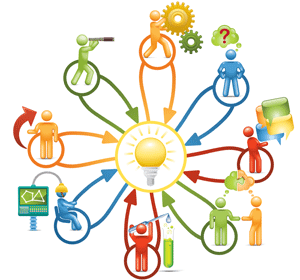
    The model needs to be approachable to personnel from many different business roles, including developers, project managers, IT administrators and even users. The array of people who might use the model should give a rough idea about technical level.
    Kanban2

    What makes the application model so different, so useful and so important is that it defines not just the field of the application but also the specific domain, which is also why it can be called a domain model.

    Field vs. Domain

    For example, a core function of banks is to underwrite loans, but they do many different types of loans. A field of underwriting could be as specific as commercial underwriting for loans over $5 million. This field will have many similarities no matter the bank because underwriting is a regulated practice; therefore, the information used to make a decision is mostly identical.

    However, the field isn’t specific enough to create an application model because it doesn’t include the unique factors of a specific bank—things such as the amount of weight a system gives to any number of loan factors (credit score, cash on hand, etc.), processes that are unique to an individual bank or even specific nomenclature that bank uses. All of these factors go into creating the application model.

    In the end, the team gathered will build a complete model of what the application is and how it currently works. It’s important that the model being created reflects the actual application and not an idealized version of it. Because many business applications are quite large, it often makes sense to have a broad model for the entire application and several more intricate models for specific sections or features.

    Bite-sized chunks

    For example, a bank will have different criteria for commercial underwriting depending on size, income and even type of business. While the overall application covers all the different types of businesses being underwritten, different sections could easily be divided by requirement and modeled individually as part of the whole.

    Lastly, it’s important that the model is reflected in the code base for easy understanding by the development team. If the model is meant to serve as a central hub for conversations about changing and improving the application, the decisions and insights found during those conversations can be relayed and documented for the development team more easily and much better if there is a tight relationship between the model and the code base.

    How to Create the Model

    As mentioned earlier, the model must be approachable and understandable to individuals across many different business roles and with different backgrounds because it is the thing around which conversations about change and improvements happen. So, the first logical step in creating the model is assembling the team.

    The core team should share several attributes for success. They should all (no matter their business title) be very familiar with the application and the current processes; this is not the place to learn about how things work.

    At a minimum, the team should include developers, operations and project managers, but knowledgeable users can also be invaluable. Everyone should also be above average communicators because they will be working to create understanding with the core team and relaying that understanding to non-team members.

    Communication Matters

    Communication is an extremely important skill for any member of the model team to have. For example, there could be an incredibly gifted developer who has vast knowledge of the application being modeled, but who speaks the local language as a second language and without advanced and nuanced proficiency. This is fine when changes that they are working on are documented through a ticket system and can be understood by reading the ticket and looking at the code base; however, it’s not appropriate for the modeling team.

    At best, that developer will slow down the entire modeling process because they will have to ask many questions to fully understand what is being said by non-developers. At worst, that developer will not ask questions to get the understanding needed, and therefore will not be able to share their insights with the modeling team nor adequately explain the model to fellow developers.

    Once a team has been created, the best start is to talk about the application itself as it is. The goal is to create a shared understanding of how the application works and how it’s being used. Some good starting topics are:

    • What does it do well, what doesn’t it?
    • What’s missing from the application?
    • What’s in the app that’s not being used?
    • What other applications does this interact with and which processes?
    • Is the application being misused (e.g.: a field labeled one thing used for another)?
    • What is the process and data flow?
    • How much overlap is there between data and objects?
    • How granular are security requirements?
    • What are the application deployment specifics?
    • Which users will need access?
    • Which APIs will be used?
    • What are the Performance and Health Monitoring requirements?

    Conversing around a whiteboard is often helpful for quick sketches and lists that everyone can see. You’ll note that there are both non-technical and semi-technical topics above, so a good project manager who is familiar with both ends of the application can be invaluable in facilitating discussion.

    Miscommunication

    For example, if an underwriter who works on business loans was describing the process to a group modeling an underwriting application, they might inform the group that a credit rating is one of the factors that is used in determining loan worthiness and needs to be recorded in the application. Credit ratings are something that everyone who has ever had a credit card, home loan or even auto insurance is familiar with. However, it also presents an opportunity for miscommunication.

    Individual loans (for things such as a mortgage) use a credit rating score that can go up to 850. A developer might know this from personal experience and create a field on in the application to record a credit score. Restraints on the field could be numeric only, with a range of 300 to 850 (this would help ensure that only valid scores were entered). However, businesses are given credit ratings with letters and symbols—not numbers—such as AAA, for example.

    In this example, if there were no follow-up questions and no examples used even though multiple people on the team were using the same term and thought they were using it correctly, there is still miscommunication that would result in an error in the final software that would then need to be fixed.

    As discussions progress (and it will take time), what is being developed by the modeling group is a shared understanding of the application, as well as shared knowledge of how to talk about it. This allows words to be used precisely with the assurance that everyone on the team is using them in the same way.

    Sometimes this understanding is referred to as a universal language because through questions, miscommunications, explanations, demonstrations and discussions, what was created by the core group is a way to easily and fluently talk about the application without any misunderstanding.

    Using this shared understanding documenting the application should be achievable. Because the application model isn’t a set series of diagrams or maps, there isn’t a definitive template for creating one, but many teams have found that a combination of data flow, activity, use case, sequence and component diagrams are at a high enough level that everyone can understand and use them, while still being technical enough to be useful for the development team. It can also be helpful for text documents of notes, snippets of sample code and even photos of whiteboard drawings to be part of the model.

    Of course, a series of diagrams and notes can be messy to use and organize, so oftentimes a mind-map can be helpful as a method of keeping track of the disparate parts and diagrams and maintaining ease of use.

    Modeling for Development

    Having a model is all well and good, but how does the model help with development? By defining the application not just from the developer point of view, insights will have been gained about what needs to be tweaked, what needs a major overhaul and what needs to be demolished completely.

    By not just knowing what needs to be changed but why it’s broken and what lead to the break makes changing the software not just an issue on a ticket, but a complete picture. Also, noting application traits such as data overlap, object reuse and layers of abstraction allow the core development team to be able to develop and iterate quickly without worrying about changing functionality in an unplanned way, thereby saving on testing time and costs.

     Modeling to Save Time

    For example, if a new federal regulation were introduced, and several new pieces of information had to be logged for loans of a specific size (or greater), the domain model might show:

    • That some information was already being collected and only needed minor updates.
    • None of the information was being collected at that size loan; but it was for a different size, and that function could easily be added to that section of the application.
    • That data wasn’t being collected on loans of any size, and a conversation might ensue to determine if it was worth including the same data requirements on loans other than newly regulated.
    • That information could be calculated based on existing procedures and would only need to be accurately logged and kept.

    Surely, a model is only useful so long as it’s current. Any changes to the application need to be entered into the model. An outdated model can be worse than having no model at all since conversations that occur around it are started with false data and assumptions. If a model isn’t maintained, then all of the organizational time and effort that went into it and shared knowledge it created are lost.

    Maintaining the model is key to ensuring its usefulness long after it is first “complete.” Once a model is created, it also can be helpful for the members of the modeling team to present and discuss it with their department coworkers. Sharing knowledge beyond just a few people ensures that no matter what personnel changes happen or what development trends and methodologies are implemented in the future, the model can carry on and maintain usefulness as a teaching and documentation tool.

    Modeling for Operations

    As applications and infrastructure become more and more intertwined, it becomes critical that both Developers and Operations are involved with creating an application model. Any changes that will be considered based on the model will have to take into account factors such as security, application monitoring and the host of other criteria that Ops deals with.

    Designing Changes with Devs and Ops

    When evaluating an organization for a loan, the credit rating of that organization will need to be acquired. There are vendors that perform the task of rating other organizations, and individual banks will have preferred vendors for that metric.

    If the task of gathering these ratings were to be automated, a developer might want to implement a simple process wherein the application queries the vendor through its API and waits for a reply. This is simple and straightforward, and only requires two pieces of data: the query and the report. However, Operations would certainly step in because this scenario would be a security risk. It would either involve two-way communication or require leaving the communication channel open for an extended period of time.

    A better solution that could be created with input from operations might involve an additional piece of data: a query ID. The interaction would then consist of multiple steps such as a query being made, a query ID getting returned and, then, at regular intervals, the vendor being sent the query ID until the report is ready.

    Operations will be involved in the application development, either from the start where it can help define practices and procedures that the development team must follow, or before the application is released and it raises red flags and security issues the development team must comply with before the changes are released. It’s much more efficient for Operations to be involved from the start.

    Get Modeling

    Organizations have proprietary software because it is a competitive advantage for them to create their own applications based on their business needs. Because business needs are constantly changing and evolving, the software that encompasses them must change and adapt as well.

    Finding methods that allow for quicker changes while ensuring better change quality should be a goal in any organization. Creating an application model, and the shared understanding that goes with it, can be an invaluable part of any application that faces maintenance or overhaul.

    About the Author / Scott Reece

    ReeceScott Reece is a huge fan of the greater visibility and communication enabled by DevOps. As a Friend of Astah Scott has been successfully closing project communication gaps by using models and team building. With more than 10 years of project management experience, Scott currently serves as a Partner Director at Inedo.

  • 8 Reasons to Go ‘All In’ and Attend Jenkins World

    8 Reasons to Go ‘All In’ and Attend Jenkins World

    Jenkins World 2016, the world’s largest gathering of Jenkins users, is coming to the Santa Clara (California) Convention Center, Sept. 13-15. The lead organizing sponsor is CloudBees, along with a number of premier Jenkins ecosystem vendors including BlazeMeter, Undo and Black Duck. Jenkins World will offer attendees opportunities to learn, explore and network. This year’s theme is “All IN” as Jenkins users, experts and thought leaders prepare to go all in on DevOps.

    Need more convincing? Below are eight reasons to go all in at Jenkins World 2016:

    Hear keynotes from industry leaders — Kohsuke Kawaguchi, founder of the Jenkins project, kicks off the conference with the opening keynote this year. Other keynotes include Sacha Labourey, CEO of CloudBees, and Gary Gruver, former DevOps exec at Macys.com and HP and industry author. Rumor has it that Gene Kim may make a guest appearance, too!

    Attend training/workshop add-on options — Come to Jenkins World as an attendee, leave as a Jenkins master. Join us a day early to attend Jenkins certification training and/or learn the fundamentals of Docker and Jenkins. Additional workshops, covering topics such as plugin development, Jenkins certification and automating pipelines with the Pipeline plugin, are available.

    FREE certification! Your Jenkins World registration also provides you with the option to take a certification exam completely free! Did we mention it was FREE? All you have to do is sign up and study up!

    Brush shoulders with the Jenkins stars — Get access to some of the best Jenkins experts in the world; attend their sessions and network with them. The sessions cover a range of topics including infrastructure as code, security, containers, pipeline automation, best practices, scaling Jenkins and community development projects.

    Visit a variety of vendors — At the expanded Sponsor Expo you can check out a range of technologies and services that help you optimize software delivery with Jenkins.

    Pick up your next read — CloudBees Senior Consultant Viktor Farcic has recently published his book, “The DevOps 2.0 Toolkit: Automating the Continuous Deployment Pipeline with Containerized Microservices.” Be one of 200 lucky attendees to get a free copy and be sure to catch his session Sept. 13. We will even be hosting a book-signing with Viktor.

    Do you follow CommitStrip? They will be onsite and you can help them paint a custom Jenkins-themed mural!

    Meet the Butler and snap a selfie – You may have seen the Butler on @CloudBees engaged in some Xtreme social media adventures to get himself to Jenkins World, but at Jenkins World you’ll have the chance to meet him in person. Don’t forget to snap a pic with him at the social media station and share with your friends.

    All of this and so much more awaits you at Jenkins World. Go “All In” and register now! Use this code JWDEVOPSCUST and get 20 percent off your conference registration.

    See you in Santa Clara!

  • 4 n00b MySQL Mistakes Every Programmer Makes

    4 n00b MySQL Mistakes Every Programmer Makes

    Even experienced programmers can sometimes be thrown for an infinite loop–or other code failure–with these common MySQL mistakes.

    When a database application goes belly up, the cause often can be traced to sloppy coding. Every now and then, the reason for a misbehaving app is an idiosyncrasy in the platform itself. Here’s how to prevent your database from tripping over one of these common MySQL mistakes.

    Handling Numeric Value Overflows

    In an Aug. 11, 2014, article in the Database Journal, Rob Gravelle describes a “gotcha” (not a bug) in the way MySQL handles numeric value overflows. When a value supplied by an automated script or application is outside the range of a column data type, MySQL truncates the value to an entry within the acceptable range.

    Generally, a database system will respond to an invalid value by generating an error instructing the script to proceed or abort, or it will substitute the invalid error with its best guess as to which valid entry was intended. Of course, truncating or substituting the entered value is almost certainly going to introduce an error into the table. Gravelle explains how to override MySQL’s default handling of overflow conditions to ensure it generates an error, which is the standard response to invalid entries in most other databases.

    Misuse of Primary Keys

    According to Justin James on the Tech Republic site, the most common database programming no-no is the misuse of primary keys.

    MySQL-Mistakes

    James insists that primary keys should have nothing at all to do with the application data in a row. If they’re not system values managed by the system, you’re likely to encounter problems when you change the underlying data or migrate the data to another system.

    Using Stored Procedures as a Crutch

    Another frequent cause of program problems is overuse of stored procedures, which James describes as a “maintenance disaster.” There’s no easy way to determine which applications are using a particular stored procedure, so you end up writing a new one when you make a significant change to an app rather than adapting an existing stored procedure. Instead, James recommends that you use advanced object-relational mappers (ORMs).

    Not every developer is sold on ORMs, however. On his Experimental Thoughts blog, Jeff Davis explains why he shies away from ORMs. Because ORMs add more lines of code between the application and the data, they invite more semantic errors. Davis points out that debugging in SQL is simpler when you can query the database as if you were an application. The more lines of code between the application error and the database, the more difficult it is to find the glitch.

    Overuse of BIGINT

    One of the common database errors identified by Thomas Larock on the SQL Rockstar site is playing it safe by overusing the BIGINT data type. If you’re certain no value in a column will exceed 100,000, there’s no need to use the 8-byte BIGINT data type when the 4-byte INT data type will suffice. You may not think a mere 4 bytes is significant, but what if the table ends up with 2 million rows? Then your app is wasting 7.8MB of storage. Similarly, if you know you won’t need calendar dates before the year 1900 or after 2079, using SMALLDATETIME will make our app much more efficient.

    Misuse of GUIDs

    On the SQL Skills site, Kimberly Tripp highlights another common database design error: use of non-sequential globally unique identifiers, or GUIDs. In addition to creating fragmentation in the base table, non-sequential GUIDs are four times wider than an INT-based identity.

    Is your app’s failure to launch due to poor typing skills?

    Maybe the best way to start your hunt for a coding error is via a printout rather than with a debugger. That’s the advice of fpweb.net’s tutorial on troubleshooting SQL errors. The problem could be due to a missing single quote mark, or misuse of double quotes inside a string. If you get the “No value given for one or more required parameters” error message, make sure your column and table names are spelled correctly

    Likewise, if the error states “Data type mismatch in criteria expression,” you may have inserted letters or symbols in a column set for numeric values only (or vice versa). The FromDual site provides a complete list of MySQL error codes and messages, including explanations for many of the codes, possible sources for the errors, and instructions for correcting many of the errors.

    MySQL Error Codes

    The FromDual site explains how to find sources of information about MySQL error messages.

    MySQL error message

    For many of the MySQL error messages, the FromDual index provides an explanation, reasons for the error message’s appearance, and potential fixes.

    With a little work and a lot of sticky notes, these common MySQL mistakes are fairly easy fixes. There’s nothing worse than looking like a nOObie programmer and damaging the integrity of your application. So stay sharp, and take a second look at your MySQL queries.

  • Orchestration: How To Get Everyone in Tune

    Orchestration: How To Get Everyone in Tune

    Automation is key to success in the cloud. When your entire infrastructure is accessible via an API, it doesn’t make sense to configure and install your applications by hand. This is where orchestration tools come into play.

    Simply put: You will not have long-term success in the cloud unless an orchestration tool is a core part of your strategy.

    Orchestration Tool Uses

    Each orchestration tool works in roughly the same manner, taking a set of instructions (Chef uses recipes, Puppet uses manifests and Ansible uses plays) and applying them to one or more systems. The syntax of the instructions and how they are applied changes with each tool, but the principles are consistent.

    This leads to the most common use case: configuring a new server.

    Instead of manually installing all of the required libraries, applications, config files and other tools, you simply run the matching set of instructions. Need a new web server? One command and you’re set. Need a database server? Another command has it up and running quickly.

    That’s the basic idea, but with each of these tools you easily can build out a more complex configuration by nesting sets of instructions. Taking the two examples above, you could have a baseline server configuration with all of the common tools and configurations, then customize each server with a smaller set of configurations specific to web servers and database servers.

    Does a new utility need to be on all of your systems? Do you have a new version of your app? Do you need to push out a new configuration file for your data stores? Send one set of instructions through your orchestration tool and you’re done.

    It doesn’t take long to see the value of these tools and to mandate their use for all of your cloud deployments.

    Not So Fast

    Like most challenges in the DevOps space, orchestration isn’t that simple. You can’t just wave your magic wand and get all of your teams using a centralized orchestration tool. This is not a new challenge, we’ve been trying to get this right since the early ’90s (remember Novell ZenWorks or the first version of Microsoft Systems Manager?) and are just now starting to see wide(r)spread success.

    Culture is the No. 1 blocker when it comes to this category of tool.

    You’ll hear some common objections from teams:

    • The choice of technology (is Chef versus Puppet versus Ansible versus the Emacs versus Vi?)
    • It wasn’t built here.
    • The manual process works just fine.

    These objections rarely hold up to scrutiny, but that doesn’t matter. Any objection raised needs to be addressed in some manner until you’ve got enough people on the target team to sway the rest over to the direction you’re trying to head.

    When you’re facing a cultural challenge, you have to address the people side of the equation in your strategy!

    3 Steps to Take

    No solution is going to work in all cases, as every organization is unique. You know the culture of your organization best, so go with your gut. With that in mind, here are the three approaches that tend to work best for most organizations.

    1. Empathy

    No one likes to be told what to do from up on high. While mandating that a team switch over to this shiny new orchestration tool might get the work done initially, it also will build resentment. That’s the opposite of what you want. You want buy-in.

    Odds are, each team in your organization already has a to-do list a mile long. Regardless of the benefits, your orchestration project probably isn’t very high on the list. Accepting that your priority isn’t their priority is a key step toward understanding and empathy.

    2. Pitch In

    One way to help move up the priority list is to offer to help out and pitch in.

    Learning a new tool and new way of conducting ops doesn’t just happen overnight. Have a strong, step-by-step plan to help bring other teams up to speed. A core part of that plan has to be one of your team working with the new team for as long as it takes to get them comfortable with the new tool.

    Take a patient, hands-on approach. Let other teams learn by doing … and by making mistakes. Your role is to guide them along the path of adopting the new tool. Time and time again, this type of approach has proven to be far more successful than other options.

    3. Duct Tape

    As your efforts progress, you may reach the point where the other teams are comfortable with the tooling, understand the workflow and are ready to adopt the new tool.

    The problem is now either:

    1. Developing new sets of instructions or
    2. Converting old scripts or hacks to the new tool.

    To tackle the first challenge, make sure you’ve set up an easy way for teams to share sets of instructions. A centralized set of git repos work great for this. This will reduce the overall workload and encourage collaboration. It’s better to borrow than to rewrite.

    You’ll also want to make sure there is a regular communication highlighting successes with the new tooling. This will help remind teams of the value of the new way of working.

    To tackle conversion (problem No. 2), plug your nose and use this messy hack. All three major orchestration tools allow you to execute another script or program. If you already have working sets of instructions, keep using them. Just wrap them in the new tool to gain the workflow benefits.

    Eventually you will replace them with native instruction sets, but if it’s working “as is,” that’s one less set that you need to build.

    Smoother Operations

    A lot of operational issues happen because of a manual error. Asking someone to make the same configuration change on six systems is bound to lead to a mistake. By moving to the cloud, you’ve already accepted the ability to program your infrastructure. Manually configuring the assets in that infrastructure doesn’t make any sense.

    Orchestration tools allow you to reduce the number of mistake made, ensure consistent results and amplify the productivity of your teams.

    What’s not to love?

    What have your experiences moving a number of teams to a common tool been like? What tips and tricks did you learn along the way? Share in the comments below or on Twitter, where I’m @marknca.

  • Things to Know When Planning for Cassandra Backup

    Things to Know When Planning for Cassandra Backup

    NoSQL databases such as Apache Cassandra, MongoDB, Amazon DynamoDB, Azure DocumentDB and others are being adopted by enterprises to meet the data requirements of next-generation applications. Specifically, Apache Cassandra database provides linear scalability, a flexible consistency model and shared-nothing architecture that enables enterprises to scale their database footprint according to performance needs.

    As mission-critical applications are being deployed on Cassandra databases, there are enterprise data management requirements also, such as backup and recovery. Today, there are various options available for backup and recovery of Cassandra. These options have pros and cons, which I will elaborate on in this blog post. It is important for a Cassandra database administrator (DBA) to understand the pros and cons of these options before choosing any option and validating products and solutions available to achieve enterprise goals for backup and recovery.

    Let me first point out the important features that DBAs should look for while planning the backup:

    1. Secondary Storage footprint: Efficient storage utilization is key for any backup and recovery design and plan. The backup data set may be much larger than primary setup depending on the retention period of the backup data. Hence, if storage management is not efficient, customer storage capital expenditure could increase multifold, defeating the purpose of data protection.
    2. RPO and RTO: Recovery point objective (RPO) is the maximum targeted period in which data might be lost from an IT service due to a major incident. Recovery time objective (RTO) is the targeted duration of time and a service level within which a business process must be restored after a disaster. Typically, enterprise requirements for these next-generation applications dictate very small RPOs and RTOs.
    3. Backup performance: This is the time spent in backing up the desired data set. Typically, the backup performance should be scalable enough to match the data change rate at the primary cluster. In addition, the time spent in taking the initial full backup of the primary cluster also matters, so periodical backup is not affected.

    Cassandra Backup Options

    Now let’s take a look at four options available for performing Cassandra backup:

    Snapshot-based Backup

    Cassandra provides native node-level snapshot option via the nodetool command. Snapshot creates a hard link to existing Cassandra data files and expects users to delete it after backing up the files. This way, despite changes in Cassandra data, the backup is performed from snapshot files.

    Pros:

    • Simpler to manage: It requires periodical snapshot commands on each of the nodes, triggering backup on snapshot files and removal of snapshot files after backup.

    Cons:

    • Not a true backup: Node-level snapshot doesn’t mean cluster-consistent backup and such a simplistic strategy will result in heavy repairs upon recovery.
    • Potential large RPO: The snapshot operation is not trivial, as it requires flushing of all in-memory data on disk and, hence, frequent invocation of snapshots will impact the production cluster’s performance dearly.
    • Large storage footprint due to data compaction at primary cluster: As part of data compaction, Cassandra merges multiple data files on a node into a new file and, hence, reduces multiple versions of a record to a single and latest version. Compaction not only helps in reduction of data at the primary cluster, it also improves the read performance as it reduces the number of files to look up for a record. As a side effect of compaction, it’s possible that same records will appear in multiple versions, as they are merged into a new compacted file. It isn’t a trivial task to filter out already captured records from a compacted file. Depending on various aspects such as workload type, compaction strategy or versioning interval, compaction may cause multifold more data to be backed up, causing a serious impact on CapEx planning.
    • Snapshot storage management at primary cluster: Cassandra expects users or admins to clean up snapshot files after they are no longer required. It requires a reliable job to clean up the snapshot folders; otherwise, they may affect the primary cluster’s availability due to lack of storage.
    • Siloed solution: Enterprises require multiplatform backup and recovery product and native tools are built specifically for a particular database and don’t scale for multiple databases.

    Incremental Backup

    Cassandra supports incremental backup functionality. If enabled, every time Cassandra flushes memory content as a new file, a hard link for the new file is created in the incremental backup folder. Once the backup of these files is done, the administrator is supposed to delete these hard links. The best part of incremental backup is that the hard link is created only for newly created file due to the flushing of in-memory data contents. Files created due to compaction are not hard-linked.

    Pros:

    • Better storage utilization: There are no duplicate records in the backup, as the compacted files are not backed up.
    • Point-in-time backup: Companies can achieve better RPO, as backing up from the incremental backup folder is a continuous process and, hence, versioning can be done more granularly.

    Cons:

    • Space management at primary cluster: With this option, companies need a reliable space management process on the primary cluster. The incremental backup folder must be emptied after being backed up. Failure to do so may cause serious space issue on the primary cluster.
    • Creates lots of small size file in backup: Since incremental backup facilitates a backup of new files created due to the flush of in-memory data from Cassandra, typically the file size is small. This leads to many small files, making file management and recovery not a trivial task (and fairly expensive compared to the RTO guarantees customers want and expect).

    Incremental Backup in Combination with the Snapshot

    Incremental backup in combination with snapshots is another rudimentary way to take Cassandra point-in-time backups. Periodically, data is backed up from the snapshot, while incremental backup-based files are used for point-in-time needs. This means periodically the incremental backup-based files, which are already covered via snapshot-based backup, must be deleted.

    Pros:

    • Fairly large-size backup files: Only the data between periodical snapshots are from the incremental backup.
    • Point in time: It provides a point-in-time backup and restores.

    Cons:

    • Space management in backup: After every snapshot, the incremental backed-up data needs to be cleaned up. Also, for backed-up files from the snapshot, a large backup storage footprint due to compaction at primary always is a concern.
    • Operationally very heavy: This method requires DBA admins to script solutions; this is not scalable for enterprise scale.

    Commit-Log Backup in Combination with the Snapshot

    This method is similar to incremental backup. Rather than backing up the newly added SSTables, DBA admins archive the commit-log. Periodical snapshot-based backup provides the bulk of backup data, while the archived commit-log is used for the point-in-time backup.

    Pros:

    • Point in time: Snapshot-based backups in the combination of commit-log archival provide a point-in-time backup option.

    Cons:

    • Space management: Again, the commit-log archival space management is admin’s responsibility; this method results in operational heavy solution (OpEx).
    • Restore complexity: The restore is a lot more complex, as part of restore will happen from the commit-log replay.
    • Storage overhead: Snapshot-based backup will have a storage overuse issue because of duplication of data due to compaction. This results in a very large use of secondary storage and, thus, a very high CapEx expenditure.

    Summary

    Overall, Cassandra provides multiple options for backup. Typically, snapshot-based backup in the combination of commit-log archiving/incremental backup is used if the point-in-time restore is a requirement. If point-in-time restore is not a requirement, simple snapshot-based backup is much easier to implement, though it is not a true backup and will result in heavy repairs.

    Most of these options require significant manual effort and are error prone. They work for staging or preproduction and test/dev environments that are smaller in scale and can sustain data loss and high RTO. However, for large enterprise customers and production deployments, there are key requirements such as data reduction via novel compression/de-duplication techniques, various failure handling and faster recovery with desired consistency.

    For mission-critical, always-on applications where minimizing data loss and operational resiliency are important factors,  administrators should consider leveraging next-generation data protection products from companies that specialize in this area.

  • Why IT Monitoring Matters: The State of Monitoring 2016

    Why IT Monitoring Matters: The State of Monitoring 2016

    Times are changing rapidly in the world of IT monitoring. A once stable landscape consisting of just a few monolithic solutions has exploded and fragmented as a new wave of tools better-suited to the scale, complexity and agility of modern infrastructure and applications has emerged.

    Which is why the team at alert correlation platform vendor BigPanda decided to launch the first-ever “State of Monitoring 2016” survey. The goal was to shine a light on what today’s monitoring landscape looks like and, more importantly, delve into the challenges facing IT ops teams and how these issues affect performance.

    In just one week, the survey gathered more than 1,700 responses, indicating that monitoring is clearly a critical, hot-button issue in the IT community. Respondents primarily identified as IT, engineering or operations professionals and represented a wide range of industries. While company size generally skewed larger (1,000+ employees), team size demonstrated the opposite trend (“less than 10” or “10-20” being the most common responses), indicating that organizations are either migrating away from a centralized IT structure or that companies are being forced to do more with less.

    Key findings from the survey include:

    • Almost two-thirds of respondents, including those at large enterprises, reported having production environments in the cloud, indicating that organizations increasingly are taking advantage of the scale and efficiency of cloud computing. Also, 75 percent indicated that cloud migration was currently a challenge for their team.
    • The modern monitoring stack is increasingly diverse and complex. Among the top 10 most popular tools are solutions for a wide range of monitoring specialties, including systems monitoring, APM, web and user monitoring and log management. Furthermore, outside of the 23 tools included in the survey, about a quarter of respondents reported using at least one tool that wasn’t listed or an in-house solution.
    • More tools equates to more noise, and IT teams are feeling the repercussions of alert pain more than ever before. Almost half of those surveyed receive more than 50 alerts per day from their tools, and about a quarter receive more than 100.
    • Alert floods also have a clear and substantial effect on remediation. Of those who receive 100+ alerts per day, only 17 percent are able to investigate and remediate the majority (75 percent to 100 percent) within 24 hours.
    • Eighty percent of respondents agree that a strategic monitoring process is important to their organization, but only 12 percent are very satisfied with their current approach.
    • A good monitoring strategy goes a long way. Respondents who are satisfied with their organization’s monitoring strategy find critical IT issues much easier to handle and report the best rates of remediation.
    • IT performance is increasingly tied to business performance. Customer satisfaction and service level agreement (SLA) compliance take the lead as the most common key performance indicators (KPIs) to measure IT performance, outranking mean time to response (MTTR) and incident volume.
    • Good news for budgets, but not for ROI. Only 16 percent anticipate a decrease to their overall IT budget in 2016, but a dismal 9 percent reported that they were very satisfied with their organization’s monitoring strategy, based on overall investment.

    The findings of the report confirm that while the IT stack of 2016 is one that is incredibly advanced, its complexity introduces a whole new range of challenges for IT teams. There’s no “one-size-fits-all” solution anymore for monitoring. To manage systems in a smart and effective way, organizations need to not only ensure they have the right tools in their kit, but also that each tool works in harmony to support an effective overall monitoring strategy.

    The benefits of an effective monitoring strategy speak volumes: Alerts are easier to handle, service disruptions easier to manage and teams are better equipped to identify root cause and handle future occurrences. Organizations failing in this regard need to take a crucial look at their overall approach: How are alerts being managed? Are your tools automated with your service assurance and ticketing systems? Is anything being done to reduce noise or improve root cause identification?

    Remember: Your monitoring strategy affects not only IT health, but the health of the overall business. The complete “State of Monitoring 2016” report is available to download here.