Category: DevOps Practice

  • Survey: More Cybersecurity Pros Embedded in DevOps Teams

    Survey: More Cybersecurity Pros Embedded in DevOps Teams

    A survey of 2,500 C-level executives published today by Palo Alto Networks found 81% of organizations have embedded cybersecurity professionals within their DevOps teams.

    Despite the presence of those cybersecurity professionals, however, the survey also suggested there is much work to do in terms of optimizing DevSecOps workflows. A full 90% of organizations cannot detect, contain and resolve cybersecurity threats within an hour, the survey found.

    Bob West, chief security officer for Palo Alto Networks, said most of the challenges associated with DevSecOps are directly related to persistent cloud security issues. More than three-quarters of organizations (78%) said they had distributed responsibility for cloud security, but almost half (47%) said a majority of their workforce still does not understand their security responsibilities.

    In many cases, developers with little to no cybersecurity expertise are responsible for provisioning cloud infrastructure. As a result, misconfigurations that create security issues are commonplace, noted West. That’s especially problematic because three-quarters of organizations (75%) are deploying new or updated code to production weekly, with almost 40% committing new code daily, the survey found. Given that developers far outnumber cybersecurity professionals in most organizations, it remains challenging to ensure application code is secure, noted West.

    In addition to improving the overall state of cloud security, organizations need to focus on fundamentals such as training developers to be more mindful of cybersecurity issues, he added. Most developers never had any formal cybersecurity training, so it’s up to organizations to make sure that particular skills gap is closed, he noted. In addition, organizations need to make sure they have a robust set of patch management processes in place alongside a capability to manage permissions and entitlements, added West.

    Overall, the survey found organizations are using more than 30 security tools, on average, including six to 10 dedicated to cloud security. More than three-quarters of respondents (76%) said relying on multiple security tools created blind spots that affected their ability to prioritize risk and prevent threats. A full 80% said they would benefit from a centralized security solution that sits across all of their cloud accounts and services.

    One way or another, a rising tide of regulations focused on improving the security of software supply chains will force organizations to improve cloud security, said West. The survey showed there is a strong commitment in terms of making cybersecurity professionals an integral part of a DevOps workflow. The issue is that there are still a raft of training and process issues that need to be addressed at a time when cybercriminals are becoming increasingly adept at compromising applications both as they are developed and after they are deployed.

    Of course, training and modifying processes take time. DevSecOps is as much about changing culture as it is about acquiring new tools. DevOps teams are still highly committed to building and deploying applications as quickly as possible. The challenge is finding a way to insert a set of cybersecurity gates within those workflows without slowing down the pace at which applications are developed.

  • The Impact of Developer Happiness on Productivity

    The Impact of Developer Happiness on Productivity

    Even in an era of unprecedented tech layoffs, most companies are still eager to find and retain top software developer talent. What’s more, many firms are discovering that they lack direct insight into their development teams’ needs and priorities. As a result, some of them are struggling to keep their developers happy and thus productive. A recent Zenhub report found, for the first time, a quantitative link between developer happiness and productivity, including what keeps developers in the same position instead of moving on to another job at the first sign of perceived trouble.

    Software Development Happiness

    The 2022 Software Developer Happiness report is based on a survey of 380 software professionals from a host of different organization types. In brief, the survey found that two of the biggest contributors to devs being unhappy in their roles were a lack of work/life balance and not working on what’s perceived as “quality work.”

    Even with a looming recession and thousands of layoffs, there remains a dearth of senior software development talent. For more junior talent, there will be more available than in previous, pre-pandemic years. As companies strive to do more with less, they still require development teams to build their products and/or the applications that drive their business. Setting up more junior teams for success via collaboration and productivity tools will be key to navigating this new environment.

    Given these findings, if organizations want to retain developer talent, they still need to make sure developers are working on meaningful projects and that they’re able to achieve that work in a way that balances the needs of the business with the needs of the individual.

    An ideal example of this phenomenon is the developer tool ecosystem companies make available to their teams. While the growth of this ecosystem has been a net positive for developers, it has also created a lot of tool sprawl and significant integration challenges.

    Less Time on Application Development

    Stephen O’Grady, an analyst at RedMonk, an analyst firm focused explicitly on software developers, talked a lot about this through a term he coined called the “developer experience gap.” He is referring to developers spending more time integrating tools than working on application development or application code. That integration work comes at a real cost. It means developers are spending less time on application development, are having to work longer hours or do the integration work off the side of the desk.

    The real bottom line to these survey results is that developers are happiest and stay at their jobs longer when empowered to focus on building code. This means spending less time interacting with management, attending meetings or resolving and integrating multiple solutions. The report’s results also emphasized the importance of work-life balance in encouraging developers to stay at their current job longer, while poor work-life balance accelerated the hunt for another job. These insights into developer retention are especially critical as, according to the report, 71% of developers haven’t decided how long they’ll stay with their current employer. The report also suggested that 33% of developers have stayed in a job longer than usual due to the pandemic, which could mean an increase in developer turnover when the pandemic comes to an end.

    Another key finding is that collaboration challenges are viewed as the biggest impediment to developer productivity. Delays in feedback result in lost productivity; nearly 70% lose a minimum of three hours per week per developer and 75% spend at least an hour per week on reporting instead of writing code.

    Finally, developers said their biggest priority is ensuring their software meets business demands, and most developers want high-performance productivity tools. In fact, 93% of developers believed these tools are critical to their success.

    Increase Developer Happiness

    So what can team leads to alleviate these issues? For both team leads and more senior management, the biggest way to increase developer happiness is simply to let them focus on coding. Developers like to showcase their skills, so encouraging them to work on interesting and impactful projects that challenge their skill sets is a great way to boost morale. Ensuring an appropriate work-life balance and paying the developers competitively are the other two recommendations for improving developer retention.

    Additionally, senior management should take another look at how they are compensating their teams. Financial compensation will always be a critical element, but we should expect to see companies shift their focus to programs and benefits that their employees truly need. Particularly given the somewhat chaotic year in 2022 and continuing in 2023, those in the technology industry will shift to valuing organizational stability over just a paycheck. An improved focus on mental health, conflict resolution and work/life balance will also be a big part of attracting the appropriate talent to an organization.

    The full report provides further detailed analyst recommendations for project managers, product owners, team leads and executives. The entire report can be downloaded for free here.

  • Five Tips for Moving IT Ops to DevOps

    Five Tips for Moving IT Ops to DevOps

    The era of siloed development and operations functions is rapidly coming to an end. The concept of DevOps has already closed the gap between IT and developers, but as I speak with customers around the globe, one theme continues to arise. Many systems administrators are ill-equipped to handle the shift from IT Ops to DevOps and, in some cases, don’t even know the right questions to ask to ensure they are planning accordingly.

    Having the appropriate equipment and software in place means nothing without people trained and ready to implement the shift from IT Ops to DevOps. As IT strives to support and protect developers continuing to innovate with wild-west-style creativity, how can we empower them with the tools and knowledge to ease the transition? This starts with asking the right questions, but requires IT to think about new things: Automating processes, revamping config management, building efficiencies in data orchestration and standardizing a set of APIs with enterprise-level protections.

    Asking the Right Questions About DevOps and Infrastructure-as-Code

    Enterprises need to look holistically at how infrastructure services are created, delivered and managed. Continuing current practices, such as manual provisioning complicated by different interpretations of imprecise instructions, will continue to lead to snowflake architectures and brittle systems. Organizations must modernize or replace this existing infrastructure to exploit cloud architectures and implement true platforms, actualizing the promise of the cloud.

    Infrastructure-as-code is an underlying framework that removes the manual process of managing and provisioning resources and opens doors to enabling DevOps. Using code to define the infrastructure configuration means that there is greater consistency between platforms. That consistency allows IT to seed the agile processes, methods and technical approaches needed to evolve a DevOps culture.

    To get to a point where infrastructure-as-code is facilitating a DevOps culture, it’s important for IT Ops to understand how to develop an early-stage continuous delivery and deployment pipeline. They also need to begin to seed practices and values native to DevOps for software engineering principles and practices with IT Ops. It’s also important to define success criteria–referred to as the “definition of done” in agile and begin to think about how to implement the infrastructure-as-code using DevOps best practices.

    Don’t Expect Developers to Become Expert Sysadmins

    Developers don’t want or need an extra layer of oversight or management, nor do they want to ask for permission before doing what they do best: Innovating. DevOps can more rapidly provision compute and storage resources and provide infrastructure-as-code while automating DevOps processes, empowering developers to become an innovation engine for their businesses.

    So much of what we’ve seen puts pressure on IT to be proactive when protecting developer cycles in containers and beyond. The NSA, as well as other industry data protection companies, offer tips for IT to stay ahead of these threats, but manual patching and scanning is not only handcuffing IT but stifling innovation in DevOps. The challenge is that IT can’t move as fast as developer cycles and often lose sight of what developers are putting into containers or other IT environments.

    While global data protection restrictions might have an impact on things like machine learning and AI from a consumer experience standpoint, it does not affect how IT might use these technologies to automate protection. It’s also not about extending protection to developer workloads, it’s about having an environment that recognizes and automates protection against threats in all environments. This way, developers and IT don’t have to become system admins or data protection experts. They can focus on the innovation at hand.

    Config Management is Critical to Empowering Developers

    As we continue to prioritize the automation of processes in the developer environment, it’s also important to consider how to move beyond just automating protection and infrastructure while allowing IT Ops to still have an eye on identifying, documenting and tracking changes in the DevOps stack. To do this, DevOps should look to configuration management tools to help manage and automate the architecture through strong community support, customization, scalability and the simplification of complex configurations.

    These tools, such as Ansible, Terraform, etc., can be deployed to meet specific needs and preferences. The point is, once you create infrastructure-as-code, you need a way to configure and manage it that fits the model that’s appropriate for your business. While you can use IaC to configure and manage, you still need to determine how to best implement automation and configuration in the most appropriate environment.

    Data Orchestration Eliminates Repetitive Cycles

    Data orchestration tools bring all data together regardless of where it originates or its format. An ecosystem that can collect data efficiently and convert it to a format that is easily understood by any and all endpoints is critical to the app development process. There’s no need to iterate at multiple levels, on multiple platforms or in different environments. IT can enable developers to innovate and learn from any environment, data warehouse or platform and build applications that can do the same.

    In the same way data orchestration can drive efficiency, there are additional benefits. Automating the collection, analysis and formatting of data saves IT countless hours of doing these processes manually. While there are obvious cost benefits, there are also a few other important benefits.

    To allow developers to continually innovate at a wild west pace, IT/DevOps must also ensure they can meet data privacy compliance and governance policies. Data orchestration allows businesses to delete or store data based on policies preset in the environment. It also allows businesses to ensure that internal policy is upheld throughout the development process. Orchestration then takes that data and makes it workable so that any iterative process can be applied without fear of bottlenecks or additional cycles.

    Standardized APIs Trump Those Created by Unaffiliated Coders

    Today’s developer profile expands far beyond the enterprise. In fact, according to Developer Nation, we can expect a whopping 45 million developers in the world by 2030. These numbers don’t include the unaffiliated coders working out of their basements or garages. That’s not to say that creativity isn’t appreciated or eventually adopted by industry leaders. But the code and software created don’t necessarily abide by enterprise governance and privacy standards. Yet we continue to see wild west developers pulling in anything and any kind of API to ensure it meets the needs of the next business application they are developing. How does IT police this?

    They don’t have to. For IT/DevOps to identify a set of APIs that meet business imperatives and certify them for use within the organization is imperative. Think about a scenario in which a developer has not only a comfortable environment to sit in without learning new skills but also an environment that automates protection, orchestration and gives them a preset library of helpful and open APIs. Businesses can begin to focus on delivery rather than policing and upskilling developers to work within the confines of the business ecosystem.

    As data continues to flow in and out of organizations and more data is being created and stored at the edge, a DevOps culture built for tomorrow’s developers is critical. These tips are a great starting point to ensure you’re installing a future-proof culture of innovation. What are some of the obstacles you’ve faced and overcome during the transition to DevOps?

  • Before ChatGPT, AIOps Powered Enterprises for Years

    Before ChatGPT, AIOps Powered Enterprises for Years

    Led by OpenAI and its ChatGPT software, a new era of consumer use cases for artificial intelligence is here. These exciting new tools have made AI more accessible to more users than ever before. No longer is this technology the exclusive domain of wealthy corporations.

    However, while the world is now focused on the potential use cases for AI in consumer applications, it’s important to remember that this technology has been part of the business world for years. Behind the scenes, AI has quietly been powering solutions that companies of all sizes have harnessed to improve business outcomes. These technologies have specifically been used by IT teams in the form of artificial intelligence for IT operations (AIOps) to help modernize their companies and operate more efficiently.

    By leveraging AIOps-powered solutions in use cases like observability, overworked and understaffed technology teams are improving their ability to manage complicated, hybrid and multi-cloud IT environments, automate processes and optimize their businesses. As companies prepare for a potential economic downturn and a reduction in resources, these solutions and AIOps are more important than ever.

    Here are four ways that AIOps is helping businesses overcome today’s IT challenges.

    Providing Unified Visibility Into Complicated Networks

    Companies have accelerated their digital transformation efforts in recent years. This has included migrating workflows to public and private clouds, implementing new productivity tools and adopting next-generation technologies. The average business now relies on geographically dispersed workforces and IT environments that use 2.6 clouds and leverage more than 200 apps!

    The result is that organizations lack visibility into these environments. A recent SolarWinds survey found that 54% of technology professional respondents stated they only have visibility into about half or less of their apps and infrastructure. This lack of visibility can lead to problems that negatively impact the return on investment for projects.

    AIOps helps overcome this challenge by providing comprehensive visibility into an organization’s systems, regardless of whether those environments are hosted in on-premises, hybrid or multi-cloud environments. AIOps automatically collects and integrates insights and information across geographies, apps and infrastructures into one dashboard. This provides technology teams with single-pane-of-glass visibility into the state of IT environments.

    Automating Processes & Remediating Issues

    While the visibility provided by AIOps and observability is integral to managing today’s complex IT environments, the technology goes a step further.

    With AIOps, teams can automate processes including the identification and remediation of issues. Given the stakes, this is critical. Companies must ensure their environments are always available and that their performance meets and exceeds customer demands. Even short service outages can lead to frustrated users and a damaged customer experience.

    This is challenging, as an IT anomaly often results in many alerts and a flood of log messages, making the problem difficult for a human to understand and address. AIOps quickly ingests massive amounts of information, provides rapid root cause analysis, data/event correlation and incident management which allows for fast and automated remediation of issues as they arise.

    Additionally, since this technology is always observing and gathering information on potential incidents, it can predict and prevent future issues proactively. By implementing AIOps, companies are taking a step toward autonomous operations or environments that can manage themselves without human involvement.

    Protecting Revenue

    In the face of an uncertain economy, every organization is taking steps to protect its revenue. With AIOps, enterprise technology companies have a powerful tool in this fight.

    By implementing AIOps and observability, companies can quickly resolve and prevent IT issues before they arise. This ensures that IT environments are operating at maximum efficiency.

    With AIOps, organizations can reduce downtime and prevent outages. This ensures that business-critical applications and infrastructure are available and functioning. These capabilities are more important as even short service outages have reportedly been capable of causing millions of dollars in damages.

    Freeing Up Employee Time for Innovation and Efficiency

    Over the last few years, companies have experienced severe staffing challenges, with many organizations finding it difficult to fill critical technology roles. This has led to smaller teams with more responsibilities and less free time. The result has been overworked technology professionals who spend far too much time on manual and menial tasks that do little to support the business’s bottom line.

    By implementing AIOps, organizations can streamline workflows by automating repetitive and routine tasks. Doing so can cut down on the amount of overwhelming metrics technology professionals are required to analyze and, instead, empower those individuals and teams to again focus on innovating and completing projects that support key business objectives.

  • Five Great DevOps Job Opportunities

    Five Great DevOps Job Opportunities

    DevOps.com is now providing a weekly DevOps jobs report through which opportunities for DevOps professionals will be highlighted as part of an effort to better serve our audience.

    Our goal in these challenging economic times is to make it easier for DevOps professionals to advance their careers. Of course, the pool of available DevOps talent is still relatively constrained, so when one DevOps professional takes on a new role, it creates an opportunity for others.

    The five job postings shared this week are selected based on the company looking to hire, the vertical industry segment and, naturally, the pay scale offered.

    We’re also committed to providing additional insights into the state of the DevOps job market. In the meantime, for your consideration:

    Monster.com

    REPS & Co.
    Remote
    Senior Software Engineer
    $120,000

    Dice.com

    AIT Global
    Jersey City, New Jersey
    DevOps Engineer
    $120,000 to $130,000

    Indeed.com

    Southwest Airlines
    Dallas, Texas
    Cloud DevOps Engineer
    $118,600

    SimplyHired

    Portrait Displays
    Pleasanton, California
    DevOps Engineer
    $110,000 to $140,000

    LinkedIn

    Peraton
    Chantilly, Virginia
    DevOps Engineer
    $72,500 to $181,300

  • Checkly Adds Monitoring-as-Code to Testing Platform

    Checkly Adds Monitoring-as-Code to Testing Platform

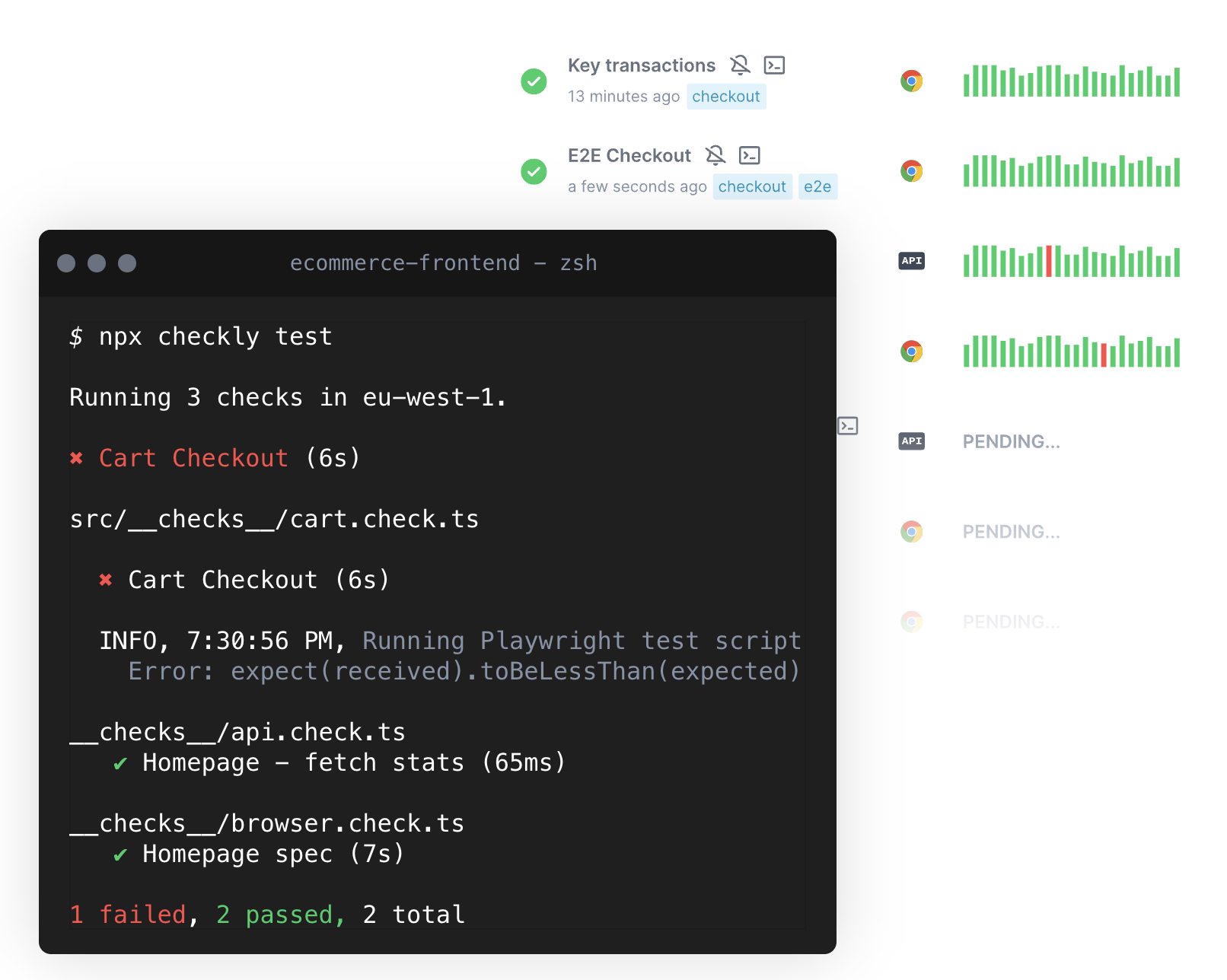
    Checkly this week added a monitoring-as-code (MaC) workflow capability to its software-as-a-service (SaaS) platform that is used to create synthetic tests for applications.

    The Checkly platform spins up browsers to test and can now monitor how applications are performing at both the user interface and application programming interface (API) level. That capability, currently available in beta, is enabled via a command line interface (CLI) for accessing an instance of TypeScript to invoke MaC workflows.

    Checkly CEO Hannes Lenke said that integrated approach enables application development teams to observe applications in as little as 60 seconds without instrumenting them with agent software.

    As part of that effort, Checkly also made generally available Playwright Test, a testing platform for web applications that spins up modern browsers on demand in addition to updating its public dashboards and adding an analytics API.

    Finally, the Checkly SaaS platform has passed a SOC 2 Type II security audit.

    Lenke said the overall goal is to make it simpler for developers to discover and remediate issues as they assume more responsibility for the ongoing management of applications.

    It’s not clear whether developers are taking over responsibility for testing and monitoring applications, but as more responsibility for applications shifts left, organizations are looking to give developers the tools they will require to succeed. That doesn’t mean IT operations teams won’t need to continue to monitor IT environments, but developers do need integrated tools that give them enough meaningful context to address them as they write code. Synthetic testing tools also enable developers to address many routine issues long before they might be discovered by a dedicated testing team that should be focused on ensuring the overall quality of the user experience.

    Regardless of the approach to testing and monitoring, Lenke noted that the silos that make up the software development life cycle are becoming more tightly integrated in modern application development environments. The primary objective is to make it possible for organizations to accelerate application development without compromising quality, he added.

    Of course, the more testing that occurs early in the application development process, the fewer issues a DevOps team should encounter after an application has been deployed in a production environment. The issue is that, historically, much of that testing occurs late in the application development process. Each time a project falls behind schedule, there is naturally a greater temptation to reduce the amount of time spent on testing to ensure the on-time delivery of an application. Providing developers with tools for testing and monitoring applications as they are being built should ensure that the proper level of testing is occurring before an application is deployed.

    There will, however, never be a perfect application. Over time, DevOps teams will discover that every application is impacted by drift to varying degrees as updates are made and the underlying infrastructure is upgraded. The most critical issue is reducing the number of potential issues overworked DevOps teams may need to address later on by ensuring the code being deployed is of the highest quality possible.

  • LinkedIn Job Scams: Out of Hand ¦ 4-Day Workweek: Let’s Get Serious

    LinkedIn Job Scams: Out of Hand ¦ 4-Day Workweek: Let’s Get Serious

    Welcome to The Long View—where we peruse the news of the week and strip it to the essentials. Let’s work out what really matters.

    This week: Don’t get scammed looking for a job, and momentum grows for the 32-hour working week. (more…)

  • How GitHub Actions Simplifies Your CI/CD Workflow

    How GitHub Actions Simplifies Your CI/CD Workflow

    In today’s fast-paced world, being able to deploy applications quickly is essential for success. However, setting up a CI/CD pipeline can be a tedious and time-consuming task. Fortunately, GitHub Actions can help simplify and automate your workflow, making it easier than ever to get your applications up and running in no time. In this blog post, we’ll take a look at how to set up a React application with GitHub Actions and explore the benefits of using this tool for your CI/CD needs.

    Continuous Integration and Continuous Deployment

    Continuous integration (CI) and continuous deployment (CD) are essential components of any product development workflow. CI is the process of automatically building and testing code changes, while CD is the process of automatically deploying code changes to a production environment. Both CI and CD help to ensure that code changes are deployed quickly and efficiently, with minimal errors.

    Setting up a CI/CD pipeline can be a tedious and time-consuming task, particularly if you are not familiar with the required tools and technologies. However, using GitHub Actions can help to simplify and automate your CI/CD workflow, making it easier and faster to deploy your code changes.

    GitHub Actions is a powerful tool that can be used to automate many different tasks, including building, testing and deploying code changes. In addition, GitHub Actions can be used to trigger other actions in response to specific events, such as when a code change is pushed to a remote repository. This makes it an ideal tool for automating your CI/CD workflow.

    There are many advantages to using GitHub Actions for CI/CD. First, it is easy to set up and use, even if you are not familiar with the underlying technology. Second, it integrates seamlessly with GitHub, making it easy to track and manage code changes. Finally, it is highly customizable, allowing you to tailor the automation process to meet your specific needs.

    Setting up a React Application

    React is a popular JavaScript library for building user interfaces. Setting up a React application is not complicated, but there are a few important steps you need to follow.

    1. Choose your development environment. You can use create-react-app to set up a development environment with all the necessary dependencies and scripts.
    2. Install React and ReactDOM. React is the library that handles rendering of UI components while ReactDOM takes care of interaction with the DOM.
    3. Create a component file. In this file, you will write your UI code using JSX syntax.
    4. Include the component file in your HTML page. Now you can see your component rendered on the page!

    Development Mode and Production Mode

    In software development, there are two primary modes that code can be run in: development mode and production mode. Development mode is typically used by developers when they are actively working on code. In this mode, code is usually not optimized and may include debugging features that help developers identify and fix errors. Production mode, on the other hand, is used when code is ready to be deployed to end-users. In production mode, code is typically optimized for performance and security.

    One of the benefits of using GitHub Actions is that it makes it easy to manage both development and production workflows from a single platform. With GitHub Actions, you can create separate workflows for development and production, or you can create a single workflow that automatically detects whether code is being pushed to a development or production branch. This flexibility can simplify your CI/CD pipeline and help you avoid errors that can occur when manually managing multiple workflow files.

    To learn more about how to use GitHub Actions to simplify your CI/CD pipeline, check out the following resources:
    – [GitHub Actions documentation](https://help.github.com/en/articles/about-github-actions)
    – [Tutorial: Use GitHub Actions to deploy a static website](https://help.github.com/en/articles/configuring-a-workflow#creating-a-workflow-file)
    – [CI/CD with GitHub Actions blog post](https://blog.github.com/2019-08-08-introducing-github-actions/)

    Setting up GitHub Actions

    Setting up GitHub Actions is simple and only requires a few steps.

    First, you’ll need to create a new file in your project’s root directory called “.github/workflows/ci.yml”. You can name this file whatever you like, but for the purposes of this article we’ll call it “ci.yml”.
    In this file, you’ll need to specify the language your project is written in and the name of the action you want to run. For example, if your project is written in JavaScript and you want to run the “lint” action, your file would look like this:

    name: CI
    on: [push]
    jobs:
    build:
    runs-on: ubuntu-latest
    steps:
    – uses: actions/checkout@v2
    – name: Use Node.js ${{ matrix.node-version }}
    uses: actions/setup-node@v1
    with:
    node-version: ${{ matrix.node-version }}

    Breakdown of the Actions File

    In the “ci.yml” file, there are three main sections: “name”, “on”, and “jobs”. The “name” section is where you specify the name of your CI workflow. The “on” section is where you specify the events that will trigger your workflow to run. In this example, the workflow will run every time code is pushed to any branch. The “jobs” section is where you define the actual jobs that make up your workflow. In this example, there is only one job called “build”.

    The “build” job has two steps. The first step checks out the code from GitHub. The second step runs a Node.js linter on the code to check for syntax errors. If any errors are found, they will be displayed in the GitHub UI.

    You can also add additional jobs to your workflow, such as testing or deployment jobs. For example, you could add a job that automatically deploys your code to a staging environment whenever code is pushed to the development branch. This would allow you to test new features in a safe environment before deploying them to production.

    Adding additional jobs can help simplify your CI/CD pipeline by automating more of the process. This can free up time for other tasks, such as writing documentation or working on other features.

    Running the Action

    Assuming you have already set up a workflow file (ci.yml) and added a job to it, running the workflow is simple. All you need to do is push some code to your GitHub repository and the workflow will automatically run.

    You can also manually run a workflow by going to the Actions tab of your GitHub repository and clicking the “Run Workflow” button. This can be useful for debugging purposes or if you want to run a particular job without pushing code.

    If you want to see the output of a workflow, you can go to the Jobs tab and click on the job that you want to see. This will show you the log output of the job as it ran.

  • Despite Tech Layoffs, Developer Shortage Continues

    Despite Tech Layoffs, Developer Shortage Continues

    Well over one-third (37%) of respondents to a recent industry survey reported that recruiting developers with the needed skills would continue to be a challenge through 2023. More than 2,000 developers and IT professionals participated in the Infragistics survey from December 2022 to January 2023.

    The survey also found developers and IT professionals are just as concerned (37%) when it comes to their organization’s ability to keep employees safe. The survey also found respondents believed they are working with limited resources (36%).

    “Over the past three years, workers have been faced with a series of unexpected challenges—the COVID-19 pandemic, an economic downturn and a volatile work environment–which is pushing employers to do more to assure workers are protected. Employers that take steps to protect their employees will be more likely to retain them, especially in light of the developer shortage,” the report said.

    The three technical jobs survey respondents said were the most difficult to recruit are DevOps engineers (16%), data analytics developers (16%) and IT security engineers (13%).

    The report found that while nearly all developers (89%) worked with a designer or design team, less than half of a developer’s time (43%) is spent on actual application coding. In most cases, low-code/no-code tools are filling in gaps left by vacant roles and helping organizations keep up with the necessary pace of development. “The lack of skilled developers challenge is being solved by the use of low-code/no-code tools in [more than] three-quarters (77%) of organizations,” the report said.

    Looking ahead, the survey found that software developers planned to improve project management (30%), improve designer/developer collaboration (30%), use software that will work for citizen developers (27%), use remote staff (25%) and incorporate a data catalog/analytics catalog (25%).

    “The biggest software development challenges in 2023 will be the inability to keep pace with innovation in developer tools (28%), difficulty with third-party integration (267%), struggle to manage workload (26%), security threats (26%), project management (26%) and client expectations that are too high (26%),” the report said.

    Despite the rough patch that rattled the industry throughout the second half of 2022, the survey results indicated developers are optimistic for the rest of this year. According to the survey, the software development industry plans to:

    • Adopt new technologies/applications (38%)
    • Expand into new markets (35%)
    • Take on new projects (32%)
    • Increase revenue (31%)
    • Increase requests for proposals (31%)

    Finally, the survey found business intelligence and embedded analytics are increasing in usage. More than 80% of developers currently incorporated these tools into their products, up 3% from the previous year’s survey.

    Embedded analytics in apps is also on the rise. Almost half, or “48% of developers were embedding analytics into client apps in 2022, compared to 31% in 2021. And 75% of software developers expected their organization’s focus on business intelligence to increase in 2023,” the report stated.

    The top three reasons software developers incorporate embedded analytics: Improving customer satisfaction (32%), gaining a competitive advantage (30%) and making data-driven decisions (25%).

    According to the report, customers included embedded analytics in their requirements in the hope they would improve productivity (42%), increase sales/revenue (39%), understand business problems (33%) and make better business decisions (32%).

  • Why You Need to Break the Observability Data Silo

    Why You Need to Break the Observability Data Silo

    In my role as a developer advocate for Coralogix, I speak with organizations across almost every conceivable industry, and there is a pattern across almost all of them. In the world of observability, the challenge is battling scale. At scale, observability becomes a complex problem to solve. Surprisingly, the most common pattern for handling observability data is also holding people back from unlocking the true power of their data.

    What is the Data Silo in the World of Observability?

    To understand the data silo, we first need to understand the typical architecture of an observability solution, whether it’s homegrown or SaaS. Observability data can be divided into three types: Logs, metrics and traces. These three types come together to give engineers a complete picture of the health and performance of their system.

    These three data types are typically held in different storage mechanisms. A popular solution for logs is open search, while Prometheus holds the mindshare for metrics, and Jaeger is a very popular tracing solution. This means three solutions, three interfaces and, subsequently, three problem-solving workflows.

    What’s wrong with separating data like this? Even though there are three types of data, there is still only one goal: To understand the health and performance of the system. This is the only use case. The data silo is the dominant trend for observability solutions to provide a fragmented view of the data. It requires engineers to piece together stories as they go, rather than correlating across all of this data at once, to provide a complete picture of system performance.

    This slows down troubleshooting. If there is an issue, an engineer will first review one of the data types. Then, they will run different queries against other data types to confirm. So they may detect a 500 error in the logs, then move to the traces to see the impact on traffic, and finally, review the application metrics. This means three minimum queries when attempting to assess only one problem.

    Breaking the Data Silo

    Breaking the data silo can be a daunting challenge. There are some key points to focus on when a company starts out and some finishing touches that make for an excellent developer experience.

    Unify data storage as much as possible. For example, traces can be stored in Prometheus rather than in a separate solution. This will enable engineers to query, for example, trace latencies alongside CPU metrics. It will also minimize the UI work necessary to join together data. If an organization has the expertise, it’s possible to store everything inside an OpenSearch cluster. This means a single interface, with a single query language, to query all available observability data. Anyone assessing this option should simply decide what their company can maintain and what skills they have in-house.

    Present observability data as one. If storage unification isn’t an option, then focus on the presentation layer. Tools like Grafana can consume most observability solutions as external data sources and render them all on the same dashboard. While an engineer will still have to query them using the specific language of the tool, it means that they can render things alongside one another, making for an insightful dashboard.

    Correlate data in one user interface. This means metrics are rendered in a single dashboard alongside logging and tracing data. This will give users a static view of the data at once, even if there is a limit to how queryable the data is.

    Create universal values. If it’s impossible to make any of the previous recommendations, then this is an easy, quick win that will at least make querying observability data more consistent. An easy way to do this without making your code messy is to use a library like MDC (or your tech stack’s equivalent). Add some tags or values that will exist in all logs, metrics, and traces. For example, the name of the application and the feature it belongs to, i.e. application is credit-card-service and feature is payments. This means that if something goes wrong, there is already a set of key-value pairs that translate across every data type.

    At the very least, this will mean an engineer can issue consistent queries across the three solutions, albeit in different syntaxes. This represents the least value, but also the least rework and effort, and will lower the cognitive load of engineers who are already trying to debug a potentially serious outage.

    The Data Silo Can be Beaten

    A siloed observability strategy drives waste and inefficiency in engineering teams, precisely when they need efficiency the most. By breaking the data silo, observability data can be queried, analyzed, and correlated together to form a single, cohesive and complete picture of your system health.