Category: Continuous Testing

Continuous testing is the process of executing automated tests as part of the software delivery pipeline to obtain immediate feedback on the business risks associated with a software release candidate.

  • Best of 2022: CI/CD is the New Lock-In

    Best of 2022: CI/CD is the New Lock-In

    As we close out 2022, we at devopsy.kinsta.cloud wanted to highlight the most popular articles of the year. Following is the latest in our series of the Best of 2022.

    Welcome to 2022! Let’s start this year’s blogging off with a bang, and point out that we are in the process of creating the biggest lock-in that we have ever had. And I do mean ever. Maybe the hardware lock-in of the old days where vendor A was incompatible with vendor B was worse, but at least that one we acknowledged when we signed the contract. This one is growing on us as I type.

    Our DevOps environments in 2022 cannot run without what I like to call the “toolchain controller”: GitLab, Github CI/CD, Atlassian, CircleCI, Jenkins—whatever you are using. Like you need some form of faucet or flow control to make running water work, you need the CI/CD environment to make DevOps work.

    You. Can’t. Live. Without. It. And just like any other vendor solution, CI/CD vendors are not going to be in a rush to help you move to a competitor. It won’t be easy or cheap to switch, largely because we are moving everything that might have been on a computer that once had developed code running on it into the toolchain.

    Sooner or later, we’ll back off the kitchen sink definition of “What is DevOps?”, but I predict even then we will have to answer “…A lot of what we do,” because DevOps is, by definition, end-to-end. It is about the process and all the steps from design to production.

    No matter how long or complex the process through which an organization’s CI/CD tool runs, a plan must be in place to replace it. A workable plan, not a check box plan. When Atlassian decided they preferred cloud-based customers, their customer base was shocked. Atlassian was wise enough to leave an option for customers who really had to have an on-site solution, but it is not difficult to imagine them phasing that option out, or to imagine another vendor dropping on-site support altogether. Some of the more competitive offerings in the space—GitLab springs to mind—are online-only already, making that option more appealing to other vendors as it’s now proven viable.

    So, have a plan. This is more important, IMO, than cloud vendor lock-in. Cloud vendors are a small community, and each understands the others, so if push came to shove you could find help moving between the big three cloud vendors. There are dozens of DevOps master controller-type solutions in regular use, and some of them are not at all CI/CD solutions (application release orchestration tools and software infrastructure management tools are two areas doing CI/CD duty at some orgs, for example), so there is not going to be much help moving between them unless you manage to find a very specialized skill set that matches your desired move.

    So, have a plan. Yes, I am indeed repeating myself. Know what you’re going to have to do before you have to do it. Include what to do if the master DevOps controller goes down. Because it will, sooner or later.

    And keep rocking it. Protect your masterworks by protecting what builds them. And keep rolling out the tools your users need. It’s a new year—learn a new skill and use that to turn out even more cool stuff. I haven’t picked a new skill yet, but I’m taking that last bit of advice myself. And again, in the new year, thank you, for all those who don’t know to say it.

  • Best of 2022: Day in the Life of a Site Reliability Engineer (SRE)

    Best of 2022: Day in the Life of a Site Reliability Engineer (SRE)

    As we close out 2022, we at devopsy.kinsta.cloud wanted to highlight the most popular articles of the year. Following is the latest in our series of the Best of 2022.

    By now, most of us are familiar with the concept of site reliability engineering (SRE). The term was originally coined by Google and SRE has been gaining traction in recent years as a role dedicated to increasing the resilience of digital ecosystems. To accomplish this, a big part of the SRE doctrine is “automating your job away.”

    Observability and monitoring tools are extremely important to DevOps and for SRE. But what is the day-to-day experience actually like for your average SRE? What activities does an SRE do? And what percentage of their time does an SRE spend on particular tasks?

    I recently met with James Curtis, lead site reliability engineer at a large multinational company. According to Curtis, the SRE approach takes a certain type of person—someone with Ops in their blood and a passion for eradicating repetitive tasks. Below, we’ll use his input and the input from other sources to better understand what it’s like being in the shoes of an SRE.

    Understanding the SRE Role

    Organizations have interpreted the role in different ways. But in a general sense, SREs attempt to maintain high reliability and availability for software applications and respond to incidents as they occur. To aid their efforts, an SRE tries to streamline and automate as many operations as possible to remove opportunities for human error.

    A hallmark SRE goal is to reduce “toil.” Curtis defines toil as “tedious actions that really have no enduring value.” For example, say an admin must manually restart a service in Microsoft Exchange every time a triggering event interrupts the service—this action could certainly be automated away. SREs spend much of their time eliminating toil by coding automation and configuring internal tools to better interact with software infrastructure.

    SREs usually are also in charge of logs and setting benchmarks using a tool like Splunk or Datadog to observe and ingest data. Curtis himself uses Cribl, which offers an observability pipeline to parse and route log data. Since SREs oversee internal service-level indicators, they are typically in charge of normalizing behavior and setting SLOs and SLAs.

    Common SRE Activities

    An SRE juggles a lot of tasks. For proof, read the hour-by-hour day in the life by Yonatan Schultz, SRE at New Relic. Schultz’s average day is spent configuring infrastructure, jumping from project to project, and, of course, hopping into many meetings. Here are some other tasks an SRE might perform on a daily basis:

    Monitoring service-level indicators (SLIs). An SLI could be the number of successful requests out of total requests. Having a high SLI, in this case, would be a target. SREs track other metrics such as availability, uptime performance, latency, error count and throughput. Regularly monitoring systems is essential to ensure proper resource utilization of containers and to avoid out-of-memory (OOM) errors.

    Setting SLOs and SLAs and determining error budgets. Once you have determined baseline system performance, you can set service-level objectives (SLOs). These are typically internal targets like 99.99% availability. While SREs typically oversee functional metrics, some teams set goals for non-functional metrics, as well. SREs help determine service-level agreements (SLAs), which are more legally binding and typically partner-facing.

    Responding to incidents. On-call SREs will be tasked with finding the root cause of issues as they arise. When triaging an incident, it’s helpful to have all the necessary logs and tools immediately at hand. This is one area where automation can assist by pulling relevant details to instantly build a case, said Curtis.

    Writing postmortems. After an incident has been dealt with, it’s important to learn from it. Postmortems are common in cybersecurity practice and often fall under the responsibility of an SRE. These reviews seek to answer set criteria to get to the heart of an incident and identify the root cause(s) of an issue to prevent it from happening again.

    Automating other system tasks. SREs will spend significant time coding and building tools for engineers to interact with infrastructure. For instance, an SRE might generate reliability reports that consider performance over long time periods.

    Cross-department collaboration. SREs don’t tend to own application code. Instead, they support multiple software divisions. This means checking in with other developers, disseminating best practices and reviewing new architectures to represent the reliability side of the equation.

    As you can see above, the SRE role might blend many different activities, and keeping track of them all may be part of the job itself. Anika Mukherji, an SRE at Pinterest, shared that, at Pinterest, there is a weekly meeting where SREs share what they spent time on. For another helpful “day in the life” story, take this account of an average OpenShift SRE’s day. Nikita spends her day responding to open JIRA cards, handling incidents, pushing code to GitHub and syncing with SREs in other regions when shifts change.

    Time Well Spent

    So, how does an SRE allocate their time? As Curtis explained, the ideal goal is a 50/50 split between time spent in work mode and time trying to automate that work away. Of course, this is more like a sliding scale, he admits. When things are broken, attention naturally shifts toward more manual work, says Curtis. While there may be less automation upfront, the scale balances out the more you build.

    This is similar at other institutions too. For example, in an interview with DZone, Paul Greig explained that half of his time is spent on service reliability upkeep and half on toil reduction. John Turner, SRE at Squarespace, said some 70% of his time is spent writing code—much of it automation code.

    Who’s Fit to Be an SRE?

    As mentioned above, the SRE job requires a specific attitude toward solving operational problems. Curtis described this person as “someone who hates the monotony of doing something over and over.” This person should have a drive to continuously solve new problems because as soon as you’ve automated one thing, you move on to the next, he said.

    Don’t assume a role with high automation equals an easy paycheck. We’ve all heard the story of the system admin who secretly automated their job away and never told a soul. While this may fly in other roles, the job of an SRE is never finished. “You’re never going to run out of stuff to optimize,” Curtis said.

    Again, the SRE role is a blend of many different activities. You will likely interface with different developer teams, too. Since the role involves this type of interaction, communications skills and understanding are a must.

    Final Thoughts

    The SRE practice is wide and varied—each company may have its unique flavor. Looking to the future, there are plenty of use cases for machine learning to further empower SRE practices, said Curtis. This is especially relevant in security automation, where algorithms could be trained against real attacks to flag suspicious behavior. Or, with the right amount of data, predictive analytics could be applied to anticipate high CPU peaks, informing server utilizations.

    In both scenarios, Curtis stressed the importance of observability. “It really gives you the ability to look at data and to ask a question later you didn’t realize you needed to ask,” he said. This power hinges on easy data transformation to make things speak the same language. That’s why his team opted for Cribl, that allowed them to normalize that data on the fly and replay it later. “The ability to change data and morph it—that’s the power observability gives you.”

  • Best of 2022: Environments-as-a-Service: Free Your Devs

    Best of 2022: Environments-as-a-Service: Free Your Devs

    As we close out 2022, we at devopsy.kinsta.cloud wanted to highlight the most popular articles of the year. Following is the latest in our series of the Best of 2022.

    Environments are the bane of a DevOps engineer’s existence and have been since the invention of the server. They can create giant bottlenecks that hamper productivity and suck the life and motivation out of developers. But they’re also completely necessary.

    DevOps teams spend a ton of time building and maintaining their development environments. They are critical to testing new websites, apps, products and updates; making sure everything works the way it is supposed to. And not having enough environments can slow down workflows as developers wait their turn to use an environment.

    There is a new push in the software industry to provide environments-as-a-service (EaaS), removing the annoying yet necessary work of building and maintaining environments and giving DevOps engineers more freedom to tackle more challenging, revenue-generating projects.

    EaaS enables companies to use a third-party service to create a new development environment on-demand, including data, infrastructure and code—all the things necessary to build and run an app. Environments-as-a-service bring major improvements to businesses, saving money and time while increasing the velocity, delivery and deployment speed.

    EaaS offers automation and codification of all the things that would otherwise waste DevOps and infrastructure folks’ time. They should be focused on higher-value tasks, like creating and refining what makes the company or product unique.

    Removing Bottlenecks

    When prepping for a new product or service, teams have to test all associated code to make sure it is functional, secure and that there are no hiccups. Multiple environments are crucial to this process. However, in many cases, teams work within a single, shared staging environment.

    This setup means developers have to wait in line to test their part of the product. These bottlenecks are among the biggest causes of delayed releases.

    Time is money, and in this case, lost time costs money. We estimated the total cost of managing environments exceeded $45 billion annually, and release delays cost organizations millions of dollars every year.

    Organizations can layer EaaS on top of their infrastructure-as-code (IaC) frameworks, agile workflows and other important software. By doing this, developers can create a new environment with a single click.

    That means developers can make a new environment for every feature branch pull request. EaaS also unlocks customization capabilities, as well. For example, testing requires larger and faster environments that integrate with other key services, while more scaled-down environments work well for processes like demos.

    Now, developers are free to test and develop software, without waiting or stepping on anyone else’s toes. Plus, on-demand environments can also be destroyed when they are no longer needed. That’s capacity planning in real-time.

    Save Time and Money

    Capacity knowledge and better capacity planning mean money saved. Knowing how many environments are needed, and what types, helps organizations avoid over- or under-spending on cloud infrastructure.

    Building out environments can take more than a year for even sizable DevOps teams and cost hundreds of thousands of dollars, not to mention the challenges of ongoing management, integration of new tech and management of cloud resources and costs. A third-party EaaS provider takes care of all of that, freeing DevOps engineers to work on hard problems, rather than maintenance and repeating work that has already been done as technology advances.

    Is Your Organization EaaS Ready?

    Any time a company automates something as important as staging and testing environments, though, it’s important to have all their ducks in a row. Luckily, the best ways to do that match up pretty well with best practices for building out any infrastructure platform:

    ● Using infrastructure-as-code automates the provisioning of infrastructure instead of doing it manually.

    ● Containerizing custom code makes it easier to quickly reproduce it for new environments.

    ● Finally, carefully think about how your environments will behave when they are created dynamically. Simple things like creating environment variables for hostnames and trying not to hardcode variables that are environment-specific are a must.

    Organizations that have followed these steps are EaaS-ready. By automating these painstaking tasks, companies can unleash their DevOps teams to be superheroes for the organization, solving the biggest problems and letting tech take care of the rest.

  • Opvizor Extends Monitoring Reach to the Cloud

    Opvizor Extends Monitoring Reach to the Cloud

    Opvizor, a unit of Codenotary, has extended its monitoring capabilities to cloud computing environments starting with support for Amazon Web Services (AWS) and Microsoft Azure.

    Codenotary CTO Dennis Zimmer said Opvizor aggregates data to provide a more efficient approach to applying analytics to surface performance and risk issues.

    Previously, Opvizor was optimized for instances of VMware vSphere running in an on-premises IT environment. Now the unit of Codenotary, a provider of a service for generating software bills of materials (SBOMs), is extending those monitoring capabilities to the cloud.

    That transition comes as many organizations are looking to strike a balance between monitoring pre-defined metrics and observability platforms that make it possible to surface unknown potential issues that could adversely affect IT environments.
    It’s still early days as far as observability is concerned, so Opvizor is focused on meeting most IT teams where they are today as they further embrace cloud computing, said Zimmer.

    Observability, in general, promises to query not just logs and metrics but also distributed traces that are applied to specific processes. In that way, observability allows organizations to detect patterns that have not been predefined. In effect, an observability platform makes it simpler to debug application environments where the number of dependencies that exist between services are becoming too complex to track manually, much less decipher. Without the aid of an observability platform it can take weeks to discover the exact cause of an application’s performance degradation.

    Of course, those applications will need to be instrumented using agent software capable of generating the data observability platforms require. Fortunately, open source projects such as OpenTelemetry are helping to drive down the total cost of instrumentation.

    However, in the absence of observability, most IT teams will rely on existing monitoring tools. Opvizor is making a case for centralizing monitoring across multiple platforms to reduce costs, noted Zimmer.

    Heading into 2023, each IT team will need to decide how and when to rely on traditional monitoring tools versus observability platforms. Many observability platform providers are justifying the acquisition of a new platform based on cost and the ability to eliminate the need for multiple monitoring tools. However, it remains to be seen whether IT organizations will prefer to employ both monitoring tools to track predefined metrics alongside observability platforms.

    Regardless of approach, the reality is that IT environments are becoming more complex to manage. In addition to running workloads in multiple cloud platforms and on-premises IT environments, organizations are deploying emerging cloud-native applications based on containers alongside existing monolithic applications deployed on legacy virtual machines. As workloads are deployed on multiple platforms, the total cost of IT starts to rise. One way to contain those costs is to standardize on a set of tools that can be applied to multiple platforms.

    The pressure to rationalize toolsets only increases during any period of economic uncertainty. The challenge, of course, is convincing one team to give up their preferred tool in favor of another to reduce costs.

  • The DevOps Workflow is Broken. Here’s How to Fix It

    The DevOps Workflow is Broken. Here’s How to Fix It

    While great progress has been made in bridging the gap between developers and operations engineers, fundamental differences in roles and responsibilities, alignment, and access to information hinder further progress. 

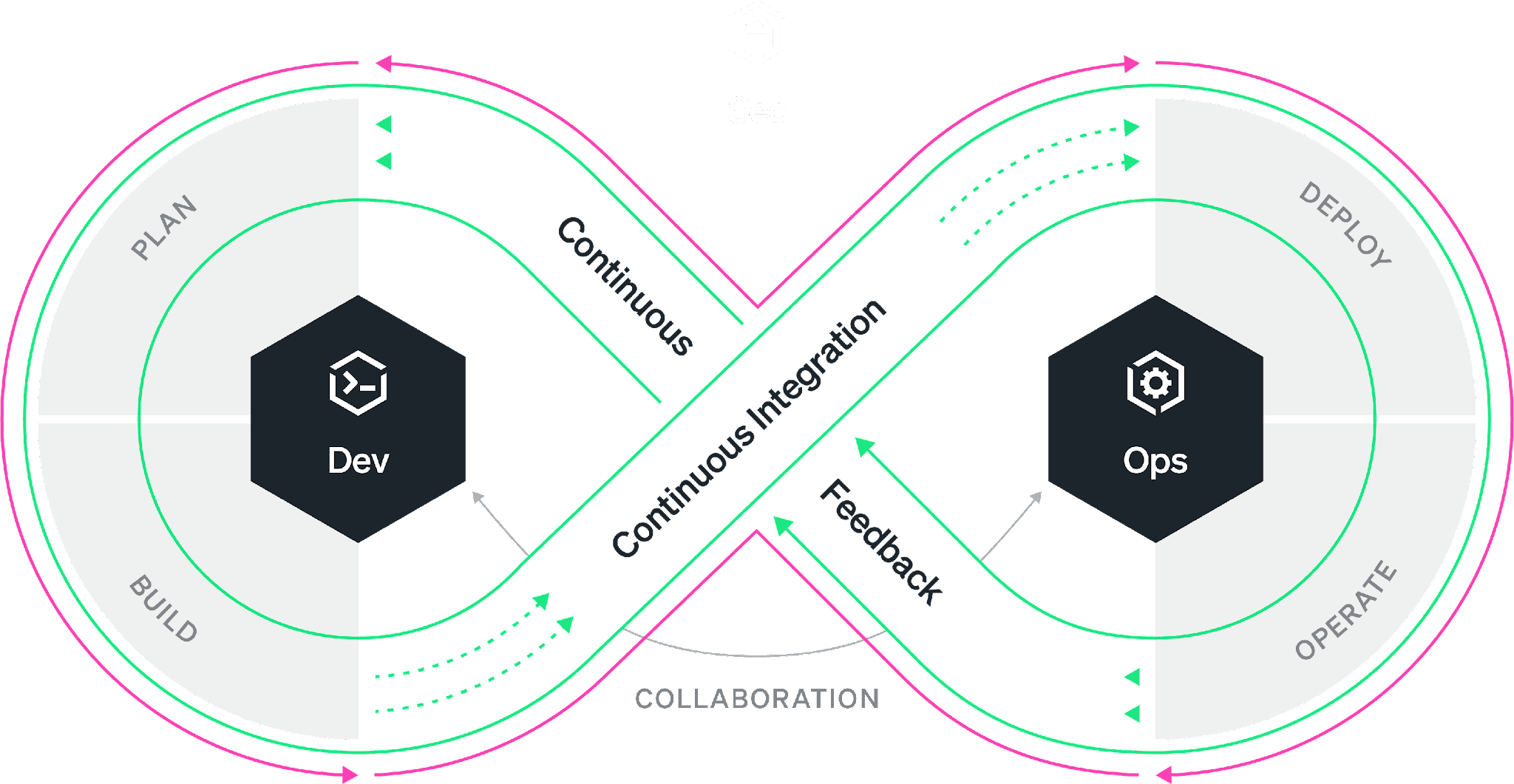
    Everyone is familiar with the DevOps infinity loop: This is an ideal workflow where every stage of the software development life cycle feeds into the next. While the philosophy is well understood, organizations have worked on bringing developers and SREs closer together under the DevOps banner. The reality is most of the time, the DevOps infinity loop is broken. Developers continue to focus on building features without the benefit of data-driven insights that production data can provide. Developers often “push and pray” without fully understanding how their changes will affect performance and the user experience. As a result, companies miss the opportunity to improve products faster and delight the customer sooner.

    According to Gartner, 90% of DevOps initiatives will fail to fully meet expectations. And yet, the global DevOps market, which accounted for $7.3 billion in 2021, is expected to reach $37 billion by 2030. So to summarize, we’re all spending billions of dollars on the implementation of initiatives that are expected to fail in some meaningful way 90% of the time. The question is: What is failing and what can be done about it? 

    As the DevOps toolchain continues to expand, collaboration across tools is difficult and success depends on your organization’s ability to simplify and automate while achieving alignment. Developers use a variety of tools from various vendors in their daily work. The most widely used are VS Code from Microsoft, Jira from Atlassian and Slack from Salesforce. The most popular code hosts/repositories include GitHub, GitLab and Bitbucket. Bridging the gap are CI/CD vendors such as Jenkins and CircleCI. Ops engineers typically rely on other vendors for their daily work, such as New Relic, Datadog and Dynatrace. So, how do we ensure that all stakeholders in the SDLC have access to all the relevant information simultaneously, understand the objectives and get an integrated perspective of the different inputs and workstreams independently of the tools used?

    There are three essential areas that DevOps initiatives must tackle to create alignment, collaborate successfully and streamline workflows. Let’s tackle each of these areas individually.

    1. Collaboration. The first step is good collaboration. Most organizations rely on Slack or Microsoft Teams for this purpose, but they are both suboptimal when it comes to collaborating on code and incidents that point to code. Having code and data at the center of DevOps collaboration ensures that everyone has access to the information needed to tackle issues, reducing and even eliminating differences of opinion in the process.
    2. Visibility. Second, ops engineers and developers must have visibility into the performance of applications across the entire tech stack. These three barriers can occur in different aspects of an organization’s operations and their impact can limit the team’s ability to deliver value to the customer just as much as workflow inefficiencies. Visibility helps the organization reach alignment on common objectives.
    3. Context Switching. Third, given the number of processes and tools involved in a successful DevOps implementation, it’s important to work toward reducing context switching and integrating tools within established workflows. Integrating collaboration, tracking, history and observability into a single pane of glass can greatly improve clarity and time to resolution.

    For DevOps teams, increased velocity and transparency are always worthwhile pursuits. However, it’s important to avoid myopic focus on workflows when other nagging problems could be hiding in plain sight.

    By committing production telemetry, developer teams can adopt an objective, data-driven approach to software engineering—saving time and avoiding potentially misguided approaches based on opinions rather than facts. Visibility, transparency and velocity can help engineering teams meet ever-increasing requirements and provide their organization with the best possible business outcomes.

  • 5 Best Practices for Implementing Cloud-Native DevOps

    5 Best Practices for Implementing Cloud-Native DevOps

    As the world transitions to cloud-native offerings as an industry norm, DevOps is gaining traction for its critical role in supporting more efficient IT infrastructure. DevOps is designed to boost collaboration and communication by streamlining the automation process to expedite the creation and deployment of applications. Implementing cloud-native DevOps requires organizations to make a massive cultural shift. Without this change, businesses are unlikely to be as competitive or fully utilize the innovations the cloud has to offer. 

    There’s always a risk in adopting new technology. Following are five best practices to accelerate your company’s implementation process and address potential challenges head-on.

    1. Think cloud, adopt the cloud.

    Optimize technology with a variety of tools tailored for the cloud. Understanding how technology works in the open source environment that cloud-native DevOps relies on is as essential to successfully managing the components as it is to selecting the right tool for you. Don’t get locked into using one tool. Instead, select the right tool for each task while remaining as cloud-agnostic as possible.  

    2. Implement a dynamic security strategy.

    Not considering security is one of the most common pitfalls organizations encounter when using emerging technology. Security must be built into cloud-native development workflows and thought processes and diligently monitored. If funds are available, appoint a chief security officer responsible for scrutinizing DevOps security in the cloud and creating playbooks for each alert triggered. Cybersecurity is becoming more complex due to the unpredictable nature of adversaries and the sheer volume of technologies involved in each solution. One way to start is with a bug bounty program that can bring hackers to your side of the court.

    3. Commit to ongoing training.

    Perform a self-audit and/or penetration testing to reveal weaknesses in company technology, procedures and people. Invest in training to effectively address any gaps in cloud skills. Providing development opportunities will also improve employee engagement and retention, which is a challenge for many employers. Make sure your employees give ongoing feedback to the training’s content, its maintenance and evolution.

    While it may be tempting only to emphasize new-hire training, the rapidly changing technology landscape requires training efforts be geared toward ongoing learning for the entire team. This investment will pay dividends, with DevOps and the cloud netting major long-term savings. To make training more efficient, it can be conducted remotely. Integrate and target training based on employees’ job functions,  but don’t forget about non-IT employees—they must also have a basic understanding of cloud and cloud-native.

    4. Once, twice, automate!

    Automation is critical to minimize software development life cycle friction and eliminate dependence on manual labor. Provisioning networks, infrastructure, application deployment and setup can be automated and versioned with infrastructure-as-code (IaC) tools (such as Terraform). There are also endless automation opportunities for containers, cloud computing, security, testing, monitoring and more. For instance, containers allow developers to compartmentalize applications to work on components without worrying about their potential impact in other areas–making it easier to construct consistent, tangle-free deployments. However, it may be challenging to manage multiple versions, requiring infrastructure and testing investment.

    5. Performance-test your tests.

    Automated testing will save developers time and reduce human errors. It’ll also allow developers to take advantage of doubling up on testing, making sure every change is stable and benchmarked. Test during the development stage and lay the groundwork for an effective CI process, especially if you roll out patches regularly. Automated testing is easier in a cloud-based system and isn’t dependent on sufficient hardware to make it run properly, allowing cloud hosts to scale up or down easily.

    Final Takeaways

    Cloud-native DevOps is revolutionizing the way applications are being built and managed, and it starts with how we perceive our challenges. Embracing DevOps culture enables organizations to leverage cloud and cloud-native solutions to create reliable services that are easily scalable. While it may look resource-intensive, cloud-native DevOps is becoming a business necessity.

  • Rezilion Updates Open Source MI-X Tool to Better Secure App Development

    Rezilion Updates Open Source MI-X Tool to Better Secure App Development

    Rezilion has updated its open source MI-X vulnerability discovery tool to include mitigation and remediation recommendations.

    In addition, the tool can now produce machine-readable output in either a JSON or CSV format.

    Finally, the company added Windows support for Heartbleed and SpookySSL vulnerabilities in Windows environments.

    MI-X makes it possible to use a command line interface (CLI) tool to identify and establish the exploitability of more than 20 well-known common vulnerabilities and exposures (CVEs).

    Yotam Perkal, director of vulnerability research for Rezilion, said Rezilion created the tool as part of its efforts to create a platform that enables organizations to better secure their software supply chains. The primary purpose of the platform is to prevent vulnerabilities from being introduced into applications in the first place by providing developers with the context required to understand the potential severity of a vulnerability, he added.

    There’s no doubt that developers need tools that enable them to easily identify vulnerabilities while writing code. However, shifting responsibility for vulnerabilities entirely left toward developers is not a panacea for application security. DevOps teams need to embrace DevSecOps best practices to ensure that the build created by multiple developers is secure and that the runtime environment where applications run is also free of malware.

    The challenge is that achieving that goal needs to go beyond adding additional tools to a DevOps workflow. The biggest challenge is narrowing the historic cultural divide between developers and cybersecurity teams tasked with discovering vulnerabilities. Most cybersecurity professionals don’t understand how applications are developed, so every instance of vulnerability found in an application looks the same to them—regardless of whether the actual code is externally accessible.

    DevOps teams, meanwhile, are trying to strike a delicate balance between patching innumerable vulnerabilities and building and deploying additional applications. More than anything, those teams need to be able to prioritize their patching efforts based on the actual versus theoretical severity of a vulnerability, noted Perkal.

    It may never be possible to address all the application security debt application environments have accrued over the years. However, as apps are built and application security issues are addressed more proactively, the state of cybersecurity should improve. The issue, of course, is that cybercriminals are now targeting software supply chains; inserting malware into a DevOps workflow creates a potential opportunity to compromise any number of downstream applications. Organizations are now racing against time to secure their software supply chains.

    The good news is that no developer intentionally sets out to build an insecure application. It’s just that far too many of them have been conditioned to think of security as an obstacle they need to overcome rather than address. However, the more tools they are provided to remediate as many vulnerabilities as possible, the better off everyone concerned will be.

  • Get Comfortable with Shifting Right to Improve Resiliency

    Get Comfortable with Shifting Right to Improve Resiliency

    The operations team receives a page at 2:00 a.m. Something isn’t working correctly. Do they know how to fix it? Perhaps more importantly, do they know whether it matters to customers or how it impacts the business? There are different techniques that companies implement to maximize the quality of their software. We talk about shifting left or right, chaos engineering and others. While they each have their own goals to improve quality, there’s an underlying common goal as well: All three techniques increase your team’s knowledge of the system and their ability to resolve problems quickly.

    Here, we’ll walk through the software life cycle and discuss the common challenges to software quality, running complex systems and managing dependencies between teams. The common thread is a proper observability strategy which can help software quality, hand-offs between different teams and resolve problems quickly by ensuring whole-system resiliency from design to maintenance.

    Techniques for Improving Quality

    Shift left is a concept that has attracted much attention recently. The practice revolves around the idea that detecting and correcting problems sooner minimizes their impact. As the thinking goes, they’re easier to fix, they wind up costing less and there are fewer ongoing issues with bad code.

    The rise of DevOps and DevSecOps has propelled the popularity of shift left. Yet, there’s a fact that development teams often miss: no matter how early an organization spots errors, problems will inevitably remain. Early testing can’t catch everything. As a result, some organizations have begun to rebel and move to a shift-right framework. It normalizes errors and aims to better resolve issues across the development process, including post-production.

    Shift right is the perhaps less-extreme cousin to its rebellious relative, chaos engineering. With chaos engineering, team members cause problems on purpose to keep everyone on their toes and test the limits of the system. They shut down servers, disconnect wires, delete files, etc. The goal is to confirm system resilience–from a user perspective, there should be no impact even with all of this chaos. A resilient system means that teams can fix failed components at their leisure during the day. With a resilient system, critical failures are less likely to happen and it becomes second nature to fix them when the dreaded 2:00 a.m. page does occur. Unlike chaos engineering, shift right doesn’t explicitly break things–it just makes the assumption that broken things will exist so teams need to be ready to handle them.

    Both concepts (and yes, even chaos engineering) are valid—but each company needs to carefully analyze which is right for them. One variable to consider is the complexity of the system you’re building. Working on a rocket launch or a surgery robot? Probably should shift left as much as possible. Changing the color of a button? Maybe it’s not the end of the world to verify the fix in production. For most of us, projects fall somewhere between these two extremes–so sometimes shifting left is necessary, and other times shifting right is pragmatic. A careful analysis of the risks should be performed to determine what kind of testing is needed.

    Although teams tend to be pretty good at analyzing the complexity of their software and making development process decisions, they often forget the complexity of other companies’ code which they depend on. Even a simple web application deployed today has tons of dependencies: The server it’s running on, the local ISPs, transit ISPs, load balancer, DNS provider, TLS certificate, CDN and browser, just to name a few! After analyzing the complexities of all of the dependencies across the internet, it becomes clear that finding every possible issue that might impact their application is a daunting task.

    The goal, again, is to find any issues before they reach production. Or if they reach production, fix them before they impact customers. Or if they impact customers, fix them as soon as possible after that. To do any of these things quickly, the level of observability of the overall system is paramount. With simple systems—or even complex systems that are entirely under one company’s control—tools such as application performance monitoring (APM) are common. But when the scope of the system is as big as the internet, internet performance monitoring (IPM) tools are necessary instead.

    With both APM and IPM tools, the goal is to know as much about the system as possible – enabling teams to identify problems quickly, pinpoint the root cause, and fix it. When an organization is equipped to monitor development and operational processes effectively from application to delivery, there’s a shift toward higher quality code, fewer errors, improved security and lower costs for the enterprise. There are also fewer disruptions and distractions for engineers, DevOps teams and others.

    Dealing With Disconnects

    Whether shift left or shift right is used, there will be problems that enter production. There is an invisible wall in many organizations–where engineering teams “throw code over the wall” to the team which is now responsible for running it. In some companies, this is the operations team; in others, it’s site reliability engineering or production engineering–the common trend is that in most companies, it’s not the same team who created the software.

    These operations teams often lack the nuanced information they need to resolve production issues. They might spend hours or even days attempting to track down the source of the problem. There’s often finger-pointing between different teams who created or own different portions of the system. Things can quickly devolve into chaos—and tempers can fray. After all, these kinds of problems always happen at 2:00 a.m., right?

    That’s where end-to-end observability enters the picture. Imagine a framework with proof that the development team has performed sufficient knowledge transfer to the operations team. That the operations team has asked all of the relevant questions about running and maintaining the application. Using the right tools, engineering and operations teams need to monitor every aspect and every component of the system. Creating this monitoring strategy means that everyone involved also builds an understanding of the system–everyone is on the same page. All of a sudden, there is a common language to discuss problems, and teams operating the software in production can take debugging a lot further before they need to ask for help.

    Ultimately, shifting left or shifting right is a personal choice for every organization. Even if every possible test case is executed before deployment to production though, issues will happen–so take the opportunity to implement a robust system-level monitoring strategy that can be used to solve technical questions during that 2:00 a.m. call.

  • ActiveState Makes All Tiers of Curated Artifact Repository Service Free

    ActiveState Makes All Tiers of Curated Artifact Repository Service Free

    ActiveState today announced it is making all tiers of its ActiveState Artifact Repository service available for free for a limited time. The move aims to enable organizations to better secure open source software components incorporated within applications.

    Loreli Cadapan, vice president of product for ActiveState, said the ActiveState Artifact Repository exposes a set of curated instances of open source software for creating binaries that are validated to be secure. That capability reduces the likelihood vulnerabilities will be inadvertently introduced into application environments by developers that have downloaded open source modules from repositories that may contain compromised code, she added.

    In addition, the ActiveState Artifact Repository also makes it possible to automatically generate software bills of materials (SBOMs) that identify which software components were used to build an application after all the code used to construct an application is stored in the repository, Cadapan noted.

    ActiveState’s repository is delivered as a cloud service to organizations that would otherwise have to build their own. Cadapan noted that the goal is to make managing and securing software supply chains simpler when more attacks are being launched against them.

    Most organizations have limited visibility into how they are consuming open source software. It’s become apparent many organizations have no idea what software components have been incorporated across their software supply chain. As a result, when a vulnerability is discovered, there’s no easy way for them to know whether they are impacted.

    However, awareness of this issue has risen, thanks to an executive order issued by the Biden administration which requires federal agencies to have an SBOM for every application they employ by next summer. The executive order was issued in the wake of a zero-day vulnerability in the Log4j tool discovered late last year that is widely used to create logs within Java applications. Many organizations are still looking for all the vulnerable instances of Log4j in their application environments. SBOMs must provide a list of the “ingredients” used to create an application to make it easier to find any component that might one day be similarly affected by a zero-day vulnerability.

    Organizations that want to implement a similar SBOM policy will spend massive amounts of time cataloging software on an ongoing basis. Every time an application is updated, there will be a need to once again verify what components are being employed within the context of larger DevSecOps workflows.

    SBOMs will undoubtedly play a critical role in improving overall application security. However, having an SBOM is not the same thing as operationalizing it. Organizations are ultimately hoping to be able to use an SBOM to decide whether to green-light the deployment of an application, so DevOps teams should expect to be required to not only provide an SBOM but also continuously update it. The challenge, of course, will be determining how many internal resources to devote to that effort versus relying on external platforms to manage that process.

  • CloudBees Survey Sees VSM Driving Digital Transformation

    CloudBees Survey Sees VSM Driving Digital Transformation

    A global survey of 600 senior executives conducted by CloudBees suggested a high correlation between investments made in value stream management (VSM) and digital business transformation success.

    The survey found 90% of respondents agreed that organizations that committed to VSM are likely to be further ahead in terms of achieving their digital business transformation goals, with 92% noting VSM also creates more time to focus on innovation.

    Hope Lynch, senior director for platform at CloudBees, said the challenge is that too many executives equate VSM with legacy Six Sigma processes rather than application development and deployment processes that advance digital business transformation initiatives. The survey found that while 90% of senior executives claimed they were familiar with the VSM concept, only half could select the correct answer when asked. In fact, two in five respondents confused the concepts of value stream management and value stream mapping. Nearly two-thirds (72%) of respondents admitted there is still confusion about what VSM is.

    VSM traces its lineage back to lean manufacturing methods, which called for each step of a manufacturing process to be continuously measured. As software development has evolved and organizations realize how dependent they are on software, there is a growing appreciation for the value of monitoring things such as the impact of missed software development deadlines on the business. At their core, VSM platforms aggregate DevOps metrics and then match them to a set of key performance indicators (KPIs) defined by business leaders. Once those metrics are gathered and correlated, organizations can apply advanced analytics.

    Eventually, the goal is to apply algorithms and other forms of predictive analytics that will enable organizations to more easily identify the precise impact software development processes have on the business, noted Lynch.

    In the meantime, the CloudBees survey identified manager commitment as the main roadblock to VSM adoption, with 35% of respondents saying getting mid-level employees committed and 31% saying getting senior leadership committed are the biggest roadblocks. That’s a significant issue because more than half of respondents (56%) said C-level executives make VSM investment decisions.

    Survey respondents also reported that scaling VSM efforts throughout the organization is a significant issue for a third (33%) of respondents.

    In general, many VSM initiatives were sidetracked by the COVID-19 pandemic, noted Lynch. However, organizations will now be looking to evaluate the results of those efforts, she added. Digital transformation plans are in place and going well, according to 96% of survey respondents, with only 18% reporting that they are moving, but not fast enough.

    However, all software development processes could be improved by surfacing real-time insights, added Lynch. Most senior executives today don’t have a lot of visibility into the software development processes that are driving multiple digital transformation initiatives, she added.

    In theory, VSM platforms should one day help narrow the divide that has long existed between IT and the rest of the business, as dashboards make it simpler for everyone involved to appreciate the cascading impact a software development decision has across the entire business.