Category: Continuous Delivery

Continuous delivery is a software engineering discipline that allows organizations to consistently develop and release quality software at a rapid pace. It is achieved by automating the software development lifecycle, enabling tasks such as development, testing and release to occur concurrently and continuously.

  • New Relic I/O Aims to Simplify Instrumentation

    New Relic I/O Aims to Simplify Instrumentation

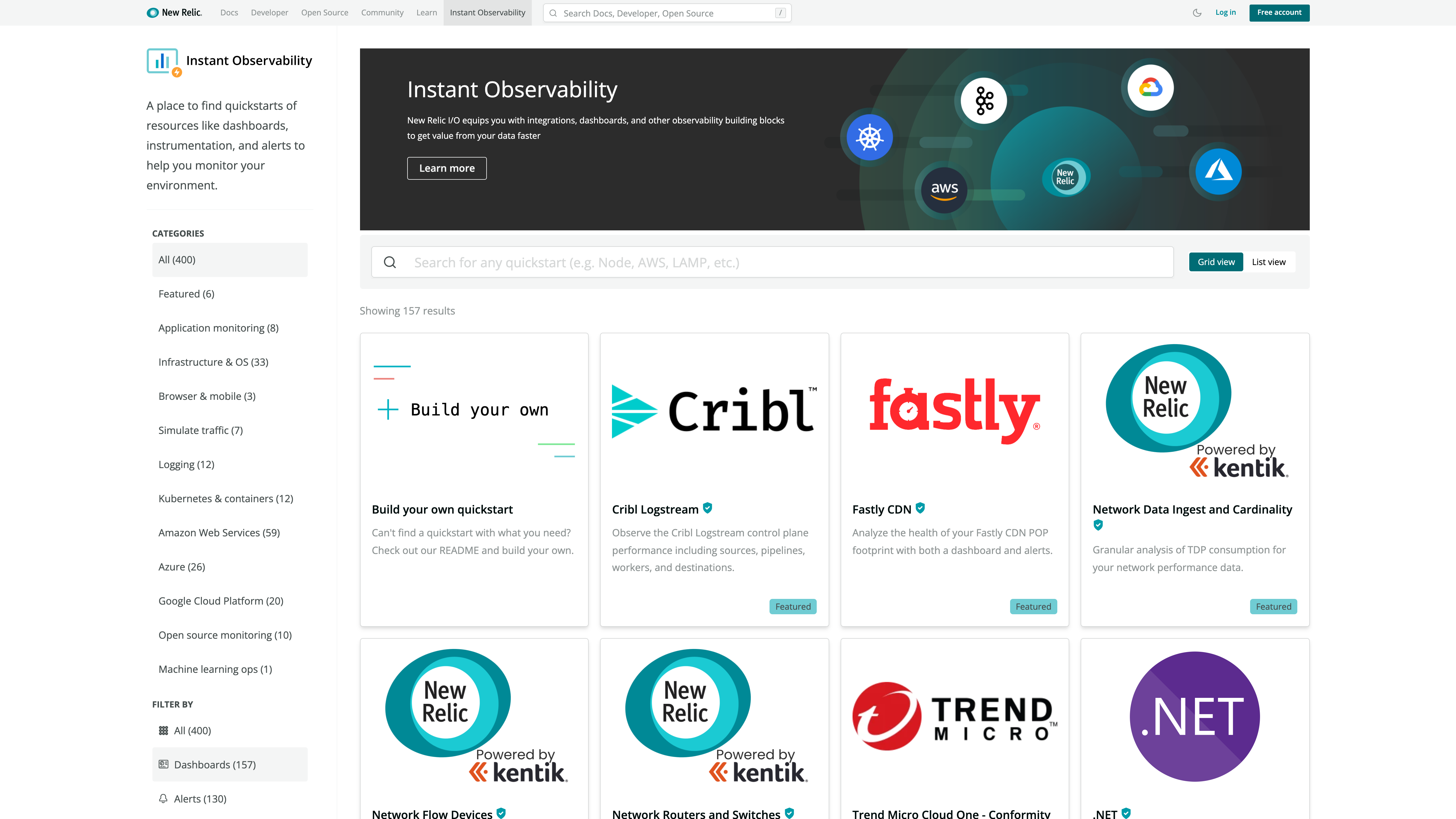
    New Relic today at the KubeCon + CloudNativeCon North America conference launched a New Relic Instant Observability (I/O) initiative through which it is making available open source tools to simplify application instrumentation.

    Marck Robinson, senior vice president for engineering at New Relic, said the catalog of tools will help DevOps teams instrument a much wider range of applications. New Relic will make those tools available as part of the free tier of its observability platform delivered via the cloud. DevOps teams will be able to use more than 400 pre-configured quickstarts to both instrument applications and create dashboards, Robinson said.

    New Relic itself is contributing quickstarts for cloud services, open source tools and platforms such as Kubernetes, Istio and Cassandra. Third-party vendors that have already contributed to the catalog include Cribl, Fastly, Gigamon, Kentik, Lacework and Trend Micro. Each contribution is being vetted by New Relic as part of an effort to foster the development of a larger open source observability ecosystem, noted Robinson.

    Robinson said overall, New Relic is trying to make it easier for DevOps teams to close an instrumentation gap that is impeding IT organizations from moving beyond monitoring to embrace true observability of their IT environments. The recent New Relic 2021 Observability Forecast report notes only a quarter of respondents (26%) have a mature observability practice, with the most commonly cited barriers to observability being a lack of resources (38%) and skills gaps (29%).

    As a result, DevOps teams often encounter a last-mile observability challenge when it comes to both instrumenting applications and then building their dashboards, said Robinson.

    As part of a larger effort to make it easier to instrument applications, New Relic has open sourced agent software, standardized on the OpenTelemetry tools being advanced under the auspices of the Cloud Native Computing Foundation (CNCF) and contributed the Pixie observability platform for Kubernetes environments to the CNCF.

    Observability in one some or another has always been a core tenet of any DevOps best practice. Initially, DevOps teams focused on continuous monitoring as the most effective way to proactively manage application environments. However, it can still take days, sometimes weeks, to discover the root cause of an issue. However, observability platforms are emerging that correlate events in a way that makes it easier for analytics tools to identify anomalous behavior indicative of a root cause of an IT issue. Armed with these insights, it becomes a lot simpler for IT teams to resolve issues faster.

    In contrast, monitoring focuses on predefined metrics to identify when a specific platform or application is performing within expectations. The metrics tracked generally focus on, for example, resource utilization. Observability, on the other hand, combines metrics, logs and traces—a specialized form of logging—to instrument applications in a way that makes it simpler to troubleshot issues without having to rely solely on a limited set of metrics that have been pre-defined to monitor a specific process.

    With the rise of microservices-based applications, the shift to the cloud and more end users than ever working remotely, the need for observability has never been more critical. The issue now is finding a way to make it much simpler to achieve.

  • Why You Need a Value Stream Delivery Platform

    Why You Need a Value Stream Delivery Platform

    While the pandemic was significantly challenging for businesses, it exposed the need to quickly adapt and change. Software products for internal or client use continue to provide an opportunity for a competitive edge in nearly any industry. Businesses will immerse themselves and compete in the digital economy by consistently producing better software products at an ever-increasing pace.

    In the past year, two new solutions with similar names have been gaining attention: value stream management platforms and value stream delivery platforms. Both are designed to help firms improve their software development process. The end goal for both is also similar—speed up development—but how each accomplishes this goal is important to differentiate the two.

    So which one should you use? We’ll cut to the chase—the value stream delivery platform provides more strategic long-term value. Here’s why.

    First: Value Stream Mapping

    To understand the need, you first need to understand value stream mapping. This involves visualizing the value stream processes and events from conception and creation to testing, production and, finally, release. By mapping the value stream, you can get a better understanding of the workflow and identify dependencies between the different activities, which will help you identify any blockages or impediments to delay delivering customer value.

    Staying abreast of your value stream is essential to delivering value to the customer as it connects all the multiple teams, tools and applications along the way. By gaining clearer visibility into the entire software delivery process, you can then scale your enterprise by bringing other teams on board for greater collaboration. Additionally, tracking your value streams can help reduce any risks to performance, as you can easily see the throughput and stability of your products.

    Value Stream Management Platforms (VSMP) Explained

    Simply put, value stream management helps solve poor visibility across the software delivery life cycle. You can measure and manage the performance of your software delivery team, identify any areas for improvement and leverage best practices that support collaboration through teams. Additionally, a value stream management platform helps connect applications, teams and tools through the collection of static data used to improve ongoing delivery performance.

    One benefit to using a value stream management platform is that existing toolchains remain undisturbed. The VSMP simply integrates with the different datasets across the existing process and provides the desired visibility and analytics to the different product value stream(s) across the organization.

    An Underlying Problem: Toolchains

    The lure of easy visibility that a value stream management platform provides is somewhat deceptive. The constant pressure to create and deliver better software faster using multiple tools and manually built toolchains has reached its breaking point:

    • Poor interoperability, manual handoffs and disparate data have created DevOps automation silos
    • The multiple test environments used through the process and the need for multi-cloud and hybrid deployments add tons of unnecessary complexity
    • Increased policy and security requirements simply cannot scale and remain manual

    Developers are caught in the middle—they must understand both a complex development and deployment process plus build a complex product for their customers—but being an expert in both is nearly impossible.

    The use of internal platform teams has been recognized as a way to solve this problem. The platform team is responsible for providing an easy-to-use solution; essentially treating developers as customers. In turn, the developers can focus their efforts on the software products they’re responsible for and on satisfying client needs.

    How is a Value Stream Delivery Platform Different?

    Many firms have learned the hard way that building an internal platform is risky, time-consuming and expensive. A value stream delivery platform replaces the traditional, manually built toolchains used today and sidesteps the risk, cost and development time involved in building a platform in-house.

    A VSDP should:

    • Cover the entire process of planning and creation, integration and verification, deployment and operations and, finally, monitoring and improvement
    •  Have both security and compliance capabilities built into the platform foundation
    •  Integrate DevOps point solutions, plus easily add or change tools over time
    •  Provide a centralized data model that creates one source of truth for the development process
    • Provide metrics and reports to accelerate process and value stream improvements
    • Improve software quality through continued enhancements based on best practices

    A value stream delivery platform cuts the administrative burden on DevOps teams, allowing them to refocus their efforts on providing significantly higher value. Instead of maintaining toolchains, they can now help identify process bottlenecks, expand automation and work directly with application teams to drive standards.

    Value stream management platforms provide value in understanding the process and where it can be improved. But they don’t fix the underlying toolchain problem. Instead, the improved visibility may tempt some to squeeze more productivity from developers over the short term without addressing the underlying toolchain problem. However, replacing toolchains with a value stream delivery platform can help address all these issues, and may prompt you to retire your value stream management platform.


    To hear more about cloud-native topics, join the Cloud Native Computing Foundation and the cloud-native community at KubeCon+CloudNativeCon North America 2021 – October 11-15, 2021

  • 5 Steps to Succeed With Blue-Green Deployment

    5 Steps to Succeed With Blue-Green Deployment

    By allowing teams to maintain two production-ready environments at the same time, the blue-green deployment technique can significantly boost reliability. But blue-green deployment can also be difficult to execute and manage. Let’s unpack how blue-green deployment works, why it’s important and which best practices to follow for blue-green deployment success.

    Blue-Green Deployment, Defined

    Blue-green deployment is a software deployment technique in which teams maintain two identical but distinct environments that are capable of hosting a production application. One environment is “live” and actively serving users, while the other is kept in reserve.

    When it comes time to deploy a new version of your application, you deploy it to the reserve environment. You then test and validate it to make sure it meets performance and reliability requirements.

    If it does, you reconfigure your DNS or load balancers so that user traffic is directed to this environment, which becomes the new production environment. Meanwhile, the previous production environment is placed in reserve.

    Benefits of Blue-Green Deployment

    The blue-green deployment technique can boost reliability in several ways:

    • Environment parity: Because the reserve environment in which you test your application becomes the live production environment, blue-green deployment ensures parity between testing and production. In turn, it reduces the risk that configuration differences could cause unforeseen problems in production.
    • Failed deployments: If a deployment fails, it doesn’t impact your users because you deploy into the reserve environment. You can fix the issue while a stable user-facing version of your app continues to run in the other environment. 
    • Redundant environments: Although blue-green deployment is not a data protection or disaster recovery technique, having two production-ready environments available is useful in the event that one of your environments is wiped out by an event like a data center failure. In that case, you can restore operations quickly by using the other environment (provided it’s hosted in a separate data center, of course).

    How to Use Blue-Green Deployment: Steps and Best Practices

    While blue-green deployment is a great way to increase reliability, it does present some challenges. The following best practices can help you to handle them.

    Use Scalable Infrastructure

    One obvious potential downside of blue-green deployment is that it can essentially double the amount of resources you need to host your application since you have to maintain two identical environments. That can double your hosting bill.

    One way to reduce the cost impact of blue-green deployment is to create environments that can scale rapidly without changing their core configuration. You could do this using cloud-based virtual machines (VMs) and autoscaling or via containers and an orchestration engine (like Kubernetes) that can scale them.

    Using this approach, you can set up two environments that are effectively identical except that the production environment includes more VM or container instances than the reserve. Although you could argue that this is not quite a blue-green deployment because the environments are not perfectly identical, that semantic downside is outweighed by the benefit of not wasting a bunch of money on infrastructure you don’t need.

    Chaos Engineering

    Typically, chaos engineering entails experimenting with a production system to test its reliability. Chaos engineering offers many benefits, but it presents the obvious risk of creating a problem in production that impacts your end users.

    Blue-green deployment allows you to work around this risk by practicing chaos engineering in the reserve environment. Of course, because you won’t have real users, performing chaos engineering under these settings may not allow you to test every aspect of your production application. But you can still test many of the configuration variables by issuing requests yourself within the reserve environment—all without worrying about breaking things for actual users.

    Managing Database State

    Keeping databases in sync when you switch between environments is one of the biggest challenges of blue-green deployment. Even small discrepancies in database state could cause big reliability issues.

    The simplest way to address this issue is to turn off the database before switching and perform tests to ensure that databases in both environments are identical before they are reenabled. Of course, this approach may impact application functionality, because the app may not work properly if the database is turned off.

    Another solution is to sync databases between your two environments. This should ensure that database state remains identical even as you switch from one production environment to the other. But it also means that problems with the database will affect both environments.

    The bottom line: There is no simple way of managing database state in blue-green deployment. You should evaluate the different options available and consider which one best meets your needs. If you can tolerate a little downtime, stop the database and restart it during the switch. If you need total continuity, use syncing, but be sure to manage the associated risks.

    Change Load Balancers, not DNS

    There are two main ways to manage where traffic is directed, and hence which is the production environment: You can change your DNS configuration when you want to switch. That’s easy to do—you would simply change the mapping for yourapp.com from one IP address to another, depending on which environment is the live one.

    You can also use load balancers to manage traffic. Load balancer configuration is more complex than simply changing DNS entries, but it also enables more sophisticated and granular control.

    In general, it’s a best practice to manage blue-green deployment switches via load balancers, due to the extra control they provide.

    Prepare for the Unexpected

    While blue-green deployment can reduce the risk of user-impacting disruptions, it’s no silver bullet. You must also be sure that you have the reliability management tools you’ll need to detect and remediate issues within both of your environments.

    Blue-green deployment is a powerful reliability engineering technique. But to get the most out of it, you must optimize the way you handle requirements like infrastructure management, traffic routing and database state. 

  • Does Shift Left Matter to SREs?

    Does Shift Left Matter to SREs?

    If you’re a software engineer, you’ve likely heard all about shift left, a practice that can streamline certain aspects of software development.

    But shift left isn’t just for developers. It can be equally valuable for site reliability engineers (SREs). Although the main mission of SREs is ensuring the reliability of software after it has been deployed rather than actually developing software, encouraging shift left practices as part of a software development strategy can nonetheless make it easier to optimize reliability.

    To prove the point, here’s an overview of what shift left means and why it matters for SREs.

    What Does Shift Left Mean?

    Shift left is the detection of application problems early in the software development process. The core idea behind shift left is that instead of waiting until just before deployment to test software for bugs, security issues or other problems, teams should begin the testing process as early as possible. In other words, they should shift some testing to the “left” of the software development life cycle instead of testing only in the middle—hence the term “shift left.”

    In so doing, they can detect problems early in the development process, at which point they are typically easier to resolve. If you don’t catch a performance, reliability or security bug until just before you plan to push your application release into production, you may have to overhaul a large part of your codebase to fix the issue. In many cases, you’ll have to change not just the specific code that triggered the bug, but also other code that depends on or integrates with the buggy code. But by finding buggy code early, developers can often fix the problem with minimal adjustments to the application as a whole.

    Shift left is a high-level concept, and it can be implemented in multiple ways. In some cases, developers may start running performance tests on new code right after they write it, even if it has not yet been integrated into the main codebase. In other cases, shift left testing could mean compiling some parts of the codebase in order to run tests against it before the application as a whole is built and tested in a dev/testing environment. Either way, the result is a testing process that begins earlier than it would under a conventional approach.

    Importantly, shift left doesn’t mean that teams skip the tests that they would normally perform just prior to deployment. Those tests, which are important for catching bugs that materialize only when testing the application as a whole rather than individual parts of it, typically still happen as part of a shift left strategy. Thus, shift left means that testing begins earlier and coincides with a broader portion of the overall development pipeline, not that testing is simply shifted to the beginning of the pipeline at the expense of mid-pipeline tests.

    Shift Left and SREs

    Again, the main job of SREs is to manage the reliability of systems. They may spend part of their days working alongside software engineers to help devise architectures and coding strategies that maximize the resiliency of applications against reliability and performance issues. But SREs also devote much of their time to managing what happens post-deployment. They use monitoring and observability tools to detect problems that arise in production environments. They then take the lead in responding to them.

    In that sense, SREs may not seem to have much to gain from shift left. Shift left is a strategy that aligns with software development first and foremost, and software development is not the core focus of SREs.

    Nonetheless, a shift-left strategy can help SREs do their jobs better, for several reasons:

    • Fewer problems in production: Most obviously, shift left reduces the rate at which reliability issues reach production environments. In turn, it minimizes the number of incidents SREs need to respond to.
    • Optimizing software pre-deployment: By exposing reliability issues early in the development process, shift left is one way for SREs to acquire the insights they need to collaborate with developers on building reliability into applications. Shift left could highlight buggy dependencies or suboptimal architectural patterns, for example, which SREs can encourage developers to address.
    • Granular reliability insights: Because shift left is a great way to trace software problems to the specific code that triggers them, it provides highly granular visibility into reliability. It can help SREs find the weakest links within an application’s codebase or architecture. These weak spots can be harder to detect when monitoring or observing an application as a whole.

    How SREs can Follow the Shift Left Methodology

    Because the implementation of shift left practices is a task that ultimately falls to developers, SREs need to work closely with development teams (and DevOps engineers, if they exist in the organization) to make shift left happen.

    The first step in that process is to get buy-in for shift left among developers. SREs can do this by highlighting the ways in which shift left can streamline the work of developers and reduce the complexity of fixing bugs. That’s important to communicate because it ensures that developers understand that shift left benefits everyone, not just SREs.

    SREs should also work with developers to identify the best approaches and practices to implementing shift left. A key factor to consider here is where reliability problems most often arise, and how shift left can help to detect them earlier. If most performance problems stem from code written by individual developers, for instance, testing code as soon as it is generated may be the best way to detect problems early on. In contrast, in situations where performance issues are triggered most often by environment configurations, the ability to test applications early under different environment variables could be the best way to surface issues early in the development process.

    Finally, SREs should partner with developers to respond to the issues that shift left reveals. After all, while developers typically don’t pay close attention to what happens post-deployment, SREs have a special ability to understand how problems in development translate to problems in production. SREs may therefore be able to help developers identify the most effective way to fix bugs based on production environment requirements, even if it’s not the quickest or simplest way.

    Why SREs Need to Shift Left, Too

    Although the shift left methodology has not traditionally been closely associated with SRE, shift left is a crucial tool in the SRE toolbox. By helping teams to detect reliability issues when they are easier to resolve, shift left puts SREs in a stronger position to maximize the overall reliability of applications. At the same time, it reduces the number of production environment issues that SREs have to manage.

  • Microservices Adoption and the Software Supply Chain

    Microservices Adoption and the Software Supply Chain

    Software development is undergoing industrialization, with more and more software rapidly assembled out of components and an emphasis on building automation around software validation and release processes.

    Modern cloud-native software is no longer a monolithic application living in a single repo with the majority of its dependencies self-contained. It is integrated from third-party components provided by vendors, cloud providers and open source software (OSS) components, with as much as 90% of code coming from such dependencies. This allows developers to build applications much faster but makes maintenance much harder as it is no longer entirely under their control. If the third-party vendor makes a change to their API, developers are on the hook to update their applications before they break. 

    Each microservice interacts with hundreds of other microservices and each is built and released independently, making it hard to understand how to coordinate API changes across them. For example, if you want to make an API change to a microservice, what impact will this have on the consumers in the organization? Who will need to coordinate the change? When it was all within the same repository and released all at once, it was much easier to make such changes.

    The Changing Nature of Technical Debt

    What we continue to call technical debt is really the activities that are related to tending to and upgrading our software when third-party components are evolving or have common vulnerabilities and exposures (CVEs) and need to be upgraded.

    These are tedious, repetitive tasks that usually fall to the most experienced engineers as they require technical expertise to do correctly. Such activities can paralyze engineering organizations and are a tremendous burden on engineers; that often leads to burnout. Up to 30% of engineering time is spent on technical debt. The perception that somehow developers were responsible for accruing this technical debt and are doing something wrong that prevents them from keeping up is hugely demoralizing and demotivating. 

    However, if we reframe technical debt as software supply chain management and stop blaming engineering for it, we can make maintenance more predictable and consistent. By taking steps like inventorying third-party components and determining how pervasive they are in the application (frameworks take more effort to maintain than a third-party API that you just call from one part of the application), an organization can arrive at a maintenance estimate. 

    These activities are highly repetitive across organizations, as everyone is integrating some subset of the same third-party components to create business value. This high level of repeatability points us to automation. 

    Specialized Developer Tools for Software Maintenance Don’t Exist

    When developers write code, their hands often lag behind their thoughts. They think much faster than they are able to type the code. You often hear developers finishing a tedious task and complaining, “My fingers hurt.” When their IDE can autocomplete syntax, it helps reduce this lag to minutes.

    When a major framework version is released, developers contemplate the codebase. Maybe they need to change this type to that, reorder some method arguments or change dependencies. The types of changes they need to make are enumerable and must be made almost immediately; again, the ability to implement them lags far behind their recognition of the problem. Often, this type of lag can represent months or years of work when dealing with a large codebase. Accumulate enough of this lag and the codebase can grind to a halt.

    That lag kills the joy in development for most senior developers and leads to burnout. Upgrades/migrations amplify that lag by orders of magnitude.

    However, there are few (if any) tools that focus on helping developers automate these remediations/upgrades/migrations. The IDE’s focus is rightly on helping developers write new code and maintain their own code, but code maintenance needs to be coordinated across multiple places across the codebase, within the same repository or across the repository boundaries. Often, developers have a pattern they want to change in their repository, but the IDE only suggests this as an improvement in their current location (one file). Other times, changes need to be coordinated across repository boundaries if developers want to change APIs and their consumers. That’s why this technology needs to exist outside of the IDE.

    OpenRewrite

    OpenRewrite is an open source project that offers semantic analysis and refactoring of code as standalone operations so that everyone can use and contribute over time; composing more and more refactoring operations that make whole framework migrations possible. It is integrated with build tooling and can be plugged into different workflows, from CI integrations to mass refactoring of multiple microservices/repositories. Similar to an IDE or other developer tools, OpenRewrite manipulates an abstract syntax tree (AST) representation of code, but this AST has special characteristics that allow it to transform this AST and generate code back to the standard text representation. 

    The OpenRewrite AST is produced by guiding the compiler through the first two phases of compilation to generate compiler type-attributed AST. This is then mapped to the OpenRewrite AST, preserving formatting and breaking cycles in the AST. The three unique characteristics of OpenRewrite AST are:

    • Type aware, allowing 100% correct semantic code analysis and transformation.
    • Style-preserving, so transformations produced are idiomatic within the projects they are applied to. So, the same transformation applied to multiple projects will potentially look different.
    • Serializable, allowing to output the AST from the build and operate on it outside of the build en masse.

    OpenRewrite ASTs is full of metadata about code. Visualizing the code itself as a highly connected tree of various vertices and edges, we can start to get an idea of the density of this representation. Syntactic elements alone are blue, type attribution is yellow and formatting information is red. If we were to just represent syntactic elements, the tree might look something like this.

    Adding type attribution and formatting, the tree looks quite a bit denser.

    A spanning tree of the data involved in this AST can be laid out in three-dimensional hyperbolic space and then projected onto the unit sphere similar to the way that two-dimensional space can be projected onto a disk—the famous Poincaré disk model. This three-dimensional approach was pioneered by Tamara Munzner at Stanford.

    Every edge that isn’t part of the spanning tree is rendered as a lighter gray, and, as you can see, it is dense! In fact, to make this layout more tractable, we’ve omitted in this view an additional 600,000 vertices representing type information that make the syntax itself seem tiny.

    OpenRewrite calls a single code search or transformation operation a recipe. It provides a number of building block recipes such as find method, change method, find transitive dependency, upgrade or exclude dependency. These recipes, in turn, can be composed into more complex recipes by grouping them together into a composite recipe. When the building blocks are not enough, a recipe can be written as a program in the same language as the code we want to transform, allowing us to encapsulate complex logic with the full expressiveness of the language already familiar to developers. We don’t need to learn a new DSL or programming language.

    These building blocks abstract away many of the details to ensure that edits that we make to source code obey the original style of the project. This is possible for even complex changes like this automated migration from Spring Boot 1.x @ConditionalOnBean to Spring Boot 2.x AnyNestedCondition looks idiomatically consistent in the context of the project that it is inserted into:

    It is important to note that OpenRewrite is not a replacement for an IDE. With software now composed of so many independent components, we need to start to remediate and manage it using new approaches that go beyond single lines of code to looking across entire code repositories.


    Olga Kundzich, co-founder of Moderne, co-authored this article.

  • BMC Acquires StreamWeaver to Advance AIOps Strategy

    BMC Acquires StreamWeaver to Advance AIOps Strategy

    BMC has acquired StreamWeaver, a provider of a platform that makes it simpler to capture streaming data in real-time, as part of an effort to extend the BMC Helix IT operations platform infused with artificial intelligence (AIOps). Financial terms of the transaction were not disclosed.

    Margaret Lee, general manager and senior vice president for digital service and operations management for BMC, said StreamWeaver brings with it a wide range of integrations with multiple data sources that BMC will use to both train AI models and improve overall observability. While connecting to data sources is relatively straightforward, the challenge now is collecting that data in real-time in a way that is easily repeatable for IT operations teams, noted Lee.

    In general, AIOps continues to gain traction as IT environments become increasingly complex. Most IT operations teams are not going to be able to manage highly distributed computing environments without augmenting their IT staff with some AI, said Lee.

    Naturally, many rote tasks that were once performed manually by IT operations professionals will become increasingly automated. However, there will always be a need for IT personnel, noted Lee.

    Arguably, there may come a day when IT professionals will not want to work for organizations that don’t have an AIOps platform in place simply because the tasks assigned to them would otherwise be considered archaic, especially if they involve a series of tedious tasks that not many IT professionals really want to perform.

    At the same time, AIOps should reduce overall risk by making it easier for IT operations teams to proactively identify issues before they disrupt an application service. That’s especially critical as IT environments—increasingly with microservices-based applications constructed using containers—and serverless computing frameworks are being deployed with greater frequency alongside legacy monolithic applications.

    BMC has been making a case for AIOps as far back as 2017. However, since then, a wave of startups and IT operations incumbents have either built an AIOps platform from the ground up or updated an existing platform with AI capabilities. It’s difficult to assess which vendors are now ahead in terms of the AIOps race, but one thing that is certain is that IT organizations now have plenty of options.

    From a cultural perspective, however, not every organization is entirely comfortable with AIOps. While some IT professionals remain skeptical, others view AI as an existential threat to their existence. Most IT teams are also concerned about the potential impact any flawed AI model might have on IT operations—it’s one thing for a human to make a mistake, but an AI model making a mistake at scale could be catastrophic.

    There are few IT organizations that are embracing AIOps across the board, but most do recognize that AIOps platforms, in one form or another, are inevitably here to stay. After all, machine learning algorithms never forget anything they learn. Nor do they ever take a day off or decide to leave when offered higher pay. The challenge is figuring out exactly where the interface between IT staff and algorithms is going to be—not just today, but also in the near future.

  • Perforce Charts Testing Course After BlazeMeter Acquisition

    Perforce Charts Testing Course After BlazeMeter Acquisition

    Perforce Software has acquired BlazeMeter from Broadcom as part of an effort to extend the scope of its testing tools beyond the Perfecto tools for testing mobile and web applications it acquired in 2018.

    Broadcom gained control over BlazeMeter after it acquired CA Technologies in 2018. CA Technologies acquired BlazeMeter in 2016. Terms of the latest acquisition involving BlazeMeter were not disclosed.

    Tim Russell, chief product officer for Perforce, said BlazeMeter adds a complete platform that spans everything from load and performance testing to application programming interface (API) testing. The goal is to enable DevOps teams to push continuous testing further left as part of an effort to accelerate the development and deployment of applications, added Russell.

    The need for continuous testing has become more pronounced as more organizations launch multiple digital business transformation initiatives, noted Russell. The real challenge will be finding ways to embed continuous testing within DevOps processes at a sufficient level of scale, added Russell.

    In fact, the quality of the digital experience those applications provide ultimately determines the degree to which those efforts are likely to succeed, which Russell noted is why so many enterprise IT organizations are reengineering their application testing processes.

    In general, organizations are taking two paths to shift testing further left. Some are giving application performance testing tools to developers to employ during DevOps sprints while others are trying to bring application testers into the application development process earlier. In some cases, organizations are doing both as part of a comprehensive effort to discover issues before applications are deployed in a production environment. Those issue are naturally more expensive to fix after an application has been deployed.

    Perforce, for now, expects to continue to make BlazeMeter and Perfecto available as a set of complementary cloud-based services with some cross-pollination of capabilities occurring over time, said Russell.

    In the longer term, it’s apparent that more artificial intelligence (AI)-based analytics will be embedded within cloud-based platforms that can collect enough data to build meaningful models of development processes. IT teams should also expect to see testing tools make greater use of computer vision algorithms to surface issues.

    One away or another, the entire application testing process is about to become a lot more automated as more organizations are simultaneously building multiple applications. That may not necessarily reduce the need for either a developer or tester to create and manage that process, but it does mean the amount of testing time required for each application should continue to steadily decline in the months and years ahead.

    Hopefully, all that effort will lead to better application experiences being provided to end users more consistently. There is nothing quite as frustrating for any application development team than to discover that 90% of the functionality of an application is not being used because end users are not able to easily surface it. Worse yet, of course, is when an application turns out to be too slow once it is deployed. In either case, it’s difficult to regain that initial end-user enthusiasm for any new application experience after it’s been lost, simply because no one thought through all the use cases that should have been tested much earlier in the application development life cycle.

  • Are ERP-Centric Enterprises Being Left Behind?

    Are ERP-Centric Enterprises Being Left Behind?

    Many large enterprise companies are rife with departments that depend on customized ERP software applications. These systems accommodate vital business tasks ranging from inventory management to ordering capabilities to accounting programs to CRM platforms—all of which were custom-built to fit the enterprise’s specific needs and meet the KPIs of each unique organization. These applications tend to sustain grades, patches and reworks, sometimes resulting in multiple redesigns over the course of decades, and these often are not properly documented. To make matters worse, these ERP software systems also tend to be written in outdated programming languages such as ABAP for SAP and PL/SQL for Oracle, making them a challenge to update.

    For example, 91% of respondents in a recent ASUG survey of 110 SAP companies said they use custom code, and 41% of those applications were created at least six years ago. The majority of these companies said that the existence of these custom code environments has become a hindrance to digital transformation and is holding back innovation.

    These conditions create the bloated and overly complex legacy environments that are now commonplace in the enterprise market. Widespread, customized core business systems have made digital transformation particularly daunting for enterprise companies. They require significant developer resources, excessive time commitment and ample expense to strip down and redesign these custom systems for the cloud. 

    A Lack of Developers—and of Developer Interest

    U.S. Department of Labor statistics from December 2020 indicated that there will be a shortage of 40 million skilled workers worldwide, amplifying these issues further. That figure is predicted to grow to 85.2 million by 2030. What’s more, new developers entering the marketplace gravitate to more contemporary programming languages such as JavaScript and Python, as opposed to wanting to revamp archaic code used in most ERP solutions, such as ABAP.

    For this reason, large enterprise companies in a range of verticals are lagging behind when it comes to upgrading mission-critical software applications to the cloud or to a more modern architecture. These organizations are well aware they stand to gain significant productivity benefits from digitally transforming their systems so that, for example, inventory data can be accessed via a mobile device or shared from anywhere on a cloud-based platform. Yet these large organizations are stalled in their efforts to modernize. Some companies have gone as far as to scrap their current systems and start reprogramming their software applications from scratch—a hugely expensive, lengthy and laborious endeavor that’s also full of risk. 

    Leveraging Low-Code to Simplify Enterprise IT Environments

    One method that has shown progress in unraveling these overwrought environments is to apply automation through low-code integration. Ideally, an effective low-code development solution will automatically convert existing business processes to modern, cloud-native applications, allowing the organization to maintain the business logic it has built into those applications over the years, while drastically reducing the time commitment, costs and potential disruption associated with traditional, long-form integration. In SAP environments, for example, using a low-code rapid application development solution can separate the application layer from the core SAP system, automating a large portion of the migration while preserving a “clean” SAP core.

    With many organizations under pressure to keep budgets under control in what continues to be an uncertain economy, these large-scale companies are looking for ways to modernize their operations on a more controlled schedule. When enterprises use low-code solutions—and furthermore, don’t have to search for developers of these more archaic languages—they’re free to approach digital transformation in a far more incremental and cost-effective way.

    For instance, the 12 million users of SAP’s solutions are being compelled to upgrade to the modernized version of its product, S/4HANA. Yet the American SAP User Group (ASUG) research shows that only 33% of these organizations have taken on the challenge so far despite the looming end-of-life of the current prevalent version. This is because lacking a low-code development solution, companies are being pressured to convert and rebuild all their business processes in one fell swoop. Few organizations have the resources to absorb such a drastic and risk-prone undertaking. 

    A rapid application development program acts as a bridge for companies that are looking to modernize their businesses, allowing them to upgrade their applications incrementally, according to their own schedules. Low-code can be a catalyst for technical debt-ridden enterprises, allowing them to simplify complicated legacy environments and get down to the business of innovating their systems.

  • Best Practices for Codeless Test Automation

    Best Practices for Codeless Test Automation

    Low-code and no-code development platforms have revolutionized how companies think about application development. The same can be said for software for quality assurance (QA), where codeless test automation solutions handle the burden of coding for organizations that can’t allocate extra programming resources or keep up with extensive writing and maintenance of automated tests.

    Codeless test automation can be a big win for companies that are resource-challenged and trying to get applications to market quickly. A recent Applause survey of more than 2,000 digital experts revealed that nearly 54% of organizations have strategic plans to purchase a codeless test automation tool in the future.

    Despite the heat in the market, though, it is not a fit for every type of application or use case. It is not, in most cases, a replacement for scripted automation, but rather should be used as a complement to traditional automated testing and manual functional testing.

    An example of this is with dynamic content in applications, which have unpredictable or even subjective outcomes. Consider a streaming media platform. An automated solution might validate that the “Play” button triggers the code to play a movie, but it cannot validate that the movie plays without audio or video glitches.

    In complex cases that aren’t a fit for either codeless or traditional automated methods, manual testing is a better alternative.

    When to Use Codeless Test Automation 

    Test automation is not going anywhere, even as codeless tools become more prominent. That’s because automation enables brands to move faster and meet the fast-moving target of building and testing software that is both high quality and able to be released to end users quickly. The downside of traditional test automation, however, is that building and maturing the process can be time-, cost- and resource-intensive.

    This is because traditional automation requires experts in coding, not only to write tests at the outset but to also maintain them over time. The complexity and need for different tools—like Appium, Selenium, Apple simulators, Android emulators, element locators, locator strategies and so on—all contribute to the complexity of traditional automation and the need for specific expertise. Plus, software development engineers in test (SDETs) are constantly being taken from QA teams and moved into development roles, which often means that these projects get stuck halfway through and never fully completed, which can then result in a tremendous waste of both time and money for companies.

    The overarching value of codeless test automation, on the other hand, is that anyone can do it. With a codeless solution, a user simply moves through a test case and the codeless tool can then transcribe that experience into an automated test. And, while codeless test automation tools originally addressed only web applications, more tools now offer the ability to run sessions and create automated tests on mobile apps—on both Android and iOS—as well as web applications.

    What it all comes down to, though, is that organizations shouldn’t be thinking of codeless tools and traditional automation as an either/or scenario. Codeless test automation tools are great for less-involved scenarios—like smoke tests or portions of a regression testing suite. Using codeless tools in this way allows SDETs and dedicated automation resources to focus on higher-priority and more complex automation. Ideally, manual testing should be used alongside both traditional automation and codeless test automation solutions as a way to maximize the speed, scale and quality at which software can be delivered to end users.

    As a rule of thumb, every organization should balance test automation and codeless test automation and consider automating when the following factors are in play: 

    • Repeatable task 
    • Time-consuming testing activity 
    • A stable testing environment with little change anticipated 
    • Repetitive test(s) 
  • ReleaseIQ Adds Orchestration Tool for Multiple Instances of Jenkins

    ReleaseIQ Adds Orchestration Tool for Multiple Instances of Jenkins

    ReleaseIQ has launched an orchestration framework for the open source continuous integration/continuous delivery (CI/CD) environment that makes it possible for DevOps teams to orchestrate pipelines across multiple instances of Jenkins.

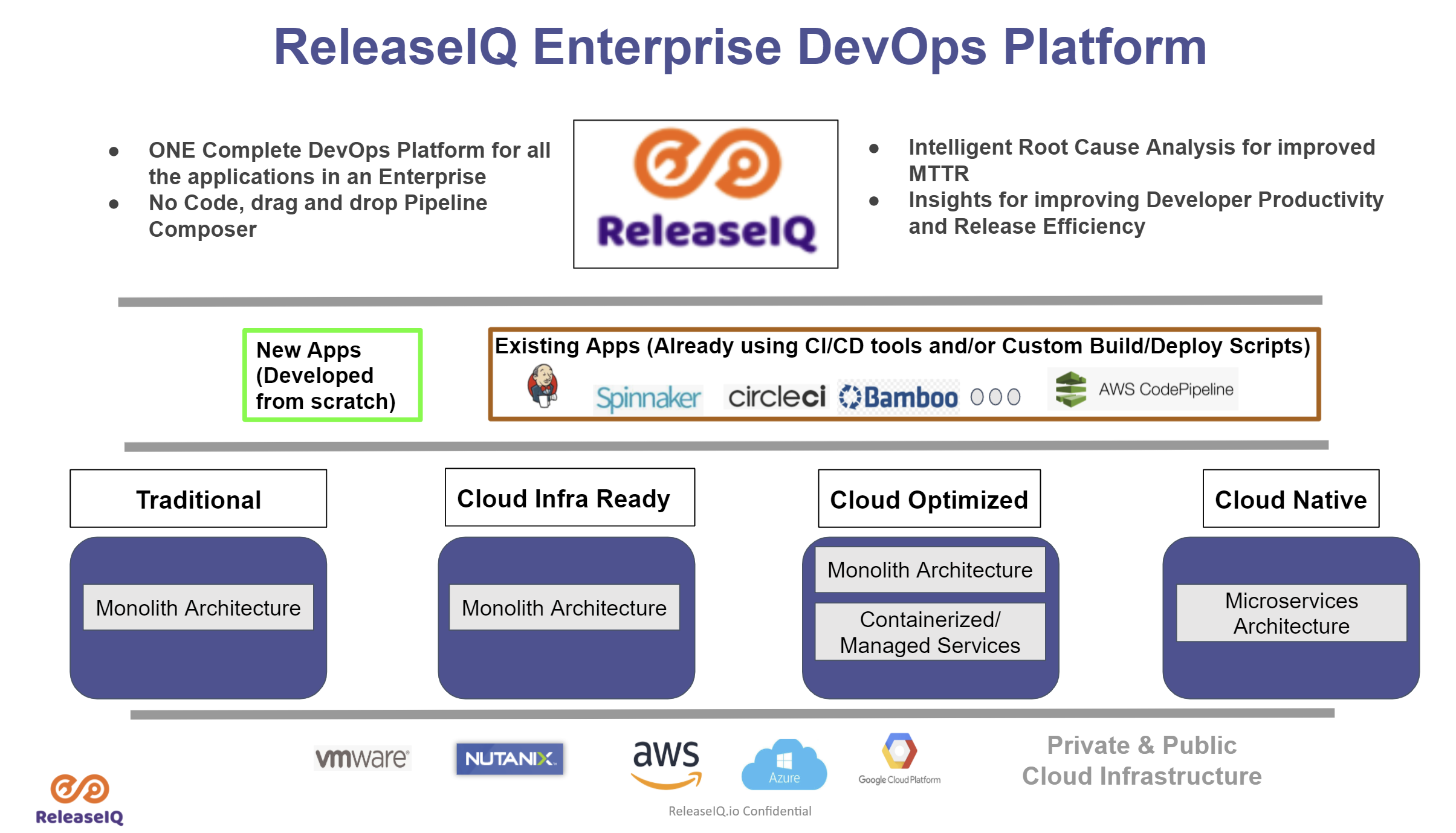
    Seetharam Param, ReleaseIQ CEO, said ReleaseIQ Essentials for Jenkins is an implementation of an existing orchestration platform that enables DevOps teams to orchestrate pipelines across heterogeneous CI/CD platforms.

    The challenge is that organizations that have standardized on Jenkins typically have multiple instances being used by not only different IT operations teams but also owners of, for example, ancillary quality assurance processes. ReleaseIQ Essentials for Jenkins provides an alternative approach to the orchestration tools that CloudBees, the original developer for Jenkins, provides, said Param.

    Jenkins today is being advanced independently of CloudBees as an open source project managed by the Continuous Delivery (CD) Foundation, which is an arm of the Linux Foundation. Founding members of the CD Foundation include CloudBees along with Alauda, Alibaba, Anchore, Armory, Autodesk, Capital One, CircleCI, DeployHub, GitLab, Google, Huawei, JFrog, Netflix, Puppet, Red Hat, SAP and Snyk.

    ReleaseIQ Essentials for Jenkins optimizes execution of jobs and pipelines and also provides DevOps teams with a no-code graphical interface to build pipelines.

    DevOps teams can also import and execute Jenkins pipelines and jobs in addition to being able to pre-merge pipelines.
    Finally, DevOps teams are provided insights based on key metrics the platform automatically tracks on their behalf. Those metrics make it possible to quickly discover and fix pipeline issues across multiple Jenkins instances via console log aggregation, noted Param.

    It’s not clear to what degree DevOps teams that have standardized on Jenkins might swap out one orchestration tool for another. However, Param said more organizations are either wary of becoming locked into a specific CI/CD platform or now find themselves in a position where they need to continue employing multiple CI/CD platforms from different vendors. The ReleaseIQ platform provides a means for orchestrating pipelines regardless of how many different CI/CD platforms are employed, noted Param.

    It’s clear the need to embrace orchestration tools is becoming more pronounced. DevOps teams are spending too much time manually maintaining DevOps pipelines. The need for tools to automate the management of DevOps workflows is becoming critical as the number of application development projects that are simultaneously being launched continues to grow. Arguably one of the reasons that DevOps processes are not as widely embraced as they might be is the level of expertise required today to manage all the pipelines that make up a workflow.

    Of course, the level of DevOps maturity varies greatly by organization. It’s not uncommon for even different teams within the same organizations to have significantly different levels of proficiency. The challenge and the opportunity now is to provide those DevOps teams with tools that operate at a high enough level of abstraction to make DevOps accessible to every IT professional regardless of the level of programming expertise they may or may not have.