Tag: release management

  • Building a Platform for DevOps Evolution, Part One

    Building a Platform for DevOps Evolution, Part One

    Winston Churchill once said, “To improve is to change; to be perfect is to change often.” While nearly everyone will confess that change is necessary to grow and succeed, we all know it’s much harder, especially when human behavior is involved. Professionals who work in DevOps environments know this all too well.

    Adoption of DevOps principles and behaviors should be viewed as a gradual process. Many organizations make false starts or attempt to implement a change only to see it fail. Sometimes this is due to changes in leadership, market conditions or technology, but then organizations catch their second wind, build momentum and reaccelerate their evolution.

    DevOps can Change

    With a shared vision, mutual goals and hard work, DevOps can change to keep up with user demands. DevOps professionals will always confront two potent barriers: Cultural and process debt and technical debt.

    Cultural and process debt occurs when leaders refuse to delegate authority, distrust their teams and lack a value stream approach to work. Technical debt develops when monolithic systems are tightly coupled, automation is delayed for testing, environments and version control and there is no access to cloud technologies.

    Although these obstacles are challenging and complicated, many organizations still meet them head-on. Evolution depends on a habit of making improvements every day through the use of an improvement kata such as PDCA (plan, do, check, act), which involves long-term strategies and objectives and continual experiments between the current and next target states.

    An evolving DevOps approach maintains moving pieces across a large organization of hundreds, thousands or even tens of thousands of people who cannot change overnight. Many lack the will and the cognitive capacity to embrace and enact change.

    This environment requires release managers to delegate power and transition from centralized commander to an enabler, understanding different value streams have varied skills and requirements. Mark Peters, a cybersecurity specialist and DevOps leader with years of military operations experience, outlined his top release management traits in the context of DevOps ways of working as automated processes, distributed accountability and accelerated delivery.

    PDCA Improvement Kata

    DevOps proposes that we adopt an improvement kata in our day-to-day efforts as an improvement habit, consisting of four steps that are repeated:

    1. Set the long-term vision
    2. Understand the current state
    3. Identify the next target state
    4. PDCA between the states

    Experimentation is at the heart of the PDCA cycle. The most practical experiments are empirical, data-driven and date-specific. Using a value stream management platform to give data to support the experiments leads to data-driven discussions on real and measurable success.

    In the next part of this series, we will begin exploring different experiments DevOps organizations can conduct to drive change and improve their release management procedures.

  • Is Release Management Dead in the DevOps World?

    Is Release Management Dead in the DevOps World?

    In the world of enterprise application development and delivery, release management was born from the operations team attempting to reduce risk in the delivery pipeline. It’s the operations team’s job to ensure all production runs are stable, while the development team focuses on creating and shipping new products and applications.

    While this seems well-defined, integrated DevOps teams are left to wonder if they need release management, and how it fits into their processes. The answer is a resounding yes–release management is a crucial aspect of continuous delivery. Enterprises that fail to implement faster and carefully coordinate release cycles, will ultimately fail to keep up with their competitors.

    What is Release Management?

    The aim of release management is to consider the bigger picture, and to view software not only in relation to how the technology works in its production and during development, but also how it relates to the overall business objectives. It’s about much more than coordinating the creation of new and improved software–it’s also about coordinating all of the resources required, the features and the testing, and understanding how applications progress through the lifecycle. Essentially, true release management is not just about risk. It involves everything required to facilitate software moving into production while coordinating all of the different teams to ensure every release follows company procedures. It also makes sure all of the stakeholders are in communication to understand how the outputs of each individual team work together in the production environment.

    For a DevOps team to fully embrace release management, there needs to be a change in the traditional structure that the teams are used to. Product managers need to take ownership of the deployment process with the ultimate goal to ship finished software. They should own the entire process from start to finish, and thereby become the connection between the business, the customer and the development team. However, product managers are unlikely to be experts at release management, so they need help to fulfill this role effectively. This is where the product-oriented team comes in. As DevOps adoption matures, release management responsibilities need to be transferred to the product-oriented team, though there may still be guidance from a release management group.

    Why Does Release Management Still Exist?

    For businesses that either don’t have a release management system in place, or that struggle with how to make it work effectively, they may question why release management is still a concept, and whether it still needs to be one. Release management is necessary for teams to manage the complex amalgamation of DevOps and distributed microservice-based architectures.

    Businesses today frequently still have monolithic applications, independent from all other applications. Having these monoliths means there are dependencies, and dependencies are the death of anyone trying to run autonomously, as you still have to connect these applications with all of the others. Teams also tend to still have more stable systems of record, including ERP (Enterprise Resource Planning) applications, which are more complex to manage, particularly when changes are being made and if there is a hybrid environment involved with both on-premises and cloud. If DevOps teams do not integrate a suitable release management strategy to cope with this landscape, there can be potentially severe disruptions to day-to-day business processes.

    Where Do Autonomous Teams Fit in?

    Though autonomous teams are becoming increasingly self-sufficient, aspects of the business such as accessibility, security, usability and architecture reviews will never be 100% autonomous. Therefore, these teams will still require some level of guidance. Release managers are beneficial here because they have an overview of the entire process to see how every tool operates individually and alongside others, and can easily spot where bottlenecks are occurring so they can be resolved.

    Not only this, but as mentioned, release management accounts for all of the areas that can’t be automated for one reason or another. To make this work efficiently, businesses will ideally introduce either a coach for the product manager, or a part-time release manager in the product team.

    Whenever people are not available, there are also tools that can be implemented to make this process easier. Having a virtual release manager tool spans all of the delivery teams–it’s a combination of release process orchestration matched up with templatized and standardized releases approved by the release management team. The templates are like the blueprints for the release–they provide an example of how the release should look, creating a foundation that developers can then build on with the specifics of the desired release.

    In addition to templatized releases, you should shift left governance, risk and compliance requirements left in the development and delivery. Create a series of non-functional requirements that help ensure development performs necessary tasks during the development cycle. Tasks such as accessibility reviews of the design, threat modelling or architecture review performed early can reduce risk later on, since any problems to those areas have the potential for large changes.

    So, is release management dead? The answer is no. Though some businesses may be struggling to find a way to implement or adapt this methodology to fit around their existing teams, having the support and visibility of release management and any tools that are introduced can enable applications and the teams working on them to work in harmony, and ultimately improve the value that is delivered to customers.

    — Jeffrey Keyes

  • DevOps: The Glue of Workflow

    DevOps: The Glue of Workflow

    The best tool in the DevOps continuum is the sticky wrapper that holds it all together. It is the workflow that binds it and makes sense out of the term “continuous.”  CIOs often are enamored with a build or deploy tool, but it is the workflow tool in every DevOps strategy encapsulating more than one function that is the real hero. Imagine having the perfect test automation scripts but no way to execute them outside of constructing a new build. Or imagine having the perfect CMDB integration scripts but no way to call them outside of the build process. Or even worse, imagine having the need for human approval before a deployment takes place (or is promoted), and no way to integrate it outside of a custom deployment process.

    Lean DevOps Construction

    Attempting to make very few tools perform these functions without a workflow engine ultimately forces automation engineers to create functionality within a tool it was never designed to perform. Conversely, when a workflow wrapper is available, build and deployment processes can remain small, elegant and consistent, allowing the workflow engine to integrate extended functionality into the continuous delivery cycle.  Size of the automation constructs you create does matter: the smaller the better.

    Using Lean methodologies in your DevOps services, it is better to break down automation constructs into the logical functions they are intended to provide. Build automation, for example, should not have to include extensions to turn monitoring functions on or off. Build automation also should not have to worry about the deployment process; its primary singular purpose is to construct a new build. Where that new build is then deployed becomes the single purpose of the deployment process.  Attempting to automate the entire cycle of an application into one automation construct from end to end (instead of smaller blocks that work together) increases both size and risk (as well as length of time to execute) of that one event.

    Dealing with Humans in the Automation

    Human integration is the bane of DevOps processes. Every time you have to pause automation to obtain a human approval, you introduce time delays that cannot be predicted or occur with consistency. Imagine a deployment process that requires a human to press “yes” before continuing. The introduction of a human approval can sit idle on a tooling screen for hours during lunch, or unexpected days off, or vacations (when others are afraid to take responsibility for passing a substandard build, even for further testing). Deployment tools can integrate human responses, but this is not their forte. They are generally ill-equipped to use multiple contact methods, go up the management chain when needed or ping a mobile device when preferred by the user listed as responsible. Workflow tools are ideal for all of these human-contact logistics.

    The challenge during DevOps service construction in utilizing a workflow wrapper is keeping human interaction to the absolute minimum required by outside regulating agencies and still achieve compliance. The alternative is to automate processes with such quality and consistency so that human interaction would merely become redundant and unnecessary. The workflow wrapper is not an excuse to simply automate what human interaction you have today. Instead, it is a highly functioning tool to allow you to redesign more-effective automation processes, limiting human interaction where possible. The goal is to build small, independent automation constructs that work together in a highly efficient manner.

    Hold the Presses

    Communication or notifications also can be handled in a workflow wrapper much better than in individual DevOps toolings. Imagine for a moment that I am a release manager, wanting to know the progress (or rather obstructions to progress) for my new application. To accomplish this notification process, it would have to be embedded within my build process (to know if it passed or failed). The alternative is that my workflow wrapper checks the build logs and can send me notification in the method I prefer (email, text message, an Instagram pic of Thelma and Louise over the cliff, etc.) In addition, I may not actually want to check the status of every build submitted, as that becomes noise after a while. I may want to know only when a build candidate has passed and is ready for promotion to a further testing environment. Since my workflow wrapper would be aware of this, it could automate the notification to me quite easily.

    Now add the consideration of management chain to this notification process. If I am out on vacation (which I expect to be able to do, since DevOps enables my personal life), my manager or my sponsoring executive may want to be notified if my application is not going to production for some reason during my absence. This is a level of automation that most build or deploy tools are simply not designed for. They have no idea who I report to and who that person reports to. But that departmental notification escalation chains can be incorporated easily into a workflow wrapper, and execute as expected while I am away (including pinging my cell phone just in case I need to jump in and fix something).

    Release Management Solutions

    Most release management (RM) or release orchestration (RO) tools have at least minimal workflow capabilities built into their offerings. Whether this capability is enough for your organization or whether you need a more capable workflow engine to wrap around it is a decision only you can make. Most release management tooling is designed to put an elegant wrapper around build automation and deployment automation. It usually contains the ability to segment by line of business or product, as well as role-based access controls (RBAC) for permissions and auditory compliance. And it usually contains at least elementary notification capabilities. What RM excels at are human interaction and tracking progress, and so it does meet the needs of many companies.

    When RM is not enough is usually when the DevOps services you provide begins to extend into ancillary services and secondary automation integration capabilities. Examples include monitoring systems integration, multiple testing tooling integration/evaluation, configuration management database (CMDB) integration and capacity-on-demand environment provisioning.  Highly evolved notification systems tend to require an external workflow wrapper beyond the normal capabilities an RM tool offers. A solid workflow wrapper acts as the glue that can hold disparate DevOps tooling (either from different vendors or performing different functions) together with further super-automation processes above them like an overarching umbrella.

    Impacts to the Bottom Line

    Choosing to offer DevOps services without any form of a workflow wrapper is like going hunting with an excellent rifle and no bullets: a lot of capability that can never reach the potential it was intended for. On the other hand, obsessing about replicating current processes within a workflow tool is like hunting a bunny rabbit with a bazooka: way too much damage caused when trying to keep things small and elegant. The key is to balance the use of a powerful tool (workflow), with Lean thinking in automation processes and constructs. Keep the building blocks small and functionally oriented; limit human interaction; and use workflow for the functions it is best-suited for—connection and communication.

    The technical capabilities a workflow wrapper will add to your DevOps solutions are substantial. Your services will be far more efficient and far more powerful. However, to truly assess the financial impact of a highly functioning workflow system, one must determine the value of time and decision-making. An elegant notification system can keep you informed without sending you countless emails you learn to ignore or flooding your text inbox with data that exceeds your cellular plan. In this way, notifications are meaningful, and you can begin to make meaningful business decisions based on the information you receive, only at the times you need to see it. What is that worth to you and your organization? Only you could really assess that.

    To continue the conversation, feel free to contact me.


  • Integrating ARA into traditional RM

    Integrating ARA into traditional RM

    Application Release Automation (ARA) is terminology that includes several DevOps constructs from a singular, application-centric point of view. In essence, ARA implies the automation of a single app from build through deployment (even if that deployment is to production). Of course, embedded or implied in that automation terminology is build automation or construction; deployment automation, which may include provisioning; and governance automation, which includes testing and approvals.

    If your company’s portfolio of applications is small, or if the applications are fully independent from each other, using ARA to describe your DevOps continuum is more or less a complete vernacular. However, if your application portfolio contains interdependencies; you need a coordinated/scheduled release event of multiple applications into production in a particular sequence or timing;or you are required to meet blanket compliance governance requirements that exceed the scope of a single app; you will need to learn how to integrate an ARA-based DevOps strategy with the more traditional discipline of Release Management (RM).

    Clarifying ARA

    One of the nicer implications of ARA thinking is that it places the value—or, accentuates the value—where it should be; that is, on the application. Automating infrastructure is great, but if no application rides on top of it, the infrastructure is essentially nothing more than unexplored capacity. Most CIOs are not fond of having excess computing capacity sitting idle. So the idea of ARA sets the focus of the automation where it should be: moving an “application” from construction to production release.

    ARA is also development methodology-neutral, which means the build, deployment, and releasing automation will look the same regardless of whether the code was prepared using Agile or Waterfall. Mind you, Agile tends to drive the need for speedier delivery systems, but even legacy development teams can find value in consistent delivery system automation once a build is ready to begin. It is, after all, consistency that reduces support costs by reducing errors and creating predictability, thereby improving quality. It also is consistency within the automation that permits scale, whereas variability in the automation deters scale.

    ARA also allows for depth within the stack. If code reigns at the top of the stack, then the operating system of the server reigns at the bottom (perhaps networking in the wine cellar and facilities management in the root cellar). ARA incorporates the notion of automating dependent layers of technology under the code such as database services, middleware or messaging services, perhaps the provisioning of a virtual machine, even down as far as configuring the OS, if needed.

    The practicality of moving down the stack however, is that the scope of change will continue to have a broader impact than a single app. I usually do not install a single instance of Oracle for each application I create; more often, I have several applications relying upon a single instance of my Oracle setup. So the actual changes I automate as I move down the stack tend to be more of a configuration adjustment. It is more likely my particular app needs a config change to accommodate it rather than a completely new install of a supporting technology component underneath my app. It is also worth noting that the frequency of change as you move down the stack slows down considerably compared with app code riding on it, and the cost or impact of change increases greatly, as you begin to impact a wider number of things riding on it.

    Deconstructing ARA

    ARA automation, then, includes all the traditional DevOps disciplines, but limiting them to the viewpoint of a single application as follows:

    Build Automation: This includes version-controlling each particular build. It also includes packaging all the component technologies to create a deployable package used for deployments throughout the software development life cycle (SDLC). The golden rule here is create a “build once, deploy many” philosophy in your build automation. Changes to code, included configuration files or dependent technology components down the stack must occur in the DEV class environment. Once the deployable package is completed to satisfaction in DEV, it will move unaltered through any other layers of testing environments before it gets to production for ultimate release.

    Deployment Automation: Since each deployable package is tightly version-controlled during its construction in build, there is now an ability to roll forward (normal deployment) or roll backward (revert to a prior version) in the event of failed testing in a given SDLC environment. Some of the common environment classes include integration testing, performance testing, user acceptance testing and pre-production quality assurance (QA) testing. Smart DevOps deployment tools utilize the ability to deploy (or overwrite) only the components that are out of sync with the versions listed within the deployable package. This smart deployment capability reduces time and ensures consistency with what “should” be there.

    Provisioning Automation: This is an offshoot of deployment automation. For those using virtual machine or cloud technologies, the deployment automation can include the ability to provision or set up an environment of any class on the fly. When testing is completed, the same environment can be decommissioned to not waste capacity or budgets. Provisioning bare-metal servers is precluded by human interactions, although what should go on them also can be fully automated once engineering is done with the physical work.

    Governance Automation: Even though substantial testing can and should occur in development, a significant amount of it must occur in other testing-class environments later in the SDLC progression. It is, therefore, a good idea to have the ability to isolate testing automation outside of both build and deployment templates or scripts, still making it callable or executable from an overall workflow manager (often included in the release orchestration or release automation tooling within DevOps). This gives the flexibility to run a series of tests without having to rebuild the application or redeploy the application just to kick it off. In addition to testing evaluation, there may be other process regulations driven by a governance team or compliance entity within the organization. All of these flags must be met and passed before final promotion to production.

    Integrating ARA with RM

    Dependency is the hobgoblin of simplicity. Applications that are fully independent of each other can utilize an ARA strategy and deploy into production as often as they want. No one else is impacted by this. But if a given application has dependencies upstream—I get my data from, or transact with, someone else—or downstream—my data is provided to someone else—then my path to production must include testing an application different from my own. Determining where the responsibility for failure lies now requires policy instead of just common sense. Synchronizing in-state changes where two dependent applications are now undergoing change at the same time requires policy to govern as well as more sophisticated SDLC testing environments to manage.

    When a wider view than just a single application is required, the traditional DevOps discipline of RM or its synonym release orchestration (RO) becomes the solution. RM allows for the sequencing of applications going into production to occur as needed. It allows for testing to occur when a dependency spiderweb is kicked off. RM allows for corporate governance to be applied universally to all applications attempting to enter production, instead of having to build it over and over again in each deployment script or template. RM can produce sophisticated logs designed to satisfy outside regulators for compliance history automation. These kinds of tools become invaluable when there must be a wider view of deployments to production beyond a single app at a time or in a small portfolio.

    Given this reality, the key to integrating ARA with RM is to ensure automation is constructed independently by discipline, and can be executed by discipline as needed. ARA encompasses or groups four disciplines together: build, deploy, provision and governance. RM uses the ARA package and extends it with other applications to create a needed sequence, or kicks off selective smaller units such as a testing package when needed to meet certain outside app change conditions based on dependencies. RM can selectively execute the automation ARA creates as it needs to to accommodate larger goals, while ARA continues to focus on keeping its own app as efficient as possible.

    Impacts to the Bottom Line

    There is no one right answer. There is only the perspective you hold within the DevOps continuum. Knowing that both ARA and RM are ultimately dependent on traditional DevOps disciplines offers flexibility on “how” you think about delivering innovation. In my opinion, ARA is simply the next evolution of automating build and deploy. It is a logical next step.

    There are other disciplines within DevOps, however, that might benefit from a wider view of the workflow required to move innovation to production. Take, for example, the integration of monitoring automation in the process, capacity on demand provisioning, security oversight and configuration management database (CMDB) integration—a wider view of how and where these services are integrated with DevOps might reduce the labor required to create them for each app, reinventing the wheel—or worrying the wheel has not been updated properly in a while. At its heart, DevOps attempts to create singular automations to perform tasks, increasing speed, reducing risks and improving quality.

    There is no immediate financial impact of this other than to pursue a strategy of single-app focus in an environment where a wider view would have been more ideal. Calculating the cost of that error is akin to picking six lotto numbers from the sky: It is always hard to know what might have been; at that point all one can do is wish.

    To continue the conversation, feel free to contact me.

  • Managing Your DevOps Releases Efficiently

    Managing Your DevOps Releases Efficiently

    The Top 5 Things You Need to Know When Selecting a DevOps Release Management Solution

    DevOps is a modern software delivery movement that encompasses agile principles and encourages automation in application delivery. Why adopt it? It allows teams to reduce errors due to manual steps and break down silos between teams to improve communication and collaboration between all stakeholders within the business.

    Whether you’re knee deep in a DevOps transformation or just getting started, implementing a DevOps release management solution is an important step along the journey. Why? Because in today’s on-demand economy, organizations must capitalize on any opportunity to improve application delivery throughout the organization, irrespective of the development processes in place.

    Based on a recent discussion between Michael Azoff, principal analyst at Ovum, and Anders Wallgren, CTO of Electric Cloud, I was able to glean why DevOps release management is a must for enterprises to modernize the software delivery process and compete at a higher level. More specifically, Michael and Anders discussed the top five requirements for selecting a release management solution, which I’ve laid out for you below.

    No. 1: Application Manifest: Model and version applications, infrastructure and middleware.

    This is what you’re looking for in an enterprise grade solution—a solution with ease of use in defining an application deployment blueprint, and being able to reuse it and version it and have variations to meet the complex and ever-changing needs of your organization. If you are doing continuous delivery and DevOps correctly, you should never have to make a change to a deployed application by hand—ideally, changes are made to the application model and then re-released into a production environment. This allows you to make and test changes in one place, and easily keep track of everything in production. Having an application manifest is a key facet for a great release management solution.

    No. 2: Pipeline Design: Model, version and refactor pipelines, workflows and processes.

    This is not only an important consideration for selecting a release management solution, but also is at the very heart of continuous delivery—the ability to define and manage delivery pipelines for complex legacy applications or newer microservices. For large organizations with lots of technical and process debt, being able to flexibly model and manage that sort of complexity is essential.

    Ultimately, the whole concept behind DevOps comes down to the idea that there is the “what,” the “how” and the “where.” The “what” is the application manifest, mentioned above. The “how” is the pipeline design. What are all the stages this particular application or component or service goes through? Understanding your end-to-end pipeline is very important. You need to have the end to end of what your software goes through—not just conceptually, but even physically written down somewhere. If you don’t have that that process completely nailed down, you don’t really have a full understanding of what it takes to ship your software. Without this complete understanding, it can be much more difficult to have success. By modeling these pipelines, you allow teams to visualize the flow of value through the life cycle, and make iterative improvements on it in a collaborative and safe manner.

    No. 3: Pipeline Execution: Predictably and efficiently deliver legacy and CD-style pipelines and releases at scale.

    One of the most important things when practicing DevOps is enabling fast feedback, so getting visibility into pipeline execution as they’re occurring is very important. This provides teams an easy way to troubleshoot problems quickly, and then refactor and optimize the pipeline over time. Enterprise pipelines can be very complex and touch a lot of tools—your Dev team might be using Jenkins and Chef and Selenium, and your Ops team might be using ServiceNow and Azure cloud and Puppet. We have customers that have more than 60 tools as part of their ultimate DevOps toolchain. For each one of these tools or services you need to make sure you’re getting the best performance possible, and operating them as efficiently as you possibly can. As you execute them, the ability to see those executions live as they happen, then collect information about them and optimize your pipeline helps to make the entire process more efficient.

    No. 4: Governance, Security: Role-based access control, traceability and auditability.

    This is one of the key functions to consider for an enterprise-grade solution. If you just tie together your release capability with tools that still require some manual steps, you’re not able to scale that. This is where a large-scale organization, especially one that is regulated and has auditors, will want a solution that can demonstrate clearly that the whole process is governed such that no one can make a change to the process, environments or binaries without it being logged, and that any change that is made has gone through a QA and testing process. Those are the sorts of things that are really crucial for the Ops people, as they are handed responsibility for ensuring a low-risk environment.

    When DevOps was starting, the overwhelming belief around security and governance was, “Gee, this is going to really bother the auditors.” However, it turns out it is quite the opposite—to get good at DevOps and continuous delivery, you really need to automate everything. What do auditors want? They want companies to do two things:

    1) Document their process and

    2) Demonstrate they are using that documented process.

    In the process of sitting down and automating your software delivery pipeline, you are essentially documenting that process. Executing that pipeline gives you the record of what you did: How did we deploy? When? Who did it? What was the pipeline that was used? What was the testing? All of those things are now available to be audited.

    No. 5: Integrations: Works with the tools you already use

    You want a solution that fits in with the tools and process that you have. It would be a non-starter to show up and say, “Throw away all of your current tools and let’s use this new thing.” It would also be inefficient to have to change your process to fit into some tool’s preconceived notion of how your enterprise should run. Make sure you don’t have to change the way you do business, and that can help the DevOps adoption curve quite a bit.

    By keeping these top five considerations in mind when selecting a release management solution, you can help ensure your journey into DevOps and continuous delivery is a much smoother, more efficient and more fruitful one. Regardless of the tools your organization decides to use, consider first how you can make your pathway to production a competitive advantage and reap the benefits of an efficient delivery pipeline!

    If you have the chance, take a listen to the full conversation between Michael and Anders.

    About the Author/Sam Fell

    sam-fell-leadershipSam Fell is the head of Marketing at Electric Cloud, responsible for driving awareness and demand for the company’s DevOps release automation and acceleration solutions. For 20 years, Sam has helped companies achieve success by marketing, selling and implementing DevOps release automation, IT change management and application performance management solutions. Prior to joining Electric Cloud, Sam held leadership roles at BMC, CA, Marimba and Nimsoft.

    Sam holds a Bachelor of Arts degree from Illinois Wesleyan University.

  • The Automation of Compliance

    The Automation of Compliance

    Consider how much money your enterprise spends on audits. Smaller firms not subject to external regulation should consider how much money is spent on quality assurance—or the lack of it. A business that suffers from a customer-facing quality incident will, at minimum tarnish the brand of its services or at the high end, lose market share altogether. Larger firms that fail audits can suffer from brand tarnishing as well as high fees, not to mention further scrutiny by regulatory agencies.

    Failure to perform or failure to follow proscribed processes inevitably leads to a black eye in front of customers. The entire discipline of governance is premised on avoiding both. Whether your governance practices are efficient or not—and whether your “process” as it sits today leads to quality or not—is not the subject of this review; it is how DevOps and automation can shine a spotlight on both and radically reduce the costs you spend today to achieve them.

    The Spotlight of DevOps

    The spotlight of DevOps begins with consistency that leads to predictability. Automating any given kind of process or technology the same way every time begins to give insight on any “holes” from things that do not work (or work well). If all that changes in your deployment process, for example, are pointers inside a configuration file and the kind of testing executed against this version of the code, you have achieved a build-once, deploy-many state of deployment automation. Operations staff who support the deployment of change or maintain the environments in the software development life cycle (SDLC) begin to  isolate any issues faster because they become familiar with “how” a given kind of technology is automated to deploy. This reduces the total number of deployment errors and, in tandem, reduces the length of time it takes to fix them. Any “process” problems or weaknesses in your governance model become apparent quickly and can be fixed quickly. Limiting variation is the medicine to keep them away in future.

    The spotlight of DevOps next turns to transparency. Offering your entire enterprise visibility or “read only” access to your entire DevOps tooling suite has a profound impact on the transparency of change. As an example, consider that I am a humble accountant in your firm who has submitted an agile story to improve our billing system. I may or may not, given the nature of my job, be co-located near the programming team who will fulfill this request. If our firm specializes in accounting software then perhaps I will co-locate, but if I am only requesting a change to an ancillary or support system, likely not. Without direct access to the programmers through traditional agile co-location, my visibility into the progress of change is limited to the tracking system I submitted the request within (assuming you have one, and don’t use email to do this).

    If I know a programmer in MIS, perhaps I ask him at lunch how my change is coming along. But if I have read-only access to the testing systems, or to the release orchestration (RO) tooling, I may get a much better up-to-the-minute view of exactly where my change is, how it is doing from a quality assurance (QA) perspective, and when it is scheduled for release into production. Based on this news, I may make decisions about how we bill our customers in what time frame to increase overall revenue to the company. I would notify my boss of same (who also has access, but pays less attention), and of any changes that impact the new timeline I create. The marketing team (who also has access) begins to work with public relations (PR) and the advertising guys on customer announcements, etc. etc.

    The net impact of having universal transparency is that audiences who are not traditionally notified or interested in the inner workings of change movement now make decisions based on it. Consider that prior to this systemic access, and the reliability of DevOps to ensure delivery, the only news you got before was from “the IT guy,” who was often wrong. It does not take long before IT loses credibility from being wrong about delivery timelines, and these other audiences begin to pay less attention (if at all). At that point, an “I’ll believe it when I see it,” attitude emerges. And this same attitude infects internal auditors because of what they hear and see from disaffected internal customers who have been misled repeatedly by the failed manual methods of the past (pre-DevOps).

    Processes that are disinfected over time by the consistency of DevOps begin to change the internal company thinking about the delivery of innovation—namely that it can be counted on as accurate. Transparency offered to all audiences of a company increases the visibility into all aspects of innovation delivery and better ideas emerge, both about what to do with completed efforts and how to improve the innovation process itself. And before you know it, your governance and QA processes become efficient, reliable and predictable. Variation is eliminated or greatly reduced, and the costs of operation and innovation begin to decline.

    The Forgotten Stepchild of Automation

    What is rarely a matter of focus in most companies is the secondary ability to automate the compliance history of a given application. Most firms are content (translate, only able to) work with their testing tools to produce logs about a given version of an application now residing in production. A test log does show an auditor the majority of the quality related information about a given version of an application. But the log is a highly limited view of what has taken place. What is needed is the full context of innovation. Enter compliance automation.

    Consider for a moment, that requirements drive the train. Why are we doing the innovation we are doing? Is this a bug-fix, a new feature, a client request, a regulatory requirement? Being able to trace the code itself back to the requirements system that drove the need adds significantly more context than is possible from mere test logs. Next, think about the number of attempts that finally resulted in this version of the application. An automated build tool (part of our DevOps suite) has this information. At this point you could evaluate how many builds and deployments took place in development before a worthwhile candidate emerged to traverse the remainder of the SDLC. An automated deployment tool (part of our DevOps suite) can trace the number of environments this version of the app was deployed into for testing and how long the overall process took to get something moved from development to production.

    And finally, testing is often done from a variety of tools, with results compiled in a variety of result repositories. This information may be available from a solid RO tool that tracks the gated progress of this version of the application, but if it’s not, it still should be sitting in each of the testing tools used throughout the process. Depending on the level of inherent DevOps tool integration (i.e., using a vendor suite) much of this information may “flow” from one tool to the next. But if not, the information does still exist in the logs produced by each of the DevOps tools.

    It may be well worth the application of internal programming resources to put together a tool that gathers all this information (automates the collection and presentation of) for audit purposes. Imagine the reduction in cost of supporting an audit that can gather a simple push-button report (or dashboard) of the entire life cycle of a given version of change. At that point, you have the entire context for a piece of innovation. You know what drove it (requirements). You know what it took to create it (build and deploy). You know the entire history of testing it (testing tools). And, finally, you have the entire governance process used in its deployment to production (RO tooling). But instead of examining multiple tools to collect and present it, you have created a push-button system to do so.

    Impacts to the Bottom Line

    The investment in adding automation to the compliance history of innovation pays off in more than one way. It is not just the ease with which history can be recited. It follows the same principles as DevOps itself. Automation introduces consistency in how audit information is gathered and presented (reducing variability from one audit to the next). Automation introduces transparency if the entire company is given “read only” access to this new system. Automation shows auditors we are not afraid to learn from our mistakes and proud of our accomplishments. And in effect, it reduces the need for audit altogether.

    Typically, regulatory bodies investigate and audit firms where they are uncertain of how the results were obtained. An automated system like this one fully eliminates that need. Transparency as could be offered here, may convince auditors that attention is not warranted here. Keeping in mind the spotlight of DevOps has already improved quality and streamlined process, add to that full transparency of audit materials and the confidence of auditors regarding your company may increase significantly. Routine becomes the only reason to audit, rather than suspicion.

    Invariably the “new” will sometimes result in an error that your current systems and processes (automated or not) will not catch. But this truism is recognized, and accounted for, in how DevOps enables innovation. And if you have this kind of automation in place, it can be demonstrated in how we fixed what we fixed (whether governance or QA). Your strategies in DevOps should help you achieve this level of confidence. (If you need help, feel free to contact me, I am currently looking.)

    To continue the conversation, feel free to contact me.
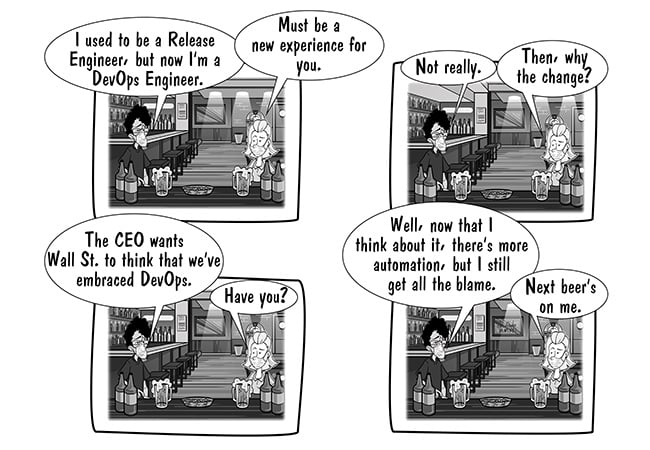
  • Release Engineering vs. Release Management

    Release Engineering vs. Release Management

    Release management and release engineering are two terms in DevOps that often get confused. They look and sound similar, but their functions are completely different in what they do and how they are implemented. That said, both serve the same purpose in the bigger picture of software releases.

    Release Management

    According to Wikipedia, release management is “the process of managing, planning, scheduling and controlling a software build through different stages and environments; including testing and deploying software releases.”

    Release management deals with process, release alignment and tracking in the software development process. Release management deals more with the non-technical aspects of the whole release process. This is much more similar to project management, which deals with project planning, execution and coordination, taking it to its end. Similarly, release management deals with release process, tracking release workflow, release coordination and taking the release to the production.

    Release Engineering

    Wikipedia defines release engineering as “a sub-discipline in software engineering concerned with the compilation, assembly, and delivery of source code into finished products or other software components.”

    Release engineering involves building fast and reliable pipelines to transform source code into viable products. Release engineering focuses on the purely technical aspects of the software release. In a nutshell, release engineering deals with the technical aspects of getting a release from development to production.

    Release engineering involves multiple aspects of DevOps, including software configuration management, builds, deployment and environment management. In simple terms, release engineering means engineering the (software) release!

    Release engineering and management both are very important to the success of a software project. Without these two, flawless releases won’t happen. They even provide better visibility to audits to know what goes in to the production.

    Both terms are different but both are important aspects of DevOps that take software to its destination in same train.


    Reference – http://www.scmtechblog.net/2016/01/release-management-and-release.html

  • Essential Ingredients for Continuous Deployment

    Essential Ingredients for Continuous Deployment

    To build the system to automate the build and deployment (continuous deployment) process there are few main areas which need to be covered. Following are our prerequisites.

    – Source code
    – Builds System
    – Deployments
    – QA Automation

    To describe above here are the main ingredients
    – Configuration Management
    – continuous integration/ Automated Build
    – Automated Deployment
    –  Automated testing

    Configuration management
    Very fist step to align your development practice is to select the right source control tool. Once you have the tool then you need to think of branching policy to make sure the starting point of the workflow is well defined and accepted by developers during their development phase.
    There could be lot of process around merging, branching code review etc which needs to be address and policy driven. Some key points could be
    – Developments and release branch should be separate.
    – Each change goes qualifies for next stage only if reviewed.
    – Code quality should not go down.

    Following are a few options
     Source control tool
    – SVN (Free)
    – CVS (Free)
    – Git (Free)
    -Perforce (Paid)
    -Clearcase (Paid)

    Build system
    Team needs to have robust and automated build system which can take care of all our needs (build, analysis, deployment etc).
    – Need to have automated build system which can keep building the source code from various branches to make sure we catch the broken piece fast.
    – Build can run the unit test and provide report
    – Build can check the health of the code by running findbugs and checkstyle (if any).

    Above checks can verify the heath and quality of the code (static analysis).
    Nothing should go beyond this point if any of the above is not matching with our criteria.

    Till this point we have reached to qualify the minimum criteria for continuous Integration.
    Here are few tools which comes under Build system
    Build Tools
    – Ant
    – Maven
    – Gradle
    – Make
    CI tool
    – Jenkins
    – Cruise control
    – Luntbuild
    -Bamboo
    Repository management
    – Nexus
    – Artifactory
    (Above are not open source but they are free to use with limited features).
    Code quality check
    – Findbugs
    – jacoco
    – cobertura

    **Deployments **

    Deployments are the next big bottleneck for continuous deployment.
    We need to have a deployment tool to move ahead,
    – configuration management tool like puppet or chef
    – Private cloud management (Openstack)
    – Third party tool like xl deploy, Udeploy, Opsworks etc..

    Deployment strategy can be chosen on the basis of our need and the tool we are using, most of the plugins are available in jenkins (or bamboo) to make tight integration of build and deployment.

    (At this stage I am not considering the dynamic provisioning of hardware in this section).

    Automated testing

    Once deployment phase is over QA regression suite can be triggered via jenkins (or any other tool) and entire reports can be published to central QA metrics board.
    This this point we can even use jacoco/cobertura to provide functional code coverage(for Java code) to demonstrate how much % of code QA regression/automation is covering and what is the level of automation.
    Similar way job can be setup to raise jira/bug ticket to file issues found during any of the above step.

    Finally we can have last step which can perform the final release build and push to staging /production in similar fashion.

     Resource Provisioning

    Developers/QA can just get the hardware either from infra team or if auto provisioning is enabled they can setup the environment and use the jenkins to perform build+deployment+QA
    If we talk about automatic scaling of environment, we can use AWS for same.
    Jenkins has AWS plugin to launch instance, This can be setup to launch instance dynamically and run the application and perform the QA Automation. Once need is over aws instance can be terminated automatically.

    Reference-1

    Reference-2