Tag: operations

  • Generative AI: The 90% Rule

    Generative AI: The 90% Rule

    There is a concept we need to solidify that I will call the 90% Rule—until someone smarter than me comes up with a better name. The 90% Rule is simple: Generative AI will be able to do 90% of the work in areas that it is good at. Right now, that would be writing, but coming up soon will be image generation and coding and, not too long after that, video generation. For those of you buried in the space who are offended, I’m not rating it as advanced as it is for specialists; the point of generative AI is not to let AI specialists do things, but to let average people in the space do so. And that list is representative of the current space.

    This is just based upon the state of things at the moment I wrote this blog, but that seems to be the immediate order. I’m only talking generative AI here—AI for things like filtering test results is a completely different beast (that might just meet that 90% rule … Hmmm). I can tell generative AI to write a story, a script or code for me, and tweak the results. The amount of tweaking certainly depends on the topic and how much time I spent zeroing it in, but 90% seems right. There are those looking far ahead to a time that will herald the arrival of our AI overlords, but for the foreseeable future, we will not be ditching authors, coders and ops people. Our jobs will just change.

    Crikey—given the last few decades, a change to our jobs that means less work is not a terrible thing. Today, writers have to be publishers and marketers, coders have to be ops and ops have to be coders and the entire group has increasingly had to be security and architecture specialists, too.

    Let’s celebrate a tool that says, “Here’s a start, make it useful in your specific situation.” I know I will. I sometimes contract people to do initial research for me and send me links and short descriptions. I encourage them to use generative AI to do so. I do not contract people with my level of knowledge for this work, so they’re going to have things I need to read carefully and follow the links for—they’re not specialists, after all. Generative AI suffers from this syndrome, too, but that means there is no difference for me and they can work smarter, not harder. It’s not like they are writing content; merely providing introductory research through a scan of web properties.

    As time goes on, I expect they will become specialists. But not in the things I pay them to research—in making generative AI do what they want. I would argue the person I contract with the most often is better than me at it, just because she’s doing it regularly. That skill set will inevitably be transferrable, and I may lose her to a full-time position making the I in generative AI actually mean something, and I’m great with that. Meanwhile, I’m getting the background info I need to do my job(s).

    Embrace it. Aim for 90%. Turn out even more rockstar-level apps for the org, and maintain them with less effort. This is where we’re headed, and it’s entirely possible you’ll be less buried in work for some of that time. Win/win. Go out and enjoy. The business will thank you for being even more productive … then waste that extra time you created by implementing new projects. But that’s in the future; use AI in the short term to get some breathing room and still be the force behind the apps.

  • Five Tips for Moving IT Ops to DevOps

    Five Tips for Moving IT Ops to DevOps

    The era of siloed development and operations functions is rapidly coming to an end. The concept of DevOps has already closed the gap between IT and developers, but as I speak with customers around the globe, one theme continues to arise. Many systems administrators are ill-equipped to handle the shift from IT Ops to DevOps and, in some cases, don’t even know the right questions to ask to ensure they are planning accordingly.

    Having the appropriate equipment and software in place means nothing without people trained and ready to implement the shift from IT Ops to DevOps. As IT strives to support and protect developers continuing to innovate with wild-west-style creativity, how can we empower them with the tools and knowledge to ease the transition? This starts with asking the right questions, but requires IT to think about new things: Automating processes, revamping config management, building efficiencies in data orchestration and standardizing a set of APIs with enterprise-level protections.

    Asking the Right Questions About DevOps and Infrastructure-as-Code

    Enterprises need to look holistically at how infrastructure services are created, delivered and managed. Continuing current practices, such as manual provisioning complicated by different interpretations of imprecise instructions, will continue to lead to snowflake architectures and brittle systems. Organizations must modernize or replace this existing infrastructure to exploit cloud architectures and implement true platforms, actualizing the promise of the cloud.

    Infrastructure-as-code is an underlying framework that removes the manual process of managing and provisioning resources and opens doors to enabling DevOps. Using code to define the infrastructure configuration means that there is greater consistency between platforms. That consistency allows IT to seed the agile processes, methods and technical approaches needed to evolve a DevOps culture.

    To get to a point where infrastructure-as-code is facilitating a DevOps culture, it’s important for IT Ops to understand how to develop an early-stage continuous delivery and deployment pipeline. They also need to begin to seed practices and values native to DevOps for software engineering principles and practices with IT Ops. It’s also important to define success criteria–referred to as the “definition of done” in agile and begin to think about how to implement the infrastructure-as-code using DevOps best practices.

    Don’t Expect Developers to Become Expert Sysadmins

    Developers don’t want or need an extra layer of oversight or management, nor do they want to ask for permission before doing what they do best: Innovating. DevOps can more rapidly provision compute and storage resources and provide infrastructure-as-code while automating DevOps processes, empowering developers to become an innovation engine for their businesses.

    So much of what we’ve seen puts pressure on IT to be proactive when protecting developer cycles in containers and beyond. The NSA, as well as other industry data protection companies, offer tips for IT to stay ahead of these threats, but manual patching and scanning is not only handcuffing IT but stifling innovation in DevOps. The challenge is that IT can’t move as fast as developer cycles and often lose sight of what developers are putting into containers or other IT environments.

    While global data protection restrictions might have an impact on things like machine learning and AI from a consumer experience standpoint, it does not affect how IT might use these technologies to automate protection. It’s also not about extending protection to developer workloads, it’s about having an environment that recognizes and automates protection against threats in all environments. This way, developers and IT don’t have to become system admins or data protection experts. They can focus on the innovation at hand.

    Config Management is Critical to Empowering Developers

    As we continue to prioritize the automation of processes in the developer environment, it’s also important to consider how to move beyond just automating protection and infrastructure while allowing IT Ops to still have an eye on identifying, documenting and tracking changes in the DevOps stack. To do this, DevOps should look to configuration management tools to help manage and automate the architecture through strong community support, customization, scalability and the simplification of complex configurations.

    These tools, such as Ansible, Terraform, etc., can be deployed to meet specific needs and preferences. The point is, once you create infrastructure-as-code, you need a way to configure and manage it that fits the model that’s appropriate for your business. While you can use IaC to configure and manage, you still need to determine how to best implement automation and configuration in the most appropriate environment.

    Data Orchestration Eliminates Repetitive Cycles

    Data orchestration tools bring all data together regardless of where it originates or its format. An ecosystem that can collect data efficiently and convert it to a format that is easily understood by any and all endpoints is critical to the app development process. There’s no need to iterate at multiple levels, on multiple platforms or in different environments. IT can enable developers to innovate and learn from any environment, data warehouse or platform and build applications that can do the same.

    In the same way data orchestration can drive efficiency, there are additional benefits. Automating the collection, analysis and formatting of data saves IT countless hours of doing these processes manually. While there are obvious cost benefits, there are also a few other important benefits.

    To allow developers to continually innovate at a wild west pace, IT/DevOps must also ensure they can meet data privacy compliance and governance policies. Data orchestration allows businesses to delete or store data based on policies preset in the environment. It also allows businesses to ensure that internal policy is upheld throughout the development process. Orchestration then takes that data and makes it workable so that any iterative process can be applied without fear of bottlenecks or additional cycles.

    Standardized APIs Trump Those Created by Unaffiliated Coders

    Today’s developer profile expands far beyond the enterprise. In fact, according to Developer Nation, we can expect a whopping 45 million developers in the world by 2030. These numbers don’t include the unaffiliated coders working out of their basements or garages. That’s not to say that creativity isn’t appreciated or eventually adopted by industry leaders. But the code and software created don’t necessarily abide by enterprise governance and privacy standards. Yet we continue to see wild west developers pulling in anything and any kind of API to ensure it meets the needs of the next business application they are developing. How does IT police this?

    They don’t have to. For IT/DevOps to identify a set of APIs that meet business imperatives and certify them for use within the organization is imperative. Think about a scenario in which a developer has not only a comfortable environment to sit in without learning new skills but also an environment that automates protection, orchestration and gives them a preset library of helpful and open APIs. Businesses can begin to focus on delivery rather than policing and upskilling developers to work within the confines of the business ecosystem.

    As data continues to flow in and out of organizations and more data is being created and stored at the edge, a DevOps culture built for tomorrow’s developers is critical. These tips are a great starting point to ensure you’re installing a future-proof culture of innovation. What are some of the obstacles you’ve faced and overcome during the transition to DevOps?

  • We Are Living in an Ephemeral World

    We Are Living in an Ephemeral World

    We are lucky to live and work in the times that we do. Oh, we have our challenges, and I talk about them a fair amount here on these pages. But the things we can do in IT today have not been possible in the past, and the change isn’t over. Soon you will be able to relegate pretty much all of the busywork of IT to automated systems, Note that I did not say “AI/ML”–some of that automation will be, but we throw the term around too much right now, and not all automation will be based on AI/ML. In fact, quite a bit of the best automation is simply rule-based systems that we finally have things standardized enough to write up. And I intend to talk specifically about automation that is not AI/ML today.

    We have reached the point in DevOps where we can automate the entire build/release process using containers. The CI tool, running in a container, can spawn a container that performs the build. Then, when it is done, if it passed, it can spawn another container to run tests, do security scans, etc. Finally, the product can be promoted and released … in a container. Human involvement is only required for approvals and then only for organizations that want checkpoints on the way to production (which is definitely most but not all of us).

    If you take the totality of what is going on out there in DevOps, it is finally catching up to DevOps. The biggest issue will be making it efficient and doable for the DevOps team. To date, by focusing on DevOps, teams have been able to avoid the simple fact that complex deployments on infrastructure that spans environments and uses external resources is hard. By keeping the DevOps side simple (or not part of the DevOps process), developers can crank out code faster, facilitated by DevOps tools and Agile methodologies, and operations can continue to wrangle the beasts of networking, storage, etc. to get the app running in production. Once ops has completed the process, then it can be automated based on steps taken.

    But we now have Software-Defined Everything ™ combined with containers. That means that for many–though not anywhere near all–applications, a commit that updated a constant in a single source file can spawn the entire process in iterative containers all the way through release. That is very cool, and we should take a second to appreciate how far we’ve come in a short time.

    Then we need to talk about those worker containers. They need a ton of centralized logging and reporting. Spinning them up, letting them run and then automatically destroying them is fine—as long as the organization has access to the information it needs to review and analyze the results. In-application tooling will cover the released product and even the test environment, but not an ephemeral build process. By not keeping a ton of build tools running all of the time, the enterprise is, by definition, more secure—the blast radius is reduced if build tools are only available when they’re active, and logging of who/what kicked of a build is kept. But don’t forget the reporting. At build time, our tools know exactly which error failed a build; the container needs to submit a ticket before being destroyed or log heavily. I say, “Always create a ticket,” but I’ve worked in enough environments to know that your reality may not make that possible. As long as notifications occur, it doesn’t really matter how they occur.

    So crank it up; start super-automating. Tool up those build environments, then make them into disposable container instances. Others have been doing this for a while, so there is help available for setting it up, but it is just now taking off, so it is a good time to dive in. And keep rocking it. How the apps are built and deployed is only important in the sense that you are driving the company forward. Keep doing it.

  • The DevOps Workflow is Broken. Here’s How to Fix It

    The DevOps Workflow is Broken. Here’s How to Fix It

    While great progress has been made in bridging the gap between developers and operations engineers, fundamental differences in roles and responsibilities, alignment, and access to information hinder further progress. 

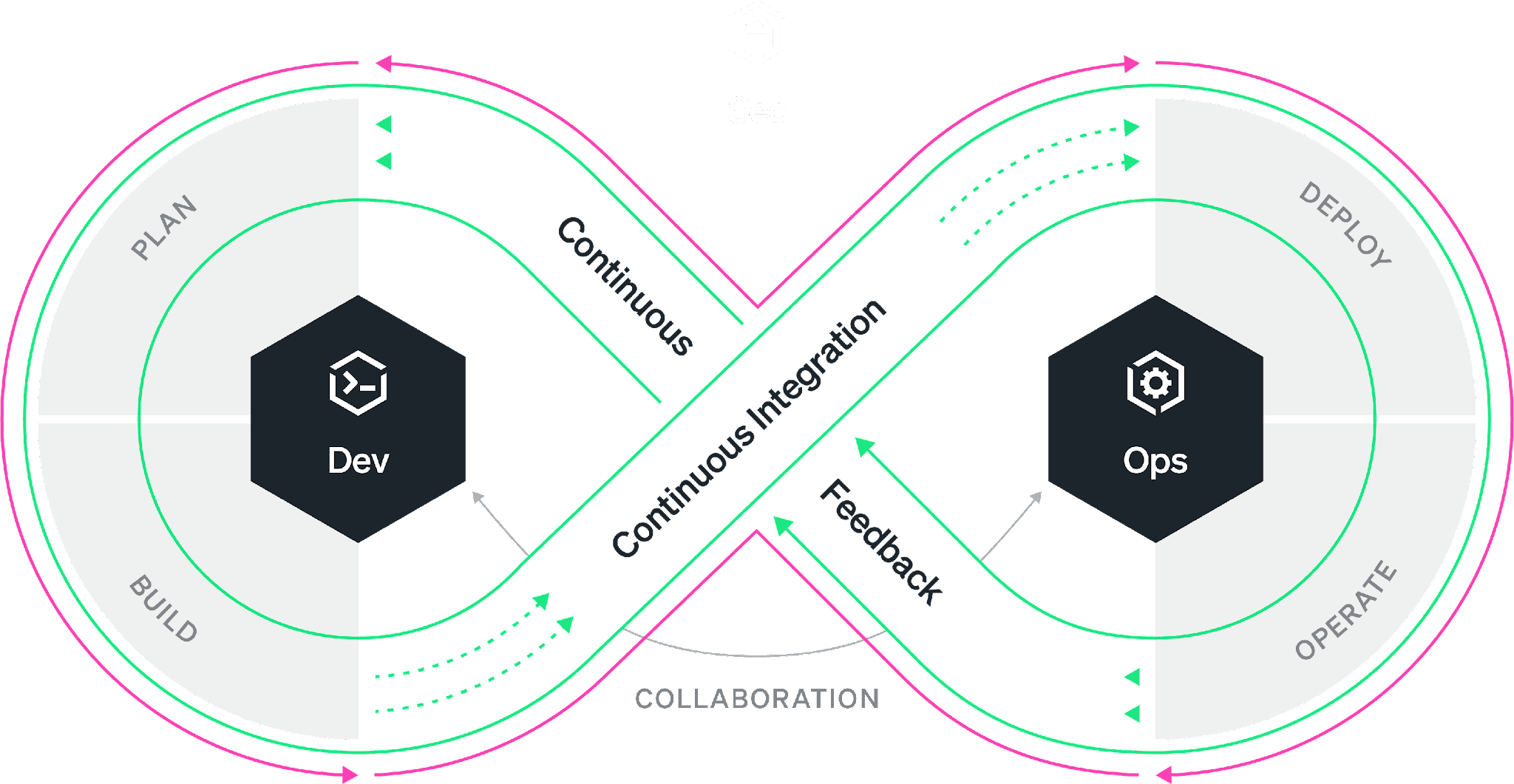
    Everyone is familiar with the DevOps infinity loop: This is an ideal workflow where every stage of the software development life cycle feeds into the next. While the philosophy is well understood, organizations have worked on bringing developers and SREs closer together under the DevOps banner. The reality is most of the time, the DevOps infinity loop is broken. Developers continue to focus on building features without the benefit of data-driven insights that production data can provide. Developers often “push and pray” without fully understanding how their changes will affect performance and the user experience. As a result, companies miss the opportunity to improve products faster and delight the customer sooner.

    According to Gartner, 90% of DevOps initiatives will fail to fully meet expectations. And yet, the global DevOps market, which accounted for $7.3 billion in 2021, is expected to reach $37 billion by 2030. So to summarize, we’re all spending billions of dollars on the implementation of initiatives that are expected to fail in some meaningful way 90% of the time. The question is: What is failing and what can be done about it? 

    As the DevOps toolchain continues to expand, collaboration across tools is difficult and success depends on your organization’s ability to simplify and automate while achieving alignment. Developers use a variety of tools from various vendors in their daily work. The most widely used are VS Code from Microsoft, Jira from Atlassian and Slack from Salesforce. The most popular code hosts/repositories include GitHub, GitLab and Bitbucket. Bridging the gap are CI/CD vendors such as Jenkins and CircleCI. Ops engineers typically rely on other vendors for their daily work, such as New Relic, Datadog and Dynatrace. So, how do we ensure that all stakeholders in the SDLC have access to all the relevant information simultaneously, understand the objectives and get an integrated perspective of the different inputs and workstreams independently of the tools used?

    There are three essential areas that DevOps initiatives must tackle to create alignment, collaborate successfully and streamline workflows. Let’s tackle each of these areas individually.

    1. Collaboration. The first step is good collaboration. Most organizations rely on Slack or Microsoft Teams for this purpose, but they are both suboptimal when it comes to collaborating on code and incidents that point to code. Having code and data at the center of DevOps collaboration ensures that everyone has access to the information needed to tackle issues, reducing and even eliminating differences of opinion in the process.
    2. Visibility. Second, ops engineers and developers must have visibility into the performance of applications across the entire tech stack. These three barriers can occur in different aspects of an organization’s operations and their impact can limit the team’s ability to deliver value to the customer just as much as workflow inefficiencies. Visibility helps the organization reach alignment on common objectives.
    3. Context Switching. Third, given the number of processes and tools involved in a successful DevOps implementation, it’s important to work toward reducing context switching and integrating tools within established workflows. Integrating collaboration, tracking, history and observability into a single pane of glass can greatly improve clarity and time to resolution.

    For DevOps teams, increased velocity and transparency are always worthwhile pursuits. However, it’s important to avoid myopic focus on workflows when other nagging problems could be hiding in plain sight.

    By committing production telemetry, developer teams can adopt an objective, data-driven approach to software engineering—saving time and avoiding potentially misguided approaches based on opinions rather than facts. Visibility, transparency and velocity can help engineering teams meet ever-increasing requirements and provide their organization with the best possible business outcomes.

  • Update Those Ops Tools, Too

    Update Those Ops Tools, Too

    We’re all pretty well settled on the idea that the rate of change in IT has been on the increase over time. From the advent of VMs to Agile to DevOps to containers, the movement has been faster—and the same is true for internal development.

    I’m going to approach this topic from three perspectives instead of my usual two. Kind of like breaking the fourth wall in cinema. We’ll discuss this movement just a bit from the perspectives of my two preferred bits, DevOps and DevOps. But for this blog, we’ll also mention DevOps—the infrastructure, tools and processes that enable the other two.

    For DevOps, languages—both updates to those currently in use and the addition of new ones—bring with them a nearly automatic update to tools used. Favorite libraries/modules, IDEs, build tools—these are all looked at and updated more frequently today than at any point in history, by my estimation. For teams that do not change languages or libraries much, source code analysis (SCA) scanning is increasingly helping to take a closer look at all those included tools and filter them based upon impact (normally security impact, but other impacts on occasion, too—like project activity and stability).

    For DevOps, the toolchain is still new enough that evolution is causing regular change, and that change is bringing with it new tools and utilities to solve the problems of this existing infrastructure. In fact, I’ve long thought the DevOps part needed a bit of a cooldown on the change and new tools/utilities front, personally.

    And finally, DevOps has gone a bit sideways in this regard. Every person—whether you call them ops, admin or DevOps—responsible for troubleshooting machines and apps has a collection of tools. But the divergence of platforms has created a divergence of tools. It is possible to work without a dedicated set of tools—and, indeed, many DevOps engineers do. Others have a folder. Meanwhile, there is another dedicated set of DevOps engineers that have a PCMCIA or USB full of useful tools that is always with them. Some have both. Of course, what tools are included in all of this varies widely also. It is an interesting artifact of our growth in IT that developers tend to share or borrow the best libraries/modules/APIs across an organization, but DevOps is more independent. As long as DevOps team members are getting the job done, no one is all that worried about which tools they used to troubleshoot. They do tend to share if asked, but with little physical evidence of what tools they used, it doesn’t come up often.

    So, what am I getting at? Look for ways to enable DevOps tool sharing on an ongoing (or at least regular) basis. An internal social media channel dedicated to the vendor your teams use to communicate, brown bags, a maintained rating system “Why I think fdisk rocks” type of thing, etc. The more power there is at the fingertips of every DevOps member you have, the better. Given our history, building an “approved” list is likely a bad idea, but having that central communication location that security can also peruse to look for red flags is not a bad idea. Of course, they are likely too busy, but worst case, such conversations can help in forensic analysis later. Not being cynical, just living IT in the 21st century.

    And keep kicking it. More and better tools will help keep all those sweet apps and servers clipping along, so there is really only upside here. Give your teams the tools and revel in your considerable uptime.

  • How to Achieve Cloud Operational Excellence

    How to Achieve Cloud Operational Excellence

    Cloud operational excellence means delivering the right mix of cloud-based services at the optimal cost and quality to support your organization’s mission and strategy. You might be thinking, “Why go to the trouble? Isn’t ‘almost good enough’ sufficient?” It turns out that it matters—a lot. The difference between the top 10% and the bottom 10% in cost per relevant delivery metric can vary by an order of magnitude or more.

    In the mid-1990s, Gartner acquired an IT metrics firm called Real Decisions. They offered benchmarking services so customers could compare their IT efficiency with similar organizations. With hundreds of “Global 2000”-sized customers, their database was rich. Over time, the Real Decisions team refined their catalog of metrics and enriched their data with repeat studies over time, to develop indices of efficiency. 

    Within their user population, the difference in cost per unit of productive work was 11 times better in the top 10% compared with the bottom 10%. That doesn’t mean 11% better, it means 1,000% better. 

    Note that the user base was self-selected. All participants wanted to get objective metrics of performance relevant to their business goals and paid for extensive studies involving questionnaires, financial audits and technical benchmarks. Notably, all participants had cost recovery programs (beyond chargeback) in place. The bottom 10% of this segment is still within the top 10% of the IT industry—and their score is 11 times worse than the best of the best. 

    Which raises the question: What is the industry average for IT efficiency? Is it possible that the hundreds of benchmarking users are all doing IT wrong, and the search for relevant metrics is misguided? I think not. 

    Choosing the Right Metrics

    In 1911, Fredrick W. Taylor published The Principles of Scientific Management, which discussed approaches to optimizing two important variables: Output quality and worker compensation. Taylor recognized that successful firms work collaboratively, with management and workers jointly setting goals and developing methods and tools to achieve both profitability and proportionate compensation. Nowhere in this text—or in any of his recorded speeches or documents—does he say, “If you can’t measure it, you can’t manage it.” He never said that for two reasons: First, he did not believe it; second, it is not true. What he did emphasize was that if you do measure it, you will manage it. That was a warning: Pick the right metrics or you will exert effort pursuing a meaningless goal. 

    Here are some potential cloud performance metrics compiled from several cloud providers and users across various industries, not-for-profits and governmental agencies: 

    • Service Metrics 
      • Reliability – mean time between failure (MTBF)
      • Availability – Uptime, expressed as a meaningful percentage of demand
      • Serviceability – Mean time to repair (MTTR)
    • IT Metrics
      • Capacity 
      • Latency
      • Bandwidth
      • Response time
    • Strategic Metrics  
      • Business agility 
      • Customer engagement 
      • Customer reach 
      • Financial impact 
      • Solution performance 

    The journey to cloud excellence starts with developing the metrics that are most relevant to your business goals. Picking the right metrics with the right scale matters. As a rule of thumb, generally right beats precisely wrong. 

    Sustaining Excellence 

    After you agree on a set of metrics that are both statistically reliable, repeatable, objective and aligned with your firm’s mission, how do you achieve and sustain excellence? 

    In the 1970s, the U.S. Department of Defense bought a lot of custom software. Sometimes it worked well, other times it didn’t. So, the DoD funded research on code quality. It turns out that the key difference between great and mediocre quality code flowed from how the organization managed problems. More specifically, how did the team react to an unexpected event? The spectrum runs from confusion and dismay through fire drill chaos to calm, rational assessment and remediation. That methodology gets baked into the code itself. This study produced the Capability Maturity Model (CMMi), which was created by the Software Engineering Institute at Carnegie Mellon University. 

    The CMMi framework identifies five levels of process maturity. A simplified assessment of an organization’s process maturity level comes down to two questions. First, is there current comprehensive documentation for the process, including how to deal with defects? If the answer is yes, the organization is at level three or higher. If the answer is no, the second question is, “Does anyone know what’s going on?” If the answer is yes, that’s level two; if no, level one. 

    A level one organization has no standard method in place to deal with problems. When something goes wrong, everybody grabs tools and tries to figure out what went wrong and how to fix it. Organizations like this do not spend much on training or analysis. Their focus is continuing to produce whatever they are trying to make. Over time, an individual may develop expertise in diagnosing a component, and when things go wrong, the call goes out to “Get Fred in here!” to troubleshoot the problem. Organizations with pockets of expertise are moving into level two. Most organizations fall within one of these two levels. 

    Organizational transformation is very difficult, and often requires significant changes in the management team, as well as funding different activities. Training and communications skills are crucial to proceeding beyond level two. Management rewards heroes who can shoot the most difficult bugs. They get the big bonus, the promotion, the better office, a parking space near the door. This behavior reinforces the culture of heroes. But moving forward requires the heroes take on a new role.  

    Once the organization creates documentation, it is on the path to level three. Note that these transformations are wrenching. It is not easy to tell the heroes that their greatest value to the organization is now how well they can write or teach. But with proper management attention, it can be done. And the benefits of moving forward are many: 

    • Dramatically fewer crises. Staff could make plans and keep them – no emergencies interrupting a family gathering, a school event, or a get-together with friends. 
    • High quality code. Maintenance tasks became much simpler, and customers experienced improved reliability. The documentation was helpful, and troubleshooting became routine rather than overwhelming. 
    • Reliable planning. In a mature organization, plans hold true because they are based in proven metrics, continuously validated processes and uniformly high competence within the team. Project estimates are accurate because the data stems from reliable, repeatable evidence. 

    Cloud excellence is not a phantom or an unachievable goal. It is the result of clear thinking and sound documentation. Over time, practices improve, skills build. To quote Macklemore, “The greats weren’t great because at birth they could paint, the greats were great because they painted a lot.”  With practice and focus, your organization can achieve cloud excellence.

  • Yeah, You’re Doing DevOps

    Yeah, You’re Doing DevOps

    The Stack Overflow annual survey of developers came out this month, and it has a lot of interesting data points in it. There is a lot that I wish was different about their questions/methodology, but one thing caught my attention. Docker, Kubernetes and similar tools (Ansible and Terraform are in there at lower percentages, for example) make up more of the responses than can be accounted for by people with “DevOps” in their title.

    Sometimes by a lot.

    That means we have a fair number of developers that are doing DevOps, but who aren’t DevOps team members. Yeah, there are a few systems admins in the ranks of the respondents also, but not enough to cover the discrepancy. If every respondent that was in DevOps and sysadmin roles used Kubernetes, there would be just enough to cover the number of respondents that said they used Kubernetes “extensively” over the past year. It’s unlikely that all of them are Kubernetes specialists. And that doesn’t touch on Docker, with a whopping 40% of respondents saying they use Docker extensively. Any developer with recent experience can explain away Docker—though “extensive” is a bit strong for your average developer’s usage, it is becoming part and parcel of development, using containers to host dev environments, test, even build tools. And, of course, some deployments. But 40% is still a lot.

    So, if your title is developer, and you’re using deployment tools on a regular basis, go ahead and call yourself DevOps. That’s not the only criteria, but if you were going to pick one, the breadth that using deployment tools represents combined with the implication that there isn’t an ops person worrying about that type of thing makes “uses deployment tools” a good stand-in test.

    To the nearly 18% (20% of pro developers) of you using Yarn, I tip my hat. I used it for a couple of years early on in its life, and am happy to say I do not need to use it any longer. I assume your usage is not tied to Hadoop and that it has greatly improved over my 2015-2016 experience. Still, y’all rock, just by definition of using it to get resource scheduling down. It ain’t easy.

    Across the board, the number of DevOps/Ops tools that make these lists is amazing for a developer survey – nearly 9% of respondents use Ansible, and nearly 9% use Terraform. There is undoubtedly overlap, so the actual number that uses one or the other is less than 18%, but still, nearly one in 10? That’s huge. And that’s DevOps or Ops, not purely developers. Regardless of title.

    And that’s been a hallmark of development since the field took off—doing what needs to be done to deliver software. This is just another iteration, and you’re rockstars, regardless of title. You keep delivering apps that run the business—let them call you whatever they like. Money talks; titles are pretty much meaningless. Not like you’ll retire on a title, but bonuses or stock grants? Those you might retire on.

  • IT Ops Takes Center Stage

    IT Ops Takes Center Stage

    When people talk about the last 18 months, most will remember it as a disruptive time when nothing felt certain. Yet, for many IT Ops and network operation center (NOC) leaders, it was the year they stepped out of the darkness and into the spotlight. Suddenly, it mattered deeply who was maintaining those services we relied on to shop, work, eat, live – and it became clear that IT Ops teams – who were previously thought of only as the number you called for a password reset – had been keeping our businesses running all along.

    While there may have been some recognition before the pandemic, that awareness certainly gained momentum during 2020 and, now, shows no signs of stopping.

    As Ben Narramore, senior manager of operations with Sony Playstation Network said at a recent customer conference, “Today, I am able to talk to leaders across the company that I would never have talked to a year ago. They didn’t care about operations, they didn’t care about the NOC, didn’t care about incident management, and now they’re like, ‘Wow, this is great stuff,’” he said. “I’m excited right now. We’re at a place in operations where my team has evolved, doing more than just problem-solving.”

    I am excited to hear sentiments like that, because for the last 10 years or so, application development has been the golden child of IT. The faster you could crank out code, the faster the business could move. For years, every dollar and every resource went to building out amazing applications and services, leaving the IT Ops people to keep it all available and performing. Sure, some companies like Hulu and Expedia had the dynamics worked out and built a modern, optimized organization that could run as fast as it built, but most companies paid a high price in time, focus and resources to keep their services up and running.

    For most companies, it felt like a war of speed versus availability. Engineering wins when they can deliver what the business needs, quickly. They do not need to look beyond their group for much and – if it works as intended – they are good to go. IT Ops, on the other hand, needs a broad view of the entire technology landscape. They need to think about the availability of all services, which requires them to have visibility across the entire enterprise stack, often dealing with the downstream implications of outages and incidents that cross networks, hardware, software and clouds.

    Now, it’s 2021, and the war is over. And it turns out, the rise of operations wasn’t about a revolution. It was about recognition. IT Ops teams needed a seat at the table. They finally got the chance to explain that they want to move fast, too – to streamline operations, consolidate awareness, automate wherever possible and help support and enable the velocity the business demands, side by side with their partners in engineering.

    Jeremy Bragg is an infrastructure automation architect at Abbott Labs. I thought his role description was really compelling; here’s how he explained it: “Probably the most interesting aspect about being in automation is that we break down silos. We cannot just be a server team or a network team or a mobility team. We work across the board with all the teams to try to further their causes. We ask ourselves: where are we doing manual work today that we could automate?”

    Over the next five years, I believe more teams will start to take advantage of AI and machine learning to set the pace for the modern IT organization; more of the mundane work will be automated so they are free to lead innovation, not just react to it.

    Ben Narramore also has a lot of passion for that very topic. “If I look at my teams in the last ten years, we were firefighters; we’re good at it out of necessity. Now, we’re at a point with cloud computing [and] with AI that gives us a chance to reassess our team. I’m excited about how our team has evolved from day-to-day problem solving to looking at our business with the future in mind. Being able to automate manual operations and workflows gave us the ability to do new, more exciting work, as well as helping out with incident management and problem management.”

    My own take on IT is that the shift is happening, and I am excited to have a front-row seat as IT Ops teams step out of the shadows and into the light, taking their well-deserved place as strategic partners at the table, and helping drive the business forward.