Tag: documentation

  • The Right Tool for the Job: Alerting Edition

    The Right Tool for the Job: Alerting Edition

    In high-tech, we have a terrible predilection for finding a good tool and abusing it until we hate it. I’ve written several “Use the right tool for the job” articles and posts over the years, most notably an examination of trying to make one programming language (or another) into an all-purpose solution. We’re thankfully past that … for now. But we do the same thing across all of IT in general and DevOps in particular. Consider what we did to Jenkins when DevOps was coming of age. It went from a great innovative tool to a bloated monster we tried to use to automate just about everything short of making coffee in between integration runs. Fact is, Jenkins is still a good tool in the CI space; everyone started hating it because it was over-used. It’s a terrible tool when used for things other than what it’s good at. Imagine that. We can make the same statement about, well, everything. “A car is a terrible tool when used as a life preserver,” is a good example of some of the absurdity that makes us hate good tech.

    The 2023 edition of this phenomenon came up on a for-fun video call with some friends this weekend, and talking about it made me realize how bad it has become. Thus, I give you the point of this post:

    Slack is not your documentation tool. It is not anything but an efficient alerting tool and maybe a stand-in communications tool for short-term convos.

    I see it all over the place. “Oh, we discussed that on Slack.” That’s great, where did you document it? Because honestly, some of the companies I deal with have busy enough Slack channels that if the conversation happened more than an hour ago, it will never be seen again.

    Slack, and a few similar tools, are astounding alerting channels, offering an opportunity to notify when events occur, and we really should continue to reap the ease-of-use and massive alerting benefits that these tools offer. But don’t confuse that with long-term anything. Because it is not.

    Alerting to Slack needs to be one piece of a larger puzzle. Making sure that whatever was alerted on was also logged somewhere (either by the alert mechanism or by whatever tool spawned the alert), and for a whole array of issues that are alerted on and many of the conversations that happen in Slack, long-term documentation needs to be created.

    So this is a lot of words to remind you of what you already know: Slack can enable quick communications, alerting and innovative solutions by having broader discussions without cramming everyone into a conference room. But it is not a documentation tool in any way, and it needs to be part of an integrated solution that uses the right tool for the job. Security alerts, for example, better be ending up in the SIEM (they are in every organization I’m aware of; just using that as a glaring example).

    And keep rocking it. Just make sure while you’re running at 500 miles per hour to keep up with Agile and DevOps speeds, you are capturing the stuff that will be important in six months or a year somewhere that people can actually find it. And use each tool to do what it’s best at. Convenience is almost never the best selection criterion for a tool to solve a given problem.

  • GraphQL Documentation Generators: How They Work and Why They Matter

    GraphQL Documentation Generators: How They Work and Why They Matter

    GraphQL is an open source query language developed by Facebook that provides a more efficient, powerful and flexible alternative to traditional REST APIs for fetching and manipulating data over the web. It allows clients to specify the shape and structure of the data they need and receive exactly that, no more and no less.

    Unlike REST APIs, which expose fixed endpoints for specific resources, GraphQL enables clients to construct complex queries that describe the exact data they need, with the server returning only that data in response. This allows for more efficient network usage and improved integration with CI/CD pipelines, as changes to the data requirements can be easily made without breaking existing clients.

    GraphQL also offers real-time capabilities through subscriptions, allowing clients to receive live updates as data changes on the server and supports a range of programming languages and platforms through a variety of libraries and tools.

    What are Documentation Generators?

    Documentation generators are tools that automatically create documentation from source code, making it easier for developers and other stakeholders to understand and work with a codebase. These tools parse the source code and extract information about the structure, behavior and dependencies of the code and use this information to generate documentation in various formats, such as HTML, PDF or markdown.

    Documentation generators can help improve the quality of code documentation by automating the process and reducing the risk of errors or omissions. They can also save time and effort for developers, as they can quickly generate documentation without having to write it manually.

    There are different types of document generation techniques, each with its own advantages and use cases. Let’s discuss some of them:

    • Batch generation: A generic technique that involves generating documents in bulk using a set of rules and templates. It’s commonly used for generating reports, invoices and other similar documents that follow a specific format. Batch generation can save time and effort by automating the document creation process and reducing errors.
    • Text block correspondence: Involves creating documents based on pre-defined text blocks. These text blocks can be customized and combined to create different types of documents, such as contracts, letters, and proposals. Text block correspondence is commonly used in document assembly tools, which allow users to create documents by selecting the appropriate text blocks and filling in the necessary information.
    • Forms: A type of document generation that involves creating web-based forms that users can fill out to generate documents. Forms can be used for a variety of purposes, such as generating applications, registrations and surveys. Forms can be customized to match the specific needs of the organization or business.
    • Documentation synthesis: Involves combining data from multiple sources to create comprehensive documentation. This technique is commonly used in software development where documentation needs to be created for different parts of the system. Documentation synthesis can save time and effort by automating the documentation process and ensuring consistency across different parts of the system.

    Documentation Generators for GraphQL

    Documentation generators for GraphQL work by analyzing the GraphQL schema and generating documentation based on the information in the schema. The GraphQL schema defines the structure of the data and the available operations, and it serves as the basis for generating documentation.

    Documentation generators typically follow a similar process:

    • Analyze the schema: The documentation generator analyzes the GraphQL schema to identify the available types, fields and operations.
    • Generate documentation: Based on the information in the schema, the documentation generator generates documentation in a specific format, such as HTML, markdown or PDF. The documentation typically includes information about the available types, fields and operations, as well as any associated documentation, such as descriptions or examples.
    • Include additional information: Some documentation generators may also include additional information, such as query examples, error handling information or performance considerations.
    • Update the documentation: The documentation generator can be run periodically to update the documentation based on changes to the GraphQL schema.

    Documentation generators for GraphQL are typically designed to be flexible and customizable so that developers can customize the generated documentation to meet their specific needs. For example, developers may be able to customize the format of the documentation, include additional information or exclude certain information.

    Documentation Generators for GraphQL: Why They Matter

    Documentation generators for GraphQL are important tools for DevOps teams for a number of reasons:

    • Efficiency: Documentation generators automate the process of creating and updating documentation for GraphQL APIs. This can save DevOps teams a significant amount of time and effort, particularly when working with large or complex APIs.
    • Consistency: Documentation generators can help ensure that documentation is consistent with the GraphQL API and up-to-date. This can help reduce confusion among developers and other stakeholders and improve the overall quality of the documentation.
    • Collaboration: Documentation generators can help improve collaboration among DevOps teams by making it easier to share and review documentation. This can help ensure that everyone has access to the most up-to-date information and that documentation is reviewed and approved by all stakeholders.
    • Accessibility: Good documentation is essential for developers who are working with GraphQL APIs, and documentation generators can help ensure that documentation is clear, concise, and accessible. This can help reduce the learning curve for new developers and make it easier for developers to understand and work with the API.
    • Scalability: Documentation generators can help DevOps teams manage the documentation of large or complex GraphQL APIs, making it easier to keep up with changes and ensure that the documentation is accurate and up-to-date.

    Conclusion

    In conclusion, by automating the documentation process, documentation generators can save time and effort for developers, reduce the risk of errors and inconsistencies in the documentation and provide a common source of truth for different teams and stakeholders. In addition, documentation generators can help DevOps teams better understand the API, improve collaboration and communication and speed up development cycles. 

  • Documentation in Agile: Challenges and Trends in 2023

    Documentation in Agile: Challenges and Trends in 2023

    Agile documentation refers to the creation and maintenance of documentation in an agile software development process. It emphasizes “just enough” documentation that is necessary for the current iteration, preferring documentation that responds to specific needs over extensive upfront documentation. The goal is to provide clear and concise information to support the development team while keeping the documentation flexible and updating it as needed throughout the development process.

    In this article I’ll present the state of Agile documentation and how it is expected to evolve in 2023 and beyond.

    What Does an Agile Approach to Documentation Look Like?

    An agile approach to documentation looks different from traditional, waterfall-style documentation practices in several ways:

    • Emphasis on just-in-time documentation: Agile prioritizes documentation that is created and updated as needed, rather than extensive upfront documentation.
    • Collaborative and iterative: Agile documentation is created and maintained through collaboration between the development team and stakeholders, with a focus on continuous improvement.
    • Flexible and adaptive: Agile documentation is designed to be flexible and adaptable, allowing for changes and updates as the project progresses.
    • Minimalistic: Agile documentation focuses on providing just enough information to support the development process, avoiding unnecessary detail.
    • User-focused: Agile documentation is centered around the needs and perspectives of the users and stakeholders, rather than the development team.

    In practice, an agile approach to documentation might involve user stories, wikis, and documentation that is integrated into the development process rather than treated as a separate task.

    7 Agile Documentation Challenges

    Teams attempting to write and update agile documentation can face several challenges, including:

    1. Balancing speed and detail: Agile documentation is meant to be lightweight, but it also needs to be detailed enough to support the development process. Striking the right balance between speed and detail can be challenging, especially as the project evolves and requirements change.
    2. Keeping documentation up to date: Agile projects are highly iterative, which can make it difficult to keep documentation up to date. Documentation that is not updated regularly can become outdated or irrelevant, causing confusion and slowing down the development process.
    3. Maintaining consistency: In an Agile development process, multiple team members may contribute to documentation, which can make it challenging to maintain consistency in style and format. This can result in documentation that is difficult to navigate and understand, which can slow down the development process.
    4. Managing collaboration: Collaboration is a key part of the Agile development process, and it is important for team members to be able to share information and feedback on documentation. However, managing collaboration effectively can be challenging, especially when team members are located in different locations or time zones.
    5. Prioritizing documentation: In an Agile development process, there is often a lot of pressure to prioritize development work over documentation. This can make it difficult to allocate sufficient time and resources to documentation, which can result in documentation that is incomplete or of poor quality.
    6. Dealing with changing requirements: Agile projects are highly iterative, and requirements can change rapidly. This can make it challenging to keep documentation up-to-date and relevant, as documentation that was created to support one set of requirements may no longer be applicable as the project evolves.
    7. Ensuring documentation is accessible: Agile projects often involve multiple team members and stakeholders, and it is important for documentation to be accessible and usable by everyone. Ensuring that documentation is stored in a centralized, easily accessible location can be challenging, especially in large or complex projects.

    Agile Documentation Trends in 2023 and Beyond

    Here are some of the key trends in Agile documentation that can help your organization improve your process and overcome the challenges above.

    Documentation Automation

    Documentation automation refers to the use of technology to automate the creation, maintenance and updating of documentation. This can involve the use of tools that generate documentation based on code, data or other sources, as well as tools that streamline the collaborative creation and review of documentation.

    In an agile development context, documentation automation can help to increase the efficiency and accuracy of documentation while freeing up time for the development team to focus on other tasks. It can also facilitate the creation of consistent, up-to-date documentation that is always in sync with the latest changes to the code or other project assets.

    Some examples of documentation automation tools include:

    • Automatic code documentation generators that extract documentation from the source code and generate reference documentation.
    • Wiki and documentation management tools that allow for the creation, editing and collaboration on documentation.
    • Automated testing and reporting tools that generate documentation on test results and project progress.

    Documentation-as-Code

    Documentation-as-code (DaC) refers to the practice of treating documentation as a first-class artifact in the software development process alongside code and other project assets. This approach aims to integrate documentation into the development process, making it easier to manage, version and maintain.

    Documentation-as-code can be achieved through a variety of methods, including:

    • Storing documentation in version control systems, such as Git, alongside the code to ensure that documentation is versioned and backed up along with the code. This is especially compatible with a GitOps development process.
    • Using markup languages, such as Markdown or reStructuredText, to write documentation, making it easier to format and display the documentation and to convert it to other formats if needed.
    • Automating the generation of documentation, such as API reference documentation, based on the code.

    The goal is to make documentation a more integral part of the development process, reducing the effort required to create and maintain documentation and improving the accuracy and usefulness of the documentation. 

    Continuous and Collaborative Documentation

    Collaborative documentation refers to the practice of involving multiple stakeholders, including developers, product owners and end users in the creation, maintenance and review of documentation. This approach emphasizes collaboration and communication as key elements of the documentation process.

    In an agile development context, collaborative documentation is seen as a way to ensure that documentation is relevant, up-to-date and meets the needs of all stakeholders. This can be achieved through a variety of methods, including:

    • User stories and other agile documentation techniques that involve end users in the documentation process.
    • Collaborative authoring and review tools, such as wikis and online document editors that allow multiple stakeholders to contribute to and review the documentation in real-time.
    • Regular retrospectives and other agile processes that provide opportunities for the development team to review and improve the documentation.

    The goal is to create documentation that is accurate, relevant and useful to all stakeholders, while also fostering communication, collaboration and continuous improvement within the development team. 

    Interactive Documentation

    Interactive documentation refers to the practice of creating documentation that is designed to be interactive, allowing users to engage with the information in a dynamic and engaging way. This can include elements such as interactive examples, simulations and tutorials, as well as tools that allow users to experiment with and explore the documentation.

    Interactive documentation can provide a number of benefits, including:

    • Improving the user experience by making the documentation more engaging and accessible.
    • Facilitating a deeper understanding of the product by allowing users to experiment with and explore the documentation in a hands-on way.
    • Improving the accuracy and usefulness of the documentation by allowing users to provide feedback and suggestions for improvement.

    Interactive documentation can be achieved through a variety of methods, including:

    • Interactive tutorials and examples that demonstrate how to use the product.
    • Simulations and prototypes that allow users to experiment with the product in a safe and controlled environment.
    • Tools for creating and maintaining interactive documentation, such as online document editors and wikis.

    Conclusion

    In conclusion, documentation is an essential aspect of the software development process, and agile development has brought about new trends in the way documentation is created, maintained and used. From documentation automation to interactive documentation, the agile approach is focused on improving the quality and usefulness of documentation while also reducing the administrative burden on the development team. 

  • Turnover, Documentation and Missing Links

    Turnover, Documentation and Missing Links

    When employee turnover spikes, IT in general and DevOps teams in particular need to be prepared.

    At the time of this writing, the stock market is roiling, and DevOps compensation is bouncing up. This has an impact on turnover because many in DevOps (and nearly all senior positions) have compensation that includes stock—stock that may be down significantly or that is currently at high risk of going down. This causes two types of movement—those leaving an organization to avoid further loss in their compensation and those who are leaving their current gig to join an organization whose stock is down. Combined with those who leave for a role with a larger base salary, there are those who are leaving to earn more and those who are leaving to avoid more loss. IT budgets ballooned during the pandemic but those, too, are deflating, so while we have a worker, not a position shortage, there will be pressure from both sides.

    So, why is this geek going on about employment, compensation and available positions?

    Simple: Because DevOps is not any better at documentation than any other flavor of IT. In tightly-run shops, documentation is available and maintained. In most shops, it is spotty at best. In some, it is downright nonexistent. This has forever been true in IT and, if anything, it is more true because the early stages of DevOps implementation result in a massive amount of change.

    People leaving in an environment with less-than-stellar documentation can be a problem. What tools are used? Where are they located? What’s the login for these SaaS tools? Etc., etc., etc. If turnover means you’re losing entire DevOps teams in relatively short order, this can become a nightmare relatively quickly. And that nightmare is very real for everyone left behind and those that are coming in. Someone has to go figure it out; IT management has to let the rest of the business know that retention issues are causing backlogs. Everyone not tasked with figuring it out has to pick up slack for those who are … you get the picture.

    Take the hour or four and document what you have. It doesn’t have to be comprehensive, it just has to list what tools, where they are, who at the organization is responsible for credentials at any SaaS vendors and under what circumstances the tools are used. If each team documents their own stuff, even in a shared toolchain environment, comparing the documents will uncover little details one missed that another did not.

    Let’s face it, we have—for better or worse—moved largely to a world where loyalty is based on compensation. Much like mercenaries, most IT employees are always listening for a better offer. So the organization, while acknowledging this fact, needs to take steps to minimize the negative impacts of turnover. New ideas and suggestions to change things are all good and you don’t want to interfere with that aspect of turnover. But anything that impedes the organization’s ability to deliver should be addressed beforehand. And that means documentation so remaining and new employees can get up to speed quickly and take ownership rapidly and with confidence.

    And keep rocking it. Whether you are looking for a new gig or not, keep the apps you are responsible for running—and document them. You’ve contributed to the success of your organization; don’t slack off while moving along. And don’t hate those that are moving along. Not all of us base our loyalty on compensation, but we do all allow compensation to influence our decisions (unless you are working for free and I missed it?) Keep rocking, no matter your status. And don’t hesitate to tell interviewers that you helped your last organization achieve success.

  • Documenting: Don’t Build Your Replacement’s Nightmare

    Documenting: Don’t Build Your Replacement’s Nightmare

    Want to reduce headaches tomorrow? Document everything today

    About once a year I feel the need to remind you that you are creating technical debt. DevOps is good stuff, and most shops got over the “whatever a given project team decides” multiplication of services pretty quickly, but every line of DevOps code you write is creating technical debt.

    There is no way around this fact. You are writing code (scripts, if you prefer) and developing configs that make assumptions. Those assumptions will change—products will get incompatible upgrades, vendors will go under, libraries will become outdated … the list goes on.

    We have a long history with technical debt. DevOps partially grew out of the need to spend less time maintaining and more time releasing features, and yet we’re re-creating technical debt; in some cases at a much larger scale. It is unavoidable but can be managed. Keep a reference list of assumptions—“This app assumes environment contains X,” or “This app supports Cisco Network APIs version X.Y”—so you know where to look when things inevitably go wrong. The list conveniently doubles as a handy reference to what needs updating when you find out your middleware vendor is going under or that MySQL is out and MariaDB is in.

    The more cutting-edge tools you use, the more likely that you are baking future problems into your environment. This is not advice to avoid cutting-edge; it is advice to recognize reality and keep closer track as you move new things into your environment that might be half-baked or whose market is destined for consolidation.

    Our IT environment has become super-complex. DevOps helps us manage that complexity but discourages adequate documentation. We’ve all heard, “It’s self-documenting” (no, it’s not) or “There is basic documentation” (basic almost always means, “We scratched some notes when it was first set up”… and haven’t touched them since). Don’t do that. Make sure that the new guy after all of you have left can figure out what is going on in this highly complex environment. It is not up to new people to be super-learners with mind-reading skills; it is up to implementors to make certain new people can figure out what is going on without wasting 5,000 hours pawing through scripts.

    It does not take much time to document dependencies. It doesn’t take much more to document relationships. Future you will be grateful when they walk in and need to come up to speed in a short amount of time. Because it doesn’t matter how automated it is when the automation breaks—it matters how quickly staff on hand can fix it and get things going smoothly again.

    You’re keeping the world running. Take a second and make sure the next person can, too. And keep rocking it.

  • Don’t Expect Miracles

    Don’t Expect Miracles

    Let’s run some fun scenarios to start this one off, shall we?

    • “We’ll decide what language to use at a meeting next month. Until then, get to writing code!”
    • “We might deploy internally, though Azure is a strong option, and we’ve discussed GCP. Now get operations up and running, we’ll tell you when we’ve decided.”
    • “The code is changing constantly, get moving and write the documentation.”

    All three of these scenarios are equivalent. The difference is how we, as an industry, view them. The first two, we (collectively) would never tolerate. The third? We do that to the documentation team every day. In DevOps and agile, we do it every day in a never-ending iteration. And it has to stop.

    Two Different Documentations

    For those not aware, there is documentation for internal use and documentation for external use. While we’re certain you have internal covered with self-documenting code, this blog will focus on external use, because if you expose and API, documentation is mandatory. If you’re not an end-user product, any UI requires documentation, too. So to be clear, for this blog we are talking generally about external documentation for B2B systems, and specifically about APIs, though UIs can have the same issues, depending upon how complex your market is.

    We Generate Docs

    Ever tried to use auto-generated documentation? I’ve yet to try one generated set of API documentation that I liked (they say Google Places has it, but my understanding is devs actually write that documentation and it’s reviewed by tech writers, so maybe we count that as one I liked, but its process is not yours).

    Generated docs are only as good as the developers working on the code–very much like self-documenting code. If someone puts “This parameter is a placeholder for the spline development iteration” into a generatable comment, users are going to be totally clueless what that means. Heck, I just dreamed that statement up, and while we can all see it turning up in generated API docs, even I don’t know what it might mean.

    Documentation Slows Up Dev

    Duh? If you are loathe to commit to completing a project until you know the parameters, why would you expect a documentation team to be any different? Of course they need the final product for review, just as the business wants to see the final app before release. The product your docs team produces is detailed documentation about what is. If you change what is underneath them, they look bad for having inaccurate docs. When really it should be IT that looks bad for not considering the entire value chain when delivering. If you deliver an API that is poorly documented and people don’t use it, you have delivered nothing of value to the organization.

    What to Do?

    Put documentation on your DevOps teams. I mean an actual person whose responsibility is documenting. If you’ve got technical writers, use one of them. If you don’t, find someone who likes helping people use your toys, and give them time to do it. For some organizations, technical evangelists can fulfill this role if you don’t have them too busy helping active users. Have them sit in on meetings, treat them as just another piece of both agile and DevOps. They need to know when functionality, URI or whatever else changes, so they can update the docs. The best place to get that info is at stand-ups or design meetings.

    Just like always, they’ll want to be there for design, but they’ll also want to be there for implementation decisions/changes. Because current documentation is the only worthwhile documentation. Give them sign off on release–not release of code (that’s a done deal) but publication of APIs. Before you let users at the access points, make sure they have solid instructions in how to use them.

    Risks

    Everything is a trade-off, but this one has some pretty easy choices to make–fewer people use your API because your documentation isn’t great (outright sucks in many cases), or you run some risks of slower iterations and you dedicate resources to documentation. Given that if no one uses your API, it is all wasted time, a bit of slow-down and man-hour investment is an easy choice to make.

    Tech writers are generally cautious people who want perfection–because this is their product, and they want it right. This can cause unnecessary slow-downs in an agile/DevOps world. The easy answer here is to look for the same traits in documentation DevOps team members that you look for in other DevOps team members–ability to adapt, understanding that everyone is just trying to make it better and willingness to work through changes quickly to deliver.

    Just like you don’t want the DBA that says “no” to every request and you have to argue with just to move the project forward–I worked with this guy, genius, but really frustrating to have on an agile team–you don’t want the documentation person that adds weeks to timelines so they can get it right. This risk is easy to manage. You know how to choose people for a fast-moving environment, just follow your gut.

    Profit

    Well, okay, maybe not profit, but deliver a solid product quickly with sufficient documentation that users not steeped in your corporate shared knowledge will understand and be able to use. That’s the goal of public-facing APIs, to be used. And it’s the goal of docs people to make certain those calling the APIs understand what they’re getting into and how to make the most of it.

    Keep on cranking out cool solutions and crank out better docs. Your customers are counting on it. I’ve had my team go find alternative solutions based on shoddy API documentation. If I can’t use it, why would I keep trying if there are alternatives?

    — Don Macvittie

  • Resurrecting the CMDB Through a Singular Path to Production

    Resurrecting the CMDB Through a Singular Path to Production

    Change consistency (or the predictability of how change is deployed) followed by change transparency (or the visibility into the state of change at any stage in the software development life cycle [SDLC]) are two key benefits of embracing a highly functioning enterprise-class DevOps set of services. Most organizations are attempting to transform themselves from a widely varied manual delivery system to an automated, template-based delivery model that DevOps relies upon.

    Along this journey a key fact soon emerges: We cannot allow “manual” tweaks to our environments and maintain the predictability, visibility or the stability we want. To be truly consistent, process must be fully automated. A process that relies upon human interaction (whether planned or unplanned), is subject to human variability that can impact its success. In short, we do not want a deployment process that has humans coming along after it, to “clean it up.”

    Thus a key principle of DevOps, is that it becomes “the singular path to production.” We want all changes going in to production to have gone through our DevOps systems and processes. Our goal becomes to reduce and eliminate human reliance in every interaction. As an example, we automate test execution, then test evaluation, then test gated change progression. We use “smart” deployment technologies to overwrite what is different in the destination environment, forcing it into compliance with our stated version of changes that “should” be there.

    In effect, we “step on” variations, overwriting them every time we initiate a deployment. This quickly teaches our freestyle engineers who make changes on the fly that their work will get “stepped on” with each new deployment (perhaps daily or hourly). Most engineers quickly get the hint that to preserve their work, they need to include it in the deployment process itself (updating the proper configuration file, or adding the right series of steps in the deployment execution automation itself). Otherwise, they will face a daily onslaught of repetitive tasks that inevitably will overwhelm them.

    In this sense, a properly implemented DevOps system is “self-cleaning.” Paired with an executive mandate to have all change go into production through DevOps, another benefit emerges that may bring the CIO glee. Just a few years ago, IT organizations were bent on the idea of documenting change (therefore understanding it better) through the means of a configuration management database (CMDB). Those projects tended to be large, costly, and doomed to minimal success. Typically, the CMDB effort was great for 90 days after its first instantiation, then over six months its data became “suspect,” then after a year or two its data became prehistoric and close to useless.

    The simple truth is, engineers (of nearly every variety) are toxically allergic to documentation. Asking engineers to have the human discipline of keeping up with documentation is like asking the sun not to shine. No matter what set of inducements is offered, or punishments threatened, the engineer simply remains toxically allergic to documentation and its maintenance (probably a DNA thing).

    Industry tried to solve this problem by producing “discovery tools,” or tools that could determine automatically what our state of change was environment by environment. The idea being that if we ran discovery tools on regular intervals we could at least renew our CMDB baseline from time to time. It was an improvement, but discovery still lacks context for change and often is not thorough enough to generate real value beyond asset location and basic configuration.

    Enter DevOps, which inherently has an artifact database capability to track versions of builds, deployments and releases over time. DevOps understands the need for artifact identification, articulation, compilation and history. Most early DevOps tooling has some form of it built into the products. But this is where a perfect storm becomes possible.

    If our DevOps systems have achieved transparency; that is, if we are able to connect the context of change outlined from ideation (in the business requirements) through production release (including the history of testing, etc.) by version, we now have a great deal of wealth we could plug into a resurrected CMDB. And we could maintain the CMDB automatically (requiring no engineers to have to do manual things to keep it up to date). Our CMDB becomes a repository, or master repository of the artifacts of change we implement through DevOps.

    This is more than just baseline or the ability to establish a “golden copy” of what change should look like. It is the ability to establish “relative” golden copies by development version while it progresses through environments of even highly complex SDLC systems. We have thus increased the value of a CMDB exponentially beyond its use in just production, but can integrate it, into the SDLC process and watch change become documented in real time no matter how fast or how often we move change.

    This should be groundbreaking. Even if the CIO has burned all his funding and political capital on a former CMDB project that has had less-than-desirable results, he or she can salvage what is left of it and quietly use DevOps to resurrect the CMDB, making it an integrated step of moving change. Once the CIO has demonstrated success doing this, he or she can offer this reclamation project to the business and begin exploring ways of creating CMDB valuation to the business (beyond asset location and valuation).

    What emerges is a DevOps-centric CMDB. DevOps, having become the singular path to production, has both insight and context into all change progression and simply updates the CMDB (master artifact repository) as needed automatically. In this way, an integrated CMDB becomes part of the DevOps continuum. And perhaps the greatest benefit or win is the simultaneous recognition of engineer’s allergy to documentation already baked into this sustainable solution. I would call that win-win—or, at least, a recognition of reality.

    To continue the conversation, feel free to contact me.


  • Documenting DevOps: Agile, Automation and Continuous Documentation

    Documenting DevOps: Agile, Automation and Continuous Documentation

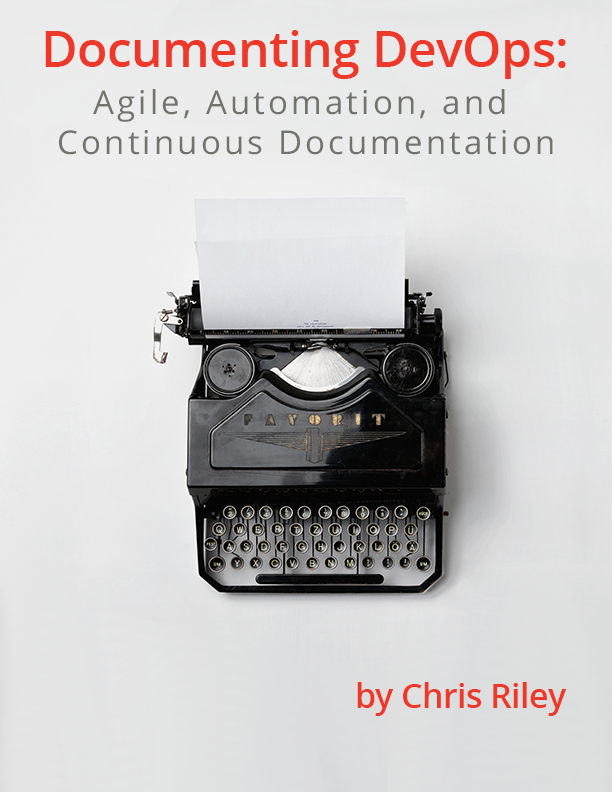
    Documenting-DevOps-by-Chris-RileyChris Riley former GigaOm analyst, O’Reilly author, devopsy.kinsta.cloud featured writer and founder of Fixate I/O has written an outstanding report on the key role documentation must play in the modern software development lifecyle. Agile or DevOps, automated or not, we live in a continuous IT era. So why shouldn’t documentation be continuous as well? Riley’s analysis includes key findings including:

    • Even the definition of documentation is subjective. Despite several decades of implementation, the methods, drivers, and even language of documentation are nearly limitless. Standards such as ITSM help stabilize the look, feel, and process of documentation, but it does not help an organization understand how to use that documentation and integrate it into development.
    • The modern software delivery pipeline introduces new complexities in administration. New tooling in the DevOps space has improved application efficiency and quality, but in some cases, this has also reduced the manageability of the environment. This creates new challenges to knowing what you have, how it functions, and how to extend it into the future.
    • As the delivery pipeline moves to a continuous stream of releases, classic documentation processes become impossible. Documentation must happen automatically within the process, or not at all.
    • In order for documentation to be useful, it needs to be actionable.

    Download the complete report on continuous documentation for an in depth analysis, conclusions and guidance:

    Documenting DevOps

    • This field is for validation purposes and should be left unchanged.


  • Continuous Documentation

    Continuous Documentation

    Is documentation dead in DevOps? Yes and no. It is transformed, it is automatic, and it is actionable.

    (more…)