Tag: devops

  • Enabling Collaboration Across Diverse Cultures

    Enabling Collaboration Across Diverse Cultures

    Welcome back to this series, ‘Enterprise DevOps Q&A.’ In my last post, I talked about breaking down the barriers between dev and ops. Now, I want to address another, very typical question from a global enterprise about managing cultural differences in a globally dispersed enterprise.

    Q. Being part of a large org, our biggest issue seems to be a global culture clash. How can we address the issues of geographic location and culture that are a big obstacle for us?

    Large multi-national enterprises, like CA Technologies too, often have major data centers in multiple geographies in North America, EMEA, Asia and Latin America. Despite so much data center consolidation and cloud migration, cross-geo cultural issues remain a major issue.

    For example, in Israel the holy day is Saturday, while in the US and Europe it is Sunday, so it can be hard to lock down a release window. In Japan it is common to work long, late, and on the weekends, while by contrast some French labor agreements specifically limit the workday, so ‘crunch time’ may not have the same meaning in both locales. In the USA, staff may only get ten days annual vacation, and not even take all of it, while much of Europe takes all of July or August off, so consistent teaming can be a challenge.

    To help you address these geo-cultural challenges, here are some approaches I have seen my customers adopt including:

    A local approach

    A local approach, such as co-locating devs and ops to service business users in a common geographic or cultural area allows teams to adopt DevOps practices within cultural norms. This may mean imposing a difficult structural change, but it can also be very effective. See my last Q&A for more on this approach.

    A ‘core team’ approach

    Some businesses have assigned one or two team members from each cultural area to represent their teams in a common virtual or ‘core’ DevOps transformation team. Representatives on the core team can translate (sometimes literally) for their ‘home’ teams, and bring unique culture back to the core team. This can raise process/hierarchy barriers, but when done well can also help to break them down.

    A vertical approach

    I have seen a handful of global businesses implement DevOps vertically, with devs and ops teams, often geo-located, acting as service providers to individual business units, rather than the whole company. This is best suited for organizations that are already organized by business unit, but it ensures teams have common focus on specific and shared business problems.

    A ‘known good process’ approach

    Speed the flow of software delivery by focusing on refining and documenting specific processes all teams can rely on.  Each geographical or cultural team can define and share their own ‘known good process’ (cf. the Visible Ops handbooks), and share the interfaces to those processes, so they can continue to optimize their own activity, but work seamlessly with other teams at handoff points.

    A process automation approach

    Even better is if each team can encode their processes in automation to make it possible for anyone, anywhere, using any language, to execute those processes remotely. Even small improvements matter, so even task automation can help get closer to a cross-cultural, ‘enterprise-wide,’ DevOps approach.

    A ‘pace-layered’ approach

    Different business services have differing levels of acceptable risk and tolerance to change. Mobile app dev, for example, is more tolerant of risk than, say, accounts receivable. Rather than changing the world (literally!), instead build a DevOps approach into a specific service delivery team, even in a single geography. This ‘pace-layered’ approach is working very well for some of the world’s largest enterprises.

    A tactical approach

    Similarly, you do not need to fix all your service delivery problems at once. In a global enterprise, pick one big winner at a time instead. Identify constraints in the test process, a roadblock in QA, a provisioning delay, a problematic release process, a monitoring gap, or a broken feedback loop, and connect cross-cultural staffs from similar functional teams to solve specific shared issues.

    A technology-assisted approach

    Regardless of the approach, technology can assist. Global tools with multiple language support can enable common experience and terminology. Telecommuting can give regional staff a virtual presence in team meetings. At CA Technologies, we are trialing remote-controlled robotics to give staff a physical avatar in meetings from anywhere across the globe.

    Other approaches?

    As with most of DevOps, there is no definitive prescription, and I am sure there are many other approaches that can work. If you have ideas or experience to share, please post in the comments below, and let us all know how you have or could address these cultural and geographic barriers.

    And remember, if you have questions about Enterprise DevOps, let me know and I will try to answer them for you. If I can’t answer them myself, I will find someone who can! Please leave your questions in the comments below; hit me up on Twitter at @AndiMann; or send me an e-mail to me at andi.mann@ca.com.

  • Microsoft strives to embrace open source culture

    Microsoft strives to embrace open source culture

    In many ways Microsoft is going through the corporate equivalent of a mid-life crisis—it has reached a stage where it longs to drop a few pounds, and turn back the clock a few years. After years of tremendous success, it’s now starting to show its age, and it is struggling to adapt to the new tech landscape and compete with younger, leaner, more innovative competitors.

    The shift began under ex-CEO Steve Ballmer. Ballmer’s approach, though, was misguided. Ballmer’s Microsoft suffered from hubris, and ignored the seismic shift in technology until it was too late. When Ballmer finally recognized the existential threat, and tried to turn the ship around, it was done from within the established bloated corporate culture. There was an effort to rearrange the chairs on the deck with a management reorganization, but it simply wasn’t enough.

    Then Satya Nadella took over. Nadella has a more aggressive vision. It’s still not an easy job, nor a goal that can be accomplished overnight with a behemoth the size of Microsoft, but Nadella has dramatically changed the culture, and the vision for where Microsoft is heading.

    Part of the new and improved Microsoft includes embracing communities that Microsoft has long ignored or alienated, and shifting the way things get done at Microsoft so the company can be more agile. It is evident in how Microsoft partnered with Chef and Puppet Labs to integrate popular DevOps tools into the Azure cloud platform, and it can be seen in how Microsoft is adopting open source.

    “Recent articles have shown that Microsoft is “open sourcing” code to their internal teams. The fact that that is advertised as innovation is telling,” declared Michael LaVista, CEO and Founder of Caxy. “That’s what smart organizations have always done. In fact, Microsoft has somehow found itself the underdog in this sense and probably needs to do things like this to attract talent.”

    Leveraging open source concepts internally isn’t quite the same thing, though, as actually making Microsoft code open source. Open source projects like Apache, Project Libre, or Docker share source code with the general public, and anyone can review the code, and submit changes to improve or fix the code. Open source communities collaborate to continuously enhance the code. Microsoft appears to be doing something similar, but without exposing its source code to the general public.

    LaVista suggests that Microsoft should take that next step, though, and work collaboratively with the open source community outside of Microsoft’s walls. If it does so, Microsoft will some issues to address. Will it accept code fixes from a 14-year old on the other side of the world? Will exposing source code for the Windows operating system, Microsoft Office, or other popular Microsoft applications open up a Pandora’s Box of security concerns?

    “They will have to embrace what happens to code when it is open sourced. Once the code is out there, everyone can see the flaws,” explains LaVista. “The benefit of the model is that you have so many more eyes looking at it from more perspectives. If Microsoft is used to running their own software and making their own decisions about what to work on and fix, this could pose problem.”

    Perhaps. LaVista makes good points about concerns Microsoft would face, but in and of themselves they’re not a reason not to adapt and evolve. Yes, exposing Microsoft source code to the general public would probably result in a spike in security concerns, but once the dust settles the collaborative approach of an open source community addressing those issues could result in quicker patch releases, and make the software more secure.

    LaVista recommends that Microsoft use companies like Red Hat, IBM, and HP as examples of how a larger corporation can be successful in an open source culture. Only time will tell. We’ll have to wait and see to what extent Microsoft makes the shift to open source, and we’ll have to wait and see how Nadella’s Microsoft adapts, and whether Microsoft can successfully reinvent itself to remain competitive in this new tech landscape.

  • Enterprises, DevOps and Economies of Scale

    Enterprises, DevOps and Economies of Scale

    In infrastructure there are two economies of scale: operational and capital. DevOps should attend to the former, especially in the enterprise.

    Soon after cloud burst (sorry, pun not intended) onto the scene we all learned about economy of scale because that, primarily, is what cloud computing’s business model is based on. At great volume, standardization can be used to achieve greater output and, thus, can cost less.

    But there’s a second economy of scale at work with cloud; the operational economy of scale. If cloud providers scaled operations in the same way that enterprises traditionally scale operations, well, instance prices would be much, much higher.

    What cloud providers recognized is that in order to achieve the economy of scale required to make cloud a success they had to address both the operational and capital economies of scale.

    infrastructure economies of scale


    According to research, surveys and studies, operational overhead consumes anywhere from 63% to 80% of IT budgets. That’s just maintenance, management and general “keeping the lights on” kind of things. And each time a new application is pushed into production, that number gets bigger because there are more of everything – from storage to compute to network – to maintain.

    To wit, Computer Economics “IT Spending and Staffing Benchmark 2014/2015” indicates that 67% of organizations were increasing their operational expenditures versus only 20% that planned on a decrease. Because IT budgets are generally determined as a percentage of revenue, that means operational budgets are chewing up the business, slowly but surely, and leaving little room for becoming an enabler of business rather than an application assembly line.

    The holy grail, as its been described, for IT is to move budget from operational overhead to innovation. To do that means somehow magically reducing the costs associated with operations. Adding more people doesn’t help; that just adds more overhead. The goal is to do more with less; to increase the ratio of systems and services and applications per operator that can be managed. That’s operational economy of scale at work.

    To do that, enterprises need to look to DevOps and its leverage of automation tools to enable leaner, more efficient operational processes. That means not just automating, but enabling a self-service model in which common provisioning and deployment processes can be orchestrated at the behest of the app or business owner. It means applying the same “gold image” standard used for provisioning and managing virtual machines to infrastructure; leveraging templates to gather the requisite input from app or business owners and automatically provisioning systems.

    Limited variations on an infrastructure deployment template  will enable customization where necessary, but otherwise provide standardized (stable) provisioning and deployment processes that can be self-service enabled. By empowering developers, app and line of business owners to provision application required infrastructure services, operations can use technology to scale to meet demand while lowering costs.

    The goal of DevOps in the enterprise is not to enable 10 application deployments a day. It’s to achieve  operational economies of scale and a more consistent, predictable and repeatable operational environment.

  • Removing the Wall Between Dev and Ops

    Removing the Wall Between Dev and Ops

    Welcome to the new devopsy.kinsta.cloud Q&A series on Enterprise DevOps. In the first post in this series, I answered five key concerns for adopting a DevOps approach in a large enterprise. Now, I want to address a more specific question from an admin at a large enterprise about the silos and barriers between dev and ops …

    Q. How do you work with customers to remove the imaginary wall between dev and ops to create that DevOps environment?

    This is perhaps the core of a DevOps transformation – dev and ops teams working closely together toward common goals, rather than in isolated silos. I have seen several methods have substantive impacts on these entrenched silos, so I will take you through some of the more effective approaches.

    Familiarization

    In many organizations, dev and ops barely know each other – a huge barrier to the empathy at the centre of devops. Breaking this wall down may be as simple as getting both departments together for some social activities. Some successful approaches I have seen include:

    • Sponsor a one-off or regular shared non-work team activity, like paintball, a pool tournament, team picnic, LAN game, or cooking classes. Bring both teams together in a non-workplace environment to work together. Remember to mix up the teams – you do not want to reinforce any us vs them mentality;
    • Schedule sessions for team members to present to each other in short sessions (think lightning talks like Ignite or TedX) beyond technology to any areas of interest – like ‘My Sports Team,’ ‘Steampunk in the 21st Century,’ ‘Restoring Train Carriages,’ or ‘Strategies for TF2 Domination.’ Share common interests to create empathy for each other as people, not just functionaries;
    • Initiate informal knowledge sharing, with regular ‘lunch-and-learn’ or ‘brown bag’ sessions, where team members can explain what their role is, why they do it, how they do it. Offer a ‘Day in the Life…’ presentation, a Q&A session, or a whiteboard over pizza and sodas and your technical staff will come out like vultures, ravenous for … knowledge!

    Co-Location

    Telecommuting has many benefits, but standup meetings are hard to achieve across five time zones, ten locations and six languages. People communicate better in person, so physically co-locate teams as we at CA and others have done, to enable them to connect and talk in person, not just via e-mail or IM.

    Geo Alignment

    In multi-national enterprises central developers often push code to global operations, reinforcing the silo mentality. Align local devs and ops with local business users instead to facilitate customer-centric agile development, and enable smaller, closer, more agile teams with more immediate shared goals.

    Secondment

    Consider seconding team members into the other team e.g. for one day a week, one week a month, or one month in six. When ops learn firsthand the basics of their dev counterparts, and vice versa, they will better internalize how to work together, and the impact of each role on the overall process.

    Restructuring

    Some enterprises have combined dev and ops into one team. While often seen as an ‘anti-pattern,’ for some organizations this is working well. Others have adopted a flexible org structure with hierarchical management for administration (reviews, goals, training, etc.), but loose teaming for functional duties.

    Shared Technologies

    Beyond cultural and attitudinal shift, technology can also help. A shared toolchain for the end-to-end service delivery lifecycle can bring teams together too. Common tools for planning, testing, release, monitoring, or triage will help break down barriers with a common terminology and shared experience.

    Other Approaches?

    While there are no silver bullets, these are some ways I have seen enterprises break down these silos. But perhaps you have seen or been a part of other approaches? If so, other readers and I would love to know more, so please take the time to leave a note in the comments below, or drop me a line directly.

    And remember, if you have questions about Enterprise DevOps, let me know and I will try to answer them for you. If I can’t answer them myself, I will find someone who can! Please leave your questions in the comments below; hit me up on Twitter at @AndiMann; or send me an e-mail to me at andi.mann@ca.com.

  • DevOps by any other name still gets things done

    DevOps by any other name still gets things done

    My version of “A rose by any other name would smell as sweet” is not nearly as eloquent as Shakespeare’s, but the sentiment is the same. Juliet argues in Romeo and Juliet that the name of a thing such as a rose is irrelevant—it’s still a rose no matter what you call it. The same thing is true when it comes to DevOps.

    The term DevOps has achieved industry buzzword status. Most people—at least most people in IT—are familiar with the term even if they don’t have any idea what DevOps is. Even among those who think they know what DevOps is, there may not be consensus on how to define or implement the concept. It is understandable that some people don’t have a clue what DevOps really is.

    The Wikipedia entry for DevOps is a great illustration of the issue. Wikipedia is a crowd-sourced encyclopedia, and as such it is comprised of a variety of contributions. The first few paragraphs of the DevOps Wikipedia entry actually offer up different attempts at a definition. The various explanations don’t necessarily conflict directly with one another, but they also don’t agree completely and reading the Wikipedia entry will leave most people just as confused about what DevOps is or isn’t as they were before they started.

    It’s a “software development method that stresses communication, collaboration and integration between software developers and information technology (IT) operations professionals.”

    The goal of DevOps is “to maximize the predictability, efficiency, security and maintainability of operational processes. This objective is very often supported by automation.”

    It “targets product delivery, quality testing, feature development and maintenance releases in order to improve reliability and security and faster development and deployment cycles.”

    It “aids in software application release management for a company by standardizing development environments.”

    All of these are true, and yet none of them is necessarily THE definition of DevOps. The simple reality is that it doesn’t really matter.

    DevOps is not a single thing per se. It is a culture, and how that culture is embraced or implemented van vary from one organization to the next without altering the fact that both are employing DevOps. DevOps is not a product or tool–it’s a culture that has evolved organically to meet the needs of a more rapid pace of IT. Many organizations are utilizing DevOps processes or tools, and have no idea what DevOps is.

    If your organization has developers who manage operations, or IT ops staff who do development, or developers and IT operations staff who work closely together to get things done, you might be doing DevOps.

    If your organization uses scripts or other tools to automate the provisioning and/or configuration of servers, virtual servers, or entire virtualized environments, you might be doing DevOps.

    If your organization rapidly develops new iterations of an application, or continuously rolls out new features and tools, you might be doing DevOps.

    If your organization continuously monitors for suspicious activity or potential malicious attacks, you might be doing DevOps.

    If your organization makes extensive use of the cloud in order to be more agile, and be able to scale quickly to meet demand, you might be doing DevOps.

    If your organization lacks rigid structure between departments, and functions more like a startup where everybody does everything, and just does what it takes to get things done, you might be doing DevOps.

    If your organization automates simple tasks and functions with technology rather than wasting valuable man-hours doing everything manually, you might be doing DevOps.

    It doesn’t matter if you understand what DevOps is. It doesn’t matter if you call it DevOps within your organization. All that matters is that you take the elements that make sense for you, and adopt them in order to function more effectively and efficiently, and remain competitive.

  • Five Top Tips for DevOps At Scale

    Five Top Tips for DevOps At Scale

    Since I published my blog explaining the topic of ‘Big DevOps’ late last year, the concept of Enterprise DevOps has exploded, with commentary, experience, and advice (some good, some awful) popping up from many different quarters. Fortunately, many pundits have now come to agree that application delivery in a traditional enterprise is very different from in a typical web-scale/startup environment.

    As a result, a growing body of work is filling a significant and important gap with unique insight into Enterprise DevOps, from many excellent commentators and practitioners who understand how large enterprises are different, and how to address those different challenges.

    As Enterprise DevOps takes off, I seem to field questions about it on an almost daily basis, so I decided to contribute to the body of work with a webinar explaining my answers to five of the most frequent challenges I hear about DevOps at scale. It was titled ‘Big DevOps: Five Top Tips When Implementing at Scale’ and you can catch the full replay on YouTube.

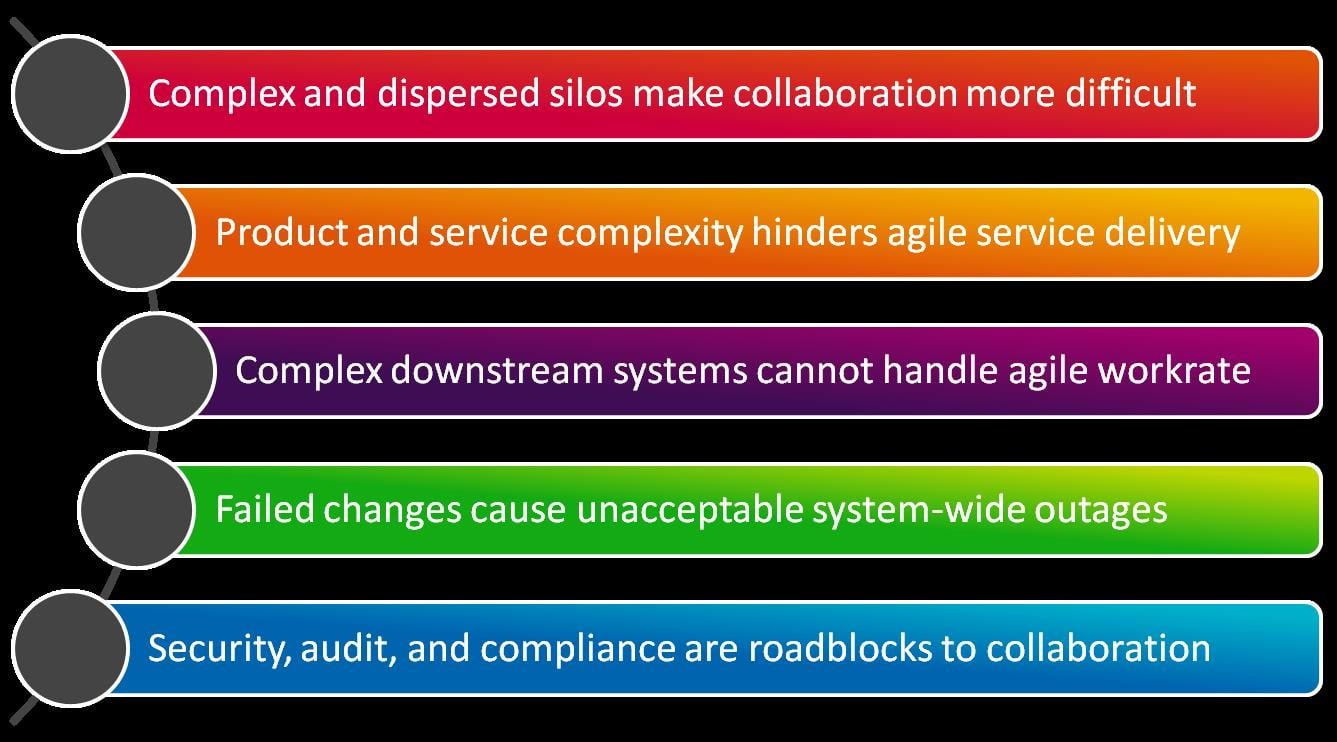
    The top five issues I chose to address are below:

    TopFiveIssuesDevops

    My five ‘Big DevOps’ tips for overcoming these issues center mainly on cultural change, because DevOps is primarily a cultural and attitudinal shift. However, it is also undoubtedly true that certain technologies can play a large part in enabling that change, especially in the more complex world of larger enterprises.

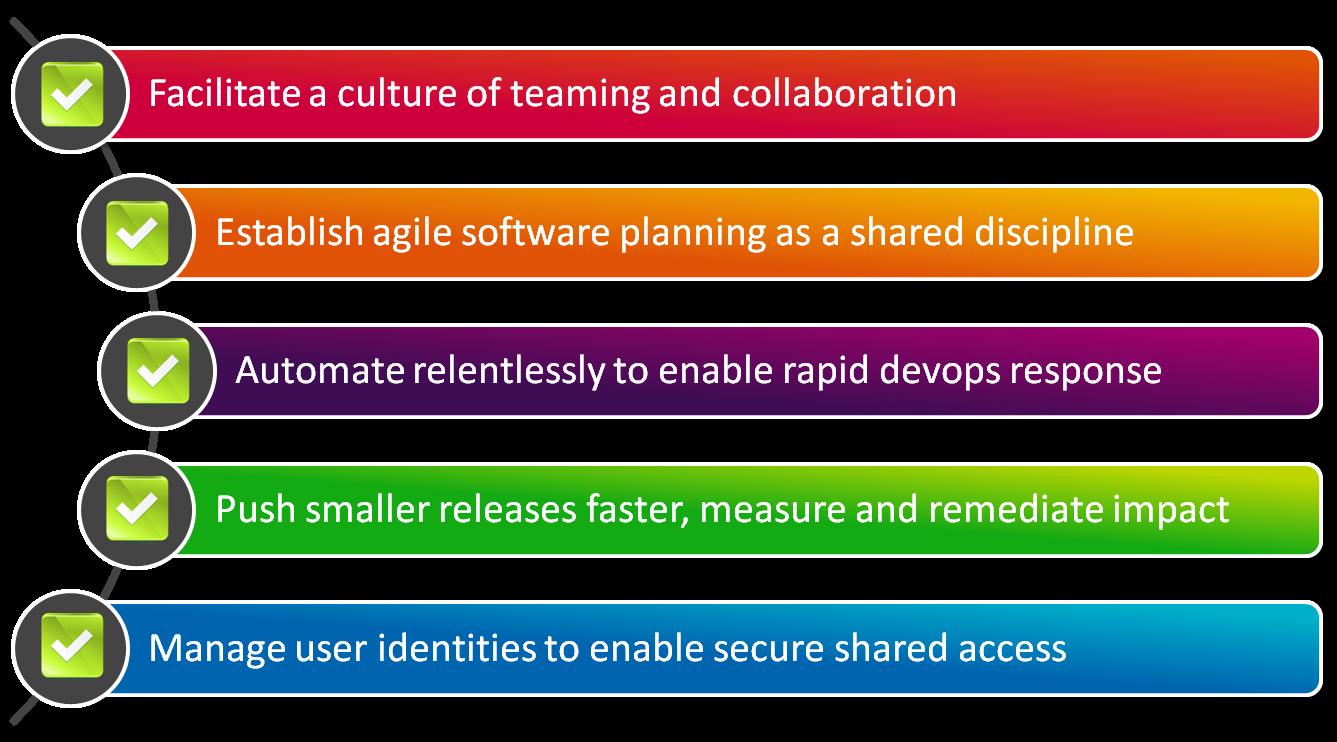
    With that in mind, my top five tips to address these challenges are as follows:

    FiveAnswersDevOps

    • Facilitate a culture of teaming and collaboration – this is at the core of devops in any environment, large or small, but especially for large organizations with bright lines between teams, this is essential to overcoming the tyranny of complex and dispersed silos
    • Establish agile development as a shared discipline – agile development is brings code to market faster, but can result in just filling the clogged pipes of PMO, HR, training, security, and other departments faster. ‘Agile’ needs to be common throughout the SDLC – in dev, ops, and beyond
    • Automate relentlessly to enable rapid devops response – automation allows faster execution throughout the system, enabling downstream processes to keep up with speed of DevOps. Automation also adds audit and governance, especially important to larger organizations
    • Push smaller releases faster, measure and remediate impact – large organizations especially are can avoid big errors by avoiding big releases. Adopt faster, smaller cycles with closer scrutiny to achieve a DevOps approach while managing the risk of faster cycles and fewer controls
    • Manage user identities to enable shared access – in smaller organizations it might be acceptable to give out root access like candy, but not for large enterprises. Identity and access management can enable a new DevOps approach that is safe, secure, auditable, and well-governed

    While these tips may not be the perfect answer for every organization, I have seen how these approaches have made the journey to DevOps easier, safer, and more effective for big enterprises. I hope they help you on your journey.

    If so, you will want to stay tuned to devopsy.kinsta.cloud. Since starting work on Enterprise DevOps concepts, I have collected many questions on how large organizations can best succeed in their DevOps transformation. I will be sharing these questions along with my answers here on devopsy.kinsta.cloud in a regular series, to give everyone the chance to understand how large enterprises can overcome the challenges of adopting DevOps at scale.

    So keep your eyes out for my posts over the coming days, weeks, and months in the brand new occasional series, ‘Enterprise DevOps Q&A’. I hope you will keep reading, and maybe even help me out by discussing your experiences and ideas in the comments below.

    Finally if you have any questions about Big DevOps, Enterprise DevOps, or anything to do with adopting a DevOps approach at scale, let me know in the comments below too. I would love to hear from you, and answer your questions if I can, or source guest opinions from the DevOps community.

    Meanwhile, please stay tuned for more Enterprise DevOps Q&A. I am excited to continue the discussion on what it takes to transform application delivery at scale.

  • ChatOps: Communicating at the speed of DevOps

    ChatOps: Communicating at the speed of DevOps

    DevOps is about knocking down barriers between developers and operations teams, and in doing so reducing organizational frictions wherever possible. And that’s certainly the spirit behind ChatOps – the term for the hyper-collaborative way of running DevOps, including operating aspects of systems and infrastructure, through online chat.

    Proponents of ChatOps say it streamlines communication in a centralized and powerful way. Born within Github, ChatOps evolved from its open source chat bot, Hubot, which has changed the way the web-based Git repository runs operations through the automation of deployment, graphing, monitoring, provisioning, and even mitigating security events.

    Think of Hubot, a Node.js app that is commonly run on Heroku, as a robot that helps keep everyone informed in a centralized place and in real-time, or in a near real-time, way. There are many benefits to ChatOps, says David Mortman, David Mortman, contributing analyst at Securosis, including the integration of ops activities with notifications into one place, making it easier for everyone to know what’s going on across the enterprise, as well as everyone throughout the organization having the ability to see error messages on events as they occur, he says.

    Github, as a highly distributed organization, with its several hundred employees spread across 103 cities, can use all of the communication efficiencies it can muster. As Mark Imbriaco, Ops engineer at Github, in his presentation ChatOps, Augmented Reality for Ops, uses Github, email, internal apps, other web systems that they’ve built to help teams communicate asynchronously – and yet they needed an option for the real-time or “semi”-real time communication. “I say semi-real time because, when we talk about chat, the social contract at GitHub around chat doesn’t require you to be immediately responsive to everything you see. Chat is still asynchronous, but it’s more synchronous than GitHub or email or other sorts of notification mechanisms,” said Imbriaco.

    Without enhancement, Hubot doesn’t do a whole lot right away. But when added to chat with one of the dozen or so connectors that include access to Google Talk, IRC, Skype, and Hubot monitors for events that come from within chat or from one’s systems and applications. “The magic happens when you build additional functionality into him to automate, well, everything,” Imbriaco said.

    Hubot will do certain things, such as notify people not present in a chatroom that they were mentioned, phrases can be registered so that notifications to those interested in certain events will be notified. Github has also plugged Hubot into the GitHub service itself. Today, when anyone creates an issue or pull request in GitHub, according to Imbriaco, a link and definition of the event is sent to chat. While Github already has ways to send notifications, by entering events real-time into the chat stream, others can jump in and comment, help, or otherwise advise on events and interact as they’re occurring.

    As for the adoption of ChatOps, Github isn’t the only one: but it’s not yet widespread among DevOps practicing organizations, either, based on our reaching out to numerous organizations. Nor, is the concept especially well known.

    That’s not slowing Owen Zanzal a developer at systems management provider VividCortex down from adopting ChatOps. Zanzal says in his blog post, ChatOps at VividCortex, that, despite ChatOps being off to a slow rise, “ChatOps has really revolutionized how we operate,” he wrote.

    The first Hubot mission at VividCortex was to help improve how code is deployed. The problem Zanzal highlights is that encryption keys and new developers apprehension around code deployment, was slowing down production.

    To streamline deployment, Zanzal moved the execution of Capistrano commands to a Jenkins (a continuous integration server), and created Hubot commands so that jobs could be created using a Jenkins exposed REST API. When done, developers needed only run a chatroom command, such as “hubot stage webapp” or to deploy “hubot release webapp,” Zanzal explained. “Now, no one is blocked by the gatekeeper from pushing code into staging or production, and every developer can push code when they are ready. The unfamiliar Capistrano commands were simplified into much easier to understand Hubot commands,” he wrote.

    VividCortex is also using ChatOps to fetch logs and more quickly remediate issues as they arise, Zanal wrote.

    Chat-as-Ops
    GitHub has also pushed ChatOps much further than simply as a place to stage and deploy code. It’s using ChatOps as a way to help actually run ops. For instance, Imbriaco spoke to how Hubot and ChatOps is used for efforts such as rebalancing shards across its file servers. “Honestly, it took me a little while to get used to some of these. We have some [Hubot actions] that do things like rebalance shards across our file server. And that’s horrifying to me, because the consequences of failure are so bad. But the reality is, I’m either going to run it from a chat room, or I’m going to run a shell script from a terminal. If I ran it here, at least everyone saw it. So at the end of the day, this is repeatable, it’s tested, it’s commonly used,” Imbriaco said. “And if it stopped working we would notice,” he said.

    And one time when Github was fending off a distributed denial of service attack, Imbriaco needed only enter the name of their service provider to direct traffic and the attack was successfully mitigated.

    Moving to ChatOps isn’t without risk, however, Imbriaco explained. A lessoned learned when it became a little too easy to deploy to Amazon Web Services. “We went from zero to way too much spend on Amazon in about two weeks, when I turned up the ability for us to provision EC2 hosts from Chat,” he said. But that issue was resolved by giving users information at the time of provisioning, such as including metadata into the instance that details who created it, as well as informing users how much it’s likely to cost,” Imbriaco said.

    Despite the efficiencies of ChatOps, don’t expect a widespread embracing of ChatOps, but more likely a slow adoption. “GitHub is a flying unicorn. They’re like Netflix,” says Mortman. “People will pick up some of what they are doing but it’s too advanced for most,” he says.

  • Provisioning versus Configuration

    Provisioning versus Configuration

    There’s a ton of hype and excitement surrounding containers, a la Docker, today, much in the same way virtualization took the data center by storm. In both cases, the excitement for operations focuses on the ease with which infrastructure might be deployed and managed via such technology.

    Whether container or hypervisor, however, there remains a distinct difference between server and network virtualization that must be considered before getting too excited about the possibilities.

    There are two distinct use cases for which virtualization and containerization of anything are considered beneficial: scale and deployment.

    Scale

    In terms of scale, both virtualization and containerization are excellent technologies. Both can fully encapsulate a service – whether application or network – and enable rapid deployment of multiple instances of the same service with very little (if any) post-provisioning requirements. This is the premise upon which cloud computing and NFV is based: clones of services and applications rapidly deployed to enable elastic scalability that matches demand.

    For scalability purposes, virtualization or containerization of services is a match made (mostly) in data center heaven.

    Deployment

    Enabling rapid deployment of new services using virtualization or containers, however, is not necessarily going to net the same benefits. It is important note that the standardization and APIs associated with virtualization and containers that enable scalability so seamlessly is focused solely on the management of the container or virtual machine. The ability to provision a virtual machine or container is not at issue; APIs enable the rapid provisioning of a container or virtual machine with extreme alacrity.

    What those APIs do not do is enable the rapid configuration of those services once provisioned.

    Configuration != Provisioning

    This is a critical differentiation that must be made lest we assume we can leverage virtualization and containers to enable a self-service style data center, a la IT as a Service. While virtualization and containers make provisioning a service instance a relatively painless experience, configuring those services must still be accomplished. When deploying a new service, existing configurations will not be wholly valid. There will always be some amount of customization that must occur, if only to make sure the service is interacting with the right application.

    This means that once provisioning of the service is complete, there is still work to be done. One does not simply launch a load balancing service, for example, without instructing it how to distribute load (what algorithm to use) and to what set of servers (configure a pool).

    provisioning versus configuration

    It is important to recognize the difference between these two steps in the deployment process and take into consideration the impact of configuration after provisioning on that process. Depending on the method of configuration, this step can have a serious impact on the speed and efficiency of the deployment process as a whole.

    It is also important to note for monitoring purposes, as virtual machine health and status is not the same as the health and status of the service, whether that be an application or a network service. Both must be monitoring and managed in a virtualized infrastructure to meet MTTD (mean time to detection) and MTTR (mean time to resolution) objectives.

    In most cases, the impact from configuration is the greater of the two, with its time requirements most significantly impacting the application deployment lifecycle. It is optimization of configuration processes, not provisioning, that will ultimately provide the biggest benefits for DevOps in terms of reducing errors and improving time to market.

  • Coaching DevOps Baseball

    Coaching DevOps Baseball

    Coaching DevOps Baseball

    Every technology gets surrounded by hype during its maturation, and DevOps is certainly not immune to that phenomenon. If you’ve spent more than five minutes looking into it, you know that, because the current discussion sounds something like this:

    “All right, there’s other stuff, but it’s just support, so I want you all to go out there and practice the important part! You only win the game if you score runs, and you only score a run if you run from third to home, so get out there and run from third to home! You’ll be the best team ever on the only part that matters, running it in!”

    baseball

    “What? That hitting the ball and making first, second, third base? That’s supporting stuff, doesn’t really matter, master running from third to home, that’s how you score runs, and runs win games! Oh sure, some hotshot can hit a home run, but then the team relies on the guy who can get home runs, so forget about it, just focus on running third to home!”

    Yes, the vast bulk of punditry sound like this right now, and yes, it is as damaging to your DevOps efforts as this coach would be to a baseball team.

    And yes, you need to care about all the other parts of the game – because it isn’t baseball if you only do one part, and it isn’t DevOps if you only do one part. No matter how much the coach thinks that part is the important part. After all, in the game, you’ll never get the chance to run third to home if you’re not able to handle the preceding parts of the game.

    So when you read pundits at the moment, pay more attention to what they minimize than what they consider the end game. The benefits of putting scripts and configurations into version control, building automated testing, taking the time to write automation scripts you’ve been thinking about off and on for years (and putting those into VC also), all of these things are not only necessary prerequisites to the nirvana some foresee if only you do DevOps “right”, but they also hold benefits all their own. Harness your hotshots to automate what’s hard, and make that automation adaptable enough that it can change with the times. The “right” way to do it is methodically. Indeed, I would add the Etsy slogan “measure everything”. You can’t tell how DevOps is impacting the org if you’re not measuring things.

    And doing it methodically is actually pretty easy. Pick a team or (my preference) a project, and tell them to do it. Set standards for keeping each change to configs in version control, demand that they automate as much as possible, but leave points in the process for human checking, require that automated tests are complete and run successfully before the code is considered complete (and set a standard for maintaining tests in the future, since that’s where most orgs have issues). Involve security deeply, because a failed drive, or a server dropped from a bad config can be recovered quickly, a security breech not so much. Then take what you learn, and apply what works well for your org again, perhaps to a larger team or project.

    The whole point of DevOps is to improve IT’s responsiveness to changing business needs, increase operational capacity, and reduce human error. It’s not to achieve some goal set by people outside of your org, it’s to do it within the confines of your org.

    So go hit some home runs, run the heck out of the first three bases, make IT more efficient and effective. Worry about things like “IT Transformation” when they come up and make sense, not when you’re just learning the rules of the game.

  • Building Security and Compliance into the SDLC

    Building Security and Compliance into the SDLC

    As the concept of DevOps has become more popular in recent years, there are some common themes that always seem to come up in discussions about it. For example, how often do we talk about ways to speed up the software development life cycle (SDLC) in order to bring innovative applications to market faster and meet ever-increasing customer demands?

    As important as this and other popular DevOps themes may be, though, they often have the side effect of overshadowing some of the less glamorous topics, such as security and compliance, which is often viewed as a sort of “necessary evil.” That said, the risks of putting an unsecure application into production can create massive challenges for organizations – from breaches to loss of company IP to brand damage – making security and compliance a topic that must be tackled as enthusiastically as accelerating innovation.

    Three Critical Areas of Focus

    When it comes to considering how security and compliance can become more integrated with DevOps practices, there are three critical areas on which all organizations should focus: shifting security left in the SDLC, building security into policies and creating an audit trail throughout development.

    Shifting Security Left in the SDLC

    Organizations that incorporate security in the earliest stages of the SDLC will ultimately benefit from products and applications that are secure by design. But in order to accomplish this, they can’t wait until the software hits production to test it for vulnerabilities.

    Service virtualization can help by simulating the application delivery run-time environment and its data, allowing developers and testers to focus on security immediately, instead of waiting for access to crucial resources. In addition, a release automation tool can help collapse development cycle times from days to minutes, enabling IT teams to spend more time improving the functionality, quality and security of their applications – and less manually promoting them from stage to stage.

    Building Security into Policies

    It used to be that every element of application development took place between an organization’s four walls, but with the rise of cloud and software-as-a-service (SaaS) technologies, it’s not uncommon for different stages of the SDLC to occur on different infrastructures. So if the environments are always changing, how do we ensure security is consistently addressed? By building it into the policies that comprise our continuous validation methodologies.

    Release automation enables development teams to create policy-driven infrastructure provisioning rules that automatically determine what application elements can and cannot be staged on specific infrastructure types. For example, a common policy would be to never let customer or database information move to a public cloud environment, where sensitive information could be lost or stolen.

    Creating an Audit Trail through Development

    To this point we’ve centered the conversation mostly on security, but being able to maintain – and prove – compliance throughout the SDLC is an equally important challenge that IT development and operations teams must solve.

    So when we think about compliance, we’re really asking questions like “What application moved from this stage to that stage?”, “Who released the application into production?” and “If there was a rollback, what was the cause and who rolled it back?” In other words, we’re talking about audit trails and logging all activities within the SDLC – something that can be difficult when numerous manual steps are involved. However, a release automation tool will capture all of this data as a matter of course as it automates release deployments through orchestration and promotion of applications from development through production. This means you’ll always be able to answer those who, what, where and when questions that pop up during audits.

    Eliminating Vulnerabilities and Getting Back to the “Good Stuff”

    I’ll admit that security and compliance are not the most exciting topics in DevOps. If application development were a meal, they’d be the pile of lima beans you have to eat before you get to the dessert that is innovative feature development. The good news is, service virtualization and release automation tools can help you speed and simplify the process of building security and compliance into the SDLC, which ensures your applications will hit the market without vulnerabilities – and lets you get back to the fun stuff.