Tag: devops tools

  • The Fallacy of Move Fast and Break Things

    The Fallacy of Move Fast and Break Things

    Ever since Mark Zuckerburg uttered the phrase “move fast and break things,” it has become the motto of many development teams. Companies wanting to be the next unicorn decided this must be the way to operate. The race was on to release more, ship faster, never stop. If moving slowly and methodically wasn’t working, doing more had to be the key to success.

    These companies would cherry-pick statistics from reports such as the Accelerate: State of DevOps Report. The 2019 report showed elite companies have 46 times more frequent code deployments than low-performing teams and a 2,555 times faster lead time to move from code commit to deploy to support their initiatives to move faster.

    The problem is moving fast doesn’t work across industries or for all teams. To effectively move fast, you need processes in place to support the velocity. The consequences of moving too fast and not being able to fix things when they break are high. 

    How We Got Here

    What has gotten us to the point where we are moving too fast? In short, we have. How do you feel when it takes months or a week for a PR to be resolved compared to hours or days?  As consumers and end-users of software, our expectations are continually rising. We have to ship quickly because that is what we as consumers expect. As customers, we are pushing companies, which in turn push their employees to meet the increasing expectations.

    What are the consequences when you try to move fast and not just break things, but fail? 

    • It takes longer to resolve incidents.
    • You lose customer confidence and sales.
    • Employees burnout and you have a high turnover rate.

    Let’s go back to the stats from the Accelerate: State of DevOps Report. Yes, elite teams ship faster. But, their changes are 1/7 as likely to fail and they recover from incidents 2,604 times faster than low-performing teams. It’s not just about moving fast and breaking things; it is about having the right systems and processes in place to support this way of working.

    Setting Yourself Up for Success

    You need two things to effectively move fast: a culture of psychological safety and smart investments in tooling. Employees need to feel empowered to speak up if things are moving too fast, if they are concerned about why a feature is being built and to identify gaps in the processes. They need to feel they won’t be blamed when something breaks. Building this requires empathy, open communication and teamwork.  This psychological safety is the foundation of being able to move quickly and quickly recover when things break. 

    Next up is selecting the right tooling and processes. Invest in tools that make things easier. Tools should be useful, usable and change the underlying problems, not create more. 

    Think about the tools in place to quickly resolve incidents when something fails:

    • Observability and monitoring tools to identify and notify when things go wrong.
    • Incident management tools to route, track and escalate issues.
    • Feature management tools to enable circuit breakers and load shedding to turn off features quickly. 

    The culture and tools are part of the equation; the final piece is having the right processes in place to effectively use the tools and support the people. 

    What are some processes you can implement to enable safety at speed?

    You should attempt to move fast, you should try to break things—but only when you have the right protections and processes in place. Using a combination of the right tools and processes, you can deliver more value faster without sacrificing quality or your employees’ health.

    — Dawn Parzych

  • Dynatrace Extends AI Reach of APM Platform

    Dynatrace Extends AI Reach of APM Platform

    Dynatrace, at its Perform 2020 conference today, extended the reach of the Davis artificial intelligence (AI) engine it makes available via its application performance management (APM) platform to include deeper ties with mobile applications along with an ability to track key performance indicators (KPIs) such as revenue trends and customer churn.

    In addition, Dynatrace has enabled one-click integration with web analytics tools such as Adobe Analytics.

    Those capabilities are in addition to deeper integration between the Davis AI engine and Kubernetes that was announced earlier this week at the conference.

    Mike Maciag, chief marketing officer for Dynatrace, said usage of APM platforms is expanding beyond IT teams to include business users at a time when organizations are building and deploying more digital business applications. Most of those emerging applications revolve around mobile computing devices so Dynatrace is also extending the reach of the Davis AI engine to provide digital experience management capabilities, including advanced analytics and segmentation of mobile app user sessions, auto-instrumentation for additional mobile platforms such as React Native and tvOS and insights into third-party mobile applications components, he said.

    Specifically, Dynatrace multi-dimensional analytics now include crash reporting workflow and granular segmentation capabilities spanning health, performance and usage metrics across all app components and user actions. That capability will eliminate an APM blind spot most organizations have today, said Maciag.

    With more than 200 billion mobile applications having been deployed at a cost of $120 billion in 2019, Maciag said it’s apparent the scope of the challenge requires additional help from an AI engine.

    Coupled with an ability to now track how application performance is impacting KPIs, Maciag said there is now an opportunity to unlock a gold mine of business data that is locked up in observability platforms using modules such as the Dynatrace Digital Business Analytics.

    To further enable that capability, the Davis AI engine within that module provides automatic, real-time alerts on anomalies that might impact the business now using a wider array of data sources.

    It’s not clear to what degree business users might rely on APM platforms to surface events that could impact business outcomes. Most business users rely on either business intelligence (BI) applications or traditional spreadsheets to manage the business. However, as more processes become digitized using software APM platforms can surface events long before they are ever reflected in a BI application or spreadsheet. In fact, chances are good that business leaders are more likely to be able to affect the ultimate outcome sooner should they choose to analyze events in real-time via an APM platform.

    In the meantime, as application environments become more complex, reliance on APM platforms continues to grow. Once used mainly to keep track of only the most mission-critical monolithic applications in the enterprise, organizations are now tasking DevOps teams to manage entire business processes end to end basis. The challenge, of course, is most of those business processes consist of a wide variety of front and back-office applications that more often than not were built using entirely different frameworks.

    — Mike Vizard

  • How to Achieve a Converged Toolchain

    How to Achieve a Converged Toolchain

    In recent years, there’s been an explosion of tools for developing and delivering software. In a single pipeline, a company will have separate tools to ideate, plan, code, verify, configure, release and monitor new software, and every pipeline can have different tools for each individual stage (i.e. ideation). That’s a lot of tools, and providing visibility into the process of application development and delivery is difficult and can create many challenges.

    The key to eliminating these challenges is to develop a converged toolchain.

    What Is a Toolchain?

    A toolchain–in the context of software delivery–is a collection of tools managing the planning, execution, quality and delivery of the software being developed, starting from idea generation all the way to production. Each phase of development can have numerous tools, and it’s not uncommon for an organization to use multiple test tools, multiple tools for backlog/user story planning or multiple defect tracker tools.

    By default, each tool operates in a silo–not really interacting with other tools and not visible to other groups. Without a converged toolchain, companies are left with fragmented visibility along the application development and delivery pipeline. This means the development team has no idea what the planning team is doing, the operations team can’t see what’s happening with the development team, and so on. Of course, someone from the development team could walk over to the planning team and ask, “what’s going on?” But that halts momentum and slows down the entire process.

    The Kanban framework is a great example of a siloed tool commonly used in planning. It presents a list of all the features that need to be built, but it can’t track features in production unless someone manually changes a status. Thus, it’s only as reliable as each person making the updates, and it results in the status of many projects being out of date and stale.

    The service desk is another good example. Here you’ll find which projects are in or about to be in production, but it leaves you with very limited visibility into what’s coming down the pipeline. It also doesn’t provide you with context. For example, the operations team may know what app they’ll be working on, but they don’t have an idea of the risk profile of what’s coming.

    Benefits of a Converged Toolchain

    With a converged toolchain, disparate and siloed tools can work in one connected ecosystem. Help desk tickets can match a bug to the specific developer who worked on the feature, and initiatives can be matched to applications, environments and/or production change requests. The convergence of tooling data enables visibility between groups–allowing each group to use their own tools but at the same time work with data that is augmented from the rest of the toolchain–and this visibility enables collaboration between the groups. Connected toolchains also enable each team to continue to work on their part of the process using their own tools, and teams can evaluate the entire process of software delivery and monitor for hand-offs, waste and inefficiencies. This holistic visibility enables efficiencies not previously possible. 

    Without a converged toolchain, teams are likely to run into problems around timing and planning. For example, when the testing team is ready to tackle their part of a project, their first questions are typically, “what environment is it on?” and “what features does it include?” Unfortunately, these can be some of the hardest questions to answer. But a converged toolchain allows the testing team to easily see where exactly the unverified feature is, ­­and quickly move it along the pipeline.

    Achieving Convergence

    By converging the toolchain, you’re integrating and interconnecting the tools in the toolchain. To achieve this, you’ll need to complete three steps. First, you need to correlate and integrate data from the tools into a common data model. This will help create a standard way of looking at features, tests, environments, release processes and phases of delivery. All of these tools need to feed into their part of application delivery so you can correlate all the data together.

    Once you have that, the second step is to synchronize data between the tools and bring all the data into your common data model. This will give you the visibility your teams need so you can connect particular features to the environments they are on or know what features still need to be built.

    The third step is to create workflows. This allows you to not only bring data in but also take action on the data and react to things based upon events. For example, when the operations team is transitioning a new feature to production, they can mark it as ready for production, and it will be labeled that way across all tools and all teams. This ensures every team is on the same page and no piece of work can become stale.

    This workflow can also help when it comes to issues that are reported to an organization’s help desk or technical support of internal applications. Without a converged toolchain, that help desk worker has to create a ticket, call up to the developer team and try to track down the person who can fix the issue. However, with a converged toolchain, that help desk worker can automatically create an alert for the developer of that system. Then the developer is able to quickly see the bug, begin working on a hot fix and send a note back to the end user with an estimated time of completion. All of this is completed within the workflow of the converged toolchain and without anyone having to physically chase down another person for answers.

    By restricting themselves to only living in silos, most organizations have created a problem when it comes to communication and workflow across teams. Instead of working on items that deliver value to their customers, teams are spending a considerable amount of time on hand-offs. While it is important to know where a project stands, teams should be focused on delivering value to the customer, not gathering status updates.

    The days of living with this kind of fragmented visibility into the application development and delivery process is not acceptable anymore. Every organization’s toolchain should be focused on removing execution barriers and automating the development and continuous delivery process. In order to achieve this kind of success, teams need to be able to work with full transparency in their tool of choice while also being able to see the broader context of how their work fits in to the rest of the toolchain. With a well-designed, integrated and automated DevOps toolchain, development and operations team members are able to work together with common objectives and metrics to ensure quality, on-time application delivery to the customer.

    — Jeffrey Keyes

  • The Battle for End-to-End DevOps Champion Is On

    The Battle for End-to-End DevOps Champion Is On

    This past week’s CollabNet/Xebia Labs merger brings another challenger to the “end-to-end” DevOps market. There is a huge prize waiting for the winner. But which of the challengers has the right stuff to win this battle? Will any of the current pack even be around at the end of the day? Who will be the winners and losers? What will it take to win?

    The eventual dominant player in the end-t0-end DevOps provider market will be rewarded with what should be a great pot of gold. It is this promise of hegemony over DevOps and the rewards it commands that have so many chasing the prize.  CloudBees, JFrog and GitLab are some of the DevOps darlings in this market. Chef has a similar game plan, and now the new entity stemming from the CollabNet/Xebia Labs deal will also be a player. I believe GitHub/Microsoft will make a play in this market, too.

    At this point in time, who knows which company will be triumphant and which will be regulated to the trash heap of also-rans? One thing I learned from my friend Brad Feld is that if you are not in the top three in your category, get out. In the end-to-end DevOps or complete DevOps market, there will be some winners and there will be some losers.

    Sanjeev Sharma, principal analyst for ASG, had this to say about the market:
    As engineers strive to streamline their application delivery pipelines to be able to achieve true continuous delivery, a massive stumbling block becomes an end-to-end delivery pipeline with tools that are seamlessly integrated. At one end of this spectrum we have organizations that acquire best-of-breed tools and glue them together themselves, owning the resulting plumbing. At the other end there are organizations that want tools from a single vendor that ‘just work,’ integrated out of the box. The pendulum today has swung toward the single vendor, integrated out-of-the-box side. The growth of platform vendors like GitLab and the consolidation of CI/CD tool vendors with larger ones is the result of this swing.

    Right now, while several contenders have a great vision, none of them really have a bonafide end-to-end platform or suite with functionality all the way across. There are also other contenders that I have not mentioned, but here is my take on what is out there that I see:

                1. GitLab – The company recently won our DevOps Dozen DevOps solution provider of the year and it was well-deserved. Sid Sijbrandij and team have done a great job laying out a bold, ambitious vision of GitLab’s eventual full functionality. On top of this, they add almost 200 new features a month, every month. The company is growing by leaps and bounds, with almost 1,200 employees, and has raised hundreds of millions of dollars with a valuation of $2.75 billion. GitLab has the resources to go deep in this market and has built some tremendous momentum. On the other hand, the fact is today GitLab customers primarily use the Git repo functionality and the CI module. The other modules are still being built out to be market-competitive, including some good work in security. I suspect it may take a few acquisitions to give the company market-competitive solutions in some of the other areas it is building out. At the end of the day, you have to make GitLab a clear favorite to be one of the survivors/winners, especially with such a high valuation.
                2. CloudBees – The Jenkins train has pulled CloudBees to the top of the mountain, but to succeed in this race, the company is going to need more than that to stay there. Jenkins is a bit long in the tooth and Kubernetes has been a game-changer. Jenkins itself has been turned over to the Continuous Delivery Foundation (Linux Foundation) as has JenkinsX, which works very well in K8s environments. But CloudBees has shown it is more than Jenkins and made some key acquisitions including Electric Cloud, which have given the company great enterprise customers and added to its talent pool. Other, smaller acquisitions have given CloudBees some fresh new functionality such as feature flags, for instance, which are upgrading and refreshing the mix. At the end of the day, though, CloudBees’ potential in this market is based on its ability to execute on its vision of a dual-product lineup that features both software delivery management (SDM), which they have already announced, and upgrading their existing software, which helps people with their CI/CD pipelines. Having both working together could give CloudBees an unbeatable place in the market. This vision may not be as ambitious or broad as GitLab’s but could be more attainable, more quickly.
                3. JFrog – Shlomi Ben Haim and his “Frogs” have built a DevOps powerhouse by understanding developers’ needs and wants and using open source as a market-penetration weapon as well as or better than anyone else. The company’s community/customers are fanatical in their support and the “change the world with liquid software” culture it has built is contagious.
                  When you consider JFrog started with a repository for artifacts and what it built on top of it is pretty amazing. The company continues to add new repositories for many of the popular languages in use as well. The downside for JFrog is that it just added its JFrog pipelines via acquisition and is still working to make it a best-in-class solution. XRay is JFrog’s security product for testing artifacts and code prior to deployment, and I think it will probably make another acquisition to bolster its security chops. The Frogs have the energy and will to win this thing, but they have a lot of work ahead of them to compete with an end-to-end or complete DevOps vision. Rumor is a new version of the platform is on the way; we will have to see what this brings. The company may wind up being bought for billions by a larger player (GCP, Microsoft), which could make JFrog a winner in any event.
                4. GitHub – GitHub is just a repository, you say? Nonsense. Make no mistake about it, GitHub is going to be a player in this race. With the deep pockets and ambition to continue being a developer powerhouse at Microsoft, the company is determined to make sure GitHub is a complete DevOps solution. GitHub is adding functionality every day and has an amazing array of tools that plug into and extend GitHub. As the de facto standard—with something like 30 million developer accounts already and Microsoft’s Azure and war chest—don’t bet against GitHub being the last man or company standing here.
                5. CollabNet VersionOne/Xebia Labs entity. So, this is the new kid on the block—so new that we don’t even know its name yet. This merger was orchestrated by the private equity group TPG, which bought CollabNet last year and pledged $500 million to use to acquire and grow the CollabNet business into a complete DevOps platform. That $500 million probably represented a lot more than the firm paid for CollabNet, which was a 15 years-or-so-old company that had some good tools in the agile market. Since its merger with VersionOne, it has released a value stream management solution (it may not have been called that, but that’s what it is) and tried to market the whole thing as a suite. Obviously there was not a smooth path between the companies and some parts were missing; the street had the TPG transaction at less than $100 million. Some of its holes are getting filled with the Xebia Labs merger/acquisition. Rumor on the street was that TPG paid something like $226 million for Xebia—not a petty amount, but remember, Xebia raised about $100 million a while back. Again, the rumor is that a good chunk of that money was used to “buy” Xebia out of its ownership by the Dutch Xebia group. After paying that off, the current Xebia ownership used the remaining funds to try and keep Xebia competitive. You can do the math from there. In recent times we haven’t heard a lot from Xebia. It was assumed the company would either raise more money or look for a merger to gain enough girth to compete in this newly energized complete DevOps market. This deal seems to fit the bill.A real plus for this new entity is the addition of Ashok Reddy as CEO. Reddy is a seasoned player with large public company executive experience in the DevOps space, as well as GM of enterprise divisions. However, it is going to take more money and more functionality to create a market competitive entity in this space. There has to be a security module, for instance. The issue is with the inflated prices that companies in this space are garnering—what can be bought with the dollars left or what can be built holistically? Will TPG perhaps put more money on the table?  It’s too early to count this new player out, but as the new kid on the block, it has to play catchup against some of the other players.

    These are just five of the players. As I mentioned, Chef, one of the original DevOps darlings, also wants to play in the complete DevOps space. There are others lined up behind Chef, but we have to end this article somewhere. It is going to be an interesting few months as we see the winners in this space emerge.

    In the meantime, if you like this kind of analysis—no-holds-barred, tell it like it is, open and free—check out Accelerated Strategies Group at https://accelst.com. ASG is the new analyst firm MediaOps is working with, and it is doing to analysis what open source is doing to software. Knowledge wants to be free.

    — Alan Shimel

  • CircleCI Extends Orbs Ecosystem for CI/CD

    CircleCI Extends Orbs Ecosystem for CI/CD

    CircleCI announced today it has added integrations in collaboration with 20 partners to the family of connectors, known as Orbs, that it makes available for its continuous integration/continuous delivery (CI/CD) platform.

    Thomas Trahan, vice president of business development for CircleCI, said integrations are now available with Heroku, AWS, Cloud Foundry, Google Cloud, Red Hat, Helm, Kublr, Alcide, Azure, DeployHub, Fairwinds, VMware, Kubernetes, Rafay Systems, Pulumi, Convox, Spinnaker, realMethods, Quali, Pantheon, LaunchDarkly and Salesforce.

    Since launching Orbs a year ago, CircleCI claims there are now more than 13,000 organizations using Orbs across nearly 40,000 repositories and 9 million CI/CD pipelines. There are also more than 1,200 Orbs provided by more than 116 partners listed in the CircleCI registry. In the future, Trahan said the company plans to begin surfacing recommendations concerning which Orbs to employ based on the nature of the workflow being constructed.

    Trahan said Orbs are gaining traction because they reduce the amount of custom code that needs to be written to set up workflows across a CI/CD pipeline. Without the existence of Orbs, DevOps teams are forced to rely on application programming interfaces (APIs) that are more liable to break, he said.

    Competition between CI/CD platform providers is expected to become fiercer as adoption of CI/CD platforms continues to accelerate. A report published by Data Bridge Market Research this week forecasts demand for continuous integration (CI) tools alone will grow to $18.9 billion by 2025, representing a 19% compound annual growth rate. While the current CI/CD market is dominated by open source platforms managed by internal DevOps teams, CircleCI is betting interest in accessing a managed CI/CD service delivered via the cloud will rise as organizations opt to devote more resources to building applications versus managing the platforms they are built on.

    A recent CircleCI study of more than 30 million workflows spanning 1.6 million jobs runs per day on its platform found 80% of all workflows finish in less than 10 minutes. Those jobs spanned 150,000 projects launched by more than 40,000 organizations.

    The report noted 50% of those organizations start six workflows per day across their projects and that 50% of CircleCI projects never had a failure during pipeline changes made over the 90-day period when the study was conducted. When a failure did occur, 50% recovered in less than an hour, with 25% of organizations recovering in 15 minutes or less, according to the report.
    As organizations embrace best DevOps practices more broadly, CircleCI is betting these kinds of metrics will become more important as a platform differentiator.

    Naturally, it’s too early to say how the CI/CD platform wars will play out in the months and years ahead. But the amount of code organizations will need to deliver at increasingly faster rates is only increasing. The challenge organizations are facing now is finding a way to deliver all that code at an unprecedented level of scale.

    — Mike Vizard

  • DevOps Tools for the Monitoring Ecosystem

    DevOps Tools for the Monitoring Ecosystem

    DevOps is a cultural and process transformation—the goal of it is to achieve a higher rate of change and quality of software. There are categories of tools to help facilitate this transformation through automation and increased measurement and visibility. You can’t have or observe progress without measurement, and throughout your transformation you need to maintain a high degree of visibility in order to move quickly, safely. Not only is the idea of cultural and process transformation daunting for many organizations, adopting the tools to help you on that journey is even more so, as it requires a great deal of learning. 

    An integrated set of DevOps tools for monitoring has the power to improve visibility and productivity, achieve higher-performing systems and establish cross-functional collaboration. The right toolset is more than the tools themselves—it’s about developing the culture, discipline and practices that come to define your product/service and your workplace.

    This article will outline some of the best DevOps tools and practices when it comes to the monitoring ecosystem that help developer and operations teams work together effectively.

    Monitoring Tools

    A good monitoring platform lets you monitor infrastructure and application performance, whether on-prem, in the cloud or across containerized environments—so you have complete visibility into every system, all the time. Whether you want to monitor Kubernetes, IoT devices or bare metal, the right monitoring tool helps make it possible.

    An effective monitoring tool improves system performance and productivity, and helps you reduce downtime. You can adequately plan for upgrades and new projects, and better allocate your time and resources. You can detect problems—and solve them—before they impact users.

    There are a ton of great monitoring tools out there; I won’t go into them all here, but I’ll highlight the top three in terms of popularity.

    Love it or hate it, Nagios is still very much a widely used tool and formed the foundation for monitoring as we know it today. Plus, the Nagios service check is actually awesome (and underappreciated). Where Nagios falls short, however, is when it comes to monitoring ephemeral environments, such as Kubernetes and Docker, at scale. In reality, Nagios falls short when it comes to monitoring at scale in any environment, whether that’s virtualized or not. Enter Prometheus, an open source monitoring tool (and, like Kubernetes, a part of the CNCF) that uses a pull-based architecture. Instead of pushing metrics to the monitoring tool, it pulls metrics from services. Due to Kubernetes’ built-in exporters, Prometheus is often the go-to for monitoring Kubernetes, but it falls short when it comes to monitoring older infrastructure (see more pros and cons of Prometheus here).

    That brings me to Sensu, which offers the best of both worlds: you can reuse Nagios service checks in Sensu and monitor ephemeral environments at scale. If you have a strictly container-based environment, then Prometheus is a good choice; if you have a mix of multi-generational infrastructure (which we’re finding more often than not with our customers), then Sensu is the way to go.

    Configuration Management Tools

    Configuration management tools allow you to automate the provisioning and deployment of systems, enforce desired configurations and remediate configuration drift. By modeling your infrastructure as code, you can apply software delivery practices such as version control, automated testing and continuous delivery to infrastructure and applications.

    Automating work that used to be manual, repetitive and error-prone results in greater speed, predictability and scalability—and the assurance of standardized configurations across test, developer and production environments. Eliminating snowflake servers reduces time (and headaches) and lets you deploy software faster and more reliably.

    Popular configuration management tools include: Ansible, which is written in Python, agent-less and utilizes an imperative (as opposed to a declarative) approach. Puppet is another popular choice—it relies on a declarative config management approach and uses domain-specific language and an agent/master architecture. Finally, there’s Chef, which is written in Ruby and Erlang, and is modeled similar to Puppet.

    Alerting Tools

    Alerting tools provide both actionable and informational system alerts, and can be customized to fit the complexities of your systems. For example, your alerting system needs to be sensitive enough to cover an outage—but not so sensitive that you’re catching frequent, intermittent problems that users aren’t going to see and that would inundate you with needless alerts.

    Alerting tools help lay the foundation for your alerting policies, so you can determine who to notify, how to track issues and outcomes and how to prioritize remediation. Popular tools include PagerDuty, which offers an on-call management platform with add-ons for analytics, event intelligence and automated incident response. There’s also ServiceNow, which utilizes automated workflows for ITSM as well as customer service and business processes. You can send your alerts into Slack to consolidate alerts into the same platform you use for collaborating with your team.

    Metrics Storage

    Once you’ve automated configuration management, alerting and monitoring, you’ll have a whole lot of data at your disposal to learn from. The challenge: How do you securely store and analyze it? You need a storage system that lets you aggregate and learn from system capacity, user behavior, service levels, security risks and more.

    The insights you gain from your metrics inform decisions across all layers of your business, improving your ability to meet SLAs, satisfy customer expectations and make the case for new strategic investments. Data-driven decisions promote a culture of continuous learning and improvement.

    Popular tools for storing metrics includes InfluxDB and TimescaleDB, time-series databases (TSDBs) that are well suited for long-term storage, and Splunk, which uses a search engine database model to store and query your data. Amazon Web Services (AWS) supports a wide range of storage purposes, including relational and non-relational databases, a data warehouse for analytics, a TSDB, a leger database to store transactions and more.

    Visualization Tools

    A visualization tool might be considered the pièce de résistance of your DevOps toolchain for monitoring: You get to combine all of your data, sort and visualize it, and display it on customizable dashboards.

    Visualization tools provide context and meaning, allow you to track changes and improvements over time and give management a real-time view that helps guide strategic decisions. Customization options make it easy for team members to design and share their own dashboards.

    Grafana is a popular open source visualization tool and can be used on top of a variety of different data stores, including Graphite, InfluxDB and Elasticsearch. For more on how Grafana can integrate with your monitoring and TSDB, check out this use case.

    Evaluating Your DevOps Tools

    No matter where you are in your DevOps journey, it’s wise to re-evaluate the tools you’re using and identify where you can fine tune. Think about the DevOps tools in the monitoring ecosystem as more than their capabilities. How you use them begins to define your habits, values and work culture—and accordingly, the quality of your product or service and the value you bring to your users.

    — Sean Porter

  • DevOps at a Distance

    DevOps at a Distance

    How do you successfully follow DevOps practices when the two parts of your team are 5,000 miles (8,000km) and two time zones apart?

    Airwallex is a global fintech founded in Melbourne, Australia just four years ago. It is Australia’s fastest-growth tech unicorn with a valuation of over $1 billion thanks in part to investments from companies such as Tencent Holdings, Sequoia Capital, Square Peg, Horizon Ventures, DST Global and MasterCard.

    The business came into being when co-founders Jack Zhang and Max Li–who both worked in the banking sector–started a cafe in Melbourne’s Docklands area and realized that expensive foreign exchange rates hurt their profit margins when they imported products such as coffee cups.

    Zhang was a software developer working in investment banking and foreign trading, and he knew technology could be applied to the problem.

    Four years later, the company operates a network that allows SMEs to make easy and affordable payments to more than 130 countries and in 50 currencies.

    Airwallex has 400 employees spread across offices in Hong Kong, London, Melbourne, Shanghai, Shenzhen, San Francisco, Singapore and Tokyo. That headcount includes 50 engineers in Melbourne and 84 in Shanghai.

    “Communications between the two teams is incredibly important,” said Peter O’Donovan, Airwallex engineering lead.

    So the approach has been to treat all of his people as if they were remote workers.

    Tools

    Extensive use of Slack–even when both people are in the same office–keeps everyone in the loop, he explained.

    Similarly, Zoom videoconferencing is used for standups, and physical agile walls are replaced with digital equivalents.

    These tools also allow for the growth of skills across regions, and help ensure everyone is “working to a common pattern.”

    Such shared channels for collaboration and communication help accommodate overlapping working hours (Melbourne and Shanghai are three hours apart when daylight saving is in effect in Australia), as well as the need for engineers to be on call to deal with emergencies.

    This approach puts everyone on a similar footing, whether they work in one of the offices or remotely.

    DevOps leaders need to “focus on building relationships first,” he advised. Frequent video conferences are one way to build bonds with people in different locations. Understanding each others’ mindsets, establishing common ways of working and setting clear expectations are essential, and “doing it from day one is important.”

    Scaling up

    Airwallex plans to double the size of its engineering staff in both cities during 2020. O’Donovan points out that these established standards and practices help with the onboarding process and allow new hires to become productive more quickly.

    That is especially true as the company has selected tools that most people will find familiar: in addition to Slack and Zoom, Airwallex also uses GitHub and G Suite. “These tools are easy to adopt and easy to consume.”

    “Melbourne is a challenging market,” said O’Donovan, because DevOps skills are in demand and Airwallex wants to hire and retain quality talent. But there’s a virtuous circle–helping staff build a strong skill set and surrounding them with other talented people makes it a better place to work, so attraction and retention becomes less of a problem.

    O’Donovan sees DevOps as a key to scaling the company. Having all the teams using the same tools and patterns yields economies of scale by avoiding unnecessary repetition of work, and it allows developers to focus on functionality rather than plumbing.

    Furthermore, regulation and compliance is particularly important in the finance sector, and those considerations need to be built into the processes. “If you can do that seamlessly, you’re doing a good job,” said O’Donovan.

    For example, making vulnerability scanning and the segregation of duties the defaults in the CI/CD pipeline addresses such issues in an automated and auditable manner.

    You need “the right mindset for finance,” he warned. Building in compliance from the start works; trying to add it as an afterthought does not.

    Don’t segregate people, advised O’Donovan, because everyone needs to be working collaboratively toward the same goal. With the right tools and automation, a cross-functional team can deliver better code, faster.

    — Stephen Withers

  • Using Open Source for Better DevOps Outcomes

    Using Open Source for Better DevOps Outcomes

    Many insurers have jumped on the DevOps bandwagon in order to improve the efficiency and effectiveness of their systems and systems implementations. Very few insurers, however, spend much time thinking about the open source software community as a way to improve their DevOps approach–and the skills of their developers–and in that regard they’re missing a golden opportunity. In fact, insurers often restrict their developers from updating or contributing to open source libraries because they don’t realize the potential benefits available to them by participating more actively in the open source community.

    A 2016 survey by 451 Group indicated that the more companies used open source solutions in their DevOps portfolios, the more effective the DevOps function was. More specifically, the study reported that among companies with at least 60% of their DevOps portfolio as open source, a full 54% had reached the “fully deployed” DevOps state, with all of their development occurring via DevOps models.

    By comparison, only 30% of the surveyed companies that used less than 60% of open source tools in their DevOps portfolios had reached this state of DevOps adoption. Clearly there’s a link between open source use and DevOps success. Given these results, insurers should focus on the benefits of supporting and encouraging their DevOps groups to embrace the open source community.

    It’s a dated but still persistent view: Participating and contributing to the open source community means developers are giving away their time by creating and contributing intellectual property (IP) that may benefit others outside the organization. However, the truth of the matter is participating DevOps engineers, developers, analysts, etc. are often fixing bugs and making improvements to code libraries other than their own but that can have value for their own DevOps efforts.

    The very definition of open source –software for which the original source code is made freely available and may be redistributed or modified–makes it fertile ground for skills and solutions improvement. Additionally, that process of analyzing and repairing code represents some serious skills development. It’s the kind of development skills that can be difficult to obtain by just working on in-house applications and platforms–which are often proprietary and dated–lacking modern coding techniques.

    Since open source literally means a developer and/or organization has the ability to make the code fit their needs however they see fit–they control their own version of the product that may diverge from the original open source project–the opportunity for DevOps solutions improvement is substantial. Moreover, any DevOps related IP a developer creates and contributes is not lost and is certainly not stolen–the IP can be used directly by the developer and that developer can continue to benefit from the IP of other developers on a gratis basis.

    Utilizing DevOps solutions from the open source community can be both time and cost effective and can be a positive boon to organizations. While some insurers may not knowingly allow open source code in core systems or applications, its use in a DevOps ecosystem is another matter. That’s especially true since DevOps is a newer and less mature IT function that requires new tool, process and solutions development. Leveraging open source solutions can expedite that process. In fact, many of the key DevOps tools used today either are or started as open source solutions for DevOps problems. One would be hard pressed to find a DevOps development stack–from building/developing to monitoring–that didn’t use at least one open source tool as part of the stack.

    Often the fear or apprehension to using open source libraries (for DevOps or anything else) is that anyone could have written it, thus its quality is or could be sub-par. While in some cases this can be true, the same holds true for closed source proprietary software, as many insurers could attest. Simply put, open source tools and libraries are worked on by developers of the exact same caliber–if not the exact same people–who work on closed source proprietary tools and libraries. The only difference is there are often less people involved with proprietary solutions development. And since there are relatively few proprietary DevOps solutions in the marketplace to choose from, open source should be considered a viable channel for DevOps solutions.

    Even if there were more choices for proprietary DevOps solutions, the financial savings involved in combining open source solutions with DevOps can be significant. Importantly, open source solutions for DevOps are particularly useful when the right solution for a problem has yet to emerge, almost a given in a maturing DevOps ecosystem. Rather than rushing out to buy something that promises to fix the problem–or writing something themselves–DevOps developers can find open source solutions and use those to experiment, test and otherwise isolate and identify the true nature of and solution to a DevOps challenge.

    Another reason DevOps groups should avail themselves of open source techniques and tools is the fact that the tools and techniques available for DevOps–proprietary off the shelf and built inhouse–are still not quite there yet. The tools available are almost always missing something, resulting in developers at many organizations spending most of their time–and the organization’s money–trying to develop fully functional solutions from the ground up.

    More often than not, the resulting tool or solution is never as complete or well-built as the open source tool or solution that already exists. Most organizations would be better served tasking their developers with scouring open source libraries, identifying the “best fit” DevOps tools and then spending the time required creating the updates and improvements to the tools that have already been mostly built, saving time and money.

    Finally, there are lots of DevOps staff out there who participate in the open source community–in their spare time anyway, or have done so while working on previous projects. That means hiring DevOps staff with open source experience is a shortcut to potential open source techniques and tools. These are people that can hit the ground running by bringing their open source experiences to bear while they’re getting up to speed on the proprietary work they may be assigned. Considering these benefits, it’s past time for DevOps groups at insurers to dive into the open source waters.

    — Tanner Gibson

  • Continuous Optimization: An Idea Whose Time Has Come?

    Continuous Optimization: An Idea Whose Time Has Come?

    Agile makes development deliver code faster. CI makes testing move faster and CD makes delivery faster, but what keeps track of the volume of change all of this introduces and delivers optimizations faster?

    That is the question Opsani wants you to be asking. And it’s a valid question. Optimization in a complex and constantly changing software world becomes more important–if it can keep up. Opsani thinks it can, with a little AIOps to help anyway.

    The premise is simple. There are ways to adjust the environment that might increase performance and/or reduce costs. Those ways are individually relatively simple (such as JVM settings or cloud instance sizing), but combined they make a complex web that impacts performance as a whole, with individual bits sometimes helping and sometimes hurting.

    Up JVM memory on a large instance and it might help. Switch to a smaller instance later, and that JVM change may cause problems on the smaller footprint, for example. So something more dynamic is needed. As code changes, best optimization options might change also. As the other parts of the environment change, that magnifies the concern that applications are not running at their best and might be costing too much money.

    Opsani’s answer to this problem is continuous optimization. Using AIOps to check different combinations of settings at a rate that operations staff couldn’t manage even if they did have the time. And they generally don’t.

    From my (not their) perspective, there are two pieces to this puzzle. First is gathering inputs and determining performance, second is tweaking settings. Then repeat. Seems simple but the environment continuous optimization would work in is increasingly complex. Any look at how many places optimization can occur in a given environment–from VM/Instance to code to network to management platform to storage/database choices–there is a lot going on, and all of these settings can impact each other.

    Hence the idea of continuous optimization appeals to me. They’ve got the interfaces that one would expect to gather inputs, names such as Jenkins, DataDog and New Relic. They’ve got the interfaces to enact and test out changes too, with interfaces to products such as Kubernetes, Terraform, Rancher and Wavefront. So it certainly appears they’ve got the basics covered. Of course there are vendor interfaces I’d like to see that aren’t in the list of integrations, and no doubt the same is true for you. But the core is here, getting to the monitoring and management tools most companies use regularly.

    Opsani seems to be aware of the different comfort levels of various organizations, also. Able to run in dev or test as well as production. Since every organization has a different taste for putting new ideas into production, this is a good idea, though personally I would aim for eventual production rollout, just because that is where the rubber meets the road. Having it running as part of normal operations means even that small change that reduces responsiveness of your application by 25% (we’ve all seen it) will be detected, and Opsani can try changing some of the environment to compensate.

    When I spoke with them, we did not discuss cost, but we did discuss savings. For budget-sensitive environments, it is worth looking into the cost in your organization versus the potential savings in actual monthly dollars. Here is a screenshot showing the cost measure combined with the performance measure. Reducing monthly overhead to pay for a tool that also improves performance might just be a no-brainer–if it suits your environment.

    I can’t say if it suits your environment, nor can any other analyst/pundit. That’s for your organization to decide. But the idea of continuous optimization is a good one. Opsani is not alone in working on this problem, so even if this particular tool doesn’t suit your needs, you can look for others that do. I recommend getting the demo and seeing what they’ve got, and how it might help in your environment.

    — Don Macvittie

  • Render Taps Manifold to Expand Cloud Services for Developers

    Render Taps Manifold to Expand Cloud Services for Developers

    The rate at which DevOps teams that rely on cloud services from Render will be able to discover new tools is about to increase significantly, thanks to Render’s new alliance with Manifold, a provider of a marketplace-as-a-service platform.

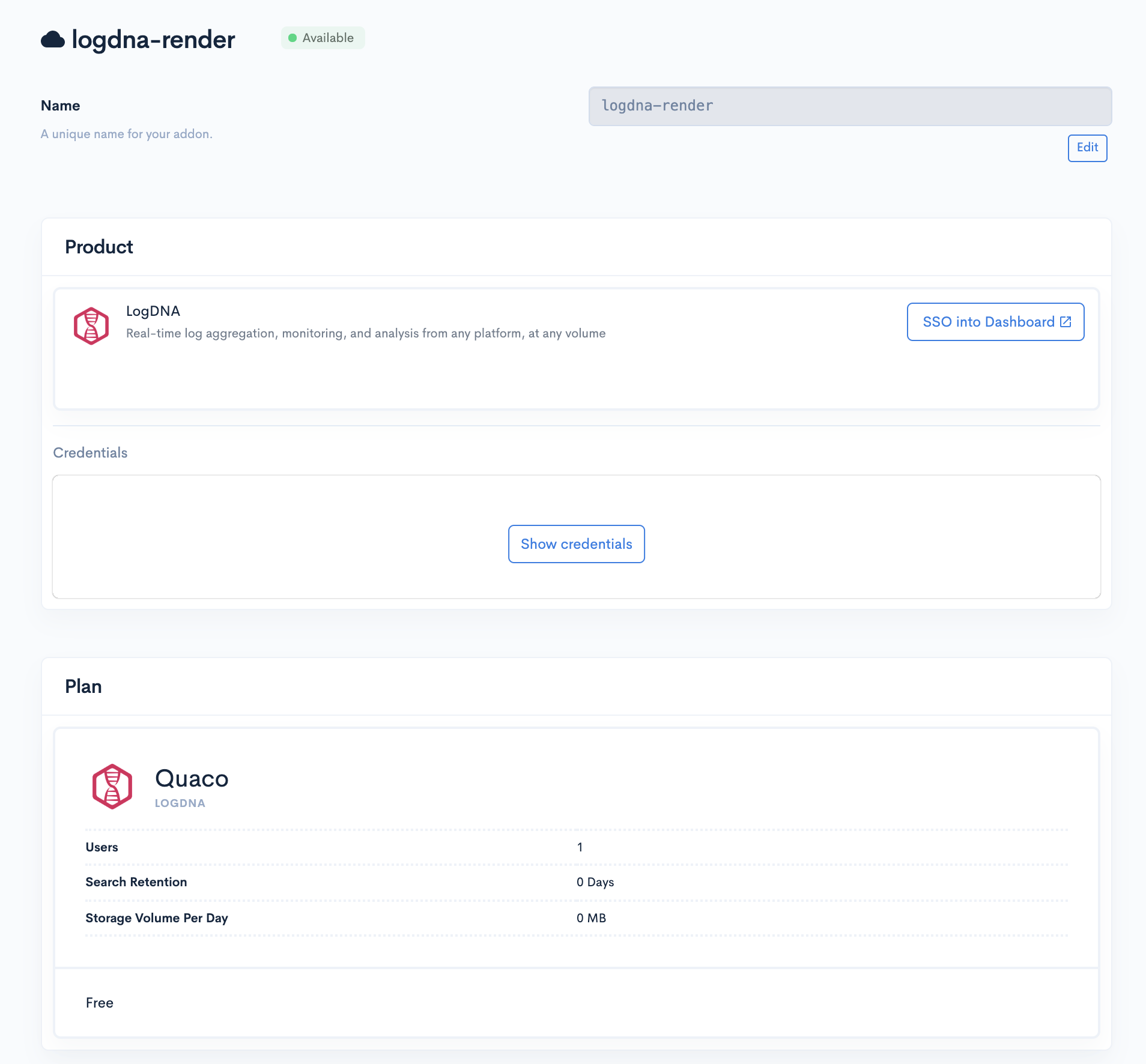
    Render already offers logging, monitoring and other DevOps tools, and will use the Manifold technology to create its own marketplace. Render CEO Anurag Goel said the partnership will provide his company with a platform that enables instant access without having to navigate as many configuration steps because Manifold has automated those processes.

    Goel said Render has been growing at a rate of 50% per month by focusing on the needs of developers, a strategy that has resulted in more than 100 million http requests a week on the Render platform. That approach has allowed the company to differentiate its cloud platform from much larger rivals such as Amazon Web Services, Microsoft Azure and Google Cloud Platform, which are not as focused on the developer experience, he said.

    Manifold CEO Jevon MacDonald said Manifold has focused its efforts on building a marketplace that allows smaller cloud service providers to offer tools and applications with a user experience that rivals any of the marketplaces provided by the big three cloud service providers but without having to build and maintain that marketplace themselves. Manifold also works with each provider of tools and applications on the marketplace to automate the configuration process, he said.

    Over time, marketplaces have proven to be critical for cloud service providers because they provide the foundation on which developer ecosystems are created. The easier a cloud service provider makes it for DevOps teams to discover new tools and applications, the larger that ecosystem tends to become.

    Obviously, AWS, Microsoft and Google have massive DevOps ecosystems in comparison to Render. However, with the rise of cloud-native platforms such as Kubernetes, it will become much easier for DevOps teams to build applications on one cloud platform and deploy them on another. To attract developers of cloud-native applications, Render has built a containerized platform as an alternative to legacy platform-as-a-service (PaaS) environment.

    Render is betting that cross-platform strategy for building applications becomes more commonplace, more developers will opt to build applications on cloud platforms specifically focused on providing a superior developer experience. Current Render customers include smaller startups such as 99designs, Gatsby and Indie Hackers by Stripe.

    As developers start to shift toward cloud-native technologies, it remains to be seen how many DevOps teams will be willing to consider alternative cloud platforms. The major cloud service providers have built business models around providing as little support as possible. While it may not be possible for cloud service providers to support each DevOps team with an expensive support contract, there does appear to be plenty of room for cloud service providers to create a richer developer experience that goes beyond a basic one-size-fits-all approach.

    — Mike Vizard