Tag: data protection

  • Do You Trust Your Cloud Provider to Protect Your Data? Maybe You Shouldn’t

    Do You Trust Your Cloud Provider to Protect Your Data? Maybe You Shouldn’t

    Around the world, businesses are moving to the cloud at a rapid rate. But, is the cloud really the best place to store your mission-critical data and applications? Is it truly a safe place to put data and apps that need strong protection?

     The immediate answer from many companies is “yes.” A recent study by Dimension Research, found that 59% of organizations believe data backed up to the public cloud is safer than data backed up on-premises. Further, the study showed that nearly half of all organizations (46%) believe it is the responsibility of their cloud provider to recover data and applications in the event of an attack or loss.

    Are these beliefs about the safety of cloud data correct? Can organizations rely solely on their cloud service provider such as Google or Amazon Web Services (AWS) for data protection?

    Leading providers such as AWS, Microsoft Azure and Google Cloud Platform typically secure core infrastructure and services as part of their responsibility. But, when it comes to securing data, that responsibility lies squarely in the hands of customers. Organizations that overlook this simple fact face a much higher likelihood of suffering a serious data loss.

    Yet, the general perception remains that if something happens to your data, it’s not your responsibility. Too many organizations have convinced themselves that their cloud provider will take care of solving any issues for them and magically recover all their data if it’s lost.

    Unfortunately, that is not the case. Take, for instance, data generated in a cloud app like Microsoft’s Office 365. Yes, Microsoft guarantees the service, but it doesn’t guarantee the security of the data you generate when using the service.

    Office 365 does have some basic data protection schemes in place, such as a 30-day recycle bin that allows users to recover and restore deleted data within a 30-day window. That’s important because users will sometimes accidentally delete or purge their data and then realize they need it for legal reasons. After that 30-day limit, however, the data is gone for good. Microsoft, for its part, makes this clear in its terms of service: Users own their data and are responsible for what happens to it.

    This misconception around data responsibility is somewhat understandable. In particular, the StorageCraft study found that small and midsize companies are much more likely to believe that their cloud provider will bail them out in the event of a data loss. For instance, 52% of midsize companies believe their cloud provider is responsible for data recovery, compared to just 43% of enterprise companies who believe the same.

    Many of these smaller businesses trust that sophisticated, near trillion-dollar cloud providers such as Google, Microsoft and Amazon have ironclad capabilities when it comes to data protection. They think they don’t have to worry, and they’re in good hands. While that’s generally true, they don’t realize that data loss and recovery are separate issues and their own responsibility.

    There is also a strong belief among organizations with a cloud-first strategy that their data is safer in a public cloud than it is in an on-premises facility. The study found that 76% of companies with an overt cloud strategy feel their data is safer in the cloud, compared to just 37% of companies that prefer to store their data on-premises.

    Trust in the cloud also varies by culture. For instance, 71% of organizations in France believe that data backed up to a public cloud is safer than on-premises. By contrast, only 37% of German companies feel the same way. Likewise, the study found that 59% of French companies believe data recovery is the responsibility of their cloud provider, compared to just 41% of German companies.

    At the risk of overgeneralizing, one might conclude that Germans feel a greater need to be in control of their own data, while French companies have a more laissez-faire attitude toward data recovery, entrusting that their cloud providers will take care of any issues.

    But no business, wherever it’s located, should have a false sense of security. The truth is that, whether it’s an issue of data corruption, a security breach or even accidental data deletion, the onus is on you to recover that data, not your cloud provider.

    So, then the question all companies need to ask is this: When something bad happens, how are you going to get your data back? Then ask yourself what level of risk you can tolerate and what kind of data you are putting in the cloud. Is it data that’s mission-critical and can you afford to lose it? Will your business run exactly the same without that data you just lost? And if not, how bad will the impact be?

    Once organizations realize they can’t rely on their cloud provider, they start to understand what kind of data-recovery capabilities they do have and also what they might need to add to stay protected.

    The good news is there are easy-to-use, cost-effective solutions that enable organizations to simply, yet powerfully, manage their data storage and backup requirements, whether on-premises or in the cloud. Instead of mistrusting their cloud provider, organizations can simply set up a truly effective data-recovery strategy. Adding that extra, yet highly necessary, layer of protection to your cloud data could be the difference between a business that successfully responds to adversity and one that succumbs to disaster within days, while realizing that it relied on cloudy promises.

  • Top iOS Security Gotchas

    Top iOS Security Gotchas

    Ensuring the security of user data within your app is critical to building trust in your business and contributing to the online safety of customers.

    Here’s a list of the top 10 essential security mechanisms that Apple offers to up the security posture of your iOS applications. Adopting these technologies and APIs within your products is an effective step toward writing more secure applications, giving you a lower risk of potential data compromise and increased confidence in your security posture.

    Opting Out of System Data Protection

    iOS provides the data protection setting, a robust way to automatically encrypt any files created by your app. This is an important security setting, however, it is turned off by default and many developers never enable it. Leveraging the system’s data protection mechanism is an easy win for increasing the security of user data within your app.

    Transmitting Data Over Insecure Connections

    It’s critical to ensure that any data-in-flight is transmitted over secure connections. By using encrypted HTTPS connections for all apps’ network activities, a wide variety of data-in-flight compromises are mitigated. Additionally, organizations are recommended to leverage SSL pinning for maximum transport-layer security.

    Deserialization Fails

    The default protocol to serialize and deserialize data on iOS, NSCoding, is vulnerable to object substitution attacks, which could potentially allow an attacker to gain remote code execution. Apple offers a near drop-in replacement, NSSecureCoding, which is not vulnerable to this attack. To convert a serialized class to use the NSSecureCoding mechanism, Apple has outlined steps in its documentation. Making the recommended changes allows the system to enforce safe deserialization.

    Opting Out of App Transport Security

    App Transport Security (ATS) is a mechanism provided by Apple to mediate all network connections made by the app and validate that data is being transmitted securely. Opting out of ATS by use of NSAllowArbitraryLoads, or similar exemptions, is an easy way to shoot yourself in the foot and turn off a powerful security mechanism.

    Cryptography API Misuse

    Encrypting user’s data is a no-brainer, but care must be taken to ensure that it’s done in a cryptographically secure way. Some system APIs, such as CommonCrypto, are easy to misuse. This results in the illusion of security, while still allowing an attack vector for user data to be compromised. Be sure to use these APIs with secure options, and never statically embed encryption keys or use an encryption key which is trivially derived.

    Leaking PII to NSUserDefaults

    When handling personally identifiable information (PII) within an app, it can be tempting to store it in a convenient and straightforward way, such as using an NSUserDefaults entry. However, this approach allows any other app on the device to read this potentially sensitive data. Sensitive data, especially identifiable user information, should always be stored in a secure location, such as the device’s keychain, and encrypted when necessary.

    Unsafe Keychain Usage

    While the keychain is the most secure store of data on the Apple device, developers must still take care to ensure they’re using it correctly. It’s possible for developers to save data to the keychain in such a way that the data is always unencrypted and accessible, even when the device is locked and data would otherwise be encrypted. When saving sensitive data to the keychain, ensure that you’re using the strongest possible data-protection settings to maximize security.

    Wherever possible, utilize “kSecAttrAccessibleWhenUnlocked,” the strongest protection class, when saving items in the keychain. This protection class tells the system that data should be encrypted when the user is not actively using your application. If your app needs to access this data while running in the background, you may need to fall back on the “kSecAttrAccessibleAfterFirstUnlock” protection class, which ensures the data is encrypted only until the user has unlocked the device after boot.

    Embedding Vulnerable SDKs

    When an SDK is linked into your application, you’re also implicitly exposing your app to any potential vulnerabilities in the SDK. Compromised SDKs have led to a variety of mobile app attacks, such as a vulnerable AFNetworking version leading to data compromised through a MitM attack. Without a security audit of the SDKs used within the app, developers are blind to the potential vulnerabilities they are introducing.

    Allowing Third Party Keyboards on Sensitive Input Fields

    While installing third party keyboards are useful for user customization, they introduce a new vector for data leakage. This is because the developer of a third party keyboard may be able to extract any information typed on the keyboard. As a result, it’s in the user’s best interest to disable these keyboards when handling sensitive data, such as identifiable information or credit card numbers.

    Leaking PII to Device Logs

    It’s all too easy to leave debug logging, which may include PII, in production builds. Before release, validate that any log statements which might include sensitive data are scrubbed from the code. This might be achieved by way of flags, which only enable these log statements in debug builds. Since logs may be visible to anyone with physical access to the device, it’s paramount to exclude sensitive data from them.

    Since adopting the newest technologies often introduces unforeseen risks, defensive security is a constant endeavor. However, following these top 10 tips will increase your organization’s security posture and reduce vulnerabilities introduced by iOS risks.

  • Six Steps Every Business Should Take to Protect Its Data

    Six Steps Every Business Should Take to Protect Its Data

    Data may or may not be the new oil but it is the growth engine of today’s digital age. Data about a company’s customers, products, services and sales is worth a lot to the company itself, of course, but also to its competitors, as well as to business-savvy hackers. This is why every business, regardless of size, needs to protect its data. 

    Once created, data never really dies, and it is used in multiple ways. In fact, the more data is used for making decisions, the more valuable this asset becomes to you and everybody else.  

    Protecting something of such value requires a different strategy–we need to start from the data itself. This may look complex but here is an easy way of thinking about that process.

    What Data Do You Have?

    Knowing what sensitive data your company is generating and storing sounds like a no-brainer, but many businesses don’t have a good handle on the different types of data they create, copy, use or store. You may not realize, but some of your data might include personally identifiable information (PII), healthcare data and financial data. As you are a custodian of such data, this requires special attention not only to protect your users, but also to satisfy compliance regulations. If you do not know your data, you cannot quantify your risk, and hence cannot prioritize your limited resources and time.

    Where Is Your Data?

    If you don’t know where your data is, you cannot protect it. And many times, even IT staff aren’t exactly sure where sensitive data resides. Your data could be in databases, file systems, applications or archives. For a hacker, these are all ripe targets, not to mention the four, eight or more copies of the same data distributed across less protected test, development, disaster recovery and backup systems. In addition, fragments of your sensitive data often get distributed across dozens of interlinked or even disconnected systems. If that sounds odd, think of your own personal information. Some of those bits may sit in email, Word and Excel, along with text messages, sticky notes and notebooks. Now, extrapolate this to a company of thousands of employees, and recognize that hackers need to get access to only one of those sources.

    Who Has Access?

    It is important to understand who your users are, and what access they have. Many companies give too much access to too many people, and worse, they do not know about how many keys have been distributed across the company, and to whom. Instead, companies should limit access to as little data as possible, and assign rights on a strict “need-to-know” basis. The fewer the people with limited access, the lesser the chance that they copy, share or contaminate that data. Even if a hacker were to take over their account, your loss would be limited.

    Who Touched Your Data?

    Understanding where your data is and who can access it is a great starting point, but you need to monitor actual data access to detect anomalies and unauthorized usage. Given that threats and vulnerabilities are always evolving, you may not be able to stop all of them, but detecting intrusion can allow you to intervene and limit the loss. Companies should audit users who log on to their systems, and track what they are doing, especially if they have administrative access to those systems or have broad access to sensitive data. It’s not that you do not trust them, but blind trust without verification can be exploited—especially by hackers masquerading as them.

    Why Keep Doors Open?

    A bank with broken windows or weak locks on side doors invites intruders. It is critical to lock down your systems by reviewing your configuration settings, patching your systems, closing unused services/ports and locking down critical data. Hackers today have sophisticated automated tools that can quickly scan systems for gaps and vulnerabilities. If they are going to map out your IT systems, don’t you want to scan them and fix them before they come probing? The more exploitable the holes in your system, the faster a hacker’s ROI.

    Why Use Real Data?

    It certainly is easy to test applications against real data, but doing so creates copies of data that your organization was already having trouble protecting. One simple way to reduce risk is to use fake-but-real-looking data for testing and development purposes. This means systematically replacing all occurrences of real social security, credit card numbers, email addresses, financial information and health data with unrelated random data. Using fake data not only limits exposure to the testers and developers, but also mitigates damage should someone gain access to the test system.

    Protecting data isn’t just about setting up the firewall or installing anti-virus software on your endpoints. To most adversaries, these are just speed bumps. Protecting data requires starting from the time of creating data, discovering what you have, knowing where it is stored, enforcing access rights and tracking its usage.

    As custodians of the valuable data that never dies, we need to have a strategy around completing these tasks in a scalable and repeatable manner. Status quo is not an option in an age where breaches are the stuff of near-daily headlines.

    We hope you never become a target of any attacks, but in case you do, understanding your sensitive data and being proactive in protecting it can make the difference between a quick recovery and a drawn-out nightmare.

    — Vipin Samar

  • Survey Finds More Data Disruption Occurring

    Survey Finds More Data Disruption Occurring

    A global survey of 1,000 IT decision-makers with more than 250 employees conducted by Dell Technologies finds on average organizations managed 13.53 petabytes (PB) of data in 2019, a nearly 40% increase since 2018.

    The same survey also finds that as the amount of data has increased, so, too, has the cost of downtime. Those costs increased by 54% in the same period, resulting in an estimated total cost of $810,018 in 2019.

    The survey also notes 82% of respondents suffered a disruptive event in the last 12 months, with the total cost of a data loss now on average exceeding $1 million.

    Not surprisingly, the survey finds that a lot of the data that organizations are trying to protect resides in the cloud, thanks mainly to the rise of a variety of application use cases. The top five areas of investment cited by survey respondents include cloud-native applications (58%), artificial intelligence (AI) and machine learning (ML) (53%), software-as-a-service (SaaS) applications (51%), 5G and cloud edge infrastructure (49%), and Internet of Things/endpoints (36%).

    Nearly, three-quarters of respondents (71%) noted these emerging technologies create more data protection complexity and 61% said they increase risks. The survey also finds 81% of respondents said their existing data protection solutions will not be able to meet all future business challenges.

    Specific areas where existing data protection platforms are expected to fall short include being able to recover data after a cyberattack (69%), recover data from a data loss incident (64%), comply with regional data governance regulations (62%), and meeting backup and recovery service level objectives (62%).

    Among organizations that have adopted these emerging technologies the percentage of organizations struggling with adequately protecting data is as follows:

    • 5G and cloud edge infrastructure (67%)
    • AI and ML platforms (64%)
    • Cloud-native applications (60%)
    • IoT and endpoint (59%)
    • Robotic process automation (56%)

    The survey also finds organizations prefer public cloud/SaaS (43%), hybrid cloud (42%) and private cloud (39%) as deployment environments for new applications. In the case of edge computing deployments, 62% cited private clouds as being the platform that will be relied on most to protect data.

    Bob Ganley, senior marketing consultant for cloud at Dell EMC, said the biggest challenge for organizations will be finding a way to centrally manage backup and recovery across multiple cloud computing platforms. Those platforms inevitably will span multiple types of public and private clouds accessed as a service and deployed in local data centers. Most organizations are relying on a “mash-up” approach to cloud computing where there is no unified control plane, so as they add each new cloud platform their total cost increases, he said Ganley, noting it’s now only a matter of time before IT organizations start to centralize the management of those multiple clouds to rein in those costs.

    It’s not clear to what degree that centralization effort will revolve around IT automation enabled by application programming interfaces (APIs) and best DevOps processes versus traditional data protection tools based on graphical user interfaces (GUIs). However, given the amount of data involved, it is more than likely that existing approaches to data protection are not going to scale, so a fundamental change in how backup and recovery is managed is now all but inevitable.

    — Mike Vizard

  • Veeam Updates Backup and Recovery Platform

    Veeam Updates Backup and Recovery Platform

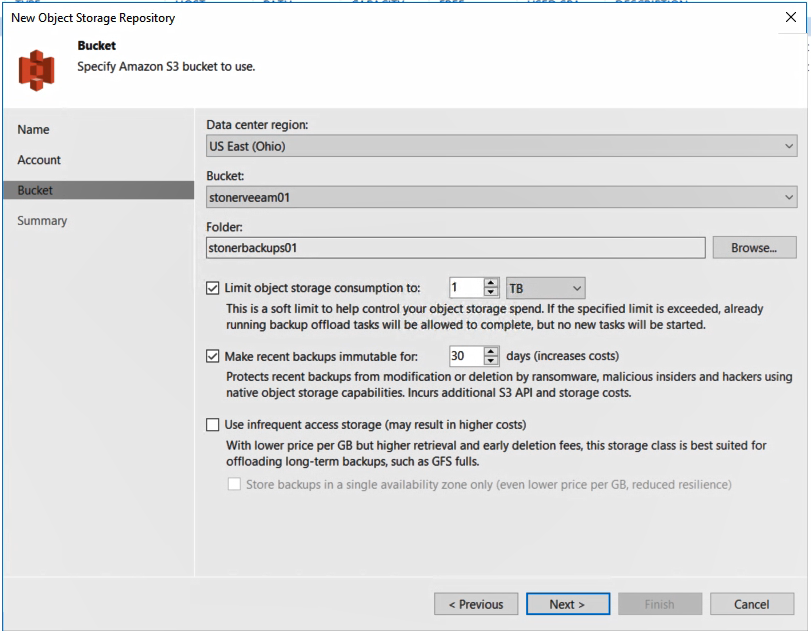
    Veeam today announced the general availability of version 10 of the Veeam Availability Suite, which, among more than 150 enhancements, adds support for network-attached storage (NAS) systems, additional ransomware protection via an ability to create immutable backups in the cloud, an ability to recover multiple virtual machines simultaneously and a set of application programming interfaces (APIs) for mining data.

    Danny Allan, chief technology officer and senior vice president of product strategy for Veeam, said IT organizations are looking for more efficient methods of protecting data, as there is no longer enough time in the day to back up petabytes of data.

    Veeam now provides the ability to back up massive amounts of unstructured data residing in NAS systems by only updating the primary backup file with the most recent changes made to data on the NAS platform, said Allan. That approach, he noted, also curtails costs because it substantially reduces the amount of data that needs to be replicated across a network.

    backup and recoveryAt the same time, Allan said backup and recovery platforms are playing a more strategic role in the battle to combat ransomware. Veeam Availability Suite v10 users can create an immutable copy of data that can reside in any platform that supports the S3 API defined by Amazon Web Services (AWS). Dubbed S2 Object Lock, the offering was developed with the goal of creating a pristine image of a data set that can be recovered in the event of a ransomware attack that a cybercriminal or malicious insider has employed to encrypt an organization’s data.

    In addition, Veeam is moving to lower disaster recovery costs by making it possible to recover multiple virtual machines simultaneously in the event of a data center outage.

    Finally, an API now makes it possible for analytics applications to access data stored using Veeam Availability Suite.

    Fresh off being acquired by the venture capital firm Insight Partners for $5 billion, Veeam is moving to expand its core capabilities for backing up virtual machines to create a data management platform that will span multiple clouds. The goal is to create a platform for managing data across a hybrid cloud computing environment, Allan said.

    With organizations now routinely managing petabytes of data, competition among backup and recovery vendors has never been more fierce. Each provider of backup and recovery tools is, to one degree or another, evolving into becoming a data management platform, a process that largely began when IT teams stared using backup tools to migrate large amounts of data into the public cloud. Now the providers of those tools see an opportunity to enable IT teams to move data not just in and out of clouds but also between them.

    It’s too early to say how this battle will play out. Backup and recovery is one of those rare categories of software that refuses to be consolidated even as new startups launch regularly. It’s not uncommon for most IT organizations to employ multiple backup and recovery tools from different vendors. Less clear is how long the tendency to employ multiple tools will persist, but as new capabilities are added to each backup and recovery tool the pressure on the other tools to continue to prove their value continues to intensify.

    — Mike Vizard

  • DevOps Chat: Data Protection in the Cloud With Druva

    DevOps Chat: Data Protection in the Cloud With Druva

    As any CIO knows, a data management architecture is essential to caring for one of the organization’s most valuable assets: data. Data management sounds simple but it’s not. Backup and recovery, disaster recovery, data retention, governance and e-discovery are all parts of any effective data protection strategy.

    As businesses move and grow their presence in the cloud, the same capabilities apply in this very dynamic and elastic environment.

    Recently, Druva received another investment round of $130 million led by Viking Global. Mike Palmer, CPO at Druva, joins us on this episode of DevOps Chat where we talk about Druva’s planned use of those funds and Druva’s approach to providing a SaaS-based data protection platform.

    As usual, the streaming audio is immediately below, followed by the transcript of our conversation.

    Transcript

    Mitch Ashley: Hi, everyone. This is Mitch Ashley with devopsy.kinsta.cloud, and you’re listening to another DevOps Chat podcast. Today, I’m joined by Mike Palmer, chief product officer at Druva. Our topic today is how data protection is in your future as you move to the cloud. Mike, welcome to DevOps Chat.

    Mike Palmer: Thank you, Mitch. I have been looking forward to this conversation with you.

    Ashley: Me, too. Glad we’re together online and talking about data protection. Would you first start, though, just let’s introduce yourself, tell us a little bit about what you do as chief product officer and tell us a little bit about Druva.

    Palmer: Well, as you say, running product is my primary job as chief product officer, as you would imagine. I run engineering and pricing and strategy for the company. And Druva is an amazing organization, one that I came to around about a year ago, coming from various positions in the industry, watching the evolution of both storage as well as data protection software and how it’s been evolving in a world of public cloud adoption.

    Druva is the first and only SaaS player in the data protection space, which made it super intriguing for me because, as we look at enterprises and how they adopt SaaS, whether that’s been from CRM to ERP to collaboration platforms, what stood out as the next big wave of SaaS adoption was, in fact, data protection. So, we’re focused on that space and growing rapidly.

    Ashley: You guys are doing real well. As a matter of fact, I know a little bit of old news here, about 30 days, but you had a $130 million investment. I think Viking Global led that for you—congratulations, by the way. That’s awesome.

    Palmer: Thank you very much. I don’t think $130 million ever feels old.

    Ashley: [Laughter]

    Palmer: But it was a great validation of the strategy and Viking is a tremendous investor. Folks in the industry know kinda their origins dating back a couple of decades and we were glad to have them aboard. They were a great partner in talking through the evolution both of our business as well as the industry over the next, what we consider to be, kind of 5 to 10 years and they saw what we saw, you know, which was kind of a relentless pace of adoption in cloud and cloud storage, the desire for enterprises to find ways to simplify their current environments and move technical skills from some of the legacy areas like data protection into some of the more advanced ones or next generation ones like machine learning and analytics, and we stood at the intersection of these trends, and they got on board with us and have been a great partner.

    Ashley: Clearly see a good future for you. Let’s talk about—so, this 130 million and the other investments that you’ve had, they didn’t give that to you to put it in the bank, they want you to put it to work. So, what does the future of Druva look like as you start to invest those kinds of funds?

    Palmer: Yeah, it’s a great discussion, because we are competing, frankly, on a few different _______ looking forward. You know, number one and the basic one is, how do we drive the best possible TCO for enterprises who have increasing amounts of data to manage, increasing amounts of risk and liability related to the regulatory environment surrounding that data. How do we expand the applications and the workload coverage for them as they support current apps, but also the ones that they’re adopting in the native cloud?

    And then, as we look a little bit forward, as I was told by an investor, you know, this is either a good investment or a great investment and it’s gonna hinge around how we can expand the data protection definition into one in which customers get more value from that copied and stored data. If we can find ways to help them use that data and extend it into the ecosystem, get better visibility into it, it will effectively not only change the architecture, but we will have changed the entire value proposition, and that’s what we’re shooting for.

    Ashley: Now, you’re operating in AWS in an elastic environment, you know, storage is right there, you want some more, you just grab it, use it. I would imagine that’s very easy to get out of control proliferation. You need some data management capabilities around what you have as well as the whole process of backing up data, restoring, recovering, making sure you’re not losing information—all of that.

    What are some of the key things that are different about operating in a cloud environment versus maybe a traditional on premise data center?

    Palmer: Great question, and let me start by giving us some background statistics to frame up how big this challenge is and the opportunity is. You know, the thing that we keep most in mind is, if you look at Amazon’s five year Kager of cloud storage pricing, it’s negative 60%.

    Ashley: Hmm. Going down.

    Palmer: In a world like that—it’s going down and if you talk to Amazon, they will say that that is the path that they will continue on over the next five years, enough to challenge customers with, “Tell me, when you buy an appliance today, how much cheaper is it gonna be next year or the year after or the after?” It’s likely it’s gonna be the same, so they’ll lose out on the innovation in the industry, even just around the ability to create better price and performance. ESC did a very nice survey and asked CIOs in their premises data centers what were the top five opportunities for cost efficiency? And number one on that list was storage management.

    Ashley: Mm-hmm.

    Palmer: You know, enterprises are dealing with this long history, and you had talked earlier about your history as a CIO. All CIOs deal with generations of proliferation of storage vendors as well as the hardware itself, the incompatibility, and just even the ability to track it, tough challenges, and the third stat, which is the one that I find most interesting because it indicates the tipping point is, in 2021, so just about a year and a half from now, we’ll see the crossover point where there are more dollars spent in cloud storage than premises storage. So, this will be the point at which companies can effectively be viewed as cloud first from a storage point of view to the point where they’ll have to defend [Audio skip]. And in that world, your first question about what do we have to help them with—we have to help them realize the promise of those savings.

    You made a good point—it can easily get out of control, especially where you have very distributed teams who are building applications and taking advantage of that infrastructure in a more decentralized way. We have to help them manage the tiering, we have to help them manage the data classification, we have to help them manage not just the cost side, but give them advice on performance. Much of this can be automated through machine learning. So, we’re gonna give them a new model for what old terminology like ILM or information life cycle management or HSM or hierarchical storage management, we’re gonna turn that, really, into a background automation process and let them focus on what matters, which is, do I have the right policy, can I leverage this data for other uses, and can I do that without special skills?

    Ashley: Well, you know, you bring up some really good points and that is, it’s one thing for a startup or someone who’s building a Cloud Native application as a young company or maybe a one-off kind of application. Enterprises look for environments that are gonna de-risk or things that are gonna de-risk their move to the cloud. And I would imagine having a structure that it’s at least familiar so you have not only data protection and data management, but you’ve got governance and things like that. You’re able to do some forensics, predictive analysis things like that. The kind of functionality that they’re used to having on prem, but maybe in a cloud environment or possibly even a hybrid model.

    Palmer: I think—yeah, you nailed it. And one of the words that I used frequently is convergence. You know, one of the benefits of cloud is that because you’re provided with all of the substrate, you’re provided with compute, you’re provided with storage and networking and policy and all kinds of things surrounding you that the job of a company like Druva and even the job of enterprise developers is just to focus on the application logic.

    And what that means in our space is, as you mentioned, you have a lot of surround in your data center. Customers that, in my former world, they would buy a product for backup, they would buy a product for disaster recovery, they’d have an e-discovery product, they’d have an archived product, they’d buy a data classification product.

    Ashley: Been there, done that. [Laughter] Been there on all those.

    Palmer: Painful, right? You know, and all you see is your costs going up and complexity going up and different skill sets and your training and conferences to go to and it’s slowing you down, right? And when you look at Druva in a single platform, we simply consider those ancillary value propositions like e-discovery or data classification as on demand, callable apps.

    Ashley: Mm-hmm.

    Palmer: So, when you back up with us, you simply tack on the DR service, you simply tack on the data classification. You have a work flow for legal hold. And by the way, you pay for this on demand, you don’t have to pre-pay capacity licenses, you don’t have to pre-pay storage.

    Ashley: Mm-hmm.

    Palmer: So, you have a world in which not only do we replace your current apps, but we have a world in which, as customers come to us and we release new capabilities every other week, that they can put something on a roadmap and see a functional working application in weeks and months over their existing data set, paid for only when they use it. You know, and this is revolutionary for most CIOs.

    Ashley: Usually you have to buy the amount of storage you think is sort of your top capacity and use it as you go and then potentially upgrade where, of course, in the cloud, it’s elastic, it’s fungible. We can change, add more as we need it.

    Palmer: And of course, you have to do the same with your software licenses, you have to then integrate those products, you have to find space in your collocation facility. You know, when you really analyze how much cost and effort it is to adopt a new piece of software or a piece of hardware, it’s far beyond the obvious.

    And not to mention, by the way—and this is a stat that I quote to a lot of people. It has been in my experience that, when a software vendor releases a new version of a product, it can be 12 to 18 months before even half the install base adopt that version. So, if agility and speed matter to you as a business in adopting capabilities, you have to take risk and wait a long time before you get a capability, whereas in SaaS, you get it on demand with no effort—again, completely changes the model.

    Ashley: I mentioned hybrid earlier, something we haven’t talked about yet. Most enterprises can’t lift and shift everything into the cloud. As a matter of fact, they may not want to. They may want to keep some hybrid either multi-cloud or on premise. Is that an area that you can readily address with them?

    Palmer: Yes, and thanks for asking that, because one of the difficulties in being unique in your space is just explaining your model in the first place. And from a SaaS point of view, while our application architecture is Cloud Native, we service customers in their premises data centers and into the public cloud, including their SaaS providers as well.

    So, what that means is, as you said, you know, if you have a customer that has—and most are within this category—have a data center where they have workloads where their recovery times are perfectly fine to take advantage of all of those benefits I mentioned earlier in the cloud, we help move them to the cloud and manage and restore and so forth for them to their local premises facility. However, if there is an application that has an RPO or a recovery point or a recovery time objective that requires it to be within the data center, we also kind of provide them with a virtual appliance that solves that problems as well.

    And then, as they build native cloud applications and, for example, Amazon, AWS, or they adopt Office 365 or Salesforce, we also help data protection and classification, both natively in Amazon as well as with SaaS providers as well. So, we really are in them with their current architecture. We’re also with them in their future architecture.

    Ashley: Yeah, that’s the key to transition, I think. Again, I mentioned earlier about de-risking and part of that is familiarity as well as giving me a path to get where I want to go, and I may not fully go to the cloud, right? I may always have to have something, as you mentioned, because of RTO or RPO requirements to be on prem.

    Palmer: That’s right.

    Ashley: Tell us a little bit about some of your, some of the capabilities that are just kinda native with the product that, you know, what does it take to get started using Druva? Can I just plunk down the credit card and, like Amazon, I’ve got all of it available to me, or is there a set of planning processes that are helpful to go through to properly architect a data protection architecture like this?

    Palmer: Oh, and we love this question, because again, coming from the industry where the idea of even doing a POC is a very complicated process of governance rules and software installation and finding hardware and disk capacity. With Druva, you literally sign up on the online platform. We give you access to the agent type that you’re looking for, so let’s use VMware as an example. You can download a proxy, provide it your credentials, put a policy in, do all of this within about 10 to 15 minutes and you can initiate your first backup.

    And you can do this and we have tested this over and over without having specialist backup administrator skills, which means you can also start delegating privileges to application teams and such where you as an administrator have the ability to enforce and create overall policy. So, now you have a world where your most mundane, everyday tasks are made so simple that you can delegate them to your customers, your customers from an IT provider point of view—which increases their satisfaction, because they can do these things on demand, and they free up your time to do more important things.

    Ashley: That’s awesome. I was breaking out in a cold sweat as I was asking that question. Having done this at multiple companies, it is not a fun process to stitch it all together with different products and really have to architect it properly because you have to worry about things like how are you gonna monitor compliance. You mentioned e-discovery. Now, we have things like GDPR compliance as well as our own internal processes about data retention and making sure we’re protecting ourselves against ransomware, things like that.

    Palmer: And we deal with some of the largest companies in the world, and one particular use case we saw super well is on the end point side where customers are dealing with either legal situations or they’re concerned about end user behaviors and what they’re doing with data. So, we not only provide them the ability to protect devices, but we also provide them with ideas about what’s going on with the data, and then certainly with workflows as you mentioned to go and pull that data aside or do a hold where they need to—again, this is all just workflow in an interface. It’s not trying to get one product to work with another product or making sure that versions are upgraded or compatible or patched sufficiently. We take care of all of that.

    Ashley: Mm-hmm. As I’m kind of peeling the onion here remembering things that you have to address with a data management approach, you know, you have to deal with things—you mentioned tiered storage earlier. Does de-duping apply in a cloud environment? Does caching apply in a cloud environment? Are those things that you also address?

    Palmer: All of the above. So—and you asked a very good question earlier. If I’m a customer adopting the cloud, where are some of my risk areas or things that aren’t provided to me? And one of those examples is de-duplication. So, if I’m going to adopt S3 or I’m going to move data into Glacier, how am I gonna do that efficiently in a world where I’m potentially coming from a de-duplication position on premises, I’m gonna lose that in the cloud.

    With Druva, we de-duplicate that data for you, so we are minimizing your cloud storage footprint. And once we’ve done that, we’re also taking care of the tiering into whether it’s S3IA or Glacier or Glacier Deep Archive, we’re not only replacing your HSM strategy, we’re doing that, as I said earlier, in an automated way.

    Ashley: Mm-hmm. What’s nice, too, is—again, I’m kinda having the negative flashbacks here. The old process of which are tier one, how much in memory storage are you gonna have at your first tier of storage, how much are you gonna have at this speed, how much are you gonna have at your third tier of speed. With the different services that Amazon provides, that’s what you’re bringing together in one collection in a full data management architecture so you can, of course, dynamically allocate any of those as you need them, but that’s what you’re tying into is those services as well as what you provide.

    Palmer: Capacity planning is a non-issue in a cloud and SaaS world. Of course, we will work with you where, as you mentioned earlier, where you have RPOs and RTOs on site where you know that the use case doesn’t apply to a remote data center. We’ll work with you with a virtual appliance. We also have customers that will always want a land speed restore, but they’re increasingly collocating in places like Equinix, for example, where they can cross connect into the cloud provider.

    So, even where you have requirements that look like data center requirements, it’s almost as if your data center is moving into clouds in certain collocation facilities where you can take advantage of SaaS even without the virtual appliance.

    Ashley: What do you feel like is the biggest pain point that you address for customers? Obviously, they have needs, functionality, capabilities—all of that kinda thing. But when someone comes knocking on your website and says, “I think I need this,” what is most commonly the biggest problem that they’re trying to address?

    Palmer: There are two problems, but the compelling events are different. So, the two problems we’re solving for them are cost. They look into the future and they realize their costs are going up, not down, and cloud can help solve that problem.

    And the second one is complexity. They don’t want to have to hire more storage administrators or backup administrators, track different vendors. They don’t have to do hardware refreshes. They don’t want to have siloed systems. These are problems that are all solved with SaaS provides like Druva and the public cloud. So, those are the core problems.

    The compelling events, on the other hand, can be very different. We have Fortune 100 companies that have data centers all over the world, and their cloud journey can include moving the satellite facilities to the cloud today and increasingly looking at cloud and the core data centers tomorrow. So, they have a more data center migration consolidation use case.

    We have others that have remote offices or field facilities where supporting an appliance is expensive if not impossible because they don’t have the staff. So, it’s refreshes and getting equipment out of facilities is the second one.

    Ashley: Mm-hmm, mm-hmm.

    Palmer: We have customers that come to us because of ransomware, where we offer an air gap solution where the only alternative on premises was tape. So, we give them the same security via encryption and have an air gap solution to their primary network that no one else can. So, they’re adopting the cloud with the safety of tape.

    And then, of course, your basic use cases of backup and disaster recovery, where customers want not just to be able to restore data but move an application, have the full orchestration capability, and instantiate that without the additional costs of owning their own architecture or frankly even managing their own cloud integrations.

    So, we integrate a DR capability in our platform. So, customers come, they get native backup, they get native disaster recovery all in one interface without other products or other training. So, we have compelling events and we’re saving our customers 50% based on their existing legacy architecture and we have proven that a few different times via external experts as well as customers themselves and complexity and really taking all of the legacy mundane tasks and skills and making them obsolete.

    Ashley: Well, Mike, I’d like to thank you for joining us. We’ve run out of time, here. I think we could talk another hour about data management [Laughter]—

    Palmer: [Laughter] For sure.

    Ashley: —share some war stories along the way, too. So, I’d like to thank you, Mike—Mike Palmer, chief product officer at Druva, for joining us.

    Palmer: Mitch, thank you very much. It was a great time talking to you. Maybe we’ll do it again.

    Ashley: That would be great. We’d love to hear an update as things kinda move forward and you spend some of that money. [Laughter] And I’d, of course, like to thank you—you, our listeners—for joining us today. This is Mitch Ashley with devopsy.kinsta.cloud, and you’ve listened to another DevOps Chat podcast. Be careful out there.

    — Mitchell Ashley

  • The Shifting Data Protection Paradigm: Proactive vs. Reactive

    The Shifting Data Protection Paradigm: Proactive vs. Reactive

    The ever-evolving threat landscape over the last few years should have prompted organizations of all sizes to revise their data protection methods. The volume of incoming data is now staggering, and will only continue to increase—and much of that data is sensitive or of great value to cybercriminals. Data may be structured or unstructured, distributed across numerous locations and be encrypted or unencrypted. Thus, many organizations are attempting to protect data without knowing what they have, whether it is valuable or even where the data resides.

    As the era of big data has exploded, so, too, have the number and size of cyberattacks. Hackers have grown increasingly adept, often refining their skills beyond those of many cybersecurity experts. Today’s hacker may be an idealistic “lone wolf,” but he or she is more likely to be an employee of a foreign government or associated with a gang of highly organized criminals. This means that attacks can be carefully planned and executed over many months, probing a target’s vulnerabilities repeatedly until an intrusion is eventually successful.

    Cybersecurity teams often are at a disadvantage when it comes to protecting data. It has become increasingly difficult to find and retain qualified, experienced cybersecurity experts, and this talent gap won’t be narrowing significantly anytime soon. Economic issues have forced many organizations to trim their budgets, which can result in reduced funding for the security operations center (SOC) or reduced staffing levels. However, even major corporations with large cybersecurity budgets and massive teams are finding it difficult to prevent breaches and keep their data secure. The breaches suffered by Home Depot, Sony and other high-profile corporations—as well as breaches at the U.S. Office of Personnel Management and the Pentagon—demonstrate that cybercriminals are winning more than their fair share of the battles.

    It is not that organizations are unaware of the need to protect their data. Virtually all companies have some type of cybersecurity program in place. However, most of them choose to take either a reactive approach to threats or a proactive security stance. But what they truly need is an approach that integrates both methods.

    Reactive vs. Proactive: The Differences

    With a reactive approach, action does not begin until an incident occurs. This does not necessarily mean that a breach has occurred; it simply means that some unusual or threatening activity has triggered an alert. Unfortunately, an organization can receive several thousand alerts in a single day. Many will be “false positives” and others may have been blocked by defenses, but some may represent a successful penetration of the system. Once alerted, the company’s incident response plan is initiated; in the beginning, the goals are to contain the threat and restore service. Forensics, analysis and efforts to prevent a recurrence follow quickly.

    With a proactive approach, organizations try to detect potential threats before an incident occurs. Files from unknown or suspicious sources can be quarantined automatically for investigation. If found to be malicious, the source, signature or other identifying characteristic can be fed automatically back into the system to block any additional attempts at the gate.

    A proactive approach also includes regular, planned hunting exercises to detect threats that may be lurking in the system but not yet detected or perhaps not yet detonated. Although ad hoc hunting can be accomplished to some degree if performed by experienced analysts, the best method is to automate certain steps so the efforts are sustainable and repeatable.

    Why Organizations Need Both Approaches

    It is always better to prevent a breach than recover from one. However, should—or when—an intrusion occurs, every organization needs a mature, workable, detailed plan to react to the incident. All employees need the training and experience to know what they need to do when the incident response plan is activated.

    Despite the need to have a solid plan to react to incidents, blocking potential threats can be more economical, faster and safer. Therefore, organizations need to be both proactive and reactive to provide the best security for their data. The key is to find the proper balance between the two approaches. Finding the right balance requires evaluating the budget, the skills of staff members and other resources that might be available.

    For both proactive and reactive methods, however, automation is essential. Manual processes simply cannot compete with automation when it comes to speed, cost, accuracy and risk mitigation. With the number of attacks growing by the day and hackers becoming increasingly more adept and persistent, automation provides the best way for organizations to stay one step ahead of the attackers.

    About the Author / Rishi Bhargava

    Rishi Bhargava is co-founder and VP of Marketing for Demisto, a cyber security startup with the mission to make security operations “faster, leaner and smarter.” Prior to founding Demisto, he was vice president and general manager of the Software Defined Datacenter Group at Intel Security, and before Intel, he was vice president of product management for Datacenter and Server security products at McAfee, now part of Intel Security. He has more than a dozen patents in the area of computer security. He holds a BS in Computer Science from Indian Institute of Technology, New Delhi, and a Masters in Computer Science from University of Southern California, Los Angeles.

  • When Did Safety Nets Become Optional?

    When Did Safety Nets Become Optional?

    There are various reasons why some organizations would not be interested in protecting their data. These reasons could range from the lack of financial resources to the lack of non-financial resources, such as engineers to implement a solution. Regardless of whether there is a good reason to not protect your data, the net result is the same: If organizations don’t do it and something bad happens, they will be in a world of hurt.

    Data is the lifeblood of any business. It’s true that not all data is created equal, so some organizations may be comfortable losing some data. And it’s also true that there are some systems or applications that are built to not only tolerate data loss, but also seamlessly absorb the loss of data. The reality is that this is not 100 percent of the systems in your business, nor is it 100 percent of the data. If you were to completely lose the users table in your application or have it suffer from data corruption, how would you explain this situation to your customers? Can you realistically tell them that the money wasn’t there, or you didn’t have the resources to protect their data and yours? What type of trust would that instill in them for you as a provider of services? What type of trust would that instill in the business for your technology team?

    For most businesses, data protection should be thought of as a component of the overall security strategy. If you wouldn’t set up a network infrastructure without a firewall for protection, why would you create an application without protecting the data that powers it?

    Unfortunately, some form of system failure is inevitable. There will come a time when something bad happens. The best thing you can do is to be prepared as possible. Providing yourself with a safety net when this happens is doable, but shouldn’t be thought of as optional. There are some basics tenets that should be involved in providing a proper safety net. The most important of them is to plan for and failure and test your recovery procedures. This team education is your primary line of defense against disaster. It will help mitigate many of the potential failure scenarios through awareness. Data protection is for what happens when things get past this point. And protecting data should not be optional.

    — Jeannie Liou

  • Ransomware will Double in 2017. Are you Prepared?

    Ransomware will Double in 2017. Are you Prepared?

    A recent report found that ransomware attacks quadrupled in 2016, and are likely to double in 2017. Not surprisingly, a research survey showed that 48 percent of organizations had been hit by ransomware in the past year. And as we highlighted in a recent blog post, next generation cloud applications and databases are quickly becoming an attractive target for criminals.

    Attackers are targeting critical data or operations now, not just files. A few examples from the past two weeks highlight this trend:

    Attackers are getting much more clever and picking valuable targets within a business. It’s only a matter of time before ransomware hits cloud-based applications that run on these platforms. What can you do? Be prepared.

    A layered “onion strategy” means using a set of security tools to spot and isolate malware and ransomware, but that alone isn’t enough. The Department of Homeland Security issued an alert last year highlighting the key role backup plays in defending against ransomware:

    Employ a data backup and recovery plan for all critical information. Perform and test regular backups to limit the impact of data or system loss and to expedite the recovery process. Note that network-connected backups can also be affected by ransomware; critical backups should be isolated from the network for optimum protection.

    As the Texas police department example shows, recovering from a backup won’t work if the backup itself gets infected. A versioned backup of business data and files is essential to recovery. That’s where most backup solutions fall short, especially for next-generation applications and databases that cannot be quiesced to make a consistent backup copy across the database cluster due to their distributed nature. More importantly, given the large amount of data that is processed by these applications, it is critical that there is no bottleneck to data movement in and out of the cluster for an application consistent backup.

    — Jeannie Liou

  • Protecting Data in Public Cloud and Hybrid Cloud

    Protecting Data in Public Cloud and Hybrid Cloud

    Backup, business continuity (BC) and disaster recovery (DR) have all been a critical part of IT for over 30 years—ever since we began relying on technology to run our businesses. Traditional solutions were designed for the world of on-premises infrastructure and structured applications and relational databases. But the world is changing. In the last blog, I talked about the era of digital transformation and the impetus it has on rethinking and reinventing the fundamental backup and recovery architecture for workloads moving to the cloud and applications being born in the cloud.

    What Changed? Reinventing Backup and Recovery

    Application and data platforms are undergoing the biggest transformation since the dawn of computing. There are several forces at work:

    • New applications. The third-generation applications are geo-distributed, scale across multiple systems, always on and typically are deployed in a cloud-first model.
    • Existing applications are moving to the cloud. They aren’t going away, but companies are moving some or all of them to the cloud. They still need backup and recovery.
    • RPO and RTO windows are shrinking: Enterprises want “always-on” and gone are the days when you could do nightly backups.
    • Smaller companies will go all-in on public cloud. SMBs don’t want to be in the business of IT. They’ve been driving the rapid growth of cloud applications and platforms.
    • Enterprises will build hybrid clouds. Enterprises will deploy applications and data across on-premises and public cloud environments. Scale, compliance and other factors mean they’ll need to keep some systems on-premises.
    • Everyone will use multiple clouds. No one will bet their business on one cloud or one provider. Even now, enterprises are splitting workloads across clouds or cloud and on-premises. Development and test may use one cloud, while the same application might be deployed in a private cloud or a different public cloud.

    Cloud’s Impact on Backup, Recovery and Continuity

    Cloud gives organizations much more agility, operational savings, and a pay-as-you go model. Public cloud providers can also build much more resilient infrastructure. Amazon guarantees 99.95 percent availability for EC2 and 99.99 percent for S3; S3 is designed for 11 nines of data durability, with multiple availability zones. Because the cloud is so reliable—and cheap—it’s quickly becoming a backup target for on-premises data. But that shouldn’t trick us into believing backup and recovery are “built-in” when we run applications in the cloud. Even Amazon itself recommends backup services for all AWS-native applications and cloud databases.

    While service availability and data resiliency addresses infrastructure business continuity and disaster recovery, it doesn’t provide point-in-time recovery or application level intelligence for backup and recovery. As good as the cloud platforms are, they don’t protect against logical errors. And research shows 8 out of 10 errors are logical errors—data corruption, user errors.

    Existing Backup Products and the Cloud

    As we noted above, traditional backup and recovery products don’t meet the needs of cloud applications—even for existing applications that have moved to the cloud, and not just because they were built in a different era. Cloud and distributed architectures present several other challenges:

    • Cloud breaks the media server based architecture of traditional solutions. Cloud applications and data don’t reside on a specific array or disk, so you can’t easily back up what you can’t see. Backups also don’t capture configuration data in the cloud, such as AWS Cloud Formation templates.
    • Cloud doesn’t speak the same language. Legacy solutions talk to tape, disk or virtual disks. Backup and recovery in the cloud means integrating with the right protocols, such as the S3 API or Google Cloud Storage.
    • Backup appliances can’t be moved to the cloud. Existing backup appliances such as EMC Data Domain or NetBackup that work extremely well on-premises can’t be picked up and moved to the cloud.
    • Traditional backup agents won’t scale. If you could get a backup agent running in the cloud, it wouldn’t scale well across dozens or possibly hundreds of nodes.
    • VM is not the right layer of abstraction: This is precisely why the core principle of the Datos IO CODR architecture is a scalable application-centric view of data management and data protection that distinguishes it from conventional approaches. This is the exact reason why the CODR architecture introspects application data and uses global semantic de-duplication to achieve storage efficiencies, instead of relying on traditional de-duplication techniques which treat data as an opaque object (such as a VM or a LUN). The benefit of this approach is fine-grained and highly space-efficient data protection that can span clouds over network links.
    • Cloud Gateway or Migration Services: Unidirectional only.

    Data Protection Must Be Reinvented

    The problem of backup and recovery of cloud applications is novel as there are three critical things a cloud backup and recovery architecture should have:

    • Elastic compute only. The architecture should scale efficiently on elastic compute instances. There shouldn’t be any CapEx costs for servers or appliances.
    • No media servers. Backing up large, scale-out databases requires direct a parallel streaming architecture for data movement between the database and secondary storage. Legacy backup architectures rely on media servers that quickly would become choke points. Direct parallel streaming also allows the data to remain available in native formats.
    • Semantic deduplication. Scale-out application databases typically have a 3x replication factor. If you back up individual nodes or even manage to snapshot the whole database, two-thirds of the backup data is redundant. Over time, backups will be 75 percent to 80 percent inefficient without semantic deduplication that works across a distributed architecture.

    — Shalabh Goyal