Tag: ci

  • Identify Needs First

    Identify Needs First

    In several projects of late, I have noted a trend in otherwise rockstar IT departments: They identify an area that they wish to implement or approve and then set out to address it. So, “We need a new CI tool,” spawns a project to choose and implement a new CI tool, for example.

    But there are so many details that these projects are missing from the start that should have been put right into the charter/project kickoff documents.

    Let’s start with, “What CI tools do we currently have in place?” This is the 2020s. How is it possible we are still starting these projects as if there was no solution in the virtual building already doing the job? We need to start from, “Here are the tools that can do this job that are currently running in our environment.” Only then should we move on to, “Here are other options to consider.” But I will humbly suggest that if there is a single tool that can solve your issues, it should be used–and if, of all of the tools running in the organization, none of them can solve all of your issues, then a new product should be chosen that can.

    The same is true for things like alerting. When I am analyzing a given vendor’s solutions, I ask about how many places they can raise issues–it is important that a vendor asking you to purchase their product can report and alert to whereever the organization needs it to. So that could mean Jira or ServiceNow, Slack or email, centralized logging—all of the above and sometimes more (SIEM for security events, for example) need to be supported. But when a given organization is implementing? Choose a reporting method.

    The most common is, “We do Slack, but we also do email. And, of course, we coordinate though issue management like Jira …” Stop. Seriously. This is not about, “Oh, they made it easy, so we just implemented every option.” This is about, “We need to keep track of conversations and resolutions.” If two people are discussing an issue over Slack while a separate team is discussing over email, you’re failing to communicate. Even if there is linkage to ServiceNow or Jira and that is where conversations should happen, we all know that final resolution—but not troubleshooting steps—is what ends up there. So offer one robust and widely available alerting mechanism and let people run with it.

    That type of redundancy is all over IT. Organizations that would not implement per-team email solutions (not servers, solutions) will happily allow for per-team DevOps toolchains. Why? What, exactly, is different? The purpose of a mail server is to deliver mail. Choosing which mail vendor/service to run with is based upon how a given product does so and what additional services come with it. How is that different than, “The purpose of the DevOps toolchain is to deliver applications, and selection is based upon what vendor/product best serves the way our organization does so?” There isn’t a difference; we imagine one. We latch on to one feature that we must have to keep our current favorite, and the compromise is that the next team over can keep their tools, too, because they must have some other feature.

    Evaluate what the organization as a whole needs, identify tricky bits like must-have features and determine if that really is a requirement. If it is, ask why it isn’t a requirement for every project not using that tool.

    And keep moving those apps along! You are building and deploying more apps more securely than ever before. Continue to sanitize the build and delivery process, and continue to crank out apps that make the business hum. But don’t make it part of your job to support fifteen tools that all do the same job. Streamline and improve. And keep rocking it.

  • Forget Change, Embrace Stability

    Forget Change, Embrace Stability

    DevOps is about change. It was introduced to accelerate change, and it has opened up a whole new world of tools and possibilities that are all based on the premise of changing IT. Starting with Agile, we now have DevOps variants and subprocesses that run the entire software development life cycle (SDLC) process.

    Want to make more frequent updates that can regularly show demonstrable progress to business owners? Agile and CI! Need to get the app settled in its inevitable home with automation? You need CD! Want testing and zero-day protections? Start with DevSecOps built into the CI/CD process and add in application and API security! Want to fully automate deployment in the whay builds are automated? Grab a GitOps tool and let’s goooo! The list goes on and on. Literally. We’ve almost got more tools than we have names for spaces at this point.

    And all of those tools introduce change. Most of them introduce a massive amount of change. You don’t get to GitOps without breaking some of your existing processes and reworking them. We have fallen in love with change in IT.

    But there is a funny thing that’s happened along the way; I’ve mentioned it before, but never from this perspective. All great changes require time for consolidation. Be it stock market swings or revolutions, afterward, there is a period of consolidation. In IT, containers are a good example. When they became capable of actually running workloads, IT experienced a period of time when making all the various machines run in VMs was the thing. People weren’t (generally) looking for the new big change in the process, they were just glad that those one-off machines that had custom hardware could now be moved to something more manageable and that spinning up servers could be done in days or weeks instead of the months it used to take when you had to order hardware. But that consolidation created organizational standards and stability that the organization enjoyed for years – even after containers rose to challenge VMs and some organizations even today.

    So every once in a while, take a breather, consolidate gains, create standards that have meaning for your organization, then continue on with whatever the shiny new change is. Make sure that once you have identified, for example, the need for code scanners that can work within or that are complementary to the integrated development environment (IDE), that you have one scanner—or one scanner per programming language—to maintain and monitor instead of one tool per project. That saves time and creates stability, both of which will serve the organization moving forward.

    Change is here to stay; it’s the only constant. IT is caught in a cycle of change followed by change, with the next wave driven by generative AI. But in times of change, seek stability and, in times of stability, seek changes that can have a positive impact. So go standardize and organize before the next wave hits.

    Mostly, the changes will serve the organization by freeing up your time and letting you spend more of your time rocking the IT world. Those systems stay up because of you. More time is more innovation, and more stability means less burnout. All of which is good for the organization.

  • The Fallacy of Continuous Integration, Delivery and Testing

    The Fallacy of Continuous Integration, Delivery and Testing

    We know that continuous integration and continuous delivery (CI/CD) have become a DevOps best practice. And many have learned that by adding continuous testing (CT), they can create a virtuous loop, ensuring perpetual code quality and security. They’re not wrong.  Yes, testing continuously is good practice, but some incorrectly equate the concept of continuous with monitoring, thinking they’re able to see everything that could eventually affect a customer’s experience (CX) with their software application. That’s a fallacy. Many of the most glaring blind spots that wreak havoc on CX exist outside the environment that CI/CD/CT is able to “see.” CI/CD/CT, even when supported by application performance monitoring (APM), doesn’t and cannot monitor for and alert to blind spots across the internet stack. And there are many. Only internet performance monitoring (IPM) can take CI/CD/CT as input streams and shift to continuous resilience as a measurable outcome.

    How CI/CD/CT Typically Works

    As customer requirements evolve, software development teams write code that triggers a new software build. In the continuous model, each new build moves to a runtime environment for integration and quality assurance and, ultimately, is deployed to end users across public or hybrid clouds. This is an application-specific view of the world.

    Since quality assurance is part of the typical continuous process, monitoring is an assumed benefit or outcome. This assumption might be because many now complement their CI/CD/CT processes with APM. What is achieved with APM in this approach is testing, not monitoring. While testing provides a better picture of performance at the application level, it doesn’t provide full visibility into the blind spots that exist between the application layer and the end user.

    APM Isn’t Enough

    While APM tools focus on code—including everything that negatively affects an application such as database wait times and inefficient code—IPM focuses on the internet, which has become your network. IPM monitors what impacts your customers, workforce or application (API) experiences across the internet.

    While APM and IPM may seem similar, they are nothing alike. They may share common tools, such as using synthetic agents, but the difference is in what they monitor and how. In this age of highly distributed applications, that difference means everything.

    Where APM can “simulate” what a user may see from cloud location to cloud location, which can confirm application performance, this simulation isn’t true or comprehensive monitoring because it is blind to network-related problems with end-user experience, which are vast. Customers and employees each have a unique internet performance fingerprint and access applications from myriad devices across multiple locations and network infrastructures, not through the individual cloud locations that APM synthetics simulate.

    IPM approaches synthetic testing more holistically, replicating multiple user journeys across a much more complex Internet infrastructure to proactively flag performance issues before they impact end users. This true monitoring takes place 24/7, not as point-in-time tests.

    Forensics vs. Monitoring

    With APM and similar observability solutions that embrace real user monitoring (RUM), it’s important to focus on what monitoring really means. APM passively collects data that is a proxy for user experience, enabling postmortem assessment of causes and possible fixes, but after the fact. Observability looks at logs, metrics and traces and provides an assessment of whether users are having a good experience or why they did not. Neither solution by itself will prevent poor experience, and many fixes won’t take place until a postmortem analysis feeds the next iteration. The poor experience has already done its damage, and the costs are already sunk.

    With thousands of potential blind spots across the globe that can slow or disrupt applications, from ISPs and wireless carriers to CDNs, it’s not hard to grasp the increasing and differentiated importance of IPM. Where the combination of CI/CD/CT with APM can proactively prevent deployment of poor code that would affect user experience, only IPM is continuously replicating – even more valuable than monitoring–millions of experiences across a dynamic multi-node network where the unexpected is now expected.

    Internet Resilience Vs. Retrospection

    Businesses today understand the importance of resilience: It’s a board-level concept. Any business that has lost market share and market cap during sustained downtime or poor user experience understands what’s at stake: Millions if not billions of dollars. IPM is squarely focused on “internet resilience,” and its pillars are availability, reachability, performance and reliability. For businesses reliant on the cloud and employers operating with highly distributed workforces, retrospection alone is a risky proposition. Now that the internet is the new corporate network, internet resilience is a new organizational mantra.

    The Takeaway

    Whether your organization embraces CI/CD/CT already or is rethinking its approach to DevOps, this article should give you pause. Your job–perhaps as part of a larger team–is to catch performance issues and potential disruptions with your application before client impact is realized. Without IPM, only part of that job is being done.

    Why is this so important? Even conservative estimates put the cost of an outage at $6,700 per minute (Gartner) and the “cost of slow,” where something causes an application to perform poorly and it goes unnoticed, is likely significantly higher because it happens all the time. The fallacy isn’t that there’s value in CI/CD/CT–there is. The fallacy is that you’re in control of the entire CX of your internet-deployed products without monitoring the internet stack and ensuring internet resilience. Only by adding IPM can you have this assurance.

  • Raise Those (Feature) Flags

    Raise Those (Feature) Flags

    I’ve written about feature flags before, but I think it’s time for a solid bit of advice: “If you are not yet using feature flags for DevOps, it is past time to reconsider.”

    I say this because feature flags have been a slow-growth item, with a few spikes here and there in usage, but mostly on the development side. While many of you are using feature flags to do dynamic toggling of features–definitely an advanced use case, but still very development heavy–few organizations are using them for deployment options–blue/green without separate code, environment changes for different targets (deploy this to the cloud provider, but do this for local installation type stuff), etc.

    Feature flags are starting to be supported by DevOps tooling for this precise use case, and it is glorious. While the ability to say, “run this code,” and if the new code fails, change something like an environment variable to say, “stop running that bit,” is huge. We have enough time with this process that the industry is well aware of the need to clean up as soon as the correct code options are known, and that is the biggest weakness; it makes spaghetti code that must be cleaned up. But the benefits are well worth a bit of cleanup at the end of a project, even if far too many of you don’t bother.

    Now we can use them in deployment, and in full life cycle toolsets, we have them available for both–so a set of source code can be gated behind a feature flag and deployment can use the same feature flag. This enables the ability to say, “If our FF environment variable is ‘TestDeployment,’ connect to ‘Test Database’ … then use the same variable to say, “If our FF environment variable is ‘TestDeployment,’ spin up the container with test data instead of real data.” This simple example is something that could be (and has been) done manually, but doing it this way makes it part of the process. Automated testing can then follow without the need for human intervention, and from “commit” to “test results,” IT can focus on other things instead of spinning up the right containers and making sure the right DB is accessible.

    After all, we are in a time of massive automation, which should not worry us. There are globally too many IT positions and too few people to fill them; automation should be exercised as much as possible to address that simple fact. And there is a good chance that you are already using tools in the DevOps toolchain that support feature flags–a growing number do support them. If not, it is easy to research and find a good tool to do so and while it doesn’t offer as much functionality, a stand-alone feature flag product will still offer more options than not having any.

    And keep rocking it. The applications you wrote years ago are still powering the enterprise, even if you are at a different organization today. We leave a legacy of applications behind us that is a testament to quality. Keep leaving quality, and use all of the tools you reasonably can.

  • It’s a Toolchain!

    It’s a Toolchain!

    I was talking with some friends the other day, and we got to discussing how inaccurate the word “toolchain” is. We pundits–and even a lot of marketers–use the word toolchain regularly and, while it’s not a terrible encapsulation of what we’re doing, it is, at best, a hasty generalization. There are a lot of reasons for this.

    The biggest reason is that “your toolchain” can have meaning when talking to a single DevOps team, but an organization rarely has just one. And increasingly, even single teams will use different tools depending upon the project they’re currently focused on. There are a lot of languages, targets, environments, specialized tools, frameworks, etc. that are unique and interdependent. Any organization that actually ends up reaching “one toolchain” will keep that honor only until the next merger. Or until the next project starts up. Because in the end, IT is about solving problems and while some things like OSes get standardized, others do not, as they are focused on solving those problems.

    Then we have the variations. Even ‘one’ toolchain is really not the same chain of tools; it is the same CI/CD tool managing a pool of others. This has really interesting connotations for the idea of the “weakest link in the chain,” whether we’re talking security, compliance or testing, because the weakest link might depend on which tools are spawned this run. To take an easy example that doesn’t overlap with the biggest reason above—targeting containers for test and virtual machines (VMs) for deployment. Some organizations do this type of thing regularly due to licensing or space issues. Two different deployment steps in ‘one’ toolchain. There are more instances like this than you would think. “This project uses make, that one uses cmake” is an example of the type of scenarios we’re talking about. These minor variations are handled by what gets called from CI.

    Finally, most of the real-life organizations I stay in touch with are both project-based and are constantly evolving. That makes both of the above scenarios the norms, not the exceptions. While they would love to have one stack and one toolchain for all projects, no one realistically sees that happening anytime soon. Some organizations that crank out precisely one type of application for one type of audience (dynamic web apps for a particular market, for example) can get to a single DevOps toolchain, but most do not.

    A windbag like myself claiming that we’re using the wrong term—and that toolchains should always be plural when having these discussions—does not make it important. I do think it matters though because what is useful for one toolchain is not for the next. The oldest, most established and, arguably, most thorough code analysis tools are for C/C++. Talking about how we have a solution to help add testing to your toolchain is not terribly useful if the point is to extoll the virtues of those code analysis tools and the audience is full of people from primarily Python or Go shops.

    Right now, important tools for you to consider are those that make your work easier. Consolidation should be high on your list of priorities; we have far too many DevOps tools. Merging should be a consideration. Yes, Python and Ruby have different needs, but if there is a single tool that can offer build or test for either based on information contained in the pipeline, grab it so two toolsets don’t bifurcate your build process.

    And keep kicking it. Seriously. In the grand scheme of things, we’re entering a bit of a rough patch in IT, but you all have been managing to keep the org online and functioning for plenty of rough years. Don’t stop now. Your users would thank you if they weren’t annoyed by that spelling error on the button of the “About” page. So I’ll do it for them. Thank you.

  • Cloud: Why Must We Be Confusing?

    Cloud: Why Must We Be Confusing?

    When I was a kid learning to play Dungeons & Dragons (D&D), the concept of level was never confusing—though the authors should have seen that it very well could be. For those unfamiliar, D&D has many uses of the word level—character level, caster level, spell level, dungeon level and, increasingly, as time went on, monster level. I can almost guarantee that I missed some uses of the word level in the game, but you get the idea.  In fact, if I missed your favorite, feel free to add a comment.

    We used context to determine what was meant, and we clipped along without any (game) world-shattering consequences. Though some people were horribly confused.

    (Side note: I worked with D&D co-creator Gary Gygax for a while and he knew about the over-use but didn’t feel that after D&D’s surge in popularity it could be fixed. His later RPG creations did seek more clarity and less word reuse, but most RPG systems available today still have many uses of the word level.)

    I am comfortable declaring that those of us who grew up on RPGs are now running vendor companies and doing analysis. Otherwise, why would we have so many uses for unique words? I mean, we no sooner got DevOps than we made a total mess about what, exactly, you meant when you said “CD”. Was it continuous deployment? Continuous delivery? Both? Similarly, we malformed continuous integration. Let’s call it CI—and then make an entire market around it really being continuous test while it is still used to refer to continuous integration, because that is not at all confusing.

    But then we jumped to cloud, and spent some time being really busy trying to confuse everyone about what “cloud” actually means. Is it only public cloud, or does it include private cloud? If private cloud, does that include virtual private cloud only, or does it include cloud in a co-host or data center? Is SaaS actually cloud, or is that a completely different beast?

    And that brings us to the reason I came here to write this particular blog post. We are now being barraged with “cloud” that includes Docker hosted on Kubernetes. I think of this as akin to one too many uses of the word “level”.

    Kubernetes is not cloud. It offers similar infrastructure in a smaller format, but the key to Kubernetes is that it supersedes cloud. Kubernetes doesn’t care about your cloud (or lack thereof) once it has been implemented. Cloud simply becomes infrastructure-as-a-service (IaaS) when Kubernetes is deployed. This is terribly important for a variety of reasons, not the least of which is that if you drop Kubernetes onto a cloud provider, you have two sets of infrastructure to lock down. Two sets that have a lot of internet exposure—because it’s not called “public cloud” for nothing.

    I do understand where referring to Docker hosted on Kubernetes as ‘cloud’ comes from; there are a ton of similarities. But Kubernetes needs a platform—hardware or virtual—to run on. And hand-waving the implications of that nested relationship is asking for trouble. And when cloud is either a thing of the past or so totally commoditized that people don’t think about it, Kubernetes or its successors will likely be the reason. So let’s take it easy re-using cloud too much.

    In the short term, though, my advice is that if someone in the industry mentions cloud in their product offering or analysis, ask which use of ‘level’ they mean. Because honestly, Kubernetes, if implemented on hardware or IaaS, can be picked up and moved to whereever it is needed. And that’s not “cloud”.

    Keep kicking rear. Doesn’t matter where your apps are running, it matters that you’re keeping them running and locked down. Keep it up, and call things what they are—container orchestrators are not cloud platforms, no matter which functionality they share. And to all my RPG peeps, keep having fun. There are always new adventures to be had… No matter the level.

    Image: Photo by S L on Unsplash.

  • DevOps for Salesforce: CI/CD Challenges

    DevOps for Salesforce: CI/CD Challenges

    DevOps encompasses a wide variety of technical and social practices for improving the development, delivery and operation of IT systems. Salesforce has become more than a CRM system; it evolved into a full-featured ecosystem and a low-code platform that made development far simpler and more approachable than traditional code-based platforms. Cross-functional teams build on Salesforce to create custom apps and integrations with other enterprises systems without requiring the rigorous approaches that are common with traditional technologies like Java.

    Now, DevOps for Salesforce has emerged to enable teams to build applications faster. And as teams have built more and more customizations onto the Salesforce platform, the level of complexity has exploded. DevOps has emerged as a critical capability for teams to bring this complexity under control.

    The Primary Challenge of Deployments

    The primary challenge that most Salesforce teams face is deployments. Deployments on Salesforce are not just a matter of moving files, they require sophisticated management of thousands of XML files and careful management of dependencies. A number of commercial companies have appeared to help manage the Salesforce development life cycle, and the Salesforce development experience (DX) initiative has unlocked vastly more possibilities for teams to automate existing processes and adopt new workflows.

    The need for more structured and rigorous approaches to Salesforce development has increased the need for teams to learn from traditional software development and DevOps teams and understand how traditional techniques like modularization and continuous integration can be adapted to the Salesforce platform. Technology and knowledge transfer from the broader DevOps community to the Salesforce community remains an active area of exploration.

    Working in Parallel

    It was the adoption of continuous integration by the extreme programming (XP) community in the 1990s that drove intense interest in the need for automated testing, especially unit testing. This allows teams to create exact copies of each other’s work and develop in parallel. Working in parallel allows for far faster innovation since work doesn’t have to be precisely sequenced. 

    But there’s a cost to working in parallel; these workstreams eventually need to be integrated into a cohesive whole. Software projects following a “waterfall” methodology may delay integration until near the end of the project. But these parallel work streams diverge naturally over time, meaning that integration can take months and require enormous amounts of rework.

    Continuous Delivery: A Distinct Practice

    Continuous integration (CI) avoids this issue by merging work early and often (at least daily). “If it hurts, do it more frequently,” is a mantra in the CI world, where the challenge is to resolve conflicts in small batches rather than letting them accumulate.

    CI creates a constant risk of failure for software, since teams working on one part of the system may be making changes to shared components that can cause other teams’ code to fail. Automated testing provides a layer of protection by allowing functionality to be checked and rechecked thousands of times with minimal human intervention. Creating automated tests requires more effort than executing a manual test, but the cost of re-running each test becomes negligible. Thus, automated testing is a perfect solution for high-velocity teams who need fast and ongoing ways to ensure they are not regressing as they build new capabilities. 

    Continuous delivery (CD) is a distinct practice that’s often mentioned in the same breath as CI. Continuous delivery was popularized by the 2010 book of the same name by Jez Humble and Dave Farley. The practice of CD extends the idea of CI by aiming to deploy code to production in small batches on a regular basis; ideally at least daily. Whereas CI addresses the risks of developing in parallel, CD addresses the risks of delaying feedback from end users.

    Software is built to solve specific problems. But each attempt at a solution by developers is a hypothesis that needs to be tested and confirmed. Only the people who actually experience that problem can tell developers whether these solutions are sufficient. So developers must get fast feedback from end users to have confidence in what they’ve built. Teams that neglect this practice are operating on assumptions and optimism; the longer they delay delivery the more the risks of those assumptions compound. Poor adoption and user experience is to be expected when teams don’t practice continuous delivery.

    Increasing Pressure

    CI creates added pressure to test quickly, CD increases that pressure significantly. Delivering small batches of changes reduces the risk of each change and makes them faster and easier to roll back. But by definition, we are changing production systems that may be used by thousands or millions of people each day. A failure caused by CI may waste a few hours of a developer’s time and delay delivery of a change. But a failure caused by CD can prevent thousands of people from doing their jobs, corrupt production data, expose security vulnerabilities and worse.

    When developers integrate their work in CI, the goal is to run a fast set of tests that confirms nothing major has broken. But work being delivered to production needs to go through a battery of comprehensive tests to ensure it meets all functional and structural requirements. In a waterfall-style project, pre-release testing may involve scores of testers working for months. In continuous delivery, teams must be able to execute tests at every level of the system and have robust confidence that no failures have occurred.

    Comprehensive testing requires testing the user interface, testing processes that span multiple systems, loading and confirming data using APIs, security testing and more. Continuous delivery has driven the need for automated testing to new levels and led to entirely new approaches like canary deployments. Canary deployments are a form of shift-right testing where a feature is initially delivered to a small subset of end users to check for issues before rolling it out to everyone.

    The Essence of Lean

    It’s often said that the main driver of success in DevOps is culture. The acronym CALMS is used to summarize the five aspects of DevOps: Culture, automation, lean, measurement and sharing.

    Culture refers primarily to creating a culture of continuous learning and experimentation. The practices described above are not formulaic and require a growth mindset and a culture that prioritizes psychological safety and information flow.

    Automation is the aspect of DevOps most commonly emphasized (including in what’s been written here). Automation enables dramatic efficiencies and is the central miracle of technology, but automation is not a panacea without addressing these other aspects of DevOps.

    Lean refers to the manufacturing practices pioneered in the 1930s at Toyota and further developed and built upon in the late 1980s and 1990s. The essence of lean is to do more with less by understanding and optimizing the value stream by which work is actually performed.

    Measurement refers to the importance of taking a data-driven approach to optimizations. Measurement provides teams with a way to gauge whether process improvements are effective or not.

    Finally, sharing refers to the importance of sharing information, practices and resources between individuals, teams and organizations.

  • Next Up: Portable CI

    Next Up: Portable CI

    One thing that we’re very good at in IT is breaking new ground, coming up with ideas that work astoundingly well, getting broad adoption, then standardizing them for interoperability. When a new technology (looking at you, cloud) has problems with standardization and interoperability, we find a way around vendors’ reluctance to give you freedom of choice. For cloud, for instance, we found another great technology – containers – that greatly limits our lock-in to a given cloud vendor’s fare. Of course, whether standards or workarounds are the answer we arrive at, there are always wrinkles. Vendors are certainly not motivated by interoperability; they want your regular cash infusions, and interoperability could be more of a drain on them than a feed of new customers. Particularly in today’s environment, where vendors sometimes think that doing “to” customers is an acceptable substitute for doing “for” customers. We have to work around things like “embrace and expand,” which is still very real, and deploying containers to cloud A versus cloud B still has a bit of vendor-specific work, but we have enough to get it done.

    As continuous integration (CI) has become critical to an increasing number of organizations’ IT processes, the time has come to do the same with CI tools. Standardization is a good first goal, but it is more difficult here than in many areas, because the topic is so broad. An app might be built in one tool and tested in another, or it might be built via the use of shell scripts while tested with a UI tool, etc. It is not an easy solution to build, but it is an idea whose time has come – particularly with the cloudification of the space. We now have full-on CI systems that are in the cloud, and which hook you in with custom instructions. We’ve already had one large DevOps vendor essentially tell their entire user base, “We’re moving you to the cloud, unless you pay these inflated fees,” and others that never offered options for traditional architectures at all.

    Yet, we know apps move from in-house to cloud (and though it is uncool to mention, move back), and organizations are motivated by cost containment and mobility more than by what their chosen vendor wants them to do.

    So, it is time for some bright company or OSS team to put together a standard and a tool that implements said standard. It will be a lot of work, to make portability between CI tools that came from widely disparate roots – some from build, some from test, some even from deployment. But we’ll be needing it. A while back, everyone was a Puppet shop. Now, it seems, everyone is an Ansible shop. In simple terms, everyone will inevitably be a [something else] shop, because nothing lasts forever. So, a tool providing CI mobility between tools will definitely have a market – smaller today, but eventually large. We don’t need Yet Another CI Tool, we need that portability.

    I’m sure it’s coming. History does offer glimpses of the potential future, and we’ve seen this cycle before. I’m just saying, the time is now, not five years from now. We can target the OS of our choice and the cloud vendor of our choice, using containers to simplify the differences in host OS/vendor. The ability to use the CI tool of our choice is the logical next step.

    I haven’t heard of a project or company working on this yet; if you have, drop me a link in comments or email (I prefer comments, so others can look at your suggestion too, but whatever works for you), and I’ll take a look. It would be cool to support this kind of effort, when it eventually comes about.

  • Harness Acquires Drone CI Project

    Harness Acquires Drone CI Project

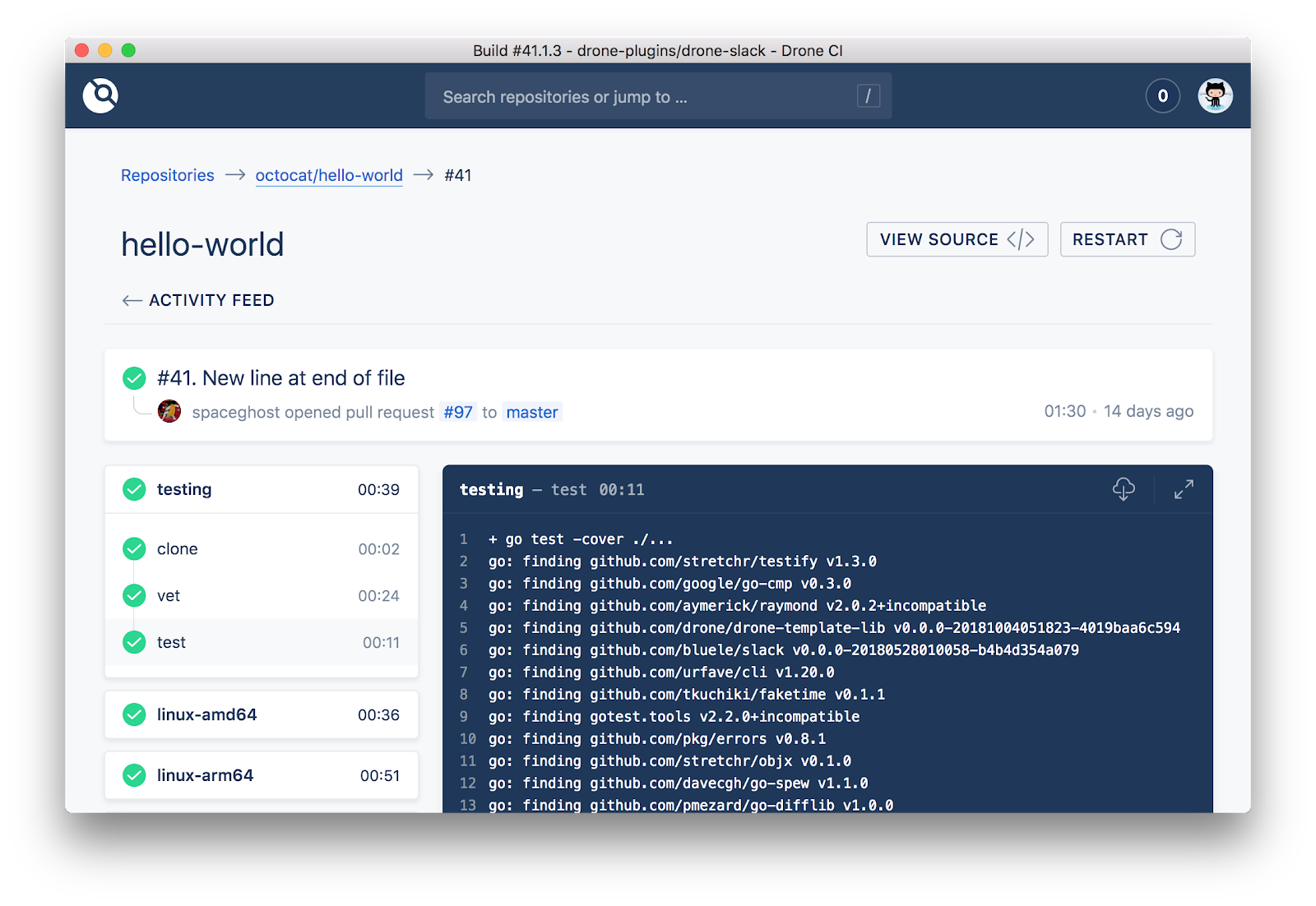
    Harness announced it has acquired Drone.io, creator of the open source Drone continuous integration (CI) project.

    Company CEO Jyoti Bansal said Harness, which provides a continuous delivery (CD) platform delivered as a service, will offer Drone to organizations that want a CI platform alongside a CD service from a single vendor. However, Harness will also continue to facilitate the integration of its namesake CD platform with other CI platforms.

    Drone will continue to be freely available as open source software and will be re-christened Harness CI Community Edition. Drone Enterprise will be sold as Harness CI Essentials Edition. Later this year, Harness plans to introduce Harness CI Enterprise Edition, which will extend the core platform.

    The two companies claim there are currently more than 50,000 active Drone community users for a project that is supported by 250 contributors. Organizations that have adopted Drone include eBay, CapitalOne, Cisco Systems and VMware. Instead of requiring scripts, continuous integration pipelines created in Drone can be declared and managed as code in Git. That approach creates a standard syntax for pipelines that are easier to create, use, maintain and troubleshoot. The two companies claim that reduces the time and cost of continuous integration by a factor of five to 10 over rival platforms.

    Analyst firms are projecting the DevOps software market will generate $15 billion in revenue by 2023, signaling an opportunity to provide a more modern CI platform that is easier for organizations to employ, Bansal said. Jenkins, the most widely used CI/CD platform today, traces its lineage back to 2004.
    While the overall market continues to grow, however, there’s been a wave of consolidation among vendors attempting to construct end-to-end DevOps platforms. Many enterprise IT organizations tend to prefer to rely on as few vendors as possible to reduce integration costs, which is an issue Harness in part is trying to address by acquiring Drone.io.

    Harness is a member of both the Continuous Delivery Foundation (CDF) and the Cloud Native Computing Foundation (CNCF). Drone is already available on a wide variety of platforms, including Kubernetes, and it’s not clear if either arm of the Linux Foundation will play a major role in advancing the development of Drone. The CNCF has thus far accepted Argo, an open source CD platform for Kubernetes, as an incubation-level project.

    In the meantime, competition among providers of CI/CD platforms is intensifying. Jenkins, originally developed by CloudBees, is now being advanced under the auspices of the CDF along with Jenkins X, a CI/CD for Kubernetes environments, and Spinnaker, a CD platform originally developed by Netflix. GitLab, Microsoft and its GitHub subsidiary, JFrog and CircleCI all have established major rival CI/CD ecosystems of their own.

    Ultimately, it will be up to each IT organization to decide which CI/CD platform makes the most sense for them. It’s even possible many departments within the same organization will make use of multiple CI/CD platforms. Over time, however, most enterprise IT organizations are expected to adopt a CI/CD standard to better facilitate collaboration across multiple DevOps teams.

  • Weighing the Cost of Improper DevSecOps

    Weighing the Cost of Improper DevSecOps

    Simply put, data breaches are terrible news for companies. And, the costs associated with such attacks continue to escalate. A recent IBM-sponsored report found an average price of 3.92 million per breach.

    Not adapting security automation and vulnerability scanning into development pipelines could have a drastic effect not only on cost but workload efficiency and team morale. With these sorts of headaches, it’s vital to consider the repercussions for not adopting secure (and lean) armaments and auditing procedures.

    Can organizations adopt DevSecOps beyond the buzzword it has become? In this article, we’ll uncover some startling evidence on the state of Kubernetes vulnerabilities and discuss what companies can do to rectify.

    Trends in Kubernetes and Istio Vulnerabilities

    It’s astounding how much in DevOps is left exploitable. Secrets are routinely unknowingly left in the open due to human error. These are the most common gateways for attackers. Plugging these gaps is the first, albeit obvious, step.

    There’s proof of an epidemic, too. A recent study conducted by Alcide ran a live production analysis of over 500 cloud-native environments across the globe. According to their findings, “89% of deployment scans show companies are not using Kubernetes’ secrets resources, with secrets wired in the open.”

    This means the majority of Kubernetes environments share susceptible to data breaches in some form. Among the 5,000 scans run, the Alcide report found secrets are commonly left open in a few areas, including:

    • Workloads that had to connect to cloud resources that exist outside the cluster
    • AWS access keys to connect to those resources
    • Tokens for workloads that require API access to external databases
    • Credentials for S3 buckets

    Gaps in Best Practices for Kubernetes and Istio

    Kubernetes brings many nuances to the table. It’s a sophisticated system, with a wide range of use cases and cloud-native experiences. These require extensive auditing and compliance checks to safeguard deployment.

    According to Gadi Naor, CTO and co-founder of Alcide, Kubernetes requires a good level of expertise. However, “there is a knowledge gap that DevOps doesn’t have,“ said Naor.

    Much of this gap lies in Kubernetes secrets handling and network policies. On top of Kubernetes, service meshes are a next evolutionary leap. Istio, an architecture layer for creating network policies is ten-fold more complex, according to Naor.

    On network policy creation, “75% of the scanned deployments use workloads, which mount high vulnerability host file systems; while none of the surveyed environments show segmentation implementation using Kubernetes’ network policies,” stated the Alcide study.

    These are compelling platforms, but best practices must meet the growing number of potential attack vectors.

    Why You Should Approach CI and CD Security Separately

    Many pundits now link continuous integration (CI) and continuous deployment (CD) together as if they’re synonymous. However, they are separate concepts. Securing them, in the same manner, could decrease overall efficiency.

    Scanning all resources created in the CI phase against security auditing could waste time and resources. For example, if you’re standing images for CVEs and only deploy 20% of those images, that is a lot of wasted exercises.

    Rather than scanning all environments in the CI phase, Naor believes you should focus on scanning 100% of images for CD. Therefore, security tooling is leaner, and anything deployed will be assuredly safe.

    Takeaways on the Cost of Poor DevSecOps

    Infrastructure components such as Kubernetes and Istio are powerful allies to the DevOps minded teams. These environments do come with their nuanced security concerns, which must be addressed. Otherwise, the data breach price tag is high.

    To intercept system frailties before the black hats do, you must consider the following:

    • Scan for the Obvious: Utilize automation to discover secrets, keys, tokens, left in public repositories.
    • Scan in a Lean Way: Maintain a lean security environment that retains your engineer’s attention.
    • CI vs CD: Recognize the security nuances between integration versus deployment.
    • Add Auditing Tooling Strategically: Adopt compliance and auditing tooling that doesn’t create friction with existing developer workflows.

    As Naor said, “Don’t ignore the obvious stuff.”

    — Bill Doerrfeld