Tag: CI/CD pipeline

  • Running Serverless in Production: 7 Best Practices for DevOps

    Running Serverless in Production: 7 Best Practices for DevOps

    Serverless in production refers to the deployment and use of serverless architecture in a live, production environment. In this context, serverless refers to a cloud computing paradigm where the cloud provider manages the infrastructure and allocates resources as needed to run and scale applications and services.

    In a serverless production environment, applications and services are broken down into individual functions triggered by events, such as API requests or changes in data. These functions are executed in response to these events and the cloud provider is responsible for managing the underlying infrastructure, including servers, storage and network resources.

    In this article, I’ll describe some of the key use cases of serverless in production and provide important best practices DevOps teams can use to run serverless in production safely and effectively.

    Use Cases of Serverless in Production

    Serverless technology has emerged as a popular choice for delivering various applications and services in production. Here is a brief overview of serverless in production for four use cases.

    Microservices

    In a microservices architecture, an application is divided into small, independent services that can be developed, deployed and scaled separately. Serverless allows each microservice to be deployed as a separate function, triggering the function only when needed and scaling it automatically based on demand. This results in a cost-effective and flexible solution for microservices, as the user only pays for the exact amount of computing resources used by each function.

    IoT Devices

    Internet of things (IoT) devices generate large amounts of data, which need to be processed and analyzed in real-time. Serverless functions can process IoT data as it is generated, allowing for real-time analytics and decision-making. With serverless, the processing and analysis can be scaled dynamically, handling spikes in data volume without the need for infrastructure management.

    Multimedia Processing

    Multimedia processing tasks, such as image and video compression, often require significant computing resources. With serverless, these tasks can be performed as functions triggered by events such as the upload of a new image or video. The serverless functions can scale automatically to handle large amounts of data, reducing the costs associated with infrastructure management and increasing efficiency.

    This function-as-a-service (FaaS) is often used for storing and processing user inputs and other data types. For example, FaaS can be used to execute specific processes according to the category of media uploaded by the user. It’s easier to build these services because the developer can write one function that is applied to multiple processing tasks. 

    APIs for Mobile and Web Applications

    APIs are an essential component of many web and mobile applications, providing access to the underlying data and services. Serverless functions can build and deploy APIs, providing a cost-effective and scalable solution. The functions can be triggered by incoming API requests and automatically scaled based on demand, allowing for fast and reliable API access for users. 

    FaaS is especially useful for RESTful applications and event-driven architectures. Containers are also useful for performing processes like API calls, but serverless functions are best suited for highly fluctuating volumes of traffic.

    Best Practices for Running Serverless in Production

    1. Monitor the Serverless Environment

    Serverless monitoring refers to the process of monitoring serverless applications and infrastructure, including serverless functions and event-driven computing services, without the need for dedicated servers or virtual machines. In a serverless architecture, computing resources are dynamically allocated and managed by the cloud provider, so there is no need for organizations to manage and maintain their own servers.

    Serverless monitoring involves monitoring various aspects of serverless applications and infrastructure, including function execution, resource utilization and performance metrics. The goal of serverless monitoring is to identify and resolve issues that may impact the performance and reliability of serverless applications and to optimize resource utilization for cost efficiency.

    By implementing serverless monitoring, organizations can ensure that their serverless applications and infrastructure are performing optimally and that they can quickly identify and resolve any issues that may arise. This helps to improve the reliability and cost-effectiveness of serverless computing and enables organizations to take full advantage of the benefits of serverless architecture.

    2. Implement Authentication

    Serverless authentication refers to the process of authenticating users and applications in a serverless architecture, where computing resources are dynamically allocated and managed by the cloud provider. In a serverless authentication model, authentication is managed through cloud-based services and APIs without the need for dedicated servers or virtual machines.

    By implementing serverless authentication, organizations can ensure that their serverless applications and services are secure and that users are only able to access the resources that they are authorized to access. This helps to improve the security of serverless applications and services and reduce the risk of security breaches.

    3. Ensure Security with API Gateways

    API gateways provide a centralized point of control and security for incoming API traffic. API gateways allow for the implementation of authentication and authorization mechanisms, such as OAuth, to control access to serverless functions. This ensures that only authorized users and clients can access the functions, reducing the risk of unauthorized access.

    API gateways can also manage incoming API traffic, such as rate limiting and request filtering, to prevent overloading the serverless functions and protect against denial-of-service (DoS) attacks. They perform real-time threat detection, identifying and blocking malicious traffic before it reaches the serverless functions. This includes protection against other common attacks such as cross-site scripting (XSS) and SQL injection.

    Finally, an API gateway can enforce encryption for incoming and outgoing API traffic, ensuring that sensitive data is protected in transit. 

    4. Assign Appropriate Roles to Functions

    With serverless, there can be many resources that must be handled, making management potentially complex. Creating minimal suitable roles for each function makes management easier, enhances security and reduces the attack surface of the serverless architecture. This approach means that the least privilege principle is applied, where a function only has the minimum permissions required to perform its intended task. It reduces the risk of unauthorized access to other parts of the infrastructure, such as sensitive data or other functions.

    The right roles ensure that functions are isolated from each other and run in their own security context. This helps to prevent the spread of any security incidents, as well as ensure that the compromise of one function does not affect the security of the rest of the system.

    5. Ensure Dependencies are Secure

    It is common for serverless functions to have dependencies from various repositories like Maven and PyPI. These dependencies may contain known vulnerabilities which can be exploited by attackers. Securing application dependencies is important to prevent security incidents and ensure the reliability and availability of the serverless architecture.  

    This involves tracking and managing the dependencies used in the serverless applications. This helps to ensure that dependencies are used in a consistent and controlled manner, reducing the risk of conflicts or compatibility issues. By regularly monitoring and updating dependencies, organizations can ensure that their serverless architecture is secure and reliable.

    6. Sanitize Inputs to Prevent Injection Attacks

    Serverless applications often use data inputs from users or events. This data enables functions such as data streaming, but the user-supplied data can also pose security risks. Sanitizing event inputs helps to prevent injection attacks—these occur when an attacker injects malicious code or data into a serverless function through the event inputs. 

    By sanitizing inputs, organizations can remove or modify potentially malicious inputs, preventing the attacker from injecting malicious code into the function. One important form of sanitization is input validation—validating that the inputs conform to a specific format or type, such as checking that a string is a valid email address. This helps to prevent attackers from injecting malicious code into the function by ensuring that the inputs are in the expected format.

    Sanitizing data is only one aspect of a defense-in-depth security strategy, which involves implementing multiple security controls to protect against attacks. It is also important to enable data escaping for SQL and noSQL databases. Likewise, the data provided by events shouldn’t be used to evaluate code at runtime or spawn system processes. 

    7. Secure Data in Transit

    Securing and verifying data in transit helps to prevent data breaches and ensure the confidentiality, integrity, and privacy of data transmitted between different parts of the serverless architecture. Here are some guidelines for securing and verifying data in transit:

    • Use HTTPS: This is a secure protocol for transmitting data over the internet. By using HTTPS, organizations can ensure that data transmitted between different parts of their serverless architecture is encrypted, preventing unauthorized access to sensitive data.
    • Implement SSL certificate verification: Verify the identity of the certificate owner and the authenticity of the certificate. This helps to prevent man-in-the-middle attacks, where an attacker intercepts and alters data transmitted between the server and the client.
    • Enable signed requests: These involve adding a digital signature to a request, which is then verified by the recipient. This helps to prevent tampering with data in transit and ensures the integrity of the data.

    Conclusion

    In conclusion, running serverless in production requires careful planning and execution to ensure the security and reliability of the architecture. By following the best practices described here, DevOps teams can reduce the risk of security incidents and ensure the reliability and availability of their serverless architecture. These include:

    • Monitoring the serverless environment
    • Implementing authentication
    • Deploying API gateways
    • Creating minimal suitable roles for each function
    • Securing application dependencies
    • Sanitizing event inputs
    • Securing and verifying data in transit 

    Additionally, regularly monitoring and updating dependencies and implementing a defense-in-depth security strategy can help organizations ensure the security and reliability of their serverless architecture over time. 

  • Opsera Brings DevOps Intelligence to GitHub Actions

    Opsera Brings DevOps Intelligence to GitHub Actions

    Opsera today announced it has extended its platform for collecting DevOps intelligence to include support for the GitHub Actions continuous integration/continuous delivery (CI/CD) platform.

    Opsera CEO Kumar Chivukula said as GitHub Actions is adopted more widely, there is a growing need to provide greater visibility into Git-based workflows in real-time. A GitHub Actions Insights module for the Opsera platform makes it possible to track key performance indicators (KPIs) across those workflows, he added.

    The goal is to make it simpler to make data-driven decisions about how best to optimize those workflows by identifying bottlenecks, noted Chivukula.

    The Opsera platform surfaces that intelligence by scanning all repositories and branches, including commit history, and generating alerts and notifications whenever KPI thresholds or compliance requirements are exceeded. DevOps teams can also use the platform to assess their overall DevOps maturity using a set of DevOps Research and Assessment (DORA) metrics defined by Google. Going forward, Opsera also plans to start surfacing metrics based on the Supply chain Levels for Software Artifacts (SLSA) framework for securing software supply chains also defined by Google.

    Platforms such as Opsera make it possible to apply analytics to DevOps workflows as they become more complex. The number of dependencies that exist between various application modules, for example, makes it exceedingly difficult for DevOps teams to manually identify the impact a delay in one project might have on any number of other downstream projects.

    In addition, many organizations are keen to discover what best practices should be adopted by other application development teams.

    Finally, many developers tend to use a repository as a dumping ground for all kinds of software artifacts, noted Chivukula. DevOps teams need an intelligence tool that makes it possible to identify which of those artifacts are the most essential to the business, he added. Otherwise, manually combing through a repository looking for artifacts becomes the DevOps equivalent of looking for a needle in a haystack, noted Chivukula.

    GitOps is essentially a more opinionated approach to DevOps that relies on an instance of the open source Git repository as the single source of truth about the environment rather than a set of application or server configuration files. GitHub views GitOps as a means of extending a code repository into the realm of DevOps workflows using the GitHub Actions platform. It’s not clear how much traction GitHub Actions is gaining at the expense of other CI/CD platforms, but for organizations that are relatively new to DevOps and already using GitHub as a code repository, it presents a path of least resistance.

    Regardless of why organizations adopt a DevOps intelligence platform, the need to optimize workflow across toolchains is becoming more pressing during an economic downturn. It’s becoming more clear that the cost of an application delivery delay directly impacts the level of revenue an organization generates in the age of digital business transformation.

  • Protecting CI/CD Pipelines to Secure the Software Supply Chain

    Protecting CI/CD Pipelines to Secure the Software Supply Chain

    Cloud-native applications have become increasingly complex. Composed of an infrastructure stack of mash-up code, hundreds of open source and commercial components, services and APIs, today’s software supply chain is fraught with security risks. At the same time, the ability to manage existing application requirements while building innovation and taking on new areas of responsibility like security is stretching DevOps teams beyond their capacity. The concern for the number of connected and exploitable weaknesses across the software supply chain are now requiring organizations to take a proactive approach to protect their continuous integration and continuous delivery (CI/CD) systems, as they have become a target through which attackers infiltrate multiple production systems. But meeting this requirement is no easy feat as it often requires organizations to choose between how much security to enforce in the build cycle while quantifying their risk to build and deploy quickly. 

    A recent survey revealed that nearly all (97%) of an organization’s assets—and security issues—are now in the cloud. And yet, only 29% of an organization’s assets are associated with cloud-specific policies. Addressing this gap requires organizations to have a proactive approach to protect their technology infrastructure, especially securing the artery of their software supply chain: The CI/CD pipeline. By embracing new security and compliance strategies within their governance approach, organizations can better protect their CI/CD pipeline and cloud applications. 

    There is a growing shift toward programmable infrastructure and infrastructure-as-code (IaC) practices to build out infrastructure and manage configuration files. But with this practice comes the increased risk of exposing application credentials, API keys, encryption keys and digital certificates. Tools supporting the CI/CD pipeline have now become the artery of cloud applications, and it’s becoming more challenging to store, transmit and audit data securely. In addition, when CI/CD tools interact with other systems in the DevOps environment, it increases the risk of exposure for configuration files. A compromise in the build system, for example, can be used to get access to production systems that can result in the exposure of sensitive information or the injection of malicious code, corrupting the entire CI/CD pipeline and thus the software supply chain. 

    A recent Unit 42 Cloud Threat report revealed that overly permissive credentials created added risk opportunities in the CI/CD pipeline. The study found that 63% of IaC templates contained misconfigurations and 91% of container images contained high or critical security vulnerabilities. To address this, organizations need to catch security problems in the build process before cloud workloads are provisioned. During the SolarWinds compromise, for instance, attackers used custom malware designed for the company’s build cycle to observe each step. The sophistication of the intrusion in this attack during the software build process is a key lesson for DevOps and DevSecOps professionals and revealed how security needs to be approached. 

    One way to address this is by being able to identify CI pipeline misconfigurations, which can improve security in the software supply chain. Because CI pipelines are configured in the code, the same policy-as-code approach can be used to identify IaC misconfigurations or open source vulnerabilities to surface CI/CD weaknesses. DevOps and developer teams can keep configurations accessible to just a small group who are building for production release. By establishing enforceable permissions to the pipeline, there is better control over who can commit code changes to the repositories, create containers and deploy code to different environments. 

    Strong chains of trust throughout the build cycle are not commonplace today. But as organizations look at ways to strengthen their risk posture by shifting left, security and DevOps teams can work toward proactively hardening pipelines with the right CI/CD tools and frameworks and push the industry toward a more secure software supply chain. 

  • Supply Chain Security: Has the Next SolarWinds Already Happened?

    Supply Chain Security: Has the Next SolarWinds Already Happened?

    More than two years after the now-infamous hack of the firm SolarWinds, the incident is very much in the foreground of conversations about cybersecurity defense, threat detection and incident response. As evidence of that: The SolarWinds incident was the subject of five separate talks and panels at the recent RSA conference in San Francisco. Dozens more talks addressed issues related to supply chain security that–directly or indirectly–invoked the SolarWinds incident. 

    That’s because the SolarWinds attack raises important—if not existential—questions for both software development and DevOps teams and the companies running the software. First: If sophisticated cybercriminals can insert malicious backdoors directly into application code from reputable developers, what organization can afford to blindly trust software? Second: If it is now the responsibility of software teams  to spot sophisticated, methodical compromises of their development pipelines, what is the best and most reliable means of doing that? Finally, if it is also now the job of software consumers to monitor for—and detect—compromised binaries from otherwise reputable vendors (like SolarWinds), how should they go about doing that given ongoing staffing and technology constraints? 

    The answers to these questions are matters of debate within DevOps, software development and information security communities. What is beyond debate is that the SolarWinds incident was not a fluke. In the months since that attack, attackers—both criminal and nation-state-backed—have leveraged software supply chain security blindspots to target development organizations as means of gaining access to sensitive IT environments. While we haven’t yet heard of another incident of the scale or importance of SolarWinds, it is entirely reasonable to assume that the next SolarWinds-caliber compromise could already be unfolding, but has yet to be discovered and/or publicly acknowledged. 

    Software Supply Chain Security Weaknesses

    SunBurst, the malicious implant in SolarWinds software, endures as a topic of interest and conversation for information security professionals and for DevOps and development organizations precisely because of the ways it exposed glaring weaknesses in the security of development organizations and software supply chains. As noted in my analysis of the hack in December 2020 and FireEye’s analysis of the same compromise, the SolarWinds hackers gained access to the company’s development environment months before they actually launched their attack. During that time, they closely studied the underlying source code and mimicked SolarWinds style and nomenclature as they added malicious code and integrated it into the SolarWinds Orion application via a compromise of the company’s build system.  

    Though carefully planned and conducted, the SolarWinds attack wasn’t foolproof. The attackers left clues, such as their additions of native Windows functions, use of cryptography, compression and more. The attackers obfuscated these using compression and Base64 encoding designed to fool simple threat hunting rules that looked for their plaintext variants and other suspicious strings. Still, the obfuscation repeated throughout the implanted code was enough to send up a red flag to anyone who bothered to look closely. That left the attack open to discovery. 

    The problem is this: Very few software publishers have the staff, expertise or tooling to comb through massive codebases to spot a handful of sketchy obfuscated strings or analyze large binaries for deviant behaviors before deploying them. As evidence of this, ReversingLabs sponsored a survey of more than 300 IT professionals at software-driven enterprises. It found that 87% were aware that software tampering, like what occurred in the SolarWinds attack, could lead to enterprise security breaches. About 40% of those surveyed said CI/CD toolchain exposures posed a risk to their organization. Still, barely a third of respondents (37%) said they had the means to detect such software-tampering attacks. 

    Threats to Software Development Organizations Grow

    Attackers are aware of this weakness within the software development pipeline, which is why threats to development organizations are metastasizing. Just in the last year alone, we have seen a series of attacks on development infrastructure and software supply chains. In one April 2021 incident, attackers were successful in pushing malicious, unreviewed code directly to the PHP main branch, ultimately resulting in a compromised, formal version of PHP being pushed to all PHP websites. That same month, there was a breach at the firm CodeCov, which involved unauthorized access to and modifications of the company’s Bash Uploader script. An investigation of that incident ultimately concluded that the alteration of a single line of code in that script by an unauthorized third party enabled the attackers to (potentially) export information stored in the users’ continuous integration (CI) environments. 

    More recently, ReversingLabs observed proof-of-concept and “white hat” activities testing so-called “dependency confusion” attacks, in which attackers set up malicious packages in public repositories like GitHub that squat on the names of private, non-public repositories and sport high version numbers. Misconfigurations in package management systems can result in these malicious components being imported in lieu of the legitimate, privately managed namesakes. As ReversingLabs found, a number of malicious modules discovered on the npm platform were used to target German technology, manufacturing and entertainment firms. It was later revealed to be the work of a white hat firm conducting red team exercises on behalf of those firms. Red team exercises aside, RversingLabs research also detected other, malicious packages in npm, as well as similar attacks targeting Ruby Gems and Python Package Index (PyPi). 

    And that doesn’t even count issues like the Travis CI flaw that exposed (potentially) millions of credentials to developers’ accounts on GitHub, Amazon Web Services and Docker Hub. Lapses like that can fuel supply chain attacks, giving malign actors the ability to insert malicious code into otherwise legitimate open source or proprietary code repositories. After reading such headlines, and without the means to check code intent, how can developers trust their software to update? And how can they do so while at the same time being forced to frequently update their dependencies to reduce or eliminate critical software vulnerabilities?

    Dev Teams Need New Tools

    For software development organizations struggling to meet delivery deadlines and satisfy customer expectations, reorienting to address amorphous software supply chain threats and attacks is a bridge too far. The same is true for enterprises struggling to staff security teams and simply keep on top of targeted phishing attacks or threats to public-facing IT assets. Too often, these entities only find religion about software supply chain attacks after they have occurred. 

    What software development organizations need is a way to secure the CI/CD pipelines and release packages, ensuring that their software builds are free of code tampering and other supply chain risks introduced through build systems. That should include the ability to detect compromises by monitoring for malicious software changes and enforcing security controls and failure conditions on software build processes to ensure that you can release your code with confidence.

    On the customer end, organizations need a way to detect malicious behaviors and unauthorized software changes in compiled binaries before they are released into production, while also monitoring for risks like exposed secrets or exploitable software vulnerabilities that might lurk in compiled code. 

  • A Full Pipeline: CI/CD for Network Automation and Orchestration

    A Full Pipeline: CI/CD for Network Automation and Orchestration

    The intersection of CI/CD and network automation has grown substantially over the past few years. Network teams have seemingly reached the point in their automation and orchestration journey where it has become critical to implement a strategy to manage the testing, version control and deployment of both network changes and automation assets. 

    While CI/CD has grown in popularity, there are—at least on the surface—many differences in the types of pipeline implementations to which network teams want to apply the technology: Different tooling, different scenarios and different problems being solved. Despite the seeming disparities, there are some key themes that are consistent throughout most pipeline implementations. For instance:

    Network teams either want to develop pipelines to better manage specific changes to the network or they want to use pipelines to better manage the testing and deployment of automation and orchestration assets like workflows or scripts. Where initially those teams may have turned to network infrastructure-as-code (IaC), a significant (and growing) number are investing in automation asset pipelines. 

    The trust and resources being dedicated to these pipelines is just one of a growing number of indicators that automation and orchestration solutions are maturing and moving beyond initial implementations to large-scale, business-as-usual technologies.

    How Pipelines and Network Automation Complement Each Other

    A close examination of recent pipeline developments provided more clarity about the respective strengths of CI/CD tooling and network automation tools for network change management and life cycle—GitLab, GitHub, Jenkins and CircleCI to name just a few. Most network teams would prefer to stick with a “right tool for the right job” philosophy, wherein the best tool for any given task can easily be integrated into an overall solution. 

    In this context, the “right tool” philosophy looks at pipelines and at network automation/orchestration tools to identify what they do best. Then, a strategy is developed that maximizes the benefit of both technologies. Using this approach, teams can avoid the pitfalls of trying to solve everything with one or the other, leading to a suboptimal process.

    Some good current rules of thumb are based on two simple points:

    • Pipelines focus on creating consistency and repeatability by managing activities related to code versioning, testing coordination, code merging, code validation and approval. The primary benefit of pipelines is the ability to automate the change process.
    • Network automation focuses on generating the network payload and applying that payload to the network elements. This may also include automation of engineering and business logic steps that typically must be performed in a specific order. The best uses of network automation within the change process require attention to business logic, order of operations and network engineering rules.

    By integrating both technologies into a common pipeline, network teams can get the best of both toolsets. 

    The example below illustrates an integrated model where network automation tools provide the engineering logic for the generation, testing and deployment of configuration changes, while the CI/CD tools (represented by the orange arrows) carry the activities through a repeated, automated process, ensuring that the changes go through a consistent path with proper version management, approvals and testing. Multiple teams have successfully implemented this model and they are beginning to iterate their solution to incorporate their unique experiences and improvements.

    The widespread expectation from the industry is that, in addition to the integration of CI/CD and automation into a common pipeline, we will begin to see other indicators of maturation of orchestration and automation. Some of these are areas that are already taking shape, such as the shift in skillsets and competencies outside of traditional CLI-centric engineering toward DevOps and CI/CD skills, or the growing importance of quantifying the business impact of automation and orchestration. 

  • CDEvents Aims To Standardize CI/CD Interoperability

    CDEvents Aims To Standardize CI/CD Interoperability

    Companies are under mounting pressure to continuously release new applications and features. And as software development life cycles become more iterative, continuous integration and continuous delivery (CI/CD) has become a necessary ingredient to enable more rapid deployments.

    Many development teams now embrace DevOps, but fully automating a CI/CD pipeline from source code to production deployment is no easy task. For one, the number of tools in use continues to balloon, meaning CI/CD poses an ongoing maintenance hurdle. Furthermore, CI/CD tools often adopt varying formats to describe their events. A CI/CD pipeline, a form of event-driven architecture, may require a lot of special “glue” to patch events together if the output from each tool is not in a standardized format.

    Interestingly, CDEvents, an emerging open source standard from the Continous Delivery Foundation (CDF), is working to standardize the root semantics of how CI/CD tools describe the payloads of their events with more granularity than CloudEvents. The project aims to establish schemas for how common CI/CD events are described, easing integration and providing more actionable data surrounding the CI/CD pipeline.

    I recently met with Andrea Frittoli, open source developer advocate at IBM, to understand why the CDEvents project exists, how it works and what they’re hoping to achieve. According to Frittoli, who is also co-creator of the CDEvents project and a member of the CDF Technical Oversight Committee, CDEvents has the potential to bring much-needed interoperability to the sprawling CI/CD tooling ecosystem. Below, we’ll investigate where the project is and consider where it’s heading.

    The Problem With CI/CD

    At its core, the problem CDEvents is trying to solve is a lack of interoperability in the CI/CD field, explained Frittoli. As it stands today, DevOps engineers must routinely make point-to-point integrations between CI/CD tools. “No single tool will take you entirely from managing source code to production,” he said. A single development team could be using up to 15 unique components in one pipeline, and tooling preferences can vary dramatically across teams, he adds, further complicating CI/CD interoperability.

    Although CloudEvents has made inroads as a specification to describe event data, nothing has yet existed specifically for describing CI/CD events. According to Frittoli, CloudEvents falls short here, as it’s agnostic about what is inserted into the payload.

    Understanding CDEvents

    CDEvents is “a common specification for Continuous Delivery events.” Frittoli describes it as a shared dictionary or shared semantics for common events. These events could be a change in source code, running a test, or a code execution or deploy. CDEvents uses JSON object schemas to describe the event types and can work alongside CloudEvents as an attribute. “CDEvents is a standard format for the payload as well, not only for the envelope,” said Frittoli.

    As Frittoli explains, the CDF special interest group is still drafting the CDEvent specification’s exact semantics and common names. Currently, CDEvent organizes these objects into four main buckets: Core events, source code version control, CD events and CI events.

    While the group is still finalizing the format of events as they work toward the initial release, the example below is an approximation of what the final format will look like:

    "meta": {
      "version" : "draft",
      "event_id" : "A234-1234-1234",
      "source" : "/staging/tekton/",
      "type" : "dev.cdevents.taskrun.started",
      "timestamp" : "2018-04-05T17:31:00Z"
    },
    "subject": {
      "id": "/namespace/taskrun-123",
      "type": "taskrun",
      "content": {
        "URL": ...
        "pipelinerun": ...
      }
    },
    "extensions": [{
      "name": ,
      "content": ...}
    ],
    "links": [{
    ...
    }]

    Benefits of CI/CD Event Standardization

    So, why is it necessary to define the format of CI/CD event data? What benefits does this bring to developers and the business as a whole? Well, Frittoli sees two potential primary use cases. First off, CDEvents could reduce the effort spent writing and maintaining glue code between common DevOps tools like Spinnaker, Argo or Flux. “This will allow a smoother integration between all the parts,” said Frittoli. Alleviating this could help scale CI/CD initiatives and increase overall agility.

    Another positive side effect is collecting more detailed information about workloads and their performances. If all these components generate similarly-formatted events, Frittoli explained, then you can begin to create a true end-to-end visualization of the entire CI/CD pipeline. Then, you can start to measure things such as deployment frequency, failure rate, time to change and other metrics.

    If events begin to use a common language, you could do many interesting things with that data, says Frittoli. Event data could help ascertain the root cause of incidents and aid debugging. One could even foresee some AIOps potential to further automate operations and increase observability around CI/CD.

    Final Thoughts and Ways to Participate

    CDEvents emerged at a time when iterative software development has become commonplace. A slew of helpful CI/CD tools is at our disposal to enable niche operations. Yet, the space still requires a standard way to operate between them. CDEvents is an exciting prospect, yet the project is still in its early stages. It has yet to reach a full release or any production use and proofs-of-concept are still being developed.

    Of course, encouraging a vendor-neutral specification requires the tooling community to get on board. “It’s vital for the different tools to implement CDEvents for it to be successful,” said Frittoli. He encourages the tooling community to join the working group to collaborate in building proofs-of-concept. The SIG plans to continue working on finalizing the first version of the specification. In the meantime, the group has produced a proof-of-concept using Tekton and keptn and the project has its future sights set on Knative and Jenkins.

    The CDEvents project is in incubating mode and maintained by the Events Special Interest Group (SIG) at the CDF. For more information, you can peruse the CDEvents documentation here or become involved with the community here. The Events SIG also holds biweekly meetings and a CDEvents Community Summit will be part of the upcoming CDcon.

  • CircleCI Report: Pipeline Optimization Best Practices

    CircleCI Report: Pipeline Optimization Best Practices

    CircleCI today published a report that found most successful software engineering teams have average workflow durations of five to 10 minutes, with any failed run being fixed or reverted in under an hour.

    The report was based on two years of data gathered from more than a quarter-billion workflows and collected from nearly 50,000 organizations using its continuous integration/continuous delivery (CI/CD) platform. The CircleCI 2022 State of Software Delivery Report also found those teams have success rates that are above 90% for the default branch of their application and deploy at least more than once per day.

    Mike Stahnke, vice president of platform for CircleCI, said the report also makes it clear there is no correlation between team size and the level of DevOps success achieved.

    Organizations that focus on optimizing pipelines are also better able to integrate testing within their DevOps workflows, he noted.

    In general, Stahnke said more DevOps teams are relying on cloud-based CI/CD platforms versus opting to deploy and maintain infrastructure themselves. That shift also lowers the barrier to entry for organizations looking to embrace DevOps best practices to accelerate application development, he added.

    Less clear is the degree to which organizations have embraced both CD and CI. While many developers routinely employ CI to accelerate application development, CD has proven to be a more elusive goal. Each platform a DevOps team supports tends to have unique attributes that require them to rely on manual processes to deploy applications. However, as DevOps processes continue to mature, Stahnke said the CI and CD integration will become more seamless. In fact, as the number of applications that organizations build simultaneously increases, the pressure to automate CD will also rise.

    However, it remains to be seen to what percentage of organizations will opt for a tightly integrated CI/CD platform versus separate CI platforms for developers and CD platforms for IT operations teams that are more loosely coupled.

    In the meantime, organizations of all sizes are clearly more focused than ever on developer productivity. In the wake of the downturn brought on by the COVID-19 pandemic, there was a rush to launch a range of digital business transformation initiatives. The issue that many organizations are now encountering is they need to find ways to enable a finite number of developers to simultaneously build and deploy multiple applications with multiple interdependencies. Many organizations are trying to address that challenge by sharing best practices across DevOps teams that have varying levels of maturity. Few organizations have a set of standardized DevOps practices that are consistently employed across every application development team within an enterprise.

    It will be up to each organization to decide whether to compare their level of DevOps expertise to other organizations. Each application development team faces a unique set of challenges. The most important goal is simply to continuously improve at a time when demand for custom applications has never been greater.

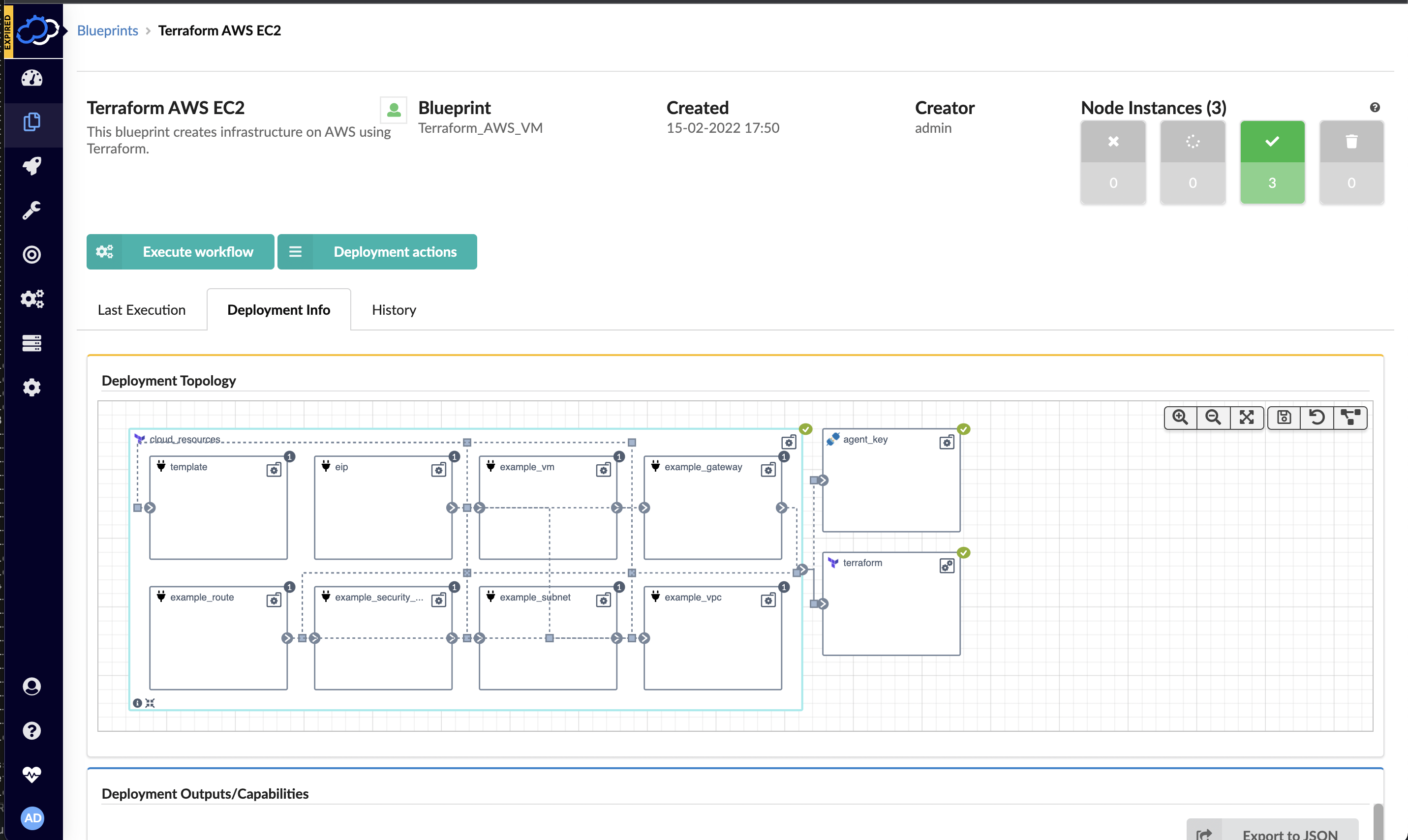
  • Cloudify Integrates DevOps Automation Platform With Terraform

    Cloudify Integrates DevOps Automation Platform With Terraform

    Cloudify this week announced a free user interface (UI) module that extends its infrastructure provisioning platform and enables DevOps professionals to integrate unlimited Terraform modules.

    Nati Shalom, Cloudify CTO, said Terraform UI provides a familiar construct for DevOps teams using the open source DevOps automation platform to provision infrastructure-as-code (IaC). The module enables DevOps professionals to seamlessly import Terraform modules to Cloudify without writing blueprints or any additional glue code, he said.

    Cloudify now automatically generates the wrapper required for each Terraform template to enable DevOps teams to collaboratively manage secrets, execute concurrent deployments, store states remotely and monitor deployments, users and versions via any Git repository. Those Terraform modules can then be integrated with application programming interfaces (APIs) and continuous integration/continuous delivery (CI/CD) platforms as DevOps teams require.

    DevOps teams can also import existing automation modules and scripts into Cloudify. Those modules and scripts can be automatically converted to environments that can be centrally managed via the Cloudify console or via export to ServiceNow’s IT service management (ITSM) platform as a software-as-a-service (SaaS) application.

    That approach provides the added benefit of enabling DevOps teams to centrally manage all Terraform modules and versions via a single console as part of an effort to reduce misconfigurations that lead to security breaches, he added.

    Cloudify enables DevOps teams to create a self-service catalog and portal through which infrastructure can be managed. Many DevOps teams have built their own portals to manage this process. However, Shalom noted those DevOps teams then need to devote resources to maintaining that portal when those resources could be allocated to other critical tasks.

    DevOps teams can not only use Cloudify to apply patches, change topologies, add security features, make configuration changes or make additional resources available, Shalom added, they can also now integrate Terraform tooling with platforms such as Kubernetes or other automation frameworks such as Ansible. Cloudify also makes available an enterprise-grade version of the platform with these integrations.

    It’s not clear how much time and effort IT organizations are investing in building and maintaining DevOps environments. In many cases, however, organizations should probably revisit decisions about building capabilities that, at the time, didn’t exist. That doesn’t necessarily mean that replacing custom DevOps tools makes sense across the board, but it is likely that, in the intervening years, the range of tooling made available via DevOps platforms has greatly expanded. Relative newcomers to DevOps, meanwhile, are enjoying the benefit of platforms they did not have to construct themselves.

    In fact, Shalom noted that, in terms of DevOps adoption, an inflection point has been reached as more organizations launch digital business transformation initiatives that require applications to be both built and deployed faster than ever. The challenge, of course, is enabling that to occur both safely and at a reasonable cost.

  • The Pace of Change Requires Better Testing

    The Pace of Change Requires Better Testing

    The COVID-19 pandemic in 2020 created a pressing need to give people additional ways to do their jobs and handle the tasks of day-to-day life via mobile devices and forced the growth of app innovation at a never-before-seen rate. Thanks to new application development technologies and agile processes along with open source and embedded libraries, organizations are delivering greater functionality, faster, and for multiple devices (think web, mobile, tablet, etc.). And while a never-ending stream of new apps and updates has been great for consumers, it’s proven to be a pain point for many enterprises whose testing processes aren’t up to speed, literally and figuratively.

    While test automation is an essential component of agile development, it’s not addressed in published agile methodologies such as Scrum and Kanban. Of course, testing tools and methodologies have changed along with modern development practices, but they haven’t always kept up with today’s rapid-fire pace of AppDev, and the past 18 months have only served to elevate the need for improved testing. For companies to keep up with and move beyond their competition, testing must be conducted in parallel with development.

    Automated and Continuous Testing: Analogous, not Synonymous

    There are many ways to test software, including manual, user interface (UI), automated and continuous testing (CT), but most enterprises today employ some form of automated testing and, increasingly, continuous testing. All too often, people throw the terms automated and continuous around as if they are synonymous, but they aren’t. So, before we delve into the merits of one over the other, it’s important to have a clear understanding of what each of the terms means.

    Automated testing refers to conducting software tests programmatically with little to no human interaction. It measures actual outcomes in relation to predicted outcomes, and, as it’s less time-consuming to execute than manual testing, has become the norm for modern enterprises. Continuous testing, meanwhile, uses automated tests to provide uninterrupted feedback at every stage of the software development life cycle and, therefore, plays a key role in DevOps.

    Automated and continuous testing work hand-in-hand to ensure software quality, cost-savings and speed time to market and should be conducted in lockstep with development. Whereas it’s possible to have one without the other, it’s far from advisable, however.

    The Upside of Continuous Testing

    Continuous testing takes automation to the next level and, as such, holds several advantages over automated testing alone.

    • Early and actionable feedback at each development stage means issues can be addressed sooner—before they evolve into larger, more complex issues.
    • Agile teams’ velocity is measured by how much they can complete in a sprint. Because of this, a team’s testing focus is narrowed to the sprint they are immersed in, meaning that problems affecting functionality previously deployed often aren’t discovered until later in the development life cycle, or they are discovered by users after deployment.
    • An automated and continuous approach means more problems are identified and fixed before deployment.
    • Release cycles are accelerated as organizations can respond to market changes faster and in real-time.
    • Correcting problems early reduces rework, which translates into cost and time savings.
    • Continuous integration requires continuous testing.
    • CT tests not only the parts of the application that have changed but also how those updates work within the app’s entire functionality.
    • Unlike automated testing, CT requires no human intervention.

    What’s the Holdup?

    Despite numerous benefits, CT isn’t as widespread as one would hope. One of the reasons for the disconnect comes down to investment, whether it’s hiring the right people, training or tools.

    Perhaps the greatest stumbling block comes at the hiring stage. CT requires a specific set of technical skills coupled with a natural aptitude for test development and a mindset focused on resiliency. Beyond investing in staff, there are upfront (and ongoing) automation costs to consider. Unfortunately, it’s not as if you can implement CT and never touch it again—CT becomes its own software delivery pipeline that must be developed, maintained and enhanced to ensure it doesn’t become obsolete.

    Continuous Testing: What Could go Wrong?

    As the pace of AppDev quickens, so does the imperative to integrate it into DevOps. Failure to do so has serious implications, the most obvious of which is that without CT, companies fail to test as much and as frequently as they should. Regression tests aren’t done as deeply, for instance, so when a new app or update is released, it’s more likely that something will break. Further, without the right skill sets, teams have a tendency to examine whatever is new and fail to see how it fits into the whole. Moreover, without proper testing, you may inadvertently introduce bugs or discover too late that functionality doesn’t work as planned. Relying on manual and slow, fragile UI testing will only hinder progress in organizations that don’t adapt.

    Negative consequences go beyond the confines of an agile team or enterprise as poor software design and implementation feed into the all-important issue of customer (dis)satisfaction. As everyone knows, unhappy customers aren’t loyal customers, and that translates to a lower bottom line. Another equally serious (perhaps more serious, depending on your perspective) ramification is the potential impact on data security, exposing organizations to a very different but significant risk posture.

    Thanks to DevOps, ideas are moving from deployment to business value at lightning speed. It stands to reason, then, that testing also must be faster than ever.

    When you consider that what you see today is the least amount of change you’re going to experience and that tomorrow is guaranteed to bring more, it should be abundantly clear why continuous testing is so important: The less testing you do, the more problems will occur downstream.

    Businesses develop software for a reason—to get business value. If your app isn’t working, you aren’t reaping its full value. So, instead of asking yourself if you should implement continuous testing, you need to be asking yourself why you haven’t done it already. By failing to invest in CT now, you will undoubtedly pay for it later.

  • What Is a CI/CD Pipeline? How to Improve CI/CD

    What Is a CI/CD Pipeline? How to Improve CI/CD

    The most effective way to ensure that your CI/CD pipeline is efficient is to use the right tool, like a static code analyzer. Here we explain what is a CI/CD pipeline and how a static analysis tool can help.

    What You Need to Know About CI/CD Pipelines

    The easiest way to understand a CI/CD pipeline is by understanding its individual components. Continuous integration (CI) is the practice of merging all of the working copies of code together into a shared mainline, while continuous delivery (CD) is the regular delivery of software functionalities.

    With a CI/CD pipeline, you can expect the following benefits:

    • Identifying software issues, errors, and bugs earlier in the software development process. This enables you and your team to fix these issues before they become too damaging and costly.
    • Reducing the amount of potential risk to your development process and your software.
    • Improving the quality and reliability of your software.

    Without having to run the program, a static analysis tool inspects your source code to identify defects, vulnerabilities, and compliance issues.

    This makes it invaluable to any CI/CD pipeline, as it helps with:

    • Detecting security vulnerabilities, runtime errors, and other software issues.
    • Enforcing compliance with safety-related coding standards as well as with company- or project-wide coding guidelines.

    How You Can Improve Your CI/CD Pipeline With a Static Analysis Tool

    With a static analysis tool, you are able to:

    • Ensure that your software is secure, reliable, and high quality.
    • Reduce the cost of identifying and fixing software defects and vulnerabilities earlier in your development process.
    • Enforce software coding standards to help you more easily prove compliance.
    • Improve the productivity, testing efforts, and pace of your software delivery efforts.
    • Report on the quality of your software over time and across multiple product versions.

    To read more, please visit: https://www.perforce.com/blog/kw/static-analysis-ci-cd-pipelines