
Tag: best practices

  • Using DevOps Metrics Effectively

    Using DevOps Metrics Effectively

    If you’re a DevOps leader, you have a very tough job. You have to radically transform processes and behaviors that have been ingrained in IT for decades. You have to adopt new technologies quickly while still delivering code quickly and cost-efficiently. And you have to do all this better than your peers at other companies. Otherwise, you’ll simply slow your company’s progress in the new digital marketplace while your better-performing competitors gain advantage.

    The good news is that the right metrics can help you gauge your success. Metrics can both tell you if you are traveling down the right path, or need to adjust, and help you prove the success of your DevOps initiatives to the rest of the business. But first you have to get them—and just as importantly, you have to use them.

    I wrote two previous blogs talking about how to get the metrics—one outlining what not to measure and another that delved into determining which metrics are right for your organization. In this blog, we will explore the latter part: how to use metrics to ensure ongoing DevOps success.

    Consider the Audience

    Measurements of any sort have two primary audiences: internal and external. The same metrics can be used and gathered for both, but the intent—and how they are communicated—is different.

    For internal audiences, you are measuring things to gain a better understanding of your own performance. It’s important to know what adjustments need to be made: where to double down and where to change course. Like a racing car pit crew monitoring hundreds of sensors on a vehicle, your DevOps team should be constantly looking at ways to extract the maximum performance and value from your efforts. Metrics will help you do this.

    External audiences are less concerned about the nuances and details and more concerned with the actual outcomes. Going back to the racing car analogy, external audiences care about lap times and top speeds; not about the operating temperature of the engine. It’s important to keep this difference in mind when you are communicating results to business leaders. Don’t bog them down with nuances and details; instead, show the results.

    Best Practices for Communication

    For both internal and external audiences, there are five best practices to consider when communicating metrics:

    1. Automation. Automation isn’t just important for efficiency and consistency in the software development life cycle, it is also useful for capturing and communicating DevOps metrics. Tools that automatically record and communicate your results will help you keep your finger on the pulse of your organization without getting bogged down in measuring and reporting.
    2. Evolution. The savviest DevOps leaders don’t marry themselves to a specific set of metrics. They intuitively understand that the metrics they use to evaluate DevOps progress will mature as the DevOps practice itself matures. The metrics you measure in the first six months may not be the ones you measure in year two.
    3. Action. This perhaps goes without saying, but metrics need to be communicated to both audiences listed above. It can be challenging communicating results when they are not what was expected, but the best way to communicate less-than-optimal metrics is to have an action plan to remediate any possible issues.
    4. Communication. As noted above, action and communication go hand in hand. Once you know what’s working and what’s not working, you should have a solid plan on next steps. When something’s working well, the plan should focus on how to replicate success; when something is not working as well, the actions should focus on future improvements.
    5. Self-examination. Metrics aren’t just indicators of what your team is doing right and doing wrong. They’re also useful diagnostics for leadership decisions and leadership style. So remember to take the responsibility and share the credit.

    When you marry the above best practices with the other measurement tips outlined in my previous blogs, you will not only be able to gather the right metrics, you’ll know what to do with them. Remember that, like DevOps itself, the practice of measuring DevOps success is something that can be started slow and expanded.

    Not every organization has the time or the resources to measure everything that should—or could—be measured. So, start slow, focus on the metrics that matter to your organization and use the best practices outlined above to guide you. For those who want to learn more about DevOps and DevOps metrics, my book, “DevOps for Digital Leaders,” explores these topics—and more—in a much more detail.

    Happy measuring!
    — Aruna Ravichandran

  • Be Here Now – Agile and DevOps in the Current State of Synergy

    Be Here Now – Agile and DevOps in the Current State of Synergy

    If there’s one thing that our culture does not lack, it’s a litany of pithy catch-quotes meant to remind us to focus on the task at hand; yet, this often runs counter to our tendency to fixate on matters of the past and future.

    While we are so often encouraged to “live in the moment” and “seize the day”, this is hardly an easy task, especially as related to any sort of emerging phenomenon that compels us to improve on historical missteps, and predict how things should change for the better.

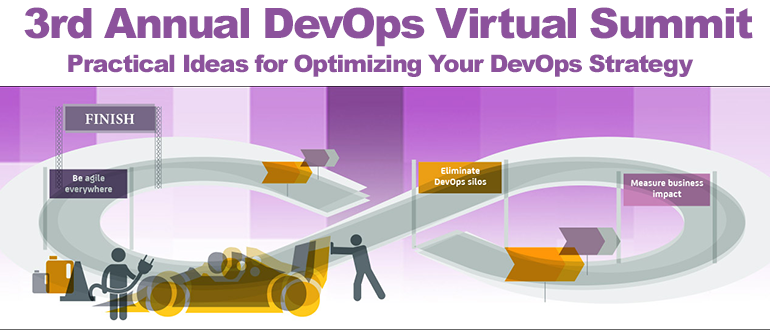
    Register today for the 3rd Annual DevOps Virtual Summit.

    With the methodologies of agile and DevOps the tendency is, of course, to do the same, harping on the inefficiencies of previous software delivery models and painting an elaborate portrait of how related workflows are being transformed overnight.

    The simple truth is that it’s easy to get excited about concepts that hold such tremendous potential in recasting an increasingly critical vital set of processes, and lose track of where things actually stand.

    To note, while a recent research project published by Coleman Parkes found that over 80 percent of organizations have adopted some manner of agile and DevOps practices, and see them as critical in transforming their internal software factories, only a third have adopted the methods on a broad scale.

    Point being, we’re still pretty early.

    That said, we in the business of helping organizations adopt related culture and tooling have gone to great lengths to encourage everyone that this change should be pursued with dogged intensity. We have sliced and diced the data to illustrate how those organizations at the forefront of so-called digital transformation, enabled by agile and DevOps, are realizing the results in the form of increased velocity.

    The same research finds that “advanced” adopters of the two concepts are, in fact, seeing significant improvement in time-to-market, customer satisfaction and new business growth.

    But research is just that, and often not completely aligned with real-world scenarios. Someone who takes the time to answer a survey about such matters, one could reasonably expect, is the type of person far more likely to be involved in agile and DevOps activities.

    My personal conversations with everyday practitioners [aka other parents on the sidelines at my kids’ sports and social events, many of whom work in IT] tell me that we’re much more oriented to the “pockets of innovation” phase at present, than any sense of pervasive adoption.

    So this begs the two-part question – where do we really stand, and what do I really need to care about?

    The only reliable source of record in my mind is the perspective of people already doing the work, beyond what I can discern amid basketball games and middle school theater. Real-world practitioners are the voices of reason that allow us to “be here now” and address the specifics of practical agile and DevOps implementation.

    Over the past several years, I’ve found one of the best sources of such input to be the customer panels available at industry conferences and on webcasts. When it’s time for me to sit down and crank out some related content, I often go back to these recordings to remind myself where the rubber actually hits the road.

    On Tuesday Mar. 7, we’ll host just such an event, the 3rd Annual DevOps Virtual Summit, where agile and DevOps leaders from organizations including CNN, GM Financial and United Airlines will share their thoughts on how this ongoing transformation is playing out, and where the remaining challenges lie.

    Along with those experts, we’ll also hear from Dr. Nicole Forsgren, one of the leading researchers in the space who is in seemingly constant contact with people leading the charge and working in the trenches putting agile and DevOps into practice.

    As a marketer, and previously as a journalist, everything that I know comes from direct interaction with those colleagues willing to share their hands-on experience garnered via doing this work every day.

    Register for the event and join us to find out where agile and DevOps actually stand today.

    — Matt Hines

  • Welcome to the Continuous Delivery 101 Podcast

    Welcome to the Continuous Delivery 101 Podcast

    No matter what industry you’re in or how old your business is, your software often determines your success in today’s application economy.

    Applications are the face of your business—both the way it performs and the speed with which you can incorporate new ideas and innovations, driven by the efficiency of your software development life cycle—determines whether your company can survive in this competitive market.

    Software doesn’t just support the business today, it drives the business—and your organization’s livelihood in this application economy comes down to your ability to quickly deliver world-class capabilities. As a result, more organizations than ever are turning to the practice of continuous delivery (CD) to improve their ability to plan, build, test and release applications to market.

    With this increased focus on continuous delivery methodologies and practices, we’ve established a new podcast that highlights the importance of utilizing CD, along with adoption techniques and other best practices.

    Dubbed “Continuous Delivery 101,” the series features some of today’s leading  experts in the field discussing where they’ve seen CD success, across some of the world’s top organizations and across multiple industries.

    The first episode in this series covers CD fundamentals and the software evolution that has made continuous delivery so critically important.

    Beginning in the ‘60s, this first wave of this software evolution saw mainframe systems brought in to automate business tasks. A second wave saw the emergence of ERP/CRM-based processes, so we could improve how we run contact management and transaction processes.  Today we’re in the third wave, which started with the widespread adoption of mobile and web technologies, with all of these paradigms intersecting in perfect convergence.

    Businesses that have mainframe and distributed systems, that have CRM and ERP system, that have web fronts and mobile apps, are utilizing these continuous delivery tools to innovate faster than ever before. These organizations are being forced to reinvent how they communicate with customers and how they deliver goods and services to stay relevant in the market.  This third wave, where business is now driven by IT, is the biggest disruption that we’ve seen.

    To hear a lot more on this topic, check out the  first episode of the Continuous Delivery 101 podcast via YouTube or the iTunes store, where you can find it on the Podcast App by searching for “Continuous Delivery 101 podcast.”

    Software delivery, fueled by CD, is evolving at a furious pace.  Stay tuned for more expertise and best practices.

    — Scott Edwards

  • 7 Best Practices New MongoDB Users Should Know

    7 Best Practices New MongoDB Users Should Know

    Being a developer in today’s technology landscape is tricky. While the proliferation of different cloud services makes it faster and simpler than ever to turn ideas into reality, this rapid development comes at a price. Developer responsibilities have grown to include not only product/feature development, but also other application-critical tasks such as configuring and managing a database deployment, in this case, MongoDB.

    While this guide looks at MongoDB databases specifically, the broader (and proverbial) fork in the road for developers is this: Manage a production database deployment yourself or go the database-as-a-service (DBaaS) route. A DBaaS manages the database on a developer’s behalf, so the developer can focus more on feature and product development operations instead of database ops. However, sometimes this isn’t an option. If you’re embarking on a MongoDB journey and don’t use a DBaaS, consider this checklist to ensure you have the best practices down before getting started.

    Host Your Application in the Same Data Center as Your Database

    Your application infrastructure and your database should be located in the same local network (i.e., data center/cloud region), as it will be the most secure method of deployment and will minimize latency between your application and database. For example, if you are hosting your application in Azure West US, you should also host your database in Azure West US.

    When you connect to your database from within the same data center/region, you communicate through your cloud hosting provider’s internal network. All major cloud hosting providers provide a good deal of network security infrastructure to isolate tenants. The hypervisors they use do not allow VMs to read network traffic addressed to other VMs; thus, no other tenant can “sniff” your traffic.

    Use a Replica Set for High Availability and Review Deployment Best Practices

    MongoDB Replica Sets synchronize data over multiple redundant servers and protect your application from downtime in the face of node failure. Should your primary node fail or become unreachable, your application will automatically fail over to a secondary node, ensuring the availability of your database.

    AWS users should take special care to deploy their replica set nodes across separate Availability Zones to protect against zone failures.

    Not all workloads have the same requirements, so there are multiple strategies for deploying a replica set. You can find a list of considerations in the MongoDB documentation here.

    Host Different Environments on Separate Hardware/VMs

    In addition to the production environment, you may be responsible for setting up environments for development and staging applications. Create a separate database deployment for each of your application environments, with each deployment running on its own VM or hardware to protect against resource contention (CPU, RAM, etc.) across your multiple environments.

    Enable Database Access Control

    MongoDB does not require authentication by default. Protect your database against unauthorized access by enabling database access control. Enabling access control also allows you to limit actions that particular users can perform on the database.

    Use an Application Driver Maintained by the MongoDB team

    MongoDB is a very popular database technology with a large community behind it. As a result, many third-party drivers have been created. However, third-party drivers may become abandoned or outdated over time. It’s critical to find a driver that is well-maintained and stays up to date with the latest MongoDB features.

    If possible, use an official driver by the MongoDB team. You can find a list of drivers that are maintained by the MongoDB team here.

    Index Early and Often

    Without question, the most common database performance issue is due to improper indexing (or a complete lack thereof). Proper indexing is critical because even one unindexed query is enough to prompt significant performance degradation.

    If you’re unsure about indexing best practices, we’ve created a list of indexing tips for improving your MongoDB performance.

    Schedule Regular Backups

    While replica sets can offer redundancy to protect against system failure, they will not protect you from accidents caused by human error such as dropping a collection or even your database. Backups are crucial for ensuring you do not lose valuable data.

    Two common backup strategies are to take filesystem snapshots or to use the mongodump utility. Schedule frequent, recurring backups to keep your data safe!

    About the Author / Chris Chang

    chris-changChris Chang is a developer advocate at mLab. At mLab, Chris has provided database support to thousands of developers. Previously, Chris has held IT roles at VMware and NetApp. He is interested in developer tools, fitness, and house music. Chris holds a B.S. in Computer Science from the University of California, San Diego. Connect with him on LinkedIn and Twitter.


  • 4 Essential Practices to Succeed at ChatOps

    4 Essential Practices to Succeed at ChatOps

    We know enterprises are embracing messaging apps and incorporating so-called “ChatOps” into their workflow. ChatOps is, potentially, a powerful way to facilitate more swift decision-making and problem-solving and to receive quick, expert guidance. “With the rise of cloud services that can be easily deployed, and increased awareness and importance given to productivity and collaboration within the workspace, enterprise chat is gaining priority,” says Narain Muralidharan, a market analyst at online customer support software and help-desk software maker Freshdesk.

    As most readers are aware, ChatOps has been fueled by the growth of tools such as HipChat, HuBot, Slack and others for chat-style and instant collaborative software development and project management. But these tools also execute scripts and automate tasks and get workflow approvals to deploy code, kick off software tests and more. As an added bonus, within the chat application exists a clear record of all discussions and scripts executed—something very handy for root cause analysis and troubleshooting.

    With all of that in mind, how are enterprises embracing chat?

    Chatting Down Silos

    “At Threat Stack, we’ve long embraced Slack as a collaboration tool that removes silos within the organization and helps busy operations teams to move quickly and have a fully informed view,” says Pete Cheslock, senior director of Ops and Support at Threat Stack. “We’re seeing this migration toward ChatOps with our customers.”

    Bhaskar Roy, head of growth at Workato, sees chat being embraced at companies ranging from small businesses to Fortune 500 firms. “There are groups in large enterprises who are adopting different chat products and are always looking for what they can do to make chat the center of all communication. When we talk to these companies we find that they believe that chat is a more natural, human, fast way to communicate—which can help in getting things done faster,” Roy says. Chat, he adds, is becoming a “command center for business apps. [Organizations] are using chat to get information from various applications and are looking for ways where they can easily interact with the application from the comfort of their chat/conversational interface.”

    According to the most recent VictorOps State of On-Call survey, ChatOps continues to grow, with 40 percent saying they practice ChatOps during event remediation. That’s up significantly from 28 percent last year.

    Getting the Most Out of ChatOps

    With the tremendous growth in ChatOps, what practices have enterprises learned to bring the most success? Below we list the four essential practices that will help organizations succeed in their ChatOps engagements:

    Embrace adoption: “The main problem that enterprises have in chat penetration internally is adoption. People are resistant to change, and it is usually difficult to change user behavior, especially in the way people work every day,” says Muralidharan. “Some practices are set in stone, like emailing or the good old face-to-face meetings. Start small with pilot teams, get buy in, and create evangelists within the company. A lot can be gained by having a top-down approach to adoption; hence, management buy-in is very crucial.”

    Fine-tune notifications: “The biggest problem that we see is that bots and app notifications that are being pumped into the chats today are making things very noisy, resulting in loss of productivity overall,” says Roy. “What we believe is needed is utilizing bots to enhance the overall individual productivity, where people are notified only for things that are urgent, relevant and something that they need to act on right away. And bots are intelligent so that they understand and learn based on user interactions and are proactively prompting / helping as and when required.”

    Adopt a DevOps mentality: Eric Sigler, head of DevOps at PagerDuty, suggests that “to make the most of chat within your enterprise, it is important to adopt a ‘DevOps mentality,’ where individual teams are more responsible for, and empowered to maintain, their own services. Without this, it’s too easy for teams to ‘throw things over the wall’ and for ChatOps-based tooling to remain restricted to a limited set of users.

    “Existing infrastructure teams need to be a part of this ride as well,” he adds. “If they don’t take the time to understand how their engineers—their user base—want to interact with the tooling and invest in ‘making the easy things easy, and the hard things possible,’ then ChatOps-style tools will get relegated to shiny demos with little practical utility.”

    Avoid DevOps fatigue. Chat alerts can be nagging distractions throughout the day, sucking worker concentration and clamoring for their time. “Customizing notification preferences in your chat client can help enterprises reap the benefits of chat. By personalizing notifications, it ensures that they see the most important chats and are accessible when it matters, but still have the ability to focus without being disrupted by constant pings,” Sigler says.

    What Does the Future Hold for Enterprise Chat?

    What does the future of ChatOps look like? Most of the experts we spoke with say it’s bright. “In an age of digital transformation where slow is the new down, conversationally driven interaction with software is going to play an important role for collaboration and increased agility,” says Sigler. “Overall for founders, hackers and investors, there’s room to innovate when it comes to humans and bots, and there’s a lot of really poor user experiences and bad workflows out there that can be improved by thinking about them through the constraints chat provides.”

    — George V. Hulme

  • 7 Best Practices for Continuous Delivery Success

    7 Best Practices for Continuous Delivery Success

    Continuous delivery refers to the development of software in short and ongoing build-test-release cycles along the deployment pipeline. Repeated testing of processes and scripts before deployment to production means most errors are discovered early on and have minimal impact. Plus, finding and fixing such errors is much easier with fewer changes per release—software is released faster and more frequently with fewer deployment problems due to a heavy focus on visibility, instant feedback and incremental changes.

    To accomplish this, companies must have a straightforward and repeatable deployment process. Most reliable, of course, is an automated deployment pipeline that can feed into any environment.

    We have identified seven continuous delivery best practices that are supported by a set of complementary task-specific tools, in what’s known as the “DevOps toolchain,” to automate the process from end to end and minimize human error.

    Version-Control Everything

    The native code deployment process generally includes a built-in safety net, preventing out-of-process, locally generated artifacts from entering the production environment. Every change a developer makes must be documented in the source control repository or it is not included in the build process. If a developer copies an artifact generated locally to a test environment, the next deployment will override this out-of-process change.

    This insistence on having a single source of truth—and a reliable one—creates a stable foundation for all development processes. However, the processes are only as strong as their weakest link. That’s why the primary golden rule for effective continuous delivery is to version-control everything. What works well for code also will preserve the integrity of configuration, scripts, databases, website html and even documentation.

    Build Binaries Once

    Not every organization’s build process is the same or uses the same tools, but every build process in a single organization must be completely consistent. Whether the build is a single file deployed to an automated test environment or a complex build with several different possible deployment versions, each build version should happen exactly the same way and result in unique binary artifacts.

    This one-time-only compiling eliminates the risk of untracked differences due to various deployment environments, third-party libraries or different compilation contexts or configurations that will result in an unstable or unpredictable release. Save the compilation phase output (the binaries) to a binary repository, from which the deployment process can retrieve the relevant artifacts.

    Deploy the Same Way Every Time

    An inconsistent deployment process can become a source of configuration drift across environments, especially with the rapid releases common in a continuous delivery system. As a result, valuable time and effort are wasted in identifying and addressing difficulties arising from the application working in one environment and not another.

    For a reliable process in all environments, then, the same set of steps must be repeated from start to finish. This ensures the same results in lower environments, with more frequent deployments (such as integration, QA, etc.), as in higher environments (pre-production and production), with fewer deployments.

    Smoke Test

    Smoke testing deployments is a very rapid way to make sure that the most crucial functions of a program work and will pass basic diagnostics. This non-exhaustive software testing (of all elements, such as services, database, messaging bus, external services, etc.) does not provide the same fine-grain comprehensiveness as full test suites; however, it can be run frequently and quickly, often in a matter minutes (rather than hours or days). This allows for a much quicker turnaround on what can become very time-consuming and basic issues.

    The faster the feedback loop works (especially with automated test tools such as Telerik, QTP, TestComplete), the higher the final product’s quality will be and the quicker it will reach its release-ready state.

    Deploy into a Production-like Environment

    Each new deployment (using, for example, IBM uDeploy, CA Release Automation, XebiaLabs, Automic) should be made into an environment that mimics as closely as possible the actual final production environment. This includes infrastructure, operating system, databases, patches, network topology, firewalls and configuration. By validating software changes in this type of detailed pre-production environment, mismatches and last-minute surprises can be effectively eliminated and applications can be released safely to production at any time.

    Instant Propagation

    Continuous delivery by definition must be an ongoing process of building, testing and releasing. Every check-in to a source control repository should trigger compiling (if needed) and packaging by a build server. This, in turn, should automatically initiate certain predefined testing until the software can either be marked as releasable or returned to development.

    Continuous integration tools (e.g., Jenkins / CloudBees, Bamboo, TeamCity) ensure that cascade of actions along the delivery pipeline is consistent, automatic and instant. Thus, development teams merge developed code and get feedback from automated test tools many times a day, for a more efficient deployment and update process.

    Include the Database

    No list of continuous delivery best practices would be complete without advising that the database be managed using the same basic protocols that ensure secure and reliable source code, task, configuration, build and deployment management. However, many times this is neglected because the database is unlike other software components or compiled code that are easily copied from development to testing to production. Yet, the database is actually a repository of the most valued and irreplaceable asset—our data—and preserving it accurately is imperative to continuous delivery.

    Although the database poses several unique challenges, specialized database tools such as enforced database source control (for all environments), a database build automation tool and database release and verification processes can ensure a stable resource in your DevOps chain.

    Considering these seven continuous delivery best practices will allow you to create a deployment pipeline with increased productivity, faster time to market, reduced risk and increased quality.

    The key to ensuring a quick, robust and accurately repeatable continuous delivery is, as we have seen, automation, deployment consistency, comprehensive testing and database version control. With these fail-safes in place, pushing the “release to production” button can be done much more often and with much more confidence.

    About the Author / Yaniv Yehuda

    yaniv-e1404303491389Yaniv Yehuda is the co-founder and CTO of DBmaestro, an enterprise software development company focusing on database development and deployment technologies. Yaniv is a DevOps expert who spent the last couple of years raising awareness about the challenges surrounding database development and deployment, and how to support database continuous delivery. Connect with him on LinkedIn and Twitter.


  • Using Case Management to Tackle the Unknown

    Using Case Management to Tackle the Unknown

    One of the biggest challenges for an organization is producing IT response models that accurately reflect real-world scenarios. It’s pretty straightforward to establish protocols for predictable situations. We call these “standard” scenarios.

    It gets harder when you have to tackle the unknown.

    “Case management,” as it’s called, involves establishing strategies and methods to approach unpredictable situations. In my recent whitepaper, titled, “How IT Response Models Drive Modern Operations,” I explain the benefits of combining these two approaches to have a complete model for all forms of responses that arise.

    Standard response models establish and standardize processes for certain situations. Companies that I have worked with use standardization to increase performance and improve outcomes through to faster response times, more efficient resource usage and proven methodologies. Agile methods have accelerated the pace of change; to keep up, your organization should pinpoint opportunities for automation and enhanced collaboration. Many companies are using DevOps to do so, boosting workflows by integrating new communication and collaboration tools.

    It’s all great until a situation arises that has no response template to follow. Then organizations fill the gap with case management. Unfortunately, most IT organizations are not even aware that case management discipline exists. Sometimes their business has case managers, but it does not occur to apply the same methods to IT. These organizations perform ad hoc case management without any formal guidance, rules, resources or methods. As a result, they often perpetuate unnecessary inefficiencies and fail to address business-critical problems.

    By applying a level of formality to case management, organizations can confront the unfamiliar head on and maximize their chances of handling incidents successfully. By acquiring and analyzing useful data, and devising ways to improve mechanisms over time, they eventually can create new standard models.

    Embracing the flexibility and agility afforded by DevOps is key to a solid case management strategy. Case workers can choose procedures from any number of sources to assemble a case management process. They can create toolchains to connect the procedures, making team hand-offs and collaboration more efficient and effective. This allows organizations to structure and control the response process as much as possible, even in unpredictable situations. If you have the right tools to help your teams work together, you can better adapt and respond to new information, external events and actions taken. And, as I explain in my white paper, the benefits of case management can extend beyond expectations and lead to greater flexibility in responding to user needs as well as higher customer and user satisfaction.

    Standardization is the goal: Although we can never completely standardize the world, you should do your best to transform the uncharted into the defined. Having a robust case management process allows you to identify new unfamiliar scenarios and ultimately develop mechanisms for standard models of response. By treating cases with the same level of rigor as standardized procedure, your IT department can truly maximize the benefits of DevOps.

    The standard+case approach introduces case management to our thinking for the same reason that we introduced DevOps: to bring in defined practices, mature management, relevant reporting and structured improvement so we can be more effective and efficient at responding to the situations the world presents to us.

    Check out my white paper for more on info on how to implement standard+case.


    About the Author/Rob England

    rob_englandRob England B.Sc., MIITP, CITP is an independent IT management consultant, trainer and commentator based in Wellington, New Zealand. Rob is an internationally recognized thought leader in IT Service Management (ITSM) and a published author of seven books and many articles, best known for his controversial blog and alter-ego, the IT Skeptic. He speaks regularly at international conferences. In 2005 Rob founded his company, Two Hills, with the motto “Sensible Business Practices.”


    Books: http://www.twohills.co.nz/books

    Blog: http://www.itskeptic.org/

  • DevOps Dozen – Nominations are now open

    DevOps Dozen – Nominations are now open

    To succeed in todays speed of business, app-centric world the old ways of doing business just don’t work anymore. IT and development teams are being pulled, pushed, stretched and changed into new combinations and configurations. Greater cross-functional cooperation is a must, a culture of cooperation and a new generation of tools that facilitate these are changes are sweeping in like a Tsunami.

    DevOps has appeared like a superhero fighting a villain to combat these issues. Featuring a one-two punch of continuous delivery and continuous integration with a finishing blow of automation, DevOps enables easier and closer collaboration between development and operation teams.

    Whether they be cloud-native “unicorns”, traditional enterprise “horses” or born on the run startups, DevOps is becoming the “way they do things.”

    The field has matured enough where we think it is time to recognize some of the best and brightest.  Our first venture with this is our “DevOps Dozen”  The DevOps Dozen will feature the top 12 vendors in the DevOps space. I know 12 isn’t a lot given the amount of companies in the mix, but we had to start somewhere.

    So how do we get to a dozen from such a large and worthy group? We at devopsy.kinsta.cloud have compiled a list of what we think are the best known DevOps companies. Some of these companies have their product or service listed as well to help identify the face to the name. We have broken them down into several categories to hopefully make it easer to select (tip of the hat to XebiaLabs and their Periodic Table of DevOps for the help with that).

    The DevOps Dozen selections will be made by you our readers in two phases. First we will open the whole list as well as any write ins for those we may have missed. This nomination voting will be open until August 12th. At that point we will take the top 24 company/products who garnered the most nominations. These will be the finalists and we will have a 2nd round of voting for final Dozen.

    Feel free to tweet about the DevOps Dozen using the hashtags: #DevOpsDozen and #DO12

    Please click here to vote for the finalist nominations

    or fill in below

    Create your own user feedback survey

  • Puppet: Best Practices

    Puppet: Best Practices

    This is 4th part of the multi-part series covering Automation, provisioning and Configuration Management. In this article best practices for Puppet shall be covered.

    Puppet, one of the most well-liked configuration management tools, can also turn out to be complicated at times. In this post I’m going to briefly go through a few practices that have emerged as good, recommendable and high-level best practices. I would like to share some of them with the world so that the beginners get an advanced start.

    1). Use Modules when possible:

    Puppet modules are something everyone should use. If you have an application you are managing, add a module for it, so that you can keep the manifests, plugins (if any), source files, and templates altogether.

    2). Keep your Puppet content in Version Control:

    There is NO reason, not to use a version control system while developing puppet manifest/modules. You can pick your favorite systems — popular choices being Git, Mercurial or Bazaar which prove to be particularly useful due to the ease that they provide in managing multiple branches of code.

    Version control is well-supported by the Puppet ecosystem. It is possible to use a mature Software Development Lifecycle to manage the development and maintenance of your Puppet manifests, tightly integrated with a branch-based workflow that truly realizes the ideals of “infrastructure-as-code.”

    Using version control helps in opening up of lot of additional possibilities with puppet, like better tracking of changes, testing your Puppet manifests in an isolated environment, promoting your configuration from environment to environment, etc. Version control even provides a free backup for your configuration code.

    By making a use of a collaboration tool like Github or Bitbucket, you and your team can easily revise each of the changes separately before they are applied. This results in much better, more sustainable Puppet code. Placing all your Puppet files under version control is counted as one of the best Puppet practice and whenever you are ready to “deploy” any kind of changes to your Puppetmaster, you just have to sync the working copy on the server with the code in the version control repository.

    3). Make use of Environments:

    Environments are isolated groups of Puppet agent’s nodes. A Puppet master server can serve each environment with completely different main manifests and module paths. Puppet has this concept of Environment that helps in applying your configuration changes on less critical servers first and after the changes has been tested and ready, then promoting those changes to production. This frees you to use different versions of the same modules for different populations of nodes, which is useful for testing changes to your Puppet code before implementing them on production machines.

    Staging and production are two Puppet environments that are used where Staging environment is used at an initial provisioning of a server to all pre-production boxes and production servers make use of the Production environment. Both environments are tied to a specific branch in Git repository i.e., “master” branch in Git is production and “staging” branch is staging.

    4). Use dry-runs:

    Even with the best precautions taken, sometimes your Puppet manifest doesn’t do exactly what you expected. Things can get messy at times whenever you actually get to run the Puppet agent to apply your configuration updates on your servers. For example, if it would update a config file and restart a production service this could result in unplanned downtime. Also, sometimes manual configuration changes are made on a server which Puppet would overwrite.

    To reduce the risk of problems, you can use Puppet’s agent in “dry run” mode (also called noop mode, for no operation) using the following options:

    puppet agent […] –verbose –noop –test

    By making use of this practice you will be able to see the difference for all files that would modify as well as validate things according to your expectation. It will help Puppet agent to only show what it would do, not what it did.

    5). Managing Puppet modules with librarian-puppet:

    Handling module dependencies can sometimes become a source of worries, especially when several numbers of people are working on Puppet code and each one demand to test it on their own computer. Librarian-puppet is a bundler for your puppet infrastructure that helps in providing sanity to the process by automatically managing your module dependencies.

    Librarian-puppet manages your modules/ directory based on your “Puppetfile”. The tool will install, update or remove modules automatically when you run it, always matching what’s specified in the Puppetfile. Your Puppetfile becomes the authoritative source for what modules you require and at what version, tag or branch.

    Once using Librarian-puppet you should not modify the contents of your modules directory. The individual modules’ repos should be updated, tagged with a new release and the version bumped in your Puppetfile. It will help resolving and installing modules’ dependencies and become aware of compatibility issues.

    Librarian-puppet simplify deployment of your Puppet infrastructure by automatically pulling in modules from the forge and git repositories with a single command thus saving you from installation and managing your modules manually. Deployment normally comes up with following two simple steps:

    • Sync your main sources with your code repository (ex: git pull)
    • Run librarian-puppet to synchronize your installed Puppet modules

    Don’t use Git dependencies with any version specifier

    6). Keep sensitive data safe:

    Today Data security is the key concern for any organization. Some data always needs to be kept safe. For example, for maintaining the data security it may be required to put in your Puppet code in passwords, private keys, SSL certificates and so on.

    Don’t put Puppet code in version control unless you’re absolutely aware of the risks you’re taking while doing so.

    If you’re already a bit familiar with Hiera which is a Puppet tool, you know why it’s a good idea to separate your data from your Puppet manifests. In case you aren’t familiar, though, using Hiera leases you write and use reusable manifests and modules. After you store your organization-specific data in Hiera, Puppet classes can request the data they need from your Hiera data store.

    Hiera allows you to store data about your servers and infrastructure in YAML or JSON files. From usage, you’ll see that most data in Hiera files is not confidential in nature… so should we refrain from using version control for Hiera files just because of a few elements that are unsafe? CERTAINLY NOT!!!!!!!!!!!!

    The trick is to use Hiera’s ability to combine multiple data sources or backend

    or

    What you can do is split Hieradata files into 2 types: YAML files for your “main” Hieradata files and JSON files to store your “secured” data. Those JSON files are not to be put under version control and are stored securely on a single location i.e., “the Puppetmaster”. This way, very few people can actually see the contents of the sensitive files.

    7). Producing abstractions for you high-level classes:

    Wrapping up all the uses of modules into a covering or let’s say into a wrapper classes provides higher-up maintainability of the Puppet code in time. For example, Assume you want to setup a reverse proxy server using an existing Nginx module. Instead of directly assigning the ‘nginx’ class on your nodes and setting all of the required stuff up, create instead a new class called, say, ‘proxy_server’ with the attributes you want to consider for your proxy server as class parameters. Assigning the ‘proxy_server’ class on your node not only better states your intent, but it also creates a nice little abstraction over what you consider as a “proxy server”. Later on, if you decide to go away from Nginx (highly improbable) or use another Nginx module (more probable!), then you’ll probably just need to change the content of your “proxy_server” class, instead of a bunch of tangled node definitions.

    In the End:

    Puppet isn’t the only Configuration management (CM) tool available, but it is the most mature, with a large community of active module developers. Implementing these practices will help you in getting the most out of the Puppet.

  • AWS Best Practices – Enterprise Perspective

    AWS Best Practices – Enterprise Perspective

    Amazon AWS has changed the IaaS game for startups and growth companies. There are several practices we must acknowledge the importance of during the adoption and implementation of AWS services. Readers are more than welcome to comment, suggest modifications and even add their own little practices they follow during roll outs and implementations. As clients start piloting cloud initiatives it is best to avoid common pitfalls. The below best practices are a good first step in that effort. Below we have compiled a top ten list to be expanded in the future of best practices we have learned during our aws deployments. We look forward to expanding this list in the future.

    1.   Choose your VPC infrastructure carefully

    a. As you move into the AWS environment often the first thing firms want to do is create a VPC, the question is what type of architecture is appropriate for you?  The answer to this question is driven by the intended use case.  Often internet based organizations will opt to go with a VPC containing Public and Private Subnets. Opting for this type of VPC ensures the services that don’t require direct access to the internet are in a segregated subnet while locating public services access to the public subnet.

    b.   Existing enterprise firms intending to burst into the cloud often don’t intend to utilize public facing services and may opt instead for private only subnet and create a secure tunnel between their enterprise and the public cloud.

    c.   The architecture with the greatest flexibility tends to be a public/private subnet ensuring the public subnet is available if necessary and can remain unpopulated if not needed.

    2.   CIDR Block Selection is driven by two realities: VPC address space is fixed and can’t be changed after it is created.

    a.Ensure your VPC address space doesn’t overlap with your corporate space, for internet based firms this is less of an issue, however for enterprise firms this can prevent the need to rebuild the environment after a significant investment in time and resources

    b. While AWS allows CIDR blocks to be as large as /16 don’t waste space, having several very large subnets reduces one flexibility as needs arise to support multi-AZ services, or other eventual requirements.  On the other hand don’t overly constrain your environment.

    3.   Environment Isolation is an important consideration, the same isolation that’s present in the physical environment should be present in the cloud environment.  The cloud give firms more flexibility in implementation of this isolation, in an effort to control cost, development, integration/test and production environments can be registered under separate accounts ensuring accurate billing and cost controls.

    4.   Security: Use security groups to isolate services and management rules

    a. Separate public traffic from private using subnets

    b. Create a SSH gateway as an entry point for SSH communication

    c. Create a VPN tunnel for management access

    5.   VPC/Enterprise Integration

    When integrating AWS into an existing enterprise environment planning will ensure minimal rework.  Often the key consideration is assigning IP ranges to AWS that do not overlap with the corporate space.  In this way routing between the corporate LAN and AWS will be seamless.

    6. IAM: The primary AWS account should be treated like the traditional root user in Linux systems.

    a. Create a separate account specifically for administration, with the minimum permissions necessary to perform the task at hand.

    b. Create separate accounts for each user, or service to ensure audit traceablity

    c. Permissions should be assigned to groups and users to the group, this will minimize duplication of effort

    d. All users should utilize strong passwords, in this case refer to your corporate password policy.  Cloud passwords should be as secure as the corporate infrastructure.

    e. Don’t share credentials this will wreck audit traceability, and corporate policy, use roles to assign permissions.

    f.  Rotate credentials on a regular basis, the same way corporate credentials are rotated.

    7.   Disaster Recovery :Remember Disaster Recovery is designed to get backup after a failure.  Traditional enterprise environments are often limited by the question do we need to building a duplicate system for recovery or can we through vendor SLAs perform a data recovery.  In terms of the cloud enterprise customers are able to (at a lower cost) duplicate their environments across availability zones, regions and vendors to create an exceptionally resilient service offering.

    a. Do create multiple availability zones.

    b. Do use an automated CM tool to maintain your configurations

    c. Do create snapshot of your volumes.

    d. Do run drills to ensure everything operates as it was architected.

    e. Do run drill more than once.

    f. Do ensure everyone relevant is aware of the procedure

    g. Do architect you environment with sufficient redundancy, to minimize the need recovery efforts.

    8.   Security Groups: Security Groups like traditional firewalls should be set with the least permission necessary to accomplish the mission.

    a. Decide on a security group methodology; by creating groups to manage access to services ie allow access to ports 80 and 443 for nodes that will be a web server.

    b. Create a ssh gateway/ Bastion node and group:

    i. Only allow external SSH access to the SSH Gateway

    ii.Only allow local SSH access from within a security group, or from the gateway node, this minimized an attackers ability to traverse the networks between zones.

    c. Define an enterprise naming convention and stick to it.

    d.Utilize the ability to assign multiple security groups to a single asset (up to 5 groups per asset).

    9.   Naming Conventions: AWS assets should be named in such a way they can be readily identified, a suggested standardization around the purpose of the Instance, its environment, its region, and its sequence number.  An example of this might be haddop_dn_prod_usw1_001, this represents a production Hadoop data node, in the US-West 1 region.

    a. When naming an AMI its a good practice to include the creation date as part of its name, and a complete description. This will minimize confusion when selecting ami for new instances.

    b. When naming security groups and key pairs, continue to use the convention purpose, environment, region, function.  For example db_prod_usw1_key or ws_prod_usw1_sg

    10. Elastic Load Balancing: Use multiple availability zones to balance traffic in the event of an environment failure (this can still happen within the cloud)

    a. Use Route53 to balance traffic between regions, this is not supported by ELB

    b. Use ELBs for more than just web traffic, most any protocol can be supported by the ELB, ensure your service can support it

    c. ELB timeout after 40 seconds, ensure your application touches the socket before then to prevent the session from timing out.

    These are my top 10.  Let me know what you think I missed.