Tag: automation

  • Extending Automation to Your First Code Commit

    Extending Automation to Your First Code Commit

    I am a big advocate for software reuse, and an even bigger advocate if that reuse comes in the form of software automation. My team and I rely on reusable software processes that accept simple inputs to produce predictable results. We have tight deadlines with requirements that often seem impossible. Automation makes us more efficient and our work more predictable.

    Once upon a time, we used glue and bubble gum to cobble together means by which to build, then test and then eventually deploy application versions. It worked until it didn’t, and industry opportunities arose for mechanization. Enter continuous integration (CI), continuous deployment (CD) and DevOps, in part.

    You likely know this and have already taken advantage of CI/CD platforms such as Jenkins, CircleCI and others. The simplicity of the as-code model allows us to turn easy-to-create declarations into the otherwise complex provisioning of servers, databases, caches and file systems, along with the execution of code to leverage what was provisioned.

    Life as a developer has been made better using these as-code tools in the tool chain. Spinning up a Kubernetes cluster on Google to (re-)deploy an image built, tested and pushed to DockerHub from a CloudBees/CodeShip pipeline is something I rely upon each time I commit to my Git host.

    In this article, I am going to talk about Project-as-Code to extend automation to the first code commit with a working app running through a functional CI/CD pipeline and deployed to a production-like environment.

    Barriers Keeping Enterprise IT Departments from Coming Along for the DevOps Ride

    Unfortunately, basic usage of all these great tools comes with the added complexity and cognitive load cost. Understanding Docker image creation, HashiCorp Terraform syntax for infrastructure-as-code, Kubernetes cluster deployment and more are just a few of the competencies developers and operators need to have.

    Learning a new set of tools every few years comes with the territory, but there’s no reason to ignore new potential avenues for automation. I’ve wondered if there is a better way to abstract and automate the setup of these common pieces in the modern software production pipeline.

    Another common issue I’ve noticed—these pipeline components often get set up sequentially, with the first meaningful code commit being the blocker to setting up all the other pieces of the CI/CD pipeline. Without this commit, these tools sit relatively idle while waiting to provide value.

    For those of us who work on new projects regularly, getting things started has always had its issues, especially for consulting scenarios where requirements and team dynamics differ between clients. We are disciplined enough to first reach in our toolbox to reuse as much as possible. Still, DevOps has yet to be adopted wholesale in a standard way by many enterprises.

    For these situations, I find the benefits of DevOps are easy to explain and understand. Developers like to reuse and fewer barriers, the business likes savings and an enterprise likes productivity and innovation. However, to inject those benefits is still a very manual, time consuming process, making the overall sell of DevOps harder.

    The purpose of DevOps automation is to simplify tedious error prone manual processes. I see another opportunity for automation: entire DevOps projects using the same as-code model we have become accustomed to.

    Generating Your First Meaningful Commit “As-Code”

    Why not use a straightforward declarative model-driven means of not only generating tech-stack specific application source code, but all the config files that lead to DevOps being automated. With this, the toolchain learning curve is minimized, and idle tools now are immediately called to action. The result is a self-sufficient operational DevOps environment working through an application code base that comprises a fully deployable executable first code commit. Developers then get their reusable assets and environment(s), the business sees cost and time savings, and the enterprise gets the productivity and innovation necessary to stay competitive.

    In an article written by Pete Hodge titled “Hello production,” he goes into great detail about the value of quickly standing up a flowing CI/CD pipeline leading to a functioning app deployed to production. He contends deploying even a useless application into production, as soon as you can, is the right way to start a new project because it pulls unknown risk forward, opens up parallel streams of work and establishes good habits. Project-as-Code standardizes this thinking with model-driven automation.

    The next generation of DevOps is unfolding with automation remaining a key component to expand scale, velocity and productivity. As automation has worked its way up the toolchain, automating the automation behind DevOps will shift the paradigm to improve how projects are created, how DevOps is implemented and the quality and features of the first commit into a Git repository. What now takes weeks to months could instead take hours to days, falling in line with our expectations now met by other successfully mechanized aspects of DevOps.

    Hopefully this article will serve as a starting point for your next DevOps project and how Project-as-Code automation can be a part of getting you started easier and faster.

    — Steven Randolph

  • Five Don’ts When Scaling DevOps

    Five Don’ts When Scaling DevOps

    The DevOps market is expected to reach $50 billion by 2022. However, despite the growing market, many organizations are struggling to make the transition from the successful implementation of a DevOps project to scaling across an organization. Gartner anticipates that 75% of DevOps initiatives will fail to fully meet expectations through 2022. If organizations are to buck this trend, then they need to consider some of the common hurdles they will encounter as they embark on the path to scaling DevOps.

    Making the transition from isolated project to the broad adoption of DevOps presents significant challenges that span culture, systems and technology. Before diving into scaling, organizations should consider the following pitfalls that have derailed others in their quest to embrace DevOps.

    Don’t Start Without Resolving the Conflict Between IT and the Business

    The key to setting yourself up for success is to establish goals before trying to scale. A critical hurdle to overcome is to reach consensus on the pace of software updates. IT teams traditionally want to continually release software as quickly as possible while the business prefers incremental change, with the goal of minimizing customer friction that frequently results from the constant software updates. Before trying to scale, organizations need to agree on a way forward that everyone accepts and works toward. Otherwise, the silos between teams will not be broken down. This requires leadership, especially the CIO, to take an active role. Without addressing this hurdle, it will be almost impossible to scale.

    Don’t Expect Immediate Cost Savings with DevOps

    Many are surprised as they try to scale DevOps that it doesn’t result in cost savings. It’s important to remember the DevOps mission is to deliver more reliable software at speed by increasing automation. By doing this at scale, the benefits to the broader business are significant as organizations are able to better serve their customers and compete more effectively in the market.

    Don’t Forget About Environment Management

    Environment management is another hurdle that occurs when scaling, and it’s tough to solve if you have a lot of complexity. Don’t think it’s just technology, especially if you have multiple customized legacy systems. These present a significant challenge when trying to scale DevOps, so don’t underestimate the time it will take and don’t give up at the first challenge you encounter. However, once you have solved this challenge you will be able to manage these systems more efficiently and with less risk.

    Don’t Get Distracted by Tools

    From a technology perspective, the plethora of tools available can be overwhelming. As you scale, don’t be distracted by playing with tools. Go back to your goals and focus your efforts on the solutions that help you achieve these rather than being distracted by what is new and cool. Don’t be fooled into thinking that by investing in the latest Jenkins tool it will help accelerate the adoption of DevOps. Having the latest and greatest automation toolset doesn’t ensure that you will be able to scale DevOps.

    Don’t Underestimate the Cultural Change Required

    Scaling DevOps requires a significant cultural shift for every organization irrespective of industry. It’s relatively easy to carve out a project and make progress on DevOps, particularly as most companies start with an area where the teams will be more willing to collaborate. Scaling requires significant cultural change that will take time, and you will encounter many setbacks as you undertake this transformation.

    Blurring the boundaries between teams is the foundation for scaling DevOps. This transformation requires changing the dynamics of how operations and development teams interact and breaking down silos. Scaling is dependent on cultural change, and that’s when organizations tend to stumble as they encounter resistance and many efforts stall.

    Scaling DevOps is not a simple endeavor that can be achieved overnight and you will encounter a myriad of challenges along the way. By taking into account these five common pitfalls, scaling is much more likely to become a reality rather than an elusive goal that remains out of sight.

    — Antony Edwards

  • Virtual Instruments Changes Name to Virtana to Drive AIOps

    Virtual Instruments Changes Name to Virtana to Drive AIOps

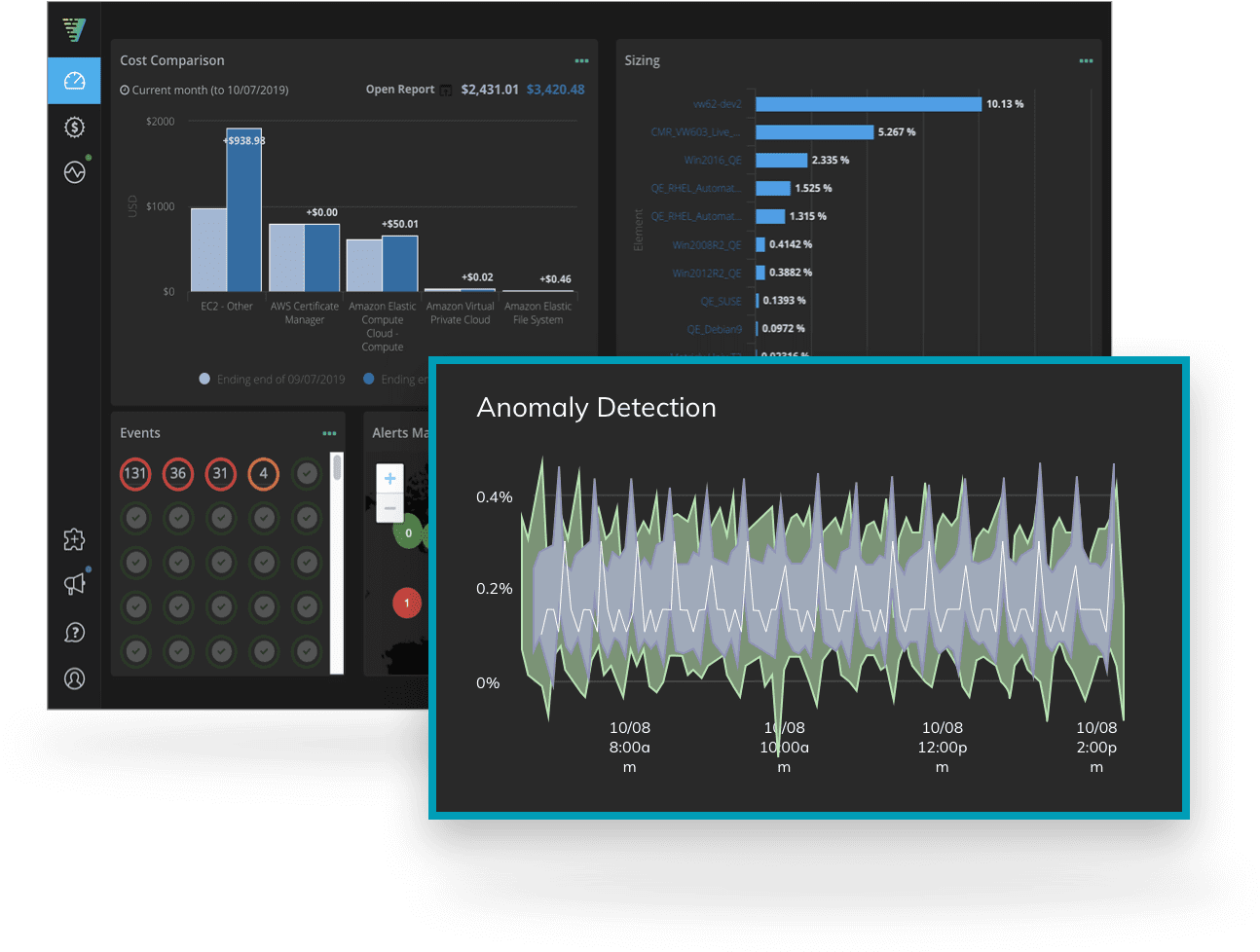
    With the formal launch of a software-as-a-service (SaaS) to monitor cloud platforms and optimize cloud, Virtual Instruments today renamed itself Virtana.

    The company’s CloudWisdom platform is based on technology Virtana gained via the acquisition of Metricly earlier this year. In addition to being integrated with existing on-premises offerings from Virtana, CloudWisdom has been expanded to include a self-service option. Downloadable trial versions are also available.

    Virtana CEO Philippe Vincent said the name change reflects a transformation from being simply a provider of storage I/O performance testing tools to becoming a provider of an IT operations management platform infused with artificial intelligence (AIOps). As part of that effort, the CloudWisdom offering represents the first time Virtana has extended the reach of its offerings beyond on-premises IT environments, he said.


    CloudWisdom will differentiate itself, Vincent said, because it combines cloud monitoring with built-in tools for optimizing cloud costs. Rival offerings require IT organizations to acquire two separate services, he noted. The CloudWisdom platform monitoring capabilities span databases, messaging platforms and containers, as well as cloud infrastructure services from Amazon Web Services (AWS) and Microsoft.

    In general, Vincent said IT organizations are moving away from a reactive approach to managing IT to a more proactive approach that will require increased reliance on automation. As IT environments become more complex, too many IT organizations are trying to compensate by overprovisioning IT infrastructure resources to make sure application performance doesn’t deteriorate or applications crash. That approach not only drives IT costs higher, he said, but it also makes those costs unpredictable.

    To address that issue, Virtana is combining CloudWisdom with an AIOps platform designed to be equally applicable in legacy IT service management (ITSM) and emerging DevOps environments. Organizations that have adopted DevOps will be at the forefront of the transition to AIOps because of the inherent fluidity and velocity of those environments, Vincent noted. Machine learning algorithms coupled with real-time monitoring, big data analytics, workflow engines and automation frameworks will enable IT teams to streamline ITSM and DevOps processes to become more efficient. The opportunity for Virtana is to disrupt a highly fractured monitoring category by leveraging AIOps to unify monitoring at an unprecedented level of scale and scope, he added.

    Virtana is not the only IT management platform provider that has identified the same opportunity; much larger incumbent providers of these platforms and a raft of startups are moving in the same AIOps direction. Vincent said Virtana will differentiate itself by pursuing a more application-centric approach to delivering on the promise of AIOps.

    It’s too early to say to what degree IT operations can be automated using AI. There’s general agreement that AI will play a significant role in automating IT, and the more standardized the IT environment is, the easier it is to accomplish. The challenge is, most IT environments today are still anything but standardized.

    — Mike Vizard

  • Automation Anywhere Brings Bot Development to the Cloud

    Automation Anywhere Brings Bot Development to the Cloud

    We’re in the midst of a bot uprising. According to a recent survey from Deloitte, 53% of survey respondents have embraced robotic process automation and 72% are expected to do so in the next two years. Whether it will be a successful uprising, one where productivity rises, remains to be seen, as the barriers to robotic process automation remain steep.

    To help overcome some of those barriers, RPA software vendors recently announced enhancements that they hope will streamline the use of their development products. RPA platform provider Automation Anywhere, for one, announced numerous enhancements across its platform that the company hopes will simplify business automation.

    The enhancements to its platform, Enterprise A2019, include a native cloud-based bot development environment, said Kashif Mahbub, Automation Anywhere’s global head of RPA. “The web development environment is designed to make life easier for the business user, as well as provide significant functionality to the IT manager and developer,” Mahbub said. “They don’t need to install any software. Just fire up your browser, log in, click and automate.”

    Enterprise A2019 provides customers what Automation Anywhere calls “RPA as a service” from the cloud, as well as an on-premises deployment with privacy, security and encryption controls built-in. Mahbub said the idea is to help to reduce costs and increase scalability. “We are squarely targeting the barriers to RPA with this release,” he said.

    “Today, typically, if you want to build a bot, you have to download a software client. That is true with most vendors; even if they enabled web bot creation, they still require a client be installed on your machine,” Mahbub added.

    Automation Anywhere isn’t the only RPA vendor to take steps recently to make its offerings easier for enterprise users. In September, automation provider Blue Prism enhanced its Data Gateways for improved data manageability and maintenance, including retaining data on the gateway until it is able to be properly transmitted, increased telemetry and improved database maintenance capabilities.

    There are three primary personas within the enterprise who are currently adopting RPA, according to Automation Anywhere’s Mahbub. “The first is the business user. This user is tech-savvy and is familiar with SAP, Oracle, macros, but they are not a developer. The second is the developer, and the developers are automating to further DevOps and other initiatives. The third persona is the IT manager,” he said.

    Marshall Couch, at specialty chemical company Eastman Chemical, said he welcomes the new features that make it easier for business users to create their own bots but he also finds it important that more advanced capabilities remain available to developers. Eastman Chemical has both business users and developers utilizing RPA, he said.

    While developers turn to RPA to save time and make technology management more efficient, especially when there aren’t APIs available, business users turn to RPAs when they want to get something done with technology but don’t want to necessarily involve the IT department right away. “Automation Anywhere provides us with the best of both worlds when it comes to the tools developers expect and need and the ease-of-use for our business users,” he said.

    — George V. Hulme

  • Maintaining Exceptional Quality Despite Shrinking Delivery Deadlines

    Maintaining Exceptional Quality Despite Shrinking Delivery Deadlines

    My first article in this series focused on the need for continuous improvement across three key dimensions of software development–velocity, quality and efficiency. While these are all equally important, in this piece we’re going to focus more specifically on quality.

    The past few months—what you might call the summer of outages—have been troublesome for many of the internet’s biggest players. Google, Apple and Cloudflare, as well as Facebook, Twitter and LinkedIn, have all experienced bouts of unplanned downtime, sometimes even multiple bouts in quick succession. Is this all just a matter of coincidence and bad luck? Perhaps, but peeling back the layers reveals an increasingly painful reality of modern DevOps life.

    While the root causes of these outages were varied, several were blamed on software glitches. This suggests software rollouts may be happening before they are comprehensively battle-tested and ready for production-level systems. This is never a good idea, especially when you’re dealing with high-profile services supporting millions of users worldwide. In these cases, software-related stumbles are that much more damaging.

    When software is rolled out prematurely, a cardinal rule of development is broken in that we, the end-users, become the unwilling guinea pig for poor-quality applications. No matter the pace of rollouts, an unwavering focus on quality needs to be maintained, and automation, integration and measurement can be the keys to ensuring this.

    Automation

    Automation refers to a pre-programmed process that executes tasks with minimal human intervention. The more you automate, the higher your quality should be. Avoiding manual intervention decreases the likelihood of less optimal techniques or human mistakes, both of which can lead to poorer application quality and customer satisfaction. Essentially, automation enables the best techniques and practices to be quickly and easily replicated.

    Consider the example of automated unit and functional testing. If you can automate the execution of the best testing scripts incrementally across code units and functions, you can test more accurately, not to mention more quickly. The benefits will increase exponentially with the additional layers of testing you can automate. We recently worked with a customer who realized an overall ROI of 467% from their investment in automated unit testing.

    Integration

    Modern applications are increasingly componentized, spanning multiple platforms. Consider an e-commerce application, where the front-end may reside on a system of engagement (such as a web server) while the back-end transaction ultimately occurs on a system of record, such as a mainframe.

    High-quality, end-to-end digital services ultimately depend on all critical components being universally and automatically included and prioritized in DevOps pipelines. Similar to automation, this is because any time manual effort is introduced into the integration process, you increase the chances for error and consequently, the risk of a particular code segment lagging behind others.

    The end result? More defects making it into production in the sprint to the finish line. It’s like the famous I Love Lucy chocolate assembly line episode, which offers a humorous visual interpretation of the chaos that erupts once human intervention is introduced into a process.  Ideally, seamless toolchain integrations, across multiple application-leveraged platforms, can be utilized to maximize quality outputs leveraging DevOps technologies you’re already using, such as JIRA, Jenkins and SonarQube.

    Measurement

    Improving quality depends on development teams constantly improving their methods. This can be achieved through ongoing measurement against key performance indicators (KPIs).

    The challenge is establishing relevant KPIs, and we have seen many development teams fail at this. The most effective KPIs are those that translate to real business impact. For example, “number of bugs released into production” is a commonly used metric, but it does nothing to convey the bottom-line cost of those bugs. A more effective metric would be the cost of resolving defects, with success being declared when the organization reduces the amount of money spent on fixing bugs.

    The cost of fixing a bug is much less when it takes place earlier in the software development lifecycle (for example, in the coding and unit testing phases) than when the software is near or already in a production state. When a development team can consistently show it is reducing costs through earlier identification of bugs, this puts them in a stronger position to justify investments in better testing and analysis tools.

    Conclusion

    We’ve long known about the challenges DevOps teams face to balance velocity and efficiency with a high degree of software quality. It’s like asking a circus performer to sprint across a tight rope. It may seem unfair, but the need to release high quality software faster and faster, while staying within budget, is not going to abate any time soon.

    The recent spate of outages has taught us that even the biggest and the strongest in the industry are not immune to immense speed pressures, and the quality stumbles that often result. Automation, integration and measurement can help development teams in their ongoing quest to meet the seemingly conflicting requirements of improving quality, velocity and efficiency—at the same time.

    — Rick Slade

  • Implementing DevSecOps Goes Beyond Technology

    Implementing DevSecOps Goes Beyond Technology

    While technology is crucial for implementing DevSecOps, it is the people, processes and culture that drive it forward. As recently as last year, a survey found 58% of technology leaders cited existing culture and lack of skills as hurdles to being able to embed security testing and evaluation within software development processes. That report found that only about one in four companies strongly agreed their organization’s culture and practices supported collaboration across development, operations and security.

    A separate recent survey on DevSecOps skills, conducted in partnership with devopsy.kinsta.cloud, found 70% of respondents said the security education they received is not adequate for what their current positions require.

    Plenty of similar statistics can be found, and they point to a recurring theme–education, training and support for developers and security teams are as critical as modern application security solutions in implementing DevSecOps.

    Automation Can Help Overcome Challenges

    Most developers want to create high quality, secure code. Often, the problem is developers have never had formal training in what secure coding is, in either traditional education or while on the job. The good news is more organizations are starting to provide that training for development teams. As development and release cycles speed up, developers need to find ways to incorporate security testing in less intrusive ways.

    In addition, development teams are gaining some control over budgets directed toward application security tools. Legacy tools for testing code and assessing application security risk simply weren’t built for the speed DevOps testing requires. Whenever evaluating new security analysis tools for a development team, automation should be top of mind. Static analysis tests the application code for a broad range of security flaws, and it can be fully automated into both the IDE and continuous integration (CI) processes. In the IDE, it provides early security guidance and education to software engineers while they are coding by highlighting potential vulnerabilities and suggesting best practices.

    Companies can also reduce friction by ensuring developers don’t have to go out of their way to run the security tool. Development teams should be able to view and triage the results and take advantage of plugins and/or APIs to integrate security tools seamlessly into toolchains they are already using. This means there will likely be no one-size-fits-all approach that can be dropped into any dev team; rather, take the time to understand how that team works currently, and work with them to introduce the security tools in the least disruptive way.

    Shifting Mentalities

    One of the biggest challenges is asking developers to do something they weren’t doing before. With DevSecOps, it may seem like dev teams are being asked to take on more work, but in reality, the organization is replacing unplanned work with planned work. Rather than address defects late in the release cycle, development teams are scanning for and addressing flaws early on. Such a cultural shift can be plodding, but developers and development managers should realize embedding security this way will be more efficient and more secure while also reducing their unplanned work.

    Giving development teams more autonomy over security tasks can also be daunting for security practitioners, but in order to facilitate shorter development iterations, security has to relinquish some control and also reconsider how they think about risk tolerance within the context of the business. Historically, the relationship between developers and security practitioners has been adversarial, but DevOps and DevSecOps methodologies have made it more cooperative. Still, many security teams are uncomfortable with the thought of giving up control.

    Adapting to Avoid Adding New Technical Debt

    Even with the understanding that producing more secure code benefits both development and security, reducing technical debt is gradual and starts with integrating security directly into the development process. It may seem convenient to lump security findings in with technical debt with the intention of getting to it someday, but it’s not practical to let security debt pile up.

    Organizations are decentralizing security work, particularly via security champions: One or two people on each development team who serve as the eyes and ears of product security, taking ownership of some of the day-to-day tasks that would have previously been bottlenecked on the security team. A security champion could help with security code reviews or coach others on their team on how to fix security issues. Sharing responsibility for security in this way can further bridge the gap between security and development teams, reducing the workload of the security team while allowing development teams to be more self-sufficient.

    For developers, context switching has a productivity cost. If they find out about a security defect while they are actively working on that particular feature or section of code, it’s only minimally disruptive and can be fixed quickly. By contrast, if they discover the same security defect two weeks later, after they’ve moved on to a completely different feature, they’ll incur the cost of context switching back to the earlier feature before they can fix the flaw correctly. Over the long run, finding and fixing flaws early in the SDLC should not meaningfully delay time to market.

    Here are some best practices in implementing DevSecOps in your organization.

    1. Embed Security Processes Early in the Development Cycle

    Ensure scans are baked in at every stage of the software development process and work with your development teams to integrate security within existing workflows and tools. By the time software is pushed to production, code should have been scanned multiple times and all vulnerabilities should be fixed. Research has shown the frequency of security scans during the development process correlates to fix velocity. Specifically, businesses that do daily scans fix vulnerabilities 11.5 times faster than the typical organization.

    2. Give Security Responsibility Directly to Development Teams

    Developers need to take ownership of the security of their applications. This is the only way to integrate security seamlessly into their existing workflows. The perception of someone coming in and forcing tweaks to their code can be discouraging, but that isn’t to say security teams should be hands off. They need to take an advisory role, working with developers to ensure secure code. Training is key here. It’s likely developers will not be acquainted with the latest security strategies. Security experts need to educate developers on known vulnerabilities, threats and tools.

    3. Identify a Security Champion on Every Development Team

    It’s equally important to find someone on the development team who can go beyond automated testing tools to serve as the eyes and ears of the security team. Rather than assign the role to a member who already has additional responsibilities, choose someone who shows an interest in security. Because engineers may switch teams often, it’s best to have at least two security champions on each dev team. If one moves on, the institutional knowledge remains on the team and a new security champion can be trained up.

    4. Automate Security Scans

    Security cannot be an inhibitor to development. If it is, developers will fail to implement the proper security policies. With automated tools in place, development teams can efficiently test code throughout the software development lifecycle (SDLC), ensuring more secure applications while delivering software on time.

    5. Take a Data-Driven Approach to Tracking Progress

    Showing progress is crucial, both for developers who want to see the impact security is having on their software and for the management team who needs clear insight into application security’s return on investment. Analytics with compelling visualizations supports this value by providing quick and intuitive data so organizations can assess their current state and take action to improve their risk posture. Sophisticated analytics allows organizations to target critical applications and fix critical findings by defining a custom security policy based on their specific risk tolerance.

    — Chris Eng

  • Before We Burn the Martech Silo

    Before We Burn the Martech Silo

    There’s an ongoing debate about where marketing technology (martech) should sit in an organization. Does it live with the CMO, the CIO, the CXO–a hybrid strategist with both IT and marketing background–or some collaboration? As technology use grows, it’s tempting to move martech under another role. Before we burn the martech silo, like how McDonald’s, Uber, Mastercard and others are doing, let’s look at the implications for DevOps teams.

    A recent article in PR Week cited a University of Texas study claiming “only 40% of a corporation’s marketing-related activities today report to the CMO.” Martech is being siphoned off into other areas–sometimes slowly, sometimes abruptly. It’s because the tech outweighs the marketing, at least in the eyes of the C-suite.

    In March 2019, McDonald’s announced they were acquiring Dynamic Yield for $300 million. Dynamic Yield rose to fame as one of the leaders in omnichannel personalization. Translation: they watch visitors searching, viewing and ordering. Then, they show those related results to other visitors. With the deal closed, McDonald’s announced they were eliminating their CMO position and creating an SVP of martech reporting to the CIO. Automating the customer experience with in-store kiosks and mobile app ordering is their top priority.

    Another case where mobile app ordering dominates, Uber clobbered both its CMO and COO in June 2019, right after going public. Their rockstar CEO said he wants to be more involved in day-to-day operations. Uber rolled non-martech functions into a VP of marketing communications. For Uber, martech is the product–an automated experience connecting riders and eaters with drivers. Everything else is branding and communications.

    There’s a third org chart option: the CXO, or chief experience officer. More digital customer interaction is forcing a partnership between technology and marketing insight. Mastercard hired its first CXO earlier this year, bringing in a veteran from the digital marketing industry.

    What do these three moves have in common, besides moving martech out of traditional marketing?

    • All have powerful, ubiquitous brands with huge recognition.
    • Their core product shouldn’t change much moving forward.
    • Personalization shapes their offers using global and local trends.

    Here’s the thing: Marketing automation automates what marketing knows. When the current and future requirements are clear, evaluating martech tools is easier. Moving martech out of branding, advertising and communication to IT sounds reasonable until you realize what you don’t know.

    The martech silo often houses hunters, not farmers. Marketers have different metrics. They discuss impressions, and click-thru, and time viewed, and calls-to-action, and conversions. Strategy and content often have more impact on results than the delivery technology. In a fast-moving environment with many product or service offerings, what works once may not work elsewhere. Creativity comes into play, with cycles of learning.

    In today’s SaaS model, marketing can pick a cloud-based tool and explore possibilities with minimal IT support. That’s good, until data and process accumulate, needing a bigger silo. Be careful. Burning the martech silo can be far worse for the organization than leaving it alone, even with all the shadow IT downside. No matter who does it, picking tools for a martech suite before understanding requirements is a formula for disaster. Without integrated marketing experience, IT is set up for failure. It can cascade into marketing failure and finger-pointing.

    For a fluid marketing environment, a CXO is best suited for the job. They speak the language of both sides, along with representing external customers and their experience. If your organization doesn’t have a CXO, modeling a DevOps team responsible for martech in that image is the next best option.

    DevOps solves the problem of speed marketing needs in making changes. Teams also have deep experience in maintaining applications and overseeing security IT wants. Many teams already have a product marketing person managing their software requirements. What a martech DevOps team needs is people with customer and digital marketing expertise. This include creative writers, graphics artists and advertising and social media specialists.

    If that sounds like a problem without a CXO running air cover, you’re right. Budget and headcount come from somewhere. Both the traditional marketing team and the IT team want input, perhaps even control. The key for a martech DevOps team is behaving as if the silo had disappeared, no matter what the org chart says. The DevOps leader should keep everyone informed, managing up and across. It usually means creating different presentation views, one for marketing, one for IT and maybe one for the CEO. Make sure everyone gets answers to their questions in their language.

    We’re going to have more martech moving forward. Creating effective martech DevOps teams is a priority, even without sweeping C-level reorganization. Don’t just burn the martech silo–reclaim the pieces that work for both marketing and IT and build the right team around the customer experience. If you need help getting started on a bigger martech mission, let’s talk marketing strategy.

    — Don Dingee

  • There’s No Silver Bullet for 5G Deployment

    There’s No Silver Bullet for 5G Deployment

    When it comes to 5G, a common mistake is to think there is a silver bullet for successful deployment. Often operators assume there is one magic remedy that if introduced to their network, will see them succeed. For example, automation is a key pillar of the 5G era; end-to-end automation maximizes the efficiencies and responsiveness of 5G. However, it would be a mistake to assume there is one method of automation that leads operators to successful 5G deployment. There are a vast range of automation areas and use cases such as network slicing and DevOps that can play a key role.

    But first, the key point about there being no silver bullets was part of the reason Nokia commissioned Analysys Mason, a global research organization, to assess and index operators’ maturity and readiness for 5G transformation. With 5G deployment, there are a number of available automation options that need careful consideration.

    While the Index made a number of significant findings on operators’ readiness for 5G and provided guidance for how to align technology investments, one of the most intriguing sections was on DevOps. In short, the Index found DevOps, as a key part of network automation, will enhance the impact of 5G on customer experience and service agility, but on the whole is not being adopted.

    Key Findings from the 5G Maturity Index

    The 5G Maturity Index showed it is paramount operators invest in a variety of digital technologies that can enhance the impact of 5G, including artificial intelligence learning as well as new processes such as DevOps. The following are the most vital findings of the research:

    On Automation

    • The 5G world will be characterized by the co-existence of physical and virtual infrastructure for a foreseeable future–without automation, the cost of managing functions across the two worlds will be crippling for operators.
    • Even when there is a vision for end-to-end network automation, business process automation is not clearly tied to network automation and is often in its infancy.

    On DevOps

    • Only 32% of network operators are using or are planning to use DevOps by 2020 as means to improve consumers’ experiences.
    • A significant 35% of network operators have no plans to use DevOps at any point.
    • The level of confidence in DevOps is low.
    • DevOps is becoming the norm in cloud and data center environments, but they are only slowly extending into network services.

    Why Deploy in a DevOps Mode?

    It’s clear that network operators are not yet deploying in a DevOps mode on a major scale. But what are they missing out on? DevOps has been proven, in the cloud environment, to support rapid and flexible service creation–an important goal for operators. At the heart of DevOps is continuous integration, delivery and deployment. The process enables collaboration throughout the entire development pipeline from concept and building to deployment and testing.

    Furthermore, the continuous testing and feedback loops of DevOps enable teams to consistently provide up-to-date and reliable software to customers. This enhances the consumer experience and creates new revenue streams for operators. While operators should consider adopting DevOps, it’s equally important they view it as a part of the automation process–one of the key supporting structures to the building, but not the only one. Together with other vehicles for automation, DevOps is a building block for faster time-to-value and paves the way to an agile 5G environment.

    Conclusion

    DevOps has a critical role to play in meeting 5G networks’ requirements for faster time to customer and improving the customer’s experiences. What is crucial is that operators remember:

    1. There is no silver bullet to overall automation, a menu of complementary options is needed.
    2. DevOps is a critical part of this menu, because of its ability to create efficient processes which ultimately leads to a greater user experience for businesses and their customers.

    It’s critical to align digital technologies carefully to an overall transformation strategy with clear objectives–DevOps will be a critical element of this, but do not be tempted to fall for the tale of the silver bullet.


    This article was co-authored by Stefan Kindt, technology marketing at Nokia Software. Kindt heads the operations automation and DevOps marketing. Prior to his current role, Stefan was leading the cloud market development at Nokia where he was responsible for the market positioning of Nokia cloud to enterprises and communication service providers. With more than 20 years of experience in the ICT and telecommunications industry, Stefan has extensive knowledge in the data center as well as the telco space, with global market insight and first-hand experience from Asia and Europe.


    — Volker Held

  • GitHub Actions Advances Automation Strategy

    GitHub Actions Advances Automation Strategy

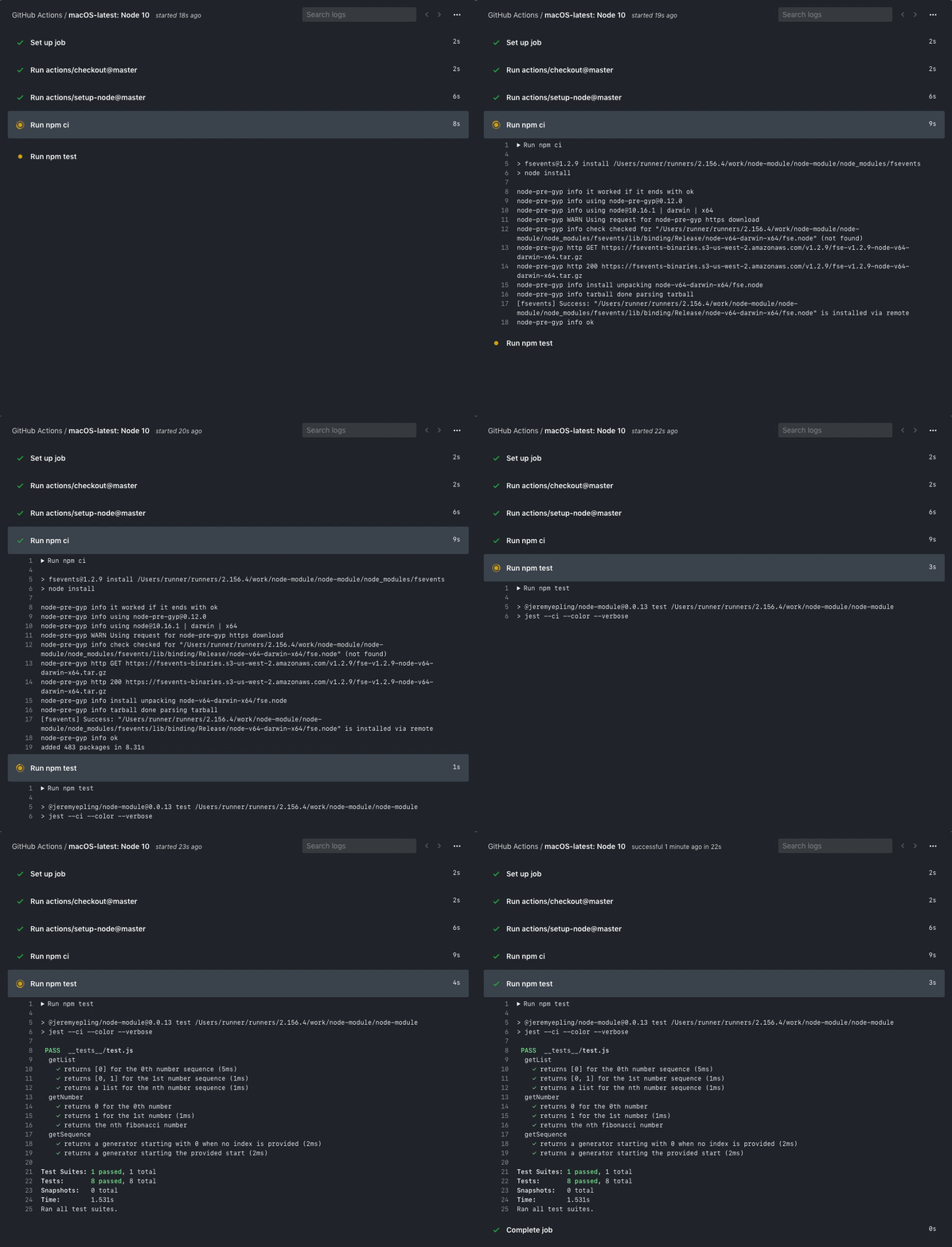
    GitHub Actions, a set of application programming interfaces (APIs) through which DevOps tools can automate workflows, is now available in beta.

    Previewed last year at the GitHub Universe event, GitHub Actions is intended to provide not only a way to automate responses to events occurring within a GitHub Repository but also share those workflows across multiple DevOps teams, said Max Schoening, senior director of product design for GitHub.

    Actions are based on YAML files, which makes it possible to write them in JavaScript or other programming languages or package them up as a set of containers. In either instance, they are designed to interact with the full GitHub API and any other public API.

    In addition, higher levels of automation enabled by GitHub Actions should make it more feasible for DevOps teams to test multiple versions of a project in parallel as workflows written in code replace manual processes, said Schoening.

    As more manual processes become automated, the number of IT teams who are intimidated by DevOps processes today should begin to decline. Organizations also should be able to apply best DevOps practices more consistently across multiple teams. Too often today the DevOps practices within the same organization tend to vary widely. Schoening also noted that given the open source history of GitHub, organizations will be able to see how workflows have been created for popular open source projects and then copy them.

    In addition, Schoening said the arm of Microsoft will continue to invest in analytics that will surface workflow recommendations that can be applied to any project regardless of the language employed or the platform on which it’s destined to be deployed.

    On one level, DevOps is all about a ruthless commitment to automation. But when automation goes wrong at scale, it can be extremely problematic. Rather than relying on “black box” approaches to automating processes, a truly open source approach to automation makes it possible for DevOps teams to see how a process is being automated and then extend it if they so choose, said Schoening. To help address the concern, GitHub Actions also provides access to live logs to provide real-time feedback as builds run, which Schoening said makes it easier for DevOps teams to debug automations created using GitHub Actions.

    It’s too early to say just how automated DevOps processes will get. There’s an emerging school of thought that contends the goal is to make it feasible for developers to spend 100% of their time writing business logic. It’s not clear whether that goal is achievable anytime soon, but progress is made with each update to continuous integration/continuous development (CD/CD) platforms. As complementary advances in machine learning algorithms and other forms of artificial intelligence (AI)—otherwise known as AIOps—occur, it’s apparent many manual DevOps processes will fall by the wayside.

    In the meantime, the workflows that make up any DevOps process should become increasingly sophisticated as advances in automation span everything from hybrid cloud computing environment to internet of things (IoT) deployments. The issue soon may not be how cumbersome any DevOps workflow is, but rather the potential limits of the imagination applied to automating them.

    — Mike Vizard

  • Relentless Automation: The Roadmap to Success

    Relentless Automation: The Roadmap to Success

    As digital transformation continues to shape organization-wide initiatives, CIOs are recognizing the benefits and value of automation in reducing errors and process variability, leading to lower operating risks and faster execution and innovation. In fact, according to Gartner’s recent report, by 2023, 40% of I&O teams will use AI-augmented automation in large enterprises, resulting in higher IT productivity.

    Despite this future uptick, many organizations are currently automation deficient as a result of complex infrastructure, fragmented task automation and tool sprawl. A renewed focus on automation will put I&O teams in the driver’s seat as cloud-like capabilities become the norm. To achieve the highest ROI, CIOs should audit their organization first in order to determine the level of need for automation as well as which specific areas to automate.

    Having a clear mandate is essential for any organization to be able to implement automation at scale. CIOs need to ask the right questions of their organization to determine a baseline for automation. These core questions include: Where is the organization experiencing business issues as a result of a lack of automation? What is preventing the organization from automating more? Does the organization have the right foundation of standards, people and processes on which to automate?

    From our experience, on the journey to mature automation, companies typically fall into one of following five stages:

    Stage Zero: Reactive

    Organizations in the reactive phase do not understand the demand for IT services and the importance of measuring IT service results. Their customers don’t have a well-established way of requesting services nor an understanding of the status of their request. Requests are obtained from various sources, completed inconsistently and process documentation is typically piecemeal. Difficult requests are often directed to individuals who have assisted with similar requests in the past, and tooling is procured by teams without strategy or direction.

    Stage One: Focused

    Focused organizations know the limitations of existing IT automation and actively create initiatives to improve service delivery on a small scale. In this stage, customers have a formal method of requesting services, but it isn’t fully followed or enforced. These organizations have limited processes and tools, and are still highly reactive, relying heavily on a specific individual’s knowledge. Automation is defined and repeatable with possible consistent results, documentation exists for all common services and there is awareness that tooling and coding is inconsistent.

    Stage Two: Established

    Organizations in the established stage are more proactive, and provide IT services with a formal approach to processing service requests with an automated triage capability. Workflow is measured for completeness, and tasks-to-complete services are well-understood, with a gap analysis on which automation has not been completed. In this stage, at least one primary IT service has been automated. There is an automation backlog with prioritization in place. Tooling is standardized and the process for code management is uniform across all teams. Though there is an agreed-upon vision for automation, integration into broader services, such as DevOps, are still incomplete or inconsistent.

    Stage Three: Accelerated

    Accelerated organizations actively deliver new services based on input from the business. Service levels and quality metrics are captured and improved upon, and IT has a catalogue of services available to all business units. Over half of the major IT services have been automated, and developers have integrated standard tooling into pipelines with defined outcomes. In this stage, organizations are focused on process execution and excellence, but KPIs are centered around IT, instead of the business as a whole.

    Stage Four: Optimized

    Optimized organizations have a mature and continuous service improvement program with an established cadence for enhancements. The entire suite of IT services has been automated and aligned with business initiatives, directly affecting business outcomes. Service offerings have various options to ensure automation is being utilized, there are teams in place to deliver applications and software, and IT services have comprehensive documentation and adoption of standardized processes with seamless integration.

    Achieving Relentless Automation

    A focused, cross-functional team should be assembled to effectively assess and define the automation roadmap for an organization. The cross-functional team will bring relevant perspectives to IT service offerings with the intent to automate. Once a baseline for automation is established, CIOs should monitor the progress of their automation efforts, including potential for growth and barriers the organization is experiencing within the zones of infrastructure, operations, application development, service delivery and enterprise service management.

    As CIOs begin to implement automation at scale, they will see reduced operational costs and time to deliver on critical, strategic products and offerings. As a result, organizations could recognize increased revenue, boosting their organization’s bottom line and driving them closer to total digital transformation.

    — Derek Wise