Tag: application testing

  • FAQs for Software Testing: All the Background You Need

    FAQs for Software Testing: All the Background You Need

    No matter what type of application you and your team are building, testing is a critical step in the software development life cycle (SDLC) that can not be overlooked. In this article, I’ll answer frequently asked questions about software testing, why software testing matters and suggest best practices to help ensure your application is ready to delight customers by the time it is deployed.

    Why Do We Need Testing?

    Software testing involves evaluating an application to see if it meets the requirements and functions it was built for. The process includes identifying defects, errors and bugs, along with flaws in user experience. Software testing is so critical because finding and fixing these bugs and issues in the development process means the end product reaching customers works properly and reliably and delivers a high-quality user experience. Additionally, testing during the development process makes bugs easier and less expensive to fix as opposed to making fixes after an application has been deployed.

    Overview of Testing Types

    Let’s quickly define the common types of software testing:

    ● Unit Testing: This process evaluates individual components of software to ensure they are working properly.
    ● System Testing: This involves ensuring an entire application or system meets requirements and functions as it should, end to end.
    ● Integration Testing: This looks at whether or not different modules of an application or system work properly together.
    ● Regression Testing: This process revisits previously tested components of software to make sure they work correctly after a change has been made.
    ● Acceptance Testing: This process determines whether an application meets the needs of end users and is ready to be deployed.
    ● Usability Testing: This process assesses how user-friendly a customer will find the product.

    Creating the Plan

    Any solid software testing plan is going to incorporate multiple testing approaches, including manual, automated, user experience, exploratory and non-functional testing. You’ll start by defining the scope for what parts of your application, integrations and functionality you need to test for. Then, you can decide what type of testing methods are needed for each and document these to ensure consistency.

    You’ll want to combine code coverage and test coverage to ensure the code for your application is tested thoroughly. The type of tests you prioritize will vary based on different products, and your testing strategy will certainly evolve and grow over time.

    Measuring Your Strategy for Thoroughness and Effectiveness

    To ensure your testing strategy is thorough and effective, you will need to make sure to test for code, device coverage and all aspects of user experience. The bottom line for the program should be delivering value to the business by making sure the application works as intended for users. To be effective, testing should take place before an application reaches end users, so issues and bugs can be identified and fixed before deployment. To be thorough, testing strategies must be balanced, end-to-end, and look at functionality, usability, accessibility and more.

    Effective software testing can be measured in a few ways, including:

    ● Code Coverage: The percentage of code that is tested.
    ● Test Case Effectiveness: The percentage of test cases that found defects or bugs.
    ● Time to Detect and Fix Defects: The time it takes to find and fix issues in an application.
    ● Defect Density: The number of defects found per unit of code.

    Improving Your Testing Approach

    Your software testing program should be evolving and improving over time and can improve by:
    ● Including test-driven development
    ● Leveraging a shift-left approach
    ● Using automation where possible
    ● Benchmarking QA for current projects versus previous ones
    ● Conducting a cost-benefit analysis

    Testing Best Practices

    While the below list is not exhaustive, here are some top best practices to keep in mind as you build out a software testing practice at your organization:
    ● Incorporate the voice and feedback of your customer into product design
    ● Make accessibility a priority
    ● Test throughout the entire SDLC, including in pre-production, after changes are made to code, and in-sprint testing
    ● Maintain a matrix for the different devices using your application
    ● Prioritize high-quality user experience
    ● Automate repetitive tests where possible
    ● Review and adjust testing processes regularly, as needed
    ● Track and report results to analyze trends and identify areas for improvement
    ● Balance between leveraging different testing types

    Your organization’s software testing strategy directly impacts the quality of the end application you deliver to your customers. Poor usability, accessibility, and reliability of an application can frustrate users and send them to competitors, while high-quality user experiences and application performance can boost adoption and keep customers happy and loyal to your brand. With so much competition, taking the time to build out, adjust and prioritize software testing is critical for modern businesses.

  • Checkly Adds Monitoring-as-Code to Testing Platform

    Checkly Adds Monitoring-as-Code to Testing Platform

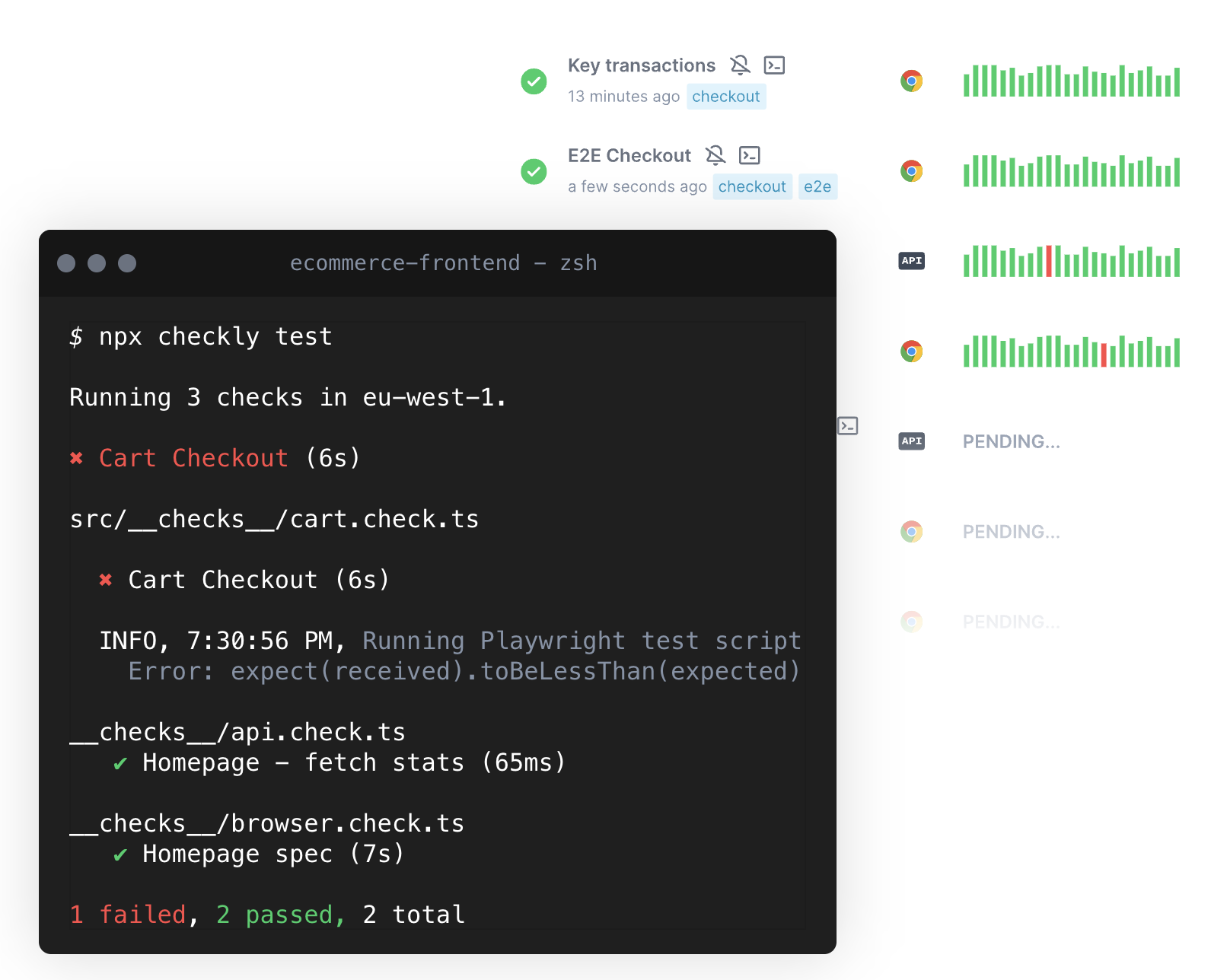
    Checkly this week added a monitoring-as-code (MaC) workflow capability to its software-as-a-service (SaaS) platform that is used to create synthetic tests for applications.

    The Checkly platform spins up browsers to test and can now monitor how applications are performing at both the user interface and application programming interface (API) level. That capability, currently available in beta, is enabled via a command line interface (CLI) for accessing an instance of TypeScript to invoke MaC workflows.

    Checkly CEO Hannes Lenke said that integrated approach enables application development teams to observe applications in as little as 60 seconds without instrumenting them with agent software.

    As part of that effort, Checkly also made generally available Playwright Test, a testing platform for web applications that spins up modern browsers on demand in addition to updating its public dashboards and adding an analytics API.

    Finally, the Checkly SaaS platform has passed a SOC 2 Type II security audit.

    Lenke said the overall goal is to make it simpler for developers to discover and remediate issues as they assume more responsibility for the ongoing management of applications.

    It’s not clear whether developers are taking over responsibility for testing and monitoring applications, but as more responsibility for applications shifts left, organizations are looking to give developers the tools they will require to succeed. That doesn’t mean IT operations teams won’t need to continue to monitor IT environments, but developers do need integrated tools that give them enough meaningful context to address them as they write code. Synthetic testing tools also enable developers to address many routine issues long before they might be discovered by a dedicated testing team that should be focused on ensuring the overall quality of the user experience.

    Regardless of the approach to testing and monitoring, Lenke noted that the silos that make up the software development life cycle are becoming more tightly integrated in modern application development environments. The primary objective is to make it possible for organizations to accelerate application development without compromising quality, he added.

    Of course, the more testing that occurs early in the application development process, the fewer issues a DevOps team should encounter after an application has been deployed in a production environment. The issue is that, historically, much of that testing occurs late in the application development process. Each time a project falls behind schedule, there is naturally a greater temptation to reduce the amount of time spent on testing to ensure the on-time delivery of an application. Providing developers with tools for testing and monitoring applications as they are being built should ensure that the proper level of testing is occurring before an application is deployed.

    There will, however, never be a perfect application. Over time, DevOps teams will discover that every application is impacted by drift to varying degrees as updates are made and the underlying infrastructure is upgraded. The most critical issue is reducing the number of potential issues overworked DevOps teams may need to address later on by ensuring the code being deployed is of the highest quality possible.

  • Three Ways to Speed up SAST

    Three Ways to Speed up SAST

    In modern, continuous software development life cycle (SDLC) processes, when code is written and before it’s committed to the repository, it’s run through testing, which may include unit testing, regression testing or static application security testing (SAST). The benefit of SAST for DevSecOps is the real-time feedback it provides developers as they create and make changes to the source code before they submit it. The amount of time that’s acceptable in this kind of workflow is 15 minutes to 30 minutes maximum, with some allowance for how big the change is. Fast feedback means quicker turnaround and more progress on features. The business value lies in those features. Testing makes sure they work.

    Depth Versus Breadth

    Checkers used by SAST are not all created equal, at least in terms of the computation power needed. The time for analysis is directly related to the complexity of the checkers used to detect certain types of vulnerabilities. Typically, coding standard enforcement rules are easier to compute versus complex tainted data analysis used to detect command or SQL injections, for example. Therefore, there is a trade-off to be made in the types of bugs and vulnerabilities being detected. When developers are coding, it makes sense to optimize the compute time for SAST to reduce any delays. During software builds, more time and compute power is available so depth and breadth can be increased to catch complex vulnerabilities.

    Compute Power

    SAST analysis time scales well with compute power. The availability of more computing resources such as CPU and memory, can impact the time of analysis. Bigger is better in this case and investing in additional hardware for SAST can pay off in terms of productivity.

    Codebase Size

    SAST analysis time is also dependent on the amount of source code analyzed. Depending on the application, the code base is a determining factor in terms of what depth and breadth of analysis is optimal.

    There is some correlation between small code base size and strict requirements for SAST such as in safety-critical software. It’s expensive to build and test safety-critical code, but code size is typically smaller than in other types of applications. However, these products need to conform to industrial coding standards and thus require rigorous levels of testing and analysis to detect a wide variety of defects.

    Larger and extremely large code bases require a trade-off in terms of depth and breadth of analysis. Prioritizing the types of defects and vulnerabilities to concentrate on is critical.

    Speeding up SAST means reducing the amount of work. The most intensive operation is a full analysis of the entire source code base. Just as full compilation from scratch takes a long time, the same is true of SAST analysis.

    To accelerate SAST processing times, follow the same three techniques used to avoid compilation in large C/C++ projects: incremental analysis, component analysis and developer analysis.

    1. Incremental Analysis

    Incremental builds are a major factor in reducing developer build times for C and C++ projects. Small changes don’t require the entire code base to be recompiled. It’s impractical and unnecessary. When a developer modifies something, only what’s needed to be recompiled gets recompiled automatically, and the build infrastructure handles it.

    SAST works in a similar manner. As source code is being compiled, SAST parses the same source code and creates a program model. The second phase is analyzing that program model against the configured checkers and generating warnings. The warnings typically go into a database for later analysis.

    During the build of the software, SAST is run in parallel. Although similar to a compiler in operation, SAST must do more work than the compiler and takes longer to finish and provide results. The amount of code needed to recompile for each change directly impacts analysis time.

    Meanwhile, SAST of an incremental build requires a lot more work than just analyzing the changes. SAST uses abstract execution of code flow through multiple different compilation units. So even though a single file is modified, the calls it makes to other files need to be analyzed as well. The incremental analysis doesn’t increase the build and parse workload, but the analysis scope will be a lot bigger than expected. So, whenever you do an incremental build, SAST will need to reanalyze the dependencies, changes and related bits and pieces around those changed units.

    Nevertheless, it remains a good option for reducing SAST analysis times.

    2. Component Analysis

    If the software being developed has a loosely coupled, component-based architecture with well-defined interfaces, it’s possible to isolate both the testing and the SAST analysis to the component where changes were made. Just as this type of architecture simplifies many aspects of development, it pays off with SAST as well. It’s possible to analyze the component in isolation and get good results.

    3. Developer Analysis

    To further reduce SAST workload, start the first build without SAST, which removes the burden of the extra computation needed. Since subsequent builds are a lot smaller and build speed is much faster.

    However, there is an increase in false negatives due to the smaller scope of analysis since only files that changed are analyzed. This smaller scope means that all possible dependencies are outside the program model and are not considered in the analysis. However, this rapid analysis works well with coding standard enforcement, for example.

    Developer SAST

    Where to Start?

    Begin with a full build and analysis. This sets a baseline for detected bugs and vulnerabilities and establishes a performance target for reducing build time. This step will determine the exact number of lines of code, how long the analysis takes and its impact on build server load. These metrics should drive the analysis optimization effort.

    Given the options, the first step should be a component-based analysis. If this works well, it’s still possible to further reduce analysis with incremental and developer analysis within components. This approach can be integrated into typical developer workflows.

    When creating a developer branch for implementing changes, quick developer local analysis will catch local errors. These tend to be the largest set since they represent the largest part of the code changes. When enforcing coding standards, this is the point where violations are identified. A full analysis is recommended on a merge request to detect remaining defects related to cross-component-boundary behavior.

    Speed up SAST

    To speed up SAST consider using these techniques at the appropriate development stage to reduce time to complete, while still producing excellent results. Keep in mind that:
    ● Complete analysis yields the best and most precise results,
    ● Incremental analysis only analyzes recompiled code that has been modified,
    ● Component analysis works well in software that follows a well-defined component architecture and
    ● Developer (local) analysis provides a good compromise of precision and analysis time.

  • This Has Been a Test

    This Has Been a Test

    For nearly the entire history of application development—certainly since application development became available to a larger market with the adoption of the personal computer for expansive business use—testing has taken a back seat across most of the industry. This is not because we don’t care about code quality but because it takes resources away from developing cool new tools—or even products—and slows down release cycles. Historically, both of these issues have been huge. Manual testing staff grows quickly from a few people to a massive department and waiting for that process to complete could take forever.

    So, we’ve not done a lot of it. Oh, when executives or someone in leadership demanded more thorough testing, IT management would promise to do so and then—to fit within budget and time constraints—would tell developers to test their own code. There are several areas where you don’t ask the person responsible for creating the final product to review that final product—because if they knew they were doing something wrong, they’d fix it. Writing is one such area—that’s why good editors are worth their weight in gold, even in the age of the internet where anyone can (and too many do) spew onto the digital page whatever they like without the benefit of an editor. Another is testing application code. I test as I write my code, and like every person who has spent time as a professional developer, I have made a couple of stupendous errors. If I’d known that the particular weakness I left in the system was there, I would not have said it was done.

    When DevOps came along, I expected things to change—until I understood that DevOps (and Agile, in lockstep) was all about delivering faster, not better. Anything that slowed down the process—testing, security, even compliance, to an extent, that cannot be avoided—was frowned upon. When test-driven development (TDD) came along, I instantly developed a love/hate relationship with it. We used it for a project I was on and, frankly, it shifted quality concerns to the tests—the code could be forced to pass all of the tests, but how thorough and accurate the tests themselves were—particularly as the project grew and changed—became the question. Done right, TDD would solve a lot of our testing problems. Heck, even done wrong it would have taken care of most problems that simple unit testing could cover.

    But after decades, I think we are finally at the point where we can demand and require thorough testing with acceptable and growing coverage numbers. And you need to consider it. Test automation has come a long way and far too many of you haven’t come along with it. If you struggle to justify investing in test suites, I get it. I’ve been the manager that had to choose between improving DB performance and testing. But the modern iteration includes security testing. So if, out-of-the-box, you could get a  tool that checked for valid inputs and alerted to places where invalid data might break the application, that might help. And that’s just the simplest case. I’m currently working in an adjacent space, so I don’t want to get too crazy selling you here. I’ll just say, “Testing isn’t what it was even a couple of years ago. Check it out.” Both application and security testing. And the changes will continue to come as claims of using AI/ML turn into applying actual algorithms that your AI or data science people can compare to help choose a high-quality product.

    We could debate all day whether DevOps made apps more or less stable and secure, but we don’t need to. Finally, continuous testing is real. Check out the vendors doing this, compare them and see how easy it is to fit them into your environment. More stable, more secure, not the hold-up you have stuck in your head. What’s not to like? You are already rocking it; automated testing could make you look even better.

  • Poor App Remediation Creates a Vicious Vulnerability Cycle

    Poor App Remediation Creates a Vicious Vulnerability Cycle

    A survey of 200 security professionals found nearly 83% of respondents reported that an increase in the rate at which applications are being deployed has led to an increase in the reintroduction of previously remediated vulnerabilities.

    The survey, conducted by Waratek, a provider of tools for managing security-as-code, found 93% of the security professionals polled currently work for organizations that have embraced DevOps or Agile development methodologies. Half of the respondents (50%) described maintaining security in those environments as challenging, with a slightly higher percentage (58%) noting that implementing security within DevOps process does slow down the rate at which applications are deployed. A full 85% also noted that manual security work slows the rate at which applications can be deployed as well.

    Surprisingly, more than two-thirds (67%) of security professionals also said they would be willing to sacrifice security to allow applications to be delivered on time.

    Nearly three-quarters (71%) also said they expected that keeping pace with DevOps teams would only become more difficult, with 61% also noting that keeping pace with DevOps teams resulted in delays to other critical security projects.

    Waratek CEO Doug Ennis said the root cause of the application security challenge can be traced back to continued reliance on manual processes. It’s too easy for developers, for example, to reuse code that contains vulnerabilities that were fixed in one version of an artifact but not another, he noted.

    That lack of automation also conspires to increase overall cybersecurity fatigue, added Ennis. More than 50% of survey respondents reported they spend days or weeks each year investigating false positives. There simply are not enough cybersecurity professionals available to make sure applications are secure without relying more on automation, said Ennis.

    In the wake of a series of high-profile security breaches, there is more focus on software supply chain security than ever. However, it’s not clear to what degree organizations are embracing automation and DevSecOps best practices to secure those software supply chains. The challenge is finding a way to build more secure applications without slowing down the rate at which those applications are built and deployed.

    Many organizations are clearly already shifting more responsibility for application security left toward developers and DevOps teams with hopes of achieving that goal. However, it’s still the cybersecurity team that get the call whenever there is a breach, noted Ennis. There must be workflows in place that enable automatic remediation in ways that don’t always require organizations to wait on a developer to build and deploy a manually-applied patch that is usually inconsistent, he added.

    The Log4Shell vulnerability is a perfect example of how flawed the current process for building and deploying patches is, Ennis explained.

    In fact, as more applications are deployed, developers often find themselves spending more of their time fixing vulnerabilities than they do writing new code. A new approach to building and deploying secure applications that leverages automation is clearly required. The challenge is creating automation that consistently achieves that goal each and every time required in a way that doesn’t break any of the applications that need to be fixed.

  • How Automated Testing Closes the Development and Delivery Gap

    How Automated Testing Closes the Development and Delivery Gap

    For the past two years, companies have leaned into digital transformation projects to keep their digital offerings at pace with their in-person operations. Rather than become a stopgap, this digital approach became the new standard for the modern employee and customer experience. It also creates friction between a company’s development team and its user base. How long should customers wait for new or updated applications in our increasingly fast-paced business environment? Companies need time for development and testing to deliver quality products, but will the demands of their users force them to cut corners?

    Consider each stage of a customer’s journey. Visiting a website or app and putting something into the shopping cart is only the beginning. Behind the scenes, systems that monitor availability, sourcing, loyalty and promotions come into play. Following checkout and payment, there are systems for picking the product, packing it and delivering it with timely notifications along the way.

    Businesses find themselves in a bind when they have to decide which of those areas to cut back on. There’s really no good answer—enter the continuous delivery mindset. We like to say there is no continuous delivery without continuous testing, but those two areas are often at odds with each other.

    The good news is that there is a way to close the gap between customer demand and necessary development time: Test automation. Here are three ways that test automation can help companies satisfy both the needs of their business and their customers.

    Relieving the Testing Bottleneck

    Moving fast is becoming a competitive advantage for many companies. That speed-to-market opportunity has been heightened as cloud-based, low-code/no-code apps like Salesforce, MS Dynamics, Workday and Oracle have become an industry standard. Today, while plenty of development activities may be handled by low-code/no-code platforms, the test automation of these apps remains a high-code, high-maintenance activity.

    To keep from becoming a bottleneck, teams should plan automation and testing strategies early in the process. This is where continuous development includes continuous testing. Suppose companies can make test automation accessible to more people by removing the need for specialized knowledge and daunting technical constraints. In that case, they will be able to streamline ongoing development cycles.

    Ensuring Higher-Quality Output; Aligning Development and Testing

    One of the keys to putting out a higher-quality product is by adopting in-sprint testing, which aligns development and testing efforts. Each feature is tested and automated as soon as it is implemented so that teams can more easily catch errors early rather than at the end of a development phase.

    The automation also elevates the area of regression testing, as teams make sure new changes haven’t broken existing functionality. As automation moves into the mainstream, a wider range of collaborators become more involved in testing each additional feature.

    Creating a Better User Experience

    Historically, testing has been extremely focused on function and is very technical while user experience efforts remain focused on the stylistic and usability end of the spectrum. But creating satisfying end-to-end user experiences is a critical part of any application adoption, so the two sides should work toward a common goal.

    That common link lies in a company’s business processes. Each process is the starting point for building and designing a test scenario. From start to finish, everyone understands the user’s journey and works together toward making that path as effortless as possible.

    Conclusion

    Today’s modern customers don’t expect a measurable difference in experience between online and in-person. Expectations are at an all-time high, leading companies to push updates to their websites and apps more quickly and more frequently. As companies increase their dependence on software, the way to test that software is evolving to keep pace with development speeds.

    Automated testing can simplify and speed up the testing phase, catching many of the basic errors and leaving testers to focus on more complex functionality.


  • Dynatrace Adds Synthetic Tests to Validate App Experiences

    Dynatrace Adds Synthetic Tests to Validate App Experiences

    Dynatrace today extended the application release management capabilities it provides to include synthetic tests for validating and assuring user experiences.

    Saif Gunja, director of product marketing for Dynatrace, said the user experience validation and user experience assurance (UXA) capability spans everything from application availability and performance to actual engagement with specific features based on the service level objectives (SLOs) defined by a DevOps team.

    Dynatrace views application release management as an extension of its observability platform, said Gunja. While application release management has historically been viewed as an extension of a continuous delivery (CD) platform, Gunja said that observability platforms—such as the Dynatrace platform, which is infused with a Davis artificial intelligence (AI) engine—provide the visibility required to better automate the process.

    In fact, as DevOps continues to evolve, it’s apparent that CD and continuous integration (CI) are becoming more loosely coupled as DevOps processes mature, said Gunja. Most organizations have yet to implement CD simply because it’s been too difficult to achieve. Each platform that applications have been deployed is unique. Dynatrace provides the foundation for automating application release management via the agent software it makes available to instrument applications, said Gunja.

    It’s not clear whether DevOps teams are reevaluating their approach to application delivery, but Gunja noted that much of the interest in the Dynatrace approach is coming from organizations that have already installed the Jenkins CI/CD platform. The number of extensions that have been built and that need to be supported has created a level of technical debt that is unsustainable for many DevOps teams, he noted.

    Many IT leaders concluded they would rather allocate more resources to building applications than maintaining DevOps platforms, added Gunja.

    Most DevOps teams are committed to ruthlessly automating as many IT processes as possible. Observability has always been a core DevOps tenet in pursuit of that goal. Applications that are not instrumented can be programmatically managed. The issue is that providing observability isn’t enough—DevOps teams need to be able to take actions across the entire software development life cycle based on the data collected by the observability platform, said Gunja.

    Obviously, it’s still early days as far as observability is concerned. While application performance management (APM) platforms have been employed for decades, it’s only recently that observability platforms capable of correlating application and IT infrastructure data have emerged. Thanks to the rise of open source agent software, it’s also becoming less costly to instrument IT environments. The challenge, of course, is, as always, deploying and maintaining all that agent software.

    Regardless of the approach to observability and DevOps, it’s clear that IT teams will soon have a lot more visibility into their IT environments. The days when IT teams determined the root cause of an IT issue by process of elimination are finally coming to an end. Observability, however, is not an end in itself, but instead is the end of the beginning of a previous DevOps era.

  • Three Common Testing Mistakes – And Solutions

    Three Common Testing Mistakes – And Solutions

    A few weeks ago at SauceCon, devopsy.kinsta.cloud talked to Matt Wyman, chief customer officer at SauceLabs. This year’s theme, Reimagine Test, emphasized the need to prioritize the user experience in testing. As Wyman put it, “We really focused on that customer experience, using the right type of test tool at the right moment.” After the conference, we caught up with him to talk more about a critical point—that many teams don’t know how to test for user experience because that hasn’t been in their wheelhouse.

    Wyman provided advice on three typical testing mistakes and how developers can improve the accuracy and breadth of their testing environment.

    1. Bloated Testing Suites

    Here’s a common scenario: Flaky tests get slipped into large test suites and developers ignore them instead of correcting or removing them. The suite gets increasingly bloated as people add more and more tests, which can obscure their results. “From the outside, it’s hard to tell which tests are the most critical when you’re making a change to pass,” Wyman said.

    He explained that if two people are working on the same part of the codebase and person A sets up a focused series of tests, person B can make a change and be sure it will work when those tests pass. But that’s no longer the case with a testing suite stuffed with irrelevant tests.

    “If instead, I create a two-hour suite with thousands of tests in it, you won’t know which one is most applicable to the change you’re making,” Wyman pointed out. “This is one of the more significant complications when people are less knowledgeable about building a good test suite or test practice.”

    2. Using a Single Tool Like a Hammer

    Wyman emphasized the need to use the right testing tools at the right time for the right purpose—something many developers don’t do. In this common mistake scenario, he said, the developer takes a functional user interface testing framework and uses it to validate their integrations, their APIs, their visual results and everything else.

    “It’s a classic case where you have a hammer and everything looks like a nail,” he said. “It makes your overall testing practice very heavy and very long. Typically, if you’re not using the right tool for the right purpose, it takes a lot of effort to maintain it.”

    3. User blind spots

    You don’t know what you don’t know—or, as Wyman put it, “the experience error is hard to find and even harder to discover.”

    Wyman discussed a hypothetical scenario in which engineers build and test a system that accepts only numeric inputs. Testing runs perfectly—because the engineers test only the entry of numbers. The fix here is fuzz testing: Thinking beyond simple use cases and introducing a “what if” quotient by testing random and unforeseen inputs, such as users who enter letters. Building this foresight into the programming language itself can involve developers in the quality assurance process much earlier and avoid mistakes down the line.

    He also stressed the need for observability in testing, with instrumentation that can help teams predict where users might run into limitations. “Developers have to look at the user analytics and usage analytics, not just system analytics,” he said. “Quite often the user analytics and observability the product manager is looking at, they see from the outside—and that’s useful data for the developer, so they can see those failure cases early.”

    Transcending Testing Limitations

    Is there such a thing as a flawless test environment? Probably not. But by sidestepping the three mistakes above, developers can transcend ingrained testing paradigms and elevate both quality and experience.

  • Survey Sees App Testing More Widely Distributed

    Survey Sees App Testing More Widely Distributed

    A survey of 900 application testing professionals conducted by PractiTest, a provider of a platform for managing testing tools, suggested the number of organizations that have dedicated testing teams is declining at a steady rate.

    The survey found a 15% decrease in organizations with dedicated testing teams that have six or more members. At the same time, however, the survey found only 18% of respondents reported that all testing is done by individuals that are not part of a dedicated testing team.

    Joel Montvelisky, test specialist and chief solution architect at PractiTest, said that shift indicates that more organizations are steadily incorporating testing within DevOps workflows. In fact, more than 60% of respondents said DevOps and Agile processes led to teams being more organized and stable, with two-thirds (66%) reporting that development teams were releasing features more frequently with more functionality.

    However, only 38% of respondents said they were active participants in a continuous integration/continuous delivery (CI/CD) workflow. A full 90% said they needed to coach or train other members within the team and just over half (54%) reported that estimations of the time required for development and testing were accurate.

    Two-thirds also said collaboration with developers is also improved when applying DevOps processes, with more than half reporting fewer serious bugs made it into production. More than half also said they monitor software in production and deployment environments. The number of testers who defined themselves as engineers has gone up by 14% year-over-year. However, only 44% report that automation has replaced 50% or more of their manual testing efforts.

    A full 95% or more of survey respondents identified application programming interface (API) testing, Agile methodologies, functional testing and scripting as high on their list of priorities. In contrast, big data testing, internet of things (IoT) testing and machine learning/artificial intelligence (AI) testing were cited as important or very important by only 60% of respondents.
    Finally, about a third of survey respondents noted that non-testers are now involved in testing activities.

    Montvelisky said the PractiTest survey makes it clear that while developers are a little more involved in testing than they were a few years ago, organizations still relied on testing specialists that are becoming more integrated into DevOps workflows. This is especially important as more organizations launch digital business transformation initiatives that require them to build software using the same types of DevOps processes that independent software vendors (ISVs) employ.

    It’s still too early to say just how far testing might shift left toward developers, but as testing becomes more automated—thanks, in part, to increased reliance on AI—the types of tests that will be conducted by a dedicated testing team will evolve. In fact, it’s unlikely automation will eliminate the need for those teams any time soon. Rather, testers will be augmented by AI technologies that will help them to keep pace with the accelerated rate of application development enabled by wider adoption of DevOps best practices within organizations both large and small.