Tag: application deployment

  • Dell Brings DevOps to Edge Computing Environments

    Dell Brings DevOps to Edge Computing Environments

    Dell Technologies today updated its edge computing platform this week to make it simpler to programmatically provision infrastructure using DevOps best practices.

    Phil Burt, senior director of project management for edge computing at Dell Technologies, said version 2.0 of Dell NativeEdge adds additional declarative blueprints based on YAML files and the Topology and Orchestration Specification for Cloud Applications (TOSCA) framework.

    Blueprints for Telit, Litmus and PTC for manufacturing use cases, Deep North for retail, Dell Streaming Data Platform for analytics and Rancher Labs K3s for Kubernetes environments are provided.

    Those blueprints make it simpler to either deploy applications on a lightweight operating system that Dell developed optimized for edge computing platforms or any other software stack an IT organization may prefer, he added.

    Dell is also adding support for the virtual Trusted Platform Module (vTPM) and UEFI Secure Boot capabilities to apply zero-trust IT principles to edge computing platforms using hardware-based cryptography and secure storage for encryption keys, certificates and passwords.

    Finally, Dell is also making available a three-year subscription plan for NativeEdge to lower the total cost of deploying edge computing platforms.

    Dell relies on virtual machines it developed for edge computing platforms to deliver software. IT teams can then opt to deploy monolithic applications or container-based applications running on an instance of Kubernetes deployed as an extension of the virtual machine provided by Dell. Those platforms can then also automatically connect to a network to provide the connectivity required.

    Regardless of approach, Dell is providing a method to programmatically orchestrate the management of highly distributed edge computing environments, noted Burt.

    In the longer term, Dell is also researching how to apply generative artificial intelligence (AI) to the management of edge computing environments using the data its monitoring tools provide, he added.

    While edge computing has been around in one form or another for decades, as more organizations start to process and analyze data at the point where it is created and consumed, the number of applications deployed at the network edge has increased substantially. As such, the number of applications that need to be built and deployed at the edge using DevOps best practices is growing exponentially. In fact, managing those workloads is only going to become that much more challenging as more AI models are deployed at the network edge.

    Of course, not every workload at the edge is managed by an IT team. For years, many organizations have relied on operational technology (OT) teams that have historically deployed applications at the network using manual processes. Organizations that embrace DevOps practices to automate the deployment of workloads at the edge will naturally have to navigate some cultural issues alongside the technical challenges encountered when programmatically deploying software.

    It’s not clear how much software will be running at the network edge in the years ahead, but as the capabilities of the IT infrastructure made available continue to increase, so will the complexity of the applications that will be deployed. The challenge, as always, is going to be finding the best way to manage all that distributed software at what will soon be an unprecedented level of scale.

  • Dynatrace Survey Sees Continuous Delivery Challenges Ahead

    Dynatrace Survey Sees Continuous Delivery Challenges Ahead

    A global survey of 1,300 application development and DevOps leaders conducted by the research firm Coleman Parkes on behalf of Dynatrace finds, on average, organizations expect to increase the frequency of their software releases by 58% over the next two years.

    Andreas Grabner, director of strategic partnerships at Dynatrace, an observability platform provider, said that while it’s clear organizations are embracing DevOps best practices to achieve that goal, the survey also found that more than a quarter (27%) of DevOps teams’ time is spent on manual continuous integration/continuous delivery (CI/CD) tasks. Nearly a quarter (22%) admit they’re often under so much pressure to meet the demand for application deployments that they must sacrifice code quality.

    In response, nearly two-thirds of respondents (62%) are investing in automation to eliminate manual tasks, while a similar percentage are looking to automate incident response processes. Another 45% are investing in observability tools, with nearly three-quarters (74%) noting that end-to-end observability will be essential to DevOps in the future.

    A full 98% also noted that extending DevOps to more applications will play a crucial role in driving digital transformation and optimizing customer experience. A total of 71% said a unified platform that seamlessly integrates their toolchains will be critical to scaling DevOps, while 79% said extending artificial intelligence to IT operations (AIOps) into the realm of DevOps is critical for their future success.

    Survey respondents, however, also identified siloed team cultures (75%) and application complexity (70%) as the primary barriers to achieving DevOps success. Organizations, as a result, are investing in the automation of manual CI/CD tasks (62%), eliminating manual incident response (62%) and end-to-end observability (45%).

    Grabner noted that, as more organizations build and deploy next-generation applications based on microservices constructed using containers and application programming interfaces (APIs), it will only become more challenging to automate DevOps processes. As part of an effort to reduce the cost of delivering those applications, Dynatrace donated Keptn, an open source enterprise-grade control plane for automating the continuous delivery of cloud-native applications, to the Cloud Native Computing Foundation (CNCF), added Grabner. The overall goal is to reduce the total cost of implementing DevOps as part of an effort to instrument more applications, he noted.

    While most organizations that have embraced DevOps have a good handle on how to implement continuous integration, achieving the continuous delivery side of the DevOps equation has proven to be more challenging. In the absence of standardization among the platforms, each application deployed on individual IT systems is a “snowflake,” in that it is unique to that platform. That issue, in part, is why so many IT teams still rely on manual processes to deploy applications.

    It’s only a matter of time before organizations begin to more aggressively automate the deployment of applications. That may become even easier to achieve if they standardize on a Kubernetes application programming interface (API) that can be implemented across any platform.

    In the meantime, however, it’s clear that, as the pace of digital business transformation increases, one of the most limiting factors organizations will encounter is the pace at which applications can be deployed and updated.

  • Meet the New(ish) Pipeline

    Meet the New(ish) Pipeline

    My company keeps a sample project running pretty much all of the time. Our current project (multi-target web/Android app using Java and Spring built with Gradle and Ant that we’ll call “Finder” here) is getting a bit long in the tooth, so we have been casting about for a new one over the last several months. From non-work sources, we came upon the idea of multi-targeted Godot with C# as a viable side project. Moving to a completely different set of tools is kind of the point; it makes us stretch, and that is the idea of our ongoing projects. The stated goals for these projects are:

    1. Stretch knowledge about different languages, DevOps tools and platforms.
    2. Keep doing what you all are doing. Too many pundits have “grown out of” hands-on work, and it shows.
    3. Try out new ideas/architectures.
    4. Avoid “kitchen sink.” We can’t have a current test app that includes all available technologies, so keep it streamlined. Approach this as a production app that we use for testing, not as a test app.

    That’s why we’re looking to replace our Java/Spring project. We’ve got that pipeline down, we’ve tweaked the app until we are happy with the core and it hasn’t changed in a good while. But change is a part of DevOps, so we’re off.

    The Obvious

    Let’s take care of the obvious elements in our toolchain right away:

    1. Git. We’ll use GitHub, but it was a given that some form of Git would be holding our code.
    2. Visual Studio Code. We’re doing C#, so this is going to be the most useful option for code editing. The built-in Godot editor is good and will be used, but VS-Code offers C# functionality add-ons.
    3. Antsle is the deployment tool of choice, though this has changed over the years. We’ll use it to set up install sets for clients.
    4. Jenkins or Hudson. We’re going to use this only for test management.

    The Less Obvious

    There are several constraints we want to (or have to) meet. First, we want to avoid using Jenkins or Ant to control the entire build process, mostly because we’ve done both in previous projects, and most DevOps teams are no longer using these methods for new projects. Second, this is a sample we keep, not an investment, so we want to use open source technology if at all possible, to keep expenses down. Third, we’re using a game engine to do app development. This has some impacts–like most game engines, it is in control at runtime and we need to bundle the engine in the final application.

    1. The Godot Engine. Godot is written as a game platform, but its graphics/cross-platform abilities make it useful for graphics-heavy apps like ours. But we have to include the engine and its config files in the pipeline.
    2. Code Scanning. Static analysis was a late addition to Finder, and it’s in Java. This project is in C# and Godot Script. We have not yet found a tool that supports Godot Script, but C# we can get; it just adds restrictions. So we will use a static analysis tool, but we’re still deciding which.
    3. Build Automation. We’ve used Jenkins, Gradle, Maven and Ant to handle this step at different times in the past, but something newer would be a good idea. We are still evaluating this step. We will likely end up back on one of those tools because they are still used today. Godot is a new element to us, so we are also evaluating what is required to hook into it and make functioning apps in a repeatable process.

    Fueled Innovation

    We’re having fun—first couple sprints have us running a working prototype, so we’re happy with that. There’s still a lot to implement in the app and in the pipeline, so we’ll no doubt have more to say here soon. We’re talking about putting a server component in—not because the original concept needs it, but because our outgoing app—Finder—had server and client sides, and our need for things like Postman go away without this architecture. And yet, API security, testing, etc. is an important part of the DevOps architecture. As you can see, we’re still iterating.

    As to Finder, we normally take down the pipeline for a previous playground project when the new one goes up, but Finder costs us little. There are five containers (three permanent for the app hosting; two for build/test) and some processing power, so we’ll probably keep it since it is using a different set of pipeline tools (and languages—it is mostly Java/JavaScript).

    Meanwhile, you all keep rocking it. We’re building an(other) app that no one but us will ever see—but you are keeping the enterprise humming. Kudos to you!

  • Appian Infuses Low-Code Platform With AI

    Appian Infuses Low-Code Platform With AI

    Appian this week released an update to its low-code application development and deployment platform that employs artificial intelligence (AI) to recommend best next steps, including how to address cybersecurity issues.

    In addition, the latest version of Appian also makes it easier to incorporate robotic process automation (RPA) modules to automate rote tasks in addition to adding support for Google Cloud Document AI, which makes extracting documents for use within an application that employs RPA easier.

    Malcom Ross, vice president of product strategy for Appian, said the machine learning algorithms embedded with the Appian cloud platform make it possible to embrace best DevSecOps practices to accelerate the development of secure applications. With the rise of automated machine learning (autoML) it’s also becoming easier to automate the process of applying machine learning algorithms to application development and deployment, he said.

    While low-code platforms go a long way toward simplifying application-building, Ross said not enough attention is being paid to the deployment process. The goal is not necessarily to roll out more applications faster but to ensure whatever applications are deployed achieve a level of quality that eliminates the need to address cybersecurity issues post-deployment.

    Appian achieves that goal by running automated tests for an application, which now also include Appian Plug-ins to detect potential mismatches in plug-in versions or plug-ins that are missing.

    Ross said that when it comes to AI there always will be some trepidation. However, there are many manual tasks that many developers would just as soon see automated using AI. As AI becomes more widely relied on to drive consumer application experiences, the more acceptance there will be among IT teams to automate internal processes, he noted, adding cybersecurity is one area in which most developers will appreciate whatever help AI can provide.

    AI is not likely to replace the need for a DevOps team or cybersecurity professionals anytime soon. However, at a time when many organizations are massive amounts of economic pressure, it’s clear AI has a significant role to play in reducing the total cost of IT. Despite advances in IT automation, the cost of labor remains one of the most expensive elements of any IT budget. As such, IT organizations have a keen interest in making sure DevOps teams and cybersecurity teams are not wasting time on tasks that might be better handled by a machine.

    Obviously, the way AI systems and IT teams will interact with one another is still being defined. However, the one thing that is certain is platforms such as Appian will be making more recommendations about what needs to be done when. It may take some time for IT professionals to have confidence in those AI recommendations; however, in terms of mistakes that are routinely made it’s also apparent IT teams will soon be running out of excuses.

  • Chef Extends IT Automation Reach

    Chef Extends IT Automation Reach

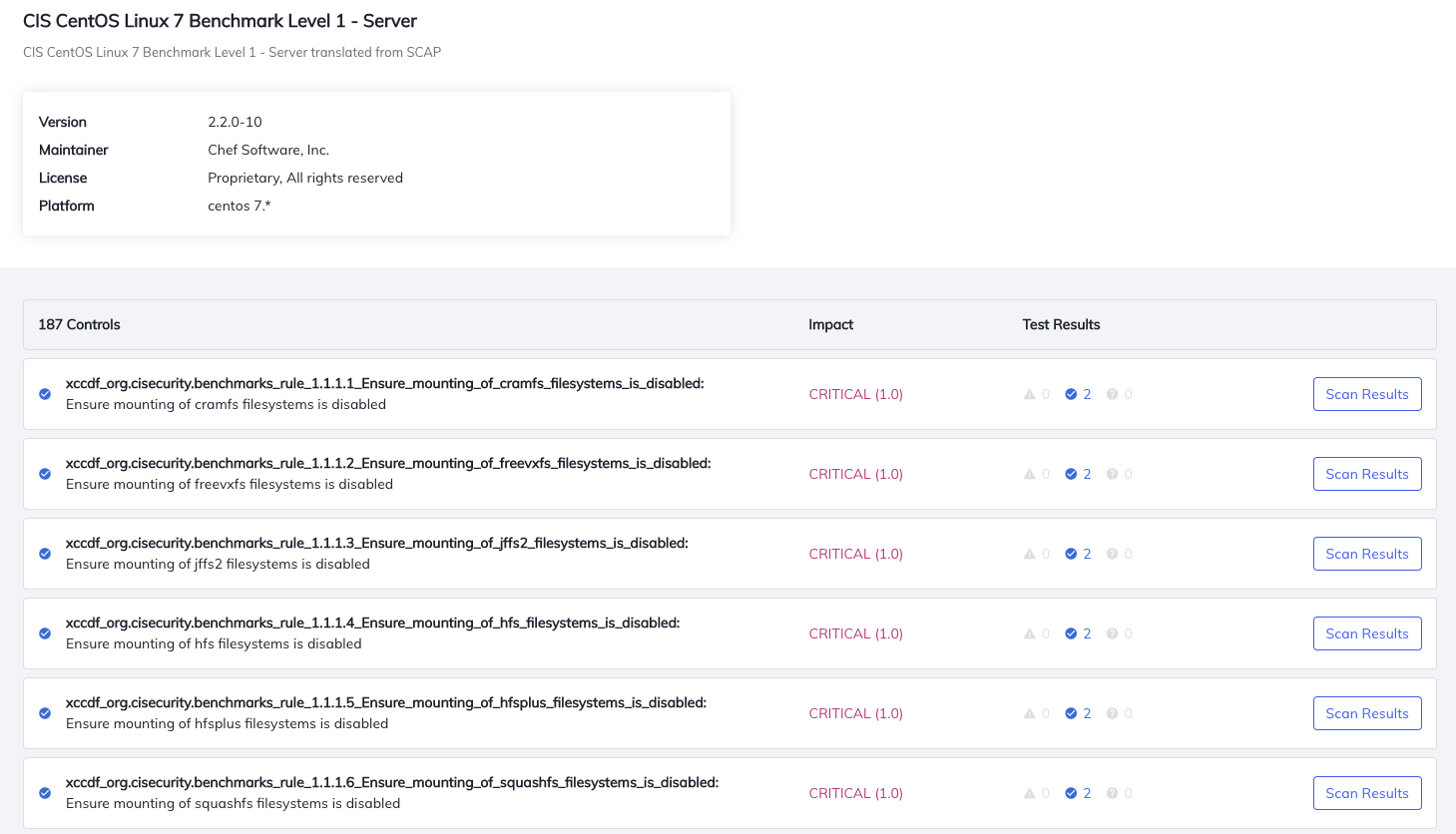
    Chef, at its online ChefConf 2020 event today, launched Chef Compliance and Chef Desktop as well as additional enhancements to the tools it provides for application deployment automation.

    John Wyss, vice president of product for Chef, said Chef Desktop enables IT teams to write their own configuration and compliance requirements as human-readable code using YAML files to manage and secure entire fleets of endpoints via a centralized console. It includes pre-written configuration code and curated content that can be employed to both audit and harden desktop operating systems.

    IT teams will now avail themselves of a zero-touch process for enrolling and provisioning endpoints while at the same time automating software deployment and management, Wyss said. That includes being able to enforce security policies using configuration profiles, data encryption and system updates.

    Chef Compliance, meanwhile, is built on top of Chef InSpec, an open source framework for testing and auditing applications and infrastructure. Chef Compliance takes Chef InSpec further by including tools to automatically audit IT environments based on the specifications defined by the Center for Internet Security (CIS) and Security Technology Implementation Guide (STIG).

    Those audits can then be applied to automate the remediation process without having to write code if IT teams so choose, said Wyss. The goal is to provide DevSecOps teams with a unified language for managing security and compliance, he added.

    Finally, Chef has updated Chef Enterprise Automation Stack to include analytics to filter and update views for disconnected services and receive real-time health-check messages and status alerts. Chef has also added rapid rollback, package cleanup and layered container support, and has made it easier to manage package settings and deploy packages across multiple platforms.

    Collectively, these capabilities should make it easier for DevOps teams to reduce process friction across the entire DevOps life cycle.

    In the wake of the economic downturn brought on by the COVID-19 pandemic, interest in IT automation is on the rise. Many organizations are either freezing IT headcount or, worse, yet, reducing the size of their IT staff. At the same time, IT environment is becoming more complex, especially if most employees continue to work from home. IT teams now need a common set of tools for managing not only application deployments on servers or in the cloud but also endpoints. Ultimately, that approach should also go a long way toward reducing the total cost of IT.

    In fact, in the wake of the downturn more organizations than ever are receptive to automating IT processes. What was once viewed as potentially an existential threat to the existence of the IT staff has become the only way to manage IT at scale, at a time when cutbacks are broad-based. Organizations that don’t find a way to automate the management of IT are likely to incur significantly higher costs than those that do. Arguably, the issue is no longer what to automate and when, but rather how much and how soon, as both applications and the end users accessing them become ever more distributed.

  • 5 Capabilities Network Infrastructure Must Have to Support DevOps

    5 Capabilities Network Infrastructure Must Have to Support DevOps

    According to the Accelerate 2019 State of DevOps report, high-performing DevOps organizations achieve over 200 times more frequent deployments and over 2,600 times faster recovery times than low performers. These outcomes have been realized by both forward-leaning organizations such as Amazon, which deploys code every 11.6 seconds, and more traditional enterprises that have been in existence for a long time. For instance, Nordstrom, a well-known American retailer, increased the release frequency for its mobile app from twice per year to monthly.

    Embracing DevOps results in significant advantages, including improved team collaboration, cooperation and productivity. Companies can get digital products, applications and services to market faster because of the higher deployment and release frequency. Because development and operations teams are not operating in silos, unaware of each other’s constraints, there are lower failure rates within production environments. Cooperation leads to faster recovery times when there are issues with deployment.

    To achieve DevOps success, teams must engage in a new approach to network infrastructure, and the network infrastructure must have the following five attributes.

    Automation

    Automating repetitive tasks, such as configuring DNS or a firewall, saves a lot of time and effort. It eliminates manual errors by standardizing deployment and configuration of network infrastructure. Automation can be achieved by using Infrastructure as Code (IaC), which entails using an application programming interface (API) to create, modify and shut down infrastructure. This ensures that a repeatable, consistent configuration can be created. This code can be version-controlled, which serves as a form of documentation—it’s easy to detect what changes were made by whom in case there’s an issue—and rollback to a stable state is quick and easy.

    Standardization puts an end to “It worked in my environment” or “It worked on my machine” as any issues can be easily reproduced, resulting in faster resolution times. Support for IaC tools, such as Terraform, is essential for network infrastructure to advance DevOps practices.

    Continuous Integration/Continuous Delivery (CI/CD)

    CI is a coding best practice wherein code is checked into version control repositories frequently. It provides a consistent and automated way to build, package and test applications. CD picks up where CI ends and deploys applications in an automated fashion in a variety of environments, including production, development, test and sandbox.

    There are a variety of tools, such as Jenkins and Ansible, that DevOps teams use for CI/CD integration. It is imperative for network infrastructure to integrate with these tools to accelerate deployment velocity.

    Elasticity

    DevOps teams spin up and spin down test/development/sandbox environments routinely. Infrastructure may also be needed for short periods to account for seasonality or for handling sudden surges in traffic and demand. DevOps-friendly network infrastructure must be elastic to support these activities.

    Appliance-based vendors who provide network services are not scalable as they impose artificial limits on their usage (such as queries per second or leases per second) and require organizations to anticipate their needs in advance. When there is a need, organizations have to spend time procuring these appliances, waiting to receive them and, finally, deploying and managing them—a very inefficient way to manage demand.

    Support for Containers

    Containers are the foundation for developing cloud-native applications. Containers allow developers to package up application code and all its dependencies, including libraries and other binaries, as well as configuration files needed for running the application. This enables applications to be executed quickly and reliably across a variety of environments.

    Containers provide flexibility and portability of applications across public, private, hybrid cloud and even bare-metal environments. They are lightweight, as all containers share the underlying machine’s OS system kernel. They also lend themselves to greater modularity, which is essential for developing microservices-based applications.

    Instead of a monolithic application consisting of a three-tiered architecture, a microservices-based application consists of several smaller services that perform one function and one function only. It’s easier to scale, easier to manage and faster to develop such applications. Because containers have a small footprint, they are most suited for microservices architecture.

    In order to support containerized applications, network infrastructure must first be compatible with containers. Network infrastructure must be able to configure DNS, allocate IP addresses for containerized applications, route traffic intelligently between containers and balance loads for optimal performance. Network infrastructure must also support Kubernetes, the most widely deployed orchestration platform. To ensure that the needs of DevOps teams are met, it is important to inquire with network services vendors about compatibility with containers and Kubernetes, as many legacy, appliance-based solutions cannot support this technology. 

    Self-Service Access

    To move quickly, development teams may need to configure network infrastructure for test/development/sandbox environments. Having to submit tickets to network operations teams that use legacy appliances for delivering network services significantly slows down application development and deployment. Providing self-service access to network infrastructure, such as firewalls, load balancers, DNS and DHCP for development teams, eliminates the reliance of these teams on network operations teams. Self-service with robust role-based access controls reduces the deployment time and increases efficiency while freeing up network teams for more strategic projects.

    Conclusion

    DevOps attempts to minimize friction in application deployment by providing autonomy to development teams so that they don’t have to rely on network administrators to provide the necessary infrastructure needed for development and testing. But, the move to DevOps requires more than a consolidation of teams.

    Success requires best practices such as automation, CI/CD and self-service access to infrastructure, as well as support for containers and Kubernetes, which are key to building modern, cloud-native applications. Teams that incorporate these capabilities will see increased agility and speed that lead to shorter delivery time, higher-quality applications and improved communication and collaboration throughout a product’s lifecycle.

  • Report Finds Much Room for CD Improvement

    Report Finds Much Room for CD Improvement

    A report published by Harness, a provider of continuous delivery (CD) platform accessed via the cloud, finds organizations are spending on average $109,0000 per year just to deploy per application.

    Based on a survey of more than 100 organizations, the report finds organizations are struggling with deployment frequency, lead time and meantime to recover after a failed release.

    On average, organizations are deploying code to production every four days, which takes about eight hours to complete, according to the report. An average of 11% of those deployments fail and those failures take an average of 60 minutes to manually roll back.

    Steve Burton, CMO at Harness, said that while a lot of progress has been made in recent years in terms of implementing continuous integration (CI), the continuous delivery (CD) side of the DevOps equation remains challenging. Each platform an application gets deployed on is a unique “snowflake” that requires organizations to rely on custom scripts to deploy an application. The report finds deployment pipelines are expensive to create and maintain, requiring two to three dedicated full-time employees and up to 66 hours to onboard a new application. New artifacts on average took 5.5 hours to reach production and then 10 hours per deployment.

    Harness has been making a case for a dedicated CD platform that is accessed as a software-as-a-service (SaaS) platform. That approach provides a way to automate application delivery in a way that more easily complements the variety of tools and platforms organizations rely on to build applications, he said.

    The Harness report finds 71% of respondents employ the Jenkins CI/CD platform. Other popular tools and platforms include Jira project management software (76%), Selenium for testing (63%) and Amazon Web Services (AWS) for cloud deployment (65%). While Jenkins can be employed to deliver applications, Burton said the survey results make it clear there’s not been a lot of progress when it comes to CD.

    It’s too early to say to what degree changing economic conditions brought on by the COVID-19 pandemic might encourage IT organizations to rethink their approach to DevOps. Organizations are undoubtedly going to be more sensitive to cost. Much of the cost involved in DevOps comes from first standing up and maintaining the DevOps environment and then hiring IT professionals with DevOps skills to manage it. A SaaS platform, in contrast, is maintained by the provider, comes with built-in analytics tools, enables automatic rollbacks and is paid for on a consumption basis, notes Burton.

    No one knows for sure at what rate organizations might be rolling out new applications in the months ahead. While some may choose to pull back, others are advancing various digital business initiatives as part of an effort to become more resilient. In many cases, that means replacing many legacy applications with fewer modern applications that run natively in the cloud.
    Regardless of the path forward, the one thing that is certain is the level of scrutiny being applied to DevOps efficiency is about to substantially increase.

  • The Right Toolchain Is the One You Build

    The Right Toolchain Is the One You Build

    One of several iterations that IT likes to go through is corporate standards for technology versus best tool for the job. We like to have standardization because it allows staffing portability between projects, but we like right tool for the job because from the moment you choose a standard, competitive factors and changes in needs make the standard less of a big win.

    DevOps is still struggling through this process, particularly in enterprises where standardization bears a bit more weight on important projects.

    The fact is that DevOps is well suited to the idea of iterating standards–somewhere between a wild west of everyone using their “right tool” and an organization dictating the tool of choice.

    Most of us use Jenkins, because it does what we need it to do. What needs doing is different from organization to organization–some use it for continuous testing, while others go all the way through application release automation. But the fact is we could iterate and replace some, or all, of the functionality we’ve decided to use Jenkins for tomorrow. Kind of like a “We have a standard that is evaluated regularly” approach.

    For those new to DevOps, the array of choices is downright bewildering. Xebia Labs has a toolchain diagram page to help those already doing DevOps, and several sources have spreadsheets/PowerPoint templates to help you work through your existing environment. While all of the options these tools try to organize for you are great for the industry to find better solutions, it makes for a confusing mess. Your toolchain could be all AWS with some scripting, all Jenkins with plug-ins or 15 different apps working independently. A surprising number of organizations are even using Git for the bulk of their toolchain.

    What matters is that you know what you have, and know what your options are. Build the best toolchain for your environment today, and keep half an eye on it to be aware when something more suited to your environment comes along. We still maintain python scripts that do a fair amount of our automation, but several toolsets in place also.

    There are objectively better tools out there, but for our purposes they are almost universally overkill. So we go with what’s best for our environment. As time has gone on, we’ve integrated more and scripted less, but it will be a while before out toolchain is actually just tools–if ever.

    If your toolset is doing the build/test/deliver/deploy cycle well enough, you’re covered. If it’s not, you need to look for alternate solutions. Even if it is, make sure you’re aware of what’s on the market and not just what’s “hot” right now. Be aware of those companies that are up and coming, maybe in spaces that are already flooded. What differentiates them, and in our environment would that differentiation matter? That’s all you need to know–there is no need for a super deep technical evaluation, unless you’re actually considering them. Just enough to know if their differences add value.

    Keep cranking out the apps that make business run. Perhaps with an updated toolchain, perhaps not. In the end, what works for your environment is all that matters.

    — Don Macvittie

  • New Relic Adds Support for W3C Trace Context Spec

    New Relic Adds Support for W3C Trace Context Spec

    New Relic has begun adding support for the W3C Trace Context standard within the agent software it uses to collect metrics for its application performance management (APM) platform.

    W3C Trace Context is a specification that defines the format for propagating distributed tracing context between services. Distributed tracing makes it simpler for DevOps teams to track events across multiple services. Each step of a trace is correlated through an ID that is passed between services, with the specification defining a standard for the context propagation headers.

    The W3C Distributed Tracing working group moved the Trace Context specification to the point where it could be consumed by platform vendors late last year. TraceContext has since been adopted by the OpenTelemetry project, an open source observability framework being developed under the auspices of the Cloud Native Computing Foundation (CNCF), along with providers of APM platforms such as New Relic, LightStep and Dynatrace. Vic Soares, director of product management for New Relic, said many of the individuals working on the TraceContext and OpenTelemetry projects come from the same organizations.

    The first phase of the Trace Context project has focused on HTTP. The members of the project are also working toward defining trace context propagation for other formats, starting with AMQP and MQTT for IoT. The project team is also working on providing context propagation from clients and web browsers.

    That approach solves an issue that arises when using proprietary formats: As trace context headers move across boundaries such as proxies, service meshes and messaging systems, proprietary headers tend to be dropped, which often winds up breaking traces, said Soares.

    Soares said DevOps teams will need to upgrade the agent software they have in place to take advantage of Trace Context to provide more context across distributed services. Distributed tracing, however, will not replace sampling. Rather, distributed tracing provides a mechanism for identifying the root cause of issues that may first be uncovered using sampling techniques.

    New Relic APM agents for Java 5.1.0 and higher, Python 5.5 and higher, Go 3.1.0 and higher and the New Relic open source Elixir agent now support the standard. Support for Trace Context support in other New Relic agents, as well as the New Relic Browser agent, are expected to be available shortly. New Relic APM agents that support W3C Trace Context can accept and emit both the W3C Trace Context header format and the New Relic header format. The new agents are also backward-compatible to enable trace context and will be propagated between services with older and newer releases of New Relic agents. IT organizations can also opt to disable the New Relic proprietary trace format once they’ve upgraded all agents to a W3C-compliant version.

    Given the complexity of microservices-based applications, many organizations that deploy these applications will be among the first DevOps teams to take advantage of distributed tracing to not just troubleshoot applications but also proactively manage their application environments. Going forward, a lot more of the DevOps focus needs to be on identifying potential issues long before they can become a bigger problem.

    — Mike Vizard