Category: DevOps Onramp

  • What DevOps Teams Need to Know About Responsive Web Design

    What DevOps Teams Need to Know About Responsive Web Design

    The role of DevOps in modern software development extends beyond just coding, testing and deployment. One of the significant areas where DevOps teams can bring value is delivering a positive user experience, a critical competitive advantage in the digital era. Responsive web design (RWD) is a cornerstone of a friendly user experience, allowing for seamless website functionality across various screen sizes and devices. 

    This article explores RWD and its fundamental principles and explains how RWD impacts web application development and deployment. We will review critical considerations for DevOps teams such as performance optimization across devices, the integration of responsive design into CI/CD pipelines, automated testing, the importance of a user-centric approach and consistent monitoring and troubleshooting. The objective is to equip DevOps teams with the necessary knowledge to effectively implement and support RWD, enhancing the user experience and significantly improving overall user satisfaction and engagement.

    What is Responsive Web Design?

    Responsive Web Design is a web development approach that makes your website layout adjust according to the size of the viewer’s screen. This means that your website looks and functions optimally on a wide range of devices, from desktop computers to tablets and smartphones. The primary goal of RWD is to ensure that users have an efficient and enjoyable experience, regardless of the device they are using.

    With the increasing use of mobile devices for internet access, it is essential that your website is accessible and user-friendly on all platforms. By implementing RWD, your organization can ensure that your website offers a seamless user experience, no matter the device.

    RWD removes the need for creating different versions of your website for different devices. Instead, you can have a single website that adjusts automatically to fit any screen size. This not only improves user experience but also saves you time and resources in website development and maintenance.

    Understanding the Principles of Responsive Web Design

    Fluid Grid Layouts

    A fluid grid layout is a key principle of RWD. It involves designing your website layout in relative units, such as percentages, instead of absolute units like pixels. This allows your website layout to resize dynamically to fit the screen on which it is viewed.

    The advantage of fluid grid layouts is that they offer more flexibility than fixed layouts. They allow your website to adjust smoothly to different screen sizes, ensuring that the user experience is not compromised. This is particularly important in today’s digital landscape, where users access websites from a wide range of devices with different screen sizes.

    Flexible Images and Media

    The second principle of RWD is responsive images and media. This means that your images and media files should be able to resize automatically to fit the screen size. This is essential to ensure that your images and media do not distort or overflow when viewed on smaller screens.

    Flexible images and media enhance the visual appeal of your website on different devices. They also improve the loading speed of your website, which is a crucial factor for user experience and search engine ranking.

    Mobile-First Design Philosophy

    Mobile-first design philosophy is another key principle of RWD. As the name suggests, this approach involves designing your website primarily for mobile devices and scaling it up for larger screens.

    The mobile-first design philosophy is based on the reality that a growing number of users are accessing the internet through their mobile devices. By designing your website with a mobile-first approach, you can ensure an optimal user experience on mobile devices.

    Progressive Enhancement

    Progressive enhancement is the fourth principle of RWD. It involves building your website in layers, starting with a basic layer that works on all devices and then adding more features and functionalities for devices with advanced capabilities.

    Progressive enhancement allows you to provide a basic, functional website for all users regardless of their device or browser. At the same time, it enables you to offer an enhanced website experience for users with modern devices and browsers.

    How RWD Affects Application Development and Deployment

    Responsive web design has a significant impact on the development and deployment of web applications. It affects various aspects of the process, including the codebase, development and testing process, user interface design and deployment and updates.

    Unified Codebase

    One of the main benefits of RWD is that it allows you to maintain a unified codebase. Instead of creating separate versions of your application for different devices, you can have a single codebase that works across all platforms.

    A unified codebase simplifies the development and maintenance process. It eliminates the need for duplicate coding and testing, saving you time and resources. It also ensures consistency in your application, as all users are accessing the same codebase, regardless of their device.

    Development and Testing Process

    RWD also influences the development and testing process. Since your application needs to work optimally on various devices and screen sizes, you need to incorporate responsive design considerations into your development and testing process.

    Responsive design testing involves checking your application on different devices and screen sizes to ensure that it functions and displays correctly. This can be done manually, using device emulators or through automated testing tools.

    User Interface Design

    The user interface (UI) design of your application is also affected by RWD. A responsive UI design ensures your application is easy to use and visually appealing on all devices.

    Responsive UI design involves creating a flexible layout that adjusts automatically to the screen size. It also requires you to design intuitive navigation and interaction elements that work well on touchscreens and desktop interfaces.

    Deployment and Updates

    Finally, RWD has implications for the deployment and updates of your application. With a responsive application, you can deploy and update a single version of your application for all devices.

    This simplifies the deployment and update process and ensures that all users have access to the latest version of your application. It also makes it easier to fix bugs and issues, as you only need to update a single codebase.

    Key Considerations for DevOps Teams

    Implementing RWD is not a straightforward task. It requires careful planning and consideration. Here are some key considerations for DevOps teams when implementing RWD.

    Ensuring Website Performance Across Different Devices

    One of the main challenges in implementing RWD is ensuring that your website performs well on all devices. This requires careful optimization of your website elements, including images, CSS and JavaScript.

    You also need to consider factors like loading speed and responsiveness, as these can significantly affect user experience. There are a number of available tools to help you analyze and optimize your website performance.

    Incorporating Responsive Design into CI/CD

    Continuous integration and continuous delivery (CI/CD) are key practices in DevOps. CI/CD involves integrating code changes regularly and delivering updates to users quickly and reliably. Incorporating responsive design in your CI/CD process can help you ensure that your application is responsive and user-friendly at all times.

    Automation in Testing

    Testing is a crucial part of the development process. With RWD, testing becomes more complex as your application needs to work on a wide range of devices and screen sizes. Automation can help streamline the testing process and ensure that your application is tested thoroughly and efficiently.

    User-Centric Approach

    A user-centric approach is essential in implementing RWD. This means considering the needs and preferences of your users at every stage of the development process. From the design phase to testing and deployment, the user experience should be at the forefront of your considerations.

    Monitoring and Troubleshooting Responsive Design Issues

    Finally, monitoring and troubleshooting are important aspects of implementing RWD. You need to monitor your website performance on different devices and troubleshoot any responsive design issues that arise.

    Analytics tools can provide valuable insights into how your website is performing on different devices. They can also help you identify and fix any issues that are affecting your website’s responsiveness.

    Conclusion

    In conclusion, responsive web design is an essential aspect of modern web development. It ensures your website is accessible and user-friendly on all devices, improving user experience and engagement. By understanding the principles of RWD and considering the key aspects of implementing it, you can unlock the power of responsive design and take your website to the next level.

  • Observability Leaders: The Mighty Minority Holding Their Own Against Outages

    Observability Leaders: The Mighty Minority Holding Their Own Against Outages

    The job of IT teams has become much harder thanks to the new realities of hybrid IT, with workflows occurring across on-premises and cloud-based networks and applications. Yet so much rests on your ability to respond to these challenges, all while managing the expectations of your customers and the health of your bottom line. With the growing complexity of ecosystems comes the need for better visibility, both into specific systems and across your entire stack.

    Observability solutions address this by providing visibility across your network, infrastructure, systems, application, database, digital experience and log monitoring.

    In other words, observability enhances your ability to observe your digital ecosystem with more transparency, more effective detection and more intelligent insights. Take, for example, the very timely and pressing issue of outages. On average, the typical business experiences nine brownouts or outages every month, lasting roughly twelve hours each and averaging $13.7M annually, according to new research we conducted at SolarWinds.

    Over the course of the year, that can add up to nearly 1,300 hours, with outages chipping away at your organization’s productivity, reputation and competitive edge.

    It’s not enough to monitor for these outages and address them once they take down your systems. Repeated or prolonged outages signify a gap in the enterprise’s ability to comprehensively monitor and understand its network’s internal state and performance. A robust observability strategy can preemptively detect anomalies and potential issues—before they become full-blown outages.

    According to new data from the 2023 IT Trends Survey released this month by SolarWinds, companies who’ve embraced observability tend to not only lead in detecting, remediating and preventing outages—they’re experiencing better business and IT outcomes, too.

    The technology professionals surveyed shared how observability is helping them achieve better performance, compliance and resilience in digital environments—and how you can follow their lead.

    Observability Drives Better Business Outcomes

    The observability leaders surveyed were 300% more likely to say their organization is doing extremely well with growing revenue and 250% more likely to say the same about their organization’s speed of innovation. Interestingly, they also reported a better employee experience: They were 388% more likely to rate their organization as doing “extremely well” with employee experience and also reported fewer and smaller skill gaps on their teams.

    So, how does embracing observability actually translate into better business outcomes? According to the data, observability leaders are…

    • Investing in top priorities: Data shows organizations using observability solutions to support the priorities most critical to their growth and success: Improve their customer experience (96%), enable faster innovation (71%), reduce time spent solving (71%) and detecting (60%) issues and increase operational efficiency (55%).
    • More automated and integrated: Observability leaders embracing automation and investing in tools that provide enhanced efficiency are 214% more likely to say they are doing extremely well with operational efficiency, 750% more likely to say they are doing extremely well with auto-remediation of complex alerts and 300% better at automatically collecting background diagnostic data for IT support staff.
    • Ahead on IT: The data found that those ahead of the curve on observability are also leading by huge margins when it comes to monitoring, detecting and resolving issues that could otherwise bring the business to a screeching halt. When it comes to IT, they are 233% better at auto-escalation of tickets, 213% better at auto-remediation of simple alerts and 36% better at settling alert levels based on historical behavior.

    How to Reap Observability Benefits in Your Organization

    All told, observability adoption is still in its early days. Only 1% of enterprises are already up and running using observability tools on a regular basis, while another third are undergoing the implementation process.

    That’s good news for other businesses who are ready to reap the rewards—it’s not too late to be an observability pioneer.

    If you’re interested in bringing observability to your own organization, start by addressing a few important factors that can help you sidestep challenges—such as the accelerating pace of change in technology (72%) or insufficient budget (58%)—that might otherwise obfuscate your observability opportunities:

    • Make sure your observability solutions are appropriate for multi-cloud environments: Multi-cloud environments have become standard for many companies because of the many upsides, but they can be challenging for IT teams to manage. Strategically accelerate your organization’s cloud migration with an observability solution designed for complex hybrid and multi-cloud environments​ to save a lot of headaches down the road.
    • Give your teams autonomy—and build toward autonomous operations: Observability brings your enterprise a step closer to autonomous operations. Autonomous operations, where IT systems can govern themselves, providing a proactive approach to addressing issues, rather than reactive, won’t replace your human teams but rather free up their time and brainpower to support the business and drive innovation.
    • Don’t ignore the database: Databases represent the most difficult ecosystems to observe, tune, manage and scale. They require significant computing power, tend to be memory-intensive and likely make up the bulk of your organization’s cloud spending. Tasks crucial to the health and functionality of your business—including troubleshooting, root cause analysis and remediation—simply cannot happen without full, transparent observability across the numerous resources a database needs to engage to do its job.

    Observability helps balance competing priorities and demystify application requirements while increasing your overall DevOps agility, efficiency and speed to market. Observability not only fosters transparency and collaboration but also encourages a system of ongoing review, which benefits the organization, IT teams and—crucially—your customers.

  • The Differences Between DevOps, DevSecOps and SRE

    The Differences Between DevOps, DevSecOps and SRE

    DevOps, DevSecOps and SRE are all quickly gaining traction within the tech world due to their effectiveness and promise of reliability for companies. Each framework provides various levels of safety and scalability—DevOps is agile, DevSecOps prioritizes security above all else and SRE focuses on performance optimization. Together, these are changing how software gets deployed from conception to production. We’ll break down each one in detail.

    What is DevOps?

    DevOps is a set of practices that combines software development and IT operations, which aims to shorten the software development life cycle (SDLC).

    DevOps bridges the gap between those two areas by bringing together different people–developers, operators, testers and system engineers–who are responsible for different parts of the software delivery process, from planning to deployment into production environments.

    A core tenet of DevOps is to automate manual processes within each stage of the SDLC, eliminating much of the redundant work that used to take weeks or even months. This automation significantly drives down costs, as well as reduces problems posed by human error when running manual tasks.

    The following are some of the core tenets of DevOps:

    1. Collaboration
    2. Quality and reliability
    3. Automation
    4. Scalability
    5. Security

    What is DevSecOps?

    DevSecOps (or DevOps security) is an emerging field within the DevOps practice that focuses on strengthening software security within the development and operations process.

    These three distinct groups often have different priorities when it comes to building software applications. Developers are focused on speed-to-market objectives from their employers or clients, operations focus on reliability and scalability, while security teams prioritize safety from malicious actors or data breaches. At the same time, with DevSecOps, these goals become united under one umbrella: Build fast and reliable applications with built-in protection against attacks.

    DevSecOps focuses on implementing security as code—or automating many routine tasks involved with identity management, like user authentication and authorization. To ensure that security is properly integrated into your DevOps pipelines, below are some key DevSecOps practices:

    1. Automate security processes whenever possible
    2. Encourage continuous testing
    3. Prioritize remediation over detection
    4. Create a culture around secure coding principles

    What is SRE?

    SRE stands for site reliability engineering. The basic idea behind SRE practices is that software engineers should be responsible for both the development as well as the reliability of their product as a whole. This means having an understanding of not only how users will interact with the application or service but also how it interacts with other services in its operating environment, such as databases, firewalls, cloud environments, etc.

    To maintain uptime while meeting these requirements, SRE applies various techniques like automation and continuous deployment processes to ensure high availability.

    A key goal of site reliability engineering is service-level objectives (SLOs), which measure how consistently a service meets its goals over a given period of time—such as how often it’s available, how quickly it responds to requests made by users or customers—and establishing goals around those SLOs. Achieving objectives like these helps organizations build customer trust in their products and services since it ensures that they have stable and reliable day-to-day operations.

    Here are some of the most important SRE principles:
    1. Automation
    2. Proactive monitoring
    3. Fault tolerance
    4. Measurement and analysis
    5. Service-level objectives (SLOs)

    DevOps Vs. DevSecOps Vs. SRE

    The differences between DevOps, DevSecOps and SRE can be summed up in three main areas: Scope, roles and objectives.

    DevOps focuses on improving the speed of releasing software by automating processes and optimizing collaboration between development and operations teams. This helps organizations create a continuous delivery pipeline to quickly deploy code into production with minimal risk. As such, it is typically focused on development or operations activities and has become synonymous with agile methodologies such as continuous integration/continuous delivery (CI/CD).

    DevSecOps expands upon these concepts to include security considerations from the very beginning of a project’s life cycle instead of tacking them on after the fact. By shifting security left in the process–meaning bringing security earlier into the design phase–teams are able to reduce risk early on while achieving faster results overall through continuous feedback loops.

    As part of this shift left process, DevSecOps practitioners focus heavily on automating security compliance activities as part of their job function rather than waiting until after deployment has occurred.

    Meanwhile, SRE focuses more broadly on keeping the user experience consistent across various products an organization offers by responding to customer needs quickly while creating automation processes that allow common tasks to be repeated without manual intervention from engineers or developers.

    Then there is also platform engineering, which is a closely related yet distinct discipline with its own unique responsibilities. While both DevOps and platform engineering involve automation and working with the infrastructure that supports software development, there are some key differences between them.

    Platform engineering can be defined as a practice that involves developing a standardized platform on which all applications will run. Platform engineers build the underlying infrastructure to support applications, including servers, databases, virtualization layers and networking components using standardized toolsets. An important task for this field is designing an application’s architecture in such a way that allows it to scale easily with increased demand or usage levels. Additionally, they create self-service tools that enable developers on their team to quickly spin up new environments without requiring outside assistance.

    Wrapping Up

    In conclusion, while all three approaches have similar goals–ensuring reliability, speeding up the software delivery process and securing user data–they do so using different strategies:

    ● DevOps favors automation.
    ● DevSecOps puts focus on proactive security measures.
    ● SRE prioritizes optimization, reliability and scalability.

    Each one can contribute significantly when appropriately implemented into any organization’s workflow, depending upon its own specific needs.

  • System Initiative Open Sources Digital Twin Tool for DevOps

    System Initiative Open Sources Digital Twin Tool for DevOps

    System Initiative (SI) today announced it is making the digital twin tool it developed to manage DevOps workflows available under an open source Apache 2.0 license.

    Company CEO Adam Jacob said the approach will enable third parties to contribute to a project that is still early in its development cycle while SI provides commercial support via a subscription service.

    SI has developed a tool that creates a digital twin of a DevOps environment that provides a level of abstraction that makes it simpler to manage complex workflows at scale.

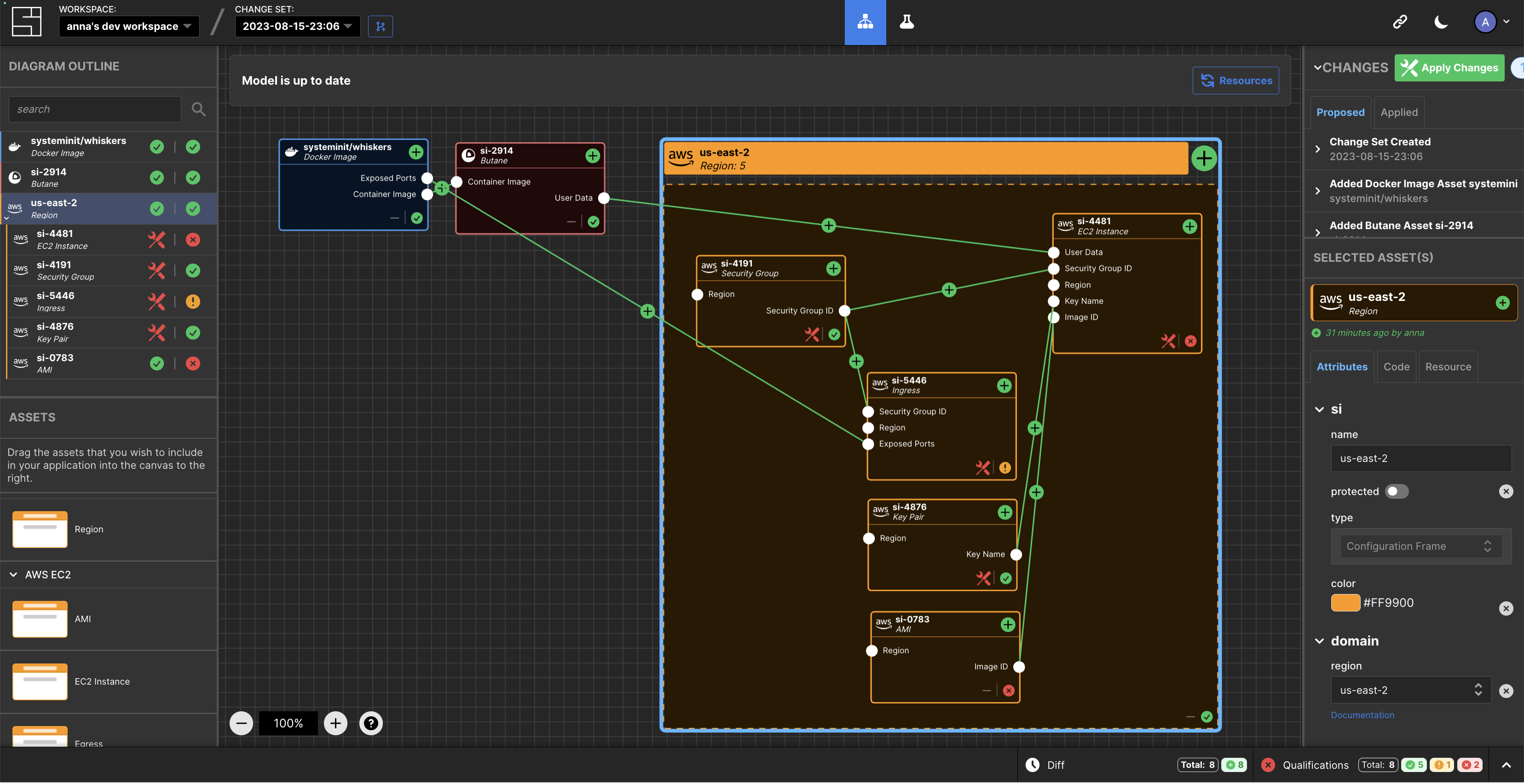
    At the core of that effort are models of IT environments created by the SI platform accessed via a visual interface. The automation framework built into the platform uses the relationships between models to infer configuration dynamically and generates typescript code that a DevOps team can then apply to automate a task.

    Feedback loops are provided in real-time to give insight into the viability of a configuration, in addition to eliminating the need for state files to track and ‘plan’ versus ‘apply’ stages.

    This approach streamlines a lot of the complexity that creates bottlenecks in DevOps workflows in what heralds the arrival of a new DevOps 2.0 era, said Jacob.

    In general, SI is making a case for an alternative approach to managing DevOps as the existing platforms and framework are fundamentally broken, added Jacob. Models that create digital twins of DevOps environments represent the arrival of a new era of software development and deployment, he noted.

    As more organizations realize their dependency on software to drive digital processes many are then looking to improve the productivity of developers and the DevOps teams that support them. Unfortunately, many DevOps teams are supporting DevOps workflows using custom code that varies widely in quality. Rather than rely on a DevOps engineer to write code, the SI digital twin tool will create code that can be applied more consistently to create DevOps workflows programmatically.

    One of the reasons few organizations today have fully automated DevOps across the application development and deployment process is that it’s simply too difficult to achieve using legacy tools and DevOps platforms. It’s not clear to what degree a digital twin approach to managing DevOps will resolve that issue, but when coupled with the arrival of artificial intelligence (AI) capabilities the way DevOps is managed is clearly about to transform.

    It may take a while for that transition to occur, but DevOps teams that have historically embraced automation are at the very least going to aggressively experiment with technologies that promise to eliminate much of the drudgery that makes DevOps more tedious than need be. The issue, as always, will be determining which technologies live up to the current level of hype being generated in a way that can be easily adopted.

  • How Observability and Explainability Benefit the SDLC

    How Observability and Explainability Benefit the SDLC

    Software systems require continual modification to meet changing requirements, address errors, improve performance and enhance reliability. Yet, maintaining and modifying complex and distributed software systems as they change and grow can present challenges. When systems are designed with observability and explainability in mind, adapting, expanding and troubleshooting software becomes easier and more effective. Observability refers to the ability to discern and monitor software systems’ real-time behavior and performance. This allows developers to identify and fix issues before they become critical. Explainability articulates how and why the software system operates.

    Both observability and explainability can contribute to the health of the software development life cycle by improving visibility and transparency, helping developers better understand the system’s overall behavior, and allowing the easy identification of errors, all of which contribute to the software system’s overall stability.

    Overview and Benefits of Observability

    Observability combines data from various sources, including application performance management (APM) monitoring, infrastructure monitoring, distributed tracing, third-party integrations and machine-language data. The data is then structured and presented in an accessible way. The first step to building an observable workflow is to identify which metrics best measure the behavior and performance of a software system. This will vary based on the specifics of the system. As a software system operates, logs and traces keep track of activities, requests and responses. They can be used to find the causes of errors and performance bottlenecks. Application performance monitoring (APM), infrastructure logs, machine logs and application traces are just a few examples of logs and traces. These records provide the necessary data to create dashboards and visualizations, which can then be presented to organizational stakeholders.

    While observability is often compared to software monitoring, which generates data focusing on various metrics related to application performance, it differs from monitoring in several respects. Monitoring tracks raw data related to a few performance metrics. It provides information that is best used by the operations team. Observability uses a large amount of structured data to provide a more robust, accessible picture of the whole system, from front end to back end, that can be understood by employees throughout the organization—even those who do not work in development or lack a technical background entirely.

    Advantages of Explainability

    Explainability refers to transforming machine data into a clear articulation of how a software system works such that others outside the organization can understand it. This capability empowers developers and users alike by enabling them to understand what a software system does and how and why it does it, providing a deeper understanding of why errors occur and how to fix them. Presenting data in a visual format is often a vital part of explainability.

    Explainability is especially important in artificial intelligence (AI) and machine learning (ML) systems, where it constitutes a cornerstone of ethical AI development. Model tracing, which refers to monitoring an ML model as it executes to understand its decision-making process better, is a key component of explainability in ML.

    Best Practices and Common Issues With Observability and Explainability

    Before adding observability or explainability to the software development life cycle, it is important to revisit software life cycle best practices and examine what kind of data is being generated. Not all data is meaningful or useful in observability and explainability. Structuring and ordering data from logs and traces is time-consuming but vital to correctly analyze and draw conclusions from the data. For optimal results, it is important for traces to be appropriately tagged and named consistently according to conventions.

    Additionally, the tools used to implement observability and explainability can be complex. For organizations to achieve maximum benefits from these strategies, it’s important for employees to familiarize themselves with the tools and develop specialized knowledge and skills, which can take time. Finally, there are costs associated with implementing observability and explainability. On one hand, commercial software tools come with licensing costs, which can pose a barrier for small businesses. On the other hand, open source alternatives often do not perform well because they lack the funding and resources required to continuously update and enhance the software.

    Harnessing the Power of Observability and Explainability

    Observability and explainability have numerous benefits for organizations that use flexible, ever-changing and complex software systems. Any company interested in building smoother-functioning software applications stands to benefit. Though both observability and explainability require upfront investments of time and money, these investments pay off in the form of quicker and easier error correction, with resolution occurring in minutes rather than hours or days, and greater application stability. In customer-facing applications, this results in fewer crashes and a better experience for the user. Increased stability also makes it easier to scale applications without losing performance. As these benefits become more apparent, a significant number of companies will likely develop software solutions that are reliable, cost-effective and accessible. This will increase the adoption of observability and explainability, which will continue to influence the evolution of software systems.

  • Using Observability to Create a Smart Data-Driven Culture

    Using Observability to Create a Smart Data-Driven Culture

    The first words that come to mind when talking about smart technologies are often artificial intelligence, machine learning and automation. While these smart technologies play a crucial role in smart-driven cultures, they are not the sole factor in making workplaces “smart.” Organizations that have a smart-driven culture, or data-driven culture, also promote innovation. An innovative organization actively encourages creativity, exploration and the pursuit of new ideas, continuously developing and implementing groundbreaking solutions, products and processes. Innovative companies with a culture of learning and growth are often seen as desirable employers and have high employee retention rates, attracting top talent.

    Let’s go over the benefits of a smart-driven culture and how an observability platform can help your company become data-driven in five steps.

    Why is Smart-Driven Culture Important

    You can increase efficiency and productivity among your employees by fostering a smart-driven culture. Smart technologies are able to automate repetitive tasks and streamline processes, which helps free up workers’ time and focus on other issues instead.

    A data-driven culture can also drastically improve decision-making on a company level. Your organization will begin to strategize and act on objective insights rather than guesswork or assumptions. Through collecting, analyzing and interpreting data, you will not only be able to make informed decisions but also know how to optimize processes and mitigate risks.

    Use data to better understand your customers’ preferences and improve your products to meet their demands more effectively. For example, leverage smart technologies and create high-tech touchpoints to tailor each of your customer’s experiences. A culture that encourages continuous learning, experimentation and adaptation is ready to navigate market shifts, changing customer needs and emerging technologies.

    How to Create a Data-Driven Culture in Five Steps

    According to the 2023 Data Analytics Survey conducted by New Vantage Partners, 79.8% of data leaders identified people, business processes and organizational alignment as the principal challenge to becoming data-driven. These folks cited cultural issues, including organizational receptivity to change, communication and organizational alignment, as the greatest obstacles to realizing business value.

    One way to overcome these challenges is by harnessing the power of observability, building data literacy and organizational transformation. Observability refers to the practice of gaining real-time insights into systems, applications, and processes through the collection and analysis of relevant data. Real-time insights will enable your organization to make data-driven decisions, understand your customers better and quickly identify areas of optimization to improve your products.

    These characteristics are fundamental to smart-driven companies, enabling them to stay competitive and drive innovation in the market. Take the following five steps to ensure you’re maximizing the potential of observability and paving the way toward becoming a smart-driven organization:

    1. Define Clear Goals

    Start by defining what a smart-driven culture means for your company. Write down clear outcomes that you want to achieve with a new culture, and identify the specific areas where observability can make a significant impact on your team.

    Focus on areas where real-time insights derived from observability can generate substantial business value. Set SMART (specific, measurable, achievable, relevant and time-bound) goals that can be tracked over time. For example, you could aim to reduce website loading time by 20% in the next two months in order to increase customer conversion.

    2. Implement Robust Observability Tools

    Evaluate and choose observability tools that align with your organization’s specific needs and goals. Look for tools that offer features such as real-time monitoring, log management, distributed tracing, advanced analytics and visualization capabilities.

    Consider factors like scalability, ease of use, integration with existing systems, and the ability to handle diverse data sources. Remember that the availability of accurate and timely insights promotes a culture that values data and encourages performance for achieving business objectives.

    Ask your IT department to help set up your observability tools to gather the relevant data. For our previous example goal of improving website loading times, this will mean gathering real-time data on website performance, such as server response times, page load speeds, and user interactions.

    3. Promote Data Literacy

    Your observability tools are of little help if no one understands how to use and derive helpful insights from the data you gather. Educate all of your employees on good data practices and the role of analytics in decision-making.

    Provide training and support on the data tools you have chosen and encourage your employees to understand, interpret and utilize data effectively in their day-to-day work. For instance, in meetings, you can ask for data points to back up business decisions.

    4. Encourage Collaboration and Knowledge Sharing

    Creating cross-functional teams and encouraging collaboration among different departments, such as IT, operations and analytics, is crucial for the successful implementation of observability practices.

    Taking an interdisciplinary approach allows for a better understanding of the systems and data within the organization. This can lead to the identification of optimization opportunities, help break data silos and practice collective problem-solving as a result.

    5. Iterate and Improve

    Embrace a culture of experimentation and continuous improvement by using observability data to identify areas for optimization and innovation. Encourage teams to test hypotheses, implement changes and measure the impact, fostering a cycle of learning and refinement. Track progress against the goals you set at the beginning and adjust your trajectory if needed.

    Coming back to our goal to improve website loading time. Now that your interdisciplinary team implemented some changes and reduced the loading times, you can assess the impact on user experience and business metrics, such as bounce rates, conversion rates and customer satisfaction.

    Becoming a smart-driven organization will grant you a great competitive advantage. You will make better and faster decisions, employ the best talent, maximize their productivity, and provide an enhanced experience for your customers.

  • The Skills Successful DevOps Pros Need in 2023

    The Skills Successful DevOps Pros Need in 2023

    In the last decade, DevOps adoption has grown considerably. An increasing number of companies across a wide range of industries are embracing the benefits of DevOps, and we have not seen the end of the growth cycle yet. Indeed, the total DevOps market is expected to continue to grow significantly in the next few years, with one recent market survey projecting an annual revenue growth of no less than 24.7% from 2023 to 2030 (which will bring the market value to about 51 billion dollars).

    Further, DevOps is continuously integrating with and accommodating new technologies, which are themselves evolving quickly. This means DevOps professionals will have to invest more and more time each year to stay current and effective at their job. But, this predicament comes with a silver lining. By staying current and even ahead of the game, DevOps professionals are better able to differentiate themselves and deepen their level of expertise—and with that comes the ability to increase their income potential over time.

    In this article, we take a look at what knowledge, skills and abilities (KSAs) DevOps professionals should bring to the table if they want to keep up with the fast pace of change in the industry in 2023—and beyond.

    Knowledge – What Pros Need to Know

    As always, DevOps professionals are expected to have a baseline level of knowledge before taking on a new role, internally or externally. But, as DevOps adoption grows, professionals will need to make a concerted effort just to stay abreast of current trends.

    Platform Nuances

    Each platform places limitations on DevOps processes, and their successful implementation within a company will vary depending on the platform. It’s not uncommon to have to tailor your approach in particular circumstances. In the case of Salesforce, for example, successful DevOps processes must begin with improved deployment speed and accuracy. Only once this is achieved can Salesforce DevOps professionals move onto more mature processes such as automated testing and releases.

    Industry Standards

    DevOps professionals should understand the constraints of the technology they are working with. and within their industry. Both factors may place limitations on or add additional requirements to what they do. Any given technology platform comes with its own unique constraints, such as file sizes or limits on API usage. This is especially true of cloud-hosted systems like Salesforce, where there are multitenant architectures and resources are allocated to customers. Similarly, different industries are faced with differing constraints, such as the HIPAA requirements for companies handling health care data in the U.S. As a result, DevOps professionals will need to understand these tied to specific standards or processes of their given industries.

    Transferable knowledge

    As a final word on knowledge, it’s critical to make sure you are aware of DevOps trends and best practices on platforms other than your own. There are times, more often than we realize, that your knowledge of what has been successfully utilized on other platforms can be transferred to your own. Even if these practices are not directly transferable, they can point you in directions that can ultimately prove beneficial to your DevOps work on a completely different platform.

    Skills—What Professionals Need to Master

    While there are a huge number of skills that DevOps professionals need in order to stay current and further their career growth, I’d suggest paying particular attention to…

    Version control

    This skill is fundamental—you just can’t do the job without it. Make sure you thoroughly understand its nuances: Branching strategies, rebasing or merging, rollbacks, cherry-picking, etc. It’s also valuable to understand different approaches’ limitations and use cases.

    Automation

    Become well-versed in the differences between continuous integration and continuous deployment/delivery (CI/CD) and how they form the CI/CD pipeline. Knowing where and when to apply it and how to apply it are also critical skills to master.

    Successful teams also benefit from building automated workflows. A recent survey Gearset ran with Salesforce DevOps professionals showed that 85% of teams were either currently using or planning to use source control over the next year. Automated workflows are critical to optimizing ROI in DevOps, as they reduce manual processes and unlock some of the most valuable benefits of DevOps for teams of all sizes.

    Testing

    Test automation is increasingly central to achieving DevOps success. As such, you would be wise to develop expertise in environmental testing, unit testing (integrated with automation and release gating) and UI test automation.

    Monitoring

    Application monitoring for performance, errors, data anomalies and security is arguably as crucial as testing. DevOps professionals must apply the same level of diligence to routine system operations as they do to deployments. As DevSecOps becomes more prominent in 2023, it’s expected that there will be increased collaboration and integration with infosec teams.

    Backup

    It’s critical to master the backup and restore process, no matter which platform you work on. It should absolutely be included as part of a comprehensive DevOps skill set. This is because skill underpins the mean-time-to-recovery metric. DevOps professionals must be familiar with the processes and tools necessary for restoring systems and data to achieve a rapid and secure return to business as usual.

    Demonstrating ROI of DevOps

    Finally, it’s essential for team leads, or those hoping to advance their DevOps career, to effectively convey the performance of DevOps, which can be measured using indicators such as Google’s DORA metrics. This means translating DevOps metrics into quantifiable business value that can be easily understood. It is crucial for managers to not only motivate their teams but also to validate the return on investment (ROI) in DevOps to critical stakeholders. By connecting the performance improvements resulting from DevOps practices with tangible business outcomes and demonstrating the ROI, managers can secure continued support for the DevOps approach within their organization.

    Abilities—What Professionals Need

    This final aspect of KSA plays an important role in fostering the collaborative culture that is the hallmark of DevOps success.

    Communication

    DevOps is not just about the tools—you need to maximize communication effectiveness so that the team aligns their goals with the least amount of friction. If everyone is using the same model to reach the same goal, you will achieve success that much faster.

    Continuous improvement

    DevOps success is not a fixed goal. Rather, there are always elements of the process, or your team’s skills, that can be tweaked, changed or improved.

    Making training a priority

    As per the aforementioned Gearset survey, 45% of teams who train once a month rate their team’s collaboration as ‘excellent’ compared with only 13% of untrained teams. Teams that prioritize training outperform all others on a wide range of metrics, including but not limited to seeing fewer bugs and data loss incidents.

    This Challenge is an Opportunity

    There’s a huge range of KSAs that DevOps professionals will need to master if they want to thrive in 2023. Clearly, working in DevOps has never been more demanding than it is today. But, from this challenge, there’s also a tremendous opportunity for professionals to make themselves indispensable.

  • DevOps Download: What to Know About Life in the Cloud(s)

    DevOps Download: What to Know About Life in the Cloud(s)

    According to the 2022 Flexera State of the Cloud Report, 89% of cloud customers now use multiple cloud hosting providers. Nearly nine out of 10 might sound high, but it tracks with the anecdotal evidence we’ve seen. For varied and good reasons, companies are spreading their usage across multiple hyperscalers rather than putting all their eggs in one basket.

    In this article, I’ll take a look at what life in the cloud(s) looks like today. Along the way, I’ll examine the value that companies and their DevOps teams can derive from this approach, the challenges to be aware of, use cases for making the multi-cloud move and more.

    What is Multi-Cloud?

    Multi-cloud is a type of cloud strategy approach where an organization uses computing services from at least two cloud providers to run their applications. Instead of a single-cloud stack, these environments include two or more public or private clouds, or a combination of both. With multi-cloud, you can have an application running on Google Cloud Platform (GCP), another in Amazon Web Services (AWS), and maybe one on premise for hard-to-move applications.

    There are three kinds of cloud setups. Single cloud is when workloads run solely on one environment. Hybrid cloud entails overlapping workloads across multiple clouds, such as operating the same programs on different providers for business continuity purposes. The final setup is planned multi-cloud, which disperses applications and usage across providers along specific lines, like having compute intensive applications with one provider and data analysis applications with another.

    Got a Preference?

    Make no mistake, using multiple cloud providers is more complex than a single host, but as its popularity shows, the benefits can carry more weight. Foremost, that’s because an organization gains the flexibility to create a best of all worlds situation, based on factors like the following:

    • Operational preference: Users may like different features from different providers, and splitting types of use can yield the ideal setup. For instance, a customer may run compute on AWS but want their business intelligence and machine learning on GCP. In this deployment, the front-end app could gather the needed information, then send the data to the other provider for analysis and ML.
    • Regulatory requirements: Certain workloads may require data storage in specific regions, but not all cloud vendors have multiple “regions” in each country. Companies that want to use the cloud can set up a “multi-region” environment by having one region on AWS and a second region on GCP within the same country.
    • Cost savings: Cloud providers offer different savings plans. For a savvy user, structuring a flexible program can take advantage of each to significantly reduce costs. It’s also a great way to avoid the pitfalls of lock-in and can make it easier to go elsewhere should a provider lose your trust.
    • Failsafe Options: Outages happen, so companies needing 24/7 access to apps will sometimes run portions redundantly on two hosts to ensure smooth operations. For example, a retail app may run on GCP and AWS with live failover between them. That way, if one goes down the other can kick in without noticeable downtime.

    Not Without its Challenges

    The benefits to running a multi-cloud setup are clear, but there are some challenges as well. A carefully planned multi-cloud setup can save money, but a careless approach will duplicate operations and cost. It also leaves companies vulnerable to mistakes that can lead to significant overrun, especially for hybrid cloud operations, which can be extremely complex. Specialists must be well versed in FinOps principles and experienced at writing modern applications that can scale and work across regions and clouds, to ensure success in a multicloud approach.

    Coming to Terms

    You’ll undoubtedly come across a lot of new ideas and terminology when researching cloud setups. Here’s a few of the more crucial ones to become familiar with as you plan strategy.

    • Lift and shift: This refers to cloud-to-cloud migration, in other words, taking what you have in one cloud and putting it in another, whether it is private to public or public to public.
    • Move and improve: This usually refers to migrating while making a small change to take advantage of a public cloud feature. For instance, you could be using open source Kubernetes on premise but want to move to a managed version. Eliminating management of Kubernetes would require a minor change but it improves operations greatly.
    • Cloudbursting: On premise offers hard limits to capacity. For companies able to anticipate business peaks, cloudbursting can scale workloads to an on-demand public cloud for a short period. For example, a retailer who operates on premise may cloudburst on Black Friday in order to handle a volume increase.
    • High Availability: The goal of this is to eliminate single points of failure by enabling users to continue working even if one of the IT components that an applications depends upon fails.
    • Disaster Recovery: Clouds offer solutions to help an organization restore critical systems and data after a disaster strikes. Recovery comes in three “heat levels”: Cold is for data backup only, warm restores operations in several hours, hot is for near-instant resumption of cloud operations.

    People and Processes

    The most important considerations for operationalizing multi-cloud are people and processes. Providers pump out new services fast, and not only can it be difficult for staff to keep up, it can be demoralizing when they’re unable to. Allowing time to succeed, fail and learn is key, and larger companies might consider designated specialists for each platform.

    When it comes to processes, management and security are highly customizable, but it requires deep knowledge to get them right. Operating via infrastructure as code rather than ClickOps is a must. The latter is a time consuming approach that requires selecting options in a provider menu and introduces both operational and security risks in the form of configuration drift.

    Life in the Clouds

    Multi-cloud brings strong benefits to DevOps. Organizations can get the right infrastructure balance based on their needs. Distributing workloads can reduce the impact of outages and bolster resiliency. There’s greater opportunity for cost savings, and scaling is simple. Ultimately, multi-cloud operational enhancements can result in more reliable and innovative solutions, which delivers on the mantra of DevOps itself.