Category: Blogs

  • Mobile Testing’s Role in Staying Alive

    Mobile Testing’s Role in Staying Alive

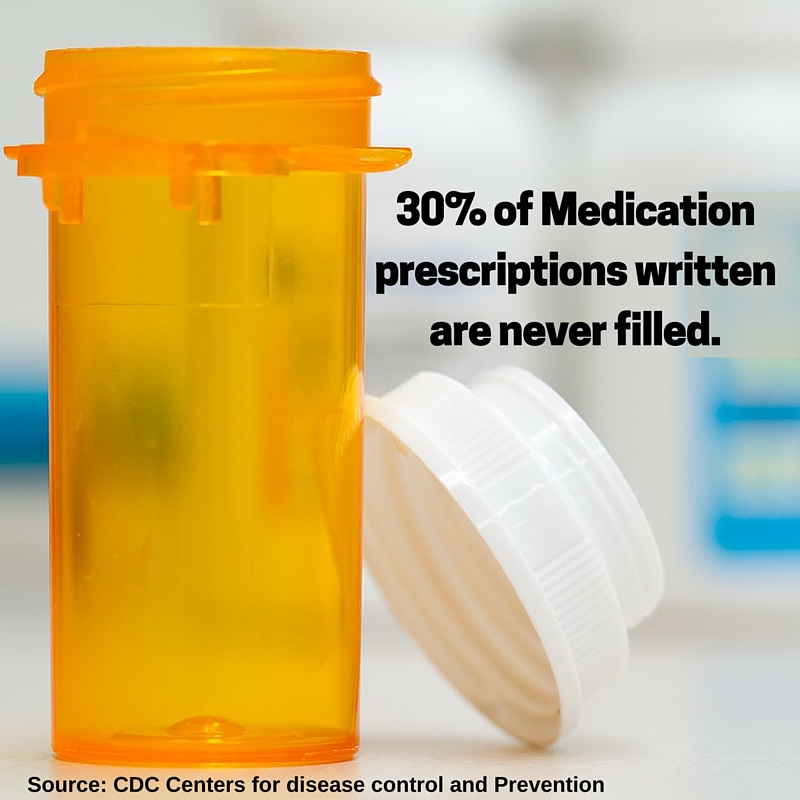
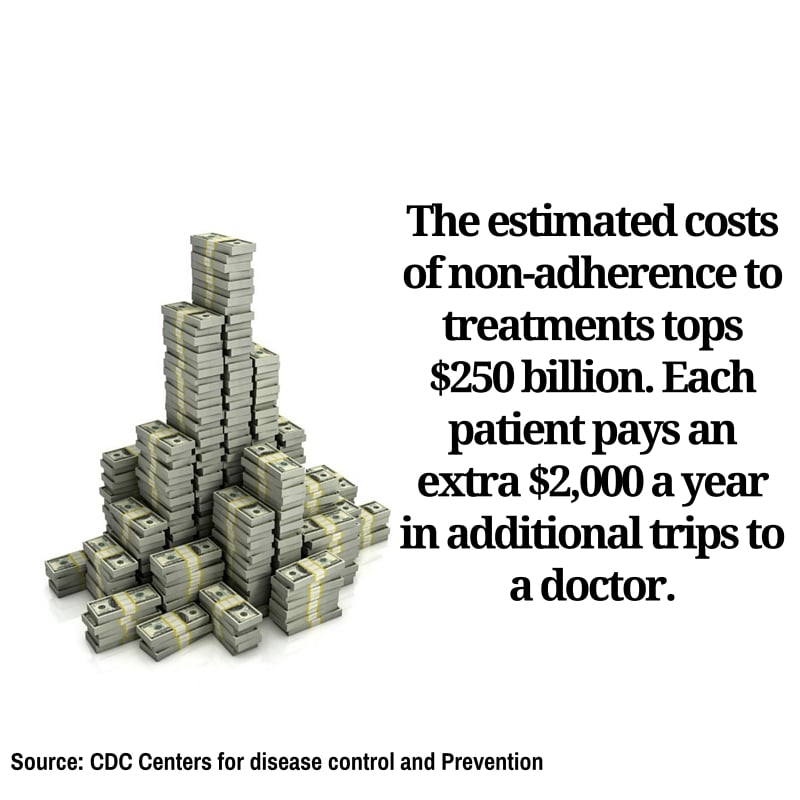
    Have you ever forgotten to take your pills? You’re not the only one. According to the Centers for Disease Control and Prevention, half of the people prescribed medication eventually stop following their doctors orders.

    It’s a dangerous game of Russian roulette. Most of us simply forget. For the elderly, who take more medications with different sets of instructions, it becomes easy to get confused. In cases where their cognitive abilities are diminished due to illness, they can forget on a regular basis. The consequences can be critical.

    adherence3

    Almost half of all failed treatments for any illness were a result of failing to adhere to the treatment prescribed. It is estimated that 125,000 Americans die each year simply because they did not take their recommended dose on time.

    Mobile technology is changing that.

    The newest “thing” to be connected to the web are pillboxes. Smart pillboxes can track if you take your pills, when you took them and the pills you need to take, and even alert you when the box is empty and it’s time to refill your prescription.

    If you fail to take your meds, the box itself will send an alert to a caregiver, physician or family member who can call you. For anyone prone to forgetting, this is a life-saver.

    adherence2

    The advantages of such a technology are clear. So are the risks. Handing over a life sustaining chore to computers demands that we guaranteeing the technology is working perfectly, all of the time. If the mobile apps fail on us, the consequences are devastating.

    Enter mobile testing.

    “Mobile application testing makes sure that every function of a mobile app is working all the time, and in any location. It underwrites all the benefits of mobility,” says Tal Barmeir, CEO of Experitest.

    Making Mobile Testing Work

    A successful mobile application testing strategy can double the chances your treatment will work. To accomplish this, the following areas must be covered:

    Functional Testing: From setting the times, to alerting the user, to notifying the doctor or caretaker if a dosage wasn’t taken, every operation of the application must be working correctly. Not only must it work, it has to work on every different type of mobile operating system, over each type of device and in all versions of both.

    adherence4

    Automated testing: As the technology advances, new features will be made available quite often. For every new feature added to the mobile application, the entire app must be retested to make sure nothing has been affected—even areas of the app never touched by the upgrade. That takes time. The only way to perform this amount of mobile testing in a reasonable amount of time is automating the process.

    Network Virtualization: A doctor can be vacationing on another continent when he or she is alerted a patient has forgotten to take his or her meds. Or, family members can live on the other side of a country and using mobile service from another carrier. Whatever the situation, it is vital that a mobile application will work as effectively in one local network as it will in any of the world’s other 400 to ensure that messages are communicated in a timely manner.

    Mobile technology is poised to extend the life expectancy of everybody using top-of-the-line smart tools communicating with mobile health apps. We will all enjoy healthier and longer lives while paying less in the process. The role of mobile testing makes sure this is a safe progression by giving your apps a clean bill of health.

  • Integrated Testing Without Integrated Migraines

    Integrated Testing Without Integrated Migraines

    I am always amazed at how many practitioners (or, rather, managers of) tout the benefits of test-driven development (TDD). This inherently changes the role of the traditional developer to one of developer and tester. But it would appear that as long as I am able to construct a test for the innovation I wish to create, all is well in the universe, and I can proclaim the full success of automated test integration with my DevOps processes, sleeping quite well at night from then on.

    But in the world before yesterday, testers tend to think differently than developers do. They evolved differently, bearing the scars of applications that tested just fine on the developer’s laptop but somehow died under the myriad circumstances that occurred in the world beyond that original safe harbor. In point of fact, human testers with a variety of automated tools tended to very often “prove” to developers that their sanctified code was not in fact so pious, but actually more “holy” (that is, containing holes) than they thought. Thus, remained the cycle of code/test/code again until the gauntlet to production is navigated successfully.

    There is also a certain reality about testing that developers cannot easily overcome. The only category of testing than can easily accompany a new feature or function is primarily functional testing. “Did the function work?” would appear to be the kind of testing a developer could construct to accompany his/her code. Notwithstanding the fox-in-the-hen-house analogy, there are quite a few other kinds of tests that are equally valid in that code moving forward to production. Most of these tests are not easily constructed by the original developers.

    One might consider performance testing a bit important. In this instance, I am not only concerned with the validity of my new feature, I am also concerned with its performance (timing) relative to how a user would experience it, and inclusive of the conditions of my production environment. For this to be rightly measured, I may need to ensure all integration testing also has has been completed successfully. And assuming all of this completes as expected, I may still want users to test my app—you know, to see if it is actually what they wanted in reality (after decrypting the requirements from the ancient Egyptian notes of the stories they submitted). Beyond this, some functions appear largely in a batch context, or perhaps only when proximity is achieved in a mobile app, so context is equally important to testing.

    The Nuances of Integrated Testing

    But getting back to our original question, let us assume I can test something, and let us assume I have tested it. Where do we go from here? Once the validity of my new feature has been tested, should I decouple the test execution from the build automation and move it to a list of regression tests I only execute periodically? That would seem logical, as this test might need to be run again during post-integration testing (particularly if it manipulates data with upstream dependencies). What is the “value” of my test past that first successful occurrence? If it has value, then I must begin to look at all of my testing in the same way I look at code: It needs to be version-controlled.

    Pairing functional tests to the versions of the code they validate will allow me to roll test automation forward or backwards to match the version of code in the target testing environment. So, for example, if coding build version 1.5 is in my integration environment and it fails, I can roll it back to version 1.4 and concurrently roll back the tests that were valid for the older version as well. That’s better than using tests designed for version 1.5 of my code, as testing new feature validity against old code is sure to generate errors.

    But treating test scripts (or entities) the same way you treat code with version controls is something most organizations have yet to get their heads around. Deploying testing as a part of the post-build deployment automation is equally daunting.

    And, of course, none of this addresses the more fundamental question: Does my test have value at all? Because I can test a feature or function, should I test it? Is this feature or function critical to the user experience? Am I testing it in such a way that the user experience will be evaluated? Testing whether a date field allows only valid data to be entered into it seems important the first time we do it. But once the characteristics of a date field have been so ubiquitously defined by software libraries, advanced programming languages or database structures, perhaps continuing to validate that input is excessive and provides diminishing value. Testing the right thing matters as much as testing at all.

    Then let us assume we have found the Rosetta stone of items to test and we have created an ability to test this feature with scripts passed down from Olympus. If the continued validity or performance characteristics of this feature remain important to the user experience, perhaps we have not found only something to test but also something to monitor. Here is where we begin to think two years into the future. If part of my DevOps continuum is an ability to integrate version-controlled testing as a capability, why not integrate version-controlled monitoring, as well? (Here’s where the Ops guys of DevOps finally get interested.)

    Instead of examining testing from only the perspective of the developer chained to the dictate of TDD, why not examine the life cycle of “evaluation” from a more holistic perspective of coding, integration, performance, users and, ultimately, a monitoring point of view. If my monitoring tools are capable of configuration adjustment, parameter adjustment and ceiling- and basement-level adjustment, then through reading external files or by exploiting API’s shouldn’t we be looking to pair our monitoring profiles with the version of applications we deploy into production discreetly by version? Perhaps a less useful test simply gets retired and a more useful test evolves into a program characteristic that we monitor until the feature itself gets retired.

    Integrating the Ops team into discussions about automated monitoring is sure to pique their attention. If nothing else, the ability to turn off monitoring tools during deployments and turn them on again afterward will cut down on “noise,” and help to focus resources only where they are truly needed when alerts emerge. Understanding the difference between how production is monitored vs. the unique needs of the test environments—with the ability to incorporate both into the automation of DevOps—is equally appealing.

    In any case, the evaluation of an application includes not only the original tests to ensure validity, but also the monitoring that occurs to ensure continued performance as expected. Thinking about where tests begin and where monitoring is more effective or needed can help to keep both disciplines modest and focused only on what is critical, rather than both attempting to take on the weight of the world. The goal of DevOps is not to increase the frequency and duration of headaches, it is to eliminate them.

    To continue the conversation, feel free to contact me.


  • Streamlining Cloud Tools, Platforms Management

    Streamlining Cloud Tools, Platforms Management

    DevOps and microservices have transformed the way organizations develop, deploy and manage applications—as well as the underlying infrastructure required to support it, be it cloud on on-premise. On the one hand, DevOps and microservices enable much greater speed and agility. On the other hand, that speed and agility come with a heaping side of complexity.

    It’s a beautiful thing when all of the elements of DevOps development are working in harmony. The diverse array of tools and platforms utilized, though, often are missing key security features and capabilities IT teams need.

    Apcera has a comprehensive portfolio of open source projects that provides customers with the ability to effectively manage and secure applications across various platforms and cloud infrastructures. The Apcera portfolio includes, among other things, NATS, a cloud-native messaging system; Kurma, a flexible container runtime; and Libretto, a virtual machine provisioning library. The company recently announced that it is extending its platform to also support Kubernetes.

    “Apcera … allows customers to securely move to any cloud, and deploy, orchestrate and govern the widest range of workloads on any infrastructure—including on-premises,” said Derek Collison, Apcera founder and CEO, in a press release statement. “Customers and developers are rapidly aligning behind Kubernetes as their API of choice when deploying container-based workloads. With its fast-growing ecosystem and strong market momentum, this was the obvious direction for us to take.”

    Kubernetes is an open source container orchestration platform, originally created by Google and now managed by the Cloud Native Computing Foundation (CNCF). Kubernetes enables organizations to manage large collections of containers as a single system. Embracing Kubernetes expands Apcera’s sphere of influence to include hybrid cloud management. Apcera also will actively contribute to the Kubernetes open source project.

    “We believe delivering trust to the cloud is critical, and Apcera has deep and proven expertise in this area,” said Kelsey Hightower, developer advocate, Google Cloud Platform. “We welcome their support of Kubernetes and future participation in the project.”

    Containers in particular have been a major security concern. A blog post from Gartner noted, “Security properties of containers are a largely unexplored field and there is a lot of controversial discussion about whether containers do contain or not. At times it seems that the discussion is driven by (hidden) business agendas, partnerships and financial dependencies rather than by plain technology. So, leaving all of this aside, can you make your containers contain or not?”

    A lot of progress has been made in the past year toward more secure container technologies. Hyper-V Containers from Microsoft, Clear Containers from Intel, and recent improvements from CoreOS are all examples of the fact that the container world is aware of—and vigilantly working on addressing—the security problem.

    Organizations need to understand how secure their infrastructure is, and be able to answer questions such as, “How can I effectively move into production quickly and with scalability?” Streamlining management of diverse cloud tools and platforms enables IT organizations to balance innovation and speed with safety and stability. Rolling Kubernetes support into the Apcera portfolio may be the key to effectively managing and protecting applications and infrastructure in a hybrid cloud environment.

  • Continuous Testing Improves Speed, Quality

    Continuous Testing Improves Speed, Quality

    We live in a world that expects immediacy. For a society that gets news updates from Twitter in 140-character increments as it happens while we microwave a complete meal in less than five minutes, anything that takes months—or even weeks or days—seems like an eternity.

    When it comes to continuous performance testing, organizations and developers need to keep up with the accelerated pace of development common in a DevOps environment—but without sacrificing the quality of the testing. That’s the real challenge.

    Twitter can deliver news virtually in real time, but the quality of the “journalism” is sometimes questionable. It’s possible to microwave a meal in a matter of minutes, but few would argue that the resulting food is actually as good as the same dish prepared the old-fashioned way. When it comes to continuous performance testing, you can’t afford to sacrifice the quality of the testing in the name of expediency.

    BlazeMeter thinks it has a way to address that challenge. It recently announced new functionality that allows developers to run tests using Gatling, The Grinder, Locust, Selenium, and JMeter—both locally and in the cloud—in parallel using a single, unified control language.

    BlazeMeter referenced statements from Diego Lo Giudice, vice president & principal analyst for Forrester, who noted during a recent webinar the demand for software development speed is pushing teams to look at delivery cycles in terms of weeks, days, hours and even seconds.

    The ability to run the tests in parallel shortens the build/test cycles. Developers can add more tests without extending the time involved in the testing cycle. Because all of the tests are run simultaneously, the total time will be only as long as the longest single test in the bunch, no matter how many tests are included in the mix. Running the tests simultaneously allows organizations to achieve greater speed without sacrificing the quality of the testing results.

    “Developers that want to excel in the era of continuous delivery need tools that give them the most speed and flexibility possible,” said Andrey Pokhilko, chief scientist at BlazeMeter, in a press release. “We’ve been working with the open source community to develop ideal performance testing tools for any scenario. The new functionality combines the best of our community work with the infrastructure we’ve built up at BlazeMeter, marking a new set of capabilities to bring performance testing to new heights.”

    The new BlazeMeter capability also streamlines testing by giving developers a unified control language for managing it all. BlazeMeter developed a “performance-tests-as-code” format that lets developers define tests using common YAML or JSON file formats. Testing teams can create load and performance tests as small fragments using any text editor. The BlazeMeter format enables developers to manage test logic and performance thresholds for various open source tools without needing to be an expert in the separate tools themselves.

    A unified solution that allows for simultaneously running multiple test loads in parallel seems like a valuable tool for continuous performance testing. If it works as advertised, it seems BlazeMeter has combined simplicity, speed and quality in one.

  • Does DevOps Improve or Undermine Quality?

    Does DevOps Improve or Undermine Quality?

    In my earlier blog, “From QA to Continuous Testing,” I explained that “several industry developments converged to make continuous testing the winning method for software engineering quality assurance (QA).” The “combination of improved test methods, agile processes, continuous integration speed afforded by automation and orchestration tools and low-cost test dynamically configurable infrastructures afforded by virtualization has resulted in DevOps.”

    However, a recent survey by Parasoft indicated that some important concerns such as non-functional requirements (NFRs) (examples are: reliability, testability, availability, resiliency) are being overlooked in many organizations that are operating fast-paced Agile and DevOps environments.

    Some results gleaned from Parasoft’s survey run counter to popular expectations:
    1. Agile teams are less likely to monitor NFRs than non-agile teams.
    2. Ownership of quality, especially for agile teams, tends to be QA team members.
    3. Business members think NFRs are being measured but technical folks do not.
    4. Confusion and disagreements exist regarding who owns NFR objectives.

    The report implies that quick Agile and DevOps processing cycles steal time from broader QA concerns.

    The Question

    So what is the truth? Do agile, DevOps and continuous testing improve QA, or do they undermine quality?

    My own observation is that DevOps can improve or undermine QA. The outcome depends on whether an organization explicitly takes a holistic view of quality that assures all of the “ilities” are taken care of during agile, DevOps and continuous testing.

    A complete DevOps environment requires a more sophisticated view of continuous testing than simply “shift left,” “fail early,” “fail often” and “test fast,” which are four popular tenets espoused by the DevOps community. A fifth tenet, “relevance,” must also be fully considered. With “relevance” as a tenet of DevOps QA, the entire DevOps and continuous testing pipeline has woven into it, from end to end, the concept that all of the quality aspects relevant to customers are emphasized in continuous testing and analysis of test results. When relevance is fully considered as an equal tenet to the others, then NFRs and “ilities” are not forgotten and the tools, goals and tests explicitly take into account all aspects relevant to customers’ perception of quality. What is more, when relevance is applied to continuous test selection and results analysis, the system not only produces better quality but it also is more effective and efficient.

    At Spirent we think that a holistic approach to DevOps and continuous testing, including “relevance,” is critical for successful DevOps. When continuous testing is implemented with relevance as an equal tenet, quality is improved.

    You can read more about our views at Spirent.com/solutions/DevOps

    What are your experiences and suggestions?

  • Tales Of DevOps Discovery: Q&A from the Field

    Tales Of DevOps Discovery: Q&A from the Field

    DevOps is a buzzed-about industry term, yet many companies are still trying to figure out how to start the journey to a DevOps transformation. Each organization’s journey will be different, but planning and starting the journey always should include assessing the current state of a company’s software delivery process, quantifying the objectives and plotting the “route.” This begins with a discovery process.

    This multipart series will review questions commonly asked during the DevOps discovery process, highlight common answers and provide examples of the resulting guidance. It will show that DevOps is really about optimizing software development and delivery on the planes of process, tools and technology, across multiple stakeholders. Based on experience with a broad cross-section of real-world organizations, the series draws on actual interactions that have led to successful DevOps transformations.

    Starting the Discovery

    Often, organizations embarking on a DevOps transformation want to “pass go” and get straight to, “Tell us how to do it!”  Some initial statements frequently heard are:

    • “We already do and understand [CI, CD, etc.], don’t waste time reviewing that.”
    • “We are practicing [Scrum, ITIL, Six Sigma…]; we are just like everyone else, so there is no need for interview or discovery.”
    • “We don’t need to discuss [process, culture, or technology], just tell us what tools we need.”

    The eagerness to “just go” helps fuel excitement for the transformation; however, it is important to slow the rush to a solution and start with the basics. This includes:

    • Setting a baseline definition of practices: Agile, continuous integration, continuous delivery and DevOps are highly talked-about industry practices that often have multiple definitions and are misunderstood, which fosters resistance or ends up being implemented poorly.
    • Starting with foundational discovery: Ask the most fundamental questions about the current state of the organization’s delivery process and the objectives of the DevOps transformation. These questions must be asked of each stakeholder, including the Business, Development, Quality Assurance (QA), Change Management and Operations.

    Taking these initial steps can be like pulling teeth, yet they spawn insightful discussion, surface key differences in perspective and begin the process of gaining alignment between stakeholders. With alignment among the stakeholders, shared priorities become clear and actionable.

    Once stakeholders align on both the current state and objectives and identify shared priorities, only then is it possible to plot a “route” for the DevOps transformation. At this point a mission statement can be formed, which will act as the North Star or guiding light for the journey. For example, a resulting mission statement may be one of the following:

    • We will increase the stability of our releases while increasing Developer, QA and Operations productivity and job satisfaction. This will improve our ability to retain employees, satisfy customers and be more competitive.
    • We will do this for our existing and new mobile and web products through the use of iterative development, continuous integration, test automation and continuous delivering applications to a production-like environment.
    • We, as Development, QA and Operations, will work as one toward this common objective.
    • We will transform incrementally, empirically establishing best practices and expertise within teams and sharing them across the organization.

    The mission statement may seem like a trivial part of the process, but in reality it is absolutely vital to achieving the cross-fictional buy-in necessary for DevOps. It works to not only outline the strategy, but also gives the teams something to refer back to during the transformation process.

    The other key step to starting the transformation, defining DevOps and related terms, will be discussed in the next post.

    About the Author/Brian Dawson

    BrianDawson-headshot-1200x1200[1]Brian is currently a DevOps evangelist and practitioner at CloudBees, where he helps the community and customers in implementation of Agile, CI, CD and DevOps practices. Prior to CloudBees Brian spent 22-plus years as a software professional in multiple domains including QA, Engineering and Management. Most recently he led an Agile Transformation Consulting practice helping organizations small and large implement CI, CD and DevOps.

    Prior to CloudBees, Brian worked at CollabNet, VA Software, Sony Computer Entertainment, Sega, Namco and Apple. His roots are as a C/C++ developer, but his primary job has always been gathering and distributing knowledge and using shared solutions to solve unique problems.

  • DevOps Without Scale, Part 1

    DevOps Without Scale, Part 1

    When most people think of DevOps, what comes to mind first are continuous integration (CI) and continuous development (CD) pipelines. While they are arguably the most important parts of DevOps, they are not all of it. So, then, what is DevOps? It is a philosophy of how to build and operate software products and systems to provide the best user experience. It’s a way of thinking that blends the previously independent disciplines of development and operations so that software products can both evolve functionally and be stable operationally. In practical terms, it means development teams are involved in operations and, in many instances, fully own the operation of their products.

    The top companies are already there because they otherwise couldn’t deliver their massive and feature-rich products with 99.9 percent uptime. But there are still too many companies and developers who aren’t “doing it.” And it’s typically reflected in product quality.

    It seems DevOps has been stigmatized as difficult, requiring expensive tools and generally classified as needed if you’re big. In this blog I’ll walk you through different aspects of DevOps and share the business value behind each, the common implementation techniques and the free (or inexpensive) tools that will let you jump-start your DevOps in a matter of weeks.

    Product Health: The User Experience

    Our goal as engineers is to build products that will be used by others. Typically we call them users and sometimes we have a strenuous relationship with them. But if users don’t like our products and aren’t using them, we have failed at the very core of our job. So what do users want—besides features, that is?

    Users want products that are reasonably fast and work when they need them. Your site going down is an obvious example of why it’s important to be aware of your product’s health. But there are more nuanced examples. Sometimes a new release breaks an edge case and isn’t caught by regression testing. Sometimes a service becomes slow—it still works and nobody is complaining, but it’s dangerously close to being unusable. You need to be aware of your users’ experience so you can be proactive in fixing problems and delivering quality products.

    Thus, the first set of metrics you need to measure are user experience metrics. These typically include success/failure and latency of all external endpoints: REST, web pages, etc. If the users are external, you want to measure the experience from their point of view, which includes the network latency and HTML/CSS/JS execution time for web pages. If this was a car, these metrics would be your low coolant red light. If the light is on, you must stop as soon as possible and add coolant before your engine block cracks from overheating.

    To measure and monitor customer experience for web pages, Google Analytics is by far the most popular choice. It’s easy to set up and gives you exactly what you’re looking for: error stats per page, page load times, including individual page components and even browser parsing time for HTML. You can slice and dice the data by geographic region, browser type and so on to zero in on improvement or problem areas. Google Analytics is a great tool for tracking other product aspects as well, and you can kill many birds with one stone by adopting it.

    However, Google Analytics will provide data only as long as there are users and your site works. But what if the site breaks, maybe partially or maybe only for a certain geographic region? And what do you do for public APIs that aren’t instrumentable with Google Analytics? You’ll need a synthetic monitoring service. These services emulate clients by calling your APIs or opening your web pages in an automated fashion. They are typically scriptable and run from multiple places around the world. They can tell you when your services are up or down and can measure (emulated) user latencies by geographic region. Pingdom is one of the newer generation of such services that delivers what you need for a modest price. It also integrates with a graphing and alarming tool called Datadog, which I’ll talk about later.

    Product Health: Technical Innards

    Now you have a solid understanding of your user experience and can detect user problems in real time. But how do you find the root causes? And can you do even better by detecting user problems before they happen? What you need to do is go a level deeper and monitor key technical aspects of your apps so you can correlate them with user problems. The technical metrics are important to watch because they can be early signs of trouble, which can be averted if you act quickly.

    This can be a dangerous territory as the first desire is to monitor everything. Please keep your cool here, lest you drown yourself in hundreds of metrics that nobody understands and miss the important ones. In software, failure typically happens at integration points, so that’s what you should focus on: database and cache interactions, calls to other services, disk operations, queue sizes (for pub/sub architectures) and so on. Typically you don’t need to instrument business logic, as it either works or doesn’t and problems are caught in testing. This is where it is easy to create many metrics in a blink of an eye. A notable (and rare) exception is load-intensive parts of code that you want to monitor for performance reasons.

    If you see latency in database calls creeping up, cache hit ration going down or thread pool or queue size growing, you can frequently identify and fix the problem before it affects the users. Going even deeper, you want to keep an eye on the virtual machine (VM) and server performance. If your garbage collection times are increasing, if your thread count grows or if your server is showing signs of strain, it’s time to pay extra attention. If this was a car, these would be your check engine yellow light. If the light is on, you need to check it out soon but can keep on driving for a little bit longer.

    The most popular way to measure application metrics is with code instrumentation. Presently, Coda Hale (a.k.a. Dropwizard) Metrics framework and its ports to most popular languages are the way to go. Given the abundance of documentation and integration with all sorts of systems, this isn’t difficult. There are a plethora of coding patterns or external libraries you can use to avoid writing boilerplate code. Note that you want to include as much as possible in measuring requests (serializing, logging, etc.) so you need to put this logic as high up the filter chain or middleware as you can.

    The last piece of the puzzle is VM and server monitoring. Traditionally, this has been the territory of specialized ops tools, but Datadog, a service that I will talk about in the next section, provides this out of the box. Its agents run on each machine or VM and collect server metrics, JVM/JMX data, IIS info (yep, it supports even Windows) and more.

    Processing and Displaying the Data

    Now your code is instrumented and generates all sorts of interesting data. What do you do with it? And where does the data go in the first place? All this data is useless if it just sits there. You want to be able to look at the trends, correlate them and get a basic set of statistical information such as averages, means, standard deviations and so on. You also want to see pretty graphs (who doesn’t?) and be able to create dashboards. This is the cool part, where all the previous work comes to fruition.

    Datadog is a great way to start. It provides everything you need and more. All you have to do is install its agent on each box and configure the Metrics framework to send data to Datadog. Most Metrics ports already include Datadog adapters so there is no extra coding required.

    Now you have everything and can slice and dice the data whichever way you want. You can export data for further analysis. You can check it periodically for problems. You can even display dashboards on big screens around the office (looks cool, eh?).

    Putting it All Together

    I have seen all of this put together in a couple of weeks. However, if this whole area is new to you it might take longer, as you’ll be learning the concepts along with the tools. Sometimes the deadlines are tight and even a few weeks is a luxury. However, launching a product without any insight into user experience or product health is not a good idea. If I had limited time and had to prioritize, I’d start with instrumenting user experience metrics and hooking it up to Datadog. Even for web pages you can start with only monitoring the REST services that power them, or the controller layer, if you’re on model-view-controller. Soon you will realize how nice it is to have hard metrics and will want to add Google Analytics and deeper code monitoring to your product.

    All of this might seem like a lot, but you’re only dealing with four tools here: Pingdom, Google Analytics, Metrics framework, and Datadog. If your product is an API then you don’t need Google Analytics and if your product is internal, you don’t need Pingdom.

    As I mentioned earlier, Metrics framework is ported to multiple languages already. But even if you have specific requirements that aren’t supported out of the box, it’s easy to extend it. For example, at Guaranteed Rate we wrote and open-sourced the Metrics/DataDog adapter for .NET and a library for code instrumentation and DataDog integration for Clojure.

    .NET is particularly known to be behind on DevOps. Until recently one of the reasons was the lack of tools; however, that’s not the case anymore. All tools mentioned here, as well as Part 2 and 3, work in .NET and have adapters and ports where needed. With .NET entering the new open-source age, there are no more excuses to stay behind.

    Give yourself two weeks, read the docs, go one step at a time, and you’ll be surprised how far along you can get!

    What’s Next?

    Part 2 will cover what you can do to maximize product uptime based on the data you now have. It also will discuss making sense of the data, automated alerting and troubleshooting when the inevitable production problems happen.

    About the Author/Jack Korabelnikov

    JackKorabelnikov_avatar (small)Jack Korabelnikov wrote his first computer program when he was 10. Another 15 years later, after success in the role of senior engineer at Orbitz.com he transitioned into management. He still enjoys the tech side of things and continues to tinker with cool new tech. He is presently the VP of Engineering at Guaranteed Rate, leading the company’s technical evolution and the buildout of next-gen mortgage products.

    Prior to that, he worked at Orbitz Worldwide in multiple business areas such as hotels, private label and B2B web services. He played a key role in rolling out agile and, most recently, was the main driver behind the continuous delivery and DevOps adoption across the organization.

    jack@korabelnikov.com | LinkedIn