Category: Infrastructure/Networking

  • Migration to AWS Cloud: Do’s and Don’ts

    Migration to AWS Cloud: Do’s and Don’ts

    What if one day, you were told to migrate to AWS/GCP/Azure/any other cloud provider? It would likely introduce some stress, to understate the case, right?

    I’ve seen quite a few migrations in my career and, in this article, I would like to share some thoughts to help DevOps engineers, architects, managers or anyone else who might be involved in such a migration. I’m focusing on migration to AWS mostly because I have a specialization in this subject and because it’s fairly common, but I think these experiences are applicable to any other cloud provider. For this case, I’ll cover migration from on-premises to a cloud because these types of migrations are much more difficult (in my opinion) than cloud-to-cloud migrations. I’ll also share my own perspective on do’s and don’ts of migrations. But please filter them through critical thinking and remember that everybody has their own background and experience. What’s good for one might be bad for another.

    What is a Cloud Migration?

    Let’s start by defining what migration is. How do you know if it’s a migration? I like the following definition: 

    Cloud migration is the process of moving a data center’s capabilities to IaaS providers.

    “Capabilities” is the keyword. A business does not migrate servers/virtual machines/hardware/data or anything else. A business migrates its capabilities.

    There are seven migration strategies (or seven Rs): Relocate, rehost (lift and shift), replatform, repurchase, rearchitect/refactor, retain and retire.

    For example, I’ve seen situations when a company was creating a new product that would replace an existing one hosted on-premises. The product would be designed to be well-architected and cloud-native from the very beginning and would be hosted in a cloud. Is that migration or greenfield project type? From the definition above, we can say that this is a migration. This is a rearchitecture strategy for migration.

    What if we buy a new SaaS subscription instead of some software we host on-premises? This is also a migration: A repurchase strategy.

    Let’s dig deeper into these seven migration strategies:

    Relocate. We host some workloads on-premises and move them as-is into the cloud. This is possible in limited cases; when we migrate cloud-agnostic workloads or when a platform might be cloud-native. Examples: Relocate a Kubernetes cluster from on-premises to the cloud or relocate VMware machines with VMware Cloud.

    Rehost. This is also known as lift and shift. We convert virtual machines/servers on-premises to virtual machines in the cloud. Examples: Migrate on-premises virtual machines to EC2 instances with CloudEndure, or create EC2 instances, install the software and apply the same configuration as on-premises.

    Replatform. We migrate a workload to a cloud-native platform without rearchitecting systems. Examples: Migrating PostgreSQL to AWS RDS or Docker containers to ECS.

    Repurchase. We replace some custom/legacy system with SaaS. Example: Replace custom on-premises email system with SendGrid or replace CRM with Salesforce.

    Rearchitect. We change your application’s architecture to be cloud-native and use managed cloud services. That also includes rebuilding from scratch. Examples: Change the code of your apps to upload files to S3 instead of local storage or containerize an app and migrate to ECS.

    Retire. We decide that a piece of the workload will be eliminated if not needed. Example: Log servers are no longer needed as migrated applications use CloudWatch.

    Retain. We leave it on-premises. Usually, it’s temporary. Example: A huge Oracle database with a lot of functions and customization is not moved to AWS because of the massive costs. It’s decided to keep it on-premises until it’s replaced with another solution in the modernization phase.

    I like the following picture that shows the high-level stages of each migration type. It may be a helpful cheat sheet to approach migrations.

    Picture Source: https://aws.amazon.com/blogs/enterprise-strategy/new-possibilities-seven-strategies-to-accelerate-your-application-migration-to-aws/

    Migration Don’ts

    I don’t recommend the following when performing a migration:

    Migrating too quickly. A business might think, “We have to migrate to the cloud quickly. Let’s do lift and shift right now!” It’s better not to start right away. Are you sure that rehosting strategy will really be faster than some other strategy? In one instance, we tried to migrate on-premises VMs, but it didn’t work because the OS on the machines was quite old. Some OS-level dependencies didn’t work on AWS’ hardware. This required a lot of configuration work, custom code and testing and the initial estimates were completely wrong. It eventually turned out to be a replatform. 

    Assess what you have, analyze it, analyze the business case and think. During this engineering work, we should stop and think before we act.

    Migration without clear goals. Why are you migrating? If you can’t answer the question, you probably need to find an answer or not migrate at all. I’ve seen situations in which businesses wanted to migrate to the cloud to reduce costs. They performed a lift and shift migration without doing a total cost analysis. Only after the fact did they realize that it cost even more than when it was in a colocation center. This migration may be considered unsuccessful.

    To avoid this, define clear goals and define the target state that achieves these goals. If costs are the driver, make the proper calculations and plan accordingly. Cost optimization will be the main thing to focus on when you plan your target state. If availability is the reason, measure it, define SLOs and focus on availability in a target state.

    Black box migration. Don’t treat workloads you migrate as a black box. It is almost critically important to know what exactly you migrate, what technical requirements it has, what dependencies it has and how it works. That information will allow you to choose the correct strategy for workload migration. If this is not done, there’s an excellent chance that you will choose the wrong path and the result will be lost. Capturing information about your systems is the most important task when planning.

    Don’t forget well-architected. Migration is stressful. That’s why people tend to try to get through it quickly on as short of a timeline as possible, focusing on the only thing: Making everything work in the cloud ASAP. They set aside well-architected framework pillars. This is a mistake; it may lead to a different set of negative consequences of different severity. Don’t ignore well-architected framework pillars, or you won’t know about potential issues or risks until they have already materialized.

    Use one strategy for everything. It’s always easy to make a single overarching plan for all workloads. For example, deciding to do lift and shift and then rehost everything in the cloud. But what if some things could be retired? What if some components could be replatformed with little effort? You will save significant resources by analyzing all of the components of the workload and deciding on a unique strategy for every component. Collect data and plan properly.

    Cloud Migration Do’s

    Do perform a cloud readiness assessment. If a person migrates to a new location, they should consider:

    • That the climate will be different
    • The language spoken in that location may be different
    • The cost of living will be different and perhaps more expensive

     When a company migrates to the cloud, they should ask questions including: 

    • Have we considered all the risks?
    • What must be changed for the workload to actually work?
    • Do we have the human resources required for all of the work?
    • Do I have the budget to accomplish everything? 

    The Cloud Readiness Assessment is a long-form interview about varying processes in the company that identifies whether a company is ready to live in the cloud. It’s based on the Cloud Adoption Framework (CAF) and allows us to understand what should be changed so that a migration can happen successfully. AWS has a Cloud Readiness Assessment tool which covers all of that. I urge you to use this process for all workloads being considered for migration.

    Create a business case. Describe the business case. What are the drivers for migration? What problems are resolved with the migration? What goals should be achieved by migration? Be specific: If you intend to reduce costs, then calculate the sum. If you intend to improve availability, then define a clear SLO. That will be the number-one driving force for your migration. All other artifacts should be based on it.

    Automate discovery and data collection. Use automated data collection and analysis to create a portfolio for migration. Don’t base your analysis on manually created spreadsheets or verbal communication. Let machines collect data about inventory and usage statistics. The more precise data you collect, the better. AWS Migration Evaluator service will help you to do this in most cases.

    Portfolio management. Create a portfolio of workloads to migrate, analyze them, choose a migration strategy for each, choose some for the pilot/first wave migration, estimate timelines and prepare a plan. Execute the migration after that. Repeat until the migration portfolio is empty. Share the data. Have subject matter experts review it.

    Found CCoE. This is part of the CAF mentioned above. Before executing the migration, create a team of people responsible for creating a strategy and defining a good standard of living in the cloud: A Cloud Center of Excellence. It should include people with a variety of subject matter expertise including management, operations, platform, people, finance and every other department consuming or providing services in the cloud. These people will prepare a landing zone for the migration, hard policies and softer policies for the landing zone; preparing the company for life in the cloud. Don’t fear revisiting any policy.  Make changes as new factors come to light.

    Well-architected framework reviews (WAFR). Do well-architected framework reviews (WAFRs) during migration waves and after them. That will allow you to avoid foolish mistakes and to get a high-level overview of what you have done from a technical perspective.

    Modernization plan. Prepare a modernization plan along with the migration plan. Migration isn’t the end of the story. To be effective in the cloud, you will have to do well-architected reviews and modernization. The first modernization is likely to be huge; that’s why it’s important to plan and to schedule budgets and resources in advance. Failure to do this will lead to increased operational costs, not decreased costs.

    Summary

    If we want to reduce the risk associated with a migration and to make it less stressful, we do not rush. You may believe that rushing will save you time and other problems will be managed later, but experience tells us that this is wrong. The most likely outcome is that you will end up resolving all the issues encountered in the most stressful situation possible: When you cut over to your new cloud-based production environment. Instead of resolving issues in a well-considered way and in advance, the choices will be made under duress. Proper engineering principles must be applied here. Picking up a bridge and moving it from one river and plunking it down on another never works. The key to migration success is to measure, analyze, design and plan. Migrating a workload to the cloud is hard, but I hope these do’s and don’ts will make it easier.

  • AWS Makes Economic Case for Graviton Processors

    AWS Makes Economic Case for Graviton Processors

    Amazon Web Services (AWS) is making available in preview a C7gn instance on the Amazon Elastic Compute Cloud (Amazon EC2) based on AWS Graviton processors. The C7gn instances provide up to 200 Gbps network bandwidth and as much as 50% higher packet-processing performance compared to previous-generation C6gn instances.

    Announced at the AWS re:Invent 2022 conference, these instances are based on Arm processor architecture that AWS provides as an alternative to x86 processors.

    Rahul Kulkarni, director of product management for Amazon EC2, said interest in more efficient AWS Graviton processors has spiked sharply as the overall economic outlook softened. More IT teams than ever are being tasked with finding ways to reduce costs as the overall number of applications being deployed in the cloud continues to grow, he added.

    While it’s not clear how many applications are being developed to run natively on Arm processors, Kulkarni noted that the process of refactoring existing applications to run on Arm processors is not as intensive for most applications as it was when previously moving applications from one class of processors to another.

    Overall, AWS now offers more than 600 types virtual machine instances on its cloud platform, including a set of Inf2 instances, available in preview, based on custom AWS processors that are optimized for processing workloads that include machine learning algorithms that drive artificial intelligence (AI) models.

    Every AWS instance takes advantage of a set of AWS Nitro Cards that offload the overhead virtualization creates so IT organizations can take full advantage of compute resources without having to allocate any resources to run virtualization software, noted Kulkarni. That virtualization tax is instead absorbed by AWS to reduce total cloud costs for the customer, he added.

    In addition, more customers are taking advantage of tools such as AWS Cost Optimizer and AWS Karpenter for Kubernetes clusters that employ machine learning algorithms to identify opportunities to reduce the cost of cloud infrastructure by, for example, shifting workloads to different classes of services.

    There are, of course, multiple strategies for containing cloud costs that range from committing to consuming a specified amount of compute resources annually at discounted rates to relying more on spot instances that are available for limited amounts of time. Less effective is moving workloads from one cloud provider to another simply because the total cost migrating workloads can be substantial depending on the number of proprietary application programming interfaces (APIs) that have been invoked.

    Regardless of approach, the days when developers were allowed to invoke cloud resources at will appear to have come to an end. Enterprise IT organizations are a lot more conscious of the total cost of IT in the cloud era. As a result, many of them are adopting financial operations (FinOps) best practices to maximize utilization of cloud infrastructure resources.

    It’s not clear how readily IT organizations will embrace AWS Graviton alongside other classes of Arm processors to achieve that goal, but as the economic outlook continues to remain uncertain, there is no doubt all options are now on the table.

  • Infrastructure Abstraction Will Be Key to Managing Multi-Cloud

    Infrastructure Abstraction Will Be Key to Managing Multi-Cloud

    There’s no doubt we’re now living in a hybrid multi-cloud age. Companies are using major cloud providers like AWS, Azure and GCP with niche cloud computing providers emerging within the market. Simultaneously, many organizations still retain workloads in on-premises data centers or embrace colocation. Regardless of deployment pattern, DevOps teams desire the same elasticity as the cloud, but it’s becoming increasingly difficult to consistently manage the nuances of each service provider.

    To support today’s distributed polyglot architectures, a common layer could ease issues when deploying applications and provisioning various servers. By decoupling the infrastructure control plane from specific cloud providers, a unified management console could bring visibility into cost and performance, empowering CloudOps with knowledge before they commit. But engineering such an outcome would rely on plugins for each environment and a robust set of APIs to enable programmatic control.

    I recently met with Jake Warner, Cycle.io, to explore how increased infrastructure abstraction can solve the above problems. According to Warner, a standard layer for computing management is needed to enable consistent control over multi-cloud and bespoke on-premise environments. Below, we’ll define this concept and consider the benefits infrastructure abstraction could bring to modern enterprise software development.

    The Problems Facing Infrastructure Management

    We like to think that the cloud is pervasive and that everyone’s on board with a similar computing style. However, this is far from the truth. Multi-cloud is rising, and 95% of businesses are making multi-cloud a strategic priority in 2022, a Valtix study found. Yet only about half of respondents felt they had the appropriate tools and skills required to execute a multi-cloud strategy.

    “There’s a lot of value in multi-cloud, including reducing risk, ensuring better uptime and the flexibility to select the best hardware for the use case,” said Warner. “But multi-cloud is extremely complex.” Using multiple clouds means supporting increasingly variable operational processes for each environment. Whether it’s AWS, GCP, Azure, Equinix or Vultr, operators also require a deep level of visibility into telemetry data. This becomes complicated to track as software is increasingly modular and distributed across multiple computing regions.

    Furthermore, on-premises data centers are far from dead—surprisingly, a Spiceworks study found that 98% of enterprises still used on-premises servers. Traditional servers are often preferred due to corporate restrictions or to meet security compliance mandates. It could also be a cultural case of “if it works, don’t fix it.” The dilemma is that you can’t easily obtain common cloud features like auto-scaling and load balancing while on your own infrastructure.

    Another issue Warner described is that traditional platform-as-a-service (PaaS) companies present inherent limitations if you aim to build substantive applications and services. “Many of these PaaS offerings make it really easy to get started but, more often than not, developers are quickly forced to make compromises with their approach. These compromises can create long-term technical issues, especially when it’s time to scale,” he said. “Need a server with a specific hardware configuration in a targeted region? Good luck. For most PaaS companies, their exit ramp is just as defined as their on-ramp.”

    Movements Toward Infrastructure Abstraction

    We’re already seeing movement within the market to manage the operational burdens of multi-cloud. One example is the Infrastructure Abstraction Layer (IAL), open sourced by Cycle.io, which Warner explained can act as a standardized system for deployments. With the specification, an infrastructure provider can generate an API endpoint to enable the provisioning of infrastructure without requiring a deep integration between both services. With this endpoint live, an application development platform or orchestrator gains the ability to send standardized JSON payloads to provision servers, allocate IPs, configure regions and a number of other requests. The response, another JSON payload, confirms that the desired request has been completed and includes a unique ID.

    With more programmatic control over infrastructure, an engineer could interface with a standardized list of all the servers, across a number of providers, to deploy to and act upon this information in one unified console. This layer is an opportune location to help compare costs and server configurations for different regions too. It’s also an advantageous spot to filter by proximity to showcase the closest available servers to optimize delivery.

    Benefits of Unifying Multi-Cloud Deployment

    Decoupling the infrastructure management layer from service providers can bring potential benefits to DevOps, said Warner. For one, it enables operators to extend infrastructure automation into their private data centers, helping them achieve the same programmability they would have in the cloud. A degree of standardization can remove many of the cons of multi-cloud, too—”Developers can move from one provider to another provider without any major changes along the way,” he said.

    Of course, IT doesn’t want an added burden. This is why an API-based solution is required to enable programmability, said Warner. By taking a RESTful API approach to managing a hybrid infrastructure, operators could create custom flows based on fine-grained environmental characteristics that change over time, like latency, expense or location. “One of the neat things is it allows infrastructure providers to constantly make tweaks and improvements without having to resubmit their integration with an underlying platform,” said Warner.

    The Flexibility of LowOps

    Today’s software deployment is increasingly wide and varied—a recent HashiCorp report found that 76% of organizations are already multi-cloud. Multi-cloud brings many advantages, yet it also multiplies the number of operational tasks required. At the same time, organizations want to leverage investments into on-premises data centers for as long as they are economically viable. Automating DevOps for such a varied infrastructure can be difficult without a unified layer decoupled from each niche computing area.

    According to Warner, companies require a LowOps platform and the flexibility to abstract this automation on their own infrastructure when appropriate, which can vary widely. For example, operators may be working with a fleet of tens of thousands of IoT devices. Furthermore, as we’ve covered previously, a LowOps method can be beneficial to small-to-medium-sized companies that may lack the resources to support complex infrastructure like Kubernetes.

    Could something like IAL ever become an open standard? Well, at the time of writing, the IAL specification has only been implemented by Cycle.io and a few of its infrastructure partners, but there’s no reason it couldn’t be extrapolated into a common specification down the line, said Warner. He even foresees a community marketplace or shared registry for infrastructure abstractions, enabling platforms to support hundreds of cloud providers.

    In conclusion, the need for LowOps, combined with the rise of multi-cloud and the staying power of on-premises data centers, is fueling a requirement for a decoupled management center. Infrastructure abstraction could enable the convenience of a PaaS while empowering operators with custom infrastructure choices.

  • Fiberplane Notebook Tool Fosters DevOps Collaboration

    Fiberplane Notebook Tool Fosters DevOps Collaboration

    Fiberplane today announced it is making available a public beta of a namesake real-time collaboration notebook specifically designed for DevOps teams that need to quickly debug IT infrastructure.

    Fiberplane CEO Micha Hernandez van Leuffen said in the wake of the COVID-19 pandemic, it’s clear that the structure of DevOps teams has permanently changed now that more members of those teams work remotely. The challenge is that the tools provided to DevOps teams to manage IT environments were not designed to foster the level of collaboration that is now required, he added.

    Dashboards that were designed in a different era need to be replaced with tools that make it simpler for DevOps teams to collaboratively debug infrastructure in real-time, noted Hernandez van Leuffen.

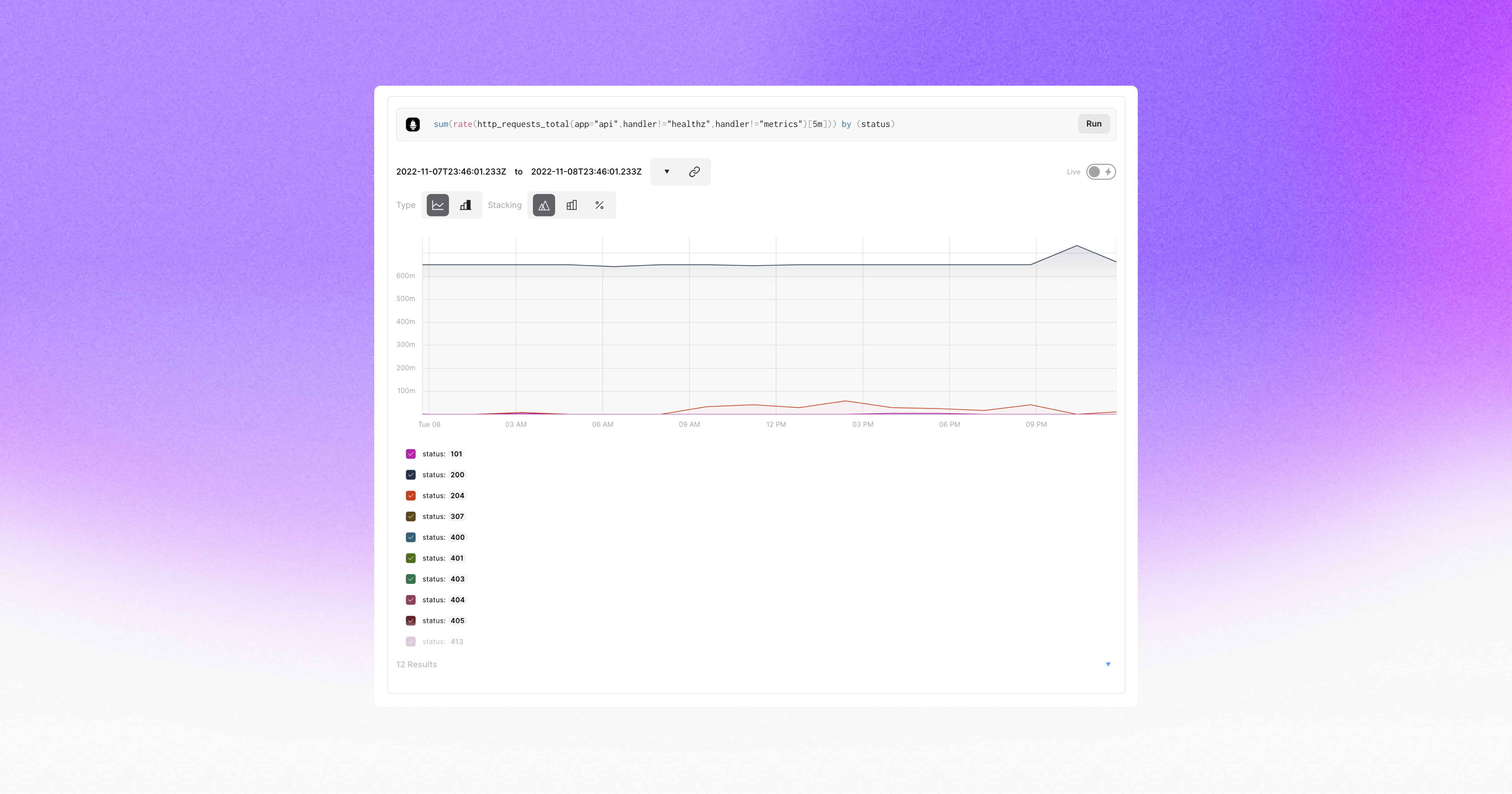
    The Fiberplane notebook achieves that goal by using the same operational transformation algorithm used in Google Docs to enable teams to easily collaborate around a document or spreadsheet. The core platform itself is built in Rust and WebAssembly (Wasm), which Hernandez van Leuffen said makes it simpler to integrate Fiberplane as a plug-in into an existing DevOps workflow. Inside a Fiberplane Notebook, DevOps teams can, for example, write and run PromQL queries and display Prometheus charts alongside other data presented via an integrated graph.

    Fiberplane Notebook’s initial integrations are for Grafana Loki, Elasticsearch and Prometheus monitoring tools. It also exposes both an application programming interface (API) and command line interface (CLI) to automate notebook creation based on specific external events, such as monitoring alerts.

    In effect, Fiberplane is taking the concept of notebooks used for collaboration by data science teams and applying it to DevOps workflows, said Hernandez van Leuffen. The goal is to improve DevOps teams’ productivity by reducing the amount of time it takes to resolve any issue, he added.

    As IT environments become more distributed in the age of the cloud and microservices, troubleshooting issues invariably spans the responsibilities of multiple members of an IT team. Fiberplane, in effect, makes it possible to spin up a virtual war room that enables the members of an IT organization to collaborate until the issue of the moment is resolved.

    The speed at which any IT issue is resolved has become a crucial metric. Given the complexity of IT environments, it’s inevitable that incidents will arise. Ideally, IT teams would discover those issues before they disrupt the business. However, in reality, the metrics organizations use to evaluate the effectiveness of a DevOps team are, unfairly or not, how quickly IT issues are resolved once they are discovered. The longer it takes for a distributed DevOps team to marshal its resources the more likely it becomes that team will be perceived as being inefficient—regardless of what level of application availability is actually achieved.

    Savvy DevOps teams, of course, have implemented a wide range of incident management best practices that create a level of muscle memory for responding to a wide range of issues. The trouble is there will always be unforeseen issues that arise. DevOps teams, as a result, need to find ways to quickly focus on an issue that, for one reason or another, were simply too unpredictable to anticipate; they need to expect the unexpected.

  • IBM Adds Fully Managed VMware Service to Cloud Portfolio

    IBM Adds Fully Managed VMware Service to Cloud Portfolio

    At the VMware Explore 2022 Europe conference, IBM this week announced an IBM Cloud for VMware-as-a-Service offering that integrates instances of VMware Cloud with the infrastructure-as-a-service (IaaS) platform managed by IBM in the cloud.

    Rohit Badlaney, vice president of product management and strategy for IBM Cloud, said now that VMware Cloud can be consumed as a subscription service, it’s now possible for IBM to integrate it with its cloud platform to create a fully managed service. Previously, IT organizations would have had to separately license VMware Cloud and deploy it on IBM Cloud themselves, he noted.

    In general, Badlaney said IBM is focused on working with organizations in highly regulated industries that need to run complex workloads in the cloud. IBM is not interested in competing against other cloud service providers to run workloads on commodity infrastructure, he added.

    The majority of applications that run in the cloud today consume a narrow range of memory and storage resources. The IBM cloud is clearly more focused on providing higher-margin services to complement the cloud infrastructure it makes available via its data centers. Less clear is to what degree monolithic applications running in on-premises IT environments are being lifted and shifted to the cloud. While there is clearly a segment of organizations that no longer want to operate their own data centers, the bulk of applications continue to run in on-premises IT environments. The reasons for this include everything from performance requirements and security concerns to regulatory compliance issues.

    However, since most on-premises applications run on VMware virtual machines, much of the focus on cloud migration has revolved around platforms that would not require IT teams to refactor applications to run on a different virtual machine platform. IBM is also betting that, given the current state of the global economy, more organizations will soon be opting to not manage their own data centers. Cloud platforms managed by a third party would enable those organizations to focus more of their own internal IT efforts on application development and deployment.

    Each organization will need to determine for itself whether to treat IT as an operating versus a capital expense, depending on which approach makes the most economic sense. Organizations that have embraced DevOps workflows would need to align the way they build and deploy applications to a managed service.

    In theory, of course, a managed cloud computing service makes IT teams more agile and efficient. Less IT infrastructure winds up being overprovisioned by developers that can programmatically spin up resources on demand. Of course, there are a lot of IT stacks other than VMware Cloud that can be deployed in the cloud. IBM, for example, makes available the Red Hat OpenShift platform to run cloud-native applications on Kubernetes clusters. IBM has not yet committed to offering the VMware Tanzu platform for running those types of applications.

    Not every application is going to wind up running in the cloud, but what is certain is that application environments are becoming more complex to manage in the next era of cloud computing.

  • A DevOps Reset for a Multi-Cloud World

    A DevOps Reset for a Multi-Cloud World

    In the world of DevOps, only two things really matter: 

    • To release applications and updates as quickly as possible
    • To have access to resources (processing, storage, networks) able to run those apps, as cost-effectively as possible. 

    The measures used to achieve these twin goals should work together seamlessly–otherwise, you’re inefficient. But software development and IT operations have been on separate journeys, and it now takes layers of tools, specialized expertise and lots of precious time to distribute and manage applications where they need to run. Organizations tolerate all this complexity (and the delays and costs that come with it) since they see no alternative. But what if there was an easier way?  I’ll examine the two fundamental shifts driving software development and IT operations and see why current processes are so cumbersome.  

    Shift One: From Monolithic Applications to Microservices

    In the beginning, applications were monolithic, with all functions and code packaged together. That approach was manageable when apps were updated once or twice a year, but not when updates are expected multiple times each day. Finally someone realized that applications would be much easier to build, improve and maintain if they were divided into smaller units called microservices—independent, loosely coupled, individually deployable services, each one addressing a specific function. 

    To support microservices, a technology stack has emerged, similar to steps on a ladder:

    • To make them portable, microservices are packaged in containers—a lightweight, standard way for applications to move between environments and run independently. Everything needed to run the microservice such as settings, system tools, libraries and dependencies is packaged inside the container.
    • A single application could have hundreds of containers associated with it. How do you manage them? Along came Kubernetes (aka K8s), open source software for deploying and orchestrating containers within a cluster of virtual machines. (Note the word cluster—the significance will be discussed momentarily.)
    • Since microservices are updated constantly, how do you make sure the correct version is running? Along came GitOps to provide version control for all updates to all those microservices. Git repositories provide a single source of truth for the desired application state, as well as a record of every code change.

    Finally, we need to set up continuous integration/continuous delivery (CI/CD) for rolling out application improvements and new features. Along came ArgoCD, a GitOps continuous delivery tool for Kubernetes that continuously monitors running applications, compares the current, live state against the target state specified in a Git repository, and resolves discrepancies.

    Shift Two:  From On-Premises to Multi-Cloud 

    Not long ago, IT departments were having hot debates about this strange new concept called the public cloud and whether it could possibly play a role in their operations. But once they discovered how easy it was to spin up resources, the floodgates opened.

    The first tentative steps typically involved hybrid clouds combining an on-site private cloud with spillover into a public cloud for workload spikes. These initial forays mushroomed to dozens or hundreds of clouds, in different locations and with different providers. It’s a mind shift happening in enterprises globally—where they once had a small number of clouds, now their cloud operations are huge, growing and boundless. Companies are also discovering that the cloud is not just an easier, more cost-effective way to run their applications, it unlocks new opportunities.

    Now there are core clouds, edge clouds for hyper-local applications, regional clouds, clouds for high availability and resilience and more. Edge computing is another option, where low latency is required for operations at the customer-facing frontend cloud while backend processing happens in the primary cloud. But this is just the beginning.

    Continuous Delivery is Now Way Too Complicated

    Today, an application may have dozens of microservices distributed across different clouds that need to work together—perhaps some in cloud one, a few in cloud two, others in cloud 40, etc. The scale gets huge very quickly; for example, if 100 microservices are being delivered to 100 clouds, there are 10,000 mutations that have to be configured and managed. 

    This is the new normal, and DevOps needs to adapt to it. Processes should mesh transparently, but connecting microservices across multiple clouds and cloud instances requires inter-cluster communication, which Kubernetes (and GitOps/ArgoCD on top of it) does not natively support.

    To make all this work requires specialized skill sets, so organizations hire teams with expertise in continuous delivery, multi-cloud, networking, security and automation. The first step involves distributing K8s containers to clouds where the microservices are going to run. Some enterprises create their own distribution system, others choose to download, install, and manage third-party software such as open source ArgoCD.

    The second step is more complex: Securely connecting those microservices across different clouds and K8s clusters. This involves integrating complex service meshes, load balancers, API gateways and network/firewall automation tools, all feeding into a centralized console for configuration and monitoring.

    The result is inevitable: Lots of extra costs, inefficiency, potential security risk and delayed time to market with resulting risks to the business. Development teams update microservices daily but depend on CloudOps, NetOps, SecOps and other flavors of Ops to deliver them to the different clouds and clusters where they need to run. 

    Despite the best efforts of these different stakeholders, it can take days or weeks to update cloud networks and security for each change.

    Simplifying Multi-Cloud Operations With an Overlay Network

    When hundreds of microservices are being distributed across more and more clouds and updated constantly, you need an alternative—one that streamlines current operations without sacrificing security or application performance. Let’s set aside traditional methods and think about how it should be done.

    First, the solution should be easy to use, so DevOps people don’t have to be proficient with the underlying technology or be dependent on NetOps, SecOps and/or CloudOps people who are. Instead, just provide some basic information about the Git repository and the clouds where you want the microservices to run, and an overlay network handles the rest.

    It should be comprehensive—integrating ArgoCD, the service mesh, the K8s ingress gateway, zero-trust security, resilience/failover, load balancing and multi-cloud networking — all those elements that normally require assembling and configuring individual tools.

    It should make multi-cloud Kubernetes application operations easy to manage, with a single dashboard where you can securely deploy, connect and monitor microservices in all your clouds and clusters.

    Finally, the solution should be available as a service, rather than having to install an ArgoCD server and try to manage it yourself (or hire a team to support it). And if you have questions or need help, competent people should be available to give you a hand.

    Disruptive – In a Good Way

    Get ready for self-service multi-cloud Kubernetes decoupled from the underlying networking and security details. It’s an approach that’s about to upend how microservices are deployed and managed, so DevOps can get back to what really matters:  Delivering applications as fast as possible, on the resources where they need to run. The ability to deliver new features in a fraction of the previous times while significantly reducing costs and without compromising security will mean a competitive advantage and a stronger bottom line. 

  • VMware Extends Equinix Alliance to Drive Managed Hosting Service

    VMware Extends Equinix Alliance to Drive Managed Hosting Service

    VMware today announced it has extended its alliance with Equinix to launch a managed distributed cloud service that runs instances of its cloud computing platform in hosted IT environments.

    Announced at the VMware Explore 2022 Europe conference, the VMware Cloud on Equinix Metal service takes advantage of more than 240 Equinix data centers in 71 major metro areas around the world to deploy instances of the VMware Cloud platform running atop the company’s virtual machine software.

    Narayan Bharadwaj, vice president of cloud solutions at VMware, said this VMware service extends the scope and reach of the company’s multi-cloud computing strategy beyond the scope of the major hyperscalers and traditional on-premises IT environments.

    The goal is to provide a managed IT environment that provides an alternative for deploying latency-sensitive applications closer to the network edge where data can be processed and analyzed in near-real-time, he noted. In addition, Equinix’s hosted IT environment also makes it possible for IT teams to more easily comply with requirements in highly regulated industries.

    It’s not clear what percentage of applications today are running in managed hosted environments versus a public cloud or local data center. But as more organizations decide not to operate data centers themselves, many of them are discovering managed hosting services are preferable to the cloud for reasons spanning everything from application performance and cost and security to compliance.

    In some cases, organizations are determining that certain classes of longer-running applications initially deployed in the cloud are actually less expensive to run in an on-premises IT environment, noted Bharadwaj. A managed hosting option often provides the flexibility benefits of the cloud at a lower cost for those applications, he added.

    As cloud computing evolves, it’s become apparent that IT is becoming more distributed than ever. Many organizations are finding they now have a mix of applications running on public clouds, in co-location facilities and traditional on-premises IT environments. The challenge is that with each new platform employed to run applications, the total cost of managing IT increases. Regardless of any potential infrastructure cost savings, each platform typically requires a set of dedicated specialists to master the frameworks need to manage it. In fact, the single biggest IT expense remains the cost of labor. VMware is making a case for a familiar IT framework that can be deployed anywhere to rein in those costs.

    DevOps, of course, was created to provide a new approach to automating the management of IT at scale. However, DevOps continues to be employed unevenly, largely because there are not enough IT professionals with the programming skills required to successfully manage IT-as-code. Managed services are gaining traction because, in most cases, they shift the responsibility for managing DevOps workflows onto a vendor such as VMware.

    It remains to be seen just how automated the management of IT will become in the months and years ahead. However, it’s apparent that, in the era of the cloud, more organizations are opting to rely on third parties to manage infrastructure so they can devote more resources to building and deploying applications.

  • Cloud Disaster Recovery Best Practices

    Cloud Disaster Recovery Best Practices

    It’s increasingly common for companies in all sectors to use the cloud to store their data. The cloud provides scalability, security and flexibility that was often inaccessible to businesses only a few years ago. But just like any other technology, it has its limits.

    What happens if a severe thunderstorm knocks out power to a data center or if an employee accidentally deletes critical files? These are the types of scenarios that, however unlikely, can still happen and cause significant disruptions to a company if they’re not prepared.

    That’s where cloud disaster recovery comes in. In this article, we’ll discuss why cloud disaster recovery is critical for businesses and the different strategies you can implement to ensure your data is always safe and accessible.

    What Is Cloud Disaster Recovery?

    Cloud disaster recovery (CDR) is a strategy that helps businesses keep their data safe in the event of an unforeseen disaster. This can be anything from a natural disaster like a flood or earthquake to a man-made disaster like a power outage, fire or cyberattack.

    There are many different cloud disaster recovery strategies that businesses can implement, but the most important thing is to have a plan in place so that you know what to do if and when something goes wrong.

    One Company’s Story of Cloud Impact: OVHCloud

    Before providing strategies, we wanted to give you a real-life example of a cloud disaster that impacted multiple businesses, big and small.

    In 2021, OVHCloud, one of the world’s largest cloud service providers, suffered a catastrophic fire at one of its data centers in Strasbourg, France. The fire destroyed the facility, causing widespread damage and leaving many businesses without access to their critical data.

    In the aftermath of the fire, it quickly became apparent that OVHCloud did not have a solid cloud disaster recovery plan. As a result, many businesses were left scrambling to find alternative solutions for their data storage and backup needs.

    The moral of the story is that even the biggest and most well-known companies can be caught off guard by a disaster. This is why it’s so important for businesses of all sizes to have a cloud disaster recovery plan.

    Now that we’ve seen the importance of cloud disaster recovery, let’s look at strategies you can implement to keep your data safe.

    Cloud Disaster Recovery Strategies

    When discussing cloud disaster recovery strategies, many options are available, but not all of them will be right for every business. The key is to find the strategy or combination of strategies that work best for you and your company.

    Here are some of the most common cloud disaster recovery strategies:

    1. Know Your Infrastructure

    The first step in any cloud disaster recovery strategy is to understand your current infrastructure and what assets and data you have. Your assets can include everything from physical servers and hard drives to cloud-based applications and data. 

    Do the homework necessary to understand what you have and where it’s located. For example, take inventory of all of your assets and determine which ones are critical to your business operations. 

    Once you know what you have, you can start to develop a plan for how to protect it. Yes, this may take some time, but it’s an essential step in protecting your data.

    2. Conduct a Business Analysis

    Data breaches within the cloud can come in many different forms. From unexpected data loss to malicious cyberattacks, it’s important to understand the different ways your data could be compromised. This is where conducting a business impact analysis comes in.

    A business impact analysis (BIA) is a process that focuses on identifying and evaluating the potential risks to your business. Rather than focusing on the causes of the breakdown, a BIA focuses on the potential impact of the disruption. The impact can include things like loss of income, damage to reputation and compliance issues.

    By conducting a BIA, you can better understand the risks your business faces and what steps to take to protect against them. For example, using endpoint security vendors can help protect your data by preventing attacks on endpoints on or off the network.

    3. Draft a Disaster Recovery Plan Based on RPO and RTO

    Once you’ve conducted a BIA and clearly understand the risks your business faces, you can start to draft a disaster recovery plan, specifically around the recovery point objective (RPO) and recovery time objective (RTO).

    Your RPO measures how much data is lost during a disruption, while your RTO measures how long it takes to recover from it. By understanding these two factors, you can start putting together a plan that meets the specific needs of your business.

    It’s important to note that your RPO and RTO will likely differ based on the type of data you’re working with. For example, if you’re working with data that can be easily recreated, your RPO may be relatively low. However, if you’re working with mission-critical data that can’t be easily replaced, your RPO will be much higher. The same is true for RTO.

    Regardless, you want to ensure that your disaster recovery plan is based on your specific RPO and RTO so you can recover from a disruption promptly and with minimal data losses.

    4. Have a Strong Cloud Backup Solution

    No matter what cloud disaster recovery strategy you implement, it’s essential to have a strong backup solution in place. It will ensure that you can quickly pivot to a different strategy and dodge the hefty price tag that often comes with data loss and encrypted files when there’s no backup.

    There are several different backup solutions available, so you must find one that meets the specific needs of your business based on the type of data you have and how often it changes.

    5. Test Out Your Disaster Recovery Plan Regularly

    Once you have your disaster recovery plan in place, it’s important to test it out regularly. Testing will ensure that your plan works as intended and that you can recover from a disruption quickly. Things to test for include data backups, file restores and application availability.

    You should also involve your entire team in the testing process so everyone knows what to do in the event of a disruption. Look for collaboration software that comes with important tools such as chat, video conferencing and task management so your team can easily communicate and work together, even when they’re not in the same place.

    Final Thoughts

    There you have it! These five cloud disaster recovery strategies can protect your business from data loss and keep your operations running smoothly. We suggest starting this process as soon as possible so you can be well-prepared for whatever comes your way.

  • For Engineers, Meetings Waste Time and Money

    For Engineers, Meetings Waste Time and Money

    Meetings can be the lifeblood of any organization, allowing coworkers to check in with one another, exchange ideas and solve problems. But, for engineers moving up the career ladder, the mounting number of meetings expected of engineering managers can end up being a distraction that does more harm than good.

    Research from Clockwise recently examined data from more than 1.5 million meetings over the course of a year involving more than 80,000 software engineers at more than 5,000 companies around the world. Our analysis, which aggregated and anonymized the information, found that large and growing companies in particular are putting themselves at a competitive disadvantage by distracting some of their most valuable talent from doing important work.

    Engineers Spending More Time in Meetings

    The 2022 Engineering Meeting Benchmarks report showed that as software engineers move into management and spend significantly more time in meetings, they lose more than nine hours a week of what the report referred to as focus time—uninterrupted blocks of at least two hours to focus on deep work.

    That loss comes at a cost that can erode an organization’s bottom line. Engineering managers overwhelmingly say that focus time makes them and their teams faster and more productive, according to a related global survey of about 150 of them. Perhaps even more importantly, 76% traced a direct path from more focus time to more revenue.

    And as companies grow in size, so does the meeting “coordination tax.” In the hotly competitive tech world, that can put larger companies at a disadvantage compared to their smaller, nimbler rivals. Engineers at smaller companies have significantly more focus time—nearly six more hours per week–and spend three fewer hours in meetings than their counterparts at large companies.

    The Pressure of Meetings

    We all have our complaints about the seemingly endless proliferation of meetings in modern business life, and many other kinds of professionals certainly need uninterrupted time to be creative. But these pressures are especially acute and costly for engineers. They are often the most expensive part of a team’s budget, and the consequences of diminished time for deep work can be dire. A single misplaced character in a line of code, for instance, can result in a massive bug affecting an entire organization. In 2012, for example, a programming oversight caused Knight Capital Group to execute a series of erroneous automatic trades, resulting in a loss of $440 million in 45 minutes—and a $12 million fine from the Securities and Exchange Commission (SEC). More recently, a few missing characters in a programming update shut down Skyscanner, a travel search engine and booking platform, for more than four hours.

    Leaders need to be aware of the burden that they put on their teams with well-meaning but less-than-useful meetings. The engineers in the Clockwise analysis averaged 19.6 focus hours each week compared with 10.9 hours in meetings and 6.3 hours between them, something we call “fragmented time.” As they move into management, their meeting time soars to 17.9 hours while their weekly focus time plummets to 10.4 hours.

    And those averages don’t tell the whole story–there’s a very wide distribution depending on the organization. At some distracted businesses, engineers are clocking in with fewer than 10 focus hours a week, while elsewhere the most productive teams get 20 or more.

    Meeting Culture

    It’s easy for leaders to become convinced that they need to have a slew of meetings each week–one-on-ones, daily standups, planning sessions, scrums to coordinate across teams–but the cumulative impact can turn a calendar into something resembling Swiss cheese. Traditional meetings are obviously important–we need to talk to one another and work things out–but there’s also a big opportunity for businesses to try a new approach.

    It can be as simple as eliminating those annoying, unproductive 15- to 60-minute gaps in your schedule by holding meetings back-to-back. Other experiments in meeting culture could include instituting no-meeting days. Or deleting every other occurrence of a regularly scheduled meeting. Or try asynchronous working practices through apps like Loom or Slack Audio that allow participants to respond to presentations or messages on their own schedules, rather than as a group in real-time.

    In 2020, for instance, the company Loom—using its own remedy internally—switched its regular all-hands meeting to an asynchronous format on the theory that real-time meetings should be reserved for conversation rather than simple information sharing from a small group of people. Staffers watch short, prerecorded videos of updates from presenters when it’s convenient for them, and then participate in a company-wide Q&A in real-time. This approach allows the company to take advantage of everyone being together to engage in discussions and exchange ideas, Graham Gawthorne, then a member of Loom’s business operations team, wrote in a company blog post.

    It’s a practice that starts at the top. When scheduling, leaders need to take a good, hard look at their team’s calendars and, rather than just grabbing any empty space that shows up, consider how to leave individual contributors the blocks of time they need to actually do their work. Keep in mind that studies have shown that it takes roughly 25 minutes to refocus and get back on track after an interruption, and that task switching can take up 40% of a team’s productive time.

    And leaders need to preserve enough focus time for themselves, too—rather than trying to be perpetually available to their team members. If they’re not creating space in their own calendars to solve the larger problems, they’re probably not doing what managers should: Helping their teams to thrive.

    I don’t know a single engineering leader whose boss isn’t asking, “How do we go faster? How do we do more with what we have?” with even greater urgency in these economically challenging times. The Clockwise analysis suggested that the answer, for many of us, is to stop ping-ponging from one meeting to the next and give your teams what they need most: Time to focus on their work.

  • Building New Value in IT Systems Management

    Building New Value in IT Systems Management

    For decades, companies treated the IT system as a cost center not much different from facilities maintenance. The job of IT was to keep the lights on, ensuring that the technology a company used worked and that the costs of keeping it working were kept under control. Those days are well over. Not only is technology an operational necessity, but everyone now recognizes that the way companies strategically use technology—whether they buy it, rent it or build it—has a direct impact on company performance. This goes beyond efficiency. Technology is key for everything from customer acquisition and engagement to competitive differentiation and advantage.

    As it turns out, however, not every company has been able to rethink and reconfigure its IT system to meet these new demands. That’s not surprising. Not only does this require a mindset shift from the C-suite on down, but it also requires restructuring the IT function to ensure it supports business objectives in a consistent and measurable way.

    While transforming IT from a cost center to a profit center can hardly happen overnight, there are three things that any company can do to turn IT into both a business enabler and a business driver.

    1. Establish Full Transparency Over Your IT System

    A mission-critical IT system needs to have a thorough understanding of what the organization’s IT landscape looks like. Spending money on duplicate applications and unused licenses is a waste. Unknown SaaS applications pose a persistent security risk. Optimizing spend and improving security are table stakes for business-enabling IT.

    The fact that anyone in a company with a credit card can subscribe to a SaaS service is the main challenge. Effectively tracking down all SaaS applications and licenses, along with monitoring SaaS usage, can’t be handled manually. What is needed, as with other tedious tasks, is automation. For example, by integrating a SaaS management platform (SMP) with SSO and expense management solutions, organizations can automate the discovery of SaaS. When the SMP also integrates with the primary SaaS vendors companies rely on (Microsoft, Google, Salesforce, etc.), it allows organizations to keep track of usage.

    The goal here isn’t for a centralized IT function to exercise more control over the software used by organizations. Instead, the goal is leveraging automation strategically to produce the kind of data-driven insights that allow organizations to make better, more informed decisions about the technology it uses.

    2. Promote Engineering Efficiency

    All companies today are software companies. This means that the engineering function needs to be thought of us as part of the overall IT estate. Not only does the IT system need to support engineering as it would any other business function, but the technology created by engineering itself inevitably becomes part of the broader technology landscape managed by IT.

    Mission-critical IT supports engineering efficiency in at least two ways. First, IT should provide the tools and capabilities needed to drive engineering efficiency. For a long time, measuring the efficiency of engineering was either not done at all or was based on meaningless vanity metrics such as lines of code. Recently, DORA metrics have emerged as the scientifically validated method, widely trusted by engineering teams themselves, for tracking efficiency. IT needs to enable easy tracking of these metrics.

    IT should also facilitate the creation and maintenance of a service catalog for engineering teams. Maintenance of this catalog not only promotes the reuse of services, itself a hallmark of engineering efficiency but also makes it possible to quickly mitigate security issues associated with microservices (Log4j being just one example from the last 12 months).

    Beyond efficiency, however, IT can also support in-house software creation by helping engineering teams with value stream management so they can track the business impact of the software they create. While efficiency can have a business impact (realized through time/cost savings), software drives the business forward when it effectively meets customer needs. IT can facilitate these insights by connecting the dots between customer feature requests, product changes and increased adoption (of products and features).

    3. Make Enterprise Architecture Strategic

    An IT function serving as a mission-critical part of the organization cultivates a comprehensive overview of the software landscape and supports engineering efficiency, as suggested, by viewing the development environment as an integral part of the broader technology estate. However, IT system leaders need to do something more to effectively collaborate with the business leaders and drive the business forward.

    Specifically, IT leaders need to provide the business with insight into all the ways technology influences business performance. This means highlighting risks that need to be addressed, uncovering opportunities that should be pursued, and suggesting options for future planning. Thoughtful and strategic enterprise architecture management here is the key.

    A strategic approach to enterprise architecture management means focusing less on governance (who gets to use what) and more on reducing complexity to promote agility and quick decision-making. The first step in this direction is the adoption of a common language that aligns the business and IT. Business capabilities and the creation of business capabilities maps for different departments serve this purpose.

    To make decisions about technology, business leaders need to know what they are working with. Reliable and current data is essential. For this reason, your enterprise architecture management needs to prioritize ongoing data collection and the maintenance of data quality.

    Finally, to make objectives and options transparent, IT needs to be capable of strategically displaying all enterprise architecture data in a way that can be easily understood and acted on.

    Where Do You Start?

    Taming an unruly SaaS landscape, making it possible to build better software and guiding technology strategy are all easier said than done.

    The good news is, ongoing innovation has created solutions that are easier to use, effectively leverage automation and integrate with all relevant systems. In other words, the tools are there. All that’s needed is the commitment to transforming the IT system and developing it into the critical business function it can and should be.