Category: DevOps Toolbox

  • IBM Advances DevOps on the Mainframe

    IBM Advances DevOps on the Mainframe

    IBM has expanded its efforts to bring DevOps best practices to the mainframe by adding automated unit testing capabilities for CICS COBOL programs using Db2 to IBM Developer for z/OS (IDz) V14.2.1. The company is also making an instance of z/OS available within a Docker container that can be deployed on an x86 platform.

    Sanjay Chandru, director for IBM Z DevOps, said both capabilities will play a critical role in enabling IT organizations that have invested in mainframe to be much more agile. The Docker x86 capability will enable developers to build and test applications without requiring access to a mainframe, while IBM’s automated unit testing tools provide a much lighter-weight alternative to previous generations of tools, he said.

    In addition to automating assertions and pass/fail checks, the automated unit testing capability for IDz makes it possible to invoke the tests from within either the tool itself or as part of a continuous integration/continuous delivery (CI/CD) pipeline, Chandru said. DevOps teams also can now store tests in a modern source code management application alongside the code being developed, he added.

    The IBM unit testing tool can now intercept EXEC CICS and EXEC SQL application calls under CICS to allow data capture during a live run. This recorded data can then be used to create additional tests, including negative tests, in a virtual environment without having CICS because tests are now run as a batch job, Chandru said.

    Finally, IBM is also making it possible to export test results in PDF or XML in addition to JUnit and SonarQube formats.

    Chandru said interest in applying best DevOps practices in mainframe environments has increased dramatically as organizations embrace digital business transformation initiatives. Almost invariably, projects access applications that run on mainframe environments but still process most of the data within enterprise IT environments, he noted. Many organizations are now developing microservices-based applications that rely on mainframes at their back end, he added.

    However, given the rate at which those applications are being developed, legacy approaches to building and deploying mainframe applications are not able to keep pace with the rate of innovation now expected, said Chandru. As a result, IBM is encouraging organizations that have mainframes to shift responsibility for building and deploying applications much further to the left, he said.

    Long term, IBM wants to make developing applications for the mainframe “unremarkable” in the sense that tools for building and deploying applications for any platform should work equally well on mainframes, Chandru said, noting that approach will significantly expand the pool of developers that can build applications for the mainframe.

    It may be a while before DevOps best practices are employed pervasively across mainframe environments, many of which are steeped in legacy waterfall approaches to application development. However, there are pockets of IT teams within mainframe environments that are starting to appreciate the need to be able to respond to changing requirements more rapidly. The only issue that remains now is to determine just how deeply best DevOps practices on the mainframe will be embraced.

    — Mike Vizard

  • Identifying and Abstracting Business Intelligence from Kubernetes Workloads

    Identifying and Abstracting Business Intelligence from Kubernetes Workloads

    In the age of big data, businesses are inundated with data points. While they know there’s an abundance of valuable resources available to them, making sense of this data to derive actionable insights is often still a challenge.

    CNCF industry survey data shows workload complexity and monitoring remain top challenges for enterprises in terms of using and deploying Kubernetes. Many understand there are valuable resources within these environments, but struggle to best identify and extract meaning from machine data. While most of this data is readily available, it just takes the right tools to gather and view intelligent insights.

    The Benefits of Open-Source Data Collection

    Perusing the CNCF website, there are a wealth of tools built around Kubernetes to enable not only monitoring but networking, storage and security. There is even a Kubernetes-specific package manager, Helm, to make the deployment and management of these resources easy and consistent.

    There are a couple of key benefits to taking advantage of these open-source collectors:

    1. They stay up to date. Each of these tools benefits from deep community support. As new versions of Kubernetes are released, the extensive use of each of these tools ensures they are quickly updated.
    2. They integrate with everything. Prometheus, for example, has an impressive list of integrations and exporters.  Regardless of your unique stack, it is likely that there is support for what you might want to export data from. The importance of these integrations cannot be overstated, as they enable the flexibility needed to grow and evolve a Kubernetes deployment over time.

    Ensuring Complete and Organized Metrics Collection

    Prometheus–endorsed by the CNCF–is the de facto tool of choice for metrics monitoring with extensive support for anything you might use to collect metrics data.

    Prometheus works by pulling data from all of the components and jobs running in Kubernetes since every component of Kubernetes exposes its metrics in a Prometheus format. The processes running behind those components then serve up the metrics on an HTTP URL. For example, the Kubernetes API Server serves its metrics on https://$API_HOST:443/metrics.

    Prometheus is particularly good at auto-discovering the jobs and services currently running in a Kubernetes cluster. As pods are added, removed or restarted, the Kubernetes Service construct keeps track of what pods exist for a given service. This auto-discovery capability is one of the primary reasons for Prometheus’ popularity, ensuring that all new and existing components are monitored.

    The Importance of Cluster Level Logging and Event Collection

    Kubernetes does not define a single standard approach to log collection, but the most common method is called cluster level logging. Cluster level logging deploys a node level logging agent to each node which then funnels data to a separate backend for storage and analysis of logs. The primary benefit of this solution is that if a pod dies, the logs detailing what happened are retained. Implementing node level logging, without funneling data to a logging backend, will not retain log data if pods die or are evicted, while cluster level logging ensures that data is captured and retailed. A common tool for implementing cluster level logging is Fluentd—or Fluentbit, a lightweight version of Fluentd—which acts as the node level logging agent funneling data to a logging backend.

    Events provide insight into decisions being made by the cluster and unexpected events that occur in Kubernetes. Events are stored by the API server on the master node and collected using the same method as log collection—via a node level logging agent like Fluentd.

    Establishing a Continuous Intelligence Dashboard

    Finally, collectors for logs, metrics, events and security can be easily deployed using Helm—an open source Kubernetes package manager. Helm can significantly simplify the setup process, reducing hundreds of lines of configuration to one. These collection plugins can be used on any Kubernetes cluster, whether one from a managed service such Amazon Elastic Kubernetes Service (EKS) or a cluster you are running entirely on your own.

    According to Sumo Logic’s recent Continuous Intelligence Report, enterprise adoption and deployments of multi-cloud grew 50% year-over-year, and 80% of users across multi-cloud environments are now utilizing Kubernetes architectures. As Kubernetes continues to become mainstream, it’s essential that businesses understand how these workloads operate and how to best extract valuable insights to inform business decisions.

    — Katie Lane

  • Continuous Optimization: An Idea Whose Time Has Come?

    Continuous Optimization: An Idea Whose Time Has Come?

    Agile makes development deliver code faster. CI makes testing move faster and CD makes delivery faster, but what keeps track of the volume of change all of this introduces and delivers optimizations faster?

    That is the question Opsani wants you to be asking. And it’s a valid question. Optimization in a complex and constantly changing software world becomes more important–if it can keep up. Opsani thinks it can, with a little AIOps to help anyway.

    The premise is simple. There are ways to adjust the environment that might increase performance and/or reduce costs. Those ways are individually relatively simple (such as JVM settings or cloud instance sizing), but combined they make a complex web that impacts performance as a whole, with individual bits sometimes helping and sometimes hurting.

    Up JVM memory on a large instance and it might help. Switch to a smaller instance later, and that JVM change may cause problems on the smaller footprint, for example. So something more dynamic is needed. As code changes, best optimization options might change also. As the other parts of the environment change, that magnifies the concern that applications are not running at their best and might be costing too much money.

    Opsani’s answer to this problem is continuous optimization. Using AIOps to check different combinations of settings at a rate that operations staff couldn’t manage even if they did have the time. And they generally don’t.

    From my (not their) perspective, there are two pieces to this puzzle. First is gathering inputs and determining performance, second is tweaking settings. Then repeat. Seems simple but the environment continuous optimization would work in is increasingly complex. Any look at how many places optimization can occur in a given environment–from VM/Instance to code to network to management platform to storage/database choices–there is a lot going on, and all of these settings can impact each other.

    Hence the idea of continuous optimization appeals to me. They’ve got the interfaces that one would expect to gather inputs, names such as Jenkins, DataDog and New Relic. They’ve got the interfaces to enact and test out changes too, with interfaces to products such as Kubernetes, Terraform, Rancher and Wavefront. So it certainly appears they’ve got the basics covered. Of course there are vendor interfaces I’d like to see that aren’t in the list of integrations, and no doubt the same is true for you. But the core is here, getting to the monitoring and management tools most companies use regularly.

    Opsani seems to be aware of the different comfort levels of various organizations, also. Able to run in dev or test as well as production. Since every organization has a different taste for putting new ideas into production, this is a good idea, though personally I would aim for eventual production rollout, just because that is where the rubber meets the road. Having it running as part of normal operations means even that small change that reduces responsiveness of your application by 25% (we’ve all seen it) will be detected, and Opsani can try changing some of the environment to compensate.

    When I spoke with them, we did not discuss cost, but we did discuss savings. For budget-sensitive environments, it is worth looking into the cost in your organization versus the potential savings in actual monthly dollars. Here is a screenshot showing the cost measure combined with the performance measure. Reducing monthly overhead to pay for a tool that also improves performance might just be a no-brainer–if it suits your environment.

    I can’t say if it suits your environment, nor can any other analyst/pundit. That’s for your organization to decide. But the idea of continuous optimization is a good one. Opsani is not alone in working on this problem, so even if this particular tool doesn’t suit your needs, you can look for others that do. I recommend getting the demo and seeing what they’ve got, and how it might help in your environment.

    — Don Macvittie

  • Dell Boomi Dives Into DevOps

    Dell Boomi Dives Into DevOps

    Boomi, a Dell Technologies business, today announced it has extended its integration platform-as-a-service (iPaaS) platform to include application programming interface (API) lifecycle management capabilities.

    Announced at the Boomi World 2019 conference, the API lifecycle management tools are an extension of a larger initiative to bring apply best DevOps practices to the building of APIs deployed using the Atom runtime that Boomi relies on to integrate applications and processes.

    The three additions being made to the Boomi platform include an API Proxy, a centralized mechanism managing Boomi and third-party APIs; API Gateway, a mechanism for applying governance to APIs; and a self-service API Developer Portal.

    In addition, Boomi announced integrations with Pravega, an open source data streaming software project led by Dell EMC, and the publish and subscribe software made available by Solace. Those partnerships extend an Event Driven Architecture that Boomi has defined around its iPaaS environment that includes existing support for Amazon SQS, Microsoft’s Azure Service Bus services and Pivotal RabbitMQ software.

    Steve Wood, chief product officer for Boomi, said by partnering with CloudBees to integrate the open source Jenkins continuous integration and continuous deployment (CI/CD) platform and joining the Continuous Delivery Foundation, Boomi is making a concerted effort to meld DevOps and API management to simplify deployment of the Atom runtimes on which the Boomi iPaaS platform depends to integrate applications and services.

    In general, Boomi sees a need to embrace DevOps to help customers drive digital business initiatives. To become more agile, Wood said organizations need to be able to deploy Atom runtimes faster.

    At the conference, CloudBees CTO Kohsuke Kawaguchi, the founder of Jenkins, told attendees that as they embrace DevOps they should be wary of creating CI islands within their organization. A more holistic approach to DevOps will enable organizations to harness a “gold mine” of metadata using analytics tools that will enable organizations to make more objective decisions about how best to accelerate application development and deployment.

    The sharing of best DevOps practices will also be core to Boomiverse, an end user community that Boomi launched this week as part of an effort to increase the number of IT professionals that have Boomi certifications. In the last two years, Boomi has increased the number of certifications being attained from about five a day to now more than 40 as it makes a concerted effort to increase the amount of iPaaS integration expertise available to customers.

    It’s not clear to what degree CI/CD platforms and API management ultimately will meld. It’s hard to imagine any organization trying to build and deploy cloud-native applications without having access to both platforms. In fact, most organizations now build, deploy and manage APIs as if they were a standalone application. As such, best DevOps practices are going to be required to manage APIs at scale. The challenge IT organizations now face is finding a way to teach the developers and IT operations teams responsible for building and deploying those APIs how best to work together collaboratively.

    — Mike Vizard

  • Kong Employs Machine Learning to Extend Services Control

    Kong Employs Machine Learning to Extend Services Control

    At the Kong Summit 2019 conference, Kong today announced it has acquired Insomnia, an open source testing tool for application programming interfaces (APIs). In addition, it has added support for REST, Kafka Streams, gRPC, GraphQL and plugins written in Go to its service control platform.

    Kong also added more capabilities based on machine learning algorithms in the form of a visual service map a Kong Immunity module that detects anomalies across services spanning multiple platforms.

    Additionally, the company is delivering Kong Studio, a suite of tools to design, build and maintain APIs for REST and GraphQL endpoints based on the API testing and debugging tool Insomnia, which then can be published to Kong Gateway, proxy software for deploying and managing distributed APIs. The 2.0 release of Kong Gateway separates the data and control plane for the platform and provides the ability to write plugins in Go via Kong’s Plugin Development Kit.

    Kong CTO Marco Palladino said collectively, this approach makes it easier to address a raft of potential API issues at design time rather than after an API has been pushed into a production environment.

    Finally, Kong also updated Kuma, an open source control plane for a service mesh based on Envoy proxy software developed under the auspices of the Cloud Native Computing Foundation (CNCF).

    Kong has been making the case for a service control plane dubbed Kong Brain, which spans both cloud-native and legacy monolithic environments and makes extensive use of machine learning algorithms. Palladino said as more services proliferate across existing monolithic and cloud-native application environments, there is no way IT organizations will be able to keep pace without relying more on machine learning algorithms to manage events and processes occurring within milliseconds of one another across the much more complex IT environment.

    In fact, Palladino noted that rather than expecting one environment to supplant the other, IT organizations should expect to see services proliferate across both monolithic and cloud-native application environments. Managing all those different classes of services will require a service control platform capable of spanning multiple environments, he said.

    Over time, machine learning algorithms will enable service control platforms to become smarter as IT environments transition to managing services end to end versus continuing to focus on individual applications. Naturally, there’s a high correlation between organizations that have made that transition and those that have embraced DevOps to build, deploy and manage those services, said Palladino, noting the most successful organizations employ DevOps to deploy and update APIs as if they were a standalone application rather than a set of add-on capabilities that tend to be forgotten over time.

    It remains to be seen how the confluence of APIs and DevOps ultimately will change how IT is managed. The only thing that is for certain is the days when applications were managed in isolation are finally coming to a much-needed close.

    — Mike Vizard

  • How to Implement an Effective CI/CD Pipeline

    How to Implement an Effective CI/CD Pipeline

    DevOps bridges the gap between development, operations and IT services teams efficiently. To foster a DevOps culture, implementing the right DevOps tools with the right DevOps process is essential. Continuous integration/continuous delivery/continuous deployment (CI/CD/CD) help developers and testers ship the software faster and safer in a structured environment.

    Unlike the traditional software life cycle, the CI/CD implementation process gives a weekly or daily update instead of monthly or quarterly. The fun part is customers won’t even realize the update is in their applications, as they happen on the fly.

    A Brief Insight About CI/CD/CD Terminology

    • Continuous Integration: CI is a process in which developers integrate new codes into a shared repository several times a day. This is a better approach than the traditional one, where the developer will build new codes in isolation and then integrate into the main repository at the end of the project lifecycle. The primary goal is to detect any integration bugs at the initial stage so it can be rectified quickly. It triggers a new build whenever a new code merges with the existing main repository. Test runs are performed against these new builds to check for any breakage.
    • Continuous Delivery: At the end of the CI, CD comes in. CD ensures to automate the software delivery process and commits to deliver the integrated code into the production stage without any bugs or delay. CD in the DevOps implementation process, helps developers merge the new code with the main branch consistently so they can build an instant software-ready product. It is responsible for checking the quality of the code and performs tests to check whether it can release the functional build to the production environment.
    • Continuous Deployment: The most critical part of the automation occurs at this stage of the delivery pipeline. Whenever there is an important change in the code, the corresponding build and deployment occur simultaneously. It is achieved through continuous deployment process where it allows to perform live deployment changes for every code modification that passes through the CI stage. During this stage, there is no manual intervention right from the initial code until the code is in the production stage.

    Benefits for Implementing CI/CD

    The ultimate aim for any software application is to reach its potential customers faster than ever before. This is exactly what the CI/CD pipeline offers to any business model that leverages a software process which reduces the risks in each build and helps the end product to reach the customer quicker.

    • Achieve Faster Feedback Through CI Tools: For every committed code, the corresponding tests are run simultaneously to avoid any link breakage at later stages. Faster feedback helps to check the quality and impact of the code.
    • Greater Visibility: With CI/CD pipeline setup, the whole process of new builds, test results and any issues with new builds can be analyzed. This transparency allows the developers to know which changes in the build led to the brokerage and to avoid them in the future.
    • Early Bug detects: Conducting various types of automated testing allows to identify any bug issues at an early stage without any last minute surprises. These automated tests along with few manual test runs, help to fix any issues that may arise.

    The Different Stages of CI/CD Pipeline Implementation

    To get the full benefits of the modern DevOps environment, embarking on a scalable CI/CD DevOps implementation is important. It lays a strong foundation for building an agile DevOps for your business.

    Tools for the CI/CD Process

    Tools are the magic wand that help automate a successful CI/CD pipeline and ensure a faster software delivery.

    • Open-Source Tools or Proprietary: Depending upon the budget and the client’s requirement, business can opt for open-source tools such as Jenkins for automating the CI/CD process.
    • Cloud or Self-Hosting Services: To self-host your CI/CD application, tools such as Jenkins and Cruise Control help to setup, configure and monitor the application effectively. Otherwise, you can get SaaS providers to host on cloud services.
    • Build Status: Choose a tool which embraces the transparency and visibility of the entire process through appropriate notifications, through email or other type of communication.

    Possible Challenges of CI

    • You might need a discipline strategy to address an issue by the CI/CD pipeline, otherwise the whole fast feedback is in vain. 
    • Slower builds eventually take place as newer builds keep adding to the product.
    • Failure to train the resources to adapt to new tools and patterns.

    Wrapping Up

    In this era of faster software shipping and building quick releases on the fly, adopting a more robust project cycle that accelerates the delivery pipeline is crucial. Implementing DevOps services is the optimal way to get the effective collaboration between cross-functional teams through the CI/CD process.

    — Jay Elango

  • Render Taps Manifold to Expand Cloud Services for Developers

    Render Taps Manifold to Expand Cloud Services for Developers

    The rate at which DevOps teams that rely on cloud services from Render will be able to discover new tools is about to increase significantly, thanks to Render’s new alliance with Manifold, a provider of a marketplace-as-a-service platform.

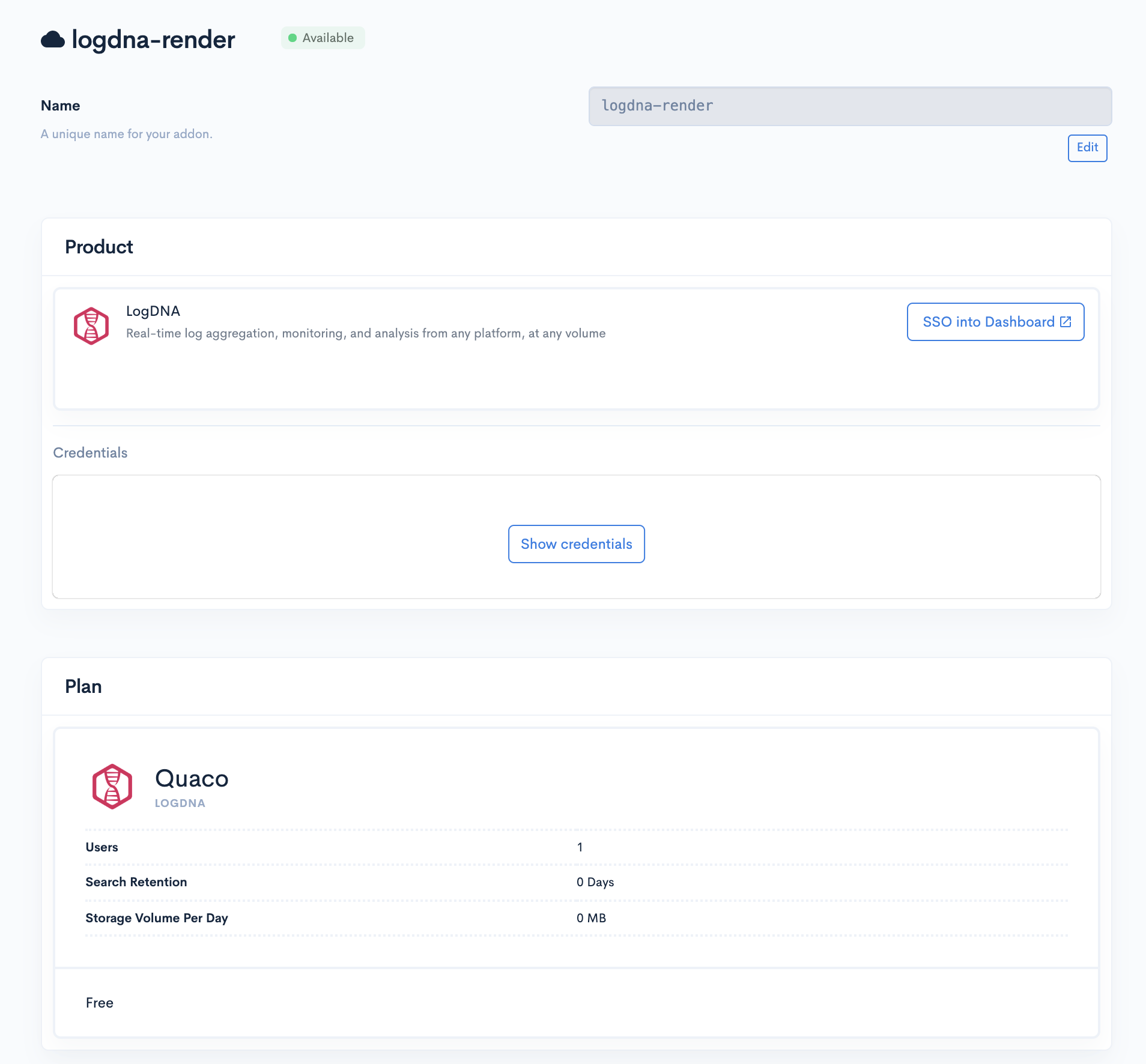
    Render already offers logging, monitoring and other DevOps tools, and will use the Manifold technology to create its own marketplace. Render CEO Anurag Goel said the partnership will provide his company with a platform that enables instant access without having to navigate as many configuration steps because Manifold has automated those processes.

    Goel said Render has been growing at a rate of 50% per month by focusing on the needs of developers, a strategy that has resulted in more than 100 million http requests a week on the Render platform. That approach has allowed the company to differentiate its cloud platform from much larger rivals such as Amazon Web Services, Microsoft Azure and Google Cloud Platform, which are not as focused on the developer experience, he said.

    Manifold CEO Jevon MacDonald said Manifold has focused its efforts on building a marketplace that allows smaller cloud service providers to offer tools and applications with a user experience that rivals any of the marketplaces provided by the big three cloud service providers but without having to build and maintain that marketplace themselves. Manifold also works with each provider of tools and applications on the marketplace to automate the configuration process, he said.

    Over time, marketplaces have proven to be critical for cloud service providers because they provide the foundation on which developer ecosystems are created. The easier a cloud service provider makes it for DevOps teams to discover new tools and applications, the larger that ecosystem tends to become.

    Obviously, AWS, Microsoft and Google have massive DevOps ecosystems in comparison to Render. However, with the rise of cloud-native platforms such as Kubernetes, it will become much easier for DevOps teams to build applications on one cloud platform and deploy them on another. To attract developers of cloud-native applications, Render has built a containerized platform as an alternative to legacy platform-as-a-service (PaaS) environment.

    Render is betting that cross-platform strategy for building applications becomes more commonplace, more developers will opt to build applications on cloud platforms specifically focused on providing a superior developer experience. Current Render customers include smaller startups such as 99designs, Gatsby and Indie Hackers by Stripe.

    As developers start to shift toward cloud-native technologies, it remains to be seen how many DevOps teams will be willing to consider alternative cloud platforms. The major cloud service providers have built business models around providing as little support as possible. While it may not be possible for cloud service providers to support each DevOps team with an expensive support contract, there does appear to be plenty of room for cloud service providers to create a richer developer experience that goes beyond a basic one-size-fits-all approach.

    — Mike Vizard

  • Red Hat Unveils Ansible Platform

    Red Hat Unveils Ansible Platform

    At the AnsibleFest 2019 conference, Red Hat this week announced the general availability of the Red Hat Ansible Automation Platform that combines several IT automation technologies into a single subscription.

    Built on top of Red Hat Ansible Engine, the platform also includes Red Hat Ansible Tower, a management console, and Red Hat Network Automation, an instance of Ansible designed to automate the management of network resources.

    Red Hat is also providing access to a software-as-a-service (SaaS) analytics application that enables IT teams to monitor how deeply Ansible has been adopted within any IT environment. That application also provides access to Ansible Content Collections, a packaging format that streamlines the management, distribution and consumption of Ansible content, and Automation Hub, a repository for certified content packaged using Ansible Content Collections.

    Richard Henshall, product manager for Red Hat Ansible Automation, said with this offering Red Hat is trying to make it easier for enterprise IT organizations to implement Ansible at scale. Most of the time the Ansible framework is adopted from the bottom up within an IT organization. Red Hat Ansible Automation is intended to make it easier for enterprise IT organizations to centrally deploy and manage all their instances of Ansible, he said.

    Although it’s not possible to know how many instances of the open source IT automation framework have been installed, Henshall noted there are already more than 4 million Ansible nodes that are tied to a paid support subscription from Red Hat. Most of those instances involve organizations that have adopted a declarative IT automation framework as part of their overall DevOps strategy, he said. While IT organizations don’t necessarily have embrace DevOps to employ Ansible, Henshall said there is a strong correlation.

    Much of that success can be tied to the fact that as a declarative framework Ansible doesn’t require IT operations teams to learn how to program to manage IT operations at scale. That approach has allowed IT teams to adopt the open source framework to meet the demands for more agile approaches to managing IT infrastructure stemming from developers who have embraced best DevOps practices.

    In addition, IT infrastructure vendors such as Cisco Systems, NetApp and F5 Networks have begun to embed Ansible within their server, storage and networking platforms. As those vendors sell the latest edition of their offerings, the number of IT organizations exposed to Ansible should begin to substantially increase.

    Henshall said the biggest issue now is expanding the scope of Ansible deployments. Most organizations initially wind up using Ansible to automate disaster recovery before moving on automate additional existing processes. Red Hat is now trying to encourage those teams to create new processes that previously would not have been possible without an IT automation framework, he said.

    Ansible may not be a de facto standard in the enterprise just yet, but it’s well on its way. Of course, there are still many IT professionals for one reason or another still tend to resist relying on IT automation frameworks. There are also several rival IT automation frameworks that have been embraced by DevOps teams. But when it comes IT automation, it’s clear Ansible is starting to emerge as the path of least resistance.

    — Mike Vizard

  • Split Software Adds Feature Monitoring to Feature Delivery Toolset

    Split Software Adds Feature Monitoring to Feature Delivery Toolset

    One of the issues that has long plagued both development and test is determining exactly where problem code exists. The increasing rate of change that agile and DevOps have brought to projects makes this problem worse than ever because changes today can impact code from yesterday–or yesteryear.

    The constant flux that modern software is in makes tracking down issues that much harder. This is offset a little bit by the fact that changes are generally smaller and more incremental because there are several iterations to get improvements into place and short sprints are the norm. But not completely offset, because a defect may just now be showing up, even if it was introduced several iterations ago.

    Feature Delivery tools offer the ability to group changes into features, then turn them on and off as needed. In the case of Split, they can also be phased in to see impact upon users. While the name uses “feature”, any code change like “feature enhancement” is included.

    The announcement pertains to new functionality called Feature Monitoring. This new addition to the toolset allows monitoring of features in production to show the DevOps team what is happening with their changes in real time. It also allows for advanced targeting of users so small groups can get the updates and evaluations made on how the changes impact those users in production.

    Feature monitoring captures error data, and feature tagging ties that data to features, meaning defect identification and resolution can both happen at a faster pace. Less looking where there isn’t a problem, and more information about how buggy a new release is.

    Given that I’ve recently written a fair amount about testing and the issues test DevOps team members face with rate of change, this seems custom-designed to address those issues. While there is no silver bullet, the faster issues can be identified, assigned and repaired, the better the overall application quality will be–and that is what this announcement is about.

    Not having used the tools yet, I can imagine some thought has to go into inter-related functionality, but that has always been true–you have to know what works as an overall system and can be placed together in a release versus what has to be held back if a given piece is incomplete. The way I envision Feature Delivery, and more specifically Feature Monitoring, being used would be smaller pieces than an entire release. Even if a new feature is going live, someone knows what inter-related pieces must be complete, so simply shifting that knowledge left will allow effective feature tagging.

    Finally, the ability to turn updates on and off by changing flags means less downtime, and if planning is done well, the virtual or complete elimination of rollback plans. Agile and DevOps talk of fix and re-release, but we’ve all seen scenarios where that simply isn’t an option, and this may be the solution we’ve been looking for–rollback by changing a flag that changes what code is executed. Flag-checking occurs in code with if-then’s though, so after many iterations code clean-up, it would likely need to be done just to keep the code from being overburdened with nested logic for iterations that are known to be stable.

    I think I’ll add this to my list of markets/products to dig deeper into and actually put to the test. We have a set of servers sitting idle at the moment, and a mobile app we use for testing, perhaps we’ll take some time to test out flagging and nesting.

    In the meantime, it is definitely worth a look. Anything that eases test burden and might remove the need for rollback planning is worth a look. Meanwhile, keep kicking out the tools that run business.

    — Don Macvittie

  • Deadline Extended! Get Your Tools Included in Our DevOps Tools Directory

    Deadline Extended! Get Your Tools Included in Our DevOps Tools Directory

    We’ve extended the deadline for inclusion in the DevOps Tools Directory, due to the number of last-minute entries we’ve received so far. The new deadline is this Friday, Sept. 20, so don’t wait!

    The DevOps market is growing so fast that it’s getting difficult for us (and, I’m sure, you) to keep up with all the new players out there. That’s why we’ve put together a tools survey that we hope tools vendors will take part in, so that we can create a comprehensive directory that developers, IT operations and executives can use to discover the right tool for their DevOps toolchain.

    The survey is also going to be used to help us recognize the top vendors in each category through our annual DevOps Tools Awards. (Did someone say awards?)

    The DevOps Tools Survey breaks tools into categories based on their utility as they relate to building applications. The categories are: creating, assuring, assembling, securing, delivering, running and analyzing. Organizations can submit up to three tools to be included in the directory.

    Want to be a part of the action and get your tool listed? Simply click on this link to get started. The process takes only about 10 minutes max, and will give us the information we need to get your tool included. It costs nothing to be included in the directory, and enhanced listings are available as well.

    Hurry, time’s running out! Don’t wait! The deadline for submissions is Sept. 20.

    — Charlene O’Hanlon