Category: DevOps Practice

  • Survey Reveals Slight Decline in Level of SRE Toil

    Survey Reveals Slight Decline in Level of SRE Toil

    The amount of routine toil that site reliability engineers (SREs) perform declined slightly in the last year even though IT environments in general are becoming more complex to manage.

    An annual survey of 300 SREs conducted by Catchpoint, a provider of an IT monitoring platform, in collaboration with VMware and the DevOps Institute suggests that the amount of toil—defined as low-level manual tasks—declined 15% in the last year.

    Only 22% of respondents claim to be scientifically measuring toil, so, to a degree, the survey results are apocryphal. Overall, the survey, published this week, finds SREs are, not surprisingly, spending the bulk of their time on responding to incidents and outages, followed by participating in postmortem analysis and on-call rotations. The primary sources of toil cited in the survey are too much technical debt, lack of alignment of priorities and goals, lack of appreciation of business value, lack of training and support and lack of collaboration.

    In terms of automation adoption, the most common use cases cited are release management, infrastructure management and application management. The tools most commonly employed by SREs are used to monitor infrastructure, networks and application performance. Adoption of artificial intelligence (AI) tools to manage IT operations (AIOps) remains low. The survey also finds respondents are roughly split evenly between centralized (42%) and decentralized (38%) approaches to managing IT. Another 20% said they have adopted a hybrid approach. Lack of visibility across the stack (53%) was the most cited cloud application monitoring challenge.

    The survey also finds only half of respondents continually refine their service level objectives (SLOs).

    Leo Vasiliou, director of product marketing for Catchpoint, said it’s clear that SREs are becoming more proactive in terms of preventing and containing the impact of IT incidents. The challenge they face is lack of visibility and context as those IT environments become more complex. Complexity is increasing, in part, because of the rise of cloud-native computing platforms running microservices-based applications that have lots of dependencies.

    Less clear right now is the percentage of IT environments managed by SREs today. In theory, a single SRE can do the same amount of work as multiple IT administrators by automating processes using various DevOps tools rather than relying on traditional graphical tools. However, SREs are hard to find and retain. It’s also not always apparent to what level of automation needs to be attained to qualify to be an SRE or, for that matter, what certifications may be required. Interest in becoming an SRE is rising, in part, because they typically command higher salaries.

    In the meantime, it’s clear organizations will need to find ways to automate the management of IT to a much greater extent. Most organizations cannot afford to hire a small army of IT professionals to manage IT environments that become more complex with each passing day. Everything from DevOps best practices and next-generation observability tools that promise to provide more context to AI platforms will all be part of the mix. The challenge is finding a way to implement those tools before IT management spins further out of control.

  • PagerDuty Allies with JFrog to Modernize IT Incident Management

    PagerDuty Allies with JFrog to Modernize IT Incident Management

    PagerDuty has integrated its IT incident management platform with the continuous integration/continuous delivery (CI/CD) platform from JFrog as part of an effort to streamline troubleshooting of application environments.

    Steve Gross, senior director of strategic business development at PagerDuty, said the overall goal is to make it easier for IT operations teams and developers to collaboratively discover the root cause of issues by, for example, being able to identify builds within a JFrog pipeline that might be having a negative impact on a production environment.

    At the same time, IT teams employing PagerDuty can now also receive notification from JFrog Xray, a tool that discovers both vulnerabilities in open source software and license compliance issues.

    Organizations of all sizes are attempting to minimize the impact of an IT incident by providing deeper insights into how applications were constructed. The goal is to reduce the amount of time IT teams currently spend looking for the root cause of a problem.

    PagerDuty JFrog

    Ideally, IT teams would discover those issue before they impact end users. The challenge they face is it can take weeks to discover the root cause of an issue that takes a developer a few hours, at most, to fix. Armed with insights from the CI/CD platform, Gross said it becomes easier for IT operations teams to proactively pinpoint the source of an issue in a way that provides the developer with enough insight to act.

    That is critical because, more often than not, it’s the last build of application that was deployed in a production environment that is usually the source of an issue, especially when that IT environment was operating normally before that build was promoted into a production environment.

    The data collected by PagerDuty from various DevOps platforms is fed into the PagerDuty tools via a Change Events application programming interface (API). Over time PagerDuty will also be able to apply machine learning algorithms and other forms of artificial intelligence (AI) to identify issues long before they reach a meaningful level of disruption, noted Gross.

    In general, there’s a movement to modernize IT incident management in a way that aligns with DevOps best practices as part of an effort to identify issues before an application is actually deployed. The hope is that those efforts will reduce the number of “war room” meetings that need to be convened to determine the root cause of a performance or security issue after an application has been deployed.

    It may be a while before IT incident management processes are modernized to that level. However, as IT environments become more complex—in part because of the number of microservices-based applications with multiple dependencies that are now being deployed—it’s apparent existing approaches to IT incident management don’t allow IT teams to respond fast enough to an issue. In fact, that’s more challenging than ever now that many of the members of an IT team are working from home more often.

    The pressure to modernize IT incident management increases in almost direct proportion to IT teams’ stress levels. The challenge now is to modernize those processes before the members of an IT team are too burned out to appreciate the effort.

  • Learning ‘The Third Way’ of DevOps – Continuous Improvement

    Learning ‘The Third Way’ of DevOps – Continuous Improvement

    I refer to the third way of DevOps–continuous experimentation and learning, as simply continuous improvement. In some sense, there is no way to learn the third way of DevOps because it is, by definition, a moving target. It does make sense to discuss what is needed to create a continuous learning organization for DevOps continuous improvement that builds on mastery of the first way and second way of DevOps.

    As indicated in my blog Learning ‘The Second Way’ of DevOps – Continuous Feedback and my prior blog Learning ‘The First Way’ of DevOps – Continuous Flow, it is clear many organizations are struggling to realize well-engineered DevOps, even the first way of DevOps, continuous flow.

    The first way of DevOps, continuous flow, is the foundation for DevOps. Once mastered, an organization will naturally want to master the second way of DevOps to achieve the higher level of benefits that continuous feedback offers, when engineered well. Once the second way of DevOps is achieved, then an organization will naturally want to master the third way of DevOps, to sustain and grow their DevOps capabilities.

    DevOps is an evolving body of knowledge. There is no one-stop shop that covers all roles and the complete range of skills required for DevOps. A DevOps-competent workforce requires an ongoing commitment to DevOps skills development and mastery. Enterprises must approach DevOps training strategically to leverage training resources to their best advantage.

    Learning Continuous Improvement

    There are no training resources dedicated solely to the third way of DevOps—continuous improvement. Many of the same resources as the first way of DevOps and the second way of DevOps do have some relevant information, though. Analysis of DevOps results, third-party research sources, industry sources such as publications, articles, conferences and tool vendors roadmaps for DevOps and related frameworks including site reliability engineering (SRE) and AIOps are good sources of information that stimulate self-directed teams to seek the training information that is most relevant to the organization’s DevOps improvements.

    Why Is Learning Continuous Improvement Important to Engineering DevOps?

    The third way of DevOps—continuous improvement—requires an organizational commitment to continuous learning and mastery at the most advanced level. Typical skills needed include implementation and operation of advanced practices for microservices design and operations, advanced continuous testing, multi-pipelines, value stream management, SRE, observability, DevSecOps and AIOps. Retention and development of highly skilled and hard to find experienced DevOps professionals and SREs makes it important to develop skills in-house.

    How Is Learning Continuous Improvement Accomplished?

    The following are recommended engineering practices for learning continuous improvement:

    • A continuous learning culture encourages individuals to continuously gain knowledge and exchange experiences and ideas for DevOps and SRE.
    • Mentoring is an explicit program.
    • Retrospectives are structured to thoroughly analyze significant, unexpected events and determine solutions that will prevent the events in the future.
    • An active online library of DevOps and SRE training resources is maintained that tracks the latest and most innovative approaches to DevOps and SRE.
    • DevOps and SRE teams evolve their skills and advance their careers by engaging with industry thought leaders to continuously update training content.
    • Partner with trusted education and training partners ensure the highest-quality learning content and tools are made available to DevOps and SRE teams.
    • A portion of DevOps and SRE teams time is allocated for training and education.
    • Cross-team sharing of recommended engineering practices is proactively pursued using the concepts of Yokoten—proactive sharing of practices between teams.

    What Is Needed to Implement Learning Continuous Improvement?

    The following are recommended engineering practices for implementing a learning program for continuous improvement.

    • Assign roles and responsibilities to experts for defining a training program for DevOps continuous feedback (e.g., DevOps sensei, training PM, evangelist).
    • Conduct a continuous feedback DevOps skills gap assessment.
    • Define a training strategy that best address the gaps and fits the needs and priorities of the organization.
    • Define a training budget that includes expenses and time allocations per role and skill.
    • Determine which skills and roles can be covered by inexpensive self-study resources.
    • Determine which skills and roles warrant more costly commercial training.
    • Identify training goals for each role.
    • Ensure recruiting job profiles match skill requirements for DevOps skills that are most relevant to the organization’s strategic goals.
    • Create a continuous learning culture that encourages individuals to continuously gain knowledge and exchange experiences and ideas for DevOps and SRE.
    • Build an active online library of DevOps and SRE training resources that tracks the latest and most innovative approaches to DevOps and SRE.
    • Engage with industry thought leaders to continuously update con tent for DevOps and SRE teams to evolve their skills and advance their careers.
    • Partner with trusted education and training partners to ensure the highest-quality learning content and tools are made available to DevOps and SRE teams.
    • Put in place means to make training resources visible and available.
    • Set training goals for teams and individuals.
    • Put in place incentives and recognition programs for training.
    • Track training progress.

    Some of the best sources of DevOps training resources are listed below:
    1. The DevOps Institute
    2. Partners of The DevOps Institute, such as Learning Tree International and Xellentro.
    3. Udemy.com
    4. Recorded talks and publications of IT Revolution
    5. Books such as my own Engineering DevOps, by Marc Hornbeek.

    What This Means

    The third way of DevOps—continuous improvement—requires an organizational commitment to continuous learning and mastery at the most advanced level. Typical skills needed include implementation and operation of advanced practices for microservices design and operations, advanced continuous testing, multi-pipelines, value stream management, SRE, observability, DevSecOps and AIOps. Analysis of DevOps results, third-party research sources, industry sources such as publications, articles, conferences, and tool vendors roadmaps for DevOps and related frameworks including site reliability engineering (SRE) and AIOps are good sources of information that stimulate self-directed teams to seek the training information that is most relevant to the organization’s DevOps improvements.

    Organizations must approach DevOps training strategically and continuously to leverage training resources to best advantage. To learn more about my blueprint for learning all things DevOps, refer to my book Engineering DevOps.

  • WSO2 Applies AI to API Management

    WSO2 Applies AI to API Management

    WSO2 today unfurled a Choreo cloud platform through which DevOps teams can create and manage application programming interfaces (APIs) more efficiently by leveraging machine learning algorithms and other forms of artificial intelligence (AI).

    Eric Newcomer, WSO2 CTO, said the integration platform-as-a-service (iPaaS) eliminates all the tasks associated with setting up a platform for and managing services based on APIs.

    Choreo, available in beta, employs AI to learn historical activities and performance behaviors in order to anticipate the needs of a developer. As developers build an API, the platform will provide performance feedback, identify anomalies, map data and even complete code, said Newcomer.

    The Choreo platform also comes with built-in observability tools for monitoring API usage and troubleshooting APIs, added Newcomer.

    In addition, Choreo provides access to the open source Ballerina programming language the company developed to enable developers to create APIs using both low-code and procedural code as they see fit, noted Newcomer. The low-code diagram that developers create generates source code that developers can then run wherever they want, said Newcomer. Developers can close the entire repository Choreo provides, Newcomer added.

    Developers can also trigger low-code integration logic to control hundreds of software-as-a-service (SaaS) APIs via pre-built connectors and templates provided by WSO2 or ones they create themselves.

    WSO2 is also making it possible to deploy APIs via a single click in Kubernetes environments, which eliminates the need to manage cumbersome YAML files. That capability is based on technology that WSO2 gained via the acquisition of Performer that the company revealed today.

    Finally, WSO2 is making available an API marketplace through which organizations can share APIs, event streams, data sources and templates.

    With the rise of microservices-based applications, API management has become a lot more challenging. Each additional microservice adds an API that needs to be managed and maintained. As more APIs are employed, it becomes increasingly difficult for DevOps team to keep track of the dependencies that exist between all those APIs without the aid of machine learning algorithms.

    It’s not likely machine learning algorithms will replace the need for DevOps professionals anytime soon. However, it’s becoming apparent that many of the manual tasks that DevOps teams routinely perform today are becoming automated by machine learning algorithms. In other cases. DevOps teams are gaining new capabilities that would have either been impossible for them to do on their own or would simply have taken too much time to complete.

    Of course, it takes time for any AI platform to learn the DevOps environment. IT teams need to invest a significant amount of time training an AI model to recognize relevant issues in much the same way they might train any new member of a DevOps team. The only difference is, once a machine learning algorithm learns something, they never forget it. Nor do they take a day off or announce one day they are leaving the company because they got a better offer somewhere else.

    It may take a while before DevOps teams are able to strike the right balance between man and machine, but one thing that is certain is that AI in DevOps environments is here to stay.

  • Enterprises Face Growing Technical Debt

    Enterprises Face Growing Technical Debt

    Technologists are always espousing new, trendy development solutions. More robust frameworks, increased delivery, better integration. But rarely do these proponents consider the long-term side effects of introducing new technologies. As a result, technical debt is an all-to-common occurrence in most companies.

    Nearly a third of IT budgets are dedicated to addressing technical debt. Devoting so much effort to maintaining legacy code leaves fewer resources to support the status quo, let alone develop new solutions. In fact, a recent study found that 69% of IT leaders identify technical debt as a significant threat to their companies’ ability to innovate.

    “The Growing Threat of Technical Debt,” a report from OutSystems, surveyed 500 IT leaders about this conundrum. Below, we’ll explore the top causes of technical debt and consider ways to prevent it from getting out of control.

    What is Technical Debt?

    Technical debt seems counterintuitive. Isn’t technology supposed to help organizations become more productive? Why would it be a burden? Well, technical debt often arises from hasty decisions taken in the short term that have long-term consequences. It’s also often the result of a company juggling many competing technologies, some of which have become outdated.

    Technical debt can carry a hefty price tag. But this debt isn’t so much measured in the cost of hosting legacy technology or running broken code, but in the hours lost maintaining and patching it. The report found that, on average, businesses devote 28% of their IT budgets to addressing technical debt. This number increases to 40% within large enterprises.

    Common Causes

    There is not one single factor causing technical debt. Many issues within an organization contribute to the problem, including reliance on stale technology, pressure to deliver in the short term, constant change, developer churn and incorrect architectural decisions.

    The top cause of technical debt is too many development languages and frameworks, cited by 52% of respondents as a big or critical problem. Legacy technology can weigh an IT department down. But, it’s not necessarily only old tech getting in the way—it could be that IT is supporting too many competing agendas.

    The second top cause is a high turnover rate within developer teams. In today’s competitive climate, quality engineers are in short supply, and hiring can be challenging. It is thus difficult to attract and nourish steady engineering talent. If developers frequently leave for greener pastures, especially before documenting their procedures, best practices can easily be lost and efficient use of technology is stunted.

    The study found that other common causes include accepting known defects to meet deadlines, using outdated programming languages and frameworks and dealing with challenges in serving new markets or segments. At times, teams release software with known defects simply to meet deadlines. The sheer size of a large organization can lead to increased technical debt, and not addressing it compounds the issue further.

    In terms of industries, the report found the health care and social assistance category hit hardest. In this sector, 35% of IT budgets go toward addressing technical debt, on average. The next most-burdened group is the financial category, which was at 29% according to the report.

    The Costs of Technical Debt

    What are the costs of technical debt? There’s a high price to maintain, reduced hours for innovation and a detrimental effect on overall software performance. Team dynamics could also incur adverse reactions from sustaining technical debt.

    Technical debt requires an disproportionately high amount of time to maintain. On average, engineers spend 33% of their time dealing with technical debt, found Stripe’s “The Developer Coefficient” study. This equates to about 13.5 hours of an average work week.

    The more debt you take on, the smaller the budget left for running status quo operations and building new capabilities. Supporting technical debt not only has financial implications but could stifle future prospects; in fact, 69% of respondents said technical debt limits their capacity to innovate. In today’s acceleration economy, not setting aside resources for digital innovation, could break a business.

    “The combination of old code along with the new generation of mobile apps, stack applications and SaaS sprawl are robbing organizations of resources, time and the ability to innovate,” said Paulo Rosado, CEO, and Founder of OutSystems.

    Technical debt could also stunt performance. According to the survey, 61% of respondents said it causes a significant drag on their company’s performance. Stale projects could interfere with streamlining customer experiences and digital transformation goals.

    Lastly, technical debt could also negatively affect morale. Few engineers take pride in repeating inefficient processes or working with obsolete tech.

    Alleviating Technical Debt: Be Intentional

    Similar to financial debt, technical debt comes with compounding interest. This interest could grow exponentially if left unchecked. So, what steps can organizations take to reduce their technical debt?

    To help alleviate the problem, the report recommends reversing the top two causes of technical debt by stemming turnover in development teams and limiting the number of new programming languages and frameworks you adopt.

    Other methods involve taking stock of your holdings to understand the presence and impact of legacy technologies. Next, rethink and redirect your strategy from simply maintaining legacy dependencies to addressing them and replacing them with modern styles.

    “A lot of bad tech debt comes from building too much and getting stuck spending more time on maintenance and bug fixes than expected,” said Jon Thornton on the Squarespace blog. ”The key is to be intentional about what you invest time in and aware of the costs you’re taking on.”

    Of course, enterprise IT must take on some form of technical debt to function—it’s futile to get rid of it entirely. Therefore, as Thornton advises, be intentional about it and stay aware of the costs you take on. When adopting new technologies, it’s best to consider maintenance implications and plan with longevity in mind.

    For more insights, download “The Growing Threat of Technical Debt” report in full here.

  • There’s No Innovation Without Automation

    There’s No Innovation Without Automation

    Companies of all sizes and across virtually every industry today have ready access to hyperscale compute, storage and myriad other technologies — without needing the significant budget or technical expertise of a hyperscale cloud provider like AWS.

    This is a boon for innovation. Cloud opened the door to cost optimizations, previously out-of-reach cloud-native tools, security improvements and other tangible business benefits. This also created something of a myth in the industry: people commonly think of cloud as “easy.” Yes, migrating existing applications to the cloud can create significant business value. But saying “cloud is easy” can be dangerously misleading.

    There are reasons for this perception. A developer with a credit card can create an account and spin up a new environment in a matter of minutes, for example. That’s a far cry from the days when that same IT professional might need to submit a ticket to an internal Ops team days (or weeks) in advance to provision a new Dev environment.

    Operating in the cloud at any kind of enterprise scale is not necessarily easy, however. In fact, cloud can be much more complicated than on-premises infrastructure. Consider the sheer number of new tools and services a platform like AWS rolls out in a given month—keeping up with the pace of change and innovation can itself seem like a full-time job.

    Complexity becomes an even bigger issue when teams migrate to cloud (or begin pursuing greenfield cloud-native projects) while simultaneously trying to move with greater speed and agility, often driven by a new or ongoing digital transformation project in the company. Think about a team that’s undergoing a shift toward DevOps while also migrating a major legacy system to a cloud—that’s a lot to tackle at once.

    Fortunately, cloud complexity is an eminently addressable challenge — so long as you embrace automation. Automation, including the use of embedded or native tools from the hyperscalers themselves, is absolutely critical to cloud success.

    Automation is what enables today’s IT teams to achieve the benefits of a cloud migration without saddling themselves with an untenable operational burden. Furthermore, automation is what makes a lot of popular mantras in business and IT today — such as “fail fast” and similar ideas — actually possible.

    Automation is the foundation of innovation. There is no such thing as meaningful innovation without automation. That’s because sticking with largely manual operations turns IT into a bottleneck. Technology hampers the overall business rather than drive its most pressing strategic priorities. Organizations that don’t adapt to this reality face big headwinds. Cloud on its own does not solve the problem; cloud paired with automation is what is needed.

    Consider the various operational requirements of any IT environment: provisioning, configuration, security, scaling, resource management and optimization, and change control/change management. Without effective automation, each of these alone can require an intensive amount of manual effort to manage in the cloud and quickly become more complicated than their counterpart in a plain-vanilla on-premises environment. If you can’t quickly scale up as your application needs change, whether due to a demand surge or other factors, then you’re not achieving the speed and agility that cloud promises, for example. Likewise, if you can’t scale down machines that are no longer needed, you’re almost certainly wasting money on idle resources. This is where a cloud platform’s autoscaling capabilities come into play.

    Similarly, consider your organization’s existing change control or change management processes. It’s a necessary function of many enterprises, especially those who must manage regulatory compliance. When applied manually in the cloud, it can quickly become a byzantine effort that severely limits agility. That’s a nonstarter for most modern businesses. This is another challenge that can be addressed with automation in the cloud.

    It’s also important to understand that automation drives quality as much as it drives agility. It enables you to deliver new products and services faster and more frequently while fostering top-notch user experiences. The autoscaling scenario above can reduce capacity-related outages that damage customer experience and the bottom line, for instance. In this way, automation and cloud together form the basis for true operational excellence and its hallmark characteristics of capacity, elasticity, performance, and security.

    This is not just the purview of customer-facing applications, either. Competitive businesses must bring the same philosophy to their whole IT portfolio. Innovation depends on internal systems becoming as nimble as a web front-end.

    Think about an ERP system like SAP; change on SAP for enterprises has traditionally moved at the speed of an elephant when today’s businesses operate at the speed of a gazelle. You must apply the processes, tools and culture of cloud and automation to back-end systems, too. You can automate operational tasks in the cloud, such as system refresh and other system-level operations. This paves the way to zero-downtime maintenance, patching the database at the OS level while getting rid of the hours of downtime that task would previously have required. Or think of the necessity of backup-and-restore: Via cloud-based automation, you can deliver point-and-click restores that greatly reduce time to recovery.

    Again, this is about quality just as much as agility. Applying automation appropriately to a cloud-based ERP system can reduce or eliminate human error, too, further boosting system performance and reliability.

    In short, cloud offers great opportunities for enterprises to access transformational innovation.  However, you can’t be innovative without being agile, and you can’t be agile without automation.

  • Designing Cost-Efficient Cloud Environments

    Designing Cost-Efficient Cloud Environments

    Today, the days of on-premises data centers are mostly behind us, and the cloud has largely taken over with the promise of scalability, flexibility and cost-efficiency. Despite these promises, the cloud often falls short of these ideals. Why?

    Because managing the cloud is hard—especially when it comes to managing its costs. There are no automatic savings the moment you sign up with AWS or any other cloud provider. Instead, realizing cloud savings requires lots of capacity planning, careful analysis, consistent monitoring, accurate forecasting and endless adjustments—it’s enough work to make anyone’s head spin.

    But the rewards make it worth the effort. If you manage your cloud correctly, it offers tremendous savings compared to on-premises environments. However, moving to the cloud without first putting a cost strategy in place can cost your organization millions as you scale in the long term.

    So, what guidelines should you follow to ensure you’re maximizing your potential cloud savings? Here are some common do’s and don’ts you can start implementing—or stop doing—now.

    Moving to the Cloud

    Migrating to the cloud is the first, and the most complex step. So before you get started, bear in mind the following:

    Do: Analyze Your Environment Prior to Migration

    Let’s face it—if you have a disorganized and over-provisioned on-premises environment, you’ll have a disorganized and over-provisioned cloud environment. Unless, of course, you clean it up prior to the big move.

    On the bright side, cleaning up your current, familiar environment is less daunting than doing the clean-up once you move to the new and unfamiliar cloud environment. Therefore, it’s critical to analyze your current environment prior to your cloud migration.

    Start by decommissioning all assets that are not currently being used. For example, you may have a virtual machine (VM) that was provisioned for a particular project and not turned off once that project was finished. As a result, you’d have an application running that is no longer needed. Identifying and removing these resources now will lower your future cloud costs while relieving engineers of future headaches.

    Do: Create a Blueprint for Your Cloud Architecture

    Next, you need to re-architect your application stack. Don’t worry, this task isn’t as scary as it sounds. You’ll need to create a list of the infrastructure you’re using now and find its corresponding infrastructure in the cloud. Say, for example, you’re using multiple dedicated servers for message queuing. If you’re moving to AWS, you’ll need to identify similar instance types in AWS prior to your cloud migration.

    Don’t: Follow the “Lift and Shift” Approach

    It may be tempting, but whatever you do, avoid the “lift and shift” approach. There are certainly ways to optimize your current environment, so simply moving exactly what you have into the cloud is a missed opportunity to reorganize, restructure and optimize performance and costs.

    For example, you may be running VMs that are not being used, backing up unused development servers, or storing data that can be allocated to a low-cost archival storage class. Make sure to readjust your architecture to fit the cloud, not the other way around.

    Governance

    The bottom line is, somebody needs to be responsible for managing cloud costs. Depending on your company size, it can be a team or an individual, but it must get done sooner rather than later.

    Do: Ensure Cloud Spend is Managed by a Specific Individual or Team

    Sticking to a cloud budget is easier said than done, but if you delegate this task to a team or specific individual, it will be their top priority to ensure your company stays on target. They will be responsible for handling cloud budgets, establishing who can and cannot provision resources and monitoring use.

    If you fail to establish governance, you run the risk of having many individuals provisioning resources without any liability or accountability, which results in significant overspend and lots of chaos.

    Don’t: Presume Governance Is Only for Large Organizations

    Think your company’s too small for governance? Think again.

    At least one individual should always be responsible for monitoring your cloud spend and ensuring it stays in line with the allocated budget. This person will work hand-in-hand with finance to create budgets, monitor use, create billing alerts and more.

    Cloud Security

    If you’re migrating to the cloud without thinking about security, you’re making a huge mistake. It is estimated that cybercrime will cost the world over $10.5 trillion by 2025. Even worse, according to Verizon’s recent study, cloud security breaches have surpassed their on-premises counterparts for the first time ever.

    So, needless to say, security should be prioritized when moving to the cloud. Here are some tips to get started.

    Do: Develop a Layered, Multi-Tiered Cloud Security Plan

    Your cloud security strategy should safeguard both your data and IT assets in the event of a cyberattack, while being compliant with the standards and regulations specific to your industry.

    Some cloud security strategies include:

    • Building your solution with a well-architected framework
    • Using solutions like threat detection, automated patching or security auditing
    • Connecting your on-premises network to the cloud using a transit gateway or similar technologies
    • Creating enough firewall rules for traditional systems and web applications

    Don’t: Rely Exclusively on Your Cloud Provider’s Security Controls

    While many cloud providers offer great security solutions, relying on them exclusively will not help you cover your bases. AWS regularly refers to the shared responsibility model, which states that AWS covers infrastructure, but the user must secure their own applications.

    Scheduling Your instances

    The longer you run your servers, the larger your bill will be. And, unfortunately for us, creating a new VM in the cloud has become so easy that many forget to turn them off when they are no longer in use. This results in cloud costs that are up to 66% higher than they need to be.

    So, if you’re looking to cut cloud costs, keep the following in mind when scheduling your instances:

    Do: Automatically Schedule Instances

    Let’s face it, it’s easy to forget about shutting down instances after hours. In fact, it’s so easy, it can happen to even the best of us. Automatically scheduling instances, on the other hand, avoids human error while simplifying the shutdown process.

    AWS’s Amazon Instance Scheduler or Azure’s Start/Stop feature makes it easy to shut down instances from non-production environments during “off hours” and spin them back up once they’re needed. In addition to these tools, you should consider implementing alerting so you can be notified if anything goes wrong in the scheduling process.

    Do: Take Advantage of AWS Auto-Scaling

    AWS auto scaling enables you to take full advantage of the cloud’s elasticity. The technology continuously monitors your application’s capacity needs and automatically adjusts resources to fit its current use. As a result, you don’t have to spin out a large VM for your workload. Instead, you can begin with a low-spec server and add it to an auto scaling group. When demand increases, more nodes will be added to your fleet to accommodate scale. Likewise, when the demand decreases, the extra nodes will be spun down.

    This helps optimize both performance and costs so you’re never paying for resources you’re not using and you always have the right number of instances to run your applications.

    Don’t: Allow Your VMs to Run Continuously

    This may seem obvious, but as we mentioned earlier, many forget to shut down VMs when they are not needed. For example, 9 AM to 5 PM on weekdays may be your peak hours. This means you probably won’t need certain VMs to run on Saturdays or at 3 AM—so why pay for them? Instead, shut down VMs during “off hours” to ensure your savings are maximized.

    Tagging Your Assets

    There’s no getting around it—tagging assets is an essential part of understanding your usage patterns and optimizing cloud costs. Asset tags are metadata labels which can be attributed to individual resources in your cloud fleet to track which application it belongs to. Usually, you can assign up to 50 tags per resource, and they can be organized and named according to your needs.

    When tagging assets, make sure to keep in mind the following:

    Do: Implement a Tagging Strategy Early in your Cloud Journey

    It’s never too early to start tagging assets. In fact, the longer you postpone it, the harder it will become. Once your spend and usage increases, which it inevitably will, you will need to have a tagging system in place in order to determine which team is responsible for each asset (so you can have them evaluate resources and costs), deactivate unneeded resources and more.

    Tags are extremely useful in many real-world scenarios. For example, if you’re not using a specific application, you can search for the tag “application” with a value of the application’s name. You will then see all resources related to that application, so you can easily delete them.

    Additionally, tags can be used to enforce budgets and prevent overspending. Simply set a budget threshold on your tag and set up alerts to notify you when you’re getting close to that threshold.

    Don’t: Embark on Cloud Migration Before Tagging Assets

    Tagging is simple if you do it in the beginning when your environment isn’t so complex. But it’s excruciatingly difficult once your environment is more mature. So, if you’re moving to the cloud, make sure to start tagging beforehand so you don’t have any regrets.

    Do: Use Reserved Instances and Savings Plans

    If you’re on AWS, using reserved instances (RIs) and savings plans can save you up to 72% over the cloud giant’s on-demand pricing. The catch is you have to commit to purchasing RIs one to three years in advance, which means you’ll need to predict your usage needs ahead of time. Despite this challenge, RIs offer tremendous savings for those that use them wisely.

    Don’t: Purchase Reserved Instances or Savings Plans Without Building a Strategy

    When using RIs, it’s crucial to develop a strategy to ensure your savings are maximized. Often, people make the mistake of purchasing many RIs, which are not used. This results in upfront savings, but no return. Make sure to come up with a plan for how you handle reserved capacity. Selling them on the AWS marketplace is a good place to start.

    We move to the cloud for the promise of more flexibility and lower costs. But to actualize that promise, we can’t expect the cloud or our cloud provider to do all of the work for us. Unfortunately, cloud savings are not automatic.

    That’s why creating a strategy that covers costs, security, and other critical aspects of cloud migration should be your No. 1 priority. Even if you’ve been using the cloud for years, you should continue to reassess your cloud cost strategy to ensure it is optimized fully. Start by pinpointing practices that result in cloud waste and creating a game plan to prevent it from happening.

    Keep in mind that new technologies are always emerging, so make sure you are aware of any industry changes which could impact your cloud cost strategy.

  • The Gamification of Everything

    The Gamification of Everything

    Cross-pollination, for the non-scientific, is one of the key foundations of biodiversity on Earth. It is evolution in action—responsible for reinforcing the traits that make plants stronger and ensuring the survival of many species.

    On a far smaller scale—but equally crucial, from a business point of view—technology applications that move across industry delineation generally gets stronger. The traits that make great tech awesome in one domain combined with the unique use cases and experience of another domain result in more powerful and more flexible technology. And it’s not just a one-way street. Tech often moves back and forth across industry segments, and each time it crosses the line, its DNA improves. That means that, ultimately, the original domain tends to be strengthened by cross-pollination, too.

    This is exactly what’s happened with gaming development technology in recent years. And I’m not just talking about best practices. I’m talking about actual purpose-built gaming development technology that’s spread across and penetrated into industries like automotive, e-commerce, entertainment, architecture, real estate and more.

    This cross-pollination has left top-tier gaming tech players like Epic’s Unreal and Unity in a vastly superior position. In fact, it seems that cross-pollination is becoming an integral part of the growth strategy for these and other gaming tech companies. They’re not only betting their tools will shape the next generation of user experience in multiple industries–they’re also making strategic acquisitions that will make this happen.

    What Does Cross-Pollination Look Like?

    Cross-pollination of gaming tech takes a number of forms–some quite overt, others more subtle. For example:

    • The gamification of mobility–Gaming tech is bringing a new level of interactivity and visualization to the automotive industry. For visualizing self-driving, safety testing, visualizing automotive components, creating online showroom visualizations of vehicle interiors and more–gaming tech is deeply integrated into automotive development, manufacturing and retail.
    • The gamification of entertainment–Game development tools are revolutionizing the way entertainment companies develop content. From scene development based on a gaming methodology and gaming engines, to an entire popular series shot in one location using Unreal–gaming tech has radically changed the scene and series development pipeline.
    • The gamification of business software–The gamification of business software is streamlining processes, training and workflows. From companies like Invrsion, which offers game-like virtual reality tools for retail, to Salesforce, which adopted a game motif for key training—business functionality augmented by gaming tech and gaming user experience enhancements are becoming standard.
    • The gamification of education–Learners learn best when they’re having fun–and also when they have goals, targets and achievements to reach for. Sites like Khan Academy and apps like Duolingo have brought gaming tech and methodologies into the virtual classroom, changing paradigms for educators and learners alike.
    • The gamification of everything else–Shopping for clothes online during lockdown? The functionality that lets you “try on” garments is based on gaming tech. Designing a new pharmaceutical molecule using VR augmentation? Gaming tech. Urban design? Yep—gaming tech. And the list goes on.

    Why Gaming? A Unique Technology Incubator

    The question that companies in any industry should be asking is: why is gaming able to create such powerful, flexible and inspiring tech that lends itself so well to cross-pollination?

    The answer is multifaceted. First off, gamers are out-of-the-box thinkers, to say the least, and game developers–well, they broke the box before the gamers even got there. Gaming tech was born in a development environment on steroids—tight schedules, computing intensive processing, insane competition and frequent release cycles. This makes for a space that’s both receptive to new tech and open to new ways of doing things.

    Secondly, gaming is a ridiculously dynamic industry that is undergoing incredible growth, and the pandemic has only accelerated this trend. More money coming in translates to more investment in developing, improving or acquiring tech, as well as to launching more and more new games.

    Finally, in the gaming world, human resources cross-pollination is built in. Game developers move between studios all the time. This spreads tech advancements like–pardon the sensitive reference–a virus. Because if something worked well for you in one job, you’re going to want to use it in your next position.

    The Takeaway

    In both the natural and business worlds, cross-pollination is necessary for survival. Gaming tech is leaking into other industries for one key reason: it is frequently superior. And this cross-pollination of gaming tech benefits both the industries that adopt it and the gaming industry itself.

  • Cortex Taps GitLab to Help DevOps Teams Manage Microservices

    Cortex Taps GitLab to Help DevOps Teams Manage Microservices

    Cortex, a provider of a platform for tracking ownership of microservices, this week announced its platform can now import services from the GitLab continuous integration/continuous delivery (CI/CD) platform.

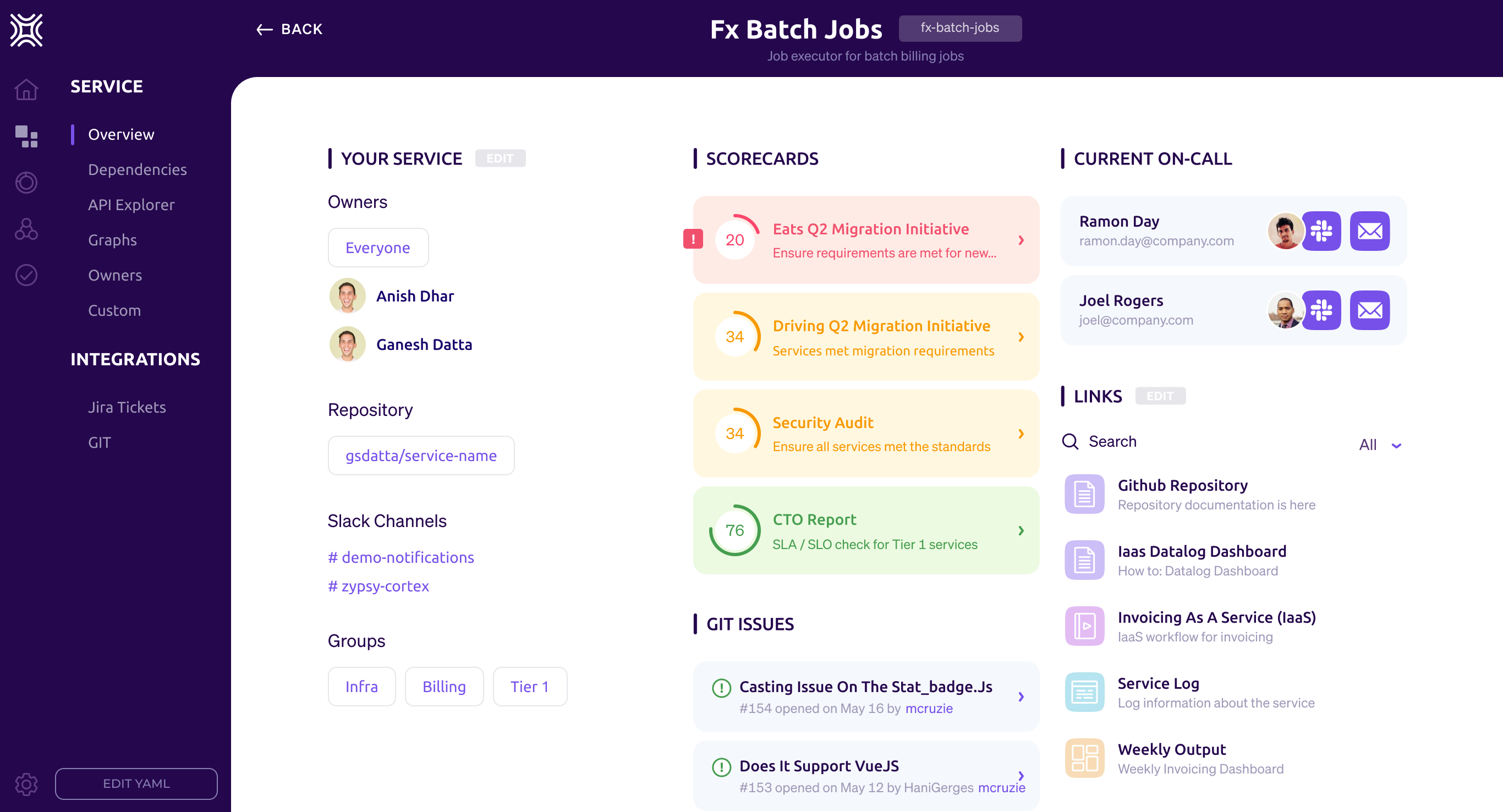
    Anish Dhar, Cortex CEO, said the company’s platform is now integrated with more than 30 tools that are regularly employed by DevOps teams, including offerings from GitLab, Datadog, Sonarqube, Snyk and PagerDuty, as well as open source platforms such as the Kubernetes container orchestration engine and the Istio service mesh.

    Designed for site reliability engineers (SREs) and other DevOps professionals, the Cortex platform eliminates the need to rely on spreadsheets to manually track ownership of microservices. Instead, Cortex imports data residing within the tool employed by developers to surface who within an organization is responsible for maintaining which microservices.

    In addition, a Cortex dashboard enables DevOps teams to see which developers are on-call in the event of an unexpected incident, the latency rate microservices are experiencing and which vulnerabilities have yet to be remediated.

    Grades can also be assigned to specific microservices based on metrics that are associated with a specific microservice. That approach allows DevOps teams to apply gamification techniques using a scorecard to encourage developers to continuously improve their microservices, noted Dhar. That approach will also make it apparent to other developers which microservices running in a production environment can be most reliably employed, added Dhar.

    Cortex

    At the core of the platform is Cortex Query Language (CQL), a domain-specific language that allows DevOps teams to define granular rules that can be applied to, for example, on-call rotations, security vulnerabilities, package versions, service level objectives (SLOs) and the overall health of the microservice. Engineers can employ code in the form of YAML files to set reliability standards across teams and types of services through direct integrations with a variety of tools. In effect, Cortex provides a reliability-as-code platform, said Dhar.

    As responsibility for applications shifts further left, each development team is being held accountable for the life cycle of any microservice or application they create. The challenge enterprise DevOps teams are encountering is that when there are hundreds, even thousands, of microservices, it’s difficult to determine who on the development team is responsible for a specific microservice. Rather than trying to keep track of the relationship between development teams and microservices using a spreadsheet, Cortex is making a case for a tool that automates that discovery and tracking process.

    Most organizations today are embracing microservices to build and deploy more flexible applications at varying rates. However, it’s only a matter of time before they find themselves trying to navigate a web of interdependencies between microservices that can’t be managed using spreadsheets. DevOps teams, of course, might be inclined to use their skills to create their own tool for tracking microservices. However, given all the tasks at hand, maintaining a custom platform for discovering and tracking ownership of microservices is likely something better done by a vendor willing to maintain and support a purpose-built tool.

  • How to Gain Greater Value From DevOps

    How to Gain Greater Value From DevOps

    DevOps is more than just deployment and management. Fully leveraging the DevOps team and their activities can actually enhance operations and improve customer satisfaction.

    Be Proactive, Rather Than Reactive

    Say you deploy a new version, encounter some problems and then react. What if you could stay at least a step or two ahead by becoming more proactive?

    Check your metrics and look for trends. You can spot rises in error rates or latencies over time and identify problems just as they are bubbling up. Ideally, you’ll identify them when they are merely minor issues, not when you’re already required to hit the panic button or roll back. Looking ahead to see what’s around the corner puts you in a much better place.

    Use Feedback to Improve Operations

    While it’s true that investing time and resources to automate tasks, such as deployment, is a good thing, it’s even better to focus on another high-value DevOps activity—bringing insights from operations into your development pipeline.

    Incorporating feedback and ideas into your processes puts you in a much better place, especially because there are already tools out there to help you do those deployments and other tasks pretty easily. For example, once you’ve packaged your application into a container, you just need to push a few buttons to set up automatic scaling, load balancing and routing. With all of that automated, you can focus on what’s really important—your application.

    Track Customer Behavior

    Here are two gems—both easy to set up and use, from the same GitHub author—that you can use to track your customers’ behavior, monitor usage and get better insights to improve operations.

    Ahoy—Use this to track user visits to your web page to determine specific named events that you want to add to your code. You can do this from either the server side and a controller, from JavaScript, or via a simple API. It uses two tables that you can easily query, plus some smart built-in data visualization capabilities.
    Blazer—Use this to gain visibility to your database by just adding a mount point to your routes file so that you can access the web application. It provides an easy interface to do SQL queries and show the results.

    Check the Metrics Often

    Once you get these tools set up, don’t stop there. Check the metrics—weekly if possible—and see what the trends are. Ask questions. The cool thing about operations—unlike engineering and writing software where you’re trying to solve one problem—is it’s not always well defined. You may not even know what questions to ask at first. However, diving into the metrics and seeing what patterns emerge from the use and events will not just benefit your customers, but also feed back into your development cycle. This empowers you to go back and reevaluate decisions made earlier on and learn where you should direct your attention and energy going forward.

    Be sure to enhance your focus on where DevOps can actually take you. It’s not just about writing automation and deployment scripts. The synergy of analysis and software is the future of DevOps.