Category: DevOps in the Cloud

  • IBM Looks Toward Cloud Unification

    IBM Looks Toward Cloud Unification

    Now that IBM is achieving some critical mass in the cloud, the next major focus will be unifying the management of disparate cloud services.

    IBM recently reported revenue of $79.1 billion for its most recent fiscal year, a decline of 1 percent year over year. But within that revenue mix, Big Blue also reported that cloud revenue now accounts for $17 billion, an increase of 24 percent year over year. All told, cloud services now accounts for 21 percent of IBM’s revenues, and the company’s “as-a-service” annual exit run rate was $10.3 billion, up 24 percent year over year. Those revenues include $9.3 billion delivered as a service and $7.8 billion for hardware, software and services.

    IBM may not be in the same league as public cloud service providers such as Amazon Web Services (AWS). But the company is in a unique position to unify the management of public and private cloud computing services, said Rob Thomas, general manager for IBM Analytics.

    Most organizations are implementing a multicloud computing strategy. That decision creates significant data management issues that need to be addressed by a more holistic approach to DevOps, Thomas said, noting that IBM is betting that being able to consistently port applications and data between clouds will emerge as major theme in the enterprise in 2018 that it is in a unique position to address.

    Rob Thomas, IBM

    Today, most organizations are managing each cloud service they engage in isolation. But, rather than decreasing costs, each cloud service engaged brings with it additional overhead. In fact, each new cloud service conspires to increase the total cost of IT ownership for IT organizations as they move to master the tools required to support it. Despite that issue, the inherent business and IT agility cloud services provide are too compelling to ignore. Thomas said the result will be a continued proliferation of cloud services that enterprise IT organizations will want to unify under a common data strategy that also extends to their legacy IT environments. Otherwise, there ends up being too much duplication of data and effort, he said.

    Much of the effort to centralize the management of multiple cloud begins and ends with sound DevOps practices. The need to centralize the management of multiple clouds goes well beyond simply achieving cost synergies. Managing public and private clouds alongside legacy applications won’t be sustainable unless organizations modernize how they build, deploy, update and manage applications, Thomas said. Given the fact that each of those applications in turn increasingly will be made up of multiple microservices, modernizing the way the data that each of those services can access by extension also becomes critical, Thomas noted.

    Of all the major cloud services providers, IBM is the only one focused on providing the tools and services needed to help IT organizations make that transition at the level of scale required, Thomas said, noting that, in addition to a raft of DevOps and data management tools IBM provides, the company has extended the DevOps managed services it provides to enable organizations to accelerate that transition.

    It’s too early to say just yet how the rise of multicloud computing will transform enterprise IT. But it’s clear the days when the local data center was the primary focus of enterprise IT are long over.

    — Mike Vizard

  • Mirantis CEO Charts Hybrid Cloud Path Forward

    Mirantis CEO Charts Hybrid Cloud Path Forward

    Adrian Ionel is back at the helm of Mirantis as CEO at a time when the shift to hybrid cloud computing is tantalizingly close to being an everyday IT reality.

    Adrian Ionel, Mirantis CEO

    Ionel is one of the original co-founders of Mirantis, which provides a curated instance of OpenStack and Kubernetes cluster software alongside a suite of services to manage them on behalf of a customer. Ionel replaces Alex Freeland, who will remain on the board of directors of Mirantis.

    The decision to shift leaders is being driven by the need for Mirantis to grow more rapidly at a time when IT organizations soon will be moving toward unifying the management of multiple clouds, said Ionel.

    While Mirantis owes its existence to OpenStack, the company has been rapidly developing Kubernetes expertise that is at the heart of a recently unfurled managed hybrid cloud computing service. Ionel said the rise of Kubernetes provides a unique opportunity to manage private and public cloud services based on Kubernetes via a central control plane.

    The challenge Mirantis will face in achieving that goal is the reluctance IT organizations historically have shown when it comes relinquishing control over their IT environments to a third party. In addition, an already fierce number of rival managed service providers (MSPs) also are moving to embrace Kubernetes.

    Ionel said most IT organizations underestimate the complexity of managing multiple clouds. As more of them come to that realization, the number of organizations looking to rely more on external expertise to deploy modern microservices-based applications on Kubernetes should increase substantially. To facilitate that transition, Mirantis has crafted a hybrid Kubernetes service that can be invoked programmatically by developers. A crucial factor driving that decision will be increased awareness of the perils of being locked into a specific public cloud service provider. In fact, Ionel noted that many IT organizations today underestimate how easy it is to become entangled by proprietary application programming interfaces (APIs) on a public cloud service such as Amazon Web Services (AWS).

    For the immediate future Ionel said Mirantis expects to see most instances of Kubernetes to be deployed on top of virtual infrastructure. Use of Kubernetes on bare-metal systems is confined largely to application development, he said. But as Kubernetes continues to mature, Ionel noted it’s only a matter of time before IT organizations will be deploying more instances of Kubernetes running on both virtual machines and bare-metal servers. That, of course, will further add to the complexity that needs to be navigated.

    Ionel said rivals underestimate just how healthy the current Mirantis business is as use of OpenStack continues to increase. AT&T, for example, has now deployed more than 10,000 nodes employing instances of OpenStack provided by Mirantis, he said.

    New CEOs don’t usually magically transform a company by their mere presence. But in the case of Mirantis, the opportunity for Ionel to turn potential in real growth is higher, for no other reason than he doesn’t have to first learn how the company operates.

    — Mike Vizard

  • DevOps in the Cloud: Security’s Groundhog Day

    DevOps in the Cloud: Security’s Groundhog Day

    Throughout the internet age, enterprise IT has given security a lower priority than qualities such as speed-to-deployment, scalability, availability and usability. We first saw this in the late 1990s and early 2000s, when IT teams rushed applications onto the web. Amid the glee surrounding the potential of fancy new internet architectures, few thought about the possibility that these applications could become portals into the enterprise for criminals. So, the credo among development organizations was “move fast, deploy fast and seize the future.” There was no concept of risk management, beyond considerations such as availability, scalability and usability. This laid fertile soil for what would become the breach epidemic.

    As we progressed through the years, breaches became so common and massive as a result of the “web evolution” and there became a dire need to manage information security risk. Thus, enterprise security was born. As it evolved, these departments worked closely with IT management, development, infrastructure and business teams to create frameworks that aligned business goals, risk, security and agility. Security and risk management became important parts of development processes and business operations.

    Finally, there seemed to be a path forward to a more secure future … until the future changed.


    Related Content:

    How Developers Can Take a More Proactive Approach to Security

    How Blockchain Tech Can Make DevOps Better


    The future became the cloud revolution, and it plunged us back into the same festering pool of security negligence that we saw two decades ago. Indeed, when it comes to deploying applications in the cloud, security professionals likely can relate to Bill Murray’s character in “Groundhog Day.” Only in the real-life case, they repeatedly relive the same scenario regardless of what they do.

    As DevOps Teams Gain Power, Things Become Less Secure

    Since the emergence of cloud computing, enterprises once again have rushed to take advantage of a new deployment paradigm, and they are prioritizing factors such as scalability, availability and cost-containment, leaving security as an afterthought. As DevOps teams lead today’s much-ballyhooed business transformation initiatives, they gain elevated status within companies.

    Perhaps the most critical development has been DevOps teams gaining control over infrastructure, not to mention development and even corporate purse strings. While these teams follow their own best practices, their processes and protocols often don’t align with their organization’s enterprise security model. Additionally, many cloud providers increasingly are working directly with DevOps personnel, circumventing IT, security and business teams. Not only has this eradicated the interdepartmental collaboration that emerged to manage risk following the first generation of internet applications, but traditional IT and IT security processes have been disintermediated.

    The net result is that, even if a company understands the importance of security, no one team or individual is directly responsible for it because those personnel have been disintermediated. This leaves a gaping hole in enterprise cloud strategies, which is due in large part to confusion related to the shared responsibility model in cloud computing. Many organizations incorrectly assume that cloud platform security equates to application security. But, just because a cloud provider is HIPAA-compliant, for example, doesn’t mean an application deployed within that environment is as well.

    We have critical business applications exposed to a brand-new environment—and security is nowhere in sight. Companies are moving forward with cloud migration without fully understanding what their requirements should be or for what the business, IT and security teams are responsible, paving the way for a second iteration of the breach epidemic. Welcome to “Security’s Groundhog Day.” 

    Securing Cloud Migration and DevOps Processes

    We don’t have to make the same mistakes with the cloud that companies made when they first deployed web-enabled applications in-house. We can break the repetitive cycle by making security and risk management a fundamental part of cloud migration and DevOps processes. Here are a few ways to accomplish this:

    • Know your data. Everyone within your organization has a responsibility to understand what types of data are moving to the cloud on a per app basis, as well as exactly what types of controls are required to mitigate enterprise risk associated with that data.
    • Use a matrix of reference architecture to design secure-by-default solutions to meet varying workload requirements. This will help DevOps teams know when to apply more arduous requirements and when lower risk data needs fewer controls.
    • Verify your plans regularly. Agility requires compromises, and the cloud moves quickly. Without continuous monitoring and rigorous testing, you can’t be sure that what you wanted to build actually made it into production.

    Ending ‘Groundhog Day’

    Many companies are forging ahead with DevOps in the cloud without giving security a second thought, and the resulting consequences are giving other organizations pause. In the movie “Groundhog Day,” Bill Murray’s character had to re-examine his life to break the endless time loop. DevOps would be well-served to do the same: to rethink security and make it a focal point in cloud migration and processes. This is how DevOps can avoid repeating the mistakes of the past. Most importantly, there needs to be a change in the DevOps mindset.

    Security should not be the reason organizations are saying “no” to cloud adoption. When engaged as part of the process, it actually becomes the key to unlock the cloud. Making security part of the process is how you avoid “Groundhog Day”!

    — John Turner

  • Shippable Extends Scope and Reach of CI Service

    Shippable Extends Scope and Reach of CI Service

    One of the attributes of building a continuous integration (CI) platform on top of Docker containers is that it’s highly portable. Shippable is making good on that promise by delivering versions of its namesake CI platform that can be employed on Mac OS X, CentOS and Windows platforms as well as to the Ubuntu distribution of Linux.

    In addition, Shippable is make available a beta release of an analytics module that promises to improve overall DevOps efficiency.

    Manisha Sahasrabudhe, vice president of product management for Shippable, said the company’s namesake CI platform for managing application release cycles now supports every type of platform commonly employed in a DevOps environment.

    DevOps teams can now run jobs across multiple operating systems that share access to the same GitHub or Bitbucket repositories. The latest release of Shippable also provides those teams with the ability to granularly allocate a pool of available resources for each job running, Sahasrabudhe said.

    Other new capabilities include support for custom scripts and images, as well as the ability to run tasks inside or out of a container.

    Finally, Sahasrabudhe said DevOps teams can now also make of an analytics add-on module that DevOps teams can employ to identify bottlenecks, for example, and track various key performance indicators. The analytics module is intended to help organizations move more rapidly down the DevOps maturity curve.

    Individual organizations are move down that maturity rate at significantly different paces. But when it comes to DevOps, Sahasrabudhe noted the larger the organization is the more chaotic IT tends to be. Because Shippable is made available as a software-as-service (SaaS) application, the company is in a unique position to enable organizations to compare how they are performing various tasks compared to the rest of the Shippable customer base. Those same organizations are also keenly interested in what’s holding up application development. They may not necessarily be able to eliminate a bottleneck, but deeper insights into the overall process should enable the organization to plan better, Sahasrabudhe said.

    For example, organizations typically have a choice of programming tools at their disposal. Analytics could be applied to inform them as to how well any specific programming tool is being used to build specific applications by not only that organization, but also the entire Shippable customer base in aggregate, Sahasrabudhe said. Further on, Shippable also expects to be able to apply both machine and deep learning algorithms to the data its collects to provide even more predictive analytics, he said.

    One of the primary reasons many organizations are starting to shift all kinds of management platforms into the cloud is to create a central repository of knowledge that can be easily accessed from anywhere in the globe. Most application development projects today are highly distributed endeavors. Hosting the tools needed to manage those projects enables developers to continue working locally on their own code, while still giving the organizations insights and control over the overall project.

    Analytics provided via the cloud is not a substitute for a project manager. But it does provide a means for everyone across the organization, including business leaders, to have a much firmer grasp of the realities of modern application development.

    — Mike Vizard

  • DevOps Pro Tips on Cloud Management

    DevOps Pro Tips on Cloud Management

    In this DevOps Chat we are joined by Andy Richman of Park My Cloud and Samir Mehra of Cloud Health Technologies. Both of these cloud experts give sound advice on how you can best and most efficiently manage your cloud infrastructure, whether it is on AWS, Azure, Google or anywhere else. If you are interested in optimizing your cloud deployments and cloud management in general (who isn’t?), then have a listen.

    As usual, the streaming audio of our conversation is immediately below, followed by the transcript of our conversation so you can read along. Enjoy!

    BTW, we have recorded two other podcasts with Park My Cloud. You can listen to them here and here.

    Alan Shimel: Hey, everyone, this is Alan Shimel, devopsy.kinsta.cloud, and you’re listening to another episode of DevOps Chat. We’ve got a great chat lined up today. We’re gonna be talking a little bit about managing your cloud infrastructure, cost, and how much do you really know about or how much insight do you really have into your cloud infrastructure.

    We’ve got two great guests lined up to join us and help us today. First, I have Andy Richman. Andy is with ParkMyCloud, and Andy, welcome to DevOps Chat.

    Andy Richman: Thank you, Alan. Looking forward to this.

    Shimel: Okay, and you know what, Andy, before we introduce Samir, why don’t we just, for anyone who may not be familiar with ParkMyCloud, why don’t you give us a little background on what your role is there?

    Richman: Sure. So, I’m the Product Manager over here at ParkMyCloud, and I think about all things automation and saving money in the cloud. The way we describe it is cost optimization. We launched the company in September, 2015, so we’ve been around just over a couple of years now, and we work with all manner of companies, from large Fortune 500 type companies, right, all the way through to smaller startups born in the cloud, and we’re helping all of those people effectively manage their infrastructure and get the most bang for the buck out of it.

    Shimel: Excellent. Okay, we’ll come back to you in a second, Andy, but first let us introduce Samir Mehra—and I messed that up Samir, I apologize. Why don’t you correct me?

    Samir Mehra: It’s Samir Mehra.

    Shimel: Oh, I wasn’t too bad, then. And Samir, why don’t you tell us your company and background

    Mehra: Yeah, so I’m Director of Product Management here at CloudHealth Technologies. CloudHealth Technologies is a SaaS platform that provides visibility into all your cloud environments, so customers can really look at areas for optimization, and this can include cost, usage, configuration, security, and performance. And then we also have ways that you can automatically remediate some of these optimizations with our policy engine.

    Shimel: Got it. So, Andy, Samir—not to boil it down to dollars and cents, but let’s boil it down to dollars and cents. Is cost sort of the biggest factor in what companies are looking at in terms of managing their cloud infrastructure? I mean, you guys do similar but different tasks for organizations using cloud. What’s your opinion? Is cost the number one priority there? Andy, let’s go with you first.

    Richman: Sure. So, it depend where you are in terms of your company’s cloud evolution. So, if you’re moving from an on prem data center type operation into the cloud, then no, it probably isn’t. You’re thinking about migration, getting workloads moved over, you know, getting performance in the cloud.

    Once you’re in the cloud, you know, obviously, you’re looking to optimize the performance, you know, you’re probably looking to scale up what you’re doing there. And again, cost is moving up, but it probably isn’t number one or number two. But once you’ve been in the cloud for a couple of years and, you know, month on month, you’ve seen those cloud bills climbing, then typically, yeah, it begins to get a lot of attention. And, for most of the companies we’re working with, they’re all at different stages, but probably the majority are pretty focused, and it probably is in that top three, top five for the company.

    Shimel: Excellent. Samir, how about you?

    Mehra: So, I look at it in a different way. It depends on what type of company you are. If you’re a born in the cloud company, you know about how cloud is supposed to be managed. I think cost is not the important thing, it’s the efficiency with which you want to execute things and how quickly you want to get up with your production infrastructure or your test dev infrastructure. And really, I think those companies are very apt at managing some of their costs and making sure their cost is optimized, because they only have been dealing with opex.

    But, when it comes to enterprise companies, I feel some of them, even though they’ve migrated a bunch to the cloud, they still think of cloud as something which is capex. They generally overprovision when they don’t need to overprovision. You know, cost is secondary for them, too, but they have so much of extra spend in what you call cloud sprawl that they really need somebody to help them visualize it and give them ways to optimize that cost.

    Shimel: Yep. So, you know, I always like to say that the costs are almost symptomatic of something else, though, right? Especially when we talk about things like cloud, guys. You know, the costs are relatively set. You can look up on a price chart and see, you know, what a gigabit of storage is, how much CPU time costs or what have you.

    I think when we talk about the cost of cloud and stuff like that, really, the underlying thing is a question of control. Do we really have insight into what we’re using and how we’re using it, right? And, because we don’t, it translates into a cost we may not understand or expect or even know what the heck’s going on. But really, the underlying issue is control and more management of what this is.

    And both of your organizations kind of play a role in that. Why don’t you—and not to create a knock-down, drag out, but can you give me a contrast, Samir, let’s say, in what your company does versus what Andy and the folks over at ParkMyCloud do?

    Mehra: So, I’ll start with the fact that, you know, from what we’ve seen our customers spend, IAS and virtual machines or EC2 instances are really still the biggest spend. People haven’t really transitioned into a lot of TAS services, though TAS services definitely are picking up.

    The way we do it is, you know, to help prevent cloud sprawl, we do have a policy engine where you can set up a policy which tells you if there’s an instances that is started that is more expensive than what you want an individual to set up. So, if they go spin up a really huge instances, you can get alerted, you can actually set up a policy which turns that instance down, even before it gets to run. And the other thing is, you know, the way we prevent sprawl also is, we give you—we, again, use a policy engine and tell you, “You know what? There’s somebody who spun up an instance,” and they have them tag those instances. So, there’s no way to know who’s actually spun that instance up, and if you don’t know who spun that up, you can actually now go and ask them, “Why did you spin it up, and what’s the purpose of this instance?” if it is an expensive instance that they’ve spun up.

    So, we definitely rely on our policy engine a lot, on making sure we have these governance policies implemented to help prevent cloud sprawl from the beginning.

    Shimel: Excellent. Andy, your take on it?

    Richman: Yeah, sure, so we do have a slightly different viewpoint on this. So, when that cloud bill drops in at the end of the month, typically about 70 percent of it is being spent on compute, just as Samir said. If you actually look within that compute, what you’ll quickly discover is, about half of it is for production systems—these are things that typically need to run 24/7—but the other half is your dev, test, QA, data analytics type environments. And there’s at least the potential to turn those instances off when they’re not being used, and we’re really focused on that half of the infrastructure.

    So, what we do is, we give DevOps, IT Ops, you know, engineers an easier way to get those instances turned off. So, in a week, there’s 168 hours, so if you didn’t know, that’s about 730 hours in a month. And even if your team’s working 60 hours a week, which is a pretty hard working team, it still means you can save 65 percent by just turning things off when they’re not being used.

    And so, what we’ve really focused on is the automation piece of this. So, to ensure that when things aren’t being used and there’s no value being added, they’re just simply turned off. And we have semi-similar kind of policy engines that automate this, but an ability, effectively, to create a simple schedule, have it applied across your various different teams, and throwing off some pretty significant savings pretty quickly.

    Shimel: Got it. So, automation is something that, in DevOps, we understand very well, right? It’s key to what a lot of what DevOps is about. And so, the idea of turning down, shutting off, closing up unused instances, unused resources—I mean, just, it’s a no-brainer, you would think, right?

    But why do you think more people or more organizations aren’t doing that kind of thing? Andy, why don’t you go first, if you’d like?

    Richman: Oh, sure. I mean, some of them are doing it, and they’re writing on scripts, but they tend not to do it in a particularly systematic manner. And when you actually talk to the people—I spend quite a lot of time talking to our customers—a lot of it is because, you know, they don’t want to take away control from the teams who are out there, you know, delivering code, delivering value to the company. And often, they just don’t have the insights in terms of how those various instances, VMs are being utilized. And it really requires buy-in from the teams themselves.

    And so, what we’ve seen in the companies that are doing this well is that they create a lot of buy-in. The thing that people quickly realize is that oftentimes it’s not just about stripping costs out and spending them elsewhere in the enterprise, this is just about efficiency, and that money often will get recycled back into other R&D projects, you know, other things that people wanna be doing.

    So, I think the more progressive organizations get it. I think what they’re able to do with a tool like ours is to do it in a scalable way. So, you’ve got multiple teams, lots of individuals, lots of different workloads. We give them a way to do that very, very quickly, simply. It adds a couple of minutes of work to their week and they can kinda schedule it in place and reap the benefits.

    The other thing that’s awesome is visibility. This may be something that Samir can talk about a bit more. It’s, once you begin to give back the DevOps teams, you know, the actual visibility on the savings they’re getting, it becomes a kind of a, somewhat of a self-fulfilling prophecy or a kinda closed loop. They see the savings they’re getting, they do more of it; they see more savings, they do more of it—that kind of positive affirmation.

    Mehra: Yeah, actually, we—sorry, go ahead, Alan.

    Shimel: No, no. I was gonna say, Samir, what about you? [Laughter] I’m sorry.

    Mehra: No, that’s fine. So, we’ve seen, we use our product, our DevOps engineers within CloudHealth also use CloudHealth to manage the AWS environment that we have for production for our SaaS environment. And our DevOps engineer is definitely not a financial person, but like Andy said, when he sees those cost savings, his eyes do light up. He’s like, “I can really save this much money if I actually right size some of these instances that are being underutilized.” And he does, he’ll do, over the weekends, or when we can, do a right size of some of our instances to drop our costs down.

    So, we actually use our platform ourselves to do it, and our DevOp engineers are using it. And we do have plenty of customers doing similar things, and it’s not just right sizing a particular instance. You can also, you know, look at it from an automatic scaling group perspective. You know, you want to right size the automatic scaling group or the next automatic scaling group that you spin up. You want it to be right sized because you’re gonna have a cost savings associated with it.

    Richman: One of the things, Alan, that’s interesting is that people would often quote you the cost of their infrastructure or say, “This is an instance that’s 25 cents now, or 50 cents now” or something like that. What they haven’t done is the mental math—well, okay, what is that gonna mean in a month? And so, a 50 cents an hour instance is actually $365.00 a month. And if you can save 50, 60 percent of that, it’s a significant amount of money, particularly for customers who have tens, hundreds, or even thousands of instances.

    Mehra: Yeah, I completely agree. I think once you multiply the one instance which costs 50 cents into 100 and 200, that’s where you actually see the huge amount of cost savings that you can have.

    Shimel: Excellent. Good. Guys, as I think I mentioned to you when we got on here, time goes really quick, and we only have time for another question or two here, and I want to focus in on a couple of things. Obviously, looking at both of your company services is a great way to get started along this, getting a handle on what you have in the cloud. But if you had to give, let’s say, a top three things that our listeners should do, beyond just signing up—signing up with your company is obvious. But top three things together between the two of you—what would they be?

    Richman: Samir, do you want to go first, or…

    Mehra: Yeah, I would say, make sure you have visibility into your spend so that you can make sure that you’re not spending where you don’t need to spend.

    Shimel: Excellent.

    Mehra: So, cost visibility, for sure.

    Shimel: Andy, how about you?

    Richman: Yeah, so for us, it’s really—you know, focus where the largest amount of potential savings are. And, based on our experience, that’s in your non-production workloads. So, when we focus on that and then start to look, you know, talk to your QA team, talk to your development team, talk to people running analytics workloads, and really understand, you know, how many hours a week those instances truly need to be running. I mean, even if you’re conservative and you only turn things off in the really small hours of the night, the savings really quickly mount up. And then, to really start to do it systematically, kinda team by team and rolling it across, rather than just more of an ad hoc kind of effort.

    Mehra: Yeah, and I can add a third one along with that is, you can also do it on your production infrastructure, and there’s two ways to really do it. One is, you know, right size your production infrastructure and you can do it during a down time where you can right size during a down time, but also look at reservations, because reservations is a huge cost saver compared to running on demand.

    Richman: Yeah, absolutely. I mean, one of the things that we have recently added to the platform and we’re gonna be adding a lot more in the next couple of months is bringing in the utilization data. So, you know, looking at your CPU, your network, your disk usage and really using that to drive these changes.

    We’ve recently introduced these kind of simple heat maps where people can come in, look at the platform, and see the hours when their instances are actually being used. Rather than just asking people when they’re using, you know, what’s being used when, you can actually see the actual usage and, post-Christmas, we’re gonna be moving into the right sizing space in a similar way using similar kinds of metrics.

    So, there’s definitely a lot of tools out there that can help you do this in a more informed way.

    Shimel: Yep. Agreed. Well, guys, we’re just about out of time, here. Samir, Andy—thanks so much for being our guests on this episode of DevOps Chat. You know what I didn’t realize—Andy, for people who want to get more information on ParkMyCloud, is it ParkMyCloud.com?

    Richman: Yep, that would be ParkMyCloud.com.

    Shimel: Yep, and Samir, URL for your company?

    Mehra: Yeah, it’s www.CloudHealthTech.com.

    Shimel: So, that’s Cloud Health Deck, D-E-C-K.

    Mehra: T-E-C-H.

    Shimel: Okay. Got it. Alright, T-E-C-H. We’ll put it in the show notes as well, in case anyone is not clear.

    Andy, Samir, thanks for being our guests. This is Alan Shimel for devopsy.kinsta.cloud, and we’ll see you on another DevOps Chat very soon, everyone. Thanks for listening. Have a great day.

    — Alan Shimel

  • DevOps Chat: IBM’s Cloud Private with Mike Kaczmarski, CTO DevOps and Service Management

    DevOps Chat: IBM’s Cloud Private with Mike Kaczmarski, CTO DevOps and Service Management

    In this DevOps Chat we discuss IBM’s Cloud Private. Cloud Private is the new offering from IBM that encompasses much of the different cloud offerings the company has developed over the years. Our guest on this DevOps Chat is Michael Kaczmarksi, an IBM Fellow and CTO of DevOps and Service Management. In his distinguished career at IBM, he has obviously seen technologies come and go. Michael gives us an inside look at IBM’s Cloud Private offering and how it relates to DevOps, service management, hybrid cloud and so many other contemporary technologies in the market today.

    As usual the streaming audio of our discussion follows immediately below. Below that is the transcript of our conversation to follow along.

    Alan Shimel: Hey, everyone, it’s Alan Shimel, devopsy.kinsta.cloud, and you’re listening to another DevOps Chat. We’ve got a very interesting chat lined up for today, with a great guest. Let me introduce him. We have today Mr. Mike Kaczmarski of IBM. Mike, welcome to DevOps Chat.

    Mike Kaczmarski: Thank you, Alan. Glad to be here.

    Shimel: So, Mike, you have a CV résumé full of accomplishments, and I don’t mean to embarrass you, but why don’t you just share with our audience kinda what you’re doing now with IBM and a little bit of your background?

    Kaczmarski: Alright, I’d be glad to. Well, my title is IBM Fellow, CTO of DevOps and Service Management, in a unit inside IBM called Hybrid Management—Hybrid Cloud Management. I’ve been with IBM—well, in February, it’ll be 35 years.

    Did a lot of work in the storage portfolio—a lot of the Spectrum products, Spectrum Protects, Spectrum Control. I came into a business unit that was called Tivoli at the time, became very familiar with all of the service and systems management products, and then into products like Maximo and others that we acquired or built out organically. And then became involved in a lot of the cloud technology—IBM Cloud and now I’m working very hard on DevOps technology and service management technology in a new offering that we have out called IBM Cloud Private.

    Shimel: Excellent. Excellent, excellent, excellent. And we’re gonna try to get to as many of these as we can, Mike. But in order to do that, I think we need to lay down a little sort of baseline, if you will. And how I wanted to do it was, you know, let’s talk about really what I think is one of the primary drivers behind the whole hybrid cloud transition that we see, and that is that traditional applications—you know, everyone would just like to move everything to the cloud, perhaps, make it easy, and be done. But that’s not the way the world works, right?

    Kaczmarski: [Laughter] Right.

    Shimel: You know, customers are beginning that migration, but that migration will probably take—Mike, you said you were with IBM 35 years. I’ve been around awhile myself. We’ll be long gone by the time that migration is over, I suspect. [Laughter]

    You know, so in the meantime, customers are faced with sort of this hybrid period where, you know, some of the applications and some of the application infrastructure may still be on-prem, may still be maybe a private cloud on-prem, maybe on a public cloud, maybe on a private cloud in a data center. You know, truly, a multi-cloud and hybrid environment. Is that what you’re seeing at IBM?

    Kaczmarski: Certainly what I’m seeing. If you consider things like the importance of customer data, data sovereignty, customers’ concerns over security, proper connectivity—all those need to be addressed, and customers’ businesses are running on their IT, and they’re comfortable at different stages with different aspects of those things being on the cloud, whether public or dedicated, and you often find something, like private cloud is a wonderful way to get started on understanding what operational architecture programming changes and even organizational changes they need to make to best start to utilize the cloud. Whether they take all those capabilities to public or dedicated cloud or not, the private cloud helps them.

    Shimel: No doubt about it. And so, Mike, when we talk about—you know, they may be IBM customers. But when we talk about organizations transforming their traditional—and by traditional, I mean non-cloud, they’re not cloud native apps—and trying to migrate them to the cloud. You know, I think you highlighted some of the things that we run into, but anything else that I think listeners may be interested in or at least gotchas that they should be looking for in transforming these apps and trying to move them to the cloud?

    Kaczmarski: Yeah. Well, I think there’s three patterns that we see pervasively. The ones you hear a lot about are those customers who are building out new cloud services, new cloud native programming models, and extending their business into the cloud using some of these new microservice-oriented programming models—polyglot technologies—and perhaps connecting them to their enterprise from the cloud; hence, the hybrid sense through APIs and API management so they can take advantage of their back office systems and the data and expose other application pieces on the cloud.

    There’s a few other patterns. We see customers who have applications that would fairly easily be optimized by cloud technology, such as container technologies for rapid deployment, rapid scale out, resiliency. There are applications that can be, we call it, lifted and shifted fairly easily. And then there’s a whole area of applications that are built out in monolithic fashion that have very tight interdependencies that have been around for years and years, and customers are making decisions on what they do with those applications, and it kinda depends on how much those applications are changing, how critical they are to the business—I don’t wanna touch it, it’s not changed in years, it’s doing its job. That might be some of their criteria. In other hands, parts of those applications might be changing fairly rapidly. And if that’s the case, then they start looking at refactoring or factoring out the portion of application code that is changing fairly rapidly into, say, microservices and placing those in the cloud.

    So, I think there’s a number of approaches that they’re taking, and obviously, it’s a business issue. What makes sense for me to refactor? What am I gonna gain by the refactoring of these applications and putting them in the cloud? How am I gonna lower operational costs? How is DevOps gonna help me, and what kind of return am I gonna get from that versus continuing to do what I do or even leaving some of my monolithic applications alone?

    So, I think, you know, there’s a broad range of considerations that customers have when they look at moving their applications to the cloud, and hopefully I’ve kind of listed a few, there.

    Shimel: Absolutely. So, Mike, you know, this is all—it’s all happening, and I think we’ve kinda described it well. But now, so IBM has recently come out with this Cloud Private, as they’re calling it, and you know, frankly, I think there might be a little misunderstanding in the market where, hey, you’re talking about hybrid cloud, but now, why are you doing Cloud Private? Right? Is it private cloud, is it hybrid cloud? Cloud Private—where does that fit in? Can you help clear it up for our listeners?

    Kaczmarski: Yeah, sure. IBM Cloud Private is an on premise cloud offering based on Kubernetes technology, optimized by some of our systems group. It does run and allow you to deploy private clouds, what I’ll call on premise clouds, on Intel, on Power, on zLinux, so you can take advantage of the systems you might already have deployed, but it has full connectivity to any services in—cloud services that are running in the cloud public or dedicated cloud. It’s a way for customers to start to either write new microservices or write new capabilities or refactor, as I mentioned, some of their applications into a cloud that is running on premise, allow them to experiment without concerns of data privacy, data governance, data sovereignty, and allow them to figure out what’s the best approach that they want to take for refactoring their applications or moving them to the cloud.

    It is Kubernetes-based. It’s based on the same technology that runs on our public cloud and what we call the container services. So, much of the workloads that can run in the private cloud if the customer chooses can be transparently moved to the public cloud or a dedicated cloud for them. The Kubernetes technology overall, the Docker containerization—everything’s running in Docker. They’re fairly pervasive in the industry, so it does give the customer a choice. I think it gives them a foundation that they can start with. They can move workloads at their most comfortable, keeping them on-prem, and then they can start to extend those workloads to the public or dedicated clouds as well.

    You know, another big difference with IBM Cloud Private is, we’re moving our middleware, our traditional offerings like the WebSphere and message queue and IIB and DB2 and the data science experience—traditional middleware that customers have running on-prem that they’re writing their applications against are now available in IBM Cloud Private in containerized versions, the same service, the same APIs, a lot of the same capabilities. And so, they can actually take advantage of the same middleware that they’ve been running with, now containerized in clouds so that they can take advantage of simpler deployment, AB deployment, a simpler upgrade, resiliency, scale out, and so on.

    So, that’s what I think we bring to the Cloud Private arena is the ability for customers to leverage the investment they have in our middleware and middleware services now in a cloud deliverable. And that also makes it easier for them to move their applications into a cloud architecture, whether it’s on-prem in Cloud Private or in public in IBM cloud or a dedicated cloud, an IBM cloud.

    Shimel: You know what, Mike, that was fantastic, and it kinda made a lightbulb go off for me, here. What really, what Cloud Private is offering customers, or anyone—you know, eventually, I guess, their customers—but it’s portability. It is giving you a cloud ready infrastructure, whether that cloud be on prem, at an IBM data center, maybe in a public private type of situation, hybrid situation or not. And not only is it allowing that infrastructure through containers and Kubernetes to be portable like that, you’re now portable-izing, if that’s a word, [Laughter] that whole layer of middleware that so many have been using for so long—

    Kaczmarski: Yeah.

    Shimel: – and making that also portable to whatever or however and in what combination you want to post your applications going forward.

    Kaczmarski: Yes, that’s sort of a—

    Shimel: And that’s really powerful.

    Kaczmarski: – yeah, that’s a good description, yes.

    Shimel: Yep. And, you know, I think, you know, Mike, it really goes to the heart of what we’re seeing in technology today, which is the—and a lot of it is via Kubernetes; well, microservices and containerization, let’s call it that.

    Kaczmarski: Yes.

    Shimel: It’s fundamentally shifting the IT infrastructure or the preferred IT infrastructure in a way that we haven’t seen maybe since when we moved from client server, or maybe when virtualization and hypervisors first became sort of dominant or started really asserting influence in the market. This is really a shift of that magnitude. Do you agree?

    Kaczmarski: Yes, I do, and actually, those are two perfect storms that kinda come together, the virtualization and the client server. I think containerization is an interesting supporting feature of microservices. It really allows a full stack deployment, and actually changes some of the roles and responsibilities of what developers have traditionally done.

    Shimel: Absolutely on that. So, this is DevOps Chat, though. Let’s talk a little bit about DevOps. I always like to tell people that—hey, DevOps is an umbrella term today. It’s more than just the breaking down of the silos between dev and ops, and there’s obviously a cultural aspect to it. But, you know, the thing about DevOps is, it’s about how things get done today. And so, when we talk about things like microservices and containerization and cloud, right, I don’t know if DevOps is a byproduct of those things or if DevOps is a precursor or an accelerator to those things, but they seem intrinsically linked.

    Kaczmarski: Yes.

    Shimel: What’s your view on that?

    Kaczmarski: Yeah, I think they are tightly linked. I think DevOps enables the kind of automation you really want to be able to understand how your applications are being developed, are integrated, how they’re performing, whether or not you’re ready to go into production with what you currently have, whether or not you’re really ready to support, operationally, the applications you already have—all of those things, as early in the life cycle as possible.

    And, you know, when you talk about containerization and microservices, as compared to monolithic applications, there’s a lot more moving parts. There’s many more moving parts in a microservice container organization of your code. You know, you have business function decomposed into various different microservices. It’s actually an organizational construct as well as an architectural construct. You have teams around those microservices building them. They all have API contracts with each other on their behavior, and now they’re deploying at different times into what should be a running system that’s providing a service. At every point along that line, you wanna understand. You wanna be able to herd all of these microservice teams that are together building out the application in a consistent way and always know where you stand in terms of the application being built.

    By the way, the same applies to monolithic apps, because they undergo change if they’re interacting with these cloud native apps and microservices. So, you need to be able to automate and make sure nobody breaks the builds, you need to be able to do continuous deployment of the microservices in, say, a test cluster or a cloud where they interact with each other. You want to vary the versions that are out there to understand if the API contracts have been violated. You want to have a real good idea of the performance and scale of the microservices that are out there—and there are so many of them in a traditional application now, manual tasks would never be able to keep up. So, automation through DevOps in terms of build, deploy, the manageability, the testing of the microservices is paramount in being able to scale a true microservice architecture to a product that has reliability and can be easily updated and can actually iterate very quickly to meet customers’ needs.

    Shimel: Absolutely. Mike, let me introduce another term into our term goulash today, and that’s service management, alright? So, service management is something that has certainly been on the IT agenda, right, on the IT menu for longer than the word DevOps has been used, right?

    Kaczmarski: Yes.

    Shimel: Service management is an important piece of it, right? And there’s been somewhat, frankly, of a disconnect on the nexus or connection of DevOps and service management. Are they compatible? Do they work together? Is there a continuum with them?

    What’s your view? I mean, you have both under your portfolio, here. What’s your view on that?

    Kaczmarski: Well, I think that integration of DevOps into Ops, if you will, relative to DevOps I just talked about in terms of automating, you know, build, deployment, test—integration into Ops is more about making sure you can monitor the application, making sure that if there are outages, you have procedures, run books that can quickly bring things back, supporting things like site reliability engineers, understanding who’s going to be notified if there’s a problem with a particular service—all of those kinds of things push back operational characteristics on the DevOps and even the development team.

    You know, as our teams were building out IBM Cloud, a lot of the services in IBM Cloud are managed by, developed by individual squads, so a logging service or a particular database service or whatever we make available in that cloud, there’s a squad behind it. Obviously, they develop it, they go through regular DevOps deployment and testing, they determine when it goes into production a lot of times based on analytics from a lot of the automation that they have.

    When it goes into production, they’re immediately also responsible for the ongoing operation of those services. This is the development team. They’re now responsible for the ongoing operation of those services. Now, they have site reliability engineers as well, but if you take some development teams and make them responsible for the operational characteristics of their services, a lot of interesting things start to happen. You start seeing development not around the application itself, but also around, “Oh, hey, I have some Selenium scripts that I’m gonna use to automatically monitor response time of the application. This needs to get deployed with the code.” “Oh, I have some run books for the SREs or automated scripts that, should certain events show up, will automatically restart or scale out services appropriately.”

    You start seeing operational artifacts as part of the development of the particular microservices or applications that are being built. And of course, as that starts to occur, you start seeing standards for handoff of these kind of artifacts between DevOps and Operations teams so that not only are they deploying application, they’re deploying the management around that application and they’re ready to go when that application goes to production.

    So, I think that’s the biggest cultural change I’m seeing with DevOps going into Ops is really integrating the management capabilities and intelligence into the application and the awareness that now the developer and the DevOps team have in providing what is needed to properly manage the application and operations.

    Shimel: Mike, that was one of the best answers to that particular subject that I’ve heard. Thank you very much for that.

    Unfortunately, Mike, as I told you before we started, the time here goes really, really fast. I promised you we’d be done in 15 minutes and we’re on 20 minutes already, so I know we had a lot of other topics we wanted to cover. Maybe we’ll have you back on at another time and we can do a part two on this, but we’re about out of time right now.

    Thank you so much for being our guest on DevOps Chat today, Mike.

    Kaczmarski: Oh, thank you, Alan, I really enjoyed it.

    Shimel: Not a problem at all, and as I said, I’d love to have you back on here soon, and we can continue the discussion. But before we go, for anyone who wants to get more information on IBM Cloud Private, where can they go?

    Kaczmarski: Well, actually, the easiest thing you can do is Google IBM Cloud Private, and there’s a number of references out there, and tools. There’s cloud reference architectures, developers, communities. If you want to engage with some teaming with IBM on what’s the best way to move some of your applications to the cloud, there’s IBM Cloud Garage, and there’s some wonderful blogs out there where developers will take you through how they actually move some of the applications to the cloud. So, I would just Google IBM Cloud Private, and you should see, in the first two things that come up, some really good references.

    Shimel: Fantastic. Mike Kaczmarski, IBM Fellow and CTO for IBM Private Cloud, DevOps Service Management—thanks so much for being our guest on this episode of DevOps Chat. To everyone listening, hope you enjoyed it, and we’ll see you soon on another DevOps Chat. Have a great day.

    — Alan Shimel
  • Resource Availability: The Missing Piece of the Cloud DevOps Puzzle

    Resource Availability: The Missing Piece of the Cloud DevOps Puzzle

    Any successful software is effort of five groups: developers, the operations/infrastructure team, QAs or testers, product managers and owners, and the support team. There may be other titles involved, but the majority of work is done by these five groups.

    https://www.ibm.com/developerworks/rational/library/edge/08/mar08/pampino-pierce/image003.jpg

    AWS describes DevOps as:

    … the combination of cultural philosophies, practices, and tools that increases an organization’s ability to deliver applications and services at high velocity, evolving and improving products at a faster pace than organizations using traditional software development and infrastructure management processes.

    Under a DevOps model, development and operations teams are no longer “siloed.” Sometimes, these two teams are merged into a single team where the engineers work across the entire application lifecycle, from development and test to deployment to operations, and develop a range of skills not limited to a single function. Quality assurance and security teams may also become more tightly integrated with development and operations and throughout the application lifecycle.

    The majority of DevOps leaders included in this 2015 devopsy.kinsta.cloud agreed:

    • DevOps exists to help the business win.
    • The scope is broad, but centered on IT.
    • The foundations are found in Agile and Lean.
    • Culture is very important.
    • Feedback is fuel for innovation.
    • Automation helps.

    Looking at both of these references, from a technical perspective we can summarize that DevOps puts together development and operations, and speed of delivery can be achieved with tools and automation.

    This all might sound perfect for on-premises deployments because your Dev, QA, Test and Pre-production boxes will be up and running 24 hours and those who are part of the software success—QA managers, product owners etc.—can access them anytime they want.

    In cloud DevOps, however, that may not be the case. Any cost-conscious organization may instruct developers to take infrastructure offline when it’s not needed (most of us know how developers manage infrastructure, so I am not going discuss much about it). But what about other stakeholders of the project? What if the QA team wants to manually test or validate something or product owners want to review something?

    Currently, teams have three options:

    1. Stakeholders call and request the infrastructure team to bring up the servers they need.
    2. Stakeholders are provided with a script to bring up the servers themselves.
    3. Stakeholders must wait until the scheduler brings up the servers.

    Each of these has big drawbacks. The first two options waste a lot of manpower. In era where companies are trying to capitalize human power as much as possible by automating trivial things, it doesn’t make sense to use yesterday’s solutions for today’s problems. And, asking these teams to run scripts to bring up the servers introduces the possibility for errors, as these teams are not that hands-on with infrastructure or scripts.

    The third option is a perfect example of using old solutions for current problems. In the cloud world especially I see at least two problems with this solution:

    1. In cloud environments, where you pay for resources by the second, bringing up servers at whatever scheduled time wastes money. Let’s be frank: Who sits down in front of a computer at 8 a.m. and doesn’t move until 7 p.m.? There will be times during the day when the servers simply won’t be used due to other obligations such as staff meetings, lunches, etc.
    2. In Agile environments, where people work at their own pace and time schedule, it doesn’t make sense to limit them to a certain scheduled time period.

    Cloud DevOps demands a model that can keep all stakeholders working at peak efficiency without running into resource scheduling issues. It’s a difficult proposition that needs an effective solution.

    How is your organization handling resource availability in the cloud?

    — Krishna T

  • 5 Reasons AWS Service Catalog is Sexy for DevOps and Cloud

    5 Reasons AWS Service Catalog is Sexy for DevOps and Cloud

    Ok, so you’re probably more excited about topics such as microservices and containers right now, but bear with me. AWS Service Catalog is becoming increasingly necessary as cloud infrastructure evolves, allowing IT and developers to share pre-approved services, which helps tear down silos and encourage DevOps-related practices.

    If you’re not familiar with Service Catalog, it allows organizations to create, manage and share catalogs of IT products and services that are approved for use on AWS. You can share simple services, such as an Amazon S3 bucket, or more complex services, such as a multi-tier application containing an auto-scaling group and Amazon RDS with Amazon DynamoDB tables. Amazingly, the end user can provision these services without knowing the complexity behind the AWS services, and if you wanted, without needing write permissions to AWS (more on this later).

    Further, Service Catalog is built on top of AWS CloudFormation, which means that when you design services and follow security best practices and run time, you can add constraints such as controlling instance sizes (I know, everyone loves to launch the biggest instances).

    In this blog post, I’ll share five reasons why you should consider making Service Catalog part of your DevOps and cloud strategy right now.

    Improved Security

    As a sysadmin 10 years ago, I remember our department had full control of bringing all new resources to the infrastructure. We’re fortunate that’s no longer the case and its typical for developers to provision resources.

    Provisioning resources on AWS has never been easier, but many developers who can provision resources have limited understanding of the AWS shared security model. For example, a recent Uber hack was due to someone checking the keys to GitHub. What’s more, the steady and impressive flow of new services from AWS makes it even more difficult to know and follow security best practices for provisioning resources for various services.

    Service Catalog can help improve security. Here’s how:

    • Have developers provision resources without having access to AWS. Yes, you read that right: You can add constraints regarding which IAM role should be used to provision resources.
    • Build your service catalog on top of CloudFormation, which means you can follow the security best practices once, such as enabling data encryption at rest encryption for S3. So, when your users provision resources, all these best practices are applied.

    Cost Savings

    In Service Catalog, you can add constraints on the size resource allowed for provisioning (love the extra-large instances). Your developers can still provision resources, but they’re not going to break the bank. And your CFO will love you for that.

    Using constraints you can control instance type to be either t1.micro or m1.small

    Centralized Management of Service Catalog Across Accounts for Better Compliance

    Although Service Catalog is built on top of CloudFormation, unlike CloudFormation it’s designed for sharing commonly deployed applications to promote collaboration. This means you can share the service catalog across multiple accounts and have the same constraints copy over. Here’s a great article on how to do that.

    Productivity Gains

    Most often I work with companies on Service Catalog to increase productivity. One of the common objections I get is, “We’re not ready for this level of standardization because our infrastructure is changing so fast—we’re in rapid change mode.” Fair enough! However, even during this rapid development phase, your developers are most likely, individually rather than collectively, working on standardization to increase productivity. As an example, let’s say I normally launch a test server that updates the security group with access to VPN. Chances are there are other developers taking similar actions by writing their version of scripts. This is precisely where Service Catalog helps, by providing the platform to share these types of services (such as launching a server with VPN access only) to other employees, which, in return, improves team productivity.

    Facilitating DevOps Culture

    A principal objective of DevOps is to break down silos and align team members around delivering customer value. Service Catalog encourages a culture of sharing and collaboration by instantiating it into practice.

    What’s Next?

    I’m excited about the capabilities of Service Catalog and its promise for DevOps teams. At nClouds, we’re taking our use of Service Catalog to the next level by integrating an approval process to govern provisioned services, and automating the workflow as part of the change management process. Automation and just-enough lightweight process provide the control needed, but without sacrificing DevOps speed. You can read more in this new white paper, “Modern Change Management for AWS.”

    Also, for more information about Service Catalog and DevOps in practice there are some great presentations from AWS re:Invent available for replay: financial services FSV308, Fannie Mae MSC201, and John Wiley & Sons DEV321.

    — JT Giri

  • How DevOps is Vital for SaaS Entrepreneurs

    How DevOps is Vital for SaaS Entrepreneurs

    Software as a service (Saas) is widely regarded as the most lucrative and compelling of the three cloud business and operation models. This is because it transfers the most technical support expenses and can be sold directly to the customer. However, despite the inherent value of the business model, many entrepreneurs will be hard-pressed to take full advantage of it without some additional technical and cultural assistance.

    Integrating DevOps into the SaaS Product

    Successful integration of SaaS applications involves immersion at the highest level—either that or the product has to be manufactured using one strategy from the very start. The construction and sustenance of SaaS applications therefore, needs to be done with DevOps as the operating system, per se.

    In a broader sense, for a SaaS entrepreneur, success means the following:

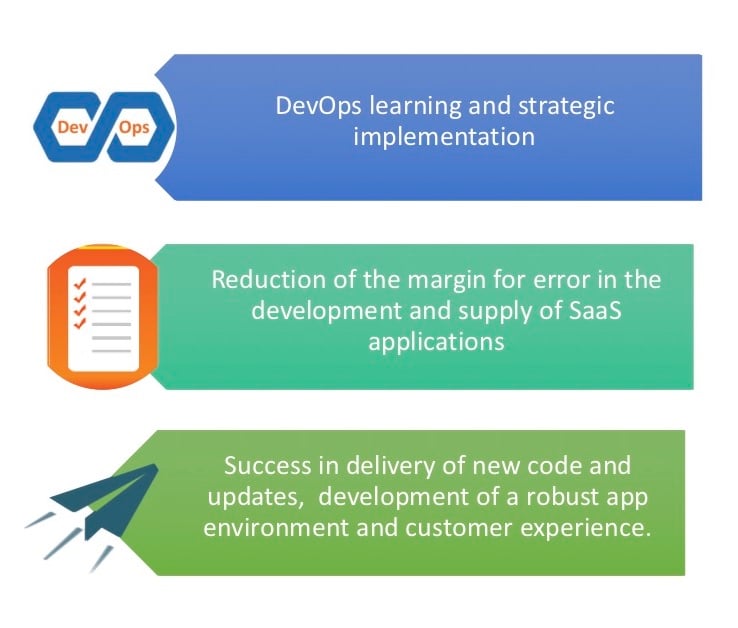
    • Ability to deliver code much more reliably, and quickly.
    • A marvelous experience for customers.
    • A resilient, scalable application environment.

    All of the above is achievable by integrating DevOps throughout the developmental process, without which the construction of SaaS applications could become an operational nightmare. This is true for both grassroots SaaS entrepreneurs and cloud providers.

    Advantages of DevOps Automation

    For the modern SaaS entrepreneur whose entire business and operational foundation is the cloud, following are some of the advantages held by DevOps from a technical standpoint.

    • DevOps automation has the capacity to make continuous and uninterrupted delivery a possibility.
    • Automation itself has benefits in terms of numbers and innovations. A good example of this would be the LaserJet firmware team at Hewlett Packard. Simply via automation, the team was able to free more time for innovation and the development of new features by a margin of 700 percent.
    • Scalability of the SaaS applications, as well as any major software, can be ramped up to unprecedented levels of expansion via DevOps automation and back-end development.
    • Resiliency, which has always been an issue with cloud-based applications, can be ingrained into the developmental process itself, thus producing a final product that is resilient and dependable for the customer.
    • When integrated with the functionality and practicality of class-leading cloud computing services such as Amazon Web Services (AWS), the aforementioned scalability, resilience and uninterrupted delivery can be achieved with considerably more ease.

    Rapid Delivery of New Code

    The first advantage of DevOps automation toward SaaS entrepreneurs can actually be proven in a practical sense. Since continuous delivery spells the difference between application success and failure, it pays dividends to be free of interruptions and bugs, which can take away from the end user experience. This also will help you get a leg up against both the startup and established, enterprise-stage SaaS operator.

    With the automation of each environment build, from the development stage and QA to production, DevOps allows you to release new code as often as need be rather than adhering to scheduled and timed releases of code. In turn, this allows you to make vital decisions and resolve issues in real time, negating the need for a repair meet.

    According to the “State of DevOps Report” for 2015 by Puppet Labs, companies which utilize DevOps possess the capacity to launch code up to 30 times as often, and have lead times that are 200 times shorter. Not just that, but they have a failure recovery rate that is 168 times that of the average company that has yet to implement DevOps automation.

    Using DevOps to Provide a Better SaaS Experience

    SaaS entrepreneurs should begin their DevOps strategy by setting DevOps configuration needs for the particular application as it is being constructed. This would usually contain the provisioning regulations, including database instances, network addressing and the arrangement of software instances.

    The specific capabilities of a number of DevOps tools can and do vary here, which is why it is necessary to review the needs of the application against the work plan and the features of the project. This is to ensure that all the plans are headed in the correct direction.

    As most applications that have been deployed into the cloud are highly unlikely to have a DevOps model-based design element, it can be to the advantages of the SaaS entrepreneur to verify whether any DevOps tools under evaluation offer the capability to design a template. This is to describe deployment independently of the development process, which can be aligned with legacy applications.

    Aside from the value of DevOps in the development of SaaS applications that run on the very infrastructure the cloud provider offers, DevOps also can be utilized to assist with the migration of applications to other cloud computing models such as platform as a service (PaaS) and infrastructure as a service (IaaS). It also be used for the integration of several providers across a single cloud federation.

    Since SaaS is currently being used by the majority of enterprises (67 percent, according to a UBM survey), it makes sense to focus on DevOps practices for organizational success.

    Since SaaS has the lowest tolerance and margin for error, especially in the uber-competitive landscape that the modern SaaS entrepreneur has to operate in, using DevOps can potentially provide a significant advantage in terms of the following:

    • Major increments of cloud profitability and customer satisfaction.
    • The ability to deliver updates and new products at a much more rapid pace.
    • Fewer interruptions across the delivery channels due to the improved developmental process.

    With the cloud market as competitive as it is, it is necessary to have the best development and operations approach. Also important is the culture in which the applications potentially will take shape and the values that will be integrated and ingrained within them.

    In Conclusion

    It is said within the cloud-based entrepreneur community that although the SaaS environment has improved significantly over the past few years, it has by no means edged out the DevOps approach. The future of both the cloud and DevOps is entwined, and entrepreneurs should accept the fact that a year or two down the line, they will be synonymous with each other.

    This makes is absolutely vital to get the correct approach early on, and already have an infrastructure based on DevOps, so that competition in the future can be facilitated and made considerably easier, and customer experience can be harnessed for enterprise success.

    — Subramonian

  • CloudHealth, ParkMyCloud Partner to Contain Cloud Services Costs

    CloudHealth, ParkMyCloud Partner to Contain Cloud Services Costs

    Much of DevOps these days focuses squarely on managing application workloads in the cloud that can easily spin out of control from a cost perspective simply because developers frequently forget to turn functions off when they are not being used. To enable DevOps teams to more proactively manage cloud resources, CloudHealth Technologies, a provider of cloud management service, has formed a strategic alliance with ParkMyCloud, a provider of governance tools for cloud services that can be employed to enforce IT policies.

    CloudHealth Technologies CEO Tom Axbey says the rise of multi-cloud computing is aggravating an already-complex DevOps management challenge in the enterprise. Integrating the two services will make it simpler for IT organizations relying on the CloudHealth service to manage and monitor clouds and execute an action such as turning off virtual machines using the capabilities enabled by ParkMyCloud.

    CloudHealth primarily provides insights into how various cloud computing platforms are being employed. The partnership with ParkMyCloud provides a mechanism through which that intelligence becomes more actionable.

    In general, IT organizations more than ever are finding themselves struggling with trying to manage multiple stacks of computing. In addition to running multiple platforms inside an on-premises environment, organizations increasingly are distributing application workloads across multiple public clouds to either take advantage of a specific service or prevent themselves from becoming locked into a single provider. As those workloads become more distributed, many IT organizations now find themselves swiveling between different management frameworks. Rather than manage those environments in isolation, Axbey says CloudHealth Technologies in collaboration with ParkMyCloud is making a case of a more unified approach.

    Cost optimization is becoming a much bigger issue, adds Axbey, because IT organizations are discovering that the more workloads deployed on public cloud services, the greater propensity there is to simply let run those infrastructure resources that appear to have a nominal cost. But by the end of a monthly billing cycle, it’s not uncommon for IT organizations to incur a significant expense for a set of services no one was actually using.

    CloudHealth Technologies and ParkMyCloud are not the only IT vendors eyeing this opportunity. But Axeby says CloudHealth Technologies has already substantially differentiated itself by providing end-to-end visibility across multiple clouds.

    It remains to see how and when IT organizations will evolve to deal with the inherent challenges associated with multi-cloud computing. Many of them are just now getting their arms around mastering DevOps on a single cloud. Each cloud computing environment presents its own myriad set of interfaces and services that must be monitored and managed. Unless IT organizations have a way to centrally manage all those cloud services, the total cost of IT increases with each additional platform added to the environment—not only are more tools required, but each tool needs to be mastered by someone on the DevOps team.

    In theory at least, one of the primary reasons to move application workloads to the cloud was to reduce costs. But without some ongoing supervision, moving to the cloud can be anything but less expensive.

    — Mike Vizard