Category: DevOps Culture

  • Best of 2022: Day in the Life of a Site Reliability Engineer (SRE)

    Best of 2022: Day in the Life of a Site Reliability Engineer (SRE)

    As we close out 2022, we at DevOps.com wanted to highlight the most popular articles of the year. Following is the latest in our series of the Best of 2022.

    By now, most of us are familiar with the concept of site reliability engineering (SRE). The term was originally coined by Google and SRE has been gaining traction in recent years as a role dedicated to increasing the resilience of digital ecosystems. To accomplish this, a big part of the SRE doctrine is “automating your job away.”

    Observability and monitoring tools are extremely important to DevOps and for SRE. But what is the day-to-day experience actually like for your average SRE? What activities does an SRE do? And what percentage of their time does an SRE spend on particular tasks?

    I recently met with James Curtis, lead site reliability engineer at a large multinational company. According to Curtis, the SRE approach takes a certain type of person—someone with Ops in their blood and a passion for eradicating repetitive tasks. Below, we’ll use his input and the input from other sources to better understand what it’s like being in the shoes of an SRE.

    Understanding the SRE Role

    Organizations have interpreted the role in different ways. But in a general sense, SREs attempt to maintain high reliability and availability for software applications and respond to incidents as they occur. To aid their efforts, an SRE tries to streamline and automate as many operations as possible to remove opportunities for human error.

    A hallmark SRE goal is to reduce “toil.” Curtis defines toil as “tedious actions that really have no enduring value.” For example, say an admin must manually restart a service in Microsoft Exchange every time a triggering event interrupts the service—this action could certainly be automated away. SREs spend much of their time eliminating toil by coding automation and configuring internal tools to better interact with software infrastructure.

    SREs usually are also in charge of logs and setting benchmarks using a tool like Splunk or Datadog to observe and ingest data. Curtis himself uses Cribl, which offers an observability pipeline to parse and route log data. Since SREs oversee internal service-level indicators, they are typically in charge of normalizing behavior and setting SLOs and SLAs.

    Common SRE Activities

    An SRE juggles a lot of tasks. For proof, read the hour-by-hour day in the life by Yonatan Schultz, SRE at New Relic. Schultz’s average day is spent configuring infrastructure, jumping from project to project, and, of course, hopping into many meetings. Here are some other tasks an SRE might perform on a daily basis:

    Monitoring service-level indicators (SLIs). An SLI could be the number of successful requests out of total requests. Having a high SLI, in this case, would be a target. SREs track other metrics such as availability, uptime performance, latency, error count and throughput. Regularly monitoring systems is essential to ensure proper resource utilization of containers and to avoid out-of-memory (OOM) errors.

    Setting SLOs and SLAs and determining error budgets. Once you have determined baseline system performance, you can set service-level objectives (SLOs). These are typically internal targets like 99.99% availability. While SREs typically oversee functional metrics, some teams set goals for non-functional metrics, as well. SREs help determine service-level agreements (SLAs), which are more legally binding and typically partner-facing.

    Responding to incidents. On-call SREs will be tasked with finding the root cause of issues as they arise. When triaging an incident, it’s helpful to have all the necessary logs and tools immediately at hand. This is one area where automation can assist by pulling relevant details to instantly build a case, said Curtis.

    Writing postmortems. After an incident has been dealt with, it’s important to learn from it. Postmortems are common in cybersecurity practice and often fall under the responsibility of an SRE. These reviews seek to answer set criteria to get to the heart of an incident and identify the root cause(s) of an issue to prevent it from happening again.

    Automating other system tasks. SREs will spend significant time coding and building tools for engineers to interact with infrastructure. For instance, an SRE might generate reliability reports that consider performance over long time periods.

    Cross-department collaboration. SREs don’t tend to own application code. Instead, they support multiple software divisions. This means checking in with other developers, disseminating best practices and reviewing new architectures to represent the reliability side of the equation.

    As you can see above, the SRE role might blend many different activities, and keeping track of them all may be part of the job itself. Anika Mukherji, an SRE at Pinterest, shared that, at Pinterest, there is a weekly meeting where SREs share what they spent time on. For another helpful “day in the life” story, take this account of an average OpenShift SRE’s day. Nikita spends her day responding to open JIRA cards, handling incidents, pushing code to GitHub and syncing with SREs in other regions when shifts change.

    Time Well Spent

    So, how does an SRE allocate their time? As Curtis explained, the ideal goal is a 50/50 split between time spent in work mode and time trying to automate that work away. Of course, this is more like a sliding scale, he admits. When things are broken, attention naturally shifts toward more manual work, says Curtis. While there may be less automation upfront, the scale balances out the more you build.

    This is similar at other institutions too. For example, in an interview with DZone, Paul Greig explained that half of his time is spent on service reliability upkeep and half on toil reduction. John Turner, SRE at Squarespace, said some 70% of his time is spent writing code—much of it automation code.

    Who’s Fit to Be an SRE?

    As mentioned above, the SRE job requires a specific attitude toward solving operational problems. Curtis described this person as “someone who hates the monotony of doing something over and over.” This person should have a drive to continuously solve new problems because as soon as you’ve automated one thing, you move on to the next, he said.

    Don’t assume a role with high automation equals an easy paycheck. We’ve all heard the story of the system admin who secretly automated their job away and never told a soul. While this may fly in other roles, the job of an SRE is never finished. “You’re never going to run out of stuff to optimize,” Curtis said.

    Again, the SRE role is a blend of many different activities. You will likely interface with different developer teams, too. Since the role involves this type of interaction, communications skills and understanding are a must.

    Final Thoughts

    The SRE practice is wide and varied—each company may have its unique flavor. Looking to the future, there are plenty of use cases for machine learning to further empower SRE practices, said Curtis. This is especially relevant in security automation, where algorithms could be trained against real attacks to flag suspicious behavior. Or, with the right amount of data, predictive analytics could be applied to anticipate high CPU peaks, informing server utilizations.

    In both scenarios, Curtis stressed the importance of observability. “It really gives you the ability to look at data and to ask a question later you didn’t realize you needed to ask,” he said. This power hinges on easy data transformation to make things speak the same language. That’s why his team opted for Cribl, that allowed them to normalize that data on the fly and replay it later. “The ability to change data and morph it—that’s the power observability gives you.”

  • 4 Ways to Build With an Accessibility-First Mindset

    4 Ways to Build With an Accessibility-First Mindset

    Over 1.3 billion people live with some form of disability. This accounts for almost 20% of today’s workforce in the U.S. While great strides have been made in closing the disability inclusion gap in the workforce, more needs to be done. 

    As the popularity of hybrid and remote work continues to grow, workers who live with a disability and work from home increasingly need accessible collaboration tools made available to them. 

    To meet this demand, developers need to build with accessibility in mind. By doing so, they can create more accessible software to help workers with disabilities overcome any unique challenges they may find when interacting with technology while creating an enjoyable working environment for everyone. 

    There are many ways to do this, however, here are some best practices and key learnings to help developers build with an accessibility-first mindset. 

    Challenge the Status Quo

    Innovation is always about challenging the norm, and this is especially the case when it comes to developing more equitable products. There are many ways to do this, depending on what processes are already in place. Still, one area that I believe can always be adapted is the way accessibility is thought of and managed internally, especially with regard to product design. 

    While the vast majority of companies today prioritize accessibility in some way or another, often it’s done by having a team—or, in the case of smaller departments, an ambassador—tasked with managing this work. This approach often leads to accessibility being seen as an add-on to design, something that happens at the end of the process. In reality, it’s better for developers and DevOps teams to take a hub-and-spoke approach to accessibility. In this model, there is one central source of expertise that people can go to for advice, but individual teams also are tasked with working on and being mindful of accessibility at the same time. The results as a collective would be far more collaborative and impactful. 

    Likewise, challenging the status quo could be as simple as encouraging conversations about accessibility with your team. If accessibility is a subject you want to discuss with your team but don’t know how to bring it up, remember that most accessibility problems stem from a lack of awareness. It’s usually an oversight, and ideas begin to flow once the conversation starts. So why not kickstart the conversation? Come prepared with user stories and potential solutions and your team will immediately start seeing all the appropriate changes that need to be made.

    Work Directly With People With Disabilities 

    When building any software, it’s important to gather feedback from all kinds of people so you can be sure you’re building the features and experiences people need. 

    When we begin a project or an update, we strive to understand how current functions or other similar products are (or are not) accessible so we can better understand our customers’ expectations or frustrations. There are a number of ways to do this, but perhaps the most broadly impactful is hiring people with disabilities and having an open discussion with them about the product. Along with hiring, it’s also valuable to contract specific companies that employ people with disabilities to test products and give their feedback. 

    Receiving this feedback is key to developing a successful product and usually results in a more flexible and well-rounded user experience. For example, a text-based app with extensive text scalability designed for people who are blind or low-vision will be equally as useful to a user who prefers their text to be small or uses the product in a language requiring different string lengths. Similarly, captions designed for people who are deaf or hard of hearing can be useful to anyone who might be in a noisy environment or who prefers to consume written rather than audio content. When you make a product work really well for a particular group, you inherently create a better and more adaptable experience for everyone; you are meeting users where they are. 

    Don’t Make Assumptions

    It’s incredibly important when you’re having conversations with people with disabilities or when designing a new product to not make assumptions. For example, early in my career, I would have assumed that an image-based program would be completely uninteresting to someone who is blind; I now understand that is categorically not true. By integrating interesting and vivid descriptions of images into the product, an image-based program can become accessible and engaging to all. 

    By avoiding assumptions about what someone can or cannot do based on their abilities, we open ourselves up to a world of creative solutions and possibilities that we might have otherwise not considered.

    While people with disabilities ultimately provide the best feedback, don’t forget to spend time on your own or as a team actively challenging your design and looking for ways to improve its accessibility. Spend an hour or two as a team using your product with a screen reader such as VoiceOver or TalkBack or use your application using only the keyboard but no mouse. By constantly engaging with and testing your own design, you will better understand the user experience and may catch bugs or accessibility issues on your own.

    Be Prepared for Trial and Error and Share What you Learn

    Twelve years ago when I first started to focus on prioritizing developing for accessibility, there was very little documentation on accessibility in this space–especially when designing for mobile technology. This caused a great deal of frustration and often slowed our work down as we tried (and failed) to get it right. Sometimes this involves a delicate balance of adhering to your product’s established standards (i.e. how things should be labeled or how things should look) while solving for accessibility and efficiency in tandem.

    Since then, things have changed a lot in the developer space. Today, there is a lot more material out there about the topic as well as industry standards to abide by. Universities are now offering more accessibility training within computer science courses, content creators with disabilities share more of their experiences, and companies are more open about sharing accessibility resources. 

    However, trial and error is still vital to building with an accessibility-first mindset, especially as we continue to innovate in this sector. So be patient and trust the process. 

    Inclusive design results in better products for everyone and, in particular, for all the people around the world experiencing some form of disability. Make sure you are a part of the solution and share your learnings with your developer community to continue this movement. 

    As a developer, the more time you spend learning and listening to your community and making them your number-one resource the more understanding you will be of their needs and how you can create the ultimate user experience. In turn, this empowers users to do their best work regardless of their abilities or circumstances. 

  • Best of 2022: SRE Vs. Platform Engineering: What’s the Difference?

    Best of 2022: SRE Vs. Platform Engineering: What’s the Difference?

    As we close out 2022, we at DevOps.com wanted to highlight the most popular articles of the year. Following is the latest in our series of the Best of 2022.

    Site reliability engineering (SRE) teams and platform engineering teams share similar goals—like maximizing automation and reducing toil—and similar methodologies. But they have different priorities, and use somewhat different tools to achieve them.

    What are SREs? What are platform engineers? How is each role similar and different? This article will answer all your questions.

    Responsibilities of SREs and Platform Engineers

    The main responsibility of site reliability engineers is ensuring that IT systems are reliable, which means that the systems meet performance requirements. Part of their job includes working with developers and IT operations teams to maximize the reliability of applications as they move down the software delivery pipeline.

    Meanwhile, platform engineers focus on managing and optimizing the software delivery process. You could think of this role as one that translates DevOps principles into practice by finding ways to implement continuous delivery, continuous improvement and other DevOps priorities.

    Thus, both SREs and platform engineers play a role in managing the software delivery process and finding ways to make it as smooth and efficient as possible. They also share a common enemy—toil—in the sense that both groups seek to avoid manual, inefficient processes by automating as much as possible. SREs automate complex incident response operations using tools, for example, while platform engineers might deploy methods like GitOps to automate some aspects of software delivery.

    Differences Between SRE and Platform Engineering

    That said, SRE and platform engineering are distinct roles. The key differences boil down to:

    • Goals: The main job of SREs is maximizing reliability, which is different from optimizing the speed and efficiency of software delivery operations. Theoretically, you could have a highly reliable system even if your software delivery chain is manual and slow.
    • Scope of role: Software delivery operations are the main focus of platform engineers. SREs care about software delivery, too, because the way applications are created plays a role in reliability and fixing issues. But SREs also have many other responsibilities, like incident response and helping to manage infrastructure, which fall beyond the scope of software delivery.
    • Tools: SREs rely on tools that help them discover and solve various types of reliability issues. In contrast, platform engineers leverage tools like source code managers and continuous integration (CI) servers to help automate software delivery.

    So, although SREs and platform engineers may use similar methodologies and possess similar skills, their day-to-day operations tend to look quite different.

    Should You Pursue an SRE or Platform Engineer Career?

    Given the skills overlap between SRE and platform engineering, some engineers are a good fit for either role. But which one is better, from a career perspective?

    Salary-wise, there’s not a whole lot of difference. Glassdoor pegs the average salary of platform engineers at about $115,000 compared to $127,000 for SREs. SREs may earn a little more (and it’s worth noting that SRE salaries can vary widely), but the difference in pay is not as great as that between, say, IT operations engineers (who make a mere $77,000, according to Glassdoor) and SREs.

    The roles are also similar in terms of demand. Unlike software engineering or even DevOps engineering, SRE and platform engineering are both roles that have begun to become popular only in recent years. SRE as a concept has been around for a while—it originated at Google in the early 2000s—but it wasn’t until recently that most companies began seeking SREs for their teams. Likewise, platform engineering didn’t become a thing until the advent of microservices and cloud-native everything pushed companies to devote more engineering resources to manage their increasingly complex software delivery processes.

    What this means is that, at least for now, it’s easy to find jobs in SRE and platform engineering as long as you have the right skills. Many companies are eager to hire for both types of roles.

    Choosing the role that is right for you, then, depends mostly on your preferences and how you like to work. The life of a platform engineer is likely to be somewhat more predictable than that of an SRE because platform engineers don’t have to take the lead in managing incidents when something breaks at 2:00 a.m. On the other hand, SREs enjoy a more diverse set of responsibilities, which can make the job more exciting—especially if software delivery tools like Git or Jenkins don’t make you excited to get out of bed in the morning.

    Conclusion

    Platform engineers and SREs play central roles in automating complex processes and eliminating toil. But they tackle these issues from different angles and they use different tools. The right role for you depends on what you enjoy doing most.

  • AWS Saves Ukraine’s Data | WPF ‘is not Dead’ (yet) | Devs Quit for Cash

    AWS Saves Ukraine’s Data | WPF ‘is not Dead’ (yet) | Devs Quit for Cash

    Welcome to The Long View—where we peruse the news of the week and strip it to the essentials. Let’s work out what really matters.

    This week: Amazon S3 is keeping Ukraine’s data safe, we ask if Windows Presentation Foundation is dead, and developers tell us why they switch jobs. (more…)

  • A Developer’s Guide to Building Healthy Teams

    A Developer’s Guide to Building Healthy Teams

    To build a great software product, teamwork must extend across developers, managers and executives. Everyone needs to understand each role’s value–you can’t have an effective team without a good coach and vice versa. It takes a culture built on empathy, trust and shared responsibility with the right amount of ambition and personal connection to make the dream work.

    It isn’t easy to achieve this balance, but here are some tips to help your team become healthier and more effective.

    Watch out for Knowledge Silos 

    When too much unique knowledge is stored in one person’s brain, your ability to get things done depends on their capacity, which can jeopardize the team and the entire organization. Some silos can be good, but only when everyone on the team knows what’s in each one and how to access the information. 

    Knowledge silos can take several forms: 

    • Technical skills, like being the only one on the team to know Go or Python.
    • Ancillary knowledge in some field, like a background in statistics.
    • Historical knowledge, like a developer who has been there from the beginning and knows the whole codebase. 
    • Institutional knowledge, like understanding larger business and project strategy and the history of the company. 

    There are some great hacks for overcoming knowledge silos. Simple awareness of who is good at what–or what background everyone has–is a great place to start. Leaders can then think creatively about team collaboration like pair programming or assigning pull requests based on each individual’s knowledge. Pushing each developer to assess their own silos can help set the team up for better knowledge sharing during impromptu sessions or scheduled meetings. Prioritizing documentation is a good way to ensure developers share what they know. Additionally, using brown bags and demos can help your developers hone their teaching skills. These strategies are a great way of investing in your team’s future velocity.

    Focus on the Individuals That Make up the Team

    Fast Company published a great article about the different personality types that make up a great team:

    • The brain pushes others to take action in pursuit of a goal.
    • The voice gets the big picture and motivates the team.
    • The sharp eye focuses on details to get things done the right way.
    • The heart promotes community, consensus and collaboration.

    Thinking about these four very different traits and identifying who plays each role on your team can help you build a harmonious group—while ensuring the strengths of each individual are emphasized and appreciated. 

    Foster Empathy and Build Trust

    Having empathy for your team often means finding a balance between the desire to win or hit certain goals and understanding the different needs of each teammate. As a manager, you should push yourself to ask thoughtful questions that put you in your developers’ shoes. 

    Empathy builds trust. So does:

    • Supporting developers at their unique levels.
    • Nurturing a culture of healthy sprints and personal well-being.
    • Using data–and not just a gut feeling–as a starting point for improvement
    • Clearing roadblocks to productivity so that teams don’t feel overloaded.
    • Granting autonomy to individual contributors.
    • Consistently accomplishing goals as a team.
    • Being transparent with challenges the team is facing.
    • Sharing data across the organization.

    Things that tend to erode trust include:

    • Stack-ranking developers based on lines of code.
    • Rallying around ambitious deadlines at the expense of burnout. 
    • Using data to demean your team members. 
    • Enforcing a productivity quota.
    • Managing with a top-down perspective.
    • Limiting data to leadership.

    These tips help teams avoid burnout, which is a surefire way to wreck a team. The World Health Organization (WHO) defines burnout as “a syndrome conceptualized as resulting from chronic workplace stress that has not been successfully managed.” So this isn’t just an individual’s personal problem–burnout is a sign that something is wrong within your organization. 

    Understanding knowledge silos, emphasizing individual strengths, cultivating empathy and building trust are the foundations of a strong developer team. Once you have those covered, you’ll be on your way to healthier, more effective teams.

  • DevOps 2022: The Year That Was and Wasn’t

    DevOps 2022: The Year That Was and Wasn’t

    We will be wrapping up our DevOps coverage for the year by the end of this week. It’s hard to believe that another year has gone by. The gravitational lensing of COVID-19 makes it hard to see the progression of the last nine years here at DevOps.com. Things seem to get a bit hazy looking back. However, 2022 was certainly one for the record books in ways both good and bad. 2022 saw DevOps, our community our countries and our world pushed and pulled in directions we would not have imagined just a few short years ago. To understand what happened in DevOps in 2022, we need to account for several macro factors that played outsized roles this year. They are:

    1. COVID-19: It’s still here; still killing hundreds of people every day. While some in the U.S. and Western Europe have “moved beyond” it, COVID-19 is still draining our resources, sucking the air out of the room and impacting not just the economy but how we interact with each other individually. In the next few months, I am afraid we will see the 1.4 billion people of China experience a backlash as they move away from zero-COVID policies. Not to mention the other viruses and diseases that are circulating.
    2. War: When I was a young boy, I remember a popular poster/sticker that said something like, “War is not healthy for children and other living things.” That’s still true; it’s not healthy for the economy, either (unless you sell ammunition). The human toll of the war in Ukraine is heartbreaking in the present moment, and the toll that this war will take on the once-healthy tech sectors in Ukraine, Russia and the rest of Eastern Europe also will be felt for a very long time.
    3. Inflation: Again, I am transported back to my youth as inflation rears its ugly head and puts its foot on the throat of our economy. Sometimes I wonder if the Fed and other central banks won’t stop raising interest rates until the economy is good and dead, but their fear of inflation is almost genetic. While recent signs point to a potential peak, we still have a long way to go and the possibility of more interest rate hikes ahead of us. These will continue to make it harder to raise money and put a crimp in companies’ budgets. That means layoffs and budget cuts; projects cut or pushed out. We haven’t seen disruption like this in tech for more than 10 years. But for those of my vintage, we have seen cycles like this before. This too shall pass.
    4. Hate: Is it me or has the whole world gone crazy with tribalism, nationalism, racism, antisemitism and a bunch of other “-isms”? We seem to be ripping ourselves apart from the inside out. I don’t have a clue how to combat this on a macro level, but I pray every day that things get better.

    With these four horsemen of the apocalypse riding among us, you may think that I am not very bullish on DevOps now and in the future. But you’d be wrong. Like the little boy in a room full of horse manure, I remain very excited because I know there must be a pony around here somewhere.

    DevOps has continued to evolve, continued to mature and has become an indispensable part of today’s modern software factories. Like their own version of Marvel’s Avengers or DC’s Justice League, DevOps, along with cloud-native, SRE, Agile, CI/CD, DevSecOps and dare I say it, platform engineering, are wielded by IT teams around the globe to continue to push forward as we digitally transform our businesses and the very fabric of our lives. That is what gets me up and out of bed every day and makes me excited to come to work.

    While some marketers are busy running around printing stickers and shirts proclaiming that DevOps is dead, nothing could be further from the truth. Look around—as far as the eye can see, DevOps is everywhere. As we explored in our DevOps Experience virtual event in October (the sessions are still there for you to watch on demand), DevOps is everywhere. It is at the edge; it is in the “connected things”; it is inherent in technologies like WebAssembly (Wasm) and DevOps is distributed.

    In 2023, I think DevOps at the edge, the DevOps of things and Wasm will be huge areas of growth. I realized that some of these folks claiming that DevOps is dead are trying to say platform engineers will replace DevOps engineers. But like Darth Vader trying to strike down Obi-Wan, all they are doing is making DevOps stronger than ever. You see, DevOps was never about DevOps engineers; it’s not about one role or one individual. In fact, some of my best friends helped kick off the DevOps movement and they’d react quite loudly when they heard the term DevOps engineers. DevOps is about building, maintaining and managing our software and applications. It’s a way of thinking about how we can go faster, be smarter and achieve better quality. It’s not about a particular tool you use or the role you play on the team, it’s about the fact that you have a team.

    So, what does 2023 have in store for DevOps? More of the same, I think. DevOps, along with all of the associated frameworks and technologies, will continue to allow us to do more and do it faster and better. As I think about the coming year, I am very excited about the potential for ML and AI and I think they are going to have an outsized role in allowing us to be more successful. I think the novelty of these technologies has worn off and we will get to the productivity phase. I remember interviewing Luke Kanies years ago; he told me that one day software would write software. I asked him when he thought this might happen, and he said maybe 2035 or so. I think we are on track. Much like ChatGPT and Jasper’s impact on copywriting, AI won’t take the place of developers. But it will free them of some of the mundane, repetitive chores they do now.

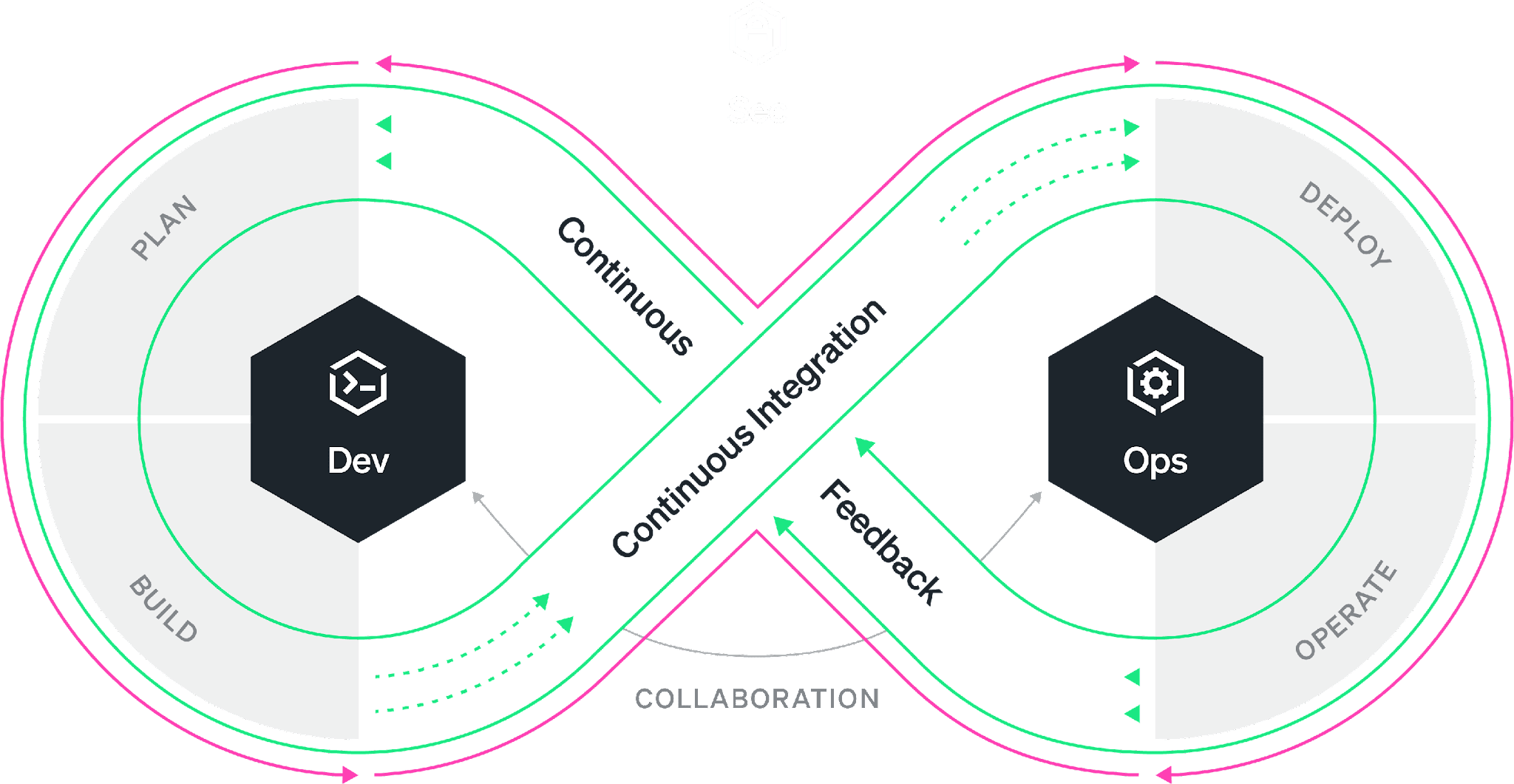
    I think we’ll also see an emphasis on feedback loops and iteration. I think automation, ML/AI will contribute to this in a big way. We have put so much of our DevOps emphasis on the development, integration and deployment of software. But observability allows us to see patterns and use cases as never before. We need to incorporate those findings into the next revision of our software. This is going to be a big story in 2023. That old infinity loop model for DevOps will rise to the top once again.

    Thank you for all of the support for DevOps.com this year and over the past few years. I hope this holiday season finds you and yours healthy and happy. Merry, merry. Happy, happy. See you in 2023.

  • The DevOps Workflow is Broken. Here’s How to Fix It

    The DevOps Workflow is Broken. Here’s How to Fix It

    While great progress has been made in bridging the gap between developers and operations engineers, fundamental differences in roles and responsibilities, alignment, and access to information hinder further progress. 

    Everyone is familiar with the DevOps infinity loop: This is an ideal workflow where every stage of the software development life cycle feeds into the next. While the philosophy is well understood, organizations have worked on bringing developers and SREs closer together under the DevOps banner. The reality is most of the time, the DevOps infinity loop is broken. Developers continue to focus on building features without the benefit of data-driven insights that production data can provide. Developers often “push and pray” without fully understanding how their changes will affect performance and the user experience. As a result, companies miss the opportunity to improve products faster and delight the customer sooner.

    According to Gartner, 90% of DevOps initiatives will fail to fully meet expectations. And yet, the global DevOps market, which accounted for $7.3 billion in 2021, is expected to reach $37 billion by 2030. So to summarize, we’re all spending billions of dollars on the implementation of initiatives that are expected to fail in some meaningful way 90% of the time. The question is: What is failing and what can be done about it? 

    As the DevOps toolchain continues to expand, collaboration across tools is difficult and success depends on your organization’s ability to simplify and automate while achieving alignment. Developers use a variety of tools from various vendors in their daily work. The most widely used are VS Code from Microsoft, Jira from Atlassian and Slack from Salesforce. The most popular code hosts/repositories include GitHub, GitLab and Bitbucket. Bridging the gap are CI/CD vendors such as Jenkins and CircleCI. Ops engineers typically rely on other vendors for their daily work, such as New Relic, Datadog and Dynatrace. So, how do we ensure that all stakeholders in the SDLC have access to all the relevant information simultaneously, understand the objectives and get an integrated perspective of the different inputs and workstreams independently of the tools used?

    There are three essential areas that DevOps initiatives must tackle to create alignment, collaborate successfully and streamline workflows. Let’s tackle each of these areas individually.

    1. Collaboration. The first step is good collaboration. Most organizations rely on Slack or Microsoft Teams for this purpose, but they are both suboptimal when it comes to collaborating on code and incidents that point to code. Having code and data at the center of DevOps collaboration ensures that everyone has access to the information needed to tackle issues, reducing and even eliminating differences of opinion in the process.
    2. Visibility. Second, ops engineers and developers must have visibility into the performance of applications across the entire tech stack. These three barriers can occur in different aspects of an organization’s operations and their impact can limit the team’s ability to deliver value to the customer just as much as workflow inefficiencies. Visibility helps the organization reach alignment on common objectives.
    3. Context Switching. Third, given the number of processes and tools involved in a successful DevOps implementation, it’s important to work toward reducing context switching and integrating tools within established workflows. Integrating collaboration, tracking, history and observability into a single pane of glass can greatly improve clarity and time to resolution.

    For DevOps teams, increased velocity and transparency are always worthwhile pursuits. However, it’s important to avoid myopic focus on workflows when other nagging problems could be hiding in plain sight.

    By committing production telemetry, developer teams can adopt an objective, data-driven approach to software engineering—saving time and avoiding potentially misguided approaches based on opinions rather than facts. Visibility, transparency and velocity can help engineering teams meet ever-increasing requirements and provide their organization with the best possible business outcomes.

  • Five Great DevOps Job Opportunities

    Five Great DevOps Job Opportunities

    DevOps.com is now providing a weekly DevOps jobs report through which opportunities for DevOps professionals will be highlighted to better serve our audience.

    Our goal in these challenging economic times is to make it easier for DevOps professionals to advance their careers.

    Of course, the pool of available DevOps talent is still relatively constrained, so when one DevOps professional takes on a new role it tends to create an opportunity for others.

    The five job postings shared this week are selected based on the company looking to hire, the vertical industry segment and, naturally, the pay scale being offered.

    We’re also committed to providing additional insights into the state of the DevOps job market. In the meantime, for your consideration:

    Monster.com

    Sentient Energy
    Milpitas, California
    Lead Software Engineer – DevOps
    $167,149

    Dice.com

    Paladin Consulting Group
    Remote
    Principal DevOps Engineer
    $160,000 to $180,000

    Indeed.com

    MIT Open Learning
    Cambridge, Massachusetts
    Senior DevOps Engineer
    $120,000 to $152,000

    ZipRecruiter

    Edward Jones
    Remote
    Site Reliability Engineer Architect
    $106,916 to $182,047

    SimplyHired

    Visa
    Miami, Florida
    DevOps Engineer
    $80,000 to $110,000

  • How Enterprise Software Architects can Design for Sustainability

    How Enterprise Software Architects can Design for Sustainability

    Organizations of all sizes are feeling the pressure to introduce more aggressive sustainability measures to combat climate change. For example, most cloud service providers have announced significant climate pledges to either reduce or offset their carbon emissions. But these initiatives can only go far to move the needle—it’s up to individual companies and departments to participate in curbing their climate impact, and DevOps certainly has a role to play in enacting positive change.

    One way to design for sustainability is to optimize information technology systems to reduce waste. Enterprise IT typically supports a lot of unnecessary technical debt and perpetuates toilsome tasks that contribute to energy inefficiencies. Removing unused instances and features or idle workloads that aren’t contributing value could be an easy way to reduce waste. Yet other optimizations will require more effort.

    I recently chatted with André Christ, co-founder and CEO of LeanIX, to discover what techniques enterprise-level software architects can use to get the most out of their technology modernization efforts while leaving the least carbon footprint. According to Christ, optimizing existing processes, using cloud-native technologies and leveraging value stream management are some tactics architects can take to “do more with less.”

    1. Match Technology to Sustainability Targets

    First, technology leaders must understand the capabilities of their business that could help contribute to meeting sustainability targets. “This requires understanding and systematic mapping,” said Christ. “It’s really about understanding what you can do as a company to contribute to sustainability in a more holistic way.”

    For example, a routing and logistics provider might optimize operations by redesigning its floor plan to maximize efficiency and reduce energy use. Similarly, Christ recommended software professionals take stock of their existing capabilities to determine what should change. This could equate to discovering internal microservices that aid one department and extending them across the entire organization.

    Optimizing data transfers is another way to create a leaner IT system. For example, teams could reduce constant polling by eliminating overfetching and underfetching or embracing a new API standard, like GraphQL, said Christ. Cutting out these superfluous calls reduces unneeded energy consumption.

    2. Ensure Cloud-Architected, Not Lift-and-Shifted

    Cloud migrations can reap significant benefits in terms of scalability and flexibility. But not every cloud migration delivers tangible sustainability benefits. AWS identified six unique strategies for migrating applications into the cloud: Rehosting (known as lift-and-shift), replatforming, repurchasing, refactoring, retiring and retaining. While early gains may be met simply by rehosting applications, replatforming or refactoring them completely with cloud-native components will likely deliver the best optimizations.

    “If you only lift-and-shift applications into the cloud, they will keep running just as inefficiently as a virtual machine,” said Christ. Therefore, architects should design for cloud-native whenever possible rather than simply porting legacy applications to the cloud. On the other hand, it may be prudent to replace specific legacy components with SaaS or retire them altogether. As such, it’s crucial to analyze your existing landscape before making a cloud migration to ensure changes are both cost-effective and advancing sustainability goals.

    3. Practice Value Stream Management

    Practicing value stream management is another potential strategy to cut bloat by ensuring product teams always create more value for the end customer. Planview defined value stream management as such:

    “Value Stream Management is a management technique or practice that focuses on increasing the flow of business value from customer request to customer delivery.”

    This frame of mind could help engineers make more streamlined decisions about what they’re creating. But to achieve value stream management, organizations will require enhanced visibility into how individual services perform, their dependencies under the hood and their approximate emissions.

    The core question you should be asking product teams, said Christ, is how carbon-efficiently are you operating in relation to the number of users you are serving? The answers will highlight which aspects of the business require the most optimization.

    4. Tie Sustainability to the Business Bottom Line

    Many sustainability pledges are founded on carbon offsetting, in which the company purchases “offsets” of its emissions, usually by planting trees or preserving forests. But, the practice of carbon offsetting has received criticism as being ineffective at stemming rising global temperature levels. So what does an honest climate pledge look like that’s more than greenwash? Well, perhaps one more closely associated with the bottom line.

    Taking the idea of value stream management one step further, Christ argued that a real climate pledge would involve reducing carbon footprint by a certain percentage for each new dollar generated. As a business scales and its revenue increases, it should constantly reduce emissions in parallel with this growth. This would equate to assigning a dollar value for every CO2 ton and putting it into the balance sheet, said Christ.

    Doing More With Less

    Nations are striving to reduce carbon emissions through sweeping legislation. Yet, national goals will be insufficient to meet the target decline of 43% percent by 2030 and net zero by 2050, the United Nations reported. Thus, it will take effort from the private sector, as well.

    We’ve identified some steps above to do more with less, yet many current, unsustainable practices are culturally ingrained, making them challenging to change. It will be the work of enterprise software architects to break it down and apply smarter designs to cloud-native applications. This will likely require centralizing views of internal services to enhance visibility and reporting. “You need good visibility into what you’re building and what it’s composed of to reduce the footprint,” said Christ.

  • EU Data Privacy: Try Again | SkyPilot: Choose Cheapest Cloud | WFH: Better Meetings

    EU Data Privacy: Try Again | SkyPilot: Choose Cheapest Cloud | WFH: Better Meetings

    Welcome to The Long View—where we peruse the news of the week and strip it to the essentials. Let’s work out what really matters.

    This week: EU-U.S. Data Privacy Framework reemerges, Berkeley brings cloud selection box, and proof that remote work is good work. (more…)