Category: Continuous Testing

Continuous testing is the process of executing automated tests as part of the software delivery pipeline to obtain immediate feedback on the business risks associated with a software release candidate.

  • Best Practices for Modernizing App Modernization

    Best Practices for Modernizing App Modernization

    Modernizing legacy systems to embrace a loosely-coupled microservices architecture is the biggest predictor of success for continuous delivery, according to Google Cloud’s 2021 Accelerate State of DevOps report. Studies continue to show that the most elite DevOps performers enjoy more frequent code deployments, faster lead times to deploy, low change failure rates and faster time-to-recovery. 

    Leading enterprises like Netflix, Tesla and Starbucks proved that a microservices architecture minimizes fine-grained dependencies between services, which can then be independently tested, deployed and scaled. Combined with DevOps best practices, this reduces technical debt and allows for modernization based on a factory model approach that incorporates automated analysis and deep observability. 

    That said, application modernization to date has been a manual process requiring multi-year projects that suffer a high failure rate. How can we apply modern tools, known DevOps best practices and desired business benefits to improve and accelerate a company’s modernization efforts? In other words, how do we make modernization more modern? 

    By using automation, AI and data science, building repeatable pipelines and shifting architecture left, architects can get in front of technical debt before it becomes unmanageable. In this article, we’ll explore these practices in more detail.

    Intelligently Automate Everything Possible

    DevOps methodologies have taken manual steps and applied automation to create repeatable processes that scale. Modernization teams today are in dire need of these methodologies, as they are stuck with manual approaches that don’t scale across an entire application estate. Thus, applying intelligent automation, AI and data science to modernization—and creating a repeatable pipeline for refactoring—is a natural extension of DevOps successes over the last decade.

    Continuous Integration, Continuous Deployment, and Continuous Modernization

    CI/CD methodologies are a core best practice for DevOps teams and are already familiar patterns that development organizations are using for their application life cycles. But, there is no continuous delivery without continuous modernization. Elite teams continuously monitor technical debt accumulation and address it at every application release cycle, thereby implementing continuous modernization in their application life cycles.

    Deep Application Observability

    Observability, defined as monitoring, logging and tracing, is a foundation for cloud-native architectures. Modernizing an existing monolith requires deep observability beyond simple static code analysis to include deeper domain-driven behavior analysis and dynamically tracking dependency interactions. This is also the secret to uncovering dead code that is no longer used.

    Ensure Architectural Parity

    You must understand your infrastructure architecture to inform your application architecture and your modernization options. Lift-and-shift causes headaches for many organizations because the traditional three-tier architectures of monolithic applications have a completely different topology than cloud-native applications, which are designed from scratch to leverage the efficiencies of the cloud. 

    Whether it’s a hybrid approach (part on-premises, part cloud), public or private cloud, it’s important to ensure that your modernization strategy ensures architectural parity between the target application and its ultimate destination in the cloud. Also, it’s important to understand your modernization options: Rehost, replatform, refactor, rewrite, etc. What can you lift-and-shift and what needs more attention? 

    To find the answer, incorporating data science-driven analysis, automated service extraction and, more importantly, people, to help you understand the possibilities is critical. 

    Get Executive Support for Your Modernization Project

    This isn’t about simply churning through your backlog; your executive sponsors for a project of this scope need to understand, in business terms, why this is crucial for the organization. There are plenty of metrics showing the financial and opportunity costs of maintaining mission-critical applications that are aging and problematic. 

    To get executive buy-in for your modernization initiatives, you need to formulate a business case that communicates the cost of maintaining the legacy apps, both in time and resources to maintain, but also the negative impact on innovation, customer acquisition and retention and speed to market.

    DevOps practices emerged to improve how IT organizations reliably and efficiently deliver software from development to operations and out to customers. Applying these emerging technologies of automation, pipelines and deep observability to application modernization initiatives will enable teams to accelerate how they deliver application transformation projects. By investing in training application teams in these methods and providing modern tooling to support that training, organizations more reliably and more efficiently move both people and projects forward into the next generation of cloud applications.

  • Boosting DevOps Productivity Requires Visibility, Automation

    Boosting DevOps Productivity Requires Visibility, Automation

    Engineering teams continue to struggle with roadblocks and bottlenecks during the development process, according to Software’s recent 2021 Code Time Report.

    The study, which is based on feedback from more than 250,000 developers using the Code Time plugin, found the median code time per developer is 52 minutes per day, or four hours and 21 minutes of code time per week. 

    The data also revealed that only about 10% of developers spend more than two hours per day coding, including on weekends, while about 40% of developers spend more than one hour per day coding.

    The study also indicated developers are battling distractions that range from too many meetings and too many interruptions to too much wait time on processes and systems. 

    Distractions, Disruptions and Meetings Dog DevOps

    The conclusion was most companies ineffectively deploy their development and DevOps teams, bogging down engineers with distractions, disruptions and meetings as well as system inefficiencies, such as slow reviews, slow builds and bad tools.

    Software’s CTO Mason McLead said based on the company’s estimates, developers spend an additional 41 minutes per day on other types of work in their editors, such as reading code, reviewing pull requests and browsing documentation.

    “The key to ensuring the highest levels of productivity from DevOps teams is visibility,” he explained. “We’re all biased toward focusing on what’s readily apparent, but the biggest bottlenecks are often hard to find and difficult to measure.”

    McLead said by improving visibility across the entire development life cycle in a way that measures system-level metrics and not individual performance, DevOps teams can focus on the biggest constraint and have a more meaningful impact on their team’s productivity.

    He said one example of a productivity metric with hidden barriers is lead time.

    “I’ve spoken with many managers who disproportionately focus on how long it takes to review pull requests as a key lever to minimize lead time,” he said. “However, there are many stages in releasing a new feature that might actually be the key constraint—for instance, how long it takes to test and validate changes in a staging environment, or how long it takes to release merged pull requests to production.”

    While these stages of lead time are all measurable, McLead explained most DevOps teams don’t have a data pipeline or BI tool set up to measure them.

    He added that once an organization can diagnose the key constraint, it’s a lot easier to come up with an effective solution to minimize that constraint.

    For example: If pull requests are taking a long time to create, are tickets being properly scoped? Can you see a correlation between the size of the pull request and the time it takes to be approved and merged?

    McLean pointed out that if pull requests are taking a long time to be reviewed, it is critical to ensure proper expectations are being set.

    He added it’s important to determine if there is a system in place to remind reviewers and enough time set aside in the day to perform the review.

    “Taking steps to further automate deployment processes are another potential fix if it currently takes a long time to deploy a change to production,” McLead said. “It really all comes down to being able to measure the top constraint so that you know where to spend your time.”

    Remote Work and Visibility

    Remote work is also expanding the role of traditional DevOps teams: The trend toward more flexible working styles will demand more investments in DevOps such as secure provisioning of remote infrastructure, better access management and improved developer onboarding to better enable productivity for development teams.

    “Visibility into how your DevOps investments are making an impact will play a big role in the decision on whether to stay remote or return to the office,” McLead said. 

    He added one way to attract and retain a highly productive DevOps team is to show that your DevOps investments are paying off.

    “I recently talked to an engineering manager whose team wasn’t getting features out fast enough,” he said. “It took a month on average to complete a ticket, which had a significant impact on their ability to move major roadmap items forward.”

    He explained that by implementing measures to improve throughput (e.g. investing in CI/CD, reducing build times and improving test coverage), they were able to decrease lead time from one month to four days.

    By setting up a data pipeline and BI tool and increasing visibility, the engineering manager was not only able to report on metrics to his executive team and board with confidence, but also boost morale on his team.

    From McLead’s perspective, retaining talented and trained DevOps engineers is critical because many DevOps projects require a longer timeframe in which to implement and measure their success. 

    “Highly effective DevOps teams measure not only how their investments are improving efficiency in the short-term, but also how changes in throughput and productivity are trending over months and years,” he said. “If your team is experiencing high turnover, it’s even more difficult to consistently deliver results over these longer time frames.”

  • What to Expect When Transitioning to DevSecOps

    What to Expect When Transitioning to DevSecOps

    How do you ensure your DevOps pipeline is secure? Does DevSecOps protect you against serious breaches or is it just a way to allay the concerns of stakeholders about security in DevOps?

    A data breach can cost an average of $3.92 million USD, as per IBM’s study Cost of a Data Breach. In this report, health care was found to be the most expensive industry, with breach fines averaging $6.45 million USD.

    While DevOps delivers on the promise to increase the rate of delivery, the traditional CI/CD framework does not emphasize security. For the sake of speed, misconfigurations and known vulnerabilities may be allowed to pass through the development pipeline to production. 

    Security and testing are generally a low-priority activity, which means these vulnerabilities are fixed retroactively. This takes more time, effort and money. With rampant, unverified integration of open source tools, you open up the software to attackersthat could compromise the security of your apps, systems and users’ data.

    DevSecOps is an upgrade to DevOps, allowing you to deliver security and compliance testing continuously. These checks get integrated within the CI/CD pipeline to enable the delivery of more secure code faster.

    From DevOps to DecSecOps: What to Expect

    The automated nature of DevOps delivers several benefits that enable teams to realize the true power of DevOps as silos break and delivery rates skyrocket.

    As DevOps practices span the entire delivery pipeline, it provides the necessary mechanism to deliver audit, compliance and security requirements along with speed and efficiency. 

    There are many benefits of upgrading from DevOps to a dedicated DevSecOps practice, and they are important to understand before you embark on that journey.

    1. No Restrictive Access Control Policies for Developers

    Access to infrastructure assets must be strictly controlled and monitored to enforce requisite security measures. This means approval gates, secure configuration parameters and other security measures.

    With DevSecOps built into the pipeline, these access controls can be automatically applied. This enables on demand access to infrastructure resources for the team and reduces their dependence on factors outside the team. 

    For example, many organizations have started deploying internal DevOps teams that enable automated access to a shared pool of deployment processes, tools, repositories, workflows, etc. 

    This team is usually separate from the IT team but enforces security mechanisms with the same rigor. It ensures that access to all the infrastructure instances required by development, QA or production is automatically tracked, monitored and controlled as per the guidelines. Additionally, inconsistent processes or misconfigurations are also controlled.

    Often called the shadow IT team, the idea of this team is not to circumvent the IT department but to create an additional team that matches the agility of the DevOps team. 

    2. Seamless Security and Compliance Testing

    Traditionally, security and compliance testing happened all at once at the end of the release cycle close to the release date. This typically meant that a large spreadsheet of issues is sent to the development team to be fixed immediately, since maintaining a consistent release velocity is the key to DevOps success. 

    This requires the development team have at least one dedicated resource to work on those issues. When metrics are tracked, to no one’s surprise, this method resulted in negative impacts on the velocity of the next release cycle.

    DevSecOps applies all the security and compliance checks in batches. So, testing for security and compliance is shifted left and spread out across the pipeline.

    This makes the security feedback loops shorter and more frequent, thus aligning security and compliance testing with the DevOps philosophy. As more secure code is committed every time, the possibility of security and compliance errors reported by the QA team is minimized.

    A second, more personalized approach is using the integrated development environment (IDE) itself to take security and compliance checks to the developers. With regular and automated security and compliance baked right into the development process, this process is sped up considerably and the development team becomes self-reliant.

    3. Overcoming the Risks Associated With Open Source Software

    The 2019 State of The Software Supply Chain report from Sonatype showed that, on average, 85% of the codebase among modern applications uses open source components. While open source components enable innovation, they also come with considerable security risks. As more of these open source tools are added to the software supply chain, it increases the risks on the cybersecurity front.

    The same report showed evidence to back up the need for greater open source software security checks and processes. Companies that managed their open source components released 55% less vulnerable components than those who had no verifiable open source management process.

    While many of these open source components released frequent patches, it is also important for the DevSecOps team to step in and regulate the open source components. Some of the ways DevSecOps teams can do this are:

    • Create a formal component management plan which makes sure that when employees leave, the practice doesn’t go away with them. Having a documented plan lets you look at the bigger picture of your pipeline and find vulnerable components that may be skipped without a formalized process. Incremental improvements to this plan are also possible if it’s well-documented.
    • Use scanning tools like Gemnasium and Snyk that help regularly check for vulnerabilities.
    • If vulnerabilities are detected or reported in a component, look at either updating or replacing the component.
    • Enable quick approval for new open source software. Alternatively, prepare developers to test new components using security and compliance checklists.

    4. Overall Cost Reduction and Acceleration of the Delivery Rate

    An integrated security and compliance framework in DevOps prevents breaches and guarantees faster recovery when breaches do happen. As developers don’t have to set aside a large chunk of time to work on security and compliance violations, this shortens release cycles and ensures more secure code at the same time. 

    The fewer breaches you identify and fix, the more money you save on overcoming security disasters. 

    5. Automated Compliance Reporting

    DevSecOps automates your security and compliance tests and it also logs and documents all the tests. DevOps automation platforms collect large amounts of information for the build, test, integration and deployment phases. This data can be used to create an end-to-end audit trail without any manual intervention or extra time spent scouring through various tools to prepare compliance reports. 

    A fantastic advantage of DevSecOps is the complete traceability from day one and automated compliance reporting. DevSecOps also focuses on the automation of testing, allowing you to deliver a secure development framework on a continuous basis.  

    DevSecOps is the Future of DevOps

    The rapid release velocity DevOps enables is not without its disadvantages. In particular, the unchecked use of open source tools in the pipeline can expose your applications and systems to many known vulnerabilities, increasing the probability of a breach. Combined with a general lack of focus on security, this is a recipe for an expensive security incident. 

    To counter this, DevSecOps radically transforms the pipeline by shifting security and compliance testing left. Developers check the code before every commit. With fast feedback loops, they fix any reported vulnerabilities along with other errors in the app. 

    With DevSecOps, compliance and security checks are not done all at once; instead, developers chip away at vulnerabilities and security flaws with every release.

  • Tricentis Expands Scope of Cloud-Based Testing Tools

    Tricentis Expands Scope of Cloud-Based Testing Tools

    Tricentis this week extended a suite of cloud-based testing tools that promise to make it simpler to both develop cloud-native and mobile applications and migrate existing applications to the cloud.

    New capabilities added to the portfolio include integrations for cloud-based planning tools and a wider range of testing capabilities for mobile applications. DevOps teams can now, for example, deploy Tricentis qTest platform for managing the testing process within a Kubernetes cluster. Tricentis has also made it simpler to configure and update its Tosca suite of application testing tools.

    In addition, Tricentis added additional capabilities for testing SAP applications running in the cloud that previously were deployed in an on-premises IT environment.

    Martin Klaus, vice president of product marketing for Tricentis, said the goal is to make it simpler for DevOps teams to integrate continuous testing for various types of applications within their DevOps workflows. DevOps teams have the option of invoking the Tricentis suite of testing tools via a software-as-a-service (SaaS) platform or deploying them on a cloud platform themselves using templates provided by Tricentis.

    While developers are clearly getting more involved in testing, Klaus said it’s critical for testing capabilities to be integrated within a DevOps pipeline. Each developer is typically only working on a component of a larger application. Unless testing is conducted on an end-to-end basis, an organization won’t be able to determine the real quality of the application experience before deploying software in a production environment, he noted.

    As a result, the decision about what tools to use as part of a continuous testing process is now being made by DevOps team leaders rather than individual developers, added Klaus.

    Ultimately, the goal is to automate as much of the continuous testing process as possible. Achieving that goal will require increased reliance on artificial intelligence (AI) technologies, though to varying degrees, said Klaus. Those capabilities, however, are not likely to eliminate the need for dedicated testing professionals; instead, AI will enable those teams to more efficiently test increasingly complex application environments, he added.

    In fact, it’s becoming practically impossible for testers to manually inspect every element of an application without the help of, for example, algorithms that apply computer vision to analyze a user interface, noted Klaus. There will always be higher-level tasks that require a human, but AI technologies will play a significant role in enabling testing at scale as organizations start to build more applications, he added.

    In the meantime, it’s clear that there’s a lot more riding on testing as organizations continue to launch digital business transformation initiatives. In many cases, organizations only get one chance to convince end users that a new application being rolled out is better than the processes they previously employed. As such, the need to streamline testing within the context of a DevOps workflow has become critical—there is little tolerance for bottlenecks that slow down the rate at which applications now need to be built and deployed.

  • How SREs Benefit From Feature Flags

    How SREs Benefit From Feature Flags

    When you think of who uses feature flags, your mind most likely goes to software developers. In general, feature flags are closely associated with software engineering.

    But site reliability engineers (SREs), too, can benefit. SREs may not be the ones to create feature flags, but they should work closely with developers to ensure that the applications their teams support include feature flags.

    Here’s why feature flags benefit SREs, and what SREs can do to make sure their organizations take full advantage of them.

    What Is a Feature Flag?

    A feature flag—also sometimes called a feature toggle—is a technique in software engineering that allows developers to turn specific features on or off at application runtime. In other words, they let you control which features are available within your application when it’s deployed to production.

    Feature flags can be configured in such a way that they enable features to be toggled on or off for specific sets of users, rather than an entire set of end-users. This is useful if, for example, you want to turn on an experimental new feature for users who have agreed to test it without exposing that feature to your general user base.

    Usually, developers and SREs use feature flags to turn features on and off manually. But you could automate the process by, for example, writing a script that automatically shuts off a feature if your observability tools determine that the feature is causing a problem for users.

    Why Developers Love Them

    The main reason why feature flags are popular among developers is that they make it easy to implement and experiment with new features while keeping the development pipeline simple.

    Without them, developers would have to create a new application release every time they wanted to implement new features. If any of the features in that release turned out to cause a problem, they’d have to remove the features from the code or fix the buggy features, then deploy a new release. This approach is tedious and it leaves teams prone to delayed releases and application rollbacks.

    But with feature flags, developers can continuously add new features to an application without worrying that bugs within those features will lead to a rollback or a delayed release. If one feature has a problem, developers can simply turn it off using a feature flag, without having to do a new release.

    How SREs Can Benefit

    It’s not just developers whose lives are made easier—SREs, too, can leverage feature flags as a way of supporting the core SRE goal: Maximizing reliability.

    That’s because feature flags minimize the risk associated with fast-moving software development pipelines. They allow teams to experiment with new application functionality—which is important if they want to keep pushing out application enhancements to delight users—while at the same time providing a safeguard against buggy feature implementations.

    Imagine, for example, that you’re an SRE and you discover that the latest release of an application you support has a severe latency problem due to an issue with a new networking feature in the app. If that feature is controlled via a feature flag, you can remediate the issue very quickly by simply switching it off. You don’t have to wait for developers to fix the underlying code issue before you can solve the problem for your users.

    Limitations

    This doesn’t mean, of course, that feature flags are a cure-all against reliability problems.

    They won’t help you if the root cause of your reliability issue lies within your infrastructure rather than your software. If an app crashes because you misconfigured your Kubernetes clusters or you ran out of server capacity, for instance, you can’t simply turn the problem off with a feature flag.

    Note, too, that feature flags can only be applied to specific features. In other words, they can only control application functionality if developers deliberately created one to control that functionality before releasing the app. If you discover a bug that’s not managed by a feature flag, the only way to remediate the issue is to redeploy the application (or microservice, if the problem is limited to just one microservice).

    How SREs Can Encourage Feature Flag Use

    As an SRE, you most likely don’t have direct control over the software development process. You’ll therefore need to collaborate with developers to ensure that they build feature flags into their applications.

    Doing this is simple enough. Start by educating developers and making sure they understand the benefits. Be sure, too, to identify which features are most likely to create reliability issues, so that developers can prioritize creating feature flags for them. And consider factoring them into your incident response playbooks, which will ensure that incident response teams remember to take advantage of them when possible to remediate issues quickly.

  • How to Seamlessly Transition to DevSecOps

    How to Seamlessly Transition to DevSecOps

    In the last few months, the cybersecurity world has been taken by storm following the discovery of the Log4Shell vulnerability. The zero-day had the potential to put much of the connected world at risk and left security teams scrambling to quickly apply security patches to software just before Christmas 2021.

    As a result of the chaos caused by Log4Shell, many organizations kicked off the new year by carrying out security assessments to identify ways to improve detection and mitigation of future vulnerabilities. One approach that is gaining a lot of attention is DevSecOps.

    DevSecOps introduces and automates security in the earlier phases of the software development life cycle rather than bolting it on at the end. The approach saves money, saves time on tedious manual tasks, helps organizations meet regulatory compliance requirements and significantly reduces the risk of critical security bugs being found after an application’s final build.

    However, when it comes to kicking off DevSecOps projects, there are a few challenges application security teams need to overcome first to ensure their programs fit seamlessly into CI/CD pipelines.

    DevSecOps Isn’t Simple

    While moving to DevSecOps delivers organizations clear benefits in the way of security, one of the key concerns for business leaders is that it slows down the delivery pipeline of software and applications. Today, being an agile software delivery machine is essential and a critical part of an organization’s survival, so no business leader wants to put development velocity at risk because of security testing.

    Application security teams are tasked with ensuring DevSecOps fits seamlessly into software and application delivery, without causing delays or adding more pressure onto already over-stretched DevOps teams. As a result, they need to identify which tools are needed for security testing and integrate them into development stages seamlessly as well as which ones can be automated and which can scale to meet the demands of CI/CD pipelines.

    The great news for application security teams is there are hundreds of security tools available; the bad news is choosing which to use and learning how to use them is a minefield, even for those with the right training and know-how.

    A DevSecOps automation program needs lots of technical aspects to come together to make it work. Security teams need static analysis tools to check the code, third-party library analysis to check the dependencies, separate analysis to check the infrastructure-as-code configuration, scanners to check the containers for issues, tools to test the running system, cloud security checks and infrastructure testing for patches and ports. They also need to match these tools up to the right technology each team is using and keep up with the constant changes.

    So, what are the most important features that application security teams should look for in DevSecOps security testing tools?

    Tips for Approaching DevSecOps

    Security teams need a way to manage their security tools so that tedious tasks are removed but collaboration with development teams is streamlined. They need a platform that handles the automation process, flags only the issues they want to flag and presents them in a way that is accessible to everyone, from execs to board members to developers.

    You’re Going to Need a lot of Security Tools

    We commonly see teams using 10+ tools to cover the needed checks, so be prepared to chain together multiple security tools. Some to check each source code language the development teams are using, more to check your containers, cloud setup and dynamic testing against the staging system, etc. 

    Tip: Be prepared to do some up-front analysis to establish which security tools are going to make up your DevSecOps initiative.

    Think of the Day-to-Day ‘Security-as-a-Service’

    How are you, or your teams, going to work with the security tools? Is someone going to check the output of 10 tools in every build? Are they going to compare each set of issues against the last to see what’s new? How will they handle the open source tools that don’t track false positives? This is a major part of the DevSecOps process, and a very common place where we see processes fail—if the automation of the tools leads to awkward handling of vulnerabilities, it’s doomed.

    Tip: Have tools send their vulnerabilities to a centralized store for ease of use.  

    Tip: Track the difference between runs so it’s easy to see new and high-risk issues.  

    Tip: Think of how developers and security teams can more easily collaborate on issues.  

    Tip: Think of how false positives, duplicates or non-issues can be handled and tracked so developers are not flooded with the same issues over and over again.

    Be Flexible With Your Security Tools

    No matter how you intend to integrate security tools, know that different teams are going to need different tools. Some will use Docker, for example, others won’t. Often, different development teams end up working in different coding languages, which means there will also be different security tools required to scan. Some teams will be up and running with DevOps, others won’t be there. Keeping security testing consistent and repeatable is difficult.

    Tip: Whatever DevSecOps platform you use or build, make sure you can slot in the right tools for the right job. If you’re too rigid, you’ll waste time running tools and dealing with nonsense issues and no one will want to play with you.

    Work With the Existing SDLC Environment

    If your teams use Jira to track development tickets, for example, work with that and have new issues entered and tracked there. If they use five different DevOps pipeline platforms, be prepared to integrate and work with each of them. If you have metrics for security, know how you’re going to track changes per repo, project, team, division, etc. for each pipeline run and all the various categories of tools.

    Tip: Run your DevSecOps implementations where your development teams are, work with their systems and make security an easy extension of their existing workflows.  

    Tip: Be able to track historical metrics across categories of issues and tools, so you can show what good progress you’ve made, and where your security investments are (and are not) working.

  • Testing Challenges in 2022 – Techstrong TV

    Testing Challenges in 2022 – Techstrong TV

    Stephen and Alan discuss the biggest testing challenges in 2022, along with the tools and methods needed to solve them. The video and a transcript of the conversation are below.

    Recording:              This is Digital Anarchist.

     Alan Shimel:            Hey everyone. Welcome to another Techstrong TV interview here. My guest for this segment is Stephen Feloney of BlazeMeter. I think it’s BlazeMeter by Perforce. Is that correct Steve?


    Stephen Feloney:    That’s correct.  


    Alan Shimel:            Yep. And for those who aren’t familiar of course Blaze Meter was originally founded by a friend of mine Alon Girmonsky. Great story around one of the pioneers in open source testing and continuous testing. Blaze Meter was acquired I guess it had to be six years ago, maybe more, by at the time called CA or CA Technologies, Computer Associates. Then it always kind of operated kind of semi autonomously. And then I guess it was last year they found a great home with the folks at Perforce who have also been around a while. And Perforce is of course a leader and really expanded their capabilities from code repository to testing and so many other things. So it was a good match, Blaze Meter and Perforce. We’re happy to see it. Steven so I gave the Blaze Meter story but I can’t give the Stephen Feloney story. I need you to do it.


    Stephen Feloney:    Oh well we’ll need hours to give my story.


    Alan Shimel:            Give us the short version.


    Stephen Feloney:    So I’ve been in testing more or less for 20 some odd years. I came to CA must have been seven or eight years ago. And I was part of the team responsible for acquiring Blaze Meter into CA. And I always had plans for Blaze Meter. And as you mentioned it sort of ran autonomous inside of CA. And then CA was acquired by Broadcom and then once we were in Broadcom I was able to expand Blaze Meter to go beyond performance and we added a multitude of features, virtual services, API testing, API monitoring, grew all that. And now as you said we found a very good home with Perforce and that acquisition happened right at the end of October of last year.


    But I’ve been doing product management work for, I don’t know, about 15 – 16 years almost exclusively in the testing space, a little bit in the mobile space and a little bit in the monitoring space. And what’s interesting is moving around going from testing to mobile development and mobile testing and then into monitoring I now have all of that with Perfecto and Blaze Meter coming together at Perforce. So I have the monitoring. I have the mobile. I have – it’s all coming together. So everything I’ve learned over the years I can make it all come together and work in one spot.


    Alan Shimel:            So give us your best Dr. Evil and tell us isn’t it great when something comes together like that?


    Stephen Feloney:    Yeah. It’s fantastic and I hope to make one billion dollars.


    Alan Shimel:            Absolutely. Good stuff Steve. So look. Let’s first of all we’ve had the pleasure of talking to several of the Blaze Meter folks since the acquisition by Perforce. And it really does seem to be a good match. But what I wanted to kind of focus in on today is maybe the state of continuous testing if you will and then a little bit of what specifically at Blaze Meter what’s new. What’s coming down the pike that we can be on the lookout for here.


    Stephen Feloney:    Sure. Sure. So Blaze Meter historically has been a performance testing solution built upon open source as you mentioned and we were, we play two different roles. We work with centers of excellence who are doing large, massive load tests. And then we work in a shift left world with agile teams. And we were noticing struggles when it came to testing with the agile teams. So when you’re looking at continuous testing, continuous testing is well, a continuum. So it starts off with the development and the agile groups, works along sometimes into a full end to end testing and then continues into production.


    And so if we talk about that continuum we look down at the agile teams and we noticed that they were struggling. They weren’t testing as much as they should. And we interviewed dozens of different companies to try to understand what were their challenges with this. And there were a multitude of challenges. One is they didn’t like using multiple different tools to try to get all the testing done, whether it’s a functional test, a performance test, an API test, unit test, all different types of testing, all of these different tools. Some have to be downloaded onto our devices. Some are in the Cloud. They all have different UIs, reporting. That’s a challenge. And then another challenge was we don’t have time to get data. I mean think about it. When you’re testing you need data.


    Alan Shimel:            Yeah.


    Stephen Feloney:    But it wasn’t just data to run the test because why can’t you do that. Then I need data for the back end system and then I need data if I don’t have my full environments and I’m using mock services or virtual services I now need data for that. How do I get all that data in and make sure it’s all in sync? Because when I’m developing code I have a very limited time to develop that code and get it out the door and if I have to spend time trying to figure out get all this data and sync all this data together, that’s a challenge.


    And then well with that challenge as I mentioned I don’t have my full environment. So now I need virtual services. Where do I get those? Who is developing those? And then I have to figure out what data did they put in? So the mock services, the virtual services as well as the data, two big problems that are hindering people from getting their testing done. And then we have other issues around how do I generation my test. I just want to develop. I don’t want to spend my time creating all these tests. So those are challenges there and then on the flip side if I’m trying to do continuous testing and I’m trying to continue the testing into production what tests do I set up.


    How do I monitor? How do I test in production when I don’t know what I tested, when there’s not a full collaboration across the entire value stream? How do I know what to test in production? Who is creating those tests? Do you have your ops team and are they monitoring or testing the same things that I wanted to test or that I did test in preproduction? So those are quite a few of the challenges that people run into when they’re trying to do continuous testing and continuous testing at scale.


    Alan Shimel:            Absolutely and emphasis on that scale because really that’s where you start seeing the cracks. That’s where you start seeing – when you’re not at scale sometimes you could muscle it. Right? Or fake it even. But when you start hitting scale man, it’s like whatever your weakest points are they’re going to just come right to the forefront.


    Stephen Feloney:    That’s correct.


    Alan Shimel:            You’re doing to say oh my goodness. This doesn’t scale. Right?


    Stephen Feloney:    No. That’s right because you could have like one group, one team, one service that’s able to do something that’s special, unique and they could get that out the door in their own special way. But when you’re trying to scale that either that service or application has grown or you’re trying to scale it in an enterprise as you just said all the cracks show. The whole thing falls apart.


    Alan Shimel:            Agreed. All right. Let’s talk about what’s new at Blaze Meter then. What are we doing to help?


    Stephen Feloney:    Well surprisingly a lot of the challenges I just mentioned we’re able to solve just coincidental.


    Alan Shimel:            I’m shocked.


    Stephen Feloney:    I’m shocked as well. I mean I didn’t know this was coming. Yeah. So one of the things we actually just released on February 3rd was our Blaze Meter test data piece of Blaze Meter. And this combined the ability to whether it’s for performance testing, functional testing, API testing we can generate the data that you need. And that data that gets generated is not just to generate the data to drive a test. We’ll also generate the data if you’re using mock services or virtual services, generate the data for that as well and generate data for system undertests.


    And the idea is all that stays in sync. And we’ll generate the data at the time you want to run the test. So now you don’t have to worry about managing, maintaining the data sets. You don’t have to worry about that. We will generate the data on the fly and to run the tests and to ensure that all that data is in sync. That takes away a lot of the false positives that you’ve seen in the past where things are failing. Oh but it turns out it was the data in the virtual service or the system under test wasn’t set up the right way. And so all of that goes away and you don’t have to put any thought into it.


    Alan Shimel:            Crazy. It’s crazy that no one has thought of this before or kind of implemented this before when it seems rather elementary at some level. Like of course if you want to do this. But I had a conversation with the last guest here on Tech Strong TV and we spoke about the issue is maturation issue. Right? Until your devops processes, until your CICD processes are at such a level of maturity. Right, you don’t even run into this problem because you have problems that pop up before it that kind of take your focus away.


    Stephen Feloney:    Correct. Yeah. So in the past what’s happened is when you were handing it off to a testing team the testing team was used to the problem and they had time to get the data. They had time to set up the data. They had a gold copy of the data sitting around that they would use. They were familiar with it. But as you’re saying the CICD process, the shift left process happened the data problem, the virtualization problem is completely exacerbated. ‘Cause they don’t have the time. They don’t have the ability. They don’t have the skill set. They don’t have the desire to do all that. They want to get their code that they developed and they want to get that out the door as quickly as possible. And testing is sometimes seen as a hindrance. It’s a necessary evil – going back to Dr. Evil. A necessary evil if you will.


    And so anything that we can do to accelerate that and make it much easier for them that is the challenge. So yeah. You could say why wouldn’t someone have done this whole data thing. There are synthetic data generators. Right? There’s open source synthetic data generators. That’s fine. But that just generates the data in one spot. You still have to figure out how to take that, pull that out, put that here, put that there, put that there. And we’re taking care of all of that for you.


    Alan Shimel:            Got it. Very cool. Hey. For people wanting to get more information on that Stephen where can they go?


    Stephen Feloney:    They can go to blazemeter.com.


    Alan Shimel:            Just straight up right on the front page?


    Stephen Feloney:    Yeah. Just right on the front page. It’s our newest part of our release so you’ll see it there. You’ll see blogs. You’ll see help. We have multiple discussions on it. Yep.


    Alan Shimel:            Very cool. Hey. We’re coming up on time here. Anything else coming down the pike or you wanted to let our audience know about?


    Stephen Feloney:    Yeah. So there’s actually quite a few things that are coming down the pike. But one of the more interesting things that we are working on is one of the challenges that I had mentioned is generating tests. So they don’t want to spend the time to even generate the tests. And there’s two things that come with that. One is just generating your API tests. So we’re going to have coming soon an API test generator to help with that and that is combined with our well synthetic data gen. So those two are combined together to help generate that. The next thing that comes which is a natural evolution is you don’t just want positive tests. You need negative tests as well.


    And so that data gen is going to auto generate negative tests for you whether it’s negative data driving a test, putting negative data into your system test or having negative things happen with those mock services or those virtual services. So you want to delay a virtual service. You want to knock a virtual service so it doesn’t respond or just provide different types of data sets to see how well and how robust your system is. And once you do that the next step is all right. So I have negative testing. Then you combine the positive and negative together and now you have chaos testing. And so those are coming down as well.


    Alan Shimel:            Cool. Love it. Any – I don’t want to hold your feet to the fire, make you say anything you’re not supposed to say but what’s timeframes on those if you can talk about them?


    Stephen Feloney:    Well I’ll say this. By the end of the year you’ll see this. I don’t want to give solid timeframes but this year those will be coming out the door.


    Alan Shimel:            Ok. I think that’s fair Stephen. Hey. I want to thank you for coming on and updating, getting us up to speed here.


    Stephen Feloney:    Yeah. Thank you very much.


    Alan Shimel:            Continued success. We’re hoping maybe at some point we’ll see Blaze Meter at a real live conference.


    Stephen Feloney:    Oh I’m hoping to get to real live conference. As much as I enjoy maybe not traveling as much. But the interpersonal interaction.


    Alan Shimel:            Yeah, no. We all miss it.


    Stephen Feloney:    Yeah. I mean it’s a needed. It’s a must.


    Alan Shimel:            Absolutely man. Hey. Steve Feloney. BlazeMeter powered by Perforce here on Techstrong TV. We’re going to take a break and we’ll be right back with another guest.


    Stephen Feloney:    Thank you very much.


    Alan Shimel:            Thanks Steve.


    [End of Audio]


  • Best Practices to Improve your Engineering Sprints

    Best Practices to Improve your Engineering Sprints

    What is the purpose of sprints? We break work into sprints so we can more easily monitor, estimate and predict what we want to ship and when. Over the years, engineering teams have gotten used to moving quickly from one sprint to the next, but I think it’s important to be more thoughtful in how we plan and execute sprints.

    Running effective and successful sprints can define whether or not your organization is able to ship high-quality software fast and often. It also gives teams more flexibility and the ability to quickly change something that is not working or, on the other hand, to iterate on a successful technology. 

    After almost 20 years as an engineer, manager and as a CTO, I have found there are several best practices that improve the sprints that are part of my team’s software development life cycle. 

    Sprint Planning

    When planning a sprint, there are several things to keep in mind.

    Make Sure the Work Aligns with Business Priorities

    There are always a number of elements an engineering team can focus on during any given sprint. It’s fairly easy to lose sight of the business’ end goal. Make sure to gut-check to make sure that the sprint goals align with current business priorities.

    Ensure the Workload is Balanced From the Start

    This seems like an obvious statement, but make sure team members have equivalent workloads so you avoid burnout. It is also important to understand how different engineers on the team work—some people work best by selecting their own tasks with items that are unassigned, some pick up unfinished tasks as they finish others and some prefer to be assigned certain tasks because they have specialized skills. 

    Don’t Underestimate the Time That Interruptions/Additions Take 

    Along the same lines as the above, don’t overlook this for several reasons. Without adequate, data-driven insight into the actual state of each team member’s workload, it is almost impossible to gauge what’s happening in real-time. While business-critical sprints are assumed to take priority, side projects, Slack interruptions and meetings can easily consume an engineer’s day. Make sure to proactively check that each member has enough true deep work time without becoming burned out. 

    Don’t Underestimate the Time it Takes to get Things to a Done State

    Sometimes engineering teams only look at the development stage, but the full cycle required for the software to get to the end user might take longer. Allotting the right amount of time to get the job done across all phases of development will help avoid unexpected surprises. 

    When You Get to Mid-Sprint

    Monitor Unplanned Work

    Initial planning doesn’t necessarily take into account the bugs and fire drills that will likely arise after the sprint starts. Pay close attention to any mid-sprint additions and adjust as necessary. There may be team members who have cleared their sprint queue and are capable of taking on this work, but being aware of team members’ workloads at every stage is critical. 

    Do Daily Stand-Ups and Raise Flags as Early as Possible

    This will help anyone encountering roadblocks so a small issue doesn’t turn into a huge bottleneck. If you look closely at your PR cycle time, you will find a ton of insights about where roadblocks often happen. Using historical data during sprints can also go a long way toward helping identify potential bottlenecks, allowing you to proactively avoid friction by delegating reviews or setting out additional time for approvals. 

    Get Ahead of Burnout

    The tech industry has a turnover rate of 13.2%—pretty high when compared to other sectors. But the reality is that it can be really difficult to identify burnout without hard data. Don’t wait until people start speaking out about being overworked: Burnout prevention should be a full-time focus. Before sprints, make sure people aren’t coming in with high levels of fatigue and make sure that overtime doesn’t routinely increase throughout.

    Use Sprint Progress Estimations to Reprioritize

    Each sprint starts off with a set workload, but in reality, every sprint is dynamic. Take a look at each day’s progress and evaluate if your team is ahead of or behind schedule. If you are on track to finish a majority of the work, you can anticipate a successful sprint end. If not, don’t worry; you can always recommend that your team recalculate priorities. Engineering managers can take this time to load-balance some of the heavier work and shift goals to the next sprint as needed. Staying flexible while maintaining a clear view of what is actually happening during the sprint, will inevitably result in success. 

    At the End of the Sprint

    Do a Thorough Sprint Retrospective 

    As a team leader, you should constantly be thinking about how things are going and how people are feeling. If you can, use hard data to look at things like time allocation, PR throughput and any items added mid-sprint. Taking notes throughout the sprint will help remind you of any issues that came up, and you can discuss ways to improve for next time. Each sprint is a chance to learn; the more you learn, the better the sprint and the better the product will be for end users. 

  • IBM ‘is Ageist and Sexist’ | IBM Mainframe-aaS | IBM Vaccine Mandate

    IBM ‘is Ageist and Sexist’ | IBM Mainframe-aaS | IBM Vaccine Mandate

    Think! Welcome to Big Blue Week here at The Long View—where we peruse the news of the week and strip it to the essentials. Let’s work out what really matters.

    This week: IBM’s employment practices scrutinized, IBM z/OSaaS breaks cover, and IBM encourages staff back to the office.

    1. ‘Dinobabies’ and ‘Dated Maternal’ Workforce Woes

    First up this week: IBM’s defense in an employment age discrimination lawsuit looks to be shredded. Internal emails “appear to show high-level discussion about paring the ranks of older employees.”

    Analysis: Not a good look

    According to one of the plaintiff’s lawyers, unnamed “top IBM executives were explicitly plotting with one another to oust older workers … to make room for millennial employees.” On the face of it, they seemed to be doing the polar opposite of the Age Discrimination in Employment Act.

    Noam Scheiber: Making ‘Dinobabies’ Extinct: IBM’s Push for a Younger Work Force

    Top IBM executives were directly involved in discussions about the need to reduce the portion of older employees … sometimes disparaging them with terms of art like “dinobabies.” … Documents made public by a Federal District Court … show executives discussing plans to phase out older employees.
    …
    The newly unsealed documents, which quote from internal company emails … show top IBM executives specifically emphasizing the need to thin the ranks of older workers and hire more younger ones. [One] email refers to IBM’s “dated maternal workforce,” an apparent allusion to older women, and says: “This is what must change. They really don’t understand social or engagement.”
    …
    Adam Pratt, an IBM spokesman, [claimed,] “IBM never engaged in systemic age discrimination.” [He] said that some of the language in the emails “is not consistent with the respect IBM has for its employees” and “does not reflect company practices or policies.”


    Yikes, ageism and sexism? Experienced staff are valuable, says MrBanana:

    I did some time at IBM [and] remember being invited to a meeting with a new group, headed by a new “thinker,” who had something to present to myself and a colleague. We walked past the foosball table to the meeting room. Naturally the room had no chairs, and was covered in multi-coloured Post-it Notes. Once they had gone through their mood boards and the non-linear presentation of this new idea, I turned to the other old geezer in the room. “Didn’t we look at something like this 8 years ago?”

    “Yeah, we worked out that compute power just to run the UI for one session wouldn’t be available for a couple of decades.” The children were somewhat disappointed, and (fortunately) we were never asked back to their romper room.


    But experience can be both a blessing and a curse, learned aahortwwy:

    I experienced both sides of this in five years at a company in hypergrowth. … I learned so much at that job: … In year 1, I was determined to accomplish X and ignored the skeptical comments of some colleagues who’d been at the company longer than me. I failed and wasted some time. In years 4 and 5, new colleagues were determined to accomplish X and ignored my skeptical comments.


    2. IBM Wazi as-a-Service Confusion

    “Mainframe” is not a dirty word. It’s secure, vertically scalable, and it put the VM in VMware. Now, what IBM Wazi did for on-prem LPARs, Wazi aaS promises to extend to hosting z/OS instances.

    Analysis: Mainframe-as-a-service reinvented

    Mainframes and cloud-native DevOps need not be incompatible. To modernize legacy apps using hybrid cloud instances for dev/test—and even prod—can be a big productivity boost. But isn’t it weird that IBM spun out its mainframe-as-a-service zCloud offering only a few months ago?

    Mike Vizard: IBM Shifts Mainframe App Testing to the Cloud

    While many workloads over the years have been migrated off mainframes or simply retired, the applications that run on z/OS today are still among the most mission-critical that organizations run. … IBM this week revealed it has added the ability to set up testing environments on the IBM Cloud for z/OS mainframe applications.
    …
    IBM plans to make IBM Wazi as-a-Service (Wazi aaS) for z/OS generally available in the second half of this year, [which] will enable DevOps teams to self-provision an instance of a z/OS virtual server on a secure private space running on IBM Cloud. … At the same time, it will become easier to modernize mainframe applications by making them more accessible to other applications via a set of secure APIs … using a cloud-native set of DevOps tools that run in a Kubernetes environment.
    …
    Modernizing mainframe applications is a less complicated endeavor than migrating them. The challenge is that building, deploying, maintaining and securing all the APIs required to do so represents a significant amount of effort.


    OK, boomer, why are we talking about 1960s mainframes on DevOps.com? Here’s ArchieBunker:

    Mainframes are different beasts altogether, almost alien when you compare them to PC hardware. You have binaries written for the S/360 system in the 1960s? Good news you can still run them natively without a recompile.

    You think virtualization and containers are a hot topic? IBM was running multiple OS instances inside a VM in the 1970s. … The engineering is incredible.


    But z/OSaaS? It’s déjà vu time for Beleagured Greybeard:

    “Cloud Managed Services for z” AKA “zCloud” has been around for over 10 years. … IBM offloaded it with the Kyndryl spin, so its odd that they now want to re-invent it.
    …
    If it’s a strategic platform, why didn’t they hold onto it instead of spinning it off to Kyndryl? Sounds like yet more daft leadership decisions.


    3. IBM’s Return to Work Plan has Vaccine Mandate

    IBM wants to “keep employees safe” as they return to office work after being fully remote. In practice, this means a vaccine mandate.

    Analysis: IBM Digital Health Pass is divisive to vocal minority

    Although there are exemptions on medical or religious grounds, IBM has promised to place dissenters on unpaid leave. As you might expect, the policy has a few employees up in arms.

    Cassie Werber: How Salesforce, IBM, and HSBC are approaching return to work

    When the pandemic hit, and IBM moved 95% of its workforce to fully remote, it was pleasantly surprised to discover no drop in productivity. … Still, they planned to return to offices.
    …
    The company saw this as a way to keep employees safe. … One example … is its development of the IBM Digital Health Pass as an alternative to vaccine cards or paper vaccine certificates, which they use to make sure all the staff that come into their offices are vaccinated.
    …
    Arvind Krishna, IBM’s CEO, meanwhile came up with what he called the IBM Work From Home Pledge. [It] included commitments to flexibility, kindness, sensitivity to family, setting boundaries, and acknowledged video fatigue. It concluded with a commitment to “be connected.”


    Tricky to “be connected” if you’re not allowed back in the building. Anne D’Innocenzio, Heather Hollingsworth, Tali Arbel, Mae Anderson, Ken Sweet, Matt O’Brien and Dee-Ann Durbin:

    IBM software engineer Justin Albano said his company recently notified employees that it would be revoking badge access to workers who aren’t vaccinated or haven’t proved that they are. “We’re not able to enter an IBM office at this time,” said Albano.
    …
    He said some workers have successfully sought religious exemptions but “my thought process was I shouldn’t have to explain to my company my faith” to get out of a policy that’s “immoral in its foundation.”


    What’s the alternative? With a perspective, it’s Chris Haney:

    Or, get the vaccine. Protect yourself and the people around you. You people really are detached from reality.


    The Moral of the Story: Those who know do not speak; those who speak do not know.


    You have been reading The Long View by Richi Jennings. You can contact him at @RiCHi or tlv@richi.uk.

    Image: Marcin Wichary—cc:by; leveled and cropped (ask your parents)

  • Cloudify Integrates DevOps Automation Platform With Terraform

    Cloudify Integrates DevOps Automation Platform With Terraform

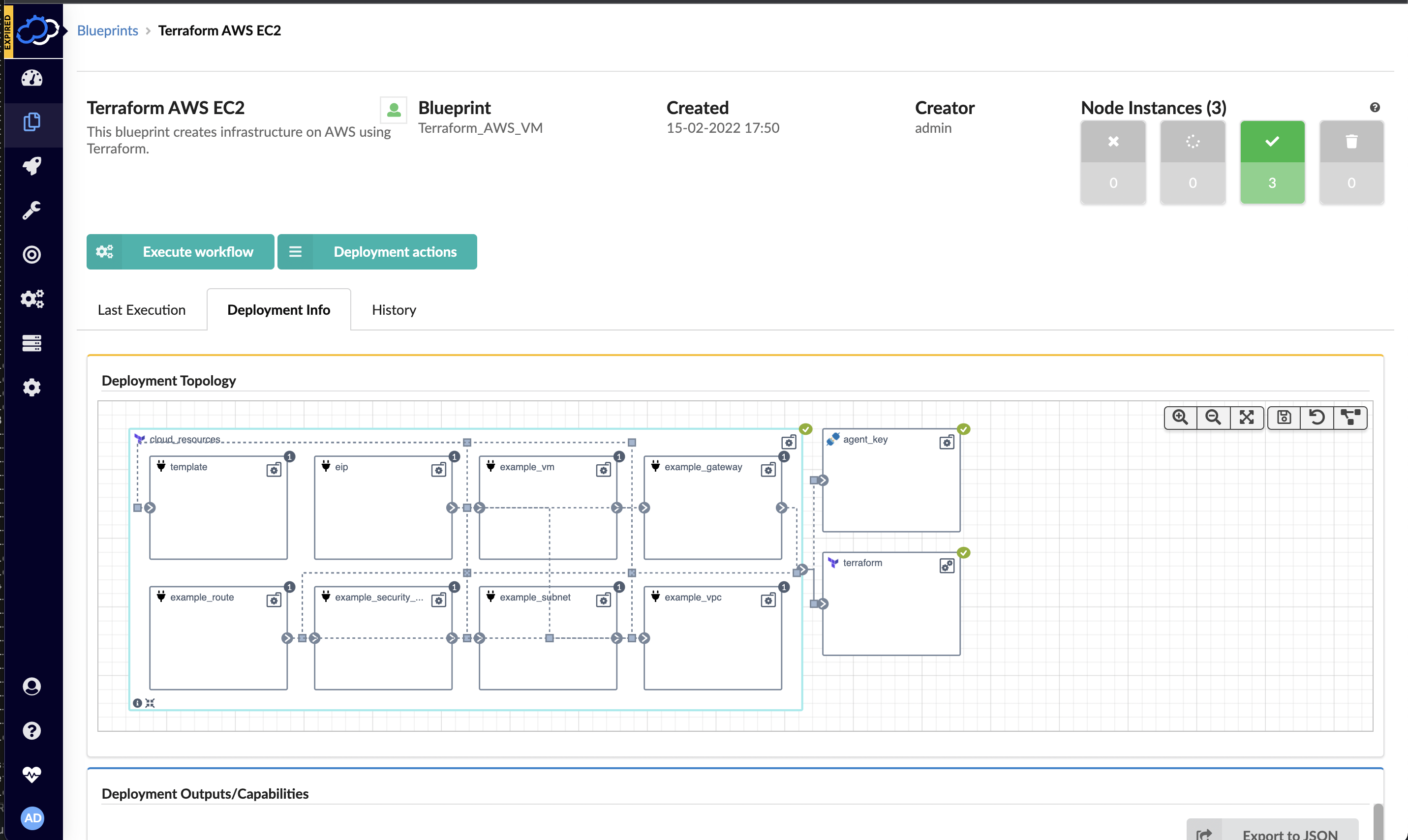
    Cloudify this week announced a free user interface (UI) module that extends its infrastructure provisioning platform and enables DevOps professionals to integrate unlimited Terraform modules.

    Nati Shalom, Cloudify CTO, said Terraform UI provides a familiar construct for DevOps teams using the open source DevOps automation platform to provision infrastructure-as-code (IaC). The module enables DevOps professionals to seamlessly import Terraform modules to Cloudify without writing blueprints or any additional glue code, he said.

    Cloudify now automatically generates the wrapper required for each Terraform template to enable DevOps teams to collaboratively manage secrets, execute concurrent deployments, store states remotely and monitor deployments, users and versions via any Git repository. Those Terraform modules can then be integrated with application programming interfaces (APIs) and continuous integration/continuous delivery (CI/CD) platforms as DevOps teams require.

    DevOps teams can also import existing automation modules and scripts into Cloudify. Those modules and scripts can be automatically converted to environments that can be centrally managed via the Cloudify console or via export to ServiceNow’s IT service management (ITSM) platform as a software-as-a-service (SaaS) application.

    That approach provides the added benefit of enabling DevOps teams to centrally manage all Terraform modules and versions via a single console as part of an effort to reduce misconfigurations that lead to security breaches, he added.

    Cloudify enables DevOps teams to create a self-service catalog and portal through which infrastructure can be managed. Many DevOps teams have built their own portals to manage this process. However, Shalom noted those DevOps teams then need to devote resources to maintaining that portal when those resources could be allocated to other critical tasks.

    DevOps teams can not only use Cloudify to apply patches, change topologies, add security features, make configuration changes or make additional resources available, Shalom added, they can also now integrate Terraform tooling with platforms such as Kubernetes or other automation frameworks such as Ansible. Cloudify also makes available an enterprise-grade version of the platform with these integrations.

    It’s not clear how much time and effort IT organizations are investing in building and maintaining DevOps environments. In many cases, however, organizations should probably revisit decisions about building capabilities that, at the time, didn’t exist. That doesn’t necessarily mean that replacing custom DevOps tools makes sense across the board, but it is likely that, in the intervening years, the range of tooling made available via DevOps platforms has greatly expanded. Relative newcomers to DevOps, meanwhile, are enjoying the benefit of platforms they did not have to construct themselves.

    In fact, Shalom noted that, in terms of DevOps adoption, an inflection point has been reached as more organizations launch digital business transformation initiatives that require applications to be both built and deployed faster than ever. The challenge, of course, is enabling that to occur both safely and at a reasonable cost.