Category: Continuous Testing

Continuous testing is the process of executing automated tests as part of the software delivery pipeline to obtain immediate feedback on the business risks associated with a software release candidate.

  • Can ChatGPT Fix Bugs? ‘Wolverine’ Dev Says YES

    Can ChatGPT Fix Bugs? ‘Wolverine’ Dev Says YES

    Welcome to The Long View—where we peruse the news of the week and strip it to the essentials. Let’s work out what really matters.

    This week: Instead of AI aids for programming, what about for debugging? The pseudonymous “BioBootloader” says he’s persuaded GPT-4 to make his code self heal. (more…)

  • Harnessing the Power of AI Chatbots for Continuous Testing

    Harnessing the Power of AI Chatbots for Continuous Testing

    Artificial intelligence (AI) is revolutionizing the way we develop and test software, especially with the advent of AI chatbots. These intelligent agents have the potential to streamline and automate continuous testing while improving software quality. However, software and QA managers must understand the urgency, opportunities, pitfalls and best practices associated with integrating AI chatbots into continuous testing processes. This blog explains crucial aspects to help your team harness the full potential of AI-driven continuous testing.

    The Urgency of Integrating AI Chatbots Into Continuous Testing

    • Increasing complexity of software applications: Modern software applications are becoming increasingly complex, which makes manual testing time-consuming, error-prone and costly. AI chatbots can analyze vast amounts of data in real-time, identify patterns and learn from the testing process, making them invaluable for continuous testing.
    • Fast-paced development and market demands: Today’s competitive market demands faster release cycles and shorter time-to-market. AI chatbots can help you accelerate testing and development cycles, allowing your team to focus on delivering high-quality software promptly.
    • The growing importance of customer experience: AI chatbots can simulate user interactions and predict user behavior, helping to improve user experiences by identifying potential issues before they become real problems.

    Opportunities for AI Chatbots in Continuous Testing

    • Improved test coverage and accuracy: AI chatbots can execute a large number of tests simultaneously, leading to better test coverage and increased accuracy.
    • Enhanced defect detection: AI chatbots can identify defects early in the development process, reducing the overall cost and time spent fixing them.
    • Efficient resource allocation: By automating repetitive tasks and reducing human intervention, AI chatbots enable teams to allocate resources more effectively, leading to increased productivity.

    Pitfalls to Avoid When Implementing AI Chatbots

    • Over-reliance on AI: AI chatbots are powerful tools, but they should not replace human testers completely. Human intuition, creativity and critical thinking are essential for effective testing.
    • Insufficient training data: To work effectively, AI chatbots require quality training data. Ensure that your chatbot is trained with diverse and representative datasets to minimize the risk of biased or inaccurate results.
    • Integration challenges: Integrating AI chatbots with existing systems and processes can be challenging. Ensure that your team has a clear understanding of the integration requirements and potential issues that may arise.

    Best Practices for Applying AI Chatbots to Continuous Testing

    • Define clear objectives: Establish clear goals and expectations for your AI chatbot to ensure that it aligns with your team’s overall testing strategy.
    • Choose the right AI chatbot platform: Consider factors like cost, scalability, ease of integration and support for programming languages when selecting an AI chatbot platform.
    • Continuously monitor and refine: Continuously monitor your AI chatbot’s performance and make necessary adjustments to improve its effectiveness and efficiency.
    • Foster collaboration: Encourage collaboration between human testers and AI chatbots to leverage the strengths of both.

    Benefits of Applying AI Chatbots to Continuous Testing

    • Improved test coverage and accuracy: AI chatbots can execute a large number of tests simultaneously, leading to better test coverage and increased accuracy. By automating repetitive and complex tasks, AI chatbots can effectively handle edge cases and efficiently test various scenarios, thereby reducing the likelihood of undetected issues in the software.
    • Enhanced defect detection and early issue identification: AI chatbots can quickly identify defects and potential issues early in the development process, reducing the overall cost and time spent on fixing them. By leveraging machine learning and pattern recognition, AI chatbots can predict potential problems and bring them to the attention of developers, allowing for proactive resolution and improved software quality.
    • Efficient resource allocation and increased productivity: By automating repetitive tasks and reducing human intervention, AI chatbots enable teams to allocate resources more effectively. Human testers can focus on higher-level tasks that require creativity, critical thinking, and domain expertise. This leads to increased productivity, as the team can concentrate on delivering high-quality software and improving user experiences.

    Conclusion

    AI chatbots are transforming the landscape of continuous testing, offering unprecedented opportunities to improve software quality and speed up development cycles. By understanding the urgency, opportunities, pitfalls and best practices associated with integrating AI chatbots into continuous testing processes, software managers can effectively harness the potential of these intelligent agents and drive their teams toward success.

  • Why Monitoring-as-Code Will be a Must for DevOps Teams

    Why Monitoring-as-Code Will be a Must for DevOps Teams

    Over the last decade, we’ve seen an increasing number of operations teams and development teams using an infrastructure-as-code (IaC) process for provisioning cloud-based infrastructure. In that model, IaC tools like CDK, Pulumi or Terraform are employed to allow developers to code, deploy and manage cloud-based infrastructure. The advent of cloud services and IaC tools has freed engineering teams from error-prone (and slow) manual infrastructure provisioning processes. The ability to codify your infrastructure next to your version-controlled application code has been a game-changer for many organizations.

    An Introduction to Monitoring-as-Code

    With IaC becoming an increasingly valuable tool for managing infrastructure, it’s only natural that other parts of the ecosystem follow that shift left philosophy, including how testing and monitoring are done.

    Similar to IaC, the monitoring-as-code (MaC) concept allows us to describe a monitoring infrastructure as code. Today, many DevOps teams are employing MaC by using some of the aforementioned IaC tools like Terraform or Pulumi—in conjunction with monitoring platforms like Checkly—to create, run and manage their browser and API monitoring regimens. In these examples, monitoring checks can be defined in JavaScript, TypeScript or HCL, and then those can be committed together with application code. Modern MaC matures fast; it does not even require traditional IaC tools but enables MaC without extra tools. Modern platforms enable this by shipping CLIs to achieve this. Making monitoring an integral and companion part of your codebase comes with many benefits and advantages.

    Just as IaC has become an integral part of the new paradigm for managing cloud-based infrastructure, here are a few reasons why I believe MaC will also become a must for modern DevOps teams.

    The Benefits That Make MaC a Must for DevOps Teams

    Flexibility and Programmability
    By adopting MaC, your automated testing infrastructure is defined as code and lives next to your application code in your code repository, giving you all the benefits that entails. Testing and monitoring are no longer treated as separate from your application code.

    Update Monitoring With Your Code Changes
    As mentioned in the previous bullet, MaC places your testing and monitoring next to your application code. So when your application code is updated, your testing and monitoring ships right alongside it, streamlining the process. That makes your testing and monitoring solutions deployable, with MaC giving you the ability to schedule tests on a continuous, around-the-clock basis from distributed locations across the globe.

    Monitor and Test on Staging
    In the past, synthetic monitoring was primarily meant to run on production: Once your apps were deployed, monitoring kicked in and alerted you when things failed. With MaC, that monitoring can now run locally alongside your application code in a CI/CD flow, allowing that app code to be tested and even monitored continuously on staging before getting deployed on production.

    Speed and Automation Efficiency
    With monitoring now embracing the “as code” paradigm, new checks can be spun up quickly and in far less time than a non-MaC monitoring approach. All of that increased speed and efficiency will have a real-world impact on dev, ops and QA teams, saving engineers hours now automating once-siloed manual and inflexible work.

    Scale as Needed
    Finally, given that your tests live right next to your application code, it’s much easier to observe, manage and understand what is being monitored. That insight and visibility also make it much easier to scale your testing and monitoring efforts across teams, organizations and even across the globe. All of that enhanced efficiency frees dev and QA teams to focus on other tasks while simultaneously providing better testing and monitoring support across the organization.

    MaC Benefits in Action
    As an example, all of the aforementioned benefits are being employed by a large health care provider that recently adopted a MaC workflow. That organization relies on a MaC testing and monitoring workflow—based on tests written in Playwright—to automate its synthetic monitoring efforts. In particular, a MaC approach has enabled the QA and dev teams there to quickly build, validate and deploy an entire suite of checks from their local development environment.

    The Future of Testing and Monitoring

    With MaC now moving in the same leftward direction as IaC, I believe that the future of monitoring will become increasingly accessible, flexible and frictionless for any modern developer. MaC will also be increasingly based on open source testing and automation frameworks like Playwright, Puppeteer and others, which have been used and adopted for automation and testing for years.

  • CircleCI Report Surfaces DevOps Productivity Gains

    An analysis of more than 14 million workflows from thousands of organizations conducted by CircleCI, a provider of a continuous integration/continuous delivery (CI/CD) platform, revealed the mean-time-to-recovery (MTTR) decreased by about 13% year-over-year.

    Half of CI workflows (50%) recovered from a failed run in 64 minutes or less. That compares to 73 minutes or more in previous years, the report noted.

    In general, the report found 50% of workflows completed in 3.3 minutes or less. However, the average duration was approximately 11 minutes. The median workflow ran 1.54 times per day.

    Success rates, as defined by the number of passing runs divided by the total number of runs, was, on average, 77% for default branches and 67%, on average, for non-default branches.

    Naturally, the level of productivity any given DevOps team can achieve is impacted by everything from the size of the team to the vertical industry they operate in. CircleCI CTO Rob Zuber also noted there are other crucial developer productivity metrics, such as the amount of time developers are focused on writing code, that need to be tracked as well.

    The goal for any DevOps team is to abstract away as much complexity as possible to enable developers to spend more time on writing business logic, said Zuber. Unfortunately, as more responsibility for infrastructure and security has shifted left toward developers, many of them are spending too much time managing application environments instead of writing code, noted Zuber. He noted that the cognitive load being placed on developers today is too high.

    Developing applications is, of course, as much an art as it is a science. Organizations can set aside time for sprints to write code, but it’s difficult to dictate when inspiration might strike a particular developer. There is always going to be a need to let developers, for example, write code at odd hours of the day and night. The more friction they encounter in terms of spinning up application environments, the less likely it becomes a developer will spend time squarely focused on writing code, said Zuber. The “zone” is when most of the best code is developed, he added.

    Naturally, there is no set of metrics that are equally applicable to all DevOps teams, but they should pay attention to metrics as an indicator of whether teams are improving, added Zuber. Most developers and software engineers are not going to want to work in a “software factory” where every minute of the day needs to be accounted for within a project management application. Rather than employing metrics as a stick, they should instead be used as an educational tool—a carrot—that drives steady improvement. In addition, organizations should take care to make sure the collecting of metrics doesn’t impede the pace at which applications are being developed.

    As the saying goes, things measured are usually things done; but there is a fine line to be observed when it comes to any goal that requires a certain level of creativity to achieve.

  • Synopsys Preps Extensions to Polaris SaaS Platform

    Synopsys Preps Extensions to Polaris SaaS Platform

    Synopsys plans to extend the capabilities of its Polaris Software Integrity Platform for securing application development environments by adding dynamic application security testing (DAST) tools along with the ability to scan code used to provision infrastructure.

    As a software-as-a-service (SaaS) platform, the Polaris Software Integrity Platform was created by combining the static application security testing (SAST) tool Synopsys gained with the acquisition of Coverity in 2014 and the software composition analysis (SCA) tool it added to its portfolio by acquiring Black Duck Software in 2017.

    In 2015, Synopsys acquired the Seeker tool for analyzing the code created using interactive application security testing (IAST) tools from Quotium. The company last year acquired WhiteHat Security from NTT to add a DAST tool.

    Patrick Carey, senior director for marketing strategy for Synopsys, said that the company would add the capabilities of those latter two platforms to create a comprehensive set of best-in-class security tools that are easily accessible via a SaaS platform.

    At a time when more organizations than ever are moving to secure software supply chains, Carey said it’s critical to provide developers with more visibility into vulnerabilities across the entire software development life cycle (SDLC). Some organizations are opting to achieve that goal by embedding tools within the SDLC themselves, but many organizations would likely prefer to invoke a SaaS platform that they don’t have to maintain, noted Carey.

    He noted that a SaaS platform makes it simpler to point a collection of integrated tools at a code repository to surface those vulnerabilities.

    As DevSecOps workflows continue to evolve and mature, more responsibility for application security is shifted left toward developers. The challenge is that many developers have limited cybersecurity expertise, so it’s critical that they have access to high-quality security tools.

    In addition, a SaaS platform helps reduce the total cost of achieving that goal by providing multiple capabilities within a single integrated platform, said Carey.

    Naturally, most of the focus today is on reducing the number of vulnerabilities that find their way into production environments as applications are being built. However, there are already large numbers of unaddressed vulnerabilities in applications that have already been deployed. Organizations will need to find ways to address that technical debt in addition to providing developers with tools that help prevent those code vulnerabilities in the first place.

    As such, there is no one central place through which application security can be managed, noted Carey. Instead, application security needs to be addressed across every phase of the SDLC, he added.

    It’s not clear how quickly organizations are adopting DevSecOps best practices, but as calls for increased liability for software development increase—as outlined, for example, in the U.S. National Cybersecurity Strategy— organizations should expect DevSecOps workflows to become a requirement. Otherwise, organizations will be severely penalized for vulnerabilities that find their way into code. In effect, there is now a race to embrace DevSecOps before any proposed liability legislation becomes the law of the land.

  • Orgs Shift Toward Centralizing Automation Initiatives

    Orgs Shift Toward Centralizing Automation Initiatives

    A survey published today found that 75% of respondents recognized that automation silos hamper their ability to unify cloud operations across functions.

    Conducted by CloudBolt Software, the survey polled 350 senior IT and DevOps leaders at organizations with more than 3,000 employees. On a positive note, the survey found 57% of respondents were starting to pursue a more centralized approach to automation, with a total of 88% acknowledging that having all previous and new automation centralized for the entire organization would ensure compliance, bolster security, enable business continuity, encourage reuse and reduce risk.

    Rather than taking a more holistic approach, well over half of respondents (57%) reported automation efforts are limited to specific silos. On average, organizations are employing 27 different automation tools their organizations have deployed, using one or a few as they see fit, with little to no consistency across teams. More than half (55%) of respondents said they have four or more separate automation teams, with 95% noting that each of those teams operates in their own silo.

    CloudBolt CTO Rick Kilcoyne said that lack of continuity clearly creates inefficiencies and redundancies that conspire to raise the total cost of IT. The challenge is that each team tends to favor one approach to automating a silo with little to no regard for a larger overall strategy to create an automation standard, he said.

    That approach also creates issues whenever a member of one of those teams leaves an organization, he noted. In fact, the survey found 77% of respondents reported that continuity is at risk any time a vital member of the team leaves.

    CloudBolt has been making a case for a federated automation platform that can be invoked either via application programming interfaces (APIs) or a graphical user interface (GUI) that provides access to low-code tools. The goal is to make the platform equally accessible to DevOps teams or IT administrators that tend to lack programming skills, and do so in a way that doesn’t require individual teams to replace their automation platform of choice. Instead, each of the automation platforms can be programmatically invoked via a central framework, said Kilcoyne. That approach eliminates any political debate over the potential need to replace one team’s favored automation platform with another, noted Kilcoyne.

    Regardless of who is accessing the platform, most organizations would be well-advised to develop a center of excellence for automation, he added.

    DevOps teams have always been committed to ruthlessly automating as many IT processes as possible, but in many cases, that has resulted in a plethora of automation tools being employed. In effect, automation may have become too much of a good thing. One approach to regaining control over those platforms is to create a platform engineering team that centralizes the management of DevOps workflows.

    Regardless of approach, Kilcoyne said the most important thing for any team to do before automating an IT workflow is to first understand how to manually set it up. Too many IT teams are trying to apply automation to processes they don’t really understand with mixed results, he added.

    The one thing that is certain, especially with the rise of artificial intelligence (AI), is the management of IT is going to become more automated.

  • CodeSee Extends Reach of Code Visualization Platform

    CodeSee Extends Reach of Code Visualization Platform

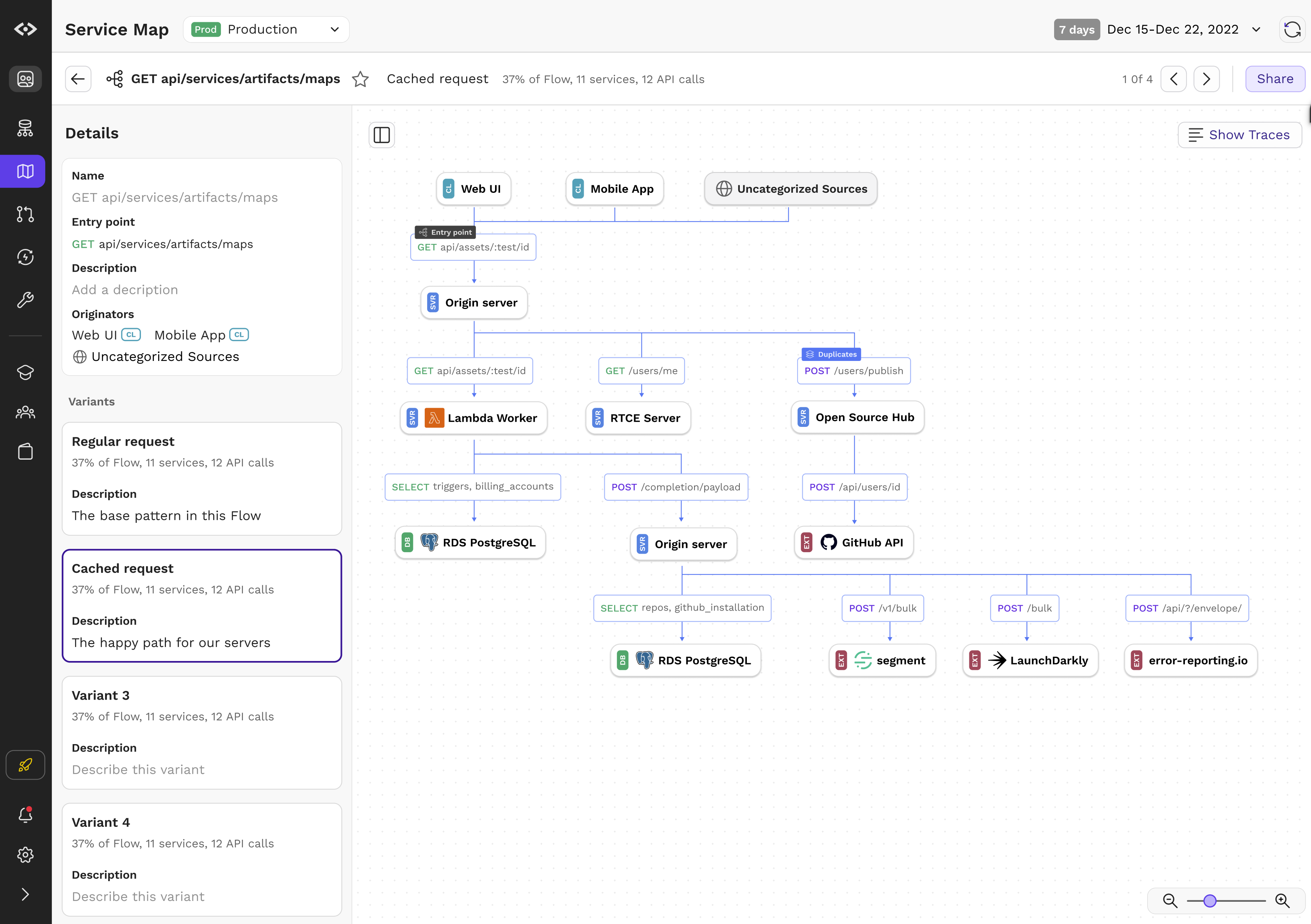
    CodeSee updated its code visibility platform to enable instant mapping of application services, directories, file dependencies and code changes.

    CodeSee CEO Shanea Leven said CodeSee Enterprise 2.0 should extend the appeal of the platform beyond developers to include software engineers managing DevOps workflows.

    CodeSee Enterprise 2.0 provides real-time visibility across multiple repositories regardless of whether the application is a monolith or based on a microservices architecture, she noted.

    In addition, a Code Automations module enables developers to set granular conditions and actions down to the function level, requiring checklists to be complete before allowing developers to move on.

    CodeSee Maps now includes the ability to click to view code directly, while a streamlined Review Maps module has decreased code review time by 30%. Developers can easily share maps to discuss proposed changes or keep necessary code changes as automatic permanent artifacts.

    Additional languages including C#, VB.NET, ASP.NET, Blazor, Java, JavaScript, Go, Python and TypeScript are now supported.

    Finally, CodeSee is making available a dedicated solutions engineering team that provides guidance to connect an organization’s Datadog or OpenTelemetry trace data to CodeSee in less than an hour without storing code or having to first dive deep into traces, noted Leven.

    The core open source CodeSee tool was created because it takes too long today for most developers to pore over a codebase to understand where they might contribute. The larger a codebase becomes, the longer it takes for a developer or software engineer to be onboarded to a new project.

    The overall goal is to improve developer productivity, noted Leven. That’s become a critical issue because many organizations are hesitant to hire additional developers during uncertain economic times; they first want to ensure they maximize the utilization of the teams they already have.

    Application development, of course, is now a team sport. The days when a lone developer cared for an entire application are long over. The issue is finding a way for teams of developers to collaborate more easily in an era where many of them may never have met in person.

    In the longer term, Leven said she also expects that generative artificial intelligence (AI) platforms such as ChatGPT will supplement code visualization tools. Many developers are already starting to use these tools to help generate code faster. That code should, in theory, have fewer errors because it has essentially been copied from other previously validated sources. CodeSee provides a means to visualize that code before deploying it to ensure it will function as promised in increasingly complex application environments.

    One way or another, the tools being provided to developers to boost productivity are advancing. It’s not clear what metrics should be employed to track developer productivity, but the amount of code simultaneously moving through DevOps workflows is going to increase. The challenge DevOps teams face now is keeping track of all the dependencies that exist in that code as application environments are continuously updated.

  • New Relic Bets on AI to Advance Observability

    New Relic Bets on AI to Advance Observability

    New Relic is preparing to extend the capabilities of its observability platform by making use of both additional machine learning algorithms and the ChatGPT generative artificial intelligence (AI) platform.

    Peter Pezaris, senior vice president for strategy and experience at New Relic, said during an interview on an episode of TechStrong TV that a prototype of an AI model created using machine learning algorithms will automatically notify developers when code in a production environment is not performing well—right within their integrated development environment (IDE). The notification will then take developers to the precise line of code identified as the root cause of the issue, he said.

    DevOps teams will need to add two lines of code to applications running in production environments to take advantage of this capability. New Relic also plans to use a similar approach to integrate with generative AI platforms such as ChatGPT to create suggestions for fixing code, he added. ChatGPT now makes it possible to create entire programs in ways that output HTML and JavaScript code, so DevOps teams should expect to be able to use the platform to create natural language queries that invoke the proprietary query language New Relic makes available for its observability platform, he noted. Conversely, ChatGPT will make it possible to explain how a piece of code functions in plain language, Pezaris added.

    Previously, New Relic employed a similar approach to integrate its observability platform with machine learning operations (MLOps) platforms used to build and deploy AI models. This was part of a larger effort to integrate MLOps and DevOps workflows, added Pezaris.

    These AI extensions to the New Relic platform are part of a larger effort to extend the reach of the New Relic One observability platform further left toward developers. Most recently, New Relic added a free CodeStream module to its observability platform to give developers access to metrics and telemetry data that will enable them to write higher-quality code faster.

    That approach eliminates the need to wait for IT operations teams to surface issues that usually don’t manifest until long after the code in question was originally developed. The overall goal is to provide development teams with frictionless access to observability data at every stage of the software development life cycle to reduce mean-time-to-detection (MTTD) and mean-time-to-resolution (MTTR) of issues.

    Organizations should also be able to reduce technical debt faster by making it easier to identify issues that, for example, adversely impact application performance.

    In general, most organizations are still in the early stages of achieving full-stack observability. A recent New Relic survey found only 27% of respondents have achieved full-stack observability, and only 5% claimed they have a mature observability practice in place. A third (33%) of respondents also said they still primarily detect outages manually or based on complaints, the survey found.

    On the plus side, the survey also found nearly three-quarters of respondents said C-suite executives in their organization are advocates of observability, and more than three-quarters of respondents (78%) saw observability as a key enabler for achieving core business goals. However, more than half (52%) of respondents said they experienced high-business-impact outages once per week or more and 29% said they take more than an hour to resolve those outages.

    The hope is, of course, that by augmenting DevOps teams with AI capabilities, the number of those outages will be dramatically reduced in the months and years ahead.

  • The Power of Observability: Performance and Reliability

    The Power of Observability: Performance and Reliability

    Observability has become an essential aspect of modern IT, and its importance is only expected to increase in the years to come. The ability to monitor and understand the behavior of systems in real-time provides organizations with a wealth of information that can help them improve the performance, reliability, and overall health of their networks and applications.

    By collecting and analyzing data from a variety of sources, observability enables organizations to proactively address issues before they escalate into major problems. This proactive approach to problem-solving can help businesses avoid costly downtime and lost productivity, ultimately leading to increased customer satisfaction and business growth.

    Current Challenges Facing Today’s Organizations

    Despite its many benefits, achieving proper observability can be challenging, particularly in today’s complex and highly dispersed technology landscape. The sheer volume of data generated by siloed networks and applications can overwhelm even the most sophisticated monitoring tools. However, with the right approach, tools and processes, organizations can overcome these challenges and fully realize the potential that observability has to offer.

    One of the biggest obstacles to achieving comprehensive network observability is the fragmentation of data sources. Logs, metrics, events and other types of data all require different tools to collect and store them, making it difficult to get a complete picture of network performance. To overcome this challenge, organizations must adopt a holistic approach that integrates the right tools and processes to collect and analyze all relevant data.

    This holistic approach involves the use of advanced monitoring tools that can collect and analyze data from multiple sources, as well as the implementation of best practices for data management and analysis. By taking a comprehensive approach to observability, organizations can gain a deeper understanding of their networks and applications, identify potential issues before they become major problems, and ultimately drive business growth and success.

    Best Practices for Performance and Reliability

    First, proper tooling is crucial for organizations to perform a comprehensive analysis of data. This enables cross-domain correlation to achieve meaningful insights. A data-centric approach relying on contextual information can help organizations “connect the dots” and make informed decisions. In addition, organizations must also prioritize data quality to ensure that they are analyzing accurate and reliable data. Poor data quality can lead to incorrect conclusions and poor decision-making, which can have negative impacts on network performance and business outcomes. To ensure data quality, organizations must invest in proper tooling and processes that can validate and verify data accuracy, consistency and completeness.

    Second, having a network data source of truth is crucial for organizations to effectively analyze and make informed decisions based on their data. The ability to extract metadata from existing sources to provide contextual information is also vital to “connecting the dots” across multiple domains to uncover valuable insights. The metadata serves as the ultimate enabler in this process, allowing organizations to gain a comprehensive understanding of their data to make informed decisions. By establishing a network data source of truth and extracting the necessary metadata, organizations can effectively analyze and use their data for more meaningful insights.

    Third, it is important to ensure that observability is incorporated into the entire development lifecycle to support end-to-end visibility. This means accounting for instrumentation as part of the design and planning phases, as well as testing, deployment and ongoing maintenance. By making observability a central part of the development process, organizations can identify and resolve issues before they become major problems. Additionally, incorporating observability into the development lifecycle can also improve the overall performance of the system by identifying bottlenecks and areas for optimization. It can also help to improve the overall security of the system by detecting anomalous behavior and potential vulnerabilities. Moreover, having observability throughout the development process can enable teams to make informed decisions based on real-time data and analytics, leading to more efficient and effective development practices.

    The fourth best practice is to use a centralized observability platform that allows for the collection and analysis of data from all systems and infrastructure. This platform should be able to collect data from all parts of the organization’s technology stack, including databases, servers and applications. Additionally, the platform should be able to correlate data from multiple sources to provide a comprehensive view of the organization’s operations. This centralized approach ensures that all stakeholders have access to the same information, reducing the likelihood of miscommunications and ensuring that everyone is working towards the same goals.

    Last is the democratization of data. This is crucial for organizations as it empowers teams from multiple functions to access and use data effectively. This leads to increased transparency and collaboration, allowing organizations to make data-driven decisions and drive innovation. Democratization also helps to break down silos, increase visibility and facilitate faster problem-solving for improved decision-making. The key to achieving comprehensive network observability is collaboration between teams. Siloed teams and processes can lead to gaps in data collection and analysis, as well as delays in issue resolution. Therefore, organizations must encourage cross-functional collaboration between teams responsible for network infrastructure, application development and operations to promote a shared understanding of network performance and enable faster problem resolution.

    Observability is a Key Discipline

    In conclusion, observability is a key discipline that can help organizations achieve superior performance and reliability in their systems. By following the best practices suggested above and embracing a comprehensive approach, organizations can overcome the challenges of data fragmentation and unlock the full potential of observability. As technology continues to evolve and become more complex, observability will only become more important, making it essential for businesses to prioritize this aspect of their IT strategy.

  • A Seven Point Checklist for Getting SAST Right

    A Seven Point Checklist for Getting SAST Right

    With so many physical products—from automobiles to airplanes and medical devices to industrial control systems—now being driven by software, product security has become a top-level concern for manufacturers. Software flaws can not only affect security by introducing vulnerabilities that can be exploited by attackers but also impact safety by compromising a product’s functional operation.

    In addition, product security has significant financial implications. For example, fixing a vulnerability in development costs 10 times less than in testing and 100 times less than fixing it in production. This explains why static application security testing (SAST) has become a cornerstone of product security and the engine for implementing code analysis at the earliest stages of development, commonly known as shift left security.

    Unlike other forms of application security testing (AST), SAST scans 100% of the code, including configuration files, not just the code that is executed at runtime. SAST can also provide additional benefits, such as quality and architectural testing. Software quality and security are inextricably linked since poorly written software typically is insecure software.

    With the stakes so high, getting SAST right is the tipping point for any product security program. To evaluate SAST tools, consider the following checklist to make sure they align with your business requirements:

    1. Deep Language Support: C/C++, Java, C#, etc.

    Languages are often selected based on the programmatic requirements of the software producer, the needs of the consumer and the hardware associated with the product. For example, developing software for safety-critical applications like aerospace requires different capabilities than languages used to build web applications.

    2. Compiler and Embedded OS Platform Compatibility

    Compilers used for embedded software development implement unique flags for configuration, such as performance optimizations, code size, error checking and the diagnostic information emitted. Since embedded OS platforms typically include compiler and debugging tools plus the various OS files and configuration options, make sure the SAST tool can integrate with the development environment used.

    3. Actionable Alerts

    For the DevOps team to embrace security, embedding security in the software factory life cycle cannot slow down development velocity or hinder developers’ ability to meet software release timelines. False positives redirect developer attention away from writing software to investigating potential defects. Too many false positives result in developers losing faith in true positives and paying less attention to security alerts of real substance.

    4. Built-In DevOps Integration

    The software development life cycle employs an extensive toolset that provides automation to help developers get products to the production stage faster—not unlike a manufacturing plant or factory. Make sure the SAST tool supports and integrates with distinct tool categories including collaboration and management, source control and repositories, IDEs, compilers, orchestration and automation and business intelligence.

    5. Flexible Deployment

    Depending on the organization and industry, SAST may need to support a variety of deployment options, including on-premises, cloud, hybrid, etc. For example, air-gapped deployments are often required in security-sensitive environments where the data protection uncertainty associated with multitenant public clouds is unacceptable. Meanwhile, cloud-based SAST can provide benefits like scalability and elasticity and reduce infrastructure capital investments.

    6. Developer-friendly UI

    Shift left security is accomplished by integrating security warnings into the integrated development environment (IDE) used by engineers. A SAST tool that works within existing IDEs can reduce the number of errors presented to testers, which subsequently reduces the volume of kickbacks to engineering and leads to faster time-to-market.

    7. Standards

    Many organizations use—and some must comply with—standards for software coding best practices such as SEI CERT, MISRA, etc., which provide a framework for improving the safety, reliability and security of software systems. In addition, a company may need to satisfy functional safety standards such ISE 61508, as well as derivative industry specific standards including IEC 62304 (Medical), ISO 26262 (Automotive),  DO-178C (Avionics) and IEC 62434 (Security). A SAST tool should provide integration with key standards that govern an organization’s products and, where appropriate, be certified for them.

    Using these guidelines for evaluating SAST tools will help ensure that the product you select meets your organization’s business, technology, safety and security requirements.