Author: contributor

  • PuppetConf 2015 attendees solve problems, change lives with DevOps, automation

    A thriving community of more than 7,000 IT professionals gathered online and in-person for Puppet Labs’ annual PuppetConf 2015 event recently to learn how leading global enterprises such as Uber, Walmart and Wells Fargo develop strong organizational cultures and leverage DevOps, automation and other modern IT tools and practices to solve problems and build high-performance data centers serve millions of customers and “change lives.”

    pic1

    The art of life-changing problem solving through automation isn’t lost on Puppet Labs’ customer Walmart. Senior Technical Expert Martin Jackson quoted a colleague who foresaw the benefits Puppet Labs would deliver when it first started using the company’s IT automation software, “‘We’re going to change lives with this,’” a prophecy he said has been fulfilled.

    In tangible terms, the life-changing results he spoke about to the capacity audience were measurable. With Puppet Labs automation software, Walmart went from having relatively few nodes managed through automation to a whopping 48,000 in a short period.

    pic2

    Walmart Senior Technical Expert Martin Jackson presenting at PuppetConf 2015

    With this level of automation, Jackson said his organization has been better able to support Walmart in achieving its goal to serve millions of customers at the lowest possible price.

    Most consumers, or even business end users for that matter, don’t think much about what goes into processing something as a simple as a banking transaction from a mobile device or computer. But PuppetConf attendees know there is a complex spider web of tech behind making an app as common as one used for online banking work.

    Wells Fargo, the world’s largest bank by market capitalization, is a Puppet Labs customer leveraging automation technology for application orchestration, automation of node configuration and application deployment.

    Using “Back to the Future” as his metaphor, Wells Fargo DevOps Manager Nate Loomis talked about the need to be on the cutting edge of IT, while also keeping services to customers reliable and dependable. When Wells Fargo IT shifted from a node-centric view to an application-centric one, its provisioning started moving much faster — from months to the time it takes to get a cup of coffee.

    With Puppet Labs, Wells Fargo manages 120,000 nodes and 55,000 network devices to process more than 1 billion transactions daily, hosts more than 2,300 applications in production with more than 40 percent of its operations fully automated.

    pic3

    Wells Fargo DevOps Manager Nate Loomis presenting at PuppetConf 2015

    Culture Matters

    DevOps is more than just tools. While addressing the crowd at the Portland Convention Center, Uber’s Head of Business Intelligence Komal Mangtani emphasized that its IT culture pushes engineers to experiment in the name of progress and to constantly be on the lookout for new ways to solve problems.

    pic4

    Uber Head of Business Intelligence Komal Mangtan presenting during PuppetConf 2015

    With a picture of The Martian leading man Matt Damon on the jumbo screen, Mangtani borrowed a line from the film when she told attendees, “If you solve enough of the right problems, you get to go home,” a humorous reference to wide-spread use of Uber by patrons to get rides home that wasn’t lost on the crowd. She emphasized that while most people think of Uber as an app, ride and car, there is much more to it than just that — pointing out that that within its IT culture is a dedicated team of “fierce yet humble” engineers that are helping the company to deliver more than 1 million rides, daily.

    Summing Things Up

    pic5

    Although he opened the conference, Puppet Labs founder and CEO Luke Kanies summed up the whole point of IT automation and DevOps during his keynote which included a live demo of Puppet Application Orchestration. While addressing the conference, he told the crowd, “We at Puppet Labs are here to help you get there. As a company, we are all about reducing the timeline from the moment you get new technology to the moment it’s in the hands of your users delivering real value. You are going to see us as a company evolve over time to get better and better at aligning the tools we provide and the work we do enable with helping you more directly, more consistently and more repeatedly delivering customer value.”

    For a more in depth look at PuppetConf 2015, visit the blog: https://puppetlabs.com/blog/puppetconf-2015-day-1-back-to-the-future-with-application-orchestration

    Watch the keynote: https://puppetlabs.com/presentations/puppetconf-2015-lukes-keynote-address

  • The Growth in Data Center Uses for Shadow IT

    The Growth in Data Center Uses for Shadow IT

    Shadow IT is casting a long shadow over IT departments as more organizations react to changing demands from their customers, partners and regulators. Groups and individuals outside of IT are taking matters into their own hands by tapping new cloud-based applications and hosted data centers.

    Shadow IT involves any purchase of equipment, software or data center resources for uses outside of production IT. These purchases usually fall outside the IT budget as well. In many ways, this trend effectively cedes the influence and control of CIOs and IT managers to others within their organizations. According to at least one bold estimate, shadow IT is set to make up 90% of all IT purchases by 2020.

    becoming faster and easier to acquire cloud resources that take longer to get with traditional IT processes. It’s therefore hard to hold back the growth of shadow IT. For example, a test engineer who needs some servers for performance testing. Or a product manager who needs some machines for internal training. Setting up a few AWS instances could take a matter of minutes – you just need a credit card. That seriously lowers the motivation to start requesting those resources from IT, explain why you need them, get approval, and then wait for manual allocation or completion of the purchasing process. As everything gets faster, online, and more automated, the line of business cannot afford to wait.

    Let’s examine the main uses of shadow IT to get a better understanding of what is happening.

    Uses Cases for Development and Testing

    Developers and test engineers are under huge pressure to be more agile. Even in organizations that we would never think of as “fast,” the pace changes rapidly. In heavier organizations that spent years establishing well-groomed IT processes, the dev/test consumer’s patience is running low. We are officially at a point where swiping a credit card and expensing an AWS instance has become easier than opening a ticket to request a virtual machine. As DevOps and automation cross borders and become mainstream, the need for speed makes Shadow IT thrive.

    Uses Cases for Sales Enablement

    Another line-of-business activity that’s implementing shadow IT involves the sales enablement process. This includes demos and proofs of concept, along with internal and external trainings, or customer support services.

    Until lately, most demos and proofs of concept were the responsibility of sales organizations, and such work was generally performed beyond the purview of IT. Now fewer companies are staging demos and proofs of concept at customer sites. They are adopting hosted data centers and web-based cloud services that customers and sales teams can access remotely through self-service.

    In recent years, many of these sales demos have been conducted at resellers and integrators, or by building a lab at a hosted data center where the infrastructure and software is housed.

    Uses Cases for Partner Enablement

    Shadow IT is also catching on for partner enablement to facilitate software development sandboxes, certifications, and testing of software-defined networks. Many industries depend on such product ecosystems for their long-term success. With software-defined infrastructure, the software can be easily integrated and controlled using outside tools.

    Most major hardware and software vendors are developing new partner labs. Members of the partner ecosystem can certify performance against the vendor’s equipment and interfaces without making big capital investments in the infrastructure themselves. Some examples include Cisco DevNet and Salesforce’s Force.com.

    Shadow IT Continues to Grow

    The organizations that adopt agility and DevOps are no longer the leanest and most cutting-edge. They can’t get away with a single Amazon instance. They need support for more complexity, more configurations and more context. They need to better mimic production, because more is at stake.

    As more lines-of-business in these organizations need to be faster, it’s becoming more challenging for IT to meet their needs with the Production IT toolbox – whether it is for development, testing, security certifications, demos or support.

    These kinds of use cases for shadow IT are on the rise, meaning shadow IT will continue to be a growth market for years to come. Whether or not shadow IT will consume 90% of all IT budgets remains to be seen, but it will definitely make up a significant portion of IT spending until production IT changes its approach.

    About the Author/Maya Ber Lerner

    image002Ber Lerner began her career with QualiSystems in 2007 and has steadily risen through the ranks in various roles starting as product manager, director of channel development, director of sales for APAC and Israel, senior director of international sales and, most recently, VP of sales, international. Ber Lerner holds a Bachelor’s degree with honors from Tel Aviv University in Biomedical Engineering.

  • How to Handle DevOps Microservices (Hint: Carefully)

    How to Handle DevOps Microservices (Hint: Carefully)

    Given the dizzying amount of best-of-breed tools that can be involved in the development pipeline, a well-written microservice comes to the rescue with just enough code to keep things running. But too much of anything is never good. Here’s how and when to use microservices.

    Microservices are all the rage right now: these mini-apps are being used to integrate distributed applications that can be modified more easily. Microservices act like the glue, holding together processes and systems in the DevOps automation workflows. This means faster, more automated cycles, better implementation of continuous delivery and increased visibility into DevOps processes and deployments.

    For developers and testers, who generally love the best-of-breed approach of using whatever tool they prefer for the job, microservices allow them to do that by affordably connecting many different open-source and commercial tools in the DevOps pipeline. While some of these tools have built-in integrations to other popular tools, those integrations may not be exactly customized for your needs. Asking the vendor to build custom integrations for you can be cost prohibitive and may not be feasible within the time frame your organization is looking to implement.

    So with microservices, development teams have the flexibility to build their own tool stack and integrate everything to achieve full visibility into the development process. Equally helpful, REST APIs are super easy to work with compared with legacy APIs; developers can handle writing microservices without specialized expertise in the products that are being integrated. These are just a few of the extremely powerful advantages of the microservices approach.

    Yet as with every other cool technology, there are a few hitches, as follows:

    1. Hard to handle. Microservices depend upon vendor APIs, and when those change, the service will break. Then, you’ve got to rebuild the service from scratch. That is a time-consuming task that detracts from the main job at hand: writing and refining code. In an environment with hundreds of microservices, pretty soon, you’ve got developers spending the bulk of their time updating those pesky mini-apps in your devops pipeline instead of building new user features. Costs escalate and timelines slip.
    2. Slapdash processes. Let’s face it, when you’re writing a microservice just for your team, you’re going to do it as quickly as possible, thereby skipping a few steps that can make the microservice less fragile. A vendor, meanwhile, writes a micro-service to help hundreds of customers – therefore, it’s got to be bulletproof. The internal approach for integration through microservices can be more prone to breakage. Once one service breaks, there is the inevitable domino effect with other integration points, meaning down time in your development process.

    So, now what? It’s possible to make all this a bit easier. First, make sure that you’ve got the economics straight. Will developing microservices as your integration strategy be cheaper (factoring in staff time) than having vendors do it for you? If cost is not the main consideration, do the benefits of having a custom-built DevOps tool stack outweigh the complexity issues including downtime risks when a service breaks? Is there a clear-cut benefit from having a custom integration over taking the vendor’s not-quite-perfect integration? Do the analysis before choosing the microservices path – and remember to tie all this back to business benefits.

    Here are some ways to reduce the complexity of microservices:

    Go hybrid: In most cases, organizations will find that using a combination of vendor integrations and microservices is often the answer.

    Outsource: For business-critical applications, it’s not a bad idea to let an outside development firm handle the microservices portion for you. That will reduce your risk and free up your developers to focus on building products not managing integrations.

    Tools and languages: Choose languages for writing microservices that work well with REST APIs, such as Python and Ruby. As well, keep an eye out for tools that can help when you’re doing this in-house, such as Zapier or TaskTop. We expect those automated options to only grow, as companies expand their use of microservices and containers to optimize their DevOps operations.

    About the Author/Kevin Dunne

    AAEAAQAAAAAAAAPqAAAAJDcwMjVkYzMyLTQ1ZGQtNDAwNC1hNWRkLTVjZGJmYTNlZGQwNAKevin Dunne is the vice president of strategy and business development at QASymphony. He has a deep interest in the emerging trends in software development and testing. Kevin joined QASymphony from Deloitte, where he managed testing on large government and Fortune 500 engagements delivering ERP implementations and custom software development. He can be found online at LinkedIn and Twitter.
     

  • Continuous Delivery versus Continuous Deploy

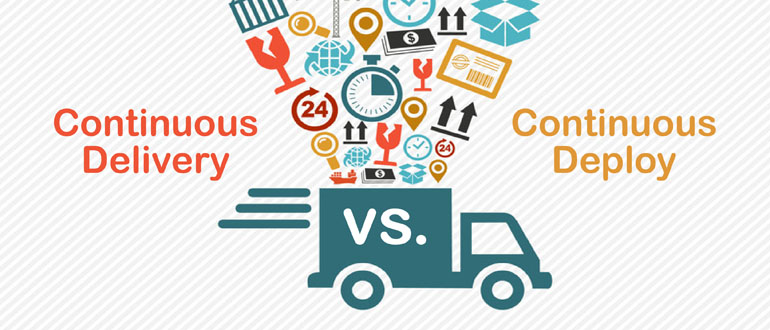
    Continuous Delivery versus Continuous Deploy

    Getting a solid grasp on the meaning of DevOps requires a clear understanding of the terms used to describe it. Over the last several years, we have seen a paradigm shift in the way software is developed, moving away from a waterfall approach, with monolithic releases, to an agile approach with incremental releases.   This shift has changed the way in which the Application Lifecycle (ALM) is managed. Focus around what we normally would refer to as ALM is now more accurately described as Continuous Delivery. Continuous Delivery is not a set of tools, it is an emphasis on people (culture), tools and processes. The change from ALM to Continuous Delivery includes three very basic principles:

    • The software is always deployable which means you prioritize keeping the software deployable over adding new features. To do this requires smaller, less risky changes released overtime instead of all at once.
    • A feedback loop of the build, test and deploy steps expose the readiness of the software allowing anyone from development, test or production to determine that an immediate release of the software to any environment can be approved.
    • Automation of the build, test and deploy process is critical in order for the process to be repeatable and to support a higher frequency of builds, deploys and test cycles.

    So like ALM, there is an awareness of a lifecycle (Dev, Test, Prod). But unlike ALM the lifecycle should not be seen as linear. With Continuous Delivery, a software update may move from Development directly to Production without having entered the Test phase. Because Continuous Delivery principles support keeping the software in a deployable state, with a visible feedback loop to determine the readiness of the software, software can be confidently moved into any environment at any time.

    This change between a linear, waterfall approach, to an non-linear agile approach is far more realistic in the way organizations manage their software. Over the course of my 20+ years’ experience working with both large complex enterprises and small software teams, the need to be able to perform a release, into any environment at the ‘drop of a hat’ has been consistent and problematic. The principles behind Continuous Delivery defines a more realistic approach to software development.

    Moving from a linear application lifecycle approach to Continuous Delivery includes making changes at many levels. First, developers must begin embracing Agile practices, managing smaller, incremental releases. Because Agile increases the frequency of builds, testing and deployments, DevOps tools must be in place to support the automation of these tasks. In the waterfall approach, teams had the luxury of time to get build scripts to work, execute test manually, and write a deploy script for every environment. Continuous Delivery does not offer that luxury therefore automation of these tasks becomes critical. This is why Continuous Build, Continuous Deploy and Continuous Test tools are implemented. Continuous Build addresses the frequent building of code changes, updating binaries upon a check-into version control, and reporting on what artifacts were impacted providing feedback into the readiness of the build.

    Continuous Deployment automates the movement of those binaries to any endpoint in any environment and supports server configuration management, all performed on an incremental basis with feedback showing the inventory and the changes. Continuous Test automates testing so developers and/or testers can run through critical functional test, and code analysis to provide feedback on the readiness of those binaries.

    To maximize on automation, these steps are chained together using the workflow engine of the Continuous Integration Server. The workflow can be triggered upon a source code check-in, kicking off a compile/link (build), running code analysis, deploying to an endpoint and running test. In Continuous Delivery, each environment may have their own Continuous Integration workflow that performs the steps needed. For example, a Production CI workflow may just perform activities related to moving the code to hundreds or thousands of endpoints, with database updated, but not execute a build or test.

    Not all is perfect in the Continuous Delivery approach. Automation continues to be a bottleneck. As with most paradigm shifts, changes in behavior and adoption is a major hurdle. In most companies, the use of manual scripts to perform builds, deployments, test automation and manage infrastructure are still called under the covers of the Continuous Integration workflow. These are the same scripts that were used in the waterfall approach, except now there is not the luxury of time to fix the scripts or update them to adjust to software changes. To support Continuous Delivery, the build, deploy, test activities must be elastic, automatically adjusting to code changes, database updates and server configurations.

    To create a more dynamic Continuous Delivery process, DevOps tools are moving away from the need for coding one-off scripts and instead moving to a model driven approach with Playbooks and Plug-ins. Many developers still hold on to these scripts with the argument that they do not want to be at the mercy of a ‘vendor’ or ‘tool’ to manage these low level tasks. As Continuous Delivery pushes the frequency of releases, this final paradigm shift, moving away from the old approach to one-off scripting, will need to move into full automation. Continuous Build will be supported by Build Automation, Continuous Deploy will be supported by Application Release Automation and Continuous Test will be supported by Testing Automation and Virtualization. The automation tool chain will be orchestrated via a Continuous Integration Server and the entire process will become a reliable and fast Continuous Delivery process.

    About the Author/Tracy Ragan

    tracy-clr-128x124pixelsMs. Ragan has had extensive experience in the development and implementation of DevOps for large organizations. She began her consulting career in 1989 on Wall Street specializing in build, testing and release management for the distributed platform. It was during her consulting experiences that Ms. Ragan recognized the lack of standardized development procedures on open systems that was common on the mainframe. In the years leading to the creation of OpenMake Software she worked with development teams in implementing a community driven standardized build and deploy process that enabled frequent builds and releases, automated around version control. Her knowledge and experience contributed to the creation of OpenMake Meister, the first commercial Build Automation solution. Ms. Ragan served on the Eclipse Foundation Board of Directors as an Add-in Provider Representative for 5 years. She has been published on numerous occasions and regularly speaks at conferences including CA World where she presented for 15 consecutive years. She holds a BS Degree in Business Administration, Computer Technology from California State University, Pomona.

  • Testing Nightmares: Real-Life Frightening QA Experiences

    Testing Nightmares: Real-Life Frightening QA Experiences

    canstockphoto1396657In the spirit of Halloween, this past month testing experts from around the globe answered the call to join in a “crowd-sourced” article highlighting their most frightening testing QA experiences. These are real-life examples of testing gone wrong—leading to all sorts of mayhem in some cases. We allowed these testers to hide their identity, and to keep their organizations anonymous to solicit the most behind-the-scenes responses.

    In no particular order here are the top five Testing Nightmares, as told by the testers themselves:

    The Importance Of Making Sure Your Hosting Company Gets Paid

    By Ivar (from a medium sized company/ now acquired)

    The company I was working for at the time had bet its existence on signing an enterprise contract that it had already been in negotiations for more than year with. We were building a digital asset management system that controlled the licensing and delivery of assets to corporate devices. (Think ‘private app store’.) I had written backup tooling that wasn’t ready for use but was included, unused, in the branch that was being deployed. Ten minutes after the final deployment (in preparation for client review!) all of our assets disappeared. Nothing new in the deployment was related to asset storage except my code. There was an eight-figure contract on the line and we had no backups. Fueled by the mother of adrenaline rushes, I reviewed my work and remained convinced that my code was not the cause of the loss. I was already into investigating other possible causes when another developer informed our team that after calling our asset host, he discovered that we had neglected to update our billing credit card. The host had turned off access to all of our assets ‘to get our attention’. They succeeded, but at oh what a price…

    canstockphoto1397192

    Not The Best Way To Start As The New Test Automation Engineer

    By James Eisenhauer

    This happened my first week as the new and only Quality Engineer at a health and wellness startup. I was on a mission to get test automation created and show them what I could do for them! My first test was to invite all the members of a test company to a new company wellness challenge. It just so happened the company President’s test account was a member of that test company. I scheduled my tests to run at 5 a.m. At 5:38 a.m. we all received an email from the President that read, “Emails every few minutes telling me that QA wants me to walk by the damn river. Make it stop!” “Walk by the River” was a copy of a real wellness challenge we had in our test system. Something in my auto-retry logic had gone horribly wrong. First impressions are a bitch!

    Gaming Fail

    By Abe Chiu

    While working for a gaming app company, we pushed out a build with an engine update that reverted all of our users back to levels that were saved on their device. This as opposed to the one that was saved on our server side. (Example: If logged in to create an ID and was at level 50 on your device, that was the save that popped up even though on our server you had previously reached level 125). All of our users were affected. That’s not the worst part. Some of our users reverted back to level 1 when they were above level 100 and up. This all happened on a Friday and the build was pushed on Thursday night. On Friday we were only able to fix some issues with a small percentage of our user base but the ones that were reverted back to level 1, those were not able to be helped until the following Monday.

    The White Screen of Death

    By Anonymous

    I work as a Software Engineer in test at a media company. This company has its own video player that is embedded either as a single standalone video or a playlist. The player was re-done completely, and I was responsible for testing it before it went out to production. I tested the player as a single video and found a number of issues so the release to production was pushed out. After the issues had been fixed, I tested it again as a video and then gave my “go-ahead” to release it to production. The problem was I had COMPLETELY FORGOTTEN to test the playlist! We had figured that everything looked good and since the release had already been pushed off once, we made a decision to release it to production at the end of the day, around 5:30 p.m. I double-checked it on production as a single video and it looked fine. An hour later, when I got home, we started receiving urgent messages and emails that the playlist wasn’t working!!! You could only watch the first video and then it became a blank white screen! Since the playlists are embedded so deeply, this was a major problem. At 6:30 pm that night only one engineer was around and online but he wasn’t sure how to revert it. Finally after a very stressful hour and a half, he figured out how to do it and I verified that everything was back and working again with the old player. I still can’t believe that I had forgotten to test the playlists, which is such an important part of the feature.

    Global Cocanstockphoto1397050mmunication Breakdown

    By Joe Nolan

    We were trying to create a mobile on-line conferencing feature to include in our education app, much like Google Hangouts. Testing had gone well in controlled environments. Then we pulled all of the teams together to have a large group call using and testing the feature. We immediately had reports of crashes and all sorts of issues. It was impossible to talk over the people trying to diagnose the problems, while at the same time others were randomly pushing buttons to try the feature. Even worse, participants were located around the world with different networks and connectivity issues. It was worse than herding cats!

    About the Author/Sauce Labs

    unnamedSauce Labs is the leading cloud-based web and mobile application automated testing platform. Its secure and reliable testing infrastructure enables users to run JavaScript unit and functional tests written with Selenium and Appium, eliminating the time and expense of maintaining a test grid. With Sauce Labs, organizations can achieve success with continuous integration and delivery, increase developer productivity, and reduce infrastructure costs for software teams of all sizes.

  • Continuous test and monitoring essentials for SDN and NFV

    Continuous test and monitoring essentials for SDN and NFV

    The prior blog Continuous Test Monitoring DevOps Healthbeat discussed the importance and suggested practices for testing and monitoring test trends. This need is amplified when the system that is being tested and monitored is a network of co-operating applications, infrastructures and devices such as networked components of next generation Software Defined Networks (SDN) and Network Function Virtualization (NFV) systems. In networked systems a problem with any network component such as end-user applications, network interface devices, network control plane, network data plane, load balancers, firewalls, network administration, orchestration, and network virtual infrastructures can seriously impact user and network services performance. The number, variety, topology and versions of components and their host environments present special challenges for DevOps continuous testing and monitoring.
    In an SDN and NFV world all production topologies and network variations must be tested and results must be monitored or the results will be uncertain. Despite the complexity, or perhaps because of it, continuous testing and monitoring must be optimized to ensure that testing and results analysis for each CI/CT cycle keep pace with accelerated continuous testing and longer term continuous test monitoring is necessary to assure overall delivery confidence for each release and longer term product performance trend in a positive direction. Individual test results or a fixed number of test campaigns can only tell you so much.

    Unless the results of testing and test analysis are continuously monitored and results aggregated over multiple test and release cycles for all network nodes and all topologies then there is no way to build sufficient sustainable confidence in the long term health of the SDN network and NFV components. The combination of topology-aware continuous testing solutions together with continuous test monitoring tools that can aggregate results over the entire set of network resource can provide a longer term strategic view of test results that is necessary to collect, aggregate and organize test results data to gain confidence in network components and services for each release and evolution over multiple releases.

    Below are some suggestions in a checklist format that have proven useful for continuous testing and monitoring for sustainable high performance SDN and NFV systems and services.

    1. Determine continuous testing and monitoring priorities: Some examples of problems that continuous testing and monitoring can help with include intermittent failures caused by the virtual network infrastructures, virtual network functions, network administration, orchestration and management, 3rd party network and end-user systems compatibility, network performance, network fault-tolerance features. The best practice for continuous testing and monitoring indicates that the problems of most concern to a specific network system or service will be tested and result trends will be monitored.
    2. Regression test network systems and services even though there were no expected changes: Unintended consequences of indirect changes may impact performance so automated regression suites should audit all production network test topologies and version variations areas occasionally just to be sure. Typical examples that are often caught by this are features important to audit functions, system backwards compatibility features and upgrade/downgrade administration features.

    3. Select continuous test and monitoring tools that collect and report trends:
      Tools that can correlate and report test results across multiple network nodes and topology variations can find intermittent bugs or problem trends. Thresholds and email alerts and dashboards that highlight short term results views from long term results views are especially valuable.

    4. Use continuous test monitoring results to diagnose and resolve problems:
      Intermittent failures and problems that only become apparent when test results are presented as trends over a long term trend are easier to diagnose when a large data set is accumulated and filtered by most probable cause tags. Once a diagnosis is determined, the root cause can be verified through targeted retest cases that set all the conditions in accordance with the diagnosis. Once confirmed then the offending design can be refactored to handle or avoid the failure condition.

    The above is a partial list of suggestions for continuous test monitoring that have been proven to support sustainable SDN and NFV network systems and services. At Spirent and Zephyr we think continuous testing and monitoring is critical for successful DevOps. You can hear more about our views on this topic by reviewing our joint webinar at:
    Overcoming DevOps Challenges

    What do you think of these suggestions and do you have others that should be mentioned?

    About The Authors ⁄ Marc Hornbeek & Sanjay Zalavadia

    marcMarc Hornbeek is Sr. Solutions Architect of DevOps continuous test solutions at Spirent Communications, Infrastructure Test Optimization (ITO) BU. He recently managed DevOps at Spirent. He has performed as the primary architect of test automation tools and champion of test automation for firms ranging from start-ups to large multi-national companies. He published more than 30 articles and has been a speaker at numerous conferences and user forums primarily regarding topics related to continuous automated testing and DevOps.


    sanjaySanjay Zalavadia is responsible for driving custom success at Zephyr. This includes training, consulting, customer support and client management. Most recently, as the Associate Vice President for Patni Computers Telecoms IT Managed Services Practice, he established IT Operations teams supporting mobile content providers. Sanjay brings more than 15 years of leadership experience in IT and Technical Support Services teams across multiple geographies for both large and small companies. Sanjay has a graduate degree from the Manipal Institute of Technology in India

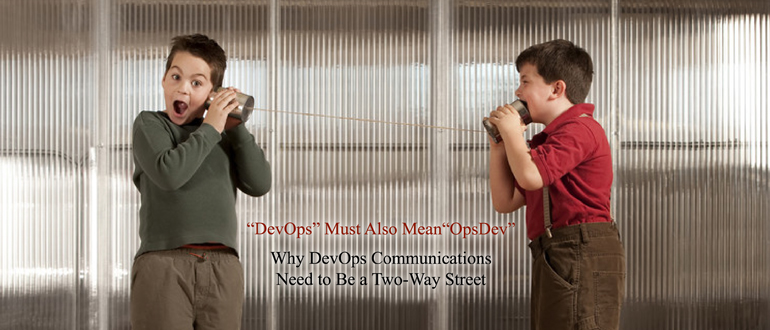
  • DevOps Must Also Mean OpsDev

    DevOps Must Also Mean OpsDev

    Why DevOps Communications Need to Be a Two-Way Street

    Today, mobile apps have become one of the most important components of brand awareness and opinion. Often considered a company’s “front door,” a mobile app is an important way for consumers to directly interact with a brand, so it’s key for organizations to deliver high-performing, feature-rich user experiences right from the start. The margin for error is low – according to industry statistics, 79 percent of end users will only retry an app once or twice if it fails to work the first time, and only 16 percent report they will give it more than two attempts.

    With these requirements in mind, the role of an organization’s development team is more important than ever. In today’s hypercompetitive market, organizations must get applications to market as soon as possible, without compromising functionality and end-user performance. This has led to the emergence of DevOps, a new approach to software development emphasizing greater collaboration, agility and speed across the entire software development continuum – developers, testers and IT ops teams – in order to meet the joint goals of velocity and quality.

    An interesting by-product of the DevOps movement is the blurring and blending of roles across the application lifecycle as a result of these condensed timeframes and pressure to deliver new functionality, particularly in the area of testing and quality. This can be a boon, however, as we’ll discuss.

    “Shift Left”: Eliminating Defects as Early As Possible

    The traditional application lifecycle followed this model – ideation, development, testing and finally, production. It used to be that testers assumed the bulk of responsibility for ensuring an application worked as it was supposed to, before it moved to the production phase. But today, developers are assuming a greater role in testing, ensuring that applications meet basic functional requirements before they move any further down the funnel towards production.

    This is known as the “shift left” movement, and ultimately it helps prevent code defects from getting baked into applications as they progress through the lifecycle. The further along an application moves toward production, the more “baked in” defects can become, and the more costly and time-consuming they are to un-do.

    Even with their newly added responsibilities, the world of agile demands developers to work within shortened testing cycles. It is a race against time. Fortunately, tools exist today to bring greater testing automation to developers, plugging right into existing developer environments and frameworks. Further downstream, automation tools for testers enable them quickly provision (and de-provision) resources, and tweak testing environments. By reducing sluggish, error-prone manual processes, organizations can better deliver velocity and quality simultaneously.

    “Shift Left” Also Requires A “Shift Right”

    Ideally, an organization doesn’t want to treat real end users as beta users. But as the saying goes in software development, “the last bug is a mirage.” The reality is, even with all the due diligence on the left, finding some bugs in production is normal, and the “zero bugs” goal – while sounding commendable – can actually kill motivation, hurt creativity and discourage healthy risk-taking. Many developers note they spend much more of their time modifying existing lines of code, than writing new code. In a sense, testing – and the pursuit of better and better applications – never ends.

    This is when IT ops teams can start making own contribution to application quality – a “shift right” so to speak. There is a wealth of information in production data that can be fed back to developers, in order to further optimize application functionality and end-user performance. Forward-looking IT ops teams are going a step further by applying data analytics, yielding deeper insights that can then be fed back to development teams.

    Consider the case of SpeechTrans, a leading speech translation company. SpeechTrans applies Big Data analytics to end-user experience data – for example, what screens are end-users getting stuck on the most; where are end users exiting the app – so developers can focus specifically on improving these app areas. Previously, it took SpeechTrans up to three weeks to fix an app issue; now, they can address most problems in less than two days. This approach has enabled SpeechTrans to achieve consistent 5-star ratings in mobile app stores, a key driver of new customers and revenues.

    Testing will always be indispensable in the development process, but further value can be realized by releasing an app into the wild and collecting real end-user data. IT operations teams can help developers and testers optimize applications in other ways. For example, they can support Canary Releases (or “rolling roll-outs”), enabling developers to roll out an application to a finite number of end users, in advance of a wider release. In addition, another important component of high-quality applications is cost- and resource-efficiency. IT ops teams can share production data on application usage patterns (such as, when during the day does an application come under heavy load, and when does this load taper off). This enables development teams to code applications accordingly – for example, architecting applications to accommodate longer or shorter queues (depending on time of day) which can free up CPU resources.

    So in this way, when “OpsDev” happens, IT ops teams are helping developers do their jobs, but developers are also architecting applications with IT ops in mind, helping them utilize resources better. The days of developers simply creating applications and “throwing them over the fence” to testers and IT ops teams are over. Additionally, with real-time insights into production-level data, IT ops doesn’t just point a finger at development when a code-level problem arises. Rather, IT ops can provide deep, data-based insights into problems, giving developers a chance to prioritize and proactively address fixes. Advances in Big Data analytics are an important part of this.

    Conclusion: Application Quality is a Shared Responsibility

    To be truly successful in the development and testing process, organizations are recognizing that application quality needs to be addressed as early as possible, to prevent as many defects as possible from getting further embedded and ultimately reaching production. But like many aspects of the continuous delivery model, ensuring application quality requires a continuous feedback loop across developers, testers and IT operations teams.

    In a continuous agile delivery environment, no one can shift responsibility for application quality to one group or another. The entire DevOps value chain – developers, testers and IT ops teams – must be involved and committed to collaborating as closely and efficiently as possible. In the true spirit of DevOps, lines are being blurred, between not just developers and testers, but also developers and IT ops teams. Silos are being transcended and “left-to-right,” back-and-forth communications streams are taking precedence. When “DevOps” also becomes “OpsDev,” the traditional, linear approach to development is replaced by a model that better supports the common goal – bringing high-quality software and enhancements to market, quickly and efficiently./

    About the Author/Eran Schitzer

    eranschitzer

    Eran Schitzer is a director of product management in the Application Delivery Management business unit within HP Software, responsible for driving the direction and release of new and existing products within the Performance Testing and Lifecycle Virtualization product suite.

    He has more than 15 years of experience launching cloud, mobile and e-commerce products for consumers and enterprises, at companies ranging from start-ups to large-scale public entities.

    Since joining the company, Schtizer has led the acquisition of Shunra Software, a network virtualization company; defined and executed the cloud testing agenda, and driven the move from an on-premise to Software-as-a-Service consumption model, including the launch of StormRunner Load.

    Schitzer holds bachelor’s degrees in Economics and Management as well as Information Systems from Technion – Israel Institute of Technology.  He also has a master’s degree in Business Administration from the University of California, Berkeley, Haas School of Business

  • The Myth of “Do It Yourself” DevOps Tools

    The Myth of “Do It Yourself” DevOps Tools

    DevOps is an approach and methodology (even a philosophy) for developing and testing new applications and deploying them into a production environment. Because DevOps is first and foremost a methodology, tools to implement DevOps should be used as a way to implement the desired methodology, rather than being an end in and of themselves.

    Of course, many tools exist for automating parts of the DevOps methodology, and many are widely adopted. For example, few development teams would operate without source code control and versioning software. Yet I continue to be amazed at the number of enterprises that think that the best approach to implementing their DevOps methodology is to write some of the automation tools themselves.

    The DevOps methodology is a common methodology, based on longstanding principles first espoused by W. Edwards Deming, through Six Sigma quality processes, and later popularized by “Lean” programming practices. Nothing is new in DevOps. So, what would be the advantage for an organization to implement their own DevOps tools?

    We hear some common justifications for “Do It Yourself” solutions. Let’s review these justifications to see if they hold water:

    • I can implement exactly the processes I want with less effort and cost.

    This justification is based on some common misconceptions. For example, it is often difficult to do a good side-by-side comparison of cost between a commercial tool, an open source tool and writing the code yourself. Clearly the commercial tool has the most concrete and well established cost. When comparing to an open source tool, it is very important for enterprises to take into consideration the ongoing maintenance and upgrade costs that they will undertake themselves.

    Early in 2015, Qualisystems interviewed its enterprise customers and asked them if they thought that the cost of open source tools was lower than commercial tools. They unanimously agreed that the cost was about the same from a total cost of ownership perspective. Other factors were the key influencers in whether to use an open source tool or a commercial tool. Estimating the cost of an internal development effort is even more difficult. One would have to consider the upfront development effort, and the ongoing maintenance and upkeep. A number of other intangible factors include the likelihood that the project will run over time (and therefore cost); how well the code will be understood in the future by new developers; the risk of loss of the key developers, etc.
    Finally, there is the interesting question of how efficiently teams will implement their own DevOps tools if they aren’t yet already using DevOps methodologies and tools. (This is a little bit like a Catch-22).

    Another hidden assumption behind this statement is that your enterprise doesn’t need all of the features provided by commercial tools, so therefore the cost to implement will be lower. Of course, most commercial and open source software has been vetted already by customers and the list of features is usually a result of extensive customer use and feedback. Often this feedback is not obvious to a new team just starting out with DevOps tools. And, then there is the fact that commercial and open source tools spread the cost of development across their entire customer base, so no one customer is bearing the cost of actual development.

    • Why would we, as developers, pay other developers to write any code that we could easily write ourselves?

    Well, that is like saying that since I have a driver’s license, I should be able to drive a semi-truck. Designers of software applications require specific knowledge of the problem space and solution space. This knowledge and expertise yields Intellectual Property. If we extend this concept to DevOps tools, we would conclude that creating DevOps tools also requires specific knowledge and expertise and it is different from the knowledge and expertise of most enterprise software developers.

    There is also an opportunity cost to writing your own code to implement tools. That time and effort is taken away from developing applications and solutions that would directly benefit the business of the enterprise. That opportunity cost could be quite high. The simplest way to do this assessment is to ask yourself, “Is a DevOps automation tool going to add to the relevant IP of my company in a way that increases our revenue?”

    • Rather than implement tools like automation that will help us to share equipment, it is cheaper and easier for me to just buy more equipment.

    This argument also falls prey to the difficulties of accurately comparing the costs between automation and equipment. Purchasing more equipment to eliminate sharing will be an ongoing activity. The extra cost will be replicated every time equipment is upgraded or replaced. The extra cost will also grow linearly with the size of the software development and test teams. And, any equipment cost will be doubled by the cost of management, operations, power and cooling, etc.

    Even with completely dedicated equipment, software tools will be required to properly configure that equipment to replicate different operating environments, a common requirement in testing and QA. If these software tools also implement sharing of equipment, then the overhead cost is low.

    • If I write my own tools for some DevOps processes, I will be able to easily connect to any other tool of my choice through their APIs.

    This is true but will also require that you maintain these plug-ins yourself over time, including staying current with API changes in third-party tools. Typically, commercial tools will carry this burden for you.

    • The market is still early and there are many, many tools. Writing my tools myself will allow me to control my own destiny.

    Well, it is hard to argue with fear and uncertainty. On the other hand, if the tool is just a means to an end, then switching tools should not require massive changes in process or methodology. If enterprises keep their focus on acquiring tools that match their methodology and processes, then they really can’t lose, even if they end up switching tools over time.

    So, what is the answer? Perhaps there is a “best of both worlds” solution. After all, DevOps is a process and it is possible and even likely that each enterprise will want to implement that process in a way that best optimizes their own internal pipeline from development to production. Furthermore, each enterprise has its own mix of infrastructure in production and must optimize their testing to that infrastructure. Each enterprise has their own mix of legal and compliance requirements that they also must test against.

    Perhaps the right answer is to provide a commercial (or open source) software solution that is more of a platform that enables easy customization (even in the form of code) to support unique process requirements, unique infrastructure, and unique testing requirements. At the same time, a common framework for implementing process orchestration, and for describing and controlling infrastructure would address the other cost issues of “do it yourself” development and make it easy to integrate in a standard way with other DevOps tools.

    The time for “do it yourself” tools for DevOps is over. In the same way that no one would consider writing their own backup tool today (remember the good ole days when people did their own backups with tar files?), writing your own DevOps automation tools is usually not the best approach.

    About the Author/Joan Wrabetz

    Joan's image croppedJoan Wrabetz is the CTO for QualiSystems. Most recently, she was theVP and CTO for the Emerging Product Division of EMC. Joan received her MBA at the University of California, Berkley, and MSEE at Stanford, and a BSEE at Yale. She has held teaching positions at the University of St. Thomas, St. Mary’s University and the University of St. Thomas, St. Mary’s University. Joan holds patents in load balancing, distributed systems, and machine learning classification and analytics. Her experience inclues: founder and CEO of Aumni Data, CEO of Tricord Systems, Vice President and General Manager for SAN operations at StorageTek, Founder and CEO of Aggregate Computing, Management and senior technical positions at Control Data Corporation and SRI International, Partner with BlueStream Ventures.

  • Devops Days Silicon Valley, you don’t want to miss it

    Devops Days Silicon Valley, you don’t want to miss it

    DevOps Days have become a global phenomenon. These are unique, community-organized events that bring together development and operations practitioners for two days of scheduled presentations, open spaces (more about that later), and networking.

    How instrumental to the DevOps movement are DevOps Days? “DevOps” actually got its name from the discussions that happened at the first DevOps Days organized by Patrick Debois in 2009 in Ghent, Belgium.

    The 6th annual DevOps Days Silicon Valley is happening on November 6th and 7th at the world-famous Computer History Museum. Silicon Valley is the oldest of the US events and was originally the third DevOps Days ever. Starting as a low-key event hosted on the campus of Linked-in in 2010, DevOps Days Silicon Valley has grown into a major event.

    True to past reputation, this year’s speaker lineup blends industry favorites, like John Willis, with a unique mix of soon to be well-known speakers who have been selected by the community. The 2015 line-up includes:

    • State of the DevOps Union by John Willis
    • Anomaly Detection 101 by Elizabeth A. Nichols
    • Not Everybody is Kelsey Hightower by Gregory Poirier
    • Securing the Heart of Automated Infrastructure by Jamesha Fisher
    • Caching Versioned MetaData with Git by Kirsten Hunter
    • Flaming Poo and the Human Response by Jason Hand
    • DevOps Army of One – How to Survive When You’re the SPoF by Jonathan Disher
    • Single Point of Failure… Expert by Sasha Rosenbaum

    But that’s not all! Unlike most conferences where the scheduled speakers are the main event, at DevOps Days, facilitating the interaction between attendees is the main event. Both afternoons are dedicated to Open Space, where the agenda is dedicated to small-group participant-lead discussion and the discussion topics are chosen on the fly each day. This is the chance to dive into specific topics, ask for help, discuss what you’ve done, find like-minds, or just be a fly on the wall and take it all in.

    The DevOps Days experience is one that is unique among technology events — from the local community driven organizing (each one is totally run by local volunteer organizers) to the 50% of time dedicated to Open Space discussions. The whole point behind DevOps Days is to push those with fresh knowledge and insights, no matter how small, into direct contact with those who can benefit from or add to it.

    Of course there is a good bit of fun involved as well. Evening events, ignite talks, and the seemingly cult-like status of the locally designed t-shirts all add to the unique flavor of a DevOps Days event. Austin 2015 was famous for their dueling social themes of Star Wars (May 4th / “May the Force” day) and Cinco de Mayo (complete with large Mariachi band).

    If you are in the San Francisco Bay / Silicon Valley area, get your tickets for the November 6th and 7th DevOps Days Silicon Valley ($150) before they sellout. If you live elsewhere, be sure to keep an eye on the main DevOps Days site for upcoming events. You can also watch presentations from past events on the DevOps Days video site.

    About the Author/Damon Edwards

    41368124db43a27257c31df174a61357_400x400Damon Edwards is the co-founder and managing partner of the DTO Solutions, a DevOps and automation engineering consultancy whose clients include leading SaaS, e-commerce, gaming, and financial services companies. Damon Edwards is also the co-founder and vice president of SimplifyOps, a provider of support and services for the users of the Rundeck open source project. Damon has spent over 14 years working on both the technology and business ends of IT operations. Damon is also a frequent conference speaker and writer who focuses on DevOps and operations improvement topics. Damon is active in the international DevOps community, including co-organizing the DevOps Days conference series, co-hosting the DevOps Cafe podcast, and a co-author of the upcoming DevOps Cookbook from IT Revolution Press.

  • Free Your Metrics

    Free Your Metrics

    If you’re not collecting metrics, how do you know how your organization is doing? Metrics provide the data to get to the root cause of an outage or uncover a bug that would otherwise go undetected. Metrics can also surface trends that are difficult to discern without visualization. Here are some ideas for making the most of the data around you.

    What to measure

    What are the right metrics? As Etsy put it “If it moves, graph it. If it doesn’t, graph it anyway in case it moves later.” Sure, you should collect system metrics like CPU, memory, and disk utilization but those alone won’t tell you how your product is really doing.

    Sell widgets? Measure the rate of widget sales, the time it takes to sell a widget, and the availability of the widget selling system. Serve cat pics? Measure the time to process the images and the size of the processing queue. At the end of the day, these are the types of metrics that indicate how the product is performing.

    Your applications should be instrumented to emit counts and timing for key code paths. This is especially important in service-oriented architectures where a slowdown in one service can impact other services. So, record how long it takes for services to interact with other services so you can pinpoint the source of the latency. If you use a database, there’s a wealth of metrics exposed by the database system that can help determine why a query is slow.

    You should record every code deploy so you can correlate issues with deploys. If memory usage spikes and throughput drops after a deploy – you know it’s probably a new problem introduced by that deploy. Furthermore, you should collect and examine metrics from your pre-production environments so that problems are caught before they go to production and impact users.

    High value metrics

    Non-application metrics are often overlooked but they can provide important insights into the health of the business. Have a support system or call center? Measure the number of new support cases opened. Use social media? Measure mentions and followers. There’s also a wealth of data generated from sales and marketing activities. Imagine being able to correlate an uptick in sales with increased system reliability or the opposite, where outages and bugs are actually causing customer churn. You can’t make these inferences if you don’t have the data.

    Free your metrics

    Collecting metrics is great, but the real value comes from sharing the data across the organization. When you share your metrics, you increase visibility and transparency into the entire stack, which in turn allows you make informed data-driven decisions. So break down the silos and open up your metrics. Put them up on big screens that everyone can see. Put them up in unusual places like the break room. Then watch how people, who wouldn’t normally care about operations, suddenly start paying attention.

    Stay alert!

    You should also alert from your metrics. Response times jump beyond an SLA? Alert on it. Is a queue for a critical part of your workflow high? Alert on it. By reducing the time until detection you can get to fixing the problem faster. After every production outage ask yourself, ‘do I have the correct monitoring in place to detect this problem if it happens again?’ If you don’t, make it a priority to get it in place.

    You’ve got the tools, now go and free those metrics!


    About the Author/Eric Heydrick

    Eric HeydrickEric Heydrick is a DevOps Engineer at Praesidio, a big data Cybersecurity Management (CsM) company that bridges the gap between IT Security and Policy Governance in protecting Financial Institutions from cyberattacks. Praesidio’s integrated policies and best practices help Financial Institutions know definitively that they are safe. Eric has 15+ years of experience wrangling computers and building scalable infrastructures. Eric lives in Seattle, WA where he enjoys only the best microbrews. Email: eric@praesidio.com | Twitter: @eheydrick