
In modern Kubernetes environments, even small misconfigurations in your CI/CD pipeline can lead to failed or flaky deployments. Jenkins pipelines that build, test and deploy containers to Kubernetes clusters are powerful but complex. When manifests or pipeline settings are wrong, the cluster’s desired state never matches reality, and workloads may crash or never start. Advanced teams know that pipeline errors often hide behind cryptic logs. In this article, we explore common real-world pipeline pitfalls, incorrect manifests, mismatched variables, versioning blunders, rollout mistakes and more and show how to fix them with solid best practices.
Invalid Kubernetes Manifests and YAML Errors
One of the most frequent causes of failed deployments is an incorrect Kubernetes manifest. A typo in the YAML or a wrong API version can mean kubectl apply never succeeds or creates broken resources. For example, using tabs instead of spaces or mis-indenting can silently break a manifest. As one report notes, YAML parsers often give unclear errors for indentation mistakes, so a deployment might fail or behave unexpectedly due to incorrect indentation. Other manifest issues include missing required fields, invalid API versions or mis-specified container images. In practice, these schema and syntax errors cause the kubectl or helm step in Jenkins to error out.
- Common manifest mistakes include incorrect indentation, missing fields and wrong API versions. These errors often lead to denied or incomplete resource creation.
- YAML linting is a must. Use tools like yamllint or kubeval in your pipeline to catch these issues before deployment. For instance, kubectl apply –dry-run=client can quickly flag an invalid manifest.
By validating every YAML file (via editors or CI steps), you prevent subtle mistakes. Storing manifests in Git under version control is another key practice. Keep all Kubernetes configs in a repo so changes are tracked and reviews catch typos before they hit the cluster. With manifest versioning and linting, Jenkins can fail fast on bad configs rather than rolling out half-broken pods.
Environment Variable and Configuration Mismatches
Kubernetes pods often rely on environment variables or ConfigMaps injected by the pipeline. A mismatch here can break deployments even if the image builds successfully. Common issues include referencing an undefined variable, misspelling a key, or using the wrong value for a given environment. For example, a staging pipeline might pass a development DB URL or omit a required API key, causing the application to crash on startup.
- Pipeline vs. runtime config drift: Ensure that the Jenkins pipeline’s environment and the Kubernetes manifest agree on names and values. Using different variable names (e.g. DB_URL vs DATABASE_URL) or forgetting to set a critical secret can bring down a service.
- Jenkins environment pitfalls: By default, Jenkins exposes many build parameters and node labels as environment variables, which can accidentally override or leak into your container environment. Misplaced withEnv blocks or global vars can introduce wrong values.
Crucially, avoid exposing sensitive variables carelessly. As Verifa notes, passing secrets as plain environment variables is the easiest approach, but “Jenkins does not know they are secrets and hence handles them as normal environment variables while logging, printing etc., making this approach a less secure one”. In practice, if you stick secret values in env blocks, they might end up in console logs or build caches. Instead, use Jenkins’s credentials store or the Kubernetes Credentials Provider plugin. Store API keys and passwords in Jenkins credentials rather than raw env vars. This way, even if you reference them via withCredentials steps, they’re masked in output and less prone to misconfiguration.
Versioning and Image Tagging Issues
Deployment failures can also stem from version mismatches. A common mistake is using floating tags like :latest for container images. While convenient, latest is unpredictable: the pipeline might pull a different image version each time and bypass testing. Security and reliability experts strongly advise against it: “Avoid using ‘latest’ tags for container images. Instead, pin your images to specific versions”. Pinned tags ensure the pipeline deploys a known artifact, reducing surprises.
Other versioning pitfalls include mismatched Helm chart versions or API deprecations. For instance, if your manifest is written for Kubernetes v1.22 but the cluster is v1.18, resources may fail. Always align your pipelines with the cluster’s supported versions and regularly upgrade the cluster. Komodor recommends updating Kubernetes to the latest supported releases and testing backwards compatibility. Likewise, coordinate application versioning: automating image version bumps or using commit hashes can prevent deploying stale code. In short, ensure that the versions in your pipeline, repo and cluster all match up.
Unsafe Deployment and Rollout Strategies
Even a perfect manifest can cause downtime if your rollout strategy is reckless. By default, a Kubernetes Deployment does a rolling update, but if you don’t configure readiness checks and rollout parameters, pods may start serving traffic prematurely or all at once. Common missteps include deploying without any readiness or liveness probes or using a Recreate strategy on production workloads. Without readiness probes, Kubernetes can mark a pod available before the app inside is fully ready, sending live traffic into a startup gap.
Teams should implement safer deployment patterns. Zero-downtime techniques like Blue/Green or Canary releases let you validate a new version with a subset of traffic before cutting over. If your pipeline simply swaps out every pod with a new version simultaneously, a bad build could take down the service completely. Instead, configure smaller batch sizes (maxSurge, maxUnavailable) and consider using service meshes or ingress canaries. For example, deploy a new pod with a test label and route a fraction of traffic to it while keeping existing pods alive. Similarly, always include rollbacks: have your pipeline monitor initial pod health and abort on failure. Kubernetes supports automatic rollback on failed rollouts. Neglecting these practices, essentially using an unsafe rollout, has caused outages for many teams. In summary, embed health checks and progressive strategies in your pipeline so that bad releases are contained and reversible.
Missing Validation and Testing Gates
A surprisingly common cause of deployment failures is the lack of CI/CD quality gates. Many Jenkins pipelines skip thorough testing or manual approvals, allowing bad code or config to slip into production. A quality gate is an enforced check that code or artifacts must pass before the pipeline proceeds. Without them, even a typo or failed unit test can end up in a deploy step.
Advanced teams include stages like linting, unit tests, integration tests and static analysis. For example, a “lint and build” stage should ensure your code compiles and meets style/security policies. InfoQ explains that pipelines should have an initial setup step with linters and style checks, so that “code is not deployed where it does not meet these appropriate linting standards”. In practice, integrate tools like linters (for both code and YAML), unit test suites and security scanners as Jenkins pipeline stages. Only if all these passes should Jenkins continue to build the Docker image and apply Kubernetes changes.
When teams omit these gates, they often discover problems only in production. Incorporate automated testing (unit, integration, end-to-end) at every commit and use Jenkins to fail early on any error. Optionally, add manual approval stages for high-risk deployments. By enforcing these gates, you catch misconfigurations and bugs long before they reach users. In short, effective validation stops invalid deployments by design.
Secrets and Credentials Misconfiguration
Managing secrets is another area ripe for misconfiguration. A pipeline might reference missing secrets or misapply them, leading to pods that crash trying to access credentials. For example, using an incorrect secret name, wrong key, or failing to create the Kubernetes Secret entirely will cause environment variables to be empty. Likewise, storing secrets insecurely can cause breaches.
To avoid these issues, do not hardcode secrets in your Jenkinsfile or manifest YAML. As we saw, exposing secrets as plain env vars is insecure. Instead, use Kubernetes Secrets and bind them properly in your manifests (e.g. valueFrom: secretKeyRef) and ensure the secret exists beforehand. In Jenkins, take advantage of the credentials plugin. Best practice is to keep secrets in Jenkins’s Credentials Store or an external vault. Inject them into your build or deployment steps via secure bindings so they never appear in logs. For instance, use withCredentials blocks or the Kubernetes Credentials Provider plugin to fetch secrets at runtime. Always audit that your pipeline only passes secrets through encrypted channels. A well-configured pipeline will validate that each needed secret is present and will fail early if not, preventing a blind deployment with missing data.
Best Practices for Jenkins and Kubernetes Pipelines
Avoiding misconfiguration is largely a matter of process and tooling. Here are key recommendations:
- Version Control Everything: Store all Jenkinsfiles, scripts and Kubernetes manifests in Git. Review and test changes via pull requests. Tracking config changes enables fast rollback if a deployment starts failing.
- Use Immutable Artifacts: Build images once and tag them with immutable versions (for example, the commit SHA or a semantic version). Do not rebuild “on the fly” in production. Pin image tags in the manifest to avoid pulling unpredictable code.
- Lint and Validate: Integrate YAML and code linters in the pipeline. Run kubectl apply –dry-run=client, kubeval, or similar tools to catch schema errors before deployment.
- Automated Tests: Include unit, integration, and (if possible) smoke tests in your Jenkins pipeline. Fail the build on any test failure. Implement “pipeline as code” so these stages run on every commit.
- Secure Secrets: Leverage Jenkins credentials and Kubernetes Secrets correctly. Do not log secret values. Use HashiCorp Vault or cloud KMS for additional security and ensure RBAC so only the pipeline can access them.
- Safer Deployments: Configure readiness and liveness probes for your pods. Use deployment strategies that allow gradual rollouts (canary, blue/green). Monitor new pods during rollout and have an automated rollback path.
- Keep Tools Updated: Regularly upgrade Jenkins, its Kubernetes plugin and Kubernetes itself. Using deprecated APIs or plugins can cause pipeline steps to break in subtle ways.
- Continuous Monitoring: Finally, add post-deployment validations or observability checks. For example, run end-to-end smoke tests after deployment or use monitoring alerts as a gate to halt further rollouts.
By applying these practices, you harden your pipeline against misconfiguration. Remember that pipelines are code too – review them just like application code, write tests for them and treat failure scenarios as first-class cases.
Conclusion
Even for experienced DevOps engineers, pipelined deployments can fail in surprising ways when a detail is misconfigured. In Kubernetes-centric pipelines using Jenkins, common culprits include bad YAML in manifests, mismatched environment settings, version drift, unsafe rollouts, missing tests and sloppy secret handling. By systematically addressing each of these areas, for example, linting manifests, enforcing CI gates and securing credentials, you can drastically reduce deployment failures. The goal is to shift left: catch errors in the Jenkins pipeline before they reach the cluster. With diligent validation and best practices, your teams can make CI/CD pipelines an asset rather than a liability. In the end, robust pipelines mean more reliable deployments, less firefighting and safer, faster delivery of software.



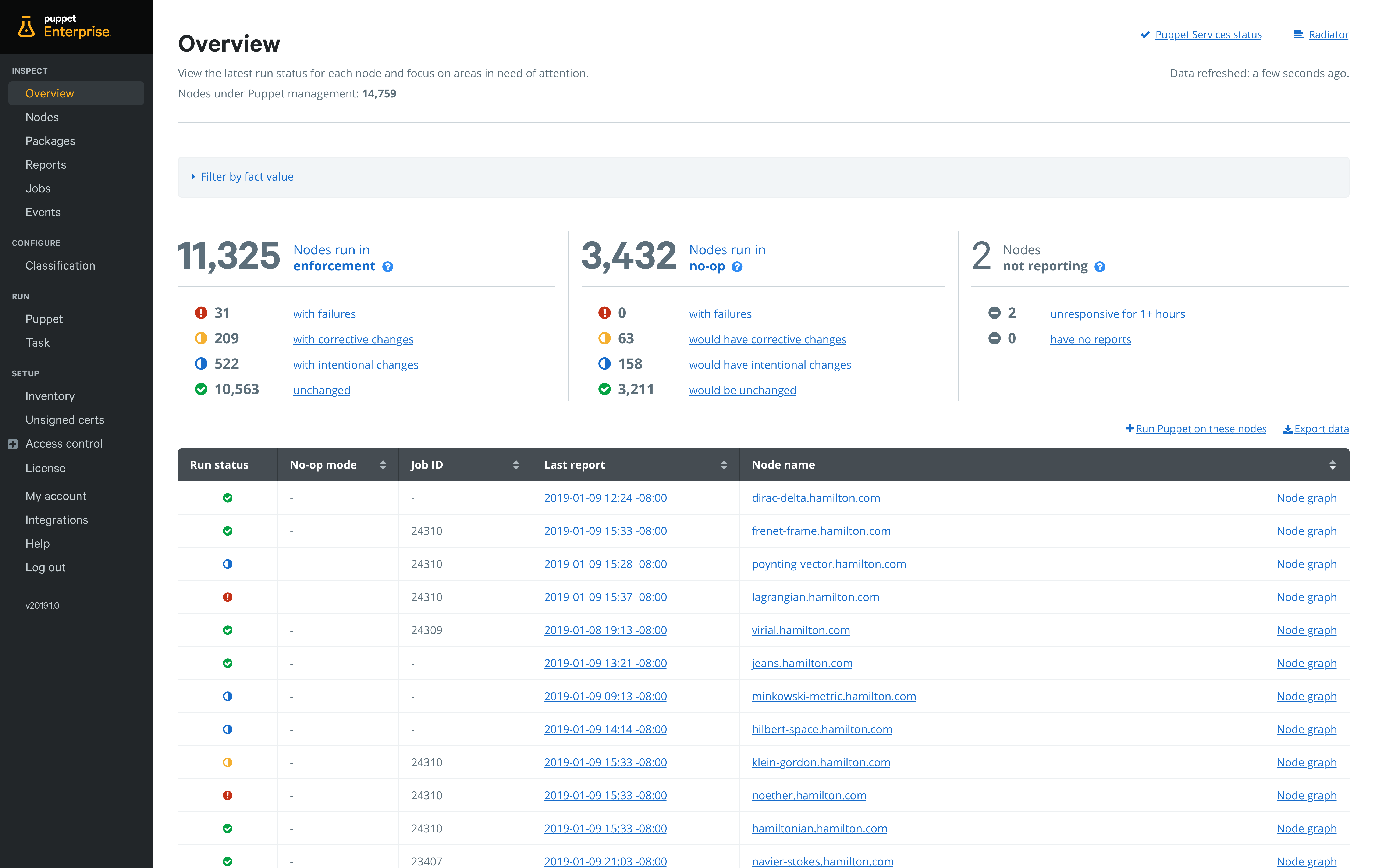 At the same time, Puppet is providing the ability to set up pipelines for deploying automation code directly from within Puppet Enterprise. Rather than having to set up a separate continuous integration/continuous deployment (CI/CD) platform, Puppet is embedding the capability it acquired from its purchase of Distelli in 2017. In doing so, Puppet is making it possible to accelerate deployment of automation software in a way that doesn’t require every change to be approved by a master Puppet administrator. Default pipelines guide organizations new to continuous delivery practices through setting up their first pipeline in less than 30 minutes.


 Here, you have two steps:


