Tag: workflows

  • GitHub Updates CLI to Make Creating Extensions Easier

    GitHub Updates CLI to Make Creating Extensions Easier

    GitHub this week made available an update to its command-line interface (CLI) that enables DevOps teams to add extensions to workflows.

    Billy Griffin, director of engineering for GitHub, said the company’s initial focus was providing DevOps teams with a set of workflows that could be invoked easily via a CLI. Now GitHub is encouraging developers to extend those workflows using version 2.0 of its CLI that hopefully will be shared with the larger community, he added.

    For example, extensions have already been created that order branches by how recently they were created and then display all associated pull requests.

    At the other end of the spectrum, developers are creating simple screensaver extensions for their own amusement.

    The level of interest in extensions varies widely across DevOps teams. Many of them simply want to employ an opinionated workflow that has been created on their behalf. Other DevOps teams want to be able to make modest modifications. Others prefer to customize workflows as much as possible to fit their specific purposes. Version 2.0 of the CLI provided by GitHub enables each DevOps team to decide how much to modify their workflows. However, as a DevOps team gains more experience, increasingly they tend to want to customize workflows.

    The number of workflows being created around the GitHub repository continues to increase steadily as more organizations embrace best GitOps practices. GitHub is the most widely employed repository for managing software artifacts, and the level of sophistication of workflows built using either scripts or GitHub actions is increasing steadily. Much of that effort is focused on streamlining processes that otherwise would get in the way of enabling developers to spend more time writing code.

    Of course, the pressure on developers to write more code faster has never been greater. As organizations embrace digital business transformation, they are discovering how dependent they are on software to create customer experiences that drive revenue. The challenge comes at a time when many developers are working from home to help combat the spread of the COVID-19 pandemic and many existing workflows need to be re-engineered. At the same time, development teams are becoming more distributed as organizations become more comfortable with hiring developers anywhere in the world.

    It’s not clear to what degree the changing application development landscape might drive organizations to re-evaluate what platforms they are employing to drive DevOps processes. Many on-premises development platforms have been replaced by cloud-based alternatives in the past year. However, because necessity is the mother of invention, the workflows relied on prior to the pandemic are not only now forever changed, but they will also likely be altered again as development teams work more intermittently in-office and from home once the pandemic subsides.

    Regardless of how those workflows evolve, the single-valued DevOps attribute is going to be flexibility. The challenge now is determining which platform does the most to enable that flexibility at a time when uncertainty continues to prevail.

  • Puppet Launches Relay to Simplify Automating DevOps Workflows

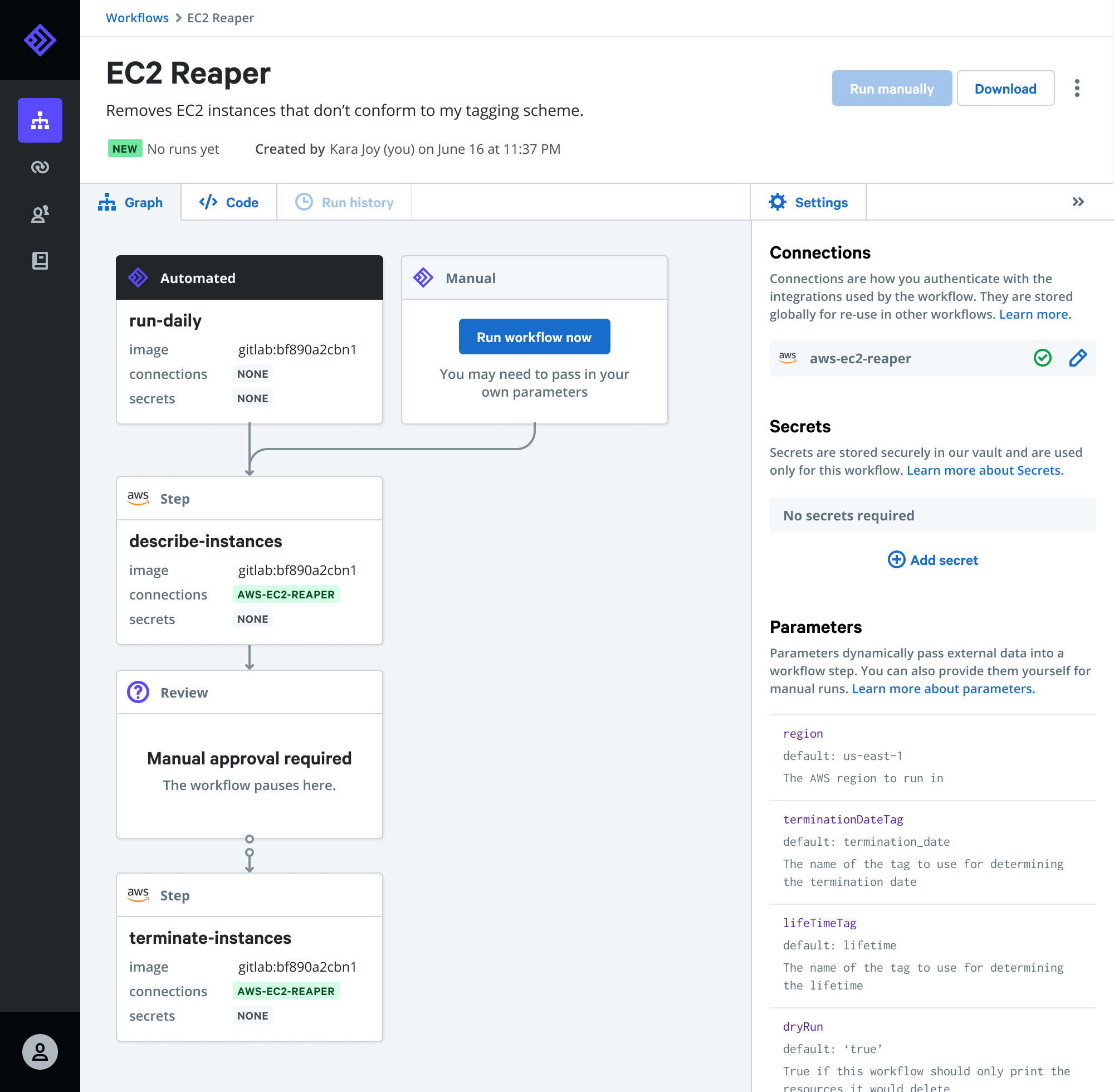
    Puppet Launches Relay to Simplify Automating DevOps Workflows

    Puppet today made available a public beta of Relay, an event-driven platform through which DevOps teams can automatically invoke pre-configured workflows.

    Company CTO Deepak Giridharagopal said Relay listens for DevOps events that can then trigger an automated workflow such as automatically deleting underutilized cloud resources, enforcing cybersecurity controls or remediating known issues.

    Relay connects to dozens of DevOps tools, cloud services and application programming interfaces (APIs) to automate workflows across a wide range of platforms, including PagerDuty, GitHub, Datadog, Jira, Terraform, Slack and others.

    Giridharagopal said Relay will also enable IT organizations to reuse workflows versus continually cobbling together one-off workflows for processes that address routine use cases that can be tackled using existing content.

    At the root of that issue is tool sprawl within DevOps environments. Each DevOps team tends to create their own workflows using their preferred tools, even though they may be replicating a workflow process that has already been addressed using other tools. Relay provides a means to reuse workflow across disparate DevOps tools, which Giridharagopal said should significantly increase overall DevOps productivity.

    The Relay platform is also designed to be extensible in that it also allows DevOps teams to create custom workflows that can then be reused by other members of DevOps teams, he added.

    Giridharagopal said with the rise of microservices it’s apparent workflow automation within DevOps environments is about to become a more pressing issue. As the number of individual services that need to be managed increases, the need to automate workflows across more complex IT environments becomes more critical. DevOps teams can’t effectively manage modern cloud-native applications relying on manual workflow processes, he said.

    Relay is part of a broader shift toward event-driven architectures, which are gaining increased traction within IT environments. While event-driven architectures have been around as a concept for decades, the emergence of platforms based on, for example, serverless computing frameworks are changing how IT resources are invoked. Via any number of APIs, it’s feasible to automate a wide range of IT functions using these types of platforms.

    Of course, the biggest challenge for many organizations has been building automated workflows that work consistently across multiple platforms. The level of process expertise required to build those workflows is not inconsequential. Puppet, via Relay, is providing pre-configured workflows to address some of the more common use cases in a DevOps environment. DevOps teams will still need to build their own custom workflows to address more complex use cases. However, platforms such as Relay promise to sharply reduce the time spent creating scripts and associated workflows to address routine tasks.

    In the meantime, interest in all forms of IT automation is on the rise in the wake of the economic downturn brought on by the COVID-19 pandemic. IT organizations are moving quickly to reduce the total cost of IT by automating as many processes as possible. In many cases, it’s not clear when some IT organizations might be able to add additional headcount anytime soon. Automation, as such, is now as much about survival as it is simply trying to increase productivity.

  • CTO.ai Launches SlackOps Tool for DevOps

    CTO.ai Launches SlackOps Tool for DevOps

    CTO.ai has launched SlackOps, a platform for managing DevOps workflows in real-time via the Slack communications and collaboration service.

    Company CEO Kyle Campbell said many DevOps teams are embracing Slack to share updates with one another. SlackOps takes that preference for DevOps a step further to enable complex DevOps processes, also known as ChatOps, to be launched from the Slack command line.

    That approach allows any member of the DevOps team to write a workflow once and securely share it regardless of what language is employed, added Campbell.

    SlackOps also provides access to a public registry that CTO.ai already makes available for sharing developer shortcuts within a specific community.

    Beyond streamlining communications processes across DevOps teams, Campbell said DevOps teams will be able to surface additional insights into workflows using DevOps research and assessment metrics to make them more efficient. SlackOps also makes it easier to onboard new members of a DevOps team, he noted.

    SlackOps is deployed as a container on the Slack platform and can be downloaded via the Slack marketplace in a couple of minutes.

    The goal is to enable organizations to embrace a lean approach to DevOps that enables them to quickly adjust processes as required, said Campbell. Rather than having to commit to a single tool or platform, developers should be able to advance the overall state of DevOps within their organizations without having to be concerned whether a new tool or platform will disrupt communications across the DevOps team.

    It’s too early to say to what degree Slack might emerge as a control plane for managing DevOps processes. It is, however, becoming more popular as a way to communicate across members who employ a broad range of tools. Rather than attempting to force DevOps teams to standardize on a single set of tools and platforms, Slack provides a more flexible means of communicating in real-time that is delivered as a cloud service.

    Of course, there are now plenty of alternatives to Slack. It will be up to each DevOps team to decide which communications medium best suits them. However, embedding a DevOps workflow application within a communications platform could serve to make Slack a more compelling option for many DevOps teams. Regardless of the communications medium, DevOps teams should expect to be more continuously engaged with one another. That may prove to be a critical requirement with most members of a DevOps team working from home for the foreseeable future in the wake of the COVID-19 pandemic.

    As workflows built around asynchronous email messages increasingly are giving way to real-time communications, the challenge many DevOps teams face is finding a way to embrace that higher level of interactivity without members of the DevOps team becoming overwhelmed by the volume of messages being shared. Making the transition to DevOps was enough of a cultural challenge for many organizations. Inundating DevOps teams with real-time messages, not all of which may be pertinent to a DevOps workflow, needs to be tempered by tools that help identify the DevOps signal within all the noise.

  • Moogsoft Advances AIOps Workflow

    Moogsoft Advances AIOps Workflow

    Moogsoft is moving to make it easier to create custom workflows around its AIOps platform while expanding the number of integrations provided to include connectors to New Relic Insights, Microsoft Teams and proxy support for polling integrations with IT platforms Zenoss, Zabbix, vCenter, vSphere, Solarwinds, Spectrum and SevOne.

    Gabe Coelho-Kostolny, senior product management and product marketing leader at Moogsoft, said a Workflow Engine that has been added to version 7.2 of the Moogsoft AIOps platform makes it possible to trigger actions such as notifications, ticket creation and other automated tasks within Moogsoft and external systems. Those actions can be employed within incident management workflows ad other automated remediation tools, he said.

    Moogsoft has also added tools that make it possible to visualize alert clustering algorithms in real time and, if needed, fine-tune them. That capability is intended to provide IT operations teams with more confidence in the recommendations being generated by the AIOps platform, Coelho-Kostolny said.

    Finally, Moogsoft is making available an analytics dashboard dubbed Individual Statistics, which enables managers to drill down from the team level to better understand the workload and key performance indicators of each team member.

    Coelho-Kostolny noted there is already a high correlation between organizations that have adopted best DevOps practices and those moving to implement AIOps. The complexity of many DevOps environments is in many cases forcing the AIOps issue because all the alerts being generated creates a level of fatigue among human IT administrators that results in them not being able to keep pace with the overall rate of change, he said. The concern now is no longer so much whether human IT administrators will be replaced by artificial intelligence (AI) as much as it is enabling IT teams to stay on top of all the tasks required. The opportunity now, he said, is to make it easier for organizations that have embraced DevOps to also customize the AIOps platform.

    Of course, AIOps platforms presuppose that IT organizations have access to massive amounts of accurate data about the IT environment. Collecting that data often winds up being a bigger challenge than most organizations appreciate. In general, Coelho-Kostolny said it’s clear AIOps platform adoption is reaching a tipping point in the enterprise. Organizations, however, need to be careful distinguishing between what is truly artificial intelligence and what may be simply a rules-based engine that has been added to an existing IT service management (ITSM) platform, Coelho-Kostolny said.

    Regardless of the AI path chosen, the ongoing shortage of IT expertise with critical skills means organizations will continue to experiment with AI. The real issue is determining to what degree of confidence IT teams will have in those AI platforms. After all, if the assumptions an AI system is relying on to make a recommendation prove faulty, the potential for harm tends to be a lot greater than any mistake a single human IT administrator might ever make on their own.

    — Mike Vizard

  • Platform9 Brings Workflows to Serverless Computing

    Platform9 Brings Workflows to Serverless Computing

    Serverless computing frameworks are widely regarded as the next big thing in enterprise IT because they are based on an event-driven architecture that makes servers, storage and networking resources dynamically available as needed using a programming construct known as functions. But DevOps teams are challenged in finding a way to orchestrate all those functions in concert with one another.

    To enable the orchestration of those functions, Platform9 has added support for Fission Workflows to its instance of a serverless computing framework. Platform9 CEO Sirish Raghuram says Fission Wokflows will make it possible for IT organizations to craft complex applications made up of thousands of functions.

    On the one hand, serverless computing frameworks promise to make DevOps easier by eliminating the need to provision infrastructure every time a workload exceeds whatever amount of capacity that has been assigned to it. On the other hand, attempting to manage what could easily become thousands of functions in an IT environment is likely to make DevOps even more challenging than it is today. While not a new concept, Raghuram says Fission Workflows provides IT organizations with a familiar construct for managing functions.

    Benefits of Fission Workflows include an ability to reuse functions as well as being able to upgrade entire related sets of functions all at once. There are also fault-tolerant capabilities that make possible to recover and restart a workflow in the event of an infrastructure failure.

    Platform9 is specifically making the case for a serverless computing framework based on Kubernetes clusters that can be deployed on-premises or in the cloud. Platform9 also provides support for containers on an instance of Kubernetes, and Raguham says the company expects that IT organizations will mix and match containers and serverless computing frameworks as they see fit. For example, a container might invoke a function via an API call to run a stateless process while Docker containers are employed for all the stateful processes that require access to primary storage, he says.

    Raguham notes the trouble with serverless computing frameworks put forward by cloud service providers such as Amazon Web Services (AWS) is that they lock an IT organization into a specific platform instead of taking advantage of a portable cluster technology such as Kubernetes, which is backed by the Cloud Native Computing Foundation (CNCF). Kubernetes also provides the added benefit of a common platform for both containers and serverless computing, he says.

    It’s still early days for the use of serverless computing frameworks in the enterprise. Nevertheless, it’s clear they will need to be managed from a DevOps perspective alongside cloud-native applications running on containers and platform-as-a-service (PaaS) environments and legacy applications running on virtual machines and bare-metal servers. Given the fact that none of these architectures is likely to supersede any of the others anytime soon, IT organizations would be well-advised to start crafting a DevOps strategy now on the assumption that the overall IT environment is about to become even more complex.

    — Mike Vizard

  • Avoiding Application Integration Fails

    Avoiding Application Integration Fails

    Trying to integrate applications on your own can eat your project alive. A seemingly simple project may look harmless when you start, but in the end do-it-yourself software delivery tool integrations can devour your entire software process.

    The problem may be that building simple integrations appears easy. How hard can an integration be? But let’s look at what typically happens with integrations down the road using the example of one developer’s story.

    A developer needs to send defects from Zendesk to JIRA, so he builds a one-way integration based on a workflow action (just a trigger). Soon enough, he realizes he is now managing two tools, and keeping them updated has become a big issue—a very manual process and a huge time-sink. So he designs something to support two-way updates. But that’s just the beginning; each tool changes every few months and an integration that seemed so simple on the surface becomes very complicated.

    Then our developer tries to modify a simple JIRA workflow. Again, it seems straightforward, but it’s not, because the tools involved are constantly changing. There are complexities with workflows, and organizations undertake endpoint system upgrades. As a result, one change to the tool breaks everything he’s done. On top of this, it’s difficult now for him to know the hierarchy or how one item relates to another.

    He starts to consider some of the challenges he’s facing. He needs to consider how the description is written in each tool. They are all different, so how does he make sure he conveys the information correctly every time? And each “simple” integration seems to create more pain points, creating auditability and traceability problems. Meanwhile, he has to manage other tools that are continually added to the mix.

    He’s taken a look at both API and custom-tool approaches. He’s found that API integrations are brittle or they become too popular and then have to be maintained for an entire organization. But the alternative—custom tools—typically fall apart quickly.

    And what happens when our developer decides to leave the company? There’s no one left who knows how to maintain the integrations he created. Meanwhile, new tool replacements mean someone has to build new integrations—and the puzzle becomes even more complicated.

    This short scenario illustrates the unexpected challenges developers face in creating and maintaining integrations. The cost of building and maintaining tool integrations in an always-evolving landscape is deceptively high. And when an integration fails and the organization suffers critical downtime, costs (and tempers) skyrocket.

    Many of the common pitfalls are readily evident, such as rich text problems, but the following three areas may be the most challenging to developers addressing integration issues and can’t be easily avoided:

    • Endpoint system upgrades and schema changes
    • Workflow rules and differences
    • Relationships

    Endpoint system upgrades and schema changes: Much of the time, a different team from the one that developed an integration will perform the upgrade. Perhaps a new field was added. Regardless, simple changes to APIs can blow up an integration. API responses may change formats or the expected values for a field may change. When the team upgrades the system the URL may change, so avoiding duplicates is tough. So, too, is ensuring that the change is seamless. Changing some of the underlying features could result in unexpected behavior (and it will be hard to detect where the problem actually is). It may be that JIRA made API changes that caused custom select fields and comments to fail when using the “old way”; however, other features may continue to work as expected, making this failure silent.

    Workflow rules and differences: Workflows are the complexities between systems. It is hard enough to reconcile teams, let alone the tools they use. Tools may require you to enter required fields, and this can constantly change. And workflows may not match up at all. How can you handle these differences without bouncing field values and allowing complex mappings to reconcile these? What happens when a system has a special action to change a status and fields are required at the same time, but the other system is open and doesn’t reflect this?

    Because of these issues, it is critical to get the teams being integrated (e.g. testing and development) to discuss workflows and where the two teams align. These teams need to understand where workflows overlap so they can undertake proper integrations.

    Relationships: These are not always apparent. As you grow and want traceability, you need to have synchronized relationships. How does this requirement trace to a test? How will you manage those relationships? The tools don’t match the way they manage relationships. Some allow one value, others multiple. Some allow relationships across projects and types, others are more restrictive. In addition to the rules of the system, how do you know what items to link once you have synchronized the artifacts? What happens if only one side of the link is synchronized or the items are not synchronized in the order that you expected?

    Getting this all right requires intelligent systems that can look at one system and translate properly to another

    Avoiding Integration Pitfalls

    The first obvious step in avoiding pitfalls is to identify what they will be and when they’ll pop up. To do this, focus not just on the current problem, but also on the future. Consider the bigger picture, understanding that systems constantly change and teams work differently so there will be additional layers of complexity in any integration project down the road.

    As such, my best advice is for development organizations to focus on the software their organizations are counting on them to deliver, not creating and managing tools to build that software. Put internal resources to work in IT areas where you can create competitive advantage for your company. And consider using third parties to address issues such as integrations.

    About the Author / Shawn Minto

    Shawn Minto is the senior director of Technical Services and Support at Tasktop and one of the original team members working with CEO and co-founder, Mik Kersten, on Mylyn prior to Tasktop’s founding.  Shawn began his career at Tasktop as a software engineer, working on all aspects of the product and directly with our customers to support their needs. Currently he works with customers to understand their tool environments and offers suggestions on how to best leverage Tasktop through deployments and support. In his free time, he enjoys being outside, cooking, and renovation projects. Connect with him on LinkedIn and Twitter.

  • Automation, ChatBots Can Improve DevOps

    Automation, ChatBots Can Improve DevOps

    At its heart, the goal of DevOps is to foster better communication between the development team and operations team at an organization. When these two teams are systematically connected, they can easily stay in sync on most issues and there is strong coordination in building and delivering the product to customers.

    Automation and ChatBots can play a big role in the connecting development and operations. They open the door for companies to go beyond simply being alerted when something happens in a chat application, allowing an employee to take action after receiving the alert either in an automated manner or by providing guidance to the employee on which actions to take.

    Automation: Creating Smart Alerts That Don’t Require Follow-Up

    Monitoring applications, systems, virtual machines and networks are a key part of any operations team. There are a number of tools that are used for this purpose, including CloudWatch, Splunk, Rollbar, Pingdom and Newrelic. These tools typically alert the operations teams when there are issues. Engineering teams, on the other hand, use tools such as JIRA and Github to track tickets and manage their agile development process. Alerts from the tools used by operations are helpful, but they still require some manual follow-up. For example, imagine a critical alert is reported by one of the tools because of a product issue. Follow up on this alert would require:

    • Creating a ticket in JIRA/Github with all the relevant information to help diagnose the issue.
    • Escalating that ticket so that it gets looked into right away.
    • Keeping the required people in sync as the status of the issue changes.

    This entire process can be automated. When automated, the workflow operates like this:

    • When the monitoring tool senses there’s something abnormal, like error rates above certain thresholds or a critical failure, alerts are sent and a ticket is created in JIRA or Github automatically with all the relevant information about the issue.
    • Taking this a step further, based on the type of issue, it can be automatically assigned to the right person and even post a message on the appropriate Slack channel.
    • As engineering works through the issue, everyone is automatically informed in Slack when the ticket is updated.

    The key to getting this scenario automated is to leverage an integration and automation platform that is powerful enough to handle complex workflows, yet easy to use so that these automations can be built in minutes. Users don’t want to work for your automations, they want their automations to work for them. With that in mind, the platform should also be flexible so changes can be made to the workflows without any engineering effort (i.e., an automation platform where integrations and automations can be built and changed without any coding).

    ChatOps: Monitor and Orchestrate via Chat Platforms

    With all the apps being used by DevOps, it is difficult for any team to stay on top of monitoring and managing issues while also taking actions across all these tools. Studies show that app hopping is not efficient and results in constant context switching, which negatively impacts productivity.

    ChatOps allows users to stay on top of everything including orchestrating workflows right from chat platforms such as Slack. To make ChatOps work, users need a bot that works in tandem with an integration and automation platform. The bot works with all business apps (even the tough ones with custom objects such as Github and Salesforce), is customized to meet the specific needs of the business and can extend to address all operational needs.

    Here are three ways users can leverage bots for better DevOps:

    Smart, actionable alerts: Rather than have a firehose of alerts coming in, users can define various thresholds, monitor velocity of alerts and, based on these settings, post an alert to the relevant channel or person on Slack. Bots can also prompt the person to take action based on the notification.

    Stop services, virtual machines: Bots can connect with any app, or service that has a HTTP/REST API. Not only can they monitor various apps and environments, they also can start and stop them.

    Workflow orchestration: Various workflows such as managing incidents, escalations and deploying code are all triggered and managed through Slack.

    Automating DevOps has significant benefits in overall increased engineering and operations productivity. The key to automation success is to select an integration and automation platform that is secure, resilient, can handle complex workflows, can be easily customized to meet the specific needs of the business and can be managed through Slack. It should be easy to use so automations can be built fast and changed easily as workflows change. Automation and ChatOps will streamline business workflow, keep the important players from both development and operations informed and increase productivity for everyone involved.

    About the Author / Gautham Viswanathan

    Gautham Viswanathan is the founder/head of products at Workato, www.workato.com. He also leads the team in creating Workbot For Slack, a bot designed to be customizable and allow you to do work in your apps right from Slack. Gautham has a deep background in integration platforms and was previously the head of products and engineering at TIBCO. Connect with him on LinkedIn.

     

  • Industry Alignment: Supporting Real-World DevOps Workflows

    Industry Alignment: Supporting Real-World DevOps Workflows

    In our ongoing work to advance the interests of customers around adoption of Agile, DevOps and continuous delivery, the theme of evolving workflows to better suit human-scale work cycles often comes to the fore.

    While  it’s easy to say that build, test, release and monitoring capacities should feed into each other to promote continuous collaboration, realizing this vision in the form of integrated tooling is still no trivial feat. And it is further exacerbated by the reality that DevOps teams typically utilize a wide range of products built by a diverse set of providers, from larger players such as CA Technologies to open-source projects.

    If the goal is to drive  application lifecycle processes and supporting technology to better support human work cycles—along with accelerating organizational velocity and improving quality—somewhere in this domain of tooling integration there’s a need for relevant vendors to participate.

    That work officially begins today.

    At the Jenkins World 2016 conference this week, CA, along with a dozen other leading DevOps solutions providers and the DevOps Institute, announced the DevOps Express consortium. Joining us, along with CloudBees and Sonatype, which spearheaded this effort, are Atlassian, BlazeMeter, Chef, GitHub, Infostretch, JFrog, Puppet, Sauce Labs, SOASTA and SonarSource.

    So what’s the big deal? The direction of this initiative—which will focus first on supplying reference architectures that describe field-tested integrations of best-in-breed solutions—strikes directly at the heart of the central DevOps tenet: collaboration.

    The immediate result is that these providers are moving to boost interoperability across a typical production DevOps toolchain. It is truly noteworthy that these solutions providers, some of whom maintain palpable competitive interests, are putting aside those considerations to advance the interests of end users; that is a very DevOps phenomenon.

    In many other areas of IT, this type of cross-pollination either never commences or doesn’t emerge until the sector is so well-established that industry collaboration seems more of an effort to fend off perceptions of commoditization. To anyone familiar with the incredible pace of innovation ongoing in the automation sector, and the potential for competition between many of the companies involved in DevOps Express, it should be immediately obvious that this is a partnership that truly puts customers first.

    Yet, if we’re serious about empowering the kind of wholesale software factory reinvention that we espouse around DevOps, this is something that had to take place. How can an industry talk endlessly about eliminating stovepipes and marrying long disparate processes, and then defer to a walled garden worldview as it relates to the enabling products? That certainly wouldn’t really add up.

    It’s amazing to see what’s going on in the world of technology these days, and ever more exciting to be a part of it. We’re proud to be a member of DevOps Express.

    It’s a great time to be involved in this space.

    — Jeff Scheaffer